
GeoTools学习笔记
Feature要素:
例子:Csv2Shape.java
创建要素,先创建FeatureType,再创建Feature
根据FeatureCollection,可以创建shapefile
https://docs.geotools.org/latest/userguide/library/main/data.html
API详解:
https://docs.geotools.org/latest/userguide/tutorial/feature/csv2shp.html
要素类型FeatureType:
要素类型定义了要素是点、线还是面,有哪些属性;
创建要素类型,可以使用DataUtilities工具类创建要素类型,也可以用SimpleFeatureTypeBuilder创建要素类型,参考FeatureTypeUtil类代码;
类名:FeatureType
子类:SimpleFeatureType
要素Feature:
例子:Csv2Shape.java
要素是地图上的某一个事物,比如山川、河流、建筑,用点、线、面来表示;
类名:Feature
子类:SimpleFeature
要素集合类:FeatureCollection,子类:SimpleFeatureCollection、ListFeatureCollection
创建要素,也就是创建点、线、面,用GeometryFactory,参考FeatureUtil类代码,要先创建Geometry,然后构建要素;
要素资源类:FeatureSource,子类:SimpleFeatureStore
存储类:ShapefileDataStore
事物类:Transaction
要素类型是类,要素是对象。比如Airport类代表机场,没一个机场则是一个Airport的实例对象;属性和操作都是要素的properties;
要素是一个存储属性键值对类似Map的数据结构,要素类型提供key的列表;
要素和对象的区别是,要素中有位置信息。位置信息存储在要素的Geometry属性中;
几何Geometry:
几何就是地理信息系统的形状。
通常一个要素只有一个几何形状;
我们使用JTS拓扑套件(JTS)来表示几何。
创建几何点、线、面,可以使用WKT,GeometryFactory 创建,参考CoordinateSequenceUtil,CoordinateUtil,WktUtil
Point
Line
Polygon
2个几何之间的关系,参考JTS文档
几何允许我们处理地理信息系统的“信息”部分——我们可以用它来创建新的几何形状和测试几何形状之间的关系。
// Create Geometry using other Geometry
Geometry smoke = fire.buffer(10);
Geometry evacuate = cities.intersection(smoke);
// test important relationships
boolean onFire = me.intersects(fire);
boolean thatIntoYou = me.disjoint(you);
boolean run = you.isWithinDistance(fire, 2);
// relationships actually captured as a fancy
// String called an intersection matrix
//
IntersectionMatrix matrix = he.relate(you);
thatIntoYou = matrix.isDisjoint();
// it really is a fancy string; you can do
// pattern matching to sort out what the geometries
// being compared are up to
boolean disjoint = matrix.matches("FF*FF****");
disjoin不相交谓词有以下等价定义:
这两种几何形状没有任何共同之处
两个几何图形的DE-9IM相交矩阵是FF*FF****
(不相交是交点的反转)
建议您阅读JTS的javadocs,其中包含有用的定义。
数据存储DataStore:
DataStore,用于表示包含空间数据的文件、数据库或服务
FeatureSource,用于读取要素(父类)
FeatureStore,子类FeatureStore用于读/写访问(子类)
判断一个文件是否可以在GeoTools中写入的方法是使用instanceof检查。
SimpleFeatureSource source = store.getfeatureSource( typeName );
if( source instanceof SimpleFeatureStore){//通过判断是否是子类类型,来判断是否可写
SimpleFeatureStore store = (SimpleFeatureStore) source; // write access!
store.addFeatures( featureCollection );
store.removeFeatures( filter ); // filter is like SQL WHERE
store.modifyFeature( attribute, value, filter );
}
简化几何,可以使用TopologyPreservingSimplifier 和DouglasPeuckerSimplifier ,参考JTS网站https://github.com/locationtech/jts/blob/master/USING.md
坐标参考系统Coordinate Reference System:
例子:CRSLab.java
3本来没有意义,3加了单位后才有意义;
坐标参考系统告诉我们这些点的意义;
它定义了所使用的轴——以及测量单位。
所以你可以用距离赤道的度数来测量纬度,用距离格林威治子午线的度数来测量经度。
或者x的单位是米,y的单位是米这对于计算距离和面积很方便。
它定义了世界的形状。不,不是所有的坐标参考系都想象出相同的世界形状。谷歌使用的CRS假设世界是一个完美的球体,而“EPSG:4326”使用的CRS有一个不同的形状——所以如果你把它们混在一起,你的数据将被画在错误的地方。
EPSG Codes:
EPSG:4326,EPSG Projection 4326 - WGS 84
CRS.decode("EPSG:4326");
DefaultGeographicCRS.WGS84;
EPSG: 3785,Popular Visualization CRS / Mercator
CRS.decode("EPSG:3785");
EPSG:3005,NAD83 / BC Albers
CRS.decode("EPSG:3005");
地图总是以纬度记录位置,然后是经度;也就是说,南北轴线第一,东西通道第二。当你在屏幕上快速绘制时,你会发现世界是横向的,因为坐标是“y/x”,在我看来,你需要在绘制之前交换它们。
CRSAuthorityFactory factory = CRS.getAuthorityFactory(true);
CoordinateReferenceSystem crs = factory.createCoordinateReferenceSystem("EPSG:4326");
System.setProperty("org.geotools.referencing.forceXY", "true");
从这个实验中要学习的一件重要的事情是,在两个coordinatereferencesystem之间创建MathTransform是多么容易。您可以使用MathTransform一次转换一个点;或者使用JTS实用程序类创建一个修改了点的几何体副本。
我们使用与CSV2SHAPE示例类似的步骤来导出shapefile。在本例中,我们使用FeatureIterator从现有的shapefile中读取内容;并使用FeatureWriter一次一个地写出内容。使用后请关闭这些物品。
CoordinateReferenceSystem dataCRS = schema.getCoordinateReferenceSystem();
CoordinateReferenceSystem worldCRS = map.getCoordinateReferenceSystem();
boolean lenient = true; // allow for some error due to different datums
MathTransform transform = CRS.findMathTransform(dataCRS, worldCRS, lenient);
修复无效几何图形有很多技巧。一个简单的起点是使用geometry.buffer(0)。使用本技巧构建您自己的shapefile数据清理器
手工完成所有几何变换的另一种方法是请求所需投影中的数据。
这个版本的导出方法展示了如何使用Query对象来检索重新投影的特征,并将它们写入新的shapefile,而不是像上面那样“手工”转换特征。
Query query = new Query(typeName);
query.setCoordinateSystemReproject(map.getCoordinateReferenceSystem());
SimpleFeatureCollection featureCollection = featureSource.getFeatures(query);
// And create a new Shapefile with the results
DataStoreFactorySpi factory = new ShapefileDataStoreFactory();
Map<String, Serializable> create = new HashMap<>();
create.put("url", file.toURI().toURL());
create.put("create spatial index", Boolean.TRUE);
DataStore newDataStore = factory.createNewDataStore(create);
newDataStore.createSchema(featureCollection.getSchema());
Transaction transaction = new DefaultTransaction("Reproject");
SimpleFeatureStore featureStore =
(SimpleFeatureStore) newDataStore.getFeatureSource(typeName);
featureStore.setTransaction(transaction);
try {
featureStore.addFeatures(featureCollection);
transaction.commit();
JOptionPane.showMessageDialog(
null,
"Export to shapefile complete",
"Export",
JOptionPane.INFORMATION_MESSAGE);
} catch (Exception problem) {
transaction.rollback();
problem.printStackTrace();
JOptionPane.showMessageDialog(
null, "Export to shapefile failed", "Export", JOptionPane.ERROR_MESSAGE);
} finally {
transaction.close();
}
}
Query:
例子: QueryLab.java
Connect to DataStore:
在快速入门中,我们使用FileDataStoreFinder连接到一个特定的文件。这一次,我们将使用更通用的DataStoreFinder,它接受连接参数的映射。
注意,相同的代码可以用于连接到DataStoreFactorySpi(服务提供程序接口)参数指定的完全不同类型的数据存储。文件菜单操作使用ShapefileDataStoreFactory或PostgisNGDataStoreFactory的实例调用此方法。
JDataStoreWizard显示一个对话框,其中包含适合于shapefile或PostGIS数据库的输入字段。它需要比JFileDataStoreChooser多几行代码,JFileDataStoreChooser在快速入门中用于提示用户输入shapefile,但允许更大的控制。
Query:
Filter类似于SQL语句的where子句;定义被筛选出的每个要素需要满足的条件。
以下是我们显示所选功能的策略:
获取用户选择的特性类型名称,并从数据存储中检索相应的FeatureSource。
获取在文本字段中输入的查询条件,并使用CQL类创建一个Filter对象。
将Filter传递给getFeatures方法,该方法以featurecollection的形式返回与查询匹配的要素。使用featureSource.getFeatures(filter)获取要素数据。
为对话框的JTable创建一个FeatureCollectionTableModel。这个GeoTools类接受一个featurecollection,并检索每个特征的特征属性名称和数据。
通过使用Query数据结构,您可以更好地控制请求,允许您只选择所需的属性;控制返回的特征数量;并要求一些具体的处理步骤,如重新投影。
Filter:
例子:CqlFilter
要从FeatureSource请求信息,我们需要描述(或选择)我们想要返回的信息。我们为此使用的数据结构称为过滤器。
可以使用CQL语句创建Filter;
也可以使用CQL+WKT文本创建Filter;
include,查询所有要素
CNTRY_NAME = 'France',查询名称等于France的要素
POP_RANK >= 5
CNTRY_NAME = 'Australia' AND POP_RANK > 5
BBOX(the_geom, 110, -45, 155, -10),空间查询,这是一个边界框查询,将选择110 - 155°W, 10 - 45°S(澳大利亚周围的松散框)范围内的所有要素
注意:Shapefile的几何属性名总是称为the_geom,对于其他数据存储,我们需要查找几何属性的名称。
CQL语句创建Filter:
Filter filter = CQL.toFilter("POPULATION > 30000");//CQL
CQL+WKT创建Filter:
Filter pointInPolygon = CQL.toFilter("CONTAINS(THE_GEOM, POINT(1 2))");//CQL+WKT
Filter clickedOn = CQL.toFilter("BBOX(ATTR1, 151.12, 151.14, -33.5, -33.51)";
FilterFactory ff = CommonFactoryFinder.getFilterFactory(null);
FilterFactory创建Filter:
Filter filter = ff.propertyGreaterThan(ff.property("POPULATION"), ff.literal(12));
https://docs.geotools.org/latest/userguide/tutorial/filter/query.html
Filter是一个接口,结构是固定的;
好消息是过滤器可以用新的函数扩展;我们的实现可以学习如何使用PropertyAccessors处理新类型的数据。
Expression表达式:
用表达式访问数据例子:
ff.property("POPULATION"); // expression used to access the attribute POPULATION from a feature
ff.literal(12); // the number 12
用表达式调用函数例子:
CQL.toExpression("buffer(THE_GEOM)");
CQL.toExpression("strConcat(CITY_NAME, POPULATION)");
CQL.toExpression("distance(THE_GEOM, POINT(151.14,-33.51))");
比较:
FilterFactory ff = CommonFactoryFinder.getFilterFactory();
Filter filter;
// the most common selection criteria is a simple equal test
ff.equal(ff.property("land_use"), ff.literal("URBAN"));
// You can also quickly test if a property has a value
filter = ff.isNull(ff.property("approved"));
// The usual array of property comparisons is supported
// the comparison is based on the kind of data so both
// numeric, date and string comparisons are supported.
filter = ff.less(ff.property("depth"), ff.literal(300));
filter = ff.lessOrEqual(ff.property("risk"), ff.literal(3.7));
filter = ff.greater(ff.property("name"), ff.literal("Smith"));
filter = ff.greaterOrEqual(ff.property("schedule"), ff.literal(new Date()));
// PropertyIsBetween is a short inclusive test between two values
filter = ff.between(ff.property("age"), ff.literal(20), ff.literal("29"));
filter = ff.between(ff.property("group"), ff.literal("A"), ff.literal("D"));
// In a similar fashion there is a short cut for notEqual
filter = ff.notEqual(ff.property("type"), ff.literal("draft"));
// pattern based "like" filter
filter = ff.like(ff.property("code"), "2300%");
// you can customise the wildcard characters used
filter = ff.like(ff.property("code"), "2300?", "*", "?", "\\");
Null vs Nil是否为null,是否存在:
FilterFactory ff = CommonFactoryFinder.getFilterFactory();
Filter filter;
// previous example tested if approved equals "null"
filter = ff.isNull(ff.property("approved"));
// this example checks if approved exists at all
filter = ff.isNil(ff.property("approved"), "no approval available");
是否区分大小写,默认为true,可设置:
FilterFactory ff = CommonFactoryFinder.getFilterFactory();
// default is matchCase = true
Filter filter = ff.equal(ff.property("state"), ff.literal("queensland"));
// You can override this default with matchCase = false
filter = ff.equal(ff.property("state"), ff.literal("new south wales"), false);
// All property comparisons allow you to control case sensitivity
Filter welcome = ff.greater(ff.property("zone"), ff.literal("danger"), false);
MatchAction过滤返回的多个属性值,默认MatchAction.ANY:
filter.getMatchAction()
MatchAction.ANY,如果任何可能的操作数组合的结果为真,则计算结果为真::
List<Integer> ages = Arrays.asList(new Integer[] {7, 8, 10, 15});
Filter filter = ff.greater(ff.literal(ages), ff.literal(12), false, MatchAction.ANY);
System.out.println("Any: " + filter.evaluate(null)); // prints Any: true
MatchAction.ALL,如果所有可能的操作数组合都为真,则计算结果为真:
List<Integer> ages = Arrays.asList(new Integer[] {7, 8, 10, 15});
Filter filter = ff.greater(ff.literal(ages), ff.literal(12), false, MatchAction.ALL);
System.out.println("All: " + filter.evaluate(null)); // prints All: false
MatchAction.ONE,如果恰好有一个可能的值组合为真,则计算结果为真:
List<Integer> ages = Arrays.asList(new Integer[] {7, 8, 10, 15});
Filter filter = ff.greater(ff.literal(ages), ff.literal(12), false, MatchAction.ONE);
System.out.println("One: " + filter.evaluate(null)); // prints One: true
Filter filter = ff.greater(ff.property("child/age"), ff.literal(12), true, MatchAction.ALL);
逻辑运算:
过滤器可以使用通常的与and、或or和非not的二进制逻辑组合。
// you can use *not* to invert the test; this is especially handy
// with like filters (allowing you to select content that does not
// match the provided pattern)
filter = ff.not(ff.like(ff.property("code"), "230%"));
// you can also combine filters to narrow the results returned
filter =
ff.and(
ff.greater(ff.property("rainfall"), ff.literal(70)),
ff.equal(ff.property("land_use"), ff.literal("urban"), false));
filter =
ff.or(
ff.equal(ff.property("code"), ff.literal("approved")),
ff.greater(ff.property("funding"), ff.literal(23000)));
INCLUDES and EXCLUDES包含和不包含:
Filter.INCLUDES:
集合中包含的所有内容。如果在查询中使用,将返回所有内容。
Filter.EXCLUDES:
不要包含任何内容。如果在查询中使用,将返回一个空集合。
这些值通常在其他数据结构中用作默认值——例如Query.getFilter()的默认值是Filter.INCLUDES。
这些都是静态常量,不需要构造函数:
filter = Filter.INCLUDE; // no filter provided! include everything
filter = Filter.EXCLUDE; // no filter provided! exclude everything
你可以在优化时检查这些值:
public void draw( Filter filter ){
if( filter == Filter.EXCLUDES ) return; // draw nothing
Query query = new Query( "roads", filter );
FeatureCollection collection = store.getFeatureSource( "roads" ).getFeatures( filter );
...
}
但是要小心,因为很容易混淆。
if( filter == Filter.INCLUDES || filter.evaluate( feature ) ){
System.out.println( "Selected "+ feature.getId();
}
if( filter == Filter.INCLUDES || filter.evaluate( feature ) ){
System.out.println( "Selected "+ feature.getId();
}
Identifier标识符:
使用过滤器的另一个有趣的方法是在GIS意义上将其视为“选择”。在这种情况下,我们将直接匹配FeatureId,而不是评估属性。
最常见的测试是针对FeatureId:
FilterFactory ff = CommonFactoryFinder.getFilterFactory();
Filter filter =
ff.id(
ff.featureId("CITY.98734597823459687235"),
ff.featureId("CITY.98734592345235823474"));
从形式上看,这种风格的Id匹配不应该与传统的基于属性的评估(如边界框过滤器)混合使用。
你也可以使用Set<FeatureId>:
FilterFactory ff = CommonFactoryFinder.getFilterFactory();
Set<FeatureId> selected = new HashSet<>();
selected.add(ff.featureId("CITY.98734597823459687235"));
selected.add(ff.featureId("CITY.98734592345235823474"));
Filter filter = ff.id(selected);
使用标识符的另一个地方是处理版本化信息时。在这种情况下,使用的ResourceId由一个fid和一个rid组成。
ResourceId可以用来查看版本信息:
FilterFactory ff = CommonFactoryFinder.getFilterFactory();
Filter filter;
// grab a specific revision
filter = ff.id(ff.featureId("CITY.98734597823459687235", "A457"));
// You can also use ResourceId to grab a specific revision
filter = ff.id(ff.resourceId("CITY.98734597823459687235", "A457", new Version()));
// grab the one before that
filter =
ff.id(
ff.resourceId(
"CITY.98734597823459687235", "A457", new Version(Action.PREVIOUS)));
// grab the one after that
filter =
ff.id(ff.resourceId("CITY.98734597823459687235", "A457", new Version(Action.NEXT)));
// grab the first one
filter =
ff.id(
ff.resourceId(
"CITY.98734597823459687235", "A457", new Version(Action.FIRST)));
// grab the first one (ie index = 1 )
filter = ff.id(ff.resourceId("CITY.98734597823459687235", "A457", new Version(1)));
// grab the twelfth record in the sequence (ie index = 12 )
filter = ff.id(ff.resourceId("CITY.98734597823459687235", "A457", new Version(12)));
// Grab the entry close to Jan 1985
DateFormat df = DateFormat.getDateInstance(DateFormat.SHORT);
df.setTimeZone(TimeZone.getTimeZone("GMT"));
filter =
ff.id(
ff.resourceId(
"CITY.98734597823459687235",
"A457",
new Version(df.parse("1985-1-1"))));
// Grab all the entries in the 1990s
filter =
ff.id(
ff.resourceId(
"CITY.98734597823459687235",
df.parse("1990-1-1"),
df.parse("2000-1-1")));
Spatial空间过滤:
https://docs.geotools.org/latest/userguide/library/main/filter.html
下面是一个快速示例,展示如何在边界框内请求功能:
FilterFactory ff = CommonFactoryFinder.getFilterFactory();
ReferencedEnvelope bbox =
new ReferencedEnvelope(x1, x2, y1, y2, DefaultGeographicCRS.WGS84);
Filter filter = ff.bbox(ff.property("the_geom"), bbox);
Temporal时间过滤器:
gt-main模块提供了我们需要的一些实现类:
DefaultIntant:这是用于表示单个时间点的Instant的实现。
DefaultPeriod:这是Period的实现,用于表示时间范围
下面是一个例子,说明了它们的构造和使用时间过滤器:
// use the default implementations from gt-main
DateFormat FORMAT = new SimpleDateFormat("yyyy-MM-dd'T'HH:mm:ss.SSSZ");
Date date1 = FORMAT.parse("2001-07-05T12:08:56.235-0700");
Instant temporalInstant = new DefaultInstant(new DefaultPosition(date1));
// Simple check if property is after provided temporal instant
Filter after = ff.after(ff.property("date"), ff.literal(temporalInstant));//在指定时间之后
// can also check of property is within a certain period
Date date2 = FORMAT.parse("2001-07-04T12:08:56.235-0700");
Instant temporalInstant2 = new DefaultInstant(new DefaultPosition(date2));
Period period = new DefaultPeriod(temporalInstant, temporalInstant2);
Filter within = ff.toverlaps(ff.property("constructed_date"), ff.literal(period));//在指定时间范围内
Expression表达式:
上面提到的许多过滤器都是作为两个(或更多)表达式之间的比较而呈现的。表达式用于访问保存在Feature(或POJO,或Record,或…)中的数据。
根据一个要素对表达式求值:
Object value = expression.evaluate( feature );
或者针对Java Bean,甚至Java .util. map:
Object value = expression.evaluate( bean );
开箱即用表达式是无类型的,并且会尽力将值转换为所需的类型。
为了自己做到这一点,你可以在脑海中计算一个特定类型的对象:
Integer number = expression.evaulate( feature, Integer.class );
作为转换的一个例子,下面是一个将String转换为Color的表达式:
Expression expr = ff.literal("#FF0000")
Color color = expr.evaluate( null, Color.class );
表达式非常有用,你会在GeoTools的很多地方看到它们。样式使用它们来选择要描绘的数据等等。
PropertyName:
PropertyName表达式用于从数据模型中提取信息。
最常见的用法是访问Feature属性。
FilterFactory ff = CommonFactoryFinder.getFilterFactory( GeoTools.getDefaultHints() );
Expression expr = ff.property("name");
Object value = expr.evaluate( feature ); // evaluate
if( value instanceof String){
name = (String) value;
}
else {
name = "(invalid name)";
}
你也可以将值指定为String,如果不能将值强制转换为String则返回null:
FilterFactory ff = CommonFactoryFinder.getFilterFactory( GeoTools.getDefaultHints() );
Expression expr = ff.property("name");
String name = expr.evaluate( feature, String ); // evaluate
if( name == null ){
name = "(invalid name)";
}
X-Paths and Namespaces:
可以在过滤器中使用XPath表达式。这对于根据复杂特性评估嵌套属性特别有用。要计算XPath表达式,需要一个org.xml.sax.helpers.NamespaceSupport对象来将前缀与名称空间URI关联起来。
FilterFactory支持创建带有关联命名空间上下文信息的PropertyName表达式。
FilterFactory ff = CommonFactoryFinder.getFilterFactory( GeoTools.getDefaultHints() );
NamespaceSupport namespaceSupport = new NamespaceSupport();
namespaceSupport.declarePrefix("foo", "urn:cgi:xmlns:CGI:GeoSciML:2.0" );
Filter filter = ff.greater(ff.property("foo:city/foo:size",namespaceSupport),ff.literal(300000));
命名空间上下文信息可以从现有的PropertyName表达式中检索:
PropertyName propertyName = ff.property("foo:city/foo:size", namespaceSupport);
NamespaceSupport namespaceSupport2 = propertyName.getNamespaceContext();
// now namespaceSupport2 == namespaceSupport !
当PropertyName表达式不包含或不支持Namespace上下文信息时,PropertyName. getnamespacecontext()将返回null。
Functions:
你可以使用FilterFactory创建函数:
FilterFactory ff = CommonFactoryFinder.getFilterFactory( GeoTools.getDefaultHints() );
PropertyName a = ff.property("testInteger");
Literal b = ff.literal( 1004.0 );
Function min = ff.function("min", a, b );
对于接受多个形参的函数,你需要使用Array:
FilterFactory ff = CommonFactoryFinder.getFilterFactory(null);
PropertyName property = ff.property("name");
Literal search = ff.literal("foo");
Literal replace = ff.literal("bar");
Literal all = ff.literal( true );
Function f = ff.function("strReplace", new Expression[]{property,search,replace,all});
FilterVisitor:
对于像List这样的简单数据结构,java提供了For循环,允许您遍历列表元素。由于Filter数据结构形成了一个树,我们有一个不同的方法——传入一个对象(称为访问者),该对象在树中的每个元素上都被调用。
当使用XSLT处理遍历树时,对XML文档(也形成树)使用类似的方法。
FilterVisitor用于遍历过滤器数据结构。常见用途包括:
询问有关过滤器内容的问题
对Filter执行分析和优化(比如用“2”替换“1+1”)
转换过滤器(考虑搜索和替换)
所有这些活动都有一些共同点:
过滤器的内容需要检查
需要建立一个结果或答案
下面是一个快速代码示例,展示了如何使用访问器遍历数据结构:
// The visitor will be called on each object
// in your filter
class FindNames extends DefaultFilterVisitor {
public Set<String> found = new HashSet<String>();
/** We are only interested in property name expressions */
public Object visit( PropertyName expression, Object data ) {
found.add( expression.getPropertyName() );
return found;
}
}
// Pass the visitor to your filter to start the traversal
FindNames visitor = new FindNames();
filter.accept( visitor, null );
System.out.println("Property Names found "+visitor.found );
FilterCapabilities:
FilterCapabilities数据结构用于描述WebFeatureService的本地能力。我们还使用这个数据结构来描述不同JDBC数据存储处理数据库的能力。特别感兴趣的是所支持的functionname列表。
这种数据结构在日常的GeoTools工作中并不常用;它主要是那些实现对新的web或数据库服务的支持的人感兴趣的。
Query:
Query数据结构用于对返回的结果提供更细粒度的控制。
下面的查询将从一个特征资源“cities”中请求THE_GEOM和POPULATION:
Query query = new Query("cities", filter, new String[]{ "THE_GEOM", "POPULATION" });
FeatureCollection:
在使用FeatureIterator遍历featurecollection的内容时需要特别注意。FeatureIterator实际上会将数据从磁盘上流出来,我们需要记住在完成后关闭流。
Grid Coverage:
例子:ImageLab.java,WMSLab.java
对于ImageLab.java,我们将通过显示三波段全球卫星图像来添加栅格数据,并将其与shapefile中的国家边界叠加在一起。
网格覆盖是覆盖的一种特殊情况,其中所有的特征最终都是地球表面上的小矩形。
Parameters:
到目前为止,有一件事一直是个谜,那就是如何创建数据存储向导。向导是根据连接时所需参数的描述创建的。
观察每个输入文件的Parameter对象的使用。传递给Parameter构造函数的参数是:
key:
an identifier for the Parameter参数标识
type:
the class of the object that the Parameter refers to参数引用的对象类
title:
a title which the wizard will use to label the text field向导将用于标记文本字段的标签
description:
a brief description which the wizard will display below the text field向导将在文本字段下方显示的简短说明
metadata:
a Map containing additional data for the Parameter - in our case this is one or more file extensions.包含参数附加数据的Map -在我们的例子中,这是一个或多个文件扩展名
Web Map Server (WMS):
另一个图像来源是Web地图服务器(WMS)
http://localhost:8080/geoserver/wms?bbox=-130,24,-66,50&styles=population&Format=image/png&request=GetMap&layers=topp:states&width=550&height=250&srs=EPSG:4326
获取WMS服务图层:
URL url = new URL("http://atlas.gc.ca/cgi-bin/atlaswms_en?VERSION=1.1.1&Request=GetCapabilities&Service=WMS");
WebMapServer wms = new WebMapServer(url);
WMSCapabilities capabilities = wms.getCapabilities();
// gets all the layers in a flat list, in the order they appear in
// the capabilities document (so the rootLayer is at index 0)
List layers = capabilities.getLayerList();
设置WMS不同参数:
GetMapRequest request = wms.createGetMapRequest();
request.setFormat("image/png");
request.setDimensions("583", "420"); //sets the dimensions to be returned from the server
request.setTransparent(true);
request.setSRS("EPSG:4326");
request.setBBox("-131.13151509433965,46.60532747661736,-117.61620566037737,56.34191403281659");
GetMapResponse response = (GetMapResponse) wms.issueRequest(request);
BufferedImage image = ImageIO.read(response.getInputStream());
Coverage Processor覆盖处理器:
例子:ImageTiler.java,例子中介绍了tif文件切片成贴图
本工作手册介绍了直接在覆盖对象上执行常见操作-例如多重,重新采样,裁剪等。
Image Tiling Application图形平铺应用:
CoverageProcessor
Style:
例子:StyleLab.java
例子中获取shp文件的几何类型,根据几何类型创建对应的样式;
也可以获取sld文件中的样式,或者通过样式对话框设置样式;
featureTypeStyle根据要素类型创建样式;
rule使用filter过滤要素和属性;
symbolizers 是一系列绘制指令
Symbology Encoding图形符号编码:
FeatureTypeStyle要素类型样式:
符号编码规范为我们提供了FeatureTypeStyle,它专注于如何以类似于CSS的方式绘制要素。
符号学编码的关键概念是:
FeatureTypeStyle:捕获绘制特定类型要素的配方
Rule规则:用于选择绘图的要素,使用符号列表来控制实际绘图过程。
Symbolizer符号:定义如何使用填充、笔画、标记和字体信息来描绘选定的要素。
在上面的Rule示例中,你可以看到这些数据结构是可变的:
Rule.isElseFilter ()
Rule.setElseFilter ()
现在提供了getter和setter。
Rule.symbolizers()提供了对List<Symbolizer>的直接访问。
你可以直接修改符号列表:
rule.clear ();rule.symbolizers()。add(pointSymbolizer);
Symbolizer符号:
Symbolizer定义几何图形如何以像素呈现;从要素中选择几何形状,并使用这里提供的信息进行绘图。
符号编码标准尽其所能在所有情况下呈现一些东西;因此,将PointSymbolizer应用于多边形将在中心绘制一个点,更有趣的是,将linessymbolizer应用于点将在指定位置绘制一条小线(固定大小)。
GeoTools扩展了由标准提供的Symbolizer概念,允许使用通用表达式(而不仅仅是PropertyName引用)定义几何图形。
此功能允许使用Function表达式定义几何形状,从而使用户有机会对几何形状进行预处理。
可用的符号有:
TextSymbolizer
用于控制贴标系统;标签是由TextSymbolizers生成的,并被扔进渲染引擎,它检测重叠,根据你定义的优先级排序,并决定最终的标签位置。
LineSymbolizer
用于控制线(或边)的绘制方式。
PolygonSymbolizer
用于控制实体形状的绘制方式。
PointSymbolizer
用于绘制点位置,实际绘制的图形被称为标记,可以选择使用一些众所周知的标记(圆形,方形等)或您自己的外部图形,如PNG图标。
RasterSymbolizer
用于控制栅格数据的渲染与完整的“彩色地图”控件。
下面是一个快速创建PointSymbolizer的例子:
//
org.geotools.api.style.StyleFactory sf = CommonFactoryFinder.getStyleFactory();
FilterFactory ff = CommonFactoryFinder.getFilterFactory();
//
// create the graphical mark used to represent a city
Stroke stroke = sf.stroke(ff.literal("#000000"), null, null, null, null, null, null);
Fill fill = sf.fill(null, ff.literal(Color.BLUE), ff.literal(1.0));
// OnLineResource implemented by gt-metadata - so no factory!
OnLineResourceImpl svg = new OnLineResourceImpl(new URI("file:city.svg"));
svg.freeze(); // freeze to prevent modification at runtime
OnLineResourceImpl png = new OnLineResourceImpl(new URI("file:city.png"));
png.freeze(); // freeze to prevent modification at runtime
//
// List of symbols is considered in order with the rendering engine choosing
// the first one it can handle. Allowing for svg, png, mark order
List<GraphicalSymbol> symbols = new ArrayList<>();
symbols.add(sf.externalGraphic(svg, "svg", null)); // svg preferred
symbols.add(sf.externalGraphic(png, "png", null)); // png preferred
symbols.add(sf.mark(ff.literal("circle"), fill, stroke)); // simple circle backup plan
Expression opacity = null; // use default
Expression size = ff.literal(10);
Expression rotation = null; // use default
AnchorPoint anchor = null; // use default
Displacement displacement = null; // use default
// define a point symbolizer of a small circle
Graphic circle = sf.graphic(symbols, opacity, size, rotation, anchor, displacement);
PointSymbolizer pointSymbolizer =
sf.pointSymbolizer("point", ff.property("the_geom"), null, null, circle);
TextSymbolizer:
GeoTools扩展了TextSymbolizer的概念,允许:
TextSymbolizer.getPriority ()
优先级用于在呈现过程中发生标签冲突时确定优先级。具有最高优先级的标签“获胜”,其他标签将被移开(在容忍范围内)或不显示。
TextSymbolizer.getOption(字符串)
用于控制呈现过程的其他特定于供应商的选项。
TextSymbolizer2.getGraphic ()
显示在文本标签后面的图形
TextSymbolizer2.getSnippet ()
文本呈现器(如KML和RSS)用于指定的片段
TextSymbolizer2.getFeatureDescription ()
由KML或RSS等格式使用,以提供有关某个特性的信息。
Fill:
填充既可用于填充多边形,也可用于创建对标记外观的更大控制(可用于定义标记的内部)。
Stroke描边:
以类似的方式,描边用于渲染边缘(多边形边缘,线条或标记的外部边缘)。
Graphic图形:
绘图时,图形的概念在许多上下文中都有使用:
图形:在渲染点位置时作为“图标”
GraphicFilter:当填充一个区域时作为一个模式
GraphicStroke:沿直线绘制时的图案
GraphicLegend:作为图例中的一个条目(GeoTools还不使用这个)
ExternalGraphic:
除了允许使用SVG和图像格式之外,还可以使用Java Icon形式的内联内容,使您能够更好地控制。您也有机会应用颜色替换(可用于根据需要将黑白图像渲染成一组颜色)。
Mark:
检查javadocs以获得众所周知的名称列表(例如“circle”或“square”)。我们感兴趣的是ExternalMark的使用,其中标记索引可用于引用真实字体中的特定字符条目。
StyleVisitor:
允许您遍历数据结构风格。
StyleFactory:
用于符号编码的对象是使用StyleFactory创建的:
org.geotools.api.style.StyleFactory sf = CommonFactoryFinder.getStyleFactory(null);
FilterFactory ff = CommonFactoryFinder.getFilterFactory(null);
Fill fill = sf.fill(null, ff.literal(Color.BLUE), ff.literal(1.0));
Factory:
每个插件jar都有:
meta - inf / services文件夹
该文件夹包含一个文件列表(每个接口名称一个)
这些文件包含实现该接口的类列表
GeoTools使用Factory和FactoryRegistry类进行扩展。标准工厂模式为我们提供了即将发生的事情的线索:
工厂是一个创建其他对象的对象。
工厂以它们负责的接口命名
许多工厂只有一个单一的创建方法(这被称为工厂方法)。我们在GeoTools中有几个这样的例子,包括DataStoreFactorySpi
有些工厂有几个create方法,允许一起创建一组兼容的对象。我们有几个抽象工厂的例子,比如FeatureTypeFactory。
服务以JAR包的方式提供,查看服务实现类:
JAR包的META-INF/services目录下,文件名代表服务接口,文件内容代表服务实现类;
META-INF/services/javax.sound.sampled.spi.AudioFileReader
# Providers of sound file-reading services
com.acme.AcmeAudioFileReader
META-INF/services/javax.sound.sampled.spi.AudioFileWriter
# Providers of sound file-writing services
com.acme.AcmeAudioFileWriter
工厂方法允许类将实例化延迟到子类。
将对象的创建和使用分离开来,使得客户端不需要知道具体的实现细节
Function:
process:
JAI-EXT:
初始化:
static {
JAIExt.initJAIEXT();
}
这将在JAI OperationRegistry中注册所有JAI- ext操作,以便使用它们而不是旧的JAI操作。
以上更改可以单独恢复,恢复成使用JAI操作:
JAIExt.registerJAIDescriptor("Warp") --> Replace the JAI-EXT "Warp" operation with the JAI one
JAIExt.registerJAIEXTDescriptor("Warp") --> Replace the JAI "Warp" operation with the JAI-EXT one
OperationDescriptor是一个类,描述为执行JAI/JAI- ext操作而设置的参数。
为了避免在替换与JAI/JAI- ext操作关联的OperationDescriptor后出现异常,用户应该注意如何启动操作:
1、使用ParameterBlock实例,它不提供ParameterBlockJAI类中存在的相同检查,这可能导致意外异常。这里有一个例子
2、如果存在,调用相关的GeoTools ImageWorker方法:
ContentDataStore:
JDBCDataStore、ShapefileDataStore和WFSDataStore都已经迁移到基于ContentDataStore的ng(下一代)实现上
ContentDataStore需要我们实现以下两个方法:
createTypeNames()
createFeatureSource(ContentEntry entry)
类ContentEntry有点像一个便签簿,用于跟踪每种类型的内容。
DataStore是一个表示文件、服务或数据库的对象。同时,FeatureSource表示已发布的内容、数据产品或表。
DataStore接口为客户端代码访问特性内容提供了广泛的功能。
在实现层,我们提供了getReaderInternal的单一实现。这个方法被超类ContentFeatureSource用来访问我们的内容。
您需要使用任何可用的技巧或技巧来实现抽象方法getCountInternal(Query),以返回可用特性的计数。如果没有快速生成此信息的方法,则返回-1表示查询必须逐个特性进行处理。
对于CSV文件,我们可以检查Query是否包含了所有的特性——在这种情况下,我们可以跳过头,快速计算文件中的行数。这比一次读取和解析每个特性要快得多。
featereader类似于Java Iterator结构,只是增加了FeatureType(和ioexception)。
类ContentState可用于存储所需的任何状态。开箱即用的ContentState提供了FeatureType, count和bounds的缓存。我们鼓励您创建自己的ContentState子类来跟踪其他状态,例如安全凭据或数据库连接。
FeatureReader interface:
FeatureReader.getFeatureType()
FeatureReader.next()
FeatureReader.hasNext()
FeatureReader.close()
为了实现我们的featereader,我们需要做几件事:打开一个文件,逐行通读,边读边解析特性。因为这个类实际上做了一些工作,所以我们将在代码中包含更多的注释,以保持我们的头脑清醒。
关键API联系人是为系统中的每个特性构造唯一的FeatureID。我们的惯例是在任何本地标识符(在本例中是行号)之前加上typeName前缀。
DataStoreFactorySpi提供有关构造所需参数的信息。DataStoreFactoryFinder提供了创建表示现有信息的数据存储的能力,以及创建新的物理存储的能力。
我们有两个方法来描述数据存储。
这个isAvailable方法很有趣,因为如果没有有效地实现,它可能会成为性能瓶颈。当用户尝试连接时,所有DataStoreFactorySPI工厂都将被调用,只有标记为可用的工厂才会被列入进一步交互的候选名单。
Using FeatureSource:
https://docs.geotools.org/latest/userguide/tutorial/datastore/read.html
DataStore:
CSVDataStore API for data access:
DataStore.getTypeNames()//getTypeNames方法提供了可用类型的列表。
DataStore.getSchema(typeName)//方法getSchema(typeName)提供了对由类型名引用的FeatureType的访问。
DataStore.getFeatureReader(featureType, filter, transaction)//getfeatureereader (query, transaction)方法允许访问数据存储的内容。
DataStore.getFeatureSource(typeName)//返回的实例表示数据存储提供的单个命名的FeatureType的内容。返回实例的类型指示可用的功能。
DataStore API提供了三类使内容可写的公共方法:
DataStore.createSchema(featureType) - sets up a new entry for content of the provided type
DataStore.getFeatureWriter(typeName) - a low-level iterator that allows writing
DataStore.getFeatureSource(typeName) - read-only FeatureSource or FeatureStore for read-write
FeatureSource:
FeatureSource提供了查询数据存储的能力,并表示单个featutype的内容。在我们的示例中,PropertiesDataStore表示一个充满属性文件的目录。FeatureSource将表示这些文件中的一个。
FeatureSource defines:
FeatureSource.getFeatures(query) - request features specified by query
FeatureSource.getFeatures(filter) - request features based on constraints
FeatureSource.getFeatures() - request all features
FeatureSource.getSchema() - acquire FeatureType
FeatureSource.getBounds() - return the bounding box of all features
FeatureSource.getBounds(query) - request bounding box of specified features
FeatureSource.getCount(query) - request number of features specified by query
FeatureCollection:
FeatureCollection defines:
FeatureCollection.getSchmea()
FeatureCollection.features() - access to a FeatureIterator
FeatureCollection.accepts(visitor, progress)
FeatureCollection.getBounds() - bounding box of features要素边界盒
FeatureCollection.getCount() - number of features
DataUtilities.collection(featureCollection) - used to load features into memory
FeatureResults是FeatureCollection的原始名称;
FeatureSource.count(Query.ALL)时,请注意数据存储实现可能会返回-1,表明该值对于数据存储来说太昂贵而无法计算。
CSVFeatureStore:
CSVFeatureWriter:
Library库:
api:
https://docs.geotools.org/latest/userguide/library/api/index.html
gt-api包含很多接口:
interfaces implemented by gt-main such as Feature, FeatureType, Filter and Function
interfaces implemented by gt-coverage such as GridCoverage
interfaces implemented by gt-referencing such as CoordinateReferenceSystem
interfaces implemented by gt-metadata such as Citation
Maven:
<dependency>
<groupId>org.geotools</groupId>
<artifactId>gt-api</artifactId>
<version>${geotools.version}</version>
</dependency>
Contents:
Model,分为dataModel如Feature、queryModel如Filte,expression、metadataModel如FeatureType
FeatureType,提供描述所表示信息的元数据模型。这被认为是“元数据”,因为它是对存储在特性中的信息的描述。
PropertyType,类型由PropertyType, AttributeType, GeometryType, ComplexType, FeatureType表示。
Feature,用于表示“可以在地图上绘制的东西”。SimpleFeature和SimpleFeatureType简化的类
Filter,过滤器API定义了查询的第一步,它在从数据存储或目录请求数据时使用。多种方式创建Filter,判断要素是否被Filter选中。过滤器数据模型的核心是属性比较;这些过滤器允许你测试你的特性的属性,并只选择那些匹配的特性
GridCoverage,GridCoverage是一个数值矩阵,其中包含有关数值含义和数值地理位置的信息。
Coordinate Systems,坐标系统
Style Layer Descriptor,styelayerdescriptor的概念来自于SLD规范。它旨在定义web地图服务器如何绘制整个地图(将所有图层包含在一起)。
Symbology Encoding, 图形符号编码
Progress,回调对象ProgressListener用于报告长时间运行的操作,并为最终用户提供取消这些操作的机会。
Name and Record
Text,字符串
Parameter,参数
Unit,单位
Range,数值和数值范围处理
URLs,处理URL
Utilities,
JTS:
它使用像坐标点多边形和线串这样的结构来捕获形状
请记住,JTS是纯拓扑,几何对象是没有意义的纯形状。
有时你需要生成一条平滑的曲线,保证它通过一组指定的点。最可靠的方法是使用样条函数。这将生成一组多项式(三次)曲线,每条曲线都适合数据的一部分,并平滑地连接到相邻的曲线。
经过点的平滑曲线:
Splines:
public Geometry splineInterpolatePoints(double[] xPoints, double[] yPoints) {
/*
* First we create a LineString of segments with the
* input points as vertices.
*/
final int N = xPoints.length;
Coordinate[] coords = new Coordinate[N];
for (int i = 0; i < N; i++) {
coords[i] = new Coordinate(xPoints[i], yPoints[i]);
}
GeometryFactory gf = new GeometryFactory();
LineString line = gf.createLineString(coords);
/*
* Now we use the GeoTools JTS utility class to smooth the
* line. The returned Geometry will have all of the vertices
* of the input line plus extra vertices tracing a spline
* curve. The second argument is the 'fit' parameter which
* can be in the range 0 (loose fit) to 1 (tightest fit).
*/
return JTS.smooth(line, 0.0);
}
Example smoothing a polygon平滑多边形例子:
WKTReader reader = new WKTReader();
Geometry tShape = reader.read(
"POLYGON((10 0, 10 20, 0 20, 0 30, 30 30, 30 20, 20 20, 20 0, 10 0))");
Geometry tLoose = JTS.smooth(tShape, 0.0);
Geometry tTighter = JTS.smooth(tShape, 0.75);
Geometry:
getArea() - area returned in the same units as the coordinates (be careful of latitude/longitude data!)
getCentroid() - the center of the geometry
getEnvelope() - returns a geometry which is probably not what you wanted
getEnvelopeInternal() - this returns a useful Envelope
getInteriorPoint() - the center of the geometry (that is actually on the geometry)
getDimension()
几何关系由以下返回真或假的函数表示:
disjoint(Geometry) - same as “not” intersects不相交
touches(Geometry) - geometry have to just touch, crossing or overlap will not work几何必须只是接触,交叉或重叠将不工作
intersects(Geometry)相交
crosses(Geometry)交叉
within(Geometry) - geometry has to be full inside几何全部在之内
contains(Geometry)包含
overlaps(Geometry) - has to actually overlap the edge, being within or touching will not work实际上要重叠边缘,在里面或触摸是不行的
covers(Geometry)覆盖
coveredBy(Geometry)被覆盖
relate(Geometry, String) - allows general check of relationship see dim9 page允许关系的一般检查见dim9页
relate(Geometry)关系检查
根据两种几何形状确定形状:
intersection(Geometry)相交
union(Geometry)结合
difference(Geometry)区别
symDifference(Geometry)
一些最有用的函数是:
distance(Geometry)距离
buffer(double) - used to buffer the edge of a geometry to produce a polygon用于缓冲几何体的边缘以生成多边形
union() - used on a geometry collection to produce a single geometry用于几何集合以生成单个几何
下面是最难的三种方法(后面会详细讨论):
equals(Object) - normal Java equals which checks that the two objects are the same instance普通Java equals检查两个对象是否为同一实例
equals(Geometry) - checks if the geometry is the same shape检查几何形状是否相同
equalsExact(Geometry) - check if the data structure is the same检查数据结构是否相同
有一些簿记方法可以帮助我们发现几何图形是如何构造的:
getGeometryFactory()
getPreceisionModel()
toText() - the WKT representation of the Geometry几何的WKT表示
getGeoemtryType() - factory method called (i.e. point, linestring, etc..)工厂方法调用(即点,linestring等…)
有几种方法可以存储开发者信息:
getSRID() - stores the “spatial reference id”, used as an external key when working with databases存储“空间引用id”,在使用数据库时用作外部键
getUserData() - 为了供开发人员使用,最佳实践是存储java.util.Map。GeoTools偶尔会使用这个字段来存储srsName或完整的CoordinateReferenceSystem。
Geometries Enumeration几何枚举:
使用Geometry的代码最终会进行大量的instanceof测试,以确定正在使用哪种Geometry(以采取适当的操作)。
我们定义了一个枚举来帮助解决这个问题:
public boolean hit(Point point, Geometry geometry) {
final double MAX_DISTANCE = 0.001;
switch (Geometries.get(geometry)) {
case POINT:
case MULTIPOINT:
case LINESTRING:
case MULTILINESTRING:
// Test if p is within a threshold distance
return geometry.isWithinDistance(point, MAX_DISTANCE);
case POLYGON:
case MULTIPOLYGON:
// Test if the polygonal geometry contains p
return geometry.contains(point);
default:
// For simplicity we just assume distance check will work for other
// types (e.g. GeometryCollection) in this example
return geometry.isWithinDistance(point, MAX_DISTANCE);
}
}
PrecisionModel精确模型:
开箱即用的JTS使用默认的双精度模型。用PrecisionModel配置你的GeometryFactory允许你在不同于默认的分辨率下工作。
PrecisionModel是处理几何问题时“数值稳定性”的核心。当处理较大的值时,Java内建的数学不是很精确。通过在PrecisionModel中显式地捕获“舍入”过程,JTS允许管理这些类型的错误,并为您的工作在速度和准确性之间做出适当的权衡。
基于小数位定义模型:
double scale = Math.pow(10, numDecPlaces);
PrecisionModel pm = new PrecisionModel(scale);
GeometryFactory gf = new GeometryFactory(pm);
Geometry testPoint = gf.createPoint(new Coordinate(x, y));
return poly.contains(testPoint);
}
通过常量定义模型:
pm = new PrecisionModel( PrecisionModel.Type.FIXED ); // fixed decimal point
pm = new PrecisionModel( PrecisionModel.Type.FLOATING ); // for Java double
pm = new PrecisionModel( PrecisionModel.Type.FLOATING_SINGLE ); // for Java float
Envelope边界:
JTS拓扑边界具有按x1,x2, y1,y2顺序记录边界的概念。
double xMin = envelope.getMinX();
double yMin = envelope.getMinY();
double xMax = envelope.getMaxX();
double yMax = envelope.getMaxY();
double width = envelope.getWidth(); // assuming axis 0 is easting
double height = envelope.getHeight(); // assuming axis 1 is nothing
// Expand an existing envelope
Envelope bbox = new Envelope();
envelope.expandToInclude(bbox);
// Use
envelope.covers(5, 10); // inside or on edge!
envelope.contains(5, 10); // inside only
// Null
envelope.isNull(); // check if "null" (not storing anything)
envelope.setToNull();
Envelope Transform边界变换:
使用JTS Utility类转换边界:
CoordinateReferenceSystem sourceCRS = CRS.decode("EPSG:4326");
CoordinateReferenceSystem targetCRS = CRS.decode("EPSG:23032");
Envelope envelope = new Envelope(0, 10, 0, 20);
MathTransform transform = CRS.findMathTransform(sourceCRS, targetCRS);
Envelope quick = JTS.transform(envelope, transform);
// Sample 10 points around the envelope在边界周围抽取10个点
Envelope better = JTS.transform(envelope, null, transform, 10);
ReferencedEnvelope:
GeoTools ReferencedEnvelope扩展了JTS Envelope来实现gwt -api模块的Bounds接口。
ReferencedEnvelope是所有这些:
org.locationtech.jts.geom.Envelope——由JTS拓扑系统定义(SQL概念的一个简单特性)
org.locationtech.jts.geom.Envelope -由ISO 19107 Geometry定义的2D边界
org.geotools.api.geometry.Bounds -捕获由ISO 19107 Geometry定义的3D边界。
为了支持3D边界(并使用3D坐标参考系统),我们必须创建子类referencedenvele3d的实例(见下文)。
使用ReferencedEnvelope是GeoTools中边界的最常见表示。构造函数期望范围按照xMin,xMax,yMin,yMax的顺序定义。
ReferencedEnvelope envelope =
new ReferencedEnvelope(0, 10, 0, 20, DefaultGeographicCRS.WGS84);
double xMin = envelope.getMinX();
double yMin = envelope.getMinY();
double xMax = envelope.getMaxX();
double yMax = envelope.getMaxY();
double width = envelope.getWidth();
double height = envelope.getHeight();
double xCenter = envelope.getMedian(0);
double yCenter = envelope.getMedian(1);
CoordinateReferenceSystem crs = envelope.getCoordinateReferenceSystem();
int dimension = envelope.getDimension();
// Direct access to internal upper and lower positions
Position lower = envelope.getLowerCorner();
Position upper = envelope.getUpperCorner();
// expand to include 15, 30
envelope.include(15, 30);
envelope.isEmpty(); // check if storing width and height are 0检查宽高是否为0
envelope.isNull(); // check if "null" (not storing anything)检查是否为null
envelope.setToNull();
ReferencedEnvelope Transform:
ReferencedEnvelope有一件事做得很好;它是一个JTS边界,有一个坐标参考系统。使用这个coordinatereference系统,你可以在投影之间快速转换。
CoordinateReferenceSystem sourceCRS = CRS.decode("EPSG:4326");
ReferencedEnvelope envelope = new ReferencedEnvelope(0, 10, 0, 20, sourceCRS);
// Transform using 10 sample points around the envelope在包络线周围使用10个采样点进行变换
CoordinateReferenceSystem targetCRS = CRS.decode("EPSG:23032");
ReferencedEnvelope result = envelope.transform(targetCRS, true, 10);
ReferencedEnvelope在许多GeoTools接口中使用,以表示对拥有一个coordinatereferencesystem的需求。
使用没有ReferencedEnvelope的FeatureSource示例:
Envelope bounds = featureSource.getBounds();
CoordinateReferenceSystem crs = featureSource.getSchema().getDefaultGeometry().getCoordinateSystem();
在ReferencedEnvelope中使用FeatureSource:
ReferencedEnvelope bounds = (ReferencedEnvelope) featureSource.getBounds();
CoordinateReferenceSystem crs = bounds.getCoordinateReferenceSystem();
ReferencedEnvelope3D:
GeoTools referencedenvele3d扩展了JTS Envelope来实现gt-api模块Bounds3D接口。
referencedenvele3d是所有这些:
ReferencedEnvelope包括所有父类和接口
org.geotools.api.geometry.BoundingBox3D -由ISO 19107几何定义的3D边界
当你想在GeoTools中表示3D边界时,这个类就会用到。构造函数期望以xMin,xMax,yMin,yMax,zMin,zMax的顺序输入,并期望一个3D CRS:
ReferencedEnvelope3D envelope =
new ReferencedEnvelope3D(0, 10, 0, 20, 0, 30, DefaultGeographicCRS.WGS84_3D);
double xMin = envelope.getMinX();
double yMin = envelope.getMinY();
double zMin = envelope.getMinZ();
double xMax = envelope.getMaxX();
double yMax = envelope.getMaxY();
double zMax = envelope.getMaxZ();
double width = envelope.getWidth();
double height = envelope.getHeight();
double depth = envelope.getDepth();
double xCenter = envelope.getMedian(0);
double yCenter = envelope.getMedian(1);
double zCenter = envelope.getMedian(2);
CoordinateReferenceSystem crs = envelope.getCoordinateReferenceSystem();
int dimension = envelope.getDimension();
// Direct access to internal upper and lower positions直接进入内部上下级职位
Position lower = envelope.getLowerCorner();
Position upper = envelope.getUpperCorner();
// expand to include 15, 30, 40扩展到包括15,30,40
envelope.include(15, 30, 40);
envelope.isEmpty(); // check if storing width and height are 0检查存储宽度和高度是否为0
envelope.isNull(); // check if "null" (not storing anything)检查是否为“null”(不存储任何内容)
envelope.setToNull();
ReferencedEnvelope utility methods参考边界工具方法:
当使用3D CoordinateReferenceSystem时,我们必须创建一个referencedenvele3d的实例,而不是其父类ReferencedEnvelope的实例。
如果我们不确定我们正在处理的维度,有安全的方法来创建,复制,转换或引用ReferencedEnvelope实例:
create()方法:安全地创建一个新的ReferencedEnvelope实例(总是创建一个副本)
Rect()方法:安全地从java创建awt矩形
envelope()方法:安全地创建一个jts信封
reference()方法:安全地将现有对象“强制转换”给ReferencedEnvelope(只在需要时复制)
ReferencedEnvelope工具程序方法的示例使用:
// can hold both regular ReferencedEnvelope as well as ReferencedEnvelope3D可以容纳常规的ReferencedEnvelope以及referencedenvele3d
ReferencedEnvelope env;
// can be instance of ReferencedEnvelope3D;可以是referencedenvele3d的实例;
ReferencedEnvelope original = null;
// can be 2D or 3D是2D还是3D
CoordinateReferenceSystem crs = null;
// can be instance of ReferencedEnvelope(3D)ReferencedEnvelope(3D)的一个实例
Bounds opengis_env = null;
// can be instance of ReferencedEnvelope(3D)ReferencedEnvelope(3D)的一个实例
org.locationtech.jts.geom.Envelope jts_env = null;
// can be instance of ReferencedEnvelope or ReferencedEnvelope3D可以是ReferencedEnvelope或referencedenvele3d的实例
BoundingBox bbox = null;
// safely copy ReferencedEnvelope, uses type of original to determine type安全复制ReferencedEnvelope,使用原始的类型来确定类型
env = ReferencedEnvelope.create(original);
// safely create ReferencedEnvelope from CRS, uses dimension to determine type安全地从CRS创建ReferencedEnvelope,使用尺寸来确定类型
env = ReferencedEnvelope.create(crs);
// safely create ReferencedEnvelope from org.geotools.api.geometry.Envelope,
// uses dimension in Envelope to determine type从org.geotools.api. geometric . envelope创建ReferencedEnvelope,使用信封的尺寸来确定类型
env = ReferencedEnvelope.create(opengis_env, crs);
// safely create ReferencedEnvelope from org.locationtech.jts.geom.Envelope,
// uses dimension in Envelope to determine type从org. locationtechnical .jts. geom.envelope安全地创建ReferencedEnvelope,使用信封的尺寸来确定类型
env = ReferencedEnvelope.envelope(jts_env, crs);
// safely reference org.geotools.api.geometry.Envelope as ReferencedEnvelope
// --> if it is a ReferencedEnvelope(3D), simply cast it; if not, create a conversion安全引用org.geotools.api. geometric . envelope作为ReferencedEnvelope,-->如果它是一个ReferencedEnvelope(3D),简单的cast它;如果没有,创建一个转换
env = ReferencedEnvelope.reference(opengis_env);
// safely reference org.locationtech.jts.geom.Envelope as ReferencedEnvelope
// --> if it is a ReferencedEnvelope(3D), simply cast it; if not, create a conversion安全地引用org. locationtechnologies .jts. geom.envelope作为ReferencedEnvelope,-->如果它是一个ReferencedEnvelope(3D),简单的cast它;如果没有,创建一个转换
env = ReferencedEnvelope.reference(jts_env);
// safely reference BoundingBox as ReferencedEnvelope
// --> if it is a ReferencedEnvelope(3D), simply cast it; if not, create a conversion安全地引用BoundingBox作为ReferencedEnvelope, -->如果它是一个ReferencedEnvelope(3D),简单的cast它;如果没有,创建一个转换
env = ReferencedEnvelope.reference(bbox);
JTS Utility ClassJTS工具类:
JTS Utility类用于平滑一些常见的JTS Geometry活动。
Distance:
有一个辅助方法允许你计算两点之间的实际距离:
double distance = JTS.orthodromicDistance(start, end, crs);
int totalmeters = (int) distance;
int km = totalmeters / 1000;
int meters = totalmeters - (km * 1000);
float remaining_cm = (float) (distance - totalmeters) * 10000;
remaining_cm = Math.round(remaining_cm);
float cm = remaining_cm / 100;
System.out.println("Distance = " + km + "km " + meters + "m " + cm + "cm");
在内部,这个方法使用了GeodeticCalculator,它提供了一个更通用的解决方案,可以取任意两点之间的距离(即使它们是在不同的坐标参考系中提供的)。
Transform:
您可以直接使用MathTransform——它有一些方法可以一次提供一个Position实例、转换并返回修改后的Position。
挑战在于我们的JTS Geometry实例是基于Coordinate实例而不是Position实例构建的。
JTS实用程序类为这个常见的活动定义了一个助手方法:
import org.geotools.geometry.jts.JTS;
import org.geotools.referencing.CRS;
CoordinateReferenceSystem sourceCRS = CRS.decode("EPSG:4326");
CoordinateReferenceSystem targetCRS = CRS.decode("EPSG:23032");
MathTransform transform = CRS.findMathTransform(sourceCRS, targetCRS);
Geometry targetGeometry = JTS.transform( sourceGeometry, transform);
作为一个快速的例子,你可以利用仿射变换来执行简单的变换,如旋转和缩放:
Coordinate ancorPoint = geometry.getCentroid(); // or some other point
AffineTransform affineTransform = AffineTransform.getRotateInstance(angleRad, ancorPoint.x, ancorPoint.y);
MathTransform mathTransform = new AffineTransform2D(affineTransform);
Geometry rotatedPoint = JTS.transform(geometry, mathTransform);
同样的方法也适用于JTS坐标:
// by default it can make a new Coordinate for the result
Coordinate targetCoordinate = JTS.transform( coordinate, null, transform );
// or make use of an existing destination coordinate (to save memory)
JTS.transform( coordinate, destination, transform );
// or modify a coordinate in place
JTS.transform( coordinate, coordinate, transform );
还有一个JTS包络,虽然这种情况有点特殊,因为你有机会指定沿边界的多少个点被采样。如果您指定5,则沿上、下、左、右边缘的5个点将被转换-使您有机会更好地解释地球的曲率:
CoordinateReferenceSystem sourceCRS = CRS.decode("EPSG:4326");
CoordinateReferenceSystem targetCRS = CRS.decode("EPSG:23032");
Envelope envelope = new Envelope(0, 10, 0, 20);
MathTransform transform = CRS.findMathTransform(sourceCRS, targetCRS);
Envelope quick = JTS.transform(envelope, transform);
// Sample 10 points around the envelope
Envelope better = JTS.transform(envelope, null, transform, 10);
最后是DefaultGeographicCRS的共同目标。WGS84给出了自己的方法(快速转换到地理边界):
Envelope geographicBounds = JTS.toGeographic( envelope, dataCRS );
最后,有一个非常快速的方法可以直接对双精度数组执行转换:
JTS.xform( transform, sourceArray, destinationArray );
Convert:
有许多方法可以帮助将JTS Geometry转换为引用模块使用的一些ISO Geometry思想。
快速从JTS包络转换为ISO几何包络(使用提供的coordinatereferencessystem):
Envelope envelope = geometry.getEnvelopeInternal();
// create with supplied crs
GeneralBounds bounds = JTS.getGeneralBounds( envelope, crs );
// Check geometry.getUserData() for srsName or CoordinateReferenceSystem
ReferencedEnvelope bounds = JTS.toEnvelope( geometry );
这里也有大量的方法来帮助你从各种来源创建一个几何图形:
// Convert a normal JTS Envelope
Polygon polygon = JTS.toGeometry( envelope );
// The methods take an optional GeometryFactory
Polygon polygon2 = JTS.toGeometry( envelope, geometryFactory );
// Or from ISO Geometry BoundingBox (such as ReferencedEnvelope)
Polygon polygon3 = JTS.toGeometry( bounds );
// Or from a Java2D Shape
Geometry geometry = JTS.toGeometry( shape );
Smooth:
最近增加的是使用样条将一个几何图形“平滑”成一条包含所有点的曲线。
// The amount of smoothing can be set between 0.0 and 1.0
Geometry geometry = JTS.smooth( geometry, 0.4 );
Testing equality of Geometry objects几何对象的相等性测试:
JTS有许多不同的equals方法来比较几何对象。如果您要对大型、复杂的几何对象进行大量比较,那么了解这些方法之间的差异对于在应用程序中获得最佳的运行时性能非常重要。
如果这个页面看起来又长又吓人,重要的一点是要避免使用Geometry.equals(Geometry g),用equalsExact或equalsTopo 代替;
Geometry.equalsExact( Geometry g ):
此方法测试几何对象的结构相等性。简单地说,这意味着它们必须具有相同数量的顶点、相同的位置和相同的顺序。后一种情况比较棘手。如果两个多边形有匹配的顶点,但是一个是顺时针排列的,而另一个是逆时针排列的,那么这个方法将返回false。了解这一点很重要,因为当对象被存储在数据存储中以及之后从数据存储中检索时,顶点顺序可能会发生变化。
Geometry.equalsExact( Geometry g, double tolerance ):
这与前一种方法类似,但允许您指定顶点坐标比较的容差。
Geometry.equalsNorm( Geometry g ):
这种方法通过在比较之前将几何对象规范化(即将每个对象放入标准或规范形式),使您摆脱了上面提到的顶点顺序问题。它相当于
geomA.normalize();
geomB.normalize();
boolean result = geomA.equalsExact( geomB );
顶点顺序将保证是相同的,但代价是额外的计算,对于复杂的几何对象,这可能是昂贵的。
Geometry.equalsTopo( Geometry g ):
此方法测试拓扑相等性,这相当于绘制两个几何对象并查看它们的所有组成边是否重叠。这是一种最稳健的比较,但也是计算成本最高的比较。
Geometry.equals( Object o ):
这个方法是Geometry的同义词。并允许您在Java集合中使用几何对象。
Geometry.equals( Geometry g ):
这个方法是Geometry.equalsTopo的同义词。它实际上应该附带一个健康警告,因为它的存在意味着当您只需要快速便宜的比较时,您可能会在不知不觉中进行计算上昂贵的比较。例如:
Geometry geomA = ...
Geometry geomB = ...
// If geomA and geomB are complex, this will be slow:
boolean result = geomA.equals( geomB );
// If you know that a structural comparison is all you need, do
// this instead:
result = geomA.equalsExact( geomB );
使用这种方法最好的办法就是发誓永远不要使用它。
Geometry Relationships几何拓扑关系:
将几何图形表示为对象的一个主要目的是能够建立关系
你可以使用JTS来检查两个对象是否相等:
WKTReader reader = new WKTReader( geometryFactory );
LineString geometry = (LineString) reader.read("LINESTRING(0 0, 2 0, 5 0)");
LineString geometry = (LineString) reader.read("LINESTRING(5 0, 0 0)");
return geometry.equals( (Geometry) geometry2 );
请注意,equals并不是您所期望的快速简单的检查,而是对数据结构含义的真正完整的空间比较。上面的代码示例将返回true,因为这两行字符串定义的形状完全相同。
强迫你自己学会把(Geometry) 强转放在那里的习惯;只有习惯才能避免与对象等号混淆。
如果加了(Geometry) 强转就是空间对象比较,如果不加就是对象的比较。
如果在无效的几何图形上调用此方法将失败。
常见错误-与对象等号混淆
下面是这个常见错误的一个例子:
return geometry.equals( other ); // will use Object.equals( obj ) which is the same as the == operator
以下是更正:
return geometry.equals( (Geometry) other );
Equals Exact Relationship等于精确关系:
你可以检查两个几何图形是否完全相等;一直到坐标级别:
return geometry.equalsExact( (Geometry) geometry2 );
https://docs.geotools.org/latest/userguide/library/jts/relate.html
此方法比equals(geometry)更快,并且更接近于普通Java程序对数据对象equals方法实现的假设。我们正在检查内部结构;而不是意思。
equalsExact方法能够对无效的几何图形起作用。
替代-身份运算符
普通Java标识操作符也有它的位置;别忘了这一点:
return geometry == geometry2;
Disjoint不相交:
这些几何图形没有共同点。
return geometry.disjoint( geometry2 );
Intersects相交:
这些几何图形至少有一个共同点。
return geometry.intersects( geometry2 );
这将测试边界上或几何体内的任何点是否为边界的一部分或在第二个几何体内。
这是disjoint的反义词:
return !geometryA.disjoint( geometry2 );
Touches接触:
几何图形只接触边缘,不以任何方式重叠:
return geometryA.touches( geometry2 );
Crosses交叉:
这些几何图形不仅仅是相互接触,它们实际上是重叠边界的:
return geometryA.crosses( geometry2 );
Within在内部:
一个几何体完全在另一个几何体内(没有接触边缘):
return geometryA.within( geometry2 );
Contains包含:
一个几何包含另一个几何:
return geometryA.contains( geometry2 );
Overlaps重叠:
这些几何图形有一些共同点;但并非所有点都是共同的(所以如果一个几何图形在另一个几何图形内部重叠将是错误的)。重叠部分必须与两个几何形状相同;因此,两个多边形如果在一点上接触,就不被认为是重叠的。
return geometryA.overlaps( geometry2 );
重叠关系的定义与普通英语中使用的有一点不同(通常你会假设一个几何包含在另一个几何中是“重叠的”;使用十字路口来测试这种情况)
Relates关系:
计算“DE-9IM矩阵”为两个几何形状,让你研究他们是如何相互作用的。
IntersectionMatrix m = a.relate(b);
IntersectionMatrix允许你分别测试两个几何图形的内部、外部和边缘如何相互作用。以上所有操作都可以看作是这个IntersectionMatrix的总结。
点集理论与DE-9IM矩阵:
两个几何的交点:
区域之间的关系被描述为通过比较两个区域的内部、边界和外部属性的交集而产生的矩阵。这种比较被称为维度扩展的9相交矩阵或DE-9IM。
9-交集矩阵列出了每个几何图形的内部、边界和外部与其他几何图形的交集(总共有9种组合)。
Geometry Operations几何操作:
JTS几何操作用于执行一系列空间计算;从求交点到确定质心。
Buffer缓冲
Intersection相交
ConvexHull凸包
Union结合
Difference差集
SymDifference
JTS Geometry操作严格遵循SQL规范的简单特性;因此,如果您对究竟发生了什么有任何疑问,请查看相关规范。
Buffer:
创建包含设定距离内所有点的多边形或多多边形:
Geometry buffer = geometry.buffer( 2.0 ); // note distance is in same units as geometry距离和几何的单位一致
请记住,缓冲区是使用与您的坐标相同的距离单位定义的,并且仅在2D中计算。您可能希望转换几何图形,对其进行缓冲,然后在使用DefaultGeographicCRS.WGS84等实际单位时将结果转换回来。
Intersection:
提供两个几何图形之间的公共形状:
Geometry intersection = polygon.intersection( line );
Closing a LineString:
这里有几个场合,你需要取一个LineString并关闭它(这样开始点和结束点是完全相同的)。这一步需要创建一个线性环,作为用户提供的多边形的外部边界。
CoordinateList list = new CoordinateList( lineString.getCoordinates() );
list.closeRing();
LinearRing ring = factory.createLinearRing( list.toCoordinateArray() );
Copy Coordinates复制坐标:
LinearRing ring = null;
if( lineString.isClosed() )
ring = factory.createLinearRing( splitter.getCoordinateSequence() );
else {
CoordinateSequence sequence = lineString.getCoordinateSequence();
Coordinate array[] = new Coordinate[ sequence.size() + 1 ];
for( int i=0; i<sequence.size();i++){
array[i] = sequence.getCoordinate(i);
array[array.length-1] = sequence.getCoordinate(0);
ring = factory.createLinearRing( array );
}
Polygon polygon = factory.createPolygon( ring, null );
Combine Geometry结合几何:
对两个几何图形进行联合运算是你可能做的最昂贵的运算之一;虽然对于较小的数字(例如5-10)是合理的,但当您开始处理多达数百个几何形状时,成本可以在几分钟内测量。
使用GeometryCollection union():
static Geometry combineIntoOneGeometry( Collection<Geometry> geometryCollection ){
GeometryFactory factory = FactoryFinder.getGeometryFactory( null );
// note the following geometry collection may be invalid (say with overlapping polygons)注意以下几何集合可能无效(比如重叠多边形)
GeometryCollection geometryCollection =
(GeometryCollection) factory.buildGeometry( geometryCollection );
return geometryCollection.union();
}
Using buffer( 0 ):
你可以在JTS 1.8中使用buffer(0)获得相同的效果:
GeometryFactory factory = FactoryFinder.getGeometryFactory( null );
// note the following geometry collection may be invalid (say with overlapping polygons)
GeometryCollection geometryCollection =
(GeometryCollection) factory.buildGeometry( geometryCollection );
Geometry union = geometryCollection.buffer(0);
Using union( geometry ):
使用1.9之前的JTS版本,您需要使用geometry逐个组合几何图形。联合(几何):
static Geometry combineIntoOneGeometry( Collection<Geometry> geometryCollection ){
Geometry all = null;
for( Iterator<Geometry> i = geometryCollection.iterator(); i.hasNext(); ){
Geometry geometry = i.next();
if( geometry == null ) continue;
if( all == null ){
all = geometry;
}
else {
all = all.union( geometry );
}
}
return all;
}
上面的代码太简单了;正确的做法是将数据分成不同的区域,将一个区域内的所有几何图形合并在一起;然后在最后将这些组合成一个大的几何图形(这是上面union()方法使用的方法)。
Main Data API:
支持从一系列数据源访问特征信息(即向量信息)。还可以从gwt -jdbc获得用于数据库访问的其他数据存储插件。
DataStore API是关于将数据(通常以特性的形式)从外部服务、磁盘文件等提升到你的应用程序中。在这里,您终于可以开始使用工具包来处理真实的信息。
DataStore:
数据存储用于以各种矢量格式访问和存储地理空间数据,包括形状文件、GML文件、数据库、Web Feature Servers和其他格式。
Create创建DataStore:
不建议手工创建数据存储;相反,我们使用FactoryFinder来查找支持所请求格式的正确插件。
我们有三种工厂查找器可供选择:
DataAccessFinder用于获取DataAccess。DataAccessFinder将找出由DataStoreFinder找到的那些数据存储和那些只实现DataAccess而不实现DataStore的数据存储。
DataStoreFinder用于获取数据存储。
FileDataStoreFinder仅限于与FileDataStoreFactorySpi一起工作,其中明确的文件扩展名可用。
如果我们连接到现有的内容,或要求创建一个新的文件,我们将处理的事情有点不同。
Access:
我们现在只关注最常见的情况——访问现有的Shapefile。请放心,在与PostGIS这样的真实数据库或WFS这样的web服务对话时,您在这里学到的东西将会很好地工作。
要创建shapefile,我们将使用DataStoreFinder实用程序类。这是它的样子:
File file = new File("example.shp");
Map map = new HashMap();
map.put( "url", file.toURL() );
DataStore dataStore = DataStoreFinder.getDataStore(map );
Create:
要在磁盘上创建一个新的shapefile,我们必须再深入一步,向FileDataStoreFinder请求与shp扩展名匹配的工厂。
FileDataStoreFactorySpi factory = FileDataStoreFinder.getDataStoreFactory("shp");
File file = new File("my.shp");
Map map = Collections.singletonMap( "url", file.toURL() );
DataStore myData = factory.createNewDataStore( map );
FeatureType featureType = DataUtilities.createType( "my", "geom:Point,name:String,age:Integer,description:String" );
myData.createSchema( featureType );
Factory:
我们可以重复创建新shapefile的示例,只需使用DataStoreFinder列出可用的实现,然后查看哪一个愿意创建shapefile。
这次你需要手工做这项工作:
Map map = new HashMap();
map.put( "url", file.toURL());
for( Iterator i=DataStoreFinder.getAvailableDataStores(); i.hasNext(); ){
DataStoreFactorySpi factory = (DataStoreFactorySpi) i.next();
try {
if (factory.canProcess(params)) {
return fac.createNewDataStore(params);
}
}
catch( Throwable warning ){
System.err( factory.getDisplayName() + " failed:"+warning );
}
}
如您所见,该逻辑仅从可以为我们创建数据存储的第一个工厂返回一个数据存储。
这些例子引出了几个问题:
问:为什么要使用DataStoreFinder
我们使用的是FactoryFinder(而不是new ShapefileDataStore),所以GeoTools可以查看您的具体配置,并为工作选择正确的实现。存储实现可能会随时间变化,通过工厂访问存储可确保在发生这种情况时不需要更改客户端代码。
问:我们在地图上放什么?
这是一个很难回答的问题,迫使我们阅读文档:
文档:形状(用户指南)
ShapefileDataStoreFactory (javadoc)
这些信息也可以通过DataStoreFactorySpi、getParameterInfo()方法在运行时获得。您可以使用此信息在动态应用程序中创建用户界面。
Catalog:
如果您正在使用GeoServer或uDig,那么在创建数据存储之前,您可以访问一些很棒的工具来定义数据存储。可以将其视为“及时”或“惰性”数据存储。
ServiceFinder finder = new DefaultServiceFactory( catalog );
File file = new File("example.shp");
Service service = finder.acquire( file.toURI() );
// Getting information about the Shapefile (BEFORE making the DataStore)
IServiceInfo info = service.getInfo( new NullProgressListener() );
String name = info.getName();
String title = info.getTitle().toString();
// Making the DataStore
DataStore dataStore = service.resolve( DataStore.class, new NullProgressListener() );
Careful:
Don’t Duplicate
数据存储表示与文件或数据库的实时连接:
不要创建和丢弃数据存储,也不要创建副本
数据存储是大的、重的对象——它们中的许多都在为您处理数据库连接或加载空间索引。
请保留您的数据存储以供重用
将它们作为Singleton进行管理
在注册表中管理它们
在特定于应用程序的Catalog中管理它们
有关更多详细信息,请访问Repository
Direct Access:
您还可以避开FactoryFinder,并使用以下快速技巧。
这是不明智的(因为实现可能会随着时间的推移而改变),但这是如何做到的。
使用ShapefileDataStore:
File file = new File("example.shp");
DataStore shapefile = new ShapefileDataStore( example.toURL());
shapefile.setNamespace(new URI("refractions"));
shapefile.setMemoryMapped(true ;
String typeName = shapefile.getTypeName(); // should be "example"
FeatureType schema = shapefile.getSchema( typeName ); // should be "refractions.example"
FeatureSource contents = shapefile.getFeatureSource( typeName );
int count = contents.getCount( Query.ALL );
System.out.println( "Connected to "+file+ " with " + count );
对于一个快速的代码示例来说,这种方法可能很好,但是在实际应用程序中,我们可以要求您使用DataStoreFactoryFinder。它将让库找出合适的实现。
使用ShapefileDataStoreFactory:
FileDataStoreFactorySpi factory = new ShapefileDataStoreFactory();
File file = new File("example.shp");
Map map = Collections.singletonMap( "url", file.toURL() );
DataStore dataStore = factory.createDataStore( map );
这个hack有点难以避免——因为你确实想在某些情况下直接使用工厂(例如在磁盘上创建一个全新的文件时)。如果可能的话,向DataStoreFactoryFinder查询所有可用的工厂(这样您就可以利用运行时可用的工厂)。
FeatureSource:
FeatureSource可能是你来这个聚会的原因;它允许您以Java对象的形式访问地理空间信息。
如果当前用户具有修改或锁定特性的权限,则检查一个FeatureSource可能支持额外的接口FeatureStore和FeatureLocking。
SimpleFeatureSource:
首先,我们将重点关注SimpleFeatureSource,它主要用于访问要素。
Access Features访问要素:
你可以使用一个方法调用来访问所有的特性:
SimpleFeatureSource featureSource = dataStore.getFeatureSource(featureName);
SimpleFeatureCollection collection = featureSource.getFeatures();
这与要求文件或表中包含的所有功能相同:
SimpleFeatureSource featureSource = dataStore.getFeatureSource(featureName);
SimpleFeatureCollection collection = featureSource.getFeatures( Filter.INCLUDE );
使用过滤器访问要素:
Filter filter = CQL.filter("NAME == 'Hwy 31a');
SimpleFeatureCollection collection = featureSource.getFeatures( filter );
这是非常有效的,因为在处理数据库时,Filter通常可以归结为原始SQL语句。任何后端不支持的功能都作为客户端GeoTools的一部分进行处理
你可以使用Query请求一组有限的属性;还可以按特定的顺序要求内容。
FilterFactory ff = ...
Filter filter = ...
String typeName = ...
Query query = new Query(typeName, filter);
query.setMaxFeatures(10);
query.setPropertyNames(new String[]{"the_geom", "name"});
SortBy sortBy = ff.sort("name", SortOrder.ASCENDING);
query.setSortBy(new SortBy[]{sortBy});
SimpleFeatureCollection collection = featureSource.getFeatures( query );
您可以使用提示作为查询的一部分,以微调性能和功能;有关更多信息,请参阅提示javadocs。
FilterFactory ff = ...
Filter filter = ...
String typeName = ...
Query query = new Query(typeName, filter);
query.setPropertyNames(new String[]{"the_geom", "name"});
query.setHints( new Hints( Hints.FEATURE_2D, Boolean.true ); // force 2D data
SimpleFeatureCollection collection = featureSource.getFeatures( query );
快速只请求featureid(而不请求内容):
SimpleFeatureCollection featureCollection = featureSource.getFeatures( Query.FIDS );
Summary总结:
一个简单的计数是可用的:
SimpleFeatureType schema = featureSource.getSchema();
Query query = new Query( schema.getTypeName(), Filter.INCLUDE );
int count = featureSource.getCount( query );
if( count == -1 ){
// information was not available in the header!
SimpleFeatureCollection collection = featureSource.getFeatures( query );
count = collection.size();
}
System.out.println("There are "+count+" "+schema.getTypeName()+ " features");
一组要素的边界或延伸:
Query query = new Query( schema.getTypeName(), Filter.INCLUDE );
BoundingBox bounds = featureSource.getBounds( query );
if( bounds == null ){
// information was not available in the header
FeatureCollection<SimpleFeatureType, SimpleFeature> collection = featureSource.getFeatures( query );
bounds = collection.getBounds();
}
System.out.println("The features are contained within "+bounds );
使用要素集合的聚合函数可以获得特别的汇总信息:
SimpleFeatureCollection collection = featureSource.getFeatures();
FilterFactory ff = CommonFactoryFinder.getFilterFactory(null);
Function sum = ff.function("Collection_Sum", ff.property("population"));
Object value = sum.evaluate( featureCollection );
System.out.println("total population: "+ sum );
SimpleFeatureStore:
FeatureStore是我们最终获得将信息写入磁盘、数据库或web服务的地方。
问:如何判断您是否具有读写访问权限?
使用check的实例:
FeatureSource<SimpleFeatureType, SimpleFeature> source = dataStore.getFeatureSource( typeName );
if( source instanceof SimpleFeatureStore ){
// you have write access
SimpleFeatureStore store = (SimpleFeatureStore) source;
}
else {
// read-only
}
在现实世界中,人们倾向于知道(或假设)他们有写访问权:
SimpleFeatureStore store = (SimpleFeatureStore) dataStore.getFeatureSource( typeName );
好消息是,如果文件是只读的,这将很快导致类强制转换异常。
Use a Transaction:
有了事务,几乎所有的事情都变得更好了!在这种情况下,更好的是更快地编辑Shapefiles,一些数据类型,如WFS只允许你编辑时,当你有一个事务时。
Transaction transaction = new Transaction("Example1");
SimpleFeatureStore store = (SimpleFeatureStore) dataStore.getFeatureSource( typeName );
store.setTransaction( transaction );
try {
// perform edits here!
transaction.commit();
}
catch( Exception eek){
transaction.rollback();
}
Adding Data:
添加要素可以通过以下方式完成:
SimpleFeatureStore store = (SimpleFeatureStore) dataStore.getFeatureSource(typeName);
SimpleFeatureType featureType = store.getSchema();
SimpleFeatureBuilder build = new SimpleFeatureBuilder(featureType);
GeometryBuilder geom = new GeometryBuilder();
List<SimpleFeature> list = new ArrayList<>();
list.add(build.buildFeature("fid1", geom.point(1, 1), "hello"));
list.add(build.buildFeature("fid2", geom.point(2, 3), "martin"));
SimpleFeatureCollection collection = new ListFeatureCollection(featureType, list);
Transaction transaction = new DefaultTransaction("Add Example");
store.setTransaction(transaction);
try {
store.addFeatures(collection);
transaction.commit(); // actually writes out the features in one go
} catch (Exception eek) {
transaction.rollback();
}
Hints提示:
如果addFeatures真的很慢,你可能忘了使用Transaction!
有FeatureCollection吗?
addFeatures方法真的想要一个功能集合,如果你有其他的东西,而不是一个FeatureCollection,有几个DataUtilityMethods周围的帮助:
store.addFeatures( DataUtilities.collection( feature ) );
store.addFeatures( DataUtilities.collection( array ) );
store.addFeatures( DataUtilities.collection( list ) );
store.addFeatures( DataUtilities.collection( set ) );
我说的一对夫妇是指他们都被命名为集合,只是他们愿意从一系列的输入中适应。
处理FeatureID:
每个要素都有一个标识符,该标识符与WFS规范一致,是唯一的。对于大多数实现,FeatureID是在添加特性时分配的(甚至更有趣的是,当它被提交时!):
Transaction transaction = new DefaultTransaction("Add Example");
SimpleFeatureStore store = (SimpleFeatureStore) dataStore.getFeatureSource(typeName);
store.setTransaction(transaction);
try {
List<FeatureId> added = store.addFeatures(collection);
System.out.println(added); // prints out the temporary feature ids
transaction.commit();
System.out.println(added); // prints out the final feature ids
Set<FeatureId> selection = new HashSet<>(added);
FilterFactory ff = CommonFactoryFinder.getFilterFactory();
Filter selected = ff.id(selection); // filter selecting all the features just added
} catch (Exception problem) {
transaction.rollback();
throw problem;
}
在提交过程中分配FeatureID。当我们尝试在提交之前确定一个适当的ID时,我们要求您等到commit()完成后再写下添加内容的标识符。
addFeatures返回的FeatureID实例被更新,以反映提交期间提供的最终值。如果您需要自己执行此步骤,您可以侦听BatchFeatureEvent,如下所示。
添加以下内容时发送FeatureEvents:
Transaction transaction = new DefaultTransaction("Add Example");
SimpleFeatureStore store = (SimpleFeatureStore) dataStore.getFeatureSource(typeName);
store.setTransaction(transaction);
class CommitListener implements FeatureListener {
public void changed(FeatureEvent featureEvent) {
if (featureEvent instanceof BatchFeatureEvent) {
BatchFeatureEvent batchEvent = (BatchFeatureEvent) featureEvent;
System.out.println("area changed:" + batchEvent.getBounds());
System.out.println("created fids:" + batchEvent.getCreatedFeatureIds());
} else {
System.out.println("bounds:" + featureEvent.getBounds());
System.out.println("change:" + featureEvent.getFilter());
}
}
}
CommitListener listener = new CommitListener();
store.addFeatureListener(listener);
try {
List<FeatureId> added = store.addFeatures(collection);
transaction.commit();
} catch (Exception problem) {
transaction.rollback();
throw problem;
}
在提交期间发送的BatchFeatureEvent包含最终的标识符集
自己处理FeatureID:
最近,一些数据存储实现(JDBCNG和Property)增加了对“Hint”的支持,允许您定义自己的FeatureID:
if( featureStore.getQueryCapabilities().isUseExizingFIDSupported() ){
// featureStore allows us to create our own featureIDs
SimpleFeatureBuilder b = new SimpleFeatureBuilder(featureStore.getSchema());
DefaultFeatureCollection collection = new DefaultFeatureCollection(null,featureStore.getSchema());
String typeName = b.getFeatureType().getTypeName();
for( FeatureIterator iter=features.features(); iter.hasNext(); ){
SimpleFeature feature = (SimpleFeature) iter.next();
b.init( feature ); // take feature into a builder to modify
b.featureUserData(Hints.USE_EXISTING_FID, Boolean.TRUE);
feature = b.buildFeature( typeName+"."+System.currentTimeMillis() );
collection.add( feature );
}
featureStore.addFeatures(collection);
}
else {
// allow featurestore to create featureIDs
featureStore.addFeatures( features );
}
Removing Data:
与添加数据相反的是删除,在这种情况下,我们需要使用Filter来选择要删除的特征:
Transaction transaction = new DefaultTransaction("removeExample");
SimpleFeatureStore store = (SimpleFeatureStore) dataStore.getFeatureSource(typeName);
store.setTransaction(transaction);
FilterFactory ff = CommonFactoryFinder.getFilterFactory(GeoTools.getDefaultHints());
Filter filter = ff.id(Collections.singleton(ff.featureId("fred")));
try {
store.removeFeatures(filter);
transaction.commit();
} catch (Exception eek) {
transaction.rollback();
}
这当然留下了一个明显的问题:
问:刚才删除了什么?
如果您想向用户报告删除了哪些特性,则需要在删除之前选择featureid。
Transaction transaction = new DefaultTransaction("removeExample");
SimpleFeatureStore store = (SimpleFeatureStore) dataStore.getFeatureSource(typeName);
store.setTransaction(transaction);
FilterFactory ff = CommonFactoryFinder.getFilterFactory(GeoTools.getDefaultHints());
Filter filter = ff.id(Collections.singleton(ff.featureId("fred")));
try {
final Set<FeatureId> removed = new HashSet<>();
SimpleFeatureCollection collection =
store.getFeatures(new Query(typeName, filter, Query.NO_NAMES));
collection.accepts(
new FeatureVisitor() {
public void visit(Feature feature) {
removed.add(feature.getIdentifier());
}
},
null);
store.removeFeatures(filter);
transaction.commit();
} catch (Exception eek) {
transaction.rollback();
}
Updating Data:
您还可以对匹配特定过滤器的所有数据执行批量更改。
Transaction transaction = new DefaultTransaction("Example1");
SimpleFeatureStore store = (SimpleFeatureStore) dataStore.getFeatureSource( typeName );
store.setTransaction( transaction );
FilterFactory ff = CommonFactoryFinder.getFilterFactory( GeoTools.getDefaultHints() );
Filter filter = ff.id( Collections.singleton( ff.featureId("fred")));
SimpleFeatureType featureType = store.getSchema();
try {
store.modifyFeatures( "age", Integer.valueOf(24), filter );
transaction.commit();
}
catch( Exception eek){
transaction.rollback();
}
上面的代码示例找到ID为fred的特性,并将其年龄更改为24岁。
SimpleFeatureLocking:
FeatureLocking遵循与web功能服务锁定相同的模型;请求基于时间的锁。锁在被释放或持续时间到期之前一直有效。
获取锁很简单:
FeatureLock lock = new FeatureLock("test", 3600);
SimpleFeatureLocking road = (SimpleFeatureLocking) data.getFeatureSource("road");
road.setFeatureLock(lock);
road.lockFeatures( filter );
System.out.println("Features lock with authorisation: "+lock.getAuthorization() );
要再次解锁这些特性,我们需要使用上面lock.getAuthorization()提供的授权。通常这些授权被存储为应用程序的一部分(作为会话的一部分),并用于在使用SimpleFeatureStore之前配置GeoTools Transaction。
Transaction t = new DefaultTransaction();
// authorisation provided by previous lockFeatures operation
road.setTransaction("A123h123sdf2");
road.modifyFeatures( filter, .... )
road.unLockFeatures( filter );
MemoryDataStore:
我们确实有一个MemoryDataStore,适合在将临时信息保存到磁盘之前将其存储在内存中。请注意,它被设置为准确地镜像位于磁盘上的信息,并且不以任何方式执行。也就是说它是有效的;并且很容易将数据塞进去。
这个实现实际上是由' ' gt-main ' '模块提供的,为了保持一致性,这里记录了它。
Create:
MemoryDataStore并不快——它是用于测试的。你问为什么它不快?因为我们使用它来严格模拟与外部服务的工作(因此它将一次又一次地复制您的数据)。
与大多数数据存储不同,我们将手工创建这个数据存储,而不是使用工厂。
MemoryDataStore memory = new MemoryDataStore();
// you are on the honour system to only add features of the same type你在荣誉系统中只能添加相同类型的功能
memory.addFeature( feature );
...
问:为什么这么慢?
它之所以缓慢,有两个原因:
它没有索引,每次访问都需要查看每个特性并对其应用过滤器
它复制每个特性(这样您就不会意外地修改事务之外的东西)
它可能会复制每个功能,以便应用额外的慢度功能。
问:给我一些更快的
gt-main datutilities提供了几种高性能的MemoryDataStore替代方案。
Examples:
使用MemoryDataStore更改内容。
感谢Mau Macros提供的以下示例:
SimpleFeatureSource alter(
SimpleFeatureCollection collection,
String typename,
SimpleFeatureType featureType,
final List<AttributeDescriptor> newTypes) {
try {
// Create target schema
SimpleFeatureTypeBuilder buildType = new SimpleFeatureTypeBuilder();
buildType.init(featureType);
buildType.setName(typename);
buildType.addAll(newTypes);
final SimpleFeatureType schema = buildType.buildFeatureType();
// Configure memory datastore
final MemoryDataStore memory = new MemoryDataStore();
memory.createSchema(schema);
collection.accepts(
new FeatureVisitor() {
public void visit(Feature feature) {
SimpleFeatureBuilder builder = new SimpleFeatureBuilder(schema);
builder.init((SimpleFeature) feature);
for (AttributeDescriptor descriptor : newTypes) {
builder.add(descriptor.getDefaultValue());
}
SimpleFeature newFeature =
builder.buildFeature(feature.getIdentifier().getID());
memory.addFeature(newFeature);
}
},
null);
return memory.getFeatureSource(typename);
} catch (Exception e) {
e.printStackTrace();
}
return null;
}
Exporting:
人们通常想要做的一件事是获取数据(现有数据)并导出到shapefile或PostGIS。许多桌面和服务器应用程序都可以很好地使用shapefile。
在不同格式之间获取信息时,需要记住一些技巧,我们将在本页介绍几个示例。
References:
doc:
/tutorial/geometry/geometrycrs tutorial covers transforming a shapefile
Memory:
在处理自己的应用程序时,您通常会将数据存储在正在构建的MemoryDataStore中。
下面的例子展示了如何将MemoryDataStore导出为单个shapefile:
DataStore exportToShapefile(MemoryDataStore memory, String typeName, File directory)
throws IOException {
// existing feature source from MemoryDataStore
SimpleFeatureSource featureSource = memory.getFeatureSource(typeName);
SimpleFeatureType ft = featureSource.getSchema();
String fileName = ft.getTypeName();
File file = new File(directory, fileName + ".shp");
Map<String, java.io.Serializable> creationParams = new HashMap<>();
creationParams.put("url", URLs.fileToUrl(file));
FileDataStoreFactorySpi factory = FileDataStoreFinder.getDataStoreFactory("shp");
DataStore dataStore = factory.createNewDataStore(creationParams);
dataStore.createSchema(ft);
// The following workaround to write out the prj is no longer needed
// ((ShapefileDataStore)dataStore).forceSchemaCRS(ft.getCoordinateReferenceSystem());
SimpleFeatureStore featureStore = (SimpleFeatureStore) dataStore.getFeatureSource(typeName);
Transaction t = new DefaultTransaction();
try {
SimpleFeatureCollection collection = featureSource.getFeatures(); // grab all features
featureStore.addFeatures(collection);
t.commit(); // write it out
} catch (IOException eek) {
eek.printStackTrace();
try {
t.rollback();
} catch (IOException doubleEeek) {
// rollback failed?
}
} finally {
t.close();
}
return dataStore;
}
我们还有一个使用FeatureWriter的替代示例(谢谢Gaby)。
FeatureSource和FeatureCollection 是高级API,要想更深入,你可以使用低级的featereader / FeatureWriter API。
DataStore exportToShapefile2(MemoryDataStore memory, String typeName, File directory)
throws IOException {
// existing feature source from MemoryDataStore
SimpleFeatureSource featureSource = memory.getFeatureSource(typeName);
SimpleFeatureType ft = featureSource.getSchema();
String fileName = ft.getTypeName();
File file = new File(directory, fileName + ".shp");
Map<String, java.io.Serializable> creationParams = new HashMap<>();
creationParams.put("url", URLs.fileToUrl(file));
FileDataStoreFactorySpi factory = FileDataStoreFinder.getDataStoreFactory("shp");
DataStore dataStore = factory.createNewDataStore(creationParams);
dataStore.createSchema(ft);
SimpleFeatureStore featureStore = (SimpleFeatureStore) dataStore.getFeatureSource(typeName);
try (Transaction t = new DefaultTransaction()) {
SimpleFeatureCollection collection = featureSource.getFeatures(); // grab all features
FeatureWriter<SimpleFeatureType, SimpleFeature> writer =
dataStore.getFeatureWriter(typeName, t);
SimpleFeatureIterator iterator = collection.features();
SimpleFeature feature;
try {
while (iterator.hasNext()) {
feature = iterator.next();
// Step1: create a new empty feature on each call to next
SimpleFeature aNewFeature = writer.next();
// Step2: copy the values in
aNewFeature.setAttributes(feature.getAttributes());
// Step3: write out the feature
writer.write();
}
} catch (IOException eek) {
eek.printStackTrace();
try {
t.rollback();
} catch (IOException doubleEeek) {
// rollback failed?
}
}
}
return dataStore;
}
一些提示:
Shapefile不支持“几何”,所以如果你使用混合内容,你需要导出三个Shapefile,一个点,一个线,一个多边形。
WFS:
您可以使用上述技术从WFS复制到Shapefile。
一些提示:
请注意,WFS typename并不总是有效的文件名;在生成文件名之前,你应该花点时间将非字母数字字符更改为“_”。
WFS- t协议不允许我们实现createSchema,所以在调用addFeature之前,需要根据WFS的过程来创建一个新的featureType。
作为一个例子,GeoServer支持为此目的使用REST API。
PostGIS:
将资料复制到PostGIS:
您可以使用上面的示例从PostGIS导出
PostGIS还支持createSchema,允许您创建一个新表来保存内容
您可能希望在调用createSchema之前调整featureType信息,特别是字符串的长度
CQL:
gt-cql模块是一种人类可读的“上下文查询语言”,用于编写用于处理地理空间信息的筛选表达式。
CQL最初被称为公共查询语言(因此您将发现许多仍然引用该名称的示例)。该标准来自图书馆学,并由OGC在实现其目录服务器规范时采用。
出于我们的目的,它提供了一种很好的人类可读的方式来表达过滤器,类似于SQL的“where子句”。事实上,我们有自己的扩展,允许您使用简单的文本字符串表示GeoTools的过滤器和表达式的想法的全部范围。
CQL:
CQL实用程序类提供了一个很好的前端,可以从文本字符串生成过滤器和表达式。
CQL Utility Class:
CQL工具类由静态方法组成,您可以调用这些方法将文本字符串转换为表达式、过滤器或列表<过滤器>。它还能够获取这些项并生成适当的文本表示。
以下是使用CQL to Filter解析器的示例。要全面了解谓词语言,请参阅BNF。
Running:
正如您在上面看到的,CQL类可以在命令行上运行。
它允许您尝试本页上的CQL示例;并生成结果的XML Filter表示。
Examples:
Simple example:
Filter filter = CQL.toFilter("attName >= 5");
将给你一个GeoAPI过滤器对应于:
<ogc:Filter xmlns:ogc="http://www.opengis.net/ogc" xmlns:gml="http://www.opengis.net/gml">
<ogc:PropertyIsGreaterThanOrEqualTo>
<ogc:PropertyName>attName</ogc:PropertyName>
<ogc:Literal>5</ogc:Literal>
</ogc:PropertyIsGreaterThanOrEqualTo>
</ogc:Filter>
你可以使用以下命令再次输出文本:
CQL.toCQL( filter );
解析单个表达式:
如果你想解析单个表达式而不是过滤器:
Expression expr = CQL.toExpression("attName");
您可以使用以下命令再次获得文本:
CQL.toCQL( expr );
解析过滤器列表:
甚至可以一次解析过滤器列表。这对于像GeoServer这样的应用程序很有用,例如,它允许为WMS GetMap请求中的每一层定义一个过滤器谓词。
使用“;”字符分隔出每个过滤器:
List filters = CQL.toFilterList("att1 > 5;ogc:name = 'river'");
在本例中,您将获得两个过滤器,因为“;”字符充当分隔符。
使用您自己的FilterFactory:
如果你已经有了一个工厂,没有必要强迫CQL在内部创建一个:
Filter filter = CQL.toFilter("attName >= 5", filterFactory );
Include and Exclude:
你可以表示包含和排除令牌:
String cql = "INCLUDE;EXCLUDE";
List filters = CQL.toFilterList(cql);
提示:
INCLUDE为空,表示您根本不希望应用任何约束。
EXCLUDE用于过滤所有内容。
通过比较值筛选:
Filter result = CQL.toFilter("ATTR1 < (1 + ((2 / 3) * 4))" );
Filter result = CQL.toFilter("ATTR1 < abs(ATTR2)" );
Filter result = CQL.toFilter("ATTR1 < 10 AND ATTR2 < 2 OR ATTR3 > 10" );
使用文本过滤:
Filter result = CQL.toFilter( "ATTR1 LIKE 'abc%'" );
Filter result = CQL.toFilter( "ATTR1 NOT LIKE 'abc%'" );
null过滤:
Filter result = CQL.toFilter( "ATTR1 IS NULL" );
Filter result = CQL.toFilter( "ATTR1 IS NOT NULL" );
通过比较时间值进行过滤:
等于日期的:
Filter result = CQL.toFilter( "ATTR1 TEQUALS 2006-11-30T01:30:00Z" );
在日期之前:
Before filter = (Before) CQL.toFilter("lastEarthQuake BEFORE 2006-11-30T01:30:00Z");
在日期范围之前:
Filter result = CQL.toFilter( "ATTR1 BEFORE 2006-11-30T01:30:00Z/2006-12-31T01:30:00Z" );
在日期之后:
After filter = (After) CQL.toFilter("lastEarthQuake AFTER 2006-11-30T01:30:00Z");
在使用GMT+3时区的日期之后:
After filter = (After) CQL.toFilter("lastEarthQuake AFTER 2006-11-30T01:30:00+03:00");
在日期范围之后:
Filter result = CQL.toFilter( "ATTR1 AFTER 2006-11-30T01:30:00Z/2006-12-31T01:30:00Z" );
具有持续时间的时间谓词(2006-11-30T01:30:00Z后10天):
Filter result = CQL.toFilter( "ATTR1 AFTER 2006-11-30T01:30:00Z/P10D" );
Filter result = CQL.toFilter( "ATTR1 AFTER 2006-11-30T01:30:00Z/T10H" );
在什么之间表述:
During filter =
(During)
CQL.toFilter(
"lastEarthQuake DURING 1700-01-01T00:00:00/2011-01-01T00:00:00");
基于存在的过滤器:
检查是否存在:
Filter result = CQL.toFilter( "ATTR1 EXISTS" );
检查是否有东西不存在:
Filter result = CQL.toFilter( "ATTR1 DOES-NOT-EXIST" );
通过检查一个值是否在区间:
Filter result = CQL.toFilter( "ATTR1 BETWEEN 10 AND 20" );
使用复合属性:
Filter result = CQL.toFilter( "gmd:MD_Metadata.gmd:identificationInfo.gmd:MD_DataIdentification.gmd:abstract LIKE 'abc%'" );
使用几何关系过滤:
Filter result = CQL.toFilter( "CONTAINS(ATTR1, POINT(1 2))" );
Filter result = CQL.toFilter( "BBOX(ATTR1, 10,20,30,40)" );
Filter result = CQL.toFilter( "DWITHIN(ATTR1, POINT(1 2), 10, kilometers)" );
Filter result = CQL.toFilter( "CROSS(ATTR1, LINESTRING(1 2, 10 15))" );
Filter result = CQL.toFilter( "INTERSECT(ATTR1, GEOMETRYCOLLECTION (POINT (10 10),POINT (30 30),LINESTRING (15 15, 20 20)) )" );
Filter result = CQL.toFilter( "CROSSES(ATTR1, LINESTRING(1 2, 10 15))" );
Filter result = CQL.toFilter( "INTERSECTS(ATTR1, GEOMETRYCOLLECTION (POINT (10 10),POINT (30 30),LINESTRING (15 15, 20 20)) )" );
下面的示例展示了如何使用RELATE操作创建一个过滤器。在这种情况下,DE-9IM模式对应于包含空间关系,如果第一个几何包含第二个几何,则为真。
Filter filter =
ECQL.toFilter(
"RELATE(geometry, LINESTRING (-134.921387 58.687767, -135.303391 59.092838), T*****FF*)");
ECQL:
ECQL语言旨在作为CQL的扩展,因此您可以编写CQL支持的所有谓词,并使用在新语法规则中定义的新表达式可能性。
从GeoTools 19.0开始,在用户数据中携带一个CoordinateReferenceSystem的几何对象被编码为EWKT。如果你不希望这样,设置提示。ENCODE_EWKT系统提示为false (e..g, Hints.putSystemDefault(Hints.ENCODE_EWKT, false);)。
ECQL Utility Class:
ECQL实用程序类是方法兼容的,允许您将其用作CQL的临时替代品。
Running:
正如您在上面看到的,ECQL类可以在命令行上运行。
它允许您尝试本页上的ECQL示例;并生成结果的XML Filter表示。
ECQL Filter Tester
"Separate with \";\" or \"quit\" to finish)
>attr > 10
<?xml version="1.0" encoding="UTF-8"?>
<ogc:PropertyIsGreaterThan xmlns="http://www.opengis.net/ogc" xmlns:ogc="http://www.opengis.net/ogc" xmlns:gml="http://www.opengis.net/gml">
<ogc:PropertyName>attr</ogc:PropertyName>
<ogc:Literal>10</ogc:Literal>
</ogc:PropertyIsGreaterThan>
>quit
Bye!
Examples:
通过比较值进行筛选:
CQL语言限制我们只能针对更一般的表达式引用propertyName。
ECQL允许你在任何地方使用完整表达式:
Filter filter = ECQL.toFilter("1000 <= population");
Filter filter =
ECQL.toFilter(
"(under18YearsOld * 19541453 / 100 ) < (over65YearsOld * 19541453 / 100 )");
Filter filter = ECQL.toFilter("population BETWEEN 10000000 and 20000000");
Filter filter =
ECQL.toFilter(
"area( Polygon((10 10, 20 10, 20 20, 10 10)) ) BETWEEN 10000 AND 30000");
通过要素ID列表的进行过滤:
Filter XML格式允许定义捕获一组featureid(通常表示一个选择)的Id Filter。
使用字符串作为id:
Filter filter = ECQL.toFilter("IN ('river.1', 'river.2')");
使用整数作为id:
Filter filter = ECQL.toFilter("IN (300, 301)");
我们尝试了几个实验,并不是所有的实验都有效,留下了以下弃用的语法:
Filter filter = ECQL.toFilter("ID IN ('river.1', 'river.2')");
基于一组值的过滤器:
以下过滤器选择拥有白银、石油或黄金作为主要矿产资源的国家:
Filter filter = ECQL.toFilter("principalMineralResource IN ('silver','oil', 'gold' )");
使用文本模式进行过滤:
使用LIKE关键字过滤文本模式:
Filter filter = ECQL.toFilter("cityName LIKE 'New%'");
关键字ILIKE不区分大小写的示例:
Filter filter = ECQL.toFilter("cityName ILIKE 'new%'");
ECQL允许你测试任意两个表达式,包括文字:
Filter filter = ECQL.toFilter("'aabbcc' LIKE '%bb%'");
按空间关系过滤:
使用完整表达式的能力也适用于空间操作,允许我们使用函数处理几何图形,如下例所示:
Filter filter = ECQL.toFilter("DISJOINT(the_geom, POINT(1 2))");
Filter filter = ECQL.toFilter("DISJOINT(buffer(the_geom, 10) , POINT(1 2))");
Filter filter = ECQL.toFilter(
"DWITHIN(buffer(the_geom,5), POINT(1 2), 10, kilometers)");
下面的示例展示了如何使用RELATE操作创建一个过滤器。在这种情况下,DE-9IM模式对应于包含空间关系,如果第一个几何包含第二个几何,则为真。
Filter filter =
ECQL.toFilter(
"RELATE(geometry, LINESTRING (-134.921387 58.687767, -135.303391 59.092838), T*****FF*)");
下面的变体显示相同,但使用EWKT约定在其前面加上" SRID=epsgCode; ",为几何图形提供坐标参考系统:
Filter filter =
ECQL.toFilter(
"RELATE(geometry, SRID=4326;LINESTRING (-134.921387 58.687767, -135.303391 59.092838), T*****FF*)");
按时间关系过滤:
时间谓词允许建立两个给定瞬间之间的关系,或瞬间与时间间隔之间的关系。在下一个示例中,期间谓词用于过滤在指定日期之间发生地震的城市:
During filter =
(During)
ECQL.toFilter(
"lastEarthQuake DURING 1700-01-01T00:00:00Z/2011-01-01T00:00:00Z");
在ECQL中,你可以在时态谓词的左边写一个日期时间表达式:
Filter filter = ECQL.toFilter("2006-11-30T01:00:00Z AFTER 2006-11-30T01:30:00Z");
在Before谓词中:
Filter filter = ECQL.toFilter("2006-11-30T01:00:00Z BEFORE 2006-11-30T01:30:00Z");
在During谓词中:
Filter filter =
ECQL.toFilter(
"2006-11-30T01:00:00Z DURING 2006-11-30T00:30:00Z/2006-11-30T01:30:00Z ");
下面的例子给出了一个时间谓词,它在日期时间表达式中包含UTC时区(GMT +3):
Filter filter =
ECQL.toFilter(
"2006-11-30T01:00:00+03:00 DURING 2006-11-30T00:30:00+03:00/2006-11-30T01:30:00+03:00 ");
null过滤:
Filter filter = ECQL.toFilter(" Name IS NULL");
Filter filter = ECQL.toFilter("centroid( the_geom ) IS NULL");
属性存在谓词:
Filter resultFilter = ECQL.toFilter("aProperty EXISTS");
表达式:
表达式支持不变:
Expression expr = ECQL.toExpression("X + 1");
Filter list:
过滤器列表仍然支持使用“;”分隔条目:
List<Filter> list = ECQL.toFilterList("X=1; Y<4");
带有日期文字的过滤器:
Filter filter = ECQL.toFilter("foo = 1981-06-20");
Filter filter = ECQL.toFilter("foo <= 1981-06-20T12:30:01Z");
相关文章:

GeoTools学习笔记
Feature要素: 例子:Csv2Shape.java 创建要素,先创建FeatureType,再创建Feature 根据FeatureCollection,可以创建shapefile https://docs.geotools.org/latest/userguide/library/main/data.html API详解:…...

短剧规模达到了百亿元,短剧分销成为短剧新模式
我国短剧市场规模直接突破了三百多亿元,目前已经是互联网的一大创业风口! 一、短剧特点 在当下快节奏的生活中,短剧具有的快节奏、剧情紧凑的特点,符合大众对影视的需求。目前我国的短剧题材主要是言情、总裁、赘婿等࿰…...

Kotlin 中的 `as` 关键字:类型转换的艺术
在 Android 编程中,类型转换是一项常见的操作。为了使这一过程更加流畅和安全,Kotlin 提供了 as 关键字。本文将深入探讨 as 关键字的用法和最佳实践。 一、as 关键字的基本概念 🚀 as 关键字在 Kotlin 中用于显式类型转换。它将一个表达式…...

CDN可以给企业网站带来哪些优势?
企业网站带来哪些优势?现在企业最关心的问题,就是我的网站能不能打开,用户访问到的是不是正常的页面,网站是否能够正常运营,而互联网是 一个开放式的平台,网站是否能够正常运营和很多因素都有关系ÿ…...

离线运行Oracle Database In-Memory Advisor
概念 离线运行Oracle Database In-Memory Advisor,就是不在生产系统上运行。这样可以避免影响生产系统。但需要从生产系统导出以下的数据: AWR DumpAWR补充数据 过程 导出AWR Dump 连接到CDB root运行。 SQL> connect / as sysdba SQL> ?/r…...
2,PyCharm的下载与安装
1,PyCharm的下载 a:打开PyCharm官网,并选择Developer Tools → PyCharm Pycharm官网地址 b:点击Download c:下载完成后,会在下载文件夹中,出现“pycharm-professional-2023.3.exe”文件 2&a…...

HNU计算机视觉作业一
前言 选修的是蔡mj老师的计算机视觉,上课还是不错的,但是OpenCV可能需要自己学才能完整把作业写出来。由于没有认真学,这门课最后混了80多分,所以下面作业解题过程均为自己写的,并不是标准答案,仅供参考 …...

Java:SpringBoot获取当前运行的环境activeProfile
代码示例 /*** 启动监听器*/ Component public class AppListener implements ApplicationListener<ApplicationReadyEvent> {Overridepublic void onApplicationEvent(ApplicationReadyEvent event) {// 获取当前的环境,如果是test,则直接返回Co…...
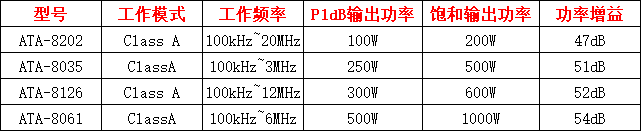
射频功率放大器的参数有哪些
射频功率放大器是射频通信系统中重要的组件,用于将输入的射频信号放大到需要的功率水平。在设计和选择射频功率放大器时,需要考虑多种参数。下面西安安泰将详细介绍射频功率放大器的常见参数。 1、P1dB功率压缩点 当放大器的输入功率比较低时,…...

3-5、多态性
语雀原文链接 文章目录 1、多态类型2、上下转型3、instanceof 1、多态类型 编译时多态:方法重载 在编译阶段就已经确定要调用哪个重载的方法 运行时多态:方法重写 具体调用哪个子类的方法要到运行的时候,结果才能确定,多态只针对…...

什么是https 加密协议?
什么是https 加密协议? 加密通信的作用加密原理数字证书SSL/TLS 协议部署和使用重要性 HTTPS(Hyper Text Transfer Protocol Secure)是一种网络传输协议,它是基于HTTP协议的扩展,通过加密通信内容来保障数据传输的安全…...
低压无功补偿在分布式光伏现场中的应用
摘要:分布式光伏电站由于建设时间短、技术成熟、收益明显而发展迅速,但光伏并网引起用户功率因数异常的问题也逐渐凸显。针对分布式光伏电站接入配电网后功率因数降低的问题,本文分析了低压无功补偿装置补偿失效的原因,并提出了一…...

人工智能技术在宽域飞行器控制中的应用
近年来,以空天飞行器、高超声速飞行器等 ̈1 为典型代表的宽域飞行器蓬勃发展,如图1所示,其 不仅对高端装备制造、空间信息以及太空经济等领 域产生辐射带动作用,进一步提升了中国在航空航 天领域的自主创新能力,同时也…...
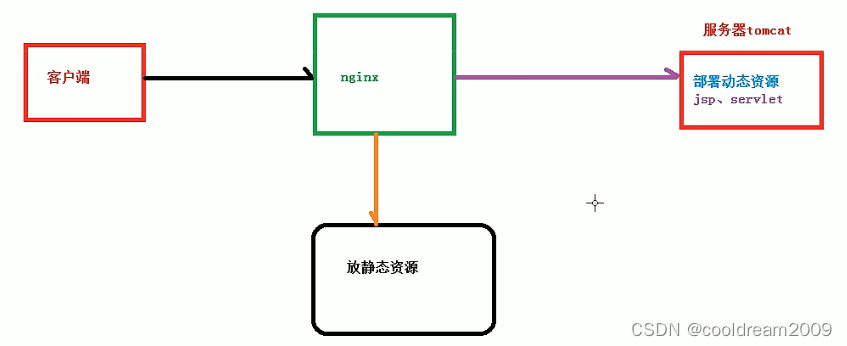
NGINX高性能服务器与关键概念解析
目录 1 NGINX简介2 NGINX的特性3 正向代理4 反向代理5 负载均衡6 动静分离7 高可用8 结语 1 NGINX简介 NGINX(“engine x”)在网络服务器和代理服务器领域备受推崇。作为一款高性能的 HTTP 和反向代理服务器,它以轻量级、高并发处理能力以及…...

云ssrf
https://book.hacktricks.xyz/pentesting-web/ssrf-server-side-request-forgery/cloud-ssrf SSRF -> EC2 Metadata API -> IAM临时Security Token -> AWS SSM -> RCESSRF -> EC2 Metadata API -> IAM临时Security Token -> AWS Lambda -> RCESSRF -&g…...
)
面试题目总结(三)
1. Spring、Springboot、springMVC、Spring Cloud 的区别: Spring:Spring 是一个开源的、轻量级的Java框架,提供了丰富的功能和组件,用于构建企业级应用程序。Spring框架包含了很多模块,包括核心容器、数据访问、事物…...
Kubernetes入门笔记——(2)k8s设计文档
k8s最初源自谷歌的Brog项目,架构与其类似,主要包括etcd、api server、controller manager、scheduler、kubelet和kube-proxy等组件 etcd:分布式存储,保存k8s集群的状态 api server:资源操作的唯一入口,…...

LoadBalancer将服务暴露到外部实现负载均衡metallb-layer2模式配置介绍
目录 一.metallb简介 1.支持多种负载均衡协议 2.支持自定义 IP 地址范围 3.无需额外的硬件设备 4.易于安装和配置 5.可扩展性强 6.layer2模式下选举的leader节点压力大 二.layer2模式配置演示 1.开启ipvs并开启严格ARP模式 2.下载并应用metallb 3.创建一个 IPAddres…...
【pytest】单元测试文件的写法
前言 可怜的宾馆,可怜得像被12月的冷雨淋湿的一条三只腿的黑狗。——《舞舞舞》 \;\\\;\\\; 目录 前言test_1或s_test格式非测试文件pytest.fixture()装饰器pytestselenium test_1或s_test格式 要么 test_前缀 在前,要么 _test后缀 在后! …...
arcgis for js 添加自定义叠加图片到地图坐标点上
在使用arcgis for js开发地图绘制图层时,可以通过相关api实现添加图标到某个坐标点,那么如果现在有一个需要添加一个小图叠大图的需求,又或者是自定义绘制图标,如何实现? 1、简单地绘制一个图标到底图图层上面 const…...

如何将Smart AM60电视盒子变身高性能Armbian服务器:完整实战指南
如何将Smart AM60电视盒子变身高性能Armbian服务器:完整实战指南 【免费下载链接】amlogic-s9xxx-armbian Supports running Armbian on Amlogic, Allwinner, and Rockchip devices. Support a311d, s922x, s905x3, s905x2, s912, s905d, s905x, s905w, s905, s905l…...

老游戏重生记:如何让经典作品在Win11焕发新生?
老游戏重生记:如何让经典作品在Win11焕发新生? 【免费下载链接】DDrawCompat DirectDraw and Direct3D 1-7 compatibility, performance and visual enhancements for Windows Vista, 7, 8, 10 and 11 项目地址: https://gitcode.com/gh_mirrors/dd/DD…...

零基础入门:Qwen3-ASR-1.7B语音识别Docker部署全流程
零基础入门:Qwen3-ASR-1.7B语音识别Docker部署全流程 1. 为什么选择Docker部署语音识别服务 想象一下,你刚学会使用Qwen3-ASR-1.7B这个强大的语音识别模型,在本地电脑上测试效果非常棒。但当你想把它部署到服务器上时,突然发现各…...

学术公式迁移困境:从3小时到45秒的转换革命——LaTeX2Word-Equation技术解析
学术公式迁移困境:从3小时到45秒的转换革命——LaTeX2Word-Equation技术解析 【免费下载链接】LaTeX2Word-Equation Copy LaTeX Equations as Word Equations, a Chrome Extension 项目地址: https://gitcode.com/gh_mirrors/la/LaTeX2Word-Equation 问题溯源…...
)
手把手教你用NVIDIA TX2串口控制大疆C620电机(USB转CAN模块保姆级教程)
从零实现NVIDIA TX2通过USB-CAN模块精准控制大疆C620电机 硬件连接与基础原理 当我们需要在机器人项目中实现高精度电机控制时,CAN总线通信往往是首选方案。但对于使用NVIDIA Jetson TX2这类开发板的新手来说,可能会遇到两个现实问题:TX2原生…...

FLUX.2-klein-base-9b-nvfp4快速入门:小白也能玩转AI图片编辑
FLUX.2-klein-base-9b-nvfp4快速入门:小白也能玩转AI图片编辑 1. 为什么选择这个AI图片编辑工具 你是否遇到过这些情况: 看到网上的漂亮衣服,想知道穿在自己身上是什么效果想给照片中的衣服换个颜色或添加文字,但不会用专业修图…...
)
港大新作GS-SDF开源了!手把手教你用激光雷达+3DGS复现IROS2025论文效果(附避坑指南)
港大GS-SDF开源项目实战:从环境配置到效果复现全指南 当激光雷达遇上3D高斯溅射,会碰撞出怎样的火花?港大MARS实验室最新开源的GS-SDF项目给出了令人惊艳的答案。这个将LiDAR点云与神经符号距离场(SDF)相结合的创新方…...

ClawdBot部署全流程:从安装到设备授权,手把手带你跑通
ClawdBot部署全流程:从安装到设备授权,手把手带你跑通 1. ClawdBot简介与核心价值 ClawdBot是一个可以在本地设备上运行的个人AI助手,它使用vLLM提供后端模型能力。与常见的云端AI服务不同,ClawdBot的设计理念强调: …...

图像二值化实战指南:从传统阈值到智能自适应算法的技术演进
1. 图像二值化技术基础入门 第一次接触图像二值化时,我盯着显示器上那些黑白分明的图片看了好久。这种看似简单的技术,在实际项目中却能解决大问题。简单来说,图像二值化就是把彩色或灰度图像转换成只有黑白两种颜色的图像,就像我…...

GLM-4.1V-9B-Base部署指南:模型权重校验+SHA256完整性验证流程
GLM-4.1V-9B-Base部署指南:模型权重校验SHA256完整性验证流程 1. 模型简介 GLM-4.1V-9B-Base是智谱开源的视觉多模态理解模型,支持以下核心功能: 图像内容识别与描述场景理解与分析目标检测与问答中文视觉理解任务 该模型采用9B参数规模&…...