
C# Onnx yolov8 plane detection
C# Onnx yolov8 plane detection
效果
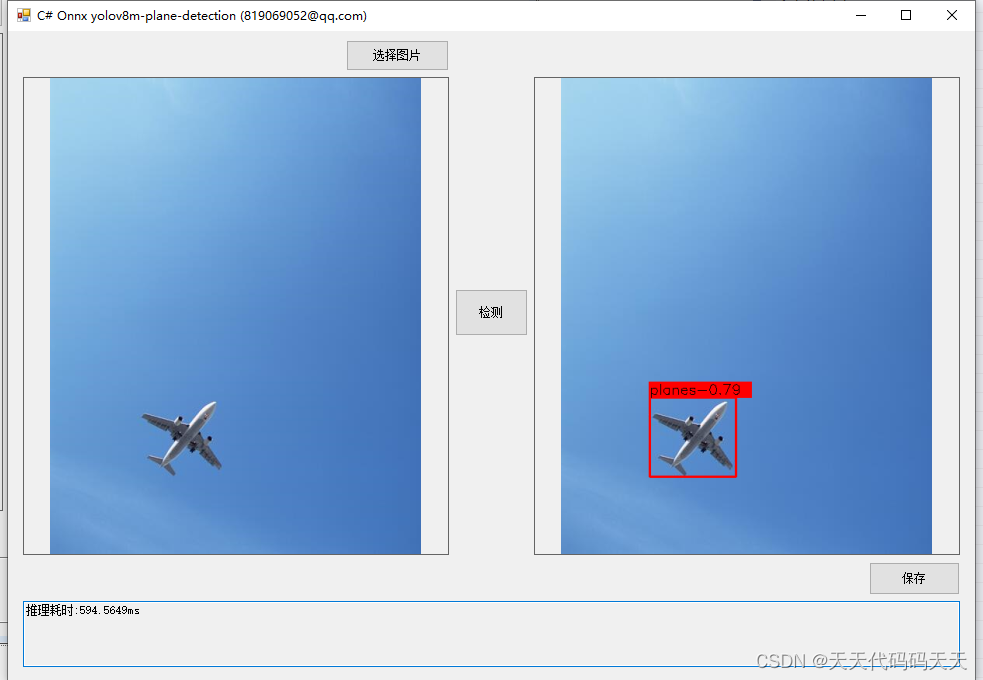
模型信息
Model Properties
-------------------------
date:2023-12-22T10:57:49.823820
author:Ultralytics
task:detect
license:AGPL-3.0 https://ultralytics.com/license
version:8.0.172
stride:32
batch:1
imgsz:[640, 640]
names:{0: 'planes'}
---------------------------------------------------------------
Inputs
-------------------------
name:images
tensor:Float[1, 3, 640, 640]
---------------------------------------------------------------
Outputs
-------------------------
name:output0
tensor:Float[1, 5, 8400]
---------------------------------------------------------------
项目
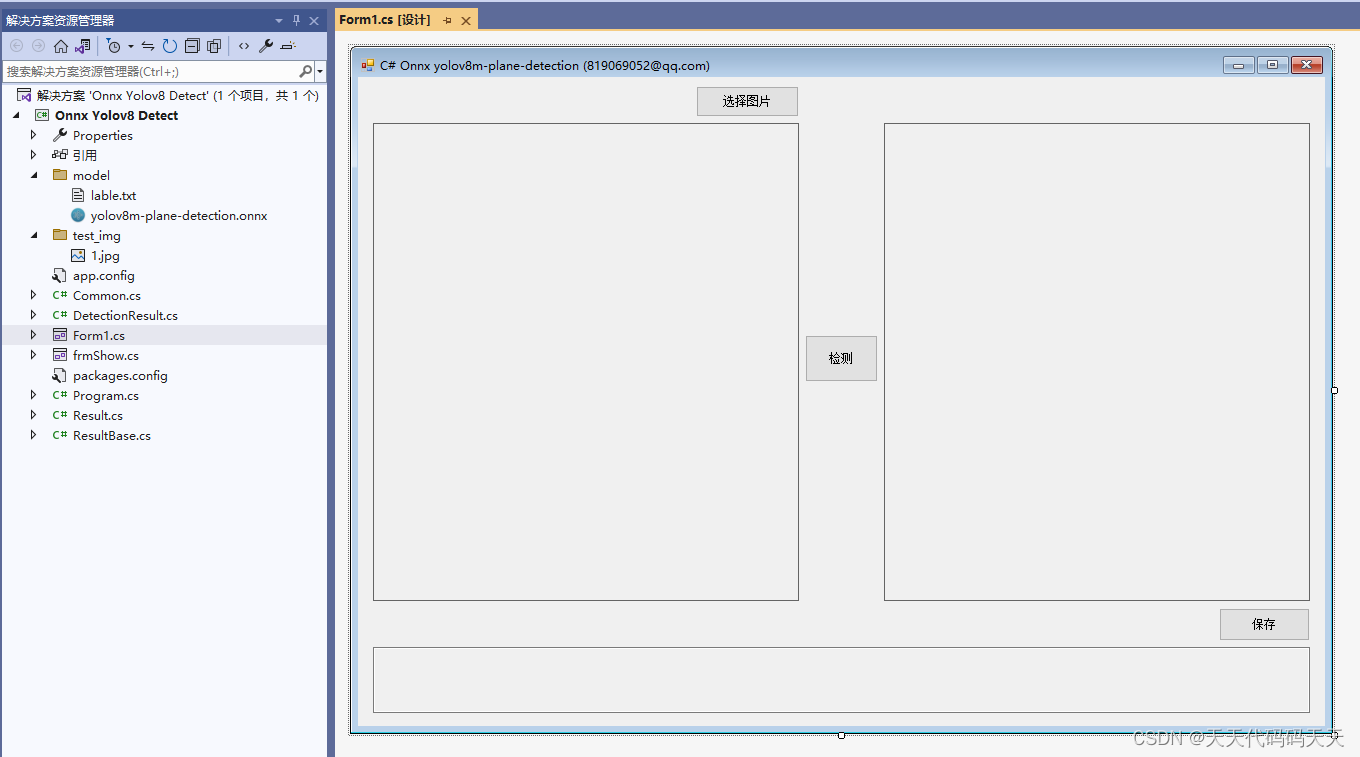
代码
using Microsoft.ML.OnnxRuntime;
using Microsoft.ML.OnnxRuntime.Tensors;
using OpenCvSharp;
using System;
using System.Collections.Generic;
using System.Drawing;
using System.Drawing.Imaging;
using System.Linq;
using System.Windows.Forms;
namespace Onnx_Yolov8_Demo
{
public partial class Form1 : Form
{
public Form1()
{
InitializeComponent();
}
string fileFilter = "*.*|*.bmp;*.jpg;*.jpeg;*.tiff;*.tiff;*.png";
string image_path = "";
string startupPath;
string classer_path;
DateTime dt1 = DateTime.Now;
DateTime dt2 = DateTime.Now;
string model_path;
Mat image;
DetectionResult result_pro;
Mat result_image;
Result result;
SessionOptions options;
InferenceSession onnx_session;
Tensor<float> input_tensor;
List<NamedOnnxValue> input_container;
IDisposableReadOnlyCollection<DisposableNamedOnnxValue> result_infer;
DisposableNamedOnnxValue[] results_onnxvalue;
Tensor<float> result_tensors;
private void button1_Click(object sender, EventArgs e)
{
OpenFileDialog ofd = new OpenFileDialog();
ofd.Filter = fileFilter;
if (ofd.ShowDialog() != DialogResult.OK) return;
pictureBox1.Image = null;
image_path = ofd.FileName;
pictureBox1.Image = new Bitmap(image_path);
textBox1.Text = "";
image = new Mat(image_path);
pictureBox2.Image = null;
}
private void button2_Click(object sender, EventArgs e)
{
if (image_path == "")
{
return;
}
button2.Enabled = false;
pictureBox2.Image = null;
textBox1.Text = "";
//图片缩放
image = new Mat(image_path);
int max_image_length = image.Cols > image.Rows ? image.Cols : image.Rows;
Mat max_image = Mat.Zeros(new OpenCvSharp.Size(max_image_length, max_image_length), MatType.CV_8UC3);
Rect roi = new Rect(0, 0, image.Cols, image.Rows);
image.CopyTo(new Mat(max_image, roi));
float[] result_array = new float[8400 * 84];
float[] factors = new float[2];
factors[0] = factors[1] = (float)(max_image_length / 640.0);
// 将图片转为RGB通道
Mat image_rgb = new Mat();
Cv2.CvtColor(max_image, image_rgb, ColorConversionCodes.BGR2RGB);
Mat resize_image = new Mat();
Cv2.Resize(image_rgb, resize_image, new OpenCvSharp.Size(640, 640));
// 输入Tensor
for (int y = 0; y < resize_image.Height; y++)
{
for (int x = 0; x < resize_image.Width; x++)
{
input_tensor[0, 0, y, x] = resize_image.At<Vec3b>(y, x)[0] / 255f;
input_tensor[0, 1, y, x] = resize_image.At<Vec3b>(y, x)[1] / 255f;
input_tensor[0, 2, y, x] = resize_image.At<Vec3b>(y, x)[2] / 255f;
}
}
//将 input_tensor 放入一个输入参数的容器,并指定名称
input_container.Add(NamedOnnxValue.CreateFromTensor("images", input_tensor));
dt1 = DateTime.Now;
//运行 Inference 并获取结果
result_infer = onnx_session.Run(input_container);
dt2 = DateTime.Now;
// 将输出结果转为DisposableNamedOnnxValue数组
results_onnxvalue = result_infer.ToArray();
// 读取第一个节点输出并转为Tensor数据
result_tensors = results_onnxvalue[0].AsTensor<float>();
result_array = result_tensors.ToArray();
resize_image.Dispose();
image_rgb.Dispose();
result_pro = new DetectionResult(classer_path, factors);
result = result_pro.process_result(result_array);
result_image = result_pro.draw_result(result, image.Clone());
if (!result_image.Empty())
{
pictureBox2.Image = new Bitmap(result_image.ToMemoryStream());
textBox1.Text = "推理耗时:" + (dt2 - dt1).TotalMilliseconds + "ms";
}
else
{
textBox1.Text = "无信息";
}
button2.Enabled = true;
}
private void Form1_Load(object sender, EventArgs e)
{
startupPath = System.Windows.Forms.Application.StartupPath;
model_path = "model/yolov8m-plane-detection.onnx";
classer_path = "model/lable.txt";
// 创建输出会话,用于输出模型读取信息
options = new SessionOptions();
options.LogSeverityLevel = OrtLoggingLevel.ORT_LOGGING_LEVEL_INFO;
options.AppendExecutionProvider_CPU(0);// 设置为CPU上运行
// 创建推理模型类,读取本地模型文件
onnx_session = new InferenceSession(model_path, options);//model_path 为onnx模型文件的路径
// 输入Tensor
input_tensor = new DenseTensor<float>(new[] { 1, 3, 640, 640 });
// 创建输入容器
input_container = new List<NamedOnnxValue>();
image_path = "test_img/1.jpg";
pictureBox1.Image = new Bitmap(image_path);
image = new Mat(image_path);
}
private void pictureBox1_DoubleClick(object sender, EventArgs e)
{
Common.ShowNormalImg(pictureBox1.Image);
}
private void pictureBox2_DoubleClick(object sender, EventArgs e)
{
Common.ShowNormalImg(pictureBox2.Image);
}
SaveFileDialog sdf = new SaveFileDialog();
private void button3_Click(object sender, EventArgs e)
{
if (pictureBox2.Image == null)
{
return;
}
Bitmap output = new Bitmap(pictureBox2.Image);
sdf.Title = "保存";
sdf.Filter = "Images (*.jpg)|*.jpg|Images (*.png)|*.png|Images (*.bmp)|*.bmp|Images (*.emf)|*.emf|Images (*.exif)|*.exif|Images (*.gif)|*.gif|Images (*.ico)|*.ico|Images (*.tiff)|*.tiff|Images (*.wmf)|*.wmf";
if (sdf.ShowDialog() == DialogResult.OK)
{
switch (sdf.FilterIndex)
{
case 1:
{
output.Save(sdf.FileName, ImageFormat.Jpeg);
break;
}
case 2:
{
output.Save(sdf.FileName, ImageFormat.Png);
break;
}
case 3:
{
output.Save(sdf.FileName, ImageFormat.Bmp);
break;
}
case 4:
{
output.Save(sdf.FileName, ImageFormat.Emf);
break;
}
case 5:
{
output.Save(sdf.FileName, ImageFormat.Exif);
break;
}
case 6:
{
output.Save(sdf.FileName, ImageFormat.Gif);
break;
}
case 7:
{
output.Save(sdf.FileName, ImageFormat.Icon);
break;
}
case 8:
{
output.Save(sdf.FileName, ImageFormat.Tiff);
break;
}
case 9:
{
output.Save(sdf.FileName, ImageFormat.Wmf);
break;
}
}
MessageBox.Show("保存成功,位置:" + sdf.FileName);
}
}
}
}
using Microsoft.ML.OnnxRuntime;
using Microsoft.ML.OnnxRuntime.Tensors;
using OpenCvSharp;
using System;
using System.Collections.Generic;
using System.Drawing;
using System.Drawing.Imaging;
using System.Linq;
using System.Windows.Forms;namespace Onnx_Yolov8_Demo
{public partial class Form1 : Form{public Form1(){InitializeComponent();}string fileFilter = "*.*|*.bmp;*.jpg;*.jpeg;*.tiff;*.tiff;*.png";string image_path = "";string startupPath;string classer_path;DateTime dt1 = DateTime.Now;DateTime dt2 = DateTime.Now;string model_path;Mat image;DetectionResult result_pro;Mat result_image;Result result;SessionOptions options;InferenceSession onnx_session;Tensor<float> input_tensor;List<NamedOnnxValue> input_container;IDisposableReadOnlyCollection<DisposableNamedOnnxValue> result_infer;DisposableNamedOnnxValue[] results_onnxvalue;Tensor<float> result_tensors;private void button1_Click(object sender, EventArgs e){OpenFileDialog ofd = new OpenFileDialog();ofd.Filter = fileFilter;if (ofd.ShowDialog() != DialogResult.OK) return;pictureBox1.Image = null;image_path = ofd.FileName;pictureBox1.Image = new Bitmap(image_path);textBox1.Text = "";image = new Mat(image_path);pictureBox2.Image = null;}private void button2_Click(object sender, EventArgs e){if (image_path == ""){return;}button2.Enabled = false;pictureBox2.Image = null;textBox1.Text = "";//图片缩放image = new Mat(image_path);int max_image_length = image.Cols > image.Rows ? image.Cols : image.Rows;Mat max_image = Mat.Zeros(new OpenCvSharp.Size(max_image_length, max_image_length), MatType.CV_8UC3);Rect roi = new Rect(0, 0, image.Cols, image.Rows);image.CopyTo(new Mat(max_image, roi));float[] result_array = new float[8400 * 84];float[] factors = new float[2];factors[0] = factors[1] = (float)(max_image_length / 640.0);// 将图片转为RGB通道Mat image_rgb = new Mat();Cv2.CvtColor(max_image, image_rgb, ColorConversionCodes.BGR2RGB);Mat resize_image = new Mat();Cv2.Resize(image_rgb, resize_image, new OpenCvSharp.Size(640, 640));// 输入Tensorfor (int y = 0; y < resize_image.Height; y++){for (int x = 0; x < resize_image.Width; x++){input_tensor[0, 0, y, x] = resize_image.At<Vec3b>(y, x)[0] / 255f;input_tensor[0, 1, y, x] = resize_image.At<Vec3b>(y, x)[1] / 255f;input_tensor[0, 2, y, x] = resize_image.At<Vec3b>(y, x)[2] / 255f;}}//将 input_tensor 放入一个输入参数的容器,并指定名称input_container.Add(NamedOnnxValue.CreateFromTensor("images", input_tensor));dt1 = DateTime.Now;//运行 Inference 并获取结果result_infer = onnx_session.Run(input_container);dt2 = DateTime.Now;// 将输出结果转为DisposableNamedOnnxValue数组results_onnxvalue = result_infer.ToArray();// 读取第一个节点输出并转为Tensor数据result_tensors = results_onnxvalue[0].AsTensor<float>();result_array = result_tensors.ToArray();resize_image.Dispose();image_rgb.Dispose();result_pro = new DetectionResult(classer_path, factors);result = result_pro.process_result(result_array);result_image = result_pro.draw_result(result, image.Clone());if (!result_image.Empty()){pictureBox2.Image = new Bitmap(result_image.ToMemoryStream());textBox1.Text = "推理耗时:" + (dt2 - dt1).TotalMilliseconds + "ms";}else{textBox1.Text = "无信息";}button2.Enabled = true;}private void Form1_Load(object sender, EventArgs e){startupPath = System.Windows.Forms.Application.StartupPath;model_path = "model/yolov8m-plane-detection.onnx";classer_path = "model/lable.txt";// 创建输出会话,用于输出模型读取信息options = new SessionOptions();options.LogSeverityLevel = OrtLoggingLevel.ORT_LOGGING_LEVEL_INFO;options.AppendExecutionProvider_CPU(0);// 设置为CPU上运行// 创建推理模型类,读取本地模型文件onnx_session = new InferenceSession(model_path, options);//model_path 为onnx模型文件的路径// 输入Tensorinput_tensor = new DenseTensor<float>(new[] { 1, 3, 640, 640 });// 创建输入容器input_container = new List<NamedOnnxValue>();image_path = "test_img/1.jpg";pictureBox1.Image = new Bitmap(image_path);image = new Mat(image_path);}private void pictureBox1_DoubleClick(object sender, EventArgs e){Common.ShowNormalImg(pictureBox1.Image);}private void pictureBox2_DoubleClick(object sender, EventArgs e){Common.ShowNormalImg(pictureBox2.Image);}SaveFileDialog sdf = new SaveFileDialog();private void button3_Click(object sender, EventArgs e){if (pictureBox2.Image == null){return;}Bitmap output = new Bitmap(pictureBox2.Image);sdf.Title = "保存";sdf.Filter = "Images (*.jpg)|*.jpg|Images (*.png)|*.png|Images (*.bmp)|*.bmp|Images (*.emf)|*.emf|Images (*.exif)|*.exif|Images (*.gif)|*.gif|Images (*.ico)|*.ico|Images (*.tiff)|*.tiff|Images (*.wmf)|*.wmf";if (sdf.ShowDialog() == DialogResult.OK){switch (sdf.FilterIndex){case 1:{output.Save(sdf.FileName, ImageFormat.Jpeg);break;}case 2:{output.Save(sdf.FileName, ImageFormat.Png);break;}case 3:{output.Save(sdf.FileName, ImageFormat.Bmp);break;}case 4:{output.Save(sdf.FileName, ImageFormat.Emf);break;}case 5:{output.Save(sdf.FileName, ImageFormat.Exif);break;}case 6:{output.Save(sdf.FileName, ImageFormat.Gif);break;}case 7:{output.Save(sdf.FileName, ImageFormat.Icon);break;}case 8:{output.Save(sdf.FileName, ImageFormat.Tiff);break;}case 9:{output.Save(sdf.FileName, ImageFormat.Wmf);break;}}MessageBox.Show("保存成功,位置:" + sdf.FileName);}}}
}
下载
源码下载
相关文章:
C# Onnx yolov8 plane detection
C# Onnx yolov8 plane detection 效果 模型信息 Model Properties ------------------------- date:2023-12-22T10:57:49.823820 author:Ultralytics task:detect license:AGPL-3.0 https://ultralytics.com/license version&am…...
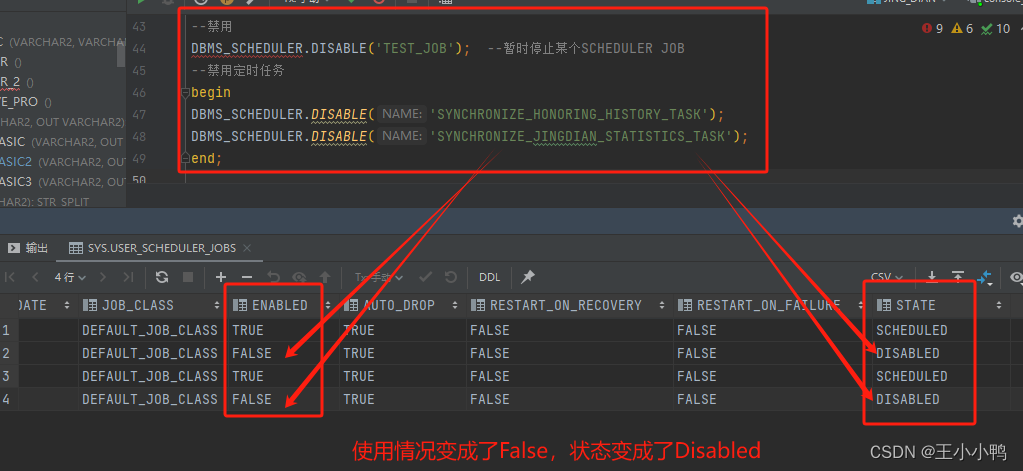
Oracle定时任务的创建与禁用/删除
在开始操作之前,先从三W开始,即我常说的what 是什么;why 为什么使用;how 如何使用。 一、Oracle定时器是什么 Oracle定时器是一种用于在特定时间执行任务或存储过程的工具,可以根据需求设置不同的时间段和频率来执行…...
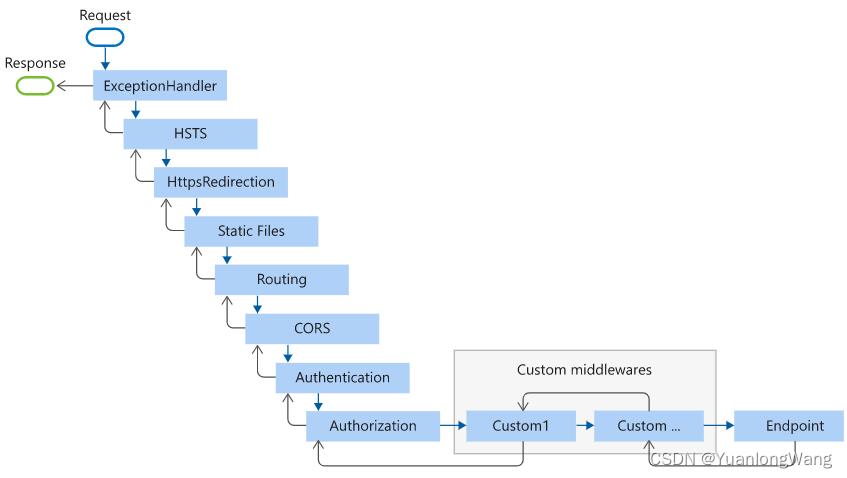
Asp.Net Core 项目中常见中间件调用顺序
常用的 AspNetCore 项目中间件有这些,调用顺序如下图所示: 最后的 Endpoint 就是最终生成响应的中间件。 Configure调用如下: public void Configure(IApplicationBuilder app, IWebHostEnvironment env){if (env.IsDevelopment()){app.UseD…...
【JVM】一、认识JVM
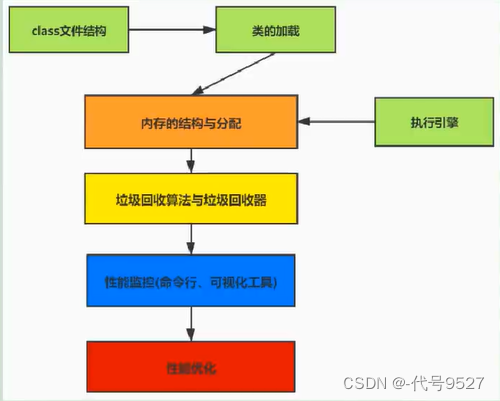
文章目录 1、虚拟机2、Java虚拟机3、JVM的整体结构4、Java代码的执行流程5、JVM的分类6、JVM的生命周期 1、虚拟机 虚拟机,Virtual Machine,一台虚拟的计算机,用来执行虚拟计算机指令。分为: 系统虚拟机:如VMware&am…...
[SWPUCTF 2021 新生赛]Do_you_know_http已
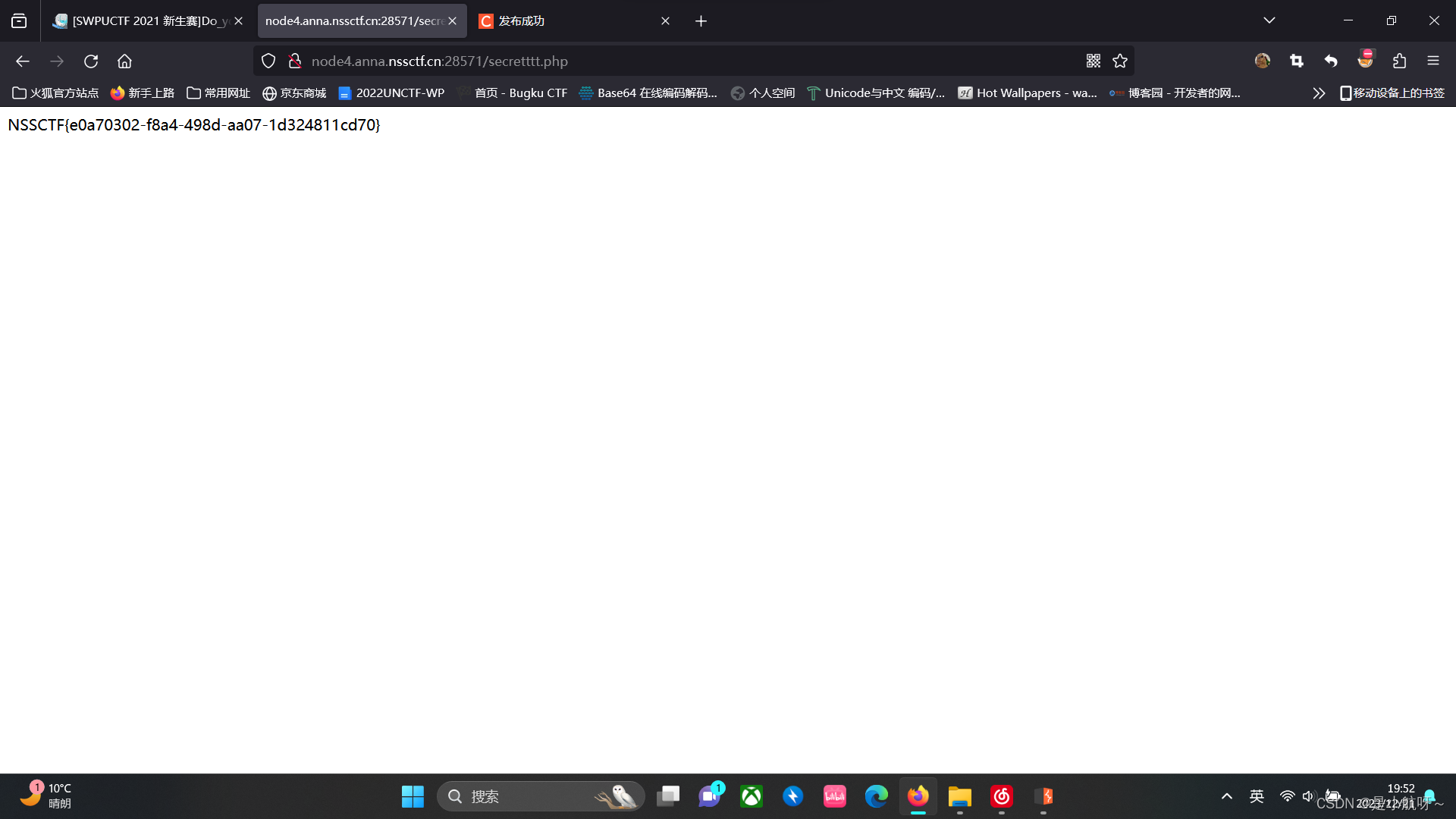
打开环境 它说用WLLM浏览器打开,使用BP抓包,发送到重发器 修改User-Agent 下一步,访问a.php 这儿他说添加一个本地地址,它给了一个183.224.40.160,我用了发现没用,然后重新添加一个地址:X-Forwa…...

hadoop01_完全分布式搭建
hadoop完全分布式搭建 1 完全分布式介绍 Hadoop运行模式包括:本地模式(计算的数据存在Linux本地,在一台服务器上 自己测试)、伪分布式模式(和集群接轨 HDFS yarn,在一台服务器上执行)、完全分…...
【每日一题】得到山形数组的最少删除次数
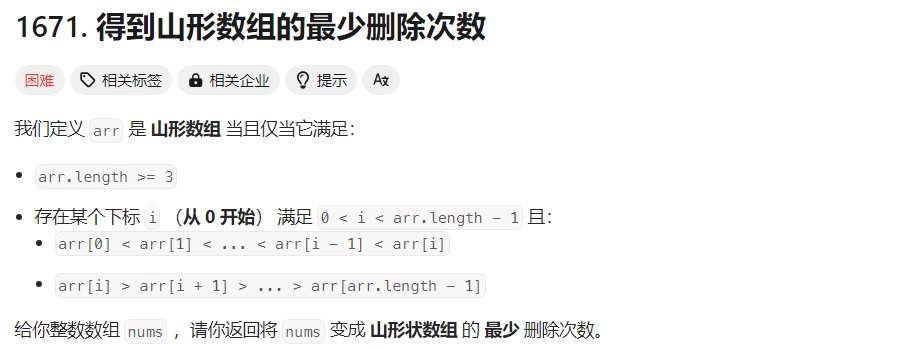
文章目录 Tag题目来源解题思路方法一:最长递增子序列 写在最后 Tag 【最长递增子序列】【数组】【2023-12-22】 题目来源 1671. 得到山形数组的最少删除次数 解题思路 方法一:最长递增子序列 前后缀分解 根据前后缀思想,以 nums[i] 为山…...

2023年,为什么汽车依然有很多小毛病?
汽车出现小毛病是一个复杂的问题,其原因涉及到汽车本身的设计、制造质量、维护保养以及使用环境等多个方面。只有汽车制造商、车主和社会各界共同努力,才能够减少汽车的小毛病,提高汽车的可靠性和安全性。 比如,汽车的维护和保养…...

yocto系列讲解[实战篇]93 - 添加Qtwebengine和Browser实例
By: fulinux E-mail: fulinux@sina.com Blog: https://blog.csdn.net/fulinus 喜欢的盆友欢迎点赞和订阅! 你的喜欢就是我写作的动力! 目录 概述集成meta-qt5移植过程中的问题问题1:virtual/libgl set to mesa, not mesa-gl问题2:dmabuf-server-buffer tries to use undecl…...
Python实验报告十一、自定义类模拟三维向量及其运算
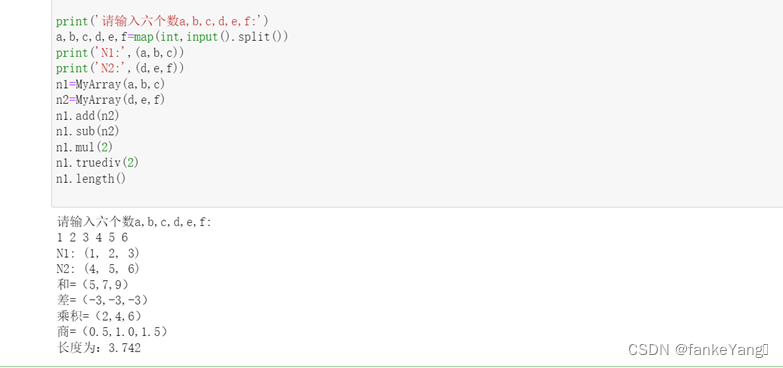
一、实验目的: 1、了解如何定义一个类。 2、了解如何定义类的私有数据成员和成员方法。 3、了解如何使用自定义类实例化对象。 二、实验内容: 定义一个三维向量类,并定义相应的特殊方法实现两个该类对象之间的加、减运算(要…...
机器学习 | 聚类Clustering 算法
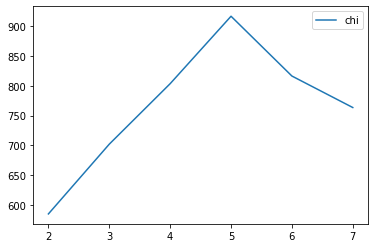
物以类聚人以群分。 什么是聚类呢? 1、核心思想和原理 聚类的目的 同簇高相似度 不同簇高相异度 同类尽量相聚 不同类尽量分离 聚类和分类的区别 分类 classification 监督学习 训练获得分类器 预测未知数据 聚类 clustering 无监督学习,不关心类别标签 …...
IntelliJ IDEA 2023.3 新功能介绍
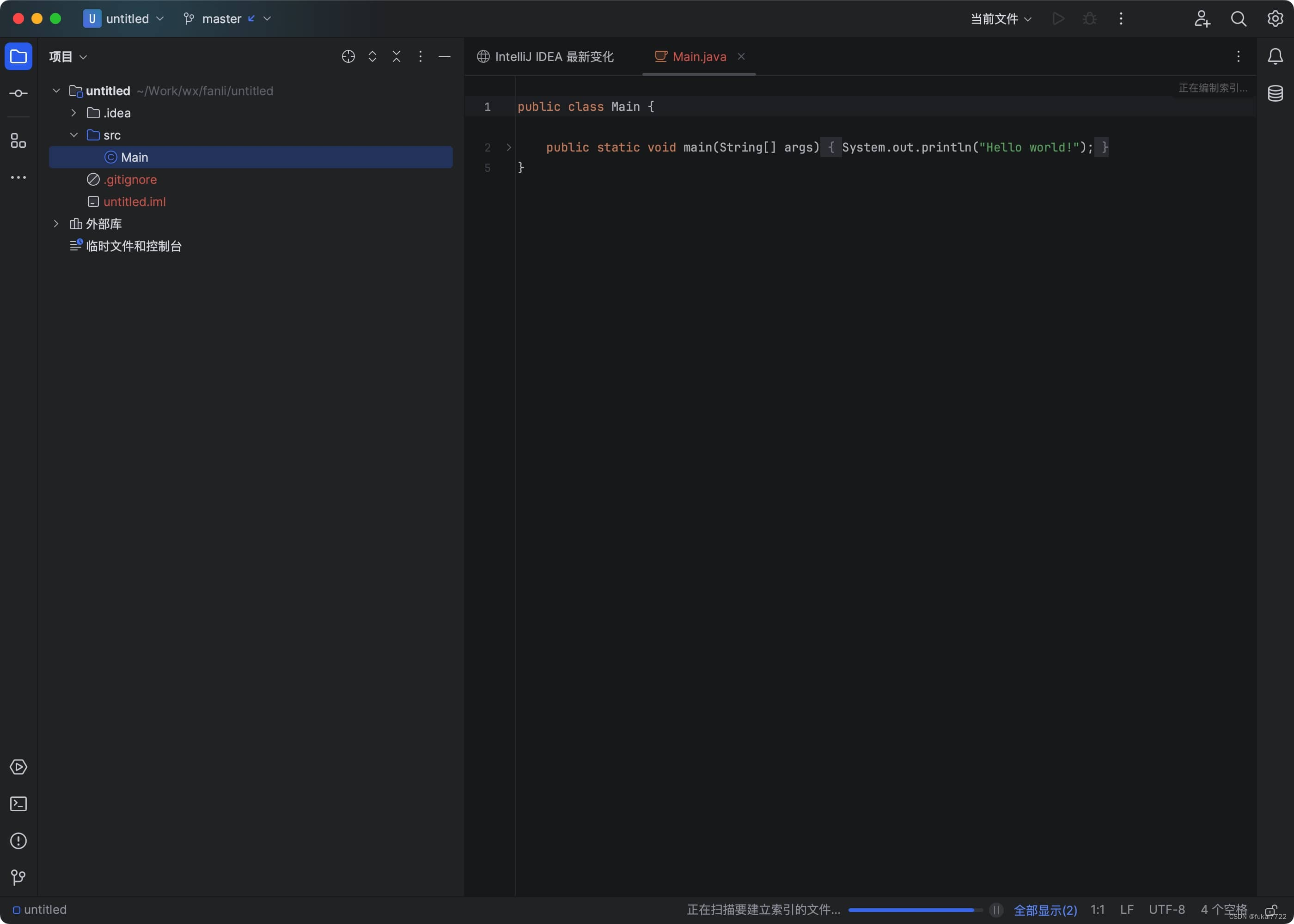
IntelliJ IDEA 2023.3 在众多领域进行了全面的改进,引入了许多令人期待的功能和增强体验。以下是该版本的一些关键亮点: IntelliJ IDEA mac版下载 macappbox.com/a/intellij-idea-for-mac.html 1. AI Assistant 的全面推出 IntelliJ IDEA 2023.3 中&am…...
2. 行为模式 - 命令模式
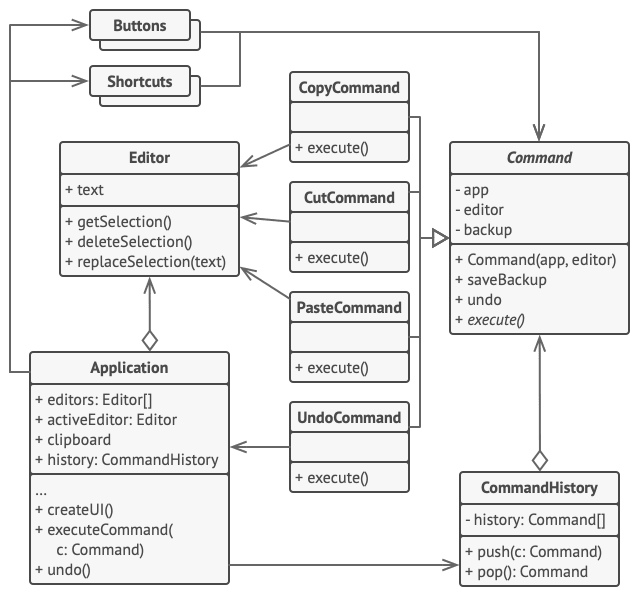
亦称: 动作、事务、Action、Transaction、Command 意图 命令模式是一种行为设计模式, 它可将请求转换为一个包含与请求相关的所有信息的独立对象。 该转换让你能根据不同的请求将方法参数化、 延迟请求执行或将其放入队列中, 且能实现可撤销…...
Java智慧工地源码 SAAS智慧工地源码 智慧工地管理可视化平台源码 带移动APP
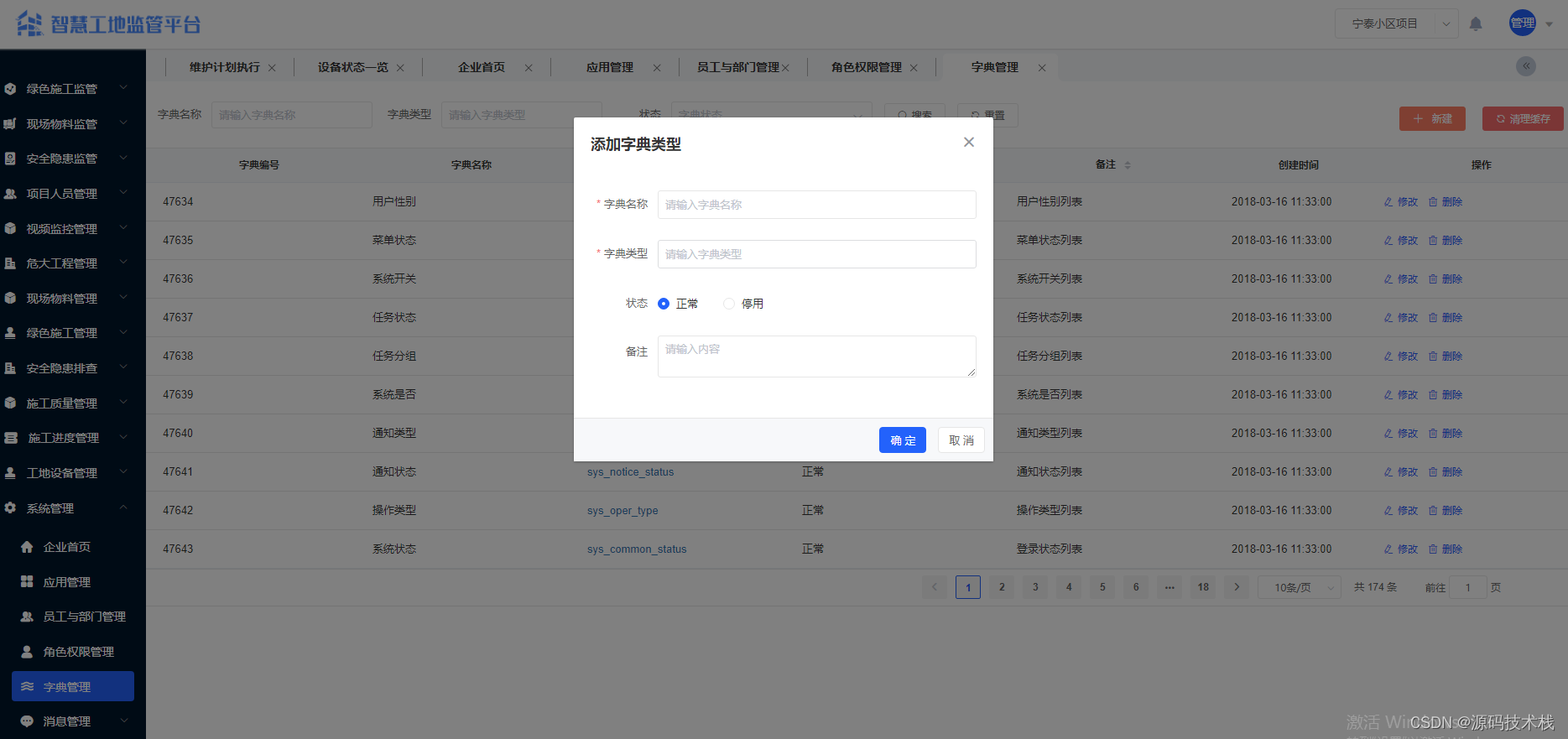
一、系统主要功能介绍 系统功能介绍: 【项目人员管理】 1. 项目管理:项目名称、施工单位名称、项目地址、项目地址、总造价、总面积、施工准可证、开工日期、计划竣工日期、项目状态等。 2. 人员信息管理:支持身份证及人脸信息采集&#…...
php学习02-php标记风格
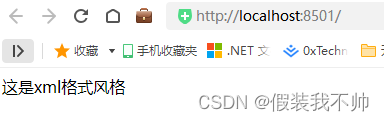
<?php echo "这是xml格式风格" ?><script language"php">echo 脚本风格标记 </script><% echo "这是asp格式风格" %>推荐使用xml格式风格 如果要使用简短风格和ASP风格,需要在php.ini中对其进行配置&#…...

13.1 jar文件
13.1 jar文件 java归档(JAR)文件,将应用程序打包后仅提供的单独文件,可包含类文件,也可包含图片、声音等其他类型文件。 JAR文件使用了大家熟悉的Zip压缩格式,pack200为通常的zip压缩算法,对类…...

论文阅读:Long-Term Visual Simultaneous Localization and Mapping
论文摘要指出,为了在长期变化的环境中准确进行定位,提出了一种新型的长期视觉SLAM(同步定位与地图构建)系统,该系统具备地图预测和动态物体移除功能。系统首先设计了一个高效的视觉点云匹配算法,将2D像素信…...
Docker 学习总结(80)—— 轻松驾驭容器,玩转 LazyDocker
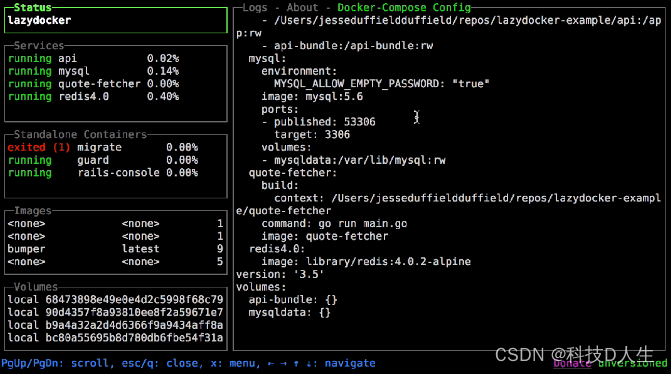
前言 LazyDocker 是一个用户友好的命令行工具,简化了 Docker 的管理。它能够通过单一命令执行常见的 Docker 任务,如启动、停止、重启和移除容器。LazyDocker 还能轻松查看日志、清理未使用的容器和镜像,并自定义指标。 简绍 LazyDocker 是一个用户友好的 CLI 工具,可以轻…...
- MediaCodecList)
Android 13 - Media框架(24)- MediaCodecList
这一节我们要了解 MediaCodecList 中的信息是如何加载的,以及这些信息是如何使用到的。 // static sp<IMediaCodecList> MediaCodecList::getLocalInstance() {Mutex::Autolock autoLock(sInitMutex);if (sCodecList nullptr) {MediaCodecList *codecList n…...

【稳定检索|投稿优惠】2024年交通运输与能源动力国际学术会议(IACTEP 2024)
2024年交通运输与能源动力国际学术会议(IACTEP 2024) 2024 International Academic Conference on Transportation and Energy Power(IACTEP) 一、【会议简介】 2024年交通运输与能源动力国际学术会议(IACTEP 2024)将在美丽的三亚盛大启幕。本次会议将聚焦交通运输与能源动力等…...

WarcraftHelper:免费终极指南,让魔兽争霸III在现代系统上流畅运行
WarcraftHelper:免费终极指南,让魔兽争霸III在现代系统上流畅运行 【免费下载链接】WarcraftHelper Warcraft III Helper , support 1.20e, 1.24e, 1.26a, 1.27a, 1.27b 项目地址: https://gitcode.com/gh_mirrors/wa/WarcraftHelper WarcraftHel…...

RAG提示工程失效?NotebookLM上下文压缩机制深度拆解,3类文档结构适配公式即拿即用
更多请点击: https://intelliparadigm.com 第一章:RAG提示工程失效的底层归因与NotebookLM破局逻辑 RAG(Retrieval-Augmented Generation)系统在真实场景中频繁遭遇“提示失焦”现象——检索结果与生成目标语义脱节,导…...

3个技巧快速掌握arp-scan局域网设备发现
3个技巧快速掌握arp-scan局域网设备发现 【免费下载链接】arp-scan The ARP Scanner 项目地址: https://gitcode.com/gh_mirrors/ar/arp-scan 在网络管理工作中,您是否经常遇到这样的困扰:明明设备连接了网络,却无法通过常规ping命令发…...

PyQt6 GUI开发实战:构建现代化桌面应用的架构设计指南
PyQt6 GUI开发实战:构建现代化桌面应用的架构设计指南 【免费下载链接】PyQt-Chinese-tutorial PyQt6中文教程 项目地址: https://gitcode.com/gh_mirrors/py/PyQt-Chinese-tutorial 在当今软件开发领域,桌面应用依然占据着重要地位,特…...

如何免费解锁Cursor Pro:完整破解方案与实战指南
如何免费解锁Cursor Pro:完整破解方案与实战指南 【免费下载链接】cursor-free-vip [Support 0.45](Multi Language 多语言)自动注册 Cursor Ai ,自动重置机器ID , 免费升级使用Pro 功能: Youve reached your trial re…...

WPF老鸟的Avalonia初体验:用VS2022+Ubuntu虚拟机,从零到发布Linux安装包
WPF开发者实战Avalonia跨平台:VS2022Ubuntu全流程指南 当微软宣布.NET跨平台战略时,许多WPF开发者都看到了将桌面应用扩展到Linux和macOS的可能性。作为一个长期依赖WPF构建企业级应用的开发者,我第一次接触Avalonia时,最惊讶的是…...

汉字信息聚合工具开发:从数据可视化到工程实践
1. 项目概述:一个汉字学习者的“浏览器” 如果你是一个对汉字结构、字源、演变历史有浓厚兴趣的学习者,或者是一位从事中文教学、字体设计、文化研究的专业人士,你肯定有过这样的经历:为了查清一个汉字的来龙去脉,你需…...

HDLbits实战解析:从异步复位到同步复位,掌握三段式FSM的核心差异与设计要点
1. 异步复位与同步复位的本质区别 在数字电路设计中,复位信号就像电脑的重启按钮,它能将电路恢复到初始状态。但很多初学者第一次在HDLbits上做FSM练习题时,会被"asynchronous reset"和"synchronous reset"这两个概念搞…...

终极指南:如何用Python轻松解锁QQ音乐资源,打造个人音乐库
终极指南:如何用Python轻松解锁QQ音乐资源,打造个人音乐库 【免费下载链接】MCQTSS_QQMusic QQ音乐解析 项目地址: https://gitcode.com/gh_mirrors/mc/MCQTSS_QQMusic 你是否曾遇到过这样的困扰?在QQ音乐上发现了一首心仪的歌曲&…...

深入解析BaiduNetdiskPlugin-macOS:逆向工程破解百度网盘速度限制的技术实践
深入解析BaiduNetdiskPlugin-macOS:逆向工程破解百度网盘速度限制的技术实践 【免费下载链接】BaiduNetdiskPlugin-macOS For macOS.百度网盘 破解SVIP、下载速度限制~ 项目地址: https://gitcode.com/gh_mirrors/ba/BaiduNetdiskPlugin-macOS 在macOS平台上…...