
openssl的 openssl.cnf配置文件详解
背景:在上一篇文中,提到要写一篇openssl 配置文件详解的,这就来了~~~
find / -name openssl.cnf
/etc/pki/tls/openssl.cnf
/etc/pki/tls/openssl.cnf,该文件主要设置了证书请求、签名、crl相关的配置。主要相关的伪命令为ca和req。。
该文件从功能结构上分为4个段落:默认段、ca相关的段、req相关的段、tsa相关的段。每个段中都以name=value的格式定义.
以下是我将文件分段摘抄出来,并进行解释的:
默认段:
| # # OpenSSL example configuration file. # This is mostly being used for generation of certificate requests. # # This definition stops the following lines choking if HOME isn't # defined. 定义当前目录变量,以及随机数的文件路径变量 HOME = . RANDFILE = $ENV::HOME/.rnd # Extra OBJECT IDENTIFIER info: #oid_file = $ENV::HOME/.oid oid_section = new_oids # To use this configuration file with the "-extfile" option of the # "openssl x509" utility, name here the section containing the # X.509v3 extensions to use: # extensions = # (Alternatively, use a configuration file that has only # X.509v3 extensions in its main [= default] section.) [ new_oids ] # We can add new OIDs in here for use by 'ca', 'req' and 'ts'. # Add a simple OID like this: # testoid1=1.2.3.4 # Or use config file substitution like this: # testoid2=${testoid1}.5.6 # Policies used by the TSA examples. tsa_policy1 = 1.2.3.4.1 tsa_policy2 = 1.2.3.4.5.6 tsa_policy3 = 1.2.3.4.5.7 |
CA段:
| #################################################################### [ ca ] default_ca = CA_default # The default ca section #################################################################### [ CA_default ] dir = /etc/pki/CA # Where everything is kept certs = $dir/certs # Where the issued certs are kept已颁发的证书路径即CA或者自签的 crl_dir = $dir/crl # Where the issued crl are kept 已颁发的crl存放目录 database = $dir/index.txt # database index file. #unique_subject = no # Set to 'no' to allow creation of # several ctificates with same subject. new_certs_dir = $dir/newcerts # default place for new certs.将来颁发的证书存放路径 certificate = $dir/cacert.pem # The CA certificate CA自己的证书文件 serial = $dir/serial # The current serial number提供序列号的文件路径 crlnumber = $dir/crlnumber # the current crl number 当前crl序列号 # must be commented out to leave a V1 CRL crl = $dir/crl.pem # The current CRL 当前crl文件 private_key = $dir/private/cakey.pem# The private key 签名时需要的私钥即CA自己的私钥 RANDFILE = $dir/private/.rand # private random number file 提供随机数的文件 x509_extensions = usr_cert # The extentions to add to the cert添加到证书中的扩展项 # Comment out the following two lines for the "traditional" 证书展示格式,一般不用修改,使用默认即可 # (and highly broken) format. name_opt = ca_default # Subject Name options cert_opt = ca_default # Certificate field options # Extension copying option: use with caution.扩展项的使用,需要谨慎 生成证书时扩展项的扩展可复制属性copy_extensions,取值为none/copy或copyall。 如不设置则默认为none,简单使用时设置为none或者不设置,不建议设置为copyall # copy_extensions = copy # Extensions to add to a CRL. Note: Netscape communicator chokes on V2 CRLs # so this is commented out by default to leave a V1 CRL. # crlnumber must also be commented out to leave a V1 CRL. # crl_extensions = crl_ext default_days = 365 # how long to certify for 默认的证书有效期 default_crl_days= 30 # how long before next CRL CRL的有效期 default_md = sha256 # use SHA-256 by default 默认摘要算法 preserve = no # keep passed DN ordering Distinguished Name顺序,一般设置为no # A few difference way of specifying how similar the request should look # For type CA, the listed attributes must be the same, and the optional # and supplied fields are just that :-) policy = policy_match #证书匹配策略,对比的是[ policy_match ] 的设定 #证书匹配策略定义了证书请求的DN字段(field)被CA签署时和CA证书的匹配规则 # 对于CA证书请求,这些匹配规则必须要和父CA完全相同 # For the CA policy [ policy_match ] countryName = match #match表示请求中填写的Country字段信息要和CA证书中的匹配 stateOrProvinceName = match #match表示请求中填写的stateOrProvinceName字段信息要和CA证书中的匹配 organizationName = match #match表示请求中填写的organizationName字段信息要和CA证书中的匹配 organizationalUnitName = optional # optional表示生成证书请求文件时该organizationalUnitName字段可选 commonName = supplied # supplied 表示生成证书请求文件时该字段必须提供 emailAddress = optional # For the 'anything' policy # At this point in time, you must list all acceptable 'object' #没有被引用的策略扩展 就是被忽略的???(这个地方暂时没搞懂) # types. [ policy_anything ] countryName = optional stateOrProvinceName = optional localityName = optional organizationName = optional organizationalUnitName = optional commonName = supplied emailAddress = optional #################################################################### |
req 段:
| #################################################################### [ req ] default_bits = 2048 #生成的证书请求文件时的密钥长度 (网上有的资料说是私钥的密钥长度,但我觉得应该是 生成的证书请求文件的密钥长度) default_md = sha256 #默认的证书请求签名时使用的加密算法 default_keyfile = privkey.pem #生成证书请求文件时默认使用的私钥存放位置如-new选项没指定-key时会自动创建私钥 -newkey选项也会自动创建私钥??? distinguished_name = req_distinguished_name #可识别的字段名(常被简称为DN,引用req_distinguished_name段的设置) attributes = req_attributes #证书请求的属性,引用req_attributes段的设置,可以不设置它 x509_extensions = v3_ca # The extentions to add to the self signed cert加入到自签证书中的扩展项 # Passwords for private keys if not present they will be prompted for #输入和输出私钥文件的密码,如果该私钥文件有密码,不写该设置则会提示输入 # input_password = secret # output_password = secret # This sets a mask for permitted string types. There are several options. # default: PrintableString, T61String, BMPString. # pkix : PrintableString, BMPString (PKIX recommendation before 2004) # utf8only: only UTF8Strings (PKIX recommendation after 2004). # nombstr : PrintableString, T61String (no BMPStrings or UTF8Strings). # MASK:XXXX a literal mask value. # WARNING: ancient versions of Netscape crash on BMPStrings or UTF8Strings. string_mask = utf8only # req_extensions = v3_req # The extensions to add to a certificate request # req_distinguished_name 指定请求证书文件中的信息,可在配置文件中指定也可不在配置文件中指定。如果配置文件中没有指定,则需要在生成证书请求文件时输入,生成证书请求文件时的信息必须与CA的证书一致才可以 [ req_distinguished_name ] countryName = Country Name (2 letter code) countryName_default = XX countryName_min = 2 countryName_max = 2 stateOrProvinceName = State or Province Name (full name) #stateOrProvinceName_default = Default Province localityName = Locality Name (eg, city) localityName_default = Default City 0.organizationName = Organization Name (eg, company) 0.organizationName_default = Default Company Ltd # we can do this but it is not needed normally :-) #1.organizationName = Second Organization Name (eg, company) #1.organizationName_default = World Wide Web Pty Ltd organizationalUnitName = Organizational Unit Name (eg, section) #organizationalUnitName_default = commonName = Common Name (eg, your name or your server\'s hostname) commonName_max = 64 emailAddress = Email Address emailAddress_max = 64 # SET-ex3 = SET extension number 3 [ req_attributes ] /*某些特定软件的运行需要而设定的, */ /* 现在一般都不需要提供challengepassword */ /* 所以该段几乎用不上 */ /* 所以不用管这段 */ challengePassword = A challenge password challengePassword_min = 4 challengePassword_max = 20 unstructuredName = An optional company name [ usr_cert ] # These extensions are added when 'ca' signs a request. # This goes against PKIX guidelines but some CAs do it and some software # requires this to avoid interpreting an end user certificate as a CA. basicConstraints=CA:FALSE # Here are some examples of the usage of nsCertType. If it is omitted # the certificate can be used for anything *except* object signing. # This is OK for an SSL server. # nsCertType = server # For an object signing certificate this would be used. # nsCertType = objsign # For normal client use this is typical # nsCertType = client, email # and for everything including object signing: # nsCertType = client, email, objsign # This is typical in keyUsage for a client certificate.这个地方是设定证书使用范围的,对应的是 通过证书查看器查看到的密钥用法信息 当证书需要用于签名时,就需要证书的密钥用法为Digital Signature,如果只是其他的就不能用于签名,当要制作用于签名的证书时,需要开放此处 keyUsage = nonRepudiation, digitalSignature, keyEncipherment # This will be displayed in Netscape's comment listbox. nsComment = "OpenSSL Generated Certificate" # PKIX recommendations harmless if included in all certificates. subjectKeyIdentifier=hash authorityKeyIdentifier=keyid,issuer # This stuff is for subjectAltName and issuerAltname. # Import the email address. # subjectAltName=email:copy # An alternative to produce certificates that aren't # deprecated according to PKIX. # subjectAltName=email:move # Copy subject details # issuerAltName=issuer:copy #nsCaRevocationUrl = http://www.domain.dom/ca-crl.pem #nsBaseUrl #nsRevocationUrl #nsRenewalUrl #nsCaPolicyUrl #nsSslServerName # This is required for TSA certificates. #以下是TSA证书所需要的 # extendedKeyUsage = critical,timeStamping [ v3_req ] # Extensions to add to a certificate request basicConstraints = CA:FALSE keyUsage = nonRepudiation, digitalSignature, keyEncipherment [ v3_ca ] # Extensions for a typical CA # PKIX recommendation. subjectKeyIdentifier=hash authorityKeyIdentifier=keyid:always,issuer # This is what PKIX recommends but some broken software chokes on critical # extensions. #basicConstraints = critical,CA:true # So we do this instead. basicConstraints = CA:true # Key usage: this is typical for a CA certificate. However since it will # prevent it being used as an test self-signed certificate it is best # left out by default. # keyUsage = cRLSign, keyCertSign # Some might want this also # nsCertType = sslCA, emailCA # Include email address in subject alt name: another PKIX recommendation # subjectAltName=email:copy # Copy issuer details # issuerAltName=issuer:copy # DER hex encoding of an extension: beware experts only! # obj=DER:02:03 # Where 'obj' is a standard or added object # You can even override a supported extension: # basicConstraints= critical, DER:30:03:01:01:FF [ crl_ext ] # CRL extensions. # Only issuerAltName and authorityKeyIdentifier make any sense in a CRL. # issuerAltName=issuer:copy authorityKeyIdentifier=keyid:always [ proxy_cert_ext ] # These extensions should be added when creating a proxy certificate # This goes against PKIX guidelines but some CAs do it and some software # requires this to avoid interpreting an end user certificate as a CA. basicConstraints=CA:FALSE # Here are some examples of the usage of nsCertType. If it is omitted # the certificate can be used for anything *except* object signing. # This is OK for an SSL server. # nsCertType = server # For an object signing certificate this would be used. # nsCertType = objsign # For normal client use this is typical # nsCertType = client, email # and for everything including object signing: # nsCertType = client, email, objsign # This is typical in keyUsage for a client certificate. # keyUsage = nonRepudiation, digitalSignature, keyEncipherment # This will be displayed in Netscape's comment listbox. nsComment = "OpenSSL Generated Certificate" # PKIX recommendations harmless if included in all certificates. subjectKeyIdentifier=hash authorityKeyIdentifier=keyid,issuer # This stuff is for subjectAltName and issuerAltname. # Import the email address. # subjectAltName=email:copy # An alternative to produce certificates that aren't # deprecated according to PKIX. # subjectAltName=email:move # Copy subject details # issuerAltName=issuer:copy #nsCaRevocationUrl = http://www.domain.dom/ca-crl.pem #nsBaseUrl #nsRevocationUrl #nsRenewalUrl #nsCaPolicyUrl #nsSslServerName # This really needs to be in place for it to be a proxy certificate. proxyCertInfo=critical,language:id-ppl-anyLanguage,pathlen:3,policy:foo #################################################################### |
相关文章:

openssl的 openssl.cnf配置文件详解
背景:在上一篇文中,提到要写一篇openssl 配置文件详解的,这就来了~~~ find / -name openssl.cnf /etc/pki/tls/openssl.cnf /etc/pki/tls/openssl.cnf,该文件主要设置了证书请求、签名、crl相关的配置。主要相关的伪命令为ca和req…...
SpringBoot集成支付宝,看这一篇就够了。
前 言 在开始集成支付宝支付之前,我们需要准备一个支付宝商家账户,如果是个人开发者,可以通过注册公司或者让有公司资质的单位进行授权,后续在集成相关API的时候需要提供这些信息。 下面我以电脑网页端在线支付为例,介…...
数据结构程序设计——哈希表的应用(2)->哈希表解决冲突的方法
目录 实验须知 代码实现 实验报告 一:问题分析 二、数据结构 1.逻辑结构 2.物理结构 三、算法 (一)主要算法描述 1.用除留余数法构造哈希函数 2.线性探测再散列法 (一)主要算法实现代码 四、上机调试 实…...
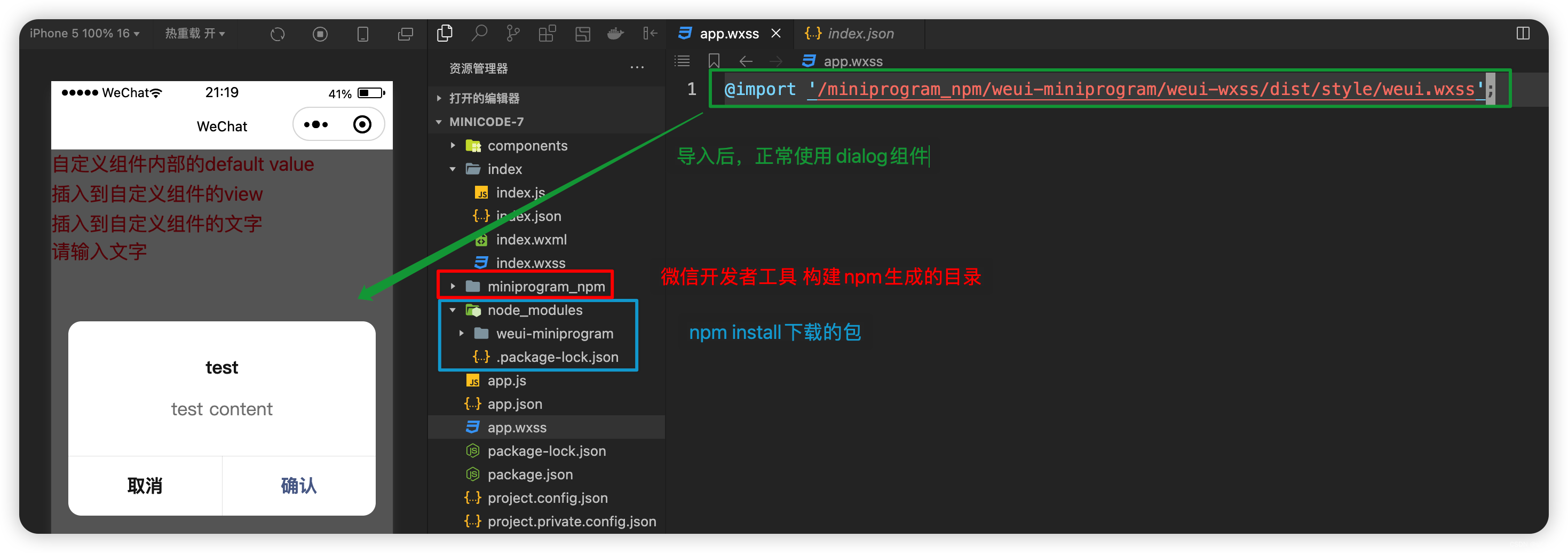
微信小程序开发系列-07组件
微信小程序开发系列目录 《微信小程序开发系列-01创建一个最小的小程序项目》《微信小程序开发系列-02注册小程序》《微信小程序开发系列-03全局配置中的“window”和“tabBar”》《微信小程序开发系列-04获取用户图像和昵称》《微信小程序开发系列-05登录小程序》《微信小程序…...

JavaScript 中 Set 和 Map 的区别
JavaScript 中的 Set 和 Map 都是用来存储数据的数据结构,它们之间的区别如下: Set 是一组唯一值的集合,而 Map 是一组键值对的集合。Set 中的值是唯一的,不允许重复;Map 中的键是唯一的,值可以重复。Set …...

web前端之JavaScript
MENU JavaScript之设计模式、单例、代理、装饰者、中介者、观察者、发布订阅、策略JavaScript之数组静态方法的实现、reduce、forEach、map、push、every JavaScript之设计模式、单例、代理、装饰者、中介者、观察者、发布订阅、策略 单例模式 概念 保证一个类仅有一个实例&am…...
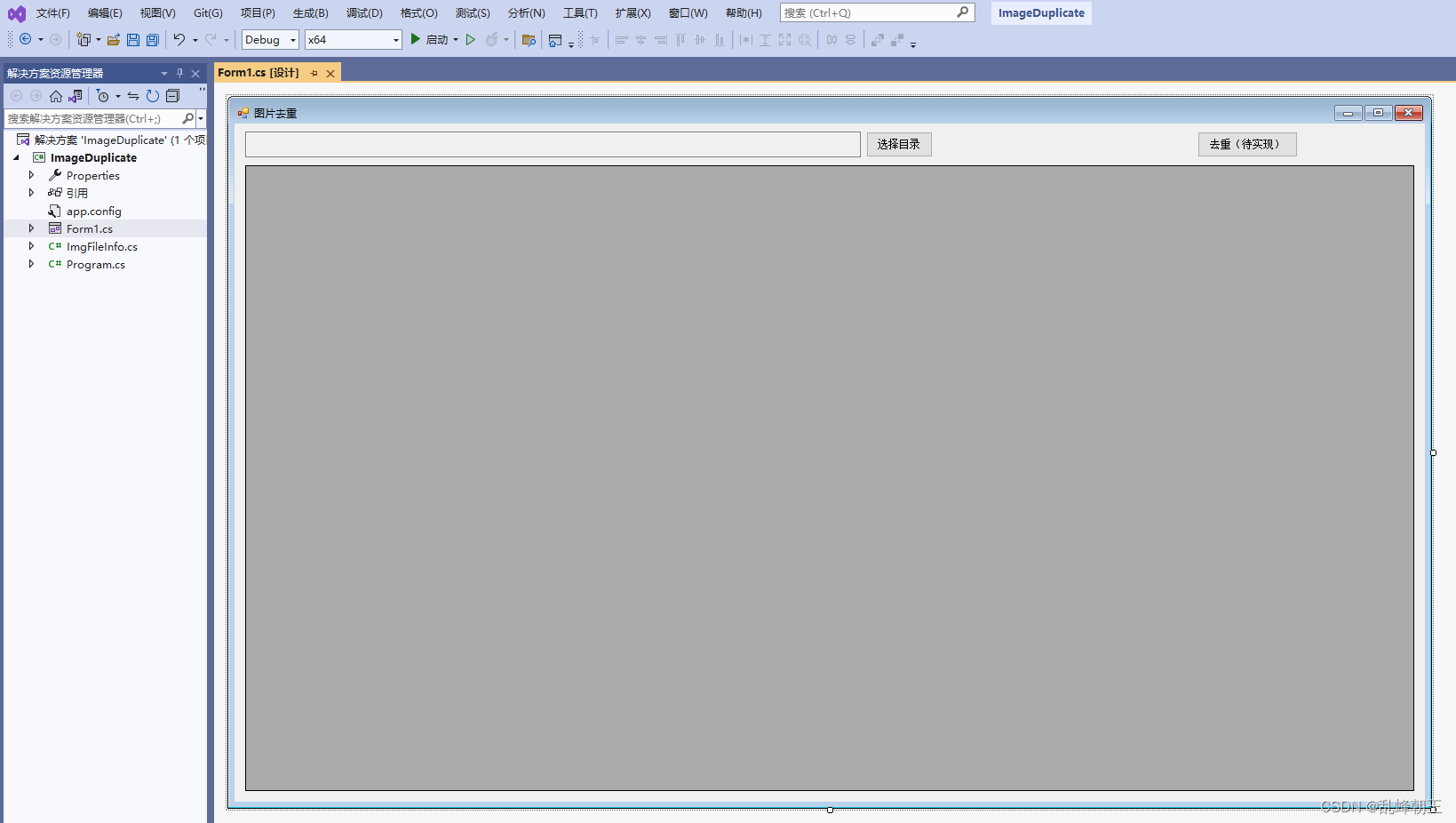
C# 图标标注小工具-查看重复文件
目录 效果 项目 代码 下载 效果 项目 代码 using System; using System.Collections.Generic; using System.Data; using System.IO; using System.Linq; using System.Security.Cryptography; using System.Windows.Forms;namespace ImageDuplicate {public partial clas…...

浅谈冯诺依曼体系和操作系统
🌎冯诺依曼体系结构 文章目录 冯诺依曼体系结构 认识冯诺依曼体系结构 硬件分类 各个硬件的简单认识 输入输出设备 中央处理器 存储器 关于内存 对冯诺依曼体系的理解 操作系统 操作系统…...

Good Bye 2023
Good Bye 2023 Good Bye 2023 A. 2023 题意:序列a中所有数的乘积应为2023,现在给出序列中的n个数,找到剩下的k个数并输出,报告不可能。 思路:把所有已知的数字乘起来,判断是否整除2023,不够…...

多开工具对手机应用响应速度的优化与改进
多开工具对手机应用响应速度的优化与改进 摘要: 如今,手机应用的多样化和个性化需求不断增长,用户对应用的响应速度要求也越来越高。为了满足用户的需求,开发者们使用了多种技术手段进行应用的优化和改进。其中,多开工…...
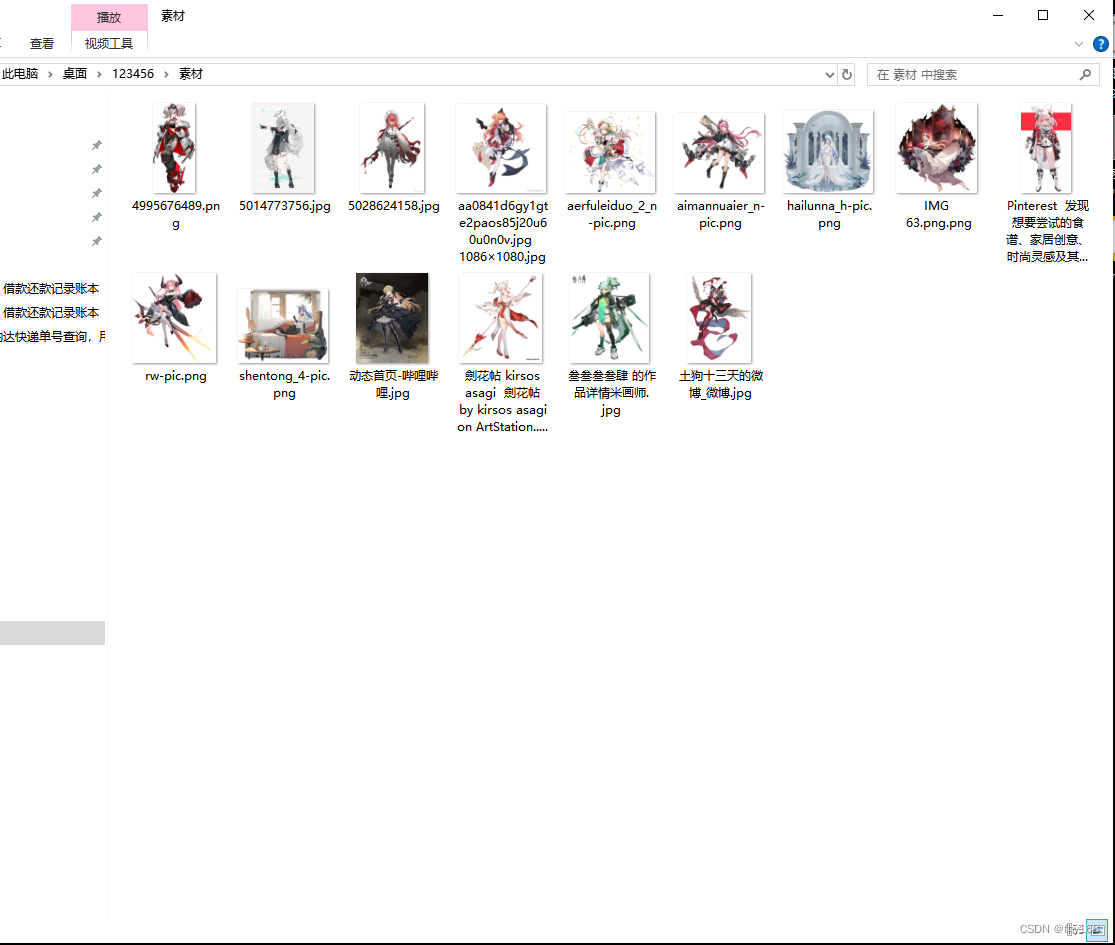
文件批量整理,文件归类整理,文件批量归类
我们每天都要面对无数的文件,从工作报告、个人照片到电影和音乐。如何有效地管理和归类这些文件,成为了我们日常生活和工作中所要处理的。今天,小编就给大家介绍一款简单易用的工具——文件批量改名高手,助你轻松实现文件批量归类…...
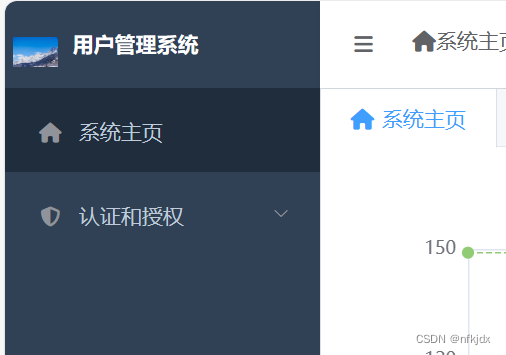
Python+Django+Mysql+SimpleUI搭建后端用户管理系统(非常详细,每一步都清晰,列举了里面所有使用的方法属性)
一、在Anaconda环境下创建虚拟环境 (1)打开Anaconda Prompt(install),创建虚拟环境,如下图所示: 方法一:默认情况下虚拟环境创建在Anaconda安装目录下的envs文件夹中 conda create --name usermanage …...

【Qt-QWidget-QLabel-QFrame-QSlider-View-Bar】
Qt编程指南 ■ Label■ QLabel■ QMovie 显示动画■ Widget■ QWidget■ QTabWidget■ QTableWidget■ QListWidget■ QStackedWidget■ QCalendarWidget■ QFrame■ QFrame■ View■ QT...

11|代理(上):ReAct框架,推理与行动的协同
11|代理(上):ReAct框架,推理与行动的协同 在之前介绍的思维链(CoT)中,我向你展示了 LLMs 执行推理轨迹的能力。在给出答案之前,大模型通过中间推理步骤(尤其…...
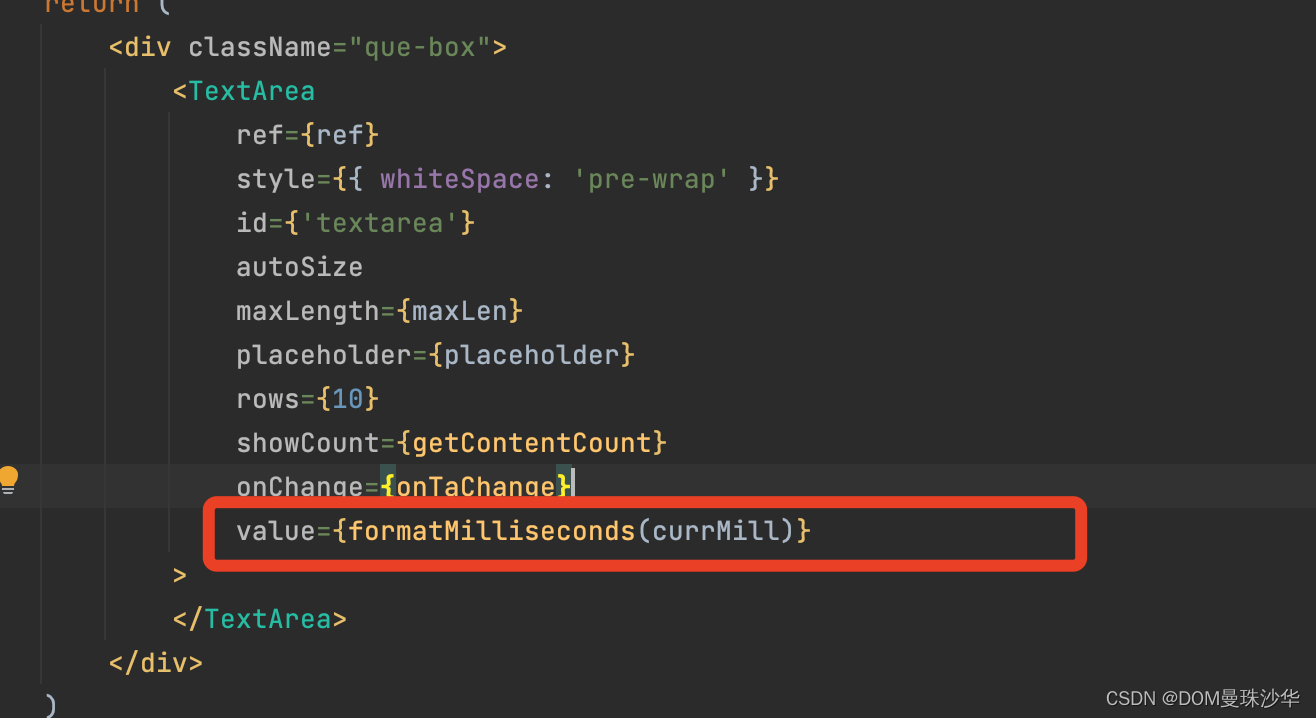
毫秒格式化
## 计算当前毫秒数: const [start,setStart] useState(new Date().getTime())useEffect(()>{setInterval(()>{setCurrMill(new Date().getTime()-start)},1)},[]) ## 格式化毫秒 function formatMilliseconds(milliseconds) {const totalSeconds Math.flo…...

pytorch与cuda版本对应关系汇总
pytorch与cuda版本关系 cuda版本支持pytorch版本cuda10.21.5 ~ 1.12cuda11.01.7 ~ 1.7.1cuda11.11.8 ~ 1.10.1cuda11.31.8.1 ~ 1.12.1cuda11.61.12.0 ~ 1.13.1cuda11.71.13.0 ~ 2.0.1cuda11.82.0.0 ~ 2.1.1cuda12.12.1.0 ~ 2.1.1 cuda 与 cudnn关系 cuda版本支持cudnn版本cu…...
Linux系统下隧道代理HTTP
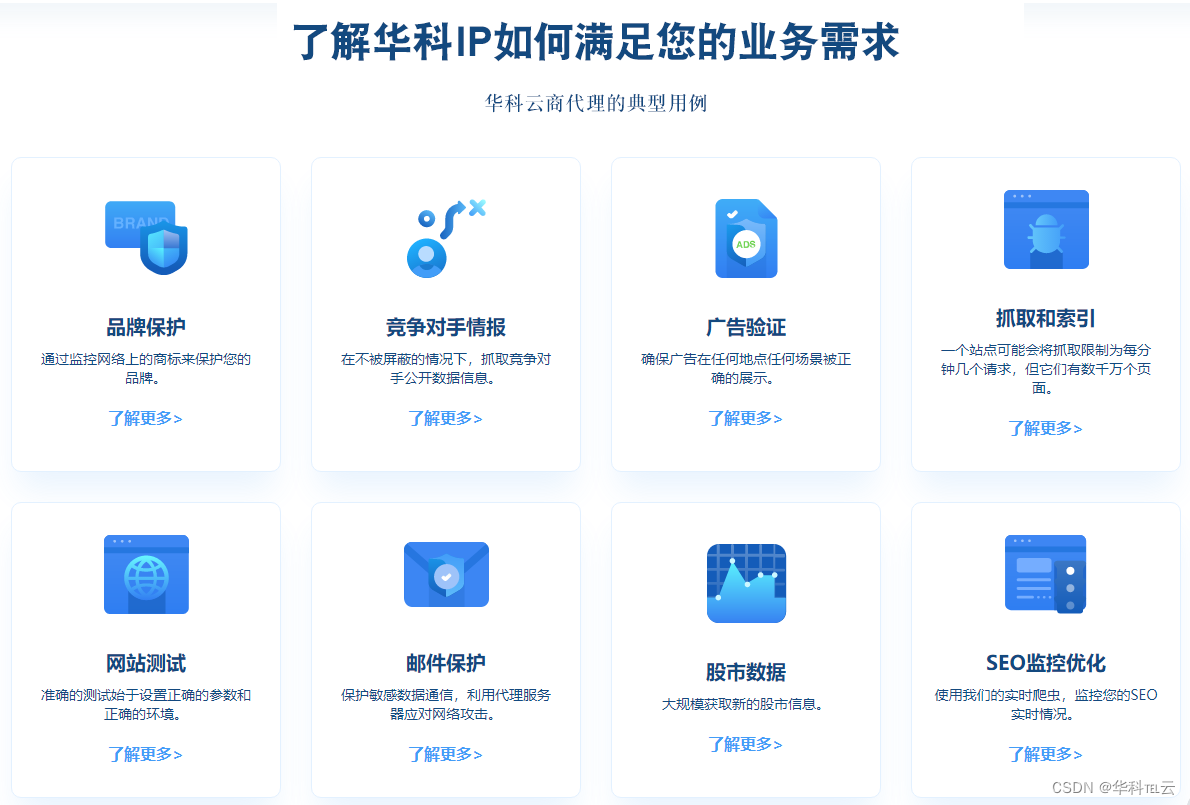
在Linux系统下配置隧道代理HTTP是一个涉及网络技术的话题,主要目的是在客户端和服务器之间建立一个安全的通信通道。下面将详细解释如何进行配置。 一、了解基本概念 在开始之前,需要了解几个关键概念:代理服务器、隧道代理和HTTP协议。代理…...
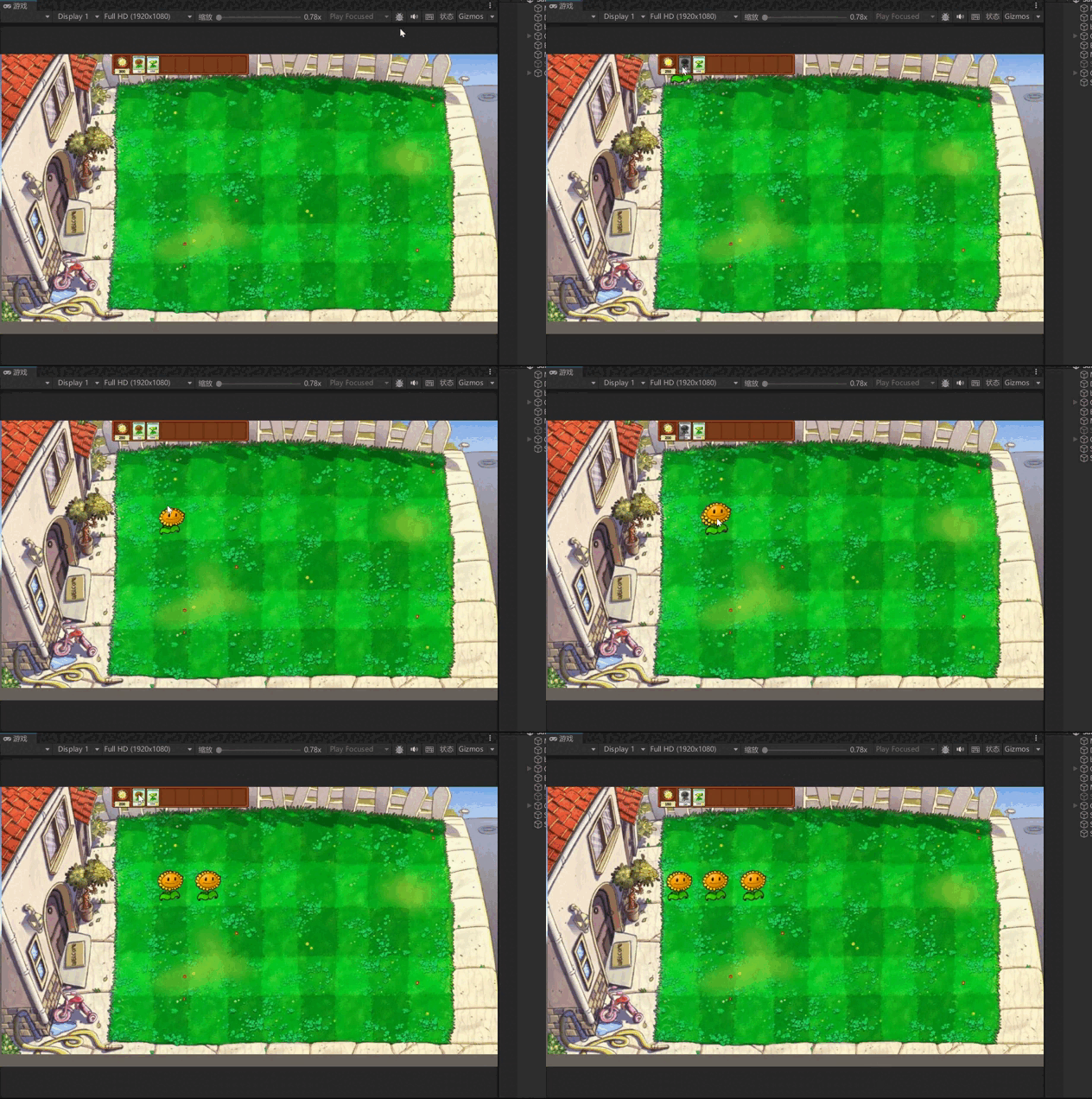
unity学习笔记----游戏练习03
一、修复植物种植的问题 1.当手上存在植物时,再次点击卡片上的植物就会在手上添加新的植物,需要修改成只有手上没有植物时才能再次获取到植物。需要修改AddPlant方法。 public bool AddPlant(PlantType plantType) { //防止手上出现多个植…...
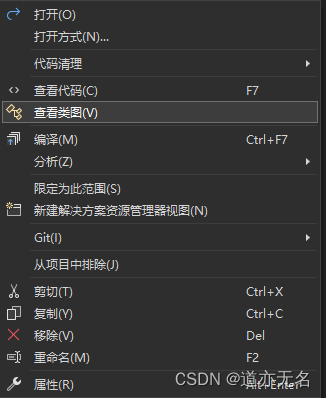
VistualStudio查看类图UML
点击菜单栏中的工具–》获取工具和功能。 然后在资源管理器中对应的代码中鼠标右键选择查看类图 生成一个ClassDiagram.cd文件就是类图的文件了。 根据需要拖拽就可以生成类图了。...

elasticsearch系列九:异地容灾-CCR跨集群复制
概述 起初只在部分业务中采用es存储数据,在主中心搭建了个集群,随着es在我们系统中的地位越来越重要,数据也越来越多,针对它的安全性问题也越发重要,那如何对es做异地容灾呢? 今天咱们就一起看下官方提供的…...

别盲目学AI!先搞懂人工智能的3大核心分支,选对方向少走3年弯路
文章目录前言第一大分支:大模型与生成式AI——AI行业的"水电煤"什么是大模型与生成式AI?大模型技术在2026年的发展现状大模型方向的主要岗位和薪资大模型方向的学习路线第二大分支:智能体与多智能体系统——2026年AI行业最大的风口…...

AI小白必看:收藏这份从零入门大模型的核心概念指南
本文通过一个生动的故事,用通俗易懂的方式讲解了AI领域最核心的7个概念:LLM(大语言模型)、Agent(智能体)、Skill(技能包)、MCP(模型上下文协议)、IDE…...

3款精选工具:重新定义你的星露谷物语体验
3款精选工具:重新定义你的星露谷物语体验 【免费下载链接】StardewMods Mods for Stardew Valley using SMAPI. 项目地址: https://gitcode.com/gh_mirrors/st/StardewMods 你是否曾在《星露谷物语》中为重复性的农场劳作感到疲惫?是否因为繁琐的…...

告别机械生硬感:我熬夜实测了4款英文降AI工具,教你搞定结构级优化
最近不少学弟学妹跟我倒苦水,说查重率好不容易降下来了,结果偏偏卡在了英文降ai率上,眼看交稿DDL越来越近,心里特别着急。 我太懂这种感受了,我当时也因为英文降aigc率踩过不少坑,自己连夜纯手动改&#x…...
设计实战:从干扰源头到系统防护的完整指南)
电磁兼容(EMC)设计实战:从干扰源头到系统防护的完整指南
1. 电磁兼容(EMC)设计的核心逻辑 电磁兼容设计就像给电子设备打造一套"防干扰盔甲"。想象一下,你正在用手机通话时,突然听到收音机杂音——这就是典型的电磁干扰现象。EMC设计要解决两个核心问题:不让自家设…...
)
Perplexity学术模式尚未开放的4个隐藏功能(仅限IEEE Fellow级用户测试通道泄露)
更多请点击: https://intelliparadigm.com 第一章:Perplexity学术模式尚未开放的4个隐藏功能(仅限IEEE Fellow级用户测试通道泄露) 离线语义缓存预热接口 Perplexity 内部测试版暴露了 /v2/academic/cache/warmup 端点ÿ…...

大语言模型越狱攻击:真实世界提示词生态与防御策略分析
1. 项目概述:一次对“越狱”提示词的田野调查如果你在过去一年里深度使用过ChatGPT、Claude或者国内的文心一言、通义千问这类大语言模型,大概率遇到过这样的情况:你问了一个稍微敏感点的问题,比如“如何制作一个恶作剧软件”&…...

开源短剧源码|短剧小程序源码短剧App源码双端适配,即开即用
在当下这个注意力稀缺的时代,短剧以其“爽点密集、节奏明快、情感代入强”的特点,迅速抢占了海量用户的碎片化时间。无论是国内的微信/抖音小程序生态,还是出海的短剧App市场,都呈现出爆发式的增长态势。然而,对于想要…...
)
从实验室小白到跑通第一个模型:我的DeepLabCut安装踩坑全记录(Windows 11 + RTX 4060)
从实验室小白到跑通第一个模型:我的DeepLabCut安装踩坑全记录(Windows 11 RTX 4060) 去年刚进实验室时,导师扔给我一篇Nature Methods论文说"试试这个工具",从此开始了与DeepLabCut的"相爱相杀"。…...

3秒定位Windows热键冲突:Hotkey Detective终极检测工具完整指南
3秒定位Windows热键冲突:Hotkey Detective终极检测工具完整指南 【免费下载链接】hotkey-detective A small program for investigating stolen key combinations under Windows 7 and later. 项目地址: https://gitcode.com/gh_mirrors/ho/hotkey-detective …...