
[SpringBoot2.6.13]FastJsonHttpMessageConverter不生效
文章目录
- 错误描述
- 问题分析
- 打印目前所有的消息处理器
- 寻找适配版本
- 消息解释器加载顺序
- 错误原因
- 正确写法
- 使用最新版本fastjson(2024-1-22)
- 配置fastjson2消息转换器(保留系统原消息转换器)
- 替换消息转换器配置fastjson2
错误描述
采用@Bean的方式配置FastJsonHttpMessageConverter消息解释器,实测在【SpringBoot2.6.13】未生效
但是在【SpringBoot2.1.4.RELEASE】版本中正常
2.1.4.RELEASE中引入如下
<dependency><groupId>com.alibaba</groupId><artifactId>fastjson</artifactId><version>1.2.56</version></dependency>
配置如下
import com.alibaba.fastjson.serializer.SerializeConfig;
import com.alibaba.fastjson.serializer.SerializerFeature;
import com.alibaba.fastjson.support.config.FastJsonConfig;
import com.alibaba.fastjson.support.spring.FastJsonHttpMessageConverter;@Beanpublic HttpMessageConverters fastJsonHttpMessageConverters() {FastJsonHttpMessageConverter fastConverter = new FastJsonHttpMessageConverter();FastJsonConfig fastJsonConfig = new FastJsonConfig();fastJsonConfig.setDateFormat("yyyy-MM-dd HH:mm:ss");fastJsonConfig.setSerializerFeatures(SerializerFeature.PrettyFormat,SerializerFeature.QuoteFieldNames,SerializerFeature.WriteEnumUsingName,SerializerFeature.DisableCircularReferenceDetect);List<MediaType> fastMediaTypes = new ArrayList<>();fastMediaTypes.add(MediaType.APPLICATION_JSON_UTF8);fastConverter.setSupportedMediaTypes(fastMediaTypes);fastConverter.setFastJsonConfig(fastJsonConfig);return new HttpMessageConverters(fastConverter);}
问题分析
打印目前所有的消息处理器
通过打印消息处理器,发现配置并未成功
public class MvcConfig implements WebMvcConfigurer {@Overridepublic void extendMessageConverters(List<HttpMessageConverter<?>> converters) {for (HttpMessageConverter<?> messageConverter : converters) {System.out.println(messageConverter);}}
}
得到如下输出日志
org.springframework.http.converter.ByteArrayHttpMessageConverter@1ddf42dd
org.springframework.http.converter.StringHttpMessageConverter@5c1c9881
org.springframework.http.converter.ResourceHttpMessageConverter@1c18ee69
org.springframework.http.converter.ResourceRegionHttpMessageConverter@2f99d8c
org.springframework.http.converter.xml.SourceHttpMessageConverter@65d7eea4
org.springframework.http.converter.support.AllEncompassingFormHttpMessageConverter@5d37aa0f
org.springframework.http.converter.xml.Jaxb2RootElementHttpMessageConverter@6076c66
org.springframework.http.converter.json.MappingJackson2HttpMessageConverter@485c84d7
寻找适配版本
官网可知,fastjson早已停止更新,新版本需使用fastjson2
在 Spring 中集成 Fastjson2 | fastjson2 (alibaba.github.io)
引入如下
<dependency><groupId>com.alibaba.fastjson2</groupId><artifactId>fastjson2-extension-spring5</artifactId><version>2.0.43</version>
</dependency>
官网得到如下配置
@Configuration
@EnableWebMvc
public class WebMvcConfigurer extends WebMvcConfigurerAdapter {@Overridepublic void configureMessageConverters(List<HttpMessageConverter<?>> converters) {FastJsonHttpMessageConverter converter = new FastJsonHttpMessageConverter();//自定义配置...FastJsonConfig config = new FastJsonConfig();config.setDateFormat("yyyy-MM-dd HH:mm:ss");config.setReaderFeatures(JSONReader.Feature.FieldBased, JSONReader.Feature.SupportArrayToBean);config.setWriterFeatures(JSONWriter.Feature.WriteMapNullValue, JSONWriter.Feature.PrettyFormat);converter.setFastJsonConfig(config);converter.setDefaultCharset(StandardCharsets.UTF_8);converter.setSupportedMediaTypes(Collections.singletonList(MediaType.APPLICATION_JSON));converters.add(0, converter);}
}
消息解释器加载顺序
需要将FastJsonHttpMessageConverter配置为第一位消息处理器才能得到输出
其测试过程如下
converters.add(converter);
此时得到输出为
org.springframework.http.converter.ByteArrayHttpMessageConverter@1ddf42dd
org.springframework.http.converter.StringHttpMessageConverter@5c1c9881
org.springframework.http.converter.ResourceHttpMessageConverter@1c18ee69
org.springframework.http.converter.ResourceRegionHttpMessageConverter@2f99d8c
org.springframework.http.converter.xml.SourceHttpMessageConverter@65d7eea4
org.springframework.http.converter.support.AllEncompassingFormHttpMessageConverter@5d37aa0f
org.springframework.http.converter.xml.Jaxb2RootElementHttpMessageConverter@6076c66
org.springframework.http.converter.json.MappingJackson2HttpMessageConverter@485c84d7
com.alibaba.fastjson.support.spring.FastJsonHttpMessageConverter@1224e1b6
实测未生效
{"code": 200,"msg": "请求成功","data": {"loginName": null,"userName": "柒杉","userCode": null,"loginDate": 1705547281595}
}
修改为
converters.add(0, converter);
得到输出
com.alibaba.fastjson.support.spring.FastJsonHttpMessageConverter@2a667f44
org.springframework.http.converter.ByteArrayHttpMessageConverter@53ba7997
org.springframework.http.converter.StringHttpMessageConverter@3f6f9cef
org.springframework.http.converter.ResourceHttpMessageConverter@61dd1c3d
org.springframework.http.converter.ResourceRegionHttpMessageConverter@7858d31d
org.springframework.http.converter.xml.SourceHttpMessageConverter@782e6b40
org.springframework.http.converter.support.AllEncompassingFormHttpMessageConverter@3b65084e
org.springframework.http.converter.xml.Jaxb2RootElementHttpMessageConverter@32d0d7eb
org.springframework.http.converter.json.MappingJackson2HttpMessageConverter@cae2a97
错误原因
在高版本中需要采用最新的fastjson2配置
正确写法
使用最新版本fastjson(2024-1-22)
<dependency><groupId>com.alibaba.fastjson2</groupId><artifactId>fastjson2-extension-spring5</artifactId><version>2.0.43</version>
</dependency>
配置fastjson2消息转换器(保留系统原消息转换器)
@Overridepublic void extendMessageConverters(List<HttpMessageConverter<?>> converters) {// 创建 FastJson 的消息转换器实例FastJsonHttpMessageConverter converter = new FastJsonHttpMessageConverter();// 创建 FastJson 的配置实例FastJsonConfig config = new FastJsonConfig();// 设置时间类型日期格式config.setDateFormat("yyyy-MM-dd HH:mm:ss");config.setReaderFeatures(// 基于字段序列化,如果不配置,会默认基于public的field和getter方法序列化。// 配置后,会基于非static的field(包括private)做序列化。JSONReader.Feature.FieldBased,// 支持数据映射的方式JSONReader.Feature.SupportArrayToBean);config.setWriterFeatures(// 显示null与空字符串// JSONWriter.Feature.WriteMapNullValue,// 格式化输出JSONWriter.Feature.PrettyFormat,// 将Long序列化为StringJSONWriter.Feature.WriteLongAsString);// 将序列化配置设置到 FastJson 配置中converter.setFastJsonConfig(config);converter.setDefaultCharset(StandardCharsets.UTF_8);// 创建一个媒体类型,表示支持 JSON 格式,并使用 UTF-8 编码List<MediaType> fastMediaTypes = new ArrayList<>();MediaType utf8MediaType = new MediaType(MediaType.APPLICATION_JSON, StandardCharsets.UTF_8);fastMediaTypes.add(utf8MediaType);converter.setSupportedMediaTypes(fastMediaTypes);// 将 FastJson 消息转换器添加到 Spring Boot 的消息转换器列表中,位置是第一个,这样确保它优先于其他消息转换器converters.add(0, converter);}替换消息转换器配置fastjson2
@Overridepublic void configureMessageConverters(List<HttpMessageConverter<?>> converters) {// 创建 FastJson 的消息转换器实例FastJsonHttpMessageConverter converter = new FastJsonHttpMessageConverter();// 创建 FastJson 的配置实例FastJsonConfig config = new FastJsonConfig();// 设置时间类型日期格式config.setDateFormat("yyyy-MM-dd HH:mm:ss");config.setReaderFeatures(// 基于字段序列化,如果不配置,会默认基于public的field和getter方法序列化。// 配置后,会基于非static的field(包括private)做序列化。JSONReader.Feature.FieldBased,// 支持数据映射的方式JSONReader.Feature.SupportArrayToBean);config.setWriterFeatures(// 显示null与空字符串// JSONWriter.Feature.WriteMapNullValue,// 格式化输出JSONWriter.Feature.PrettyFormat,// 将Long序列化为StringJSONWriter.Feature.WriteLongAsString);// 将序列化配置设置到 FastJson 配置中converter.setFastJsonConfig(config);converter.setDefaultCharset(StandardCharsets.UTF_8);// 创建一个媒体类型,表示支持 JSON 格式,并使用 UTF-8 编码List<MediaType> fastMediaTypes = new ArrayList<>();MediaType utf8MediaType = new MediaType(MediaType.APPLICATION_JSON, StandardCharsets.UTF_8);fastMediaTypes.add(utf8MediaType);converter.setSupportedMediaTypes(fastMediaTypes);// 将 FastJson 消息转换器添加到 Spring Boot 的消息转换器列表中,位置是第一个,这样确保它优先于其他消息转换器converters.add(0, converter);}相关文章:

[SpringBoot2.6.13]FastJsonHttpMessageConverter不生效
文章目录 错误描述问题分析打印目前所有的消息处理器寻找适配版本消息解释器加载顺序 错误原因正确写法使用最新版本fastjson(2024-1-22)配置fastjson2消息转换器(保留系统原消息转换器)替换消息转换器配置fastjson2 错误描述 采用Bean的方式配置FastJsonHttpMessageConverter…...
 Object Pascal 学习笔记---第3章第一节(简单语句与复合语句))
(delphi11最新学习资料) Object Pascal 学习笔记---第3章第一节(简单语句与复合语句)
Object Pascal 学习笔记,Delphi 11 编程语言的完整介绍 作者: Marco Cantu 笔记:豆豆爸 3.1 简单语句与复合语句 编程指令通常称为语句。一个程序块可以由多个语句组成。有两种类型的语句,简单语句和复合语句。当语句不包含任何其他子语…...
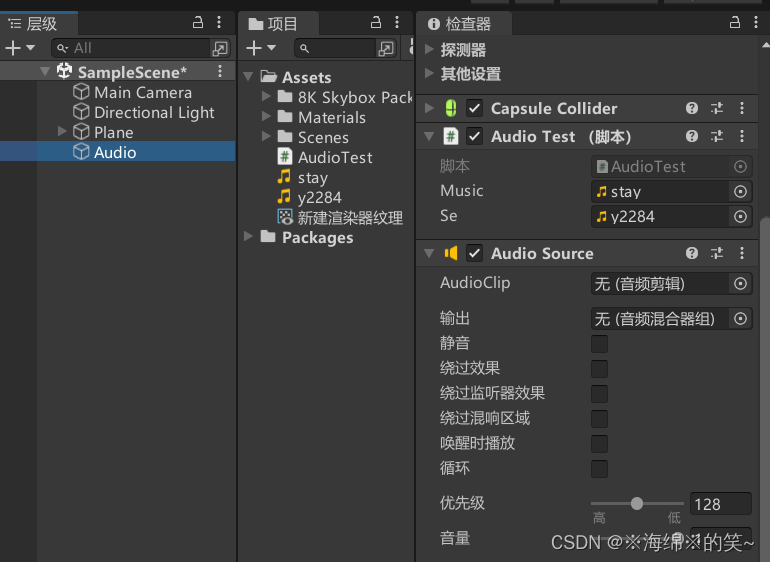
Unity - 简单音频
“Test_04” AudioTest public class AudioTest : MonoBehaviour {// 声明音频// AudioClippublic AudioClip music;public AudioClip se;// 声明播放器组件private AudioSource player;void Start(){// 获取播放器组件player GetComponent<AudioSource>();// 赋值…...

SpringCloud中服务间通信(应用间通信)-亲测有效-源码下载-连载2
1、微服务概述 本案例主要解决微服务之间的相互调用问题 如果已经理解什么是微服务,可以直接跳到实战。 本案例采用springBoot3.1.7springCloud2022.0.4版本测试 本案例使用springboot2.7.x版本测试代码相同 1、微服务是分布式架构,那么为什么要需要…...
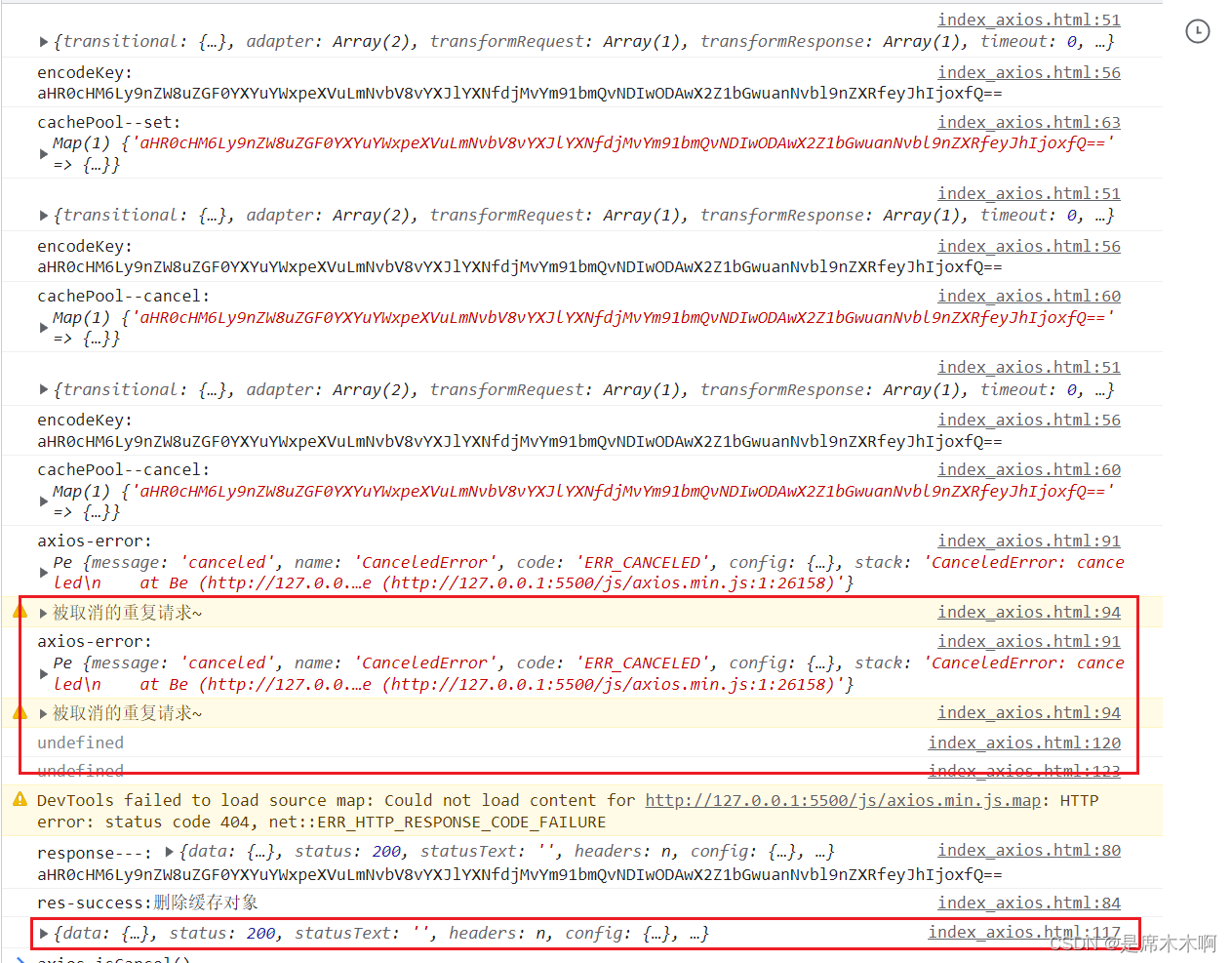
Axios取消请求:AbortController
AbortController AbortController() 构造函数创建了一个新的 AbortController 实例。MDN官网给出了一个利用AbortController取消下载视频的例子。 核心逻辑是:利用AbortController接口的只读属性signal标记fetch请求;然后在需要取消请求的时候࿰…...
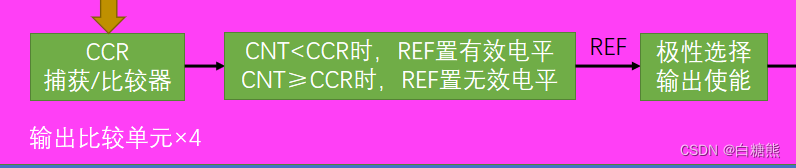
【江科大】STM32:(超级详细)定时器输出比较
文章目录 输出比较单元特点 高级定时器:均有4个通道 PWM简介PWM(Pulse Width Modulation)脉冲宽度调制输出比较通道PWM基本结构基本定时器 参数计算捕获/比较通道的输出部分详细介绍如下: 舵机介绍硬件电路 直流电机介绍ÿ…...
Go 复合数据类型
1. 数组(array)(OK) 数组数组的概念数组是具有固定长度且拥有零个或多个相同数据类型元素的序列 i. 元素的数据类型相同 ii. 长度固定的序列 iii. 零个或多个元素的序列 与 slice 对比 由于数组的长度固定,所以在 G…...

Redis(01)——常用指令
基础指令 select 数字:切换到其他数据库flushdb:清空当前数据库flushall:清空所有数据库dbsize:查看数据库大小exists key1[key2 …]:判断当前的key是否存在keys *:查看所有的keyexpire key 时间ÿ…...
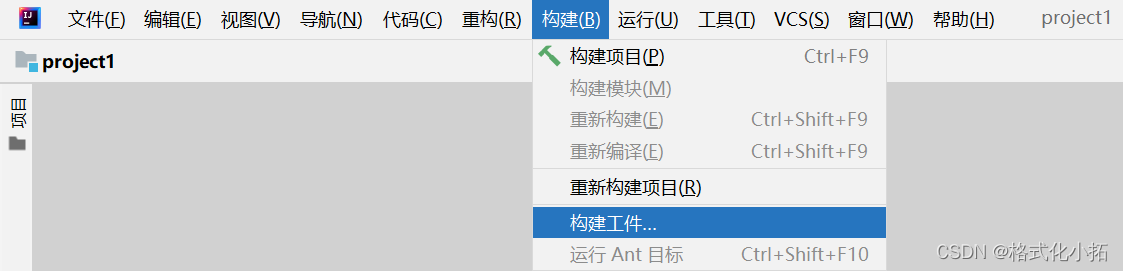
基本语法和 package 与 jar
3.基本语法 1.输入输出 // 导入 java.util 包中的 Scanner 类 import java.util.Scanner;// 定义名为 ScannerExample 的公共类 public class ScannerExample {// 主方法,程序的入口点public static void main(String[] args) {// 创建 Scanner 对象,用…...
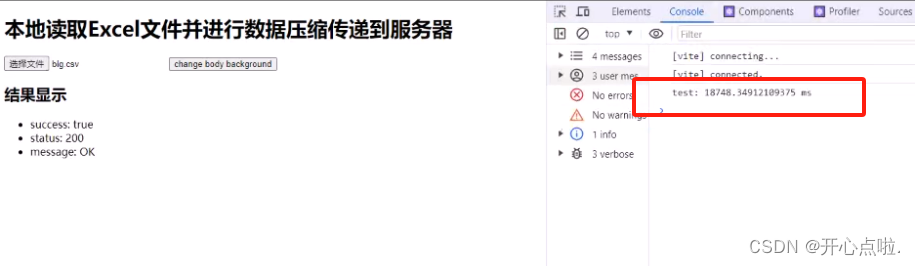
本地读取Excel文件并进行数据压缩传递到服务器
在项目开发过程中,读取excel文件,可能存在几百或几百万条数据内容,那么对于大型文件来说,我们应该如何思考对于大型文件的读取操作以及性能的注意事项。 类库:Papa Parse - Powerful CSV Parser for JavaScript 第一步…...

【开源】基于JAVA的停车场收费系统
目录 一、摘要1.1 项目介绍1.2 项目录屏 二、功能模块2.1 停车位模块2.2 车辆模块2.3 停车收费模块2.4 IC卡模块2.5 IC卡挂失模块 三、系统设计3.1 用例设计3.2 数据库设计3.2.1 停车场表3.2.2 车辆表3.2.3 停车收费表3.2.4 IC 卡表3.2.5 IC 卡挂失表 四、系统实现五、核心代码…...
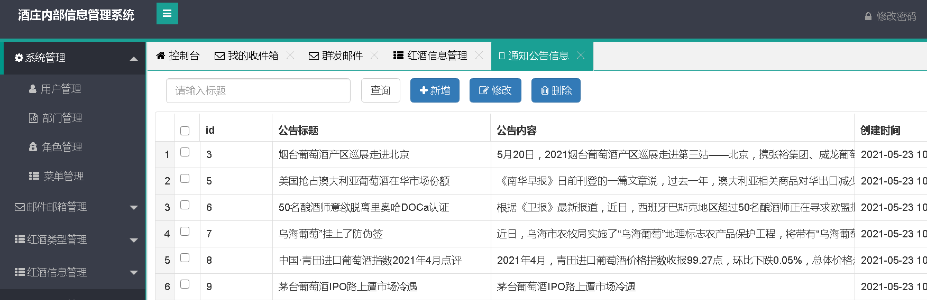
基于java+Springboot操作系统教学交流平台详细设计实现
基于javaSpringboot操作系统教学交流平台详细设计实现 🍅 作者主页 央顺技术团队 🍅 欢迎点赞 👍 收藏 ⭐留言 📝 🍅 文末获取源码联系方式 📝 🍅 查看下方微信号获取联系方式 承接各种定制系统…...
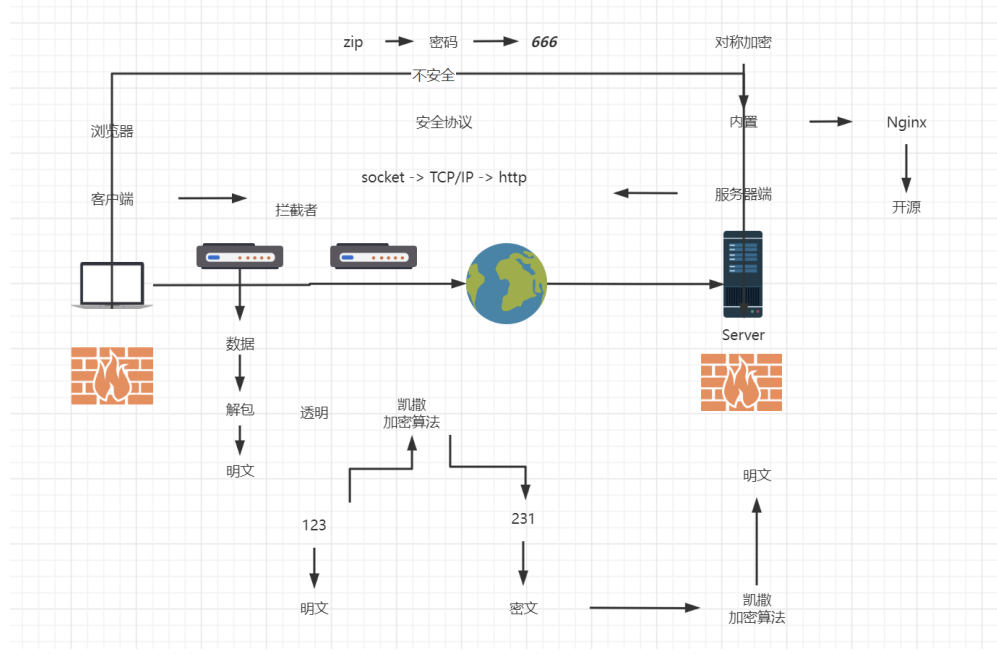
Nginx 基础使用
目录结构 进入Nginx的主目录我们可以看到这些文件夹 client_body_temp conf fastcgi_temp html logs proxy_temp sbin scgi_temp uwsgi_temp其中这几个文件夹在刚安装后是没有的,主要用来存放运行过程中的临时文件 client_body_temp fastcgi_temp proxy_temp scg…...

JavaEE:多线程(2):线程状态,线程安全
目录 线程状态 线程安全 线程不安全 加锁 互斥性 可重入 死锁 死锁的解决方法 Java标准库中线程安全类 内存可见性引起的线程安全问题 等待和通知机制 线程饿死 wait notify 线程状态 就绪:线程随时可以去CPU上执行,也包含在CPU上执行的…...
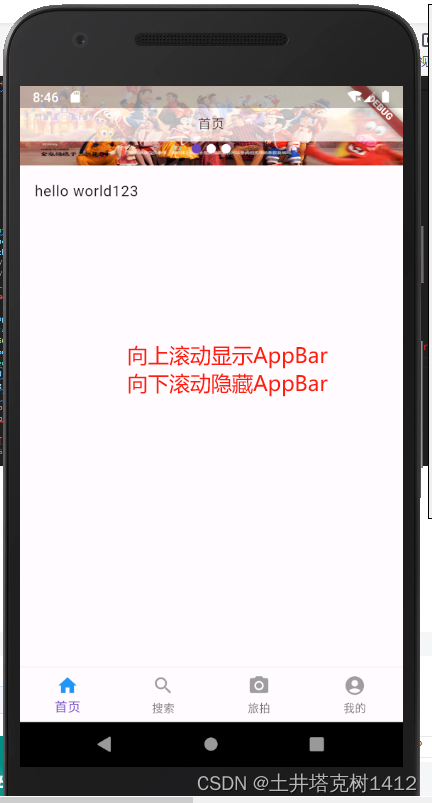
Flutter 自定义AppBar实现滚动渐变
1、使用ListView实现上下滚动。 2、使用Stack:允许将其子部件放在彼此的顶部,第一个子部件将放置在底部。所以AppBar,写在ListView下面。 3、MediaQuery.removePadding:当使用ListView的时候发现,顶部有块默认的Padd…...
编程语言MoonBit新增矩阵函数的语法糖
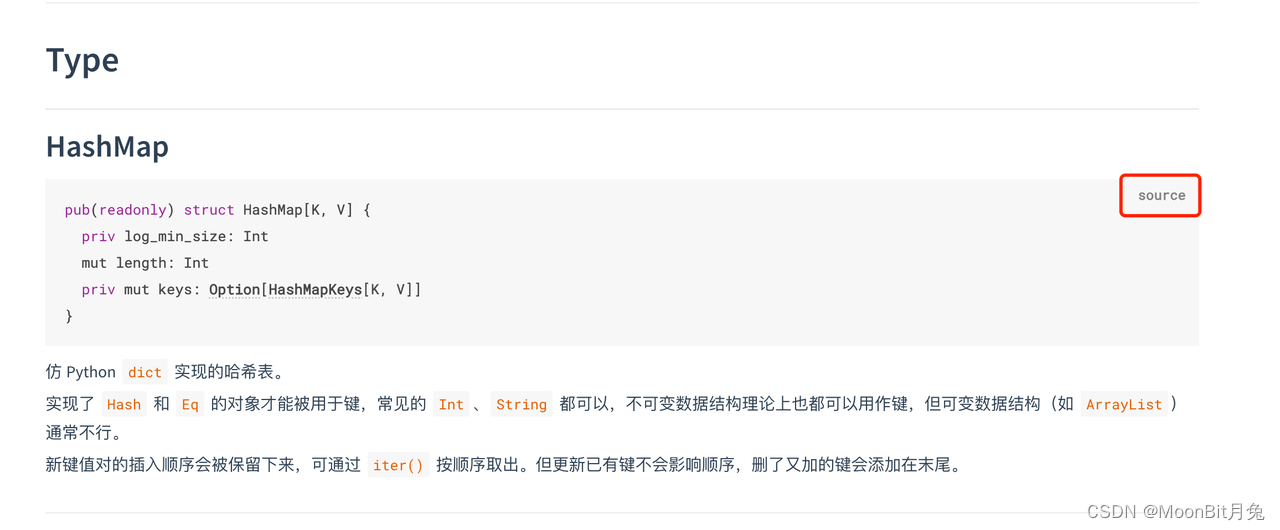
MoonBit更新 1. 新增矩阵函数的语法糖 新增矩阵函数的语法糖,用于方便地定义局部函数和具有模式匹配的匿名函数: fn init {fn boolean_or { // 带有模式匹配的局部函数true, _ > true_, true > true_, _ > false}fn apply(f, x) {f(x)}le…...

Angular:跨域请求携带 cookie
新建拦截器,设置 XMLHttpRequest:withCredentials 属性 1. 新建文件夹 http-interceptors 该文件夹下可有多个不同用途的拦截器2. 新建拦截器 common.interceptor.ts import { HttpEvent, HttpHandler, HttpInterceptor, HttpRequest } from "an…...
【C++】list容器迭代器的模拟实现
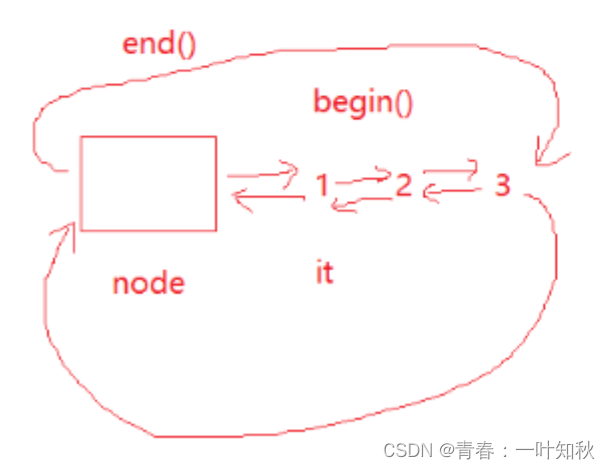
list容器内部基本都是链表形式实现,这里的迭代器实现的逻辑需要注意C语言中指针的转换。 list容器如同数据结构中的队列,通常用链式结构进行存储。在这个容器中,我们可以模仿系统的逻辑,在头结点后设置一个“ 哨兵 ”,…...

Docker镜像操作
镜像名称 镜名称一般分两部分组成:[repository]:[tag]。 在没有指定tag时,默认是latest,代表最新版本的镜像。 这里的mysql就是repository,5.7就是tag,合一起就是镜像名称,代表5.7版本的MySQL镜像。 镜像…...
【Java-框架-SpringSecurity】单点登录(认证和授权)- 随笔
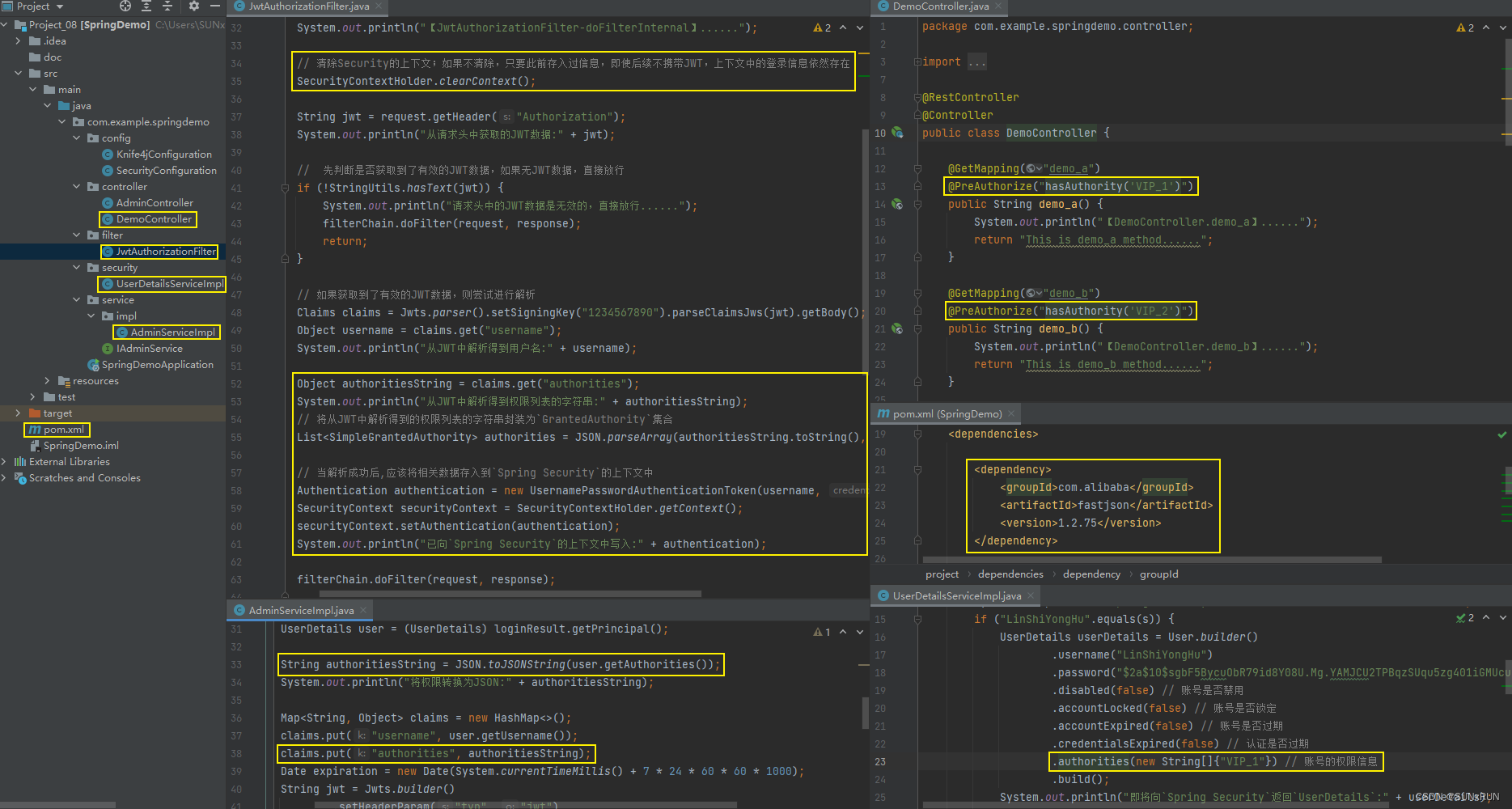
项目文件; 【1】 【2】 【3】 【4】 【5】 【6】 【7】 【8】...

SISSO 终极指南:数据驱动建模的强大工具
SISSO 终极指南:数据驱动建模的强大工具 【免费下载链接】SISSO A data-driven method combining symbolic regression and compressed sensing for accurate & interpretable models. 项目地址: https://gitcode.com/gh_mirrors/si/SISSO SISSO…...

杰理之智能充电舱通信模块【篇】
固定 VOUT0/1 使用的通信 IO 为 P10/P11,固定使用 UART0。 SDK公版已经做好智能仓的基本通信交互了,耳机电量获取,状态获取,耳机配对等...

如何自动化监控线上问题
要实现线上问题的自动化监控,不能仅停留在工具的堆砌,而需要从体系规划、数据采集、智能告警、动态诊断到流程规范进行全盘设计。以下是基于行业最佳实践的自动化监控构建指南:一、 体系规划与监控点梳理构建自动化监控的第一步是明确“监控什…...

国产碳化硅MOSFET在通讯电源PFC中的应用与实战解析
1. 项目概述:当通讯电源遇上国产碳化硅MOSFET最近在做一个通讯电源的PFC(功率因数校正)项目,客户对效率、功率密度和可靠性提出了近乎苛刻的要求。传统的硅基MOSFET方案,在追求更高开关频率以减小磁性元件体积时&#…...

WinFlexBison:构建高性能Windows平台词法语法分析器的专业解决方案
WinFlexBison:构建高性能Windows平台词法语法分析器的专业解决方案 【免费下载链接】winflexbison Main winflexbision repository 项目地址: https://gitcode.com/gh_mirrors/wi/winflexbison 在Windows平台开发编译器、解释器或复杂配置文件解析器时&#…...
——MS MARCO 实战指南)
IR 召回评测基准(英文数据集)——MS MARCO 实战指南
1. MS MARCO数据集全景解读 第一次接触MS MARCO时,我和大多数开发者一样困惑:这个号称"信息检索领域ImageNet"的数据集到底强在哪里?经过三个实际项目的验证,我发现它的价值在于完美复现了真实搜索场景的复杂性。想象你…...

基于开源项目构建实时语音AI对话系统:从ASR、LLM到TTS的完整技术栈解析
1. 项目概述与核心价值 最近在折腾一个挺有意思的东西,一个叫 bigsk1/voice-chat-ai 的开源项目。简单来说,它让你能和一个AI进行实时的语音对话,就像打电话一样。你对着麦克风说话,AI不仅能听懂,还能思考࿰…...

ComfyUI MixLab Nodes:3分钟掌握AI多模态创作平台,彻底改变你的创意工作流
ComfyUI MixLab Nodes:3分钟掌握AI多模态创作平台,彻底改变你的创意工作流 【免费下载链接】comfyui-mixlab-nodes Workflow-to-APP、ScreenShare&FloatingVideo、GPT & 3D、SpeechRecognition&TTS 项目地址: https://gitcode.com/gh_mirr…...

在模型广场中根据任务需求与预算选择合适的模型
🚀 告别海外账号与网络限制!稳定直连全球优质大模型,限时半价接入中。 👉 点击领取海量免费额度 在模型广场中根据任务需求与预算选择合适的模型 面对文本生成、代码编写、逻辑推理等多样化的任务,开发者常常需要从众…...

如何在Windows上快速配置词法语法分析器:WinFlexBison完整实战指南
如何在Windows上快速配置词法语法分析器:WinFlexBison完整实战指南 【免费下载链接】winflexbison Main winflexbision repository 项目地址: https://gitcode.com/gh_mirrors/wi/winflexbison 你是否在Windows平台上开发编译器、解释器或配置文件解析器时&a…...