
vue3 之 商城项目—home
home—整体结构搭建
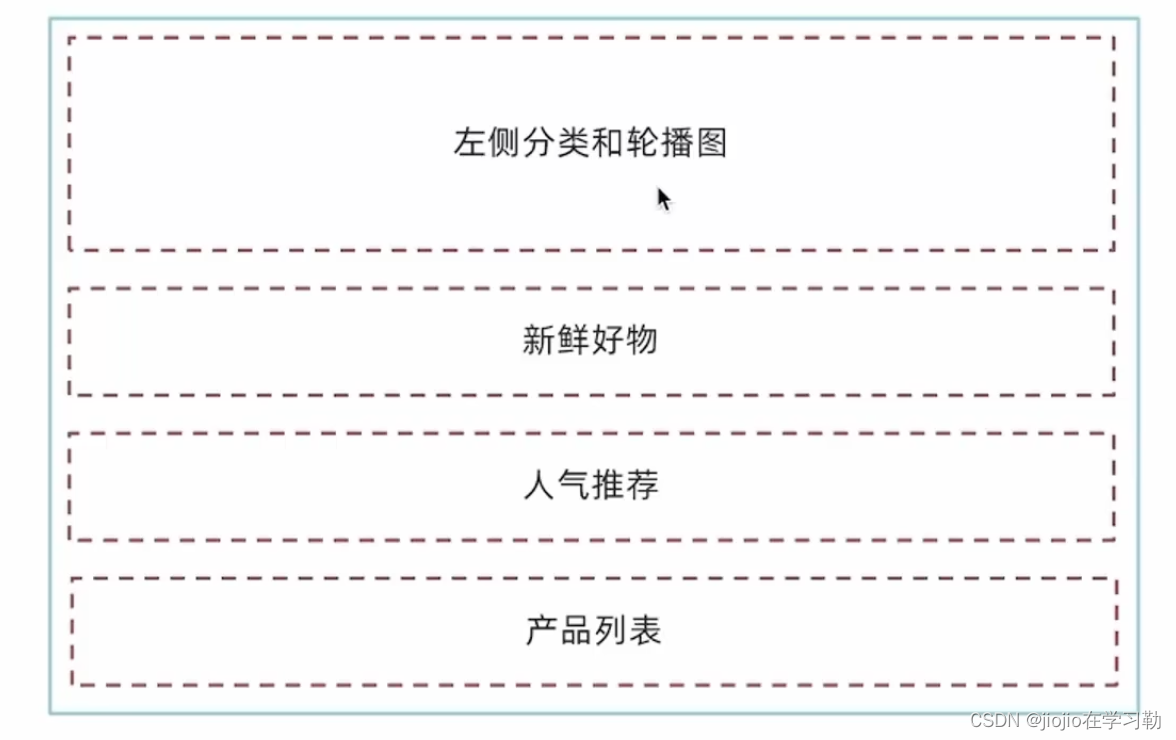
根据上面五个模块建目录图如下:
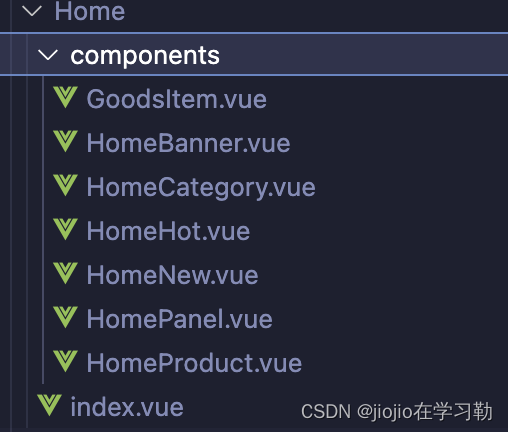
home/index.vue
<script setup>
import HomeCategory from './components/HomeCategory.vue'
import HomeBanner from './components/HomeBanner.vue'
import HomeNew from './components/HomeNew.vue'
import HomeHot from './components/HomeHot.vue'
import HomeProduct from './components/HomeProduct.vue'
</script><template><div class="container"><HomeCategory /><HomeBanner /></div><HomeNew /><HomeHot /><HomeProduct />
</template>
分类实现
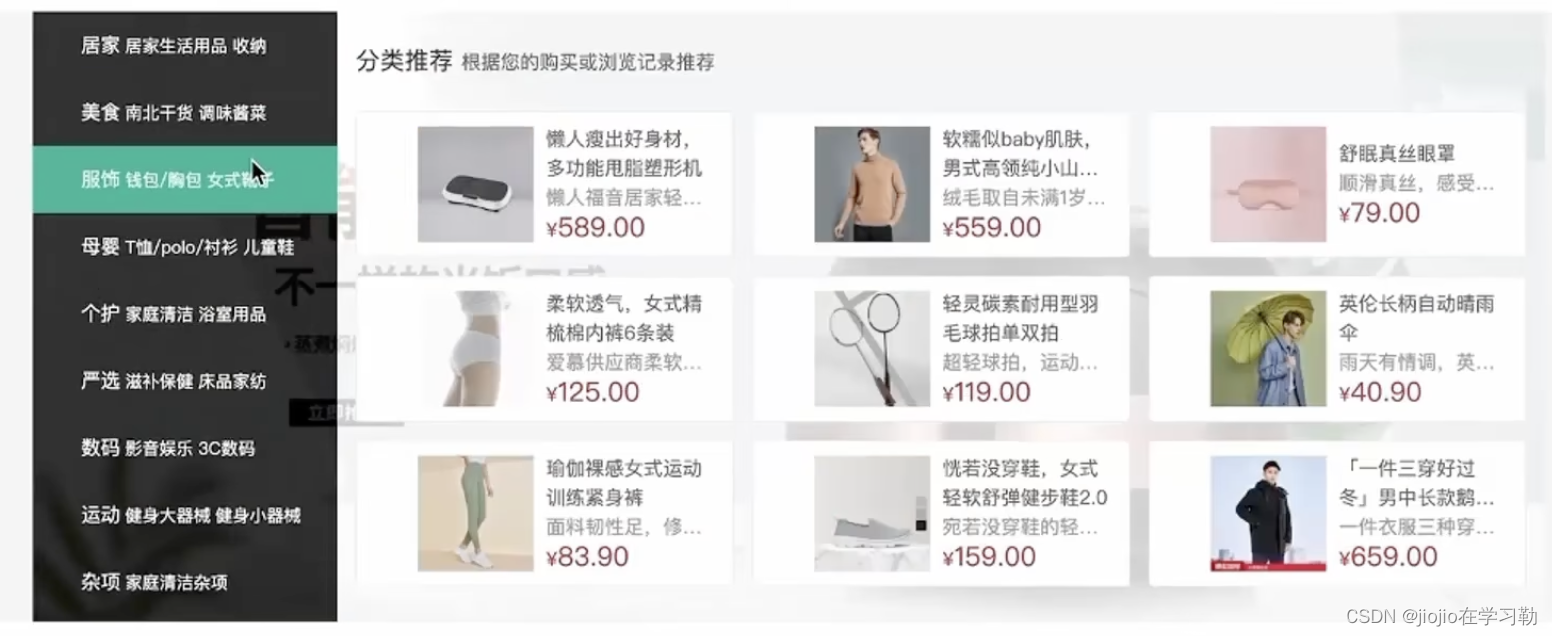

home/HomeCategory
<script setup>
import { useCategoryStore } from '@/stores/categoryStore'
const categoryStore = useCategoryStore()
</script><template><div class="home-category"><ul class="menu"><li v-for="item in categoryStore.categoryList" :key="item.id"><RouterLink to="/">{{ item.name }}</RouterLink><RouterLink v-for="i in item.children.slice(0, 2)" :key="i" to="/">{{ i.name }}</RouterLink><!-- 弹层layer位置 --><div class="layer"><h4>分类推荐 <small>根据您的购买或浏览记录推荐</small></h4><ul><li v-for="i in item.goods" :key="i.id"><RouterLink to="/"><img :src="i.picture" alt="" /><div class="info"><p class="name ellipsis-2">{{ i.name }}</p><p class="desc ellipsis">{{ i.desc }}</p><p class="price"><i>¥</i>{{ i.price }}</p></div></RouterLink></li></ul></div></li></ul></div>
</template><style scoped lang='scss'>
.home-category {width: 250px;height: 500px;background: rgba(0, 0, 0, 0.8);position: relative;z-index: 99;.menu {li {padding-left: 40px;height: 55px;line-height: 55px;&:hover {background: $xtxColor;}a {margin-right: 4px;color: #fff;&:first-child {font-size: 16px;}}.layer {width: 990px;height: 500px;background: rgba(255, 255, 255, 0.8);position: absolute;left: 250px;top: 0;display: none;padding: 0 15px;h4 {font-size: 20px;font-weight: normal;line-height: 80px;small {font-size: 16px;color: #666;}}ul {display: flex;flex-wrap: wrap;li {width: 310px;height: 120px;margin-right: 15px;margin-bottom: 15px;border: 1px solid #eee;border-radius: 4px;background: #fff;&:nth-child(3n) {margin-right: 0;}a {display: flex;width: 100%;height: 100%;align-items: center;padding: 10px;&:hover {background: #e3f9f4;}img {width: 95px;height: 95px;}.info {padding-left: 10px;line-height: 24px;overflow: hidden;.name {font-size: 16px;color: #666;}.desc {color: #999;}.price {font-size: 22px;color: $priceColor;i {font-size: 16px;}}}}}}}// 关键样式  hover状态下的layer盒子变成block&:hover {.layer {display: block;}}}}
}
</style>
banner轮播功能实现
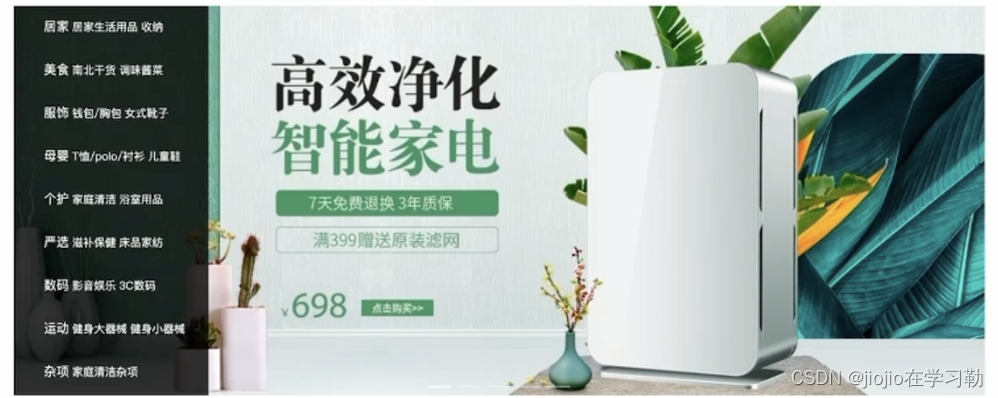
home/components/homeBanner
<script setup>
import { getBannerAPI } from '@/apis/home'
import { onMounted, ref } from 'vue'const bannerList = ref([])const getBanner = async () => {const res = await getBannerAPI()console.log(res)bannerList.value = res.result
}onMounted(() => getBanner())</script><template><div class="home-banner"><el-carousel height="500px"><el-carousel-item v-for="item in bannerList" :key="item.id"><img :src="item.imgUrl" alt=""></el-carousel-item></el-carousel></div>
</template><style scoped lang='scss'>
.home-banner {width: 1240px;height: 500px;position: absolute;left: 0;top: 0;z-index: 98;img {width: 100%;height: 500px;}
}
</style>
apis/home.js
import httpInstance from '@/utils/http'
// 获取banner
export function getBannerAPI (params = {}) {// 默认为1 商品为2const { distributionSite = '1' } = paramsreturn httpInstance({url: '/home/banner',params: {distributionSite}})
}
面板组件封装
场景说明
组件封装解决什么问题?
1️⃣复用问题
2️⃣业务维护问题
新鲜好物和人气推荐模块,在结构上非常相似,只是内容不同,通过组件封装可以实现复用结构的效果
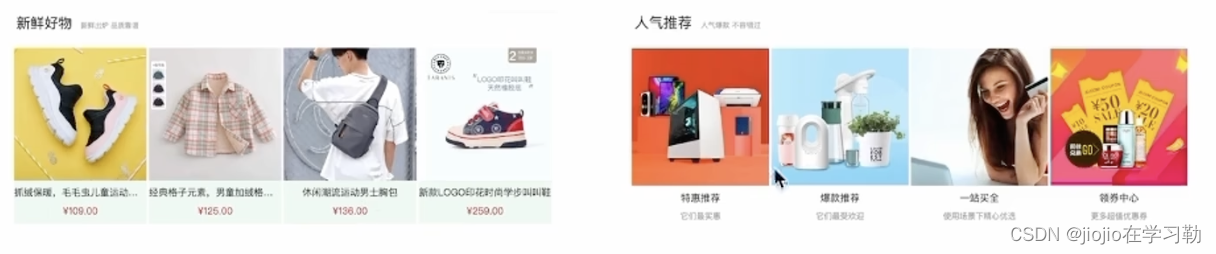
组件封装
核心思路:把可复用的结构只写一次,把可能发生变化的部分抽象成组件参数(props/插槽)
实现步骤
1️⃣不做任何抽象,准备静态模版
2️⃣抽象可变的部分
主标题和副标题是纯文本,可以抽象成prop传入
主题内容是复杂的模版,抽象成插槽传入
Home/components/HomePanel.vue
<script setup>
// 定义props
defineProps({// 主标题title: {type: String},// 副标题subTitle: {type: String}
})</script><template><div class="home-panel"><div class="container"><div class="head"><!-- 主标题和副标题 --><h3>{{ title }}<small>{{ subTitle }}</small></h3></div><!-- 主体内容区域 --><slot /></div></div>
</template><style scoped lang='scss'>
.home-panel {background-color: #fff;.head {padding: 40px 0;display: flex;align-items: flex-end;h3 {flex: 1;font-size: 32px;font-weight: normal;margin-left: 6px;height: 35px;line-height: 35px;small {font-size: 16px;color: #999;margin-left: 20px;}}}
}
</style>
总结
非复杂的模版抽象成props,复杂的结构模版抽象为插槽
实现新鲜好物
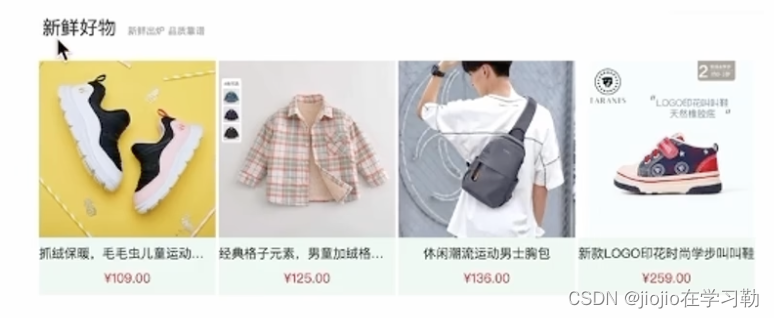

Home/components/HomeNew.vue
//引入上面封装好的homePanel组件
<script setup>
import HomePanel from './HomePanel.vue'
import { findNewAPI } from '@/apis/home' //接口
import { onMounted, ref } from 'vue'
// 获取数据
const newList = ref([])const getNewList = async () => {const res = await findNewAPI()newList.value = res.result
}
onMounted(() => getNewList())</script><template><HomePanel title="新鲜好物" sub-title="新鲜出炉 品质靠谱">//插槽内容<ul class="goods-list"><li v-for="item in newList" :key="item.id"><RouterLink :to="`/detail/${item.id}`"><img :src="item.picture" alt="" /><p class="name">{{ item.name }}</p><p class="price">¥{{ item.price }}</p></RouterLink></li></ul></HomePanel><!-- 下面是插槽主体内容模版<ul class="goods-list"><li v-for="item in newList" :key="item.id"><RouterLink to="/"><img :src="item.picture" alt="" /><p class="name">{{ item.name }}</p><p class="price">¥{{ item.price }}</p></RouterLink></li></ul>-->
</template><style scoped lang='scss'>
.goods-list {display: flex;justify-content: space-between;height: 406px;li {width: 306px;height: 406px;background: #f0f9f4;transition: all .5s;&:hover {transform: translate3d(0, -3px, 0);box-shadow: 0 3px 8px rgb(0 0 0 / 20%);}img {width: 306px;height: 306px;}p {font-size: 22px;padding-top: 12px;text-align: center;text-overflow: ellipsis;overflow: hidden;white-space: nowrap;}.price {color: $priceColor;}}
}
</style>
图片懒加载指令是实现
场景
电商网站的首页通常会很长,用户不一定访问到页面靠下面的图片,这类图片通过懒加载优化手段可以做到只有进入视口区域才发送图片请求
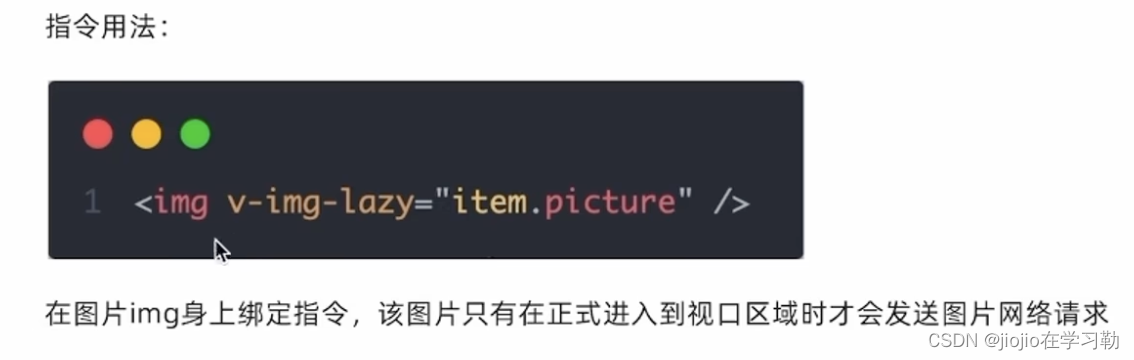
实现思路和步骤
核心原理:图片进入视口才发送资源请求
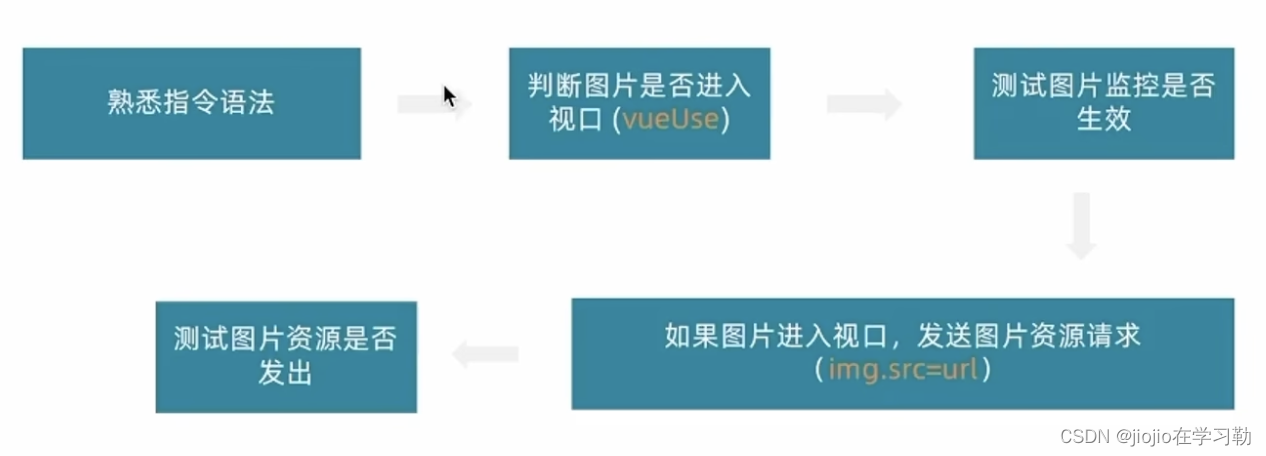
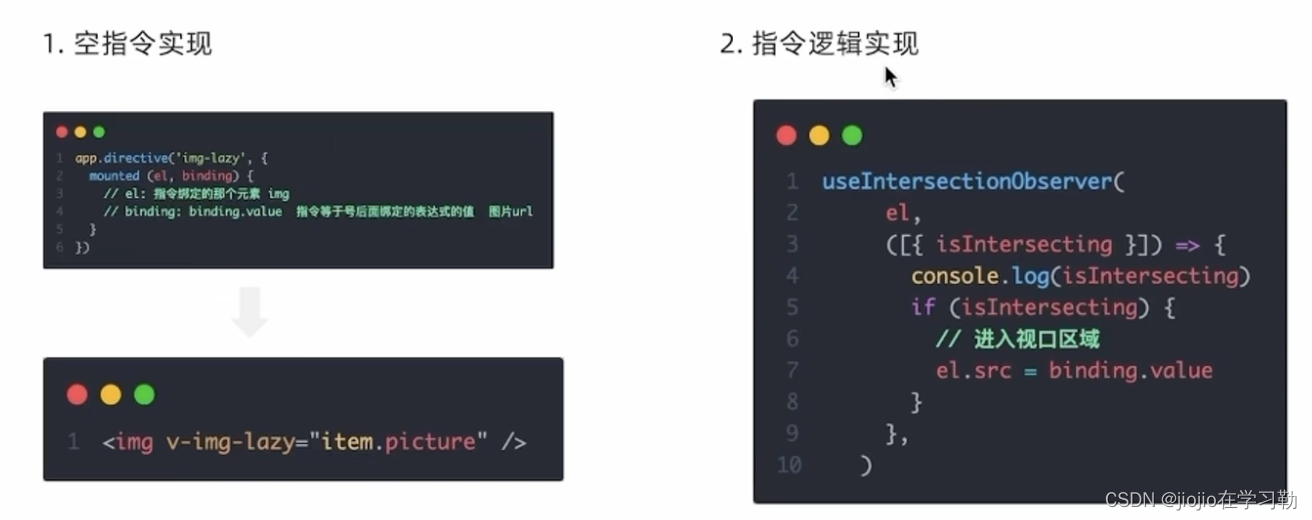
directives/index.js
// 定义懒加载插件
import { useIntersectionObserver } from '@vueuse/core'
export const lazyPlugin = {install (app) {//install固定写法// 懒加载指令逻辑app.directive('img-lazy', {mounted (el, binding) {// el: 指令绑定的那个元素 img// binding: binding.value  指令等于号后面绑定的表达式的值  图片url// console.log(el, binding.value)const { stop } = useIntersectionObserver(el,([{ isIntersecting }]) => {console.log(isIntersecting)if (isIntersecting) {// 进入视口区域el.src = binding.value//useIntersectionObserver对于元素的监听是一直存在的,除非手动停止监听,存在内存浪费// 解决思路:在监听的图片第一次完成加载之后就停止监听stop()}},)}})}
}
main.js
// 引入懒加载指令插件并且注册
import { lazyPlugin } from '@/directives'
app.use(lazyPlugin)
app.mount('#app')
product产品列表实现

Home/components/HomeProduct
<script setup>
import HomePanel from './HomePanel.vue'
import { getGoodsAPI } from '@/apis/home'
import { onMounted, ref } from 'vue'
import GoodsItem from './GoodsItem.vue'
// 获取数据列表
const goodsProduct = ref([])
const getGoods = async () => {const res = await getGoodsAPI()goodsProduct.value = res.result
}
onMounted(() => getGoods())
</script><template><div class="home-product"><HomePanel :title="cate.name" v-for="cate in goodsProduct" :key="cate.id"><div class="box"><RouterLink class="cover" to="/"><img :src="cate.picture" /><strong class="label"><span>{{ cate.name }}馆</span><span>{{ cate.saleInfo }}</span></strong></RouterLink><ul class="goods-list"><li v-for="goods in cate.goods" :key="good.id"><RouterLink to="/" class="goods-item"><img :src="goods.picture" alt="" /><p class="name ellipsis">{{ goods.name }}</p><p class="desc ellipsis">{{ goods.desc }}</p><p class="price">¥{{ goods.price }}</p></RouterLink></li></ul></div></HomePanel></div>
</template><style scoped lang='scss'>
.home-product {background: #fff;margin-top: 20px;.sub {margin-bottom: 2px;a {padding: 2px 12px;font-size: 16px;border-radius: 4px;&:hover {background: $xtxColor;color: #fff;}&:last-child {margin-right: 80px;}}}.box {display: flex;.cover {width: 240px;height: 610px;margin-right: 10px;position: relative;img {width: 100%;height: 100%;}.label {width: 188px;height: 66px;display: flex;font-size: 18px;color: #fff;line-height: 66px;font-weight: normal;position: absolute;left: 0;top: 50%;transform: translate3d(0, -50%, 0);span {text-align: center;&:first-child {width: 76px;background: rgba(0, 0, 0, 0.9);}&:last-child {flex: 1;background: rgba(0, 0, 0, 0.7);}}}}.goods-list {width: 990px;display: flex;flex-wrap: wrap;li {width: 240px;height: 300px;margin-right: 10px;margin-bottom: 10px;&:nth-last-child(-n + 4) {margin-bottom: 0;}&:nth-child(4n) {margin-right: 0;}}}}
}
</style>
GoodsItem组件封装
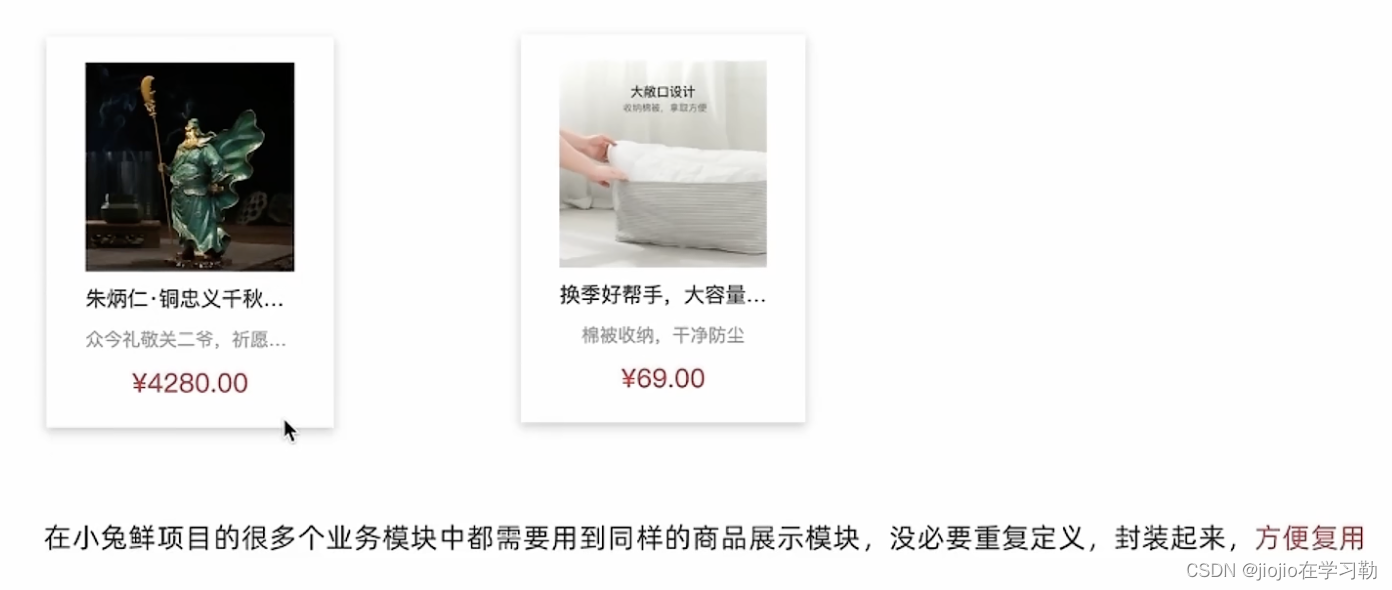
为什么封装goodsItem
如何封装
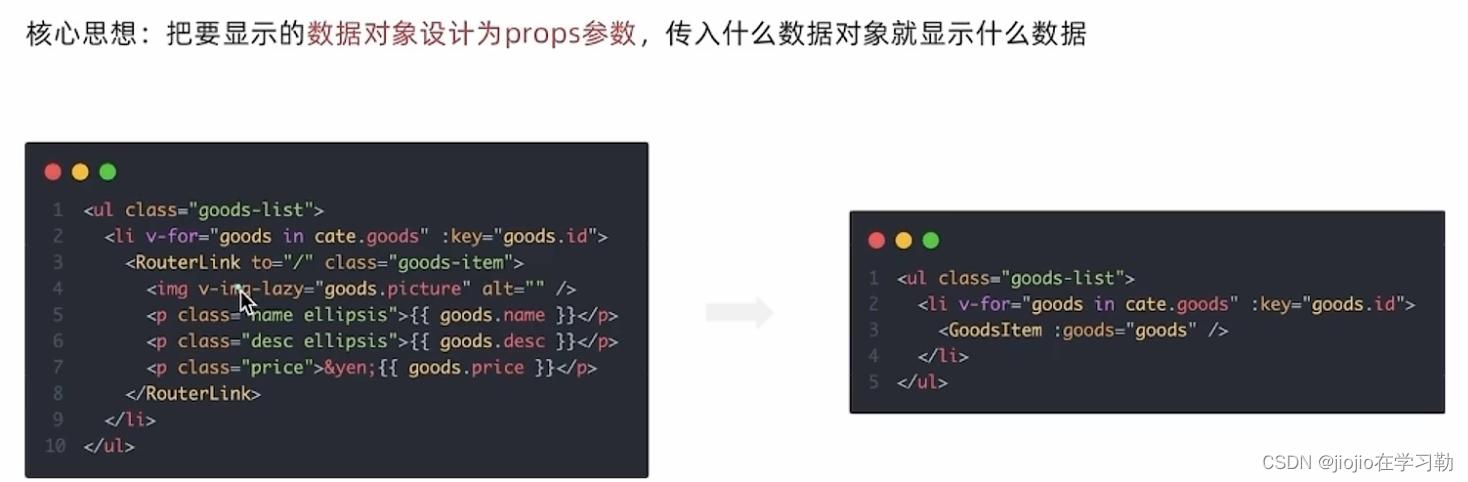
Home/components/GoodItems
<script setup>
defineProps({goods: {tppe: Object,default: () => { }}
})
</script><template><RouterLink to="/" class="goods-item"><img v-img-lazy="goods.picture" alt="" /><p class="name ellipsis">{{ goods.name }}</p><p class="desc ellipsis">{{ goods.desc }}</p><p class="price">¥{{ goods.price }}</p></RouterLink>
</template><style lang="scss" scoped>
.goods-item {display: block;width: 220px;padding: 20px 30px;text-align: center;transition: all .5s;&:hover {transform: translate3d(0, -3px, 0);box-shadow: 0 3px 8px rgb(0 0 0 / 20%);}img {width: 160px;height: 160px;}p {padding-top: 10px;}.name {font-size: 16px;}.desc {color: #999;height: 29px;}.price {color: $priceColor;font-size: 20px;}
}
</style>
Home/components/HomeProduct
<script setup>
import HomePanel from './HomePanel.vue'
import { getGoodsAPI } from '@/apis/home'
import { onMounted, ref } from 'vue'
import GoodsItem from './GoodsItem.vue'
// 获取数据列表
const goodsProduct = ref([])
const getGoods = async () => {const res = await getGoodsAPI()goodsProduct.value = res.result
}
onMounted(() => getGoods())
</script><template><div class="home-product"><HomePanel :title="cate.name" v-for="cate in goodsProduct" :key="cate.id"><div class="box"><RouterLink class="cover" to="/"><img v-img-lazy="cate.picture" /><strong class="label"><span>{{ cate.name }}馆</span><span>{{ cate.saleInfo }}</span></strong></RouterLink><ul class="goods-list"><li v-for="goods in cate.goods" :key="goods.id"><GoodsItem :goods="goods" /></li></ul></div></HomePanel></div>
</template><style scoped lang='scss'>
.home-product {background: #fff;margin-top: 20px;.sub {margin-bottom: 2px;a {padding: 2px 12px;font-size: 16px;border-radius: 4px;&:hover {background: $xtxColor;color: #fff;}&:last-child {margin-right: 80px;}}}.box {display: flex;.cover {width: 240px;height: 610px;margin-right: 10px;position: relative;img {width: 100%;height: 100%;}.label {width: 188px;height: 66px;display: flex;font-size: 18px;color: #fff;line-height: 66px;font-weight: normal;position: absolute;left: 0;top: 50%;transform: translate3d(0, -50%, 0);span {text-align: center;&:first-child {width: 76px;background: rgba(0, 0, 0, 0.9);}&:last-child {flex: 1;background: rgba(0, 0, 0, 0.7);}}}}.goods-list {width: 990px;display: flex;flex-wrap: wrap;li {width: 240px;height: 300px;margin-right: 10px;margin-bottom: 10px;&:nth-last-child(-n + 4) {margin-bottom: 0;}&:nth-child(4n) {margin-right: 0;}}}}
}
</style>
相关文章:
vue3 之 商城项目—home
home—整体结构搭建 根据上面五个模块建目录图如下: home/index.vue <script setup> import HomeCategory from ./components/HomeCategory.vue import HomeBanner from ./components/HomeBanner.vue import HomeNew from ./components/HomeNew.vue import…...
git flow与分支管理
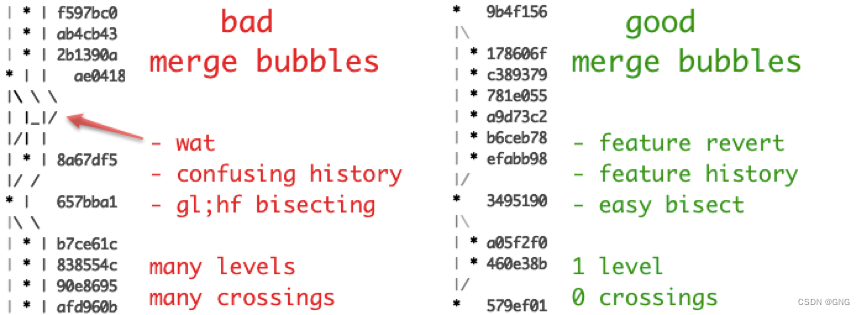
git flow与分支管理 一、git flow是什么二、分支管理1、主分支Master2、开发分支Develop3、临时性分支功能分支预发布分支修补bug分支 三、分支管理最佳实践1、分支名义规划2、环境与分支3、分支图 四、git flow缺点 一、git flow是什么 Git 作为一个源码管理系统,…...
【Linux】学习-进程信号
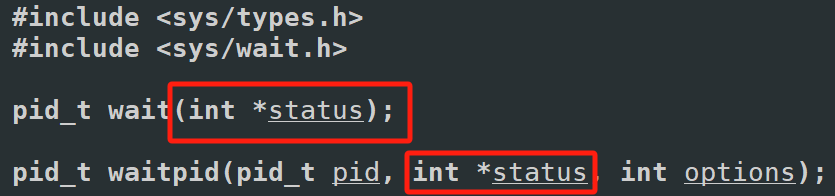
进程信号 信号入门 生活角度的信号 你在网上买了很多件商品,再等待不同商品快递的到来。但即便快递没有到来,你也知道快递来临时,你该怎么处理快递。也就是你能“识别快递”,也就是你意识里是知道如果这时候快递员送来了你的包裹,你知道该如何处理这些包裹当快递员到了你…...
webgis后端安卓系统部署攻略
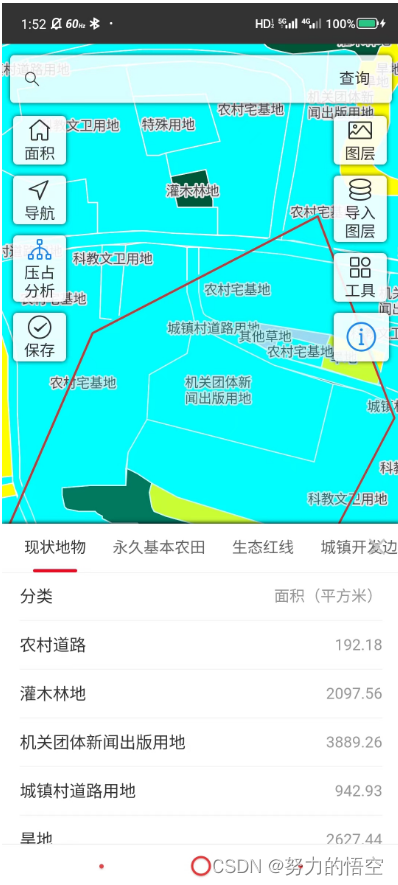
目录 前言 一、将后端项目编译ARM64 二、安卓手机安装termux 1.更换为国内源 2.安装ssh远程访问 3.安装文件远程访问 三、安装postgis数据库 1.安装数据库 2.数据库配置 3.数据导入 四、后端项目部署 五、自启动设置 总结 前言 因为之前一直做的H5APP开发…...

【数据分享】1929-2023年全球站点的逐日平均风速数据(Shp\Excel\免费获取)
气象数据是在各项研究中都经常使用的数据,气象指标包括气温、风速、降水、能见度等指标,说到气象数据,最详细的气象数据是具体到气象监测站点的数据! 有关气象指标的监测站点数据,之前我们分享过1929-2023年全球气象站…...
【多模态大模型】视觉大模型SAM:如何使模型能够处理任意图像的分割任务?
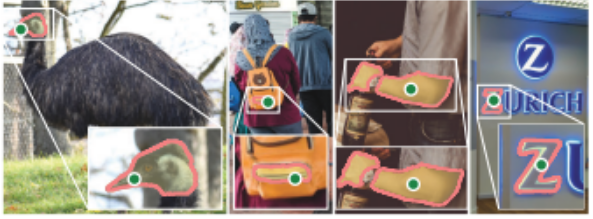
SAM:如何使模型能够处理任意图像的分割任务? 核心思想起始问题: 如何使模型能够处理任意图像的分割任务?5why分析5so分析 总结子问题1: 如何编码输入图像以适应分割任务?子问题2: 如何处理各种形式的分割提示?子问题3:…...

Shell之sed
sed是什么 Linux sed 命令是利用脚本来处理文本文件。 可依照脚本的指令来处理、编辑文本文件。主要用来自动编辑一个或多个文件、简化对文件的反复操作、编写转换程序等。 sed命令详解 语法 sed [-hnV][-e <script>][-f<script文件>][文本文件] sed [-nefr] [动作…...

AJAX——认识URL
1 什么是URL? 统一资源定位符(英语:Uniform Resource Locator,缩写:URL,或称统一资源定位器、定位地址、URL地址)俗称网页地址,简称网址,是因特网上标准的资源的地址&…...

《Docker极简教程》--Docker环境的搭建--在Linux上搭建Docker环境
更新系统:首先确保所有的包管理器都是最新的。对于基于Debian的系统(如Ubuntu),可以使用以下命令:sudo apt-get update sudo apt-get upgrade安装必要的依赖项:安装一些必要的工具,比如ca-certi…...

开源微服务平台框架的特点是什么?
借助什么平台的力量,可以让企业实现高效率的流程化办公?低代码技术平台是近些年来较为流行的平台产品,可以帮助很多行业进入流程化办公新时代,做好数据管理工作,从而提升企业市场竞争力。流辰信息专业研发低代码技术平…...
)
C#系列-C#操作UDP发送接收数据(10)
在C#中,发送UDP数据并接收响应通常涉及创建两个UdpClient实例:一个用于发送数据,另一个用于接收响应。以下是发送UDP数据并接收响应的示例代码: 首先,我们需要定义一个方法来发送UDP数据,并等待接收服务器…...
))
突破编程_C++_面试(基础知识(10))
面试题29:什么是嵌套类,它有什么作用 嵌套类指的是在一个类的内部定义的另一个类。嵌套类可以作为外部类的一个成员,但它与其声明类型紧密关联,不应被用作通用类型。嵌套类可以访问外部类的所有成员,包括私有成员&…...

初步探索Pyglet库:打造轻量级多媒体与游戏开发利器
目录 pyglet库 功能特点 安装和导入 安装 导入 基本代码框架 导入模块 创建窗口 创建控件 定义事件 运行应用 程序界面 运行结果 完整代码 标签控件 常用事件 窗口事件 鼠标事件 键盘事件 文本事件 其它场景 网页标签 音乐播放 图片显示 祝大家新…...

【npm】安装全局包,使用时提示:不是内部或外部命令,也不是可运行的程序或批处理文件
问题 如图,明明安装Vue是全局包,但是使用时却提示: 解决办法 使用以下命令任意一种命令查看全局包的配置路径 npm root -g 然后将此路径(不包括node_modules)添加到环境变量中去,这里注意,原…...
Go 语言 for 的用法
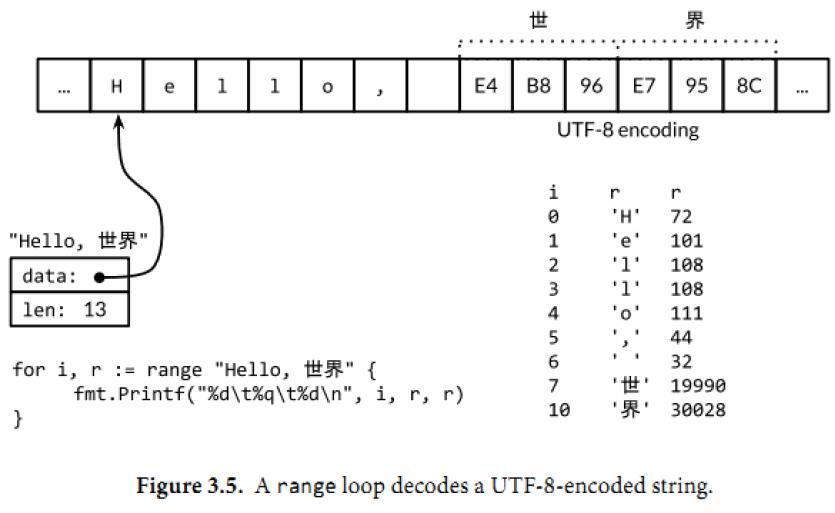
For statements 本文简单翻译了 Go 语言中 for 的三种用法,可快速学习 Go 语言 for 的使用方法,希望本文能为你解开一些关于 for 的疑惑。详细内容可见文档 For statements。 For statements with single condition 在最简单的形式中,只要…...
熵权法Python代码实现
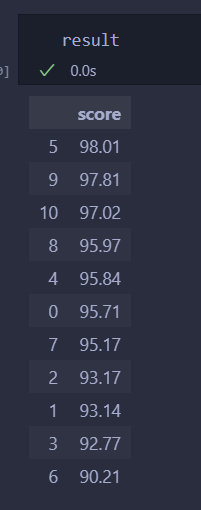
文章目录 前言代码数据熵权法代码结果 前言 熵权法做实证的好像很爱用,matlab的已经实现过了,但是matlab太大了早就删了,所以搞一搞python实现的,操作空间还比较大 代码 数据 import pandas as pd data [[100,90,100,84,90,1…...

浏览器提示ERR_SSL_KEY_USAGE_INCOMPATIBLE解决
ERR_SSL_KEY_USAGE_INCOMPATIBLE报错原因 ERR_SSL_KEY_USAGE_INCOMPATIBLE 错误通常发生在使用 SSL/TLS 连接时,指的是客户端和服务器之间进行安全通信尝试失败,原因是证书中的密钥用途(Key Usage)或扩展密钥用途(Extended Key Usage, EKU)与正在尝试的操作不兼容。这意味…...

使用深度学习进行“序列到序列”分类
目录 加载序列数据 定义 LSTM 网络架构 测试 LSTM 网络 此示例说明如何使用长短期记忆 (LSTM) 网络对序列数据的每个时间步进行分类。 要训练深度神经网络以对序列数据的每个时间步进行分类,可以使用“序列到序列”LSTM 网络。通过“序列到序列”LSTM 网络,可以对…...
)
Python和Java的区别(不断更新)
主要通过几个方面区分Python和Java,让大家有一个对比: 语言类型 Java是一种静态类型、编译型语言。 Python是一种动态类型、解释型语言,注重简洁和灵活的语法。 语法 在Java中,变量需要显式地声明,指定其类型。例如&am…...
Ubuntu22.04 gnome-builder gnome C 应用程序习练笔记(三)
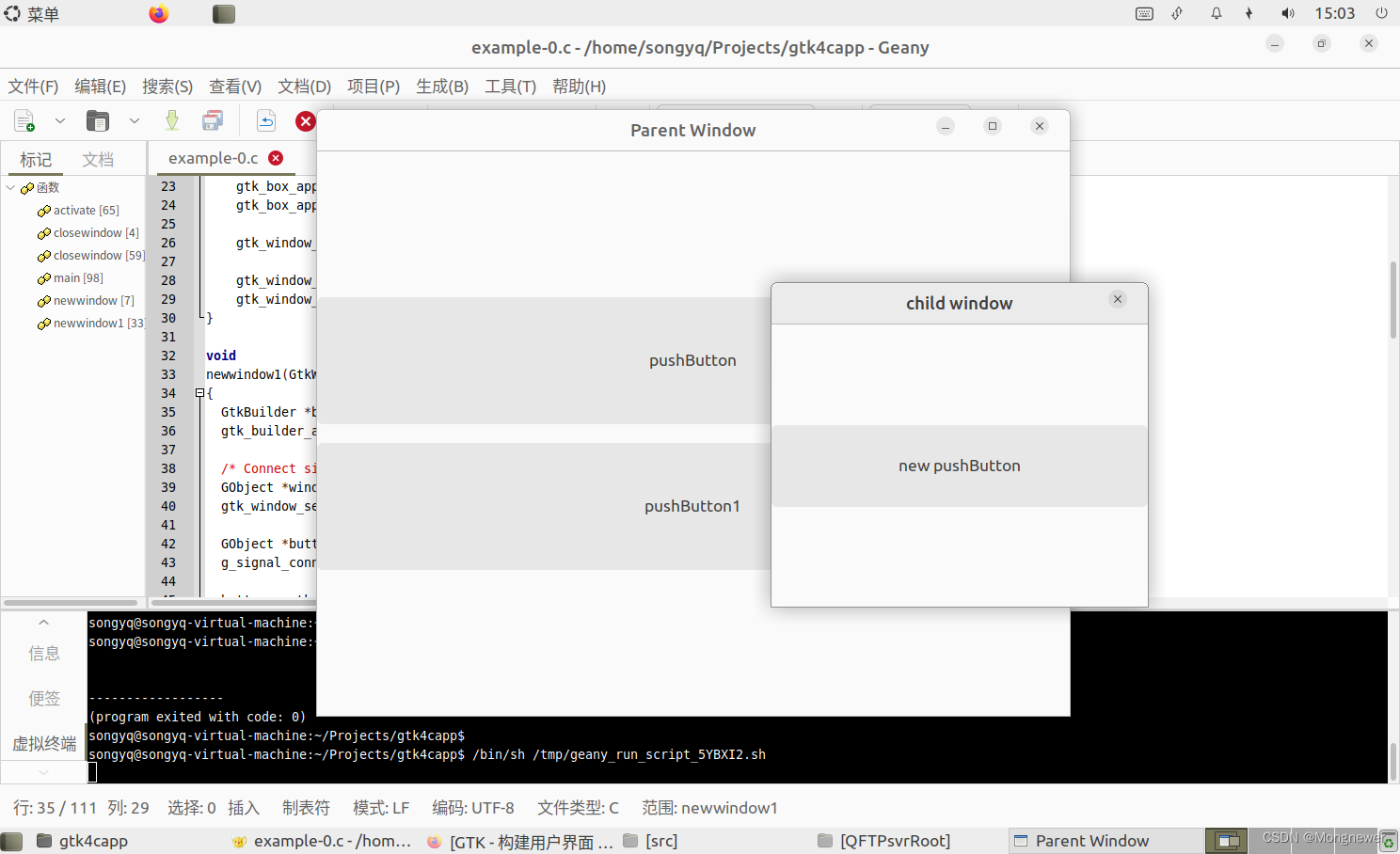
八、ui窗体创建要点 .h文件定义(popwindowf.h), TEST_TYPE_WINDOW宏是要创建的窗口样式。 #pragma once #include <gtk/gtk.h> G_BEGIN_DECLS #define TEST_TYPE_WINDOW (test_window_get_type()) G_DECLARE_FINAL_TYPE (TestWindow, test_window, TEST, WI…...
)
从CTF靶场到实战:手把手教你复现ctfshow web3的PHP伪协议利用(附BurpSuite抓包技巧)
从CTF靶场到实战:深入解析PHP伪协议利用与BurpSuite实战技巧 在网络安全领域,CTF比赛不仅是检验技能的竞技场,更是学习实战渗透技术的绝佳资源。ctfshow web3这道题目巧妙地将PHP伪协议利用与文件包含漏洞结合在一起,为我们提供了…...

如何在Windows电脑上直接运行安卓应用:APK安装器终极解决方案
如何在Windows电脑上直接运行安卓应用:APK安装器终极解决方案 【免费下载链接】APK-Installer An Android Application Installer for Windows 项目地址: https://gitcode.com/GitHub_Trending/ap/APK-Installer 你是否曾经希望在Windows电脑上直接运行安卓应…...

3步掌握QQ音乐解析:Python工具免费获取全网音乐资源
3步掌握QQ音乐解析:Python工具免费获取全网音乐资源 【免费下载链接】MCQTSS_QQMusic QQ音乐解析 项目地址: https://gitcode.com/gh_mirrors/mc/MCQTSS_QQMusic 你是否曾为音乐平台的各种限制而烦恼?付费会员、下载限制、跨平台不兼容……这些痛…...

5步实用指南:永久解锁Cursor Pro高级功能的完整解决方案
5步实用指南:永久解锁Cursor Pro高级功能的完整解决方案 【免费下载链接】cursor-free-vip [Support 0.45](Multi Language 多语言)自动注册 Cursor Ai ,自动重置机器ID , 免费升级使用Pro 功能: Youve reached your t…...

深度解析Lenovo Legion Toolkit:轻量级硬件控制框架的技术实现与实践指南
深度解析Lenovo Legion Toolkit:轻量级硬件控制框架的技术实现与实践指南 【免费下载链接】LenovoLegionToolkit Lightweight Lenovo Vantage and Hotkeys replacement for Lenovo Legion laptops. 项目地址: https://gitcode.com/gh_mirrors/le/LenovoLegionTool…...

从‘秦皇岛今天晴空万里’到HMM:一文搞懂NLP分词中的序列标注到底在标什么
从天气报告到智能分词:解码序列标注在NLP中的魔法 秦皇岛的晴空万里不仅是气象术语,更是理解自然语言处理(NLP)中序列标注技术的绝佳入口。当我们看到"秦皇岛今天晴空万里"这行文字时,人脑能瞬间将其分解为有意义的词汇单元&#x…...

降本增效突围,Captain AI助力Ozon商家提升盈利空间
在Ozon市场竞争日益激烈的当下,“销量高、利润薄”成为很多商家的共同痛点——物流成本高、人力成本高、库存积压、佣金核算复杂等问题,不断压缩商家的盈利空间。对于中小商家而言,降本增效是生存和发展的核心诉求;对于资深大卖而…...

模力方舟与口袋龙虾:开源中国的AI云端与端侧协同生态解析
本文解析开源中国通过“模力方舟”与“口袋龙虾”平台构建的AI协同生态。该生态旨在解决AI开发与落地中的资源分散与端侧部署难题,为开发者、企业及终端用户提供从云端资源调用到边缘智能部署的一站式通路。核心结论是,这种“云-边-端”协同模式降低了技…...

Flowable 6.7.2 适配达梦数据库踩坑实录:从驱动到Liquibase源码修改全攻略
Flowable 6.7.2 深度适配达梦数据库实战指南:从驱动配置到源码级改造 在国产化替代浪潮中,数据库迁移往往是技术团队面临的首要挑战。当工作流引擎Flowable遇上国产数据库达梦(DM),两者的"语言不通"会导致一系列兼容性问题。本文将…...

用STM32G431RBT6复刻一个简易示波器+信号发生器:蓝桥杯嵌入式外设综合应用实战
基于STM32G431RBT6的嵌入式示波器与信号发生器开发实战 在嵌入式系统开发领域,将理论知识转化为实际应用能力是每个工程师成长的必经之路。本文将带你使用STM32G431RBT6开发板,从零开始构建一个兼具示波器和信号发生器功能的综合系统。这个项目不仅能够…...