
【深度学习】Pytorch基础
张量
- 运算与操作
-
加减乘除
pytorch中tensor运算逐元素进行,或者一一对应计算 -
常用操作
典型维度为N X C X H X W,N为图像张数,C为图像通道数,HW为图高宽。
- sum()
一般,指定维度,且keepdim=True该维度上元素相加,长度变为1。 - 升降维度
unsqueeze() 扩充维度
image = PIL.Image.open('lena.jpg').convert('RGB')transform = torchvision.tranforms.Compose([torchvision.transforms.ToTensor()])img = transform(image)img = img.unsqueeze(0)
sequeeze()将长度为1的维度抹除,数据不会减少。
- 将输入(图像)转换为张量,
torchvision.transforms.ToTensor()
class ToTensor:"""Convert a ``PIL Image`` or ``numpy.ndarray`` to tensor. This transform does not support torchscript.
- tensor转换为cvMat
- 获得元素
- 反归一化
- 变换通道顺序
- 维度展开
# 除第1维,其他维展开x = torch.flatten(x, 1)
Variable
view()方法
卷积输出N*C*H*W,输入全连接层,需要变形为N*size
torchvision
import torchvision as tv
# 查看网络的结构
features = tv.models.alexnet().features
# 在dim=1上求和,第1维度压缩为1
torch.sum(in_feat**2,dim=1,keepdim=True)
torch.nn
- Module
用于构建神经网络模型的基类,有方法
register_buffer,register_parameter,声明常量与模型参数。 - ModuleList
- train()与eval()
- ConvTranspose2d 图像反卷积,可实现上采样,如ConvTranspose2d(256, 128, 3, 2, 1, 1), 输入输出通道分别为256\128,反卷积核大小为3,反卷积的stride为2,即图像大小变为2倍,输出尺寸公式是卷积公式的逆运算;与卷积参数一致,形式即正逆。
H o u t = ( H i n − 1 ) × stride [ 0 ] − 2 × padding [ 0 ] + dilation [ 0 ] × ( kernel_size [ 0 ] − 1 ) + output_padding [ 0 ] + 1 H_{out} = (H_{in} - 1) \times \text{stride}[0] - 2 \times \text{padding}[0] + \text{dilation}[0] \times (\text{kernel\_size}[0] - 1) + \text{output\_padding}[0] + 1 Hout=(Hin−1)×stride[0]−2×padding[0]+dilation[0]×(kernel_size[0]−1)+output_padding[0]+1
- 模型参数
for key in list(para_task.keys()):para_task[key.replace('module.', '')] = para_task.pop(key)
数据集的输入与处理
对图像预处理:https://pytorch.org/vision/stable/transforms.html
transforms.Compose()设置图像预处理模式组合,例如
train_transforms = transforms.Compose(# [transforms.RandomCrop(args.patch_size), transforms.ToTensor()]# [transforms.ToTensor(),]# 图像中心裁剪边长为256像素[transforms.CenterCrop(256), transforms.ToTensor(),])
from torchvision import datasets, transforms
from torch.utils.data import DataLoader
# 含义为把PIL图像转换为tensor格式,
train_dataset = datasets.MNIST(root='data/',train=True,transform=transforms.Compose([transforms.ToTensor(),]),download=True)
test_dataset = datasets.MNIST(root='data/',train=False,transform=transforms.Compose([transforms.ToTensor(),]),download=True)
train_loader = DataLoader(dataset=train_dataset, batch_size=100, shuffle=True)
test_loader = DataLoader(dataset=test_dataset, batch_size=100, shuffle=True)
神经网络模型的构建与训练
import torch
import torchvision
from torch.autograd import Variable# 构建网络
class Model(torch.nn.Module):def __init__(self):super(Model, self).__init__()self.conv = torch.nn.Sequential(torch.nn.Conv2d(1, 64, 3, 1, 1),torch.nn.ReLU(),torch.nn.Conv2d(64, 128, 3, 1, 1),torch.nn.ReLU(),torch.nn.MaxPool2d(2, 2),)self.dense = torch.nn.Sequential(torch.nn.Linear(14 * 14 * 128, 1024),torch.nn.ReLU(),torch.nn.Dropout(p=0.5),torch.nn.Linear(1024, 10),)def forward(self, x):x = self.conv(x)x = x.view(-1, 14 * 14 * 128)x = self.dense(x)return x
# device
device = torch.device("cuda")
# 声明待训练的模型和优化方法
model = Model().to(device)
cost = torch.nn.CrossEntropyLoss()
optimizer = torch.optim.Adam(model.parameters())
# N epoch 训练
for epoch in range(epochs):sum_loss = 0.0train_correct = 0for data in train_loader:inputs, labels = datainputs, labels = Variable(inputs).cuda(), Variable(labels).cuda()optimizer.zero_grad()outputs = model(inputs)loss = cost(outputs, labels)loss.backward()optimizer.step()
通过pytorch.nn.module、torchvision构建的网络模型是否训练
if requires_grad: #需要训练时,设为真for para in <torch.nn.module 对象>.parameters():para.requires_grad = True
torch.nn.module的子类对象,如下可添加网络层数
nn.layers = nn.ModuleList()
然后把网络模型参数作为训练的优化参数
class Trainer:def __init__(self):self.parameters = list(<net>.parameters())self.lr = 1e-3self.optimizer_net = torch.optim.Adam(self.parameters,lr = self.lr)
池化
# power-2 pool of square window of size=3, stride=2
nn.LPPool2d(2, 3, stride=2)class L2pooling(nn.Module):def __init__(self, filter_size=5, stride=2, channels=None, pad_off=0):super(L2pooling, self).__init__()self.padding = (filter_size - 2) // 2self.stride = strideself.channels = channelsa = np.hanning(filter_size)[1:-1]g = torch.Tensor(a[:, None] * a[None, :])g = g / torch.sum(g)# pdb.set_trace()self.register_buffer("filter", g[None, None, :, :].repeat((self.channels, 1, 1, 1)))def forward(self, input):input = input ** 2out = F.conv2d(input,self.filter,stride=self.stride,padding=self.padding,groups=input.shape[1],)return (out + 1e-12).sqrt()
错误
- 分类标签有9类,在构建数据集的标签时写为1~9,运行时错误,将标签-1解错。
- 使用list错误,pytorch无法构造tensor。
TypeError: Variable data has to be a tensor, but got list
label = np.zeros(10, dtype=np.float32) - numpy中float是双精度,pytorch变量均为单精度。
- pytorch transform必须放在Dataset对象,且库为
torchvision.transforms.Compose([torchvision.transforms.ToTensor(), torchvision.transforms.RandomCrop((506, 606))])
-
File “/home/zpk/CompressAI/iqa_models.py”, line 220, in forward
dist_s += (self.alpha0 * self.structure(mu0a, mu0b)
RuntimeError: Expected all tensors to be on the same device, but found at least two devices, cuda:0 and cpu!
程序参数 忘记加–cuda,导致训练数据是在cpu上。 -
RuntimeError: grad can be implicitly created only for scalar outputs
模型输出取mean()。
COCO数据集训练
使用fiftyone库实现训练。
fiftyone下载数据集在/home//fiftyone,
fiftyone/coco-2017
├── info.json
├── raw
│   ├── captions_train2017.json
│   ├── captions_val2017.json
│   ├── instances_train2017.json
│   ├── instances_val2017.json
│   ├── person_keypoints_train2017.json
│   └── person_keypoints_val2017.json
├── train
│   ├── data -> /home/zpk/Data/coco_real/train2017
│   └── labels.json
└── validation├── data -> /home/zpk/Data/coco_real/val2017└── labels.json
import fiftyone as fo
import fiftyone.zoo as foz
from fiftyone import ViewField as F
class FiftyOneTorchDataset(torch.utils.data.Dataset):"""A class to construct a PyTorch dataset from a FiftyOne dataset.Args:fiftyone_dataset: a FiftyOne dataset or view that will be used for training or testingtransforms (None): a list of PyTorch transforms to apply to images and targets when loadinggt_field ("ground_truth"): the name of the field in fiftyone_dataset that contains the desired labels to loadclasses (None): a list of class strings that are used to define the mapping betweenclass names and indices. If None, it will use all classes present in the given fiftyone_dataset."""def __init__(self,fiftyone_dataset,transforms=None,gt_field="ground_truth",classes=None,):self.samples = fiftyone_datasetself.transforms = transformsself.gt_field = gt_fieldself.img_paths = self.samples.values("filepath")self.classes = classesif not self.classes:# Get list of distinct labels that exist in the viewself.classes = self.samples.distinct("%s.detections.label" % gt_field)if self.classes[0] != "background":self.classes = ["background"] + self.classesself.labels_map_rev = {c: i for i, c in enumerate(self.classes)}def __getitem__(self, idx):img_path = self.img_paths[idx]sample = self.samples[img_path]metadata = sample.metadataimg = Image.open(img_path).convert("RGB")boxes = []labels = []area = []iscrowd = []detections = sample[self.gt_field].detectionsfor det in detections:category_id = self.labels_map_rev[det.label]coco_obj = fouc.COCOObject.from_label(det, metadata, category_id=category_id,)x, y, w, h = coco_obj.bboxboxes.append([x, y, x + w, y + h])labels.append(coco_obj.category_id)area.append(coco_obj.area)iscrowd.append(coco_obj.iscrowd)target = {}target["boxes"] = torch.as_tensor(boxes, dtype=torch.float32)target["labels"] = torch.as_tensor(labels, dtype=torch.int64)target["image_id"] = torch.as_tensor([idx])target["area"] = torch.as_tensor(area, dtype=torch.float32)target["iscrowd"] = torch.as_tensor(iscrowd, dtype=torch.int64)if self.transforms is not None:img, target = self.transforms(img, target)return img, targetdef __len__(self):return len(self.img_paths)def get_classes(self):return self.classes
fo_dataset = foz.load_zoo_dataset("coco-2017", split = "train")
dataset_dir = "/path/to/coco-2017"
# The type of the dataset being imported
dataset_type = fo.types.COCODetectionDataset  # for example
dataset = fo.Dataset.from_dir(dataset_dir=dataset_dir,dataset_type=dataset_type,name=name,
)
valid_view = fo_dataset.match(F("ground_truth.detections").length() > 1)
torch_dataset = FiftyOneTorchDataset(valid_view)
相关文章:

【深度学习】Pytorch基础
张量 运算与操作 加减乘除 pytorch中tensor运算逐元素进行,或者一一对应计算 常用操作 典型维度为N X C X H X W,N为图像张数,C为图像通道数,HW为图高宽。 sum() 一般,指定维度,且keepdimTrue该维度上元…...
C++模拟揭秘刘谦魔术,领略数学的魅力
新的一年又开始了,大家新年好呀~。在这我想问大家一个问题,有没有同学看了联欢晚会上刘谦的魔术呢? 这个节目还挺有意思的,它最出彩的不是魔术本身,而是小尼老师“念错咒语”而导致他手里的排没有拼在一起,…...

JAVA语言编写一个方法,两个Long参数传入,使用BigDecimal类,计算相除四舍五入保留2位小数返回百分数。
在Java中,你可以使用BigDecimal类来执行精确的浮点数计算,并且可以指定结果的小数位数。以下是一个方法,它接受两个Long类型的参数,并使用BigDecimal来计算它们的商,然后将结果四舍五入到两位小数,并返回一…...

SQL教学:掌握MySQL数据操作核心技能--DML语句基本操作之“增删改查“
大家好,今天我要给大家分享的是SQL-DML语句教学。DML,即Data Manipulation Language,也就是我们常说的"增 删 改 查",是SQL语言中用于操作数据库中数据的一部分。作为MySQL新手小白,掌握DML语句对于数据库数…...
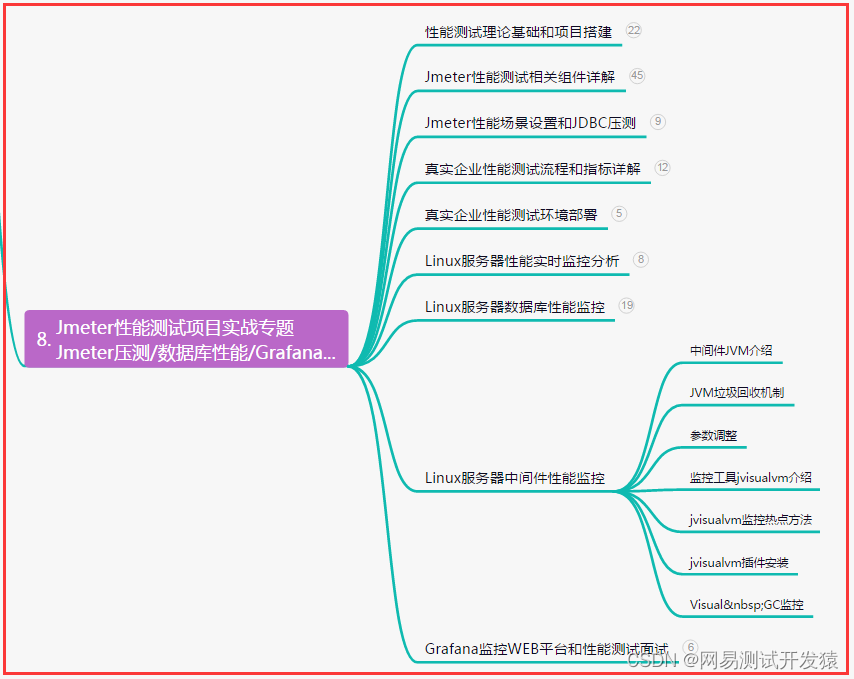
【性能测试】Jmeter性能压测-阶梯式/波浪式场景总结(详细)
目录:导读 前言一、Python编程入门到精通二、接口自动化项目实战三、Web自动化项目实战四、App自动化项目实战五、一线大厂简历六、测试开发DevOps体系七、常用自动化测试工具八、JMeter性能测试九、总结(尾部小惊喜) 前言 1、阶梯式场景&am…...
前端面试 跨域理解
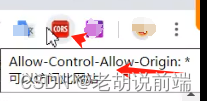
2 实现 2-1 JSONP 实现 2-2 nginx 配置 2-2 vue 开发中 webpack自带跨域 2 -3 下载CORS 插件 或 chrome浏览器配置跨域 2-4 通过iframe 如:aaa.com 中读取bbb.com的localStorage 1)在aaa.com的页面中,在页面中嵌入一个src为bbb.com的iframe&#x…...
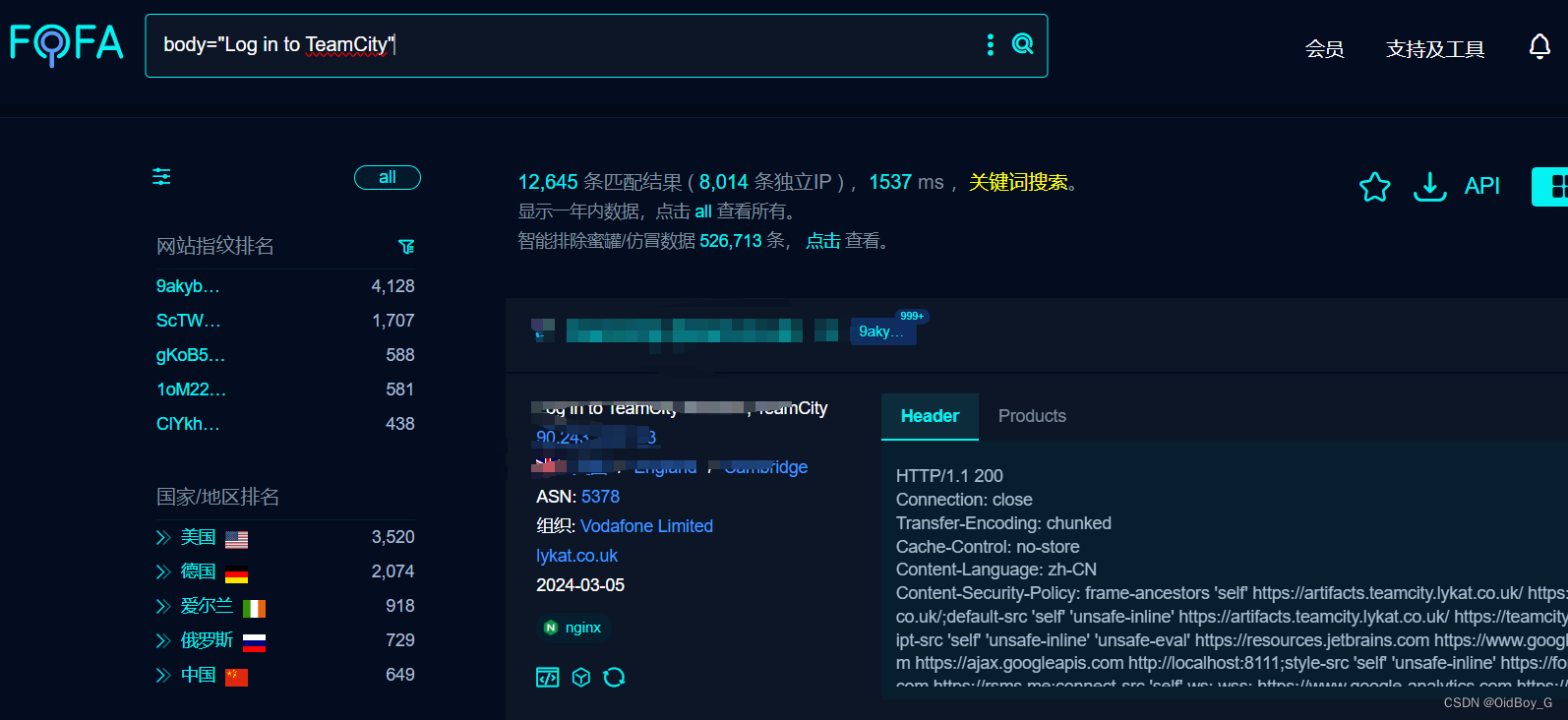
JetBrains TeamCity 身份验证绕过漏洞复现(CVE-2024-27198)
0x01 产品简介 JetBrains TeamCity是一款由JetBrains开发的持续集成和持续交付(CI/CD)服务器。它提供了一个功能强大的平台,用于自动化构建、测试和部署软件项目。TeamCity旨在简化团队协作和软件交付流程,提高开发团队的效率和产品质量。 0x02 漏洞概述 JetBrains Team…...

设计模式—单例模式
单例模式(Singleton Pattern)是一种常用的软件设计模式,其核心思想是确保一个类仅有一个实例,并提供一个全局访问点来获取这个实例。单例模式主要用于控制资源的访问,比如配置文件的读取,数据库的连接等&am…...

Android在后台读取UVC摄像头的帧数据流并推送
Android在后台读取UVC摄像头的帧数据流并推送 添加UvcCamera依赖库 使用原版的 saki4510t/UVCCamera 在预览过程中断开可能会闪退,这里使用的是 jiangdongguo/AndroidUSBCamera 中修改的版本,下载到本地即可。 https://github.com/jiangdongguo/AndroidU…...

vue单向数据流介绍
Vue.js 的单向数据流是其核心设计原则之一,也是 Vue 响应式系统的基础。在 Vue.js 中,数据流主要是单向的,从父组件流向子组件。这种设计有助于保持组件之间的清晰通信,减少不必要的复杂性和潜在的错误。 以下是 Vue 单向数据流的…...
OpenMMlab AI实战营第四期培训
OpenMMlab AI实战营第四期培训 OpenMMlab实战营第四次课2023.2.6学习参考一、什么是目标检测1.目标检测下游视觉任务2.图像分类 v.s. 目标检测 二、目标检测实现1.滑窗 Sliding Window2.滑窗的效率问题3.改进思路(1)消除滑窗中的重复计算(2&a…...

React轻松开发平台:实现高效、多变的应用开发范本
在当今快节奏的软件开发环境中,追求高效、灵活的应用开发方式成为了开发团队的迫切需求。React低代码平台崭露头角,为开发人员提供了一种全新的开发范式,让开发过程更高效、更灵活,从而加速应用程序的开发周期和交付速度。 1. 快…...

多域名SSL证书:保护多个网站的安全之选
什么是多域名SSL证书? 多域名SSL证书,顾名思义,是指一张SSL证书可以保护多个域名。与传统的单域名SSL证书相比,多域名SSL证书可以在一个证书中绑定多个域名,无需为每个域名单独购买和安装SSL证书。这样不仅可以节省成…...
HarmonyOS—HAP唯一性校验逻辑
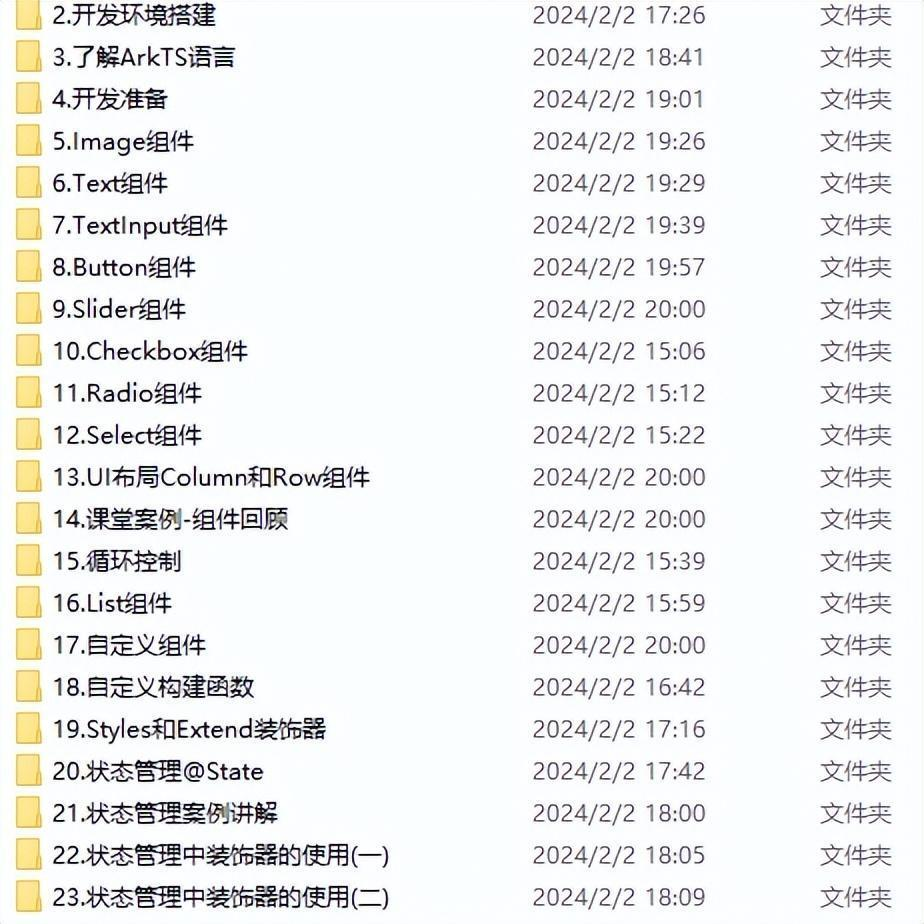
HAP是应用安装的基本单位,在DevEco Studio工程目录中,一个HAP对应一个Module。应用打包时,每个Module生成一个.hap文件。 应用如果包含多个Module,在应用市场上架时,会将多个.hap文件打包成一个.app文件(称…...

金三银四,程序员如何备战面试季
金三银四,程序员如何备战面试季 一个人简介二前言三面试技巧分享3.1 自我介绍 四技术问题回答4.1 团队协作经验展示 五职业规划建议5.1 短期目标5.2 中长期目标 六后记 一个人简介 🏘️🏘️个人主页:以山河作礼。 🎖️…...

VUE3项目学习系列--项目配置(二)
在项目团队开发过程中,多人协同开发为保证项目格式书写格式统一标准化,因此需要进行代码格式化校验,包括在代码编写过程中以及代码提交前进行自动格式化,因此需要进行在项目中进行相关的配置使之代码格式一致。 一、eslint配置 …...

idea:springboot项目搭建
目录 一、创建项目 1、File → New → Project 2、Spring Initializr → Next 3、填写信息 → Next 4、web → Spring Web → Next 5、填写信息 → Finish 6、处理配置不合理内容 7、注意事项 7.1 有依赖包,却显示找不到依赖,刷新一下maven 二…...

如何保证某个程序系统内只运行一个,保证原子性
GetMapping("/startETL") // Idempotent(expireTime 90, info "请勿90秒内连续点击")public R getGaugeTestData6() {log.info("start ETL");//redis设置t_data_load_record 值为2bladeRedis.set("t_data_load_record_type", 2);Str…...

golang常见面试题
1. go语言有哪些优点、特性? 语法简便,容易上手。 支持高并发,go有独特的协程概念,一般语言最小的执行单位是线程,go语言支持多开协程,协程是用户态线程,协程的占用内存更少,协程只…...
探索Python编程世界:从入门到精通
一.Python 从入门到精通 随着计算机科学的发展,编程已经成为了一种必备的技能。而 Python 作为一种简单易学、功能强大的编程语言,越来越受到人们的喜爱。本文将为初学者介绍 Python 编程的基础知识,帮助他们踏入 Python 编程的大门…...

帕鲁杯第二届应急响应:jumpserver,waf,mysql,sshserver,server01,Palu03,Palu02,每个靶机的漏洞总结
一、题目描述1.提交堡垒机中留下的flag2.提交waf中隐藏的flag3.提交mysql中留下的flag4.提交攻击者的攻击IP5.提交攻击者的最早攻击时间6.提交web服务泄露的关键文件名7.提交泄露的邮箱地址作为flag进行提交8.提交立足点服务器ip地址9.提交攻击者使用的提权用户密码10.提交攻击…...
)
从硬复位到裸机运行:一张图看懂ZYNQ7000系列启动全流程(附Stage0/1/2详细解析)
从硬复位到裸机运行:ZYNQ7000启动全流程深度解析 当一块ZYNQ7000芯片首次通电时,内部究竟发生了什么?这个看似简单的上电过程,实际上隐藏着一套精密的启动机制。对于FPGA/SOC开发者而言,理解这套机制不仅是掌握ZYNQ开发…...

CookieCloud终极指南:一劳永逸解决多设备登录烦恼的完整方案
CookieCloud终极指南:一劳永逸解决多设备登录烦恼的完整方案 【免费下载链接】CookieCloud CookieCloud是一个和自架服务器同步浏览器Cookie和LocalStorage的小工具,支持端对端加密,可设定同步时间间隔。本仓库包含了插件和服务器端源码。Coo…...

Unity SLG框架解析:Clash Engine六维系统架构与工程实践
1. 这不是“又一个SLG模板”,而是把“部落冲突”式玩法真正拆开揉碎的工程实践你有没有试过在Unity里搭一个像《部落冲突》那样的SLG?不是那种只有几个按钮、拖拽兵种就完事的Demo,而是真正能跑通资源采集→建筑升级→兵种训练→多线程战斗→…...

HarmonyOS ,你所不知道的事件发布/订阅的通信机制-EventEmitter
在鸿蒙(HarmonyOS)开发中,EventEmitter 是一种用于事件发布/订阅的通信机制,常用于组件、Ability、线程或模块之间的解耦通信。它允许一个对象(发布者)发出事件,而其他对象(订阅者&a…...

Redis分布式锁进阶第一十一篇
一、本篇前置衔接 第一十一篇我们完成了全系列终局复盘,整理了故障排查SOP与企业级落地铁律。常规单资源锁、热点分片锁、隔离锁全部讲透,但真实复杂业务永远不是单一资源:下单要扣库存、扣优惠券、扣积分、冻结余额,多资源并行争…...

【软考高级架构】论文预测——论基于ATAM的架构评估方法
论基于ATAM的架构评估方法 摘要 软件架构评估是保障系统质量属性满足业务目标的关键环节。架构权衡分析方法(Architecture Trade-off Analysis Method,ATAM)作为一种系统化的架构评估方法,通过场景捕获、质量属性分析、敏感点与权衡点识别、风险与非风险决策分类等结构化…...

图片去水印怎样快速搞定?2026年实测去水印工具推荐与方法全解
去水印是许多内容创作者和日常用户都会遇到的需求。无论是保存喜欢的图片、重新编辑素材,还是处理自己的作品,都需要用到高效的去水印方法。本文将为你详细介绍2026年最实用的图片去水印工具和操作方法,帮助你快速找到适合自己的解决方案。 小…...

Miro致力弥合AI潜力与组织现实之间的鸿沟
Miro在Canvas 26上将其AI平台建设成为现代AI生态系统的连接层 — 汇聚团队、智能体以及已经使用的工具,将个体AI生产率变为整个组织的转型 Miro是一个面向团队的人工智能(AI)创新工作空间。该公司宣布推出多项AI平台创新,强化了其…...
】)
【项目实训(个人8)】
继续进行法律文书智能摘要系统的开发,新增了几个功能,并优化了用户体验概述本次开发为法律文书智能摘要系统新增了两项核心功能。其一是摘要版本管理,支持同一文档的多版本摘要生成、存储、对比和回滚。用户在生成摘要时,系统自动…...