
wpf prism左侧抽屉式菜单
1.首先引入包MaterialDesignColors和MaterialDesignThemes
2.主页面布局
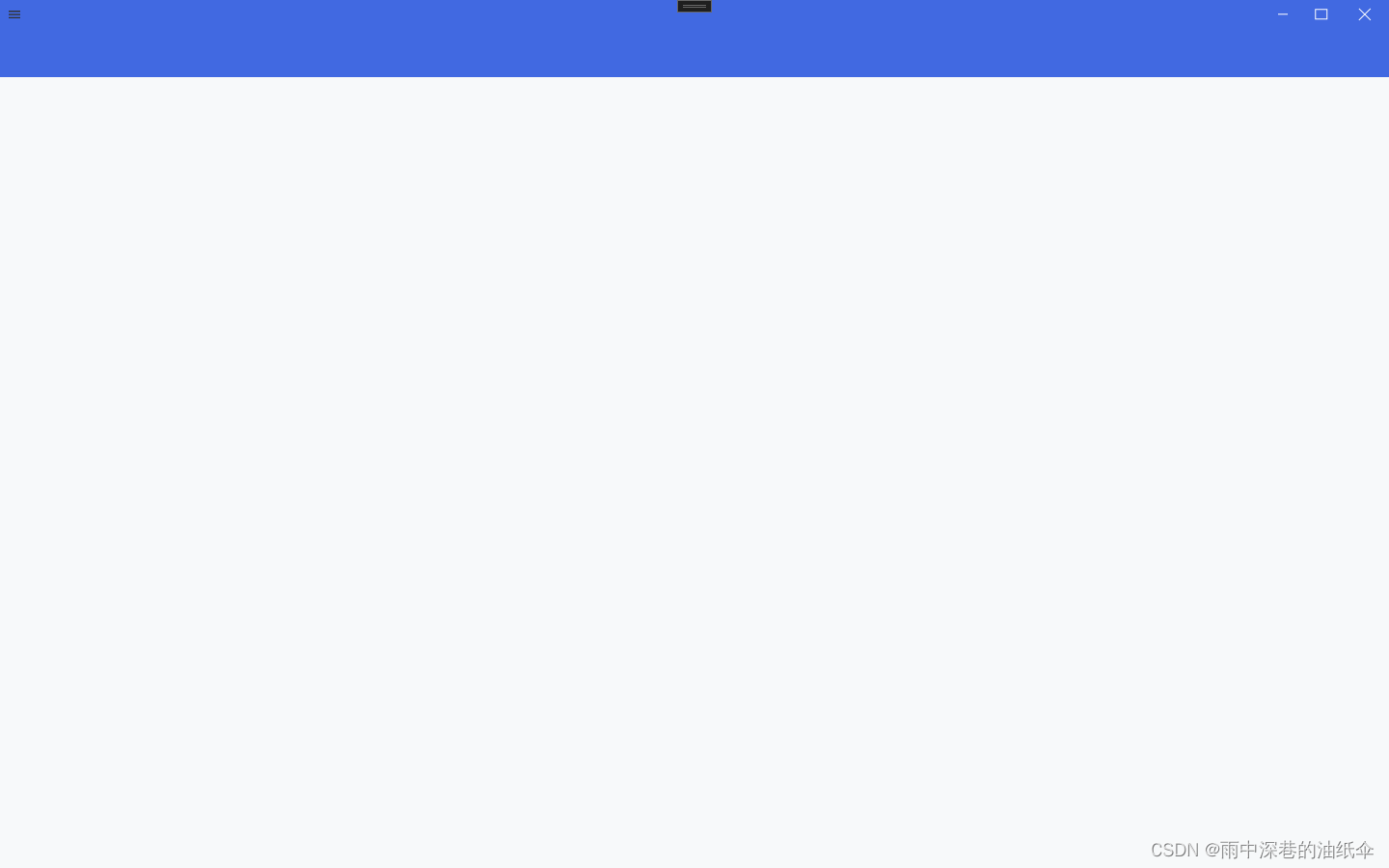
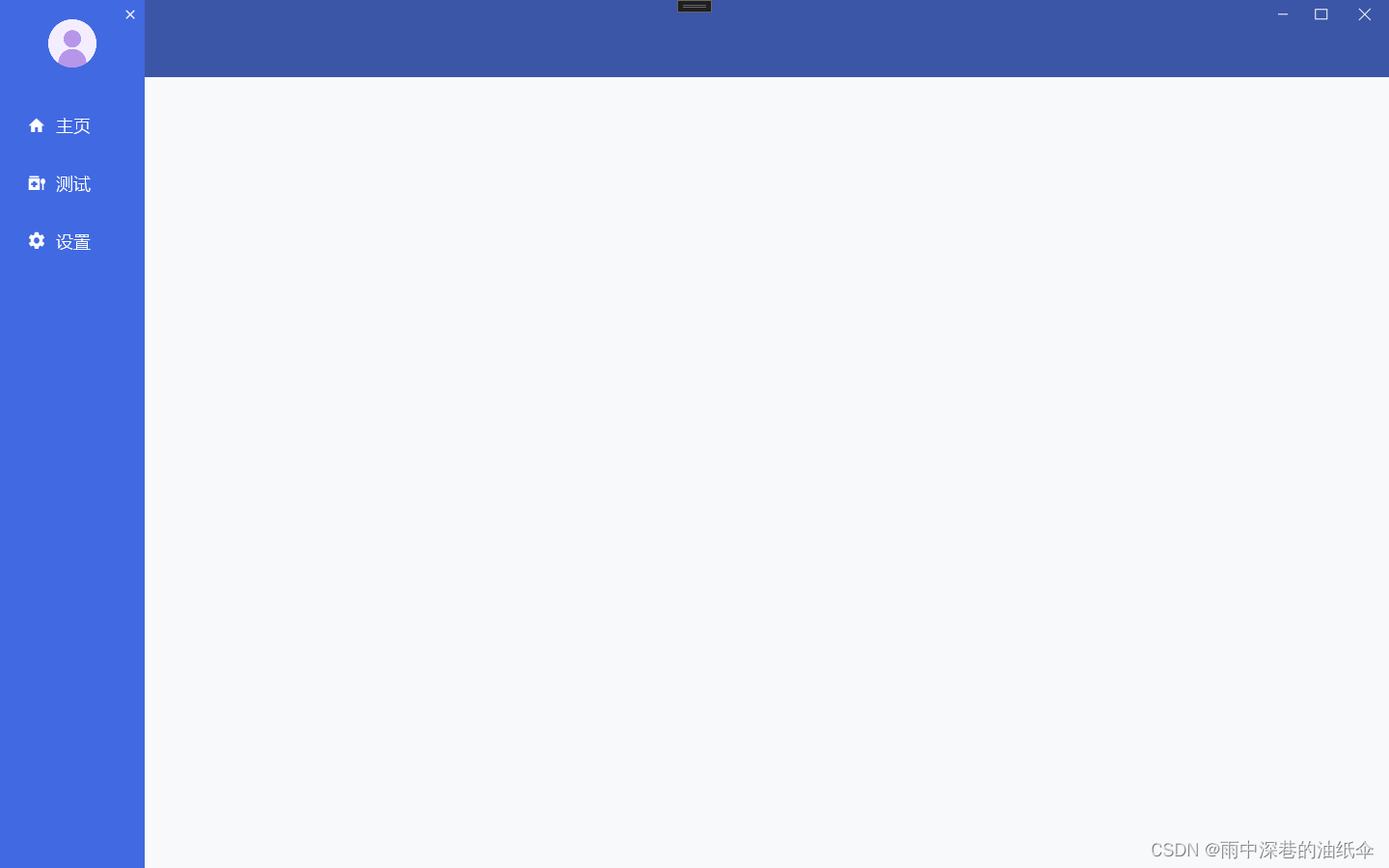
左侧菜单显示在窗体外,点击左上角菜单图标通过简单的动画呈现出来
3.左侧窗体外菜单
<Grid x:Name="GridMenu" Width="150" HorizontalAlignment="Left" Margin="-150 0 0 0" RenderTransformOrigin="0.5,0.5" Background="#4169E1"><Grid.RenderTransform><TransformGroup><ScaleTransform/><SkewTransform/><RotateTransform/><TranslateTransform/></TransformGroup></Grid.RenderTransform><StackPanel><Image Source="../Images/head.png"/ Margin="50,20"><ListView Foreground="White" FontFamily="Champagne & Limousines" FontSize="18" ItemsSource="{Binding MenuList}"><ListView.ItemTemplate><DataTemplate><StackPanel Orientation="Horizontal" Margin="0,10,0,0"><Button Style="{DynamicResource MenuButtonStyle}"Command="{Binding DataContext.ShowRegionCommand, RelativeSource={RelativeSource AncestorType={x:Type ListView}}}"CommandParameter="{Binding ElementName=txtRegion}"/><TextBlock Text="{Binding Path = RegionName}" Visibility="Collapsed" Name="txtRegion"/></StackPanel></DataTemplate></ListView.ItemTemplate></ListView></StackPanel><Button x:Name="ButtonClose" HorizontalAlignment="Right" VerticalAlignment="Top" Background="{x:Null}" Foreground="White" BorderBrush="{x:Null}" Width="30" Height="30" Padding="0"><materialDesign:PackIcon Kind="Close"/></Button>
</Grid>
这里头像的图片写死了,需要的自己替换。
4.菜单样式
<ResourceDictionary xmlns="http://schemas.microsoft.com/winfx/2006/xaml/presentation"xmlns:x="http://schemas.microsoft.com/winfx/2006/xaml"xmlns:materialDesign="http://materialdesigninxaml.net/winfx/xaml/themes"><Storyboard x:Key="CloseMenu"><DoubleAnimationUsingKeyFrames Storyboard.TargetProperty="(UIElement.RenderTransform).(TransformGroup.Children)[3].(TranslateTransform.X)" Storyboard.TargetName="GridMenu"><EasingDoubleKeyFrame KeyTime="0" Value="150"/><EasingDoubleKeyFrame KeyTime="0:0:0.5" Value="0"/></DoubleAnimationUsingKeyFrames><DoubleAnimationUsingKeyFrames Storyboard.TargetProperty="(UIElement.Opacity)" Storyboard.TargetName="GridBackground"><EasingDoubleKeyFrame KeyTime="0" Value="1"/><EasingDoubleKeyFrame KeyTime="0:0:0.5" Value="0"/></DoubleAnimationUsingKeyFrames><DoubleAnimationUsingKeyFrames Storyboard.TargetProperty="Width" Storyboard.TargetName="ContentGrid"><EasingDoubleKeyFrame KeyTime="0" Value="1290"/><!--初始宽度绑定到根Grid的宽度--><EasingDoubleKeyFrame KeyTime="0:0:0.5" Value="1440"/><!--减去菜单的宽度--></DoubleAnimationUsingKeyFrames><ObjectAnimationUsingKeyFrames  Storyboard.TargetProperty="(UIElement.Visibility)" Storyboard.TargetName="ButtonOpen"><DiscreteObjectKeyFrame  KeyTime="0"><DiscreteObjectKeyFrame.Value><Visibility>Visible</Visibility></DiscreteObjectKeyFrame.Value></DiscreteObjectKeyFrame></ObjectAnimationUsingKeyFrames></Storyboard><Storyboard x:Key="OpenMenu"><DoubleAnimationUsingKeyFrames Storyboard.TargetProperty="(UIElement.RenderTransform).(TransformGroup.Children)[3].(TranslateTransform.X)" Storyboard.TargetName="GridMenu"><EasingDoubleKeyFrame KeyTime="0" Value="0"/><EasingDoubleKeyFrame KeyTime="0:0:0.5" Value="150"/></DoubleAnimationUsingKeyFrames><DoubleAnimationUsingKeyFrames Storyboard.TargetProperty="(UIElement.Opacity)" Storyboard.TargetName="GridBackground"><EasingDoubleKeyFrame KeyTime="0" Value="0"/><EasingDoubleKeyFrame KeyTime="0:0:0.5" Value="1"/></DoubleAnimationUsingKeyFrames><DoubleAnimationUsingKeyFrames Storyboard.TargetProperty="Width" Storyboard.TargetName="ContentGrid"><EasingDoubleKeyFrame KeyTime="0" Value="1440"/><!--初始宽度绑定到根Grid的宽度--><EasingDoubleKeyFrame KeyTime="0:0:0.5" Value="1290"/><!--减去菜单的宽度--></DoubleAnimationUsingKeyFrames><ObjectAnimationUsingKeyFrames  Storyboard.TargetProperty="(UIElement.Visibility)" Storyboard.TargetName="ButtonOpen"><DiscreteObjectKeyFrame  KeyTime="0"><DiscreteObjectKeyFrame.Value><Visibility>Hidden</Visibility></DiscreteObjectKeyFrame.Value></DiscreteObjectKeyFrame></ObjectAnimationUsingKeyFrames></Storyboard><Style TargetType="Button" x:Key="MenuButtonStyle"><Setter Property="Template"><Setter.Value><ControlTemplate TargetType="Button"><Border Name="back" BorderThickness="0" Width="130"><StackPanel Orientation="Horizontal" Margin="0"><materialDesign:PackIcon Kind="{Binding Path = Icon}" Width="20" Height="20" Foreground="White" Margin="20,10,0,0" VerticalAlignment="Center"/><TextBlock Text="{Binding Path = Name}" Margin="10,10,0,0"  Foreground="White" FontFamily="微软雅黑" /></StackPanel></Border><ControlTemplate.Triggers><Trigger Property="IsPressed" Value="True"><Setter Property="Background" Value="Transparent" TargetName="back"/></Trigger><Trigger Property="IsMouseOver" Value="True"><Setter Property="Background" Value="Transparent" TargetName="back"/></Trigger></ControlTemplate.Triggers></ControlTemplate></Setter.Value></Setter></Style>
</ResourceDictionary>
5.主页面事件
<Window.Triggers><EventTrigger RoutedEvent="ButtonBase.Click" SourceName="ButtonClose"><BeginStoryboard x:Name="CloseMenu_BeginStoryboard" Storyboard="{StaticResource CloseMenu}"/></EventTrigger><EventTrigger RoutedEvent="ButtonBase.Click" SourceName="ButtonOpen"><BeginStoryboard Storyboard="{StaticResource OpenMenu}"/></EventTrigger>
</Window.Triggers>
6.主页面内容
    <Grid x:Name="ContentGrid" HorizontalAlignment="Right" Width="1440"><Grid.RowDefinitions><RowDefinition  Height="80"></RowDefinition><RowDefinition></RowDefinition></Grid.RowDefinitions><Grid Background="#4169E1"><Grid x:Name="GridBackground" Background="#55313131" Opacity="0"/><Button x:Name="ButtonOpen" HorizontalAlignment="Left" VerticalAlignment="Top" Background="{x:Null}" BorderBrush="{x:Null}" Width="30" Height="30" Padding="0"><materialDesign:PackIcon Kind="Menu" Foreground="#FF313131"/></Button><!--窗体控件按钮--><StackPanel Orientation="Horizontal" VerticalAlignment="Top" HorizontalAlignment="Right"><Button Width="40" Height="30" Style="{StaticResource PathButtonStyle}" Foreground="White" Tag="M0 0,10 0" /><Button Width="40" Height="30" Style="{StaticResource PathButtonStyle}" Foreground="White" Tag="M0 0,0 10,12 10,12 0Z" /><Button Width="50" Height="30" Style="{StaticResource PathButtonStyle}" Foreground="White" Tag="M0 0,12 12M0 12,12 0" /></StackPanel></Grid><ContentControl x:Name="Main" prism:RegionManager.RegionName="ContentRegion"  Grid.Row="1"/></Grid>
</Grid>
7.后台C#代码
private readonly IRegionManager _regionManager;public MainWindowViewModel(IRegionManager regionManager){_regionManager = regionManager;ShowRegionCommand = new DelegateCommand<object>(ShowRegion);InitMenus();}private void ShowRegion(object o){var text = (o as TextBlock).Text;_regionManager.RequestNavigate("ContentRegion", text);}private ObservableCollection<MenuModel> _menuList;public ObservableCollection<MenuModel> MenuList{get { return _menuList; }set{SetProperty(ref _menuList, value);}}
private void InitMenus()
{MenuList = new ObservableCollection<MenuModel>();MenuList.Add(new MenuModel(){Name = "主页",Icon = PackIconKind.Home,RegionName = "ContentView"});MenuList.Add(new MenuModel(){Name = "测试",Icon = PackIconKind.CovidTest,RegionName = "TestView"});MenuList.Add(new MenuModel(){Name = "设置",Icon = PackIconKind.Settings,RegionName = "SettingView"});
}
RegionName 对应每一个创建Control,具体的规则可以看一下prism的导航。
8.MenuModel类
public class MenuModel
{public string Name { get; set; }public PackIconKind Icon { get; set; }public string RegionName { get; set; }
}
9.prism 导航注册
prism 有个注册类ModuleModule
public class ModuleModule : IModule
{private readonly IRegionManager _regionManager;public ModuleModule(IRegionManager regionManager){_regionManager = regionManager;}/// <summary>/// 通知模块已被初始化。/// </summary>/// <param name="containerProvider"></param>public void OnInitialized(IContainerProvider containerProvider){_regionManager.RequestNavigate(RegionNames.ContentRegion, "ContentView");_regionManager.RequestNavigate(RegionNames.TestRegion, "TestView");_regionManager.RequestNavigate(RegionNames.SettingRegion, "SettingView");}/// <summary>/// 用于在您的应用程序将使用的容器中注册类型。/// </summary>/// <param name="containerRegistry"></param>public void RegisterTypes(IContainerRegistry containerRegistry){containerRegistry.RegisterForNavigation<ContentView>();containerRegistry.RegisterForNavigation<TestView>();containerRegistry.RegisterForNavigation<SettingView>();}
}
然后在App.xaml.cs中注册
protected override void ConfigureModuleCatalog(IModuleCatalog moduleCatalog){moduleCatalog.AddModule<ModuleModule>();}
10.RegionNames类
public static class RegionNames
{public const string TestRegion = "TestRegion";public const string SettingRegion = "SettingRegion";public const string ContentRegion = "ContentRegion";
}
ContentView 、TestView、SettingView是新建的用户控件,自己随便新建可以区分不同控件查看效果即可。
相关文章:
wpf prism左侧抽屉式菜单
1.首先引入包MaterialDesignColors和MaterialDesignThemes 2.主页面布局 左侧菜单显示在窗体外,点击左上角菜单图标通过简单的动画呈现出来 3.左侧窗体外菜单 <Grid x:Name"GridMenu" Width"150" HorizontalAlignment"Left" Ma…...

揭秘AI新纪元:近期人工智能发展的惊人突破与未来展望
近年来,人工智能(AI)领域的发展可谓是日新月异,其强大的潜力和广阔的应用前景引发了全球范围内的关注。本文将带您领略近期AI发展的风采,一探这个神奇领域的未来展望。 首先,让我们回顾一下近期AI领域的几…...

C语言基础练习——Day01
目录 选择题 编程题 打印从1到最大的n位数 计算日期到天数转换 选择题 1、执行下面程序,正确的输出是 int x5,y7; void swap(int x, int y) {int z;zx;xy;yz; } int main() { int x3,y8; swap(int x, int y);printf("%d,%d\n",x, y);return …...

用云手机进行舆情监测有什么作用?
在信息爆炸的时代,舆情监测成为企业和政府决策的重要工具。通过结合云手机技术,舆情监测系统在品牌形象维护、市场竞争、产品研发、政府管理以及市场营销等方面发挥着关键作用,为用户提供更智能、高效的舆情解决方案。 1. 品牌形象维护与危机…...

神经网络(neural network)
在这一章中我们将进入深度学习算法,学习一些神经网络相关的知识,这些是有更加强大的作用,更加广泛的用途。 神经元和大脑(neurons and the brain): 我们对于我们的编程的进步主要来自我们对于大脑的研究,根据我们对于大脑的研究…...
微信小程序用户登陆和获取用户信息功能实现
官方文档: https://developers.weixin.qq.com/miniprogram/dev/framework/open-ability/login.html 接口说明: https://developers.weixin.qq.com/miniprogram/dev/OpenApiDoc/user-login/code2Session.html 我们看官方这个图,梳理一下用户…...

2024年3月8日 晨会汇报
Good morning, colleagues! Before I dive into today’s work, I’d like to take a moment to share some updates over my work activities from yesterday and outline my agenda for today. Firstly, let me touch on the work activities from yesterday. Yesterday’…...
去电脑维修店修电脑需要注意什么呢?装机之家晓龙
每当电脑出现故障时,你无疑会感到非常沮丧。 如果计算机已过了保修期,您将无法享受制造商的免费保修服务。 这意味着您必须自费找到一家电脑维修店。 去电脑维修店并不容易。 大家一定要知道,电脑维修非常困难,尤其是笔记本电脑维…...

国家妇女节放假是法定的假日
在这个充满活力和希望的春天,我们迎来了一个特殊的节日——国家妇女节。这是一个属于所有女性的节日,是一个庆祝女性成就、关爱女性权益的时刻。在这个特殊的日子里,我们不禁要问:国家妇女节放假是法定假日吗?让我们一…...

Pytorch线性回归实现(Pycharm实现)
步骤都在注释里写清楚了,可以自己调整循环的次数观察输出的w与b和loss的值 import torch#学习率,用来进行w和b的更新 learning_rate 0.01 #1. 准备数据 #这里使用y3x0.8.也就是w3,b0.8.创造一个500行1列的数据 xtorch.rand([500,1]) y_true…...
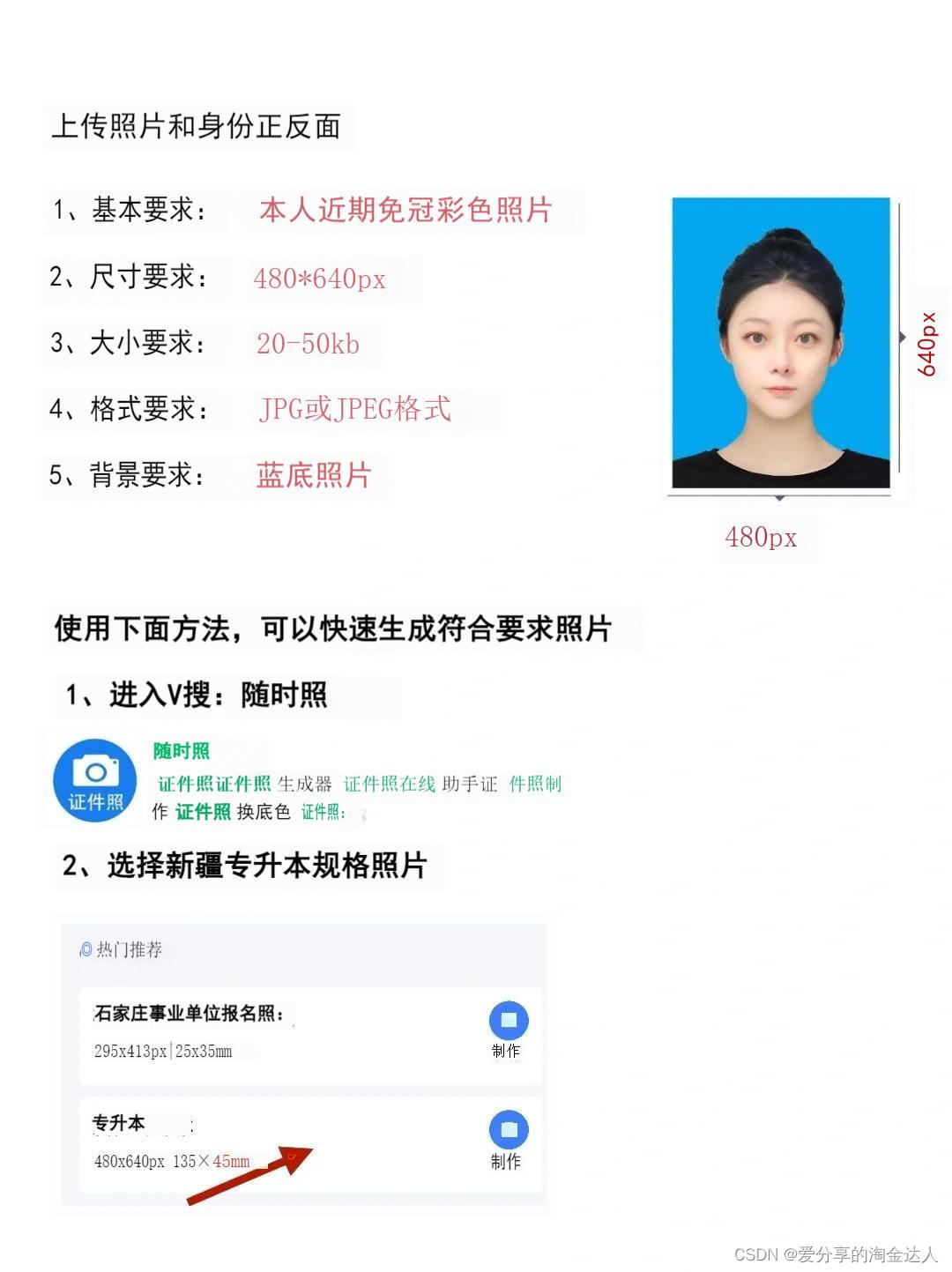
2024新疆专升本考试报名教程详解
2024新疆专升本报名时间已经开始了,想要参加考试报名的同学可以提前准备好报名照...
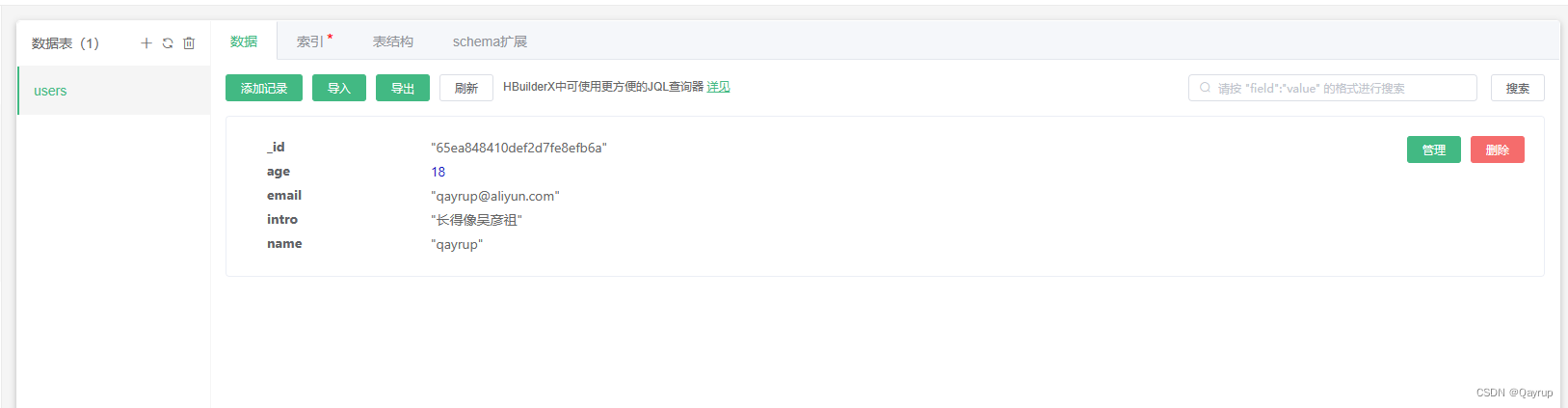
unicloud 云数据库概念及创建一个云数据库表并添加记录(数据)
云数据库概念 uniCloud提供了一个 JSON 格式的文档型数据库。顾名思义,数据库中的每条记录都是一个 JSON 格式的文档。 它是 nosql 非关系型数据库,如果您之前熟悉 sql 关系型数据库,那么两者概念对应关系如下表: 关系型JSON 文…...

想交易盈利?Anzo Capital昂首资本发现了一本畅销书
要想在复杂多变的外汇市场中迅速加深了解并想通过交易每天都可以盈利,是通过每天阅读大量的书籍吗?是每天成为行业培训网络资源和论坛的常客吗?是通过花钱请有经验的交易者进行个人培训吗?还是进行EA交易呢? 都不是&a…...

美国站群服务器租用需要考虑哪些关键点
美国站群服务器租用通常指的是租用位于美国数据中心的服务器,这些服务器具备多个IP地址,适合用于建立和管理多个网站(即站群)。那么美国站群服务器租用需要考虑哪些关键点,RAKsmart小编为您整理发布美国站群服务器租用需要考虑哪些关键点。 在…...

如何构建Hive数据仓库Hive 、数据仓库的存储方式 以及hive数据的导入导出
什么是Hive hive是基于Hadoop的一个数据仓库工具,可以将结构化数据映射为一张表。 hive支持使用sql语法对存储的表进行查询 (本质上是把sql转成mapreduce的任务执行) Hive有三个特点: hive所存储的数据是放在HDFS文件系统中的h…...

【Linux】软件管理器yum和编辑器vim
🔥博客主页: 小羊失眠啦. 🎥系列专栏:《C语言》 《数据结构》 《C》 《Linux》 《Cpolar》 ❤️感谢大家点赞👍收藏⭐评论✍️ 文章目录 一、Linux下安装软件的方案1.1 源代码安装1.2 rpm安装1.3 yum安装 二、Linux软件…...
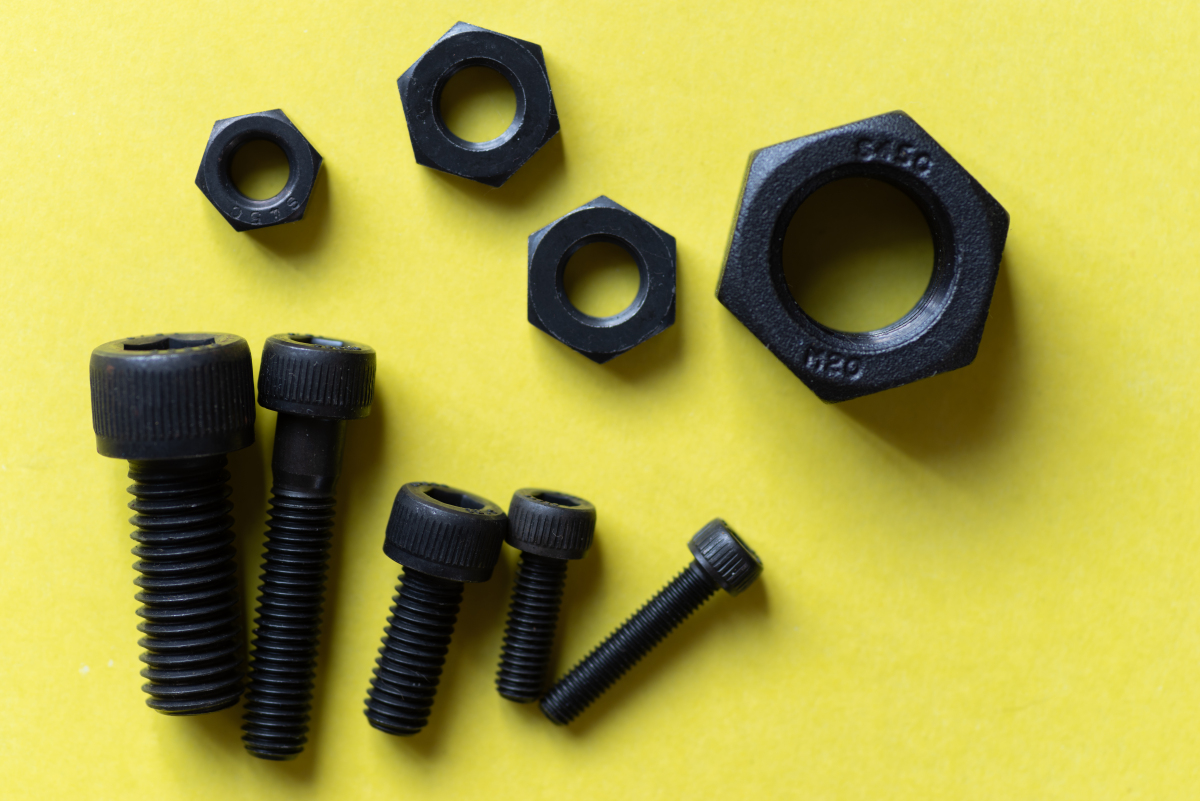
怎么才能确定螺栓是拧紧了——SunTorque智能扭矩系统
螺栓拧紧的标准并非仅仅依赖于螺栓的外观,而是依赖于几个关键因素,包括扭矩、预紧力和材料疲劳等。下面SunTorque智能扭矩系统和大家将详细讨论这些因素,并给出如何判断螺栓是否已经拧紧的方法。 SunTorque智能扭矩系统 首先,让我…...
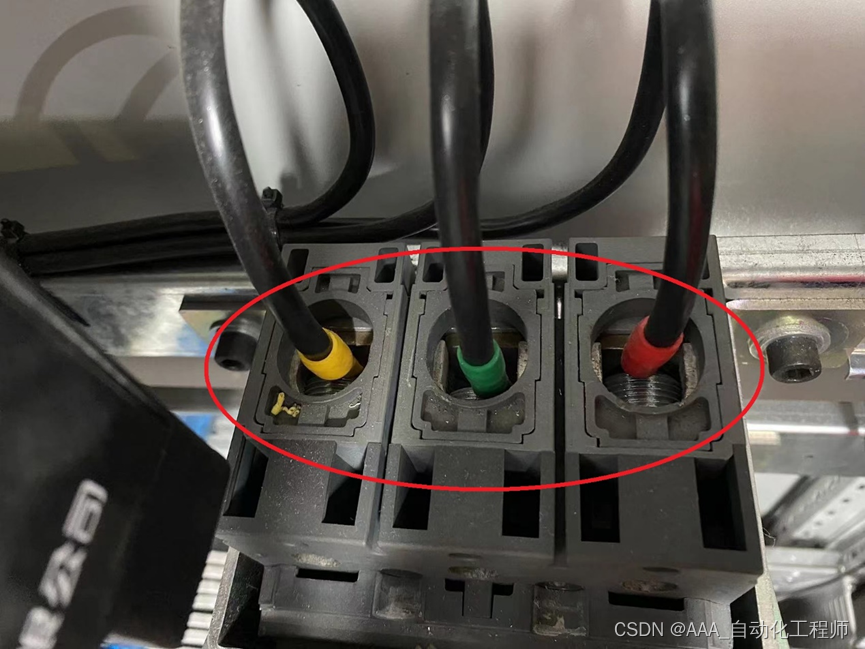
西门子S120故障报警F30003的解决办法总结
西门子S120故障报警F30003的解决办法总结 如下图所示,压机在回程时突然出现报警,故障代码为:30003, 如下图所示,查找手册可以看到F30003的报警分析为:直流母线欠压 如下图所示,本来想测量输入端…...

探索vue框架的世界: 内部、外部样式和内联样式动态绑定的方法
在实际项目中,经常会遇到这样的场景,可以通过逻辑层中设定的变量,在视图层中来呈现不同的样式,那么这种动态绑定样式的方式如何实现呢? 本篇文章,博主将和大家分享动态绑定内联样式style 和 动态绑定内部和…...

代码随想录算法训练营第三十八天|动态规划|理论基础、509. 斐波那契数、70. 爬楼梯、746. 使用最小花费爬楼梯
理论基础 文章 说实话,没做过题连理论基础都看不懂 1 确定dp数组(dp table)以及下标的含义 2 确定递推公式 3 dp数组如何初始化 4 确定遍历顺序 5 举例推导dp数组 这道题目我举例推导状态转移公式了么? 我打印dp数组的日志了么&…...

2026年硕士论文降AIGC率必备工具:4款实测效果对比
试了四五款工具,最后留下来的就这几个。先说结论:降AIGC率这个需求,嘎嘎降AI(www.aigcleaner.com)是目前性价比最高的选择,4.8元/千字,达标率99.26%。 如果对价格不敏感、对知网特别严格&#…...

大麦抢票自动化工具:技术赋能下的抢票效率革命
大麦抢票自动化工具:技术赋能下的抢票效率革命 【免费下载链接】DamaiHelper 大麦网演唱会演出抢票脚本。 项目地址: https://gitcode.com/gh_mirrors/dama/DamaiHelper 在热门演出门票抢购场景中,用户常常面临手动操作反应迟缓、重复劳动效率低下…...

WarcraftHelper:魔兽争霸III现代化增强工具全面指南
WarcraftHelper:魔兽争霸III现代化增强工具全面指南 【免费下载链接】WarcraftHelper Warcraft III Helper , support 1.20e, 1.24e, 1.26a, 1.27a, 1.27b 项目地址: https://gitcode.com/gh_mirrors/wa/WarcraftHelper 如何让经典游戏适配现代硬件环境&…...

Livox Mid360激光雷达动态避障实战:DWA算法在移动机器人中的应用
1. Livox Mid360激光雷达与DWA算法初探 第一次接触Livox Mid360这款固态激光雷达时,我就被它的性能惊艳到了。相比传统机械式雷达,Mid360不仅体积小巧,而且扫描频率高达100Hz,特别适合用在移动机器人上做实时避障。记得去年给一个…...

STM32F4读写SD卡:填一填ST官方HAL库的坑
使用STM32读写SD卡在低功耗存储中的应用是比较常见的,但是网上大多数资料都是基于标准库或者基于寄存器的开发。随着嵌入式设备越来越复杂,使用HAL库能够大大降低开发者的学习成本,从而提高开发效率。近年来,ST官方主推以STM32Cub…...

R Markdown网站生成器使用教程:如何快速搭建技术文档网站 [特殊字符]
R Markdown网站生成器使用教程:如何快速搭建技术文档网站 📊 【免费下载链接】rmarkdown Dynamic Documents for R 项目地址: https://gitcode.com/gh_mirrors/rm/rmarkdown R Markdown是一个强大的动态文档生成工具,能够将代码、输出…...

利用快马ai快速构建基于jdk 17的spring boot web应用原型
最近在尝试快速搭建一个基于JDK 17的Spring Boot Web应用原型,发现用传统方式从零开始配置环境、搭建框架特别耗时。特别是JDK版本兼容性问题和依赖配置,经常要折腾半天。后来尝试了InsCode(快马)平台,整个过程变得异常简单,分享下…...

RMBG-2.0实测参数详解:batch_size=1/resize=1024/alpha_threshold=0.5设定依据
RMBG-2.0实测参数详解:batch_size1/resize1024/alpha_threshold0.5设定依据 1. 项目背景与核心价值 RMBG-2.0(BiRefNet)是目前开源领域最强大的图像抠图模型之一,它在处理复杂边缘细节方面表现出色,特别是对于毛发、…...

实战应用:基于快马AI生成的代码,快速构建全功能在线学术期刊平台
实战应用:基于快马AI生成的代码,快速构建全功能在线学术期刊平台 最近在帮学校实验室搭建一个开源学术期刊的在线投稿系统,正好体验了InsCode(快马)平台的AI代码生成功能。整个过程比想象中顺利很多,从需求分析到可运行的原型只用…...

FASTDDS-Python 实战:从零构建分布式通信环境
1. 为什么选择Fast DDS-Python? 在物联网和机器人系统中,设备间的实时通信是个硬需求。想象一下,你正在开发一个智能仓储机器人系统,需要让多台机器人在复杂环境中协同工作。这时候,传统的HTTP请求-响应模式就显得力不…...