
Mysql数据库的多实例部署
mysql多实例部署
先进行软件下载
上传二进制格式的mysql软件包
[root@cjy ~]# ls
anaconda-ks.cfg  mysql-8.0.35-linux-glibc2.28-x86_64.tar.xz
配置用户和组并解压二进制程序至/usr/local下
创建用户和组
[root@cjy ~]# useradd -r -s /sbin/nologin -M mysql解压软件至/usr/local/
[root@cjy ~]# tar xf mysql-8.0.35-linux-glibc2.28-x86_64.tar.xz -C /usr/local/
[root@cjy ~]# cd /usr/local/
[root@cjy local]# ls
bin  games    lib    libexec                              sbin   src
etc  include  lib64  mysql-8.0.35-linux-glibc2.28-x86_64  share
[root@cjy local]# mv mysql-8.0.35-linux-glibc2.28-x86_64 mysql
[root@cjy local]# ls
bin  etc  games  include  lib  lib64  libexec  mysql  sbin  share  src修改目录/usr/local/mysql的属主属组
[root@cjy local]# chown -R mysql.mysql mysql
[root@cjy local]# ll
total 0
drwxr-xr-x. 2 root  root    6 May 16  2022 bin
drwxr-xr-x. 2 root  root    6 May 16  2022 etc
drwxr-xr-x. 2 root  root    6 May 16  2022 games
drwxr-xr-x. 2 root  root    6 May 16  2022 include
drwxr-xr-x. 2 root  root    6 May 16  2022 lib
drwxr-xr-x. 3 root  root   17 Dec  4 15:58 lib64
drwxr-xr-x. 2 root  root    6 May 16  2022 libexec
drwxr-xr-x. 9 mysql mysql 129 Dec 10 16:07 mysql
drwxr-xr-x. 2 root  root    6 May 16  2022 sbin
drwxr-xr-x. 5 root  root   49 Dec  4 15:58 share
drwxr-xr-x. 2 root  root    6 May 16  2022 src配置环境变量
[root@cjy ~]# echo 'export PATH=/usr/local/mysql/bin:$PATH' > /etc/profile.d/mysql.sh
[root@cjy ~]# source /etc/profile.d/mysql.sh
[root@cjy ~]# which mysql
/usr/local/mysql/bin/mysql
创建各实例数据存放的目录
[root@localhost ~]# mkdir -p /opt/data/{3306,3307,3308}[root@localhost ~]# chown -R mysql.mysql /opt/data/[root@localhost ~]# ll /opt/data/
总用量 0
drwxr-xr-x 2 mysql mysql 6 5月   9 21:24 3306
drwxr-xr-x 2 mysql mysql 6 5月   9 21:24 3307
drwxr-xr-x 2 mysql mysql 6 5月   9 21:24 3308[root@localhost ~]# tree /opt/data/
/opt/data/
├── 3306
├── 3307
└── 33083 directories, 0 files
初始化各实例
初始化3306实例
[root@cjy ~]# mysqld --initialize --user mysql --datadir /opt/data/3306
2023-12-10T08:15:59.163216Z 0 [System] [MY-013169] [Server] /usr/local/mysql/bin/mysqld (mysqld 8.0.35) initializing of server in progress as process 5030
2023-12-10T08:15:59.170851Z 1 [System] [MY-013576] [InnoDB] InnoDB initialization has started.
2023-12-10T08:15:59.416073Z 1 [System] [MY-013577] [InnoDB] InnoDB initialization has ended.
2023-12-10T08:16:01.622124Z 6 [Note] [MY-010454] [Server] A temporary password is generated for root@localhost: rsQufqdY3G:8
[root@cjy ~]# echo 'rsQufqdY3G:8' > 3306初始化3307实例
[root@cjy ~]# mysqld --initialize --user mysql --datadir /opt/data/3307
2023-12-10T08:16:42.014859Z 0 [System] [MY-013169] [Server] /usr/local/mysql/bin/mysqld (mysqld 8.0.35) initializing of server in progress as process 5072
2023-12-10T08:16:42.022012Z 1 [System] [MY-013576] [InnoDB] InnoDB initialization has started.
2023-12-10T08:16:42.217146Z 1 [System] [MY-013577] [InnoDB] InnoDB initialization has ended.
2023-12-10T08:16:43.678076Z 6 [Note] [MY-010454] [Server] A temporary password is generated for root@localhost: p!)hzaard9pG
[root@cjy ~]# echo 'p!)hzaard9pG' > 3307初始化3308实例
[root@cjy ~]# mysqld --initialize --user mysql --datadir /opt/data/3308
2023-12-10T08:17:15.877075Z 0 [System] [MY-013169] [Server] /usr/local/mysql/bin/mysqld (mysqld 8.0.35) initializing of server in progress as process 5114
2023-12-10T08:17:15.883292Z 1 [System] [MY-013576] [InnoDB] InnoDB initialization has started.
2023-12-10T08:17:16.080413Z 1 [System] [MY-013577] [InnoDB] InnoDB initialization has ended.
2023-12-10T08:17:17.657816Z 6 [Note] [MY-010454] [Server] A temporary password is generated for root@localhost: w::tf_4x;46J
[root@cjy ~]# echo 'w::tf_4x;46J' > 3308[root@cjy ~]# ls
3306  3307  3308  anaconda-ks.cfg  mysql-8.0.35-linux-glibc2.28-x86_64.tar.xz
安装perl
[root@cjy ~]# yum -y install perl
配置配置文件/etc/my.cnf
[root@cjy ~]# vim /etc/my.cnf
[root@cjy ~]# cat /etc/my.cnf
[mysqld_multi]
mysqld = /usr/local/mysql/bin/mysqld_safe
mysqladmin = /usr/local/mysql/bin/mysqladmin[mysqld3306]
datadir = /opt/data/3306
port = 3306
socket = /tmp/mysql3306.sock
pid-file = /opt/data/3306/mysql_3306.pid
log-error=/var/log/3306.log[mysqld3307]
datadir = /opt/data/3307
port = 3307
socket = /tmp/mysql3307.sock
pid-file = /opt/data/3307/mysql_3307.pid
log-error=/var/log/3307.log[mysqld3308]
datadir = /opt/data/3308
port = 3308
socket = /tmp/mysql3308.sock
pid-file = /opt/data/3308/mysql_3308.pid
log-error=/var/log/3308.log
启动各实例
[root@cjy ~]# mysqld_multi start 3306
[root@cjy ~]# ss -antl
State   Recv-Q   Send-Q     Local Address:Port      Peer Address:Port  Process
LISTEN  0        128              0.0.0.0:22             0.0.0.0:*
LISTEN  0        128                 [::]:22                [::]:*
LISTEN  0        70                     *:33060                *:*
LISTEN  0        151                    *:3306                 *:*
[root@cjy ~]# mysqld_multi start 3307
[root@cjy ~]# ss -antl
State   Recv-Q   Send-Q     Local Address:Port      Peer Address:Port  Process
LISTEN  0        128              0.0.0.0:22             0.0.0.0:*
LISTEN  0        128                 [::]:22                [::]:*
LISTEN  0        70                     *:33060                *:*
LISTEN  0        151                    *:3307                 *:*
LISTEN  0        151                    *:3306                 *:*
[root@cjy ~]# mysqld_multi start 3308
[root@cjy ~]# ss -antl
State   Recv-Q   Send-Q     Local Address:Port      Peer Address:Port  Process
LISTEN  0        128              0.0.0.0:22             0.0.0.0:*
LISTEN  0        128                 [::]:22                [::]:*
LISTEN  0        70                     *:33060                *:*
LISTEN  0        151                    *:3308                 *:*
LISTEN  0        151                    *:3307                 *:*
LISTEN  0        151                    *:3306                 *:*
初始化密码
[root@cjy ~]# ls
3306  3307  3308  anaconda-ks.cfg  mysql-8.0.35-linux-glibc2.28-x86_64.tar.xz
[root@cjy ~]# cat 3306
rsQufqdY3G:8
[root@cjy ~]# mysql -uroot -p'rsQufqdY3G:8' -P3306 -S /tmp/mysql3306.sock
mysql: [Warning] Using a password on the command line interface can be insecure.
Welcome to the MySQL monitor.  Commands end with ; or \g.
Your MySQL connection id is 9
Server version: 8.0.35Copyright (c) 2000, 2023, Oracle and/or its affiliates.Oracle is a registered trademark of Oracle Corporation and/or its
affiliates. Other names may be trademarks of their respective
owners.Type 'help;' or '\h' for help. Type '\c' to clear the current input statement.mysql> alter user root@'localhost' identified with mysql_native_password by 'Passsw0rd@_';
Query OK, 0 rows affected (0.00 sec)mysql> quit
Bye[root@cjy ~]# mysql -uroot -pPassw0rd@_ -P3306 -S /tmp/mysql3306.sock
mysql: [Warning] Using a password on the command line interface can be insecure.
Welcome to the MySQL monitor.  Commands end with ; or \g.
Your MySQL connection id is 11
Server version: 8.0.35 MySQL Community Server - GPLCopyright (c) 2000, 2023, Oracle and/or its affiliates.Oracle is a registered trademark of Oracle Corporation and/or its
affiliates. Other names may be trademarks of their respective
owners.Type 'help;' or '\h' for help. Type '\c' to clear the current input statement.mysql> quit
Bye[root@cjy ~]# cat 3307
p!)hzaard9pG
[root@cjy ~]# mysql -uroot -p'p!)hzaard9pG' -P3307 -S /tmp/mysql3307.sock
mysql: [Warning] Using a password on the command line interface can be insecure.
Welcome to the MySQL monitor.  Commands end with ; or \g.
Your MySQL connection id is 8
Server version: 8.0.35Copyright (c) 2000, 2023, Oracle and/or its affiliates.Oracle is a registered trademark of Oracle Corporation and/or its
affiliates. Other names may be trademarks of their respective
owners.Type 'help;' or '\h' for help. Type '\c' to clear the current input statement.mysql> alter user root@'localhost' identified with mysql_native_password by 'Passw0rd@_';
Query OK, 0 rows affected (0.00 sec)mysql> quit
Bye
[root@cjy ~]# mysql -uroot -pPassw0rd@_ -P3307 -S /tmp/mysql3307.sock
mysql: [Warning] Using a password on the command line interface can be insecure.
Welcome to the MySQL monitor.  Commands end with ; or \g.
Your MySQL connection id is 8
Server version: 8.0.35Copyright (c) 2000, 2023, Oracle and/or its affiliates.Oracle is a registered trademark of Oracle Corporation and/or its
affiliates. Other names may be trademarks of their respective
owners.Type 'help;' or '\h' for help. Type '\c' to clear the current input statement.mysql>quit
Bye[root@cjy ~]# cat 3308
w::tf_4x;46J
[root@cjy ~]# mysql -uroot -p'w::tf_4x;46J' -P3308 -S /tmp/mysql3308.sock
mysql: [Warning] Using a password on the command line interface can be insecure.
Welcome to the MySQL monitor.  Commands end with ; or \g.
Your MySQL connection id is 8
Server version: 8.0.35Copyright (c) 2000, 2023, Oracle and/or its affiliates.Oracle is a registered trademark of Oracle Corporation and/or its
affiliates. Other names may be trademarks of their respective
owners.Type 'help;' or '\h' for help. Type '\c' to clear the current input statement.mysql> alter user root@'localhost' identified with mysql_native_password by 'Passw0rd@_';
Query OK, 0 rows affected (0.00 sec)mysql> quit
Bye
[root@cjy ~]# mysql -uroot -pPassw0rd@_ -P3308 -S /tmp/mysql3308.sock
mysql: [Warning] Using a password on the command line interface can be insecure.
Welcome to the MySQL monitor.  Commands end with ; or \g.
Your MySQL connection id is 9
Server version: 8.0.35 MySQL Community Server - GPLCopyright (c) 2000, 2023, Oracle and/or its affiliates.Oracle is a registered trademark of Oracle Corporation and/or its
affiliates. Other names may be trademarks of their respective
owners.Type 'help;' or '\h' for help. Type '\c' to clear the current input statement.mysql> quit
Bye
停止端口号
[root@cjy ~]# ss -antl
State     Recv-Q    Send-Q       Local Address:Port        Peer Address:Port    Process
LISTEN    0         128                0.0.0.0:22               0.0.0.0:*
LISTEN    0         128                   [::]:22                  [::]:*
LISTEN    0         70                       *:33060                  *:*
LISTEN    0         151                      *:3308                   *:*
LISTEN    0         151                      *:3307                   *:*
LISTEN    0         151                      *:3306                   *:*
[root@cjy ~]# kill -9 $(ps -ef|grep -v 'grep' | grep 3306 | awk '{print $2}')
[root@cjy ~]# kill -9 $(ps -ef|grep -v 'grep' | grep 3307 | awk '{print $2}')
[root@cjy ~]# kill -9 $(ps -ef|grep -v 'grep' | grep 3308 | awk '{print $2}')
[root@cjy ~]# ss -antl
State     Recv-Q    Send-Q       Local Address:Port        Peer Address:Port    Process
LISTEN    0         128                0.0.0.0:22               0.0.0.0:*
LISTEN    0         128                   [::]:22                  [::]:*
[root@cjy ~]# cd /usr/lib/systemd/system
[root@cjy system]# cp sshd.service mysql3306.service
[root@cjy system]# vim mysql3306.service
[root@cjy system]# cat mysql3306.service
[Unit]
Description=mysql 3306 server daemon
After=network.target[Service]
Type=forking
ExecStart=/usr/local/mysql/bin/mysqld_multi start3306
ExecStop=kill -9 $(ps -ef|grep -v 'grep' | grep 3306 | awk '{print $2}')
ExecReload=/bin/kill -HUP $MAINPID[Install]
WantedBy=multi-user.target
[root@cjy system]# cp mysql3306.service mysql3307.service
[root@cjy system]# cp mysql3306.service mysql3308.service
[root@cjy system]# vim mysql3307.service
[root@cjy system]# cat mysql3307.service
[Unit]
Description=mysql 3307 server daemon
After=network.target[Service]
Type=forking
ExecStart=/usr/local/mysql/bin/mysqld_multi start3307
ExecStop=kill -9 $(ps -ef|grep -v 'grep' | grep 3307 | awk '{print $2}')
ExecReload=/bin/kill -HUP $MAINPID[Install]
WantedBy=multi-user.target[root@cjy system]# vim mysql3308.service
[root@cjy system]# cat mysql3308.service
[Unit]
Description=mysql 3308 server daemon
After=network.target[Service]
Type=forking
ExecStart=/usr/local/mysql/bin/mysqld_multi start3308
ExecStop=kill -9 $(ps -ef|grep -v 'grep' | grep 3308 | awk '{print $2}')
ExecReload=/bin/kill -HUP $MAINPID[Install]
WantedBy=multi-user.target
[root@cjy ~]# ln -s /usr/local/mysql/bin/my_print_defaults /usr/bin/
[root@cjy ~]# which my_print_defaults
/usr/local/mysql/bin/my_print_defaults
[root@cjy ~]# systemctl daemon-reload
[root@cjy ~]# systemctl start mysql3306
[root@cjy ~]# systemctl start mysql3307
[root@cjy ~]# systemctl start mysql3308
再设置开机自启
[root@cjy ~]# systemctl enable mysql3306
Created symlink /etc/systemd/system/multi-user.target.wants/mysql3306.service → /usr/lib/systemd/system/mysql3306.service.
[root@cjy ~]# systemctl enable mysql3307
Created symlink /etc/systemd/system/multi-user.target.wants/mysql3307.service → /usr/lib/systemd/system/mysql3307.service.
[root@cjy ~]# systemctl enable mysql3308
Created symlink /etc/systemd/system/multi-user.target.wants/mysql3308.service → /usr/lib/systemd/system/mysql3308.service.
[root@cjy ~]# systemctl status mysql3306
相关文章:

Mysql数据库的多实例部署
mysql多实例部署 先进行软件下载 上传二进制格式的mysql软件包 [rootcjy ~]# ls anaconda-ks.cfg mysql-8.0.35-linux-glibc2.28-x86_64.tar.xz配置用户和组并解压二进制程序至/usr/local下 创建用户和组 [rootcjy ~]# useradd -r -s /sbin/nologin -M mysql解压软件至/usr…...
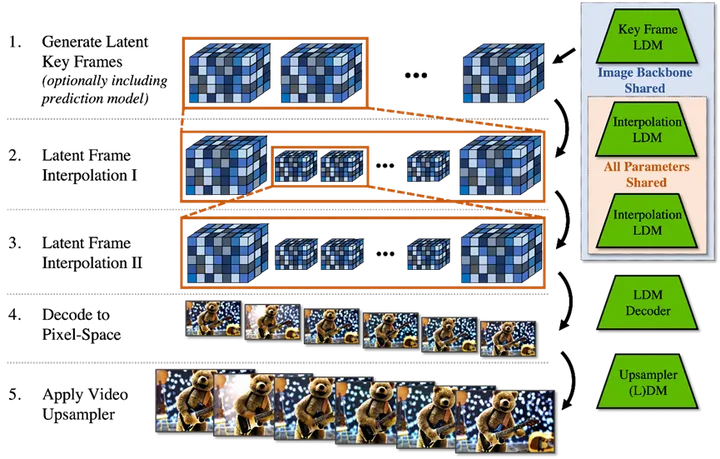
陈巍:Sora大模型技术精要万字详解(上)——原理、关键技术、模型架构详解与应用
目录 收起 1 Sora的技术特点与原理 1.1 技术特点概述 1.2 时间长度与时序一致性 1.3 真实世界物理状态模拟 1.4 Sora原理 1.4.1扩散模型与单帧图像的生成 1.4.2 Transformer模型与连续视频语义的生成 1.4.3 从文本输入到视频生成 2 Sora的关键技术 2.1 传统文生图技…...
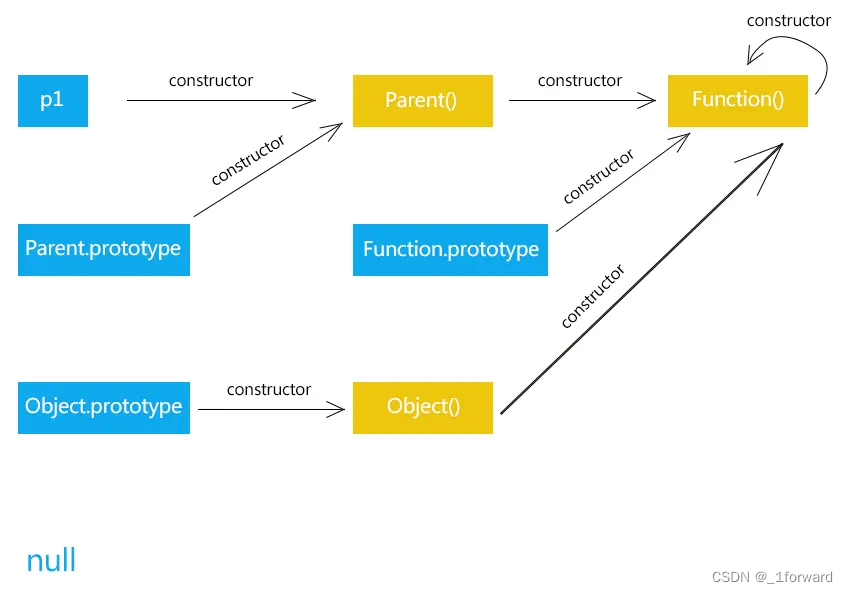
JS原型和原型链的理解
原型链图,图中Parent是构造函数,p1是通过Parent实例化出来的一个对象 前置知识 js中对象和函数的关系,函数其实是对象的一种 函数、构造函数的区别,任何函数都可以作为构造函数,但是并不能将任意函数叫做构造函数&…...

力扣题单(小白友好)
力扣题单 算法小白自用题单,目前对于一些简单的数据结构感觉掌握的还可以,但是力扣很多题还是需要看题解,不够熟练;故整理了一份题单,用于巩固练习; 网上确实有很多对于算法分类讲解的网站,but:有一丢丢选择困难症,每天不知道该刷什么题,再加上网站对于一类题一般就有十几道题目…...

王道c语言ch11-单链表的新建、插入、删除例题
王道c语言ch11-单链表的新建、插入、删除例题 #include <stdio.h> #include <stdlib.h> #define END 33typedef int ElemType;typedef struct LNote {ElemType data;struct LNote *next; } LNote, *LinkList;//头插法 void list_head_insert(LinkList &L) {El…...

蓝桥杯刷题--python-23
2.危险系数 - 蓝桥云课 (lanqiao.cn) n, m map(int, input().split()) map_ [[] for i in range(n 1)] used [0 for i in range(n 1)] used_ [0 for i in range(n 1)] cnt 0 res [] for _ in range(m):u, v map(int, input().split())map_[u].append(v)map_[v].appen…...

蓝桥杯刷题--python-24
0地图 - 蓝桥云课 (lanqiao.cn) from math import * import sys from functools import lru_cache # sys.setrecursionlimit(100000) n, m, k map(int, input().split()) a [input() for i in range(n)] dr [(0, 1), (1, 0)] cnt 0 lru_cache(maxsizeNone) def dfs(x, y, …...
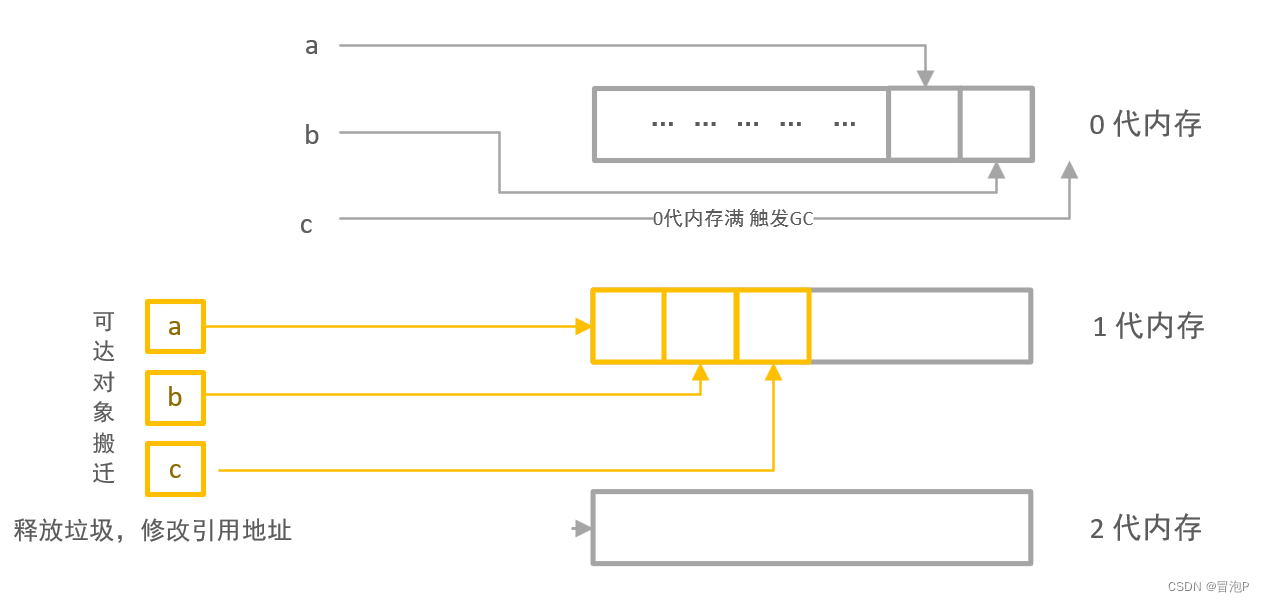
面向对象(C# )
面向对象(C# ) 文章目录 面向对象(C# )ref 和 out传值调用和引用调用ref 和 out 的使用ref 和 out 的区别 结构体垃圾回收GC封装成员属性索引器静态成员静态类静态构造函数拓展方法运算符重载内部类和分布类 继承里氏替换继承中的…...

Lombok:@Cleanup资源释放利器
提示:文章写完后,目录可以自动生成,如何生成可参考右边的帮助文档 目录 一、Cleanup介绍 二、使用示例 三、价值阐述 总结 提示:以下是本篇文章正文内容,下面案例可供参考 一、Cleanup介绍 Cleanup可以自动管理输…...

IoT 物联网场景中 LoRa + 蓝牙Bluetooth 室内场馆高精定位技术全面解析
基于LoRa蓝牙的室内场景定位技术,蓝牙主要负责位置服务,LoRa主要负责数据传输。 01 LoRa和蓝牙技术 LoRa全称 “Long Rang”,是一种成熟的基于扩频技术的低功耗、超长距离的LPWAN无线通信技术。LoRa主要采用的是窄带扩频技术,抗干…...
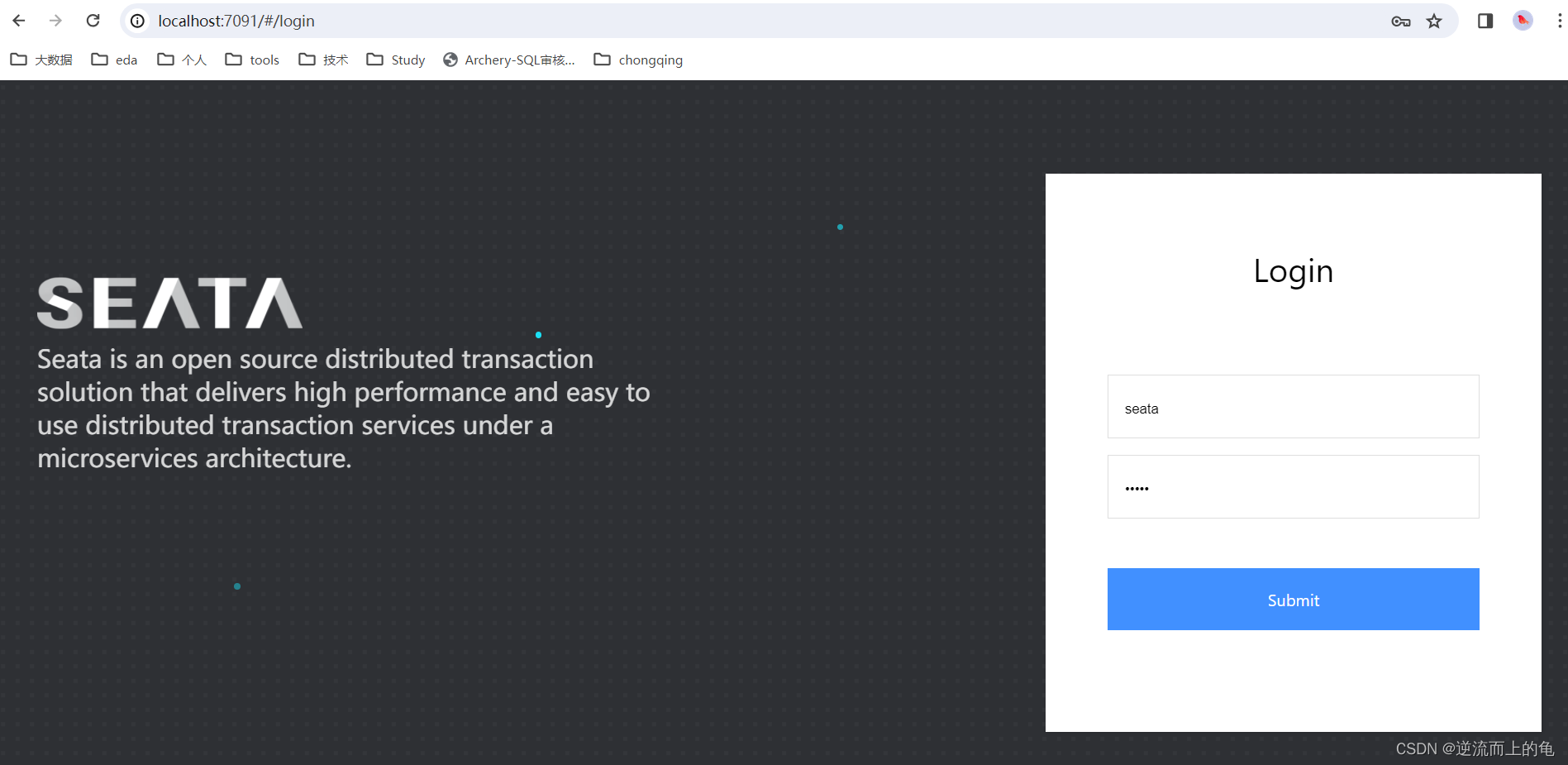
SpringCloudAlibaba系列之Seata实战
目录 环境准备 1.下载seata安装包 2.修改配置文件 3.准备seata所需配置文件 4.初始化seata所需数据库 5.运行seata 服务准备 分布式事务测试 环境准备 1.下载seata安装包 Seata-Server下载 | Apache Seata 本地环境我们选择稳定版的二进制下载。 下载之后解压到指定目录…...

蓝桥杯day5刷题日记-分巧克力-天干地支-求和
P8647 [蓝桥杯 2017 省 AB] 分巧克力 思路:二分查找 #include <iostream> using namespace std; int n,k; int h[100010],w[100010];bool check(int x) {int sum0;for(int i0;i<n;i){sum(h[i]/x)*(w[i]/x);if(sum>k) return true;}return false; }int…...

C++ ostringstream用法详解
std::ostringstream 是 C 标准库中的一个输出字符串流类,它可以用于将各种数据类型转换为字符串,并且支持格式控制和字符串拼接操作。 目录 1. 头文件 2. 基本用法 3. 将各种数据类型转换为字符串 4. 格式控制 5. 清空和重置 6. 拼接字符串 1. 头…...
并发编程所需的底层基础
一、计算机运行的底层原理 1.多级层次的存储结构 ①:辅存 固态盘不是主要的应用对象,因为固态盘的使用次数是有限的,无法支撑高并发场景 磁盘存储的最基本原理是电生磁。 磁盘的磁道里边有很多的磁颗粒,磁颗粒上边有一层薄膜为了防止磁点氧…...

各种小功能
目录 Python在指定目录创建多个相似命名的文件夹 Python 在指定目录创建多个相似命名的文件夹...
vue前端解析jwt
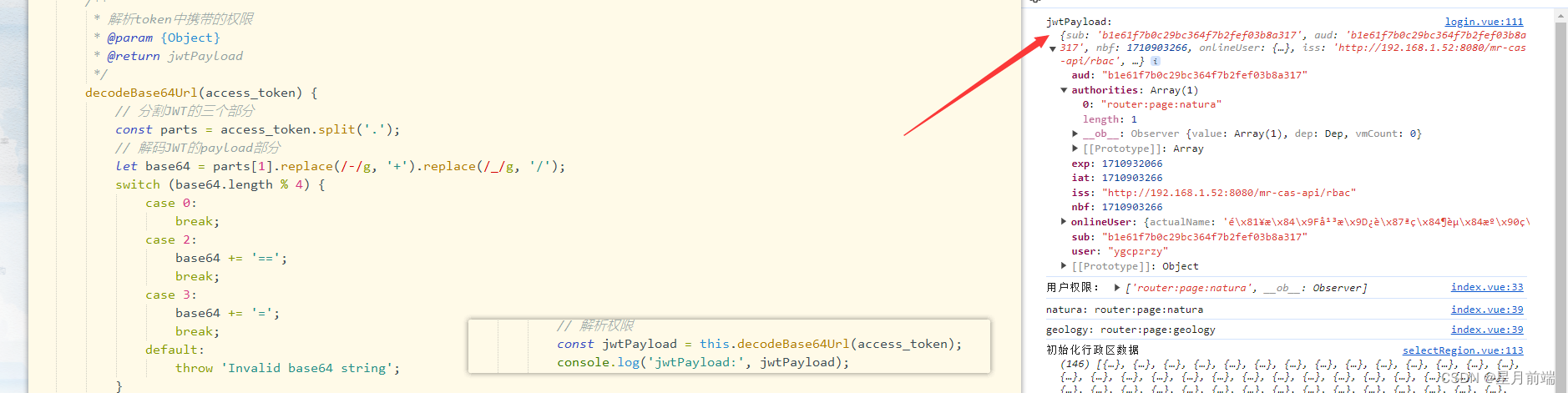
vue前端解析jwt 我们可以用在线解析看解析的结果:https://www.lddgo.net/encrypt/jwt-decrypt 但是如果在前端需要解析token,拿到其中的权限信息,可以这样解决。 在线的: 完美解决: 代码: function par…...

【Flutter 面试题】Flutter如何进行本地存储和缓存数据?
【Flutter 面试题】Flutter如何进行本地存储和缓存数据? 文章目录 写在前面口述回答补充说明实际案例完整代码示例运行结果详细说明 写在前面 🙋 关于我 ,小雨青年 👉 CSDN博客专家,GitChat专栏作者,阿里云…...

Docker 笔记(八)--Dockerfile
目录 1. 背景2. 参考3. 原文3.1 Dockerfile 支持的指令3.2 Dockerfile格式3.3 Parser指令syntaxescape 3.4 环境变量替换3.5 docker构建忽略文件3.6 Shell 和 exec 格式Exec 格式Shell 格式使用不同的 shell 3.7 FROM指令了解ARG和FROM如何交互 3.8 RUN指令RUN指令缓存失效RUN …...
C语言每日一题06
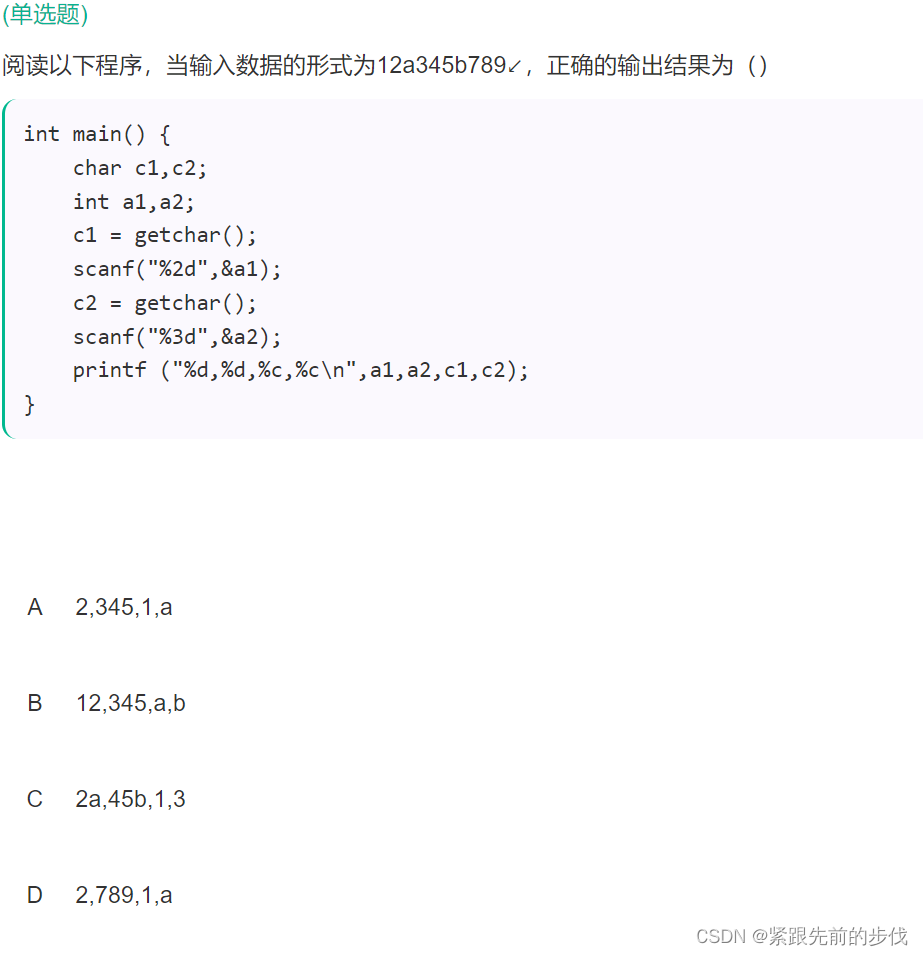
一、题目 二、解析 void main () { char c1,c2; int a1,a2; c1 getchar ();//读取第一个输入,c11 scanf (“%3d”,&a1ÿ…...

spring redis 工具类
1、引入jar <!-- redis 缓存操作 --><dependency><groupId>org.springframework.boot</groupId><artifactId>spring-boot-starter-data-redis</artifactId></dependency>2、代码 /*** 缓存基本的对象,Integer、String、…...

Rydberg原子量子门实现原理与优化技术
1. Rydberg原子平台中的量子门实现基础1.1 Rydberg原子特性与量子计算优势Rydberg原子是指外层电子被激发到高主量子数能级的原子态,这类原子具有三个关键特性使其成为量子计算的理想平台:强偶极-偶极相互作用:当两个原子同时处于Rydberg态时…...
)
别再手动点菜单了!用这招让Cadence Virtuoso Schematic效率翻倍(附Net高亮快捷键配置)
电路设计效率革命:Cadence Virtuoso Schematic高阶快捷键配置指南 在集成电路设计的浩瀚宇宙中,Cadence Virtuoso如同设计师手中的光刻机,每一次精准操作都直接影响最终芯片的性能与可靠性。然而,当面对数百个晶体管组成的复杂模…...

iPaaS 应用场景深度解析:从系统孤岛到数据自由流动的六大实战路径
写在前面 一个企业的数字化程度越高,系统就越多。系统越多,集成问题就越严重。 这不是假设,而是我们在服务客户过程中反复验证的结论——企业数字化转型的瓶颈,往往不在于"造新系统",而在于"连老系统&q…...

为Alchitry Au FPGA开发板外接JTAG接口的完整指南
1. 项目概述与核心价值如果你正在使用基于Xilinx Artix-7 FPGA的Alchitry Au或Au开发板,并且已经厌倦了每次调试或烧录都要依赖板载的USB-JTAG桥接芯片,或者你的项目已经将板载USB接口挪作他用,那么为你的开发板外接一个独立的JTAG调试器&…...

举一个具体例子说明为什么索引不是越多越好,举具体字段
文章目录1. 核心舞台:笔记表 (t_note) 结构设计🚨 错误的操作:2. 结合具体字段,拆解三大翻车现场现场一:给 view_count(浏览量)加索引 —— 导致写放大,拖垮数据库现场二:…...

Python strip 与 rstrip 函数区别
Python strip 与 rstrip 函数区别 文章目录Python strip 与 rstrip 函数区别一、核心作用二、基础语法三、基础使用示例四、指定删除特定字符五、常用业务场景一、核心作用 函数作用范围strip()移除字符串首尾空白字符rstrip()仅移除字符串右侧末尾字符,左侧保持不…...

Taotoken的Token Plan套餐如何帮助项目更可控地预估成本
🚀 告别海外账号与网络限制!稳定直连全球优质大模型,限时半价接入中。 👉 点击领取海量免费额度 Taotoken的Token Plan套餐如何帮助项目更可控地预估成本 对于项目管理者或独立开发者而言,在集成大模型能力时…...

机器学习势函数进阶:Hessian矩阵如何提升化学反应模拟精度与稳定性
1. 项目概述:当机器学习势函数“看见”势能面的曲率 在计算化学和材料模拟的日常工作中,我们这些“炼丹师”最头疼的莫过于在精度和效率之间走钢丝。量子化学方法(如DFT)算得准,但慢得让人心焦,算个稍大点的…...

Noto字体:全球文字系统统一渲染的技术架构与实践指南
Noto字体:全球文字系统统一渲染的技术架构与实践指南 【免费下载链接】noto-fonts Noto fonts, except for CJK and emoji 项目地址: https://gitcode.com/gh_mirrors/no/noto-fonts 技术价值摘要 字符集完整性保障:Noto字体实现了对Unicode 6.…...

为什么你的Windows快捷键突然失效?3分钟找出罪魁祸首
为什么你的Windows快捷键突然失效?3分钟找出罪魁祸首 【免费下载链接】hotkey-detective A small program for investigating stolen key combinations under Windows 7 and later. 项目地址: https://gitcode.com/gh_mirrors/ho/hotkey-detective 你是否经历…...