
学习Java的日子 Day56 数据库连接池,Druid连接池
Day56
1.数据库连接池
理解:池就是容器,容器中存放了多个连接对象
使用原因:
1.优化创建和销毁连接的时间(在项目启动时创建连接池,项目销毁时关闭连接池)
2.提高连接对象的复用率
3.有效控制项目中连接的个数(连接对象占内存资源)
数据库连接池负责分配、管理和释放数据库连接对象,它允许应用程序重复使用一个现有的数据库连接,而
不是再重新建立一个
1.1 自定义连接池
自己写的连接池类 FastConnectionPool
public class FastConnectionPool {private String driverClassName;private String url;private String username;private String password;private int maxActive;//存储connection连接对象的资源容器(removeFirst)private LinkedList<Connection> list;//get,set方法(没有list的get、set方法)//初始化listpublic void init() throws SQLException {list = new LinkedList<>();try {Class.forName(driverClassName);//创建连接对象,并添加到连接池容器中for (int i = 0; i < maxActive; i++) {Connection connection = DriverManager.getConnection(url, username, password);list.add(connection);}} catch (ClassNotFoundException e) {throw new RuntimeException(e);}}public Connection getConnection() throws SQLException {if(list == null){init();}Connection connection = null;if(!list.isEmpty()){connection = list.removeFirst();}return connection;}//回收connection对象,使用完了不用close()方法关闭,而是回收到list中继续使用,提高复用率public void recovery(Connection connection){list.add(connection);}}
测试类
public class Test01 {public static void main(String[] args) throws SQLException {//创建数据库连接池FastConnectionPool pool = new FastConnectionPool();//设置参数pool.setDriverClassName("com.mysql.cj.jdbc.Driver");pool.setUrl("jdbc:mysql://localhost:3306/2403javaee?characterEncoding=utf8&serverTimezone=UTC&rewriteBatchedStatements=true");pool.setUsername("root");pool.setPassword("123456");pool.setMaxActive(20);//jdbc的查询代码Connection connection = pool.getConnection();String sql = "select * from student";PreparedStatement statement = connection.prepareStatement(sql);ResultSet resultSet = statement.executeQuery();while(resultSet.next()){int id = resultSet.getInt("id");String name = resultSet.getString("name");String sex = resultSet.getString("sex");int age = resultSet.getInt("age");float salary = resultSet.getFloat("salary");String course = resultSet.getString("course");System.out.println(id + " -- " + name + " -- " + sex + " -- " + age + " -- " + salary + " -- " + course);}resultSet.close();statement.close();pool.recovery(connection);//回收connection对象}
}
1.2 升级自定义连接池(重点重点关注)
DataSource:连接池各有各的实现方式,所以sun公司定义了一个标准,DataSource
注意:市面上有众多的数据库连接池(Druid、C3P0、DBCP),他们都实现Java提供的DataSource接口(简称数据源)

使用过程,重点是要实现close方法,连接资源 (connection对象) 怎么关闭:装饰模式来帮忙
装饰设计模式(包装模式):目的:改写已存在的类的某个方法或某些方法
数据库连接的包装类(需要实现很多方法)
定义Connection connection对象
定义LinkedList pool;
通过构造方法对上述两个值进行初始化
重写close方法
Public void close(){
pool.addLast(connection);
}
public class MyConnectionWrapper implements Connection {private Connection connection;private LinkedList<Connection> list;//连接池里的容器public MyConnectionWrapper(Connection connection, LinkedList<Connection> list) {this.connection = connection;this.list = list;}@Overridepublic Statement createStatement() throws SQLException {return connection.createStatement();}@Overridepublic PreparedStatement prepareStatement(String sql) throws SQLException {return connection.prepareStatement(sql);}@Overridepublic CallableStatement prepareCall(String sql) throws SQLException {return connection.prepareCall(sql);}@Overridepublic String nativeSQL(String sql) throws SQLException {return connection.nativeSQL(sql);}@Overridepublic void setAutoCommit(boolean autoCommit) throws SQLException {connection.setAutoCommit(autoCommit);}@Overridepublic boolean getAutoCommit() throws SQLException {return connection.getAutoCommit();}@Overridepublic void commit() throws SQLException {connection.commit();}@Overridepublic void rollback() throws SQLException {connection.rollback();}@Overridepublic void close() throws SQLException {System.out.println("将连接包装类对象回收到连接池里的容器");list.add(this);}@Overridepublic boolean isClosed() throws SQLException {return connection.isClosed();}@Overridepublic DatabaseMetaData getMetaData() throws SQLException {return connection.getMetaData();}@Overridepublic void setReadOnly(boolean readOnly) throws SQLException {connection.setReadOnly(readOnly);}@Overridepublic boolean isReadOnly() throws SQLException {return connection.isReadOnly();}@Overridepublic void setCatalog(String catalog) throws SQLException {connection.setCatalog(catalog);}@Overridepublic String getCatalog() throws SQLException {return connection.getCatalog();}//省略一些方法
}
自定义连接池类,需要实现DataSource接口
public class FastConnectionPool implements DataSource {private String driverClassName;private String url;private String username;private String password;private int maxActive;private LinkedList<Connection> list;//get,set方法(没有list的get、set方法)public void init() throws SQLException {list = new LinkedList<>();try {Class.forName(driverClassName);} catch (ClassNotFoundException e) {throw new RuntimeException(e);}for (int i = 0; i < maxActive; i++) {Connection connection = DriverManager.getConnection(url, username, password);//获取连接的方法需要将原本的connection对象进行包装MyConnectionWrapper connectionWrapper = new MyConnectionWrapper(connection, list);list.add(connectionWrapper);}}@Overridepublic Connection getConnection() throws SQLException {if(list == null){init();}Connection connection = null;if(!list.isEmpty()){connection = list.removeFirst();}return connection;}@Overridepublic Connection getConnection(String username, String password) throws SQLException {return null;}@Overridepublic <T> T unwrap(Class<T> iface) throws SQLException {return null;}@Overridepublic boolean isWrapperFor(Class<?> iface) throws SQLException {return false;}@Overridepublic PrintWriter getLogWriter() throws SQLException {return null;}@Overridepublic void setLogWriter(PrintWriter out) throws SQLException {}@Overridepublic void setLoginTimeout(int seconds) throws SQLException {}@Overridepublic int getLoginTimeout() throws SQLException {return 0;}@Overridepublic Logger getParentLogger() throws SQLFeatureNotSupportedException {return null;}
}
测试类,和上面的一样
public class Test01 {public static void main(String[] args) throws SQLException {//创建连接池对象FastConnectionPool pool = new FastConnectionPool();//设置参数//设置参数pool.setDriverClassName("com.mysql.cj.jdbc.Driver");pool.setUrl("jdbc:mysql://localhost:3306/2403javaee?characterEncoding=utf8&serverTimezone=UTC&rewriteBatchedStatements=true");pool.setUsername("root");pool.setPassword("123456");pool.setMaxActive(20);Connection connection = pool.getConnection();String sql = "select * from student";PreparedStatement statement = connection.prepareStatement(sql);ResultSet resultSet = statement.executeQuery();while(resultSet.next()){int id = resultSet.getInt("id");String name = resultSet.getString("name");String sex = resultSet.getString("sex");int age = resultSet.getInt("age");float salary = resultSet.getFloat("salary");String course = resultSet.getString("course");System.out.println(id + " -- " + name + " -- " + sex + " -- " + age + " -- " + salary + " -- " + course);}resultSet.close();statement.close();connection.close();}
}
1.3 Druid (德鲁伊) 连接池
通常我们把DataSource的实现,按其英文含义称之为数据源,数据源中都包含了数据库连接池的实现。
也有一些开源组织提供了数据源的独立实现:· DBCP 数据库连接池
· C3P0 数据库连接池
· Druid德鲁伊)数据库连接池
注意:市面上有众多的数据库连接池(Druid、C3P0、DBCP),他们都实现Java提供的DataSource接口(简称数据源)
在使用了数据库连接池之后,在项目的实际开发中就不需要编写连接数据库的代码了,直接从数据源获得数据库的连接。
需要导包

public class Test01 {public static void main(String[] args) throws SQLException {//创建连接池对象DruidDataSource pool = new DruidDataSource();//就只变化了这一句话//设置参数pool.setDriverClassName("com.mysql.cj.jdbc.Driver");pool.setUrl("jdbc:mysql://localhost:3306/2403javaee?characterEncoding=utf8&serverTimezone=UTC&rewriteBatchedStatements=true");pool.setUsername("root");pool.setPassword("123456");pool.setMaxActive(20);Connection connection = pool.getConnection();String sql = "select * from student";PreparedStatement statement = connection.prepareStatement(sql);ResultSet resultSet = statement.executeQuery();while(resultSet.next()){int id = resultSet.getInt("id");String name = resultSet.getString("name");String sex = resultSet.getString("sex");int age = resultSet.getInt("age");float salary = resultSet.getFloat("salary");String course = resultSet.getString("course");System.out.println(id + " -- " + name + " -- " + sex + " -- " + age + " -- " + salary + " -- " + course);}resultSet.close();statement.close();connection.close();}
}
1.4 Druid封装DBUtil
DBConfig.properties
driverClassName=com.mysql.cj.jdbc.Driverurl=jdbc:mysql://localhost:3306/2403javaee?characterEncoding=utf8&serverTimezone=UTC&rewriteBatchedStatements=trueuser
name=root
password=123456
maxActive=20
maxActive=20:最大连接对象个数
数据库工具类,修改DBUtil
package com.qf.utils;public class DBUtil {private static DruidDataSource pool;private static ThreadLocal<Connection> local;static{Properties properties = new Properties();try {properties.load(DBUtil.class.getClassLoader().getResourceAsStream("DBConfig.properties"));} catch (IOException e) {throw new RuntimeException(e);}String driverClassName = properties.getProperty("driverClassName");String url = properties.getProperty("url");String username = properties.getProperty("username");String password = properties.getProperty("password");int maxActive = Integer.parseInt(properties.getProperty("maxActive"));//初始化数据库连接池pool = new DruidDataSource();//设置参数pool.setDriverClassName(driverClassName);pool.setUrl(url);pool.setUsername(username);pool.setPassword(password);pool.setMaxActive(maxActive);local = new ThreadLocal<>();}/*** 获取连接对象*/public static Connection getConnection() throws SQLException {Connection connection = local.get();//获取当前线程的Connection对象if(connection == null){connection = pool.getConnection();//获取数据库连接池里的连接对象local.set(connection);//将Connection对象添加到local中}return connection;}/*** 关闭资源*/public static void close(Connection connection, Statement statement, ResultSet resultSet){if(resultSet != null){try {resultSet.close();} catch (SQLException e) {throw new RuntimeException(e);}}if(statement != null){try {statement.close();} catch (SQLException e) {throw new RuntimeException(e);}}if(connection != null){try {if(connection.getAutoCommit()){connection.close();local.set(null);}} catch (SQLException e) {throw new RuntimeException(e);}}}/*** 开启事务*/public static void startTransaction() throws SQLException {Connection connection = getConnection();connection.setAutoCommit(false);}/*** 提交事务*/public static void commit() throws SQLException {Connection connection = local.get();if(connection != null){connection.commit();connection.close();local.set(null);}}public static void rollback() throws SQLException {Connection connection = local.get();if(connection != null){connection.rollback();connection.close();local.set(null);}}/*** 更新数据(添加、删除、修改)*/public static int commonUpdate(String sql,Object... params) throws SQLException {Connection connection = null;PreparedStatement statement = null;try {connection = getConnection();statement = connection.prepareStatement(sql);paramHandler(statement,params);int num = statement.executeUpdate();return num;}finally {close(connection,statement,null);}}/*** 添加数据 - 主键回填(主键是int类型可以返回)*/public static int commonInsert(String sql,Object... params) throws SQLException {Connection connection = null;PreparedStatement statement = null;ResultSet resultSet = null;try {connection = getConnection();statement = connection.prepareStatement(sql,PreparedStatement.RETURN_GENERATED_KEYS);paramHandler(statement,params);statement.executeUpdate();resultSet = statement.getGeneratedKeys();int primaryKey = 0;if(resultSet.next()){primaryKey = resultSet.getInt(1);}return primaryKey;}finally {close(connection,statement,resultSet);}}/*** 查询多个数据*/public static <T> List<T> commonQueryList(Class<T> clazz,String sql, Object... params) throws SQLException, InstantiationException, IllegalAccessException {Connection connection = null;PreparedStatement statement = null;ResultSet resultSet = null;try {connection = getConnection();statement = connection.prepareStatement(sql);paramHandler(statement,params);resultSet = statement.executeQuery();//获取表数据对象ResultSetMetaData metaData = resultSet.getMetaData();//获取字段个数int count = metaData.getColumnCount();List<T> list = new ArrayList<>();while(resultSet.next()){T t = clazz.newInstance();//获取字段名及数据for (int i = 1; i <= count; i++) {String fieldName = metaData.getColumnName(i);Object fieldVal = resultSet.getObject(fieldName);setField(t,fieldName,fieldVal);}list.add(t);}return list;} finally {DBUtil.close(connection,statement,resultSet);}}/*** 查询单个数据*/public static <T> T commonQueryObj(Class<T> clazz,String sql, Object... params) throws SQLException, InstantiationException, IllegalAccessException {Connection connection = null;PreparedStatement statement = null;ResultSet resultSet = null;try {connection = getConnection();statement = connection.prepareStatement(sql);paramHandler(statement,params);resultSet = statement.executeQuery();//获取表数据对象ResultSetMetaData metaData = resultSet.getMetaData();//获取字段个数int count = metaData.getColumnCount();if(resultSet.next()){T t = clazz.newInstance();//获取字段名及数据for (int i = 1; i <= count; i++) {String fieldName = metaData.getColumnName(i);Object fieldVal = resultSet.getObject(fieldName);setField(t,fieldName,fieldVal);}return t;}} finally {DBUtil.close(connection,statement,resultSet);}return null;}/*** 处理statement对象参数数据的处理器*/private static void paramHandler(PreparedStatement statement,Object... params) throws SQLException {for (int i = 0; i < params.length; i++) {statement.setObject(i+1,params[i]);}}/*** 获取当前类及其父类的属性对象* @param clazz class对象* @param name 属性名* @return 属性对象*/private static Field getField(Class<?> clazz,String name){for(Class<?> c = clazz;c != null;c = c.getSuperclass()){try {Field field = c.getDeclaredField(name);return field;} catch (NoSuchFieldException e) {} catch (SecurityException e) {}}return null;}/*** 设置对象中的属性* @param obj 对象* @param name 属性名* @param value 属性值*/private static void setField(Object obj,String name,Object value){Field field = getField(obj.getClass(), name);if(field != null){field.setAccessible(true);try {field.set(obj, value);} catch (IllegalArgumentException e) {e.printStackTrace();} catch (IllegalAccessException e) {e.printStackTrace();}}}
}
封装学生类
public class Student {private int id;private String name;private String sex;private int age;private float salary;private String course;//无参构造,有参构造,get,set,toString方法省略
}
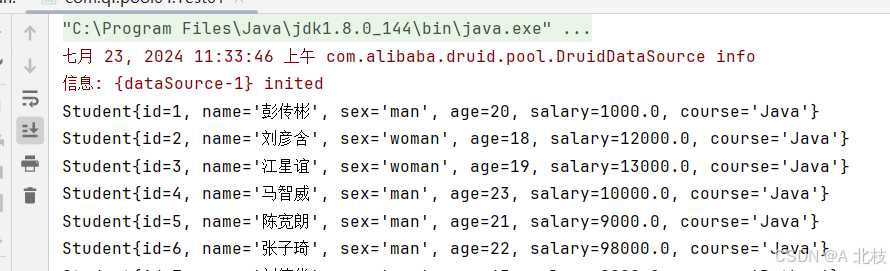
测试类
public class Test01 {public static void main(String[] args) throws SQLException, InstantiationException, IllegalAccessException {String sql = "select * from student";List<Student> students = DBUtil.commonQueryList(Student.class, sql);//打印集合for (Student stu : students) {System.out.println(stu);}}
}
总结
1.连接池
概念
自定义连接池(两个版本,重点关注第二个版本)
Druid连接池
相关文章:
学习Java的日子 Day56 数据库连接池,Druid连接池
Day56 1.数据库连接池 理解:池就是容器,容器中存放了多个连接对象 使用原因: 1.优化创建和销毁连接的时间(在项目启动时创建连接池,项目销毁时关闭连接池) 2.提高连接对象的复用率 3.有效控制项目中连接的…...

如何实现PostgreSQL对某一张表的WAL日志进行记录
PostgreSQL 没有内置的 binlog(binary log)机制像 MySQL 那样。它使用 Write-Ahead Logging (WAL) 来记录数据库的变更。要将这些变更记录到某张表中,通常可以使用逻辑复制(Logical Replication)和触发器(T…...
机器学习数学基础(2)--最大似然函数
声明:本文章是根据网上资料,加上自己整理和理解而成,仅为记录自己学习的点点滴滴。可能有错误,欢迎大家指正。 在机器学习和统计学领域中,似然函数(Likelihood Function)是一个至关重要的概念。…...

详解 @RequestHeader 注解在 Spring Boot 中的使用
个人名片 🎓作者简介:java领域优质创作者 🌐个人主页:码农阿豪 📞工作室:新空间代码工作室(提供各种软件服务) 💌个人邮箱:[2435024119@qq.com] 📱个人微信:15279484656 🌐个人导航网站:www.forff.top 💡座右铭:总有人要赢。为什么不能是我呢? 专栏导…...
C# 表达式树的简介与说明
文章目录 1. 表达式树是什么?2. 表达式树的基本组成3. 构建表达式树的步骤4. 表达式树的使用场景5. 示例代码6. 总结 在 C# 编程中,表达式树(Expression Tree)是一个强大的概念,它允许我们以代码的形式表示运行时的代码…...
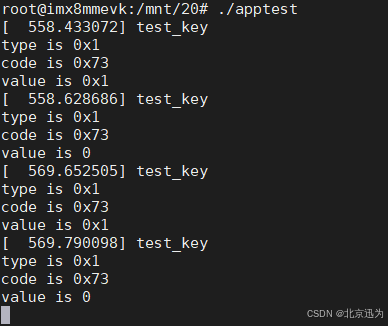
【北京迅为】《i.MX8MM嵌入式Linux开发指南》-第三篇 嵌入式Linux驱动开发篇-第六十三章 输入子系统实验
i.MX8MM处理器采用了先进的14LPCFinFET工艺,提供更快的速度和更高的电源效率;四核Cortex-A53,单核Cortex-M4,多达五个内核 ,主频高达1.8GHz,2G DDR4内存、8G EMMC存储。千兆工业级以太网、MIPI-DSI、USB HOST、WIFI/BT…...

[补题记录]Leetcode 15. 三数之和
传送门:三数之和 思路 为了去重,需要先排序。 排序之后,显然每一个 n u m s [ i ] nums[i] nums[i] 就可以作为三数之中的第一个数。 因此,对于每一个 i i i,第二、三个数只能在 [ i 1 , n ] [i 1, n] [i1,n]…...

什么是sql注入攻击,如何预防介绍一下mysql中的常见数据类型
什么是sql注入攻击,如何预防 sql注入攻击指的是应用程序对用户输入数据的合法性没有判断或者过滤不严格,在sql语句中插入任意的恶意语句进行非法操作。 预防方式1:使用预编译语句比如PrepareStatement,用户输入的所有数据都以参数…...

史上最全的Seata教学并且连接springcloudAlibaba进行使用
来都来了点个赞收藏一下在走呗~~🌹🌹玫瑰 一、Seata是什么 Seata(Simple Extensible Autonomous Transaction Architecture,简单可扩展自治事务框架)是一种分布式事务解决方案,旨在解决分布式系统中的事务…...
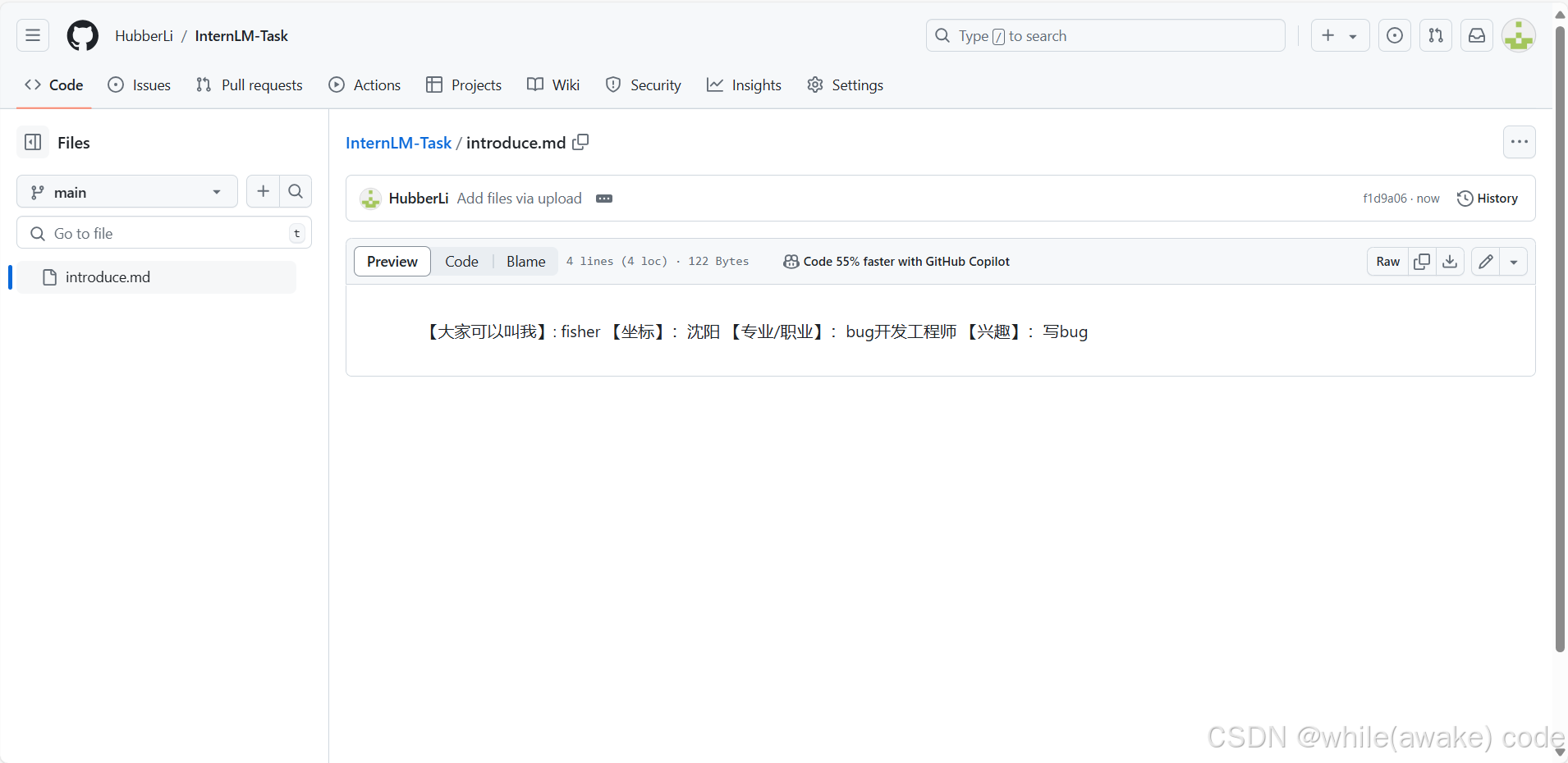
InternLM Git 基础知识
提交一份自我介绍。 创建并提交一个项目。...
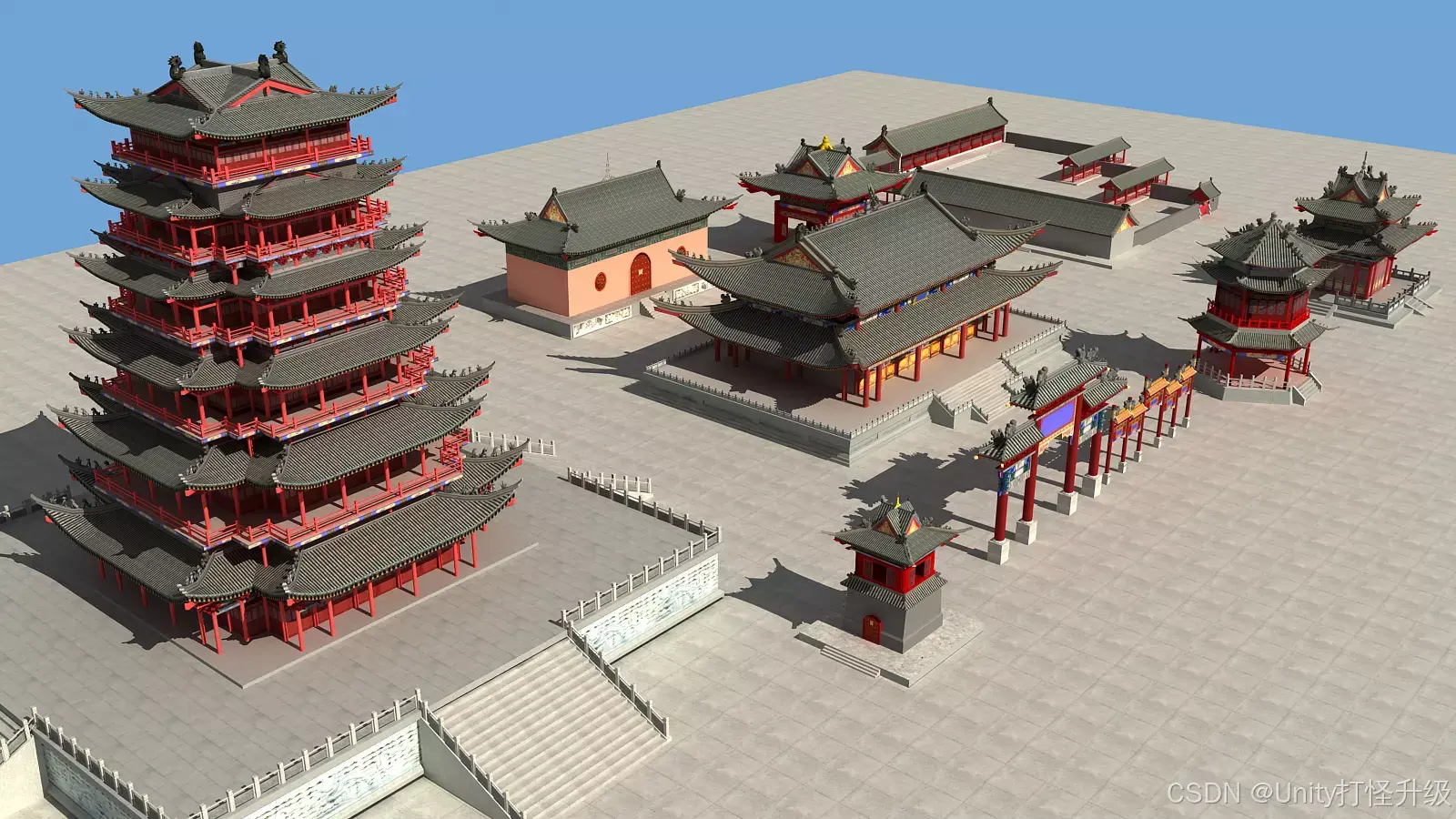
【Unity模型】古代亚洲建筑
在Unity Asset Store上,一款名为"Ancient Asian Buildings Pack"(古代亚洲建筑包)的3D模型资源包,为广大开发者和设计师提供了一个将古代亚洲建筑风格融入Unity项目的机会。本文将详细介绍这款资源包的特点、使用方式以…...

木马后门实验
实验拓扑 实验步骤 防火墙 配置防火墙—充当边界NAT路由器 边界防火墙实现内部 DHCP 分配和边界NAT需求,其配置如下 登录网页 编辑接口 配置e0/0 配置e0/1 编辑策略 测试:内部主机能获得IP,且能与外部kali通信 kali 接下来开启 kali 虚…...

【React】useState:状态更新规则详解
文章目录 一、基本用法二、直接修改状态 vs 使用 setState 更新状态三、对象状态的更新四、深层次对象的更新五、函数式更新六、优化性能的建议 在 React 中,useState 是一个非常重要的 Hook,用于在函数组件中添加状态管理功能。正确理解和使用 useState…...

C#中的异步编程:Task、Await 和 Async
public async void DoSth() {await Task.Run(() > {//...DoSth...}); } ①函数的返回类型前加上: async ②函数内加上: await Task.Run(() > { }); ③在上面{ ... } 内添加要处理的程序代码, 这样运行到 DoSth() 函数就…...

SSRF-labs-master靶场
目录 file_get_content.php sql_connect.php download.php dns-spoofing.php dns_rebinding.php 访问链接 http://127.0.0.1/SSRF/# file_get_content.php 在编程语言中,有一些函数可以获取本地保存文件的内容。这些功能可能能够从远程URL以及本地文件 如果没…...

HBuilder X中配置vue-cli项目和UI库
目录 一.前端项目结构 二.在HBuilder X中搭建vue-cli项目 1. 安装node.js前端环境 2. HBuilder X创建一个vue-cli项目 3. vue-cli项目结构 4. 如何运行前端项目 5. 创建组件 6. 组件路由(页面跳转) 6.1 创建router目录 6.2 使用路由 6.3 在main.js中配置路由 6.4 路…...
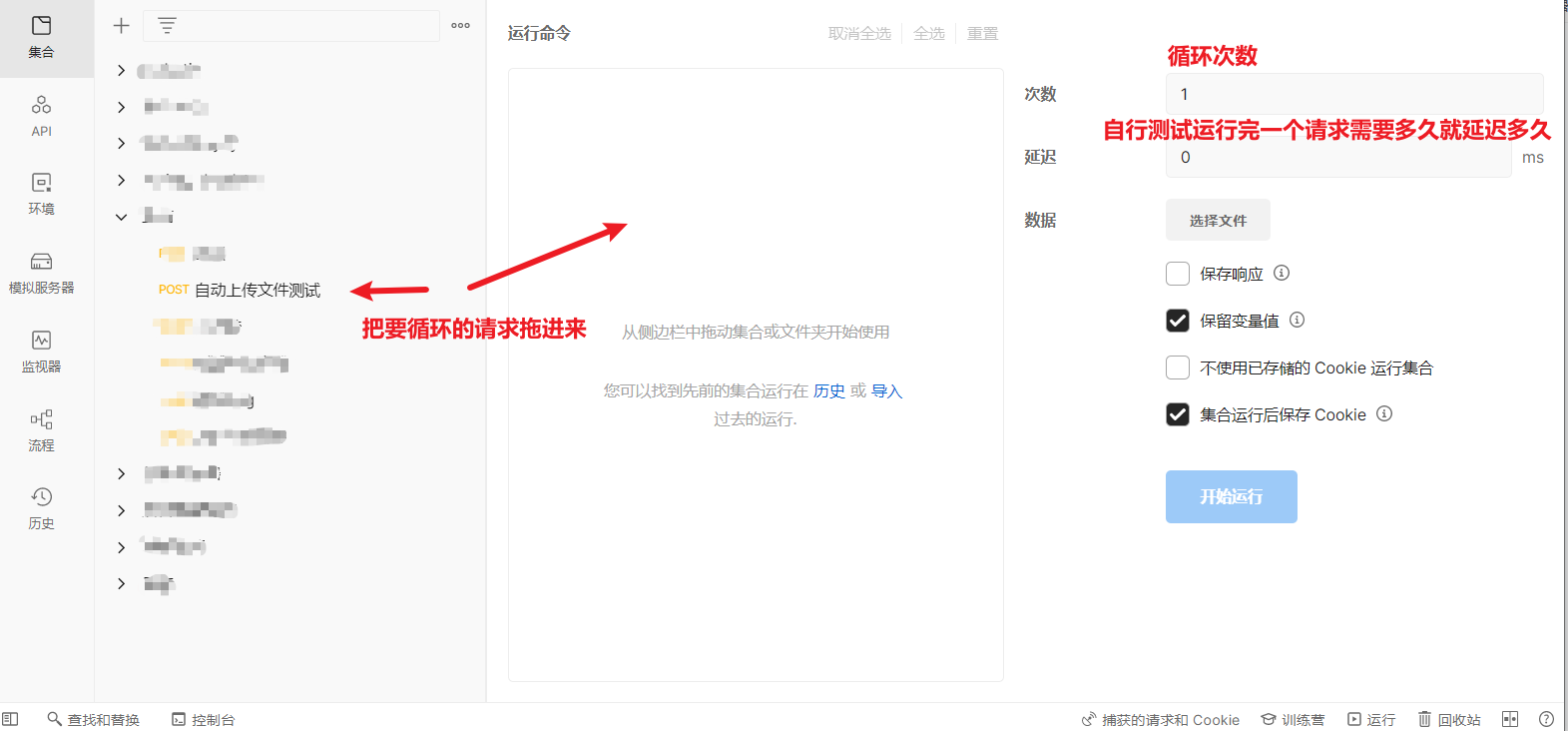
如何用PostMan按照规律进行循环访问接口
①设置动态变量 步骤一: 设置环境变量 1. 创建环境变量集合 在 Postman 左上角选择 "环境",然后点击 "添加" 来创建一个新的环境变量集合。给它起一个名称,比如 "uploadDemo". 2. 添加初始变量 在新创建的环境变量集…...
稳态准直太阳光模拟器仪器光伏电池组件IV测试
太阳能模拟器电池IV测试仪、单体测试仪,配备匹配标准的AAA Class稳态太阳能模拟器及相关测试附件,可对太阳能电池片的IV性能进行测量、分级分选等; 介绍 AAA class太阳光模拟器整合完整的IV测量系统,针对各种太阳能电池的性能&a…...
-代理Set和Map及ref原理)
vue3 reactive原理(二)-代理Set和Map及ref原理
Set和Map类型的数据也属于异质对象,它们有特定的属性和方法用来操作自身。因此创建代理时,针对特殊的方法需要特殊的对待。 Vue 的ref 是基于reactive函数实现的,它在其基础上,增加了基本类型的响应性、解决reactive在解构时丢失…...
Python自然语言处理库之NLTK与spaCy使用详解
概要 自然语言处理(NLP)是人工智能和数据科学领域的重要分支,致力于让计算机理解、解释和生成人类语言。在Python中,NLTK(Natural Language Toolkit)和spaCy是两个广泛使用的NLP库。本文将详细介绍NLTK和spaCy的特点、功能及其使用方法,并通过具体示例展示如何使用这两…...

Windows网络音频革命:Scream虚拟声卡完整指南
Windows网络音频革命:Scream虚拟声卡完整指南 【免费下载链接】scream Virtual network sound card for Microsoft Windows 项目地址: https://gitcode.com/gh_mirrors/sc/scream 还在为有线音频的束缚而烦恼吗?想象一下,将你的Window…...

保姆级教程:用MATLAB R2019a搞定小波分析,从数据导入到等值线图绘制全流程
MATLAB小波分析实战:从数据清洗到可视化呈现的完整指南 小波分析作为时频域分析的利器,在信号处理、地球物理、生物医学等领域广泛应用。但对于刚接触MATLAB的研究生或数据分析师而言,如何将Excel中的原始数据一步步转化为专业的小波系数图和…...

三分钟掌握Translumo:打破语言障碍的实时屏幕翻译神器
三分钟掌握Translumo:打破语言障碍的实时屏幕翻译神器 【免费下载链接】Translumo Advanced real-time screen translator for games, hardcoded subtitles in videos, static text and etc. 项目地址: https://gitcode.com/gh_mirrors/tr/Translumo 你是否曾…...
)
NotebookLM实验结果可信吗?(P值阈值设定与多重检验校正全拆解)
更多请点击: https://codechina.net 第一章:NotebookLM实验结果可信吗?(P值阈值设定与多重检验校正全拆解) NotebookLM 作为基于文档的AI实验助手,其内置的“实验模式”常用于自动比对不同提示策略或模型配…...

混合基FFT,matlab实现
参考数字信号处理教程第四版(程佩青著)第四章FFT这里直接给出matlab函数,性能不保证最优注意,此函数只能处理混合基fft,即输入信号x的长度不能是素数,不能是2次幂整数function X mixedRadixFFT(x)% multiB…...

Windows到Linux数据传输实战:WinSCP、SCP、Samba与rsync全解析
1. 项目概述:跨越操作系统的数据搬运在混合开发或运维环境中,从Windows向Linux服务器传输数据,是每个开发者、运维工程师甚至数据分析师都绕不开的日常操作。这看似简单的“复制粘贴”,背后却涉及网络协议、权限管理、文件系统差异…...

中关村、首体院、京奥电竞三方签约,共探AI+电竞产学研一体化突破
AI电竞:三方签约开启产学研新篇在今日的大会上,中关村人工智能研究院、首都体育学院、京奥电竞(北京)科技有限公司举行了一场重量级的三方签约。中关村人工智能研究院专注于具有产业价值和颠覆意义的人工智能与交叉学科领域探索&a…...
)
TI C2000 DSP开发笔记:除了IQMath,F28377D的定点计算还有这些隐藏技巧(含FFT/FIR函数初探)
TI C2000 DSP开发笔记:F28377D定点计算高阶技巧与FFT/FIR实战解析 在嵌入式信号处理领域,定点计算一直是平衡性能与精度的关键选择。TMS320F28377D作为TI C2000系列中的高性能DSP控制器,其IQMath库提供的定点计算能力远超基础算术运算范畴。本…...

React Props:深入解析组件间的数据传递
React Props:深入解析组件间的数据传递 在React中,组件间的数据传递是构建复杂应用的关键。Props(属性)是React组件间数据传递的主要方式,它允许父组件向子组件传递数据。本文将深入探讨React Props的概念、使用方法以及注意事项。 一、Props的概念 Props是React组件的…...

自动化测试的最佳实践:这6个原则让你的测试脚本更稳定
在当前互联网行业快速迭代的开发模式下,自动化测试已经成为保障软件交付质量、提升测试效率的核心手段。据行业调研数据显示,成熟的互联网测试团队中,核心回归测试场景的自动化覆盖率已经超过80%,自动化测试承担了绝大部分重复性测…...