
BERT的中文问答系统32
我们需要在现有的代码基础上增加网络搜索功能,并在大模型无法提供满意答案时调用网络搜索。以下是完整的代码和文件结构说明,我们创建一个完整的项目结构,包括多个文件和目录。这个项目将包含以下部分:
主文件 (main.py):包含GUI界面和模型加载、训练、评估等功能。
网络请求模块 (web_search.py):用于从互联网获取信息。
日志配置文件 (logging.conf):用于配置日志记录。
模型文件 (xihua_model.pth):训练好的模型权重文件。
数据文件 (train_data.jsonl, test_data.jsonl):训练和测试数据文件。
项目结构:包括上述文件和目录。
项目结构
project_root/
├── data/
│   ├── train_data.jsonl
│   └── test_data.jsonl
├── logs/
│   └── (log files will be generated here)
├── models/
│   └── xihua_model.pth
├── main.py
├── web_search.py
└── logging.conf
文件内容
main.py
import os
import json
import jsonlines
import torch
import torch.optim as optim
from torch.utils.data import Dataset, DataLoader
from transformers import BertModel, BertTokenizer
import tkinter as tk
from tkinter import filedialog, messagebox, ttk
import logging
from difflib import SequenceMatcher
from datetime import datetime
from web_search import search_web# 获取项目根目录
PROJECT_ROOT = os.path.dirname(os.path.abspath(__file__))# 配置日志
LOGS_DIR = os.path.join(PROJECT_ROOT, 'logs')
os.makedirs(LOGS_DIR, exist_ok=True)def setup_logging():log_file = os.path.join(LOGS_DIR, datetime.now().strftime('%Y-%m-%d_%H-%M-%S_羲和.txt'))logging.basicConfig(level=logging.INFO,format='%(asctime)s - %(levelname)s - %(message)s',handlers=[logging.FileHandler(log_file),logging.StreamHandler()])setup_logging()# 数据集类
class XihuaDataset(Dataset):def __init__(self, file_path, tokenizer, max_length=128):self.tokenizer = tokenizerself.max_length = max_lengthself.data = self.load_data(file_path)def load_data(self, file_path):data = []if file_path.endswith('.jsonl'):with jsonlines.open(file_path) as reader:for i, item in enumerate(reader):try:data.append(item)except jsonlines.jsonlines.InvalidLineError as e:logging.warning(f"跳过无效行 {i + 1}: {e}")elif file_path.endswith('.json'):with open(file_path, 'r') as f:try:data = json.load(f)except json.JSONDecodeError as e:logging.warning(f"跳过无效文件 {file_path}: {e}")return datadef __len__(self):return len(self.data)def __getitem__(self, idx):item = self.data[idx]question = item['question']human_answer = item['human_answers'][0]chatgpt_answer = item['chatgpt_answers'][0]try:inputs = self.tokenizer(question, return_tensors='pt', padding='max_length', truncation=True, max_length=self.max_length)human_inputs = self.tokenizer(human_answer, return_tensors='pt', padding='max_length', truncation=True, max_length=self.max_length)chatgpt_inputs = self.tokenizer(chatgpt_answer, return_tensors='pt', padding='max_length', truncation=True, max_length=self.max_length)except Exception as e:logging.warning(f"跳过无效项 {idx}: {e}")return self.__getitem__((idx + 1) % len(self.data))return {'input_ids': inputs['input_ids'].squeeze(),'attention_mask': inputs['attention_mask'].squeeze(),'human_input_ids': human_inputs['input_ids'].squeeze(),'human_attention_mask': human_inputs['attention_mask'].squeeze(),'chatgpt_input_ids': chatgpt_inputs['input_ids'].squeeze(),'chatgpt_attention_mask': chatgpt_inputs['attention_mask'].squeeze(),'human_answer': human_answer,'chatgpt_answer': chatgpt_answer}# 获取数据加载器
def get_data_loader(file_path, tokenizer, batch_size=8, max_length=128):dataset = XihuaDataset(file_path, tokenizer, max_length)return DataLoader(dataset, batch_size=batch_size, shuffle=True)# 模型定义
class XihuaModel(torch.nn.Module):def __init__(self, pretrained_model_name='F:/models/bert-base-chinese'):super(XihuaModel, self).__init__()self.bert = BertModel.from_pretrained(pretrained_model_name)self.classifier = torch.nn.Linear(self.bert.config.hidden_size, 1)def forward(self, input_ids, attention_mask):outputs = self.bert(input_ids=input_ids, attention_mask=attention_mask)pooled_output = outputs.pooler_outputlogits = self.classifier(pooled_output)return logits# 训练函数
def train(model, data_loader, optimizer, criterion, device, progress_var=None):model.train()total_loss = 0.0num_batches = len(data_loader)for batch_idx, batch in enumerate(data_loader):try:input_ids = batch['input_ids'].to(device)attention_mask = batch['attention_mask'].to(device)human_input_ids = batch['human_input_ids'].to(device)human_attention_mask = batch['human_attention_mask'].to(device)chatgpt_input_ids = batch['chatgpt_input_ids'].to(device)chatgpt_attention_mask = batch['chatgpt_attention_mask'].to(device)optimizer.zero_grad()human_logits = model(human_input_ids, human_attention_mask)chatgpt_logits = model(chatgpt_input_ids, chatgpt_attention_mask)human_labels = torch.ones(human_logits.size(0), 1).to(device)chatgpt_labels = torch.zeros(chatgpt_logits.size(0), 1).to(device)loss = criterion(human_logits, human_labels) + criterion(chatgpt_logits, chatgpt_labels)loss.backward()optimizer.step()total_loss += loss.item()if progress_var:progress_var.set((batch_idx + 1) / num_batches * 100)except Exception as e:logging.warning(f"跳过无效批次: {e}")return total_loss / len(data_loader)# 评估函数
def evaluate(model, data_loader, device):model.eval()correct_predictions = 0total_predictions = 0with torch.no_grad():for batch in data_loader:input_ids = batch['input_ids'].to(device)attention_mask = batch['attention_mask'].to(device)human_input_ids = batch['human_input_ids'].to(device)human_attention_mask = batch['human_attention_mask'].to(device)chatgpt_input_ids = batch['chatgpt_input_ids'].to(device)chatgpt_attention_mask = batch['chatgpt_attention_mask'].to(device)human_logits = model(human_input_ids, human_attention_mask)chatgpt_logits = model(chatgpt_input_ids, chatgpt_attention_mask)human_labels = torch.ones(human_logits.size(0), 1).to(device)chatgpt_labels = torch.zeros(chatgpt_logits.size(0), 1).to(device)human_preds = (torch.sigmoid(human_logits) > 0.5).float()chatgpt_preds = (torch.sigmoid(chatgpt_logits) > 0.5).float()correct_predictions += (human_preds == human_labels).sum().item()correct_predictions += (chatgpt_preds == chatgpt_labels).sum().item()total_predictions += human_labels.size(0) + chatgpt_labels.size(0)accuracy = correct_predictions / total_predictionsreturn accuracy# 主训练函数
def main_train(retrain=False):device = torch.device('cuda' if torch.cuda.is_available() else 'cpu')logging.info(f'Using device: {device}')tokenizer = BertTokenizer.from_pretrained('F:/models/bert-base-chinese')model = XihuaModel(pretrained_model_name='F:/models/bert-base-chinese').to(device)if retrain:model_path = os.path.join(PROJECT_ROOT, 'models/xihua_model.pth')if os.path.exists(model_path):model.load_state_dict(torch.load(model_path, map_location=device))logging.info("加载现有模型")else:logging.info("没有找到现有模型,将使用预训练模型")optimizer = optim.Adam(model.parameters(), lr=1e-5)criterion = torch.nn.BCEWithLogitsLoss()train_data_loader = get_data_loader(os.path.join(PROJECT_ROOT, 'data/train_data.jsonl'), tokenizer, batch_size=8, max_length=128)num_epochs = 30for epoch in range(num_epochs):train_loss = train(model, train_data_loader, optimizer, criterion, device)logging.info(f'Epoch [{epoch+1}/{num_epochs}], Loss: {train_loss:.8f}')torch.save(model.state_dict(), os.path.join(PROJECT_ROOT, 'models/xihua_model.pth'))logging.info("模型训练完成并保存")# GUI界面
class XihuaChatbotGUI:def __init__(self, root):self.root = rootself.root.title("羲和聊天机器人")self.tokenizer = BertTokenizer.from_pretrained('F:/models/bert-base-chinese')self.device = torch.device('cuda' if torch.cuda.is_available() else 'cpu')self.model = XihuaModel(pretrained_model_name='F:/models/bert-base-chinese').to(self.device)self.load_model()self.model.eval()# 加载训练数据集以便在获取答案时使用self.data = self.load_data(os.path.join(PROJECT_ROOT, 'data/train_data.jsonl'))# 历史记录self.history = []self.create_widgets()def create_widgets(self):# 顶部框架top_frame = tk.Frame(self.root)top_frame.pack(pady=10)self.question_label = tk.Label(top_frame, text="问题:", font=("Arial", 12))self.question_label.grid(row=0, column=0, padx=10)self.question_entry = tk.Entry(top_frame, width=50, font=("Arial", 12))self.question_entry.grid(row=0, column=1, padx=10)self.answer_button = tk.Button(top_frame, text="获取回答", command=self.get_answer, font=("Arial", 12))self.answer_button.grid(row=0, column=2, padx=10)# 中部框架middle_frame = tk.Frame(self.root)middle_frame.pack(pady=10)self.answer_label = tk.Label(middle_frame, text="回答:", font=("Arial", 12))self.answer_label.grid(row=0, column=0, padx=10)self.answer_text = tk.Text(middle_frame, height=10, width=70, font=("Arial", 12))self.answer_text.grid(row=1, column=0, padx=10)# 底部框架bottom_frame = tk.Frame(self.root)bottom_frame.pack(pady=10)self.correct_button = tk.Button(bottom_frame, text="准确", command=self.mark_correct, font=("Arial", 12))self.correct_button.grid(row=0, column=0, padx=10)self.incorrect_button = tk.Button(bottom_frame, text="不准确", command=self.mark_incorrect, font=("Arial", 12))self.incorrect_button.grid(row=0, column=1, padx=10)self.train_button = tk.Button(bottom_frame, text="训练模型", command=self.train_model, font=("Arial", 12))self.train_button.grid(row=0, column=2, padx=10)self.retrain_button = tk.Button(bottom_frame, text="重新训练模型", command=lambda: self.train_model(retrain=True), font=("Arial", 12))self.retrain_button.grid(row=0, column=3, padx=10)self.progress_var = tk.DoubleVar()self.progress_bar = ttk.Progressbar(bottom_frame, variable=self.progress_var, maximum=100, length=200)self.progress_bar.grid(row=1, column=0, columnspan=4, pady=10)self.log_text = tk.Text(bottom_frame, height=10, width=70, font=("Arial", 12))self.log_text.grid(row=2, column=0, columnspan=4, pady=10)self.evaluate_button = tk.Button(bottom_frame, text="评估模型", command=self.evaluate_model, font=("Arial", 12))self.evaluate_button.grid(row=3, column=0, padx=10, pady=10)self.history_button = tk.Button(bottom_frame, text="查看历史记录", command=self.view_history, font=("Arial", 12))self.history_button.grid(row=3, column=1, padx=10, pady=10)self.save_history_button = tk.Button(bottom_frame, text="保存历史记录", command=self.save_history, font=("Arial", 12))self.save_history_button.grid(row=3, column=2, padx=10, pady=10)def get_answer(self):question = self.question_entry.get()if not question:messagebox.showwarning("输入错误", "请输入问题")returninputs = self.tokenizer(question, return_tensors='pt', padding='max_length', truncation=True, max_length=128)with torch.no_grad():input_ids = inputs['input_ids'].to(self.device)attention_mask = inputs['attention_mask'].to(self.device)logits = self.model(input_ids, attention_mask)if logits.item() > 0:answer_type = "羲和回答"else:answer_type = "零回答"specific_answer = self.get_specific_answer(question, answer_type)if specific_answer == "这个我也不清楚,你问问零吧":specific_answer = search_web(question)self.answer_text.delete(1.0, tk.END)self.answer_text.insert(tk.END, f"{answer_type}\n{specific_answer}")# 添加到历史记录self.history.append({'question': question,'answer_type': answer_type,'specific_answer': specific_answer,'accuracy': None  # 初始状态为未评价})def get_specific_answer(self, question, answer_type):# 使用模糊匹配查找最相似的问题best_match = Nonebest_ratio = 0.0for item in self.data:ratio = SequenceMatcher(None, question, item['question']).ratio()if ratio > best_ratio:best_ratio = ratiobest_match = itemif best_match:if answer_type == "羲和回答":return best_match['human_answers'][0]else:return best_match['chatgpt_answers'][0]return "这个我也不清楚,你问问零吧"def load_data(self, file_path):data = []if file_path.endswith('.jsonl'):with jsonlines.open(file_path) as reader:for i, item in enumerate(reader):try:data.append(item)except jsonlines.jsonlines.InvalidLineError as e:logging.warning(f"跳过无效行 {i + 1}: {e}")elif file_path.endswith('.json'):with open(file_path, 'r') as f:try:data = json.load(f)except json.JSONDecodeError as e:logging.warning(f"跳过无效文件 {file_path}: {e}")return datadef load_model(self):model_path = os.path.join(PROJECT_ROOT, 'models/xihua_model.pth')if os.path.exists(model_path):self.model.load_state_dict(torch.load(model_path, map_location=self.device))logging.info("加载现有模型")else:logging.info("没有找到现有模型,将使用预训练模型")def train_model(self, retrain=False):file_path = filedialog.askopenfilename(filetypes=[("JSONL files", "*.jsonl"), ("JSON files", "*.json")])if not file_path:messagebox.showwarning("文件选择错误", "请选择一个有效的数据文件")returntry:dataset = XihuaDataset(file_path, self.tokenizer)data_loader = DataLoader(dataset, batch_size=8, shuffle=True)# 加载已训练的模型权重if retrain:self.model.load_state_dict(torch.load(os.path.join(PROJECT_ROOT, 'models/xihua_model.pth'), map_location=self.device))self.model.to(self.device)self.model.train()optimizer = torch.optim.Adam(self.model.parameters(), lr=1e-5)criterion = torch.nn.BCEWithLogitsLoss()num_epochs = 30for epoch in range(num_epochs):train_loss = train(self.model, data_loader, optimizer, criterion, self.device, self.progress_var)logging.info(f'Epoch [{epoch+1}/{num_epochs}], Loss: {train_loss:.4f}')self.log_text.insert(tk.END, f'Epoch [{epoch+1}/{num_epochs}], Loss: {train_loss:.4f}\n')self.log_text.see(tk.END)torch.save(self.model.state_dict(), os.path.join(PROJECT_ROOT, 'models/xihua_model.pth'))logging.info("模型训练完成并保存")self.log_text.insert(tk.END, "模型训练完成并保存\n")self.log_text.see(tk.END)messagebox.showinfo("训练完成", "模型训练完成并保存")except Exception as e:logging.error(f"模型训练失败: {e}")self.log_text.insert(tk.END, f"模型训练失败: {e}\n")self.log_text.see(tk.END)messagebox.showerror("训练失败", f"模型训练失败: {e}")def evaluate_model(self):test_data_loader = get_data_loader(os.path.join(PROJECT_ROOT, 'data/test_data.jsonl'), self.tokenizer, batch_size=8, max_length=128)accuracy = evaluate(self.model, test_data_loader, self.device)logging.info(f"模型评估准确率: {accuracy:.4f}")self.log_text.insert(tk.END, f"模型评估准确率: {accuracy:.4f}\n")self.log_text.see(tk.END)messagebox.showinfo("评估结果", f"模型评估准确率: {accuracy:.4f}")def mark_correct(self):if self.history:self.history[-1]['accuracy'] = Truemessagebox.showinfo("评价成功", "您认为这次回答是准确的")def mark_incorrect(self):if self.history:self.history[-1]['accuracy'] = Falsemessagebox.showinfo("评价成功", "您认为这次回答是不准确的")def view_history(self):history_window = tk.Toplevel(self.root)history_window.title("历史记录")history_text = tk.Text(history_window, height=20, width=80, font=("Arial", 12))history_text.pack(padx=10, pady=10)for entry in self.history:history_text.insert(tk.END, f"问题: {entry['question']}\n")history_text.insert(tk.END, f"回答类型: {entry['answer_type']}\n")history_text.insert(tk.END, f"具体回答: {entry['specific_answer']}\n")if entry['accuracy'] is None:history_text.insert(tk.END, "评价: 未评价\n")elif entry['accuracy']:history_text.insert(tk.END, "评价: 准确\n")else:history_text.insert(tk.END, "评价: 不准确\n")history_text.insert(tk.END, "-" * 50 + "\n")def save_history(self):file_path = filedialog.asksaveasfilename(defaultextension=".json", filetypes=[("JSON files", "*.json")])if not file_path:returnwith open(file_path, 'w') as f:json.dump(self.history, f, ensure_ascii=False, indent=4)messagebox.showinfo("保存成功", "历史记录已保存到文件")# 主函数
if __name__ == "__main__":# 启动GUIroot = tk.Tk()app = XihuaChatbotGUI(root)root.mainloop()
web_search.py
import requests
from bs4 import BeautifulSoupdef search_web(query):url = f"https://www.baidu.com/s?wd={query}"headers = {'User-Agent': 'Mozilla/5.0 (Windows NT 10.0; Win64; x64) AppleWebKit/537.36 (KHTML, like Gecko) Chrome/58.0.3029.110 Safari/537.3'}response = requests.get(url, headers=headers)soup = BeautifulSoup(response.text, 'html.parser')results = []for result in soup.find_all('div', class_='c-container'):title = result.find('h3').get_text()snippet = result.find('div', class_='c-abstract')if snippet:snippet = snippet.get_text()results.append(f"{title}\n{snippet}\n")if results:return '\n'.join(results[:3])  # 返回前三个结果else:return "没有找到相关信息"
logging.conf
[loggers]
keys=root[handlers]
keys=consoleHandler,fileHandler[formatters]
keys=simpleFormatter[logger_root]
level=INFO
handlers=consoleHandler,fileHandler[handler_consoleHandler]
class=StreamHandler
level=INFO
formatter=simpleFormatter
args=(sys.stdout,)[handler_fileHandler]
class=FileHandler
level=INFO
formatter=simpleFormatter
args=('logs/羲和.log', 'a')[formatter_simpleFormatter]
format=%(asctime)s - %(levelname)s - %(message)s
datefmt=%Y-%m-%d %H:%M:%S
目录结构
project_root/
├── data/
│   ├── train_data.jsonl
│   └── test_data.jsonl
├── logs/
│   └── (log files will be generated here)
├── models/
│   └── xihua_model.pth
├── main.py
├── web_search.py
└── logging.conf
说明
main.py:主文件,包含GUI界面和模型加载、训练、评估等功能。
web_search.py:用于从百度搜索信息的模块。
logging.conf:日志配置文件,用于配置日志记录。
data/:存放训练和测试数据文件。
logs/:存放日志文件。
models/:存放训练好的模型权重文件。
通过以上结构和代码,你可以实现一个具有GUI界面的聊天机器人,该机器人可以在本地使用训练好的模型回答问题,如果模型中没有相关内容,则会联网搜索并返回相关信息。
相关文章:

BERT的中文问答系统32
我们需要在现有的代码基础上增加网络搜索功能,并在大模型无法提供满意答案时调用网络搜索。以下是完整的代码和文件结构说明,我们创建一个完整的项目结构,包括多个文件和目录。这个项目将包含以下部分: 主文件 (main.py)…...
大数据-226 离线数仓 - Flume 优化配置 自定义拦截器 拦截原理 拦截器实现 Java
点一下关注吧!!!非常感谢!!持续更新!!! Java篇开始了! 目前开始更新 MyBatis,一起深入浅出! 目前已经更新到了: Hadoop࿰…...
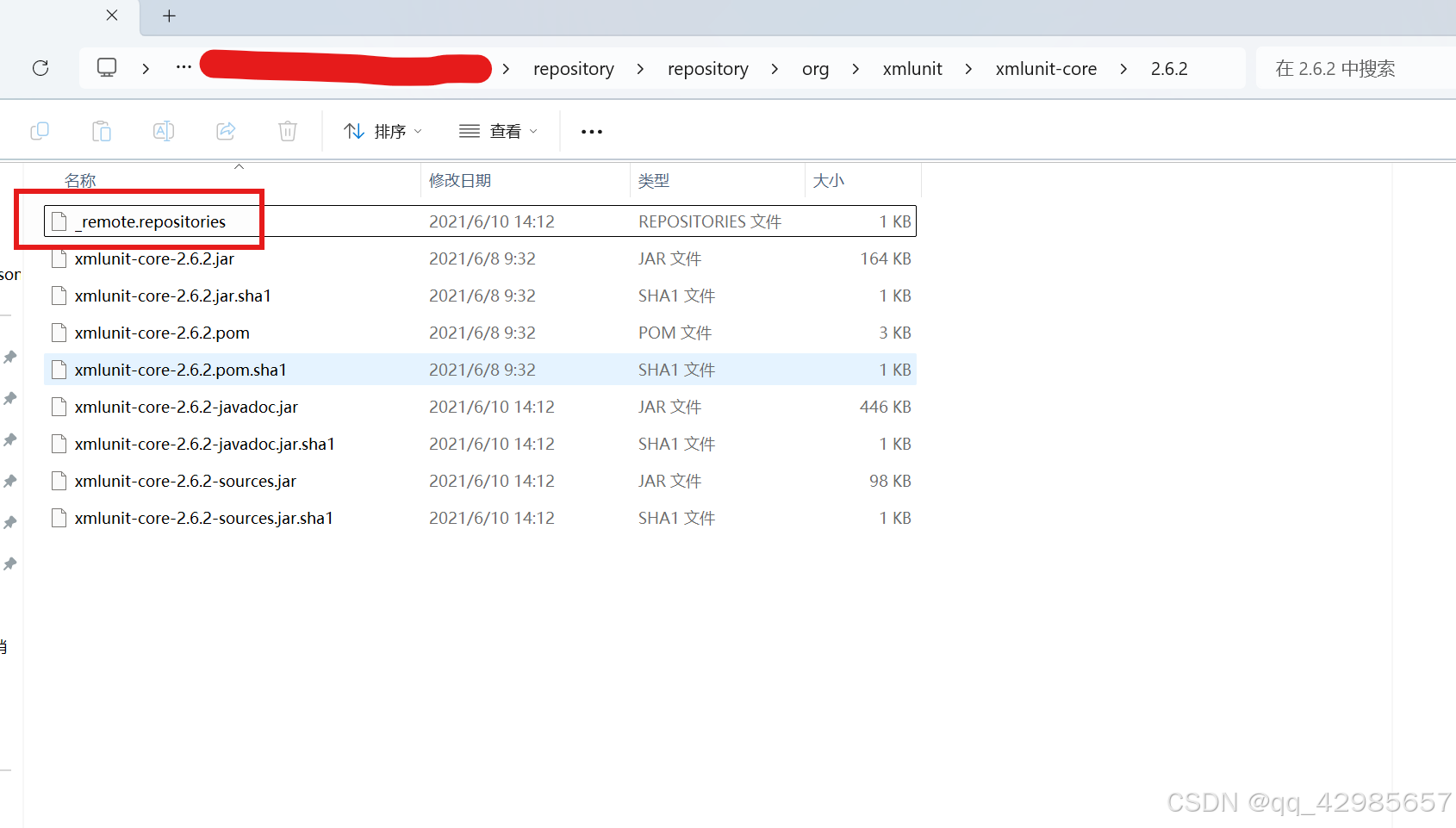
idea maven 重新构建索引
当设置maven仓库为离线模式的时候,会出现一些问题。 比如本地的仓库被各种方式手动更新之后, 举例:我需要一个spring的包,在pmo文件中写好了引入包的代码 但是由于是离线模式没有办法触发自动下载,那么这个时候我可以…...
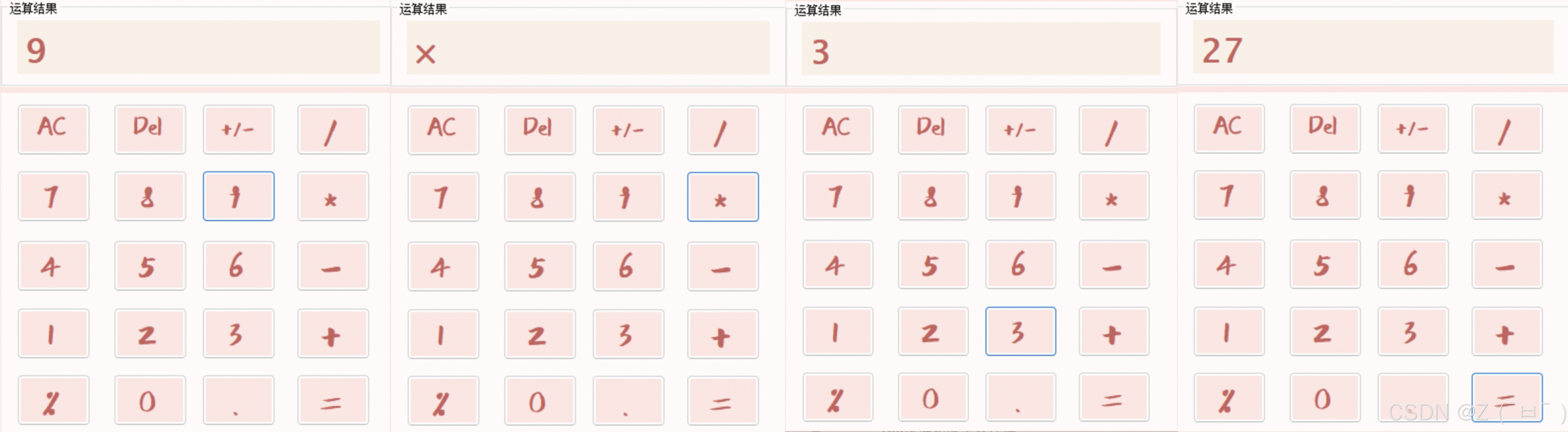
C#桌面应用制作计算器
C#桌面应用制作简易计算器,可实现数字之间的加减乘除、AC按键清屏、Del按键清除末尾数字、/-按键取数字相反数、%按键使数字缩小100倍、按键显示运算结果等...... 页面实现效果 功能实现 布局 计算器主体使用Panel容器,然后将button控件排列放置Pane…...
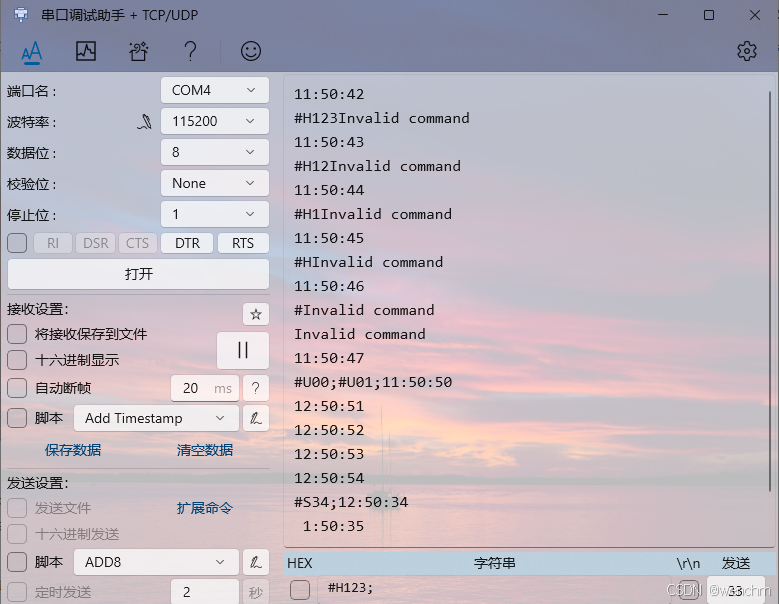
细说STM32单片机DMA中断收发RTC实时时间并改善其鲁棒性的方法
目录 一、DMA基础知识 1、DMA简介 (1)DMA控制器 (2)DMA流 (3)DMA请求 (4)仲裁器 (5)DMA传输属性 2、源地址和目标地址 3、DMA传输模式 4、传输数据量的大小 5、数据宽度 6、地址指针递增 7、DMA工作模式 8、DMA流的优先级别 9、FIFO或直接模式 10、单次传输或突…...
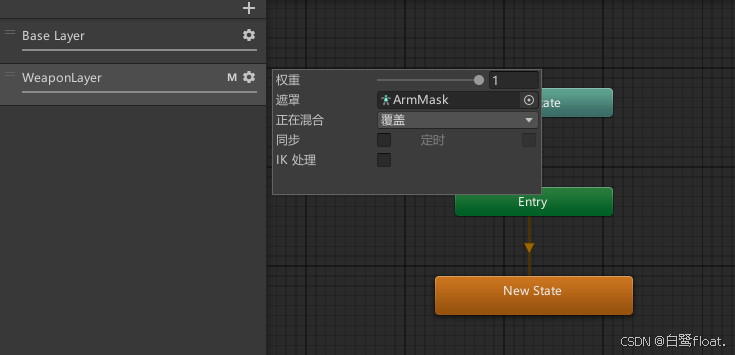
【Unity/Animator动画系统】多层动画状态机实现角色的基本移动
文章目录 前言实现顶层地面状态四方向混合树计算动画所需参数 空中状态分层动画 前言 最近打算做个Rougelike RPG 塔科夫 混搭风格的冒险游戏。暂且就当是一个有随机元素,有基地,死亡会掉落物品的近战塔科夫罢。 花了三天时间,整合了Mixa…...
)
每日算法一练:剑指offer——栈与队列篇(1)
1.图书整理II 读者来到图书馆排队借还书,图书管理员使用两个书车来完成整理借还书的任务。书车中的书从下往上叠加存放,图书管理员每次只能拿取书车顶部的书。排队的读者会有两种操作: push(bookID):把借阅的书籍还到图书馆。pop…...

【Java】ArrayList与LinkedList详解!!!
目录 一🌞、List 1🍅.什么是List? 2🍅.List中的常用方法 二🌞、ArrayList 1🍍.什么是ArrayList? 2🍍.ArrayList的实例化 3🍍.ArrayList的使用 4🍍.ArrayList的遍…...

怎么用VIM查看UVM源码
利用ctags工具可以建立源码的索引表,在使用VIM或其他文本编辑器时,就可以跳转查看所调用的UVM或VIP的funtcion/task/class等源码了。 首先需要确认ctags安装,一般安装VIM后都有,如果没有可以手动安装。在VIM中可以输入:help ctag…...
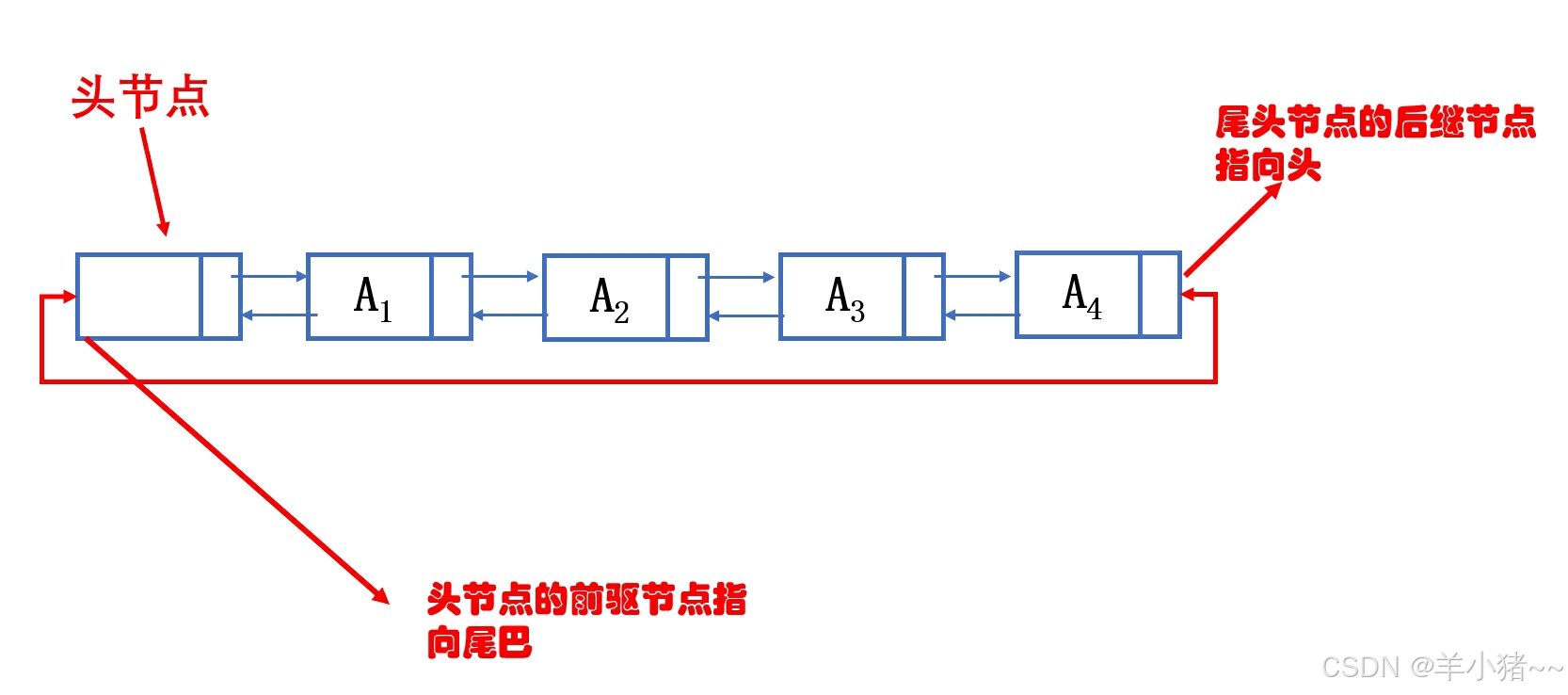
数据结构C语言描述3(图文结合)--双链表、循环链表、约瑟夫环问题
前言 这个专栏将会用纯C实现常用的数据结构和简单的算法;有C基础即可跟着学习,代码均可运行;准备考研的也可跟着写,个人感觉,如果时间充裕,手写一遍比看书、刷题管用很多,这也是本人采用纯C语言…...

第二十五章 TCP 客户端 服务器通信 - TCP 设备的 READ 命令
文章目录 第二十五章 TCP 客户端 服务器通信 - TCP 设备的 READ 命令TCP 设备的 READ 命令READ 修改 $ZA 和 $ZB$ZA 和 READ 命令 第二十五章 TCP 客户端 服务器通信 - TCP 设备的 READ 命令 TCP 设备的 READ 命令 从服务器或客户端发出 READ 命令以读取客户端或服务器设置的…...
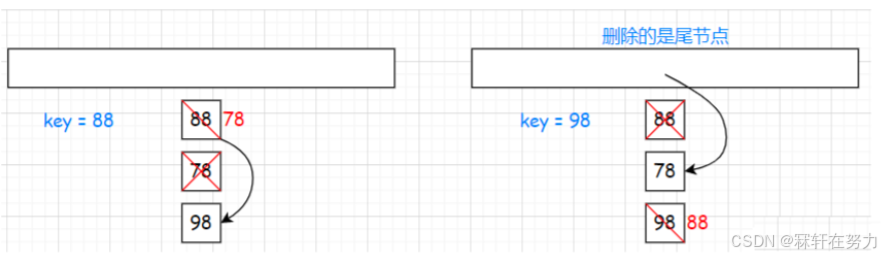
【C++】哈希表的实现详解
哈希表的实现详解 一、哈希常识1.1、哈希概念1.2、哈希冲突1.3、哈希函数(直接定执 除留余数)1.4、哈希冲突解决闭散列(线性探测 二次探测)开散列 二、闭散列哈希表的模拟实现2.1、框架2.2、哈希节点状态的类2.3、哈希表的扩容2…...
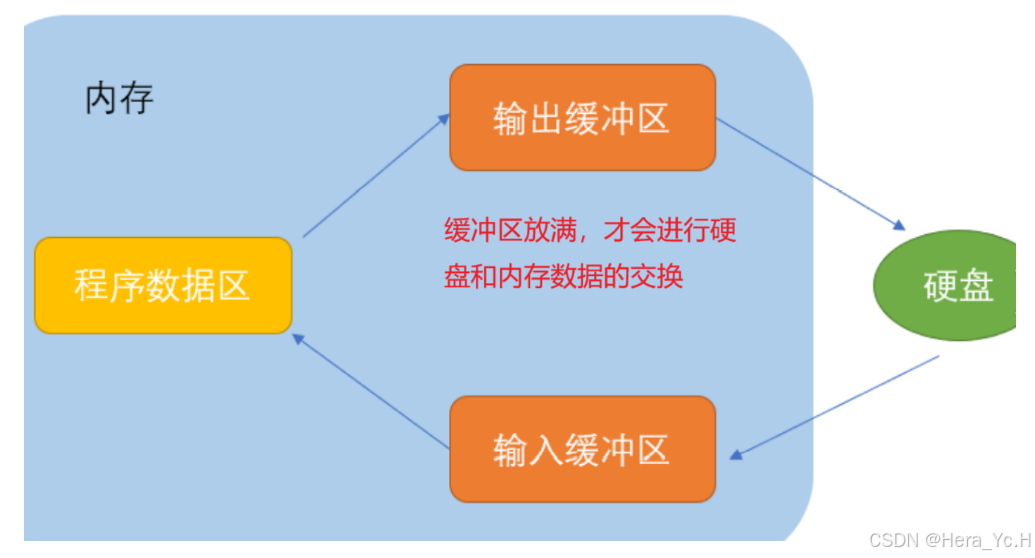
高阶C语言之五:(数据)文件
目录 文件名 文件类型 文件指针 文件的打开和关闭 文件打开模式 文件操作函数(顺序) 0、“流” 1、字符输出函数fputc 2、字符输入函数fgetc 3、字符串输出函数fputs 4、 字符串输入函数fgets 5、格式化输入函数fscanf 6、格式化输出函数fpr…...
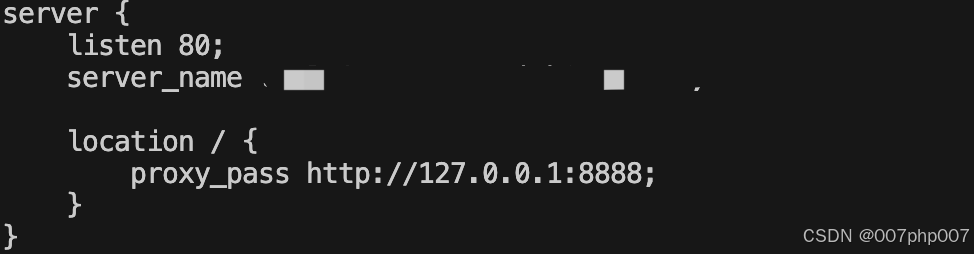
服务器上部署并启动 Go 语言框架 **GoZero** 的项目
要在服务器上部署并启动 Go 语言框架 **GoZero** 的项目,下面是一步步的操作指南: ### 1. 安装 Go 语言环境 首先,确保你的服务器上已安装 Go 语言。如果还没有安装,可以通过以下步骤进行安装: #### 1.1 安装 Go 语…...
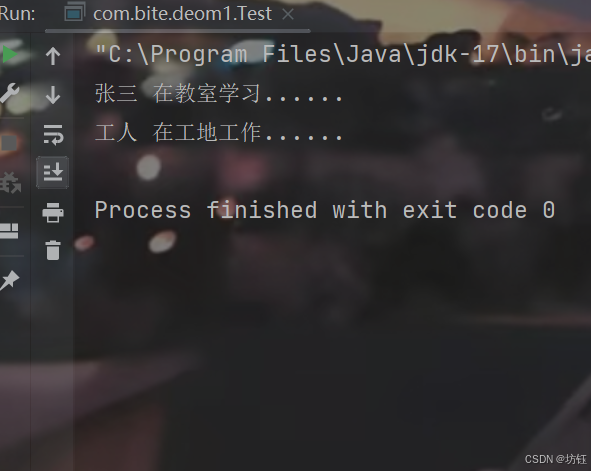
【Java SE 】继承 与 多态 详解
🔥博客主页🔥:【 坊钰_CSDN博客 】 欢迎各位点赞👍评论✍收藏⭐ 目录 1. 继承 1.1 继承的原因 1.2 继承的概念 1.3 继承的语法 2. 子类访问父类 2.1 子类访问父类成员变量 2.1.1 子类与父类不存在同名成员变量 2.1.2 子类…...
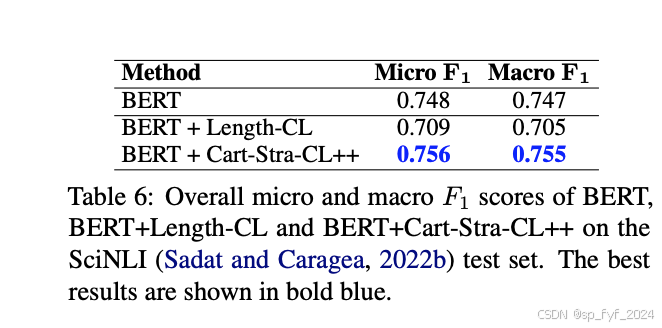
【大语言模型】ACL2024论文-16 基于地图制图的罗马尼亚自然语言推理语料库的新型课程学习方法
【大语言模型】ACL2024论文-16 基于地图制图的罗马尼亚自然语言推理语料库的新型课程学习方法 目录 文章目录 【大语言模型】ACL2024论文-16 基于地图制图的罗马尼亚自然语言推理语料库的新型课程学习方法目录摘要:研究背景:问题与挑战:如何解…...

秋招大概到此结束了
1、背景 学院本,软工,秋招只有同程,快手和网易面试,后两家kpi(因为面试就很水),秋招情况:哈啰(实习转正ing),同程测开offer。 2、走测开的原因 很…...

华为OD机试真题---字符串化繁为简
华为OD机试真题中的“字符串化繁为简”题目是一个涉及字符串处理和等效关系传递的问题。以下是对该题目的详细解析: 一、题目描述 给定一个输入字符串,字符串只可能由英文字母(a~z、A~Z)和左右小括号((、)࿰…...

概念解读|K8s/容器云/裸金属/云原生...这些都有什么区别?
随着容器技术的日渐成熟,不少企业用户都对应用系统开展了容器化改造。而在容器基础架构层面,很多运维人员都更熟悉虚拟化环境,对“容器圈”的各种概念容易混淆:容器就是 Kubernetes 吗?容器云又是什么?容器…...

初识Arkts
创建对象: 类: 类声明引入一个新类型,并定义其字段、方法和构造函数。 定义类后,可以使用关键字new创建实例 可以使用对象字面量创建实例 在以下示例中,定义了Person类,该类具有字段name和surname、构造函…...

星际软件开发:为火星殖民地编写第一批代码
一、引言:当测试左移到大气层之外2041年,第一批火星殖民者即将启程。他们携带的不仅是氧气和速食,还有一座预装在密封舱里的微型数据中心。在这片红色荒漠上,代码将比氧气更早醒来——生命维持系统的控制逻辑、通讯中继的协议栈、…...

从一次内部渗透测试说起:我是如何利用SSRF漏洞,通过Gopher协议拿下Redis的
渗透测试实战:SSRF漏洞到Redis未授权访问的完整攻击链剖析 在一次常规的企业内部渗透测试中,我发现了一个看似普通的SSRF漏洞,却意外打开了通往内网核心系统的大门。这个故事不是教科书式的漏洞复现,而是一个真实攻击者视角下的完…...

FanControl中文设置终极指南:3个简单步骤让Windows风扇控制说中文
FanControl中文设置终极指南:3个简单步骤让Windows风扇控制说中文 【免费下载链接】FanControl.Releases This is the release repository for Fan Control, a highly customizable fan controlling software for Windows. 项目地址: https://gitcode.com/GitHub_…...

收藏!小白程序员必备:2026年AI大模型就业新机遇与学习路线指南
根据世界经济论坛报告,到2030年科技、数据、AI等领域将创造1.7亿工作机会,同时淘汰9200万个岗位。AI市场规模预计到2034年达36804.7亿美元,年复合增长率19.20%。中国AI人才需求将远超供应。文章介绍了AI运营/AIGC内容创作者、算法工程师、大模…...
完全解析:从原理到代码,深入浅出)
DDR3内存训练(Training)完全解析:从原理到代码,深入浅出
DDR3内存训练(Training)完全解析:从原理到代码,深入浅出 目录 一、为什么需要内存训练? 二、DDR3训练的核心原理 三、训练流程详解:一场精密的三步仪式 四、代码实战:从初始化到训练完成...

终极指南:如何免费快速解决Notero Zotero插件安装失败问题
终极指南:如何免费快速解决Notero Zotero插件安装失败问题 【免费下载链接】notero A Zotero plugin for syncing items and notes into Notion 项目地址: https://gitcode.com/gh_mirrors/no/notero 你是否曾经兴奋地下载了Notero这款强大的Zotero-Notion同…...

LaMa图像修复:基于傅里叶卷积的大掩码鲁棒修复方法
1. 项目概述:这不是又一个“修图工具”,而是一次对图像修复底层逻辑的重新定义LaMa——全称Large Mask Inpainting,直译是“大区域掩码图像修复”,但它的实际能力远超字面。我第一次在CVPR 2022论文里看到它时,第一反应…...

如何轻松解锁QQ音乐加密文件:qmcdump实战指南
如何轻松解锁QQ音乐加密文件:qmcdump实战指南 【免费下载链接】qmcdump 一个简单的QQ音乐解码(qmcflac/qmc0/qmc3 转 flac/mp3),仅为个人学习参考用。 项目地址: https://gitcode.com/gh_mirrors/qm/qmcdump 你是否曾经下载…...

Fast-GitHub:3个技巧让国内开发者告别GitHub龟速时代
Fast-GitHub:3个技巧让国内开发者告别GitHub龟速时代 【免费下载链接】Fast-GitHub 国内Github下载很慢,用上了这个插件后,下载速度嗖嗖嗖的~! 项目地址: https://gitcode.com/gh_mirrors/fa/Fast-GitHub 你是否曾经因为Gi…...

终极抢票指南:5分钟搭建全自动抢票系统,告别手速焦虑!
终极抢票指南:5分钟搭建全自动抢票系统,告别手速焦虑! 【免费下载链接】damaihelper 支持大麦网,淘票票、缤玩岛等多个平台,演唱会演出抢票脚本 项目地址: https://gitcode.com/gh_mirrors/dam/damaihelper 还在…...