
Android:任意层级树形控件(有效果图和Demo示例)
先上效果图:

1.创建treeview文件夹
2.treeview -> adapter -> SimpleTreeAdapter.java
import android.content.Context;
import android.view.View;
import android.view.ViewGroup;
import android.widget.ImageView;
import android.widget.ListView;
import android.widget.RelativeLayout;
import android.widget.TextView;import com.ybgc.acceptanceofconcealedwork.R;
import com.ybgc.acceptanceofconcealedwork.divview.treeview.treebean.Node;
import com.ybgc.acceptanceofconcealedwork.divview.treeview.treebean.TreeListViewAdapter;import java.util.List;public class SimpleTreeAdapter<T> extends TreeListViewAdapter<T> {//    private int mCurrentItem = -1;private ViewHolder viewHolder = null;private Context mContext;public SimpleTreeAdapter(ListView mTree, Context context, List<T> datas,int defaultExpandLevel) throws IllegalArgumentException,IllegalAccessException {super(mTree, context, datas, defaultExpandLevel);mContext = context;}@Overridepublic View getConvertView(Node node, int position, View convertView, ViewGroup parent) {if (convertView == null) {convertView = mInflater.inflate(R.layout.list_item, parent, false);viewHolder = new ViewHolder();viewHolder.icon = convertView.findViewById(R.id.id_treenode_icon);viewHolder.label = convertView.findViewById(R.id.id_treenode_label);viewHolder.rlSelectItem = convertView.findViewById(R.id.rlSelectItem);convertView.setTag(viewHolder);} else {viewHolder = (ViewHolder) convertView.getTag();}if (node.getIcon() == -1) {viewHolder.icon.setVisibility(View.INVISIBLE);} else {viewHolder.icon.setVisibility(View.VISIBLE);viewHolder.icon.setImageResource(node.getIcon());}viewHolder.label.setText(node.getName());return convertView;}private final class ViewHolder {private ImageView icon;private TextView label;private RelativeLayout rlSelectItem;}
}
3.treeview -> treebean
3.1.treeview -> treebean -> Node.java
import java.util.ArrayList;
import java.util.List;public class Node
{private String id;/*** 根节点pId为0*/private String pId = "0";private String name;/*** 当前的级别*/private int level;/*** 是否展开*/private boolean isExpand = false;private int icon;/*** 下一级的子Node*/private List<Node> children = new ArrayList<Node>();/*** 父Node*/private Node parent;public Node(){}public Node(String id, String pId, String name){super();this.id = id;this.pId = pId;this.name = name;}public int getIcon(){return icon;}public void setIcon(int icon){this.icon = icon;}public String getId(){return id;}public void setId(String id){this.id = id;}public String getpId(){return pId;}public void setpId(String pId){this.pId = pId;}public String getName(){return name;}public void setName(String name){this.name = name;}public void setLevel(int level){this.level = level;}public boolean isExpand(){return isExpand;}public List<Node> getChildren(){return children;}public void setChildren(List<Node> children){this.children = children;}public Node getParent(){return parent;}public void setParent(Node parent){this.parent = parent;}/*** 是否为跟节点* * @return*/public boolean isRoot(){return parent == null;}/*** 判断父节点是否展开* * @return*/public boolean isParentExpand(){if (parent == null)return false;return parent.isExpand();}/*** 是否是叶子节点* * @return*/public boolean isLeaf(){return children.size() == 0;}/*** 获取level*/public int getLevel(){return parent == null ? 0 : parent.getLevel() + 1;}/*** 设置展开* * @param isExpand*/public void setExpand(boolean isExpand){this.isExpand = isExpand;if (!isExpand){for (Node node : children){node.setExpand(isExpand);}}}}
3.2.treeview -> treebean -> TreeHelper.java
import com.ybgc.acceptanceofconcealedwork.R;
import com.ybgc.acceptanceofconcealedwork.util.LogUtil;import java.lang.reflect.Field;
import java.util.ArrayList;
import java.util.List;public class TreeHelper {/*** 传入我们的普通bean,转化为我们排序后的Node** @param datas* @param defaultExpandLevel* @return* @throws IllegalArgumentException* @throws IllegalAccessException*/public static <T> List<Node> getSortedNodes(List<T> datas,int defaultExpandLevel) {List<Node> result = new ArrayList<Node>();try {// 将用户数据转化为List<Node>List<Node> nodes = convetData2Node(datas);// 拿到根节点List<Node> rootNodes = getRootNodes(nodes);// 排序以及设置Node间关系for (Node node : rootNodes) {addNode(result, node, defaultExpandLevel, 1);}} catch (Exception e) {LogUtil.e(e.toString());}return result;}/*** 过滤出所有可见的Node** @param nodes* @return*/public static List<Node> filterVisibleNode(List<Node> nodes) {List<Node> result = new ArrayList<Node>();try {for (Node node : nodes) {// 如果为跟节点,或者上层目录为展开状态if (node.isRoot() || node.isParentExpand()) {setNodeIcon(node);result.add(node);}}} catch (Exception e) {LogUtil.e(e.toString());}return result;}/*** 将我们的数据转化为树的节点** @param datas* @return* @throws NoSuchFieldException* @throws IllegalAccessException* @throws IllegalArgumentException*/private static <T> List<Node> convetData2Node(List<T> datas) {List<Node> nodes = new ArrayList<Node>();Node node = null;try {for (T t : datas) {String id = "-1";String pId = "-1";String label = null;Class<? extends Object> clazz = t.getClass();Field[] declaredFields = clazz.getDeclaredFields();for (Field f : declaredFields) {if (f.getAnnotation(TreeNodeId.class) != null) {f.setAccessible(true);id = String.valueOf(f.get(t));}if (f.getAnnotation(TreeNodePid.class) != null) {f.setAccessible(true);pId = String.valueOf(f.get(t));}if (f.getAnnotation(TreeNodeLabel.class) != null) {f.setAccessible(true);label = (String) f.get(t);}if (!id.equals("-1") && !pId.equals("-1") && label != null) {break;}}node = new Node(id, pId, label);nodes.add(node);}/*** 设置Node间,父子关系;让每两个节点都比较一次,即可设置其中的关系*/for (int i = 0; i < nodes.size(); i++) {Node n = nodes.get(i);for (int j = i + 1; j < nodes.size(); j++) {Node m = nodes.get(j);if (m.getpId().equals(n.getId())) {n.getChildren().add(m);m.setParent(n);} else if (m.getId().equals(n.getpId())) {m.getChildren().add(n);n.setParent(m);}}}// 设置图片for (Node n : nodes) {setNodeIcon(n);}} catch (Exception e) {LogUtil.e(e.toString());}return nodes;}private static List<Node> getRootNodes(List<Node> nodes) {List<Node> root = new ArrayList<Node>();try {for (Node node : nodes) {if (node.isRoot())root.add(node);}} catch (Exception e) {LogUtil.e(e.toString());}return root;}/*** 把一个节点上的所有的内容都挂上去*/private static void addNode(List<Node> nodes, Node node,int defaultExpandLeval, int currentLevel) {try {nodes.add(node);if (defaultExpandLeval >= currentLevel) {node.setExpand(true);}if (node.isLeaf())return;for (int i = 0; i < node.getChildren().size(); i++) {addNode(nodes, node.getChildren().get(i), defaultExpandLeval,currentLevel + 1);}} catch (Exception e) {LogUtil.e(e.toString());}}/*** 设置节点的图标** @param node*/private static void setNodeIcon(Node node) {try {if (node.getChildren().size() > 0 && node.isExpand()) {node.setIcon(R.mipmap.tree_ex);//设置展开状态图标} else if (node.getChildren().size() > 0 && !node.isExpand()) {node.setIcon(R.mipmap.tree_ec);//设置未展开状态图标} else {node.setIcon(-1);}} catch (Exception e) {LogUtil.e(e.toString());}}}
3.3.treeview -> treebean -> TreeListViewAdapter.java
import android.content.Context;
import android.view.LayoutInflater;
import android.view.View;
import android.view.ViewGroup;
import android.widget.AdapterView;
import android.widget.AdapterView.OnItemClickListener;
import android.widget.BaseAdapter;
import android.widget.ListView;import java.util.List;public abstract class TreeListViewAdapter<T> extends BaseAdapter
{protected Context mContext;/*** 存储所有可见的Node*/protected List<Node> mNodes;protected LayoutInflater mInflater;/*** 存储所有的Node*/protected List<Node> mAllNodes;/*** 点击的回调接口*/private OnTreeNodeClickListener onTreeNodeClickListener;public interface OnTreeNodeClickListener{void onClick(Node node, int position);}public void setOnTreeNodeClickListener(OnTreeNodeClickListener onTreeNodeClickListener){this.onTreeNodeClickListener = onTreeNodeClickListener;}/*** * @param mTree* @param context* @param datas* @param defaultExpandLevel*            默认展开几级树* @throws IllegalArgumentException* @throws IllegalAccessException*/public TreeListViewAdapter(ListView mTree, Context context, List<T> datas,int defaultExpandLevel) throws IllegalArgumentException,IllegalAccessException{mContext = context;/*** 对所有的Node进行排序*/mAllNodes = TreeHelper.getSortedNodes(datas, defaultExpandLevel);/*** 过滤出可见的Node*/mNodes = TreeHelper.filterVisibleNode(mAllNodes);mInflater = LayoutInflater.from(context);/*** 设置节点点击时,可以展开以及关闭;并且将ItemClick事件继续往外公布*/mTree.setOnItemClickListener(new OnItemClickListener(){@Overridepublic void onItemClick(AdapterView<?> parent, View view,int position, long id){expandOrCollapse(position);if (onTreeNodeClickListener != null){onTreeNodeClickListener.onClick(mNodes.get(position),position);}}});}/*** 相应ListView的点击事件 展开或关闭某节点* * @param position*/public void expandOrCollapse(int position){Node n = mNodes.get(position);if (n != null)// 排除传入参数错误异常{if (!n.isLeaf()){n.setExpand(!n.isExpand());mNodes = TreeHelper.filterVisibleNode(mAllNodes);notifyDataSetChanged();// 刷新视图}}}@Overridepublic int getCount(){return mNodes.size();}@Overridepublic Object getItem(int position){return mNodes.get(position);}@Overridepublic long getItemId(int position){return position;}@Overridepublic View getView(int position, View convertView, ViewGroup parent){Node node = mNodes.get(position);convertView = getConvertView(node, position, convertView, parent);// 设置内边距convertView.setPadding(node.getLevel() * 30, 3, 3, 3);return convertView;}public abstract View getConvertView(Node node, int position,View convertView, ViewGroup parent);}
3.4.treeview -> treebean -> TreeNodeId.java
import java.lang.annotation.ElementType;
import java.lang.annotation.Retention;
import java.lang.annotation.RetentionPolicy;
import java.lang.annotation.Target;@Target(ElementType.FIELD)
@Retention(RetentionPolicy.RUNTIME)
public @interface TreeNodeId
{
}
3.5.treeview -> treebean -> TreeNodeLabel.java
import java.lang.annotation.ElementType;
import java.lang.annotation.Retention;
import java.lang.annotation.RetentionPolicy;
import java.lang.annotation.Target;@Target(ElementType.FIELD)
@Retention(RetentionPolicy.RUNTIME)
public @interface TreeNodeLabel
{}
3.6.treeview -> treebean -> TreeNodePid.java
import java.lang.annotation.ElementType;
import java.lang.annotation.Retention;
import java.lang.annotation.RetentionPolicy;
import java.lang.annotation.Target;@Target(ElementType.FIELD)
@Retention(RetentionPolicy.RUNTIME)
public @interface TreeNodePid
{}
4.treeview -> bean
4.1.treeview -> bean -> FileBean.java
import com.ybgc.acceptanceofconcealedwork.divview.treeview.treebean.TreeNodeAcode;
import com.ybgc.acceptanceofconcealedwork.divview.treeview.treebean.TreeNodeId;
import com.ybgc.acceptanceofconcealedwork.divview.treeview.treebean.TreeNodeLabel;
import com.ybgc.acceptanceofconcealedwork.divview.treeview.treebean.TreeNodePid;public class FileBean
{@TreeNodeIdprivate String id;@TreeNodePidprivate String parentId;@TreeNodeLabelprivate String name;private long length;private String desc;public FileBean(String id, String parentId, String name,String acode){super();this.id = id;this.parentId = parentId;this.name = name;}}
5.layout布局文件
5.1.activity_main.xml 主文件布局(ListView就是树形控件的载体)
<RelativeLayout xmlns:android="http://schemas.android.com/apk/res/android"xmlns:tools="http://schemas.android.com/tools"android:layout_width="match_parent"android:layout_height="match_parent" ><ListViewandroid:id="@+id/id_tree"android:layout_width="fill_parent"android:layout_height="fill_parent"android:divider="#aaa"android:dividerHeight="1px" ></ListView></RelativeLayout>5.2.ListView 的子布局list_item.xml(树形控件的子布局,里面的图片就是用来展示树形控件打开状态和关闭状态的图片)
<?xml version="1.0" encoding="utf-8"?>
<RelativeLayout xmlns:android="http://schemas.android.com/apk/res/android"android:layout_width="fill_parent"android:layout_height="wrap_content"android:minHeight="40dip" ><ImageViewandroid:id="@+id/id_treenode_icon"android:layout_width="wrap_content"android:layout_height="wrap_content"android:layout_centerVertical="true"android:layout_marginLeft="5dp"android:layout_marginRight="5dp"android:src="@drawable/tree_ec" /><TextViewandroid:id="@+id/id_treenode_label"android:layout_width="wrap_content"android:layout_height="wrap_content"android:layout_centerVertical="true"android:layout_toRightOf="@id/id_treenode_icon"android:text="@string/app_name"android:textSize="18dip" /></RelativeLayout>
6.上面树形控件代码已经完成,下面是页面中使用
import java.util.ArrayList;
import java.util.List;public class MainActivity extends AppCompatActivity {private List<FileBean> mDatas = new ArrayList<FileBean>();private ListView mTree;private TreeListViewAdapter mAdapter;@Overrideprotected void onCreate(Bundle savedInstanceState) {super.onCreate(savedInstanceState);setContentView(R.layout.activity_main);initDatas();mTree = findViewById(R.id.id_tree);try {//适配器参数:tree控件,上下文,数据源,默认展开层级mAdapter = new SimpleTreeAdapter<FileBean>(mTree, this, mData, 0);//初始化适配器mAdapter.setOnTreeNodeClickListener(new TreeListViewAdapter.OnTreeNodeClickListener() {//点击事件监听@Overridepublic void onClick(Node node, int position) {if (node.isLeaf()) {Toast.makeText(getApplicationContext(), node.getName(),Toast.LENGTH_SHORT).show();}}});} catch (Exception e) {e.printStackTrace();}mTree.setAdapter(mAdapter);//设置数据}/*** 初始化数据*/private void initData() {mDatas.add(new FileBean("1", "0", "文件管理系统"));mDatas.add(new FileBean("2", "1", "游戏"));mDatas.add(new FileBean("3", "1", "文档"));mDatas.add(new FileBean("4", "1", "程序"));mDatas.add(new FileBean("5", "2", "使命召唤"));mDatas.add(new FileBean("6", "2", "绝地求生"));mDatas.add(new FileBean("7", "4", "面向对象"));mDatas.add(new FileBean("8", "4", "非面向对象"));mDatas.add(new FileBean("9", "7", "C++"));mDatas.add(new FileBean("10", "7", "JAVA"));mDatas.add(new FileBean("11", "7", "Javascript"));mDatas.add(new FileBean("12", "8", "C"));mDatas.add(new FileBean("13", "3", "测试文档1"));mDatas.add(new FileBean("14", "3", "测试文档2"));}
}
以上就是自定义树形控件的所有代码,希望对大家的学习和工作有所帮助。
相关文章:
Android:任意层级树形控件(有效果图和Demo示例)
先上效果图: 1.创建treeview文件夹 2.treeview -> adapter -> SimpleTreeAdapter.java import android.content.Context; import android.view.View; import android.view.ViewGroup; import android.widget.ImageView; import android.widget.ListView; i…...

C++ 容器全面剖析:掌握 STL 的奥秘,从入门到高效编程
引言 C 标准模板库(STL)提供了一组功能强大的容器类,用于存储和操作数据集合。不同的容器具有独特的特性和应用场景,因此选择合适的容器对于程序的性能和代码的可读性至关重要。对于刚接触 C 的开发者来说,了解这些容…...

C++---类型转换
文章目录 C的类型转换C的4种强制类型转换RTTI C的类型转换 类型转换 内置类型之间的转换 // a、内置类型之间 // 1、隐式类型转换 整形之间/整形和浮点数之间 // 2、显示类型的转换 指针和整形、指针之间 int main() {int i 1;// 隐式类型转换double d i;printf("%d…...

CSS基础学习练习题
编程题 1.为下面这段文字定义字体样式,要求字体类型指定多种、大小为14px、粗细为粗体、颜色为蓝色。 “有规划的人生叫蓝图,没规划的人生叫拼图。” 代码: <!DOCTYPE html> <html lang"en"> <head><me…...

TypeScript知识点总结和案例使用
TypeScript 是一种由微软开发的开源编程语言,它是 JavaScript 的超集,提供了静态类型检查和其他一些增强功能。以下是一些 TypeScript 的重要知识点总结: 1. 基本类型 TypeScript 支持多种基本数据类型,包括: numbe…...

解决BUG: Since 17.0, the “attrs“ and “states“ attributes are no longer used.
从Odoo 17.0开始,attrs和states属性不再使用,取而代之的是使用depends和domain属性来控制字段的可见性和其他行为。如果您想要在选择国家之后继续选择州,并且希望在选择了国家之后才显示州字段,您可以使用depends属性来实现这一点…...

单片机GPIO中断+定时器 实现模拟串口接收
单片机GPIO中断定时器 实现模拟串口接收 解决思路代码示例 解决思路 串口波特率9600bps,每个bit约为1000000us/9600104.16us; 定时器第一次定时时间设为52us即半个bit的时间,其目的是偏移半个bit时间,之后的每104us采样并读取1bit数据。使得…...
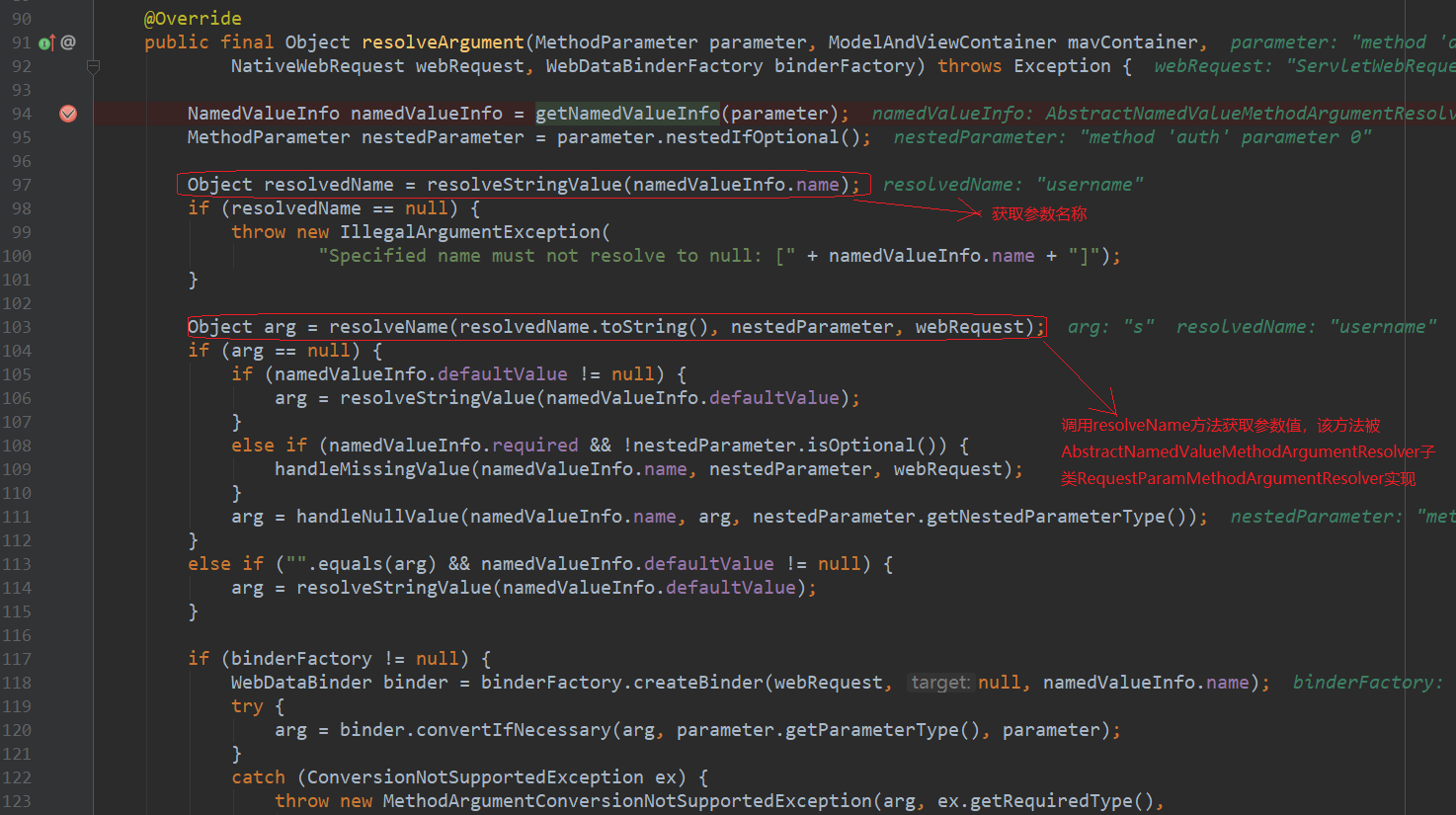
《深入理解 Spring MVC 工作流程》
一、Spring MVC 架构概述 Spring MVC 是一个基于 Java 的轻量级 Web 应用框架,它遵循了经典的 MVC(Model-View-Controller)设计模式,将请求、响应和业务逻辑分离,从而构建出灵活可维护的 Web 应用程序。 在 Spring MV…...

HTML简介
知识点一 HTML 什么是HTML? 超文本标记语言(HyperTextMarkup Language,简称HTML) 怎么学HTML? HTML 是一门标记语言,标记语言由一套标记标签组成,学习 HTML,其实就是学习标签 开发工具 编辑器: Pycha…...

Linux系统Centos设置开机默认root用户
目录 一. 教程 二. 部分第三方工具配置也无效 一. 教程 使用 Linux 安装Centos系统的小伙伴大概都知道,我们进入系统后,通常都是自己设置的普通用户身份,而不是 root 超级管理员用户,导致我们在操作文件夹时往往爆出没有权限&am…...

【网络安全 | 甲方建设】双/多因素认证、TOTP原理及实现
未经许可,不得转载。 文章目录 背景双因素、多因素认证双因素认证(2FA)多因素认证(MFA)TOTP实现TOTP生成流程TOTP算法TOTP代码示例(JS)Google Authenticator总结背景 在传统的在线银行系统中,用户通常只需输入用户名和密码就可以访问自己的账户。然而,如果密码不慎泄…...

Nuxt3 动态路由URL不更改的前提下参数更新,NuxtLink不刷新不跳转,生命周期无响应解决方案
Nuxt3 动态路由URL不更改的前提下参数更新,NuxtLink不刷新不跳转,生命周期无响应解决方案 首先说明一点,Nuxt3 的动态路由响应机制是根据 URL 是否更改,参数的更改并不会触发 Router 去更新页面,这在 Vue3 上同样存在…...

2024华为java面经
华为2024年Java招聘面试题目可能会涵盖Java基础知识、核心技术、框架与工具、项目经验以及算法与数据结构等多个方面。以下是考的内容。 一、Java基础知识 Java中有哪些基本数据类型? Java为什么能够跨平台运行? String是基本数据类型吗?能…...

2021 年 9 月青少年软编等考 C 语言三级真题解析
目录 T1. 课程冲突思路分析T2. 余数相同问题思路分析T3. 生成括号思路分析T4. 广义格雷码思路分析T5. 菲波那契数列思路分析T1. 课程冲突 小 A 修了 n n n 门课程,第 i i i 门课程是从第 a i a_i ai 天一直上到第 b i b_i bi 天。 定义两门课程的冲突程度为:有几天…...

深度解析FastDFS:构建高效分布式文件存储的实战指南(下)
接上篇:《深度解析FastDFS:构建高效分布式文件存储的实战指南(上)》 传送门: link 文章目录 六、常用命令七、FastDFS配置详解7.1 tracker配置文件7.2 tracker目录及文件结构7.3 storage配置文件7.4 storage服务器的目录结构和文件…...

Python学习29天
二分查找 # 定义函数冒泡排序法从大到小排列 def bbble_sort(list):# i控制排序次数for i in range(len(list) - 1):# j控制每次排序比较次数for j in range(len(list) - 1 - i):if list[j] < list[j 1]:list[j], list[j 1] list[j 1], list[j] # 定义二分查找函数 def…...

Soul App创始人张璐团队携多模态大模型参加GITEX GLOBAL,展现未来社交趋势
作为中东地区规模最大、最成功的计算机通讯及消费性电子产品展,GITEX GLOBAL一直颇受全球关注,于今年迎来了第44届盛会。自诞生以来,GITEX GLOBAL始终聚焦技术驱动的创新,吸引了许多科技巨头、创新企业及投资者的参与。Soul App作为中国较早将AI技术引入社交的企业,今年首次亮相…...

简单工厂模式、方法工厂模式
简单工厂模式(Simple Factory Pattern) 简单工厂模式的核心思想是通过一个工厂类,根据提供的参数来决定创建哪一个具体的产品类实例。 这个模式通常用于产品种类较少,且不经常变化的场景。 interface Product {void create(); }…...

【面试】前端vue项目架构详细描述
基于您提供的技术栈和要求,以下是前端项目的架构设计描述: 项目结构 • 入口文件: main.js 作为项目的入口文件,负责初始化 Vue 实例,并挂载到 DOM 上。 • 组件目录: components 目录包含项目的所有 Vue 组…...

BERT的中文问答系统32
我们需要在现有的代码基础上增加网络搜索功能,并在大模型无法提供满意答案时调用网络搜索。以下是完整的代码和文件结构说明,我们创建一个完整的项目结构,包括多个文件和目录。这个项目将包含以下部分: 主文件 (main.py)…...

Guitar Pro 8.1.5作为吉他爱好者的练琴神器,其跨平台支持与强大功能值得重点关注。本评测聚焦其核心优势与操作要点,为吉他学习者与原创音乐人提供高效解决方案。跨系统兼容性Guit
Guitar Pro 8.1.5作为吉他爱好者的练琴神器,其跨平台支持与强大功能值得重点关注。本评测聚焦其核心优势与操作要点,为吉他学习者与原创音乐人提供高效解决方案。跨系统兼容性 Guitar Pro 8.1.5同时支持macOS与Windows系统,mac用户无需转战Wi…...

TEKLauncher终极指南:如何打造ARK生存进化的专业级游戏启动器
TEKLauncher终极指南:如何打造ARK生存进化的专业级游戏启动器 【免费下载链接】TEKLauncher Launcher for ARK: Survival Evolved 项目地址: https://gitcode.com/gh_mirrors/te/TEKLauncher ARK生存进化玩家必看!TEKLauncher作为一款专为ARK: Su…...

B站命令行工具bilibili-cli:极客的终端视频浏览与自动化方案
1. 项目概述:在终端里逛B站,是一种什么体验? 如果你和我一样,是个重度命令行爱好者,或者单纯觉得在浏览器里点来点去效率太低,那么今天聊的这个工具可能会让你眼前一亮。 bilibili-cli ,顾名思…...

手把手教你配置Synopsys DesignWare PCIe控制器:从寄存器读写到ATU映射实战
Synopsys DesignWare PCIe控制器深度配置指南:从寄存器操作到DMA通信实战 1. PCIe控制器基础架构解析 Synopsys DesignWare PCIe控制器作为业界广泛采用的IP核,其架构设计充分考虑了灵活性和可扩展性。控制器核心由以下几个关键模块组成: Tra…...

NovelForge:AI长篇小说创作引擎,结构化写作与知识图谱实战
1. 项目概述:一个为长篇创作而生的AI写作伙伴如果你和我一样,是一个对长篇故事创作充满热情,但又时常被海量设定、角色关系、情节推进和前后一致性搞得焦头烂额的作者,那么NovelForge的出现,可能正是我们一直在等待的“…...

异步、流式与批处理:LangChain 高性能调优
系列导读 你现在看到的是《LangChain 实战与工程化落地:从原型到生产环境的完整指南》的第 8/10 篇,当前这篇会重点解决:通过异步、流式与批处理技术,将 LangChain 应用响应速度提升 10 倍以上。 上一篇回顾:第 7 篇《RAG 实战:LangChain + 向量数据库构建知识问答系统…...

芯片设计演进:从摩尔定律到软件驱动与异构集成的工程实践
1. 项目概述:一位芯片老兵的CMOS缩放宣言在半导体这个日新月异的行业里,每隔几年就会听到“摩尔定律已死”的论调。这几乎成了一个周期性出现的“行业寓言”。但如果你在2014年,有机会和吉姆凯勒(Jim Keller)——这位先…...

终极哔咔漫画下载器:3步打造个人离线漫画图书馆
终极哔咔漫画下载器:3步打造个人离线漫画图书馆 【免费下载链接】picacomic-downloader 哔咔漫画 picacomic pica漫画 bika漫画 PicACG 多线程下载器,带图形界面 带收藏夹,已打包exe 下载速度飞快 项目地址: https://gitcode.com/gh_mirror…...
拖慢你的并发程序!手把手教你用CompletionService优化Java任务结果获取)
别再让Future.get()拖慢你的并发程序!手把手教你用CompletionService优化Java任务结果获取
解锁Java并发新姿势:CompletionService如何让任务结果获取效率翻倍 想象一下这样的场景:你精心设计的线程池正在处理一批耗时各异的任务,有的像闪电般完成,有的却像老牛拉车。当你用Future.get()逐个获取结果时,系统却…...

如何3分钟完成专业级抠图:Krita Vision Tools智能选区插件完全指南
如何3分钟完成专业级抠图:Krita Vision Tools智能选区插件完全指南 【免费下载链接】krita-vision-tools Krita plugin which adds selection tools to mask objects with a single click, or by drawing a bounding box. 项目地址: https://gitcode.com/gh_mirro…...