
C# OpenCvSharp 部署MOWA:多合一图像扭曲模型
目录
说明
效果
项目
代码
下载
参考
C# OpenCvSharp 部署MOWA:多合一图像扭曲模型
说明
算法模型的paper名称是《MOWA: Multiple-in-One Image Warping Model》
ariv链接 https://arxiv.org/pdf/2404.10716
效果
Stitched Image
翻译成中文意思是:拼接图像。效果图如下,可以看到输入原图的边界是不规则的,在经过模型推理之后输出的图的边界是规整了。

Rectified Wide-Angle Image
翻译成中文意思是:矫正广角图像。效果图如下,可以看到输入原图的左右上下边界是扭曲的,在经过模型推理之后输出的图的边界是规整了。

Unrolling Shutter Image
翻译成中文意思是:卷帘快门图像。效果图如下,可以看到输入原图的右边界是弯曲的,在经过模型推理之后输出的图的边界是规整了。

Rotated Image
翻译成中文意思是:旋转图像。效果图如下,可以看到输入原图是有明显倾斜的,在经过模型推理之后输出的图是摆正了。

Fisheye Image
翻译成中文意思是:鱼眼图像。效果图如下,可以看到输入原图里的建筑物有明显扭曲的,在经过模型推理之后输出的图里的建筑物是正直的了。

项目

代码
using OpenCvSharp;
using System;
using System.Collections.Generic;
using System.ComponentModel;
using System.Data;
using System.Diagnostics;
using System.Drawing;
using System.Drawing.Imaging;
using System.Linq;
using System.Runtime.InteropServices;
using System.Text;
using System.Threading.Tasks;
using System.Windows.Forms;
namespace MOWA
{
public partial class Form1 : Form
{
public Form1()
{
InitializeComponent();
}
Stopwatch stopwatch = new Stopwatch();
Mat image;
Mat mask;
Mat mesh_img;
Mat grid_mesh_img;
Mat flow_img;
string image_path;
string mask_path;
string startupPath;
string fileFilter = "*.*|*.bmp;*.jpg;*.jpeg;*.tiff;*.tiff;*.png";
const string DllName = "MOWASharp.dll";
IntPtr engine;
/*
//初始化
extern "C" _declspec(dllexport) int __cdecl init(void** engine, char* model_dir,char* msg);
//detect
extern "C" _declspec(dllexport) int __cdecl detect(void* engine, Mat* srcimg, Mat* maskimg, char* msg, Mat* mesh_img, Mat* grid_mesh_img, Mat* flow_img);
//释放
extern "C" _declspec(dllexport) void __cdecl destroy(void* engine);
*/
[DllImport(DllName, EntryPoint = "init", CallingConvention = CallingConvention.Cdecl)]
internal extern static int init(ref IntPtr engine, string model_dir, StringBuilder msg);
[DllImport(DllName, EntryPoint = "detect", CallingConvention = CallingConvention.Cdecl)]
internal extern static int detect(IntPtr engine, IntPtr srcimg, IntPtr maskimg, StringBuilder msg, IntPtr mesh_img, IntPtr grid_mesh_img, IntPtr flow_img);
[DllImport(DllName, EntryPoint = "destroy", CallingConvention = CallingConvention.Cdecl)]
internal extern static int destroy(IntPtr engine);
private void Form1_Load(object sender, EventArgs e)
{
startupPath = Application.StartupPath;
string model_dir = startupPath + "\\model\\";
StringBuilder msg = new StringBuilder(512);
int res = init(ref engine, model_dir, msg);
if (res == -1)
{
MessageBox.Show(msg.ToString());
return;
}
else
{
Console.WriteLine(msg.ToString());
}
image_path = startupPath + "\\test_img\\39501.png";
pictureBox1.Image = new Bitmap(image_path);
mask_path = startupPath + "\\test_img\\39501_mask.png";
pictureBox3.Image = new Bitmap(mask_path);
}
private void Form1_FormClosed(object sender, FormClosedEventArgs e)
{
destroy(engine);
}
private void button2_Click(object sender, EventArgs e)
{
if (image_path == "" || mask_path == "")
{
return;
}
textBox1.Text = "执行中……";
button2.Enabled = false;
if (pictureBox2.Image != null)
{
pictureBox2.Image.Dispose();
pictureBox2.Image = null;
}
Application.DoEvents();
Cv2.DestroyAllWindows();
if (image != null) image.Dispose();
if (mask != null) mask.Dispose();
if (mesh_img != null) mesh_img.Dispose();
if (grid_mesh_img != null) grid_mesh_img.Dispose();
if (flow_img != null) flow_img.Dispose();
StringBuilder msg = new StringBuilder(512);
image = new Mat(image_path);
mask = new Mat(mask_path,ImreadModes.Grayscale);
mesh_img = new Mat();
grid_mesh_img = new Mat();
flow_img = new Mat();
stopwatch.Restart();
int res = detect(engine, image.CvPtr, mask.CvPtr, msg, mesh_img.CvPtr, grid_mesh_img.CvPtr, flow_img.CvPtr);
if (res == 0)
{
stopwatch.Stop();
double costTime = stopwatch.Elapsed.TotalMilliseconds;
pictureBox2.Image = new Bitmap(flow_img.ToMemoryStream());
Cv2.ImShow("mesh_img", mesh_img);
Cv2.ImShow("grid_mesh_img", grid_mesh_img);
textBox1.Text = $"耗时:{costTime:F2}ms";
}
else
{
textBox1.Text = "失败," + msg.ToString();
}
button2.Enabled = true;
}
private void button1_Click(object sender, EventArgs e)
{
OpenFileDialog ofd = new OpenFileDialog();
ofd.Filter = fileFilter;
ofd.InitialDirectory = startupPath + "\\test_img";
if (ofd.ShowDialog() != DialogResult.OK) return;
pictureBox1.Image = null;
pictureBox2.Image = null;
textBox1.Text = "";
image_path = ofd.FileName;
pictureBox1.Image = new Bitmap(image_path);
image = new Mat(image_path);
}
private void button4_Click(object sender, EventArgs e)
{
OpenFileDialog ofd = new OpenFileDialog();
ofd.Filter = fileFilter;
ofd.InitialDirectory = startupPath+"\\test_img";
if (ofd.ShowDialog() != DialogResult.OK) return;
pictureBox3.Image = null;
pictureBox2.Image = null;
textBox1.Text = "";
mask_path = ofd.FileName;
pictureBox3.Image = new Bitmap(mask_path);
mask = new Mat(image_path);
}
private void button3_Click(object sender, EventArgs e)
{
if (pictureBox2.Image == null)
{
return;
}
Bitmap output = new Bitmap(pictureBox2.Image);
var sdf = new SaveFileDialog();
sdf.Title = "保存";
sdf.Filter = "Images (*.jpg)|*.jpg|Images (*.png)|*.png|Images (*.bmp)|*.bmp";
if (sdf.ShowDialog() == DialogResult.OK)
{
switch (sdf.FilterIndex)
{
case 1:
{
output.Save(sdf.FileName, ImageFormat.Jpeg);
break;
}
case 2:
{
output.Save(sdf.FileName, ImageFormat.Png);
break;
}
case 3:
{
output.Save(sdf.FileName, ImageFormat.Bmp);
break;
}
}
MessageBox.Show("保存成功,位置:" + sdf.FileName);
}
}
}
}
using OpenCvSharp;
using System;
using System.Collections.Generic;
using System.ComponentModel;
using System.Data;
using System.Diagnostics;
using System.Drawing;
using System.Drawing.Imaging;
using System.Linq;
using System.Runtime.InteropServices;
using System.Text;
using System.Threading.Tasks;
using System.Windows.Forms;namespace MOWA
{public partial class Form1 : Form{public Form1(){InitializeComponent();}Stopwatch stopwatch = new Stopwatch();Mat image;Mat mask;Mat mesh_img;Mat grid_mesh_img;Mat flow_img;string image_path;string mask_path;string startupPath;string fileFilter = "*.*|*.bmp;*.jpg;*.jpeg;*.tiff;*.tiff;*.png";const string DllName = "MOWASharp.dll";IntPtr engine;/*//初始化extern "C" _declspec(dllexport) int __cdecl  init(void** engine, char* model_dir,char* msg);//detectextern "C" _declspec(dllexport) int __cdecl  detect(void* engine, Mat* srcimg, Mat* maskimg, char* msg, Mat* mesh_img, Mat* grid_mesh_img, Mat* flow_img);//释放extern "C" _declspec(dllexport) void __cdecl destroy(void* engine);*/[DllImport(DllName, EntryPoint = "init", CallingConvention = CallingConvention.Cdecl)]internal extern static int init(ref IntPtr engine, string model_dir, StringBuilder msg);[DllImport(DllName, EntryPoint = "detect", CallingConvention = CallingConvention.Cdecl)]internal extern static int detect(IntPtr engine, IntPtr srcimg, IntPtr maskimg, StringBuilder msg, IntPtr mesh_img, IntPtr grid_mesh_img, IntPtr flow_img);[DllImport(DllName, EntryPoint = "destroy", CallingConvention = CallingConvention.Cdecl)]internal extern static int destroy(IntPtr engine);private void Form1_Load(object sender, EventArgs e){startupPath = Application.StartupPath;string model_dir = startupPath + "\\model\\";StringBuilder msg = new StringBuilder(512);int res = init(ref engine, model_dir, msg);if (res == -1){MessageBox.Show(msg.ToString());return;}else{Console.WriteLine(msg.ToString());}image_path = startupPath + "\\test_img\\39501.png";pictureBox1.Image = new Bitmap(image_path);mask_path = startupPath + "\\test_img\\39501_mask.png";pictureBox3.Image = new Bitmap(mask_path);}private void Form1_FormClosed(object sender, FormClosedEventArgs e){destroy(engine);}private void button2_Click(object sender, EventArgs e){if (image_path == "" || mask_path == ""){return;}textBox1.Text = "执行中……";button2.Enabled = false;if (pictureBox2.Image != null){pictureBox2.Image.Dispose();pictureBox2.Image = null;}Application.DoEvents();Cv2.DestroyAllWindows();if (image != null) image.Dispose();if (mask != null) mask.Dispose();if (mesh_img != null) mesh_img.Dispose();if (grid_mesh_img != null) grid_mesh_img.Dispose();if (flow_img != null) flow_img.Dispose();StringBuilder msg = new StringBuilder(512);image = new Mat(image_path);mask = new Mat(mask_path,ImreadModes.Grayscale);mesh_img = new Mat();grid_mesh_img = new Mat();flow_img = new Mat();stopwatch.Restart();int res = detect(engine, image.CvPtr, mask.CvPtr, msg, mesh_img.CvPtr, grid_mesh_img.CvPtr, flow_img.CvPtr);if (res == 0){stopwatch.Stop();double costTime = stopwatch.Elapsed.TotalMilliseconds;pictureBox2.Image = new Bitmap(flow_img.ToMemoryStream());Cv2.ImShow("mesh_img", mesh_img);Cv2.ImShow("grid_mesh_img", grid_mesh_img);textBox1.Text = $"耗时:{costTime:F2}ms";}else{textBox1.Text = "失败," + msg.ToString();}button2.Enabled = true;}private void button1_Click(object sender, EventArgs e){OpenFileDialog ofd = new OpenFileDialog();ofd.Filter = fileFilter;ofd.InitialDirectory = startupPath + "\\test_img";if (ofd.ShowDialog() != DialogResult.OK) return;pictureBox1.Image = null;pictureBox2.Image = null;textBox1.Text = "";image_path = ofd.FileName;pictureBox1.Image = new Bitmap(image_path);image = new Mat(image_path);}private void button4_Click(object sender, EventArgs e){OpenFileDialog ofd = new OpenFileDialog();ofd.Filter = fileFilter;ofd.InitialDirectory = startupPath+"\\test_img";if (ofd.ShowDialog() != DialogResult.OK) return;pictureBox3.Image = null;pictureBox2.Image = null;textBox1.Text = "";mask_path = ofd.FileName;pictureBox3.Image = new Bitmap(mask_path);mask = new Mat(image_path);}private void button3_Click(object sender, EventArgs e){if (pictureBox2.Image == null){return;}Bitmap output = new Bitmap(pictureBox2.Image);var sdf = new SaveFileDialog();sdf.Title = "保存";sdf.Filter = "Images (*.jpg)|*.jpg|Images (*.png)|*.png|Images (*.bmp)|*.bmp";if (sdf.ShowDialog() == DialogResult.OK){switch (sdf.FilterIndex){case 1:{output.Save(sdf.FileName, ImageFormat.Jpeg);break;}case 2:{output.Save(sdf.FileName, ImageFormat.Png);break;}case 3:{output.Save(sdf.FileName, ImageFormat.Bmp);break;}}MessageBox.Show("保存成功,位置:" + sdf.FileName);}}}
}
下载
源码下载
参考
https://github.com/hpc203/MOWA-onnxrun
相关文章:
C# OpenCvSharp 部署MOWA:多合一图像扭曲模型
目录 说明 效果 项目 代码 下载 参考 C# OpenCvSharp 部署MOWA:多合一图像扭曲模型 说明 算法模型的paper名称是《MOWA: Multiple-in-One Image Warping Model》 ariv链接 https://arxiv.org/pdf/2404.10716 效果 Stitched Image 翻译成中文意思是&…...

本地部署DeepSeek-R1模型(新手保姆教程)
背景 最近deepseek太火了,无数的媒体都在报道,很多人争相着想本地部署试验一下。本文就简单教学一下,怎么本地部署。 首先大家要知道,使用deepseek有三种方式: 1.网页端或者是手机app直接使用 2.使用代码调用API …...

神经网络常见激活函数 5-PReLU函数
文章目录 PReLU函数导函数函数和导函数图像优缺点pytorch中的PReLU函数tensorflow 中的PReLU函数 PReLU 参数化修正线性单元:Parametric ReLU 函数导函数 PReLU函数 P R e L U { x x > 0 α x x < 0 ( α 是可训练参数 ) \rm PReLU \left\{ \begin{array}{} x \qua…...

2025我的第二次社招,写在春招之季
先说一个好消息,C那些事 4w star了! 前面断更了一个月,本篇文章就可以看到原因,哈哈。 大家好,我叫光城,腾讯实习转正做后端开发,后去小公司做数据库内核,经过这几年的成长与积累&am…...

Visual Studio Code中文出现黄色框子的解决办法
Visual Studio Code中文出现黄色框子的解决办法 一、vsCode中文出现黄色框子-如图二、解决办法 一、vsCode中文出现黄色框子-如图 二、解决办法 点击 “文件”点击 “首选项”点击 “设置” 搜索框直接搜索unicode选择“文本编辑器”,往下滑动,找到“Un…...
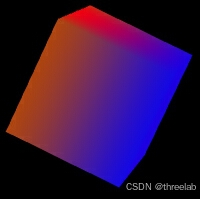
threejs开源代码之-旋转的彩色立方体
效果:旋转的彩色立方体 效果描述: 一个立方体在场景中旋转。立方体的每个面有不同的颜色。使用自定义着色器为立方体添加动态的光影效果。 代码实现 import * as THREE from three; import { OrbitControls } from three/examples/jsm/controls/OrbitC…...

visual studio 2008的试用版评估期已结束的解决办法
visual studio 2008试用期过了后,再次启动时提示:visual studio的试用版评估期已结束。 需要的工具:补丁文件PatchVS2008.exe 解决办法: 1.在“控制面板”-“添加删除程序”中选择visual studio 2008,点击“更改/卸载”…...

解锁 DeepSeek 模型高效部署密码:蓝耘平台深度剖析与实战应用
💖亲爱的朋友们,热烈欢迎来到 青云交的博客!能与诸位在此相逢,我倍感荣幸。在这飞速更迭的时代,我们都渴望一方心灵净土,而 我的博客 正是这样温暖的所在。这里为你呈上趣味与实用兼具的知识,也…...

Http和Socks的区别?
HTTP 和 SOCKS 的区别 HTTP 和 SOCKS 都是用于网络通信的协议,但它们在工作原理、应用场景和实现方式上有显著的区别。以下是详细的对比和说明。 一、HTTP 协议 1. 定义 HTTP(HyperText Transfer Protocol)是用于传输超文本数据的应用层协…...

VC播放mp3的方法
1、使用msi库 #include <mmsystem.h> #pragma comment(lib,"winmm.lib") .......//打开文件MCI_OPEN_PARMS mciOpen; mciOpen.lpstrDeviceType _T("mpegvideo"); mciOpen.lpstrElementName _T("c://1.mp3"); MCIERROR mciError mci…...

Docker 部署 verdaccio 搭建 npm 私服
一、镜像获取 # 获取 verdaccio 镜像 docker pull verdaccio/verdaccio 二、修改配置文件 cd /wwwroot/opt/docker/verdaccio/conf vim config.yaml config.yaml 配置文件如下,可以根据自己的需要进行修改 # # This is the default configuration file. It all…...
)
49-拓展(1)
49-拓展(1) 扩展概述 扩展可以为在当前 package 可见的类型(除函数、元组、接口)添加新功能。 当不能破坏被扩展类型的封装性,但希望添加额外的功能时,可以使用扩展。 可以添加的功能包括: …...

国产编辑器EverEdit - 在文件中查找和替换
1 在文件中查找和替换 1.1 应用场景 某些场景,用户需要在所有工程文件中进行查找和替换关键词,比如:查找工程中哪些文件使用了某个常量。 1.2 使用方法 选择主菜单查找 -> 在文件中查找和替换,或使用快捷键Ctrl Shift F&a…...

安全行业大模型SecLLM技术白皮书
在ChatGPT 呈现全球现象级热度时,通用大语言模型(Large Language Model, LLM)技术成为了推动创新和变革的关键驱动力。但由于安全行业的特殊性和复杂性,LLM 并不能满足其应用需求。安全行业大模型(Security Large Language Model,…...

基础入门-HTTP数据包红蓝队研判自定义构造请求方法请求头修改状态码判断
知识点: 1、请求头&返回包-方法&头修改&状态码等 2、数据包分析-红队攻击工具&蓝队流量研判 3、数据包构造-Reqable自定义添加修改请求 一、演示案例-请求头&返回包-方法&头修改&状态码等 数据包 客户端请求Request 请求方法 …...

2025年日祭
本文将同步发表于洛谷(暂无法访问)、CSDN 与 Github 个人博客(暂未发布) 本蒟自2025.2.8开始半停课。 任务计划(站外题与专题) 数了一下,通过人数比较高的题,也就是我准备补的题&a…...

git命令行删除远程分支、删除远程提交日志
目录 1、从本地通过命令行删除远程git分支2、删除已 commit 并 push 的记录 1、从本地通过命令行删除远程git分支 git push origin --delete feature/feature_xxx 删除远程分支 feature/feature_xxx 2、删除已 commit 并 push 的记录 git reset --hard 7b5d01xxxxxxxxxx 恢复到…...

centOS8安装MySQL8设置开机自动启动失败
提供一个终极解决方案虽然systemctl 更符合管理预期但是不能用 使用一下命令 修改配置文件、修改mysql.service全是问题 systemctl start mysqld systemctl enable mysqld systemctl daemon-reload完全不生效各种报错 提示配置文件内容有问题 Main process exited, codeexite…...

对接DeepSeek
其实,整个对接过程很简单,就四步,获取key,找到接口文档,接口测试,代码对接。 获取 KEY https://platform.deepseek.com/transactions 直接付款就是了(现在官网暂停充值2025年2月7日࿰…...

SpringSecurity高级用法
SpringSecurity的高级用法,包括自定义loginUrl携带参数,自定义认证校验逻辑,自定义权限校验逻辑。 示例项目 https://github.com/qihaiyan/springcamp/tree/master/spring-advanced-security 一、概述 在项目实际开发过程中,Spr…...

无机布防火卷帘门价格怎么算?按尺寸定制,按需报价
无机布防火卷帘门作为建筑防火分区的核心设备,价格一直是工程采购的关注重点。很多用户在询价时,会发现不同厂家的报价差异较大,这是因为无机布防火卷帘门的价格并非按统一单价计算,而是完全根据项目的实际需求定制化核算。 &…...
—东方仙盟)
酒店门锁V10SDK接口说明-幽冥大陆(一百23)—东方仙盟
相关文件系统环境C# :NET.20,NET3.5,NET4,NET4.5,NET 5.0C:VS2005,VS2012,VS2015操作系统:未来之窗VOSWEB:CHROME43核心代码完整代码using System; using System.Collections.Generic; using System.Text; using System.Collections.Specialized;using System.Windo…...

DeepSeek系统设计辅助效能断崖式下降的3个信号,第2个90%工程师至今未察觉!
更多请点击: https://kaifayun.com 第一章:DeepSeek系统设计辅助效能断崖式下降的3个信号,第2个90%工程师至今未察觉! 当 DeepSeek 的系统设计辅助能力突然变“笨”——接口建议频繁失准、上下文感知错乱、生成代码无法通过基础编…...

从入门到上岗,Java+AI 复合型人才养成攻略
当下编程行业格局正在悄然改变,纯 Java 后端岗位内卷日趋严重,薪资增长逐步放缓;纯粹的 AI 算法岗门槛居高不下,对学历、数理功底要求严苛,普通开发者很难入局。 而Java+AI 复合型开发顺势成为行业刚需岗位,既依托成熟的 Java 体系承接业务开发,又能融入人工智能技术实…...

SMUDebugTool终极指南:如何深度掌控AMD Ryzen处理器的隐藏性能
SMUDebugTool终极指南:如何深度掌控AMD Ryzen处理器的隐藏性能 【免费下载链接】SMUDebugTool A dedicated tool to help write/read various parameters of Ryzen-based systems, such as manual overclock, SMU, PCI, CPUID, MSR and Power Table. 项目地址: ht…...

Python UiAutomation实战:从网页数据抓取到桌面应用,一个库打通数据采集全链路
Python UiAutomation实战:打通数据采集全链路的智能解决方案 在数据驱动的商业环境中,企业常常面临跨平台数据采集的挑战——财务系统里的交易记录需要与网站后台的报表进行交叉分析,销售数据要从桌面软件导出后上传到云端处理系统。传统的人…...
:3类高危使用场景+2个监管红线预警)
Claude SWOT分析(内部风控文档流出版):3类高危使用场景+2个监管红线预警
更多请点击: https://intelliparadigm.com 第一章:Claude SWOT分析(内部风控文档流出版):3类高危使用场景2个监管红线预警 高危使用场景识别 在企业级AI应用中,Claude模型若未经严格风控适配,…...

脉冲神经网络加速器设计与边缘计算优化
1. 脉冲神经网络加速器的设计挑战与突破在边缘计算领域,脉冲神经网络(SNN)正以其独特的生物启发特性引发新一轮技术变革。与传统人工神经网络(ANN)相比,SNN通过离散的脉冲信号传递信息,模拟生物神经元的工作机制,理论上可实现超低…...
)
DeepSeek代码风格检查避坑指南(内部审计报告首次披露:37个被忽略的合规红线)
更多请点击: https://intelliparadigm.com 第一章:DeepSeek代码风格检查的合规性本质与审计背景 DeepSeek代码风格检查并非单纯的技术偏好约束,而是嵌入研发治理链条中的合规性控制节点。其本质是将编程实践与组织级安全策略、行业监管要求&…...

在数据预处理与分析流水线中集成大模型API进行智能标注与摘要
🚀 告别海外账号与网络限制!稳定直连全球优质大模型,限时半价接入中。 👉 点击领取海量免费额度 在数据预处理与分析流水线中集成大模型API进行智能标注与摘要 对于数据工程师而言,处理海量非结构化文本数据是一项常见…...