
Spring中的@Value注解详解
Spring中的@Value注解详解
概述
本文配置文件为yml文件
在使用spring框架的项目中,@Value是经常使用的注解之一。其功能是将与配置文件中的键对应的值分配给其带注解的属性。在日常使用中,我们常用的功能相对简单。本文使您系统地了解@Value的用法。
@Value 注解可以用来将外部的值动态注入到 Bean 中,在 @Value 注解中,可以使${} 与 #{} ,它们的区别如下:
(1)@Value(“${}”):可以获取对应属性文件中定义的属性值。
(2)@Value(“#{}”):表示 SpEl 表达式通常用来获取 bean 的属性,或者调用 bean 的某个方法。
使用方式
根据注入的内容来源,@ Value属性注入功能可以分为两种:通过配置文件进行属性注入和通过非配置文件进行属性注入。
非配置文件注入的类型如下:
- 注入普通字符串
- 注入操作系统属性
- 注入表达式结果
- 注入其他bean属性
- 注入URL资源
基于配置文件的注入
首先,让我们看一下配置文件中的数据注入,无论它是默认加载的application.yml还是自定义my.yml文档(需要@PropertySource额外加载)。
application.yml文件配置,获得里面配置的端口号
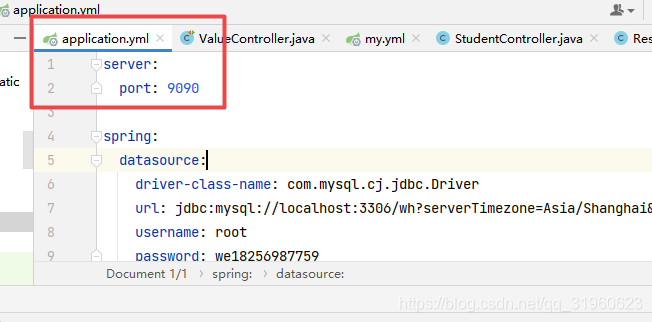
程序源代码
package cn.wideth.controller;import cn.wideth.PdaAndIpadApplication;
import org.junit.Test;
import org.junit.runner.RunWith;
import org.springframework.beans.factory.annotation.Value;
import org.springframework.boot.test.context.SpringBootTest;
import org.springframework.test.context.ContextConfiguration;
import org.springframework.test.context.junit4.SpringRunner;@RunWith(SpringRunner.class)
@SpringBootTest()
@ContextConfiguration(classes = PdaAndIpadApplication.class)
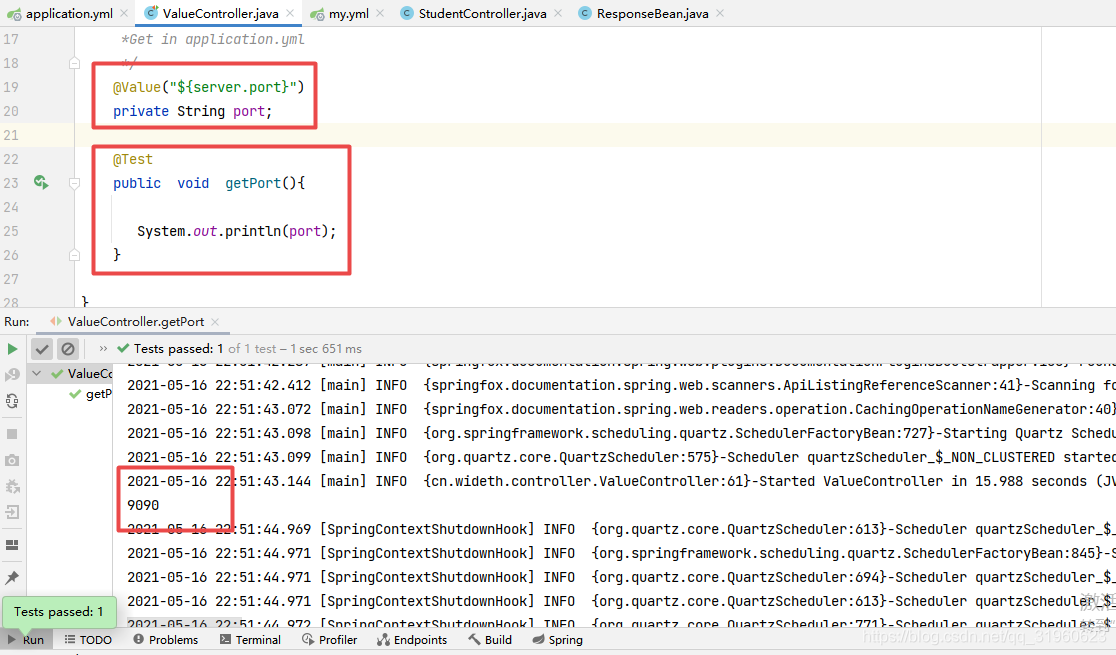
public class ValueController {/***Get in application.yml*/@Value("${server.port}")private String port;@Testpublic  void  getPort(){System.out.println(port);}
}
程序结果
自定义yml文件,application-config.yml文件配置,获得里面配置的用户密码值
注意,如果想导入自定义的yml配置文件,应该首先把自定义文件在application.yml文件中进行注册,自定义的yml文件要以application开头,形式为application-fileName
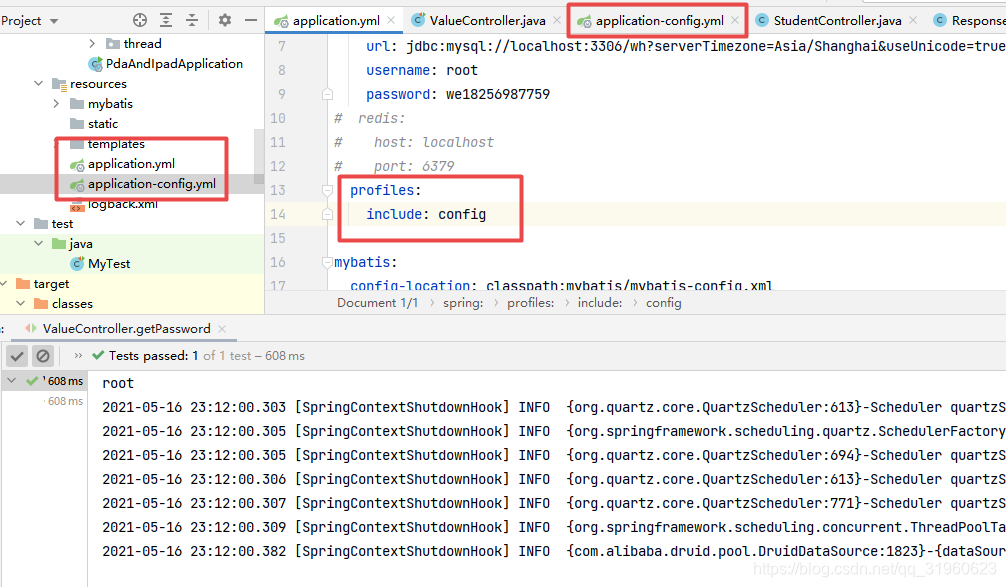
配置信息
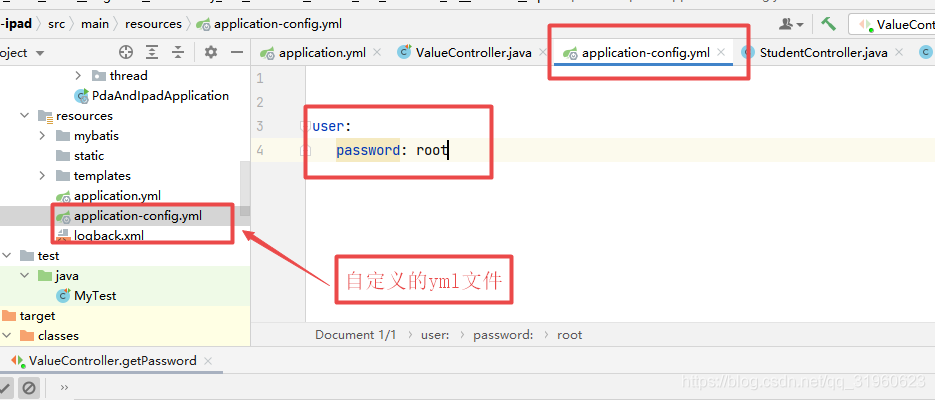
测试程序
package cn.wideth.controller;import cn.wideth.PdaAndIpadApplication;
import org.junit.Test;
import org.junit.runner.RunWith;
import org.springframework.beans.factory.annotation.Value;
import org.springframework.boot.test.context.SpringBootTest;
import org.springframework.test.context.ContextConfiguration;
import org.springframework.test.context.junit4.SpringRunner;@RunWith(SpringRunner.class)
@SpringBootTest()
@ContextConfiguration(classes = PdaAndIpadApplication.class)
public class ValueController {/***Get in application-config.yml*/@Value("${user.password}")private String password;@Testpublic  void  getPassword(){System.out.println(password);}
}
程序结果

基于配置文件一次注入多个值
配置信息
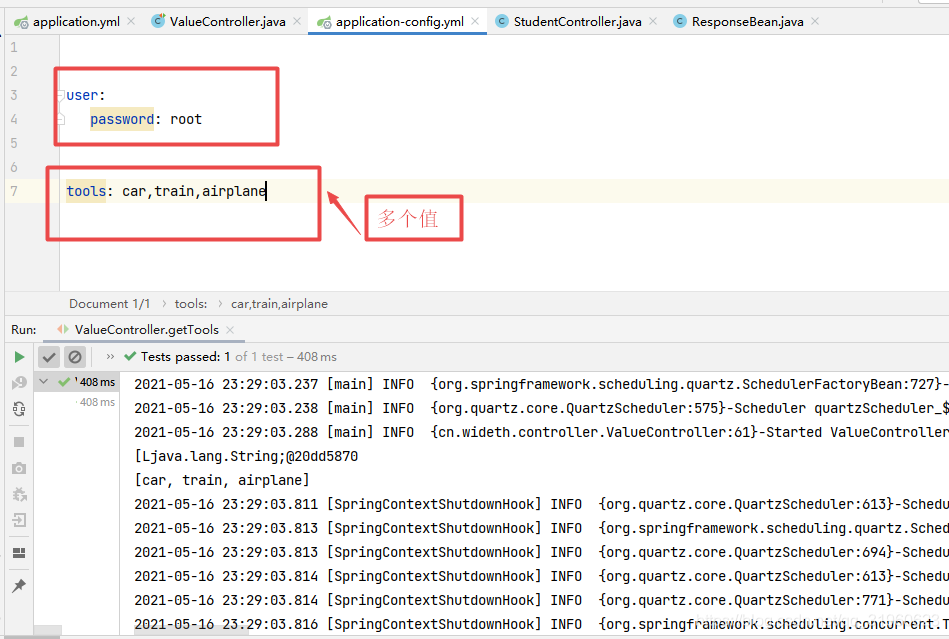
测试程序
package cn.wideth.controller;import cn.wideth.PdaAndIpadApplication;
import org.junit.Test;
import org.junit.runner.RunWith;
import org.springframework.beans.factory.annotation.Value;
import org.springframework.boot.test.context.SpringBootTest;
import org.springframework.test.context.ContextConfiguration;
import org.springframework.test.context.junit4.SpringRunner;import java.util.List;@RunWith(SpringRunner.class)
@SpringBootTest()
@ContextConfiguration(classes = PdaAndIpadApplication.class)
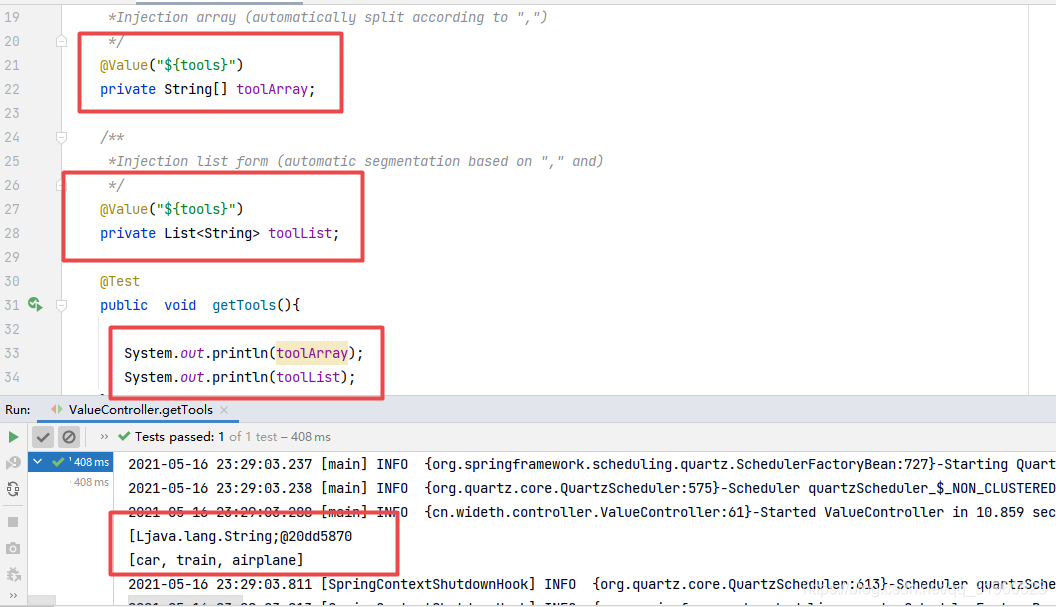
public class ValueController {/***Injection array (automatically split according to ",")*/@Value("${tools}")private String[] toolArray;/***Injection list form (automatic segmentation based on "," and)*/@Value("${tools}")private List<String> toolList;@Testpublic  void  getTools(){System.out.println(toolArray);System.out.println(toolList);}
}
程序结果
基于非配置文件的注入
在使用示例说明基于非配置文件注入属性的实例之前,让我们看一下SpEl。
Spring Expression Language是Spring表达式语言,可以在运行时查询和操作数据。使用#{…}作为操作符号,大括号中的所有字符均视为SpEl。
让我们看一下特定实例场景的应用:
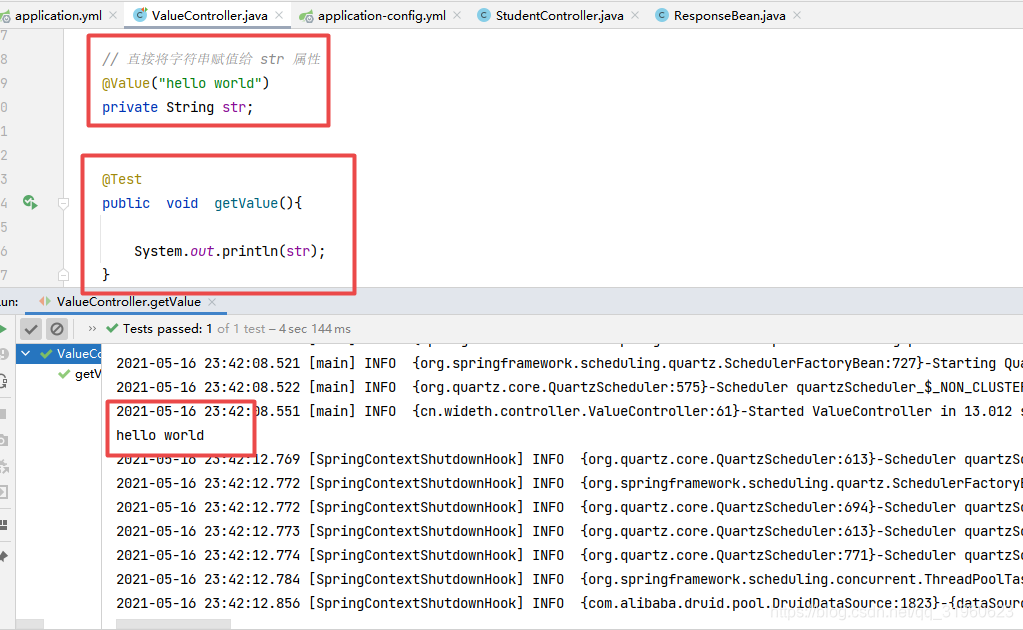
注入普通字符串
测试程序
package cn.wideth.controller;import cn.wideth.PdaAndIpadApplication;
import org.junit.Test;
import org.junit.runner.RunWith;
import org.springframework.beans.factory.annotation.Value;
import org.springframework.boot.test.context.SpringBootTest;
import org.springframework.test.context.ContextConfiguration;
import org.springframework.test.context.junit4.SpringRunner;import java.util.List;@RunWith(SpringRunner.class)
@SpringBootTest()
@ContextConfiguration(classes = PdaAndIpadApplication.class)
public class ValueController {// 直接将字符串赋值给 str 属性@Value("hello world")private String str;@Testpublic  void  getValue(){System.out.println(str);}
}
程序结果
注入操作系统属性
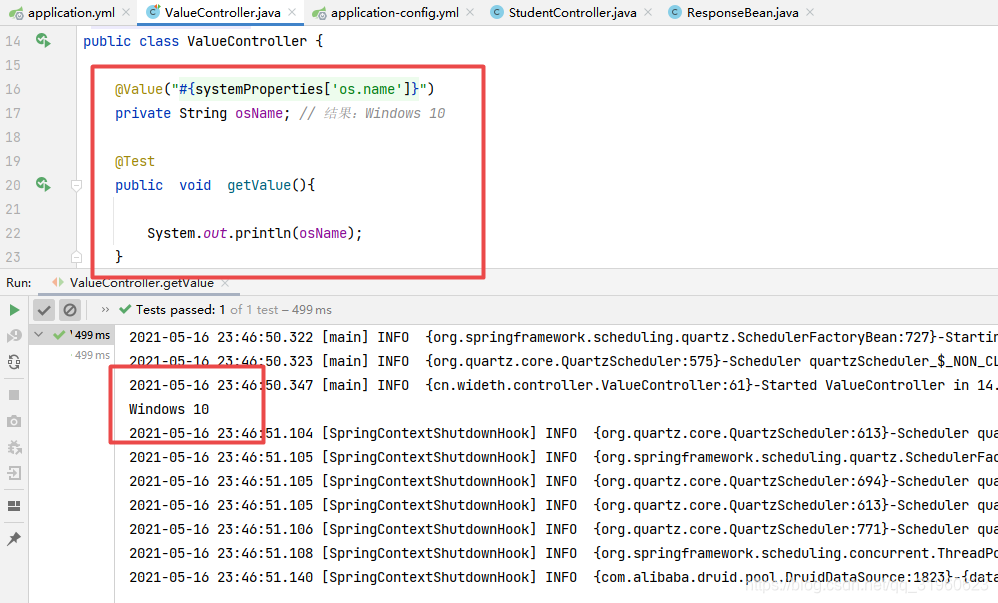
可以利用 @Value 注入操作系统属性。
测试程序
package cn.wideth.controller;import cn.wideth.PdaAndIpadApplication;
import org.junit.Test;
import org.junit.runner.RunWith;
import org.springframework.beans.factory.annotation.Value;
import org.springframework.boot.test.context.SpringBootTest;
import org.springframework.test.context.ContextConfiguration;
import org.springframework.test.context.junit4.SpringRunner;@RunWith(SpringRunner.class)
@SpringBootTest()
@ContextConfiguration(classes = PdaAndIpadApplication.class)
public class ValueController {@Value("#{systemProperties['os.name']}")private String osName; // 结果:Windows 10@Testpublic  void  getValue(){System.out.println(osName);}
}
程序结果
注入表达式结果
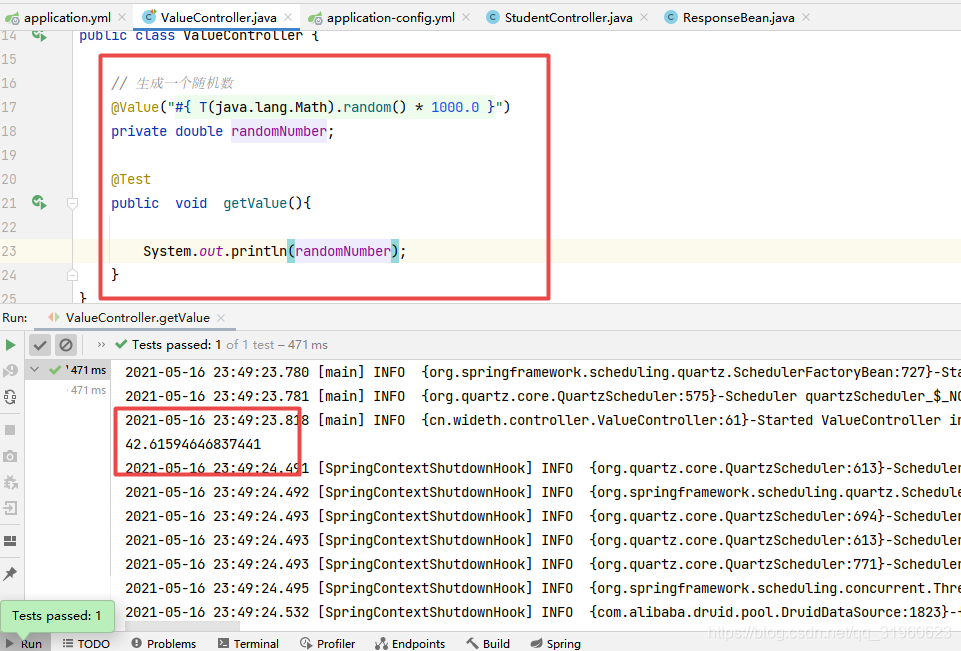
在 @Value 中,允许我们使用表达式,然后自动计算表达式的结果。将结果复制给指定的变量。如下
测试程序
package cn.wideth.controller;import cn.wideth.PdaAndIpadApplication;
import org.junit.Test;
import org.junit.runner.RunWith;
import org.springframework.beans.factory.annotation.Value;
import org.springframework.boot.test.context.SpringBootTest;
import org.springframework.test.context.ContextConfiguration;
import org.springframework.test.context.junit4.SpringRunner;@RunWith(SpringRunner.class)
@SpringBootTest()
@ContextConfiguration(classes = PdaAndIpadApplication.class)
public class ValueController {// 生成一个随机数@Value("#{ T(java.lang.Math).random() * 1000.0 }")private double randomNumber;@Testpublic  void  getValue(){System.out.println(randomNumber);}
}
程序结果
注入其他bean属性
其他Bean
package cn.wideth.controller;import org.springframework.beans.factory.annotation.Value;
import org.springframework.stereotype.Component;//其他bean,自定义名称为 myBeans
@Component("myBeans")
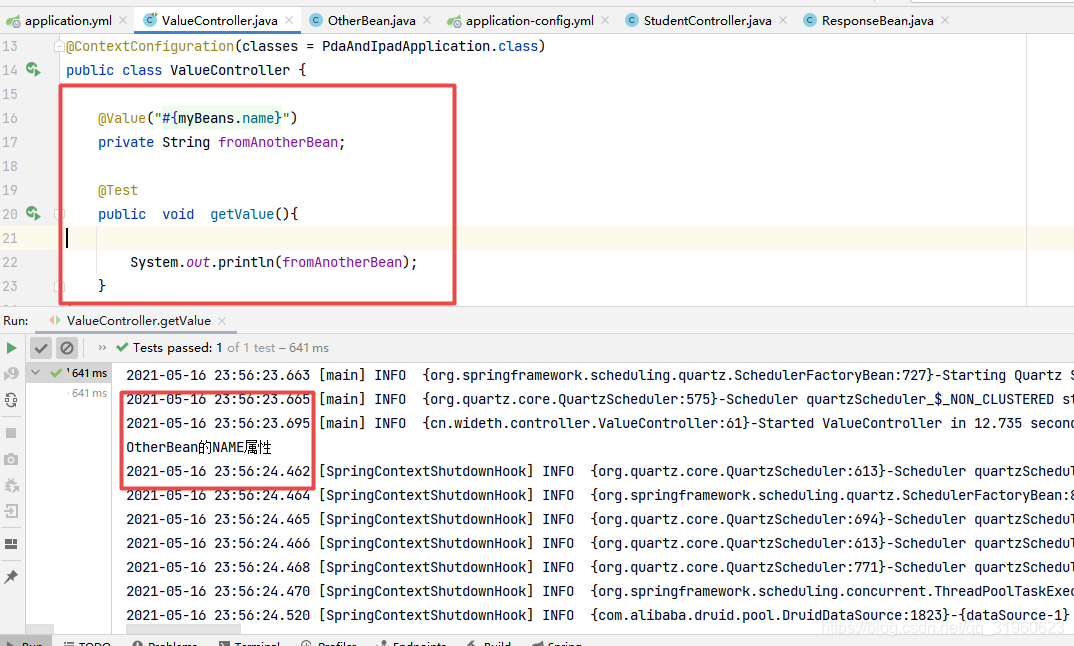
public class OtherBean {@Value("OtherBean的NAME属性")private String name;public String getName() {return name;}public void setName(String name) {this.name = name;}
}
测试程序
package cn.wideth.controller;import cn.wideth.PdaAndIpadApplication;
import org.junit.Test;
import org.junit.runner.RunWith;
import org.springframework.beans.factory.annotation.Value;
import org.springframework.boot.test.context.SpringBootTest;
import org.springframework.test.context.ContextConfiguration;
import org.springframework.test.context.junit4.SpringRunner;@RunWith(SpringRunner.class)
@SpringBootTest()
@ContextConfiguration(classes = PdaAndIpadApplication.class)
public class ValueController {@Value("#{myBeans.name}")private String fromAnotherBean;@Testpublic  void  getValue(){System.out.println(fromAnotherBean);}
}
程序结果
注入URL资源
测试程序
package cn.wideth.controller;import cn.wideth.PdaAndIpadApplication;
import org.junit.Test;
import org.junit.runner.RunWith;
import org.springframework.beans.factory.annotation.Value;
import org.springframework.boot.test.context.SpringBootTest;
import org.springframework.test.context.ContextConfiguration;
import org.springframework.test.context.junit4.SpringRunner;
import java.net.URL;@RunWith(SpringRunner.class)
@SpringBootTest()
@ContextConfiguration(classes = PdaAndIpadApplication.class)
public class ValueController {/***注入 URL 资源*/@Value("https://www.baidu.com/")private URL homePage;@Testpublic  void  getValue(){System.out.println(homePage);}
}
程序结果

相关文章:
Spring中的@Value注解详解
Spring中的Value注解详解 概述 本文配置文件为yml文件 在使用spring框架的项目中,Value是经常使用的注解之一。其功能是将与配置文件中的键对应的值分配给其带注解的属性。在日常使用中,我们常用的功能相对简单。本文使您系统地了解Value的用法。 Value…...
YSL赢麻了?SMI社媒心智品牌榜Top20公布:YSL破局夺魁,国货品牌现后起之秀
全文速览 1.数说故事联合用户说从美妆、彩妆、护肤三板块全新发布《SMI社媒心智品牌榜》。 2.圣罗兰、兰蔻、欧莱雅等法国高端美妆大牌垄断美妆《SMI社媒心智品牌榜》前三甲。 3.彩妆Top20榜单中,底妆产品稳居前列,色彩美妆占据一席之地。 4.护肤TOP…...
链式哈希,一致性哈希,倒排表
在普通的查询中,通过关键码的比较进行查找,而哈希是根据关键码直接定位到数据项 哈希冲突:同一个关键码经过哈希函数后指向同一个记录集 链式哈希 using namespace std; #define M 13 typedef int KeyType; //typedef struct //{ // KeyTyp…...

Python操作XML教程:读取、写入、修改和保存XML文档
目录 导入所需模块解析XML文档获取元素遍历XML文档写入新的元素修改元素的内容和属性删除元素保存修改后的XML文档示例演示python操作xml的常用方法 XML是一种常见的数据交换格式,在许多应用中都被广泛使用。通过掌握Python操作XML的基础知识,您将能够轻…...

Oracle数据库中了locked1勒索病毒,用友nchome配置文件损坏该如何解除
随着互联网技术的不断发展,网络安全问题也越来越受到人们的关注。其中,勒索病毒是一种比较常见的网络安全威胁。最近很多集团企业在使用Oracle数据库的过程中,遭遇到了locked1勒索病毒的攻击,导致企业的用友nchome配置文件损坏&am…...

leecode 数据库: 602. 好友申请 II :谁有最多的好友
数据导入: Create table If Not Exists RequestAccepted (requester_id int not null, accepter_id int null, accept_date date null); Truncate table RequestAccepted; insert into RequestAccepted (requester_id, accepter_id, accept_date) values (1, 2, 20…...

基于 Prometheus 的 SLO告警实战
Prometheus是一个流行的开源监控系统,它可以帮助我们收集、存储和查询应用程序或系统的时间序列数据。在使用Prometheus进行监控时,通常需要根据服务水平指标(Service Level Objectives,简称SLO)来设置告警规则。 SLO…...

调用百度API实现图像风格转换
目录 1、作者介绍2、基本概念2.1 人工智能云服务与百度智能云2.2 图像风格转换 3、调用百度API实现图像风格转换3.1 配置百度智能云平台3.2 环境配置3.3 完整代码实现3.4 效果展示3.5 问题与分析 1、作者介绍 张元帮,男,西安工程大学电子信息学院&#…...
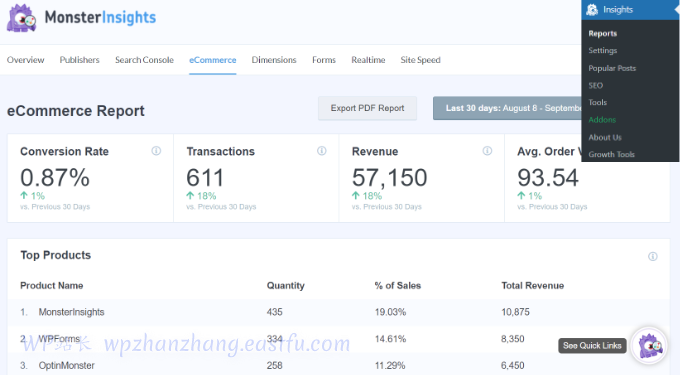
5个最好的WooCommerce商城自动化动作来增加销售量
您是否正在寻找简单智能的方法来自动执行任务并增加 WooCommerce 商店的销售额? 通过在线商店中的自动化任务,您可以在发展业务和增加销售额的同时节省时间和金钱。 在本文中,我们将向您展示如何使用 WooCommerce商城自动化来增加销售额。 …...

打开数据结构大门——实现小小顺序表
文章目录 前言顺序表的概念及分类搭建项目(Seqlist):apple:搭建一个顺序表结构&&定义所需头文件&&函数:banana:初始化:pear:打印:watermelon:数据个数:smile:检查容量:fireworks:判空:tea:在尾部插入数据:tomato:在尾部删除数据:lemon:在…...
一.RxJava
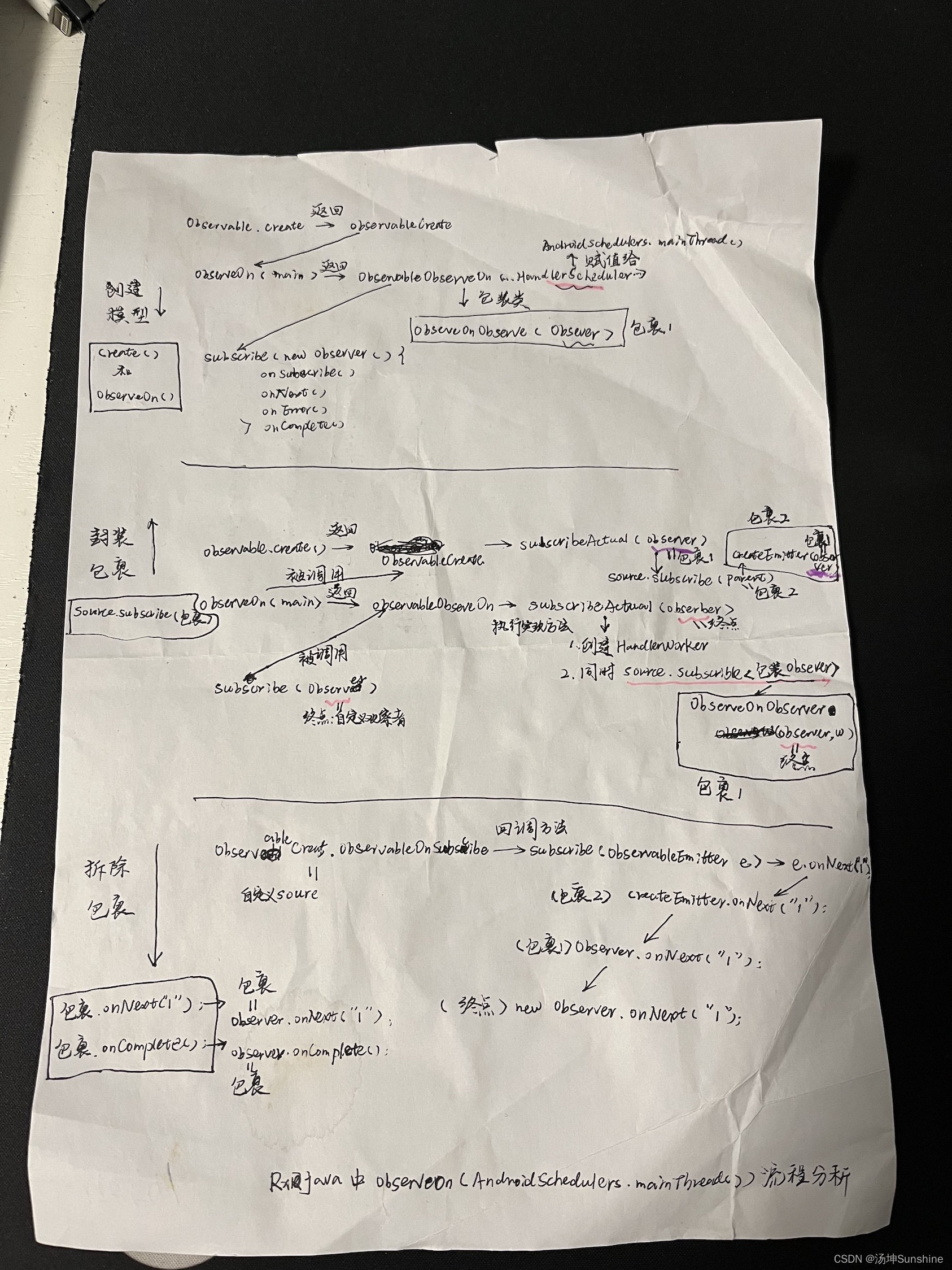
1.RxJava使用场景 RxJava核心思想 Rx思维:响应式编程,从起点到终点,中途不能断掉,并且可以在中途添加拦截. 生活中的例子: 起点(分发事件,我饿了)->下楼->去餐厅->点餐->终点(吃饭,消费事件) 程序中的例子: 起点(分发事件,点击登录)->登录API->请求服务器-…...
如何使用 VSCode 软件运行C代码
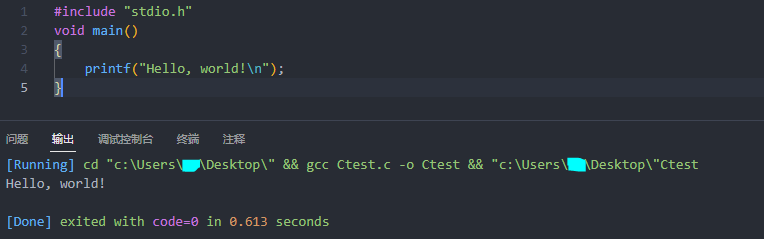
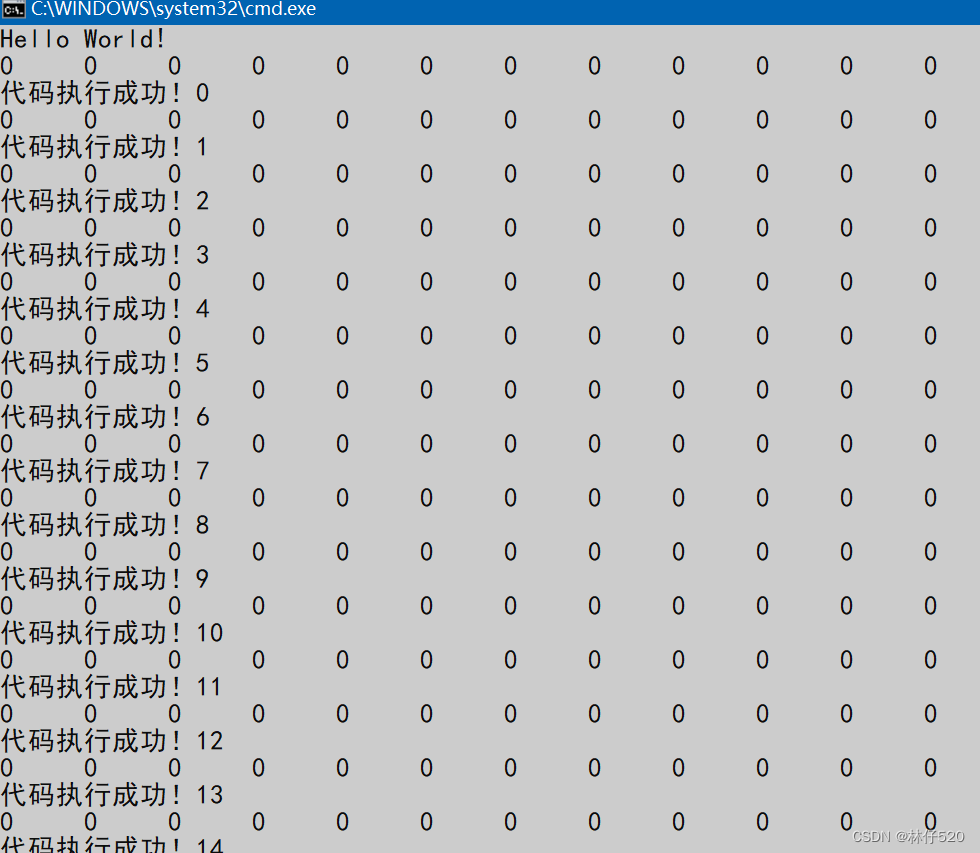
VSCode 的下载和扩展的配置可以参考文章:VSCode 的安装与插件配置。 VSCode 是很好用的编辑器,通过给其配置 MinGW-w64 插件就可以在它上面编译运行C代码了。 在没有配置 MinGW-w64 插件时,在 VSCode 中运行下面的代码后打印如下图所示。 这…...
C# 调用Matlab打包的 DLL文件(傻瓜式操作)
1、准备Matlab代码 2. 打包 在matlab命令行窗口输入deploytool,打开MATLAB Complier,选择Library Compiler 在TYPE中选择.NET Assembly;在EXPORTED FUNCTIONS中选择要打包的文件;可以选择为自己打包的文件自定义NameSpace名称,本例中将NameSpace定义为…...
微信小程序学习实录3(环境部署、百度地图微信小程序、单击更换图标、弹窗信息、导航、支持腾讯百度高德地图调起)
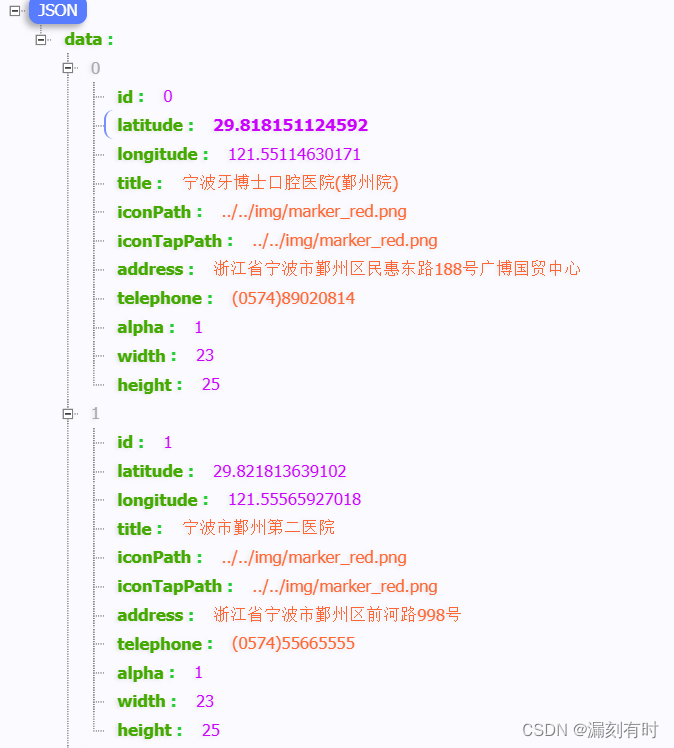
百度地图微信小程序 一、环境部署1.need to be declared in the requiredPrivateInfos2.api.map.baidu.com 不在以下 request 合法域名3.width and heigth of marker id 9 are required 二、核心代码(一)逻辑层index.js(二)渲染层…...
【面试题】中高级前端工程师都需要熟悉的技能--前端缓存
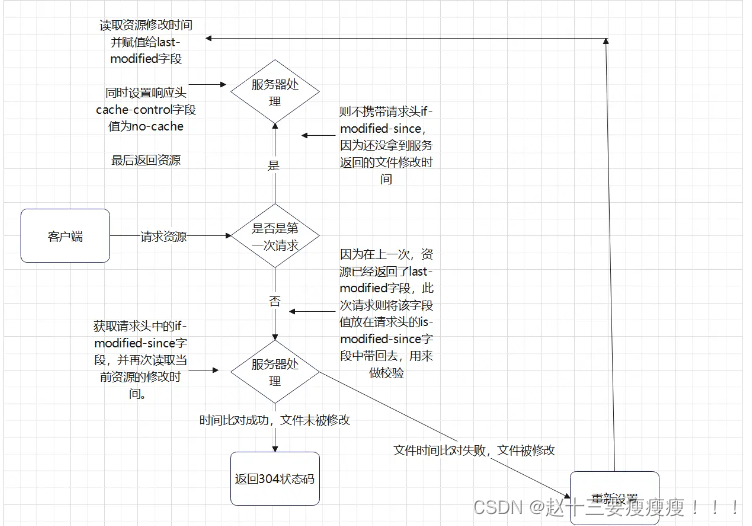
前端缓存 一、前言二、web缓存分类1. HTTP缓存:2. 浏览器缓存:3. Service Worker:4. Web Storage缓存:5. 内存缓存: 三、http缓存详解1、http缓存类型a. 基于有效时间的缓存控制:b. 基于资源标识的缓存&…...

小红书数据分析:首播卖6亿,小红书直播开启新纪元!
5月22日,章小蕙在小红书开启了第一场带货直播。继董洁之后,小红书又迎来一位超级带货KOL。 据千瓜数据显示,相关话题#章小蕙小红书直播#上线不到30天,话题浏览量就高达2814.89万,笔记互动量达22.24万。 图 | 千瓜数据…...
Weex中,关于组件的水平排列竖直排列居中对齐居左对齐居右对齐低部对齐顶部对齐布局对齐说明
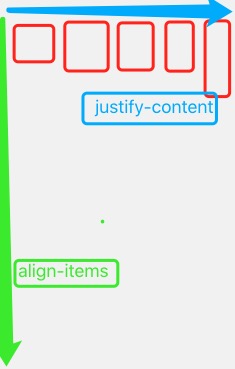
容器内子组件排列方向 子组件竖直方向排列(默认) 子组件水平方向排列 <style> .container {flex-direction: row;direction: ltr; } </style>子组件在父组件容器中的对齐方式 我们主要使用两个属性实现子组件在父组件的对齐方式ÿ…...
服务(第二十八篇)rsync
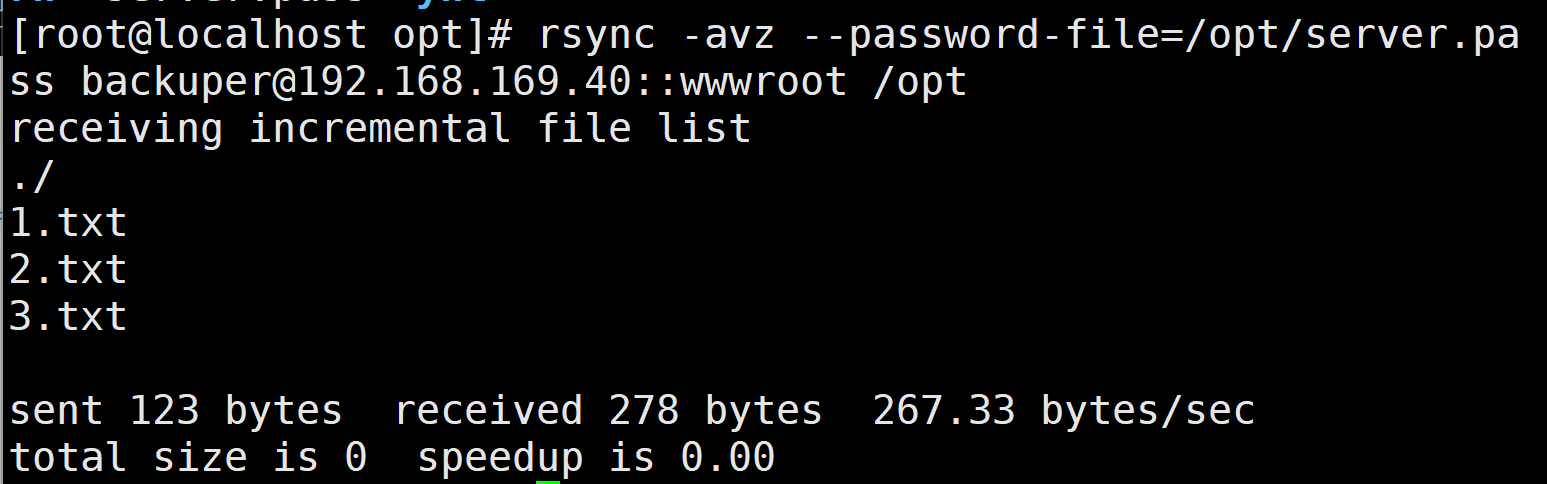
配置rsync源服务器: #建立/etc/rsyncd.conf 配置文件 vim /etc/rsyncd.conf #添加以下配置项 uid root gid root use chroot yes #禁锢在源目录 address 192.168.80.10 …...
)
Vue 3 第二十五章:插件(Plugins)
文章目录 1. 创建插件2. 使用插件3. 插件选项 Vue 3 的插件系统允许我们扩展 Vue 的功能和行为,并且可以在多个组件之间共享代码和逻辑。插件可以用于添加全局组件、指令、混入、过滤器等,并且可以在应用程序启动时自动安装。 1. 创建插件 创建插件需要…...
 : installd)
Android 系统内的守护进程 - main类服务(3) : installd
声明 只要是操作系统,不用说的就是其中肯定会运行着一些很多守护进程(daemon)来完成很多杂乱的工作。通过系统中的init.rc文件也可以看出来,其中每个service中就包含着系统后台服务进程。而这些服务被分为:core类服务(adbd/servicemanager/healthd/lmkd/logd/vold)和mai…...

Win11Debloat:Windows系统终极清理与优化完全指南
Win11Debloat:Windows系统终极清理与优化完全指南 【免费下载链接】Win11Debloat A simple, lightweight PowerShell script that allows you to remove pre-installed apps, disable telemetry, as well as perform various other changes to declutter and custom…...

<项目代码>yolo缆绳识别<目标检测>
项目代码下载链接 YOLOv8是一种单阶段(one-stage)检测算法,它将目标检测问题转化为一个回归问题,能够在一次前向传播过程中同时完成目标的分类和定位任务。相较于两阶段检测算法(如Faster R-CNN)࿰…...
)
客制化键盘党必看:在Ubuntu 22.04上让F1-F12键失灵的HS75T/珂芝K75恢复正常(附一键脚本)
客制化键盘在Ubuntu下的F键修复指南:从原理到一键解决方案作为一名长期使用客制化机械键盘的Linux开发者,我深知那种当F5调试键突然失灵时的崩溃感。特别是当你刚入手一款颜值与手感俱佳的HS75T或珂芝K75,却发现在Ubuntu下连接蓝牙或2.4G接收…...

工作总“救火”还费力不讨好?《易经》这一卦告诉你:别瞎忙
你有没有遇到过这样的同事或领导?哪里出问题,他就冲向哪里,整天忙得脚不沾地,可最后不但没解决问题,反而把局面弄得更糟,自己也落得个“吃力不讨好”。或者,你自己就是那个“救火队员”。项目出…...

QModMaster:5分钟解决工业通信调试难题的开源ModBus工具
QModMaster:5分钟解决工业通信调试难题的开源ModBus工具 【免费下载链接】qModbusMaster Fork of QModMaster (https://sourceforge.net/p/qmodmaster/code/ci/default/tree/) 项目地址: https://gitcode.com/gh_mirrors/qm/qModbusMaster 还在为复杂的工业设…...

构建高性能医疗对话数据引擎:792,099条中文医疗问答数据集的技术架构与应用
构建高性能医疗对话数据引擎:792,099条中文医疗问答数据集的技术架构与应用 【免费下载链接】Chinese-medical-dialogue-data Chinese medical dialogue data 中文医疗对话数据集 项目地址: https://gitcode.com/gh_mirrors/ch/Chinese-medical-dialogue-data …...

Windows 11/10下,Microsoft Store打不开?手把手教你用CheckNetIsolation命令批量解除UWP网络隔离
Windows 11/10下Microsoft Store无法连接的终极解决方案:CheckNetIsolation命令详解当你在Windows 11或10上突然发现Microsoft Store无法加载内容,或者Edge浏览器部分网页打不开,而其他网络连接却正常时,这很可能是因为UWP应用的网…...

图像做 DCT:揭秘那个让像素“开口说话“的数学魔法
一、一个让我"开窍"的乐谱解读故事 我有一个学钢琴的表妹,从小就有一种让我惊叹的能力——她听任何一段陌生的旋律,都能立刻在钢琴上准确弹出来。我一直觉得她有"绝对音感"这种天赋。有一次我好奇地问她:“你怎么做到的&…...

runc符号链接挂载漏洞导致容器逃逸的原理与实战防护
1. 这个漏洞不是“理论风险”,而是真实可触发的容器逃逸链你有没有遇到过这样的情况:在调试一个容器化服务时,临时用ln -s /host/path /container/mount建了个符号链接,本意只是方便日志查看或配置共享,结果几分钟后发…...

Sketch MeaXure:5分钟掌握设计标注终极解决方案
Sketch MeaXure:5分钟掌握设计标注终极解决方案 【免费下载链接】sketch-meaxure 项目地址: https://gitcode.com/gh_mirrors/sk/sketch-meaxure 你是否还在为设计稿标注而烦恼?Sketch MeaXure正是为你量身打造的现代化设计标注神器!…...