
HTTP实现心跳模块
HTTP实现心跳模块
使用轻量级的c++HTTP库cpp-httplib重现实现HTTP心跳模块
头文件HttplibHeartbeat.h
#ifndef HTTPLIB_HEARTBEAT_H
#define HTTPLIB_HEARTBEAT_H#include <string>
#include <thread>
#include <atomic>
#include <chrono>
#include <functional>
#include <memory>
#include "httplib.h"
#include "json.hpp"、using json = nlohmann::json;class HttplibHeartbeat {
public:using ResponseCallback = std::function<void(const std::string& response, bool success)>;/*** @brief 构造函数* @param host 服务器主机名或IP* @param port 服务器端口* @param endpoint 心跳端点路径* @param interval 心跳间隔(秒)*/HttplibHeartbeat(const std::string& host, int port, const std::string& endpoint, unsigned int interval);/** * @param heartbeat_data 心跳数据(将转换为JSON)*/HttplibHeartbeat(const std::string& host, int port, const std::string& endpoint, unsigned int interval,const std::map<std::string, std::string>& heartbeat_data);~HttplibHeartbeat();void start(ResponseCallback callback);void stop();void setInterval(unsigned int interval);bool isRunning() const;void updateHeartbeatData(const std::map<std::string, std::string>& new_data);private:void heartbeatLoop();json createHeartbeatJson() const;std::string m_host;int m_port;std::string m_endpoint;unsigned int m_interval;std::atomic<bool> m_running;std::thread m_thread;ResponseCallback m_callback;std::unique_ptr<httplib::Client> m_client;std::map<std::string, std::string> m_heartbeat_data;
};#endif // HTTPLIB_HEARTBEAT_H
cpp源文件 HttplibHeartbeat.cpp
#include "HttplibHeartbeat.h"
#include <iostream>HttplibHeartbeat::HttplibHeartbeat(const std::string& host, int port, const std::string& endpoint, unsigned int interval): m_host(host), m_port(port), m_endpoint(endpoint), m_interval(interval), m_running(false) {m_client = std::make_unique<httplib::Client>(host, port);// 设置超时时间m_client->set_connection_timeout(3); // 3秒连接超时m_client->set_read_timeout(5);       // 5秒读取超时
}HttplibHeartbeat::HttplibHeartbeat(const std::string& host, int port, const std::string& endpoint, unsigned int interval,const std::map<std::string, std::string>& heartbeat_data): m_host(host), m_port(port), m_endpoint(endpoint), m_interval(interval), m_running(false),m_heartbeat_data(heartbeat_data) {m_client = std::make_unique<httplib::Client>(host, port);m_client->set_connection_timeout(3);m_client->set_read_timeout(5);
}HttplibHeartbeat::~HttplibHeartbeat() {stop();
}void HttplibHeartbeat::start(ResponseCallback callback) {if (m_running) {return;}m_callback = callback;m_running = true;m_thread = std::thread(&HttplibHeartbeat::heartbeatLoop, this);
}void HttplibHeartbeat::stop() {if (!m_running) {return;}m_running = false;if (m_thread.joinable()) {m_thread.join();}
}void HttplibHeartbeat::setInterval(unsigned int interval) {m_interval = interval;
}bool HttplibHeartbeat::isRunning() const {return m_running;
}void HttplibHeartbeat::updateHeartbeatData(const std::map<std::string, std::string>& new_data) {m_heartbeat_data = new_data;
}void HttplibHeartbeat::heartbeatLoop() {while (m_running) {std::string response;bool success = false;if (auto res = m_client->Get(m_endpoint.c_str())) {if (res->status == 200) {response = res->body;success = true;} else {response = "HTTP status: " + std::to_string(res->status);}} else {response = "Error: " + httplib::to_string(res.error());}if (m_callback) {m_callback(response, success);}// 等待下一次心跳for (unsigned int i = 0; i < m_interval && m_running; ++i) {std::this_thread::sleep_for(std::chrono::seconds(1));}}
}
/*
void HttplibHeartbeat::heartbeatLoop() {while (m_running) {json response_json;bool success = false;// 创建心跳JSON数据json request_json = createHeartbeatJson();std::string request_body = request_json.dump();// 设置JSON内容类型头httplib::Headers headers = {{"Content-Type", "application/json"}};if (auto res = m_client->Post(m_endpoint.c_str(), headers, request_body, "application/json")) {if (res->status == 200) {try {response_json = json::parse(res->body);success = true;} catch (const json::parse_error& e) {response_json = {{"error", "Failed to parse server response"},{"details", e.what()},{"raw_response", res->body}};}} else {response_json = {{"error", "HTTP request failed"},{"status", res->status},{"body", res->body}};}} else {response_json = {{"error", "Network error"},{"details", httplib::to_string(res.error())}};}if (m_callback) {m_callback(response_json, success);}// 等待下一次心跳for (unsigned int i = 0; i < m_interval && m_running; ++i) {std::this_thread::sleep_for(std::chrono::seconds(1));}}
}
*/
json HttplibHeartbeat::createHeartbeatJson() const {json j;j["type"] = "heartbeat";j["timestamp"] = std::chrono::duration_cast<std::chrono::milliseconds>(std::chrono::system_clock::now().time_since_epoch()).count();// 添加自定义心跳数据for (const auto& [key, value] : m_heartbeat_data) {j[key] = value;}return j;
}
使用实例
#include "HttplibHeartbeat.h"
#include <iostream>int main() {// 创建心跳对象,连接localhost:8080,每5秒发送一次心跳HttplibHeartbeat heartbeat("localhost", 8080, "/api/heartbeat", 5);// 定义回调函数auto callback = [](const std::string& response, bool success) {if (success) {std::cout << "[Heartbeat] Success: " << response << std::endl;} else {std::cerr << "[Heartbeat] Failed: " << response << std::endl;}};/*  // 准备心跳数据std::map<std::string, std::string> heartbeat_data = {{"device_id", "12345"},{"version", "1.0.0"},{"status", "active"}};// 创建JSON心跳对象HttplibHeartbeat heartbeat("localhost", 8080, "/api/heartbeat", 10, heartbeat_data);// 定义回调函数auto callback = [](const json& response, bool success) {if (success) {std::cout << "[Heartbeat] Success. Server response:" << std::endl;std::cout << response.dump(4) << std::endl; // 漂亮打印JSON// 可以解析特定字段if (response.contains("next_check_interval")) {std::cout << "Next check in: " << response["next_check_interval"] << "s" << std::endl;}} else {std::cerr << "[Heartbeat] Failed. Error response:" << std::endl;std::cerr << response.dump(4) << std::endl;}};*/// 启动心跳heartbeat.start(callback);std::cout << "Heartbeat started. Press Enter to stop..." << std::endl;std::cin.get();// 停止心跳heartbeat.stop();return 0;
}
编译说明
- 下载 cpp-httplib 头文件
- 将
httplib.h放在项目目录中 - 编译命令示例:
g++ -std=c++11 HttplibHeartbeat.cpp main.cpp -lpthread -o heartbeat
相关文章:

HTTP实现心跳模块
HTTP实现心跳模块 使用轻量级的cHTTP库cpp-httplib重现实现HTTP心跳模块 头文件HttplibHeartbeat.h #ifndef HTTPLIB_HEARTBEAT_H #define HTTPLIB_HEARTBEAT_H#include <string> #include <thread> #include <atomic> #include <chrono> #include …...
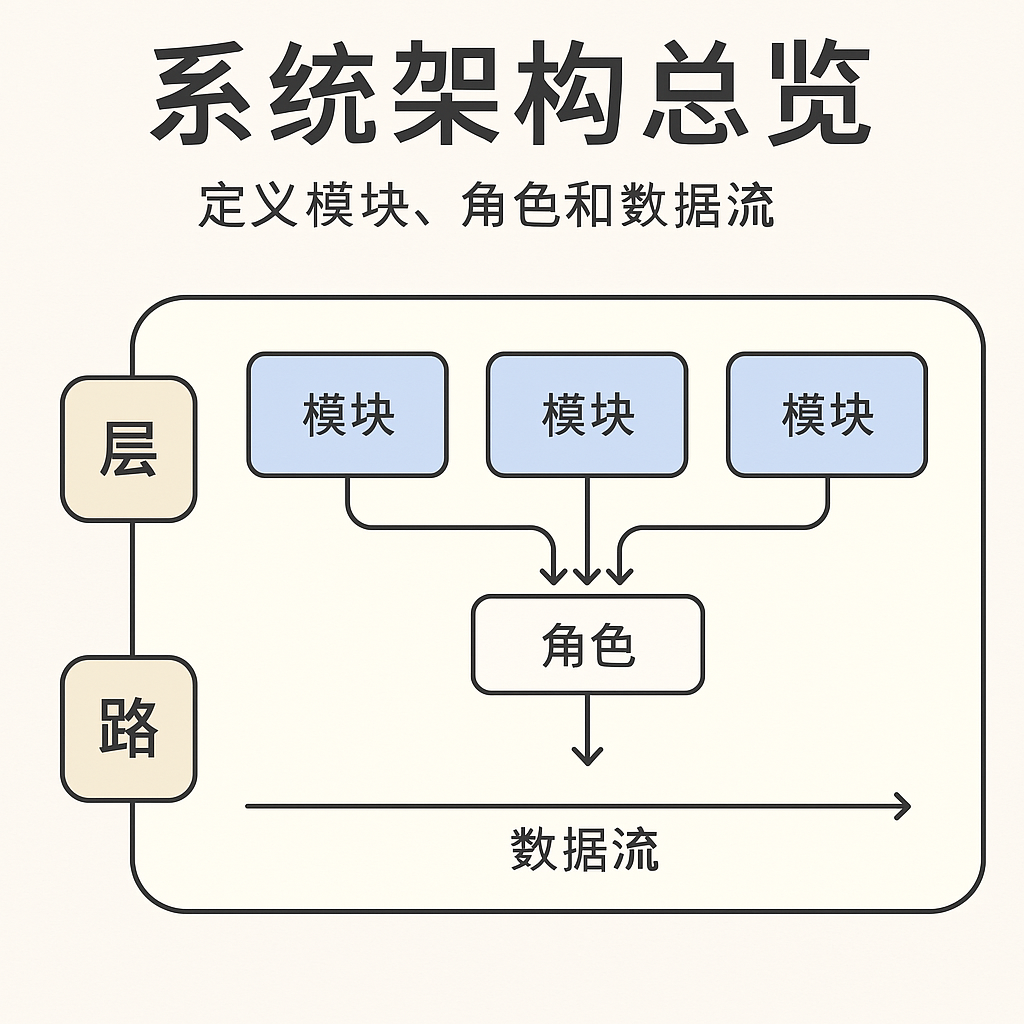
架构总览怎么写,才算工业级?
📈系统架构文档是整个项目最重要的起点,但很多人第一章就“写穿了”: 不是写得太细,就是没有重点。想要写出高质量、能协作、能传承的架构文档,这一篇会告诉你应该怎么做—— ✅ 架构总览的终极目标 明确边界、定义角色、画清数据流 别讲执行细节,别深入函数调用。 ✅ 架…...

Python10天突击--Day 3:函数式编程突破
以下是 Python 中实现方法耗时统计装饰器的完整方案,包含同步/异步支持、多级嵌套调用统计、可视化输出和性能分析等高级功能: 基础版:同步方法计时装饰器 import time from functools import wrapsdef timeit(func):"""基础…...
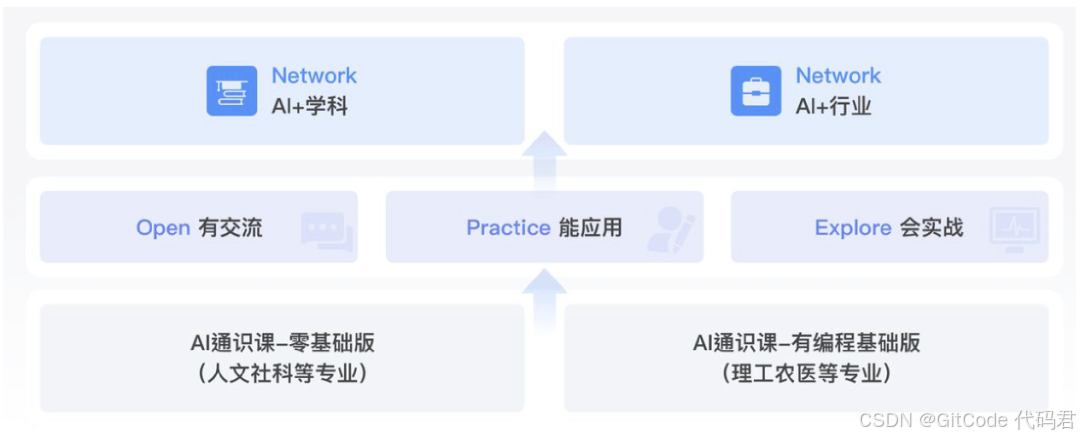
Datawhale 入驻 GitCode:以开源力量推动 AI 教育公平与创新
在 AI 技术深度重塑教育生态的今天,国内首个 AI 开源学习社区 —— Datawhale 正式加入 GitCode 开源平台!作为覆盖全球 3000 高校、培养超百万 AI 人才的创新社区,Datawhale 将通过开源协作模式,为人工智能教育公平注入新动能&a…...
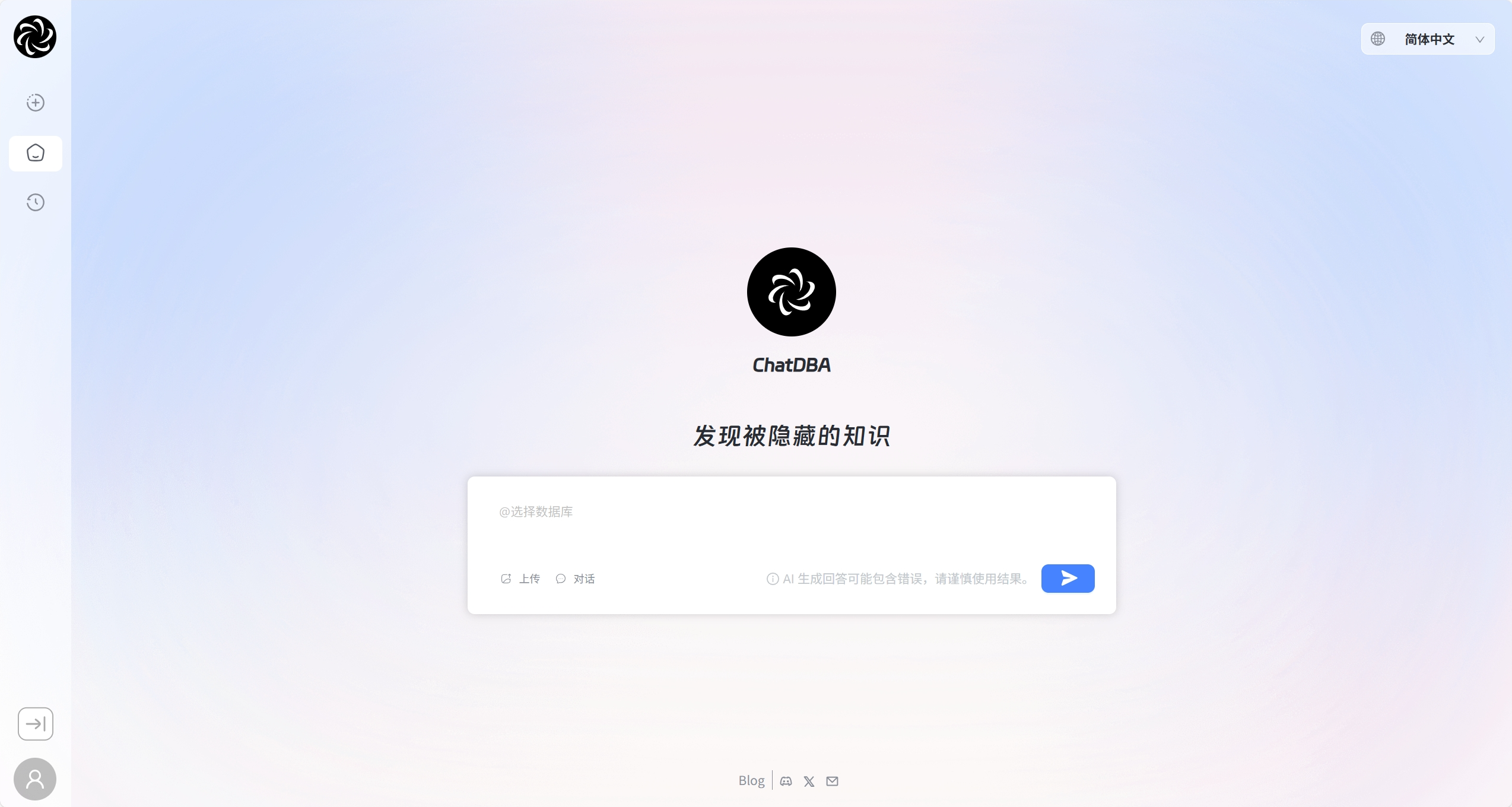
ChatDBA:一个基于AI的智能数据库助手
今天给大家介绍一个基于 AI 大语言模型实现数据库故障诊断的智能助手:ChatDBA。 ChatDBA 是由上海爱可生信息技术股份有限公司开发,通过对话交互,提供数据库故障诊断、专业知识学习、SQL 生成和优化等功能,旨在提升 DBA 工作效率。…...
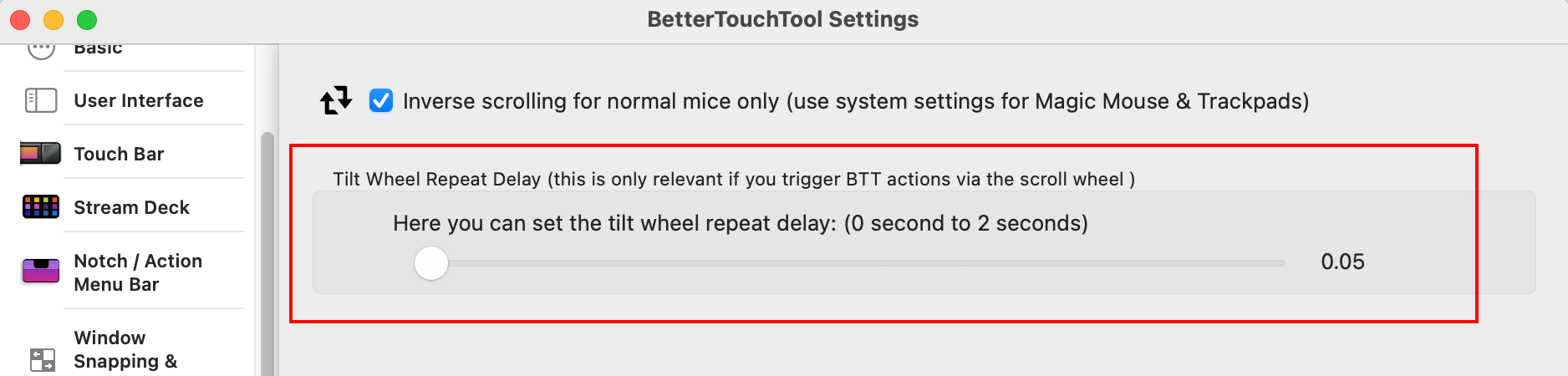
MacOS中的鼠标、触控板的设置研究
一、背景和写这篇文章的原因 想搞清楚和配置好鼠标,比如解决好为什么我的滚动那么难用?怎么设置滚轮的方向跟windows相同?调整双击速度,调整鼠标滚轮左右拨动的"冷却时间"。 二、各种设置之详细解释 1. MacOS设置 -&…...
asp.net core 项目发布到 IIS 服务器
目录 一、VS2022 发布 二、设置IIS服务 三、配置IIS管理器 (一)打开IIS管理器 (二)添加站台 (三)配置应用程式集区 四、安装ASP.NET Core Hosting Bundle 五、设定IIS的日志位置 六、测试 一、VS2…...
)
如何解决线程安全问题(不涉及分布式情况)
线程安全问题本质 当多个线程并发操作共享资源(变量/对象)时,可能因非原子性操作或内存可见性问题导致数据不一致。 解决方案一:synchronized 关键字 实现方式: 实例方法同步锁 在实现Runnable接口的自定义线…...
:RedisTemplate的List类型操作)
Spring Boot(二十二):RedisTemplate的List类型操作
RedisTemplate和StringRedisTemplate的系列文章详见: Spring Boot(十七):集成和使用Redis Spring Boot(十八):RedisTemplate和StringRedisTemplate Spring Boot(十九)…...
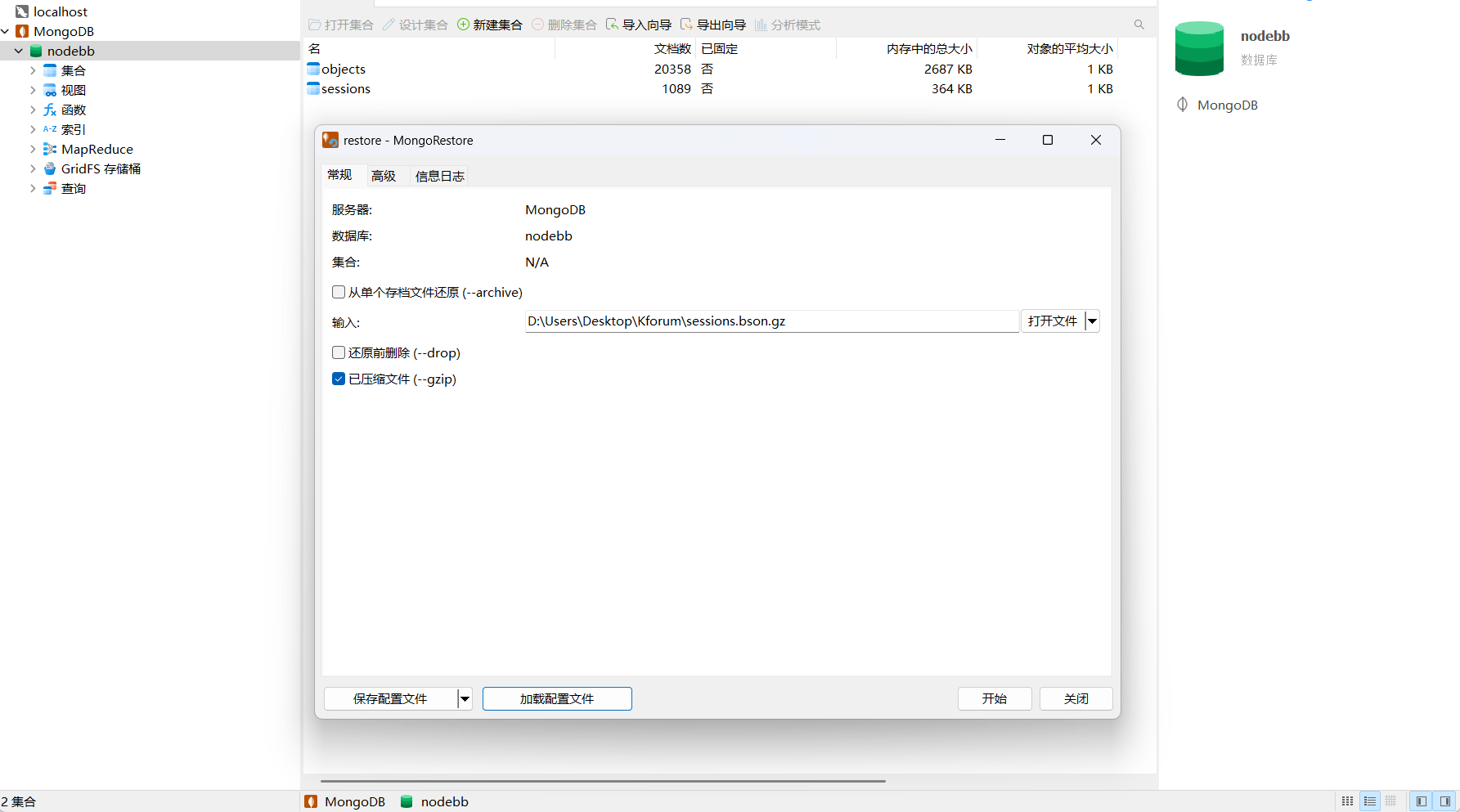
【Nodebb系列】Nodebb笔记写入方案
NodeBB写入方案 前言 最近在整理以前记录的碎片笔记,想把它们汇总到NodeBB中,方便管理和浏览。但是笔记内容有点多,并且用发帖的形式写到NodeBB中会丢失时间信息,因此整理了一套NodeBB写入方案,大致流程如下…...
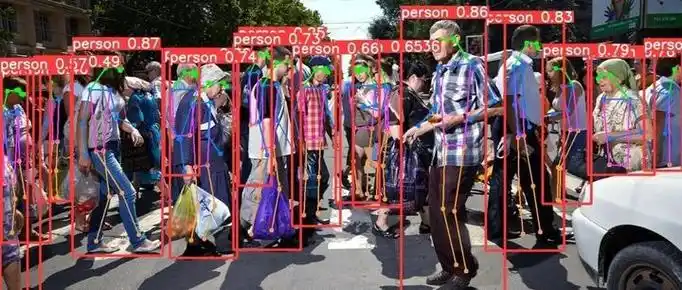
计算机视觉——基于YOLOV8 的人体姿态估计训练与推理
概述 自 Ultralytics 发布 YOLOV5 之后,YOLO 的应用方向和使用方式变得更加多样化且简单易用。从图像分类、目标检测、图像分割、目标跟踪到关键点检测,YOLO 几乎涵盖了计算机视觉的各个领域,似乎已经成为计算机视觉领域的“万能工具”。 Y…...

鸿蒙小案例---心情日记
效果演示 代码实现 import { router, window } from kit.ArkUIEntry Component struct Index {async aboutToAppear(): Promise<void> {let w await window.getLastWindow(getContext())w.setWindowSystemBarProperties({statusBarColor: #00C6C3,statusBarContentColo…...

力扣第206场周赛
周赛链接:竞赛 - 力扣(LeetCode)全球极客挚爱的技术成长平台 1. 二进制矩阵中的特殊位置 给定一个 m x n 的二进制矩阵 mat,返回矩阵 mat 中特殊位置的数量。 如果位置 (i, j) 满足 mat[i][j] 1 并且行 i 与列 j 中…...

从 SYN Flood 到 XSS:常见网络攻击类型、区别及防御要点
常见的网络攻击类型 SYN Flood、DoS(Denial of Service) 和 DDoS(Distributed Denial of Service) 是常见的网络攻击类型,它们的目标都是使目标系统无法正常提供服务。以下是它们的详细说明: 1. SYN Flood…...

el-tree 实现树形菜单子级取消选中后父级选中效果不变
背景 在复杂的企业级管理系统中,树形菜单是一种常见的数据展示和交互组件。传统的树形菜单通常存在以下交互局限: 子节点取消选中时,父节点会自动取消选中无法满足复杂的权限分配和数据筛选场景实际应用场景: 组织架构权限管理多层级资源分配复杂的数据筛选与展示实现需求…...

Java虚拟机——JVM(Java Virtual Machine)解析一
1.JVM是什么? 1.1 JVM概念 Java Virtual Machine (JVM) 是JDK的核心组件之一,它使得 Java 程序能够在任何支持 JVM 的设备或操作系统上运行,而无需修改源代码 JDK是什么,JDK和JVM是什么关系?1.Java IDE(Integrated …...

开源的PMPI库实现及示例代码
开源的PMPI库实现及示例代码 PMPI (Profiling MPI) 是MPI标准中定义的接口,允许开发者通过拦截MPI调用进行性能测量和调试。以下是几个常用的开源PMPI库实现: 1. MPICH的PMPI接口 MPICH本身提供了PMPI接口,可以直接使用。 2. OpenMPI的PM…...
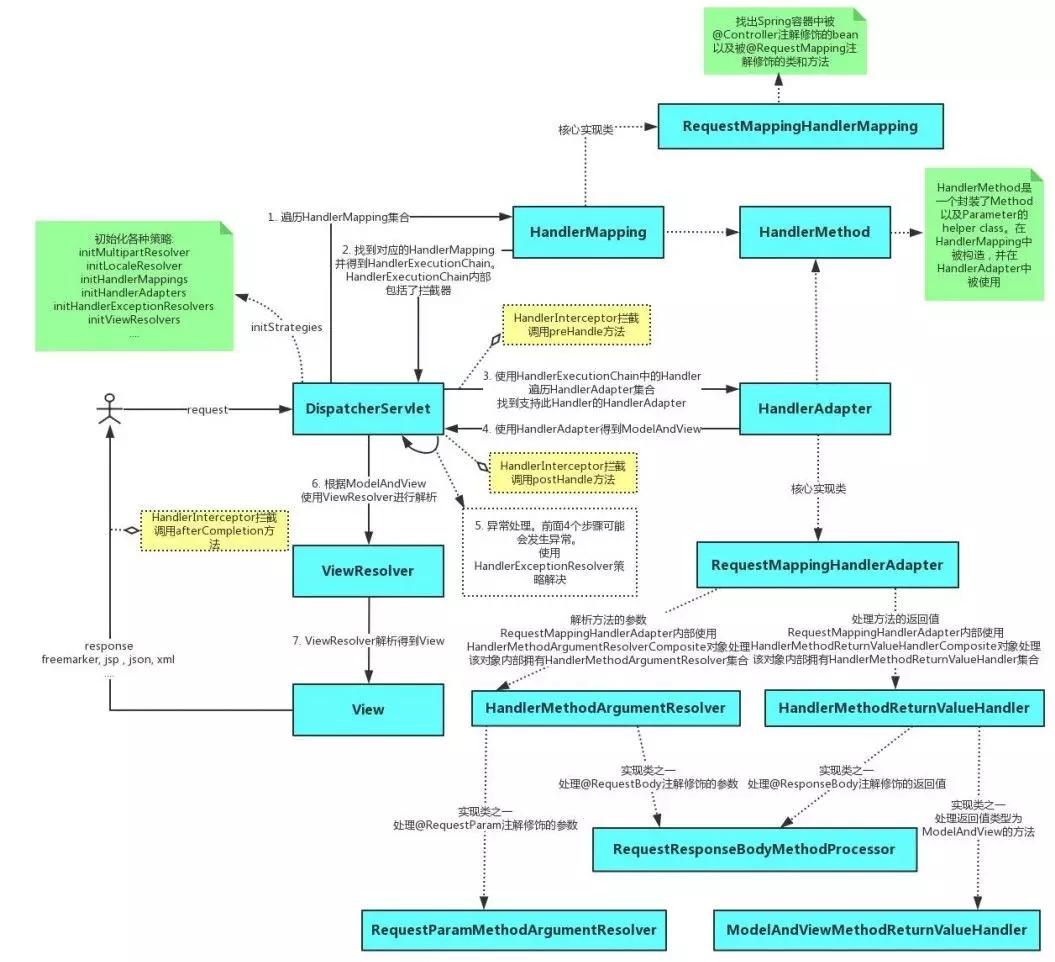
【源码】SpringMvc源码分析
文章目录 SpringMVC 基础回顾核心组件源码分析DispatcherServletHandlerMappingHandlerAdapterViewResolver 请求处理流程源码解析 在当今的 Java Web 开发领域,SpringMVC 无疑是最为广泛应用的 Web 框架之一。它以其强大的功能、灵活的配置以及高度的…...

tcp特点+TCP的状态转换图+time_wait详解
tcp特点TCP的状态转换图time wait详解 目录 一、tcp特点解释 1.1 面向连接 1.1.1 连接建立——三次握手 1.1.2 连接释放——四次挥手 1.2 可靠的 1.2.1 应答确认 1.2.2 超时重传 1.2.3 乱序重排 1.2.4 去重 1.2.5 滑动窗口进行流量控制 1.3 流失服务(字节…...

高支模自动化监测解决方案
1.行业现状 高大模板支撑系统在浇筑施工过程中,诸多重大安全风险点进行实时自动化安全监测的解决方案主要监测由于顶杆失稳、扣件失效、承压过大等引起的支撑轴力、模板沉降、相对位移、支撑体系倾斜等参数变化。系统采用无线自动组网、高频连续采样,实时…...

Node.js EventEmitter 深入解析
Node.js EventEmitter 深入解析 概述 Node.js 作为一种强大的 JavaScript 运行环境,以其异步、事件驱动特性在服务器端编程中占据了重要地位。EventEmitter 是 Node.js 中处理事件的一种机制,它允许对象(称为“发射器”)发出事件…...

OpenCV 图形API(24)图像滤波-----双边滤波函数bilateralFilter()
操作系统:ubuntu22.04 OpenCV版本:OpenCV4.9 IDE:Visual Studio Code 编程语言:C11 算法描述 应用双边滤波到图像。 该函数对输入图像应用双边滤波,如 http://www.dai.ed.ac.uk/CVonline/LOCAL_COPIES/MANDUCHI1/Bilateral_Fil…...

单双线程的理解 和 lua基础语法
1.什么是单进程 ,什么是多进程 当一个程序开始运行时,它就是一个进程,进程包括运行中的程序和程序所使用到的内存和系统资源。而一个进程又是由单个或多个线程所组成的。 1.1 像apache nginx 这类 服务器中间件就是多进程的软件 ࿰…...
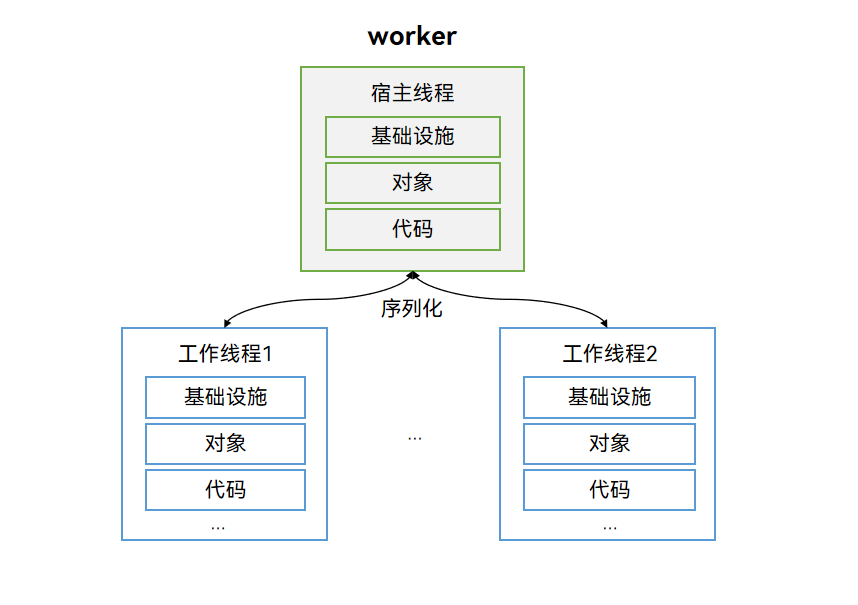
HarmonyOS中的多线程并发机制
目录 多线程并发1. 多线程并发概述2 多线程并发模型3 TaskPool简介4 Worker简介4.1 Woker注意事项4.2 Woker基本用法示例 5. TaskPool和Worker的对比5.1 实现特点对比5.2 适用场景对比 多线程并发 1. 多线程并发概述 并发模型是用来实现不同应用场景中并发任务的编程模型&…...

机器学习 | 强化学习方法分类汇总 | 概念向
文章目录 📚Model-Free RL vs Model-Based RL🐇核心定义🐇核心区别📚Policy-Based RL vs Value-Based RL🐇核心定义🐇 核心区别📚Monte-Carlo update vs Temporal-Difference update🐇核心定义🐇核心区别📚On-Policy vs Off-Policy🐇核心定义🐇核心区别…...

构件与中间件技术:概念、复用、分类及标准全解析
以下是对构件与中间件技术相关内容更详细的介绍: 一、构件与中间件技术的概念 1.构件技术 定义:构件是具有特定功能、可独立部署和替换的软件模块,它遵循一定的规范和接口标准,能够在不同的软件系统中被复用。构件技术就是以构…...
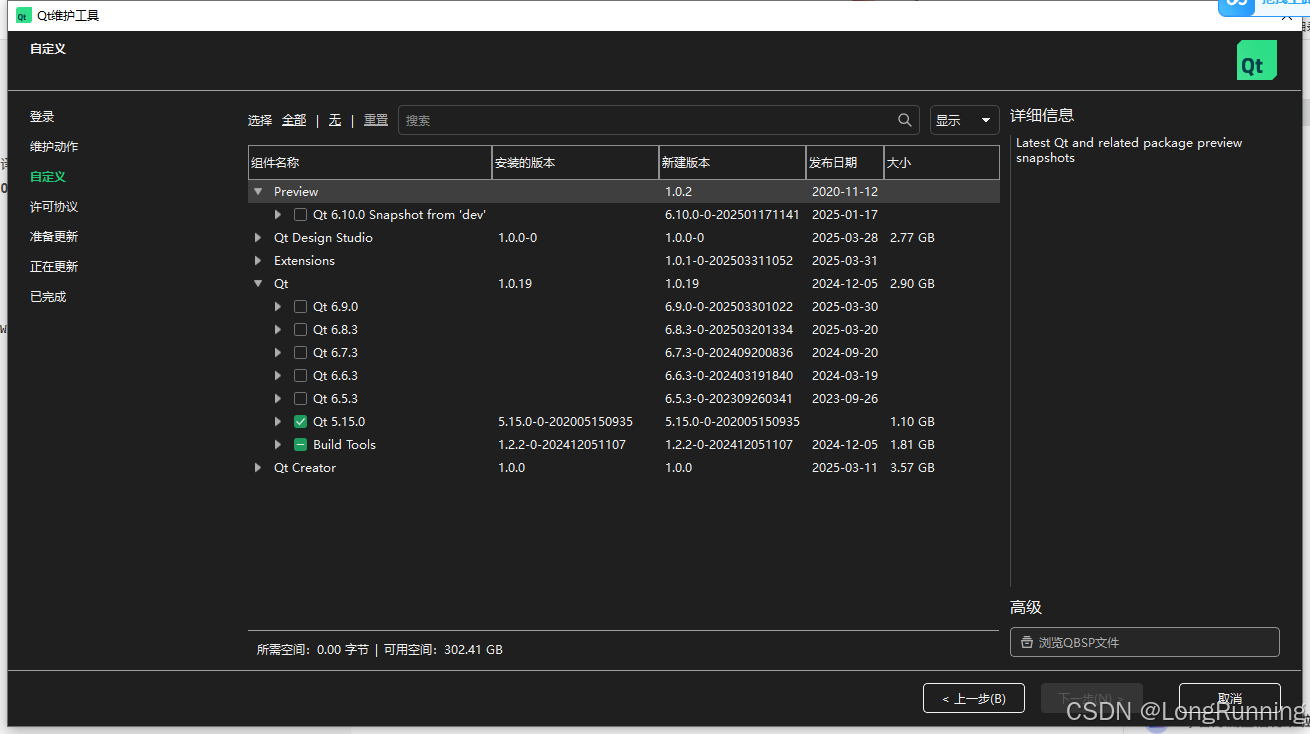
【随手笔记】QT避坑一(串口readyRead信号不产生)
问题描述: 使用QT5.15.2版本 测试串口readyRead绑定槽函数,接收到数据后 不能触发 试了很多网友的程序,他们的发布版本可以,但是源码我编译后就不能触发,判断不是代码的问题 看到有人提到QT版本的问题,于…...

基于 RabbitMQ 优先级队列的订阅推送服务详细设计方案
基于 RabbitMQ 优先级队列的订阅推送服务详细设计方案 一、架构设计 分层架构: 订阅管理层(Spring Boot)消息分发层(RabbitMQ Cluster)推送执行层(Spring Cloud Stream)数据存储层(Redis + MySQL)核心组件: +-------------------+ +-------------------+ …...

5.11 GitHub API调试五大高频坑:从JSON异常到异步阻塞的实战避坑指南
GitHub API调试五大高频坑:从JSON异常到异步阻塞的实战避坑指南 关键词:GitHub API 调试、JSON 解析异常、提示工程优化、异步任务阻塞、数据清洗策略 5.5 测试与调试:调试常见问题 问题1:GitHub API 调用异常 现象: requests.exceptions.HTTPError: 403 Client Error…...

反序列化漏洞介绍与挖掘指南
目录 反序列化漏洞介绍与挖掘指南 一、漏洞核心原理与危害 二、漏洞成因与常见场景 1. 漏洞根源 2. 高危场景 三、漏洞挖掘方法论 1. 静态分析 2. 动态测试 3. 利用链构造 四、防御与修复策略 1. 代码层防护 2. 架构优化 3. 运维实践 五、工具与资源推荐 总结 反…...