
Oceanbase单机版上手示例
本月初Oceanbase单机版发布,作为一个以分布式起家的数据库,原来一个集群动辄小十台机器,多着十几台几十台甚至更多,Oceanbase单机版的发布确实大大降低了硬件部署的门槛。
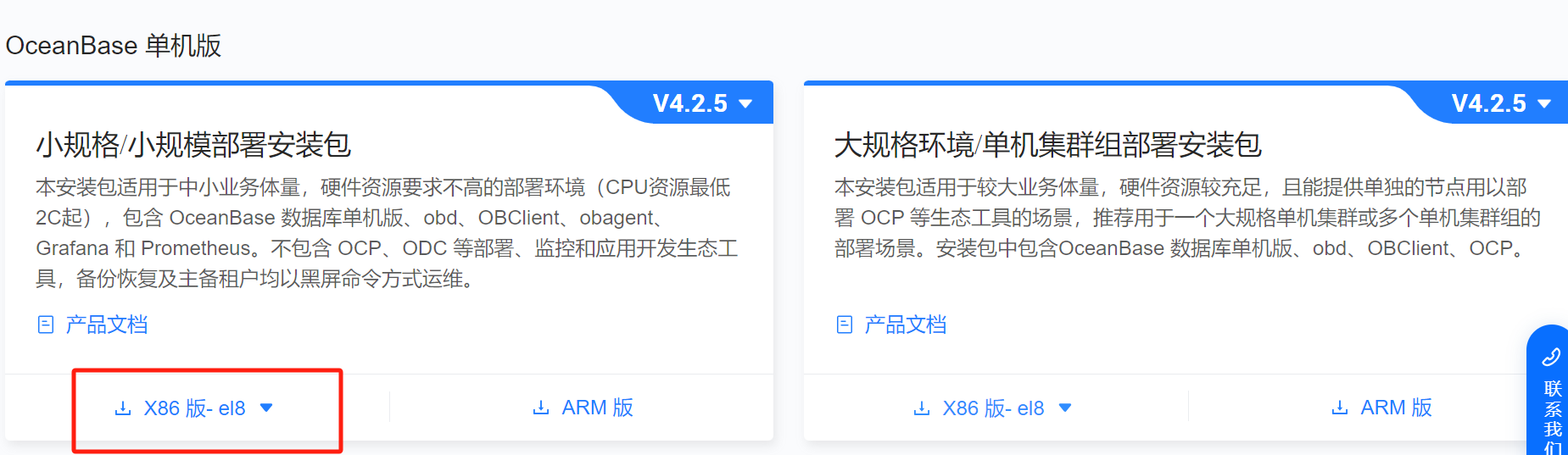
1.下载安装介质
https://www.oceanbase.com/softwarecenter-standalone
这里选择小规模部署,Linux8版本,大小700多M
oceanbase-standalone-all-in-one-4.2.5.3-103000152025033110.el8.x86_64.tar.gz
2.安装环境
本次测试使用的环境为Redhat8.5 4C 16GB 虚机,官方的配置要求如下:
| 项目 | 描述 |
|---|---|
| 系统 |
|
| CPU | 最低要求 2 核,推荐 4 核及以上。 |
| 内存 | 最低要求 6 GB,推荐设置在 16 GB 至 1024 GB 范围内。 |
| 磁盘类型 | 使用 SSD 存储。 |
| 磁盘存储空间 | 最低要求 20 GB。 |
| 文件系统 | EXT4 或 XFS,当数据超过 16 TB 时,使用 XFS。 |
| all-in-one 安装包 | 单机版 all-in-one 安装包。 |
3.组件介绍
-
obd
OceanBase Deployer,OceanBase 安装部署工具,简称为 obd。详细信息请参考官网文档 OceanBase 安装部署工具。
-
OBAgent
OBAgent 是 OceanBase 数据库监控采集框架,支持推、拉两种数据采集模式,可以满足不同的应用场景。
-
Grafana
Grafana 是一款开源的数据可视化工具,它可以将数据源中的各种指标数据进行可视化展示,以便更直观地了解系统运行状态和性能指标。详细信息可参见 Grafana 官网。
-
Prometheus
Prometheus 是一个开源的服务监控系统和时序数据库,其提供了通用的数据模型以及快捷数据采集、存储和查询接口。详细信息可参见 Prometheus 官网。
4.快速部署单机版
4.1解压安装包
[root@SZSPLORACLE01T ~]# tar -xzf oceanbase-standalone-all-in-one-4.2.5.3-103000152025033110.el8.x86_64.tar.gz
[root@SZSPLORACLE01T ~]# ll
total 741860
-rw-------. 1 root root      1544 May  7  2024 anaconda-ks.cfg
-rw-r--r--. 1 root root      1992 May  8  2024 initial-setup-ks.cfg
drwxr-xr-x. 6 root root        88 Apr  2 16:28 oceanbase-standalone-all-in-one
-rw-r--r--. 1 root root 759655350 Apr 17 09:20 oceanbase-standalone-all-in-one-4.2.5.3-103000152025033110.el8.x86_64.tar.gz
[root@SZSPLORACLE01T ~]# cd oceanbase-standalone-all-in-one/bin
[root@SZSPLORACLE01T bin]#
[root@SZSPLORACLE01T bin]# ll
total 52
-rwxr-xr-x. 1 root root   281 Apr  2 16:27 env.sh
-rwxr-xr-x. 1 root root  5336 Apr  2 16:27 install_obd.sh
-rwxr-xr-x. 1 root root 35170 Apr  2 16:27 install_ob.sh
-rwxr-xr-x. 1 root root  2058 Apr  2 16:27 uninstall_obd.sh
4.2系统参数配资
系统资源限制
cat >>/etc/security/limits.conf <<EOF
* soft nofile 655350
* hard nofile 655350
* soft stack unlimited
* hard stack unlimited
* soft nproc 655360
* hard nproc 655360
* soft core unlimited
* hard core unlimited
EOF
cat <> /etc/sysctl.conf kernel.sem = 4096 4194304 32768 1024 fs.aio-max-nr = 1048576 fs.file-max = 6573688 vm.max_map_count=655360 EOF[root@SZSPLORACLE01T ~]# sysctl -p kernel.sem = 4096 4194304 32768 1024 fs.aio-max-nr = 1048576 fs.file-max = 6573688 vm.max_map_count = 655360
创建oceanbase数据和日志目录,理论上ob建议data和log不要放在同一个物理磁盘
如果放在同一个物理磁盘会有个告警提示
mkdir -p /data/ob/data
mkdir -p /data/ob/clog
4.3安装OBD
[root@SZSPLORACLE01T bin]# ./install_obd.sh
install obd as root
No previous obd installed, try install..., wait a moment
name: grafana
version: 7.5.17
release:1
arch: x86_64
md5: 1bf1f338d3a3445d8599dc6902e7aeed4de4e0d6
size: 177766248
add /root/oceanbase-standalone-all-in-one/rpms/grafana-7.5.17-1.el8.x86_64.rpm to local mirror
name: obagent
version: 4.2.2
release:100000042024011120.el8
arch: x86_64
md5: bf152b880953c2043ddaf80d6180cf22bb8c8ac2
size: 72919140
add /root/oceanbase-standalone-all-in-one/rpms/obagent-4.2.2-100000042024011120.el8.x86_64.rpm to local mirror
name: ob-deploy
version: 3.2.0
release:2.el8
arch: x86_64
md5: 529076c3e548f690ea6cb4e50cd77b2dfc4bfc6d
size: 178634999
add /root/oceanbase-standalone-all-in-one/rpms/ob-deploy-3.2.0-2.el8.x86_64.rpm to local mirror
name: oceanbase-diagnostic-tool
version: 3.2.0
release:52025031411.el8
arch: x86_64
md5: e7aeaa17222aa079c8d9e0c74a73e1d7f9c5501b
size: 71147006
add /root/oceanbase-standalone-all-in-one/rpms/oceanbase-diagnostic-tool-3.2.0-52025031411.el8.x86_64.rpm to local mirror
name: oceanbase-standalone
version: 4.2.5.3
release:103000152025033110.el8
arch: x86_64
md5: 305669b55281773f5c53ff4e44ff9f7bed9f7bc0
size: 1813828757
add /root/oceanbase-standalone-all-in-one/rpms/oceanbase-standalone-4.2.5.3-103000152025033110.el8.x86_64.rpm to local mirror
name: oceanbase-standalone-libs
version: 4.2.5.3
release:103000152025033110.el8
arch: x86_64
md5: 84315910ce45d91ed361867215964369044185c0
size: 7848
add /root/oceanbase-standalone-all-in-one/rpms/oceanbase-standalone-libs-4.2.5.3-103000152025033110.el8.x86_64.rpm to local mirror
name: prometheus
version: 2.37.1
release:10000102022110211.el8
arch: x86_64
md5: e4f8a3e784512fca75bf1b3464247d1f31542cb9
size: 211224073
add /root/oceanbase-standalone-all-in-one/rpms/prometheus-2.37.1-10000102022110211.el8.x86_64.rpm to local mirror
Trace ID: c1065028-1b58-11f0-8e69-0050568fd99f
If you want to view detailed obd logs, please run: obd display-trace c1065028-1b58-11f0-8e69-0050568fd99f
Disable remote ok
Trace ID: c2d4905e-1b58-11f0-b490-0050568fd99f
If you want to view detailed obd logs, please run: obd display-trace c2d4905e-1b58-11f0-b490-0050568fd99fadd auto set env logic to profile: /root/.bash_profileExecute this command to apply the environment config:`source ~/.oceanbase-all-in-one/bin/env.sh `
[root@SZSPLORACLE01T bin]# source ~/.oceanbase-all-in-one/bin/env.sh
4.4用 obd demo 命令部署单机版
-
仅部署 OceanBase 数据库
obd demo -c oceanbase-standalone -
部署带有 OBAgent、Prometheus 和 Grafana 组件的 OceanBase 数据库
obd demo -c oceanbase-standalone,obagent,grafana,prometheus
- 我这里选择的是部署全部的
[root@SZSPLORACLE01T bin]# obd demo -c oceanbase-standalone,obagent,grafana,prometheus
Package grafana-7.5.17-1 is available.
Package oceanbase-standalone-4.2.5.3-103000152025033110.el8 is available.
Package prometheus-2.37.1-10000102022110211.el8 is available.
Package obagent-4.2.2-100000042024011120.el8 is available.
install grafana-7.5.17 for local ok
install oceanbase-standalone-4.2.5.3 for local ok
install prometheus-2.37.1 for local ok
install obagent-4.2.2 for local ok
Cluster param config check ok
Open ssh connection ok
Generate grafana configuration ok
Generate prometheus configuration ok
Generate obagent configuration ok
+----------------------------------------------------------------------------------------------------+
|                                              Packages                                              |
+----------------------+---------+------------------------+------------------------------------------+
| Repository           | Version | Release                | Md5                                      |
+----------------------+---------+------------------------+------------------------------------------+
| grafana              | 7.5.17  | 1                      | 1bf1f338d3a3445d8599dc6902e7aeed4de4e0d6 |
| oceanbase-standalone | 4.2.5.3 | 103000152025033110.el8 | 305669b55281773f5c53ff4e44ff9f7bed9f7bc0 |
| prometheus           | 2.37.1  | 10000102022110211.el8  | e4f8a3e784512fca75bf1b3464247d1f31542cb9 |
| obagent              | 4.2.2   | 100000042024011120.el8 | bf152b880953c2043ddaf80d6180cf22bb8c8ac2 |
+----------------------+---------+------------------------+------------------------------------------+
Repository integrity check ok
Load param plugin ok
Open ssh connection ok
Initializes obagent work home ok
Initializes observer work home ok
Initializes prometheus work home ok
Initializes grafana work home ok
Parameter check ok
Remote grafana-7.5.17-1-1bf1f338d3a3445d8599dc6902e7aeed4de4e0d6 repository install ok
Remote grafana-7.5.17-1-1bf1f338d3a3445d8599dc6902e7aeed4de4e0d6 repository lib check ok
Remote oceanbase-standalone-4.2.5.3-103000152025033110.el8-305669b55281773f5c53ff4e44ff9f7bed9f7bc0 repository install ok
Remote oceanbase-standalone-4.2.5.3-103000152025033110.el8-305669b55281773f5c53ff4e44ff9f7bed9f7bc0 repository lib check ok
Remote prometheus-2.37.1-10000102022110211.el8-e4f8a3e784512fca75bf1b3464247d1f31542cb9 repository install ok
Remote prometheus-2.37.1-10000102022110211.el8-e4f8a3e784512fca75bf1b3464247d1f31542cb9 repository lib check ok
Remote obagent-4.2.2-100000042024011120.el8-bf152b880953c2043ddaf80d6180cf22bb8c8ac2 repository install ok
Remote obagent-4.2.2-100000042024011120.el8-bf152b880953c2043ddaf80d6180cf22bb8c8ac2 repository lib check ok
demo deployed
Get local repositories ok
Load cluster param plugin ok
Open ssh connection ok
[ERROR] OBD-1007: (127.0.0.1) The value of the ulimit parameter "open files" must not be less than 20000 (Current value: 1024), Please execute `echo -e "* soft nofile 20000\n* hard nofile 20000" >> /etc/security/limits.d/nofile.conf` as root in 127.0.0.1. if it dosen't work, please check whether UsePAM is yes in /etc/ssh/sshd_config.
[WARN] OBD-1007: (127.0.0.1) The recommended number of core file size is unlimited (Current value: 0)
[WARN] OBD-1007: (127.0.0.1) The recommended number of stack size is unlimited (Current value: 8192)
[WARN] OBD-1017: (127.0.0.1) The value of the "vm.max_map_count" must be within [327600, 1310720] (Current value: 65530, Recommended value: 655360)
[WARN] OBD-2000: (127.0.0.1) not enough memory. (Free: 2G, Need: 6G)
[WARN] OBD-1012: (127.0.0.1) clog and data use the same disk (/)
You can use the `obd cluster init4env demo` command to automatically configure system parameters
See https://www.oceanbase.com/product/ob-deployer/error-codes .
Trace ID: 750e2b0e-1b59-11f0-a24f-0050568fd99f
If you want to view detailed obd logs, please run: obd display-trace 750e2b0e-1b59-11f0-a24f-0050568fd99f##报错是因为没有修改系统open file限制,报错清晰提示了 解决办法 还是比较人性化的
[root@SZSPLORACLE01T bin]# echo -e "* soft nofile 20000\n* hard nofile 20000" >> /etc/security/limits.d/nofile.conf
#这个参数需要退出重新登陆生效 ulimit -n 确认
[root@SZSPLORACLE01T bin]# obd cluster init4env demo  ##初始化参数
Get local repositories ok
Open ssh connection ok
get system config ok
+---------------------------------------------+
|         System Parameter Change List        |
+-----------+------------------+--------------+
| ip        | need_change_var  | target_value |
+-----------+------------------+--------------+
| 127.0.0.1 | nofile           | 655350       |
| 127.0.0.1 | vm.max_map_count | 655360       |
+-----------+------------------+--------------+
Are you sure to change the parameters listed above ? [y/n]: y
127.0.0.1: ( nofile,vm.max_map_count ) have been successfully modified!
Trace ID: 34775ee8-1b5a-11f0-867b-0050568fd99f
If you want to view detailed obd logs, please run: obd display-trace 34775ee8-1b5a-11f0-867b-0050568fd99f
[root@SZSPLORACLE01T bin]#
数据库的默认密码 还有其他的一些配置信息和初始密码 需要在/root/.obd/cluster/demo/config.yaml 配置文件中找到
[root@SZSPLORACLE01T bin]# cat /root/.obd/cluster/demo/config.yaml
grafana:servers:- 127.0.0.1global:home_path: /root/grafanalogin_password: rutKOUCCQddepends:- prometheus
oceanbase-standalone:servers:- 127.0.0.1global:home_path: /root/oceanbase-standaloneappname: democluster_id: 1744873372enable_syslog_wf: falsemax_syslog_file_count: 16production_mode: falsememory_limit: 6G__min_full_resource_pool_memory: 1073741824system_memory: 1Gcpu_count: 8datafile_size: 2Gdatafile_maxsize: 8Gdatafile_next: 2Glog_disk_size: 14Groot_password: DuOqczoc33uwqjwouZbMocp_agent_monitor_password: h5hja8xpdU
prometheus:servers:- 127.0.0.1global:home_path: /root/prometheusdepends:- obagent
obagent:servers:- 127.0.0.1global:home_path: /root/obagentob_monitor_status: activedepends:- oceanbase-standalones
4.5使用install_ob.sh交互部署
好处就是密码和安装路径等配置可以手动配置,如下是输出
这里有点不错的是 需要用户注意的部门参数 会被高亮提示
[root@SZSPLORACLE01T bin]# ./install_ob.sh
Enter the IP (Default: 10.253.32.120) (only support local IP):Valid local IP: 10.253.32.120
Enter the current user password :
Trace ID: 4214918c-1b6a-11f0-a741-0050568fd99f
If you want to view detailed obd logs, please run: obd display-trace 4214918c-1b6a-11f0-a741-0050568fd99f
get system config ok
No need to change system parameters
Trace ID: 43441fdc-1b6a-11f0-9023-0050568fd99f
If you want to view detailed obd logs, please run: obd display-trace 43441fdc-1b6a-11f0-9023-0050568fd99fEnter the cluster name (Default: standalone; allowed characters: letters, numbers, and underscores): norton
Enter the OB SQL port (Default: 2881):
Enter the OB RPC port (Default: 2882):
Enter the obshell port (Default: 2886):
Enter the OB root password (Default: abQ6VRGDPA6jh8cZl41O):
Confirm the OB root password:
Enter the OB cpu count (Default: 4):The cpu_count cannot be less than 8. It will be set to 8 automatically.
Enter the OB memory limit (Configurable Range[6, 10], Default: 10, Unit: G): 6
Enter the OB installation directory (Default: /root/norton):
Enter the OB data directory (Default: /data/1/norton): /data/ob/norton
Enter the OB log directory (Default: /data/log1/norton): /oblogThe data_dir and redo_dir are using the same disk.
Enter the OB datafile maxsize (Configurable Range[12, 39], Default: 39, Unit: G):
Enter the OB log disk size (Configurable Range[12, 16], Default: 16, Unit: G):Do you want to create tenant for your business workload? (y/n)(Default: y):  n
OceanBase Database will not be create tenant.Do you want to enable encryption for password security? (y/n) (Default: n):Do you need to install the monitoring components (OBAgent, Prometheus, Grafana)? (y/n) (Default: y):  y
Enter the OBAgent monitoring service port (Default: 8088):
Enter the OBAgent management service port (Default: 8089):
Enter the Prometheus port (Default: 9090):
Enter the Grafana port (Default: 3000):#Saved configurations:cluster name: nortonmysql port: 2881rpc port: 2882obshell port: 2886cpu count: 8memory limit: 6Ghome path: /root/nortondata dir: /data/ob/nortonlog dir: /oblogdatafile maxsize: 39Glog disk size: 16GOBAgent monitoring service port: 8088OBAgent management service port: 8089Prometheus port: 9090Grafana port: 3000Are you sure these configurations are correct? (y/n) (Default: y):
Configuration confirmed.start cluster...
Cluster param config check ok
Open ssh connection ok
Generate obagent configuration ok
Generate prometheus configuration ok
Generate grafana configuration ok
+----------------------------------------------------------------------------------------------------+
|                                              Packages                                              |
+----------------------+---------+------------------------+------------------------------------------+
| Repository           | Version | Release                | Md5                                      |
+----------------------+---------+------------------------+------------------------------------------+
| oceanbase-standalone | 4.2.5.3 | 103000152025033110.el8 | 305669b55281773f5c53ff4e44ff9f7bed9f7bc0 |
| obagent              | 4.2.2   | 100000042024011120.el8 | bf152b880953c2043ddaf80d6180cf22bb8c8ac2 |
| prometheus           | 2.37.1  | 10000102022110211.el8  | e4f8a3e784512fca75bf1b3464247d1f31542cb9 |
| grafana              | 7.5.17  | 1                      | 1bf1f338d3a3445d8599dc6902e7aeed4de4e0d6 |
+----------------------+---------+------------------------+------------------------------------------+
Repository integrity check ok
Load param plugin ok
Open ssh connection ok
Initializes obagent work home ok
Initializes observer work home ok
Initializes prometheus work home ok
Initializes grafana work home ok
Parameter check ok
Remote oceanbase-standalone-4.2.5.3-103000152025033110.el8-305669b55281773f5c53ff4e44ff9f7bed9f7bc0 repository install ok
Remote oceanbase-standalone-4.2.5.3-103000152025033110.el8-305669b55281773f5c53ff4e44ff9f7bed9f7bc0 repository lib check ok
Remote obagent-4.2.2-100000042024011120.el8-bf152b880953c2043ddaf80d6180cf22bb8c8ac2 repository install ok
Remote obagent-4.2.2-100000042024011120.el8-bf152b880953c2043ddaf80d6180cf22bb8c8ac2 repository lib check ok
Remote prometheus-2.37.1-10000102022110211.el8-e4f8a3e784512fca75bf1b3464247d1f31542cb9 repository install ok
Remote prometheus-2.37.1-10000102022110211.el8-e4f8a3e784512fca75bf1b3464247d1f31542cb9 repository lib check ok
Remote grafana-7.5.17-1-1bf1f338d3a3445d8599dc6902e7aeed4de4e0d6 repository install ok
Remote grafana-7.5.17-1-1bf1f338d3a3445d8599dc6902e7aeed4de4e0d6 repository lib check ok
norton deployed
Get local repositories ok
Load cluster param plugin ok
Open ssh connection ok
[WARN] OBD-1012: (10.253.32.120) clog and data use the same disk (/)
Check before start obagent ok
Check before start prometheus ok
Check before start grafana ok
cluster scenario: None
Start observer ok
observer program health check x
[WARN] OBD-2002: Failed to start 10.253.32.120 observer
See https://www.oceanbase.com/product/ob-deployer/error-codes .
Trace ID: 7e8dffc2-1b6a-11f0-b076-0050568fd99f
If you want to view detailed obd logs, please run: obd display-trace 7e8dffc2-1b6a-11f0-b076-0050568fd99f
4.6排错
这里一直提示部署报错 ,提示系统observer启动失败,集群状态失败
可以用上面的命令查看install log 确认报错的问题,可以看到直接启动失败 health check失败
obd display-trace 7e8dffc2-1b6a-11f0-b076-0050568fd99f[2025-04-18 09:55:05.178] [WARNING] OBD-2002: Failed to start 10.253.32.120 observer
[2025-04-18 09:55:05.179] [DEBUG] - plugin oceanbase-standalone-py_script_health_check-3.1.0 result: False
检查系统启动日志/root/norton/oceanbase/log/observer.log 关键信息如下
[root@SZSPLORACLE02T bin]# cat /root/norton/oceanbase/log/observer.log|more
[2025-04-18 09:55:01.974369] EDIAG [SERVER] init (...) [errcode=-4007] unsupported CPU platform, AVX instructions are required.
...
[2025-04-18 09:55:01.974707] EDIAG [SERVER] init (...) [ret="OB_NOT_SUPPORTED"]
当前主机不支持 AVX 指令集,OceanBase 无法运行
OceanBase 从 4.x 版本开始,要求 CPU 必须支持 AVX(Advanced Vector Extensions) 指令集,这是启动失败的直接原因。
因为我这台测试机跑在的物理机是是一套很老的HP刀片(超过10年)cpu太老不支持AVX,理论上稍微新一点的机器都会支持的,不存在这个问题
检查我的虚拟机的 CPU 是否支持 AVX 指令:
执行以下命令检查:
[root@SZSPLORACLE02T bin]# cat /proc/cpuinfo | grep avx
-
有输出:表示支持
-
无输出:当前机器 CPU 不支持 AVX,无法运行 OceanBase 4.x
好吧我这台虚拟机无法安装,折腾了大半天 结果我的虚机不支持吐血。
4.7 换机器重新安装
我重新换了台测试机,首先确认CPU 是否支持AVX,确认支持后,按前面的安装步骤非常顺利的完成

安装完成后 obclient -h10.247.41.25 -P2881 -uSYS@test 登陆到数据库
因为我这里选择的oracle 兼容,看到可以查询dual虚表。
[root@TEST01 bin]# obclient -h10.247.41.25 -P2881 -uSYS@test Welcome to the OceanBase. Commands end with ; or \g. Your OceanBase connection id is 3221526087 Server version: OceanBase 4.2.5.3 (r103000152025033110-f5b88cd987f23383677f2eb53cf76ed38a48979b) (Built Mar 31 2025 11:08:20)Copyright (c) 2000, 2018, OceanBase and/or its affiliates. All rights reserved.Type 'help;' or '\h' for help. Type '\c' to clear the current input statement.obclient(SYS@test)[SYS]> obclient(SYS@test)[SYS]> select * from dual; +-------+ | DUMMY | +-------+ | X | +-------+ 1 row in set (0.001 sec)obclient(SYS@test)[SYS]>obclient(SYS@test)[SYS]> select * from v$version; +---------------------------------------------------------------------------------------------------------------+--------+ | BANNER | CON_ID | +---------------------------------------------------------------------------------------------------------------+--------+ | OceanBase 4.2.5.3 (r103000152025033110-f5b88cd987f23383677f2eb53cf76ed38a48979b) (Built Mar 31 2025 11:08:20) | 0 | +---------------------------------------------------------------------------------------------------------------+--------+
5.OceanBase 集群常用命令
删除当前集群
obd cluster destroy norton检查observer的状态
ps -ef | grep observer
若没有 observer 进程,说明 OceanBase 没有运行。
可使用 OBD 启动:
obd cluster start demo
或者先检查状态:
 obd cluster start demo
Get local repositories ok
Load cluster param plugin ok
Cluster status check ok
Deploy "demo" is running
Trace ID: ba82bdec-1c14-11f0-9e09-0050568abb63
If you want to view detailed obd logs, please run: obd display-trace ba82bdec-1c14-11f0-9e09-0050568abb63
[root@YCSMLTEST01 bin]# obd cluster display demo
Get local repositories and plugins ok
Open ssh connection ok
Connect to observer 10.247.41.25:2881 ok
Wait for observer init ok
+------------------------------------------------+
|              oceanbase-standalone              |
+--------------+---------+------+-------+--------+
| ip           | version | port | zone  | status |
+--------------+---------+------+-------+--------+
| 10.247.41.25 | 4.2.5.3 | 2881 | zone1 | ACTIVE |
+--------------+---------+------+-------+--------+
obclient -h10.247.41.25 -P2881 -uroot@sys -p'norton' -Doceanbase -Acluster unique id: c017ba54-fd3e-5512-bfec-707afd0d8eeb-196474f3b47-03050204Connect to Obagent ok
+-----------------------------------------------------------------+
|                             obagent                             |
+--------------+--------------------+--------------------+--------+
| ip           | mgragent_http_port | monagent_http_port | status |
+--------------+--------------------+--------------------+--------+
| 10.247.41.25 | 8089               | 8088               | active |
+--------------+--------------------+--------------------+--------+
Connect to Prometheus ok
+--------------------------------------------------------+
|                       prometheus                       |
+--------------------------+-------+------------+--------+
| url                      | user  | password   | status |
+--------------------------+-------+------------+--------+
| http://10.247.41.25:9090 | admin | 0YdjBC1EFw | active |
+--------------------------+-------+------------+--------+
Connect to grafana ok
+-------------------------------------------------------------------+
|                              grafana                              |
+--------------------------------------+-------+-----------+--------+
| url                                  | user  | password  | status |
+--------------------------------------+-------+-----------+--------+
| http://10.247.41.25:3000/d/oceanbase | admin | oceanbase | active |
+--------------------------------------+-------+-----------+--------+
Trace ID: c6a33eda-1c14-11f0-b8d7-0050568abb63
If you want to view detailed obd logs, please run: obd display-trace c6a33eda-1c14-11f0-b8d7-0050568abb63
相关文章:
Oceanbase单机版上手示例
本月初Oceanbase单机版发布,作为一个以分布式起家的数据库,原来一个集群动辄小十台机器,多着十几台几十台甚至更多,Oceanbase单机版的发布确实大大降低了硬件部署的门槛。 1.下载安装介质 https://www.oceanbase.com/softwarece…...
架构师面试(三十二):注册中心数据结构
问题 提到【注册中心】,我们对它的基本功能,肯定可以顺手拈来,比如:【服务注册】【服务发现】【健康检查】【变更通知】等。 透过这些基本功能,一个普适的注册中心的数据结构应该如何设计呢? 可以结合着…...
《软件设计师》复习笔记(11.5)——测试原则、阶段、测试用例设计、调试
目录 1. 测试基础概念 2. 测试方法分类 3. 测试阶段 真题示例: 题目1 题目2 题目3 4. 测试策略 5. 测试用例设计 真题示例: 6. 调试与度量 真题示例: 1. 测试基础概念 定义:系统测试是为发现错误而执行程序的过程&…...
闲来无事,用HTML+CSS+JS打造一个84键机械键盘模拟器
今天闲来无聊,突发奇想要用前端技术模拟一个机械键盘。说干就干,花了点时间搞出来了这么一个有模有样的84键机械键盘模拟器。来看看效果吧! 升级版的模拟器 屏幕录制 2025-04-18 155308 是不是挺像那么回事的?哈哈! 它…...

23种设计模式全面解析
设计模式是解决软件设计中常见问题的经典方案。根据《设计模式:可复用面向对象软件的基础》(GoF),23种设计模式分为以下三类: 一、创建型模式(5种) 目标:解耦对象的创建过程&#x…...

Java学习手册:常见并发问题及解决方案
在Java并发编程中,开发者常常会遇到各种并发问题,这些问题可能导致程序行为不可预测、性能下降甚至程序崩溃。以下是一些常见的并发问题及其解决方案: 1.竞态条件(Race Condition) 竞态条件是指多个线程同时访问共享…...
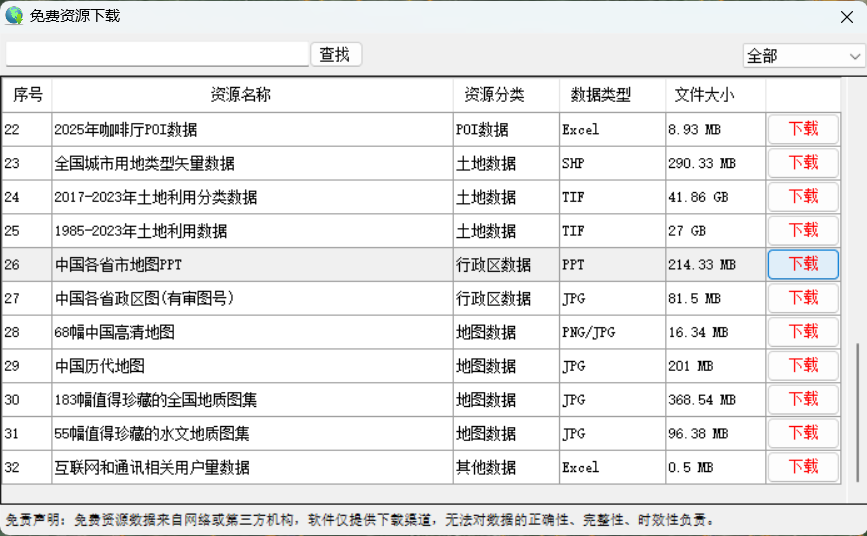
【免费下载】中国各省市地图PPT,可编辑改颜色
很多同学做PPT时,涉及到中国地图或省份展示,自己绘制和调色难度大,下面为大家准备了中国地图的可编辑模板,可以根据PPT整体色或想突出的省份,直接调整颜色。 需要这份数据,请在文末查看下载方法。 一、数…...

Linux 系统编程 day4 进程管道
进程间通信(IPC) Linux环境下,进程地址空间相互独立,任何一个进程的全局变量在另一个进程中都看不到,所以进程和进程之间不能互相访问,要交换数据必须通过内核,在内核中开辟一块缓冲区…...
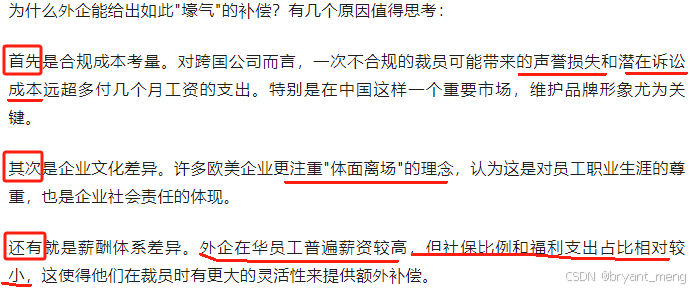
【Reading Notes】(8.2)Favorite Articles from 2025 February
【February】 高阶智驾别被短期市占率迷住眼!(2025年02月01日) 2024年,高阶智驾发展迅猛,粗略计算中国市场(特斯拉之外)的城市NOA车型的年度搭载量超过了100万台。但相比于中国乘用车市场2000万…...
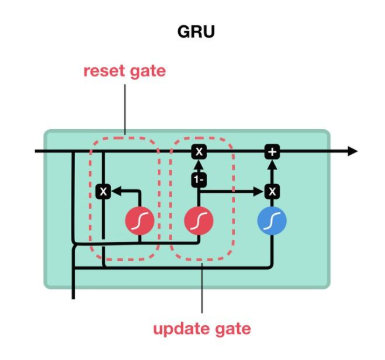
探索大语言模型(LLM):循环神经网络的深度解析与实战(RNN、LSTM 与 GRU)
一、循环神经网络(RNN) 1.1 基本原理 循环神经网络之所以得名,是因为它在处理序列数据时,隐藏层的节点之间存在循环连接。这意味着网络能够记住之前时间步的信息,并利用这些信息来处理当前的输入。 想象一下…...
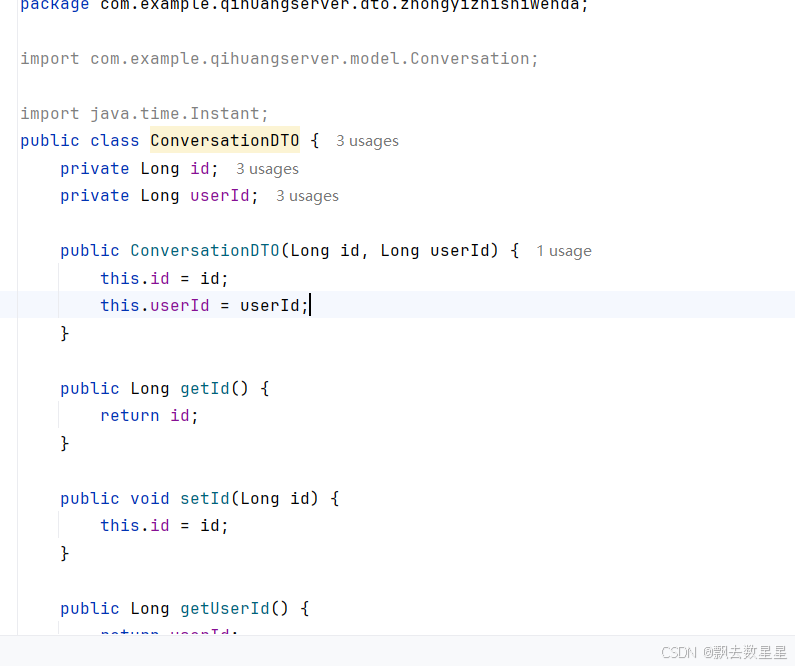
山东大学软件学院创新项目实训开发日志(15)之中医知识问答历史对话查看bug处理后端信息响应成功但前端未获取到
在开发中医知识问答历史对话查看功能的时候,出现了前后端信息获取异同的问题,在经过非常非常非常艰难的查询之后终于解决了这一问题,而这一问题的罪魁祸首就是后端没有setter和getter方法!!!!&a…...

poj1067 取石子游戏 威佐夫博弈
题目 有两堆石子,数量任意,可以不同。游戏开始由两个人轮流取石子。游戏规定,每次有两种不同的取法, 一是可以在任意的一堆中取走任意多的石子;二是可以在两堆中同时取走相同数量的石子。最后把石子全部取完者为胜者…...
优先级队列的实模拟实现
优先级队列底层默认用的是vector来存储数据,实现了类似我们数据结构中学习过的堆的队列,他的插入和删除都是优先级高先插入和删除。下面我们来模拟实现它们常见的接口来熟悉优先级队列。 仿函数 在介绍优先级队列之前,我们先熟悉一个概念&a…...

中国高校光芯片技术进展:前沿突破与产业化路径分析——基于材料、集成与系统协同创新的视角
引言:光电子技术的范式变革 随着摩尔定律逼近物理极限,光芯片技术成为突破电子芯片性能瓶颈的核心路径。光芯片以光子为载体,在传输速率(>100 Gbps)、能耗效率(<1 pJ/bit)及抗电磁干扰等…...
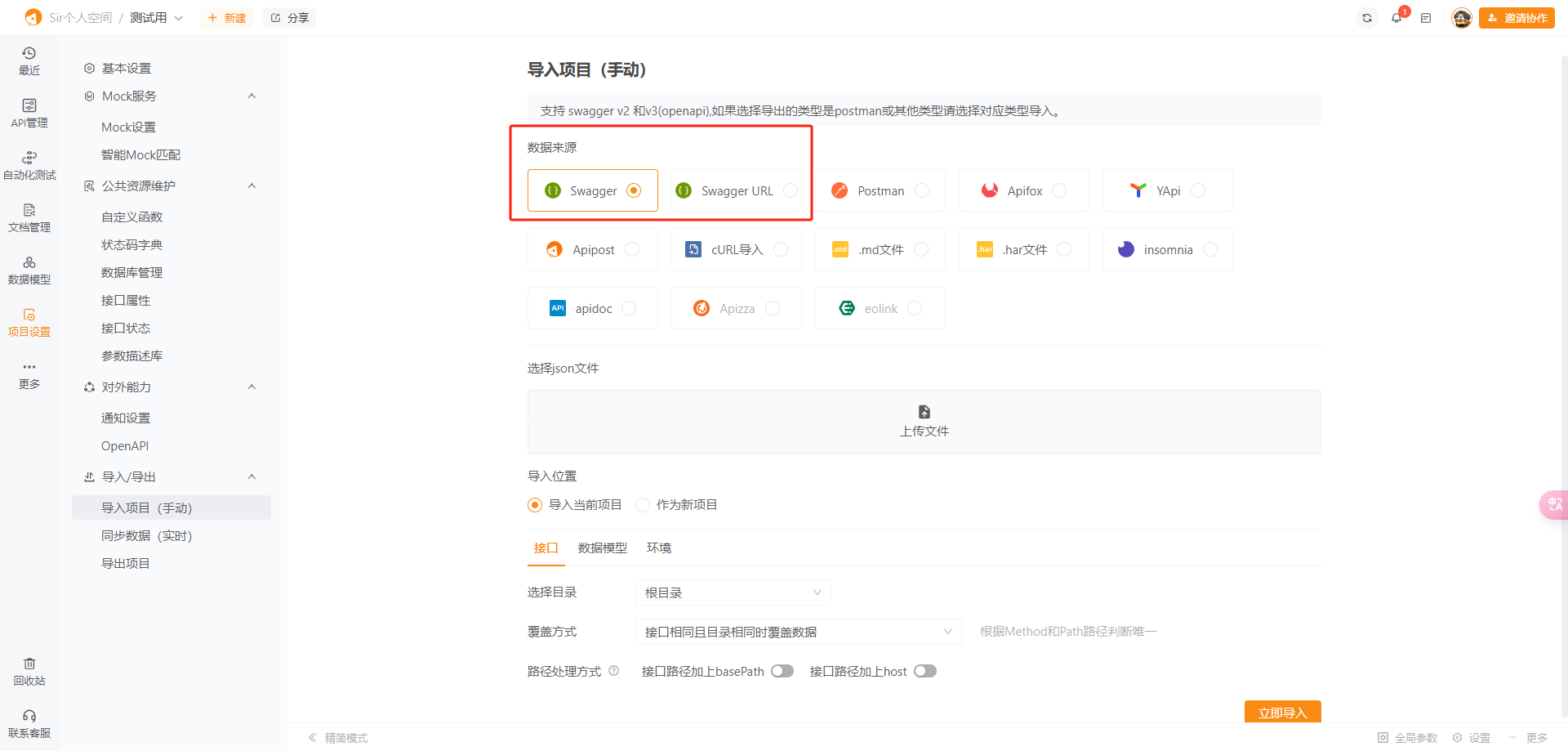
swagger 导入到apipost中
打开swagger json链接 保存到本地转为json格式文件 上传文件就行...

网安加·百家讲坛 | 刘志诚:AI安全风险与未来展望
作者简介:刘志诚,乐信集团信息安全中心总监、OWASP广东区域负责人、网安加社区特聘专家。专注于企业数字化过程中网络空间安全风险治理,对大数据、人工智能、区块链等新技术在金融风险治理领域的应用,以及新技术带来的技术风险治理…...
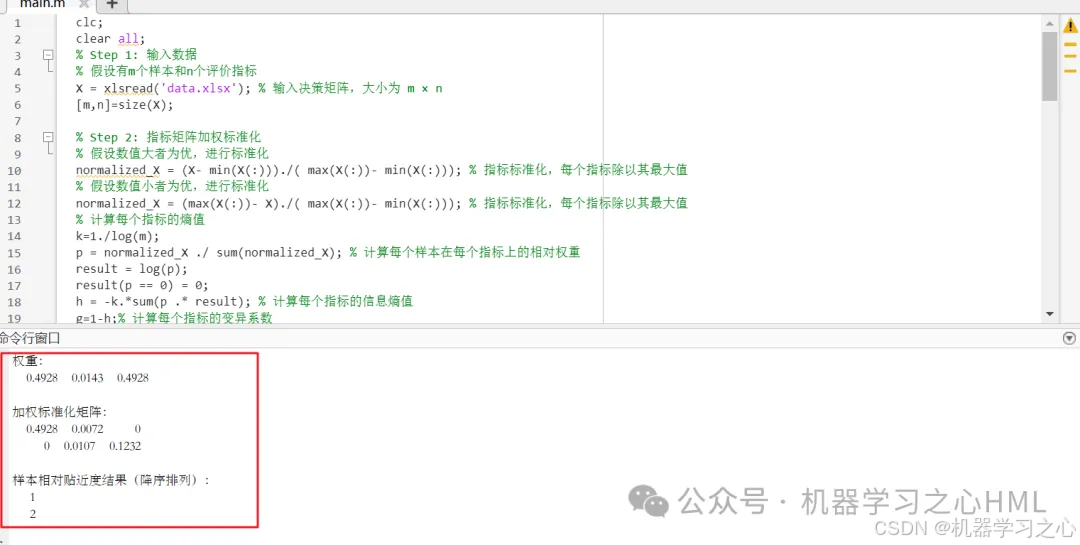
熵权法+TOPSIS+灰色关联度综合算法(Matlab实现)
熵权法TOPSIS灰色关联度综合算法(Matlab实现) 代码获取私信回复:熵权法TOPSIS灰色关联度综合算法(Matlab实现) 摘要: 熵权法TOPSIS灰色关联度综合算法(Matlab实现)代码实现了一种…...

React 中如何获取 DOM:用 useRef 操作非受控组件
📌 场景说明 在写 React 的时候,通常我们是通过“受控组件”来管理表单元素,比如用 useState 控制 <input> 的值。 但有些时候,控制的需求只是临时性的,或者完全不需要重新渲染组件,这时候直接访问…...

YAFFS2 的页缓存机制原理及配置优化方法详解
YAFFS2(Yet Another Flash File System 2)通过其独特的 页缓存机制 和 日志结构设计 优化了 NAND 闪存的读写性能与寿命。以下是其页缓存实现的核心机制及关键流程: 一、YAFFS2 页缓存架构 1. 缓存结构 YAFFS2 的页缓存基于 动态缓存池 设计…...

神经接口安全攻防:从技术漏洞到伦理挑战
随着脑机接口(BCI)技术的快速发展,神经接口设备已从实验室走向消费市场。然而,2025年曝光的某品牌脑机接口设备漏洞(CVE-2025-3278)引发了行业对神经数据安全的深度反思。本文围绕神经接口安全的核心矛盾&a…...

Clickhouse 配置参考
Clickhouse 配置参考 适用版本 21.3.9.84 config.xml 配置 <?xml version"1.0"?> <!--NOTE: User and query level settings are set up in "users.xml" file. --> <yandex><access_control_path>/data/clickhouse/clickhous…...
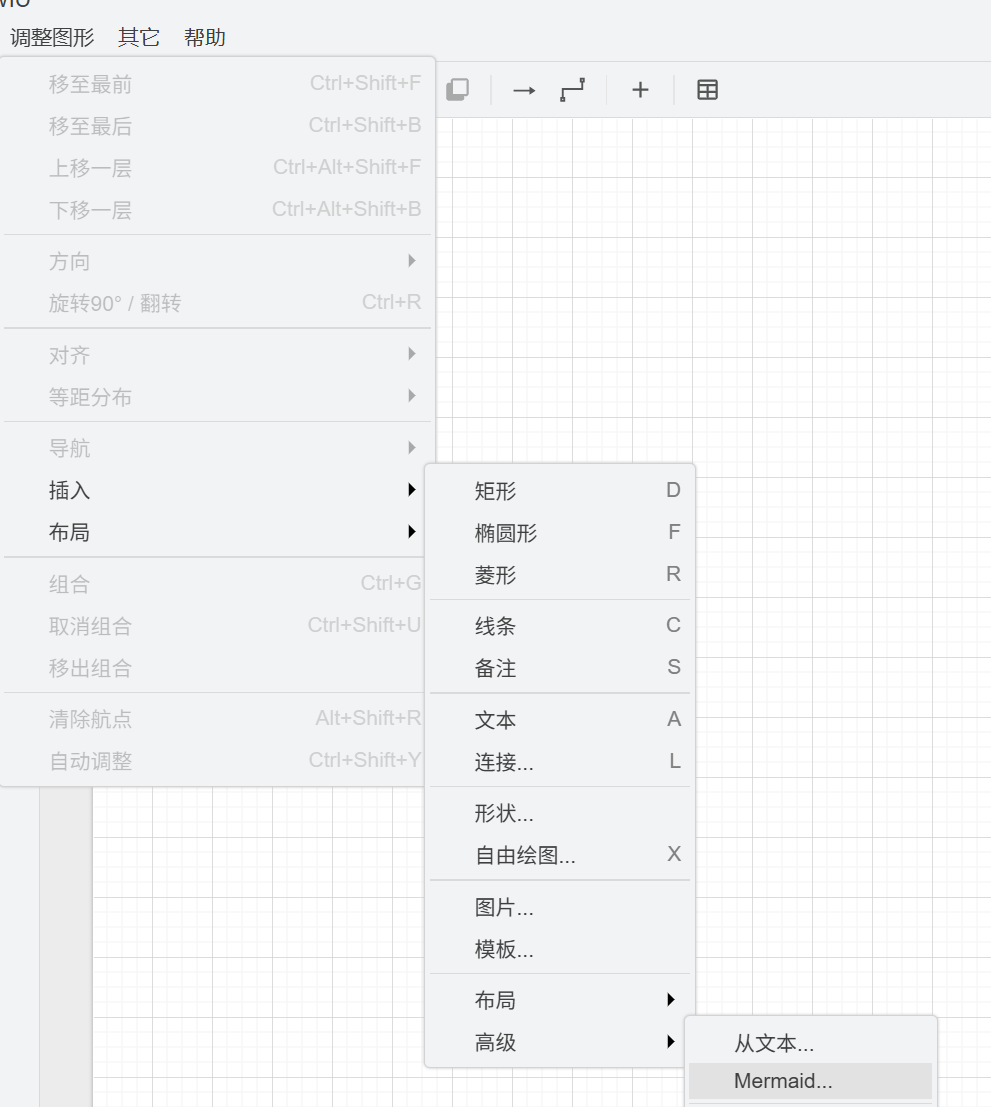
利用deepseek+Mermaid画流程图
你是一个产品经理,请绘制一个流程图,要求生成符合Mermaid语法的代码,要求如下: 用户下载文件、上传文件、删除文件的流程过程符合安全规范细节具体到每一步要做什么 graph LRclassDef startend fill:#F5EBFF,stroke:#BE8FED,str…...

高频面试题:Android MVP/MVVM/MVI这几种架构在实际生产中,各自的优缺点和适用场景是什么
安卓开发早期的架构模式相对简单,许多开发者直接在Activity或Fragment中堆砌业务逻辑和UI操作,这种方式虽然在小型项目中看似高效,但随着代码量的增加,很快就会导致逻辑混乱、难以测试和维护的问题。Activity和Fragment作为安卓框…...
leetcode0146. LRU 缓存-medium
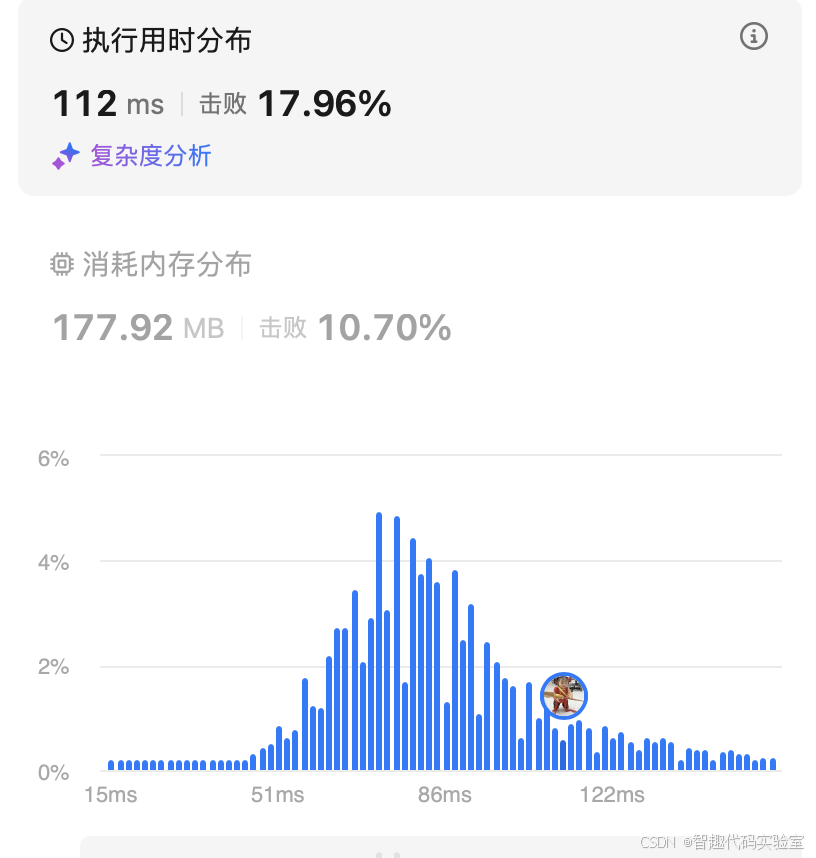
1 题目:LRU 缓存 官方标定难度:中 请你设计并实现一个满足 LRU (最近最少使用) 缓存 约束的数据结构。 实现 LRUCache 类: LRUCache(int capacity) 以 正整数 作为容量 capacity 初始化 LRU 缓存 int get(int key) 如果关键字 key 存在于缓…...
SuperMap iClient3D for WebGL 如何加载WMTS服务
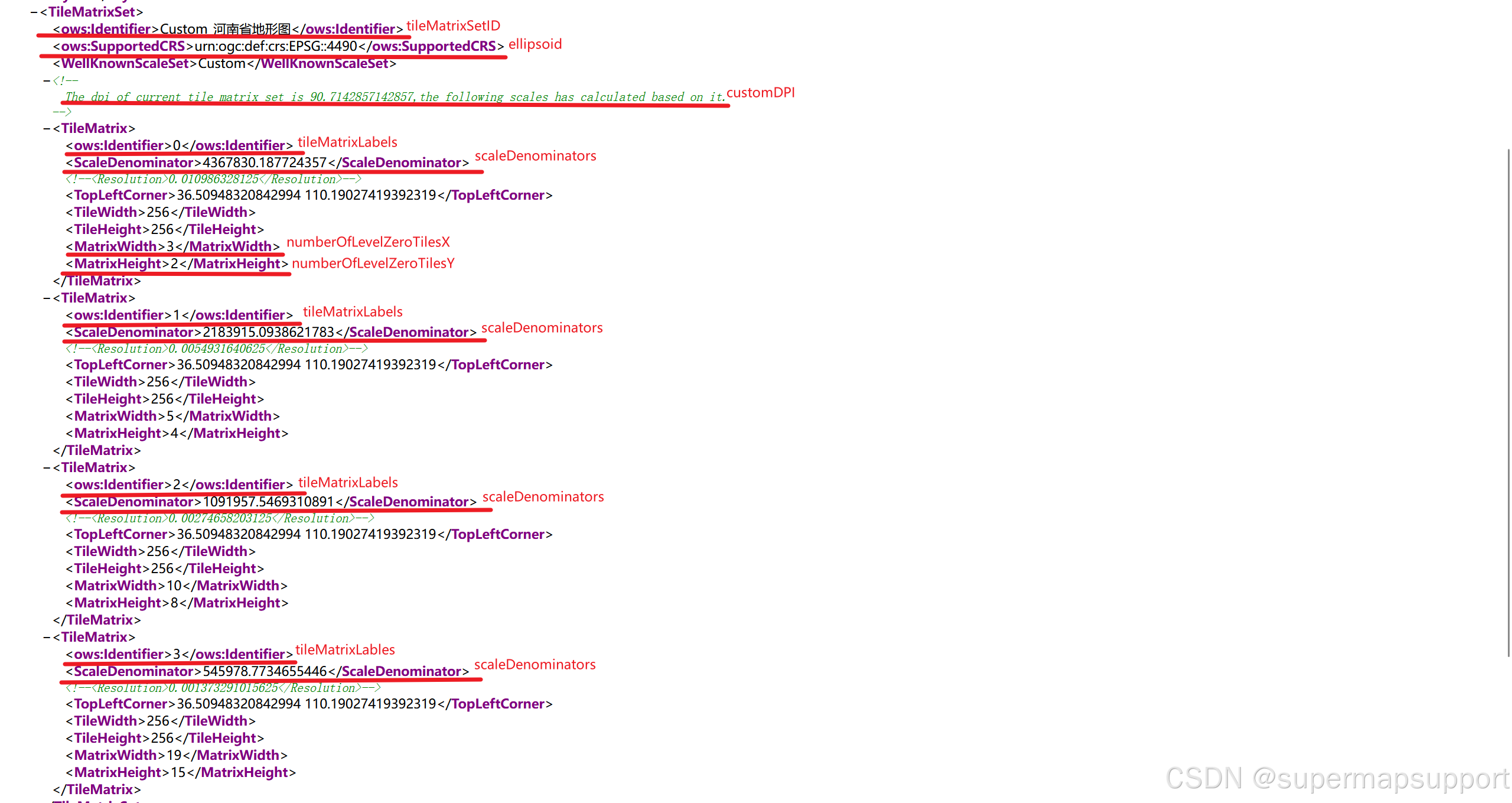
在 SuperMap iClient3D for WebGL 中加载WMTS服务时,参数配置很关键!下面我们详细介绍如何正确填写参数,确保影像服务完美加载。 一、数据制作 对于上述视频中的地图制作,此处不做讲述,如有需要可访问:Onl…...
组件自身如何向外暴露一个子组件
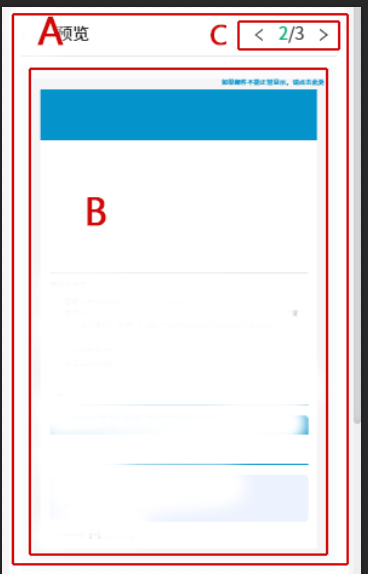
最近在开发是遇到一个问题,原本是在组件内的一个功能被ui设计稿给搞到了外面,产品也不同意放在子组件内。于是一个问题就来,抽出来放到外面的部分依赖的也是组件内部的数据和逻辑,所以如果外面再重写这一部分,显然浪费感情,并且又要把依赖关系挪出去,也不划算。 于是,…...
《软件设计师》复习笔记(11.4)——处理流程设计、系统设计、人机界面设计
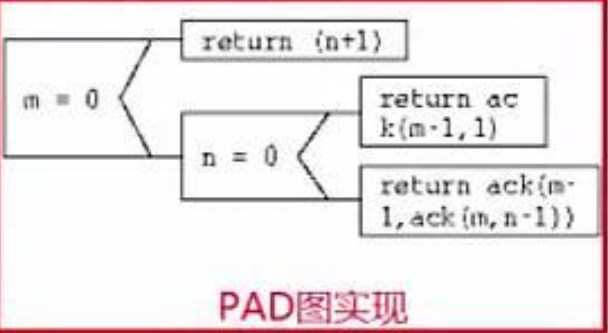
目录 一、业务流程建模 二、流程设计工具 三、业务流程重组(BPR) 四、业务流程管理(BPM) 真题示例: 五、系统设计 1. 主要目的 2. 设计方法 3. 主要内容 4. 设计原则 真题示例: 六、人机界面设…...
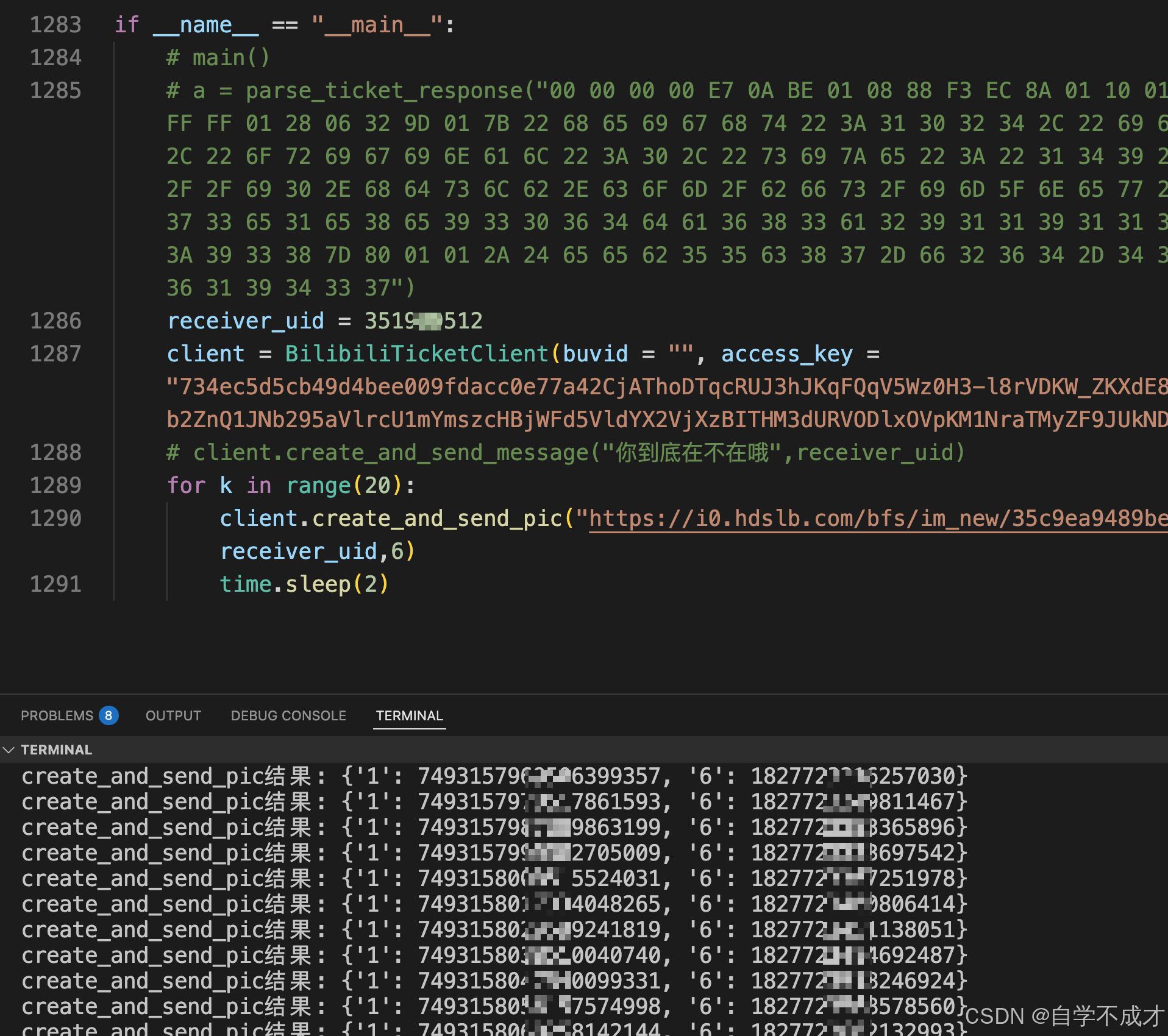
深入解析B站androidApp接口:从bilibili.api.ticket.v1.Ticket/GetTicket到SendMsg的技术分析
前言 最近一段时间,我对B站的App接口进行了深入分析,特别是关注了认证机制和私信功能的实现。通过逆向工程和网络抓包,发现了B站移动端API的底层工作原理,包括设备标识生成机制、认证流程和消息传输协议。本文将分享这些研究成果…...

#去除知乎中“盐选”付费故事
添加油猴脚本,去除知乎中“盐选”付费故事 // UserScript // name 盐选内容隐藏脚本 // namespace http://tampermonkey.net/ // version 0.2 // description 自动隐藏含有“盐选专栏”或“盐选”文字的回答卡片 // author YourName // mat…...

MATLAB脚本实现了一个转子系统的参数扫描和分岔分析
% 参数扫描范围 clc; clear; close all;S_values 500:200:20000; % 转速范围% 定义系统参数 N 5; % 质量点数量 num_nodes N; % 节点数 num_dofs_per_node 4; % 每个节点的自由度数 num_elements num_nodes-1; % 单元数 total_dofs num_nodes * num_dofs_per_node; % 总自…...