
SpringBoot项目如何部署SSL证书 (JKS格式)
1、SpringBoot项目如何部署SSL证书 (JKS格式)
1. 获取 SSL 证书和私钥
首先,你需要获取有效的 SSL 证书和私钥。SSL 证书是一种用于加密通信的数字证书,它可以通过购买商业 SSL 证书或使用免费的 Let’s Encrypt 证书获得。请确保你拥有证书文件和与之对应的私钥文件,这通常是以 .pem 和 .key 结尾的文件或者是jks格式的,本文以jks格式的SSL证书为例。
2. 配置 Spring Boot 项目
接下来,我们将配置 Spring Boot 项目以使用 SSL。
2.0 项目环境
spring boot 2.2.2
maven
一个域名(各大域名商有售,阿里、腾讯、华为)
SSL证书(阿里云上有免费的SSL证书,有效期一年)
2.1 将 SSL 证书和私钥文件添加到项目
将之前获取的 SSL 证书和私钥文件拷贝到 Spring Boot 项目中的 src/main/resources 目录下。这样,证书文件会与项目一起打包并在运行时加载。
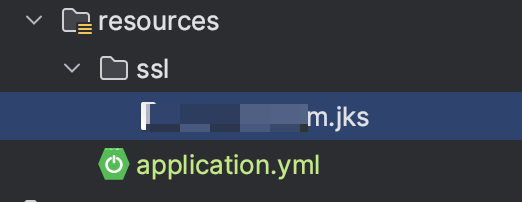
2.2 配置 application.properties 或 application.yml
在 Spring Boot 项目的配置文件(application.properties 或 application.yml)中添加以下 SSL 相关配置:
server:port: 8856servlet:context-path: /ssl:enabled: true# 保存SSL证书的秘钥库的路径key-store: classpath:ssl/xxx.com.jkskey-store-password: xxx# 证书类型key-store-type: JKS
#    key-store-protocol: TLS
2.3 编写controller进行测试
添加一个controller,测试是否生效,测试结果如下:
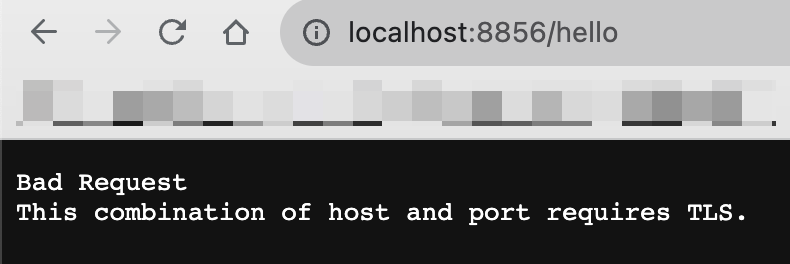
通过上述访问发现,如果通过http访问会提示访问需要组合TLS,但是如果用户直接通过这种方式访问的话,存在着极差的用户体验。
2.4 编写配置类HTTP转HTPPS
当用户使用http访问的时候,将http协议重定向到https端口
(1)修改配置文件
custom:  # 自定义http启动端口http-port: 8857server:port: 8856servlet:context-path: /ssl:enabled: true#key-alias: alias-key # 别名(可以不进行配置)# 保存SSL证书的秘钥库的路径key-store: classpath:ssl/xxx.com.jkskey-store-password: xxx# 证书类型key-store-type: JKS
#    key-store-protocol: TLS
(2)添加配置类
package org.pp.ssl.config;import org.apache.catalina.Context;
import org.apache.catalina.connector.Connector;
import org.apache.tomcat.util.descriptor.web.SecurityCollection;
import org.apache.tomcat.util.descriptor.web.SecurityConstraint;
import org.springframework.beans.factory.annotation.Value;
import org.springframework.boot.web.embedded.tomcat.TomcatServletWebServerFactory;
import org.springframework.context.annotation.Bean;
import org.springframework.context.annotation.Configuration;/*** https配置,将http请求全部转发到https* @author P_P*/
@Configuration
public class HttpsConfig {@Value("${custom.http-port: 8857}")private Integer httpPort;@Value("${server.port}")private Integer port;@Beanpublic TomcatServletWebServerFactory servletContainer() {// 将http请求转换为https请求TomcatServletWebServerFactory tomcat = new TomcatServletWebServerFactory() {@Overrideprotected void postProcessContext(Context context) {SecurityConstraint constraint = new SecurityConstraint();// 默认为NONEconstraint.setUserConstraint("CONFIDENTIAL");SecurityCollection collection = new SecurityCollection();// 所有的东西都httpscollection.addPattern("/*");constraint.addCollection(collection);context.addConstraint(constraint);}};tomcat.addAdditionalTomcatConnectors(httpConnector());return tomcat;}/*** 强制将所有的http请求转发到https** @return httpConnector*/@Beanpublic Connector httpConnector() {Connector connector = new Connector("org.apache.coyote.http11.Http11NioProtocol");connector.setScheme("http");// connector监听的http端口号connector.setPort(httpPort);connector.setSecure(false);// 监听到http的端口号后转向到的https的端口号connector.setRedirectPort(port);return connector;}
}
(3)启动项目
添加配置类之后,启动项目可以看到控制台出现了https端口和http端口
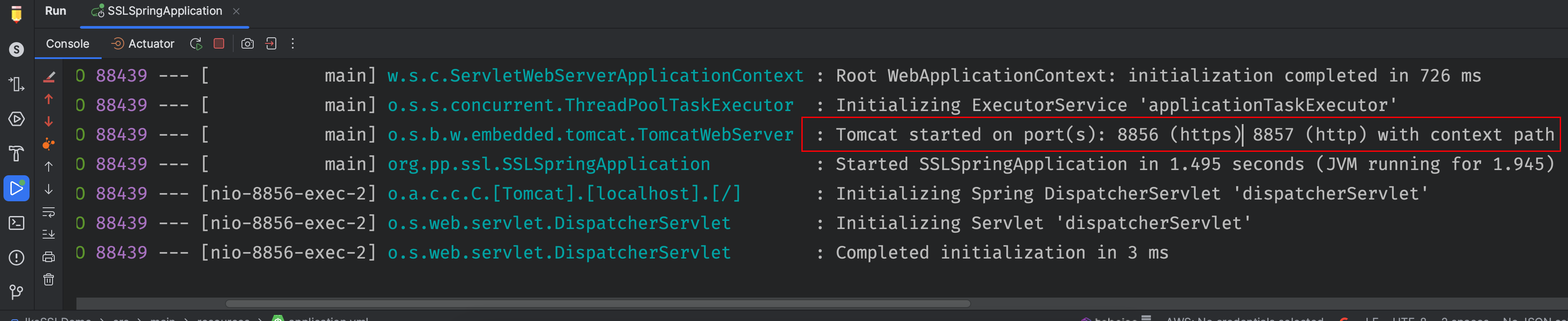
再次访问测试接口,会发现地址栏出现了https
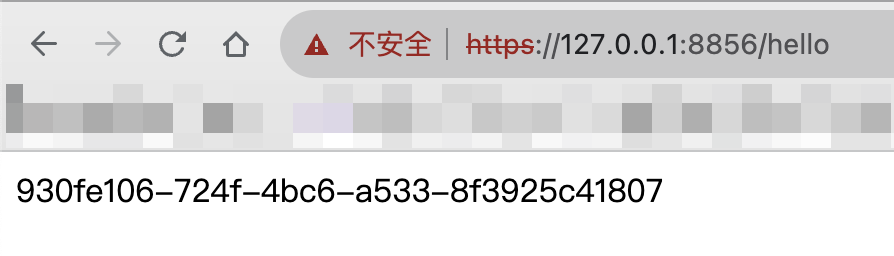
(4)同时开启http和https
如果不想将http请求都转发到https进行处理,可以同时开启http和https
/*** 同时开启http和https* @author P_P*/
import org.apache.catalina.connector.Connector;
import org.springframework.beans.factory.annotation.Value;
import org.springframework.boot.web.embedded.tomcat.TomcatServletWebServerFactory;
import org.springframework.context.annotation.Bean;
import org.springframework.context.annotation.Configuration;
@Configuration
public class HttpsConfig {@Value("${custom.http-port: 8857}")private Integer httpPort;@Beanpublic TomcatServletWebServerFactory servletContainer() {TomcatServletWebServerFactory tomcat = new TomcatServletWebServerFactory();tomcat.addAdditionalTomcatConnectors(httpConnector());return tomcat;}@Beanpublic Connector httpConnector() {Connector connector = new Connector("org.apache.coyote.http11.Http11NioProtocol");connector.setPort(httpPort);return connector;}
}
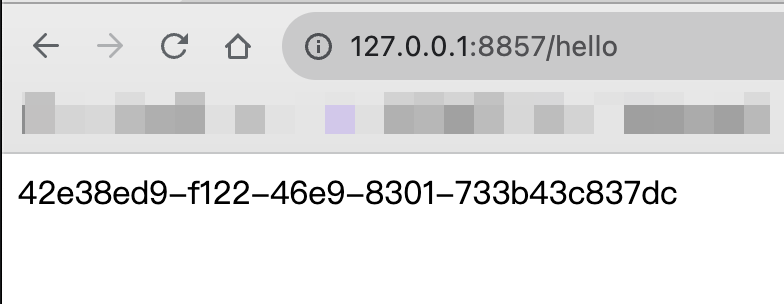
这样访问8857(http协议)的端口就不会进行转发了
3、spring boot配置ssl证书,异常:Invalid keystore format
3.1环境介绍
springBoot中配置了一个bean,bean加载的时候,会进行jks的加载,jks文件放在src/resources下,然后就报错了,错误如下。
2023-08-03 22:22:27.261:[ERROR] [main:6839] [org.springframework.boot.SpringApplication.reportFailure:826] --> Application run failed
org.springframework.boot.web.server.WebServerException: Unable to start embedded Tomcat serverat org.springframework.boot.web.embedded.tomcat.TomcatWebServer.start(TomcatWebServer.java:215)at org.springframework.boot.web.servlet.context.ServletWebServerApplicationContext.startWebServer(ServletWebServerApplicationContext.java:297)at org.springframework.boot.web.servlet.context.ServletWebServerApplicationContext.finishRefresh(ServletWebServerApplicationContext.java:163)at org.springframework.context.support.AbstractApplicationContext.refresh(AbstractApplicationContext.java:553)at org.springframework.boot.web.servlet.context.ServletWebServerApplicationContext.refresh(ServletWebServerApplicationContext.java:141)at org.springframework.boot.SpringApplication.refresh(SpringApplication.java:747)at org.springframework.boot.SpringApplication.refreshContext(SpringApplication.java:397)at org.springframework.boot.SpringApplication.run(SpringApplication.java:315)at org.springframework.boot.SpringApplication.run(SpringApplication.java:1226)at org.springframework.boot.SpringApplication.run(SpringApplication.java:1215)at org.ee.authority.AuthorityApplication.main(AuthorityApplication.java:28)Caused by: java.lang.IllegalArgumentException: Invalid keystore formatat org.apache.tomcat.util.net.AbstractJsseEndpoint.createSSLContext(AbstractJsseEndpoint.java:99) ~[tomcat-embed-core-9.0.29.jar:9.0.29]at org.apache.tomcat.util.net.AbstractJsseEndpoint.initialiseSsl(AbstractJsseEndpoint.java:71) ~[tomcat-embed-core-9.0.29.jar:9.0.29]at org.apache.tomcat.util.net.NioEndpoint.bind(NioEndpoint.java:218) ~[tomcat-embed-core-9.0.29.jar:9.0.29]at org.apache.tomcat.util.net.AbstractEndpoint.bindWithCleanup(AbstractEndpoint.java:1142) ~[tomcat-embed-core-9.0.29.jar:9.0.29]at org.apache.tomcat.util.net.AbstractEndpoint.start(AbstractEndpoint.java:1228) ~[tomcat-embed-core-9.0.29.jar:9.0.29]at org.apache.coyote.AbstractProtocol.start(AbstractProtocol.java:586) ~[tomcat-embed-core-9.0.29.jar:9.0.29]at org.apache.catalina.connector.Connector.startInternal(Connector.java:1005) ~[tomcat-embed-core-9.0.29.jar:9.0.29]
Caused by: java.lang.IllegalArgumentException: standardService.connector.startFailedat org.apache.catalina.core.StandardService.addConnector(StandardService.java:231)at org.springframework.boot.web.embedded.tomcat.TomcatWebServer.addPreviouslyRemovedConnectors(TomcatWebServer.java:278)at org.springframework.boot.web.embedded.tomcat.TomcatWebServer.start(TomcatWebServer.java:197)... 10 common frames omitted
Caused by: org.apache.catalina.LifecycleException: Protocol handler start failedat org.apache.catalina.connector.Connector.startInternal(Connector.java:1008)at org.apache.catalina.util.LifecycleBase.start(LifecycleBase.java:183)at org.apache.catalina.core.StandardService.addConnector(StandardService.java:227)... 12 common frames omitted
Caused by: java.lang.IllegalArgumentException: Invalid keystore formatat org.apache.tomcat.util.net.AbstractJsseEndpoint.createSSLContext(AbstractJsseEndpoint.java:99)at org.apache.tomcat.util.net.AbstractJsseEndpoint.initialiseSsl(AbstractJsseEndpoint.java:71)at org.apache.tomcat.util.net.NioEndpoint.bind(NioEndpoint.java:218)at org.apache.tomcat.util.net.AbstractEndpoint.bindWithCleanup(AbstractEndpoint.java:1142)at org.apache.tomcat.util.net.AbstractEndpoint.start(AbstractEndpoint.java:1228)at org.apache.coyote.AbstractProtocol.start(AbstractProtocol.java:586)at org.apache.catalina.connector.Connector.startInternal(Connector.java:1005)... 14 common frames omitted
Caused by: java.io.IOException: Invalid keystore formatat sun.security.provider.JavaKeyStore.engineLoad(JavaKeyStore.java:666)at sun.security.provider.JavaKeyStore$JKS.engineLoad(JavaKeyStore.java:57)at sun.security.provider.KeyStoreDelegator.engineLoad(KeyStoreDelegator.java:224)at sun.security.provider.JavaKeyStore$DualFormatJKS.engineLoad(JavaKeyStore.java:71)at java.security.KeyStore.load(KeyStore.java:1449)at org.apache.tomcat.util.security.KeyStoreUtil.load(KeyStoreUtil.java:69)at org.apache.tomcat.util.net.SSLUtilBase.getStore(SSLUtilBase.java:217)at org.apache.tomcat.util.net.SSLHostConfigCertificate.getCertificateKeystore(SSLHostConfigCertificate.java:206)at org.apache.tomcat.util.net.SSLUtilBase.getKeyManagers(SSLUtilBase.java:283)at org.apache.tomcat.util.net.SSLUtilBase.createSSLContext(SSLUtilBase.java:247)at org.apache.tomcat.util.net.AbstractJsseEndpoint.createSSLContext(AbstractJsseEndpoint.java:97)... 20 common frames omitted
3.2现象及原因分析
直接用main函数解析jks文件,一点毛病都没有。但是打包后启动Tomact再解析就不行,直接启动单元测试(完整加载bean的形式)也不行。
后来发现,在target文件夹下,jks文件的大小变了。查了资料,大概明白错误的根本原因了:maven编译或者打包的时候,对文件的内容进行了修改(maven编译的时候使用了占位符,替换的时候使文件发生了变化),这就导致了jks文件发生变化。
3.3解决方案
配置MAVEN过滤JKS等格式的文件,在pom的build配置中增加如下过滤配置,将jks过滤掉。(提一句,以下配置中也过滤了xlsx,是因为打包后Excel文件也会坏掉)
<build><plugins><plugin><groupId>org.springframework.boot</groupId><artifactId>spring-boot-maven-plugin</artifactId></plugin><plugin><groupId>org.apache.maven.plugins</groupId><artifactId>maven-resources-plugin</artifactId><configuration><encoding>${project.build.sourceEncoding}</encoding><useDefaultDelimiters>true</useDefaultDelimiters><includeEmptyDirs>true</includeEmptyDirs><!-- 证书文件 --><nonFilteredFileExtensions><nonFilteredFileExtension>pem</nonFilteredFileExtension><nonFilteredFileExtension>pfx</nonFilteredFileExtension><nonFilteredFileExtension>p12</nonFilteredFileExtension><nonFilteredFileExtension>key</nonFilteredFileExtension><nonFilteredFileExtension>xlsx</nonFilteredFileExtension><nonFilteredFileExtension>jks</nonFilteredFileExtension></nonFilteredFileExtensions></configuration></plugin><!-- java文档插件 --><plugin><groupId>org.apache.maven.plugins</groupId><artifactId>maven-javadoc-plugin</artifactId><version>3.0.0</version></plugin></plugins></build>
相关文章:
SpringBoot项目如何部署SSL证书 (JKS格式)
1、SpringBoot项目如何部署SSL证书 (JKS格式) 1. 获取 SSL 证书和私钥 首先,你需要获取有效的 SSL 证书和私钥。SSL 证书是一种用于加密通信的数字证书,它可以通过购买商业 SSL 证书或使用免费的 Let’s Encrypt 证书获得。请确保你拥有证书文件和与之…...

成功解决:ValueError Cannot assign non-leaf Tensor to parameter ‘weight‘
成功解决:ValueError Cannot assign non-leaf Tensor to parameter ‘weight‘ 欢迎大家来到安静到无声的《模式识别与人工智能(程序与算法)》,如果对所写内容感兴趣请看模式识别与人工智能(程序与算法)系列讲解 - 总目录,同时这也可以作为大家学习的参考。欢迎订阅,优…...

面试之快速学习SQL-基础增删改查语句
1. SELECT SELECT column1,column2,column3 FROM table_name;SELECT * FROM table_name;2. SQL SELECT DISTINCT 语句 在表中,可能会包含重复值。这并不成问题,不过,有时您也许希望仅仅列出不同(distinct)的值。 SE…...
nuxt脚手架创建项目
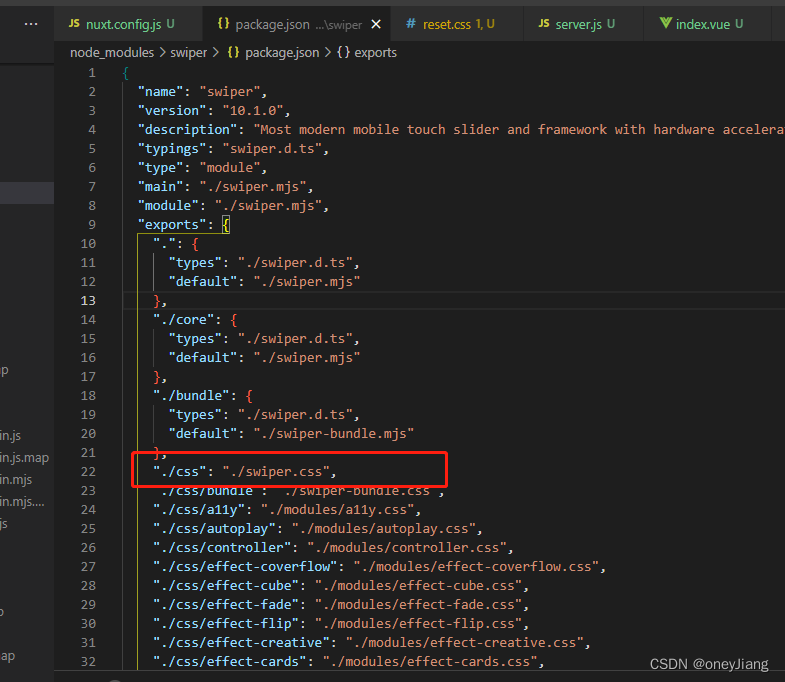
在初始化时遇到一个依赖找不到的问题,记录一下,如有遇到同样问题的小伙伴,希望能给你们一点指引。 从安装脚手架开始,首先 一:安装nuxt脚手架 1. C盘全局安装: npm i -g create-nuxt-app 安装后可creat…...
复现原型链污染漏洞
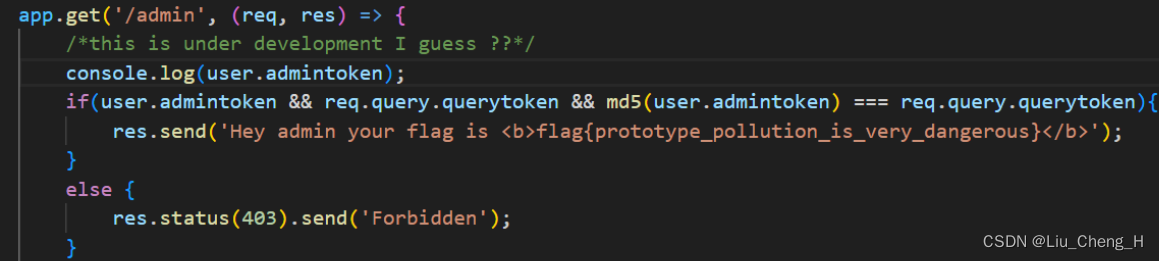
目录 一、复现原型链污染漏洞 hackit 2018 1、创建hackit_2018.js文件 2、运行hackit_2018.js文件 3、寻找原型链漏洞 4、污染原型链 hackit 2018 1、创建hackit_2018.js文件 const express require(express) var hbs require(hbs); var bodyParser require(body-par…...
.Net6 Web Core API 配置 Autofac 封装 --- 依赖注入
目录 一、NuGet 包导入 二、Autofac 封装类 三、Autofac 使用 四、案例测试 下列封装 采取程序集注入方法, 单个依赖注入, 也适用, 可<依赖注入>的地方配置 一、NuGet 包导入 Autofac Autofac.Extensions.DependencyInjection Autofac.Extras.DynamicProxy 二、Auto…...
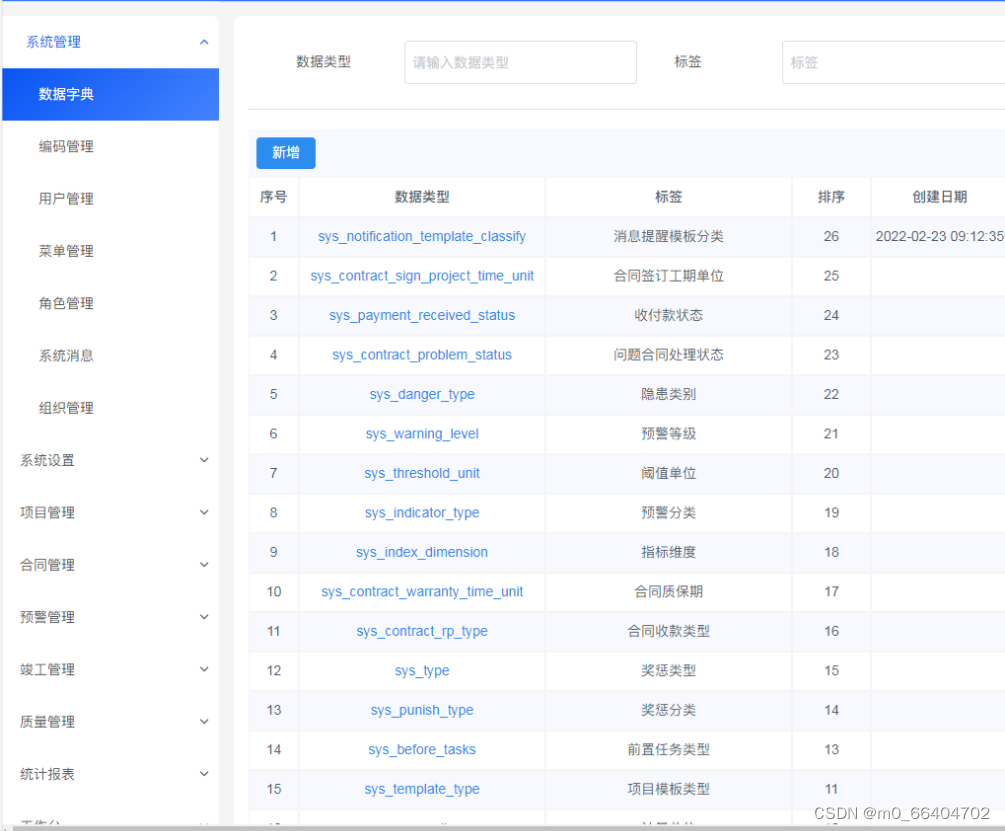
鸿鹄工程项目管理系统em Spring Cloud+Spring Boot+前后端分离构建工程项目管理系统 em
Java版工程项目管理系统 Spring CloudSpring BootMybatisVueElementUI前后端分离 功能清单如下: 首页 工作台:待办工作、消息通知、预警信息,点击可进入相应的列表 项目进度图表:选择(总体或单个)项目…...
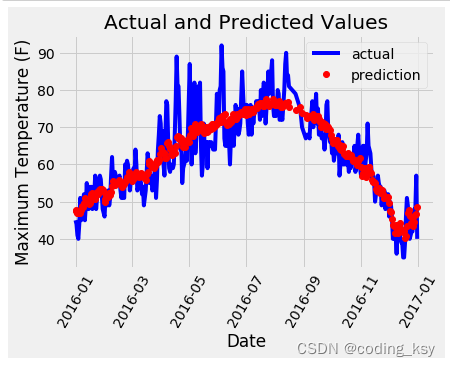
【搭建PyTorch神经网络进行气温预测】
import numpy as np import pandas as pd import matplotlib.pyplot as plt import torch import torch.optim as optim import warnings warnings.filterwarnings("ignore") %matplotlib inlinefeatures pd.read_csv(temps.csv)#看看数据长什么样子 features.head…...
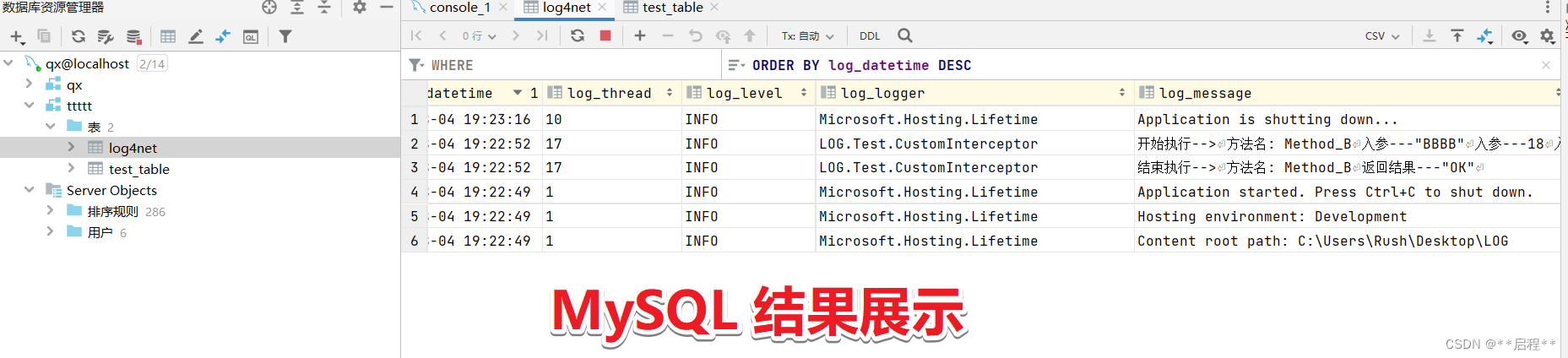
.Net6 Web Core API --- AOP -- log4net 封装 -- MySQL -- txt
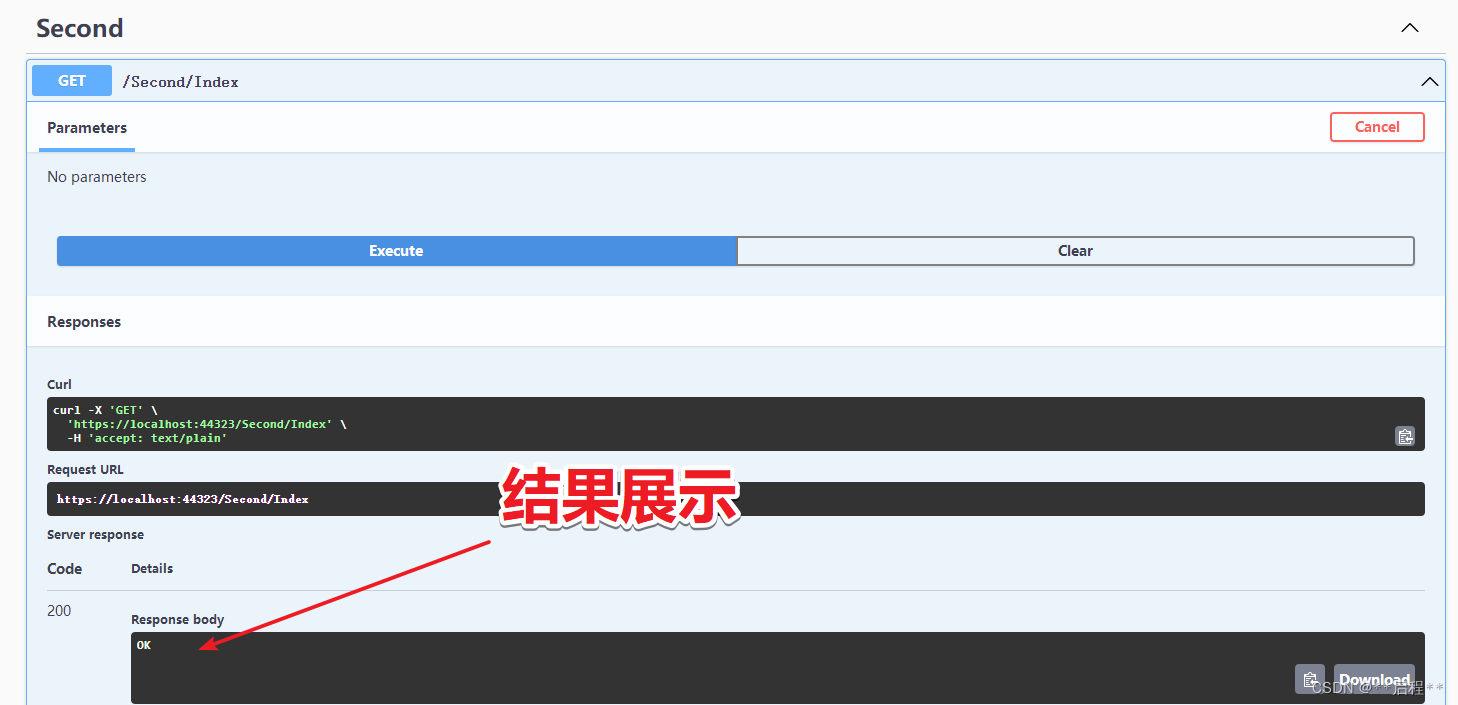
目录 一、引入 NuGet 包 二、配置log4net.config 三、编写Log4net封装类 四、编写日志记录类 五、AOP -- 拦截器 -- 封装 六、案例编写 七、结果展示 一、引入 NuGet 包 log4net Microsoft.Extensions.Logging.Log4Net.AspNetCore MySql.Data ---- MySQL…...
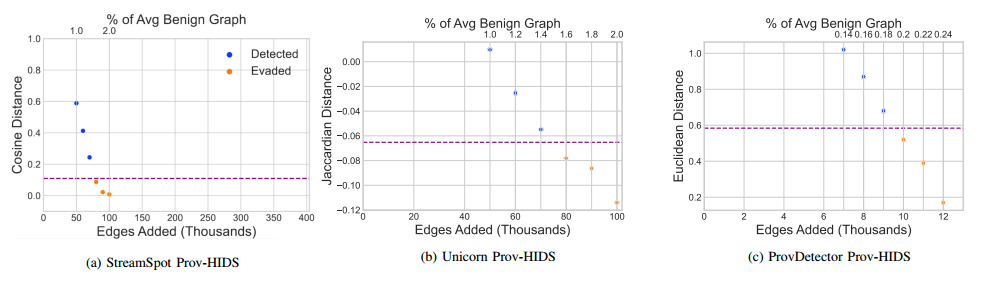
【论文阅读】对抗溯源图主机入侵检测系统的模仿攻击(NDSS-2023)
作者:伊利诺伊大学芝加哥分校-Akul Goyal、Gang Wang、Adam Bates;维克森林大学-Xueyuan Han、 引用:Goyal A, Han X, Wang G, et al. Sometimes, You Aren’t What You Do: Mimicry Attacks against Provenance Graph Host Intrusion Detect…...

微信小程序多图片上传实用代码记录
微信小程序多图片上传实用代码记录 由于在小程序中,wx.uploadFile 只能一次上传一张图片,因此在一次需要上传多张图片的应用场景中例如商品图片上传、评论图片上传等场景下,不得不使用for等循环上传每一张图片,多次调用wx.upload…...

android实现获取系统全局对象实例
无需Context获取系统常用全局对象:Application,Activity,PackageManager等。 import android.app.Activity; import android.app.Application; import android.app.Service; import android.content.Context; import android.content.pm.Pac…...
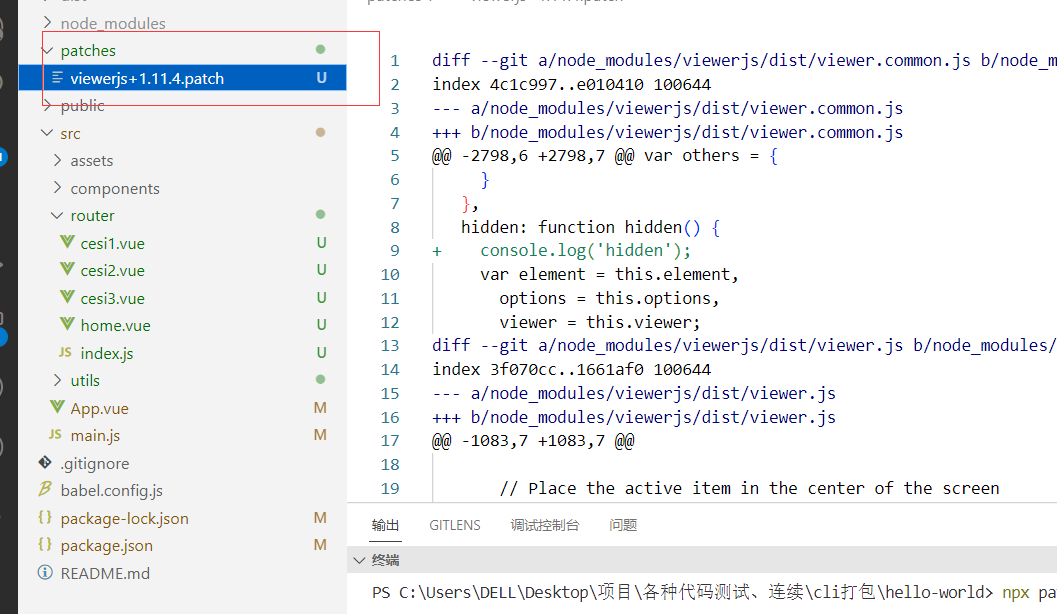
viewerjs 如何新增下载图片功能(npm包补丁)
文章目录 先实现正常的效果实现下载图片改变viewerjs的build函数源码改变之后,执行npm i 之后node_modules源码又变回了原样 1、viwerjs所有功能都很完善,但唯独缺少了图片的下载 2、需求:在用viwerjs旋转图片后,可以直接下载旋转…...
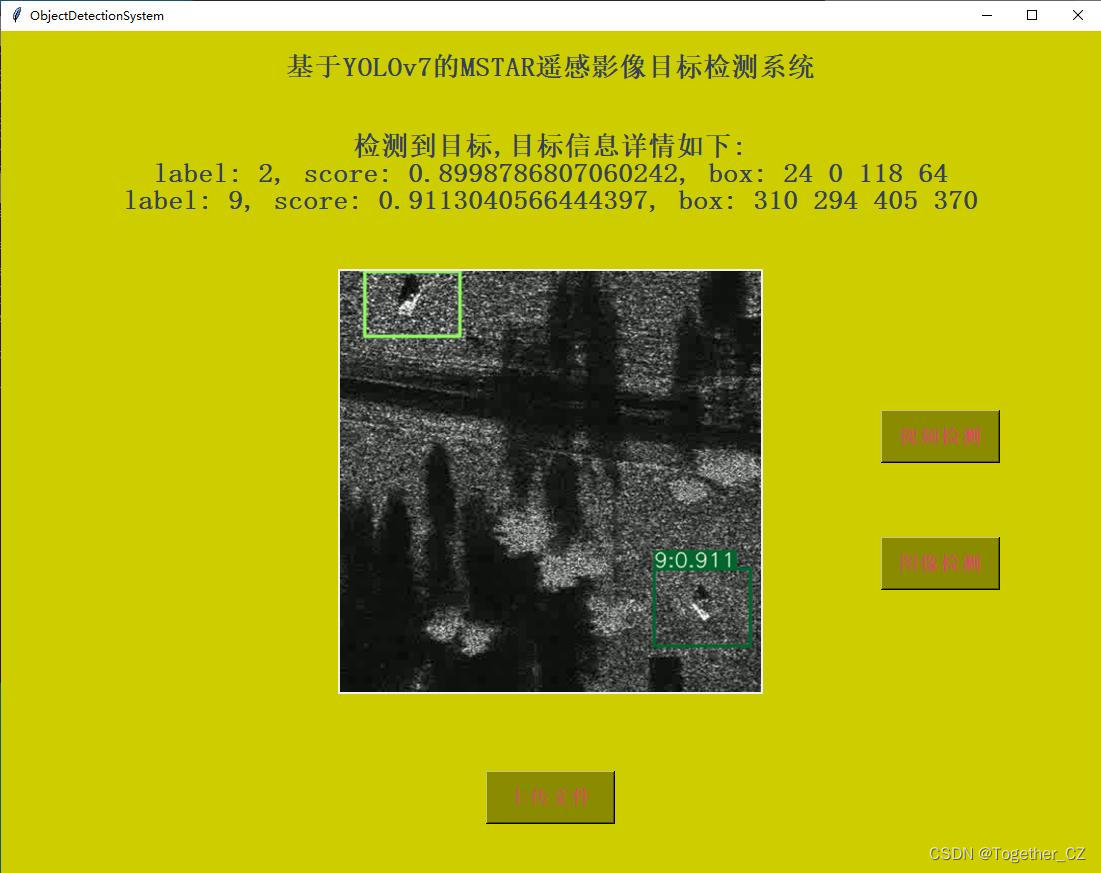
基于YOLOv7开发构建MSTAR雷达影像目标检测系统
MSTAR(Moving and Stationary Target Acquisition and Recognition)数据集是一个基于合成孔径雷达(Synthetic Aperture Radar,SAR)图像的目标检测和识别数据集。它是针对目标检测、机器学习和模式识别算法的研究和评估…...

关于c++中mutable、const、volatile这三个关键字及对应c++与汇编示例源码
这哥三之间的关系是有趣的,不妨看看这个: cv (const and volatile) type qualifiers - cppreference.com mutable permits modification of the class member declared mutable even if the containing object is declared const. 即便一个对象是con…...

把大模型装进手机,分几步?
点击关注 文 | 姚 悦 编 | 王一粟 大模型“跑”进手机,AI的战火已经从“云端”烧至“移动终端”。 “进入AI时代,华为盘古大模型将会来助力鸿蒙生态。”8月4日,华为常务董事、终端BG CEO、智能汽车解决方案BU CEO 余承东介绍,…...

c++游戏制作指南(三):c++剧情类文字游戏的制作
🍿*★,*:.☆( ̄▽ ̄)/$:*.★* 🍿 🍟欢迎来到静渊隐者的csdn博文,本文是c游戏制作指南的一部🍟 🍕更多文章请点击下方链接🍕 🍨 c游戏制作指南dz…...
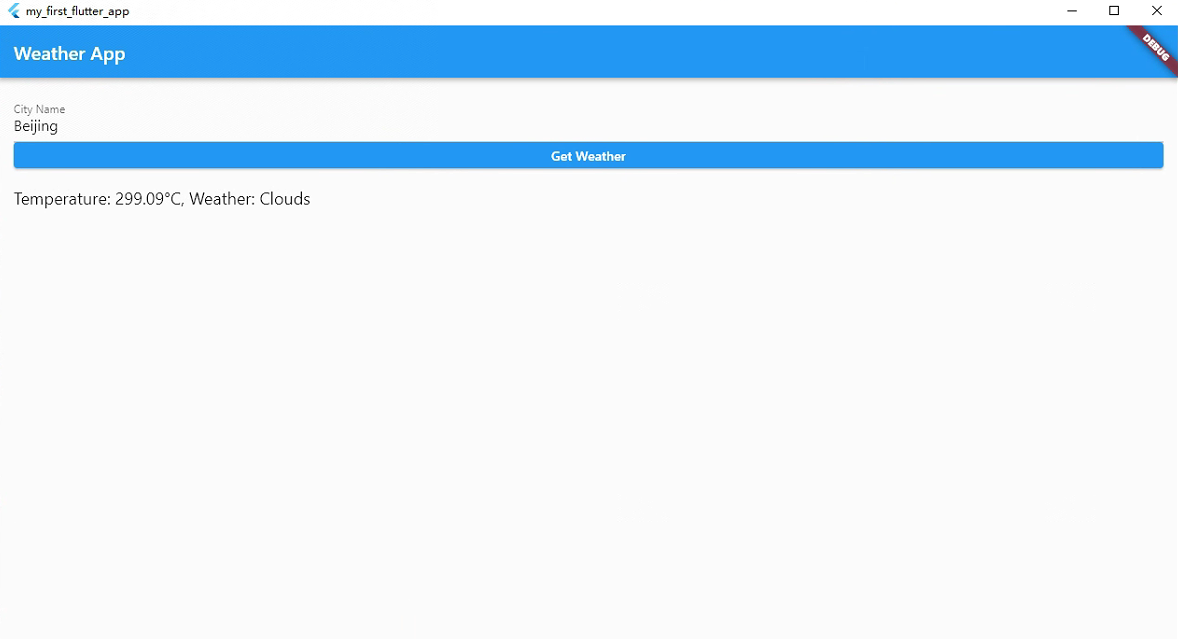
Flutter系列文章-实战项目
在本篇文章中,我们将通过一个实际的 Flutter 应用来综合运用最近学到的知识,包括保存到数据库、进行 HTTP 请求等。我们将开发一个简单的天气应用,可以根据用户输入的城市名获取该城市的天气信息,并将用户查询的城市列表保存到本地…...

HCIA---TCP/UDP协议
提示:文章写完后,目录可以自动生成,如何生成可参考右边的帮助文档 文章目录 目录 文章目录 一.UDP协议简介 UDP协议的特点: 二.TCP协议简介 TCP协议特点 三.TCP和UDP的区别 思维导图 一.UDP协议简介 UDP(User …...
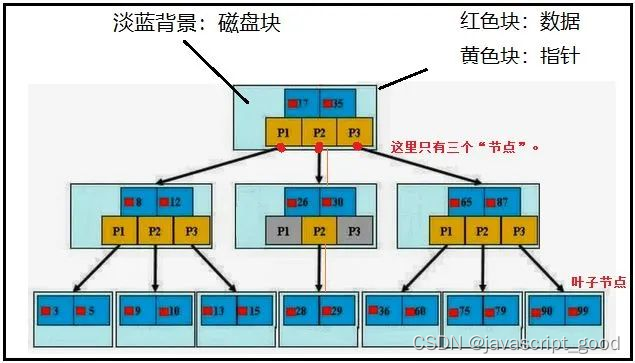
数据库索引的使用
1、MySQL的基本架构 架构图 左边的client可以看成是客户端,客户端有很多,像我们经常你使用的CMD黑窗口,像我们经常用于学习的WorkBench,像企业经常使用的Navicat工具,它们都是一个客户端。右边的这一大堆都可以看成是…...

通过taotoken审计日志追溯api调用详情与安全分析
🚀 告别海外账号与网络限制!稳定直连全球优质大模型,限时半价接入中。 👉 点击领取海量免费额度 通过Taotoken审计日志追溯API调用详情与安全分析 对于将大模型API集成到业务流程中的团队而言,API调用的可见性与可控性…...

Kafka Connect集群部署踩坑实录:从单机到高可用的完整配置与监控方案
Kafka Connect生产级部署实战:高可用架构设计与监控体系构建 当数据管道成为企业核心基础设施时,Kafka Connect的稳定性直接关系到业务连续性。去年某电商大促期间,因单点故障导致数据同步延迟6小时的教训仍历历在目——这正是我们需要深入探…...

AICoverGen终极指南:5分钟用AI制作专业级翻唱歌曲
AICoverGen终极指南:5分钟用AI制作专业级翻唱歌曲 【免费下载链接】AICoverGen A WebUI to create song covers with any RVC v2 trained AI voice from YouTube videos or audio files. 项目地址: https://gitcode.com/gh_mirrors/ai/AICoverGen 想不想让AI…...

终极Python通达信数据解析方案:mootdx完整使用指南与金融量化实践
终极Python通达信数据解析方案:mootdx完整使用指南与金融量化实践 【免费下载链接】mootdx 通达信数据读取的一个简便使用封装 项目地址: https://gitcode.com/GitHub_Trending/mo/mootdx 在金融数据分析和量化交易领域,通达信作为国内主流的证券…...

开源机械爪控制库:从PID算法到ROS集成的全栈开发指南
1. 项目概述:一个开源的机械爪设计与控制库最近在机器人硬件开发的圈子里,开源项目“MeyerZhou/openclaw”引起了不少创客和机器人爱好者的注意。简单来说,这是一个专注于机械爪(或称机械手、夹爪)设计与控制的代码库和…...

通用框架操作系统:统一异构应用框架的运行时与治理平台
1. 项目概述:一个面向未来的通用框架操作系统最近在开源社区里,一个名为TELLEBO/universal-framework-os的项目引起了我的注意。乍一看这个标题,可能会觉得有点“大词”堆砌的感觉——“通用”、“框架”、“操作系统”,每一个词单…...

OpenClaw 小龙虾智能体联动 DeepSeek 大模型部署实操攻略
前置准备 获取小龙虾open claw一键安装包(www.totom.top)并安装电脑端已成功安装并正常启动OpenClaw,右上角 Gateway 状态显示在线设备网络通畅,可正常访问 DeepSeek 开放平台拥有可接收验证码的手机号 / 微信,用于平…...

基于IMAP的邮件自动化处理工具mymailclaw配置与实战指南
1. 项目概述:一个轻量级的邮件抓取与处理工具最近在折腾一个需要自动化处理邮件通知的小项目,发现市面上的方案要么太重,要么不够灵活。直到我遇到了psandis/mymailclaw这个项目,它就像一把小巧而锋利的瑞士军刀,专门用…...

Deep Lake:AI数据湖实战指南,解决深度学习数据管理难题
1. 项目概述:当数据湖遇上深度学习如果你在深度学习项目里被数据管理搞得焦头烂额过,那你肯定懂我在说什么。模型训练到一半,发现数据版本不对,或者想对海量图像、视频做快速查询和采样,结果被IO速度卡得死死的。传统的…...

3个技巧让SD-PPP插件提升Photoshop设计效率300%
3个技巧让SD-PPP插件提升Photoshop设计效率300% 【免费下载链接】sd-ppp A Photoshop AI plugin 项目地址: https://gitcode.com/gh_mirrors/sd/sd-ppp 还在为Photoshop和AI工具之间的频繁切换而烦恼吗?每次都要导出PSD、上传到AI平台、等待生成、再导回Phot…...