
vant金额输入框
1.在components中新建文件夹currency,新建index.js
import Currency from './src/currency.vue'Currency.install = function (Vue) {Vue.component(Currency.name, Currency)
}export default Currency
2.在currency中新建文件夹src,在src中间currency.vue。写入核心代码
<template><van-field v-model="liveValue" :name="name" :placeholder="placeholder" :disabled="disabled" :readonly="readonly" @focus="handleFocus" @blur="handleBlur" @change.native="handleChange" v-bind="$attrs" @keydown.native="handleKeydown"></van-field>
</template><script>
import { formatter, unFormatter, numberKeyCodes, decimalKeyCodes, plusKeyCodes, minusKeyCodes, operKeyCodes } from '../../currentcy.js'
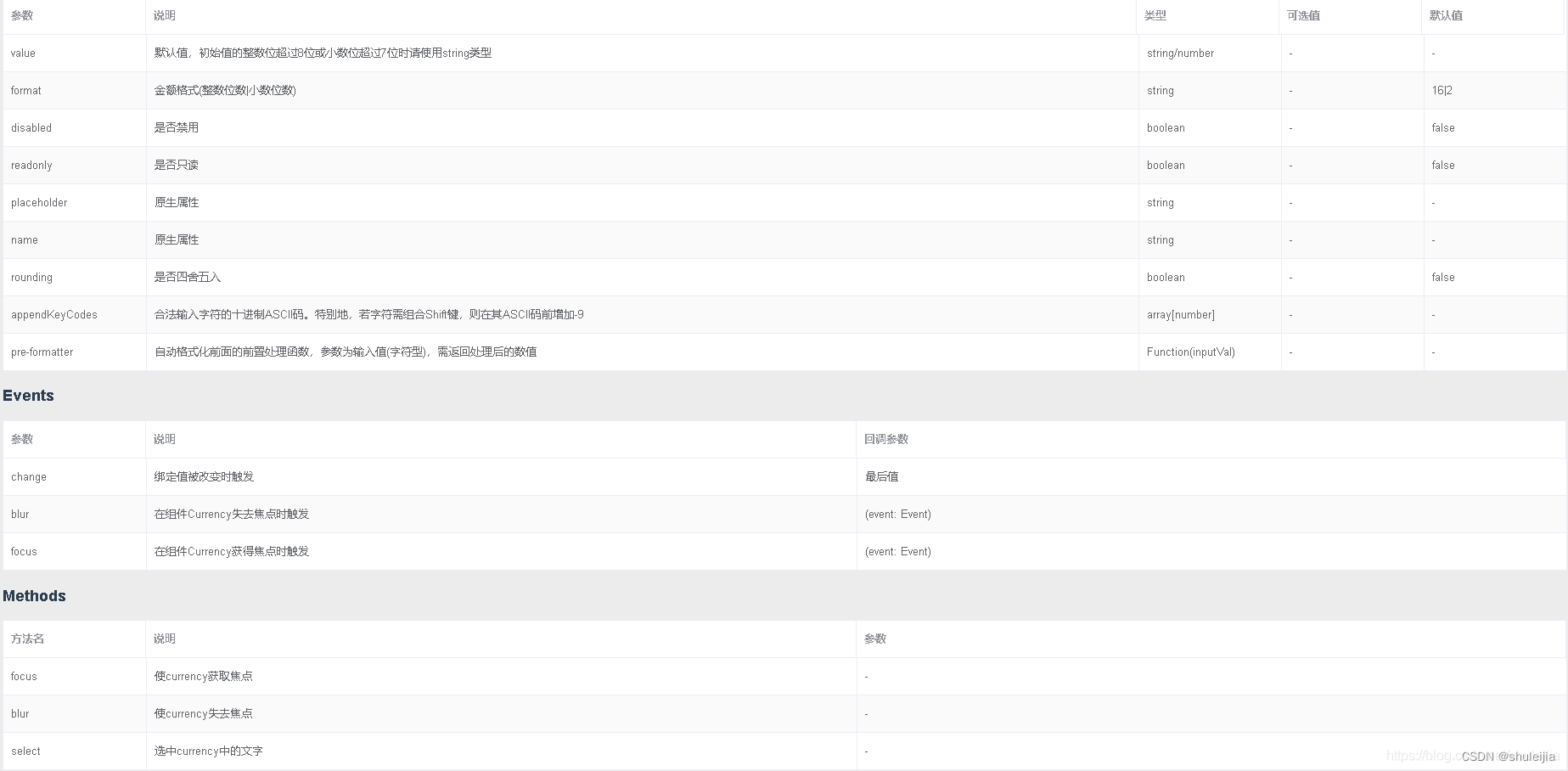
export default {name: 'Sjjcurrency',props: {name: 'String',value: {type: [String, Number],default: ''},format: {type: String,default: '16|2'},placeholder: String,separator: {type: String,default: ','},decimalSymbol: {type: String,default: '.'},disabled: {type: Boolean,default: false},readonly: {type: Boolean,default: false},rounding: {type: Boolean,default: false},appendKeyCodes: Array,preFormatter: Function},components: {UnInput},data () {return {hiddenValue: '', // 合法金额值liveValue: '' // 展示值}},created () {let userFormatVal = this.value + ''if (this.preFormatter) {userFormatVal = this.preFormatter(userFormatVal)}this.liveValue = formatter(userFormatVal + '', this.separator, this.decimalSymbol, this.format, this.integerFormat, this.rounding)this.hiddenValue = unFormatter(this.liveValue, this.separator)},watch: {value (val, oldVal) {let userFormatVal = this.value + ''if (this.preFormatter) {userFormatVal = this.preFormatter(userFormatVal)}this.liveValue = formatter(userFormatVal + '', this.separator, this.decimalSymbol, this.format, this.integerFormat)this.hiddenValue = unFormatter(this.liveValue, this.separator)}},methods: {focus () {let inputInner = this.$el.querySelector('.van-field_control')inputInner.focus()},blur () {let inputInner = this.$el.querySelector('.van-field_control')inputInner.blur()},select () {let inputInner = this.$el.querySelector('.van-field_control')inputInner.select()},handleFocus (event) {this.liveValue = this.hiddenValuethis.$emit('focus', event)},handleBlur (event) {let userFormatVal = this.liveValueif (this.preFormatter) {userFormatVal = this.preFormatter(userFormatVal)}this.liveValue = formatter(userFormatVal + '', this.separator, this.decimalSymbol, this.format, this.integerFormat, this.rounding)this.hiddenValue = unFormatter(this.liveValue, this.separator)this.$emit('input', this.hiddenValue)this.$nextTick(() => {this.$emit('blur', event)})},handleChange (val) {if (/[\u4e00-\u9fa5]/g.test(val)) { // 非IE,忽略可输入的中文val = this.hiddenValue}let userFormatVal = valif (this.preFormatter) {userFormatVal = this.preFormatter(val)}this.liveValue = formatter(userFormatVal + '', this.separator, this.decimalSymbol, this.format, this.integerFormat, this.rounding)this.hiddenValue = unFormatter(this.liveValue, this.separator)this.$emit('input', this.hiddenValue)this.$nextTick(() => {this.$emit('change', this.hiddenValue)})},handleKeydown (event) {if (this.readonly || this.disabled) {return}let keyCode = event.keyCodeif (event.shiftKey) {keyCode = -9 + '' + keyCode}if (event.ctrlKey) {keyCode = -7 + '' + keyCode}// 获取光标位置let cursurPosition = 0let inputInner = this.$el.querySelector('.van-field_control')if (inputInner) {if (inputInner.selectionStart !== null && inputInner.selectionStart !== undefined) {// 非IE、IE11cursurPosition = inputInner.selectionStart} else {// IE10-let range = document.selection.createRange()range.moveStart('character', -inputInner.val().length)cursurPosition = range.text.length}} else {cursurPosition = -1}keyCode = parseInt(keyCode)let allowKeyCodes = [...numberKeyCodes,...decimalKeyCodes,...operKeyCodes,...plusKeyCodes,...minusKeyCodes]if (this.appendKeyCodes && this.appendKeyCodes.length) {allowKeyCodes = allowKeyCodes.concat(this.appendKeyCodes)}// let signalKeyCodes = plusKeyCodes.concat(minusKeyCodes)if (allowKeyCodes.indexOf(keyCode) < 0 || (this.liveValue.indexOf('.') >= 0 && decimalKeyCodes.indexOf(keyCode) >= 0) || ((this.liveValue.indexOf('+') >= 0 || this.liveValue.indexOf('-') >= 0) && minusKeyCodes.indexOf(keyCode) >= 0) || ((this.liveValue.indexOf('+') >= 0 || this.liveValue.indexOf('-') >= 0) && plusKeyCodes.indexOf(keyCode) >= 0) || (cursurPosition > 0 && plusKeyCodes.concat(minusKeyCodes).indexOf(keyCode) >= 0)) {event.preventDefault()} else {if (cursurPosition === 0 && (plusKeyCodes.indexOf(keyCode) >= 0 || minusKeyCodes.indexOf(keyCode) >= 0)) {// if ((this.liveValue.indexOf('-') < 0 && minusKeyCodes.indexOf(keyCode) >= 0) || (this.liveValue.indexOf('+') < 0 && plusKeyCodes.indexOf(keyCode) >= 0)) { // 可输入+if ((this.liveValue.indexOf('-') < 0 && minusKeyCodes.indexOf(keyCode) >= 0)) {// 不可输入+} else {event.preventDefault()}}}}}
}
</script>
3.currentcy.js
import { BigDecimal, RoundingMode } from 'bigdecimal'
export const numberKeyCodes = [44, 48, 49, 50, 51, 52, 53, 54, 55, 56, 57, 96, 97, 98, 99, 100, 101, 102, 103, 104, 105] // 允许的数字键的keyCode
export const decimalKeyCodes = [190, 110] // 小数键的keyCode
export const plusKeyCodes = [107, -9187] // 正号的keyCode 【小键盘+, 187=(配合shift使用)】
export const minusKeyCodes = [109, 189] // 负号的keyCode
export const operKeyCodes = [9, 46, 8, 37, 39, 35, 36, -767, -786] // 操作特殊字符的KeyCodefunction __getIntDigitLength__ (intDigitStr) {let len = {}let intLength = ''let decimalLength = ''intDigitStr = intDigitStr.trim()if (intDigitStr && intDigitStr !== '|' && /^(\d*)\|(\d*)$/g.test(intDigitStr)) {intLength = RegExp.$1decimalLength = RegExp.$2len.intLength = intLengthlen.decimalLength = decimalLengthreturn len} else {return false}
}function __getStringRegExp__ (str) {try {if (str && /[\][{}()*+?.\\^$|]/g.test(str)) {if (str !== '\\') return '\\' + strelse return '\\'} else return str || ''} catch (e) {throw new Error('__getStringRegExp__:' + e.message)}
}function __removeSeparator__ (value, separator) {try {// var _me = thisvar separatorRegExp = __getStringRegExp__(separator) || ''if (separatorRegExp) {var dh = new RegExp(separatorRegExp, 'img')if (value && dh.test(value)) {return value.replace(dh, '')}}return value || ''} catch (e) {throw new Error('__removeSeparator__:' + e.message)}
}export function formatter (value, separator, decimalSymbol, intDigitStr, isIntegerOnly, rounding) {try {// let valueValid = falsevar _currencyValue = {intLength: '16',decimalLength: '2',NegativeValue: '',intValue: '',decimalValue: '',formatValue: ''}value = value + ''if (!value || value === '-' || value === '+') {return ''}// var _me = this,var separatorRegExp, _value, __decimalLen, __intLen // 整数部分var lenObj = __getIntDigitLength__(intDigitStr)if (lenObj) {_currencyValue.intLength = lenObj.intLength_currencyValue.decimalLength = lenObj.decimalLength}__intLen = parseInt(_currencyValue.intLength, 10)__decimalLen = rounding ? parseInt(_currencyValue.decimalLength, 10) + 1 : parseInt(_currencyValue.decimalLength, 10)// var isNegative = false // 是否负数var valArr = /^-([^-]+)$/.exec(value)if (valArr) {// isNegative = true // 表示是负数_currencyValue.NegativeValue = '-'value = valArr[1]}if (separator === '') {return ''}_value = value // 整数部分_currencyValue.decimalValue = '' // 小数部分if (value.indexOf('.') > -1) { // 若含有小数点,则处理得到整数部分和小数部分_currencyValue.decimalValue = value.substring(value.indexOf('.') + 1)_value = value.substring(0, value.indexOf('.'))}// 若未输入整数部分,则自动取成0----------------------------------------------------_value = _value === '' ? '0' : _value// _value === '' ? _value = '0' : _value = _valueif (separator !== '') {separatorRegExp = __getStringRegExp__(separator)_value = __removeSeparator__(_value, separator) // 去分隔符}if (isNaN(_value) || isNaN(_currencyValue.decimalValue) || isNaN(value)) { // 若不是数字则报错,isNaN('')=falsereturn ''}// modify beginif (isIntegerOnly && value.indexOf('.') < 0) { // 纯整数格式化且不含.时,对纯整数进行格式化if (_currencyValue.decimalLength !== '') {if (_value.length > __decimalLen) {_currencyValue.decimalValue = _value.substring(_value.length - __decimalLen)_value = _value.substring(0, _value.length - __decimalLen)} else {var _s = _valuefor (var i = 0; i < (__decimalLen - _value.length); i++) {_s = '0' + _s}_currencyValue.decimalValue = _s_value = '0'}} else {_currencyValue.decimalValue = ''}} else {if (_currencyValue.decimalLength !== '') {if (_currencyValue.decimalValue.length < __decimalLen) {var _d = _currencyValue.decimalValuefor (var j = 0; j < (__decimalLen - _currencyValue.decimalValue.length); j++) {_d += '0'}_currencyValue.decimalValue = _d} else {if (_currencyValue.decimalValue.length > __decimalLen) {// valueValid = false}_currencyValue.decimalValue = _currencyValue.decimalValue.substring(0, __decimalLen)}}}// modify endvar _intVal = _valueif (_currencyValue.intLength !== '') { // 若存在整数位的限制if (_currencyValue.intLength < _intVal.length) {// valueValid = false}_intVal = _intVal.substring(0, __intLen)}_currencyValue.intValue = _value = _intVal// 整数处理完毕 endvar _digitpoint = (_currencyValue.decimalValue ? decimalSymbol : '')let zeroFilter = (_currencyValue.intValue + '').split('').filter(x => {return x !== '0'})if (zeroFilter.length === 0) { // 输入所有位数都是0的情况,设置后直接返回_currencyValue.intValue = '0'let zeroFilterDec = (_currencyValue.decimalValue + '').split('').filter(x => {return x !== '0'})// 去掉输入全部为0时的负号if (zeroFilterDec.length === 0) {_currencyValue.NegativeValue = ''}_currencyValue.formatValue = _currencyValue.NegativeValue + '0' + (_currencyValue.decimalValue !== '' ? (_digitpoint + _currencyValue.decimalValue) : '')if (rounding) {_currencyValue.formatValue = new BigDecimal(_currencyValue.formatValue).setScale(__decimalLen - 1, RoundingMode.HALF_UP()).toString()}return _currencyValue.formatValue}// 处理整数的前缀0if (/^0+/g.test(_currencyValue.intValue) && !(/^(0+)$/g.test(_currencyValue.intValue)) && !(/^0$/g.test(_currencyValue.intValue))) {_currencyValue.intValue = _currencyValue.intValue.replace(/^0+/, '')_value = _intVal = _currencyValue.intValue}if (rounding) {let rVal = _value + _digitpoint + _currencyValue.decimalValuelet roundingVal = new BigDecimal(rVal).setScale(__decimalLen - 1, RoundingMode.HALF_UP()).toString()_value = roundingVal.substring(0, roundingVal.indexOf(_digitpoint))_currencyValue.decimalValue = roundingVal.substring(roundingVal.indexOf(_digitpoint) + 1)}// 整数部分的分隔符处理开始if (separator !== '') {_value = _value + separatorvar re = new RegExp('(\\d)(\\d{3}' + separatorRegExp + ')') // 以3个字符串为一组while (re.test(_value)) {_value = _value.replace(re, '$1' + separator + '$2')}_value = _value.replace(new RegExp(separatorRegExp + '$'), '') // 去掉末尾的分隔符}_currencyValue.formatValue = _currencyValue.NegativeValue + _value + (_currencyValue.decimalValue !== '' ? (_digitpoint + _currencyValue.decimalValue) : '')if (+_currencyValue.formatValue < 0) {// 去除-号return _currencyValue.formatValue.substr(1)} else {return _currencyValue.formatValue}// return _currencyValue.formatValue} catch (e) {throw new Error('formatter', e.message)}
}
export function unFormatter (value, separator) {return (value + '').replace(new RegExp(separator, 'ig'), '')
}
4.然后就是最愉快的代码引入了(代表10位整数6位小数)
<currency v-model="money" :format="10|6" placeholder="请输入内容" />
相关文章:
vant金额输入框
1.在components中新建文件夹currency,新建index.js import Currency from ./src/currency.vueCurrency.install function (Vue) {Vue.component(Currency.name, Currency) }export default Currency 2.在currency中新建文件夹src,在src中间currency.v…...

uni-app base64转图片
pathToBase64 pathToBase64(path).then(base64 > {console.log(base64)}).catch(error > {console.error(error)})base64ToPath base64ToPath(base64).then(path > {console.log(path)}).catch(error > {console.error(error)})首先将插件引入项目。按照image-to…...

【webpack】自定义loader
📝个人主页:爱吃炫迈 💌系列专栏:前端工程化 🧑💻座右铭:道阻且长,行则将至💗 文章目录 loaderloader引入方式loader传入/接收参数传入参数接收参数 loader返回值retur…...
【kubernetes】在k8s集群环境上,部署kubesphere
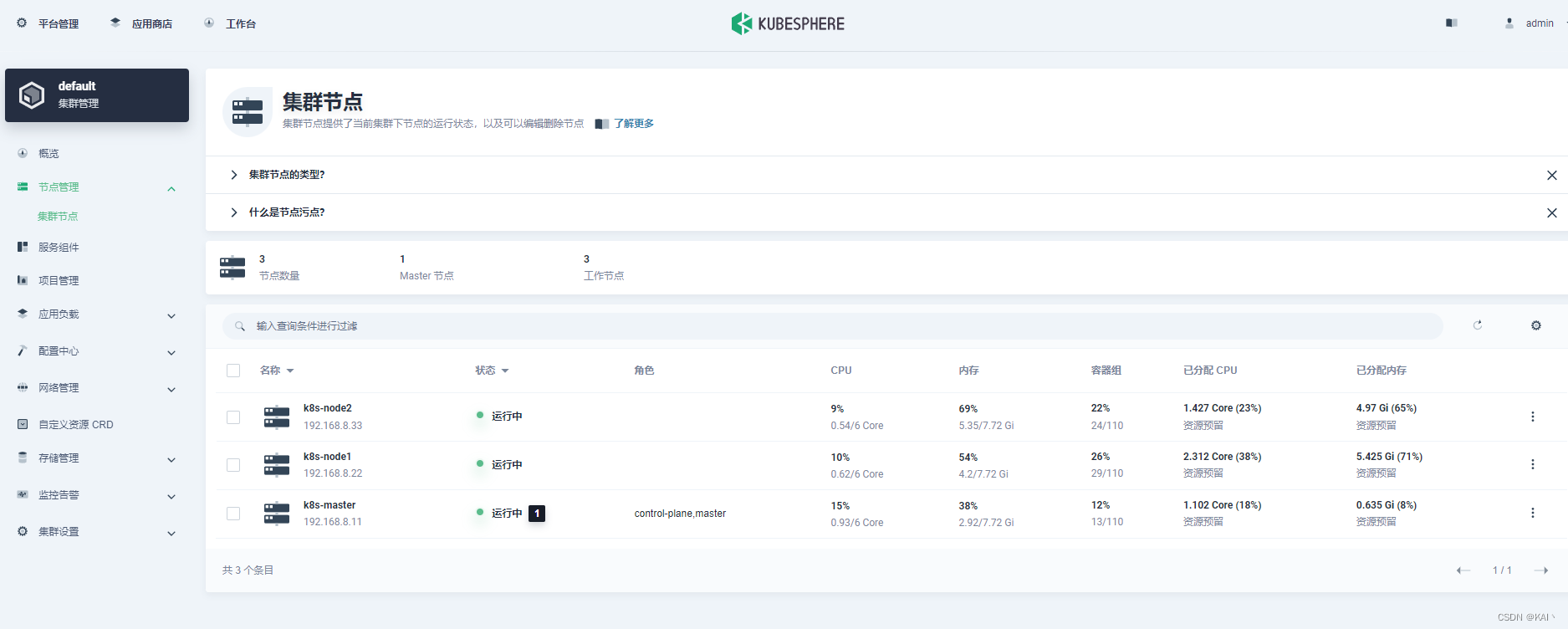
部署kubesphere 学习于尚硅谷kubesphere课程 前置环境配置-部署默认存储类型 这里使用nfs #所有节点安装 yum install -y nfs-utils# 在master节点执行以下命令 echo "/nfs/data/ *(insecure,rw,sync,no_root_squash)" > /etc/exports # 执行以下命令ÿ…...
STM32 F103C8T6学习笔记4:时钟树、滴答计时器、定时器定时中断
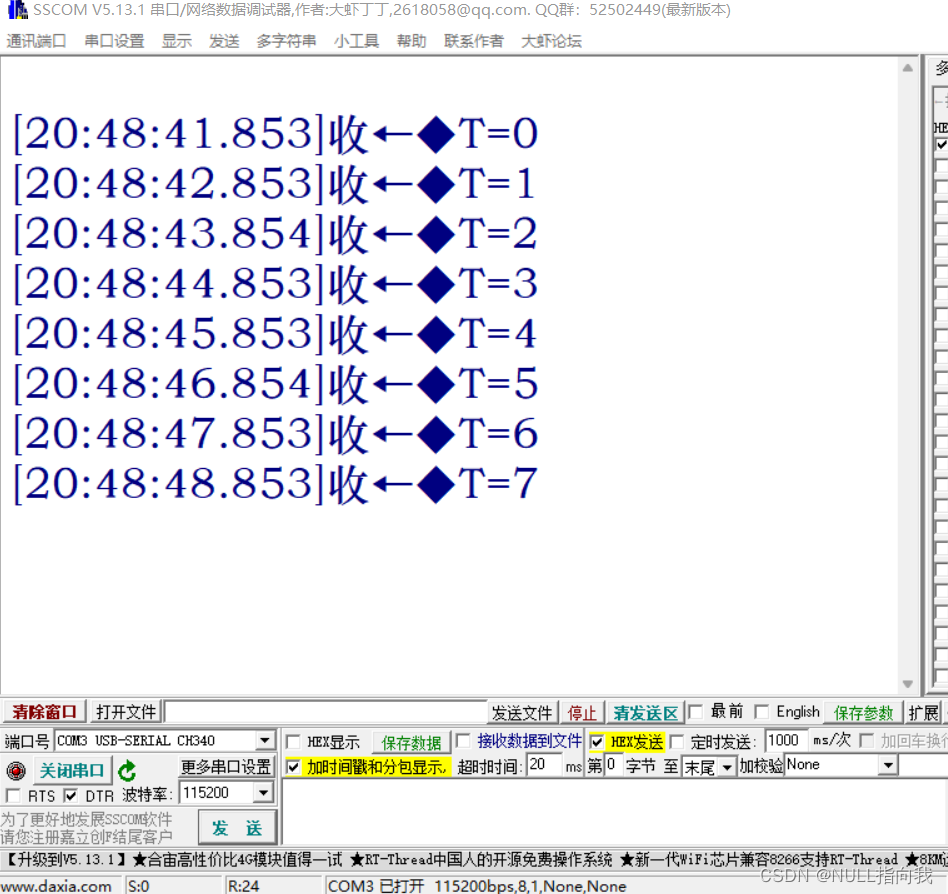
今日理解一下STM32F103 C8T6的时钟与时钟系统、滴答计时器、定时器计时中断的配置,文章提供原理,代码,测试工程下载。 目录 时钟树与时钟系统: 滴答计时器: 定时器计时中断: 测试结果: 测…...
代理模式【Proxy Pattern】
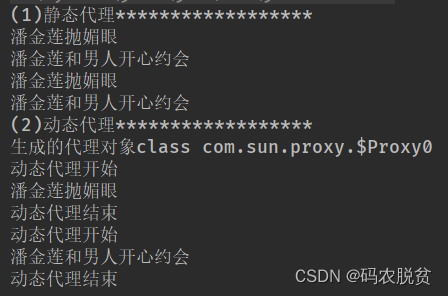
什么是代理模式呢?我很忙,忙的没空理你,那你要找我呢就先找我的代理人吧,那代理人总要知道 被代理人能做哪些事情不能做哪些事情吧,那就是两个人具备同一个接口,代理人虽然不能干活,但是被 代…...

Oracle切割字符串的方法,SQL语句完成。
Oracle用正则的方式循环切割字符串 需求:有一个这样子的 Str “‘CNJ-520-180500000001|CNJ-520-181200000001|CNJ-520-190300000001|CNJ-520-190100000001|CNJ-520-181200000002’” ,然后我需要拿到每一个单号,每一个单号都要走一遍固定的…...
Https、CA证书、数字签名
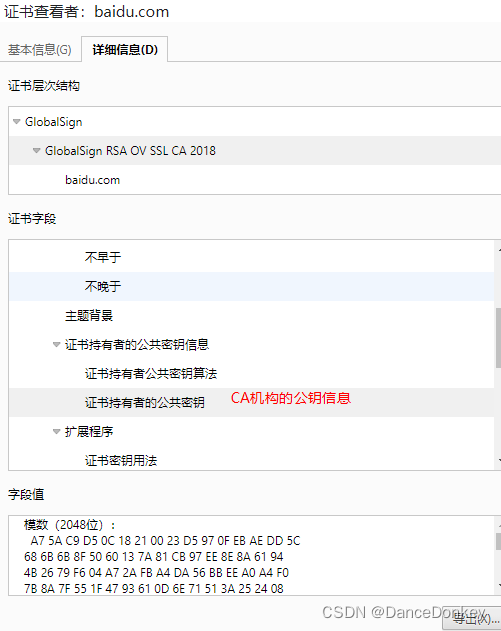
Https Http协议 Http协议是目前应用比较多应用层协议,浏览器对于Http协议已经实现。Http协议基本的构成部分有 请求行 : 请求报文的第一行请求头 : 从第二行开始为请求头内容的开始部分。每一个请求头都是由K-V键值对组成。请求体…...
Jmeter-压测时接口按照顺序执行-临界部分控制器
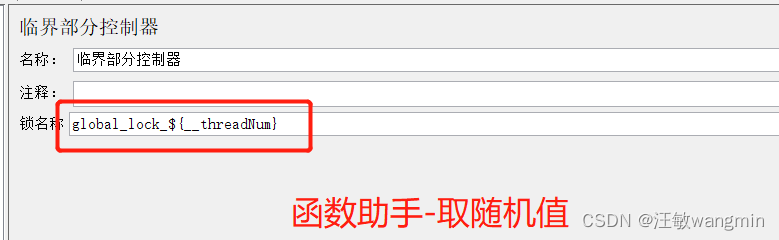
文章目录 临界部分控制器存在问题 临界部分控制器 在进行压力测试时,需要按照顺序进行压测,比如按照接口1、接口2、接口3、接口4 进行执行 查询结果是很混乱的,如果请求次数少,可能会按照顺序执行,但是随着次数增加&a…...

linux 文件权限识别及其修改
一、文件权限认识 在 Linux 系统中,一切皆文件,目录也是一种文件形式叫目录文件,它们的属性主要包含:索引节点(inode),类型、权限属性、链接数、所归属的用户和用户组、最近修改时间等内容。 如下为根目录下目录&…...
Java:简单算法:冒泡排序、选择排序、二分查找
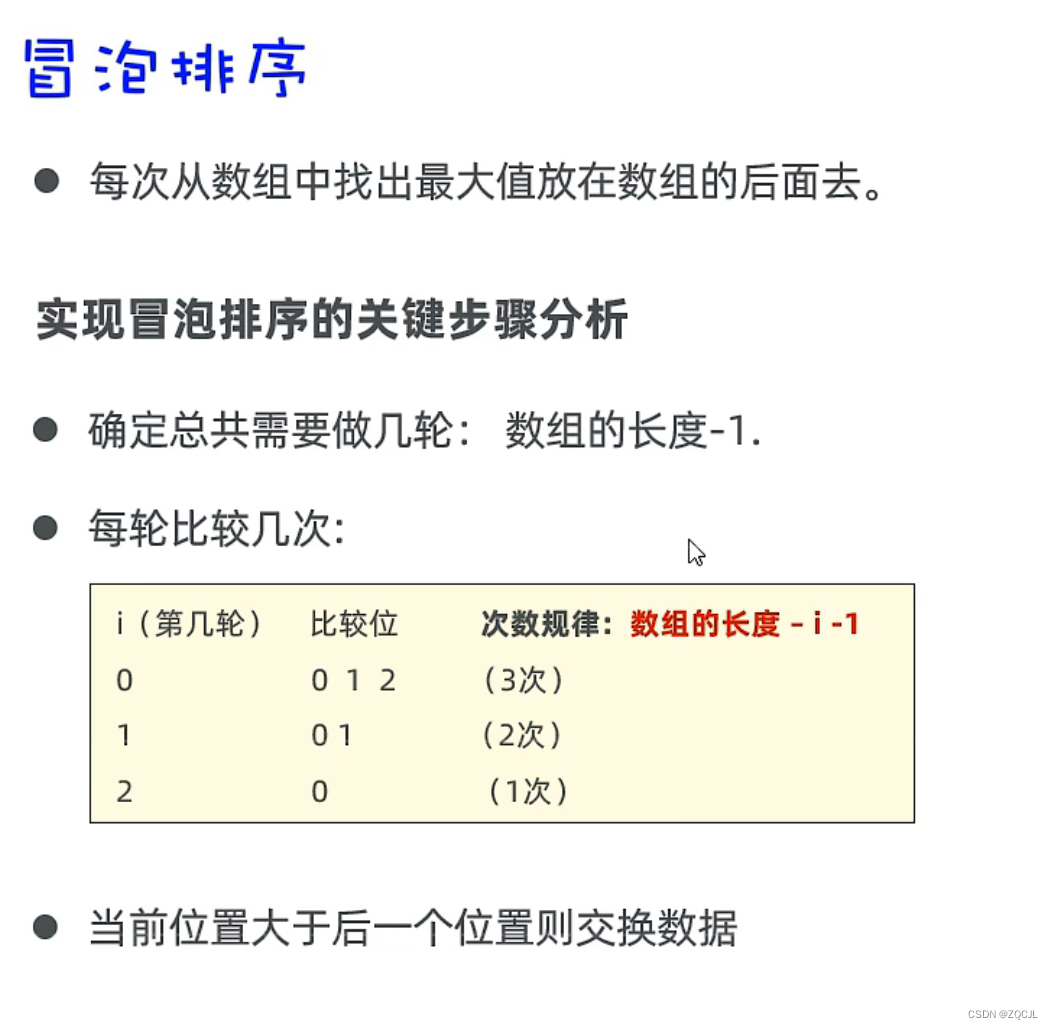
冒泡排序 // 1、准备一个数组 int[] arr {5,2,3,1};//2、定义一个循环控制排几轮 for (int i 0; i < arr.length - 1; i) { // i 0 1 2 【5,2,3,1】 次数 // i 0 第一轮 0 1 2 …...

C、C++项目中 configure、makefile.am、makefile.in、makefile 之间的关系
一、configure、makefile.am、makefile.in、makefile 之间的关系 这四个文件都是与 GNU Make(一个用于管理程序的编译和安装过程的工具)有关的文件,它们的关系如下: configure:是一个脚本文件,用于根据系统…...

【网络】传输层——UDP | TCP(协议格式确认应答超时重传连接管理)
🐱作者:一只大喵咪1201 🐱专栏:《网络》 🔥格言:你只管努力,剩下的交给时间! 现在是传输层,在应用层中的报文(报头 有效载荷)就不能被叫做报文了,而是叫做数…...

198.打家劫舍 ● 213.打家劫舍II ● 337.打家劫舍III
198.打家劫舍 class Solution { public:int rob(vector<int>& nums) {if(nums.size()0)return 0;if(nums.size()1)return nums[0];vector<int>dp(nums.size());dp[0]nums[0];dp[1]max(nums[0],nums[1]);for(int i2;i<nums.size();i)dp[i]max(dp[i-1],dp[i-…...
ArcGIS Maps SDK for JavaScript系列之一:在Vue3中加载ArcGIS地图
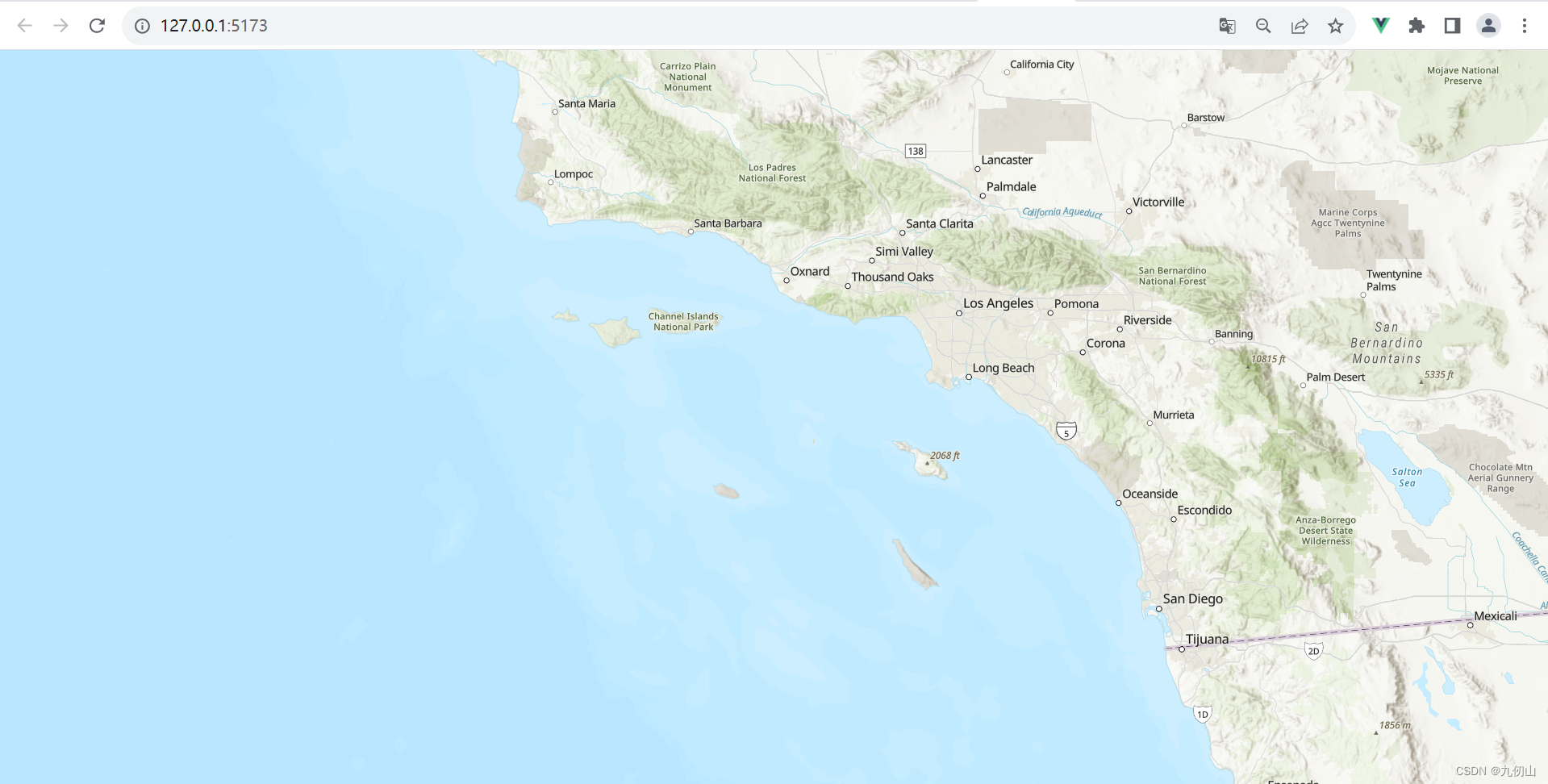
目录 ArcGIS Maps SDK for JavaScript简介ArcGIS Maps SDK for JavaScript 4.x 的主要特点和功能AMD modules 和 ES modules两种方式比较Vue3中使用ArcGIS Maps SDK for JavaScript的步骤创建 Vue 3 项目安装 ArcGIS Maps SDK for JavaScript创建地图组件 ArcGIS Maps SDK for …...
服务器扩展未生效
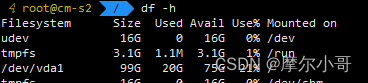
服务器扩容未生效 在阿里云付费扩容后,在服务器里面看未生效。 阿里云->实例与镜像->实例->选择实例->云盘->扩容进入linux服务器查看: df -h vda1扩容未生效。原40g->扩容后100g 解决方法: 1、安装growpart yum inst…...
Jenkins构建自由风格项目发布jar到服务器
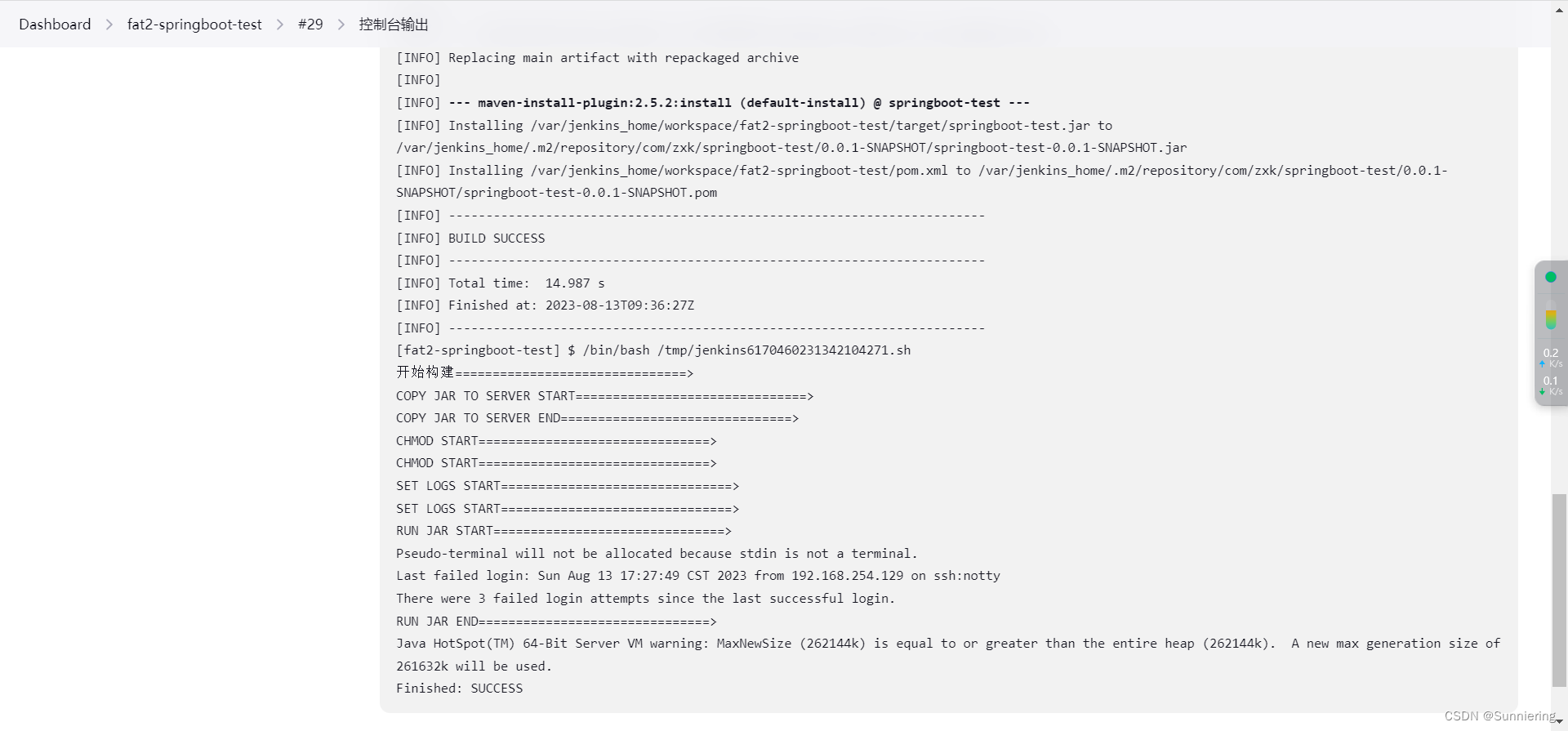
前面的文章有介绍 docker安装jenkins 和 dockerjenkins发布spring项目;这里就不做过多的介绍,直接说明构建步骤。 1、选择构建一个自由风格的项目 2、 选择丢弃旧的构建 3、配置Git信息 4、构建触发器 和 构建环境可以直接跳过 5、直接来到Build Step…...
Rabbitmq延迟消息
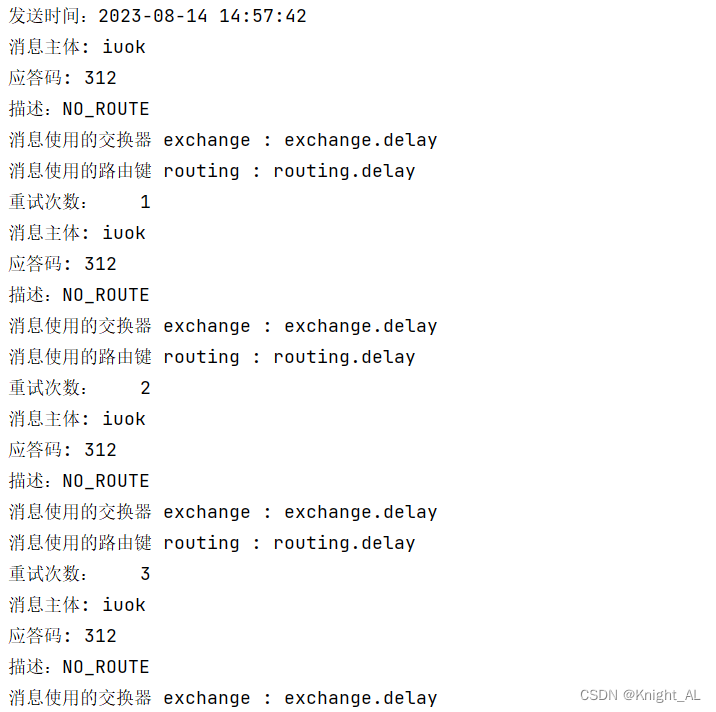
目录 一、延迟消息1.基于死信实现延迟消息1.1 消息的TTL(Time To Live)1.2 死信交换机 Dead Letter Exchanges1.3 代码实现 2.基于延迟插件实现延迟消息2.1 插件安装2.2 代码实现 3.基于延迟插件封装消息 一、延迟消息 延迟消息有两种实现方案ÿ…...
miniExcel 生成excel
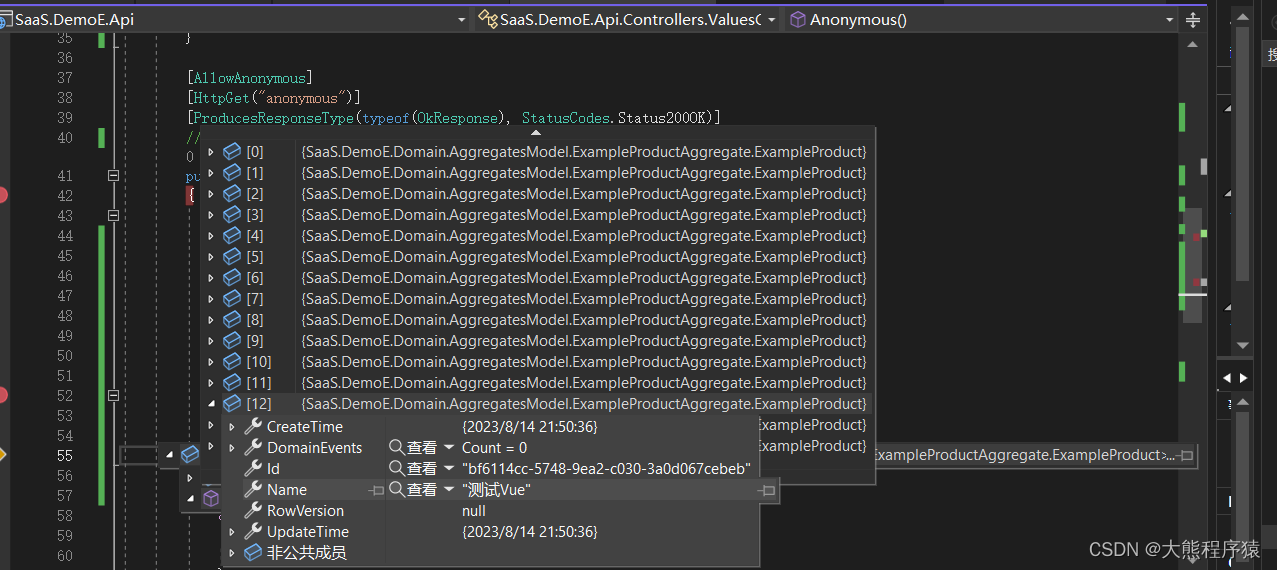
一、nuget dotnet add package MiniExcel --version 1.31.2 二、新建表及数据 ExampleProducts 三、这里我用了Dapper.Query方法 读取excel public virtual async Task<IActionResult> Anonymous(){try{//using (var connection _dbContext.GetDbConnection())//{//…...
Handler详解
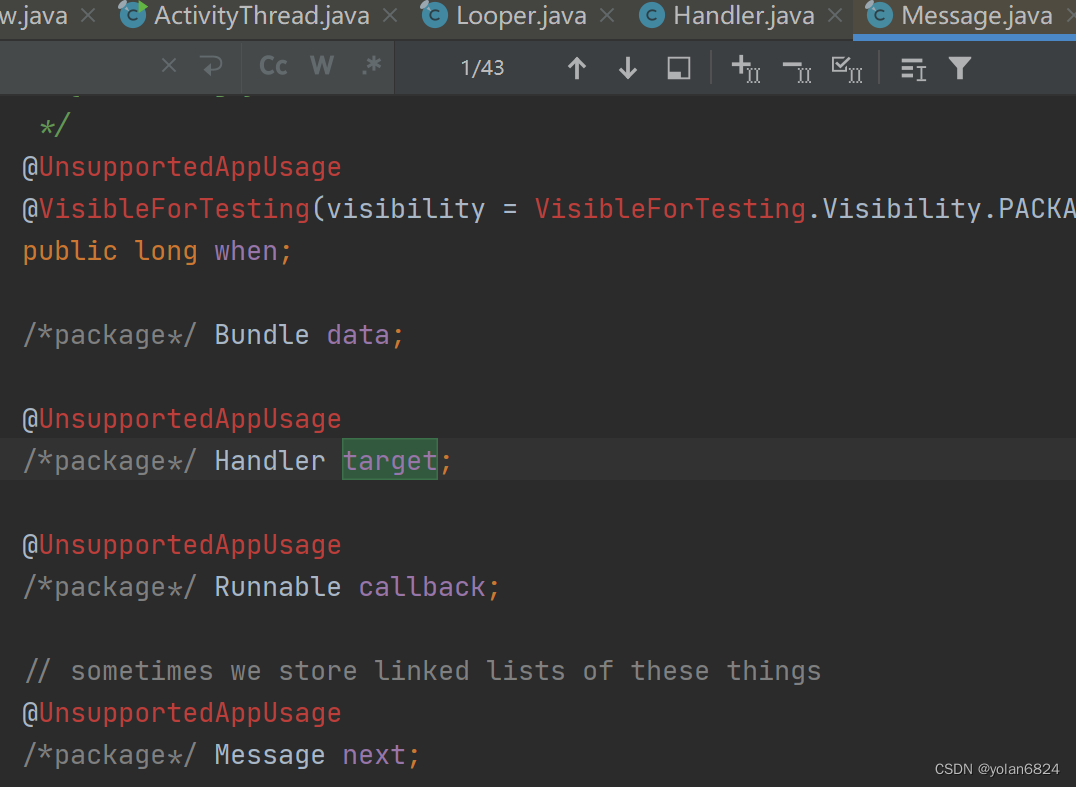
跟Handler有关系的,包括Thread,Looper,Handler,MessageQueue Looper: 由于Looper是android包加入的类,而Thread是java包的类,所以,想要为Thread创建一个Looper,需要在线程内部调用…...

UE5 BaseEditorSettings.ini加载原理与配置生效机制
1. 为什么你改了BaseEditorSettings.ini却没生效?——从UE5编辑器启动流程讲起很多人在UE5项目里折腾半天,把BaseEditorSettings.ini文件翻来覆去改了十几遍,重启编辑器后发现:缩放比例还是不对、网格间距没变、甚至“启用实时预览…...

Godot PCK解包原理与专业逆向实践指南
1. 这不是“解压软件”,而是Godot游戏逆向工程的第一把手术刀你刚下载了一款用Godot引擎开发的独立游戏,想研究它的UI动效逻辑,或者复刻一段粒子特效,又或者只是单纯好奇——那个让你反复通关三次的像素风过场动画,图层…...

量子计算中Loschmidt回声相位测量的创新方法
1. 量子计算中的Loschmidt回声相位测量方法概述Loschmidt回声是量子动力学中一个重要的概念,它描述了量子系统在时间反演演化后与初始状态的相似程度。在量子计算领域,精确测量Loschmidt回声的相位信息对于理解量子系统的非平衡态行为、计算能量本征值以…...

2026在线测评系统十大量表对比:信效度与场景全解析
【30s 核心摘要】2026 年在线测评成人才管理刚需,信效度与场景适配成选型核心。本文聚焦十大量表,从信度、效度、适配场景等维度深度对比,重点解析问卷星、北森、金数据等主流平台的量表能力与落地效果,为企业、高校及机构提供科学…...

除了排错,你可能不知道OPC Expert v8.1还能做这些:数据归档、计算与冗余实战
解锁OPC Expert v8.1的隐藏潜力:数据归档、实时计算与冗余架构实战指南在工业自动化领域,OPC Expert常被视为故障排查的"急救箱",但它的能力远不止于此。当大多数工程师还在用它解决DCOM配置问题时,少数先行者已经用它重…...

第3篇:系统透视——信息部门如何构建“税务友好型”IT架构
本篇导读:如果你是信息总监或IT负责人,请通读全文,尤其是“系统合规设计的三必须”和“现场检查SOP”;如果你是财税人员,请重点阅读“研产供销全链条的系统对接要求”和“与IT部门的协作要点”;如果你是老板…...
)
毕业设计 yolov11骨折检测医疗辅助系统(源码+论文)
文章目录 0 前言1 项目运行效果2 课题背景2.1 研究背景2.2 国内外研究现状2.3 研究意义 3 设计框架(骨折检测系统设计框架说明)3.1. 系统架构图3.2. 技术选型3.2.1 核心组件3.2.2 辅助工具 3.3. 核心模块设计3.3.1 YOLO模型训练模块训练流程图关键伪代码…...

网络配置工具类详解
CNet 网络配置工具类详解平台:仅支持 Linux,大量使用 ioctl 系统调用一、概述 CNet 是一个 纯静态方法的网络配置工具类,封装了 Linux 下常用的网络操作:功能类别涵盖内容IP 地址读取/设置本机 IP、子网掩码网关读取/添加/删除/设…...

抖音内容批量下载实战:从零开始构建个人视频资料库
抖音内容批量下载实战:从零开始构建个人视频资料库 【免费下载链接】douyin-downloader A practical Douyin downloader for both single-item and profile batch downloads, with progress display, retries, SQLite deduplication, and browser fallback support.…...

告别漫长等待:UE5.2.1 Windows打包效率优化与插件问题排查指南
告别漫长等待:UE5.2.1 Windows打包效率优化与插件问题排查指南第一次点击"打包项目"按钮时,进度条仿佛被冻结的场景,每个UE5开发者都经历过。尤其当项目规模达到数十GB时,等待时间可能超过一小时——这背后隐藏着引擎底…...