
CSS开发技巧——行为技巧
CSS开发技巧——行为技巧
-
使用overflow-scrolling支持弹性滚动
iOS页面
非body元素的滚动操作会非常卡(Android不会出现此情况),通过overflow-scrolling:touch调用Safari原生滚动来支持弹性滚动,增加页面滚动的流畅度- 场景:iOS页面滚动
-
使用transform启动GPU硬件加速
有时执行动画可能会导致页面卡顿,可在特定元素中使用硬件加速来避免这个问题
- 场景:动画元素(绝对定位、同级中超过6个以上使用动画)
-
使用attr()抓取data-*
在标签上自定义属性
data-*,通过attr()获取其内容赋值到content上-
场景:提示框
-
<div class="bruce flex-ct-y" data-title="使用attr()抓取节点属性"><a class="hover-tips btn-1" href="https://www.baidu.com" data-msg="Hello World">提示框</a><a class="hover-tips btn-2" href="https://www.baidu.com"></a>
</div><style>
.hover-tips {position: relative;padding: 0 20px;border-radius: 10px;height: 40px;background-color: #66f;line-height: 40px;color: #fff;& + .hover-tips {margin-top: 10px;}&.btn-1 {&::after {position: absolute;left: 0;top: 0;border-radius: 5px;width: 100%;height: 100%;background-color: rgba(#000, .5);opacity: 0;text-align: center;font-size: 12px;content: attr(data-msg);transition: all 300ms;}&:hover::after {left: calc(100% + 20px);opacity: 1;}}&.btn-2:empty::after {content: attr(href);}
}
</style>
-
-
使用:valid和:invalid校验表单
``使用伪类
:valid和:invalid配合pattern校验表单输入的内容- 场景:表单校验
-
使用pointer-events禁用事件触发
通过
pointer-events:none禁用事件触发(默认事件、冒泡事件、鼠标事件、键盘事件等),相当于``的disabled-
场景:限时点击按钮(发送验证码倒计时)、事件冒泡禁用(多个元素重叠且自带事件、a标签跳转)
-
<div class="bruce flex-ct-x" data-title="使用pointer-events禁用事件触发"><a class="disabled-trigger" href="https://www.baidu.com">点我</a>
</div><style>
.disabled-trigger {padding: 0 20px;border-radius: 10px;height: 40px;background-color: #66f;pointer-events: none;line-height: 40px;color: #fff;
}
</style>
-
-
使用+或~美化选项框
``使用
+或~配合for绑定radio或checkbox的选择行为-
场景:选项框美化、选中项增加选中样式
-
<div class="bruce flex-ct-x" data-title="使用+或~美化选项表单"><ul class="beauty-selection"><li><input id="fed-engineer" type="radio" name="radioName" hidden><label for="fed-engineer"></label><span>前端工程师</span></li><li><input id="bed-engineer" type="radio" name="radioName" hidden><label for="bed-engineer"></label><span>后端工程师</span></li><li><input id="fsd-engineer" type="radio" name="radioName" hidden><label for="fsd-engineer"></label><span>全栈工程师</span></li></ul>
</div><style>
.beauty-selection {display: flex;li {display: flex;align-items: center;& + li {margin-left: 20px;}}input:checked + label {background-color: #f90;}label {margin-right: 5px;padding: 2px;border: 1px solid #f90;border-radius: 100%;width: 18px;height: 18px;background-clip: content-box;cursor: pointer;transition: all 300ms;&:hover {border-color: #09f;background-color: #09f;box-shadow: 0 0 7px #09f;}}span {font-size: 16px;}
}
</style>
-
-
使用:focus-within分发冒泡响应
表单控件触发
focus和blur事件后往父元素进行冒泡,在父元素上通过:focus-within捕获该冒泡事件来设置样式-
场景:登录注册弹框、表单校验、离屏导航、导航切换
-
<div class="bruce flex-ct-x" data-title="使用:focus-within分发冒泡响应"><form class="bubble-distribution"><h3>注册</h3><div class="accout"><input type="text" placeholder="请输入手机或邮箱" pattern="^1[3456789]\d{9}$|^[\w-]+(\.[\w-]+)*@[\w-]+(\.[\w-]+)+$" required><img src="https://b-gold-cdn.xitu.io/v3/static/img/greeting.1415c1c.png"></div><div class="password"><input type="password" placeholder="请输入密码(6到20位字符)" pattern="^[\dA-Za-z_]{6,20}$" required><img src="https://b-gold-cdn.xitu.io/v3/static/img/blindfold.58ce423.png"></div><div class="code"><input type="text" placeholder="请输入邀请码(6位数字)" pattern="^[\d]{6}$" maxLength="6" required><button type="button">查询</button><img src="https://b-gold-cdn.xitu.io/v3/static/img/greeting.1415c1c.png"></div><img src="https://b-gold-cdn.xitu.io/v3/static/img/normal.0447fe9.png"><ul><li><input id="male" type="radio" name="sex"><label for="male">Boy</label></li><li><input id="female" type="radio" name="sex"><label for="female">Girl</label></li></ul><button type="button">注册</button></form>
</div><style>
.bruce {background-color: #999;
}
.bubble-distribution {position: relative;margin-top: 50px;padding: 25px;border-radius: 2px;width: 320px;background-color: #fff;h3 {font-size: 16px;color: #333;}div {margin-top: 10px;}img {position: absolute;left: 50%;bottom: 100%;margin: 0 0 -20px -60px;width: 120px;}ul {display: flex;justify-content: space-between;align-items: center;margin-top: 10px;height: 30px;line-height: 30px;}li {position: relative;width: 45%;transition: all 300ms;&:focus-within {background: linear-gradient(90deg, #09f 50%, transparent 0) repeat-x,linear-gradient(90deg, #09f 50%, transparent 0) repeat-x,linear-gradient(0deg, #09f 50%, transparent 0) repeat-y,linear-gradient(0deg, #09f 50%, transparent 0) repeat-y;background-position: 0 0, 0 100%, 0 0, 100% 0;background-size: 8px 1px, 8px 1px, 1px 8px, 1px 8px;animation: move 500ms infinite linear;}}input[type=text],input[type=password] {padding: 10px;border: 1px solid #e9e9e9;border-radius: 2px;width: 100%;height: 40px;outline: none;transition: all 300ms;&:focus:valid {border-color: #09f;}&:focus:invalid {border-color: #f66;}}input[type=radio] {position: absolute;width: 0;height: 0;&:checked + label {border: 3px solid transparent;background-color: #09f;color: #fff;}}label {display: block;border-bottom: 1px solid #ccc;width: 100%;background-clip: padding-box;cursor: pointer;text-align: center;transition: all 300ms;}button {margin-top: 10px;border: none;border-radius: 2px;width: 100%;height: 40px;outline: none;background-color: #09f;cursor: pointer;color: #fff;transition: all 300ms;}.accout,.password,.code {img {display: none;margin-bottom: -27px;}&:focus-within {img {display: block;}& ~ img {display: none;}}}.code {display: flex;justify-content: space-between;button {margin-top: 0;}input {&:not(:placeholder-shown) {width: 70%;& + button {width: 25%;}}&:placeholder-shown {width: 100%;& + button {width: 0;opacity: 0;}}}}
}
@keyframes move {to {background-position: 6% 0, -6% 100%, 0 -6%, 100% 6%;}
}
</style>
-
-
使用:hover描绘鼠标跟随
将整个页面等比划分成小的单元格,每个单元格监听
:hover,通过:hover触发单元格的样式变化来描绘鼠标运动轨迹-
场景:鼠标跟随轨迹、水波纹、怪圈
-
.bruce(data-title="使用:hover描绘鼠标跟随")ul.mouse-following- for (var i = 0; i < 500; i++)li<style>
@function random-num($max, $min: 0, $u: 1) {@return ($min + random($max)) * $u;
}
.mouse-following {display: flex;overflow: hidden;flex-wrap: wrap;height: 100%;cursor: pointer;li {position: relative;width: 30px;height: 30px;&::before {position: absolute;left: 0;right: 0;top: 0;bottom: 0;border-radius: 100%;background-color: transparent;content: "";transform: scale3d(.1, .1, 1);transition: all 500ms ease-in;}&:hover {&::before {transform: scale3d(1.8, 1.8, 1.8);transition: transform 0s;}}@for $i from 1 through 500 {&:nth-child(#{$i}):hover {&::before {background-color: rgba(random-num(255), random-num(255), random-num(255), .8);}}}}
}
</style>
-
-
使用max-height切换自动高度
通过
max-height定义收起的最小高度和展开的最大高度,设置两者间的过渡切换-
场景:隐藏式子导航栏、悬浮式折叠面板
-
<div class="bruce flex-ct-x" data-title="使用max-height切换自动高度"><ul class="auto-height"><li><h3>列表1</h3><p>内容1<br>内容2<br>内容3<br>内容4</p></li><li><h3>列表2</h3><p>内容1<br>内容2<br>内容3<br>内容4</p></li><li><h3>列表3</h3><p>内容1<br>内容2<br>内容3<br>内容4</p></li></ul>
</div><style>
.auto-height {width: 300px;li {cursor: pointer;& + li {margin-top: 5px;}&:hover p {border-bottom-width: 1px;max-height: 600px;}}h3 {padding: 0 20px;height: 40px;background-color: #f66;cursor: pointer;line-height: 40px;font-size: 16px;color: #fff;}p {overflow: hidden;padding: 0 20px;border: 1px solid #f66;border-top: none;border-bottom-width: 0;max-height: 0;line-height: 30px;transition: all 500ms;}
}
</style>
-
-
使用transform模拟视差滚动
通过
background-attachment:fixed或transform让多层背景以不同的速度移动,形成立体的运动效果-
场景:页面滚动、视差滚动文字阴影、视差滚动文字虚影
-
<div class="bruce" data-title="使用transform模拟视差滚动"><ul class="parallax-scrolling"><li>translateZ(-1px)</li><li>translateZ(-2px)</li><li>translateZ(-3px)</li></ul><p>内容</p><ul class="parallax-scrolling"><li>translateZ(-1px)</li><li>translateZ(-2px)</li><li>translateZ(-3px)</li></ul>
</div><style>
$bg: "https://static.yangzw.vip/codepen/lake.jpg";
.bruce {overflow-x: hidden;overflow-y: auto;perspective: 1px;transform-style: preserve-3d;p {height: 300px;line-height: 300px;text-align: center;font-size: 20px;color: #f66;}
}
.parallax-scrolling {display: flex;justify-content: center;align-items: center;height: 1000px;background: url($bg) no-repeat center fixed;li {width: 500px;text-align: center;font-weight: bold;font-size: 60px;&:nth-child(1) {color: #f66;transform: translateZ(-1px);}&:nth-child(2) {color: #09f;transform: translateZ(-2px);}&:nth-child(3) {color: #3c9;transform: translateZ(-3px);}}
}
</style>
-
-
使用animation-delay保留动画起始帧
通过
transform-delay或animation-delay设置负值时延保留动画起始帧,让动画进入页面不用等待即可运行-
场景:开场动画
-
<div class="bruce flex-ct-x" data-title="使用animation-delay保留动画首帧"><ul class="initial-keyframe"><li></li><li></li><li></li></ul>
</div><style>
.initial-keyframe {position: relative;width: 100px;height: 100px;li {position: absolute;border-radius: 100%;width: 100%;height: 100%;background-color: #3c9;transform: rotate(0) translate(-80px, 0);animation: rotate 3s linear infinite;&:nth-child(2) {animation-delay: -1s;}&:nth-child(3) {animation-delay: -2s;}}
}
@keyframes rotate {to {transform: rotate(1turn) translate(-80px, 0);}
}
</style>
-
-
使用resize拉伸分栏
通过
resize设置横向自由拉伸来调整目标元素的宽度-
场景:富文本编辑器、分栏阅读
-
<div class="bruce flex-ct-x" data-title="使用resize拉伸多列分栏"><div class="stretching-column"><div class="left"><div class="resize-bar"></div><div class="resize-line"></div><div class="resize-text">ABCDEFGHIJKLMNOPQRSTUVWXYZ</div></div><div class="right">ABCDEFGHIJKLMNOPQRSTUVWXYZ</div></div>
</div><style>
.stretching-column {overflow: hidden;border: 1px solid #09f;width: 600px;height: 300px;line-height: 20px;font-size: 16px;color: #f90;.left {overflow: hidden;float: left;position: relative;height: 100%;}.right {overflow: hidden;padding: 10px;height: 100%;background-color: #f0f0f0;word-break: break-all;}.resize-bar {overflow: scroll;width: 200px;height: 100%;opacity: 0;resize: horizontal;&::-webkit-scrollbar {width: 200px;height: 100%;}&:hover,&:active {& ~ .resize-line {border-left: 1px dashed #09f;}}}.resize-line {position: absolute;right: 0;top: 0;bottom: 0;border-left: 1px solid #ccc;border-right: 2px solid #f0f0f0;pointer-events: none;}.resize-text {overflow-x: hidden;position: absolute;left: 0;right: 5px;top: 0;bottom: 0;padding: 10px;word-break: break-all;}
}
</style>
-
相关文章:

CSS开发技巧——行为技巧
CSS开发技巧——行为技巧 使用overflow-scrolling支持弹性滚动 iOS页面非body元素的滚动操作会非常卡(Android不会出现此情况),通过overflow-scrolling:touch调用Safari原生滚动来支持弹性滚动,增加页面滚动的流畅度 场景:iOS页面滚动 使用t…...
PX4之代码结构
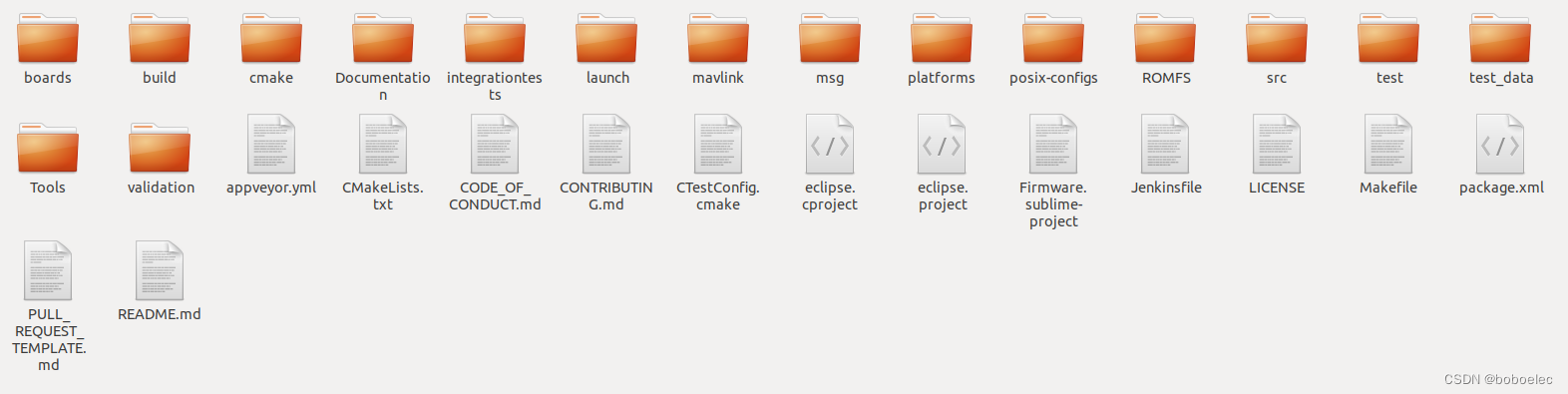
PX4开源飞控是目前主流的开源飞控项目,被很多公司作为飞控开发的参考。也广泛被用于现在流行的evtol验证机的飞控,进行初步的飞行验证。可能大多数AAM以及UAM都离不开PX4。 项目代码可以从github下载 $ git clone --recursive GitHub - PX4/PX4-Autopil…...

【C++11】可变参数模板(函数模板、类模板)
在C11之前,类模板和函数模板只能含有固定数量的模板参数。C11增强了模板功能,允许模板定义中包含0到任意个模板参数,这就是可变参数模板。可变参数模板的加入使得C11的功能变得更加强大,而由此也带来了许多神奇的用法。 可变参数模…...

centos安装高版本cmake
之前centos版本为cmake version 2.8.12.2采用yum remove卸载后重装还是这个版本,看来centos下面就是这个最新了,这说明centos煞笔。于是自己下载cmake包,然后安装。 官方cmake链接地址(3.16)(其他版本自己找,链接给你了) 1,wget下载 2,解压: tar -zxf cmake-3.16.0.…...
重温一下C#的时间类型,并简单写一个定时器功能
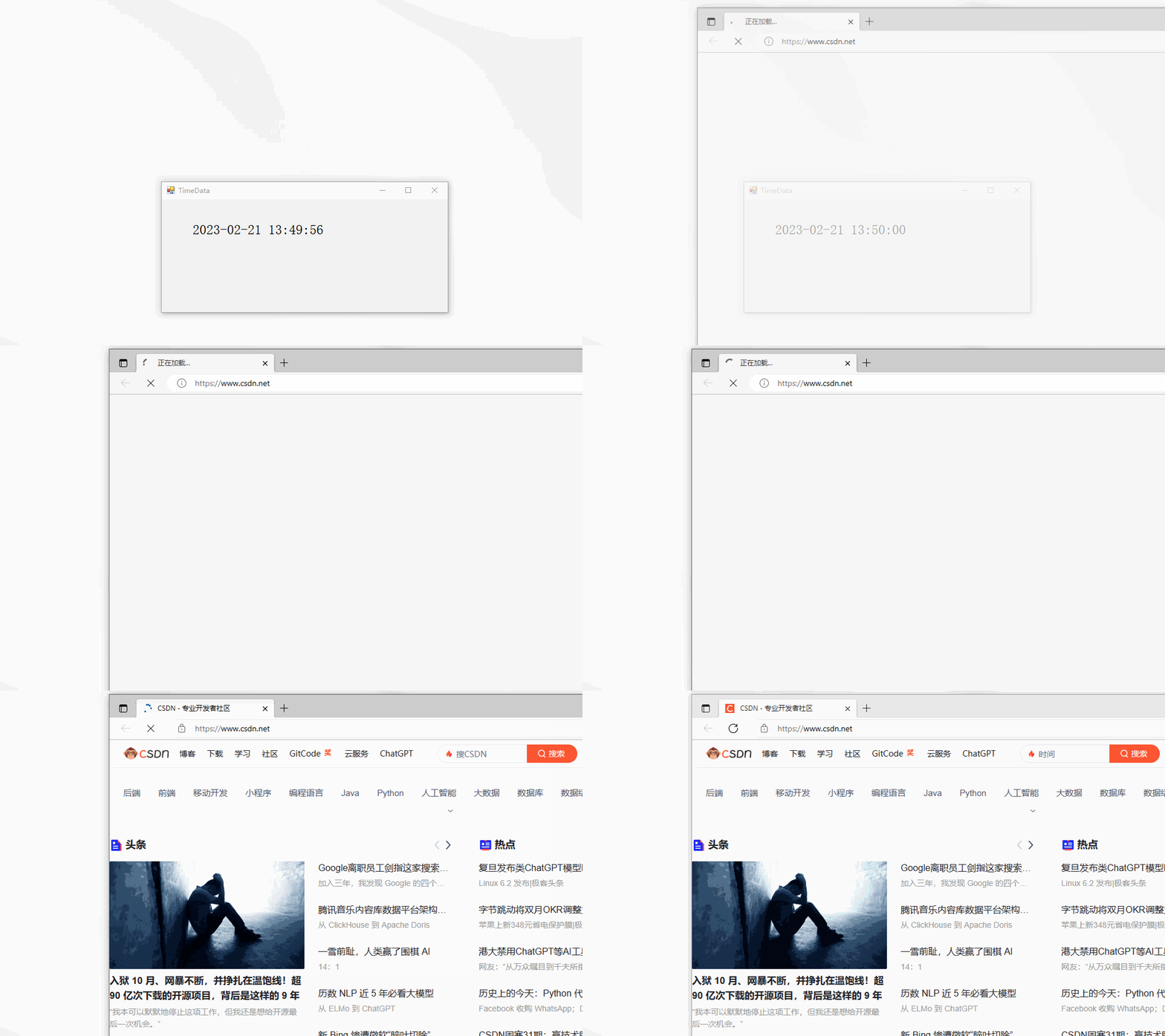
🎉🎉 时间是一个非常抽象的概念,本篇文章我们不深究目前电脑上的时候是如何保持全网同步。主要是讲讲在使用C#编程语言里的时间类型。最后使用定时任务简单写一个提醒功能,比如:每天10点准时打开一次csdn首页ÿ…...

MYSQL查询语句执行顺序
SQL语句定义的顺序 (1) SELECT (2)DISTINCT <select_list> (3) FROM <left_table> (4) <join_type> JOIN <right_table> (5) ON <join_condition> (6) WHERE <where_condition> (7) GROUP BY <group_by_list> (8) WITH {C…...
总结:电容在电路35个基本常识
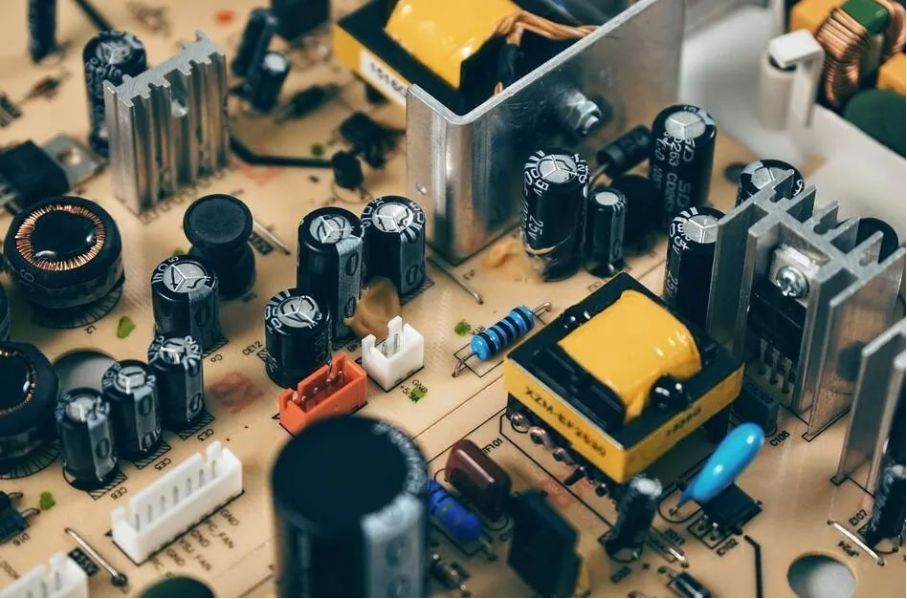
1 电压源正负端接了一个电容,与电路并联,用于整流电路时,具有很好的滤波作用,当电压交变时,由于电容的充电作用,两端的电压不能突变,就保证了电压的平稳。 当用于电池电源时,具有交流…...
Kroger EDI 855 采购订单确认报文详解
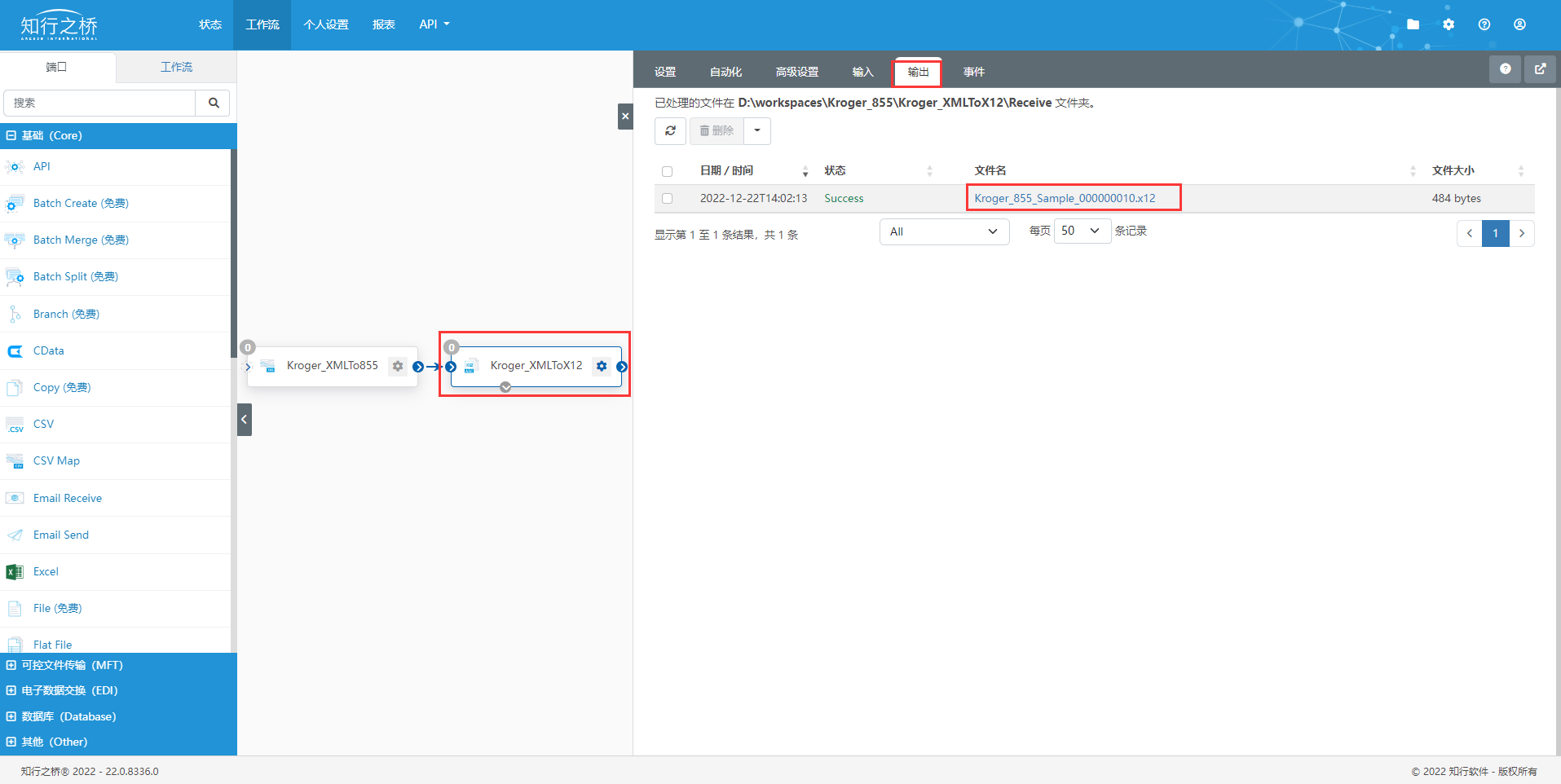
本文着重讲述Kroger EDI项目中,供应商发给Kroger的X12 855EDI 规范报文(采购订单确认)解读。 在此前的文章如何读懂X12报文中,我们对X12已经做了详细的介绍,大家可以以此为基础,深入了解855采购订单确认报…...
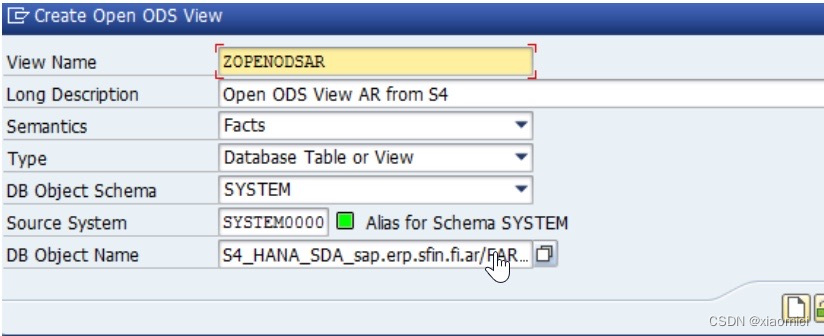
HANA SDA-远程数据源访问
我们需要把其他系统的数据拿过来,到BW里和财务的数据集成。 HANA SDA就是不复制数据,建立虚拟表(virtual table)来映射到远程数据源。通过这个虚拟表访问其他系统的数据。 对虚拟表的操作现在也可以查询,更新ÿ…...

【AUTOSAR】:OS-Hook
OS-Hook OS-HookPINIC类型1、Os_ErrKernelPanic1.1、Os_HookCallPanicHook1.1.1、OS_PANICHOOK1.1.1.1、Os_PanicHook1.1.1.2、Os_Hal_CoreFreezeOs_Hal_NOPOS-Hook 延伸阅读 延伸阅读 PINIC类型 1、Os_ErrKernelPanic...
Open3d入门
目录 点云数据 1 主成分分析 1.1 Method 1.2 Results 2 表面法线估计 2.1 Method 2.2 Results 3 体素网格下采样 3.1 Method 3.2 Results 点云数据 常用数据下载(免积分) 1 主成分分析 1.1 Method 对点云进行主成分分析(PCA&…...
linux部署zookeeper
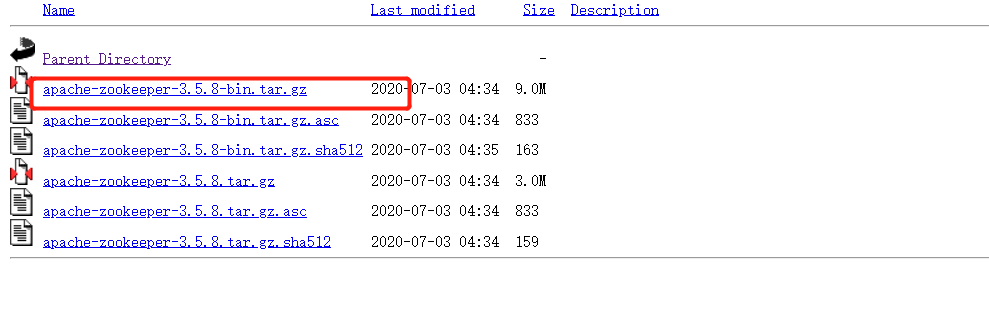
linux部署zookeeper 1、单机部署zk ZooKeeper服务器是用Java创建的,它需要在JVM上运行,所以需要使用JDK1.6及以上版本,一般都是jdk1.8。 选择自己安装本地的jdk,而不是centos自带的openjdk。 查看本地安装的jdk: j…...

Junit4升级Junit5汇总
Junit4升级Junit5汇总目录MockMvcBuildersUnnecessaryStubbingException目录 记录Junit4升级到Junit5中遇到的问题和结局方案 MockMvcBuilders 问题: 将Junit4的RunWith和Rule都改成ExtendWith后出现setup函数中MockMvcBuilders的参数不正确 ExtendWith({Spring…...
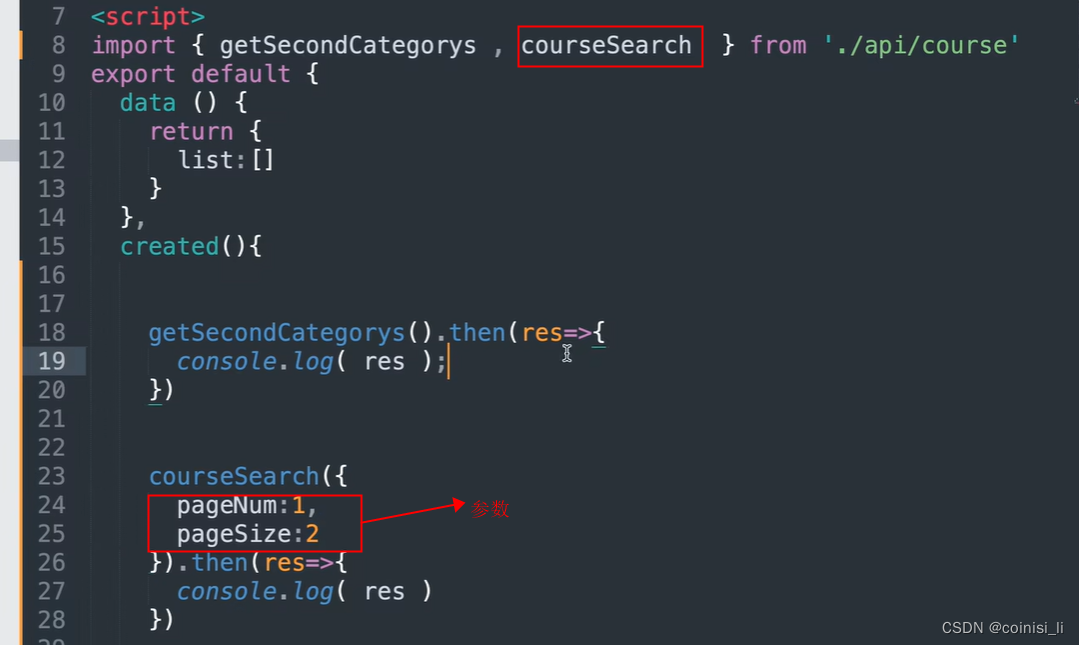
Axios二次封装和Api的解耦
目录 一、axios三种基本写法 二、axios的二次封装 三、Api的解耦 一、axios三种基本写法 1)get方法(是最简单的): 写法二: 2)post: 3)axios请求配置 默认是get请求,如…...
)
SpringAOP从入门到源码分析大全,学好AOP这一篇就够了(一)
文章目录系列文档索引一、认识AOP1、AOP的引入原因2、AOP常见使用场景日志场景统计场景安防场景性能场景3、AOP概念AOP 的概念Aspect 概念(切面)Join point 概念(连接点)Pointcut 概念(切入点)Advice 概念&…...

【单目标优化算法】樽海鞘群算法(Matlab代码实现)
💥💥💞💞欢迎来到本博客❤️❤️💥💥 🏆博主优势:🌞🌞🌞博客内容尽量做到思维缜密,逻辑清晰,为了方便读者。 ⛳️座右铭&a…...
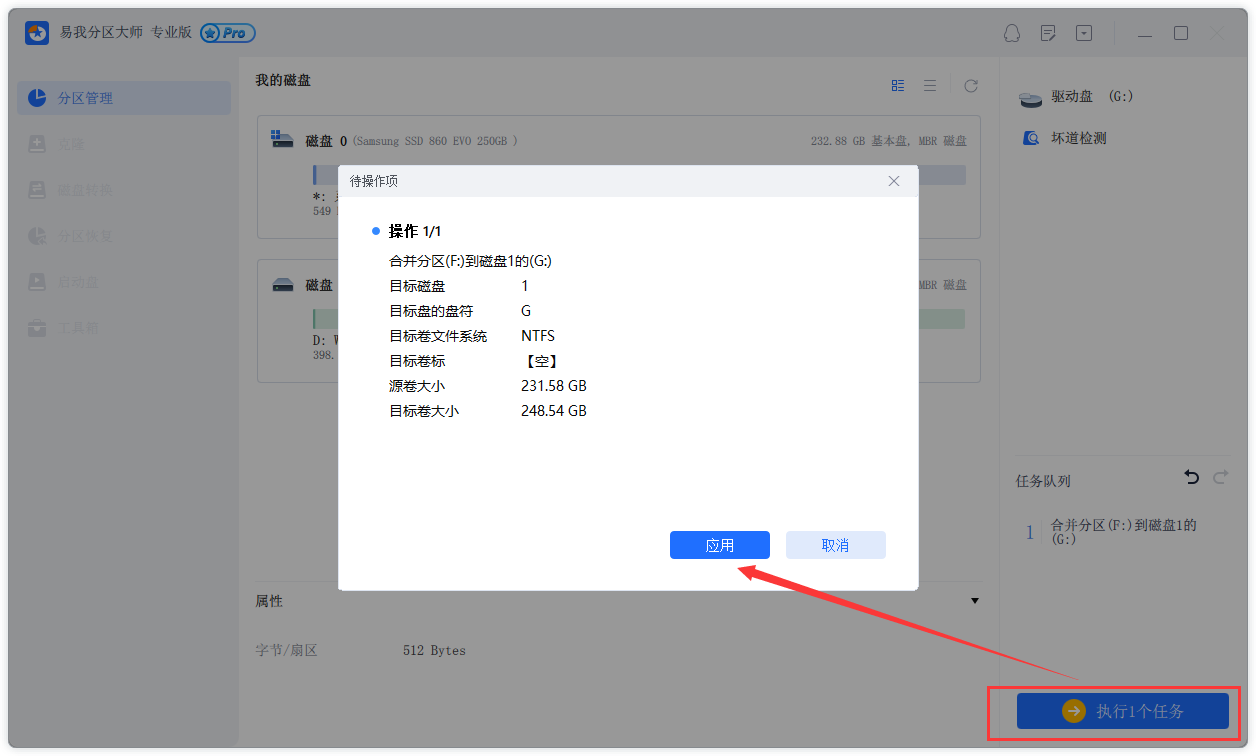
手把手教你,解决C盘分区不足,C盘怎么扩大磁盘分区
由于在磁盘分区中,C盘是很重要的一个磁盘,为了保证C盘有足够的磁盘分区。其中扩大C盘分区很常见的操作之一。那么,C盘怎么扩大磁盘分区?在本文中,易我小编将全面地讲解C盘合并分区的方法。 一、为什么C盘怎么扩大磁盘分…...

Ethernet-APL——过程自动化的新黄金标准
| Ethernet-APL为终客户和设备制造商带来益处 Ethernet-APL(Advanced Physical Layer,高级物理层)是一种两线制以太网物理层,它使用了由IEEE 802.3cg所定义的10BASE-T1L,并采用了新的工艺制造规定,因此构成…...
LVGL Styles
LVGL StylesGet started按钮添加标签按钮添加风格滑动条值显示StylesSize stylesBackground stylesBorder stylesOutline stylesShadow stylesImage stylesArc stylesText stylesLine stylesGet started 按钮添加标签 /*** brief 按钮事件回调函数* param e */ void btn_eve…...

扬帆优配|联通港股创近两年新高!A股资源类股爆发,食品饮料领跌
今日上午,A股商场和港股商场均现较大起伏震动,临近上午收盘出现一波跳水,不过,到上午收盘,上证指数仍微涨0.10%,煤炭等资源类板块明显上涨。 港股商场上午走弱,科技股领跌。 沪指微涨0.10%资源…...

Claude in Excel:原生集成的AI表格协作者
1. 项目概述:这不是插件,是Excel里长出来的AI同事“Claude in Excel”这个标题刚看到时,我下意识点开几个技术社区翻了一圈,发现多数人第一反应是:“又一个AI插件?”——其实完全不是。它根本没走传统Offic…...

tools.simonwillison.net图像处理工具集:从裁剪到优化的完整指南
tools.simonwillison.net图像处理工具集:从裁剪到优化的完整指南 【免费下载链接】tools Assorted useful tools, almost entirely generated using LLMs 项目地址: https://gitcode.com/gh_mirrors/tools23/tools tools.simonwillison.net图像处理工具集是一…...

Python基础语法:访问器@property和修改器@xxx.setter
一、简介 访问器和修改器也是装饰器的一种。 property: 访问器,getter xxx.setter: 修改器,setter 访问器和修改器的根本目的是想将属性私有化,提供getter&setter去访问。 访问器和修改器能够做到访问属性其实在调用getter方法࿰…...

Python 3.7 + XGBoost 多分类实战:从数据清洗到SHAP模型解释的保姆级教程
Python 3.7 XGBoost 多分类实战:从数据清洗到SHAP模型解释的保姆级教程在机器学习领域,XGBoost因其出色的性能和可解释性成为众多数据科学家的首选工具。本文将带您完整走过多分类任务的全流程,从原始数据到可解释的预测模型,每个…...

适合地产人用的中介房源管理系统
在房产经纪行业,房源管理与客源管理是经纪人日常工作的核心,直接影响业务效率与成交转化。选择一套适配行业需求的中介房源管理系统,能帮助中介团队规范流程、降低运营成本、大幅提升业绩。今天我们以客观视角,详细解析全房源系统…...

Burp Suite深度解析:从流量抓包到业务逻辑漏洞挖掘
1. 这不是“学个插件”——Burp Suite 是渗透测试的呼吸系统 很多人第一次听说 Burp Suite,是在某篇“三步拿下登录框”的速成教程里:装好Java、拖进浏览器代理、点几下Repeater就弹出密码明文。结果真去测一个中型SaaS后台,不到十分钟就卡在…...

CausalVLR基准测试报告:在IU X-Ray和MIMIC-CXR数据集上的性能分析
CausalVLR基准测试报告:在IU X-Ray和MIMIC-CXR数据集上的性能分析 【免费下载链接】CausalVLR CausalVLR: A Toolbox and Benchmark for Vision-Language Causal Reasoning (多模态因果推理开源框架) 项目地址: https://gitcode.com/gh_mirrors/ca/CausalVLR …...

告别多头对接!DMXAPI 为企业打造国产大模型 “统一入口”
一、企业 AI 落地的普遍痛点:被接口和平台消耗的成本在企业数字化转型的浪潮中,AI 大模型已经成为标配,但很多企业在落地时,都会陷入一个共同的困境:为了满足不同业务场景的需求,需要同时对接 DeepSeek、阿…...

8大网盘文件直链一键获取:LinkSwift让你的下载速度突破限速瓶颈
8大网盘文件直链一键获取:LinkSwift让你的下载速度突破限速瓶颈 【免费下载链接】Online-disk-direct-link-download-assistant 一个基于 JavaScript 的网盘文件下载地址获取工具。基于【网盘直链下载助手】修改 ,支持 百度网盘 / 阿里云盘 / 中国移动云…...

告别AssetBundle手动管理:Unity Addressables保姆级配置与本地服务器搭建实战
Unity Addressables全流程实战:从资源管理到热更新闭环如果你曾经被AssetBundle的依赖关系折磨得焦头烂额,或者为资源热更新方案纠结不已,那么Addressables可能就是你在寻找的解决方案。这套由Unity官方推出的资源管理系统,不仅保…...