
基于JAVAEE技术的ssm校园车辆管理系统源码和论文
基于JAVAEE技术的ssm校园车辆管理系统源码和论文105
开发工具:idea
数据库mysql5.7+
数据库链接工具:navcat,小海豚等
技术:ssm
1.选题背景和意义
背景:
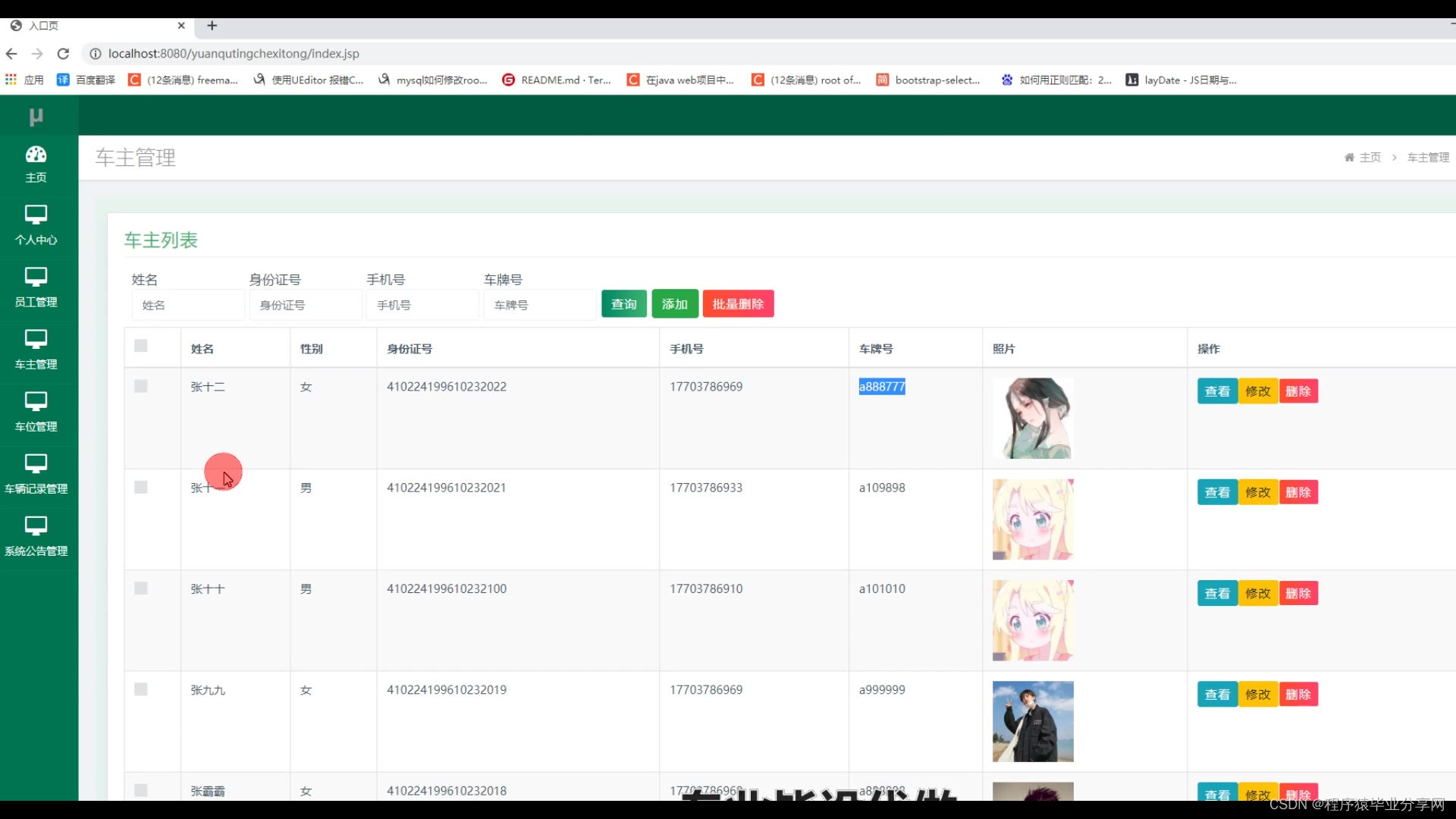
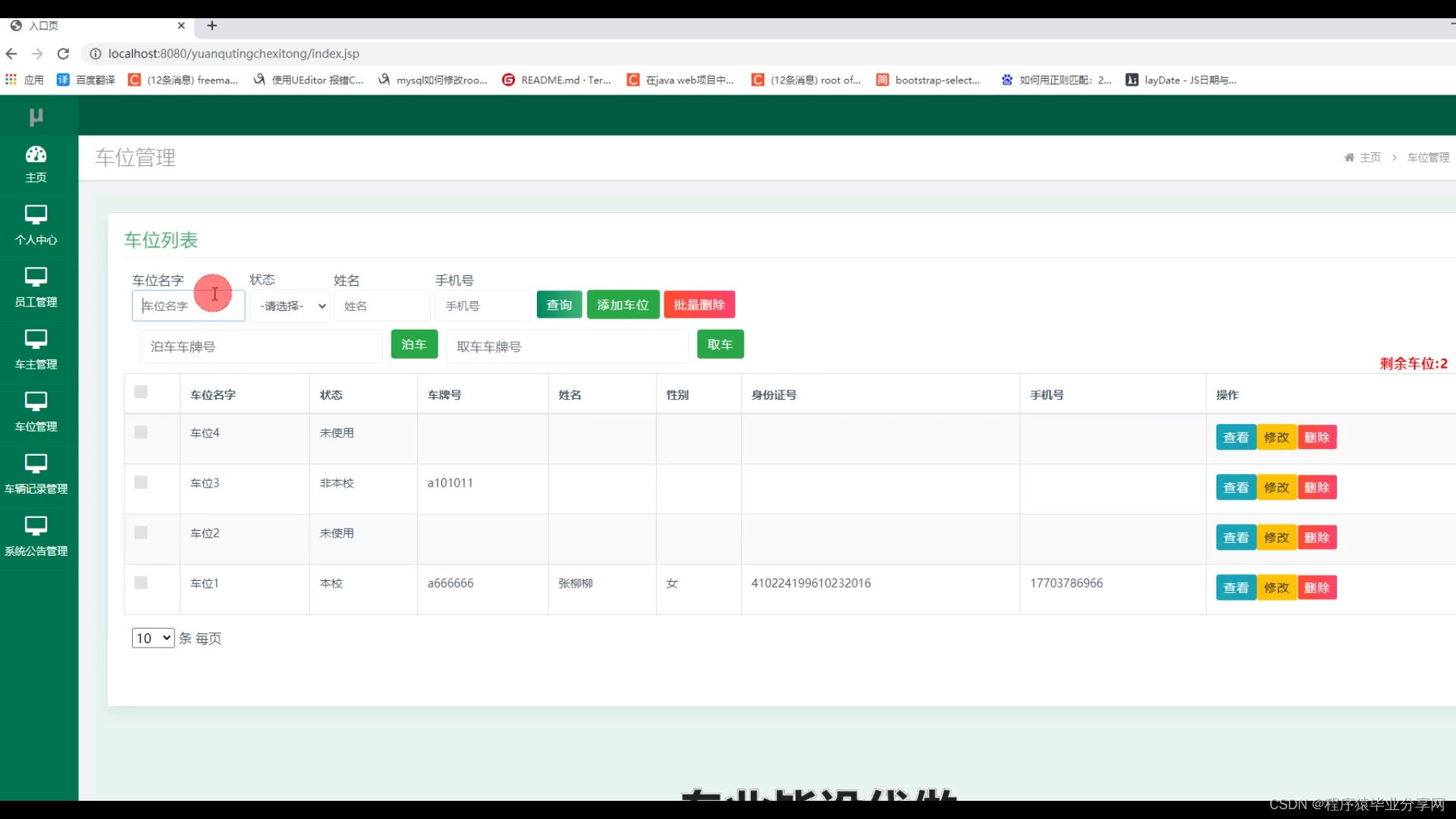
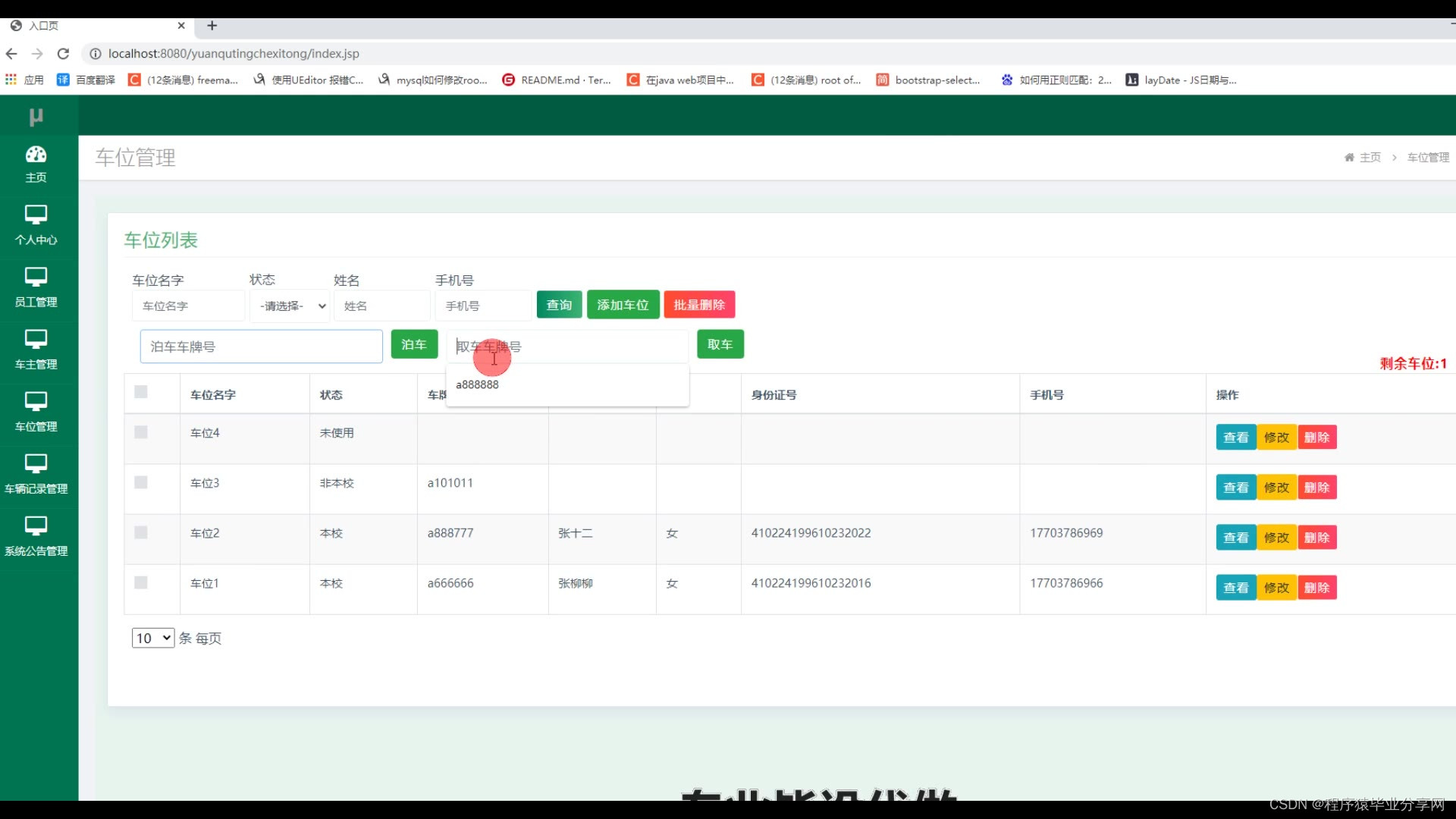
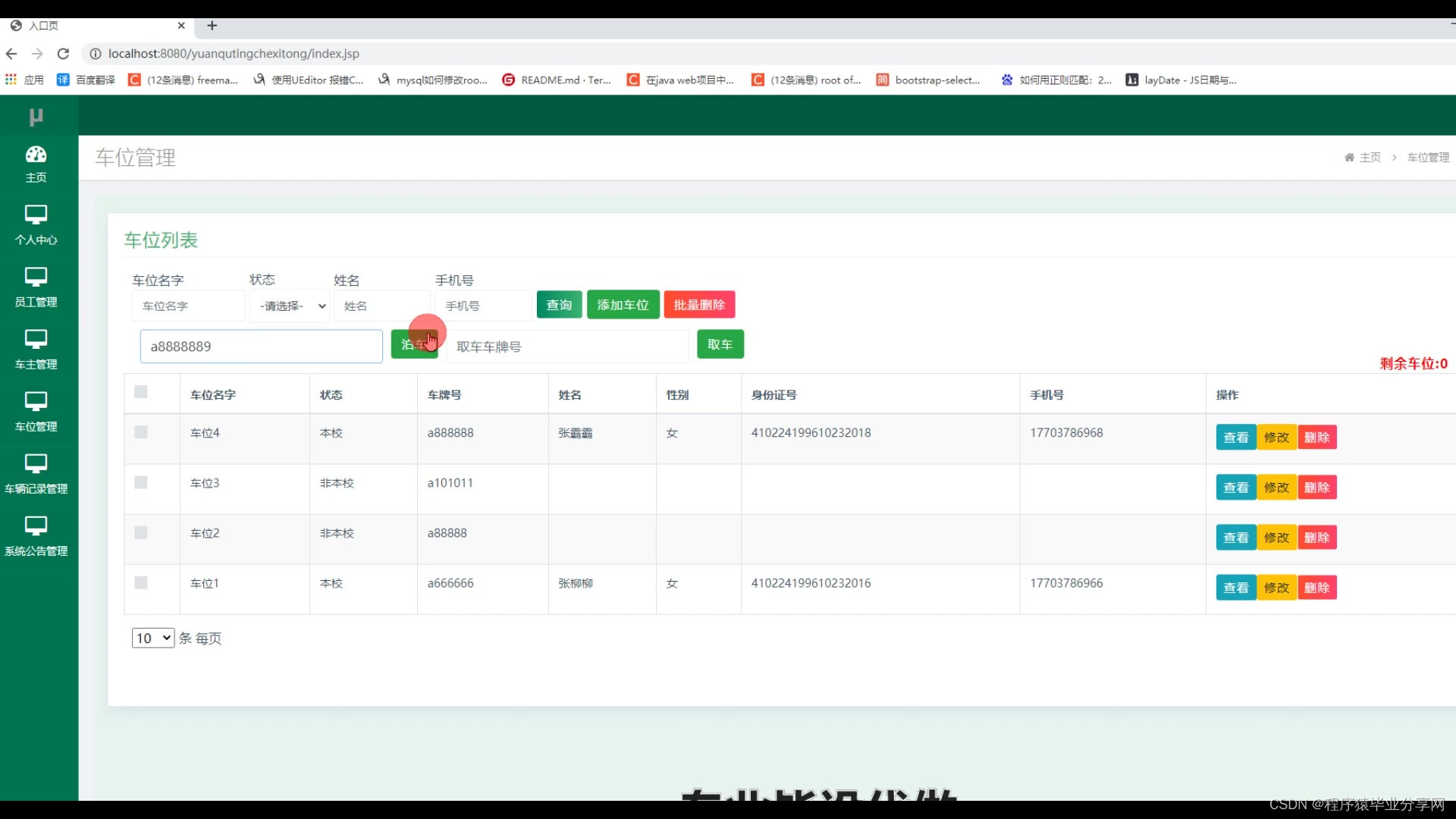
随着第二次工业革命后,内燃机的发明与完善,解决了交通工具的发动机,从一开始的蒸汽机到仍沿用至今的石油燃料发动机,从而导致汽车,这一个改变了我们出行方式的革命性交通工具,得到了广泛的使用。但是,从1885第一辆搭载汽油发动机的汽车到现在2021年,汽车的数量在全球范围内达到了惊人的约7.37亿辆。如此惊人的数据导致“停车难”早已是值得探讨的问题,停车场也正如雨后春笋般铺天盖地地建立。但,新停车场的建立速度和新增长的车辆差距过大。尤其是国内,城市内可供建立停车场的面积已趋于饱和。但,机动车的数据仍在以每年约10%的高速率上涨。使得管理停车场这一个问题也成为一个严重的问题。本次毕业设计将基于JAVAEE来进行设计一款面向校园的停车管理系统,致力于解决学校中停车难的问题。
意义:
由于机动车的极大发展,学校中不可避免会出现机动车的停放,设计一个智能的停车系统是有利于管理进出学校的机动车情况。在一定程度上也是规范了学校内部的师生停车地点,不会存在乱停的现象;限制了外来车辆的进入,从而缓解校内的停车难,也有效的保障了校内的安全,减少了校内发生交通事故的安全隐患。还能通过收取一定的管理费,增加一定的收入。





package com.controller;import java.io.File;
import java.io.FileNotFoundException;
import java.io.IOException;
import java.text.SimpleDateFormat;
import java.util.ArrayList;
import java.util.Calendar;
import java.util.Date;
import java.util.HashMap;
import java.util.List;
import java.util.Map;import javax.servlet.http.HttpServletRequest;import org.apache.commons.lang3.StringUtils;
import org.json.JSONObject;
import org.springframework.beans.factory.annotation.Autowired;
import org.springframework.util.ResourceUtils;
import org.springframework.web.bind.annotation.PathVariable;
import org.springframework.web.bind.annotation.RequestBody;
import org.springframework.web.bind.annotation.RequestMapping;
import org.springframework.web.bind.annotation.RequestParam;
import org.springframework.web.bind.annotation.RestController;import com.annotation.IgnoreAuth;
import com.baidu.aip.face.AipFace;
import com.baidu.aip.face.MatchRequest;
import com.baidu.aip.util.Base64Util;
import com.baomidou.mybatisplus.mapper.EntityWrapper;
import com.baomidou.mybatisplus.mapper.Wrapper;
import com.entity.ConfigEntity;
import com.service.CommonService;
import com.service.ConfigService;
import com.utils.BaiduUtil;
import com.utils.FileUtil;
import com.utils.R;/*** 通用接口*/
@RestController
public class CommonController{@Autowiredprivate CommonService commonService;@Autowiredprivate ConfigService configService;private static AipFace client = null;private static String BAIDU_DITU_AK = null;@RequestMapping("/location")public R location(String lng,String lat) {if(BAIDU_DITU_AK==null) {BAIDU_DITU_AK = configService.selectOne(new EntityWrapper<ConfigEntity>().eq("name", "baidu_ditu_ak")).getValue();if(BAIDU_DITU_AK==null) {return R.error("请在配置管理中正确配置baidu_ditu_ak");}}Map<String, String> map = BaiduUtil.getCityByLonLat(BAIDU_DITU_AK, lng, lat);return R.ok().put("data", map);}/*** 人脸比对* * @param face1 人脸1* @param face2 人脸2* @return*/@RequestMapping("/matchFace")public R matchFace(String face1, String face2, HttpServletRequest request) {if(client==null) {/*String AppID = configService.selectOne(new EntityWrapper<ConfigEntity>().eq("name", "AppID")).getValue();*/String APIKey = configService.selectOne(new EntityWrapper<ConfigEntity>().eq("name", "APIKey")).getValue();String SecretKey = configService.selectOne(new EntityWrapper<ConfigEntity>().eq("name", "SecretKey")).getValue();String token = BaiduUtil.getAuth(APIKey, SecretKey);if(token==null) {return R.error("请在配置管理中正确配置APIKey和SecretKey");}client = new AipFace(null, APIKey, SecretKey);client.setConnectionTimeoutInMillis(2000);client.setSocketTimeoutInMillis(60000);}JSONObject res = null;try {File file1 = new File(request.getSession().getServletContext().getRealPath("/upload")+"/"+face1);File file2 = new File(request.getSession().getServletContext().getRealPath("/upload")+"/"+face2);String img1 = Base64Util.encode(FileUtil.FileToByte(file1));String img2 = Base64Util.encode(FileUtil.FileToByte(file2));MatchRequest req1 = new MatchRequest(img1, "BASE64");MatchRequest req2 = new MatchRequest(img2, "BASE64");ArrayList<MatchRequest> requests = new ArrayList<MatchRequest>();requests.add(req1);requests.add(req2);res = client.match(requests);System.out.println(res.get("result"));} catch (FileNotFoundException e) {e.printStackTrace();return R.error("文件不存在");} catch (IOException e) {e.printStackTrace();} return R.ok().put("data", com.alibaba.fastjson.JSONObject.parse(res.get("result").toString()));}/*** 获取table表中的column列表(联动接口)* @return*/@RequestMapping("/option/{tableName}/{columnName}")@IgnoreAuthpublic R getOption(@PathVariable("tableName") String tableName, @PathVariable("columnName") String columnName,String level,String parent) {Map<String, Object> params = new HashMap<String, Object>();params.put("table", tableName);params.put("column", columnName);if(StringUtils.isNotBlank(level)) {params.put("level", level);}if(StringUtils.isNotBlank(parent)) {params.put("parent", parent);}List<String> data = commonService.getOption(params);return R.ok().put("data", data);}/*** 根据table中的column获取单条记录* @return*/@RequestMapping("/follow/{tableName}/{columnName}")@IgnoreAuthpublic R getFollowByOption(@PathVariable("tableName") String tableName, @PathVariable("columnName") String columnName, @RequestParam String columnValue) {Map<String, Object> params = new HashMap<String, Object>();params.put("table", tableName);params.put("column", columnName);params.put("columnValue", columnValue);Map<String, Object> result = commonService.getFollowByOption(params);return R.ok().put("data", result);}/*** 修改table表的sfsh状态* @param map* @return*/@RequestMapping("/sh/{tableName}")public R sh(@PathVariable("tableName") String tableName, @RequestBody Map<String, Object> map) {map.put("table", tableName);commonService.sh(map);return R.ok();}/*** 获取需要提醒的记录数* @param tableName* @param columnName* @param type 1:数字 2:日期* @param map* @return*/@RequestMapping("/remind/{tableName}/{columnName}/{type}")@IgnoreAuthpublic R remindCount(@PathVariable("tableName") String tableName, @PathVariable("columnName") String columnName, @PathVariable("type") String type,@RequestParam Map<String, Object> map) {map.put("table", tableName);map.put("column", columnName);map.put("type", type);if(type.equals("2")) {SimpleDateFormat sdf = new SimpleDateFormat("yyyy-MM-dd");Calendar c = Calendar.getInstance();Date remindStartDate = null;Date remindEndDate = null;if(map.get("remindstart")!=null) {Integer remindStart = Integer.parseInt(map.get("remindstart").toString());c.setTime(new Date()); c.add(Calendar.DAY_OF_MONTH,remindStart);remindStartDate = c.getTime();map.put("remindstart", sdf.format(remindStartDate));}if(map.get("remindend")!=null) {Integer remindEnd = Integer.parseInt(map.get("remindend").toString());c.setTime(new Date());c.add(Calendar.DAY_OF_MONTH,remindEnd);remindEndDate = c.getTime();map.put("remindend", sdf.format(remindEndDate));}}int count = commonService.remindCount(map);return R.ok().put("count", count);}/*** 圖表统计*/@IgnoreAuth@RequestMapping("/group/{tableName}")public R group1(@PathVariable("tableName") String tableName, @RequestParam Map<String,Object> params) {params.put("table1", tableName);List<Map<String, Object>> result = commonService.chartBoth(params);return R.ok().put("data", result);}/*** 单列求和*/@RequestMapping("/cal/{tableName}/{columnName}")@IgnoreAuthpublic R cal(@PathVariable("tableName") String tableName, @PathVariable("columnName") String columnName) {Map<String, Object> params = new HashMap<String, Object>();params.put("table", tableName);params.put("column", columnName);Map<String, Object> result = commonService.selectCal(params);return R.ok().put("data", result);}/*** 分组统计*/@RequestMapping("/group/{tableName}/{columnName}")@IgnoreAuthpublic R group(@PathVariable("tableName") String tableName, @PathVariable("columnName") String columnName) {Map<String, Object> params = new HashMap<String, Object>();params.put("table", tableName);params.put("column", columnName);List<Map<String, Object>> result = commonService.selectGroup(params);return R.ok().put("data", result);}/*** (按值统计)*/@RequestMapping("/value/{tableName}/{xColumnName}/{yColumnName}")@IgnoreAuthpublic R value(@PathVariable("tableName") String tableName, @PathVariable("yColumnName") String yColumnName, @PathVariable("xColumnName") String xColumnName) {Map<String, Object> params = new HashMap<String, Object>();params.put("table", tableName);params.put("xColumn", xColumnName);params.put("yColumn", yColumnName);List<Map<String, Object>> result = commonService.selectValue(params);return R.ok().put("data", result);}/*** 下面为新加的****//*** 查询字典表的分组求和* @param tableName  		表名* @param groupColumn  		分组字段* @param sumCloum			统计字段* @return*/@RequestMapping("/sum/group/{tableName}/{groupColumn}/{sumCloum}")@IgnoreAuthpublic R newSelectGroupSum(@PathVariable("tableName") String tableName, @PathVariable("groupColumn") String groupColumn, @PathVariable("sumCloum") String sumCloum) {Map<String, Object> params = new HashMap<String, Object>();params.put("tableName", tableName);params.put("groupColumn", groupColumn);params.put("sumColumn", sumCloum);List<Map<String, Object>> result = commonService.newSelectGroupSum(params);return R.ok().put("data", result);}/*** 查询字典表的分组统计总条数* @param tableName  		表名* @param groupColumn  		分组字段* @return*/@RequestMapping("/count/group/{tableName}/{groupColumn}")@IgnoreAuthpublic R newSelectGroupCount(@PathVariable("tableName") String tableName, @PathVariable("groupColumn") String groupColumn) {Map<String, Object> params = new HashMap<String, Object>();params.put("tableName", tableName);params.put("groupColumn", groupColumn);List<Map<String, Object>> result = commonService.newSelectGroupCount(params);return R.ok().put("data", result);}/*** 当前表的日期分组求和* @param tableName  		表名* @param groupColumn  		分组字段* @param sumCloum			统计字段* @param dateFormatType	日期格式化类型   1:年 2:月 3:日* @return*///				 /sum/group/cheliangjilu/insert_time /monery    /%Y-%m@RequestMapping("/sum/group/{tableName}/{groupColumn}/{sumCloum}/{dateFormatType}")@IgnoreAuthpublic R newSelectDateGroupSum(@PathVariable("tableName") String tableName, @PathVariable("groupColumn") String groupColumn, @PathVariable("sumCloum") String sumCloum, @PathVariable("dateFormatType") String dateFormatType) {Map<String, Object> params = new HashMap<String, Object>();params.put("tableName", tableName);params.put("groupColumn", groupColumn);params.put("sumColumn", sumCloum);if("1".equals(dateFormatType)){params.put("dateFormat", "%Y");}else if("2".equals(dateFormatType)){params.put("dateFormat", "%Y-%m");}else if("3".equals(dateFormatType)){params.put("dateFormat", "%Y-%m-%d");}else{R.error("日期格式化不正确");}List<Map<String, Object>> result = commonService.newSelectDateGroupSum(params);return R.ok().put("data", result);}/**** 查询字典表的分组统计总条数* @param tableName  		表名* @param groupColumn  		分组字段* @param dateFormatType	日期格式化类型   1:年 2:月 3:日* @return*/@RequestMapping("/count/group/{tableName}/{groupColumn}/{dateFormatType}")@IgnoreAuthpublic R newSelectDateGroupCount(@PathVariable("tableName") String tableName, @PathVariable("groupColumn") String groupColumn, @PathVariable("dateFormatType") String dateFormatType) {Map<String, Object> params = new HashMap<String, Object>();params.put("tableName", tableName);params.put("groupColumn", groupColumn);if("1".equals(dateFormatType)){params.put("dateFormat", "%Y");}else if("2".equals(dateFormatType)){params.put("dateFormat", "%Y-%m");}else if("3".equals(dateFormatType)){params.put("dateFormat", "%Y-%m-%d");}else{R.error("日期格式化类型不正确");}List<Map<String, Object>> result = commonService.newSelectDateGroupCount(params);return R.ok().put("data", result);}}
相关文章:
基于JAVAEE技术的ssm校园车辆管理系统源码和论文
基于JAVAEE技术的ssm校园车辆管理系统源码和论文105 开发工具:idea 数据库mysql5.7 数据库链接工具:navcat,小海豚等 技术:ssm 1.选题背景和意义 背景: 随着第二次工业革命后,内燃机的发明与完善,解…...
opencv-人脸识别
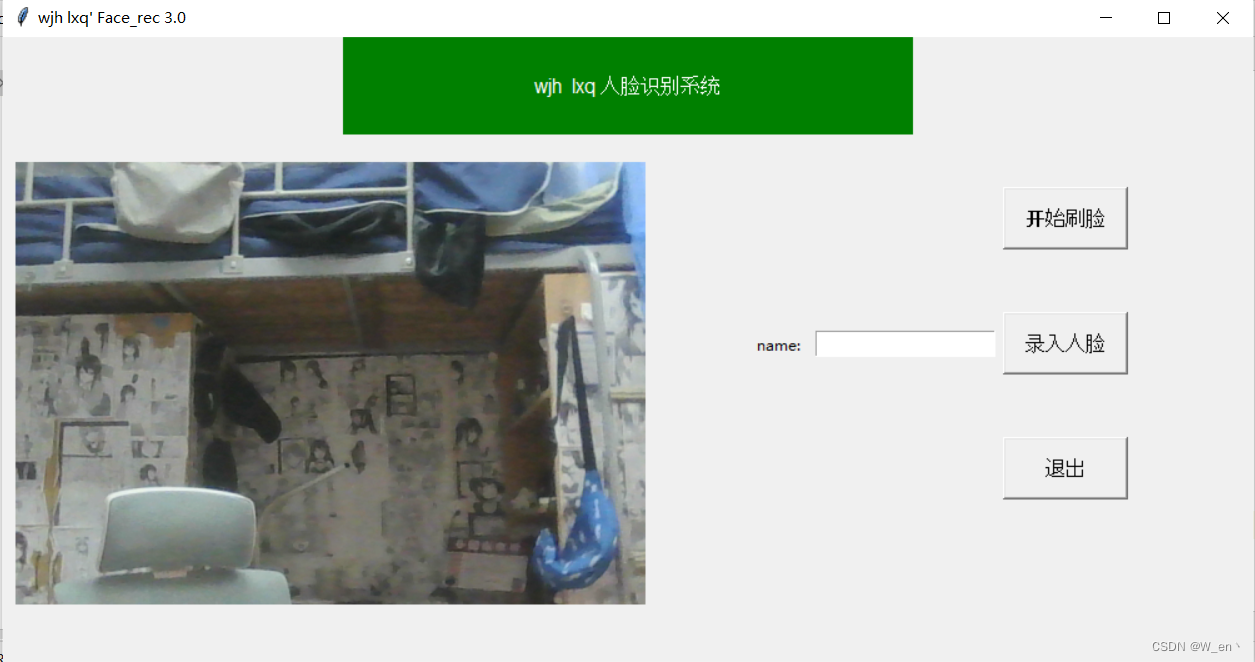
对https://blog.csdn.net/weixin_46291251/article/details/117996591这哥们代码的一些修改 import cv2 import numpy as np import os import shutil import threading import tkinter as tk from PIL import Image, ImageTkchoice 0# 首先读取config文件,第一行…...
九、idSpanMap使用基数树代替原本的unordered_map 十、使用基数树前后性能对比
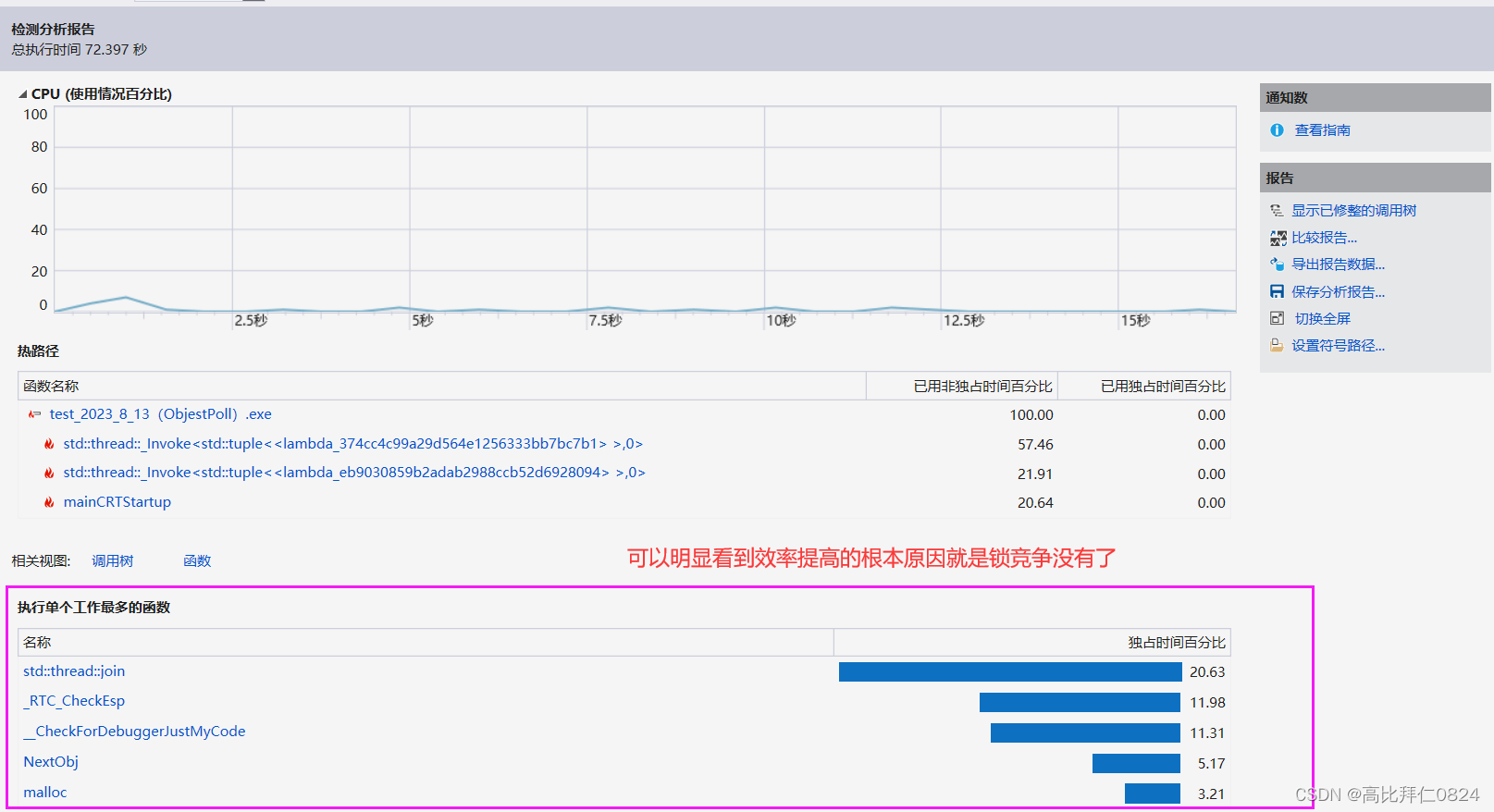
九、idSpanMap使用基数树代替原本的unordered_map 我们原本的idSpanMap用的是STL容器中的unordered_map哈希桶,因为STL的容器本身是不保证线程安全的,所以我们在访问时需要加锁保证线程安全,这也就是我们写的内存池的性能的瓶颈点。因为我做…...

政府科技项目验收全流程分享
科技验收测试 (验收申请→主管部门初审→科技厅审核→组织验收→归档备案→信用管理): (一)验收申请 项目承担单位通过省科技业务管理系统提交验收申请。 按期完成的项目,项目承担单位应当在项目合同书…...
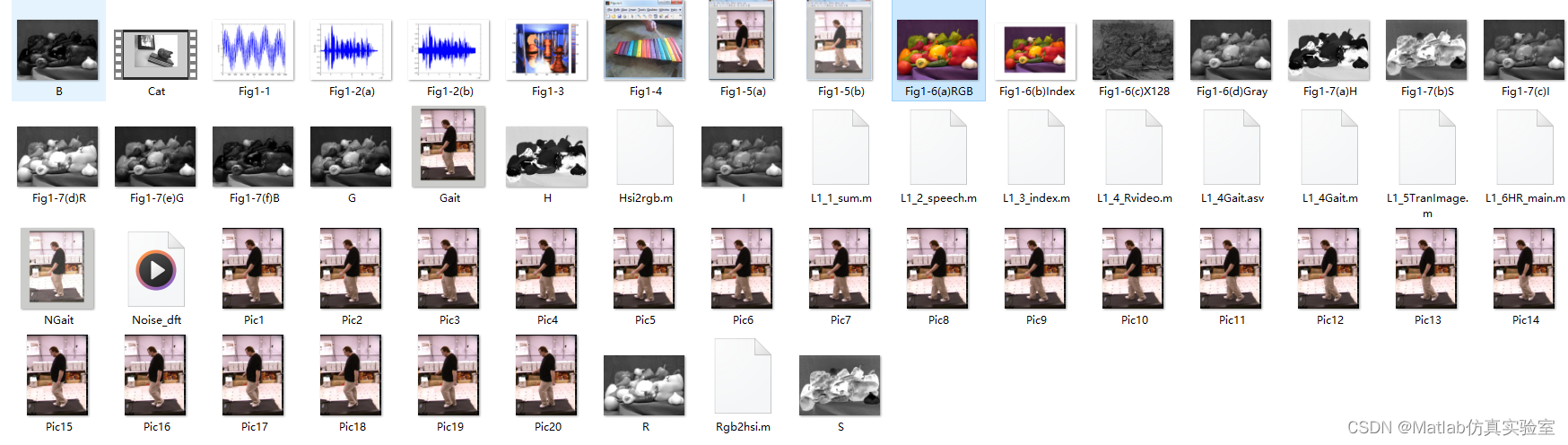
基于Matlab实现生活中的图像信号分类(附上源码+数据集)
在我们的日常生活中,我们经常会遇到各种各样的图像信号,例如照片、视频、图标等等。对这些图像信号进行分类和识别对于我们来说是非常有用的。在本文中,我将介绍如何使用Matlab来实现生活中的图像信号分类。 文章目录 介绍源码数据集下载 介…...

YOLOv5算法改进(12)— 替换主干网络之Swin Transformer
前言:Hello大家好,我是小哥谈。Swin Transformer是一种基于Transformer的深度学习模型,它在视觉任务中表现出色。与之前的Vision Transformer(ViT)不同,Swin Transformer具有高效和精确的特性,并…...

php 权限节点的位运算
一,概述 在 PHP 中,位运算可以用来进行权限节点的判断。通常,每个权限节点都会用一个不同的位表示(2的n次方,从0开始),可以将这些位组合成一个权限值。然后,可以使用位运算符来检查…...
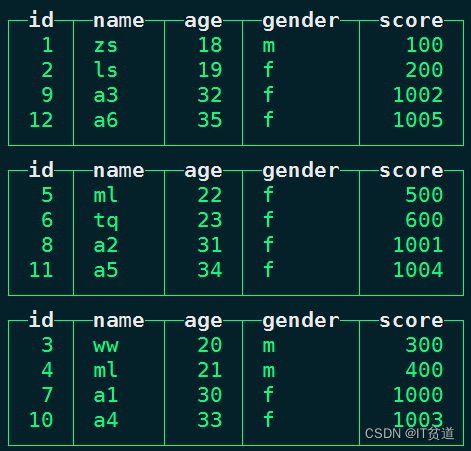
ClickHouse进阶(六):副本与分片-2-Distributed引擎
进入正文前,感谢宝子们订阅专题、点赞、评论、收藏!关注IT贫道,获取高质量博客内容! 🏡个人主页:含各种IT体系技术,IT贫道_Apache Doris,大数据OLAP体系技术栈,Kerberos安全认证-CSDN博客 📌订阅…...

Git和Github的基本用法
目录 背景 下载安装 安装 git for windows 安装 tortoise git 使用 Github 创建项目 注册账号 创建项目 下载项目到本地 Git 操作的三板斧 放入代码 三板斧第一招: git add 三板斧第二招: git commit 三板斧第三招: git push 小结 🎈个人主页…...

279. 完全平方数
279.完全平方数 给你一个整数 n ,返回 和为 n 的完全平方数的最少数量 。 完全平方数 是一个整数,其值等于另一个整数的平方;换句话说,其值等于一个整数自乘的积。例如,1、4、9 和 16 都是完全平方数,而 …...

一篇文章学会C#的正则表达式
https://blog.csdn.net/qq_38507850/article/details/79179128 正则表达式 一句话概括就是用来对字符串根据自己的规则进行匹配的,可以匹配(返回)出符合自己要求的匹配结果,有人说字符串类的函数也可以,确实是这样,但是字符串的函…...
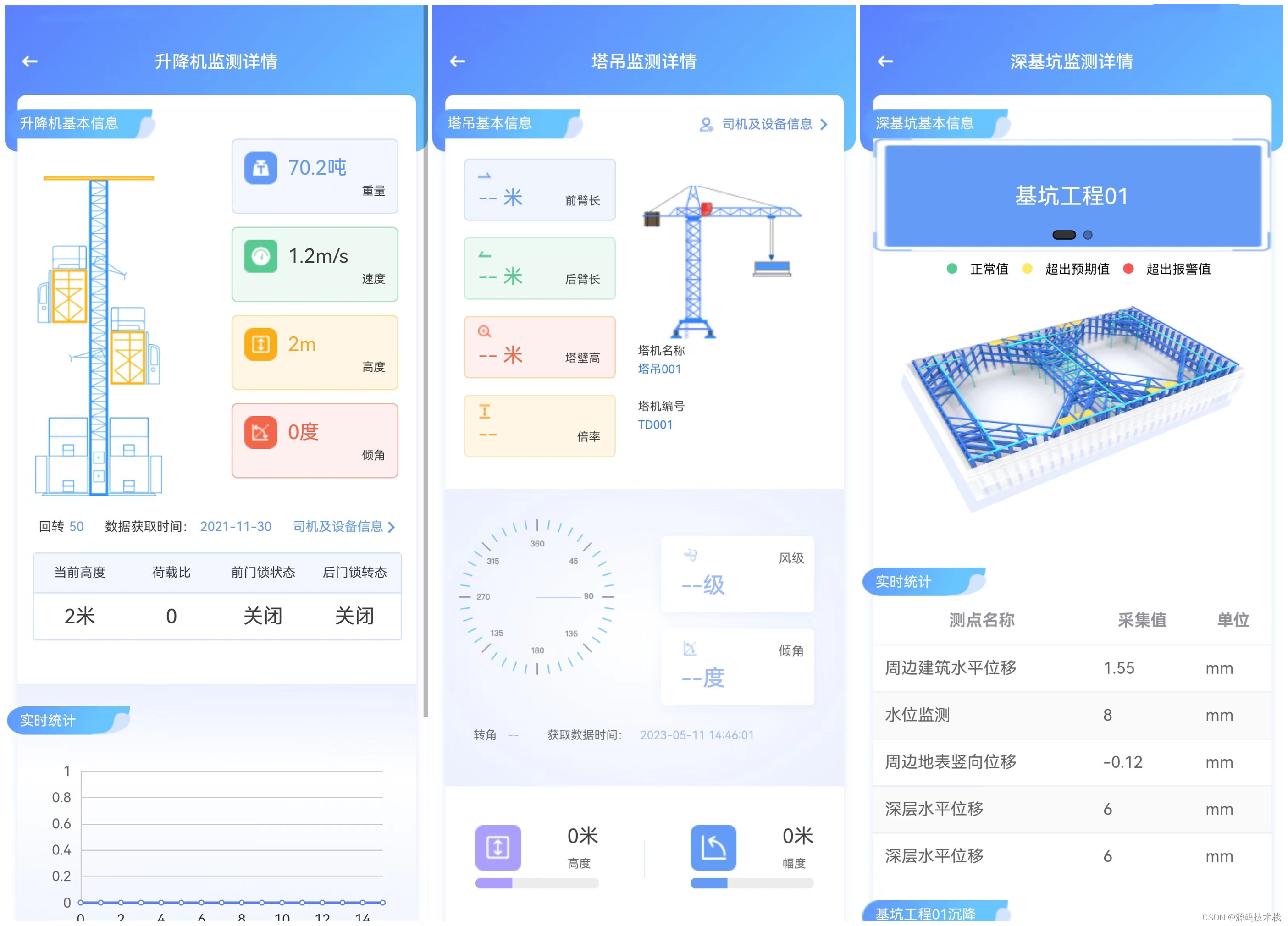
智慧工地源码 智慧大屏、手机APP、SaaS模式
一、智慧工地可以通过安全八要素来提升安全保障,具体措施包括: 1.安全管理制度:建立科学完善的安全管理制度,包括安全标准规范、安全生产手册等,明确各项安全管理职责和要求。 2.安全培训教育:对工地人…...
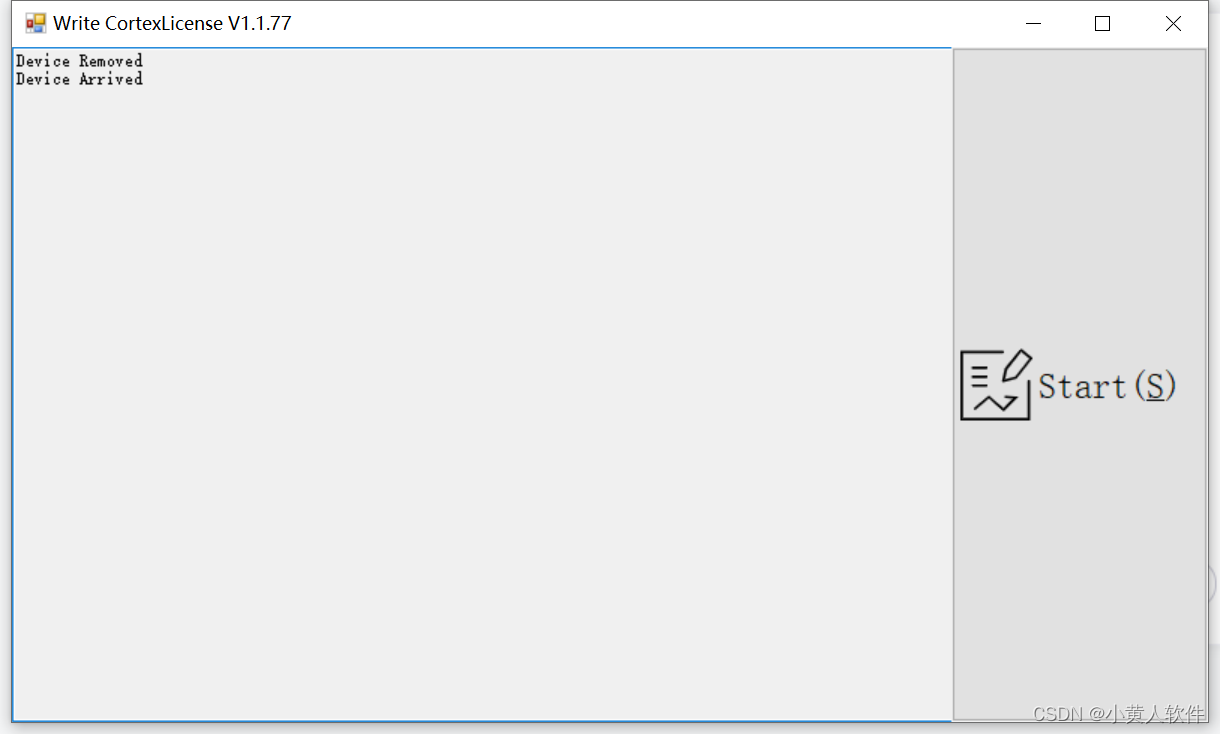
C# WPF监听USB插入拨出
可以全部监听。好用 private void FormF100WriteCortexLicense_Load(object sender, EventArgs e){this.Text this.Text " " FT_Tools.Program.version;USB USBWatcher new USB();USBWatcher.AddUSBEventWatcher(USBEventHandler, USBEventHandler, new TimeSpa…...
Prometheus监控(三)架构
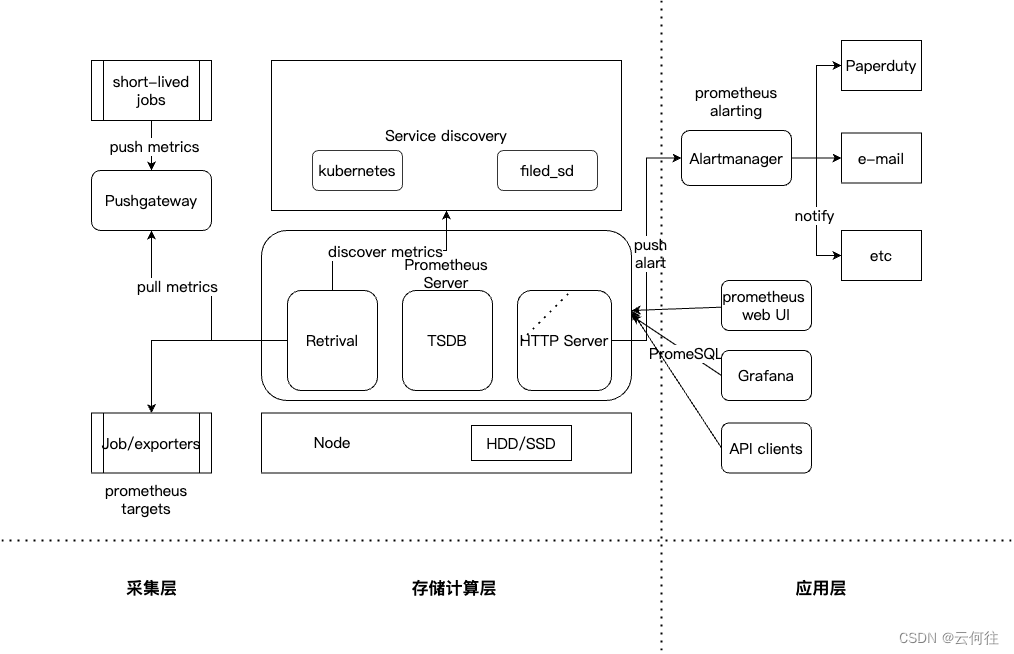
文章目录 Prometheus架构图Prometheus生态圈组件Prometheus Serverclient librariesPushgatewayexporterAlartmanager Prometheus架构理解存储计算层采集层应用层 Prometheus架构图 Prometheus生态圈组件 Prometheus Server 主服务器,负责收集和存储时间序列数据 …...

linux kvm网桥br简单理解和持久化配置
linux网桥简单理解和持久化配置 文章目录 前言一、Linux 网桥是什么?二、网桥主要作用三、网桥配置命令及安装(CentOS系统) 1 网桥配置命令2.持久化网桥配置 前言 linux bridge是网络虚拟化中非常重要的一种设备,今天就来学习下linux bridge的相关知…...

【LeetCode-中等题】105. 从前序与中序遍历序列构造二叉树
文章目录 题目方法一:递归 题目 方法一:递归 preorder [3,9,20,15,7] inorder [9,3,15,20,7] 首先根据 preorder 找到根节点是 3然后根据根节点将 inorder 分成左子树和右子树 左子树 inorder [9]右子树 inorder [15,20,7]这时候3是根节点 3的左子树…...
uniapp 配置网络请求并使用请求轮播图
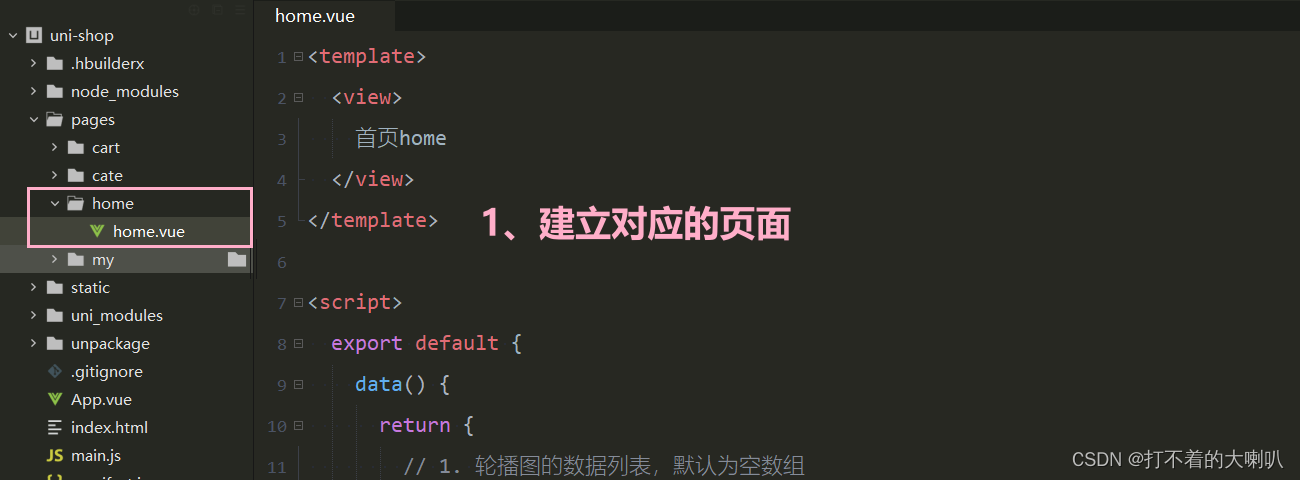
由于平台的限制,小程序项目中不支持 axios,而且原生的 wx.request() API 功能较为简单,不支持拦截器等全局定制的功能。因此,建议在 uni-app 项目中使用 escook/request-miniprogram 第三方包发起网络数据请求。 官方文档…...
c#在MVC Api(.net framework)当中使用Swagger,以及Demo下载
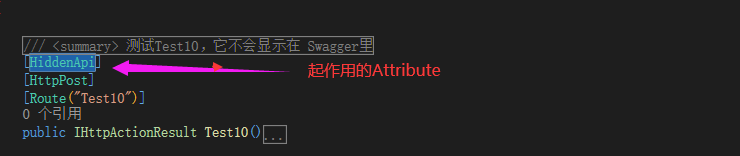
主要的步骤就是创建项目,通过nuget 添加Swashbuckle包,然后在SwaggerConfig当中进行相关的配置。 具体的步骤,可以参考下面的链接: https://www.cnblogs.com/94pm/p/8046580.htmlhttps://blog.csdn.net/xiaouncle/article/detail…...
Linux 常见命令操作
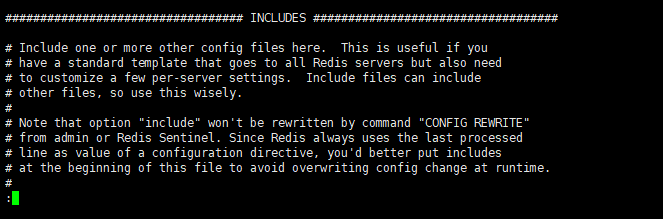
一、目录管理 1.1 列出目录 ls # ls 命令 # -a 参数,查看全部的文件,包括隐藏的文件 # -l 参数,列出所有的文件,包括文件的属性和权限,不显示隐藏文件 [rootlocalhost /]# ls bin boot dev etc home lib lib64…...
前端实习第七周周记
前言 第六周没写,是因为第六周的前两天在处理第五周的样本库部分。问题解决一个是嵌套问题(因为我用到了递归),还有一个问题在于本机没有问题,打包上线接口404。这个问题我会在这周的总结中说。 第六周第三天才谈好新…...

KMS_VL_ALL_AIO:智能激活脚本的完整使用指南
KMS_VL_ALL_AIO:智能激活脚本的完整使用指南 【免费下载链接】KMS_VL_ALL_AIO Smart Activation Script 项目地址: https://gitcode.com/gh_mirrors/km/KMS_VL_ALL_AIO KMS_VL_ALL_AIO是一款基于微软官方KMS协议开发的智能激活脚本,为Windows系统…...

5分钟免费搞定:让Windows资源管理器原生显示iPhone HEIC照片缩略图
5分钟免费搞定:让Windows资源管理器原生显示iPhone HEIC照片缩略图 【免费下载链接】windows-heic-thumbnails Enable Windows Explorer to display thumbnails for HEIC/HEIF files 项目地址: https://gitcode.com/gh_mirrors/wi/windows-heic-thumbnails 你…...

还有人记得这种古老的语言吗?知道的没几个
前两天偶然看到一个熟悉又陌生的词汇, cobol,瞬间又勾起了我多年前的记忆,不知道还有多少人记得这种古老的语言,用过它的应该更是寥寥无几吧!今天来回忆杀。 COBOL(Common Business-Oriented Language&…...

从Noise2Noise到Neighbor2Neighbor:图解自监督去噪的演进与核心‘采样’技巧
从Noise2Noise到Neighbor2Neighbor:自监督去噪技术的范式跃迁与工程实践 当你在昏暗环境下用手机拍摄一张照片时,那些恼人的彩色颗粒可能让你直接点击删除键。传统去噪方法需要大量"干净-噪声"图像对进行训练,而真实世界中获取完美…...

Tensor Comprehensions高级特性:多GPU支持和内核重用策略的终极指南
Tensor Comprehensions高级特性:多GPU支持和内核重用策略的终极指南 【免费下载链接】TensorComprehensions A domain specific language to express machine learning workloads. 项目地址: https://gitcode.com/gh_mirrors/te/TensorComprehensions Tensor…...

鸿蒙中的自由流转
鸿蒙自由流转是 HarmonyOS(鸿蒙系统) 实现多设备协同的核心能力之一,旨在打破设备边界,让应用和服务在不同终端间无缝流转,提升用户体验。什么是鸿蒙自由流转?鸿蒙自由流转是指用户在多个搭载 Harm…...

WT32-S3-DK开发板全解析:从硬件设计到物联网项目实战
1. 项目概述:一块“小而全”的物联网开发板最近在捣鼓一个智能家居的传感器节点项目,需要一块性能足够、接口丰富、最好还带屏幕的开发板。市面上ESP32-S3的方案很多,但要么是核心板,需要自己配底板和屏幕,要么就是功能…...

零基础掌握GVAS解析与游戏存档编辑:解锁Unreal Engine数据处理新姿势
零基础掌握GVAS解析与游戏存档编辑:解锁Unreal Engine数据处理新姿势 【免费下载链接】uesave Rust library and CLI to read and write Unreal Engine save files 项目地址: https://gitcode.com/gh_mirrors/ue/uesave Unreal Engine游戏存档修改不再困难&a…...
第3小节:超高纯氟化钙材料难点)
0603光刻机 第六篇:EUV超精密光学系统(S级 长期死磕突破)第3小节:超高纯氟化钙材料难点
第六篇:EUV超精密光学系统(S级 长期死磕突破) 第3小节:超高纯氟化钙材料难点(深紫外配套核心,全维度死磕解析) 前置硬核声明 氟化钙单晶(CaF₂)是DUV深紫外光刻核心光学基…...

实战测试10款降AIGC平台:只选真正管用的那一款!
随着AI写作工具的普及,越来越多的学生和职场人士开始依赖它们来提升论文写作和内容创作的效率。然而,随着各大高校、期刊和平台对AIGC内容的检测越来越严格,原本便捷的工具却成了隐患。很多用户发现,自己精心撰写的内容被系统标记…...