
react 网页/app复制分享链接到剪切板,分享到国外各大社交平台,通过WhatsApp方式分享以及SMS短信方式分享链接内容
1.需求
最近在做一个国际网站app,需要把app中某个页面的图文链接分享到国外各大社交平台上(facebook,whatapp,telegram,twitter等),以及通过WhatApp聊天方式分享,和SMS短信方式分享链接内容,该怎么做呢?图示如下:
分享到国外各大社交平台:

操作说明:
当点击COPY URL时,复制分享链接到剪切板,然后点击各个分享平台图标,调用分享apk或者方法,从而调起社交平台app或者对应的web网页 ,进行分享操作
通过WhatApp方式,SMS方式分享:

操作说明:
1.WhatsAPP分享:
程序生成随机电话号码,默认选中第一个电话号码,点击WhatsAPP后,调取WhatApp相关方法接口,进行分享操作,然后电话号码变灰,当再次点击WhatsAPP时,触发下一个电话号码操作,图示如下:
2.SMS方式分享
点击SMS按钮时,触发SMS接口请求,调用SMS相关url进行分享操作
2.实现分享到国外各大社交平台
先上代码,通过点击 COPY URL 复制分享链接到剪切板,然后点击各个平台图标,实现分享操作
COPY URL,点击平台图标相关代码:
import React, {useState} from "react";
import axios from "axios";
import Scroll from "../../components/Scroll";
import {CountDown, Steps, Tabs, Toast, Popup, Cell, Dialog, Swiper, NoticeBar, Image} from "react-vant";
import {CopyToClipboard} from "react-copy-to-clipboard";const Index = () => {//分享url:拼接要分享的页面url,以及带上参数//注意:这里参数有的分享平台不支持?格式,可以使用简化格式,eg:http:www.test.com/target_page/100/paramconst GetUrl = (tagId) => {return `${window.location.origin}/target_page?param=${tagId}`;};//各个分享平台对应的urlconst GetWhatsAppUrl = (tagId) => {//也可以用这个`https://api.whatsapp.com/send?text=` + encodeURIComponent("test") + encodeURIComponent("\n\n" + GetInviteWheelUrl(tagId));return encodeURI(`whatsapp://send?text=test\n${GetUrl(tagId)}`);
};const GetTelegramUrl = (tagId, text) => {return encodeURI("https://t.me/share/url?url=" + encodeURIComponent(GetInviteWheelUrl(tagId)) + "&text=" + encodeURIComponent(text));};const GetTwitterUrl = (tagId, text) => {return encodeURI("https://twitter.com/intent/tweet?text=" + encodeURIComponent(text) + "&url=" + encodeURIComponent(GetInviteWheelUrl(tagId)));};const GetFacebookUrl = (tagId, text) => {return "https://www.facebook.com/sharer/sharer.php?u=" + encodeURIComponent(GetUrl(tagId)) + "&t=" + encodeURIComponent(text)};//分享到社交软件const shareFriend = (type) => {let shareText = "分享说明" ;switch (type) {case "facebook":if (window.document) {if (window.document.getElementById("og_url")) {window.document.getElementById("og_url").content=GetUrl(rid);}if (window.document.getElementById("og_description")) {window.document.getElementById("og_description").content=shareText;}if (window.document.getElementById("og_title")) {window.document.getElementById("og_title").content=shareText;}if (window.document.getElementById("og_image")) {window.document.getElementById("og_image").content=window.location.origin + "../images/banner_x2.png";}}window.location.href = GetFacebookUrl(tagId, shareText);return;case "whatApp":if (window.document) {if (window.document.getElementById("og_url")) {window.document.getElementById("og_url").content=GetUrl(tagId);}if (window.document.getElementById("og_description")) {window.document.getElementById("og_description").content=shareText;}if (window.document.getElementById("og_title")) {window.document.getElementById("og_title").content=shareText;}if (window.document.getElementById("og_image")) {window.document.getElementById("og_image").content=window.location.origin + "../images/banner_x2.png";}}window.location.href = GetWhatsAppUrl(tagId, shareText);return;case "telegram":window.location.href = GetTelegramUrl(tagId, shareText);return;case "twitter":if (window.document) {if (window.document.getElementById("tw_description")) {window.document.getElementById("tw_description").content=shareText;}if (window.document.getElementById("tw_title")) {window.document.getElementById("tw_title").content=shareText;}if (window.document.getElementById("tw_card")) {window.document.getElementById("tw_card").content=window.location.origin + "../images/banner_x2.png";}if (window.document.getElementById("tw_card")) {window.document.getElementById("tw_card").content=window.location.origin + "../images/banner_x2.png";}if (window.document.getElementById("tw_image")) {window.document.getElementById("tw_image").content=window.location.origin + "../images/banner_x2.png";}if (window.document.getElementById("tw_url")) {window.document.getElementById("tw_url").content=GetUrl(rid);}}window.location.href = GetTwitterUrl(tagId, shareText);return;}}return (<div class={style.main}><ul class={style.share_1_link}><li class={style.share_1_link_intro} onClick={() => shareFriend("facebook")}><div class={style.share_1_link_img}><a href="javascript:;"  rel="noreferrer"><img src={"../images/share3.svg"} /></a></div><div class={style.share_1_link_text}>Facebook</div></li><li class={style.share_1_link_intro}  onClick={() => shareFriend("whatApp")}><div class={style.share_1_link_img}><a href="javascript:;" rel="noreferrer"><img src={"../images/share2.svg"} /></a></div><div class={style.bottom_share_1_link_text}>WhatApp</div></li><li class={style.share_1_link_intro}  onClick={() => shareFriend("telegram")}><div class={style.share_1_link_img}><a href="javascript:;" rel="noreferrer"><img src={"../images/share3.png"} /></a></div><div class={style.share_1_link_text}>Telegram</div></li><li class={style.share_1_link_intro}  onClick={() => shareFriend("twitter")}><div class={style.share_1_link_img}><a href="javascript:;"  rel="noreferrer"><img src={"../images/share4.svg"}/></a></div><div class={style.share_1_link_text}>Twitter</div></li><li class={style.share_1_link_intro}><div class={style.share_1_link_img}><a href={"mailto:test@test.com?body" + GetUrl(tagId)} rel="noreferrer"><img src={"../images/share5.svg"}/></a></div><div class={style.share_1_link_text}>Email</div></li></ul></div><div class={style.copy_url_area}><div class={style.copy_url_input}><span id="share_url">{GetUrl(tagId)}</span></div><CopyToClipboardtext={GetUrl(tagId)}onCopy={() => {Toast.success({message: "Copy Successfully",});}}><div class={style.action_btn} style={{ flexShrink: 0 }}>COPY URL</div></CopyToClipboard></div>)
}export default Index;
对上面代码的说明:
当点击CPOY URL 按钮时,调用react-copy-to-clipboard组件复制分享链接到剪切板,点击平台分享图片时,调用shareFriend()方法,进行分享配置操作,获取分享的url,以及调用各个平台分享的api,然后配置head中分享的meta(如下代码,为什么需要配置meta,因为国外很多平台在分享图文链接时,是通过爬虫来抓取meta数据进行分享数据展示的),操作后,app会调起对应平台的app或者打开对应的web页面进行分享操作
html代码:
<head>
<meta id="og_url" property="og:url" content="" /><!-- facebook,whatApp分享--><meta id="og_description"  property="og:description" content="" /><meta id="og_image"  property="og:image" content="" /><meta id="og_title"  property="og:title" content="" /><!-- twitter分享--><meta  id="tw_card"  name="twitter:card" content=""><meta  id="tw_title" name="twitter:title" content=""><meta  id="tw_description" name="twitter:description" content=""><meta  id="tw_image" name="twitter:image" content=""><meta id="tw_url" property="twitter:url" content="" />
</head>
对上面代码说明:
meta中的数据,就是各个平台爬虫要抓取的分享数据,根据不同平台,meta的name不一样,具体情况可看各个平台官方文档
3.实现通过WhatsAPP以及SMS分享操作
- 程序生成随机电话号码,默认选中第一个电话号码,点击WhatsAPP后,调取WhatApp相关方法接口,进行分享操作,然后电话号码变灰,当再次点击WhatsAPP时,触发下一个电话号码操作
- 点击SMS按钮时,触发SMS接口请求,调用SMS相关url进行分享操作
代码如下:
import React, {useState} from "react";
import axios from "axios";
import Scroll from "../../components/Scroll";
import {CountDown, Steps, Tabs, Toast, Popup, Cell, Dialog, Swiper, NoticeBar, Image} from "react-vant";
import {CopyToClipboard} from "react-copy-to-clipboard";const SinNumberGenerator = (x, offset) => {return (Math.sin(x + offset) + 1) / 2;
};//生成随机的分享电话号码:count 电话号码个数
const SharePhoneList = (count) => {let list = [];for (let i = 0; i < count; i++) {let phone = (SinNumberGenerator(((NowTimestamp / 100000) % 100000) / 50000 / Math.PI, i) * (99999 - 1000) +1000).toFixed(0);if (phone.length < 5) {phone = "0" + phone;}list.push({phone: phone, //电话号码state: Math.floor(Math.random()*2),  //发送状态});}return list;
};const Index = () => {//分享电话号码初始化const [sharePhoneList, setSharePhoneList] = useState([]);//当前选中电话号码索引const [checkedPhoneIndex, setCheckedPhoneIndex] = useState(0);//设置电话号码列表setSharePhoneList(SharePhoneList(20));setCheckedPhoneIndex(0);//分享url:拼接要分享的页面url,以及带上参数//注意:这里参数有的分享平台不支持?格式,可以使用简化格式,eg:http:www.test.com/target_page/100/paramconst GetUrl = (tagId) => {return `${window.location.origin}/target_page?param=${tagId}`;};const GetSeedWhatsAppUrl = (phone, tagId, text) => {return `https://api.whatsapp.com/send?phone=${phone}&text=` + encodeURIComponent(text) + encodeURIComponent("\n\n" + GetUrl(tagId));
};const GetSmsUrl = (phone, tagId, text) => {return "sms:/open?addresses=" + phone + "&body=" + encodeURIComponent(text + GetUrl(tagId));
};//发送whatsApp,smsconst SendMessage = (type= "whatsApp") => {if (checkedPhoneIndex >= 20) {return;}let phoneList = [];let checkedPhone = "";sharePhoneList.map((value, index) => {  //设置发送的号码状态if (index === checkedPhoneIndex) {  //如果当前电话号码索引和遍历的索引相同,则设置电话号码状态为已完成phoneList.push({phone:value.phone,state: 1,});checkedPhone = value.phone;} else {phoneList.push({phone:value.phone,state: value.state,});}});setCheckedPhoneIndex(checkedPhoneIndex + 1);//更新电话号码列表状态setSharePhoneList(phoneList); let link = GetSeedWhatsAppUrl(checkedPhone, tarId);//发送短信if (type === "sms") {link = GetSmsUrl(checkedPhone, tarId);}window.location.href = link;}return (<div class={style.main}><div class={style.bottom_share}><div class={style.bottom_share_title}>Share </div><div class={style.bottom_share_phones}>{sharePhoneList.map((value, index) => (<div class={`${style.bottom_share_phone_info} ${(value.state ? style.bottom_share_phone_ok : "")}`} id={value.state}>{value.phone}</div>))}</div><div class={style.phone_send}><div class={style.phone_send_info} onClick={() => SendMessage()}><div class={style.phone_send_text}><div class={style.phone_send_text1}>Send message</div><div class={style.phone_send_text2}><span>on </span><span class={style.phone_send_text2_font}>WhatsAPP</span></div></div><div class={style.phone_send_img}><img src={"../images/whatsApp.png"} style={{width: "80%"}}/></div></div><div class={style.phone_send_info} onClick={() => SendMessage("sms")}><div class={style.phone_send_img}><img src={"../images/sms.png"} style={{width: "80%"}}/></div><div class={style.phone_send_text} style={{marginLeft: "-1rem"}}><div class={style.phone_send_text1}>Send message</div><div class={style.phone_send_text2}><span class={style.phone_send_text2_font}>SMS</span></div></div></div></div></div></div>)
}export default Index;
css:
.bottom_share {width: 100%;margin-top: 1.3rem;
}
.bottom_share_title {font-size: 0.9rem;
}.bottom_share_phones {background-color: rgba(0, 0, 0);color: #e6e3e3;display: -ms-flexbox;display: flex;width: 96%;font-size: 0.9rem;-ms-flex-wrap: wrap;flex-wrap: wrap;-ms-flex-align: center;align-items: center;-ms-flex-pack: distribute;-ms-flex-direction: row;margin-top: 0.7rem;padding-top: 0.5rem;justify-content: flex-start;flex-direction: row;
}.bottom_share_phone_info {margin: 0.2rem 1.1rem;
}.bottom_share_phone_ok {color: #555353;
}.phone_send {width: 92%;background-color: rgba(0,0,0);display: flex;margin-bottom: 1rem;padding-left: 0.5rem;padding-right: 0.5rem;
}.phone_send_info {margin: 0.6rem 0.2rem 1rem 0.2rem;display: flex;background-color:  #e6e3e3;flex-direction: row;align-items: center;justify-content: space-around;padding-top: 0.35rem;padding-bottom: 0.35rem;
}.phone_send_text {display: flex;color: #191717;font-weight: 500;font-size: 0.9rem;flex-direction: column;justify-content: center;
}.phone_send_text2_font {font-weight: 900;
}.phone_send_img {width: 30%;
}
好了,网页/app复制分享链接到剪切板,分享到国外各大社交平台,通过WhatsApp方式分享以及SMS短信方式分享链接内容操作基本完成
4.拓展知识
(1).Facebook
Facebook的分享原理: 告诉Facebook你想要分享的url,Facebook爬虫机器人会主动向这个url发起爬虫操作,对这个url进行html解析,分别拿到相对于的html元素图谱,然后获取图谱中的内容并跳转到Facebook的分享页面并把获取到的内容渲染出来,后面只要点击提交分享的按钮就可以实现分享网页的功能了;对于国外第三方的分享元素图谱,一般是写在html的head部分,官方文档:https://developers.facebook.com/docs/sharing/webmasters/images/
Facebook所对应的如下面所示:
<html>
<head>
<meta property="og:type" content="website" />
<meta property="og:url" content="要分享的链接" />
<meta property="og:title" content="标题" />
<meta property="og:description" content="简介" />
<meta property="og:image" content="图片" />
</head>
</html>
分享网页固定内容到Facebook
- 使用浏览器自带分享功能 (只能分享到Facebook动态)
- 使用js进行Facebook分享 (可分享到Facebook动态和好友)
const url = "http://www.test.cn"
const text = "share text"
widnow.open("http:/www.facebook.com/share.php?u="+ encodeURIComponent(u) + "&t="+ encodeURIComponent(t), "sharer","toolbar=0,status=0,width=626,height=436")- 分享到Facebook好友(messenger) PC端:需要登录Facebook获取appid
const url = "http://www.test.cn"
widnow.open("https:/www.facebook.com/dialog/send?app_id=1 xxxx11&link="+url+"&redirect_uri="+url+"","_blank")
- 移动端
const url = "http://www.test.cn"
widnow.open("fb-messenger://share/?link="+url)
注意:
如果meta已经写好了Facebook的分享内容,那么使用js改变mate分享内容是无效的,因为Facebook抓取meta是在js加载之前获取的,尽管通过js更改mate信息也无法改变Facebook已抓取到的信息,所以如果已经在head头部写好了meta的facebook分享内容,就无法通过js动态分享自定义文案
分享网页自定义内容到Facebook
前端编辑参数,调用第三方的分享地址,第三方回调你传的参数,解析里面meta信息,然后返回html页面,再执行js动态分享内容
- 分析到Facebook动态(PC端和移动端都适用)
let mateArr = ['og:url','http://www.test.cn','og:title','title','og:description','description','og:image','http:/xxx/static/image/test.jpg','og:type','website']
let mataParams = mateArr.toString()
window.open('http://www.facebook.com/sharer.php?u='+ encodeURIComponent(`http://xxx/share/detail?meta=${metaParams}`))- 分享到Facebook好友(messenger) PC端
let mateArr = ['og:url','http://www.test.cn','og:title','title','og:description','description','og:image','http://xxx/static/image/test.jpg','og:type','website']
let mataParams = mateArr.toString()
window.open('https:/www.facebook.com/dialog/send?app_id=1xxx12&link='+ encodeURIComponent(`http://xxx/share/detail?meta=${metaParams}`)+'redirect_uri='+encodeURIComponent(`http://xxx/share/detail?meta=${metaParams}`)+'','_blank')- 移动端
let mateArr = ['og:url','http://www.test.cn','og:title','title','og:description','description','og:image','http://zzz/static/image/test.jpg','og:type','website']
let mataParams = mateArr.toString()
widnow.open("fb-messenger://share/?link="+encodeURIComponent(`http://xxx/share/detail?meta=${metaParams}`)+"")
在分享到Facebook上时,需要注意一下几点
- 1.og:url 中的 url地址禁止携带参数,即 https://test.com/index.htm?key=search错误,若确实需要,请将参数放到目录层级中,如https://testcom/search/index.htm
- 2.og:image 中的url地址只要能满足让爬虫爬取即可,是否携带参数都可以
- 3.分享到Facebook上的图片的最佳比例是1.91:1(矩形图)或1:1(正方形图),最小尺寸是200200,低于此尺寸图片将不显示,推荐尺寸是1200630或600*315
- 4.分享图片无法自己定义显示尺寸,使用og:image:width与og:image:height也不行
- 5.og:title 标签不存在时,则默认读取title标签里的内容作为分享的title
- 6.因为分享的内容采用的是爬虫的形式获取,所以在html页面一开始就要存在og:标签,供爬虫,而不可以动态的通过js脚本追加
- 7.对于动态生成html的情况,当采用的是前后端一体的方式,如.jsp、.asp、haml等形式时,在后端动态生成参数,然后传递给前端页面即可
- 8.对于前后端分离的情况,需要后端配合动态生成html页面
- 9.对于分享的链接能否正常显示,可以通过Facebook分享调试器进行调试,并查看结果
(2).WhatsApp
原理与Facebook一样,通过爬虫获取html头部head部分的mate:og信息,有一点需要注意:WhatsApp分享到好友PC端和移动端都可以使用同一套代码,
分享到网页版平台:
https://web.whatsapp.com/send?text={内容}&url={链接}通用链接:
https://wa.me/?text={内容},会重定向到API网关然后通过url schema的方式唤起App
<html>
<head>
<meta property="og:type" content="website" />
<meta property="og:url" content="要分享的链接" />
<meta property="og:title" content="标题" />
<meta property="og:description" content="简介" />
<meta property="og:image" content="图片" />
</head>
</html>
const url = "http://www.test.cn"
const text = "share"
window.open("https://api.whatsapp.com/send?text="+encodeURIComponent(url)+encodeURIComponent(text)+"&via=lopscoop")
(3).twitter
推特是比较简单的,可以在网页中通过链接,推特推荐在网页版打开,所以在一些浏览器可能会隐藏到App的入口(比如Chrome)。它的链接是一个universal link,格式如下:
https://twitter.com/intent/tweet?text={内容}&url={链接},注意内容和链接需要用encodeURIComponent加密一下,官方文档:https://developer.twitter.com/en/docs/twitter-for-websites/cards/overview/summary
代码如下:
<meta name="twitter:card" content="summary_large_image"><meta name="twitter:title" content="Parade of Fans for Houston’s Funeral"><meta name="twitter:description" content="分享的description"><meta name="twitter:image" content="分享图片的url">
//调用下面的js打开分享弹窗
window.open(`https://twitter.com/share?url=${分享链接的url}`, `_blank`, `width=600, height=450, toolbar=yes, location=yes, directories=no, status=no, menubar=yes, scrollbars=yes, resizable=no, copyhistory=yes, top=100,left=350`)
注意:
- twitter:url 标签可有可无,因为默认采用的是 https://twitter.com/share?url=${分享链接的url} 中的url,url地址禁止携带参数,即 https://test.com/index.htm?key=search错误,若确实需要,请将参数放到目录层级中,如https://testcom/search/index.htm
- twitter:title 标签必须有,否则无法显示分享的内容
- twitter:image 中的url地址只要能满足让爬虫爬取即可,是否携带参数都可以
- twitter:card 标签必须有,常用的summary_large_image表示以大图的排版展示,summary以小图的形式排版展示。其他的分享如视频等,请参考官方文档
- 因为分享的内容采用的是爬虫的形式获取,所以在html页面一开始就要存在twitter:标签,供爬虫,而不可以动态的通过js脚本追加
- 对于动态生成html的情况,当采用的是前后端一体的方式,如.jsp、.asp、haml等形式时,在后端动态生成参数,然后传递给前端页面即可
- 对于前后端分离的情况,需要后端配合动态生成html页面
- 对于分享的链接能否正常显示,可以通过Twitter分享调试器进行调试,并查看结果
(4).Telegram
仅支持分享到App端和桌面端:
https://t.me/share?url={链接}&text={内容},也是url schema的方式
相关文章:
react 网页/app复制分享链接到剪切板,分享到国外各大社交平台,通过WhatsApp方式分享以及SMS短信方式分享链接内容
1.需求 最近在做一个国际网站app,需要把app中某个页面的图文链接分享到国外各大社交平台上(facebook,whatapp,telegram,twitter等),以及通过WhatApp聊天方式分享,和SMS短信方式分享链接内容,该怎么做呢?图示如下: 分享到国外各大社交平台&am…...

用智能文字识别技术赋能古彝文数字化之路
目录 1、前言 2、对古彝文古籍的保护迫在眉睫 3、古彝文识别的难点问题 4、古彝文文字识别的关键技术 4.1、智能高清滤镜技术 4.2、图像矫正 4.3、图像增强 4.4、版面还原 5、合合信息识别技术赋能古彝文数字化 1、前言 古彝文指的是在云南、贵州、四川等地的彝族人之…...

QT入门10个小demo——MP4视频播放器
🙌秋名山码民的主页 😂oi退役选手,Java、大数据、单片机、IoT均有所涉猎,热爱技术,技术无罪 🎉欢迎关注🔎点赞👍收藏⭐️留言📝 获取源码,添加WX 目录 一、前…...

MySQL常用操作
目录 1. 安装MySQL/MariaDB2. 用户管理2.1 用户信息2.2 用户权限privileges 3. 增删改查3.1 增删数据库/表3.2 查询 参考 1. 安装MySQL/MariaDB # 1) 确认是否已安装mysql rpm -qa | grep mysql# 2) (如无)执行以下命令进行安装 ## 方法一 yum install …...
uni-app 之 Toast 消息提示
uni-app 之 Toast 消息提示 image.png <template> <view class"content"> <u-button click"showToast">Toast 消息提示 </u-button><u-toast ref"uToast"></u-toast></view></template> <…...

C语言--指针进阶3--数组指针
数组指针定义 类比: 整型指针--指向整型的指针 int a 10; int* pa &a; 字符指针--指向字符的指针 char ch a; char* pc &ch; 数组指针--指向数组的指针 int arr[10] { 0 }; int(*p)[10] &arr; // 数组指针 区分:指针数组和数组…...

购物车案例
1功能模块分析 请求动态渲染购物车,数据存vuex 数据框控件 修改数据 动态计算总价和总数量 2脚手架新建项目 终端安装axios:npm install axios -g 基于json-server工具,准备后端接口服务环境:(模拟后台假数据) 1…...

c++ chrono
chrono chrono是一个time library, 源于boost,现在是C标准 使用时,需要导入chrono,其所有实现均在std::chrono namespace下。 #include <chrono>chrono是一个模版库,使用简单,功能强大,有三个重要…...

实现长短地址的相互映射
长地址请求,返回短地址,如何实现长短地址的相互映射 转换为: 解决方式: 使用发号策略,给每一个长地址发一个号,不停自增,第一个使用这个服务的人得到的短地址是xx.xx/0 第二个是 xx.xx/1 &…...

第1讲:前后端分离思想
什么是前端 前端其实是个很大的范畴。 简单点说,针对浏览器的开发,浏览器呈现出来的页面就是前端。它的实质是前端代码在浏览器端被编译、运行、渲染。前端代码主要由三个部分构成:HTML(超文本标记语言)、CSS…...

【深度学习】【Opencv】Python/C++调用onnx模型【基础】
【深度学习】【Opencv】python/C调用onnx模型【基础】 提示:博主取舍了很多大佬的博文并亲测有效,分享笔记邀大家共同学习讨论 文章目录 【深度学习】【Opencv】python/C调用onnx模型【基础】前言Python版本OpenCVWindows平台安装OpenCVopencv调用onnx模型 C版本OpenCVWindows平…...
C# MQTT通讯
文章目录 前言MQTTnetMQTT初始变量生成option连接Mqtt服务器发送数据添加订阅 前言 MQTTnet是Mqtt的net版本。国内MQTTnet教程比较老旧,都是2.x版本。MQTTnet在4.x版本版本代码逻辑有比较大的改动。所以最后还是面向Github编程。 EMQ X介绍及安装 长链接(MQTT)测…...
使用c++实现输出爱心(软件:visual Studio)
#include <iostream> using namespace std;int main() {//爱心曲线方程(x^2y^2-a)^3-x^2*y30double a 0.5;//定义绘图边界double bound 1.3 * sqrt(a);//x,y坐标变化步长double step 0.05;//二维扫描所有点,外层逐层扫描for (double y bound; y > -bound; y - ste…...
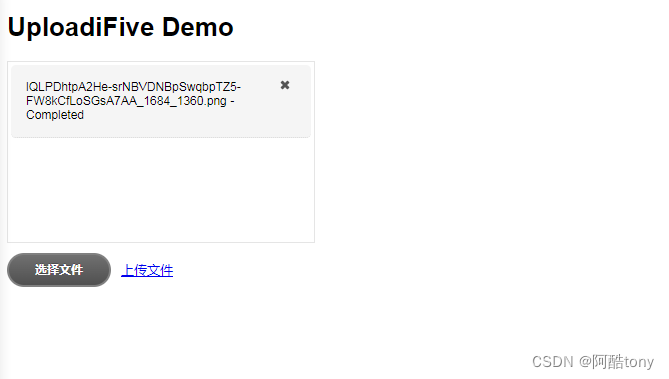
uploadifive上传工具php版使用
uploadifive自带的DEMO文件。 下载地址: http://www.uploadify.com/download/ <!DOCTYPE HTML> <html> <head> <meta http-equiv"Content-Type" content"text/html; charsetutf-8"> <title>UploadiFive Test&…...

Docker容器管理
docker容器相当于一个进程,性能接近于原生,几乎没有损耗; docker容器在单台主机上支持的数量成百上千; 容器与容器之间相互隔离; 镜像是创建容器的基础,可以理解镜像为一个压缩包 Docker容器的管理 容…...

【文末送书】用Chat GPT轻松玩转机器学习与深度学习
欢迎关注博主 Mindtechnist 或加入【智能科技社区】一起学习和分享Linux、C、C、Python、Matlab,机器人运动控制、多机器人协作,智能优化算法,滤波估计、多传感器信息融合,机器学习,人工智能等相关领域的知识和技术。关…...

Redis的学习
Redis Redis特征 键值型,value支持多种不同数据结构,功能丰富单线程,每个命令具有原子性低延迟,速度快(基于内存,IO多路复用,良好的编码)支持数据持久化支持主从集群,分…...

java版Spring Cloud+Mybatis+Oauth2+分布式+微服务+实现工程管理系统
鸿鹄工程项目管理系统 Spring CloudSpring BootMybatisVueElementUI前后端分离构建工程项目管理系统 1. 项目背景 一、随着公司的快速发展,企业人员和经营规模不断壮大。为了提高工程管理效率、减轻劳动强度、提高信息处理速度和准确性,公司对内部工程管…...

Vue 3的 h 函数详解
Vue 3的 h 函数详解 文章目录 Vue 3的 h 函数详解1、什么是h函数2、基本用法3、动态组件4、事件监听器5、条件渲染 Vue 3的 h函数( createVNode)是前端开发中一个强大的工具,用于创建虚拟DOM节点。虚拟DOM是Vue框架中的核心概念,…...

防近视台灯什么牌子好?推荐有效预防近视的台灯
作为一名家长,平常最关心的应该就是孩子能够健康成长了。但是通过调查数据我们可以发现我国青少年近视率位居世界第一,儿童青少年总体近视率为52.7%;其中6岁儿童为14.5%,小学生为36.0%,初中生为71.6%,高中生…...

让 SACF 自动捕获授权对象,把新授权检查安全带进生产系统
很多 ABAP 老系统里,最敏感的改造不是性能优化,也不是把一个古早 FORM 重构成类方法,而是在已经稳定运行多年的业务代码里补授权检查。原因很直接,少一次授权检查,审计和安全团队会觉得风险很大,多一次授权检查,生产用户可能第二天就打不开业务功能。SACF,也就是 Switc…...

Spring Boot安全脚手架:openclaw-security-starter核心架构与实战指南
1. 项目概述:一个面向开发者的安全脚手架最近在梳理团队内部的安全开发规范时,发现一个普遍痛点:每个新项目启动,安全相关的配置总是东拼西凑,从依赖扫描、密钥管理到API安全策略,都得重新来一遍࿰…...

明日方舟终极自动化助手:MAA智能辅助工具完整实战指南
明日方舟终极自动化助手:MAA智能辅助工具完整实战指南 【免费下载链接】MaaAssistantArknights 《明日方舟》小助手,全日常一键长草!| A one-click tool for the daily tasks of Arknights, supporting all clients. 项目地址: https://git…...
)
Midjourney碳素印相风格实战手册(胶片级颗粒+铁盐棕褐渐变+微裂纹纹理全还原)
更多请点击: https://intelliparadigm.com 第一章:碳素印相工艺的历史溯源与数字复刻价值 碳素印相(Carbon Printing)诞生于1864年,由英国科学家约瑟夫斯旺(Joseph Swan)发明,是摄影…...

STM32F407 USART3串口DMA不定长接收与中断发送实战:从零构建高效通信框架
1. 为什么需要DMAUSART组合方案 在嵌入式开发中,串口通信就像设备与外界对话的"嘴巴"和"耳朵"。传统的中断方式就像每次只说一个字就要停下来等回应,效率实在太低。想象一下,如果你跟朋友聊天,每说一个字就要…...

Blender MMD插件终极指南:三步实现专业级MMD模型制作
Blender MMD插件终极指南:三步实现专业级MMD模型制作 【免费下载链接】blender_mmd_tools MMD Tools is a blender addon for importing/exporting Models and Motions of MikuMikuDance. 项目地址: https://gitcode.com/gh_mirrors/bl/blender_mmd_tools 想…...

基于MCP协议构建AI助手用户反馈闭环:从原理到工程实践
1. 项目概述:一个为AI助手“装”上用户反馈的桥梁最近在折腾AI应用开发,特别是想让大语言模型(LLM)驱动的助手能更“懂”用户。一个核心痛点出现了:助手处理完用户请求后,如何让用户方便地给出“好评”或“…...

连接池失效——高并发下的隐形杀手
连接池失效——高并发下的隐形杀手 系统挂了 现象:用户打开页面,一直转圈。5分钟后,页面报错。 错误日志: org.apache.tomcat.jdbc.pool.PoolExhaustedException: [http-nio-8080-exec-72] Timeout: Pool empty. Unable to fetch …...

从视频到文字:我的学习效率革命之旅
从视频到文字:我的学习效率革命之旅 【免费下载链接】bili2text Bilibili视频转文字,一步到位,输入链接即可使用 项目地址: https://gitcode.com/gh_mirrors/bi/bili2text 还记得那个周末的下午,我正对着B站上一个两小时的…...

aztfexport扩展开发:如何自定义资源映射和导入逻辑
aztfexport扩展开发:如何自定义资源映射和导入逻辑 【免费下载链接】aztfexport A tool to bring existing Azure resources under Terraforms management 项目地址: https://gitcode.com/gh_mirrors/az/aztfexport Azure Export for Terraform(a…...