
k8s之Flannel网络插件安装提示forbidden无权限
一、问题描述
在安装k8s的网络插件时,提示如下信息,各种forbidden无权限
[root@zzyk8s01 scripts]# kubectl apply -f kube-flannel.yml
Error from server (Forbidden): error when retrieving current configuration of:
Resource: "policy/v1beta1, Resource=podsecuritypolicies", GroupVersionKind: "policy/v1beta1, Kind=PodSecurityPolicy"
Name: "psp.flannel.unprivileged", Namespace: ""
from server for: "kube-flannel.yml": podsecuritypolicies.policy "psp.flannel.unprivileged" is forbidden: User "system:node:zzyk8s01" cannot get resource "podsecuritypolicies" in API group "policy" at the cluster scope
Error from server (Forbidden): error when retrieving current configuration of:
Resource: "rbac.authorization.k8s.io/v1, Resource=clusterroles", GroupVersionKind: "rbac.authorization.k8s.io/v1, Kind=ClusterRole"
Name: "flannel", Namespace: ""
from server for: "kube-flannel.yml": clusterroles.rbac.authorization.k8s.io "flannel" is forbidden: User "system:node:zzyk8s01" cannot get resource "clusterroles" in API group "rbac.authorization.k8s.io" at the cluster scope
Error from server (Forbidden): error when retrieving current configuration of:
Resource: "rbac.authorization.k8s.io/v1, Resource=clusterrolebindings", GroupVersionKind: "rbac.authorization.k8s.io/v1, Kind=ClusterRoleBinding"
Name: "flannel", Namespace: ""
from server for: "kube-flannel.yml": clusterrolebindings.rbac.authorization.k8s.io "flannel" is forbidden: User "system:node:zzyk8s01" cannot get resource "clusterrolebindings" in API group "rbac.authorization.k8s.io" at the cluster scope
Error from server (Forbidden): error when retrieving current configuration of:
Resource: "/v1, Resource=serviceaccounts", GroupVersionKind: "/v1, Kind=ServiceAccount"
Name: "flannel", Namespace: "kube-system"
from server for: "kube-flannel.yml": serviceaccounts "flannel" is forbidden: User "system:node:zzyk8s01" cannot get resource "serviceaccounts" in API group "" in the namespace "kube-system": can only create tokens for individual service accounts
Error from server (Forbidden): error when retrieving current configuration of:
Resource: "/v1, Resource=configmaps", GroupVersionKind: "/v1, Kind=ConfigMap"
Name: "kube-flannel-cfg", Namespace: "kube-system"
from server for: "kube-flannel.yml": configmaps "kube-flannel-cfg" is forbidden: User "system:node:zzyk8s01" cannot get resource "configmaps" in API group "" in the namespace "kube-system": no relationship found between node 'zzyk8s01' and this object
Error from server (Forbidden): error when retrieving current configuration of:
Resource: "apps/v1, Resource=daemonsets", GroupVersionKind: "apps/v1, Kind=DaemonSet"
Name: "kube-flannel-ds", Namespace: "kube-system"
from server for: "kube-flannel.yml": daemonsets.apps "kube-flannel-ds" is forbidden: User "system:node:zzyk8s01" cannot get resource "daemonsets" in API group "apps" in the namespace "kube-system"
[root@zzyk8s01 scripts]#
二、解决方法
这可能是由于config没有更新导致的,/root/.kube/config是从/etc/kubernetes/admin.conf复制而来。复制来之后,是需要执行更新kubeconfig命令的。
2.1 更新 kubeconfig 命令:
export KUBECONFIG=/root/.kube/config
chmod g-r /root/.kube/config
2.2 再次执行安装flannel的命令
提示各种OK
[root@zzyk8s01 scripts]# kubectl apply -f kube-flannel.yml
Warning: policy/v1beta1 PodSecurityPolicy is deprecated in v1.21+, unavailable in v1.25+
podsecuritypolicy.policy/psp.flannel.unprivileged created
clusterrole.rbac.authorization.k8s.io/flannel created
clusterrolebinding.rbac.authorization.k8s.io/flannel created
serviceaccount/flannel created
configmap/kube-flannel-cfg created
daemonset.apps/kube-flannel-ds created
2.3 查看flannel的运行情况
显示各种Running
[root@zzyk8s01 scripts]# kubectl get pods -n kube-system
NAME                               READY   STATUS    RESTARTS   AGE
coredns-78fcd69978-vlzpd           1/1     Running   0          2d16h
coredns-78fcd69978-vmtdm           1/1     Running   0          2d16h
etcd-zzyk8s01                      1/1     Running   1          2d16h
kube-apiserver-zzyk8s01            1/1     Running   1          2d16h
kube-controller-manager-zzyk8s01   1/1     Running   2          2d16h
kube-flannel-ds-fpzm9              1/1     Running   0          36s
kube-flannel-ds-gkgnz              1/1     Running   0          36s
kube-flannel-ds-tmb5s              1/1     Running   0          36s
kube-proxy-2gxv9                   1/1     Running   0          2d16h
kube-proxy-h2zdl                   1/1     Running   0          2d16h
kube-proxy-v6drm                   1/1     Running   1          2d16h
kube-scheduler-zzyk8s01            1/1     Running   2          2d16h
2.4 查看flannel网络情况
如下图,cni0和flannel.1网络都UP状态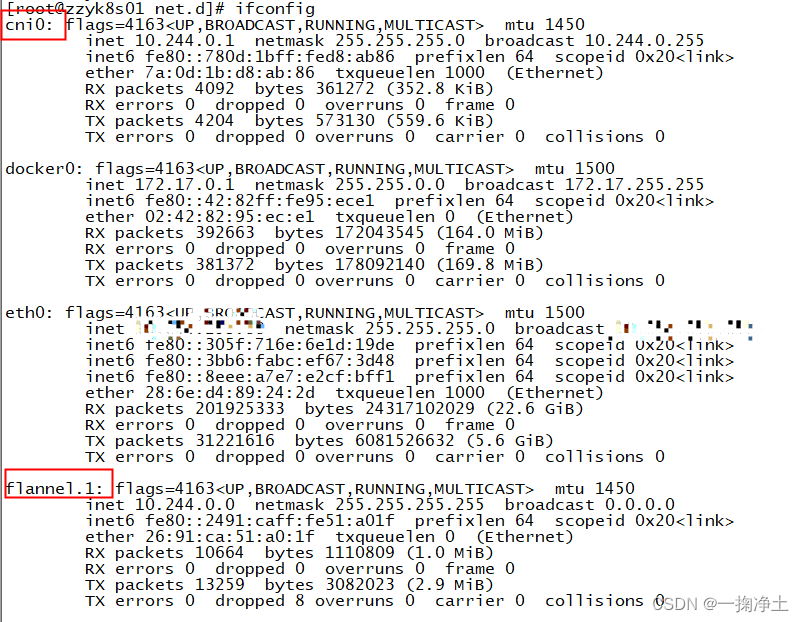
三、附上 kube-flannel.yml的文件
---
apiVersion: policy/v1beta1
kind: PodSecurityPolicy
metadata:name: psp.flannel.unprivilegedannotations:seccomp.security.alpha.kubernetes.io/allowedProfileNames: docker/defaultseccomp.security.alpha.kubernetes.io/defaultProfileName: docker/defaultapparmor.security.beta.kubernetes.io/allowedProfileNames: runtime/defaultapparmor.security.beta.kubernetes.io/defaultProfileName: runtime/default
spec:privileged: falsevolumes:- configMap- secret- emptyDir- hostPathallowedHostPaths:- pathPrefix: "/etc/cni/net.d"- pathPrefix: "/etc/kube-flannel"- pathPrefix: "/run/flannel"readOnlyRootFilesystem: false# Users and groupsrunAsUser:rule: RunAsAnysupplementalGroups:rule: RunAsAnyfsGroup:rule: RunAsAny# Privilege EscalationallowPrivilegeEscalation: falsedefaultAllowPrivilegeEscalation: false# CapabilitiesallowedCapabilities: ['NET_ADMIN', 'NET_RAW']defaultAddCapabilities: []requiredDropCapabilities: []# Host namespaceshostPID: falsehostIPC: falsehostNetwork: truehostPorts:- min: 0max: 65535# SELinuxseLinux:# SELinux is unused in CaaSPrule: 'RunAsAny'
---
kind: ClusterRole
apiVersion: rbac.authorization.k8s.io/v1
metadata:name: flannel
rules:
- apiGroups: ['extensions']resources: ['podsecuritypolicies']verbs: ['use']resourceNames: ['psp.flannel.unprivileged']
- apiGroups:- ""resources:- podsverbs:- get
- apiGroups:- ""resources:- nodesverbs:- list- watch
- apiGroups:- ""resources:- nodes/statusverbs:- patch
---
kind: ClusterRoleBinding
apiVersion: rbac.authorization.k8s.io/v1
metadata:name: flannel
roleRef:apiGroup: rbac.authorization.k8s.iokind: ClusterRolename: flannel
subjects:
- kind: ServiceAccountname: flannelnamespace: kube-system
---
apiVersion: v1
kind: ServiceAccount
metadata:name: flannelnamespace: kube-system
---
kind: ConfigMap
apiVersion: v1
metadata:name: kube-flannel-cfgnamespace: kube-systemlabels:tier: nodeapp: flannel
data:cni-conf.json: |{"name": "cbr0","cniVersion": "0.3.1","plugins": [{"type": "flannel","delegate": {"hairpinMode": true,"isDefaultGateway": true}},{"type": "portmap","capabilities": {"portMappings": true}}]}net-conf.json: |{"Network": "10.244.0.0/16","Backend": {"Type": "vxlan"}}
---
apiVersion: apps/v1
kind: DaemonSet
metadata:name: kube-flannel-dsnamespace: kube-systemlabels:tier: nodeapp: flannel
spec:selector:matchLabels:app: flanneltemplate:metadata:labels:tier: nodeapp: flannelspec:affinity:nodeAffinity:requiredDuringSchedulingIgnoredDuringExecution:nodeSelectorTerms:- matchExpressions:- key: kubernetes.io/osoperator: Invalues:- linuxhostNetwork: truepriorityClassName: system-node-criticaltolerations:- operator: Existseffect: NoScheduleserviceAccountName: flannelinitContainers:- name: install-cniimage: jmgao1983/flannel #quay.io/coreos/flannel:v0.13.1-rc2command:- cpargs:- -f- /etc/kube-flannel/cni-conf.json- /etc/cni/net.d/10-flannel.conflistvolumeMounts:- name: cnimountPath: /etc/cni/net.d- name: flannel-cfgmountPath: /etc/kube-flannel/containers:- name: kube-flannelimage: jmgao1983/flannel #quay.io/coreos/flannel:v0.13.1-rc2command:- /opt/bin/flanneldargs:- --ip-masq- --kube-subnet-mgrresources:requests:cpu: "100m"memory: "50Mi"limits:cpu: "100m"memory: "50Mi"securityContext:privileged: falsecapabilities:add: ["NET_ADMIN", "NET_RAW"]env:- name: POD_NAMEvalueFrom:fieldRef:fieldPath: metadata.name- name: POD_NAMESPACEvalueFrom:fieldRef:fieldPath: metadata.namespacevolumeMounts:- name: runmountPath: /run/flannel- name: flannel-cfgmountPath: /etc/kube-flannel/volumes:- name: runhostPath:path: /run/flannel- name: cnihostPath:path: /etc/cni/net.d- name: flannel-cfgconfigMap:name: kube-flannel-cfg
END
相关文章:
k8s之Flannel网络插件安装提示forbidden无权限
一、问题描述 在安装k8s的网络插件时,提示如下信息,各种forbidden无权限 [rootzzyk8s01 scripts]# kubectl apply -f kube-flannel.yml Error from server (Forbidden): error when retrieving current configuration of: Resource: "policy/v1b…...
在微信小程序云开发中引入Vant Weapp组件库
介绍 Vant 是一个轻量、可靠的移动端组件库,于 2017 年开源。 目前 Vant 官方提供了 Vue 2 版本、Vue 3 版本和微信小程序版本,并由社区团队维护 React 版本和支付宝小程序版本。 介绍 - Vant Weapp (youzan.github.io) Vant Weapp需要安装 node.js&…...
Vue+ElementUI项目打包部署到Ubuntu服务器中
1、修改config/index.js中的assetsPublicPath: /,修改为assetsPublicPath: ./ assetsPublicPath: ./2、在build/utils.js中增加publicPath: ../../ publicPath: ../../3、打开终端,在根目录下执行npm run build进行打包,打包成功后会生成dist npm run…...
)
面试题收集——Java基础部分(一)
1、一个".java"源文件中是否可以包括多个类(不是内部类)?有什么限制? 可以有多个类,但只能有一个public的类,并且public的类名必须与文件名相一致。 2、Java有没有goto? java中的保留字…...

Vue中this指向问题
文章目录 1 由Vue管理的函数2 不被Vue管理的函数3 总结 1 由Vue管理的函数 computed 计算属性watch 监视属性filters (Vue3中已弃用且不再支持) 过滤器methods 上述属性里配置的函数this指向Vue实例,不要采用箭头函数写法,因为箭头函数没有自己的this对…...
【iPad已停用】解锁教程
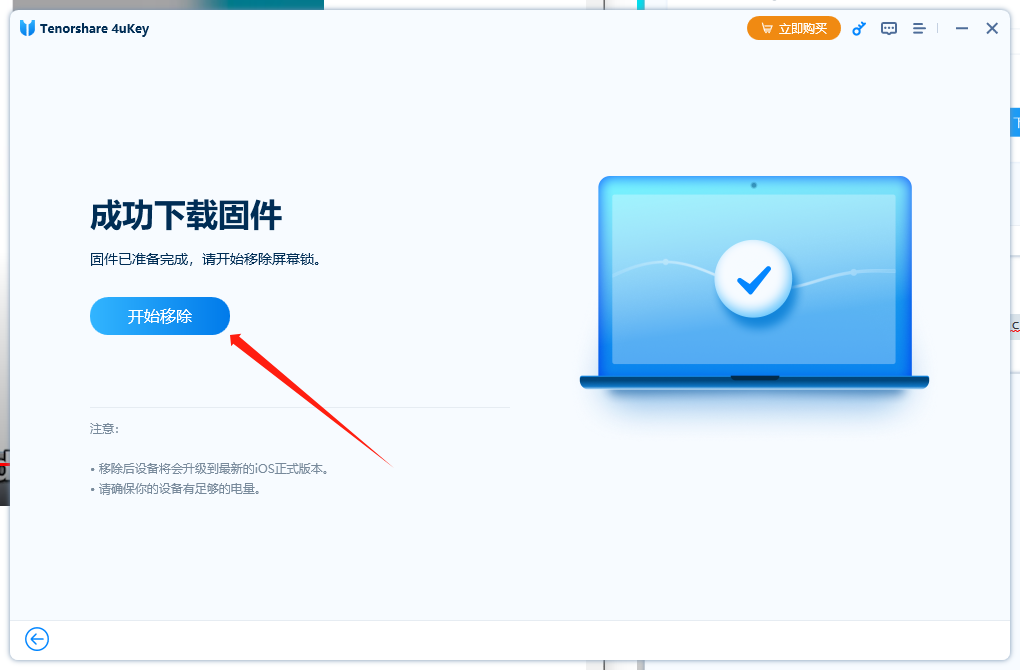
iPad多次输错密码时,会自动锁定并停用,这时候你可以使用iTuens或Tenorshare进行解锁。 一、使用iTunes解锁 下载并安装iTunes 使用数据线将iPad连接上电脑 让iPad进入恢复模式,同时安装iPad电源键和Home键,直到Logo出现也不要松…...

python不调用heapq库 实现大顶堆,小顶堆
参考了博客,并对其进行了堆的push() 和 降序排序的补充 【精选】图解堆排序及其Python实现_python 实现小顶堆-CSDN博客 目录 大顶堆 调用结果展示: 小顶堆: 调用结果展示: 此结果与调用heapq库中的heapify(arr)函数等效 …...
STM32F4X SDIO(二) SDIO协议
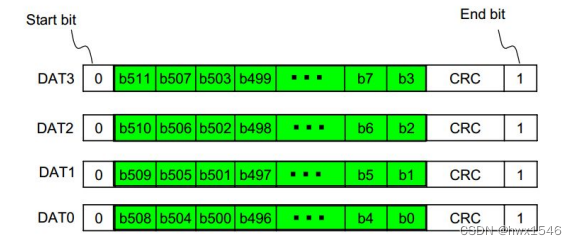
上一节简单介绍了SD卡的分类,本节将会介绍SD卡的通信协议,也就是SDIO协议。 STM32F4X SDIO(二)SDIO协议 SD 卡管脚和寄存器SD卡管脚分布SD卡通信协议SD卡寄存器SD卡内部结构 SDIO总线SDIO总线拓扑SDIO总线协议SDIO协议的基本结构…...

设计模式--7个原则
单一职责原则:一个类负责一项职责。 里氏替换原则:继承与派生的规则。 依赖倒置原则:高层模块不应该依赖基层模块,二者都应该依赖其抽象;抽象不应该依赖细节;细节应该依赖抽象。即针对接口编程࿰…...

AltiumDesigner原理图编译错误报告信息解释
提示:文章写完后,目录可以自动生成,如何生成可参考右边的帮助文档 文章目录 前言一、ViolationsAssociated with Buses 有关总线电⽓错误的各类型(共 12 项)二、ViolationsAssociated Components 有关元件符号电⽓错误…...
使用 Visual Studio Code 编写 TypeScript程序
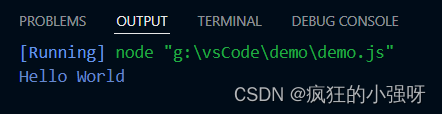
安装 TypeScript 首先,确保你已经安装了 TypeScript,如果没有安装,请参考https://blog.csdn.net/David_house/article/details/134077973?spm1001.2014.3001.5502进行安装 创建 新建一个文件夹,用vs code打开,在文…...
科大讯飞发布讯飞星火 3.0;开源AI的现状
🚀 科大讯飞发布讯飞星火 3.0,综合能力超越ChatGPT(非GPT-4版) 摘要:科大讯飞在2023全球1024开发者节上宣布讯飞星火 3.0正式发布,号称综合能力已超越ChatGPT。据介绍,星火认知大模型 V3.0在文…...
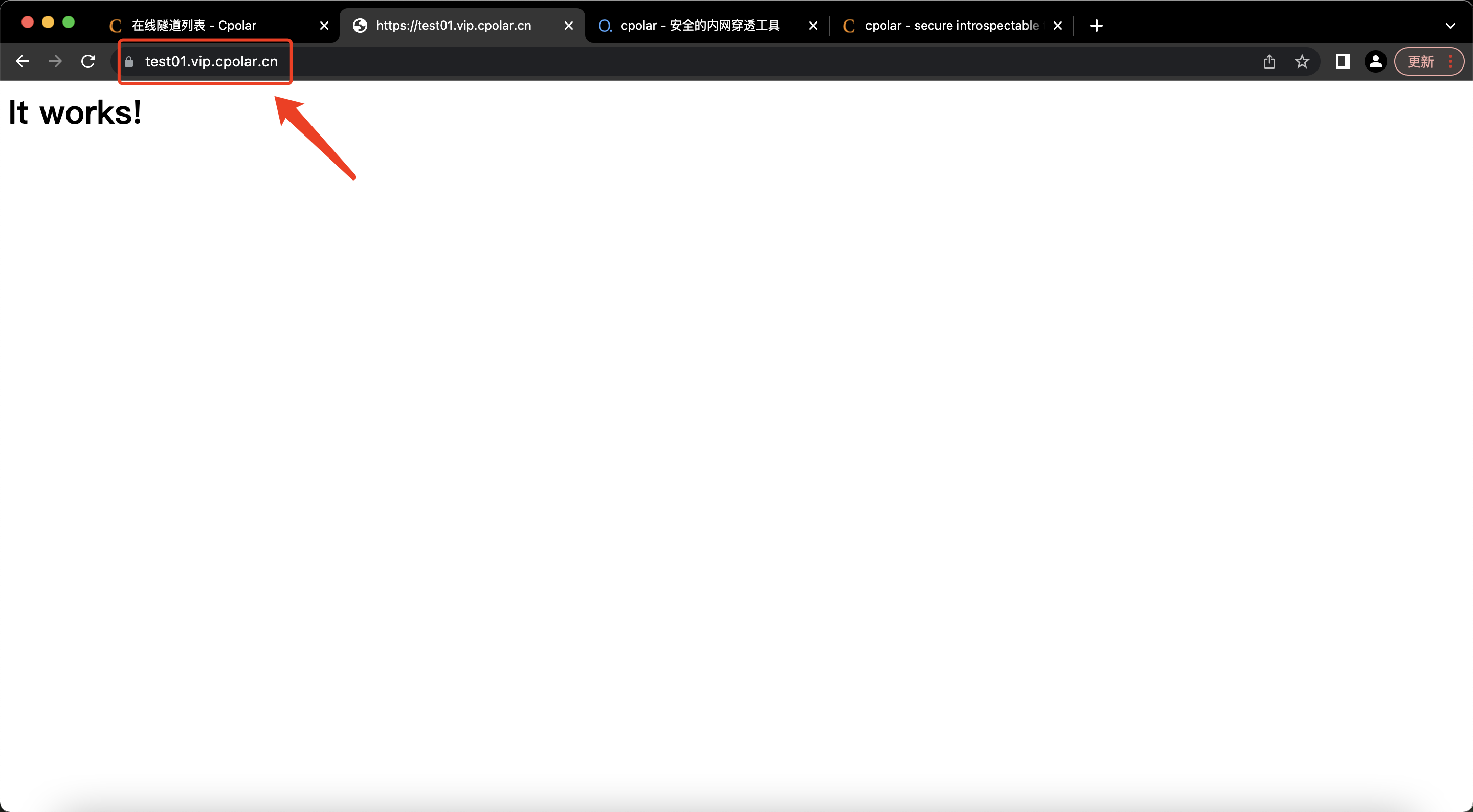
公网远程访问macOS本地web服务器
# 公网访问macOS本地web服务器【内网穿透】 文章目录 1. 启动Apache服务器2. 公网访问本地web服务2.1 本地安装配置cpolar2.2 创建隧道2.3 测试访问公网地址3. 配置固定二级子域名3.1 保留一个二级子域名3.2 配置二级子域名4. 测试访问公网固定二级子域名 以macOS自带的Apache…...
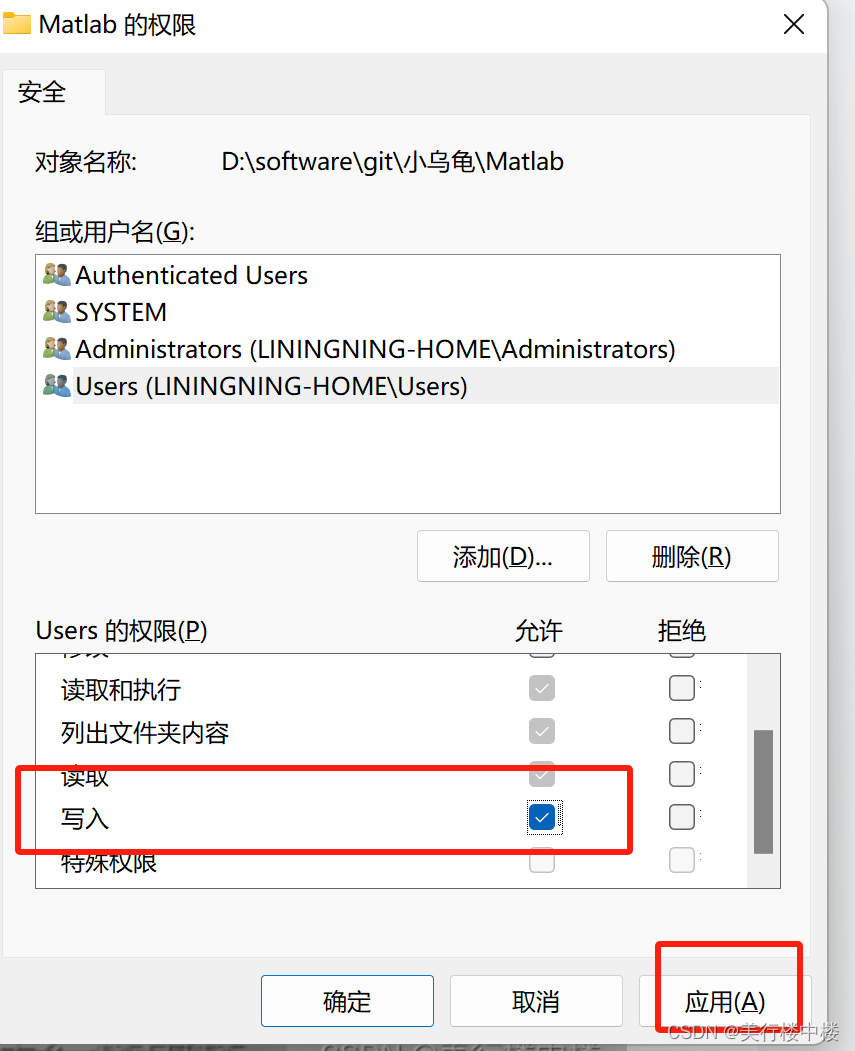
windows 安装小乌龟
这是什么 这里简单描述一下在windows上如何安装GIT代码管理工具和使用小乌龟版本来调用GIT,并且配置一下git相关信息,可以使用小乌龟来操作代码。也有一些常规git使用方法。 需要的资源 Git-2.42.0-64-bit.exe(这个是git代码管理工具&…...
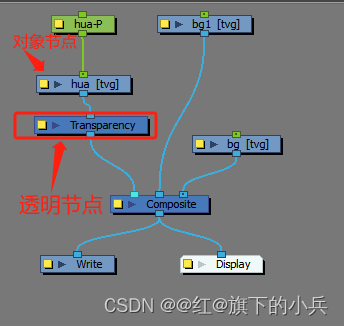
toon boom harmony基础
以下都是tbh快捷键使用,或者一些常用功能介绍 1、在节点视图中,按回车可直接弹出节点库搜索框 2、中心线编辑器 只能编辑用笔刷画出来的线条,铅笔画出来的线条无法编辑。 3、镜头标记 1 右键箭头方向,可弹出下拉,&am…...

JPA联合主键
在实际工作中,我们会经常遇到联合主键的情况,所以我用简单例子列举JPA两种实现联合主键的方式。 1、如何通过IdClass 实现联合主键 第一步:新建一个UserInfoID类,里面是联合主键 Data Builder NoArgsConstructor AllArgsConstructor pu…...

水性杨花:揭秘CSS响应式界面设计,让内容灵活自如,犹如水之变幻
🎬 江城开朗的豌豆:个人主页 🔥 个人专栏 :《 VUE 》 《 javaScript 》 📝 个人网站 :《 江城开朗的豌豆🫛 》 ⛺️ 生活的理想,就是为了理想的生活 ! 目录 ⭐ 专栏简介 📘 文章引言 一、是…...

fio performance test
fio参数解释 可以使用fio -help查看每个参数,具体的参数左右可以在官网查看how to文档,如下为几个常见的参数描述 filename/dev/emcpowerb 支持文件系统或者裸设备,-filename/dev/sda2或-filename/dev/sdb 或 -filename/dev/nvme0n1direct…...
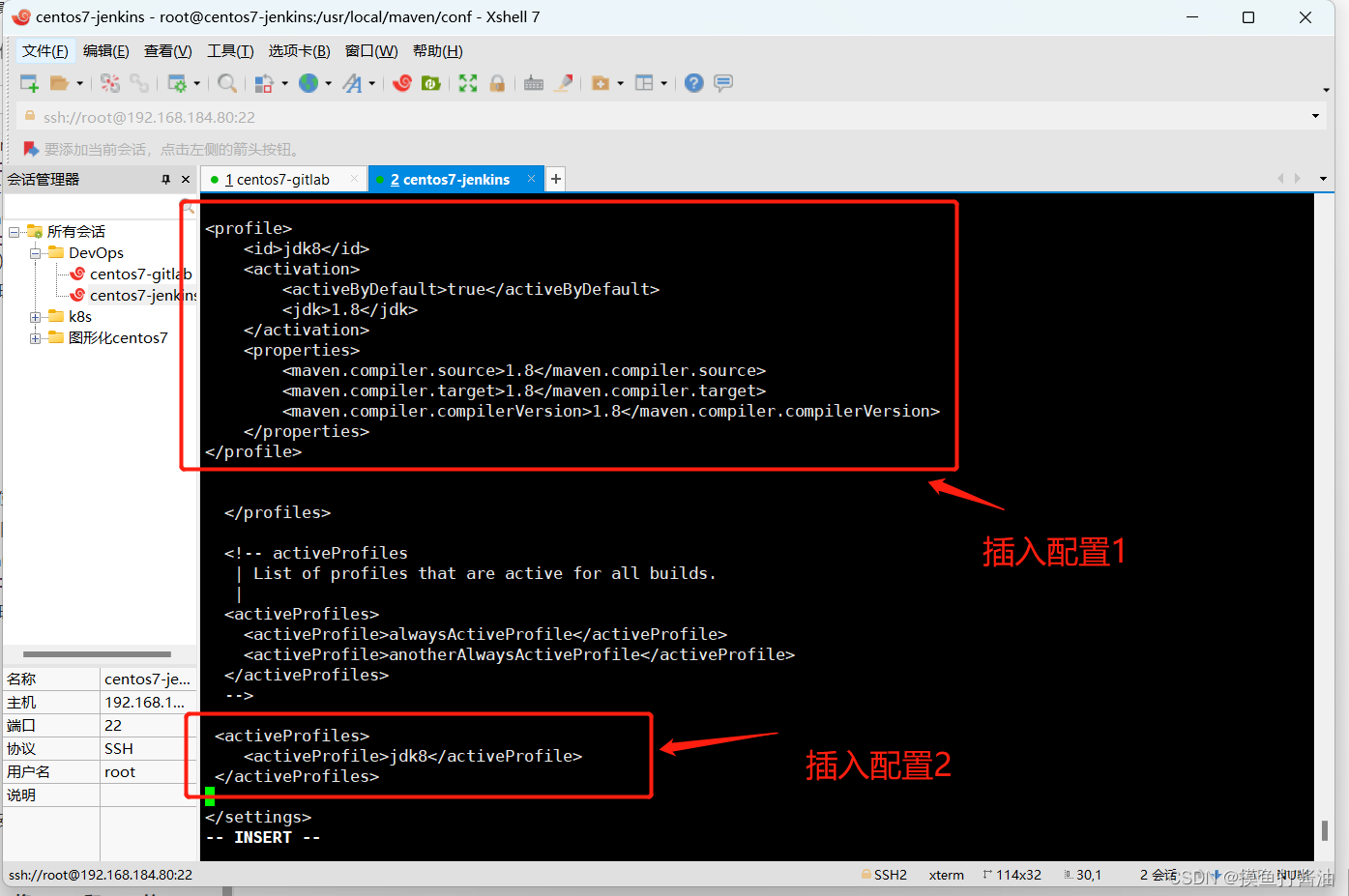
DevOps持续集成-Jenkins(1)
文章目录 DevOpsDevOps概述Code阶段工具(centos7-gitlab主机)Windows下安装Git(作用是:使我们可以上传代码到GitLab)Linux下安装GitLab⭐(作用是:运行一个GitLab接收代码)环境准备先…...
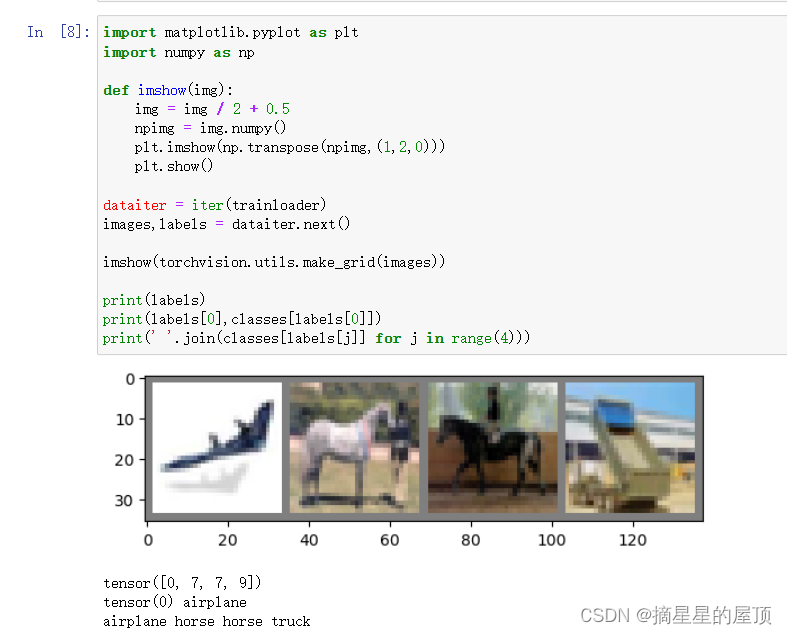
Pytorch代码入门学习之分类任务(二):定义数据集
一、导包 import torch import torchvision import torchvision.transforms as transforms 二、下载数据集 2.1 代码展示 # 定义数据加载进来后的初始化操作: transform transforms.Compose([# 张量转换:transforms.ToTensor(),# 归一化操作&#x…...

别再乱改注册表了!Windows系统文件夹移动后还原的完整避坑指南
Windows系统文件夹移动后还原的完整避坑指南1. 为什么你的文件夹移动操作会出问题?许多用户为了释放C盘空间,会选择将桌面、文档等系统文件夹移动到其他分区。这个看似简单的操作背后却隐藏着不少陷阱。最常见的错误是直接在目标盘符下选择移动ÿ…...

Unity PBR材质工作流:800个开箱即用的工业级材质球
1. 这不是“又一个免费资源包”,而是一套能直接进项目用的材质球工作流“Unity材质球资源集”这词儿听多了,点开链接——要么是30个基础金属塑料木头,要么是200个名字叫“Metal_Rough_01_v2_final_renamed”却连UV Tile都没调对的半成品。我去…...

Keil串口调试与程序共享端口的解决方案
1. 串口调试中的端口复用问题解析 在嵌入式开发过程中,使用Keil Vision的Monitor模式进行硬件调试时,开发板上的串口资源往往会被调试器独占。这个问题困扰过不少开发者——当我们需要在调试过程中通过串口输入测试数据时,却发现串口已经被Mo…...
专栏近期有大量优惠 还请多多点一下关注 加油 谢谢 你的鼓励是我前行的动力 谢谢支持 加油 谢谢)
项目介绍 基于Python的大学生竞赛组队系统设计与实现(含模型描述及部分示例代码)专栏近期有大量优惠 还请多多点一下关注 加油 谢谢 你的鼓励是我前行的动力 谢谢支持 加油 谢谢
基于Python的大学生竞赛组队系统设计与实现的详细项目实例 请注意此篇内容只是一个项目介绍 更多详细内容可直接联系博主本人 或者访问对应标题的完整博客或者文档下载页面(含完整的程序,GUI设计和代码详解) 大学生竞赛已成为高校人才培养…...

OpenClaw底层揭秘:打造私有化AI Agent团队的核心原理与实战解析!
本文深入剖析了OpenClaw作为自托管多通道AI Agent网关的底层架构与核心原理。从简洁的Gateway进程设计、JSON over WebSocket的统一通信协议,到Agent循环处理消息的完整流程、多Agent路由的绑定机制,以及精细化的会话管理与独特的Markdown记忆系统&#…...

Windows右键菜单终极清理指南:用ContextMenuManager告别杂乱,重获高效桌面
Windows右键菜单终极清理指南:用ContextMenuManager告别杂乱,重获高效桌面 【免费下载链接】ContextMenuManager 🖱️ 纯粹的Windows右键菜单管理程序 项目地址: https://gitcode.com/gh_mirrors/co/ContextMenuManager 还在为Windows…...
)
AI大神吴恩达力荐,轻松入门大语言模型实战(附中文PDF+代码)
这本书由AI科普大神Jay Alammar与BERTopic算法作者Maarten Grootendorst联合撰写,是O’Reilly出版的LLM入门标杆指南,获吴恩达推荐。全书以图解方式讲解LLM原理、提示工程、文本分类生成、多模态应用及优化技术,分为理解原理、应用及优化三部…...

Agent-S3技术深度解析:首个超越人类性能的智能体框架实战指南
Agent-S3技术深度解析:首个超越人类性能的智能体框架实战指南 【免费下载链接】Agent-S Agent S: an open agentic framework that uses computers like a human 项目地址: https://gitcode.com/GitHub_Trending/ag/Agent-S Agent-S3作为首个在OSWorld基准测…...

深度解析ESLyric-LyricsSource:Foobar2000逐字歌词插件的终极技术方案
深度解析ESLyric-LyricsSource:Foobar2000逐字歌词插件的终极技术方案 【免费下载链接】ESLyric-LyricsSource Advanced lyrics source for ESLyric in foobar2000 项目地址: https://gitcode.com/gh_mirrors/es/ESLyric-LyricsSource ESLyric-LyricsSource是…...

Hermes Agent项目如何接入Taotoken作为自定义模型提供商
🚀 告别海外账号与网络限制!稳定直连全球优质大模型,限时半价接入中。 👉 点击领取海量免费额度 Hermes Agent项目如何接入Taotoken作为自定义模型提供商 Hermes Agent 是一个功能强大的 AI 代理框架,它支持通过自定义…...