
计算机毕业设计选题推荐-课程学习微信小程序/安卓APP-项目实战
✨作者主页:IT研究室✨
个人简介:曾从事计算机专业培训教学,擅长Java、Python、微信小程序、Golang、安卓Android等项目实战。接项目定制开发、代码讲解、答辩教学、文档编写、降重等。
☑文末获取源码☑
精彩专栏推荐⬇⬇⬇
Java项目
Python项目
安卓项目
微信小程序项目
文章目录
- 一、前言
- 二、开发环境
- 三、系统界面展示
- 四、代码参考
- 五、论文参考
- 六、系统视频
- 结语
一、前言
在当今数字化时代,互联网技术的快速发展以及移动设备的普及,为在线教育提供了新的契机。微信小程序和安卓APP等移动应用已经成为人们获取教育资源的重要途径。特别是在高校环境中,学生、老师和管理人员都需要一个便捷的平台来进行课程管理、学习和交流。因此,开发一款针对课程学习的微信小程序/安卓APP具有鲜明的必要性。
尽管目前已经存在一些课程管理工具,但它们主要集中在简单的信息发布和作业提交上,无法满足多元化和个性化的学习需求。此外,这些工具通常只提供基础的课程信息管理,缺乏对课程学习和作业批改的整合,使得学习过程变得繁琐且低效。因此,我们需要一个更加便捷的解决方案来解决这些问题。
本课题旨在开发一款针对课程学习的微信小程序/安卓APP,以满足学生、老师和管理人员在不同场景下的需求。具体功能包括课程分类管理、课程信息管理、课程学习管理、课后作业管理以及作业批改管理等。通过这款应用,用户可以轻松地浏览和选择课程,管理学习进度,以及跟进和评估作业完成情况。
本课题的研究意义在于提供了一个集成的在线学习平台,可以大大提高学生的学习效率,增强学习的自主性。同时,对于老师和管理人员来说,这款应用也提供了方便的工具来管理和监控学生的学习进度。此外,通过数据分析和挖掘,这款应用还可以帮助用户更好地理解学习过程,优化学习策略,提高学习效果。
二、开发环境
- 开发语言:Java
- 数据库:MySQL
- 系统架构:B/S
- 后端:SpringBoot
- 前端:微信小程序/Android+uniapp+Vue
三、系统界面展示
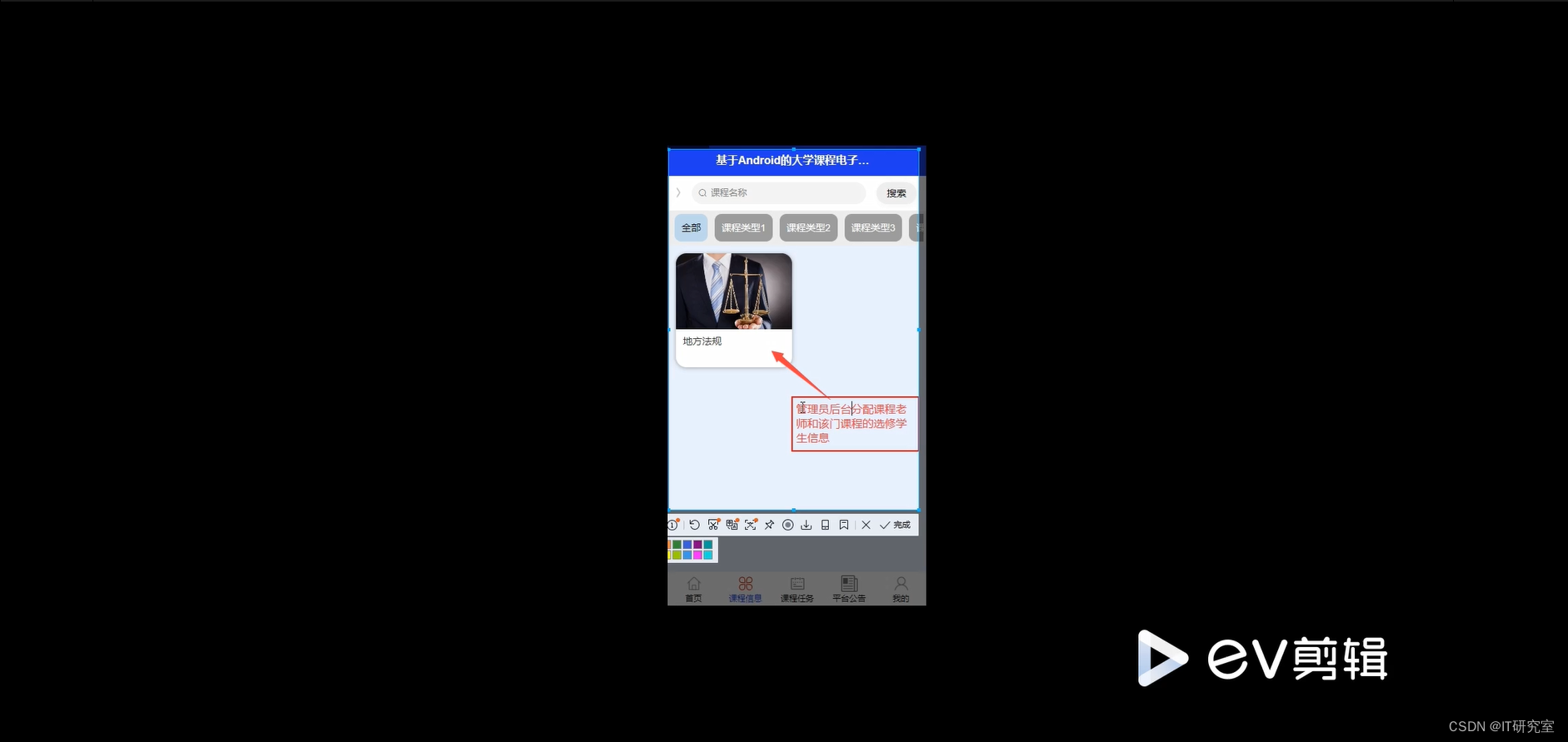
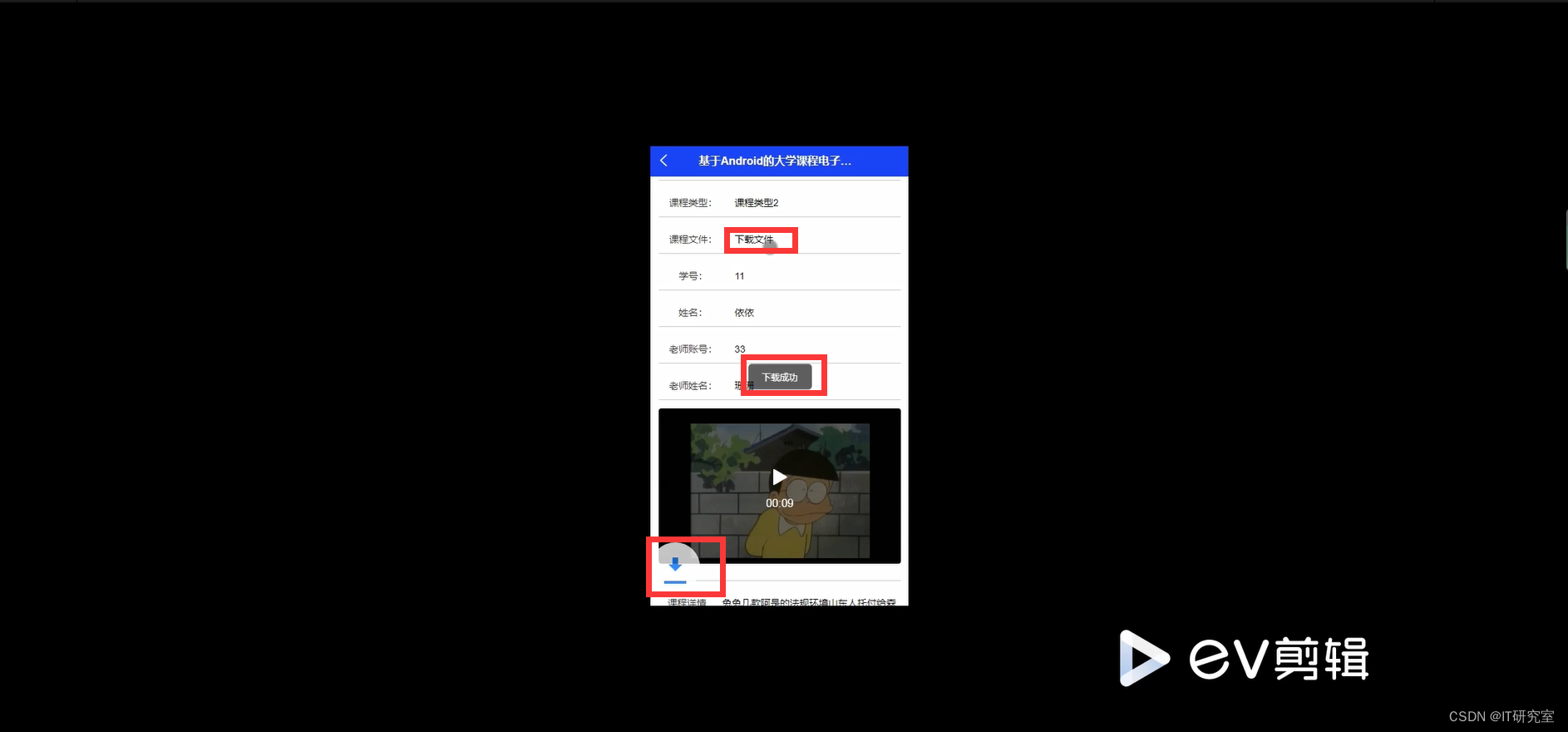
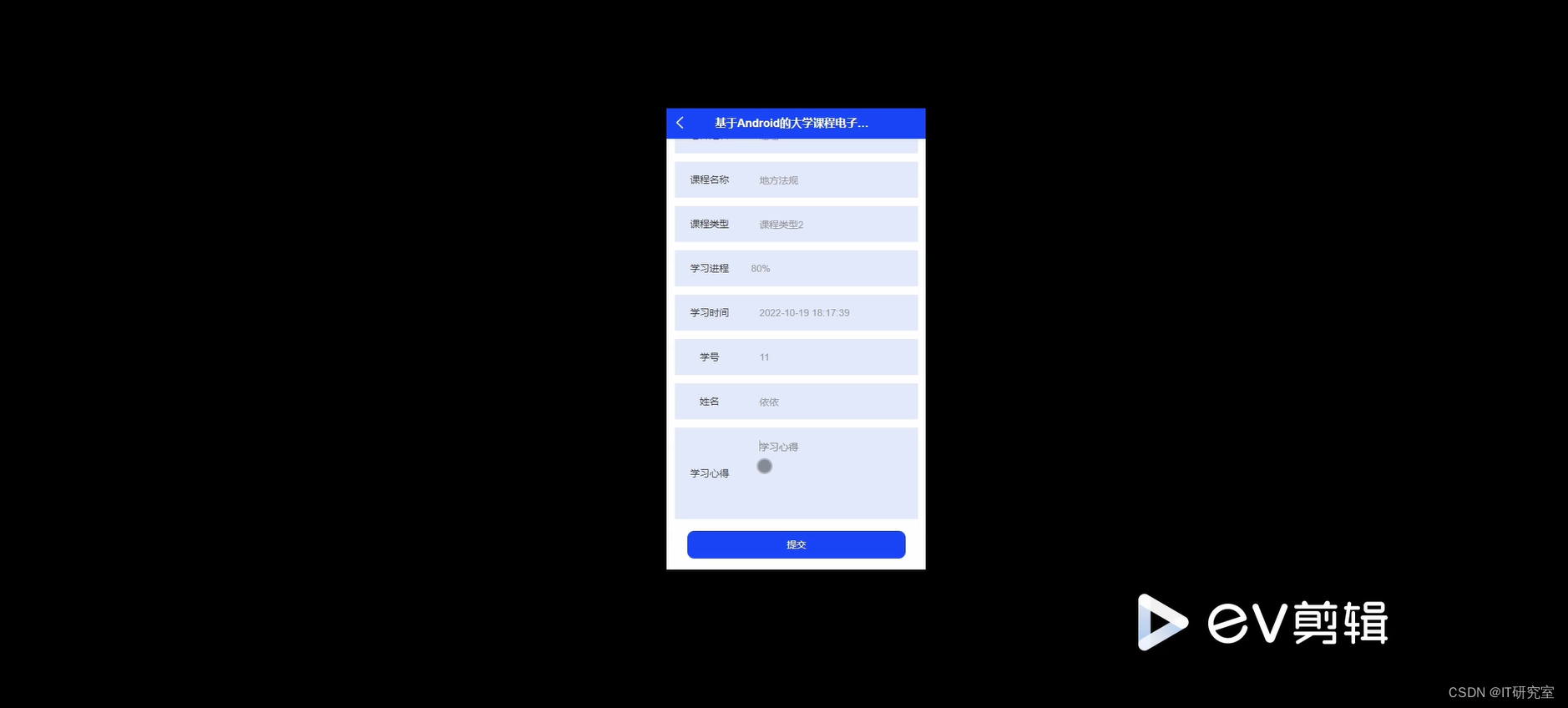
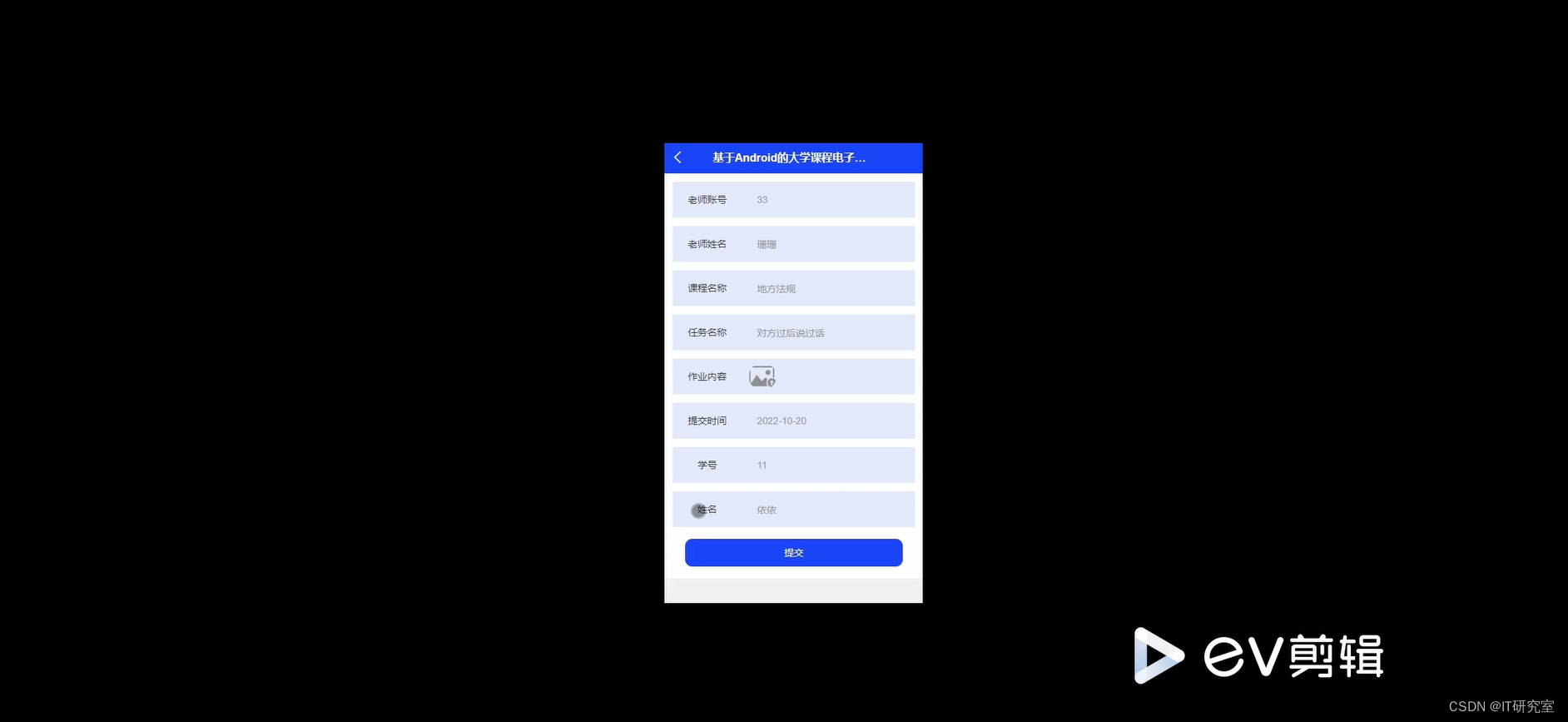
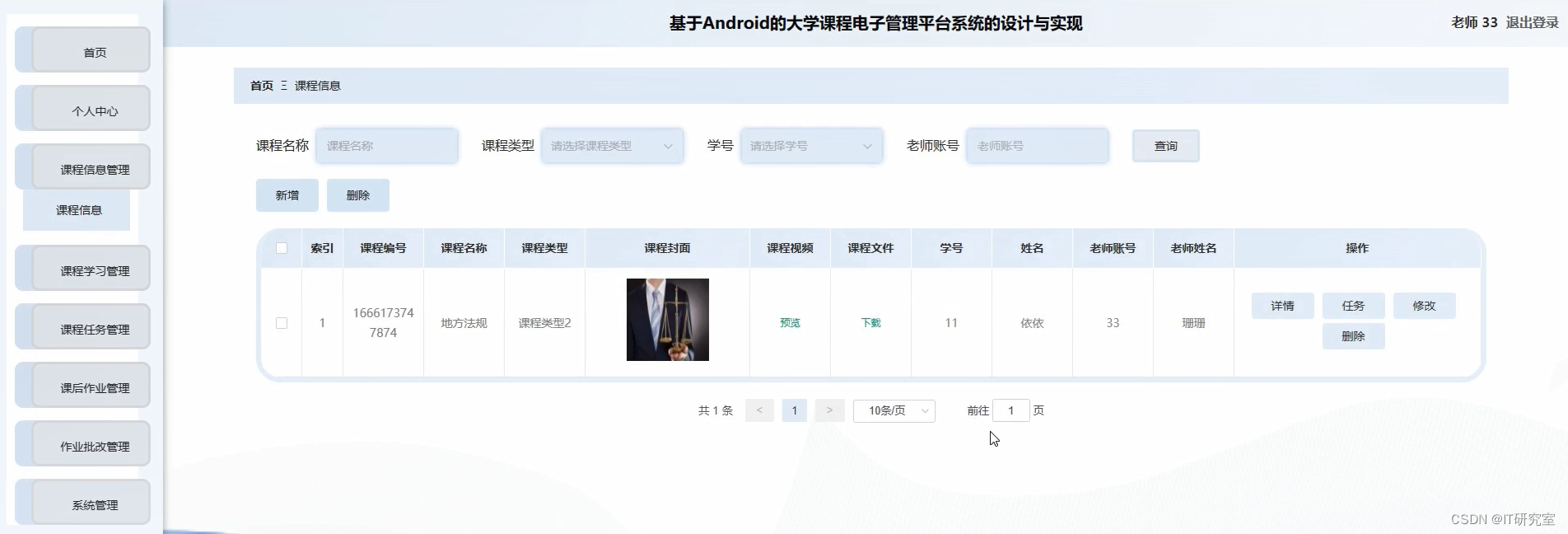
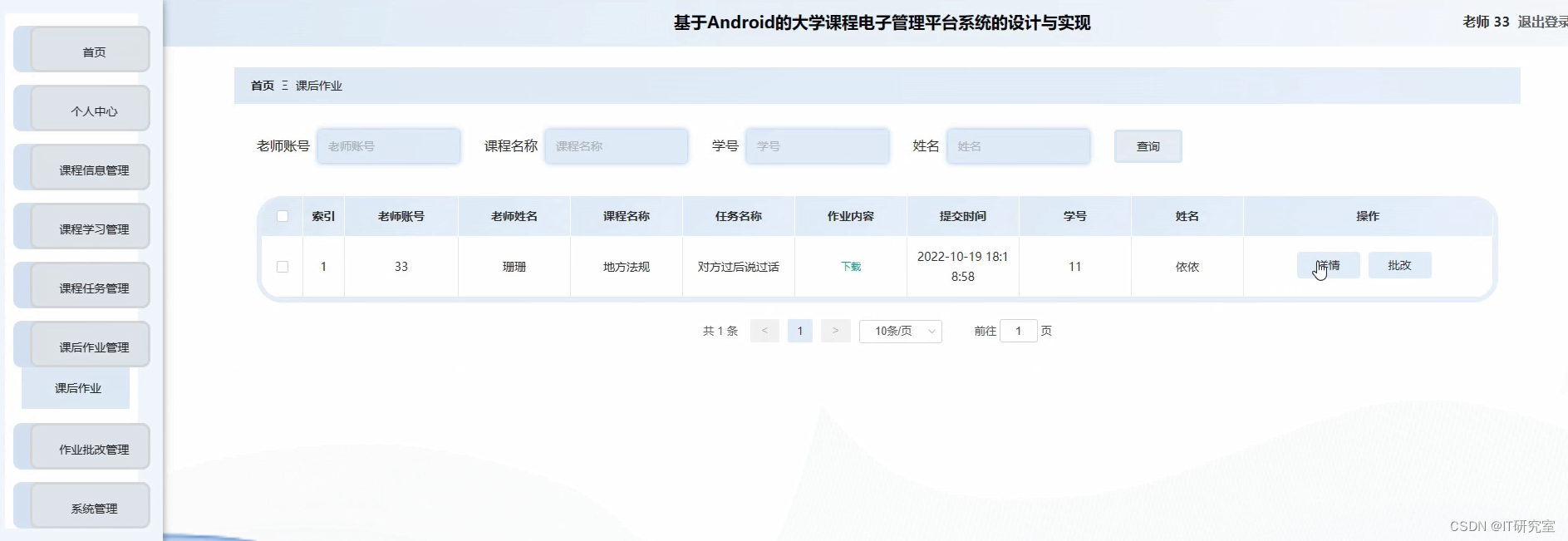
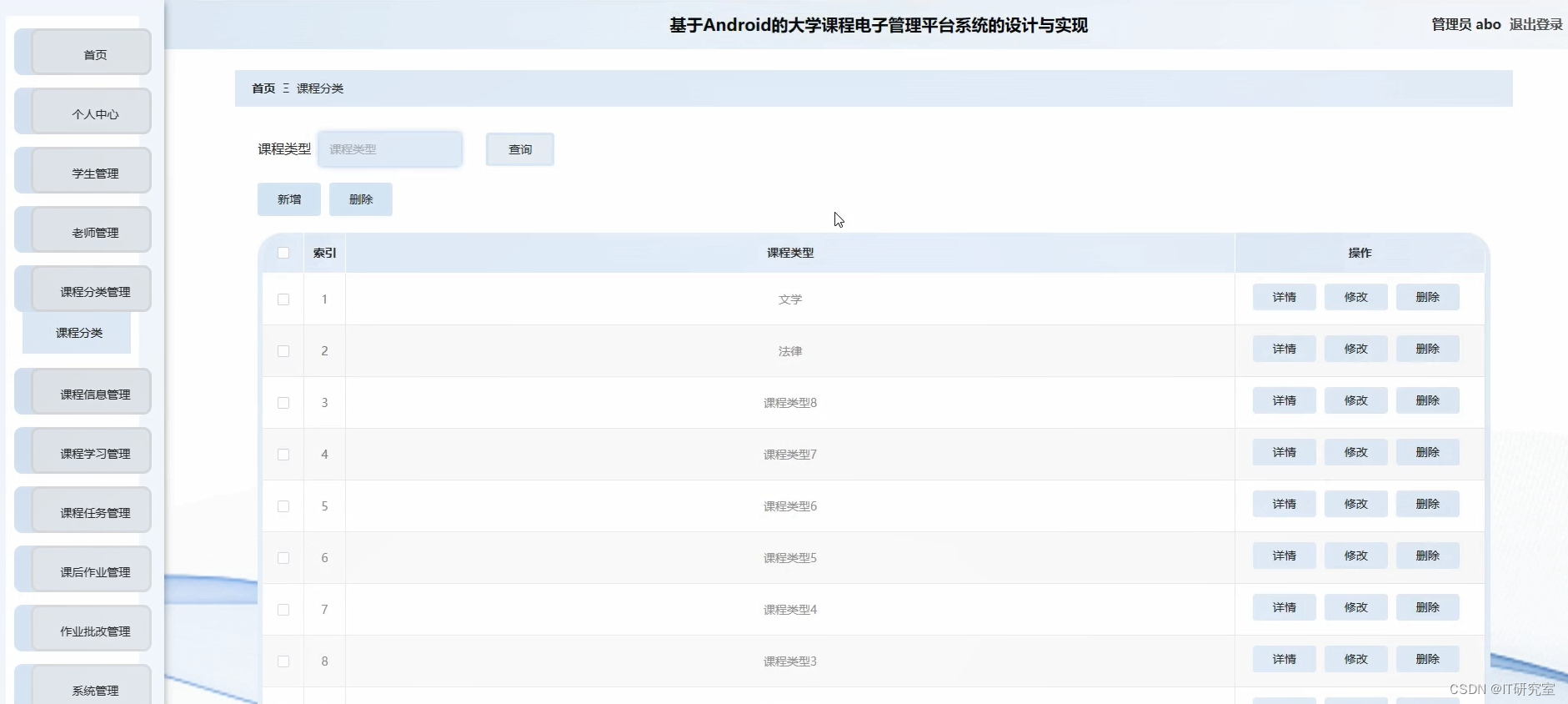
- 课程学习微信小程序/安卓APP界面展示:
四、代码参考
- 项目实战代码参考:
@Controller
@RequestMapping("/admin")
public class AdminController {@Resource(name = "studentServiceImpl")private StudentService studentService;@Resource(name = "teacherServiceImpl")private TeacherService teacherService;@Resource(name = "courseServiceImpl")private CourseService courseService;@Resource(name = "studentCourseServiceImpl")private StudentCourseService studentCourseService;@Resource(name = "userloginServiceImpl")private UserloginService userloginService;/* ----- 普通方法区 START ----- *//*** List<Course>转List<CourseCustom>* @param courseList* @return* @throws Exception*/List<CourseCustom> getCourseCustomList(List<Course> courseList) throws Exception{List<CourseCustom> list = new ArrayList<CourseCustom>();for (Course course : courseList) {CourseCustom courseCustom = new CourseCustom();BeanUtils.copyProperties(course,courseCustom);Integer teacherId = course.getTeacherId();if(teacherId != null) {Teacher teacher = teacherService.findById(teacherId);String teacherName = teacher.getName();courseCustom.setTeacherName(teacherName);} else {courseCustom.setTeacherName("");}list.add(courseCustom);}return list;}/*** Course转CourseCustom* @param course* @return* @throws Exception*/CourseCustom getCourseCustom(Course course) throws Exception{CourseCustom courseCustom = new CourseCustom();BeanUtils.copyProperties(course,courseCustom);Integer teacherId = course.getTeacherId();if(teacherId != null) {Teacher teacher = teacherService.findById(teacherId);String teacherName = teacher.getName();courseCustom.setTeacherName(teacherName);} else {courseCustom.setTeacherName("");}return courseCustom;}/* ----- 普通方法区 END ----- *//* ----- 课程管理区 START ----- */@RequestMapping("/showCourse")public String showCourse(Model model, Integer page) throws Exception {List<Course> list = null;//页码对象PagingVO pagingVO = new PagingVO();//设置总页数pagingVO.setTotalCount(courseService.getCountCourse());if (page == null || page == 0) {pagingVO.setToPageNo(1);list = courseService.findByPaging(1);} else {pagingVO.setToPageNo(page);list = courseService.findByPaging(page);}List<CourseCustom> courseCustomList = getCourseCustomList(list);model.addAttribute("courseCustomList", courseCustomList);model.addAttribute("pagingVO", pagingVO);return "admin/showCourse";}@RequestMapping(value = "/editCourse", method = {RequestMethod.GET})public String editCourseUI(Integer id, Model model) throws Exception {if (id == null) {return "redirect:/admin/showCourse";}Course course = courseService.findById(id);if (course == null) {throw new CustomException("未找到该课程");}List<Teacher> list = teacherService.findAll();model.addAttribute("teacherList", list);model.addAttribute("course", course);return "admin/editCourse";}@RequestMapping(value = "/editCourse", method = {RequestMethod.POST})public String editCourse(Course course) throws Exception {courseService.upadteById(course);return "redirect:/admin/showCourse";}@RequestMapping("/removeCourse")public String removeCourse(Integer id) throws Exception {if (id == null) {return "admin/showCourse";}boolean flag = courseService.removeById(id);//删除失败,说明selectCourse表中存在关联数据,先删除关联信息while(flag == false) {List<StudentCourse> lists = studentCourseService.findByCourseID(id);for (StudentCourse studentCourse: lists) {studentCourseService.remove(studentCourse);}flag = courseService.removeById(id);}return "redirect:/admin/showCourse";}@RequestMapping(value = "/selectCourse", method = {RequestMethod.POST})public String selectCourse(String name, Model model) throws Exception {List<Course> list = courseService.findByName(name);List<CourseCustom> courseCustomList = getCourseCustomList(list);model.addAttribute("courseCustomList", courseCustomList);return "admin/showCourse";}@RequestMapping(value = "/addCourse", method = {RequestMethod.GET})public String addCourseUI(Model model) throws Exception {List<Teacher> list = teacherService.findAll();model.addAttribute("teacherList", list);return "admin/addCourse";}@RequestMapping(value = "/addCourse", method = {RequestMethod.POST})public String addCourse(Course course) throws Exception {courseService.save(course);return "redirect:/admin/showCourse";}/* ----- 课程管理区 END ----- *//* ----- 学生管理区 START ----- */@RequestMapping("/showStudent")public String showStudent(Model model, Integer page) throws Exception {List<Student> list = null;//页码对象PagingVO pagingVO = new PagingVO();//设置总页数pagingVO.setTotalCount(studentService.getCountStudent());if (page == null || page == 0) {pagingVO.setToPageNo(1);list = studentService.findByPaging(1);} else {pagingVO.setToPageNo(page);list = studentService.findByPaging(page);}model.addAttribute("studentList", list);model.addAttribute("pagingVO", pagingVO);return "admin/showStudent";}@RequestMapping(value = "/addStudent", method = {RequestMethod.GET})public String addStudentUI() throws Exception {return "admin/addStudent";}@RequestMapping(value = "/addStudent", method = {RequestMethod.POST})public String addStudent(Student student) throws Exception {Userlogin userlogin = null;if(userlogin != null) {throw new CustomException("该名称已被注册,无法添加!");} else {userlogin = new Userlogin();userlogin.setName(student.getName());userlogin.setPassword(SHA1Utils.entryptPassword(GlobalConstant.DEFAULT_PASSWD));userlogin.setRole(GlobalConstant.ROle_Type.STUDENT.getIndex());userloginService.save(userlogin);student.setId(userlogin.getId());student.setBalance(GlobalConstant.DEFAULT_BALANCE);studentService.save(student);}return "redirect:/admin/showStudent";}@RequestMapping(value = "/editStudent", method = {RequestMethod.GET})public String editStudentUI(Integer id, Model model) throws Exception {Student student = null;student = studentService.findById(id);if(student == null) {throw new CustomException("该用户不存在!");}model.addAttribute("student", student);return "admin/editStudent";}@RequestMapping(value = "/editStudent", method = {RequestMethod.POST})public String editStudent(Student student) throws Exception {Userlogin userLogin = userloginService.findById(student.getId());userLogin.setName(student.getName());userloginService.updateById(student.getId(),userLogin);studentService.updataById(student);return "redirect:/admin/showStudent";}@RequestMapping(value = "/removeStudent", method = {RequestMethod.GET} )public String removeStudent(Integer id) throws Exception {boolean flag = studentService.removeById(id);//flag false 表示该学生有课程,递归删除该学生课程while(flag == false){List<StudentCourse> lists = studentCourseService.findByStudentID(id);for (StudentCourse studentCourse: lists) {studentCourseService.remove(studentCourse);}flag = studentService.removeById(id);}userloginService.removeById(id);return "redirect:/admin/showStudent";}@RequestMapping(value = "selectStudent", method = {RequestMethod.POST})public String selectStudent(String name, Model model) throws Exception {List<Student> list = studentService.findByName(name);model.addAttribute("studentList", list);return "admin/showStudent";}/* ----- 学生管理区 END ----- *//* ----- 教师管理区 START ----- */@RequestMapping("/showTeacher")public String showTeacher(Model model, Integer page) throws Exception {List<Teacher> list = null;//页码对象PagingVO pagingVO = new PagingVO();//设置总页数pagingVO.setTotalCount(teacherService.getCountTeacher());if (page == null || page == 0) {pagingVO.setToPageNo(1);list = teacherService.findByPaging(1);} else {pagingVO.setToPageNo(page);list = teacherService.findByPaging(page);}model.addAttribute("teacherList", list);model.addAttribute("pagingVO", pagingVO);return "admin/showTeacher";}@RequestMapping(value = "/addTeacher", method = {RequestMethod.GET})public String addTeacherUI() throws Exception {return "admin/addTeacher";}@RequestMapping(value = "/addTeacher", method = {RequestMethod.POST})public String addTeacher(Teacher teacher) throws Exception {Userlogin userlogin = null;userlogin = userloginService.findByName(teacher.getName());if(userlogin != null) {throw new CustomException("该名称已被注册,无法注册!");} else {userlogin = new Userlogin();userlogin.setName(teacher.getName());userlogin.setPassword(SHA1Utils.entryptPassword(GlobalConstant.DEFAULT_PASSWD));userlogin.setRole(GlobalConstant.ROle_Type.TEACHER.getIndex());userloginService.save(userlogin);teacher.setId(userlogin.getId());teacherService.save(teacher);}return "redirect:/admin/showTeacher";}@RequestMapping(value = "/editTeacher", method = {RequestMethod.GET})public String editTeacherUI(Integer id, Model model) throws Exception {Teacher teacher = teacherService.findById(id);if (teacher == null) {throw new CustomException("未找到该教师");}model.addAttribute("teacher", teacher);return "admin/editTeacher";}@RequestMapping(value = "/editTeacher", method = {RequestMethod.POST})public String editTeacher(Teacher teacher) throws Exception {teacherService.updateById(teacher);return "redirect:/admin/showTeacher";}@RequestMapping("/removeTeacher")public String removeTeacher(Integer id) throws Exception {boolean flag = teacherService.removeById(id);if(flag == false) {throw new CustomException("该老师存在相应课程,无法删除");}userloginService.removeById(id);return "redirect:/admin/showTeacher";}@RequestMapping(value = "selectTeacher", method = {RequestMethod.POST})public String selectTeacher(String name, Model model) throws Exception {List<Teacher> list = teacherService.findByName(name);model.addAttribute("teacherList", list);return "admin/showTeacher";}/* ----- 教师管理区 END ----- *//* ----- 其他区 START ----- */@RequestMapping(value = "/logout")public String logout(){return "redirect:/logout";}/*** 普通用户密码重置UI处理* @return* @throws Exception*/@RequestMapping("/userPasswordRest")public String userPasswordRestUI() throws Exception {return "admin/userPasswordRest";}/*** 普通用户密码重置处理函数* @param userlogin Userlogin对象* @return* @throws Exception*/@RequestMapping(value = "/userPasswordRest", method = {RequestMethod.POST})public String userPasswordRest(Userlogin userlogin) throws Exception {Userlogin u = userloginService.findByName(userlogin.getName());if (u != null) {if (u.getRole() == 0) {throw new CustomException("该账户为管理员账户,无法修改");}u.setPassword(SHA1Utils.entryptPassword(userlogin.getPassword()));userloginService.updateByName(userlogin.getName(), u);} else {throw new CustomException("未找到该用户");}return "admin/userPasswordRest";}/*** 重置当前账户密码* @return* @throws Exception*/@RequestMapping("/passwordRest")public String passwordRestUI() throws Exception {return "admin/passwordRest";}/* ----- 其他区 END ----- */
}
@Controller
public class RestPasswordController {@Resource(name = "userloginServiceImpl")private UserloginService userloginService;/*** 重置当前账户密码* @param oldPassword* @param password1* @return* @throws Exception*/@RequestMapping(value = "/passwordRest", method = {RequestMethod.POST})public String passwordRest(String oldPassword, String password1) throws Exception {Subject subject = SecurityUtils.getSubject();String username = (String) subject.getPrincipal();Userlogin userlogin = userloginService.findByName(username);if (!SHA1Utils.validatePassword(oldPassword,userlogin.getPassword())) {throw new CustomException("旧密码不正确");} else {userlogin.setPassword(SHA1Utils.entryptPassword(password1));userloginService.updateByName(username, userlogin);}return "redirect:/logout";}}
五、论文参考
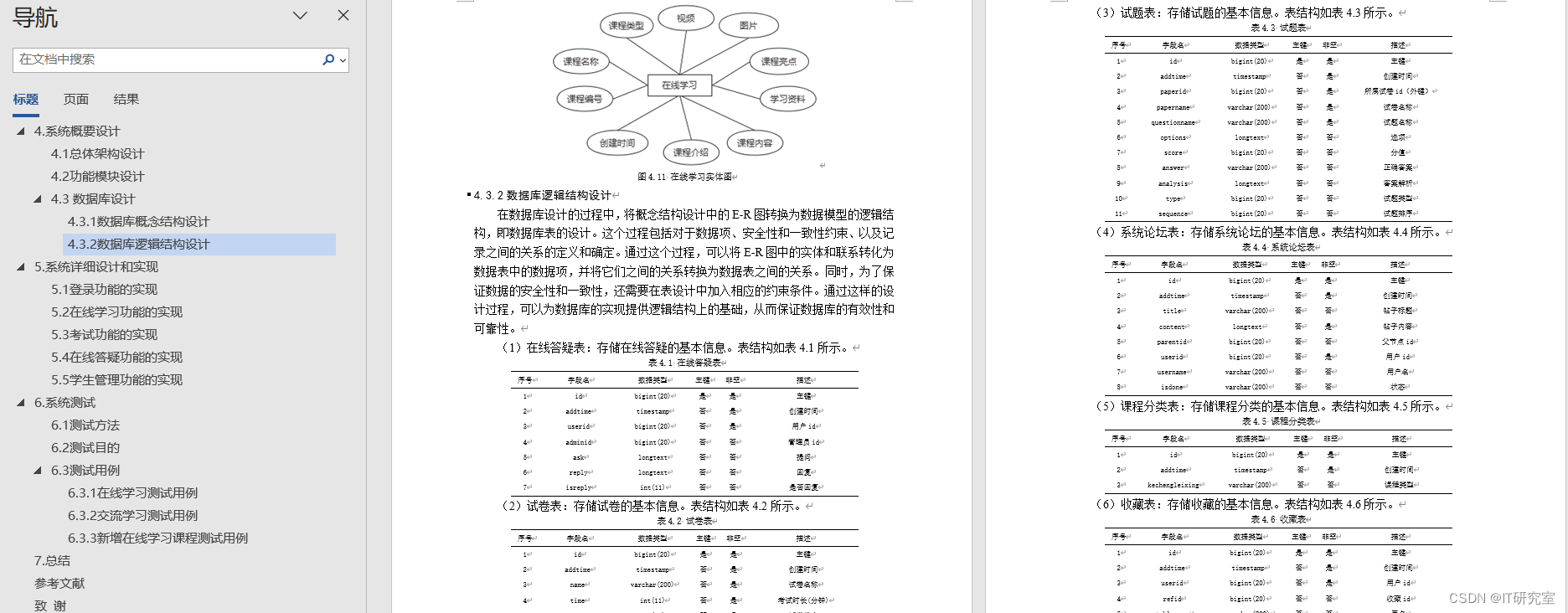
- 计算机毕业设计选题推荐-课程学习微信小程序/安卓APP论文参考:
六、系统视频
课程学习微信小程序/安卓APP项目视频:
计算机毕业设计选题推荐-课程学习课微信小程序/安卓APP
结语
计算机毕业设计选题推荐-课程学习微信小程序/安卓APP-项目实战
大家可以帮忙点赞、收藏、关注、评论啦~
源码获取:私信我
精彩专栏推荐⬇⬇⬇
Java项目
Python项目
安卓项目
微信小程序项目
相关文章:
计算机毕业设计选题推荐-课程学习微信小程序/安卓APP-项目实战
✨作者主页:IT研究室✨ 个人简介:曾从事计算机专业培训教学,擅长Java、Python、微信小程序、Golang、安卓Android等项目实战。接项目定制开发、代码讲解、答辩教学、文档编写、降重等。 ☑文末获取源码☑ 精彩专栏推荐⬇⬇⬇ Java项目 Python…...

OracleLinux9 安装 fcgiwrap 并添加 selinux 规则以在 nginx 调用
fcgiwrap在其他系统上一般直接输命令就能安装,但是OracleLinux9会提示找不到软件包。安装成功后,selinux也会阻碍nginx的调用。 原因 OracleLinux9的这个软件包位于默认不启用的developer仓库。 安装fcgiwrap 编辑配置,将repo启用 sudo v…...

Django框架
目录 一.Django框架介绍 1.什么是Django框架 2.什么是web 3.web应用程序的优点 4.web应用程序的缺点 5.什么是web框架 二.wsgiref模块的使用 三.Django框架的学习 1.python中的主流框架: 2.如何使用Django (1)安装 (2&a…...

用C语言来实现冒泡排序
以下是使用C语言实现冒泡排序的代码示例: #include<stdio.h>void bubbleSort(int arr[], int n) {int i, j;for (i 0; i < n-1; i){for (j 0; j < n-i-1; j){if (arr[j] > arr[j1]){// 交换arr[j]和arr[j1]int temp arr[j];arr[j] arr[j1];arr[…...

flink的副输出sideoutput单元测试
背景 处理函数中处理输出主输出的数据流数据外,也可以输出多个其他的副输出的数据流数据,当我们的处理函数有副输出时,我们需要测试他们功能的正确性,本文就提供一个测试flink副输出单元测试的例子 测试flink副输出单元测试 首先看一下处理…...
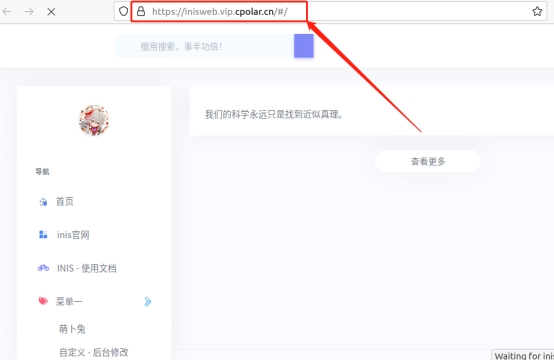
使用Inis搭配内网穿透实现Ubuntu上快速搭建博客网站远程访问
文章目录 前言1. Inis博客网站搭建1.1. Inis博客网站下载和安装1.2 Inis博客网站测试1.3 cpolar的安装和注册 2. 本地网页发布2.1 Cpolar临时数据隧道2.2 Cpolar稳定隧道(云端设置)2.3.Cpolar稳定隧道(本地设置) 3. 公网访问测试总…...
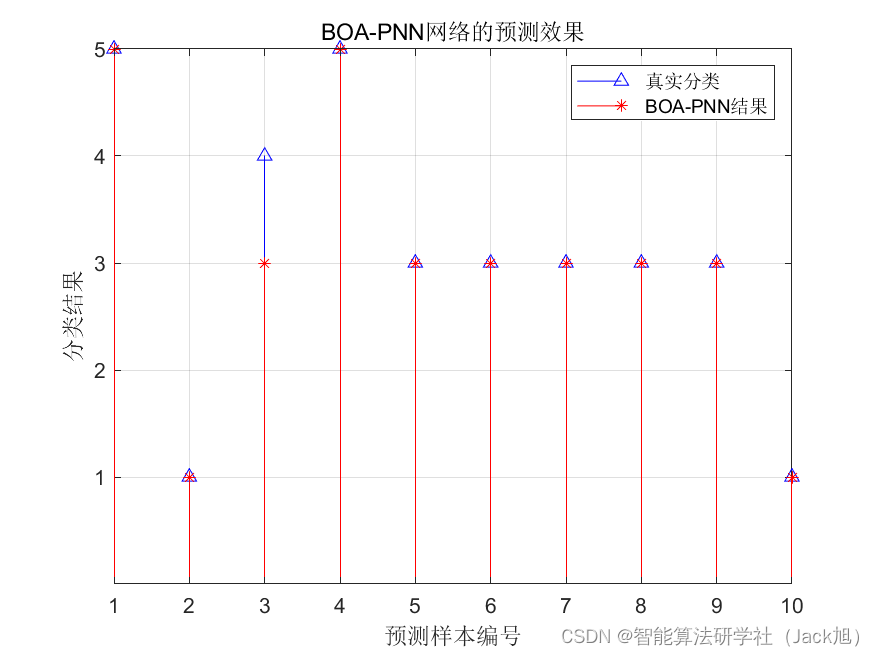
基于蝴蝶算法优化概率神经网络PNN的分类预测 - 附代码
基于蝴蝶算法优化概率神经网络PNN的分类预测 - 附代码 文章目录 基于蝴蝶算法优化概率神经网络PNN的分类预测 - 附代码1.PNN网络概述2.变压器故障诊街系统相关背景2.1 模型建立 3.基于蝴蝶优化的PNN网络5.测试结果6.参考文献7.Matlab代码 摘要:针对PNN神经网络的光滑…...

flink的KeyedBroadcastProcessFunction测试
背景 我们经常需要对KeyedBroadcastProcessFunction函数进行单元测试,以确保上线之前这个函数的功能是正常的,包括里面的广播状态和键值分区状态 测试KeyedBroadcastProcessFunction类 Testpublic void testHarnessForKeyedBroadcastProcessFunction()…...

【pytorch深度学习】torch-张量Tensor
torch-张量Tensor 文章目录 torch-张量Tensor1. 张量Tensor 1. 张量Tensor torch.tensor() # 创建一个标量(0维张量) scalar_tensor torch.tensor(3.14) # 创建一个向量(1维张量) vector_tensor torch.tensor([1, 2, 3]) # 创…...

odoo16前端框架源码阅读——rpc_service.js
odoo16前端框架源码阅读——rpc_service.js 先介绍点背景知识,这样方便阅读代码。 一、 JSONRPC的规范 https://www.jsonrpc.org/specification 中文翻译版本:https://wiki.geekdream.com/Specification/json-rpc_2.0.html JSON-RPC是一个无状态且轻…...
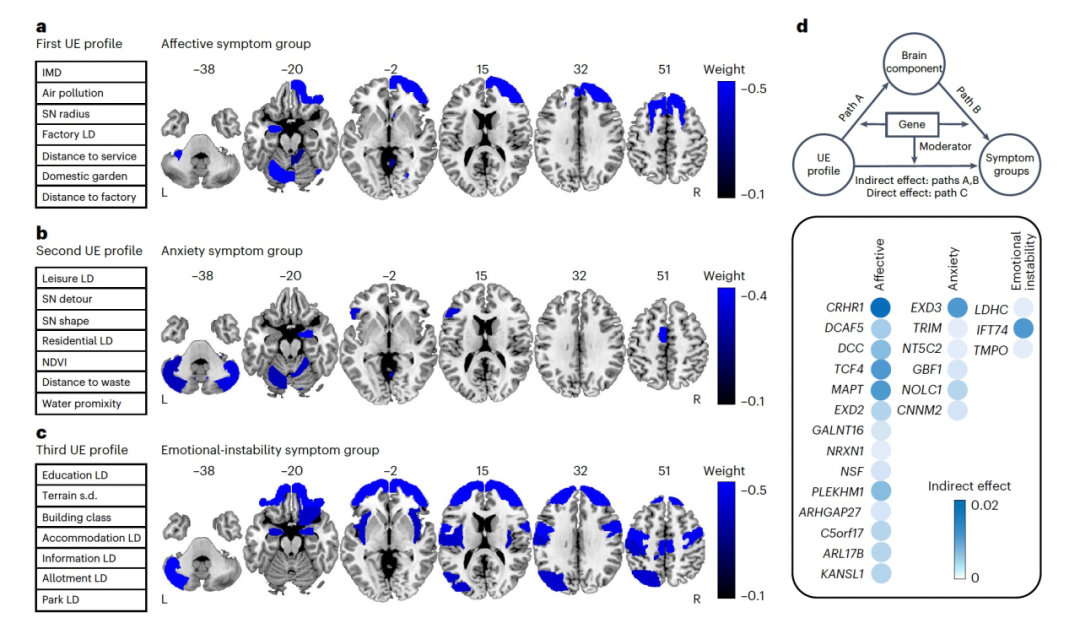
Nat. Med. | 成年人的城市生活环境对心理健康的影响
今天为大家介绍的是来自Jiayuan Xu和Gunter Schumann团队的一篇论文。城市居民暴露于许多可能相互结合和相互作用的环境因素,这些因素可能影响心理健康。目前尚未有工作尝试建模城市生活的复杂实际暴露与大脑和心理健康之间的关系,以及这如何受遗传因素调…...
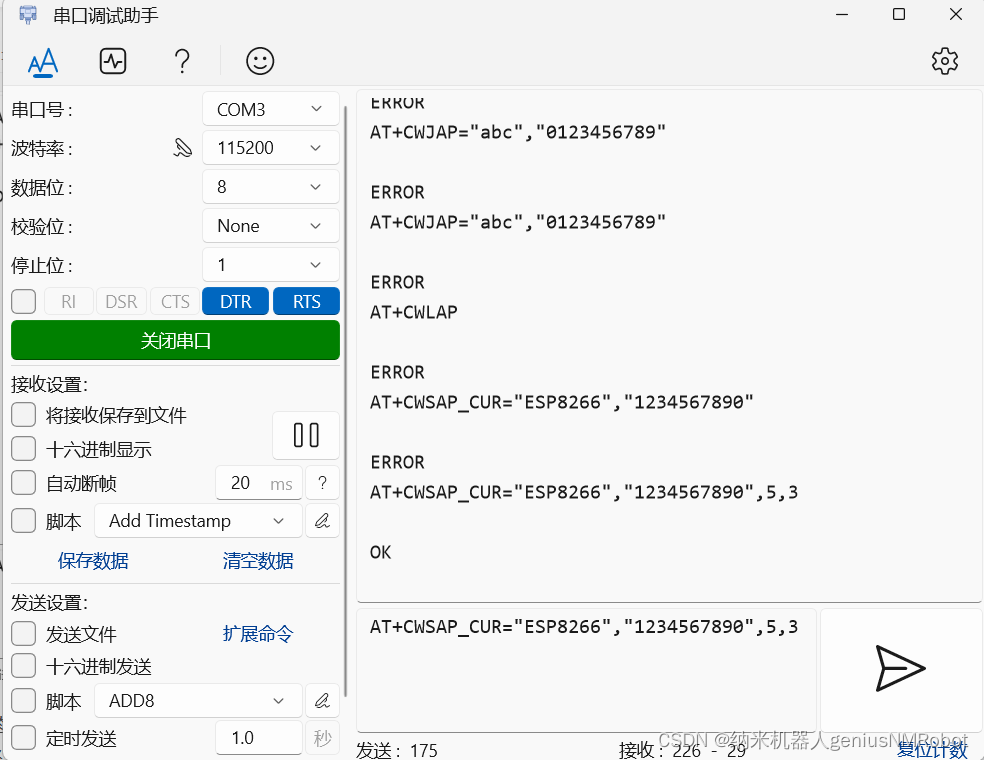
stm32 WIFI模块_8266使用
使用以上配置可以正常回应,其中无论勾选或者不勾选DTR/RTS都可以得到正常回应 ATCWMODE?表示查询当前WiFi状态是处于热点模式(AP模式)或者是连接其他WiFi的那个模式。通过图片看出这个符号不能省略。 设置AP热点命令格式:ATCWSAP…...

【C/C++】malloc 或者 new 动态分配内存
1. malloc 是一个在 C 语言中用于动态分配内存的函数。 通过 malloc 函数,我们可以在程序运行时请求一定大小的内存块,然后将该内存块用于存储数据。 malloc 函数的声明如下: void* malloc(size_t size);它接受一个参数 size,表…...
如果让你重新开始学 C/C++,你的学习路线会是怎么选择?
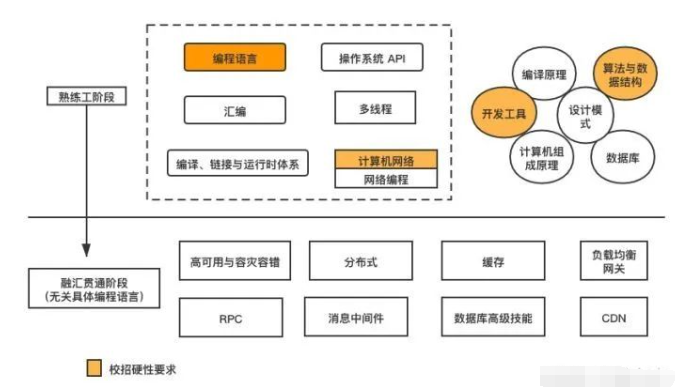
1. 第一阶段 学好 C 语言和 Linux 1.1 学好 C 语言 无论你是科班还是非科班,建议你一定要学好 C 语言,它应该作为你必须掌握好的语言。你要熟悉 C 语言的基本语法,包括: 顺序、条件、循环三大控制语句 C 中几大基元数据类型的用…...
PCL安装与使用
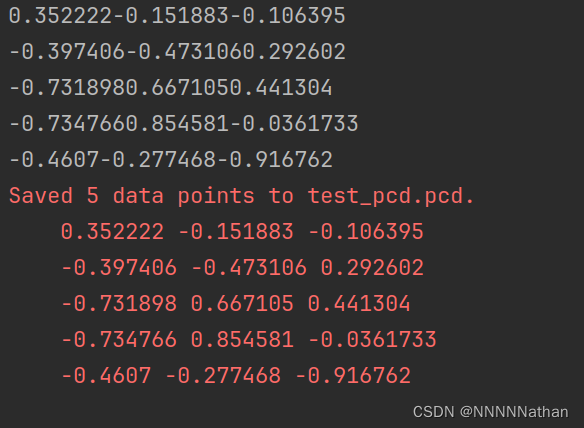
1 apt安装 ubuntu20.04及以上版本下可以直接通过apt方式安装pcl编译好的二进制文件,二进制安装的版本为1.10。 sudo apt update sudo apt install libpcl-dev 2 源码安装 在pcl的github上下载对应的版本进行安装: https://github.com/PointCloudLibrary/pcl/rel…...
力扣刷题-二叉树-对称二叉树
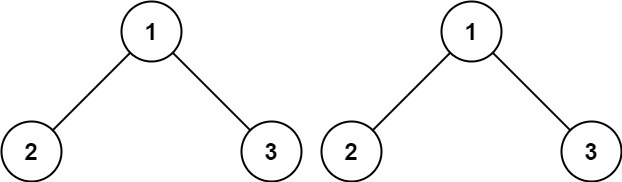
101 对称二叉树 给你一个二叉树的根节点 root , 检查它是否轴对称。 示例 1: 输入:root [1,2,2,3,4,4,3] 输出:true 示例 2: 输入:root [1,2,2,null,3,null,3] 输出:false 思路 我的思路…...

常见面试题-计算机网络相关
1.OSI 七层模型? OSI 七层模型:应用层、表示层、会话层、传输层、网络层、数据链路层、物理层 TCP/IP 五层模型:应用层、传输层、网络层、链路层、物理层 应用层 应用层是由网络应用程序使用的,是离用户最近的一层 应用层通过…...

leetcode做题笔记231. 2 的幂
给你一个整数 n,请你判断该整数是否是 2 的幂次方。如果是,返回 true ;否则,返回 false 。 如果存在一个整数 x 使得 n 2x ,则认为 n 是 2 的幂次方。 示例 1: 输入:n 1 输出:tr…...

AI主播“败走”双11,想用AI省成本的商家醒醒吧,程序员不必担心失业,发展空间依旧很大
目录 1 2 3 “AI人”并不算是新鲜事,随着AI的发展,AI主播也开始悄悄进入到直播间中。 持续无间断的直播、比人工费便宜等优势,让很多商家选择了AI主播。 AI主播到底好不好用?终于在今年“双11”现出了原形。 1 AI主播没火过半年…...

◢Django 自写分页与使用
目录 1、设置分页样式,并展示到浏览器 2、模拟页码 3、生成分页 4、数据显示 5、上一页下一页 6、数据库的数据分页 7、封装分页 8、使用封装好的分页 建立好app后,设置路径path(in2/,views.in2),视图def in2(request): ,HTML: in2.html…...

卡证检测矫正模型实操手册:解决‘检测不到’‘矫正失真’‘误检多框’三大问题
卡证检测矫正模型实操手册:解决‘检测不到’‘矫正失真’‘误检多框’三大问题 你是不是也遇到过这样的烦恼?拍了一张身份证照片,想用程序自动识别,结果模型告诉你“没找到”;好不容易检测到了,矫正出来的…...

从BERT到GPT-3:拆解Transformer架构如何成为现代AI的‘基建狂魔’
Transformer架构:从语言理解到通用智能的进化之路 2017年,一篇名为《Attention Is All You Need》的论文悄然问世,谁也没想到这个名为Transformer的架构会在短短几年内重塑整个人工智能领域。它不仅彻底改变了自然语言处理的技术路线…...

【案例共创】码道小工匠,儿童跳绳智能计数系统开发实战
最新案例动态,请查阅【案例共创】码道小工匠,儿童跳绳智能计数系统开发实战小伙伴们快来进行实操吧! 本案例由开发者:yd_sun提供,华为开发者空间案例中心优化并收录。 一、概述 1.1 适用对象 个人开发者高校学生企…...

DeepSeek-R1-Distill-Qwen-1.5B实战体验:边缘计算、手机助手的AI新选择
DeepSeek-R1-Distill-Qwen-1.5B实战体验:边缘计算、手机助手的AI新选择 1. 引言:小钢炮模型的崛起 在AI大模型领域,参数规模与计算资源需求一直是制约模型落地的关键瓶颈。当我们还在为动辄数十亿参数的大模型寻找合适算力时,De…...
)
手把手教你用Postman调试DolphinScheduler 3.x创建任务API(附数据库查Code指南)
手把手教你用Postman调试DolphinScheduler 3.x创建任务API(附数据库查Code指南) 在分布式任务调度系统的日常运维中,API调试是开发者和运维人员必须掌握的硬核技能。DolphinScheduler作为一款开源的分布式易扩展可视化工作流任务调度平台&…...

Qwen3.5-4B模型网络协议分析与故障模拟实践
Qwen3.5-4B模型网络协议分析与故障模拟实践 1. 网络工程师的新助手 最近遇到一个典型的运维场景:某电商平台大促期间,支付接口频繁出现连接超时。运维团队抓包分析后发现TCP重传率异常,但传统方法定位具体原因耗时长达3小时。这正是Qwen3.5…...

Retinaface+CurricularFace模型部署实战:Windows11环境配置全攻略
RetinafaceCurricularFace模型部署实战:Windows11环境配置全攻略 想在Windows11上快速搭建人脸识别系统却苦于环境配置?本文手把手带你避开所有坑,30分钟完成RetinafaceCurricularFace的完整部署。 1. 环境准备:搞定CUDA和cuDNN …...

用STM32F103和0.96寸OLED做个桌面电子宠物:从GIF动图到屏幕显示的完整流程
用STM32F103和0.96寸OLED打造智能桌面电子宠物:从动图处理到交互设计的完整指南 在嵌入式开发的世界里,没有什么比亲手打造一个会动的电子宠物更有成就感了。想象一下,你的桌面上有一个由0.96寸OLED屏幕和STM32F103微控制器驱动的小生命&…...

Swagger Client 与微服务架构:如何管理多个 API 端点的终极方案
Swagger Client 与微服务架构:如何管理多个 API 端点的终极方案 【免费下载链接】swagger-js Javascript library to connect to swagger-enabled APIs via browser or nodejs 项目地址: https://gitcode.com/gh_mirrors/sw/swagger-js 在现代微服务架构中&a…...

手把手教你理解机器人阻抗控制:阻尼-弹簧-质量模型详解
机器人阻抗控制实战:从阻尼-弹簧-质量模型到智能柔顺操作 当机械臂需要完成插拔USB接口这样的精细操作时,纯位置控制的局限性立刻显现——哪怕0.1毫米的误差都可能导致接口损坏。这正是阻抗控制技术大显身手的场景:通过模拟弹簧的柔顺特性&am…...