
IntelRealSense深度相机D455在ROS1运行中的消息内容
IntelRealSense深度相机D455在ROS1运行中的消息内容
- 通过下面命令所有相关信息通过ros topic的方式发布出去
- rosnode查看
- rqt_graph查看
- rostopic查看
- 通过下面命令直接查看RVIZ中点云信息
- rosnode查看
- rqt_graph查看
- rostopic查看
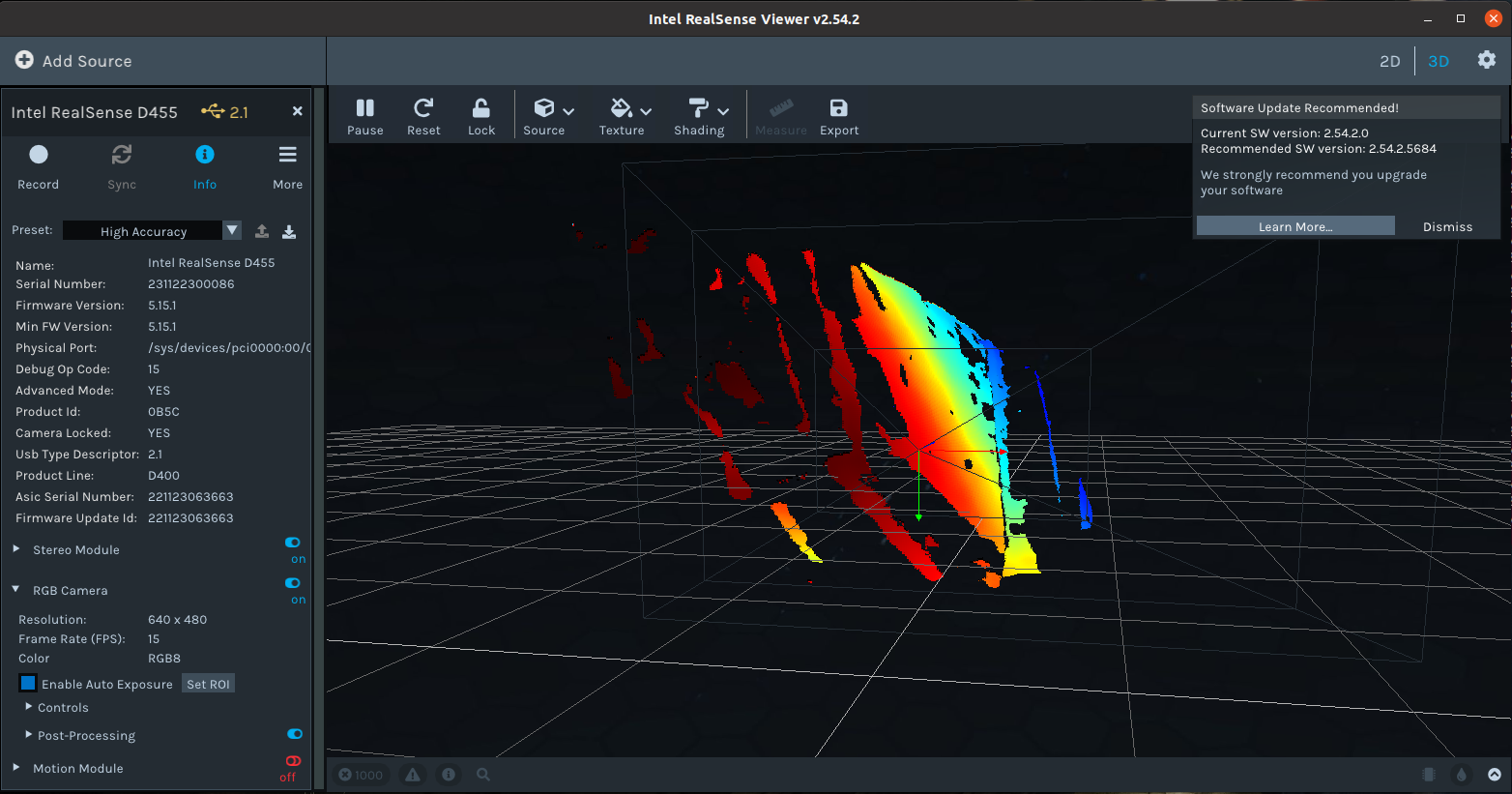
Physical Port:: /sys/devices/pci0000:00/0000:00:11.0/0000:02:03.0/usb1/1-1/1-1:1.0/video4linux
Start the camera node
To start the camera node in ROS:
通过下面命令所有相关信息通过ros topic的方式发布出去
roslaunch realsense2_camera rs_camera.launch
rosnode查看
/camera/realsense2_camera
/camera/realsense2_camera_manager
/rosout
rqt_graph查看
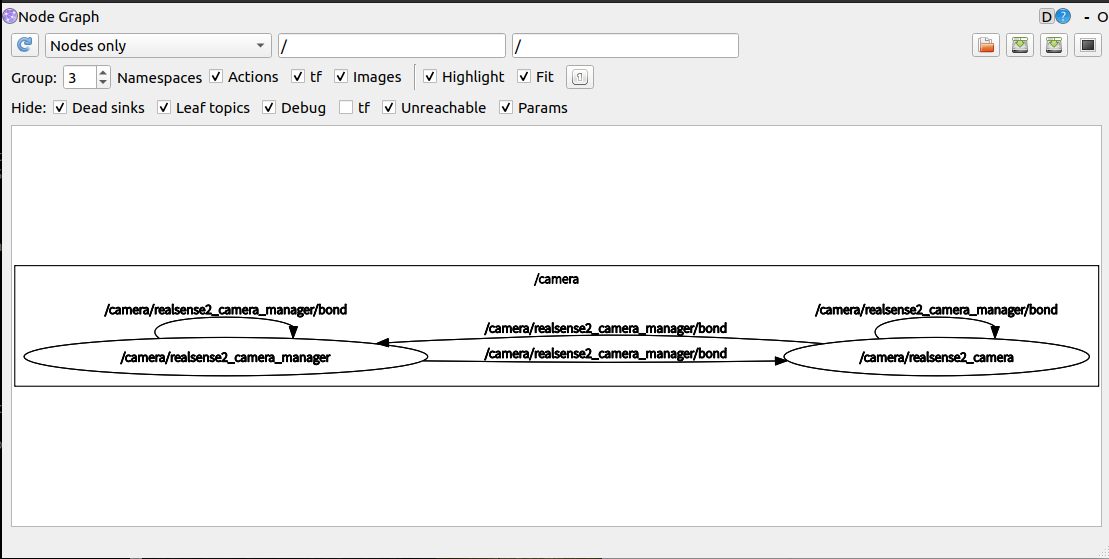
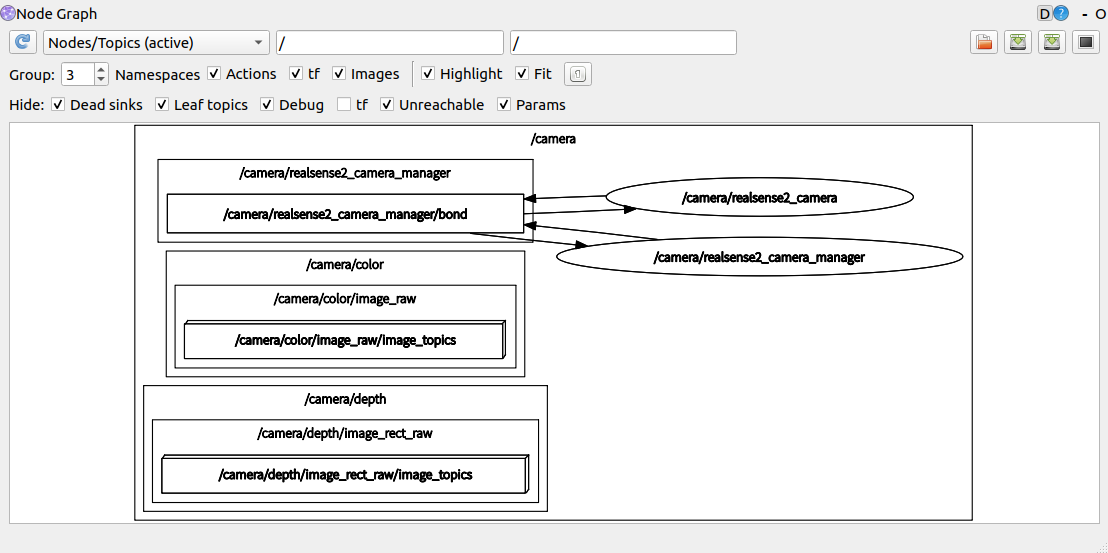
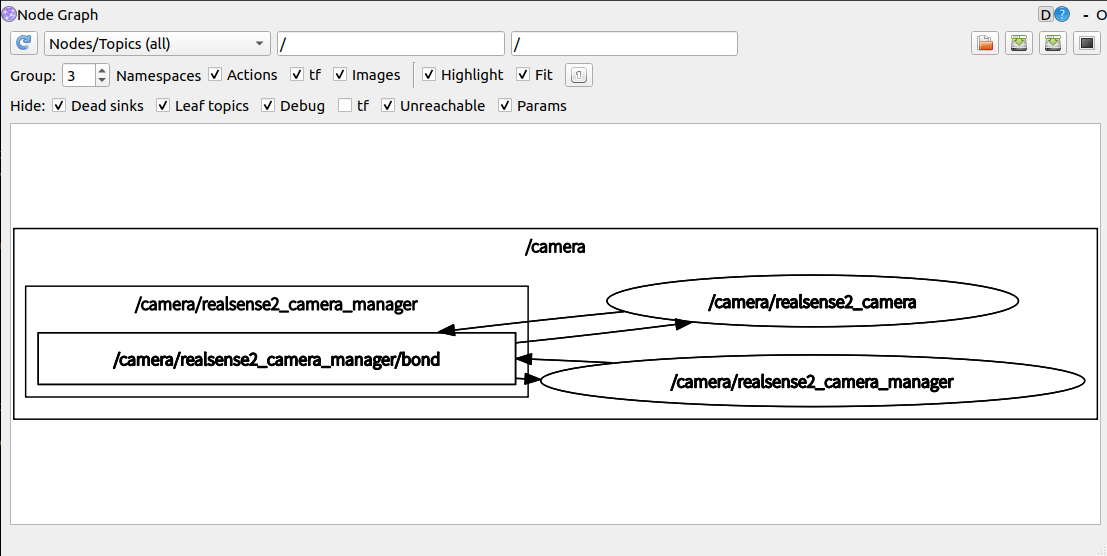
rostopic查看
/camera/color/camera_info
/camera/color/image_raw
/camera/color/image_raw/compressed
/camera/color/image_raw/compressed/parameter_descriptions
/camera/color/image_raw/compressed/parameter_updates
/camera/color/image_raw/compressedDepth
/camera/color/image_raw/compressedDepth/parameter_descriptions
/camera/color/image_raw/compressedDepth/parameter_updates
/camera/color/image_raw/theora
/camera/color/image_raw/theora/parameter_descriptions
/camera/color/image_raw/theora/parameter_updates
/camera/color/metadata
/camera/depth/camera_info
/camera/depth/image_rect_raw
/camera/depth/image_rect_raw/compressed
/camera/depth/image_rect_raw/compressed/parameter_descriptions
/camera/depth/image_rect_raw/compressed/parameter_updates
/camera/depth/image_rect_raw/compressedDepth
/camera/depth/image_rect_raw/compressedDepth/parameter_descriptions
/camera/depth/image_rect_raw/compressedDepth/parameter_updates
/camera/depth/image_rect_raw/theora
/camera/depth/image_rect_raw/theora/parameter_descriptions
/camera/depth/image_rect_raw/theora/parameter_updates
/camera/depth/metadata
/camera/extrinsics/depth_to_color
/camera/motion_module/parameter_descriptions
/camera/motion_module/parameter_updates
/camera/realsense2_camera_manager/bond
/camera/rgb_camera/auto_exposure_roi/parameter_descriptions
/camera/rgb_camera/auto_exposure_roi/parameter_updates
/camera/rgb_camera/parameter_descriptions
/camera/rgb_camera/parameter_updates
/camera/stereo_module/auto_exposure_roi/parameter_descriptions
/camera/stereo_module/auto_exposure_roi/parameter_updates
/camera/stereo_module/parameter_descriptions
/camera/stereo_module/parameter_updates
/diagnostics
/rosout
/rosout_agg
/tf
/tf_static
/camera/color/camera_info的话题消息内容
---
header: seq: 121stamp: secs: 1701757644nsecs: 890126705frame_id: "camera_color_optical_frame"
height: 480
width: 640
distortion_model: "plumb_bob"
D: [-0.05529118701815605, 0.06646831333637238, 0.00021844496950507164, 8.94237746251747e-05, -0.021805301308631897]
K: [386.3393859863281, 0.0, 324.54986572265625, 0.0, 385.8198547363281, 241.42041015625, 0.0, 0.0, 1.0]
R: [1.0, 0.0, 0.0, 0.0, 1.0, 0.0, 0.0, 0.0, 1.0]
P: [386.3393859863281, 0.0, 324.54986572265625, 0.0, 0.0, 385.8198547363281, 241.42041015625, 0.0, 0.0, 0.0, 1.0, 0.0]
binning_x: 0
binning_y: 0
roi: x_offset: 0y_offset: 0height: 0width: 0do_rectify: False
---
/camera/depth/camera_info的话题消息内容
---
header: seq: 41stamp: secs: 1701757805nsecs: 683720589frame_id: "camera_depth_optical_frame"
height: 480
width: 640
distortion_model: "plumb_bob"
D: [0.0, 0.0, 0.0, 0.0, 0.0]
K: [386.1236267089844, 0.0, 323.4205322265625, 0.0, 386.1236267089844, 240.564453125, 0.0, 0.0, 1.0]
R: [1.0, 0.0, 0.0, 0.0, 1.0, 0.0, 0.0, 0.0, 1.0]
P: [386.1236267089844, 0.0, 323.4205322265625, 0.0, 0.0, 386.1236267089844, 240.564453125, 0.0, 0.0, 0.0, 1.0, 0.0]
binning_x: 0
binning_y: 0
roi: x_offset: 0y_offset: 0height: 0width: 0do_rectify: False
---
/camera/motion_module/parameter_descriptions /摄像机运动模块参数说明的消息内容
groups: - name: "Default"type: ''parameters: - name: "frames_queue_size"type: "int"level: 0description: "Max number of frames you can hold at a given time. Increasing this number will reduce\\ frame drops but increase latency, and vice versa"edit_method: ''- name: "enable_motion_correction"type: "bool"level: 0description: "Enable/Disable Automatic Motion Data Correction"edit_method: ''- name: "global_time_enabled"type: "bool"level: 0description: "Enable/Disable global timestamp"edit_method: ''parent: 0id: 0
max: bools: - name: "enable_motion_correction"value: True- name: "global_time_enabled"value: Trueints: - name: "frames_queue_size"value: 32strs: []doubles: []groups: - name: "Default"state: Trueid: 0parent: 0
min: bools: - name: "enable_motion_correction"value: False- name: "global_time_enabled"value: Falseints: - name: "frames_queue_size"value: 0strs: []doubles: []groups: - name: "Default"state: Trueid: 0parent: 0
dflt: bools: - name: "enable_motion_correction"value: True- name: "global_time_enabled"value: Trueints: - name: "frames_queue_size"value: 16strs: []doubles: []groups: - name: "Default"state: Trueid: 0parent: 0
---
/camera/stereo_module/auto_exposure_roi/parameter_descriptions 相机立体模块自动曝光roi参数说明的消息内容
groups: - name: "Default"type: ''parameters: - name: "left"type: "int"level: 0description: "auto-exposure left coordinate"edit_method: ''- name: "right"type: "int"level: 0description: "auto-exposure right coordinate"edit_method: ''- name: "top"type: "int"level: 0description: "auto-exposure top coordinate"edit_method: ''- name: "bottom"type: "int"level: 0description: "auto-exposure bottom coordinate"edit_method: ''parent: 0id: 0
max: bools: []ints: - name: "left"value: 639- name: "right"value: 639- name: "top"value: 479- name: "bottom"value: 479strs: []doubles: []groups: - name: "Default"state: Trueid: 0parent: 0
min: bools: []ints: - name: "left"value: 0- name: "right"value: 0- name: "top"value: 0- name: "bottom"value: 0strs: []doubles: []groups: - name: "Default"state: Trueid: 0parent: 0
dflt: bools: []ints: - name: "left"value: 0- name: "right"value: 639- name: "top"value: 0- name: "bottom"value: 479strs: []doubles: []groups: - name: "Default"state: Trueid: 0parent: 0
---
/tf_static的话题消息内容
 - header: seq: 0stamp: secs: 1701759021nsecs: 810140552frame_id: "camera_color_frame"child_frame_id: "camera_color_optical_frame"transform: translation: x: 0.0y: -0.0z: -0.0rotation: x: -0.5y: 0.4999999999999999z: -0.5w: 0.5000000000000001
---
通过下面命令直接查看RVIZ中点云信息
roslaunch realsense2_camera demo_pointcloud.launch
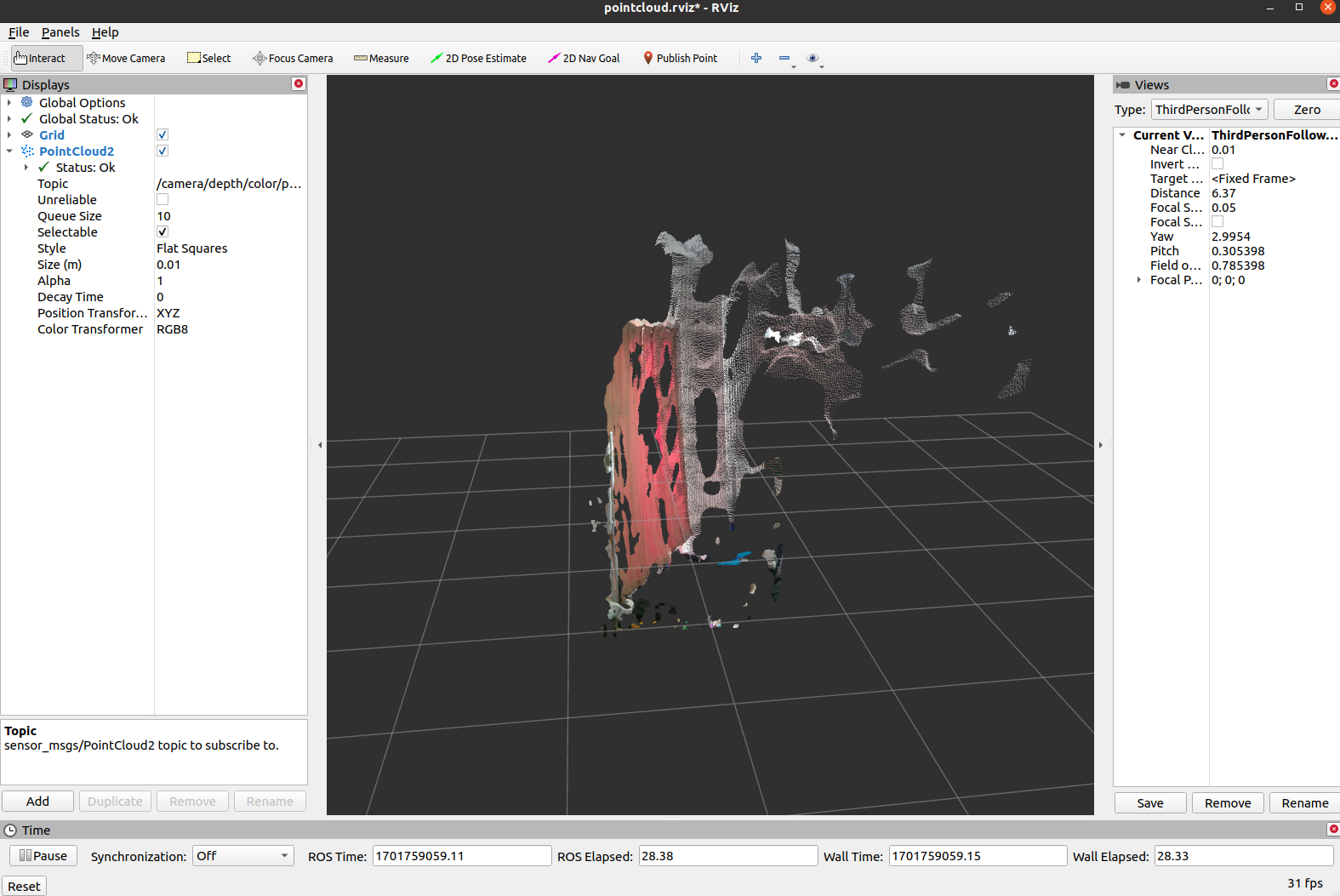
rosnode查看
/camera/realsense2_camera
/camera/realsense2_camera_manager
/camera/rviz
/rosout
rqt_graph查看
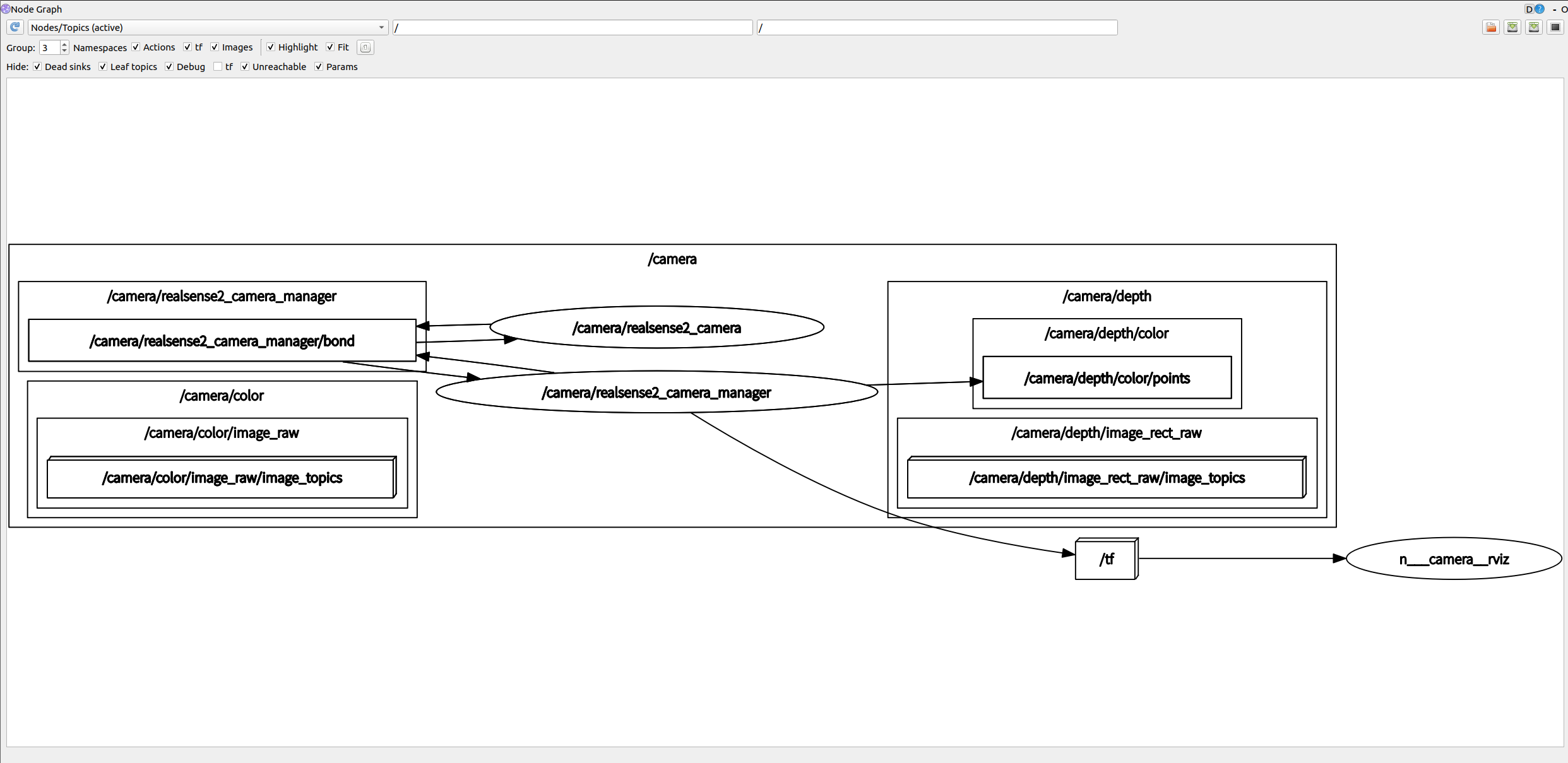
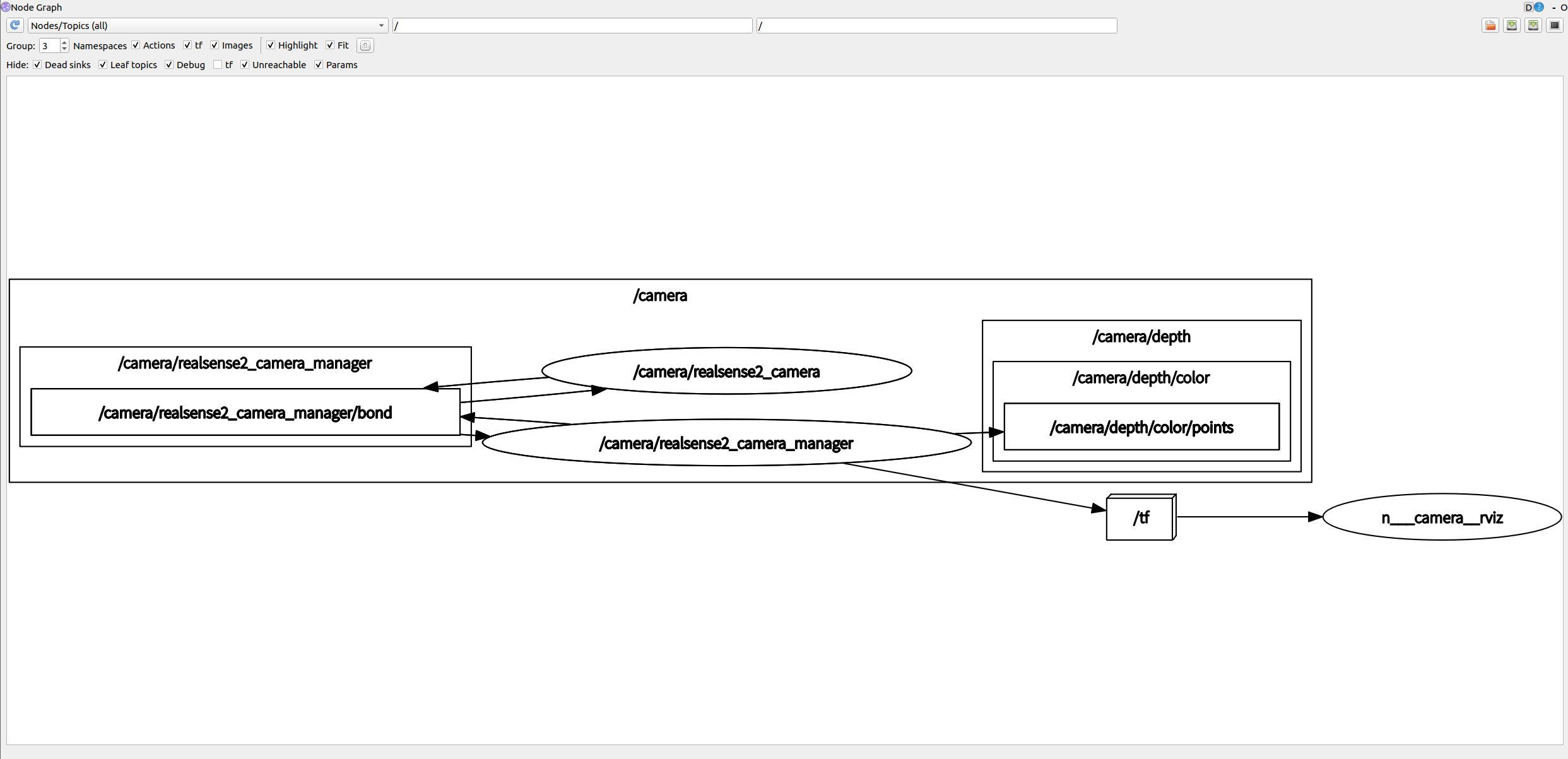
rostopic查看
/camera/color/camera_info
/camera/color/image_raw
/camera/color/image_raw/compressed
/camera/color/image_raw/compressed/parameter_descriptions
/camera/color/image_raw/compressed/parameter_updates
/camera/color/image_raw/compressedDepth
/camera/color/image_raw/compressedDepth/parameter_descriptions
/camera/color/image_raw/compressedDepth/parameter_updates
/camera/color/image_raw/theora
/camera/color/image_raw/theora/parameter_descriptions
/camera/color/image_raw/theora/parameter_updates
/camera/color/metadata
/camera/depth/camera_info
/camera/depth/color/points
/camera/depth/image_rect_raw
/camera/depth/image_rect_raw/compressed
/camera/depth/image_rect_raw/compressed/parameter_descriptions
/camera/depth/image_rect_raw/compressed/parameter_updates
/camera/depth/image_rect_raw/compressedDepth
/camera/depth/image_rect_raw/compressedDepth/parameter_descriptions
/camera/depth/image_rect_raw/compressedDepth/parameter_updates
/camera/depth/image_rect_raw/theora
/camera/depth/image_rect_raw/theora/parameter_descriptions
/camera/depth/image_rect_raw/theora/parameter_updates
/camera/depth/metadata
/camera/extrinsics/depth_to_color
/camera/motion_module/parameter_descriptions
/camera/motion_module/parameter_updates
/camera/pointcloud/parameter_descriptions
/camera/pointcloud/parameter_updates
/camera/realsense2_camera_manager/bond
/camera/rgb_camera/auto_exposure_roi/parameter_descriptions
/camera/rgb_camera/auto_exposure_roi/parameter_updates
/camera/rgb_camera/parameter_descriptions
/camera/rgb_camera/parameter_updates
/camera/stereo_module/auto_exposure_roi/parameter_descriptions
/camera/stereo_module/auto_exposure_roi/parameter_updates
/camera/stereo_module/parameter_descriptions
/camera/stereo_module/parameter_updates
/clicked_point
/diagnostics
/initialpose
/move_base_simple/goal
/rosout
/rosout_agg
/tf
/tf_static
比之前运行多了一些话题
/camera/pointcloud/parameter_descriptions
/camera/pointcloud/parameter_updates
/clicked_point
/initialpose
/move_base_simple/goal
相关文章:
IntelRealSense深度相机D455在ROS1运行中的消息内容
IntelRealSense深度相机D455在ROS1运行中的消息内容 通过下面命令所有相关信息通过ros topic的方式发布出去rosnode查看rqt_graph查看rostopic查看通过下面命令直接查看RVIZ中点云信息rosnode查看rqt_graph查看rostopic查看 Physical Port:: /sys/devices/pci0000:0…...
公有云迁移研究——AWS Translate
大纲 1 什么是Translate2 Aws Translate是怎么运作的3 Aws Translate和Google Translate的区别4 迁移任务4.1 迁移原因 5 Aws Translate的Go demo6 迁移中遇到的问题6.1 账号和权限问题:6.2 小语种 1 什么是Translate Translate是一种文本翻译服务,它使…...
【laBVIEW学习】4.声音播放,自定义图标,滚动条设置,保存参数以及恢复参数
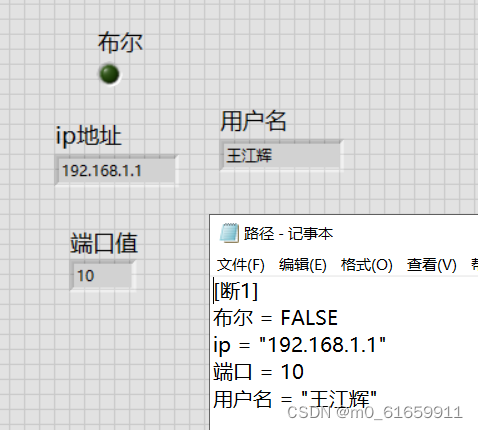
一。声音播放(报错,未实现) 1.报错4810 2.解决方法: 暂时未解决。 二。图片修改 1.目标:灯泡---》自定义灯泡 2.步骤: 1.右键点击--》自定义运行 表示可以制作自定义类型 2.右键--》打开自定义类型 这样就…...

《论文阅读》使用条件变分自动编码器学习神经对话模型的语篇水平多样性 2017 ACL
《论文阅读》使用条件变分自动编码器学习神经对话模型的语篇水平多样性 2017 ACL 前言简介相关知识Stochastic Gradient Variational BayesMultivariate Gaussian DistributionIsotropic Gaussian DistributionReparameterization Trickprior network & posterior network …...

【win32_003】不同字符集下的通用字符串语法TCHAR、TEXT、PTSTR、PCTSTR
TCHAR 通用 根据项目属性是否使用Unicode字符集,TCHAR被解释为CHAR(char)或WCHAR(wchar_t)数据类型。 TCHAR a ‘A’ ; TCHAR arr [] TEXT(“AA”); TCHAR arr [100] TEXT(“AA”); TCHAR *pstr TEXT(“AA”); TEXT宏 #ifdef UNICODE #define __TEXT(quote) L#…...

《漫长的等待》—— 读后感
前几天下班地铁上,人太多,看技术书籍看不进去,翻阅微信读书,看到了这本书,看了几章免费的章节,因为后续需要买会员就没有继续读,但是这几天偶尔还是会想到书籍中的情节,所以今天充了…...
基于ROPNet项目训练modelnet40数据集进行3d点云的配置
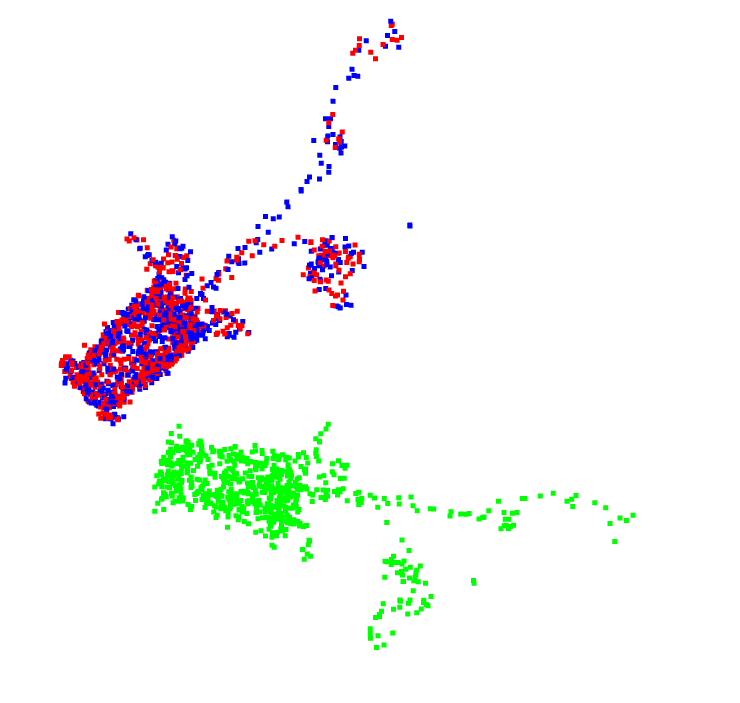
项目地址: https://github.com/zhulf0804/ROPNet 在 MVP Registration Challenge (ICCV Workshop 2021)(ICCV Workshop 2021)中获得了第二名。项目可以在win10环境下运行。 论文地址: https://arxiv.org/abs/2107.02583 网络简介…...

力扣215. 数组中的第K个最大元素
堆排序 前言 面试中著名的 TopK 排序;常见的解法有冒泡排序、堆排序;更深入的思路可以参考:拜托,面试别再问我TopK了!!!使用了堆排序的算法,关于堆可以参考:堆数据结构的…...
轻量封装WebGPU渲染系统示例<40>- 多层材质的Mask混合(源码)
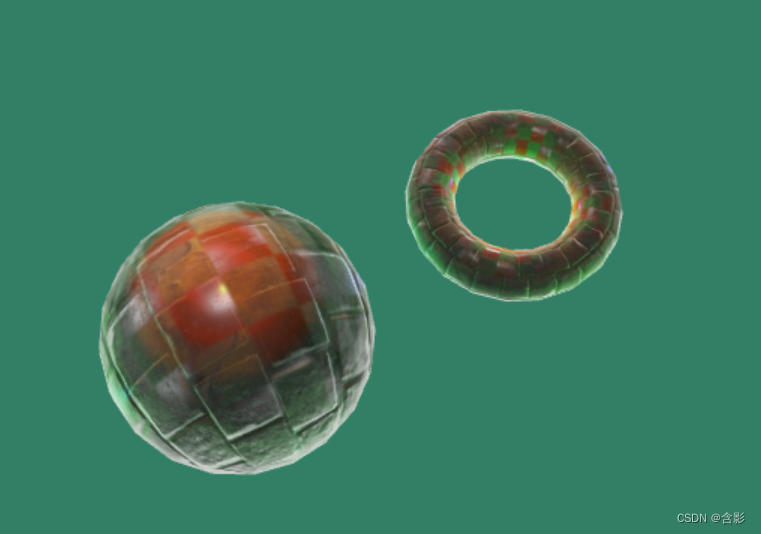
当前示例源码github地址: https://github.com/vilyLei/voxwebgpu/blob/feature/rendering/src/voxgpu/sample/MaskTextureEffect.ts 当前示例运行效果: 两层材质效果: 三层材质效果: 此示例基于此渲染系统实现,当前示例TypeScript源码如下: export c…...

程序员的实用网站导航与推荐
当你遇到问题时 Stack Overflow:订阅他们的每周新闻和任何你感兴趣的主题Google:全球最大搜索引擎必应:在你无法使用Google的时候CSDN:聊胜于无AI导航一号AI导航二号 新闻篇 OSCHINA:中文开源技术交流社区 针对初学…...

上午面了个腾讯拿 38K 出来的,让我见识到了基础的天花板
今年的校招基本已经进入大规模的开奖季了,很多小伙伴收获不错,拿到了心仪的 offer。 各大论坛和社区里也看见不少小伙伴慷慨地分享了常见的面试题和八股文,为此咱这里也统一做一次大整理和大归类,这也算是划重点了。 俗话说得好…...
【halcon】C# halcon 内存暴增
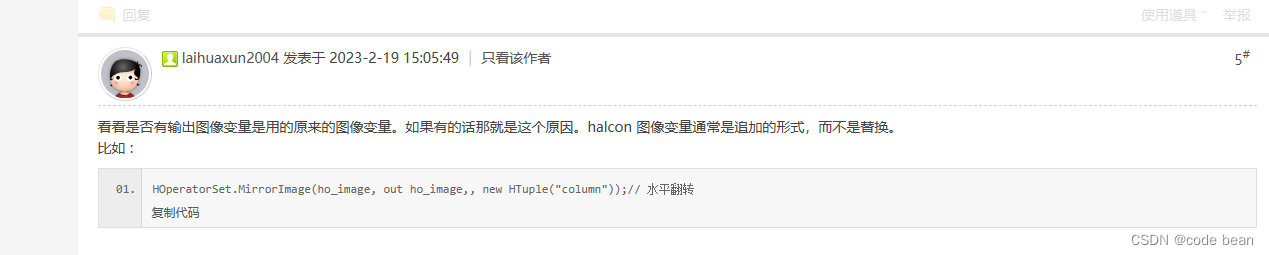
1 读取图片需要及时手动释放 一个6M的图片通过halcon进行加载,大约会消耗200M的内存,如果等待GC回收,而你又在不停的读取图片,你的内存占用,将在短时间内飙升。 2 halcon控件显示图片需要清空。 /// <summary>…...

LeetCode130. Surrounded Regions
文章目录 一、题目二、题解 一、题目 Given an m x n matrix board containing ‘X’ and ‘O’, capture all regions that are 4-directionally surrounded by ‘X’. A region is captured by flipping all O’s into X’s in that surrounded region. Example 1: Input…...

【实战教程】PHP如何轻松对接腾讯云COS,实现文件上传下载?
腾讯云提供了一系列丰富的云服务,其中包括对象存储(Cloud Object Storage,简称COS),它是一种高可靠性、可扩展性强的云存储服务。本文将介绍如何使用PHP对接腾讯云COS存储服务,实现文件的上传和下载功能。 …...

pytorch学习10-网络模型的保存和加载
系列文章目录 pytorch学习1-数据加载以及Tensorboard可视化工具pytorch学习2-Transforms主要方法使用pytorch学习3-torchvisin和Dataloader的使用pytorch学习4-简易卷积实现pytorch学习5-最大池化层的使用pytorch学习6-非线性变换(ReLU和sigmoid)pytorc…...

SQL Server 2016(分离和附加数据库)
1、实验环境。 基于上一个实验《SQL Server(创建数据库)》 2、需求描述。 class数据库的数据文件和事务日志文件都位于C:\db_class目录下。现在需要把class数据库的数据文件和事务日志文件分开存放,数据文件class.mdf存放于原位置࿰…...
用友U8 Cloud RegisterServlet SQL注入漏洞复现
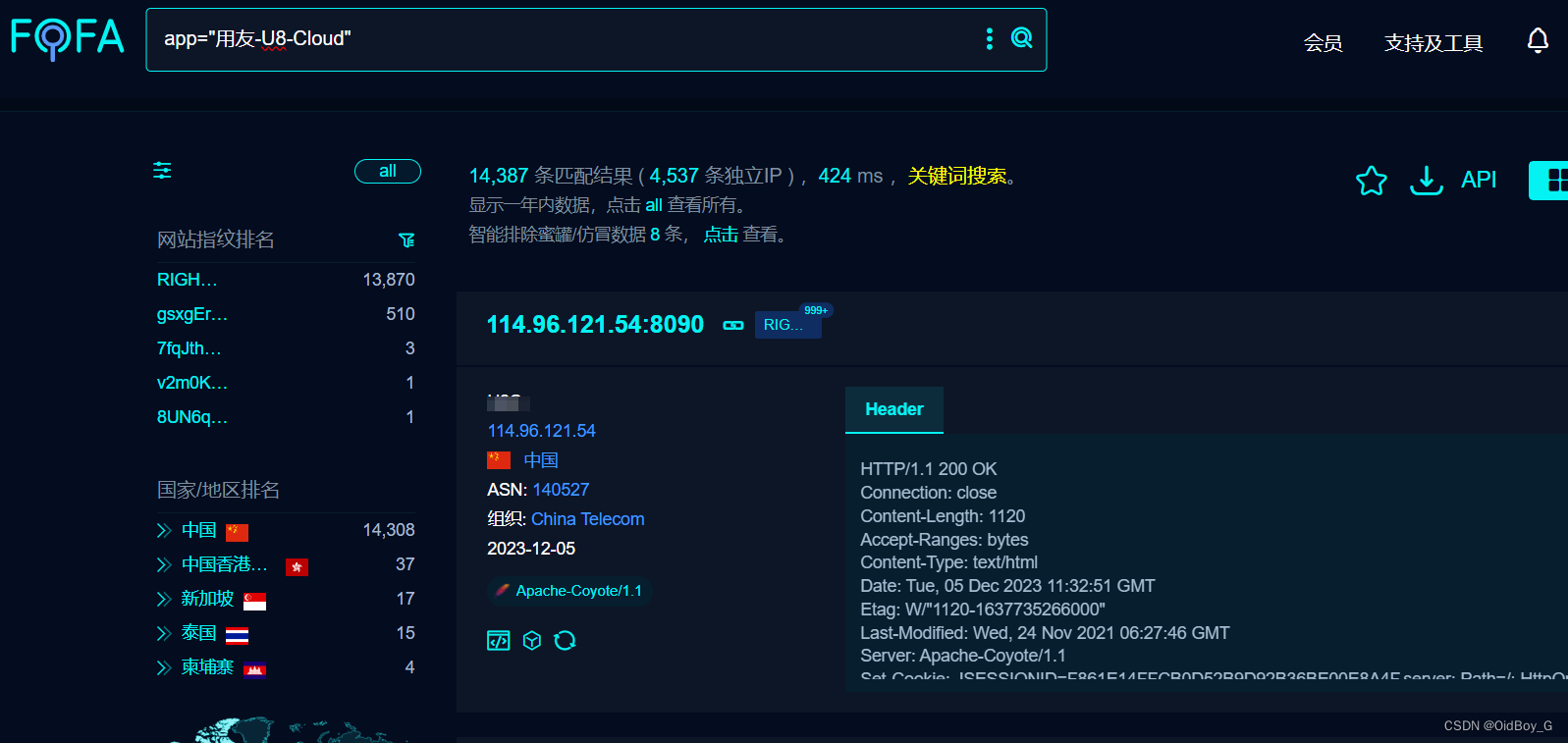
0x01 产品简介 用友U8 Cloud是用友推出的新一代云ERP,主要聚焦成长型、创新型企业,提供企业级云ERP整体解决方案。 0x02 漏洞概述 用友U8 Cloud RegisterServlet接口处存在SQL注入漏洞,未授权的攻击者可通过此漏洞获取数据库权限,从而盗取用户数据,造成用户信息泄露。 …...
coding创建远程分支。并拉取远程新分支+推送代码
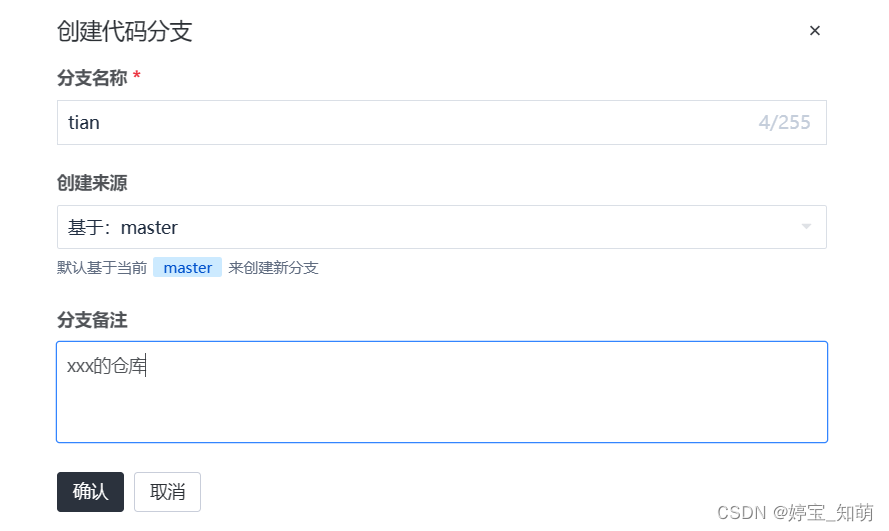
进入coding ----项目----代码仓库---点击 下拉之后查看全部----创建分支 创建分支之后执行下面命令 git branch -a // 查看所有分支 这个时候发现自己创建的分支没有显示这是因为自己在远程创建了分支但是本地还没有分支 执行 git fetch命令 用于从远程仓库获取最新的提交…...
坚鹏:中国工商银行内蒙古分行数字化转型发展现状与成功案例培训
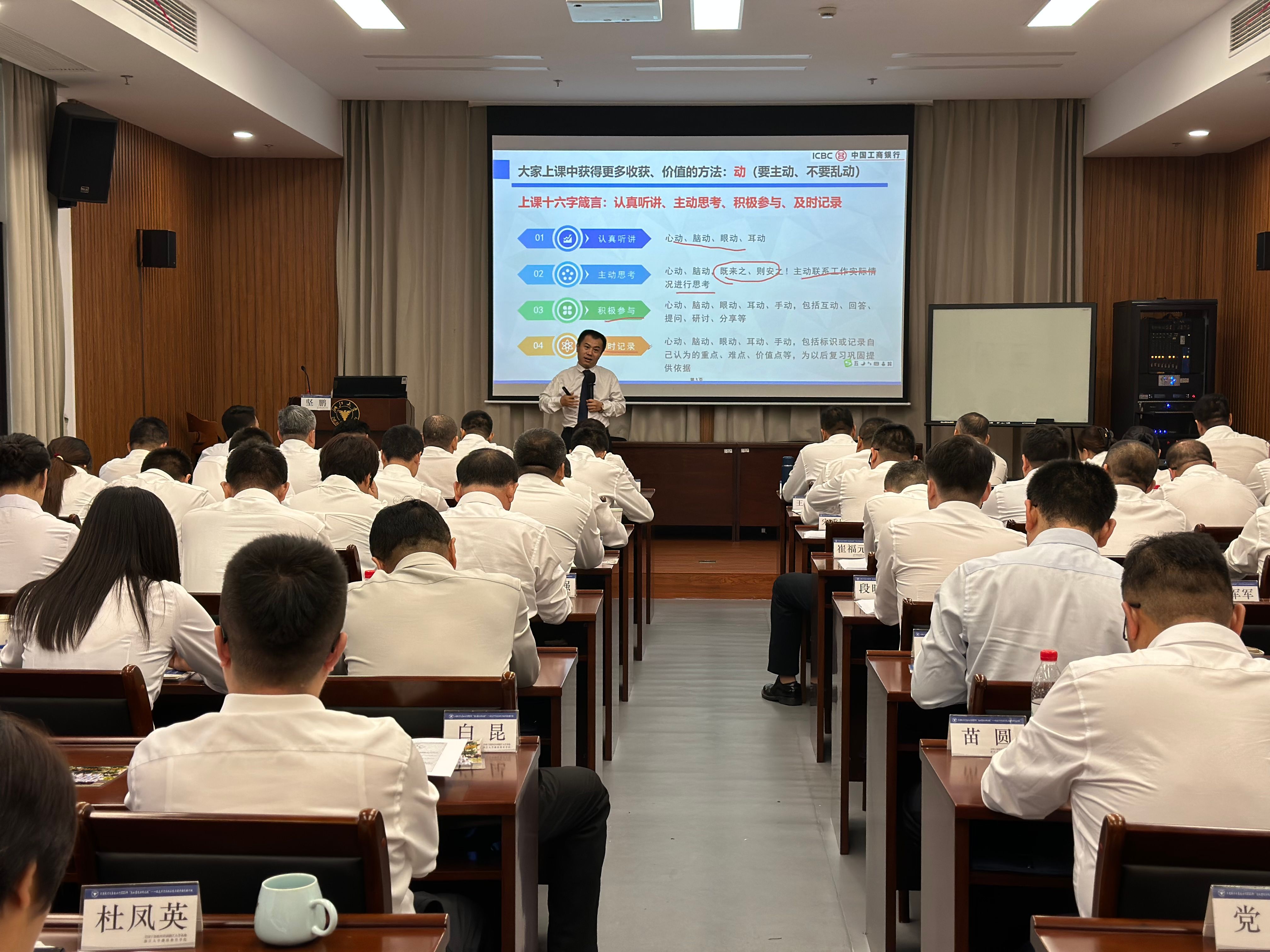
中国工商银行围绕“数字生态、数字资产、数字技术、数字基建、数字基因”五维布局,深入推进数字化转型,加快形成体系化、生态化实施路径,促进科技与业务加速融合,以“数字工行”建设推动“GBC”(政务、企业、个人&…...
AIGC发展史
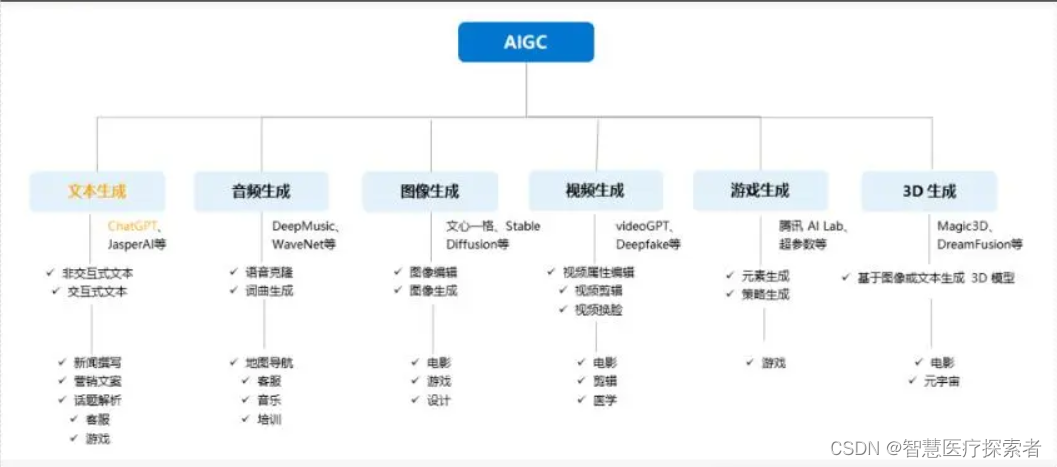
1 AIGC概况 1.1 AIGC定义 AIGC(AI Generated Content)是指利用人工智能技术生成的内容。它也被认为是继PGC,UGC之后的新型内容生产方式,AI绘画、AI写作等都属于AIGC的具体形式。2022年AIGC发展速度惊人,迭代速度更是呈现指数级发…...

IO:为专业开发者打造的AI编程助手架构解析与实战指南
1. 项目概述:IO,一个为专业开发者打造的AI编程助手如果你和我一样,每天大部分时间都在和代码、终端、以及各种开发工具打交道,那你一定理解那种对“流畅感”的渴望。我们需要的不是一个只会回答问题的聊天机器人,而是一…...

开源项目remote2mac:用Windows远程桌面无缝控制macOS
1. 项目概述:远程桌面连接的另一条路如果你是一名需要在Windows电脑上远程控制macOS设备的开发者、设计师或者运维人员,那么“远程桌面”这个需求对你来说一定不陌生。传统的方案,比如微软的RDP(远程桌面协议)对Window…...

混元图像3.0:多模态联合表征驱动的视觉逻辑引擎
1. 项目概述:这不是又一个“图生图”玩具,而是一次底层能力的重新定义“混元:发布图像3.0图生图模型,总参数量80亿”——这个标题里藏着三个被多数人忽略的关键信号:“图像3.0”不是版本号,是代际跃迁的命名…...

基于OpenClaw的GitHub趋势智能监控器:自动化追踪与AI摘要推送
1. 项目概述:一个为开发者打造的GitHub趋势智能监控器 作为一名长期泡在GitHub上的开发者,我深知每天手动刷“Trending”页面有多低效。热门项目层出不穷,但真正值得关注的往往就那么几个,而且很容易被淹没在信息流里。直到我遇到…...

Modbus RTU 与 Modbus TCP 深入指南-附录:快速参考表
十五、附录:快速参考表 15.1 Modbus RTU 帧示例速查 操作请求帧(十六进制)响应帧示例读线圈(1个)01 01 00 00 00 01 CRC01 01 01 01 CRC读离散输入01 02 00 00 00 01 CRC01 02 01 00 CRC读保持寄存器(1个…...

Unity3D游戏马赛克清除终极指南:7种高效技术深度解析
Unity3D游戏马赛克清除终极指南:7种高效技术深度解析 【免费下载链接】UniversalUnityDemosaics A collection of universal demosaic BepInEx plugins for games made in Unity3D engine 项目地址: https://gitcode.com/gh_mirrors/un/UniversalUnityDemosaics …...

Fast-GitHub:3个技巧让国内开发者告别GitHub龟速时代
Fast-GitHub:3个技巧让国内开发者告别GitHub龟速时代 【免费下载链接】Fast-GitHub 国内Github下载很慢,用上了这个插件后,下载速度嗖嗖嗖的~! 项目地址: https://gitcode.com/gh_mirrors/fa/Fast-GitHub 你是否曾经因为Gi…...

地铁站内人员危险情况检测人员跌倒检测数据集VOC+YOLO格式4369张2类别
数据集格式:Pascal VOC格式YOLO格式(不包含分割路径的txt文件,仅仅包含jpg图片以及对应的VOC格式xml文件和yolo格式txt文件) 图片数量(jpg文件个数):4369 标注数量(xml文件个数):4369 标注数量(txt文件个数):4369 …...

RCB-F9T-0,支持多频段多星座及纳秒级精度的多协议GNSS授时板
简介今天我要向大家介绍的是 u-blox 的多频段GNSS授时板——RCB-F9T-0。这是一款专为高精度授时应用设计的紧凑型定时板。该模块基于 u-blox ZED-F9T-00B 高精度授时模块,搭载AEC-Q100认证的GNSS芯片;集成SMB天线连接器和5V有源天线供电电路;…...

多模态AI处理利器:基于MCP协议的Stitch-Pro服务器架构解析
1. 项目概述:一个面向多模态内容处理的“缝合”利器 最近在折腾一个挺有意思的开源项目,叫 stitch-pro-mcp 。这个名字挺直白,“stitch”是缝合,“pro”是专业版,“mcp”则指向了“模型上下文协议”。简单来说&#…...