
android项目实战之编辑器集成
引言
项目需要用到编辑器,采用RichEditor,如下效果
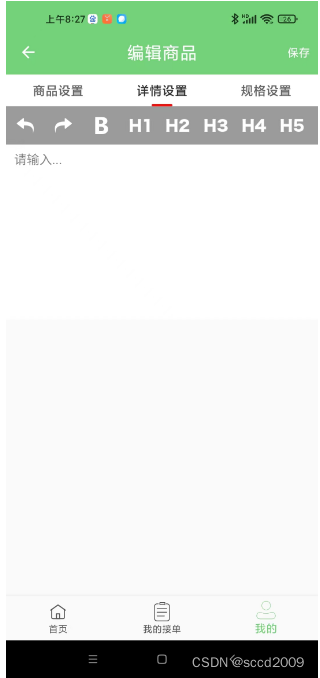
实现
1. 引入库2
implementation 'jp.wasabeef:richeditor-android:2.0.0'2. XML
<LinearLayout xmlns:android="http://schemas.android.com/apk/res/android"android:layout_width="match_parent"android:layout_height="match_parent"android:orientation="vertical"android:layout_marginBottom="@dimen/dp_60"android:theme="@style/customTheme"><HorizontalScrollViewandroid:layout_width="match_parent"android:layout_height="wrap_content"android:background="@color/app_color_9b"><LinearLayoutandroid:orientation="horizontal"android:layout_width="wrap_content"android:layout_height="wrap_content"><ImageButtonandroid:id="@+id/action_undo"android:layout_width="48dp"android:layout_height="48dp"android:background="@null"android:contentDescription="@null"android:src="@mipmap/undo" /><ImageButtonandroid:id="@+id/action_redo"android:layout_width="48dp"android:layout_height="48dp"android:background="@null"android:contentDescription="@null"android:src="@mipmap/redo" /><ImageButtonandroid:id="@+id/action_bold"android:layout_width="48dp"android:layout_height="48dp"android:background="@null"android:contentDescription="@null"android:src="@mipmap/bold" /><ImageButtonandroid:id="@+id/action_heading1"android:layout_width="48dp"android:layout_height="48dp"android:background="@null"android:contentDescription="@null"android:src="@mipmap/h1" /><ImageButtonandroid:id="@+id/action_heading2"android:layout_width="48dp"android:layout_height="48dp"android:background="@null"android:contentDescription="@null"android:src="@mipmap/h2" /><ImageButtonandroid:id="@+id/action_heading3"android:layout_width="48dp"android:layout_height="48dp"android:background="@null"android:contentDescription="@null"android:src="@mipmap/h3" /><ImageButtonandroid:id="@+id/action_heading4"android:layout_width="48dp"android:layout_height="48dp"android:background="@null"android:contentDescription="@null"android:src="@mipmap/h4" /><ImageButtonandroid:id="@+id/action_heading5"android:layout_width="48dp"android:layout_height="48dp"android:background="@null"android:contentDescription="@null"android:src="@mipmap/h5" /><ImageButtonandroid:id="@+id/action_heading6"android:layout_width="48dp"android:layout_height="48dp"android:background="@null"android:contentDescription="@null"android:src="@mipmap/h6" /><ImageButtonandroid:id="@+id/action_insert_image"android:layout_width="48dp"android:layout_height="48dp"android:background="@null"android:contentDescription="@null"android:src="@mipmap/insert_image" /></LinearLayout></HorizontalScrollView><androidx.core.widget.NestedScrollViewandroid:layout_width="match_parent"android:layout_height="wrap_content"><jp.wasabeef.richeditor.RichEditorandroid:id="@+id/editor"android:layout_width="match_parent"android:layout_height="wrap_content" /></androidx.core.widget.NestedScrollView><TextViewandroid:layout_width="match_parent"android:layout_height="wrap_content"android:layout_marginTop="20dp"android:text="详情预览"android:visibility="gone"android:textSize="12sp" /><TextViewandroid:id="@+id/preview"android:layout_width="match_parent"android:layout_height="wrap_content"android:layout_marginTop="15dp"android:visibility="gone"/></LinearLayout>3. fragement片段初始化
private void initEditor(){mPreview = (TextView) mActivity.findViewById(R.id.preview);mEditor = (RichEditor) mActivity.findViewById(R.id.editor);//初始化编辑高度mEditor.setEditorHeight(200);//初始化字体大小mEditor.setEditorFontSize(16);//初始化字体颜色mEditor.setEditorFontColor(Color.BLACK);//初始化内边距mEditor.setPadding(10, 10, 10, 10);//设置默认显示语句mEditor.setPlaceholder("请输入...");//设置编辑器是否可用mEditor.setInputEnabled(true);//mPreview = (TextView) mActivity.findViewById(R.id.preview);mEditor.setOnTextChangeListener(new RichEditor.OnTextChangeListener() {@Overridepublic void onTextChange(String text) {mPreview.setText(text);}});mActivity.findViewById(R.id.action_undo).setOnClickListener(new View.OnClickListener() {@Overridepublic void onClick(View v) {mEditor.undo();}});mActivity.findViewById(R.id.action_redo).setOnClickListener(new View.OnClickListener() {@Overridepublic void onClick(View v) {mEditor.redo();}});mActivity.findViewById(R.id.action_heading1).setOnClickListener(new View.OnClickListener() {@Overridepublic void onClick(View v) {mEditor.setHeading(1);}});mActivity.findViewById(R.id.action_heading2).setOnClickListener(new View.OnClickListener() {@Overridepublic void onClick(View v) {mEditor.setHeading(2);}});mActivity.findViewById(R.id.action_heading3).setOnClickListener(new View.OnClickListener() {@Overridepublic void onClick(View v) {mEditor.setHeading(3);}});mActivity.findViewById(R.id.action_heading4).setOnClickListener(new View.OnClickListener() {@Overridepublic void onClick(View v) {mEditor.setHeading(4);}});mActivity.findViewById(R.id.action_heading5).setOnClickListener(new View.OnClickListener() {@Overridepublic void onClick(View v) {mEditor.setHeading(5);}});mActivity.findViewById(R.id.action_heading6).setOnClickListener(new View.OnClickListener() {@Overridepublic void onClick(View v) {mEditor.setHeading(6);}});相关文章:
android项目实战之编辑器集成
引言 项目需要用到编辑器,采用RichEditor,如下效果 实现 1. 引入库2 implementation jp.wasabeef:richeditor-android:2.0.0 2. XML <LinearLayout xmlns:android"http://schemas.android.com/apk/res/android"android:layout_width&q…...

JAVA程序如何打jar和war问题解决
背景: 近期研究一个代码审计工具 需要jar包 jar太多了 可以将jar 打成war包 首先看下程序目录结构 pom.xml文件内容 <?xml version"1.0" encoding"UTF-8"?> <project xmlns"http://maven.apache.org/POM/4.0.0"xmlns:xsi"ht…...
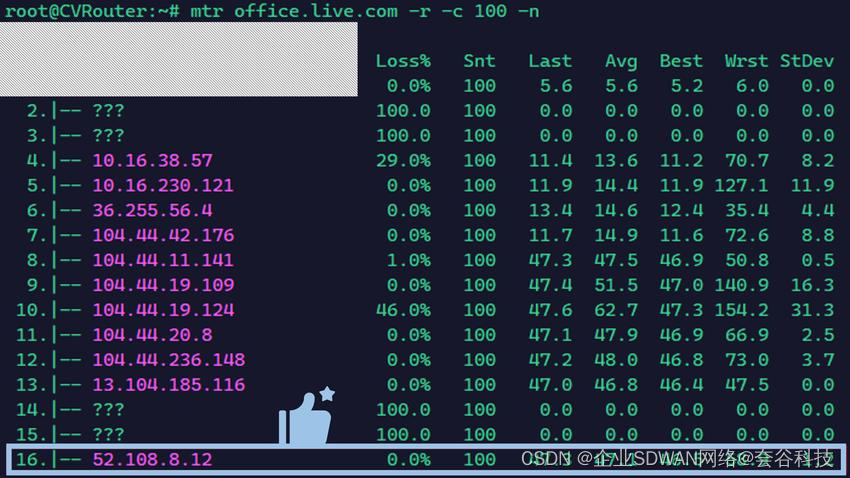
Microsoft 365 Copilot正式上线,如何稳定访问体验?
如果将微软对人工智能的投资看成一场豪赌,Microsoft Copilot无疑是现阶段最受瞩目的赌注。2023年9月正式发布的Microsoft Copilot是一种基于大型语言模型(LLM)和微软图形(Microsoft Graph)的数据和人工智能(…...
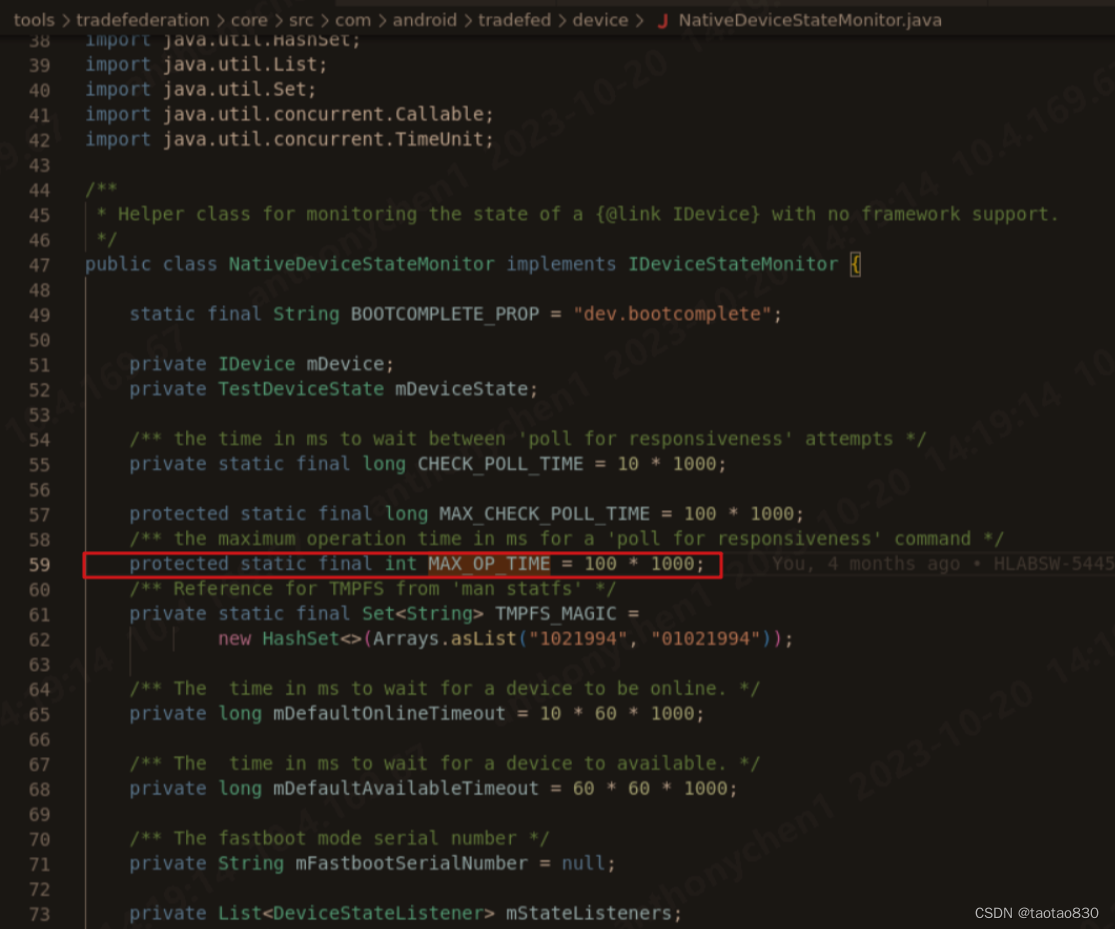
【安卓】安卓xTS之Media模块 学习笔记(3) VTS测试
1. 背景 接下来进行正式的VTS测试。本章节还是以Media模块相关进行介绍。 VTS主要测的是内核和HAL层,media的hal层是以openMax(即将废弃,今日2023.12) 和 Codec2 (后续主流) 接口为主。 这里我们只看Codec2的要求,CDD…...
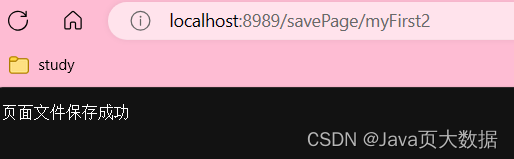
Go实现http同步文件操作 - 增删改查
http同步文件操作 - 增删改查 http同步文件操作 - 增删改查1. 前置要求1.1. 构建结构体 文件名 文件内容1.1.1. 页面结构体1.1.2. 为Page结构体绑定方法:Save1.1.3. 对Page结构体支持页面内容查看方法,同时提供页面文件是否存在的方法 1.2. 简单验证上面…...
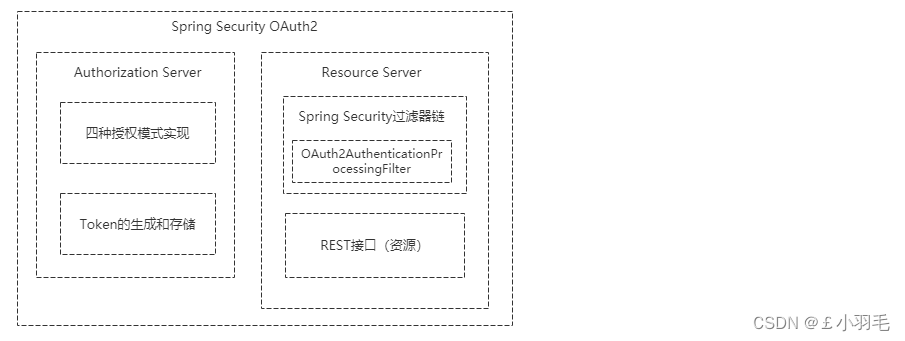
Spring Boot整合 Spring Security
Spring Boot整合 1、RBAC 权限模型 RBAC模型(Role-Based Access Control:基于角色的访问控制) 在RBAC模型里面,有3个基础组成部分,分别是:用户、角色和权限,它们之间的关系如下图所示 SELECT…...

浅谈低代码
低代码开发是近年来迅速崛起的软件开发方法,让编写应用程序变得更快、更简单。有人说它是美味的膳食,让开发过程高效而满足,但也有人质疑它是垃圾食品,缺乏定制性与深度。你认为低代码到底是美以下方向仅供参考。味的膳食还是垃圾…...

Innodb-ruby深入探索Innodb存储结构
达在之前已经分享过Innodb数据存储结构知识,但是都是基于理论原理知识理解,今天利用Innodb文件解析工具ruby进行探索Innodb真实的存储结构。 索引原理过程:【Mysql】 InnoDB引擎深入 - 数据页 | 聚集索引_innodb的聚集索引的数据插入_Surviv…...
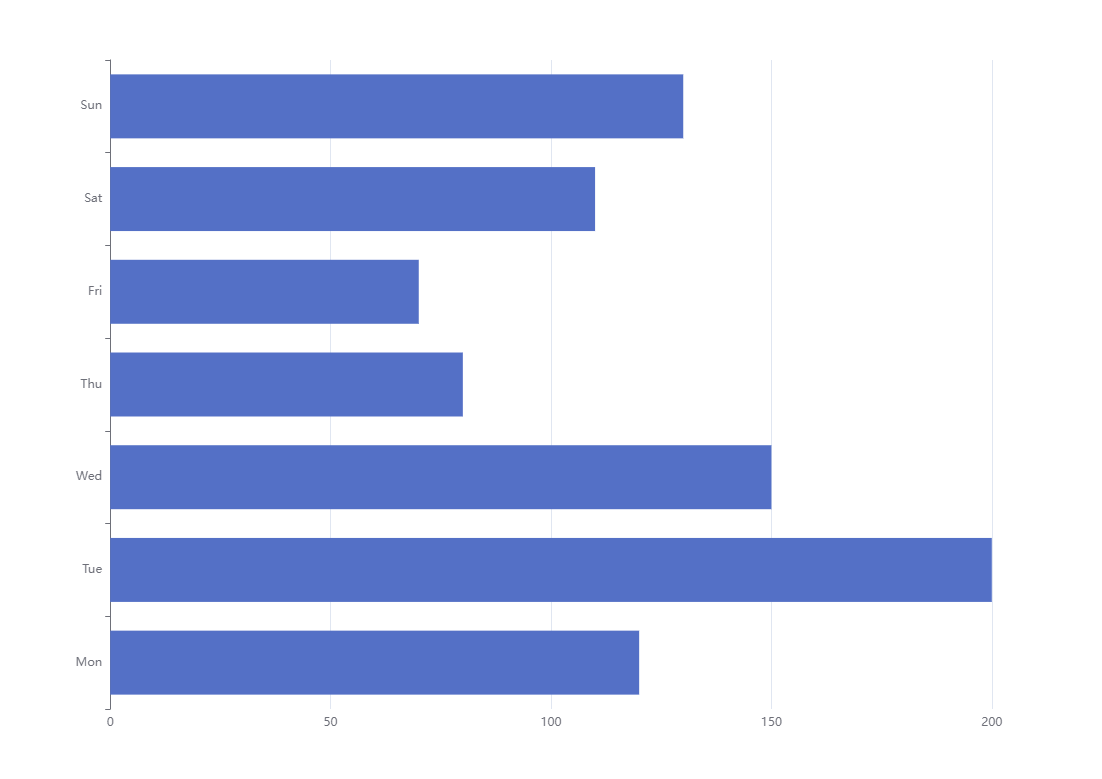
Echarts的使用 笔记
1.数据可视化前言 1.1.什么是数据可视化 数据可视化: 就是把数据以更加直观的方式进行呈现. 1.2.数据可视化的好处 清晰有效地传达与沟通信息更容易洞察隐藏在数据中的信息 2.ECharts的基本使用 2.1.ECharts官网 ECharts是百度公司开源的一个使用 JavaScript 实…...

信息系统工程的基本概念
系统是由相互作用和相互依赖的若干部分,按一定规律结合成的、具有特定功能的有机整体。系统有下述特性: (1)集合性。系统是由许多元素有机地组成的整体。每个元素服从整体,追求全局最优。 (2)相…...

SAP UI5 walkthrough step10 Descriptor for Applications
在这一步,我们将会把所有的应用相关的描述性的文件独立放到manifest.json 新建一个manifest.json文件 webapp/manifest.json (New) {"_version": "1.58.0","sap.app": {"id": "ui5.walkthrough","i18n&q…...
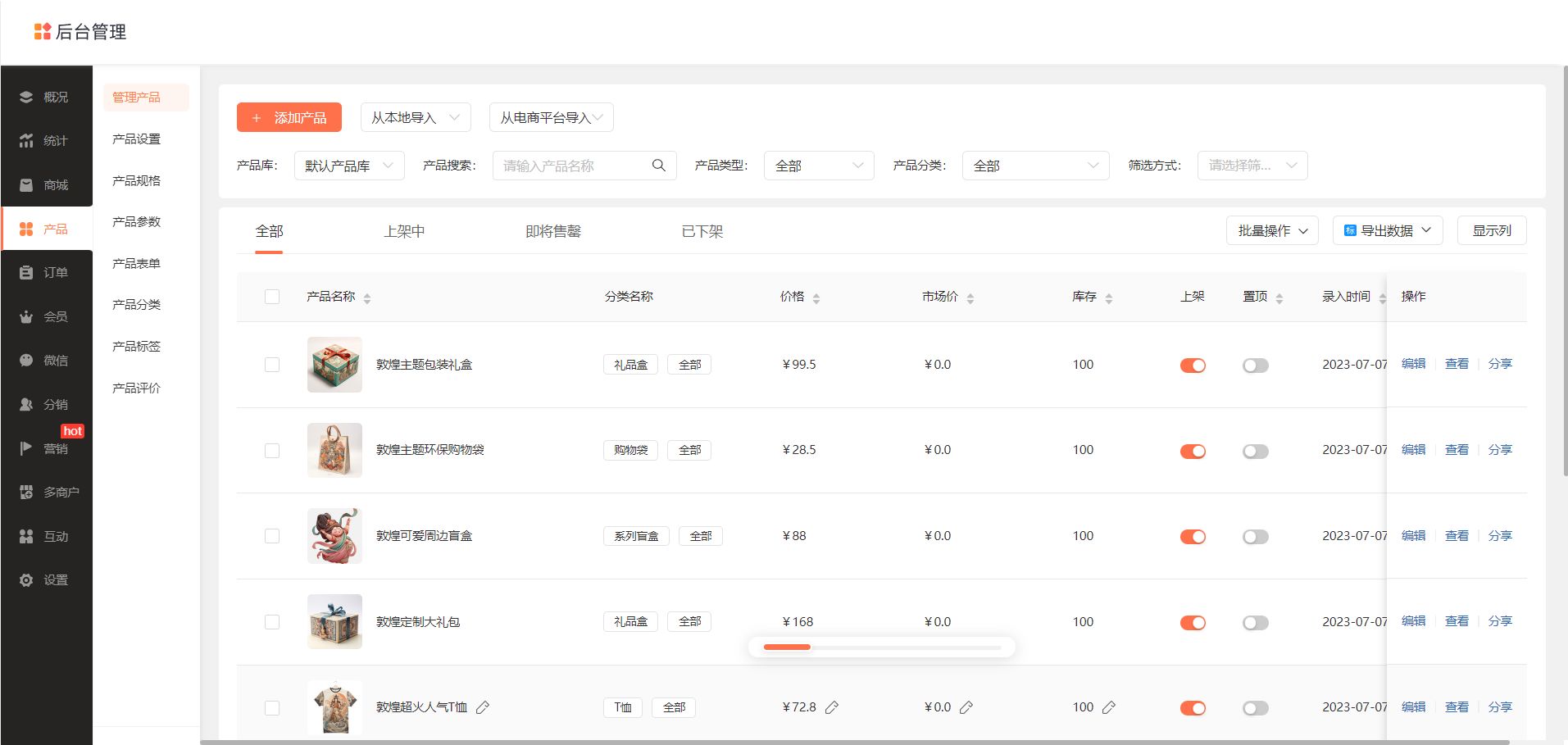
打造专属小程序,乔拓云模板平台助力商家抢占先机
打造专属小程序,乔拓云模板平台助力商家抢占先机!该平台涵盖全行业小程序模板,一键复制即可上线。 想要快速创建高效实用的小程序,乔拓云小程序模板开发平台为您提供了解决方案!我们为您提供一系列精心设计的小程序模板…...
)
Vue2学习(组件的使用)
Vue中使用组件的三个步骤: 一、定义组件(或者叫创建组件) 使用Vue.extend(options)创建,其中options和new Vue(options)时传入的那个options几乎一样,但也有点区别; 区别如下: 1.el不要写,为什么&#x…...

基于Spring、SpringMVC、MyBatis开发的游乐场管理系统
文章目录 项目介绍主要功能截图:部分代码展示设计总结项目获取方式🍅 作者主页:超级无敌暴龙战士塔塔开 🍅 简介:Java领域优质创作者🏆、 简历模板、学习资料、面试题库【关注我,都给你】 🍅文末获取源码联系🍅 项目介绍 基于Spring、SpringMVC、MyBatis开发的游…...

数据清洗、特征工程和数据可视化、数据挖掘与建模的应用场景
1.5 数据清洗、特征工程和数据可视化、挖掘建模的应用场景 视频为《Python数据科学应用从入门到精通》张甜 杨维忠 清华大学出版社一书的随书赠送视频讲解1.5节内容。本书已正式出版上市,当当、京东、淘宝等平台热销中,搜索书名即可。内容涵盖数据科学应…...
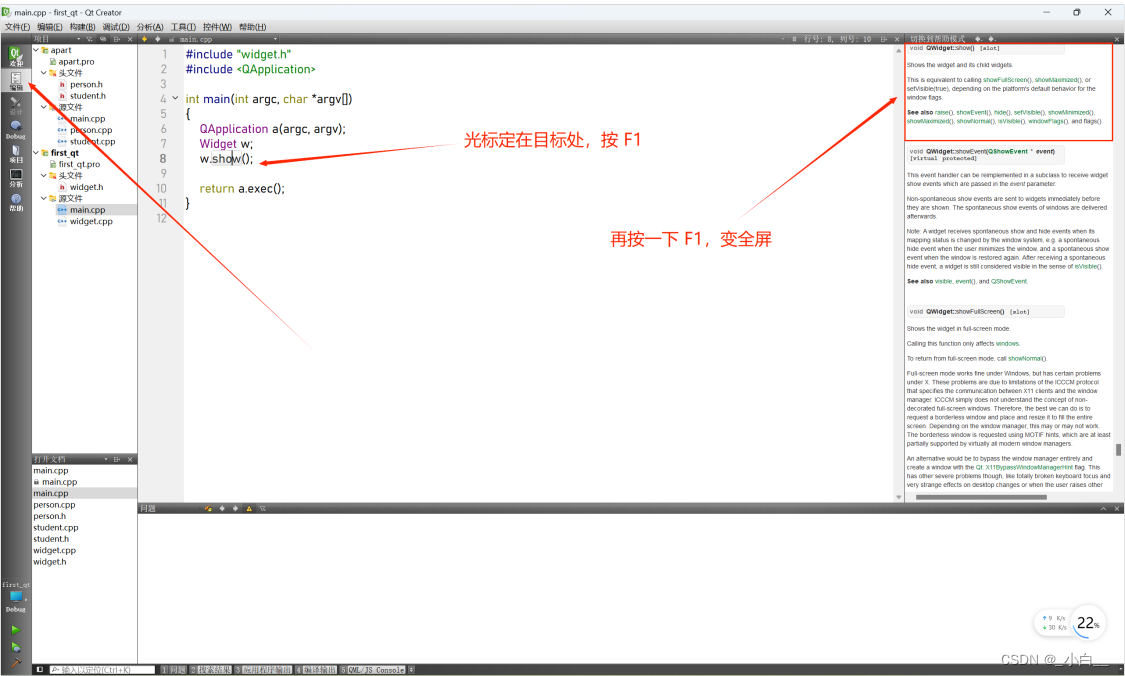
Qt简介、工程文件分离、创建Qt工程、Qt的帮助文档
QT 简介 core:核心模块,非图形的接口类,为其它模块提供支持 gui:图形用户接口,qt5之前 widgets:图形界面相关的类模块 qt5之后的 database:数据库模块 network:网络模块 QT 特性 开…...
机器学习与低代码开发:创新驱动的双剑合璧
引言 随着科技的日新月异,机器学习和低代码开发已经成为引领技术行业变革的两大重要趋势。机器学习通过模拟人类的学习方式,让计算机具备了自我学习和预测的能力,打破了传统计算机程序的局限性。而低代码开发则以简化软件开发过程为目标&…...
企业博客SEO:优化SOP,助您提升搜索引擎可见性
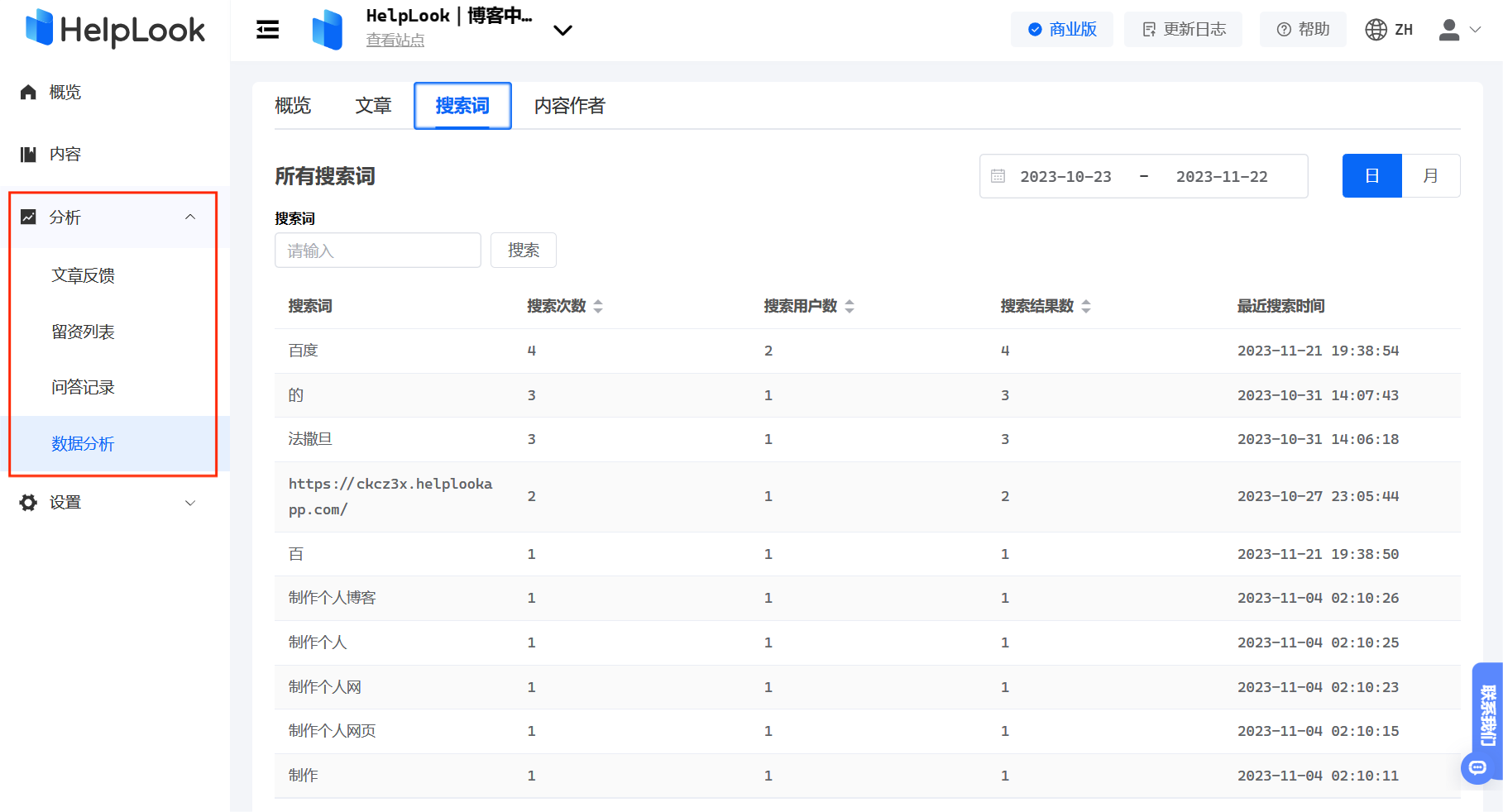
企业博客是互联网时代企业与用户沟通的重要渠道之一,引流成本也比较低。然而,依然有企业会处在3种状态: 1. 有博客,但内容更新不积极或搁置 2. 有博客,但内容散乱 3. 根本就没有博客 如果是这几种状态,…...

[HITCON 2017]SSRFme perl语言的 GET open file 造成rce
这里记录学习一下 perl的open缺陷 这里首先本地测试一下 发现这里使用open打开 的时候 如果通过管道符 就会实现命令执行 然后这里注意的是 perl 中的get 调用了 open的参数 所以其实我们可以通过管道符实现命令执行 然后这里如果file可控那么就继续可以实现命令执行 这里就…...
华为配置Smart Link主备备份示例
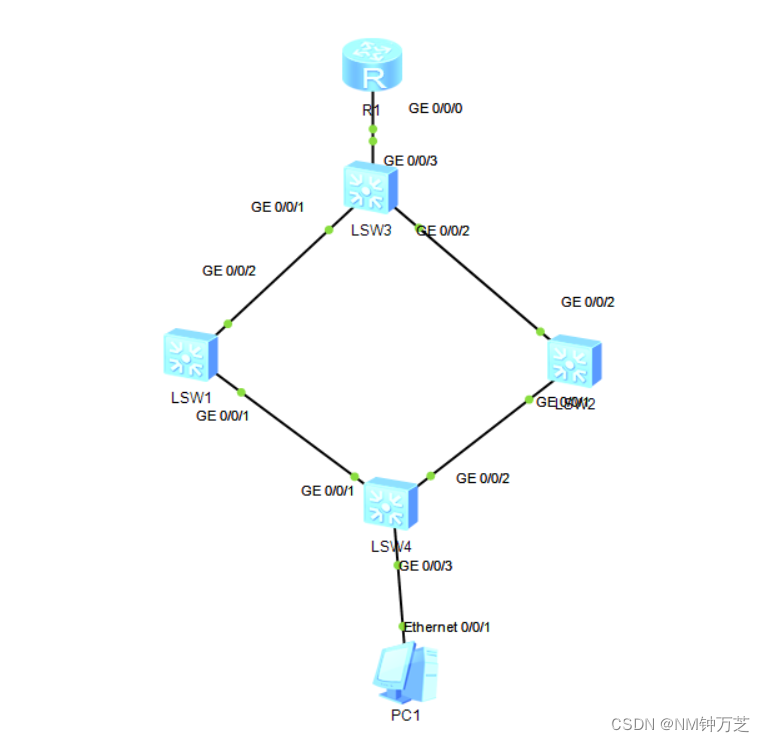
定义 Smart Link,又叫做备份链路。一个Smart Link由两个接口组成,其中一个接口作为另一个的备份。Smart Link常用于双上行组网,提供可靠高效的备份和快速的切换机制。 Monitor Link是一种接口联动方案,它通过监控设备的上行接口…...

Gitblit服务端在Windows上安装后启动失败?别慌,手把手教你排查‘Failed creating java’这个经典错误
Gitblit服务端Windows启动报错全攻略:从"Failed creating java"到完美解决 当你满怀期待地在Windows服务器上部署Gitblit,准备为团队搭建一个轻量级的Git代码托管平台时,突然在服务启动环节遭遇"Failed creating java"的…...

个人股票数据中枢构建指南:从多源聚合到Python量化分析
1. 项目概述:一个为个人投资者打造的股票数据中枢如果你和我一样,是个喜欢自己动手折腾、对市场数据有“洁癖”的个人投资者,那你肯定也经历过这样的烦恼:想分析一只股票,数据源五花八门,格式千奇百怪&…...

面向28nm ELK晶圆的WLCSP封装激光开槽质量与可靠性研究
2017 — Investigation of Production Quality and Reliability Risk of ELK Wafer WLCSP Package Research and Development, Taiwan Semiconductor Manufacturing Company, Ltd., Hsinchu Science Park, Hsinchu, Taiwan, R.O.C. 摘要 本文系统研究了28nm工艺ELK(极端低k)…...

贪吃蛇游戏开发实战:从基础架构到错误监控与性能优化
1. 项目概述:一个“会说话”的贪吃蛇游戏最近在GitHub上看到一个挺有意思的项目,叫“BugSplat-Git/snake-game”。初看标题,你可能觉得这不就是个经典的贪吃蛇游戏吗?从诺基亚时代玩到现在的玩意儿,还能有什么新花样&a…...

Blender MMD插件终极指南:三步实现专业级MMD模型制作
Blender MMD插件终极指南:三步实现专业级MMD模型制作 【免费下载链接】blender_mmd_tools MMD Tools is a blender addon for importing/exporting Models and Motions of MikuMikuDance. 项目地址: https://gitcode.com/gh_mirrors/bl/blender_mmd_tools 想…...

CircuitPython硬件编程在Linux单板机上的实现:以ODROID C2为例
1. 项目概述:当CircuitPython遇见Linux单板机如果你玩过树莓派Pico或者Adafruit的Feather开发板,肯定对CircuitPython不陌生。它让Python跑在了微控制器上,用几行代码就能点亮LED、读取传感器,对硬件新手和快速原型开发来说&#…...

EmotionBook开源项目:构建可计算的情绪数据模型与可视化分析系统
1. 项目概述:一个为情绪寻找容器的数字实验最近在GitHub上看到一个挺有意思的项目,叫“EmotionBook”。光看名字,你可能会联想到一本情绪日记,或者一个记录心情的App。但点进去之后,你会发现它远不止于此。这其实是一个…...

TSSP77038红外解调器:从原理到实战,打造高可靠接近传感与光束中断系统
1. 项目概述:从“遥控”到“感知”的红外新思路在嵌入式开发和电子制作领域,红外(IR)技术几乎是每个玩家都会接触到的老朋友。我们最熟悉的莫过于家里的电视、空调遥控器,它们通过发射一串调制在38KHz载波上的红外脉冲…...

微信网页版访问终极指南:wechat-need-web插件完整教程
微信网页版访问终极指南:wechat-need-web插件完整教程 【免费下载链接】wechat-need-web 让微信网页版可用 / Allow the use of WeChat via webpage access 项目地址: https://gitcode.com/gh_mirrors/we/wechat-need-web 还在为无法在浏览器中使用微信网页版…...

Vercel反向代理实战:基于Serverless Functions构建安全API网关
1. 项目概述:一个反向代理的轻量级解决方案最近在折腾个人项目部署时,遇到了一个挺典型的问题:前端应用托管在 Vercel 上,但需要安全地调用一些部署在其他地方(比如家里的 NAS,或者某个有严格 IP 白名单限制…...