
springboot学生成绩管理系统源码和论文
随着信息技术和网络技术的飞速发展,人类已进入全新信息化时代,传统管理技术已无法高效,便捷地管理信息。为了迎合时代需求,优化管理效率,各种各样的管理系统应运而生,各行各业相继进入信息管理时代,学生成绩管理系统就是信息时代变革中的产物之一。
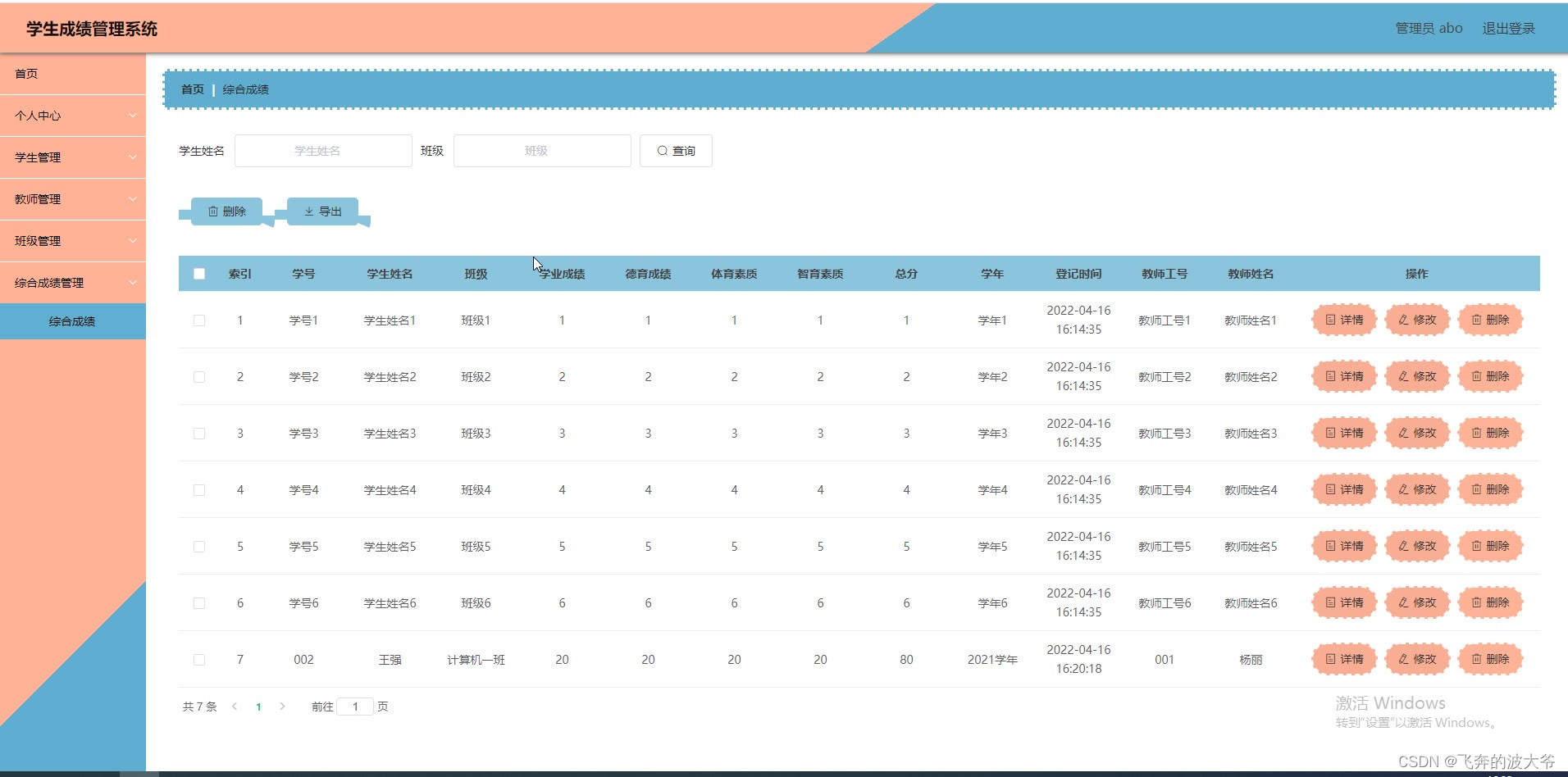
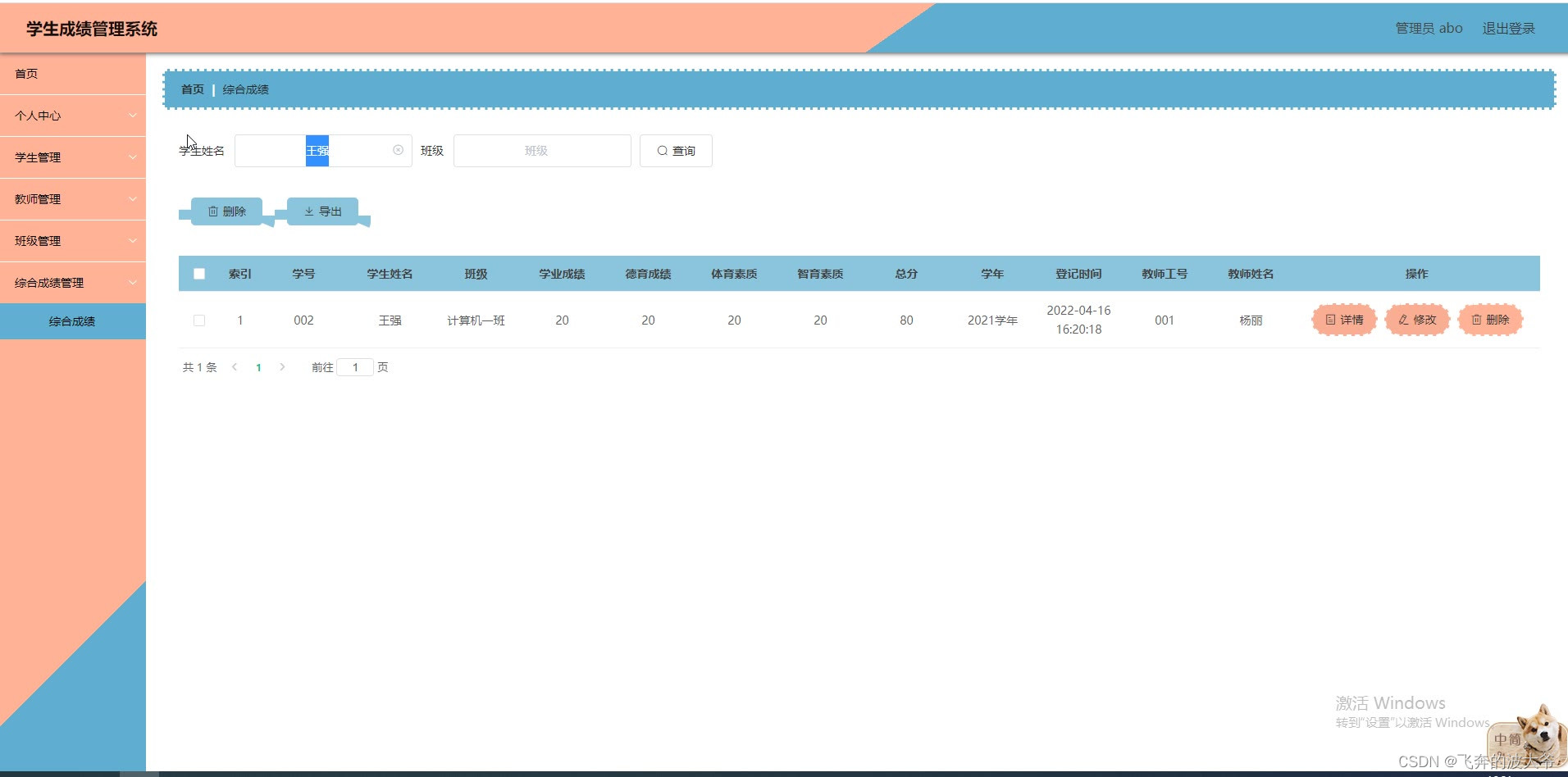
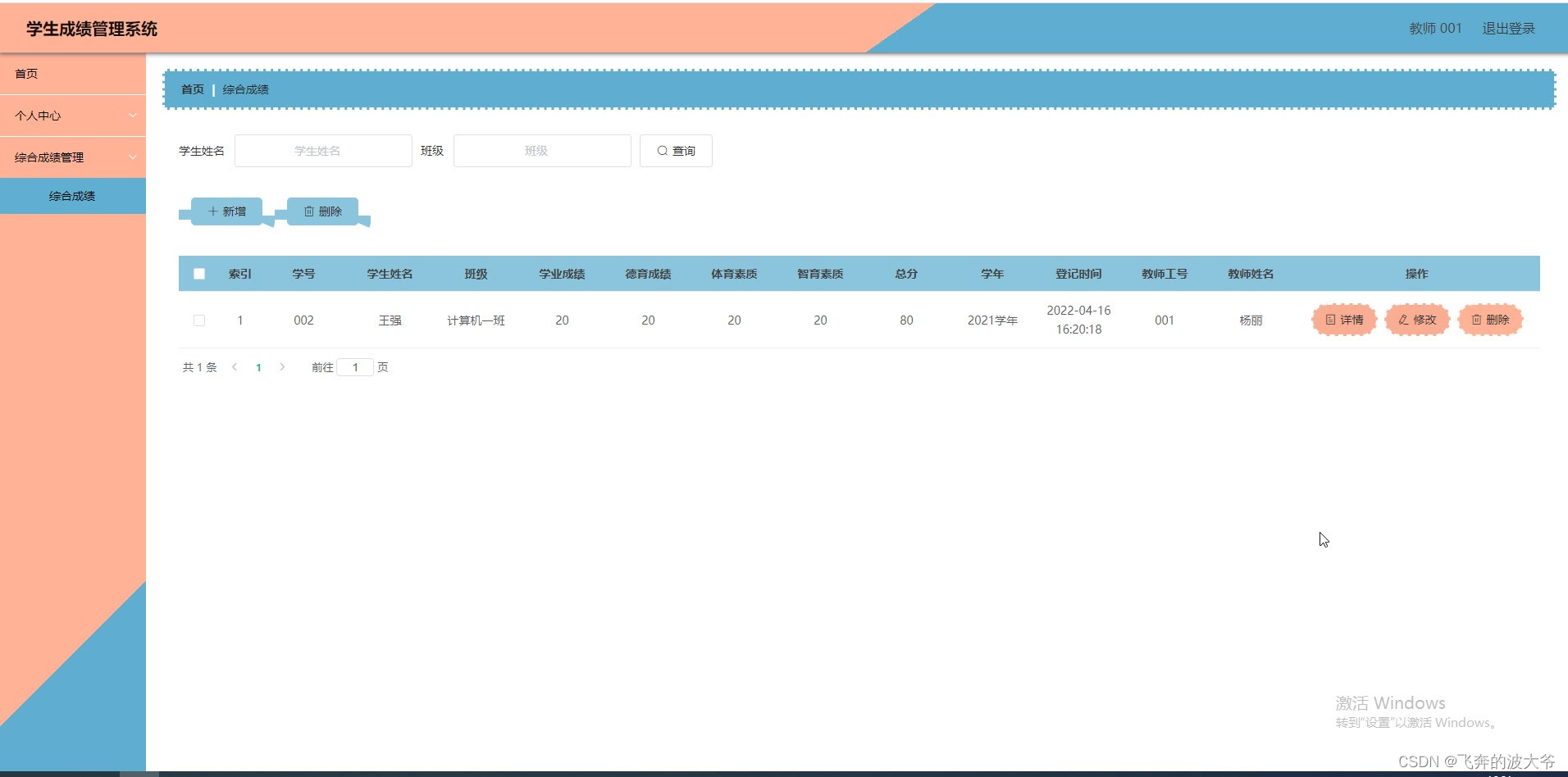
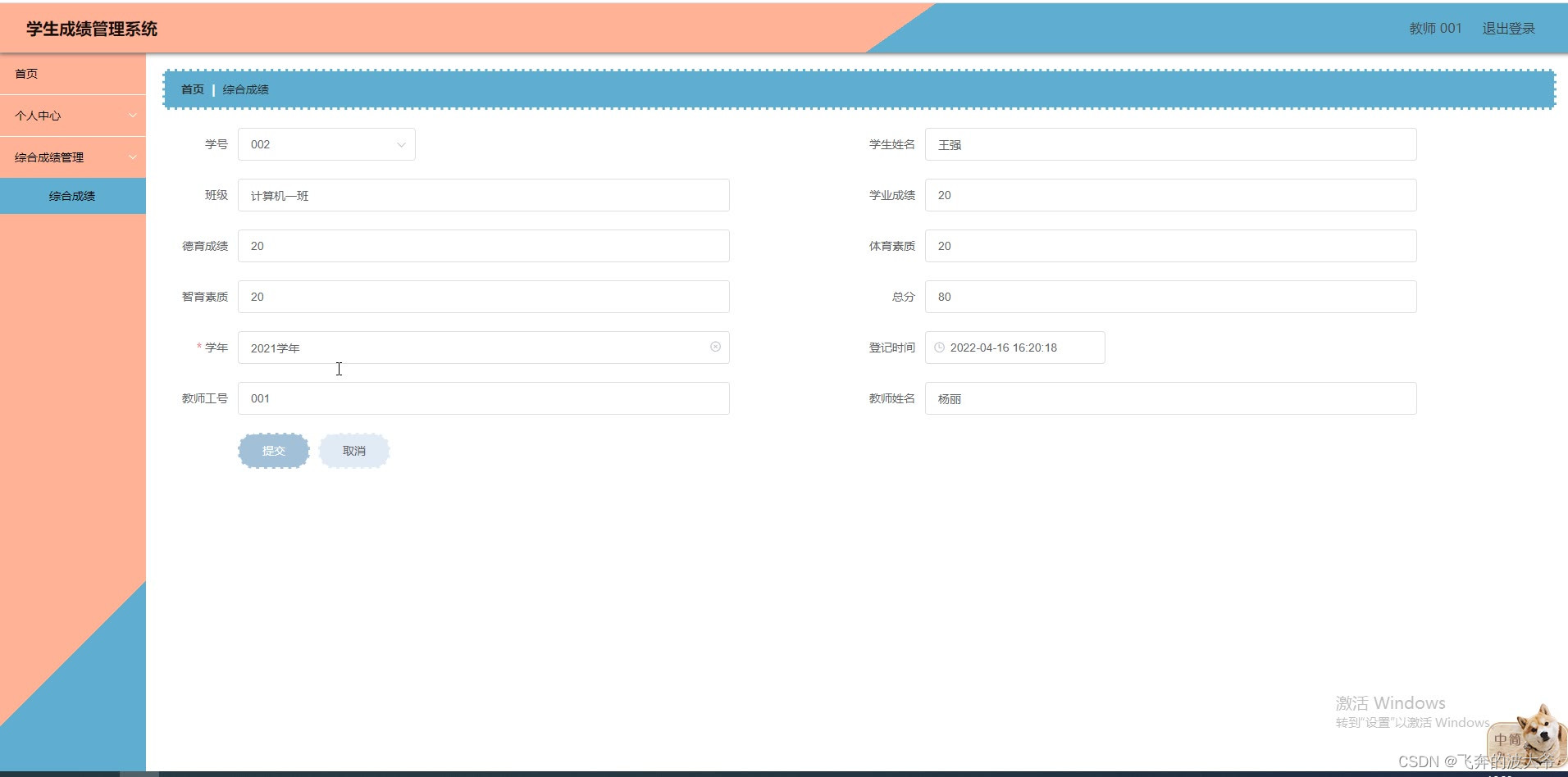
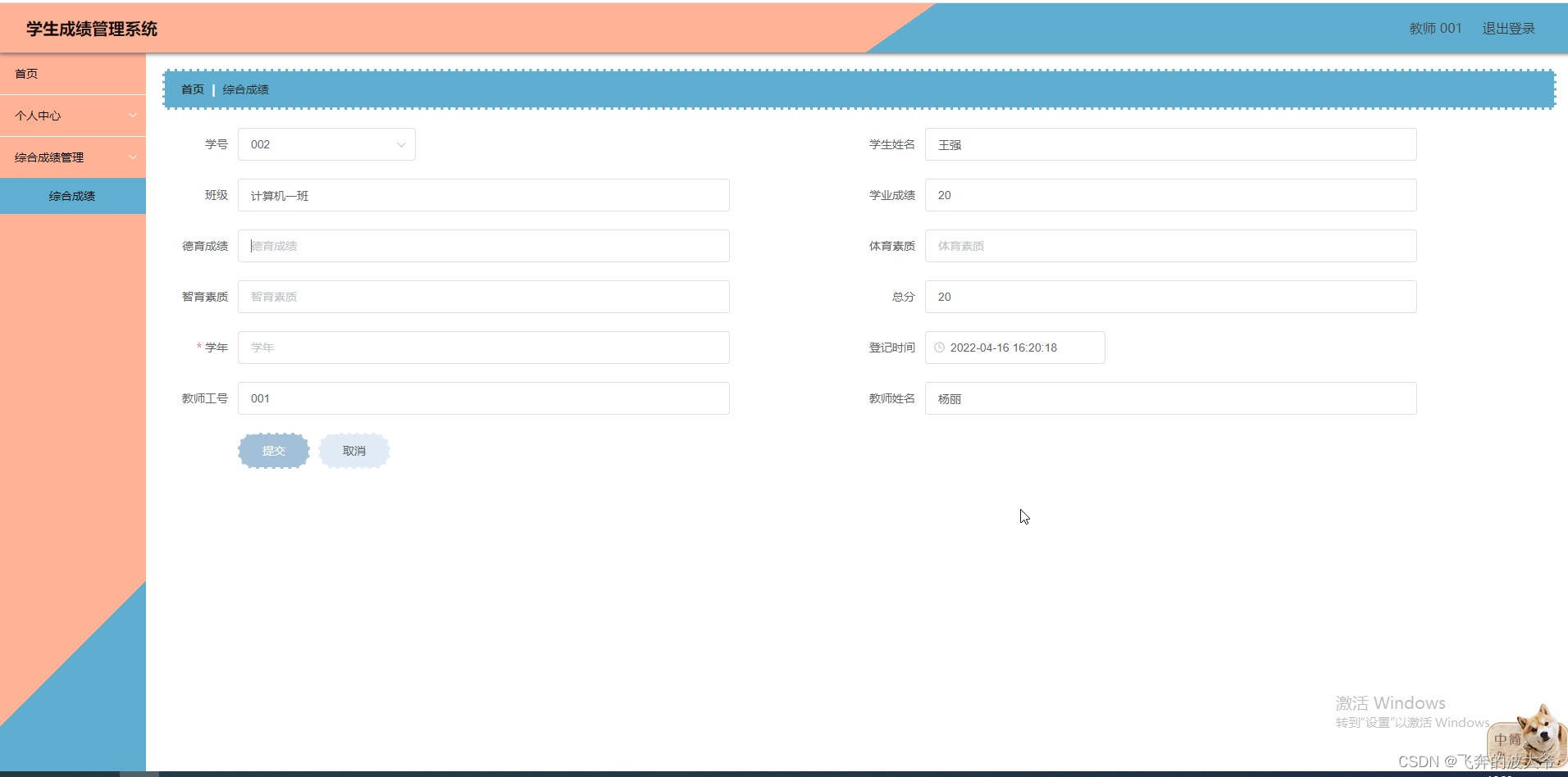
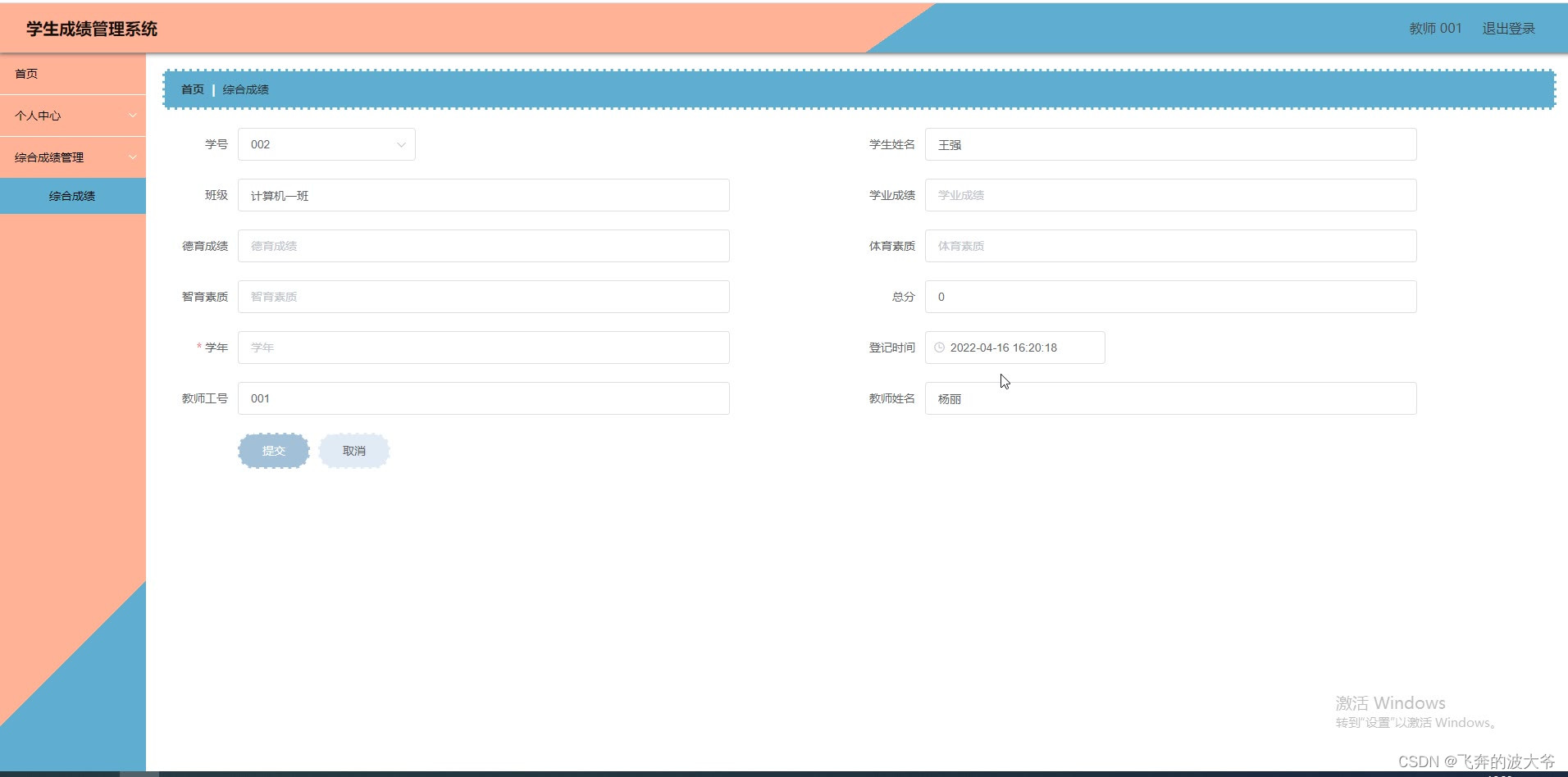
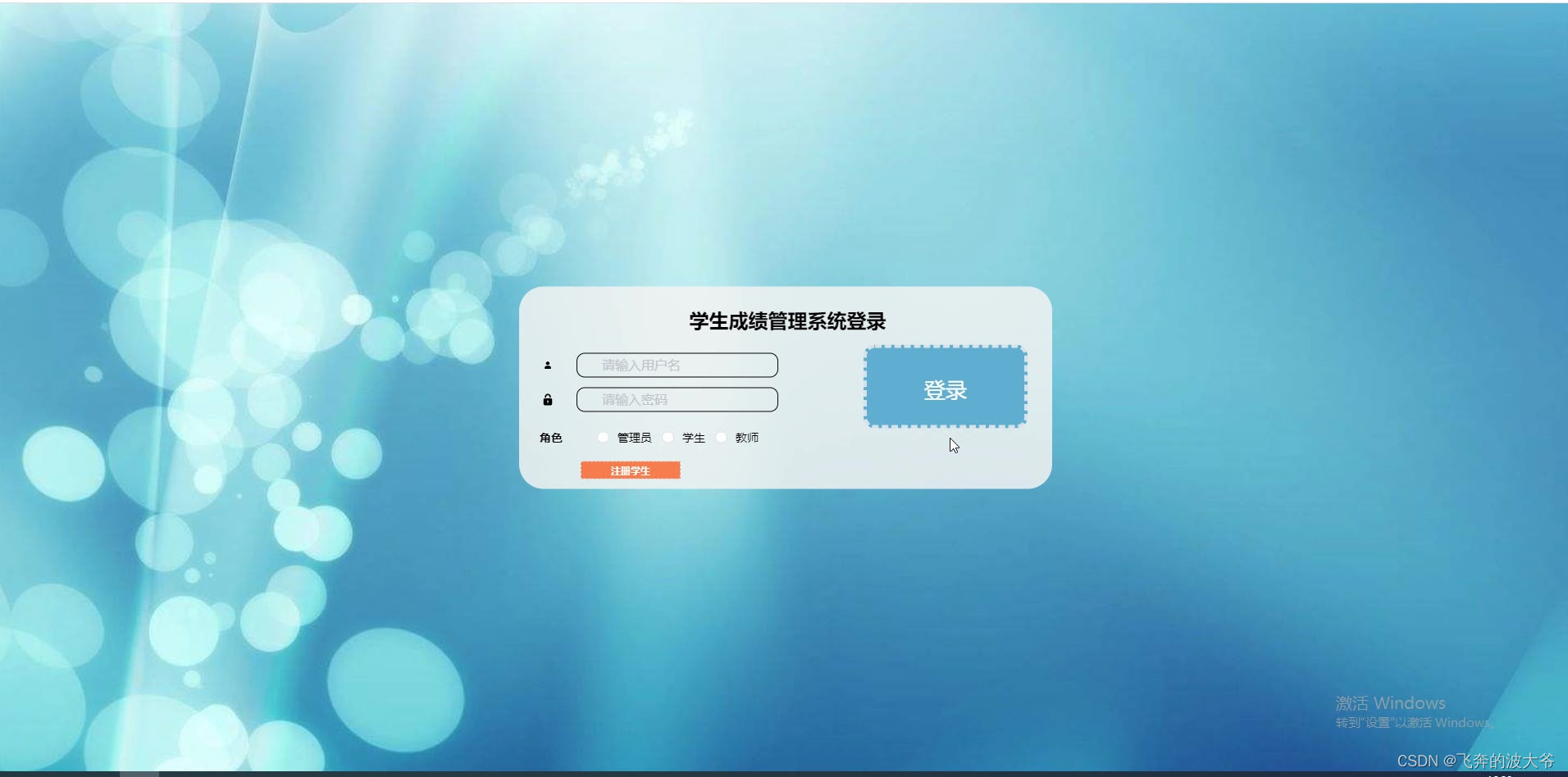
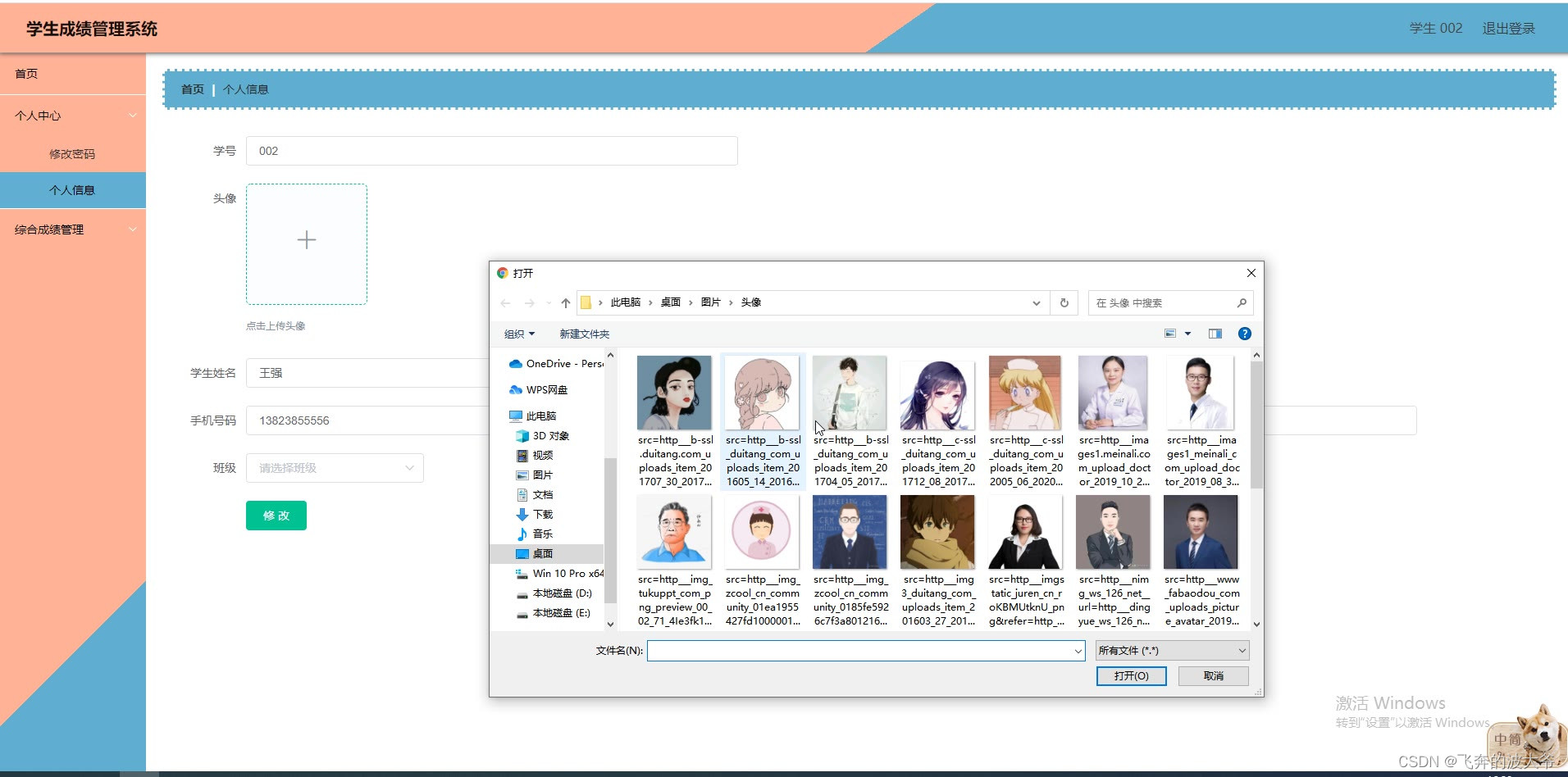
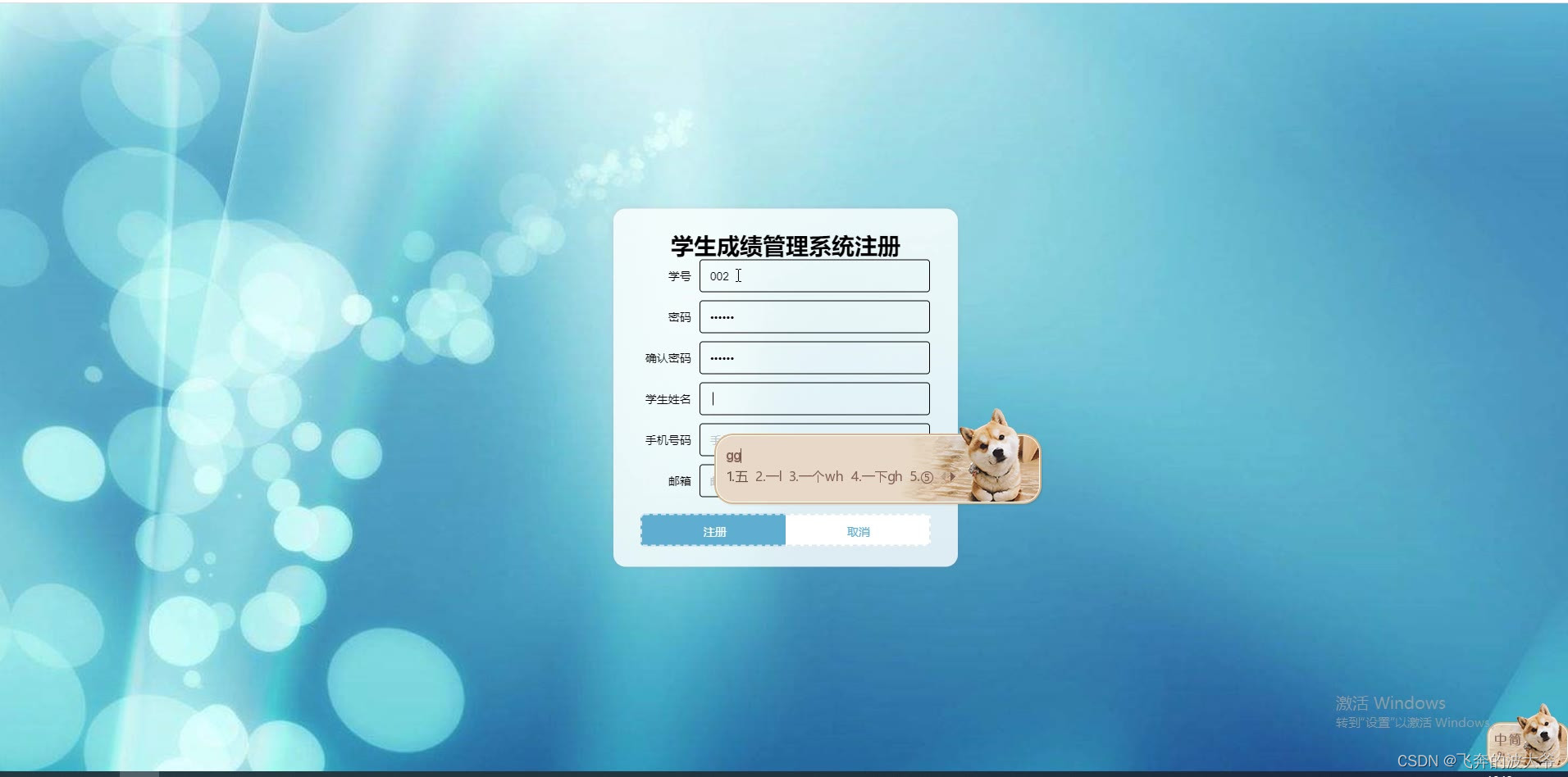
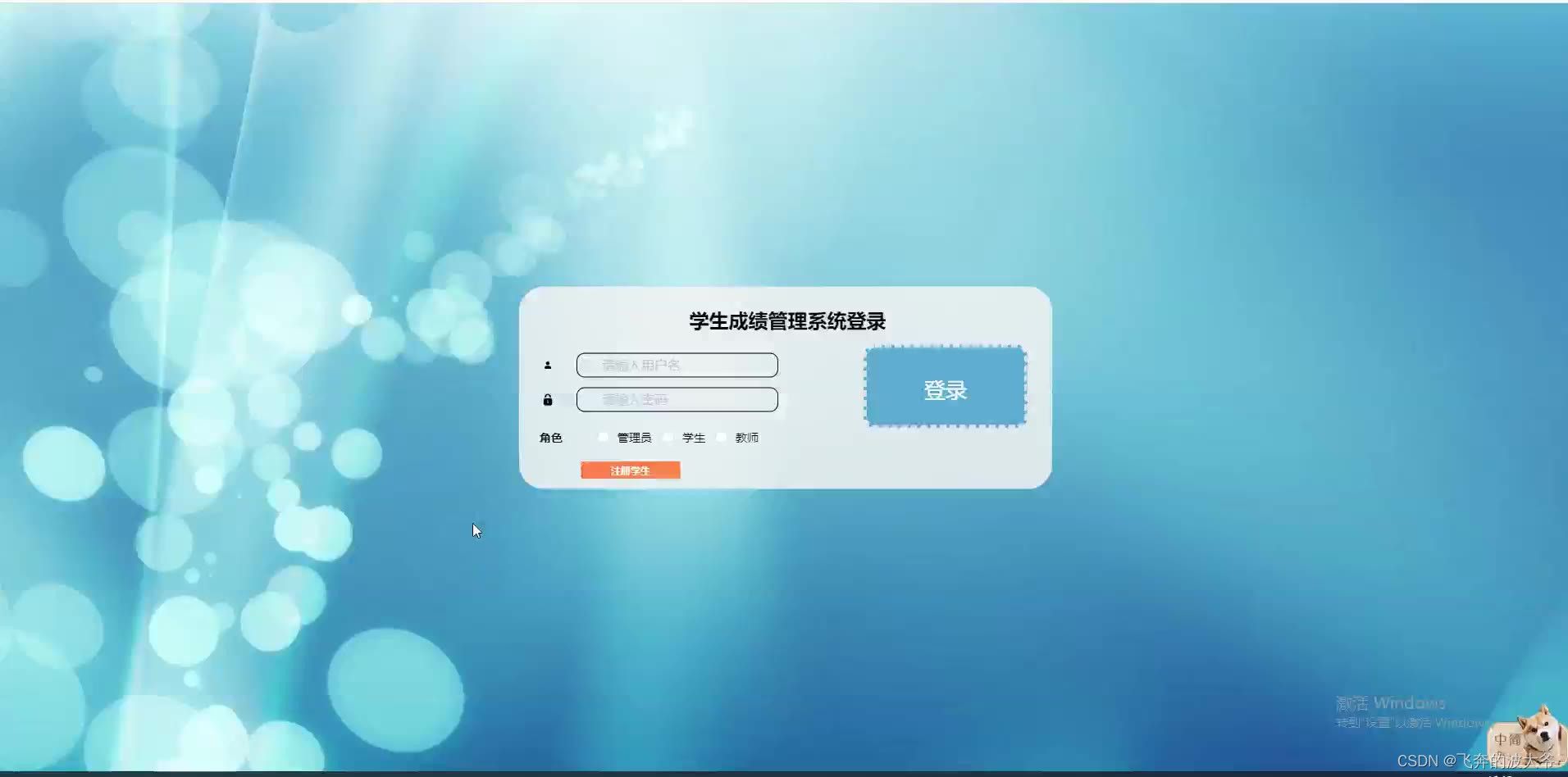
任何系统都要遵循系统设计的基本流程,本系统也不例外,同样需要经过市场调研,需求分析,概要设计,详细设计,编码,测试这些步骤,基于java语言设计并实现了学生成绩管理系统。该系统基于B/S即所谓浏览器/服务器模式,应用java技术,选择MySQL作为后台数据库。系统主要包括首页、个人中心、学生管理、教师管理、班级管理、综合成绩管理、专业管理、课程信息管理等功能模块。
本文首先介绍了学生成绩管理的技术发展背景与发展现状,然后遵循软件常规开发流程,首先针对系统选取适用的语言和开发平台,根据需求分析制定模块并设计数据库结构,再根据系统总体功能模块的设计绘制系统的功能模块图,流程图以及E-R图。然后,设计框架并根据设计的框架编写代码以实现系统的各个功能模块。最后,对初步完成的系统进行测试,主要是功能测试、单元测试和性能测试。测试结果表明,该系统能够实现所需的功能,运行状况尚可并无明显缺点。
关键词:学生成绩;java;MySQL数据库
springboot学生成绩管理系统源码和论文309

Abstract
With the rapid development of information technology and network technology, human beings have entered a new information age, traditional management technology has been unable to efficiently and conveniently manage information. In order to meet the needs of The Times, optimize management efficiency, a variety of management systems emerged, all walks of life have entered the era of information management, student performance management system is one of the products of the information era change.
Any system should follow the basic process of system design, this system is no exception, also need to go through market research, demand analysis, outline design, detailed design, coding, testing these steps, based on the Java language design and implementation of student performance management system. The system is based on B/S browser/server mode, the application of Java technology, MySQL as the background database. The system mainly includes home page, personal center, student management, teacher management, class management, comprehensive score management and other functional modules.
This article first introduces the dormitory management technology development background and development of the status quo, and then follow the routine software development process, first of all, in view of the system and the selection of suitable language development platform, according to the requirement analysis module and database structure design, and then based on the system's overall function module design rendering system function module chart, flow diagram and e-r diagram. Then, design the framework and write code according to the designed framework to achieve each functional module of the system. Finally, the preliminary completed system is tested, mainly functional test, unit test and performance test. The test results show that the system can achieve the required functions, and the running condition is fair and there is no obvious defect.
Key words: Student achievement; Java; The MySQL database







package com.controller;import java.text.SimpleDateFormat;
import java.util.ArrayList;
import java.util.Arrays;
import java.util.Calendar;
import java.util.Map;
import java.util.HashMap;
import java.util.Iterator;
import java.util.Date;
import java.util.List;
import javax.servlet.http.HttpServletRequest;import com.utils.ValidatorUtils;
import org.apache.commons.lang3.StringUtils;
import org.springframework.beans.factory.annotation.Autowired;
import org.springframework.transaction.annotation.Transactional;
import org.springframework.format.annotation.DateTimeFormat;
import org.springframework.web.bind.annotation.PathVariable;
import org.springframework.web.bind.annotation.RequestBody;
import org.springframework.web.bind.annotation.RequestMapping;
import org.springframework.web.bind.annotation.RequestParam;
import org.springframework.web.bind.annotation.RestController;
import com.baomidou.mybatisplus.mapper.EntityWrapper;
import com.baomidou.mybatisplus.mapper.Wrapper;
import com.annotation.IgnoreAuth;import com.entity.XueshengEntity;
import com.entity.view.XueshengView;import com.service.XueshengService;
import com.service.TokenService;
import com.utils.PageUtils;
import com.utils.R;
import com.utils.MD5Util;
import com.utils.MPUtil;
import com.utils.CommonUtil;
import java.io.IOException;/*** 学生* 后端接口* @author * @email * @date 2022-04-29 14:55:00*/
@RestController
@RequestMapping("/xuesheng")
public class XueshengController {@Autowiredprivate XueshengService xueshengService;@Autowiredprivate TokenService tokenService;/*** 登录*/@IgnoreAuth@RequestMapping(value = "/login")public R login(String username, String password, String captcha, HttpServletRequest request) {XueshengEntity user = xueshengService.selectOne(new EntityWrapper<XueshengEntity>().eq("xuehao", username));if(user==null || !user.getMima().equals(password)) {return R.error("账号或密码不正确");}String token = tokenService.generateToken(user.getId(), username,"xuesheng",  "学生" );return R.ok().put("token", token);}/*** 注册*/@IgnoreAuth@RequestMapping("/register")public R register(@RequestBody XueshengEntity xuesheng){//ValidatorUtils.validateEntity(xuesheng);XueshengEntity user = xueshengService.selectOne(new EntityWrapper<XueshengEntity>().eq("xuehao", xuesheng.getXuehao()));if(user!=null) {return R.error("注册用户已存在");}Long uId = new Date().getTime();xuesheng.setId(uId);xueshengService.insert(xuesheng);return R.ok();}/*** 退出*/@RequestMapping("/logout")public R logout(HttpServletRequest request) {request.getSession().invalidate();return R.ok("退出成功");}/*** 获取用户的session用户信息*/@RequestMapping("/session")public R getCurrUser(HttpServletRequest request){Long id = (Long)request.getSession().getAttribute("userId");XueshengEntity user = xueshengService.selectById(id);return R.ok().put("data", user);}/*** 密码重置*/@IgnoreAuth@RequestMapping(value = "/resetPass")public R resetPass(String username, HttpServletRequest request){XueshengEntity user = xueshengService.selectOne(new EntityWrapper<XueshengEntity>().eq("xuehao", username));if(user==null) {return R.error("账号不存在");}user.setMima("123456");xueshengService.updateById(user);return R.ok("密码已重置为:123456");}/*** 后端列表*/@RequestMapping("/page")public R page(@RequestParam Map<String, Object> params,XueshengEntity xuesheng,HttpServletRequest request){EntityWrapper<XueshengEntity> ew = new EntityWrapper<XueshengEntity>();PageUtils page = xueshengService.queryPage(params, MPUtil.sort(MPUtil.between(MPUtil.likeOrEq(ew, xuesheng), params), params));return R.ok().put("data", page);}/*** 前端列表*/@IgnoreAuth@RequestMapping("/list")public R list(@RequestParam Map<String, Object> params,XueshengEntity xuesheng, HttpServletRequest request){EntityWrapper<XueshengEntity> ew = new EntityWrapper<XueshengEntity>();PageUtils page = xueshengService.queryPage(params, MPUtil.sort(MPUtil.between(MPUtil.likeOrEq(ew, xuesheng), params), params));return R.ok().put("data", page);}/*** 列表*/@RequestMapping("/lists")public R list( XueshengEntity xuesheng){EntityWrapper<XueshengEntity> ew = new EntityWrapper<XueshengEntity>();ew.allEq(MPUtil.allEQMapPre( xuesheng, "xuesheng")); return R.ok().put("data", xueshengService.selectListView(ew));}/*** 查询*/@RequestMapping("/query")public R query(XueshengEntity xuesheng){EntityWrapper< XueshengEntity> ew = new EntityWrapper< XueshengEntity>();ew.allEq(MPUtil.allEQMapPre( xuesheng, "xuesheng")); XueshengView xueshengView =  xueshengService.selectView(ew);return R.ok("查询学生成功").put("data", xueshengView);}/*** 后端详情*/@RequestMapping("/info/{id}")public R info(@PathVariable("id") Long id){XueshengEntity xuesheng = xueshengService.selectById(id);return R.ok().put("data", xuesheng);}/*** 前端详情*/@IgnoreAuth@RequestMapping("/detail/{id}")public R detail(@PathVariable("id") Long id){XueshengEntity xuesheng = xueshengService.selectById(id);return R.ok().put("data", xuesheng);}/*** 后端保存*/@RequestMapping("/save")public R save(@RequestBody XueshengEntity xuesheng, HttpServletRequest request){xuesheng.setId(new Date().getTime()+new Double(Math.floor(Math.random()*1000)).longValue());//ValidatorUtils.validateEntity(xuesheng);XueshengEntity user = xueshengService.selectOne(new EntityWrapper<XueshengEntity>().eq("xuehao", xuesheng.getXuehao()));if(user!=null) {return R.error("用户已存在");}xuesheng.setId(new Date().getTime());xueshengService.insert(xuesheng);return R.ok();}/*** 前端保存*/@RequestMapping("/add")public R add(@RequestBody XueshengEntity xuesheng, HttpServletRequest request){xuesheng.setId(new Date().getTime()+new Double(Math.floor(Math.random()*1000)).longValue());//ValidatorUtils.validateEntity(xuesheng);XueshengEntity user = xueshengService.selectOne(new EntityWrapper<XueshengEntity>().eq("xuehao", xuesheng.getXuehao()));if(user!=null) {return R.error("用户已存在");}xuesheng.setId(new Date().getTime());xueshengService.insert(xuesheng);return R.ok();}/*** 修改*/@RequestMapping("/update")@Transactionalpublic R update(@RequestBody XueshengEntity xuesheng, HttpServletRequest request){//ValidatorUtils.validateEntity(xuesheng);xueshengService.updateById(xuesheng);//全部更新return R.ok();}/*** 删除*/@RequestMapping("/delete")public R delete(@RequestBody Long[] ids){xueshengService.deleteBatchIds(Arrays.asList(ids));return R.ok();}/*** 提醒接口*/@RequestMapping("/remind/{columnName}/{type}")public R remindCount(@PathVariable("columnName") String columnName, HttpServletRequest request, @PathVariable("type") String type,@RequestParam Map<String, Object> map) {map.put("column", columnName);map.put("type", type);if(type.equals("2")) {SimpleDateFormat sdf = new SimpleDateFormat("yyyy-MM-dd");Calendar c = Calendar.getInstance();Date remindStartDate = null;Date remindEndDate = null;if(map.get("remindstart")!=null) {Integer remindStart = Integer.parseInt(map.get("remindstart").toString());c.setTime(new Date()); c.add(Calendar.DAY_OF_MONTH,remindStart);remindStartDate = c.getTime();map.put("remindstart", sdf.format(remindStartDate));}if(map.get("remindend")!=null) {Integer remindEnd = Integer.parseInt(map.get("remindend").toString());c.setTime(new Date());c.add(Calendar.DAY_OF_MONTH,remindEnd);remindEndDate = c.getTime();map.put("remindend", sdf.format(remindEndDate));}}Wrapper<XueshengEntity> wrapper = new EntityWrapper<XueshengEntity>();if(map.get("remindstart")!=null) {wrapper.ge(columnName, map.get("remindstart"));}if(map.get("remindend")!=null) {wrapper.le(columnName, map.get("remindend"));}int count = xueshengService.selectCount(wrapper);return R.ok().put("count", count);}}
package com.controller;import java.io.File;
import java.io.FileNotFoundException;
import java.io.IOException;
import java.text.SimpleDateFormat;
import java.util.ArrayList;
import java.util.Calendar;
import java.util.Date;
import java.util.HashMap;
import java.util.List;
import java.util.Map;import javax.servlet.http.HttpServletRequest;import org.apache.commons.lang3.StringUtils;
import org.json.JSONObject;
import org.springframework.beans.factory.annotation.Autowired;
import org.springframework.util.ResourceUtils;
import org.springframework.web.bind.annotation.PathVariable;
import org.springframework.web.bind.annotation.RequestBody;
import org.springframework.web.bind.annotation.RequestMapping;
import org.springframework.web.bind.annotation.RequestParam;
import org.springframework.web.bind.annotation.RestController;import com.annotation.IgnoreAuth;
import com.baidu.aip.face.AipFace;
import com.baidu.aip.face.MatchRequest;
import com.baidu.aip.util.Base64Util;
import com.baomidou.mybatisplus.mapper.EntityWrapper;
import com.entity.ConfigEntity;
import com.service.CommonService;
import com.service.ConfigService;
import com.utils.BaiduUtil;
import com.utils.FileUtil;
import com.utils.R;
/*** 通用接口*/
@RestController
public class CommonController{@Autowiredprivate CommonService commonService;private static AipFace client = null;@Autowiredprivate ConfigService configService;    /*** 获取table表中的column列表(联动接口)* @param table* @param column* @return*/@IgnoreAuth@RequestMapping("/option/{tableName}/{columnName}")public R getOption(@PathVariable("tableName") String tableName, @PathVariable("columnName") String columnName,String level,String parent) {Map<String, Object> params = new HashMap<String, Object>();params.put("table", tableName);params.put("column", columnName);if(StringUtils.isNotBlank(level)) {params.put("level", level);}if(StringUtils.isNotBlank(parent)) {params.put("parent", parent);}List<String> data = commonService.getOption(params);return R.ok().put("data", data);}/*** 根据table中的column获取单条记录* @param table* @param column* @return*/@IgnoreAuth@RequestMapping("/follow/{tableName}/{columnName}")public R getFollowByOption(@PathVariable("tableName") String tableName, @PathVariable("columnName") String columnName, @RequestParam String columnValue) {Map<String, Object> params = new HashMap<String, Object>();params.put("table", tableName);params.put("column", columnName);params.put("columnValue", columnValue);Map<String, Object> result = commonService.getFollowByOption(params);return R.ok().put("data", result);}/*** 修改table表的sfsh状态* @param table* @param map* @return*/@RequestMapping("/sh/{tableName}")public R sh(@PathVariable("tableName") String tableName, @RequestBody Map<String, Object> map) {map.put("table", tableName);commonService.sh(map);return R.ok();}/*** 获取需要提醒的记录数* @param tableName* @param columnName* @param type 1:数字 2:日期* @param map* @return*/@IgnoreAuth@RequestMapping("/remind/{tableName}/{columnName}/{type}")public R remindCount(@PathVariable("tableName") String tableName, @PathVariable("columnName") String columnName, @PathVariable("type") String type,@RequestParam Map<String, Object> map) {map.put("table", tableName);map.put("column", columnName);map.put("type", type);if(type.equals("2")) {SimpleDateFormat sdf = new SimpleDateFormat("yyyy-MM-dd");Calendar c = Calendar.getInstance();Date remindStartDate = null;Date remindEndDate = null;if(map.get("remindstart")!=null) {Integer remindStart = Integer.parseInt(map.get("remindstart").toString());c.setTime(new Date()); c.add(Calendar.DAY_OF_MONTH,remindStart);remindStartDate = c.getTime();map.put("remindstart", sdf.format(remindStartDate));}if(map.get("remindend")!=null) {Integer remindEnd = Integer.parseInt(map.get("remindend").toString());c.setTime(new Date());c.add(Calendar.DAY_OF_MONTH,remindEnd);remindEndDate = c.getTime();map.put("remindend", sdf.format(remindEndDate));}}int count = commonService.remindCount(map);return R.ok().put("count", count);}/*** 单列求和*/@IgnoreAuth@RequestMapping("/cal/{tableName}/{columnName}")public R cal(@PathVariable("tableName") String tableName, @PathVariable("columnName") String columnName) {Map<String, Object> params = new HashMap<String, Object>();params.put("table", tableName);params.put("column", columnName);Map<String, Object> result = commonService.selectCal(params);return R.ok().put("data", result);}/*** 分组统计*/@IgnoreAuth@RequestMapping("/group/{tableName}/{columnName}")public R group(@PathVariable("tableName") String tableName, @PathVariable("columnName") String columnName) {Map<String, Object> params = new HashMap<String, Object>();params.put("table", tableName);params.put("column", columnName);List<Map<String, Object>> result = commonService.selectGroup(params);SimpleDateFormat sdf = new SimpleDateFormat("yyyy-MM-dd");for(Map<String, Object> m : result) {for(String k : m.keySet()) {if(m.get(k) instanceof Date) {m.put(k, sdf.format((Date)m.get(k)));}}}return R.ok().put("data", result);}/*** (按值统计)*/@IgnoreAuth@RequestMapping("/value/{tableName}/{xColumnName}/{yColumnName}")public R value(@PathVariable("tableName") String tableName, @PathVariable("yColumnName") String yColumnName, @PathVariable("xColumnName") String xColumnName) {Map<String, Object> params = new HashMap<String, Object>();params.put("table", tableName);params.put("xColumn", xColumnName);params.put("yColumn", yColumnName);List<Map<String, Object>> result = commonService.selectValue(params);SimpleDateFormat sdf = new SimpleDateFormat("yyyy-MM-dd");for(Map<String, Object> m : result) {for(String k : m.keySet()) {if(m.get(k) instanceof Date) {m.put(k, sdf.format((Date)m.get(k)));}}}return R.ok().put("data", result);}/*** (按值统计)时间统计类型*/@IgnoreAuth@RequestMapping("/value/{tableName}/{xColumnName}/{yColumnName}/{timeStatType}")public R valueDay(@PathVariable("tableName") String tableName, @PathVariable("yColumnName") String yColumnName, @PathVariable("xColumnName") String xColumnName, @PathVariable("timeStatType") String timeStatType) {Map<String, Object> params = new HashMap<String, Object>();params.put("table", tableName);params.put("xColumn", xColumnName);params.put("yColumn", yColumnName);params.put("timeStatType", timeStatType);List<Map<String, Object>> result = commonService.selectTimeStatValue(params);SimpleDateFormat sdf = new SimpleDateFormat("yyyy-MM-dd");for(Map<String, Object> m : result) {for(String k : m.keySet()) {if(m.get(k) instanceof Date) {m.put(k, sdf.format((Date)m.get(k)));}}}return R.ok().put("data", result);}/*** 人脸比对* * @param face1 人脸1* @param face2 人脸2* @return*/@RequestMapping("/matchFace")@IgnoreAuthpublic R matchFace(String face1, String face2,HttpServletRequest request) {if(client==null) {/*String AppID = configService.selectOne(new EntityWrapper<ConfigEntity>().eq("name", "AppID")).getValue();*/String APIKey = configService.selectOne(new EntityWrapper<ConfigEntity>().eq("name", "APIKey")).getValue();String SecretKey = configService.selectOne(new EntityWrapper<ConfigEntity>().eq("name", "SecretKey")).getValue();String token = BaiduUtil.getAuth(APIKey, SecretKey);if(token==null) {return R.error("请在配置管理中正确配置APIKey和SecretKey");}client = new AipFace(null, APIKey, SecretKey);client.setConnectionTimeoutInMillis(2000);client.setSocketTimeoutInMillis(60000);}JSONObject res = null;try {File path = new File(ResourceUtils.getURL("classpath:static").getPath());if(!path.exists()) {path = new File("");}File upload = new File(path.getAbsolutePath(),"/upload/");File file1 = new File(upload.getAbsolutePath()+"/"+face1);File file2 = new File(upload.getAbsolutePath()+"/"+face2);String img1 = Base64Util.encode(FileUtil.FileToByte(file1));String img2 = Base64Util.encode(FileUtil.FileToByte(file2));MatchRequest req1 = new MatchRequest(img1, "BASE64");MatchRequest req2 = new MatchRequest(img2, "BASE64");ArrayList<MatchRequest> requests = new ArrayList<MatchRequest>();requests.add(req1);requests.add(req2);res = client.match(requests);System.out.println(res.get("result"));} catch (FileNotFoundException e) {e.printStackTrace();return R.error("文件不存在");} catch (IOException e) {e.printStackTrace();} return R.ok().put("score", com.alibaba.fastjson.JSONObject.parse(res.getJSONObject("result").get("score").toString()));}
}
相关文章:
springboot学生成绩管理系统源码和论文
随着信息技术和网络技术的飞速发展,人类已进入全新信息化时代,传统管理技术已无法高效,便捷地管理信息。为了迎合时代需求,优化管理效率,各种各样的管理系统应运而生,各行各业相继进入信息管理时代…...

w20webshell之文件上传
1.什么是文件上传? 将本地文件传输到指定位置。2.什么是webshell 给恶意脚本提供运行环境3.文件上传所需要的条件 a.文件成功上传,未被删除 b.知道文件路径 c.文件所在系统支持脚本运行4.文件上传流程 支持任意文件上传的文件上传 a.恶意文件上传成功 b.…...

【Redis】非关系型数据库之Redis的主从复制、哨兵和集群高可用
目录 一、主从复制、哨兵、集群的区别 二、主从复制 2.1主从复制的作用 2.2主从复制的原理 2.3主从复制的实操 步骤一:环境准备 步骤二:安装Redis以及配置文件修改 Redis的主从配置文件都一样 步骤四:验证主从复制 三、哨兵 3.1哨兵…...
从私有Git仓库的搭建到命令的使用及部署再到分支管理
一、版本控制系统/版本控制器 1. 版本控制系统: git 分布式 —没有中心代码库,所有机器之间的地位同等(每台机器上都有相同的代码) svn 集中管理的 —有中心代码库,其他都是客户端 2.git与svn介绍 1.git属于分布…...
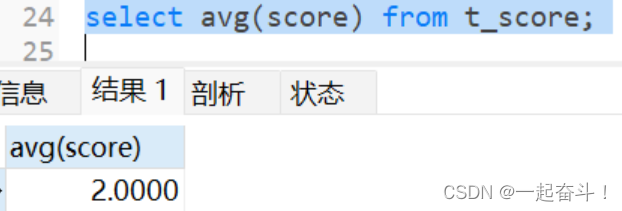
mysql基础-常用函数汇总
目录 1. 查询技巧 2. 时间函数 2.1 now() 2.2 current_date() 2.3 时间差timestampdiff()与datediff() 2.4 其他时间函数 3. 字符函数 3.1 截取函数 3.2 分割函数 3.3 left与right函数 3.4 其他函数 4. 数字函数 5. …...

COCO数据格式的json文件内容
COCO(Common Objects in Context)数据集现在有3种标注类型:object instances(目标实例), object keypoints(目标上的关键点), 和image captions(看图说话),使用JSON文件存储,包含了对图像中目标的边界框、类别标签、分割掩码等信息。 COCO标注文件是一个包含多个字…...
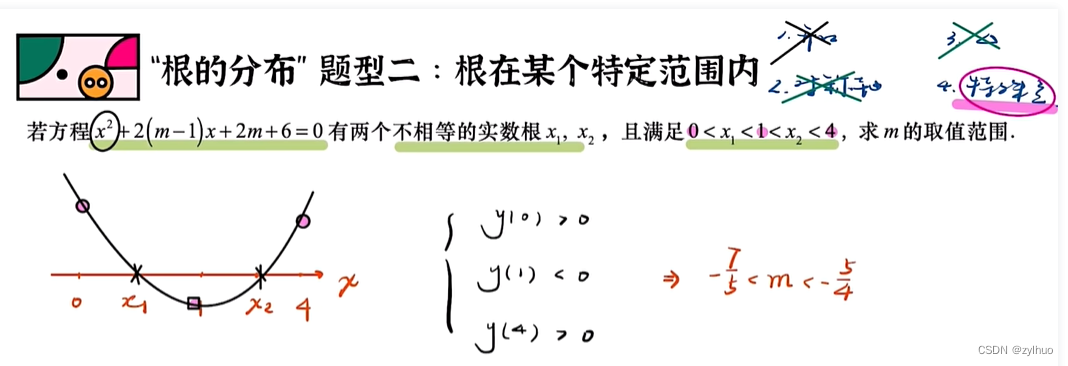
AI-数学-高中-3.二次函数的根的分布问题的解题方法
原作者学习视频:二次】3二次函数根分布问题(中档)_哔哩哔哩_bilibili 一、伟达定理(根与0比较的二次函数) 示例: 二、画图法: 1.开口方向的确定,有的示例可能存在向上、下两种情况…...

golang中gorm使用
前言 记录下go语言操作mysql数据库,选用gorm,gorm是一个流行的对象关系映射(ORM)库,用于简化与数据库的交互。 接入步骤 安装gorm:首先,你需要使用Go模块来安装gorm。在终端中运行以下命令&…...

centoss7安装mysql详细教程
【MySQL系列】在Centos7环境安装MySQL_centos7安装mysql-CSDN博客 【MySQL系列】在Centos7环境安装MySQL_centos7安装mysql-CSDN博客 【MySQL系列】在Centos7环境安装MySQL_centos7安装mysql-CSDN博客...

SpringBoot-拓展
邮件 依赖 <groupId>org.springframework.boot</groupId> <artifactId>spring-boot-starter-mail</artifactId>配置 spring.mail.username邮箱 spring.mail.password授权码 spring.mail.hostsmtp.qq.com # 开启加密验证 spring.mail.properties.mai…...
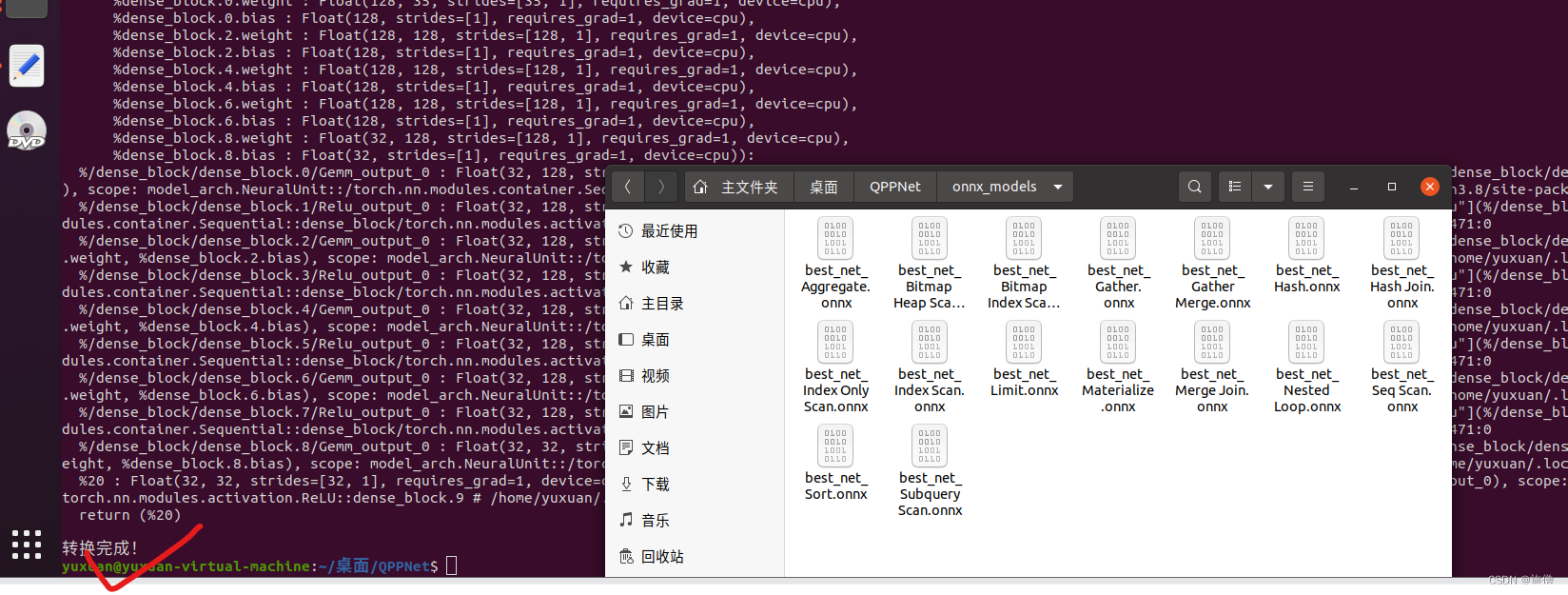
用于查询性能预测的计划结构深度神经网络模型--大数据计算基础大作业
用于查询性能预测的计划结构深度神经网络模型 论文阅读和复现 24.【X1.1】 在关系数据库查询优化领域,对查询时间的估计准确性直接决定了查询优化结果,进而影响到数据库整体的查询效率。但由于数据库自身的复杂性,查询时间受到数据分布、数据…...

MySQL5.7用于控制副本服务器的 SQL 语句
官网地址:MySQL :: MySQL 5.7 Reference Manual :: 13.4.2 SQL Statements for Controlling Replica Servers 欢迎关注留言,我是收集整理小能手,工具翻译,仅供参考,笔芯笔芯. MySQL 5.7 参考手册 / ... / CHANGE M…...

stable diffusion 人物高级提示词(四)朝向、画面范围、远近、焦距、机位、拍摄角度
一、朝向 英文中文front view正面Profile view / from side侧面half-front view半正面Back view背面(quarter front view:1.5)四分之一正面 prompt/英文中文翻译looking at the camera看向镜头facing the camera面对镜头turned towards the camera转向镜头looking away from …...
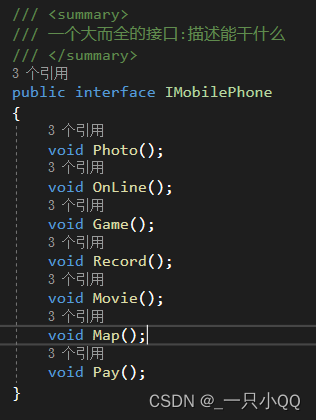
C#.Net学习笔记——设计模式六大原则
***************基础介绍*************** 1、单一职责原则 2、里氏替换原则 3、依赖倒置原则 4、接口隔离原则 5、迪米特法原则 6、开闭原则 一、单一职责原则 举例:类T负责两个不同的职责:职责P1,职责P2。当由于职责P1需求发生改变而需要修…...

go 修改postgresql的配置参数
postgresql.conf与postgresql.auto.conf的区别 postgresql.auto.conf的优先级高于postgresql.conf,如果一个参数同时存在postgresql.auto.conf和postgresql.conf里面,系统会先读postgresql.auto.conf的参数配置。 使用alter system set修改的是postgres…...

解决word图片格式错乱、回车图片不跟着换行的问题
解决word图片格式错乱、回车图片不跟着换行的问题 1.解决方法。 先设置为嵌入型 但是设置的话会出现下面的问题。图片显示不全。 进一步设置对应的行间距,原先设置的是固定值,需要改为1.5倍行距的形式,也就是说不能设置成固定值就可以。...
密码学(二)
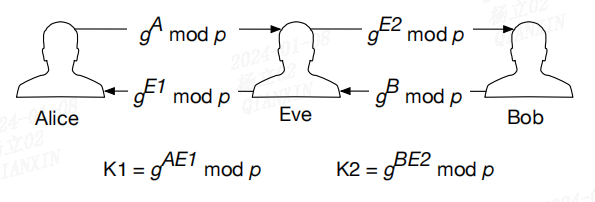
文章目录 前言一、Certificate Authorities二、Key Agreement Protocols 前言 本文来自 Intel SGX Explained 请参考:密码学(一) 一、Certificate Authorities 非对称密钥密码学中的公钥和私钥假设每个参与方都拥有其他参与方的正确公钥。…...
mysql进阶-视图
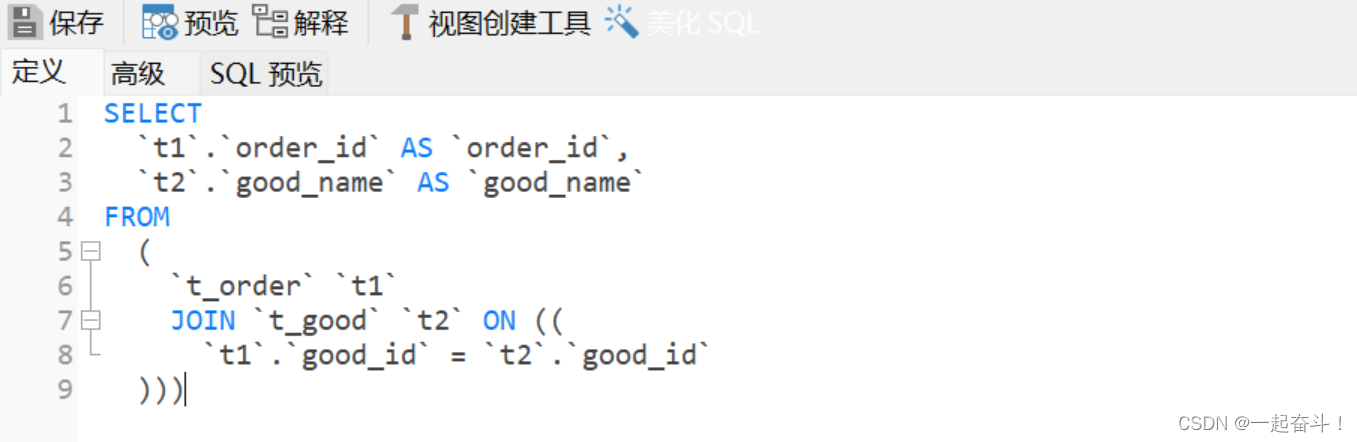
目录 1. 用途 2. 语法 2.1 创建或替换视图 2.2 修改视图 2.3 查看视图: 2.4 删除视图: 3. 其他 3.1 操作视图 3.2 迁移数据库 1. 用途 视图可以理解为一个复杂查询的简称,它可以帮助我们简化查询,主要用于报表查询:例如…...

力扣-34. 在排序数组中查找元素的第一个和最后一个位置
文章目录 力扣题目代码 力扣题目 给你一个按照非递减顺序排列的整数数组 nums,和一个目标值 target。请你找出给定目标值在数组中的开始位置和结束位置。 如果数组中不存在目标值 target,返回 [-1, -1]。 你必须设计并实现时间复杂度为 O(log n) 的算…...

Cesium笔记 初始化 使用Vue-Cesium 组件
参考 A Vue 3 based component library of CesiumJS for developers | Vue for CesiumVue for Cesium, a Vue 3.x based component library of CesiumJS for GISerhttps://zouyaoji.top/vue-cesium/#/zh-CN/component/quickstart...

在Nodejs后端服务中集成Taotoken实现稳定可靠的大模型调用
🚀 告别海外账号与网络限制!稳定直连全球优质大模型,限时半价接入中。 👉 点击领取海量免费额度 在Nodejs后端服务中集成Taotoken实现稳定可靠的大模型调用 将大模型能力集成到后端服务是现代应用开发的常见需求。对于Node.js开发…...

稀疏结式与动作矩阵:视觉几何求解器中的等价性证明
1. 项目概述:从视觉几何到代数求解的桥梁 在计算机视觉领域,尤其是三维重建、相机标定、姿态估计这些核心任务中,我们常常会遇到一个看似简单、实则棘手的问题:求解一个由多个多项式方程构成的方程组。比如,从两幅图像…...

PHP反序列化漏洞实战:从CTFshow F5杯‘eazy-unserialize’两道题,到文件包含与协议利用的完整避坑指南
PHP反序列化漏洞实战:从CTF题目到真实漏洞利用的深度解析 在CTF竞赛中,PHP反序列化漏洞一直是Web安全方向的热门考点。这类漏洞不仅考验选手对PHP语言特性的理解,更要求具备将多个知识点串联运用的能力。本文将以一道典型CTF题目为例…...

Java开发者集成OpenAI API:社区SDK核心设计与生产实践
1. 项目概述:一个面向Java开发者的OpenAI API集成利器如果你是一名Java后端开发者,最近被ChatGPT、DALLE这些AI能力深深吸引,想在自家的Spring Boot应用里快速集成智能对话、文本生成或者图像创作功能,那你大概率已经搜过“OpenAI…...

LyricsX:一站式macOS歌词同步解决方案,让音乐体验更智能
LyricsX:一站式macOS歌词同步解决方案,让音乐体验更智能 【免费下载链接】LyricsX 🎶 Ultimate lyrics app for macOS. 项目地址: https://gitcode.com/gh_mirrors/ly/LyricsX LyricsX是macOS平台上功能最全面的歌词同步工具ÿ…...

Sketch Find and Replace插件终极指南:如何快速批量替换设计文本
Sketch Find and Replace插件终极指南:如何快速批量替换设计文本 【免费下载链接】Sketch-Find-And-Replace Sketch plugin to do a find and replace on text within layers 项目地址: https://gitcode.com/gh_mirrors/sk/Sketch-Find-And-Replace 你是否曾…...

如何绕过Cursor Pro试用限制:技术原理与实战指南
如何绕过Cursor Pro试用限制:技术原理与实战指南 【免费下载链接】cursor-free-vip [Support 0.45](Multi Language 多语言)自动注册 Cursor Ai ,自动重置机器ID , 免费升级使用Pro 功能: Youve reached your trial re…...

RK3368安卓9.0固件烧录后开机卡Recovery?手把手教你调整分区表解决4GB闪存空间不足
RK3368安卓9.0固件烧录实战:4GB闪存分区优化全解析 当你满怀期待地将Android 9.0固件烧录到RK3368开发板,却发现设备直接进入了Recovery模式,屏幕上躺着那个令人沮丧的红色感叹号机器人——这可能是每个嵌入式开发者都经历过的"入门仪式…...

基于OneBot协议与Go语言的QQ机器人框架Samantha开发实践
1. 项目概述:一个开源的QQ机器人框架 最近在折腾QQ机器人,想给自己的社群或者频道加点自动化功能,比如定时提醒、关键词回复、游戏查询什么的。市面上现成的机器人框架不少,但要么功能臃肿,要么配置复杂,要…...

实测推荐!2026年毕业论文5000字范文免费下载AI写作工具排行,查重降AI率全攻略
本文由知学术AIPaperGPT内容团队实测撰写 2026-05-11实测推荐!2026年毕业论文5000字范文免费下载AI写作工具排行,查重降AI率全攻略又是一年毕业季,无数本科、硕士生正为毕业…...