
Tomcat基础升华学习
01 What is Tomcat
1.1 Tomcat官网
官网 :https://tomcat.apache.org
1.2 Understand
为什么说Tomcat是Servlet之类技术的实现?
在我们的理解中,Tomcat可以称为Web容器或者Servlet容器
不妨通过手写一个Tomcat来推导一下
1.2.1 创建Tomcat类
Java是一门面向对象的开发语言
//这就是我们写的Tomcat
class MyTomcat{
....
}
1.2.2 Web容器
使用命令查看相关指标
01 查看tomcat进程pid
ps -ef | grep tomcat
02 查看进程的信息
cat /pro/pid/status
03 查看进程的cpu和内存
top -p pid
使用工具查看相关指标
jconsole、jvisualvm、arthas、psi-probe等
1.1 优化思路
1.1.1 conf/server.xml核心组件
Server
官网描述 :Server interface which is rarely customized by users. 【pass】
Service
官网描述 :The Service element is rarely customized by users. 【pass】
Connector
官网描述 :Creating a customized connector is a significant effort. 【 need 】
Engine
官网描述 :The Engine interface may be implemented to supply custom Engines, though this is uncommon.
【pass】
Host
官网描述 :Users rarely create custom Hosts because the StandardHost implementation provides significant
additional functionality. 【pass】
Context
官网描述 :The Context interface may be implemented to create custom Contexts, but this is rarely the case
because the StandardContext provides significant additional functionality. 【 maybe 】
Context既然代表的是web应用,是和我们比较接近的,这块我们考虑对其适当的优化
conclusion:Connector and Context
1.1.2 conf/server.xml非核心组件
官网 :https://tomcat.apache.org/tomcat-8.0-doc/config/index.html
Listener
Listener(即监听器)定义的组件,可以在特定事件发生时执行特定的操作;被监听的事件通常是Tomcat的启动和停止。
<Listener className="org.apache.catalina.core.AprLifecycleListener" SSLEngine="on" />
<!--监听内存溢出-->
<Listener className="org.apache.catalina.core.JreMemoryLeakPreventionListener" />
<Listener className="org.apache.catalina.mbeans.GlobalResourcesLifecycleListener" />
<Listener className="org.apache.catalina.core.ThreadLocalLeakPreventionListener" />
Global Resources
GlobalNamingResources元素定义了全局资源,通过配置可以看出,该配置是通过读取$TOMCAT_HOME/
conf/tomcat-users.xml实现的。
The GlobalNamingResources element defines the global JNDI resources for the [Server]
(https://tomcat.apache.org/tomcat-8.0-doc/config/server.html)
<GlobalNamingResources>
<Resource name="UserDatabase" auth="Container"
type="org.apache.catalina.UserDatabase"
description="User database that can be updated and saved"
factory="org.apache.catalina.users.MemoryUserDatabaseFactory"
pathname="conf/tomcat-users.xml" />
</GlobalNamingResources>
Valve
<Valve className="org.apache.catalina.valves.AccessLogValve" directory="logs"
prefix="localhost_access_log" suffix=".txt"
pattern="%h %l %u %t "%r" %s %b" />
Realm
Realm,可以把它理解成“域”;Realm提供了一种用户密码与web应用的映射关系,从而达到角色安全管理的作用。在本例
中,Realm的配置使用name为UserDatabase的资源实现。而该资源在Server元素中使用GlobalNamingResources配置
A Realm element represents a “database” of usernames, passwords, and roles (similar to
Unix groups) assigned to those users.
<Realm className="org.apache.catalina.realm.LockOutRealm">
<!-- This Realm uses the UserDatabase configured in the global JNDI
resources under the key "UserDatabase". Any edits
that are performed against this UserDatabase are immediately
available for use by the Realm. -->
<Realm className="org.apache.catalina.realm.UserDatabaseRealm"
resourceName="UserDatabase"/>
</Realm>
1.1.3 conf/web.xml
全局的web.xml文件有些标签用不到的,可以删除掉。
1.1.4 JVM层面
因为Tomcat运行起来本身就是一个Java进程,所以这块可以参照JVM部分的优化思路。
1.2 配置优化
1.2.1 减少web.xml/server.xml中标签
最终观察tomcat启动日志[时间/内容],线程开销,内存大小,GC等
DefaultServlet
官网 :User Guide->Default Servlet
The default servlet is the servlet which serves static resources as well as serves the directory listings (if
directory listings are enabled)
<servlet><servlet-name>default</servlet-name><servlet-class>org.apache.catalina.servlets.DefaultServlet</servlet-class><init-param><param-name>debug</param-name><param-value>0</param-value></init-param><init-param><param-name>listings</param-name><param-value>false</param-value></init-param><load-on-startup>1</load-on-startup>
</servlet>
<servlet-mapping><servlet-name>default</servlet-name><url-pattern>/</url-pattern>
</servlet-mapping>
JspServlet
<servlet><servlet-name>jsp</servlet-name><servlet-class>org.apache.jasper.servlet.JspServlet</servlet-class><init-param><param-name>fork</param-name><param-value>false</param-value></init-param><init-param><param-name>xpoweredBy</param-name><param-value>false</param-value></init-param><load-on-startup>3</load-on-startup>
</servlet>
<servlet-mapping><servlet-name>jsp</servlet-name><url-pattern>*.jsp</url-pattern><url-pattern>*.jspx</url-pattern>
</servlet-mapping>
welcome-list-file
<welcome-file-list><welcome-file>index.html</welcome-file><welcome-file>index.htm</welcome-file><welcome-file>index.jsp</welcome-file>
</welcome-file-list>
mime-mapping移除响应的内容
支持的下载打开类型
<mime-mapping><extension>123</extension><mime-type>application/vnd.lotus-1-2-3</mime-type>
</mime-mapping>
<mime-mapping><extension>3dml</extension><mime-type>text/vnd.in3d.3dml</mime-type>
</mime-mapping>
session-config
默认jsp页面有session,就是在于这个配置
<session-config><session-timeout>30</session-timeout>
</session-config>
1.2.2 调整优化server.xml中标签
1.2.2.1 Connector标签
protocol属性
<Connector port="8080" protocol="HTTP/1.1"
connectionTimeout="20000"
redirectPort="8443" />
对于protocol=“HTTP/1.1”,查看源码
构造函数
public Connector(String protocol) {
setProtocol(protocol);
}
setProtocol(protocol)因为配置文件中传入的是HTTP/1.1
并且这里没有使用APR
else {if ("HTTP/1.1".equals(protocol)) {setProtocolHandlerClassName("org.apache.coyote.http11.Http11NioProtocol");} else if ("AJP/1.3".equals(protocol)) {setProtocolHandlerClassName("org.apache.coyote.ajp.AjpNioProtocol");} else if (protocol != null) {setProtocolHandlerClassName(protocol);}
}
发现这里调用的是Http11NioProtocol,也就是说明tomcat8.0.x中默认使用的是NIO
使用同样的方式看tomcat7和tomcat8.5,你会发现tomcat7默认使用的是BIO,tomcat8.5默认使用的是NIO
针对BIO和NIO的方式进行压测
(1)BIO
来到tomcat官网Configuration/HTTP/protocol
org.apache.coyote.http11.Http11Protocol - blocking Java connector
org.apache.coyote.http11.Http11NioProtocol - non blocking Java NIO connector
org.apache.coyote.http11.Http11Nio2Protocol - non blocking Java NIO2 connector
org.apache.coyote.http11.Http11AprProtocol - the APR/native connector.
(2)NIO
tomcat8.0中默认使用的是NIO
(3)APR
调用本地方法库进行IO操作
executor属性
最佳线程数公式 😦(线程等待时间+线程cpu时间)/线程cpu时间) * cpu数量
The Executor represents a thread pool that can be shared between components in Tomcat.
Historically there has been a thread pool per connector created but this allows you to
share a thread pool, between (primarily) connector but also other components when those get
configured to support executors
默认的可以查看StandardExecutor类
设置一些属性
官网:https://tomcat.apache.org/tomcat-8.0-doc/config/http.html
(1)acceptCount:达到最大连接数之后,等待队列中还能放多少连接,超过即拒绝,配置太大也没有意义
The maximum queue length for incoming connection requests when all possible request
processing threads are in use. Any requests received when the queue is full will be
refused. The default value is 100.
(2)maxConnections
达到这个值之后,将继续接受连接,但是不处理,能继续接受多少根据acceptCount的值
BIO:maxThreads
NIO/NIO2:10000 ——— AbstractEndpoint.maxConnections
APR:8192
The maximum number of connections that the server will accept and process at any given
time. When this number has been reached, the server will accept, but not process, one
further connection. This additional connection be blocked until the number of connections
being processed falls below maxConnections at which point the server will start accepting
and processing new connections again. Note that once the limit has been reached, the
operating system may still accept connections based on the acceptCount setting. The default
value varies by connector type. For BIO the default is the value of maxThreads unless an
Executor is used in which case the default will be the value of maxThreads from the
executor. For NIO and NIO2 the default is 10000. For APR/native, the default is 8192.
Note that for APR/native on Windows, the configured value will be reduced to the highest
multiple of 1024 that is less than or equal to maxConnections. This is done for performance
reasons.
If set to a value of -1, the maxConnections feature is disabled and connections are not
counted.
(3)maxThreads:最大工作线程数,也就是用来处理request请求的,默认是200,如果自己配了executor,并且和
Connector有关联了,则之前默认的200就会被忽略,取决于CPU的配置。监控中就可以看到所有的工作线程是什么
状态,通过监控就能知道开启多少个线程合适.
The maximum number of request processing threads to be created by this Connector, which
therefore determines the maximum number of simultaneous requests that can be handled. If
not specified, this attribute is set to 200. If an executor is associated with this
connector, this attribute is ignored as the connector will execute tasks using the executor
rather than an internal thread pool. Note that if an executor is configured any value set
for this attribute will be recorded correctly but it will be reported (e.g. via JMX) as -1
to make clear that it is not used.
(4)minSpareThreads
最小空闲线程数
The minimum number of threads always kept running. This includes both active and idle
threads. If not specified, the default of 10 is used. If an executor is associated with
this connector, this attribute is ignored as the connector will execute tasks using the
executor rather than an internal thread pool. Note that if an executor is configured any
value set for this attribute will be recorded correctly but it will be reported (e.g. via
JMX) as -1 to make clear that it is not used.
可以实践一下,Connector配合自定义的线程池
<Connector executor="tomcatThreadPool"
port="8080" protocol="HTTP/1.1"
connectionTimeout="20000"
redirectPort="8443" />
<Executor name="tomcatThreadPool" namePrefix="catalina-exec-"
maxThreads="150" minSpareThreads="4"/>
其实这块最好的方式是结合BIO来看,因为BIO是一个request对应一个线程
值太低,并发请求多了之后,多余的则进入等待状态。
值太高,启动Tomcat将花费更多的时间。
比如可以改成250。
enableLookups
设置为false
删掉AJP的Connector
1.2.2.2 Host标签
autoDeploy :Tomcat运行时,要用一个线程拿出来进行检查,生产环境之下一定要改成false
This flag value indicates if Tomcat should check periodically for new or updated web
applications while Tomcat is running. If true, Tomcat periodically checks the appBase and
xmlBase directories and deploys any new web applications or context XML descriptors found.
Updated web applications or context XML descriptors will trigger a reload of the web
application. The flag's value defaults to true. See Automatic Application Deployment for
more information.
1.2.2.3 Context标签
reloadable:false
reloadable:如果这个属性设为true,tomcat服务器在运行状态下会监视在WEB-INF/classes和WEB-INF/lib目录下
class文件的改动,如果监测到有class文件被更新的,服务器会自动重新加载Web应用。
在开发阶段将reloadable属性设为true,有助于调试servlet和其它的class文件,但这样用加重服务器运行负荷,建议
在Web应用的发存阶段将reloadable设为false。
Set to true if you want Catalina to monitor classes in /WEB-INF/classes/ and /WEB-INF/lib
for changes, and automatically reload the web application if a change is detected. This
feature is very useful during application development, but it requires significant runtime
overhead and is not recommended for use on deployed production applications. That's why the
default setting for this attribute is false. You can use the Manager web application,
however, to trigger reloads of deployed applications on demand.
1.3 启动速度优化
删除没用的web应用
因为tomcat启动每次都会部署这些应用
关闭WebSocket
websocket-api.jar和tomcat-websocket.jar
随机数优化
设置JVM参数:-Djava.security.egd=file:/dev/./urandom
多个线程启动Web应用
<Host startStopThreads="0">
</Host>
1.4 其他方面的优化
Connector
配置压缩属性compression=“500”,文件大于500bytes才会压缩
数据库优化
减少对数据库访问等待的时间,可以从数据库的层面进行优化,或者加缓存等等各种方案。
开启浏览器缓存,nginx静态资源部署
1.5 常见问题排查
1.5.1 CPU使用率过高
可能原因
GC频繁或者创建了很多业务线程
排查
哪些线程比较消耗CPU,或者多线程上下文频繁切换
解决思路
top -H -p pid 查看某个Java进程各个线程使用CPU的情况,找到哪个线程占用CPU比较高
jstack pid 打印出线程信息,定位到上述的线程名称
1.5.2 拒绝连接
java.net.BindException: Address already in use: JVM_Bind
端口被占用,可以使用netstat -an 查看端口占用情况,关闭对应的进程或者tomcat换端口
java.net.ConnectException: Connection refused: connect
ping一下服务端的IP,可能服务端机器有问题
java.net.SocketException: Too many open files
可能在高并发的情况下,创建的Socket过多,文件句柄不够用了,可以关闭无用的句柄,如果都有用,可以增加文件
句柄数:ulimit -n 10000
相关文章:
Tomcat基础升华学习
01 What is Tomcat 1.1 Tomcat官网 官网 :https://tomcat.apache.org 1.2 Understand 为什么说Tomcat是Servlet之类技术的实现? 在我们的理解中,Tomcat可以称为Web容器或者Servlet容器 不妨通过手写一个Tomcat来推导一下 1.2.1 创建Tomc…...
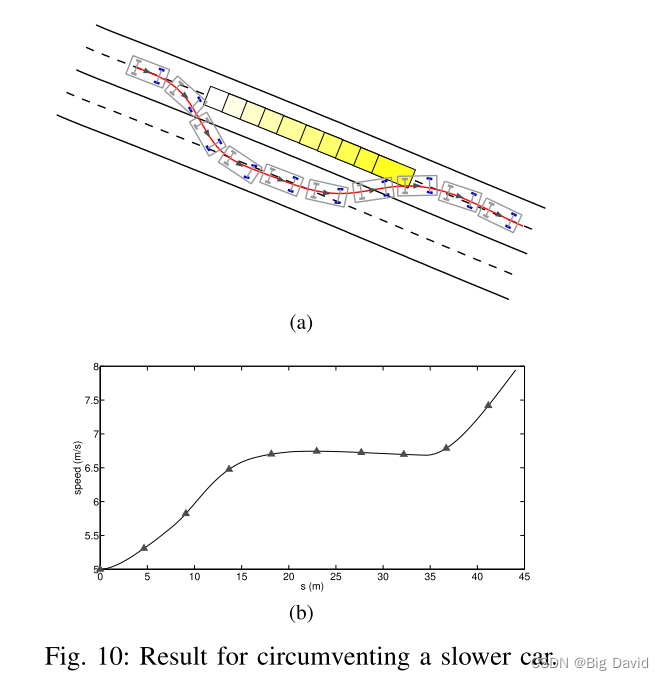
一种具有轨迹优化的无人驾驶车实时运动规划器 论文阅读
论文题目:A Real-Time Motion Planner with Trajectory Optimization for Autonomous Vehicles Abstract 本文的实时规划器首先将空间离散化,然后基于一组成本函数搜索出最佳轨迹。迭代优化所得到的轨迹的Path和Speed。post-optimization计算复杂度低&…...
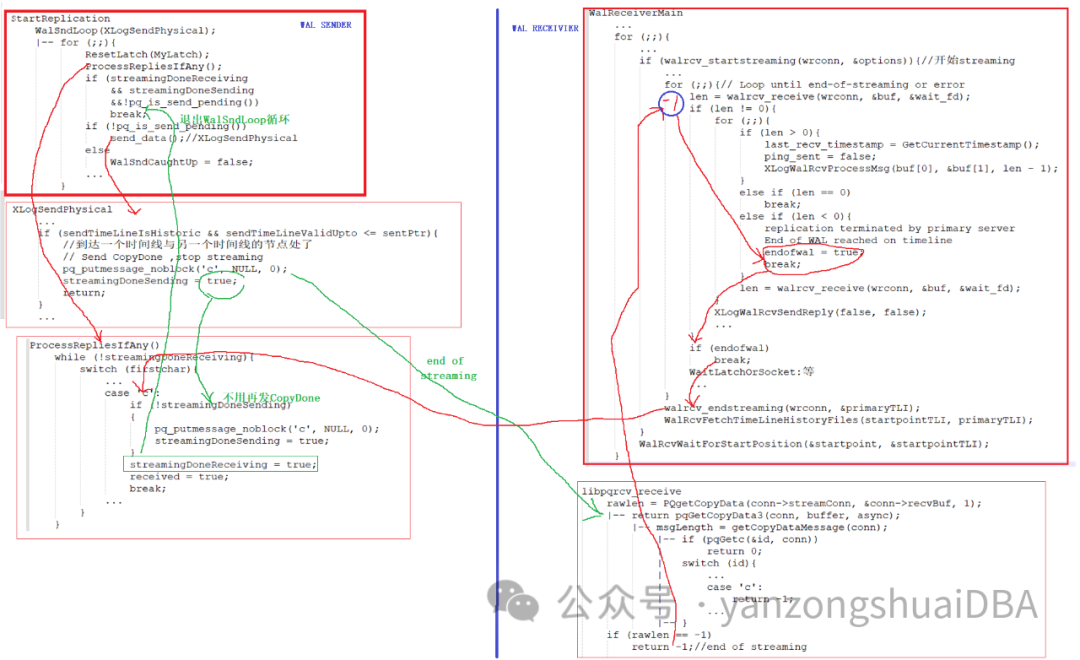
GPDB - 高可用 - 流复制状态
GPDB - 高可用 - 流复制状态 GPDB的高可用基于流复制,通过FTS进行自动故障切换。自动故障切换需要根据primary-mirror流复制的各种状态进行判断。本节就聊聊primary-mirror流复制的各种状态。同样适用于PgSQL 1、WalSndState typedef enum WalSndState {WALSNDSTATE…...

最佳解决方案:如何在网络爬虫中解决验证码
Captcha(全自动区分计算机和人类的公开图灵测试)是广泛应用的安全措施,用于区分合法的人类用户和自动化机器人。它通过呈现复杂的挑战,包括视觉上扭曲的文本、复杂的图像或复杂的拼图等方式,要求用户成功解决这些挑战以…...
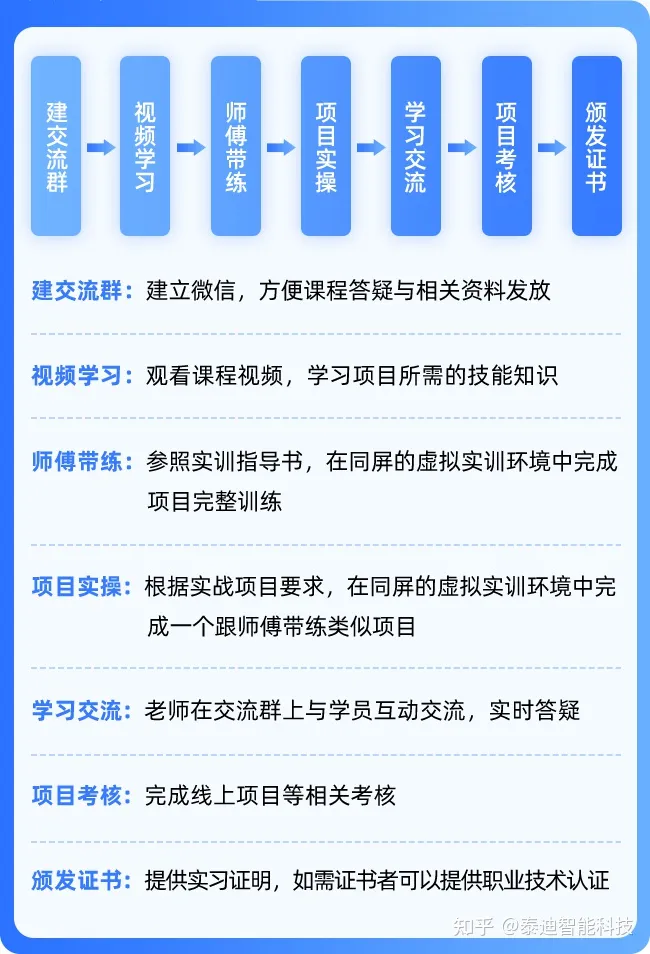
在线项目实习分享:股票价格形态聚类与收益分析
01前置课程 数据挖掘基础数据探索数据预处理数据挖掘算法基础Python数据挖掘编程基础Matplotlib可视化Pyecharts绘图 02师傅带练 行业联动与轮动分析 通过分析申银万国行业交易指数的联动与轮动现象,获得有意义的行业轮动关联规则,并在此基础上设计量…...

c# vb.net检测字符串是否匹配一组相似度数组input Like
VB.NET 检测字符串是否符合一个数组中的多个like条件,有没有最简单的函数? 在VB.NET中,可以使用Array.Exists方法结合String.Like方法来检测一个字符串是否符合一个数组中的多个LIKE条件。Array.Exists方法用于确定序列中的任何元素是否满足…...
)
DEJA_VU3D - Cesium功能集 之 113-获取圆节点(2)
前言 编写这个专栏主要目的是对工作之中基于Cesium实现过的功能进行整合,有自己琢磨实现的,也有参考其他大神后整理实现的,初步算了算现在有差不多实现小140个左右的功能,后续也会不断的追加,所以暂时打算一周2-3更的样子来更新本专栏(每篇博文都会奉上完整demo的源代码…...

spring-boot项目启动类错误: 找不到或无法加载主类 com.**Application
问题:Springboot项目启动报错:错误: 找不到或无法加载主类 com.**Application 解决步骤: 1.File–>Project Structure 2.Modules–>选中你的项目–点击“-”移除 3.重新导入:点击“”号,选择Import Module&…...

搭建大数据开发环境【AutoDL容器】
租用AutoDL容器 注意:结束实验时记得将数据库数据转移存储 使用Docker实现本地IDEA连接AutoDL 后为ssh服务器地址用户名为前的端口号ssh密码为用户密码 安装JDK 压缩包安装 Java下载地址:Oracle Java Download(hadoop不指定特定版本java&…...
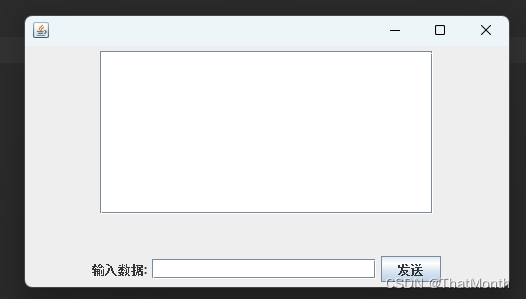
写一个简单的Java的Gui文本输入窗口,JFrame的简单使用
JFrame是指一个计算机语言-java的GUI程序的基本思路是以JFrame为基础,它是屏幕上window的对象,能够最大化、最小化、关闭。 Swing的三个基本构造块:标签、按钮和文本字段;但是需要个地方安放它们,并希望用户知道如何处理它们。JFrame 类就是解决这个问题的——它是一个容器…...

Unity中URP下抓屏的 开启 和 使用
文章目录 前言一、抓屏开启1、Unity下开启抓屏2、Shader中开启抓屏 二、抓屏使用1、设置为半透明渲染队列,关闭深度写入2、申明纹理和采样器3、在片元着色器使用请添加图片描述 三、测试代码 前言 我们在这篇文章中看一下,URP下怎么开启抓屏。 一、抓屏…...

业务题day01
1-1 请说一下你项目中是如何进行项目管理和发布的 我们项目使用的是Gogs进行代码托管,Jenkins进行项目自动运维发布。 在我们的项目中,我们使用Gogs进行代码托管和版本控制,以确保团队成员可以协同开发和管理代码。 Gogs是一个轻量级的、开…...
)
DEJA_VU3D - Cesium功能集 之 114-雷达效果(基础效果)
前言 编写这个专栏主要目的是对工作之中基于Cesium实现过的功能进行整合,有自己琢磨实现的,也有参考其他大神后整理实现的,初步算了算现在有差不多实现小140个左右的功能,后续也会不断的追加,所以暂时打算一周2-3更的样子来更新本专栏(每篇博文都会奉上完整demo的源代码…...
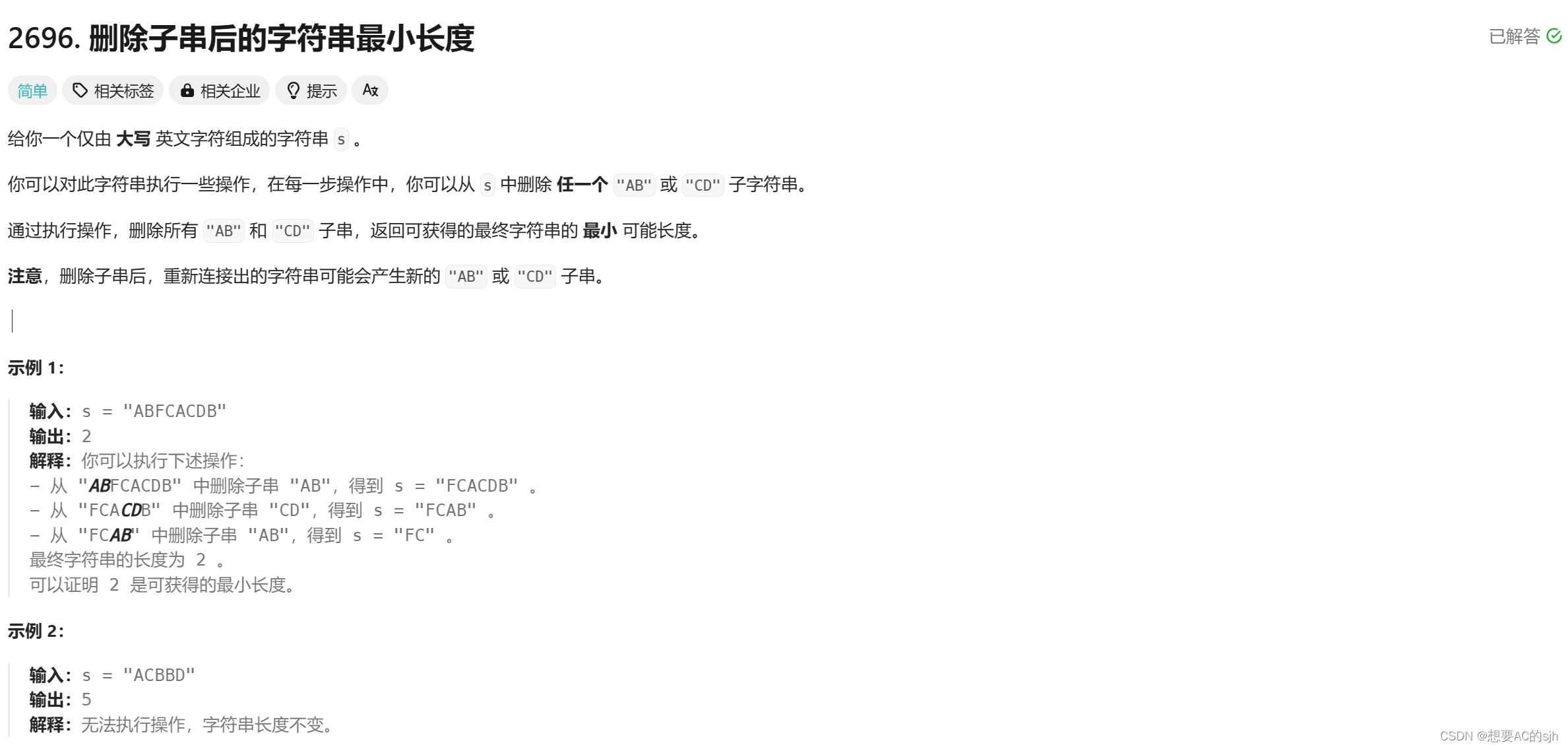
【Leetcode】2696. 删除子串后的字符串最小长度
文章目录 题目思路代码 题目 2696. 删除子串后的字符串最小长度 思路 计算通过删除字符串中的 “AB” 和 “CD” 子串后,可获得的最终字符串的最小长度。 主要思路是使用一个栈来模拟字符串的处理过程,每次遍历字符串时,如果当前字符和栈…...
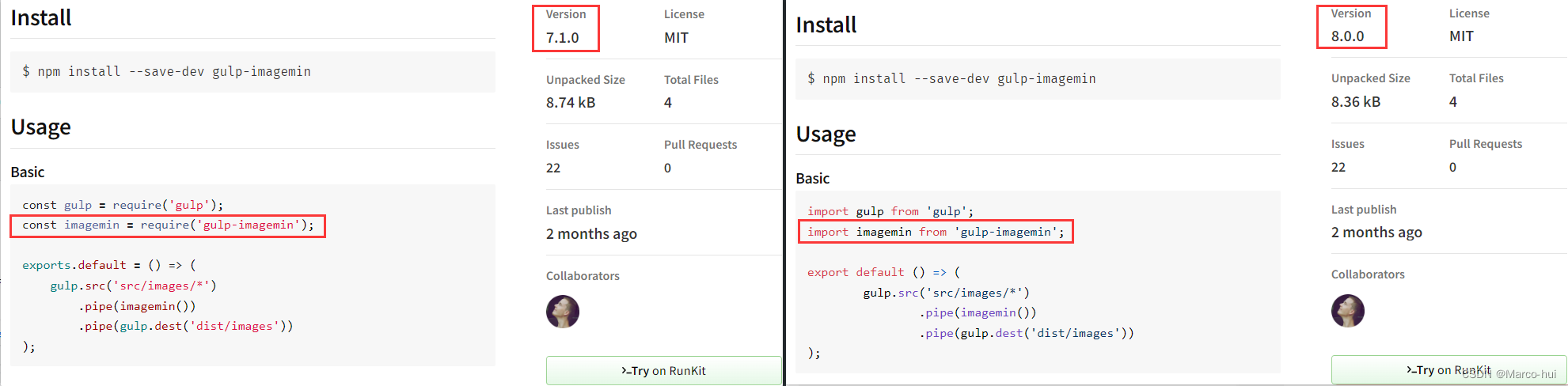
利用gulp工具对常规web项目进行压缩打包
前言 对于一个常规的web项目,如下项目目录 |- imgs | - img1.png | - img2.png |- js | - user.js | - utils.js |- css | - index.css | - user.css |- html | - user.html |- index.html可以使用各种构建工具(如webpack、gulp、grunt等)来…...

面试经典题---68.文本左右对齐
68.文本左右对齐 我的解法: 两层while循环嵌套,外层循环用于处理不同行,内层while循环计算出每行应有的单词个数。 使用left和right记录一行中应有的单词下标,即当前行应包含从words[left]到words[right-1]这count个单词…...

完整的模型验证套路
读取图片 from PIL import Imageimg_path "../Yennefer_of_Vengerberg.jpg" image Image.open(img_path) print(image)转换成灰度图(可选) image image.convert(L) image.show()转换成RGB格式 image image.convert(RGB)因为png格式是四…...
内 存 取 证
1.用户密码 从内存中获取到用户admin的密码并且破解密码,以Flag{admin,password}形式提交(密码为6位); 1)查看帮助 -h ./volatility_2.6_lin64_standalone -h 2)获取内存镜像文件的信息 imageinfo ./volatility_2.6_lin64_stand…...

【PHP】价格区间字段验证,如4万-5万
参数值示例: $str1 "4万-5万"; $str2 "4万-5万元"; $str3 "5万元以内"; 以下是一个PHP示例,用于检查字符串是否满足要求: function checkString($str) {// 检查字符串中是否包含"-"或"以内…...

安徽省暨合肥市“希望工程·梦想计划”小盖茨机器人捐赠启动仪式举行
1月5日,安徽省暨合肥市“希望工程梦想计划”小盖茨机器人捐赠启动仪式在合肥市一六八玫瑰园学校东校区举行。共青团安徽省委副书记叶征,北京儒布特教育科技有限公司董事牛俊明,北京儒布特教育科技有限公司市场总监高进,安徽省青基…...

NEURAL MASK效果展示:水墨画/油画/素描等艺术风格图像分割能力
NEURAL MASK效果展示:水墨画/油画/素描等艺术风格图像分割能力 1. 艺术级图像分割新体验 在图像处理领域,精准的主体分割一直是创作者们的核心需求。传统的抠图工具在面对复杂艺术风格图像时往往力不从心——水墨画的晕染边缘、油画的笔触纹理、素描的…...
)
ArcPy 脚本:批量生成郑州市 1990-2019 年空间分析结果(核密度、热点、平均中心、标准差椭圆)
ArcPy 脚本:批量生成郑州市 1990-2019 年空间分析结果(核密度、热点、平均中心、标准差椭圆)背景介绍在城市研究中,我们常常需要分析多年数据的空间分布模式,比如建筑物高度在郑州市的聚集情况、热点区域变化、整体中心…...
及其特性对比)
实战指南:利用Python可视化常见激活函数(Sigmoid、Tanh、ReLU、PReLU)及其特性对比
1. 为什么需要可视化激活函数? 在深度学习的世界里,激活函数就像是神经网络的"开关",决定了神经元是否应该被激活。但很多初学者在学习时,往往只是死记硬背公式,却不知道这些函数长什么样、在什么情况下会有…...

图片压缩与懒加载的完美结合:提升网站性能的终极指南
图片压缩与懒加载的完美结合:提升网站性能的终极指南 【免费下载链接】compressorjs compressorjs: 是一个JavaScript图像压缩库,使用浏览器原生的canvas.toBlob API进行图像压缩。 项目地址: https://gitcode.com/gh_mirrors/co/compressorjs 在…...

RK3588部署MMPose模型踩坑实录:手把手教你解决ReduceL2算子溢出与精度丢失问题
RK3588部署MMPose模型实战:ReduceL2算子溢出问题的深度解析与手术级修复 当关键点检测模型的精度要求遇上边缘计算设备的硬件限制,RK3588平台上的MMPose部署往往会遭遇令人头疼的算子兼容性问题。其中ReduceL2算子的溢出问题尤为典型——它像一道无形的屏…...

wan2.1-vae镜像特性解析:服务器重启自动恢复服务机制说明
wan2.1-vae镜像特性解析:服务器重启自动恢复服务机制说明 1. 平台核心能力概述 muse/wan2.1-vae是基于Qwen-Image-2512模型的AI图像生成平台,其核心优势在于: 双语言支持:同时兼容中英文提示词输入超高分辨率:最高支…...
)
RoboMaster装甲板灯条匹配算法实战:从图像预处理到目标框定(附完整C++/OpenCV源码)
1. 项目背景与核心挑战 RoboMaster机甲大师赛中的装甲板识别是自动瞄准系统的关键技术难点。赛场上高速移动的机器人装甲板通常配备LED灯条作为视觉标识,这种设计让计算机视觉算法能够在复杂环境下快速定位目标。但实际开发时会遇到几个头疼的问题:强光干…...

PyTorch 3.0静态图分布式训练:如何用3行torch.compile + 2行DTensor替代自研调度器?一线大厂已全面切换
第一章:PyTorch 3.0静态图分布式训练概览 PyTorch 3.0 引入了原生静态图(Static Graph)支持,通过 TorchDynamo Inductor 后端实现高效图捕获与跨设备编译,为大规模分布式训练提供低开销、高一致性的执行基础。静态图模…...

OpenClaw技能扩展:基于百川2-13B开发自定义文件处理器
OpenClaw技能扩展:基于百川2-13B开发自定义文件处理器 1. 为什么需要自定义文件处理技能 上周我在整理项目文档时,发现一个重复性痛点:每天需要手动将同事发来的各种格式文件(PDF、Word、Markdown)按内容分类存储。当…...
)
线性代数小白必看:孔祥仁网课笔记整理(附二阶到n阶行列式详解)
线性代数入门:从二阶行列式到n阶行列式的完整指南 第一次接触线性代数时,行列式这个概念就像一堵高墙挡在面前。记得我大一时,光是理解二阶行列式的几何意义就花了整整一周时间。直到后来遇到一位好老师,用简单的例子帮我打通了任…...