
webassembly003 MINISIT mnist/convert-h5-to-ggml.py
数据结构
# Convert MNIS h5 transformer model to ggml format
#
# Load the (state_dict) saved model using PyTorch
# Iterate over all variables and write them to a binary file.
#
# For each variable, write the following:
#   - Number of dimensions (int)
#   - Name length (int)
#   - Dimensions (int[n_dims])
#   - Name (char[name_length])
#   - Data (float[n_dims])
#
# At the start of the ggml file we write the model parameters
- 这个简单的版本没有Name的部分,导出的数据最终如下
| ggml-model-f32.bin | 注释 |
|---|---|
| 0x67676d6c | magic |
| 2 | len(fc1.weight.shape) |
| 784 | fc1.weight.shape = (500, 784) |
| 500 | fc1.weight.shape = (500, 784) |
| data | fc1.weight |
| 1 | len(fc1.bias.shape) |
| 500 | fc1.bias.shape = (500, ) |
| data | fc1.bias |
| 2 | len(fc2.weight.shape) |
| 500 | fc1.weight.shape = (10, 500) |
| 10 | fc1.weight.shape =(10, 500) |
| data | fc2.weight |
| 1 | len(fc2.bias.shape) |
| 10 | fc2.bias.shape =(10,) |
| data | fc1.bias |
代码注释
import sys
import struct
import json
import numpy as np
import reimport torch
import torch.nn as nn
import torchvision.datasets as dsets
import torchvision.transforms as transforms
from torch.autograd import Variable# 检查是否提供了正确数量的命令行参数
if len(sys.argv) != 2:print("Usage: convert-h5-to-ggml.py model\n")sys.exit(1)# 获取输入h5模型和输出ggml模型的文件路径
state_dict_file = sys.argv[1]
fname_out = "models/mnist/ggml-model-f32.bin"# 加载PyTorch保存的state_dict模型
state_dict = torch.load(state_dict_file, map_location=torch.device('cpu'))# 以写入模式打开输出二进制文件
fout = open(fname_out, "wb")# 在文件中写入魔术数字'ggml',以十六进制格式作为文件标识符
# 使用 Python 的 struct 模块将整数 0x67676d6c 打包为二进制数据的操作。在这里,"i" 表示使用整数格式进行打包。
fout.write(struct.pack("i", 0x67676d6c))  # magic: ggml in hex # 迭代state_dict中的所有变量
for name in state_dict.keys():# 从变量中提取数据并将其转换为NumPy数组data = state_dict[name].squeeze().numpy()print("Processing variable: " + name + " with shape: ", data.shape) n_dims = len(data.shape);# 将变量的维度数量写入二进制文件fout.write(struct.pack("i", n_dims))# 将数据转换为float32并将维度写入二进制文件data = data.astype(np.float32)for i in range(n_dims):fout.write(struct.pack("i", data.shape[n_dims - 1 - i]))# 将数据写入二进制文件data.tofile(fout)# 关闭二进制文件
fout.close()print("Done. Output file: " + fname_out)
print("")
tofile()
- NumPy提供的存数组内容的文件操作函数。读取使用fromfile。
struct.pack
- 将字节解释为打包的二进制数据。
输出
$:~/ggml/ggml/examples/mnist$ python3 ./convert-h5-to-ggml.py
./models/mnist/mnist_model.state_dictOrderedDict([('fc1.weight', tensor([[ 0.0130,  0.0034, -0.0287,  ..., -0.0268, -0.0352, -0.0056],[-0.0134,  0.0077, -0.0028,  ...,  0.0356,  0.0143, -0.0107],[-0.0329,  0.0154, -0.0167,  ...,  0.0155,  0.0127, -0.0309],...,[-0.0216, -0.0302,  0.0085,  ...,  0.0301,  0.0073,  0.0153],[ 0.0289,  0.0181,  0.0326,  ...,  0.0107, -0.0314, -0.0349],[ 0.0273,  0.0127,  0.0105,  ...,  0.0090, -0.0007,  0.0190]])), ('fc1.bias', tensor([ 1.9317e-01, -7.4255e-02,  8.3417e-02,  1.1681e-01,  7.5499e-03,8.7627e-02, -7.9260e-03,  6.8504e-02,  2.2217e-02,  9.7918e-02,1.5195e-01,  8.3765e-02,  1.4237e-02,  1.0847e-02,  9.6959e-02,-1.2500e-01,  4.2406e-02, -2.4611e-02,  5.9198e-03,  8.9767e-02,..., 1.3460e-03,  2.9106e-02, -4.0620e-02,  9.7568e-02,  8.5670e-02])), ('fc2.weight', tensor([[-0.0197, -0.0814, -0.3992,  ...,  0.2697,  0.0386, -0.5380],[-0.4174,  0.0572, -0.1331,  ..., -0.2564, -0.3926, -0.0514],...,[-0.2988, -0.1119,  0.0517,  ...,  0.3296,  0.0800,  0.0651]])), ('fc2.bias', tensor([-0.1008, -0.1179, -0.0558, -0.0626,  0.0385, -0.0222,  0.0188, -0.1296,0.1507,  0.0033]))])
Processing variable: fc1.weight with shape:  (500, 784)
Processing variable: fc1.bias with shape:  (500,)
Processing variable: fc2.weight with shape:  (10, 500)
Processing variable: fc2.bias with shape:  (10,)
Done. Output file: models/mnist/ggml-model-f32.bin
————————————————
// 原文链接:https://blog.csdn.net/ResumeProject/article/details/131571641
权重读取
// load the model's weights from a file
bool mnist_model_load(const std::string & fname, mnist_model & model) {printf("%s: loading model from '%s'\n", __func__, fname.c_str());auto fin = std::ifstream(fname, std::ios::binary);// std::ifstream用于读文件操作if (!fin) {fprintf(stderr, "%s: failed to open '%s'\n", __func__, fname.c_str());return false;}// verify magic{uint32_t magic;// 32位的无符号整型数 uint32_t i = 0x67676d6c;fin.read((char *) &magic, sizeof(magic));if (magic != GGML_FILE_MAGIC) {fprintf(stderr, "%s: invalid model file '%s' (bad magic)\n", __func__, fname.c_str());return false;}}auto & ctx = model.ctx;size_t ctx_size = 0;// compute ctx_size use mnist_hparams{const auto & hparams = model.hparams;const int n_input   = hparams.n_input;const int n_hidden  = hparams.n_hidden;const int n_classes = hparams.n_classes;ctx_size += n_input * n_hidden * ggml_type_sizef(GGML_TYPE_F32); // fc1 weightctx_size +=           n_hidden * ggml_type_sizef(GGML_TYPE_F32); // fc1 biasctx_size += n_hidden * n_classes * ggml_type_sizef(GGML_TYPE_F32); // fc2 weightctx_size +=            n_classes * ggml_type_sizef(GGML_TYPE_F32); // fc2 biasprintf("%s: ggml ctx size = %6.2f MB\n", __func__, ctx_size/(1024.0*1024.0));}// create the ggml context{struct ggml_init_params params = {/*.mem_size   =*/ ctx_size + 1024*1024,/*.mem_buffer =*/ NULL,/*.no_alloc   =*/ false,};model.ctx = ggml_init(params);if (!model.ctx) {fprintf(stderr, "%s: ggml_init() failed\n", __func__);return false;}}// Read FC1 layer 1{// Read dimensions and keep in a signed int// 读取sizeof(n_dims)个字节的数据,并将其存储到n_dims指向的内存空间中。`reinterpret_cast<char *>` 是一个类型转换操作符,它将 `&n_dims` 的地址强制转换为 `char *` 类型的指针,这样可以将 `int32_t` 类型的数据按字节读取。int32_t n_dims; fin.read(reinterpret_cast<char *>(&n_dims), sizeof(n_dims));{int32_t ne_weight[2] = { 1, 1 };for (int i = 0; i < n_dims; ++i) {fin.read(reinterpret_cast<char *>(&ne_weight[i]), sizeof(ne_weight[i]));}// FC1 dimensions taken from file, eg. 768x500model.hparams.n_input  = ne_weight[0];model.hparams.n_hidden = ne_weight[1];model.fc1_weight = ggml_new_tensor_2d(ctx, GGML_TYPE_F32, model.hparams.n_input, model.hparams.n_hidden);fin.read(reinterpret_cast<char *>(model.fc1_weight->data), ggml_nbytes(model.fc1_weight));ggml_set_name(model.fc1_weight, "fc1_weight");}{int32_t ne_bias[2] = { 1, 1 };for (int i = 0; i < n_dims; ++i) {fin.read(reinterpret_cast<char *>(&ne_bias[i]), sizeof(ne_bias[i]));}model.fc1_bias = ggml_new_tensor_1d(ctx, GGML_TYPE_F32, model.hparams.n_hidden);fin.read(reinterpret_cast<char *>(model.fc1_bias->data), ggml_nbytes(model.fc1_bias));ggml_set_name(model.fc1_bias, "fc1_bias");// just for testing purposes, set some parameters to non-zeromodel.fc1_bias->op_params[0] = 0xdeadbeef;}}// Read FC2 layer 2{// Read dimensionsint32_t n_dims;fin.read(reinterpret_cast<char *>(&n_dims), sizeof(n_dims));{int32_t ne_weight[2] = { 1, 1 };for (int i = 0; i < n_dims; ++i) {fin.read(reinterpret_cast<char *>(&ne_weight[i]), sizeof(ne_weight[i]));}// FC1 dimensions taken from file, eg. 10x500model.hparams.n_classes = ne_weight[1];model.fc2_weight = ggml_new_tensor_2d(ctx, GGML_TYPE_F32, model.hparams.n_hidden, model.hparams.n_classes);fin.read(reinterpret_cast<char *>(model.fc2_weight->data), ggml_nbytes(model.fc2_weight));ggml_set_name(model.fc2_weight, "fc2_weight");}{int32_t ne_bias[2] = { 1, 1 };for (int i = 0; i < n_dims; ++i) {fin.read(reinterpret_cast<char *>(&ne_bias[i]), sizeof(ne_bias[i]));}model.fc2_bias = ggml_new_tensor_1d(ctx, GGML_TYPE_F32, model.hparams.n_classes);fin.read(reinterpret_cast<char *>(model.fc2_bias->data), ggml_nbytes(model.fc2_bias));ggml_set_name(model.fc2_bias, "fc2_bias");}}fin.close();return true;
}
CG
- GGUF 文件格式规范
相关文章:

webassembly003 MINISIT mnist/convert-h5-to-ggml.py
数据结构 # Convert MNIS h5 transformer model to ggml format # # Load the (state_dict) saved model using PyTorch # Iterate over all variables and write them to a binary file. # # For each variable, write the following: # - Number of dimensions (int) # …...

fetch和axios的区别
概念不同 Fetch是一种新的获取资源的接口方式,可以直接使用Axios是一个基于XMLHttpRequest封装的工具包,需要引入才可以使用 传递数据的方式不同 Fetch则是需要放在body属性中,以字符串的方式进行传递Axios是放到data属性里,以对象…...

【unity小技巧】FPS简单的射击换挡瞄准动画控制
文章目录 射击动画控制换弹动画瞄准动画完结 射击动画控制 换弹动画 调用 瞄准动画 问题:瞄准时,但是动画会卡住,不会播放瞄准的待机动画 修改 调用 动画如果太快可以去修改播放速度 播放速度变慢了,可能导致切换待机动画也…...

如何获取时间戳
在JavaScript中,你可以使用Date对象来获取时间戳。以下是一个例子: javascriptvar timestamp new Date().getTime(); console.log(timestamp); 在这个例子中,new Date()创建了一个新的日期对象,.getTime()方法则返回自1970年1月…...
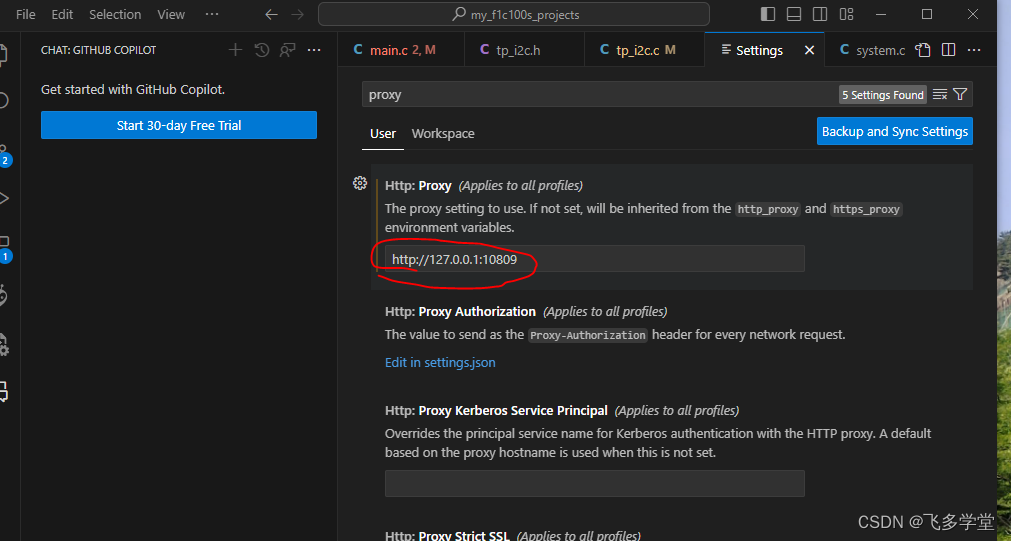
VSCode 设置代理
Open Visual Studio Code, click the settings icon in the lower left corner, and click Settings....

保姆级教程: 零门槛制作AI微信红包封面之入门篇
写在前面 本文旨在低门槛制作微信红包教程,人人均可上手! 操作步骤 AI红包制作平台: https://cover.fdfs.site 第一步: 先登录 alt text 可以使用谷歌,github直接登录,也可以用自己的邮箱注册 第二步: 设置自己的apiKey API-Key可以从平台 ht…...
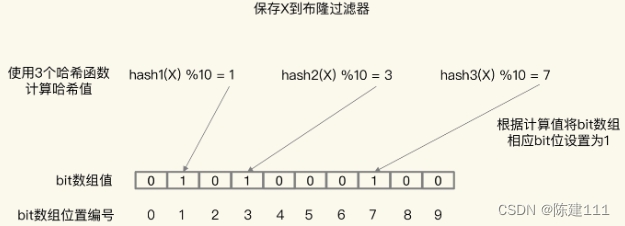
Redis核心技术与实战【学习笔记】 - 17.Redis 缓存异常:缓存雪崩、击穿、穿透
概述 Redis 的缓存异常问题,除了数据不一致问题外,还会面临其他三个问题,分别是缓存雪崩、缓存击穿、缓存穿透。这三个问题,一旦发生,会导致大量的请求积压到数据库。若并发量很大,就会导致数据库宕机或故…...
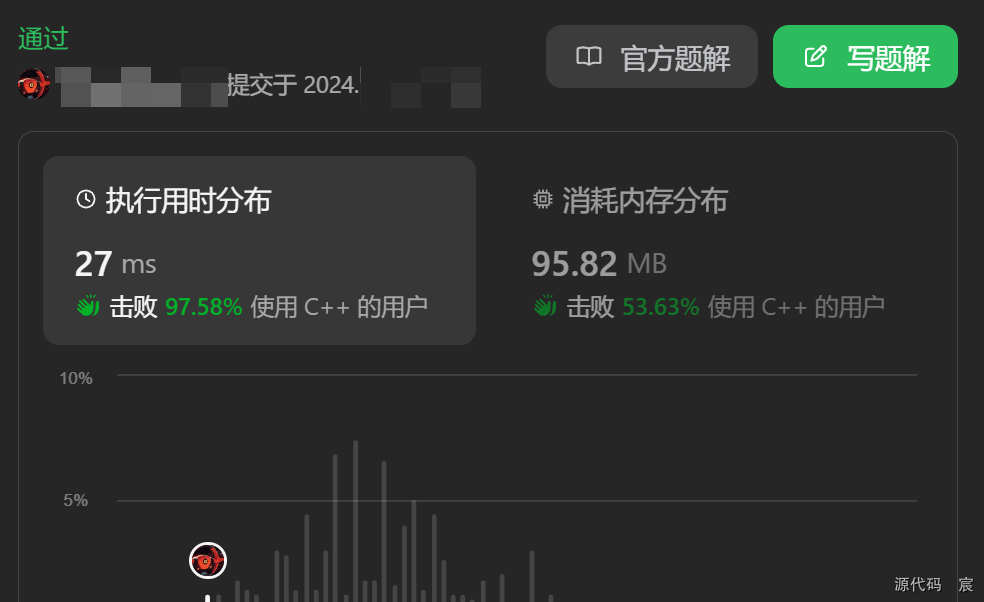
Leetcode—2670. 找出不同元素数目差数组【简单】
2024每日刷题(一零七) Leetcode—2670. 找出不同元素数目差数组 哈希表实现代码 class Solution { public:vector<int> distinctDifferenceArray(vector<int>& nums) {unordered_set<int> s;int n nums.size();vector<int&g…...
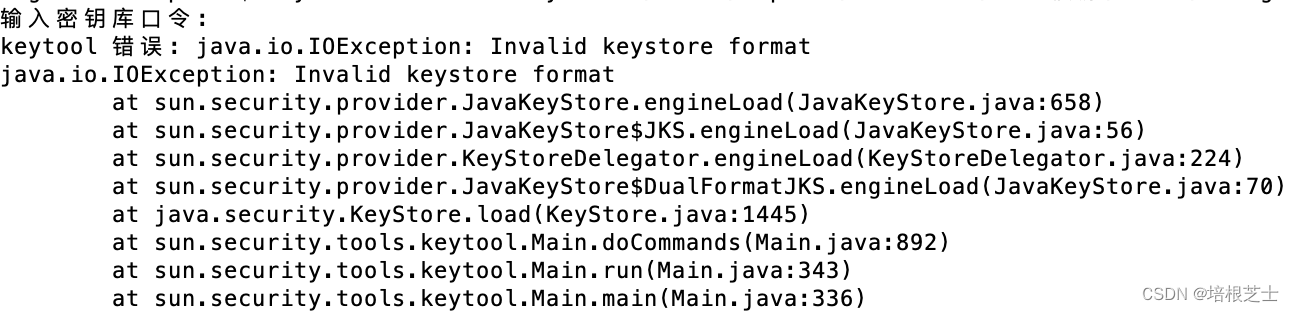
App ICP备案获取iOS和Android的公钥和证书指纹
依照《工业和信息化部关于开展移动互联网应用程序备案工作的通知》,向iOS和安卓平台提交App时需要先提交ICP备案信息。 iOS平台: 1、下载appuploader工具:Appuploader home -- A tool improve ios develop efficiency such as submit ipa to…...
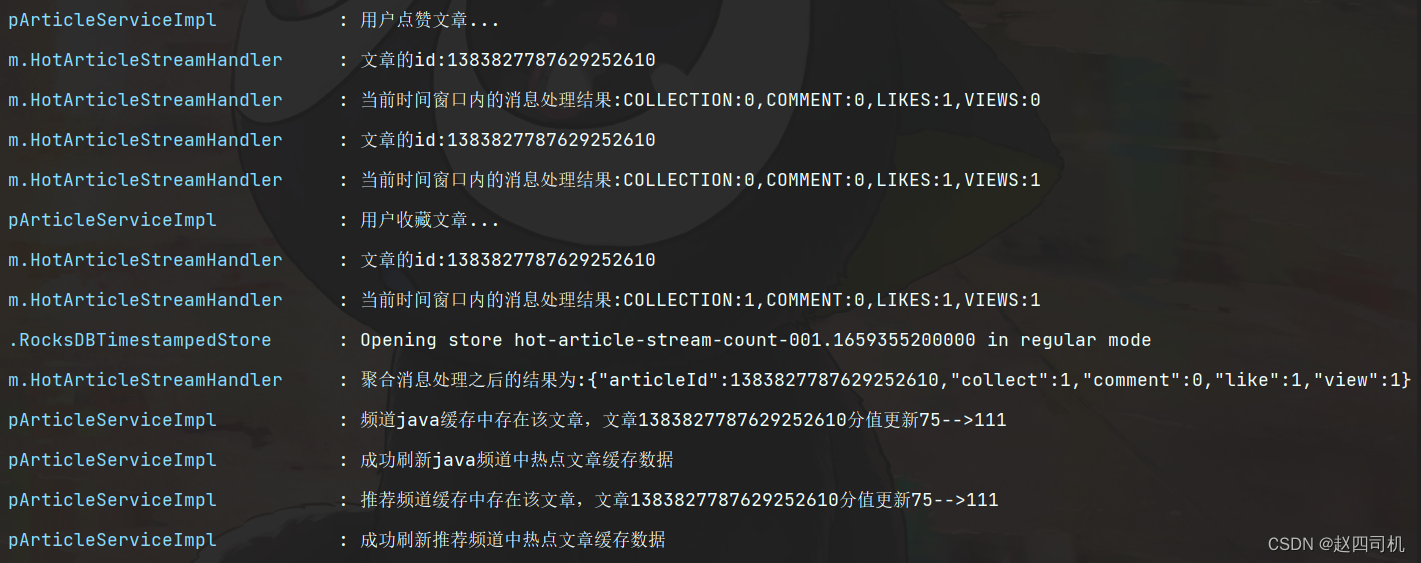
猿创征文 | 项目整合KafkaStream实现文章热度实时计算
个人简介: > 📦个人主页:赵四司机 > 🏆学习方向:JAVA后端开发 > ⏰往期文章:SpringBoot项目整合微信支付 > 🔔博主推荐网站:牛客网 刷题|面试|找工作神器 > &#…...
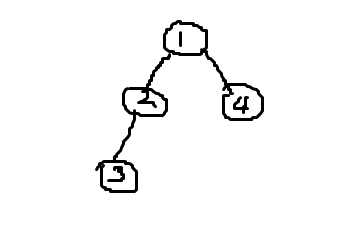
状态压缩 笔记
棋盘式的f[i][j]中表示状态的j可以是状态本身也可以是在合法状态state中的下标 用状态本身比较方便,用下标比较省空间 用下标的话可以开id[M]数组记录一下 蒙德里安的梦想 求把 NM的棋盘分割成若干个 12的长方形,有多少种方案。 例如当 N2࿰…...

Java 数据结构篇-实现二叉搜索树的核心方法
🔥博客主页: 【小扳_-CSDN博客】 ❤感谢大家点赞👍收藏⭐评论✍ 文章目录 1.0 二叉搜索树的概述 2.0 二叉搜索树的成员变量及其构造方法 3.0 实现二叉树的核心接口 3.1 实现二叉搜索树 - 获取值 get(int key) 3.2 实现二叉搜索树 - 获取最小…...
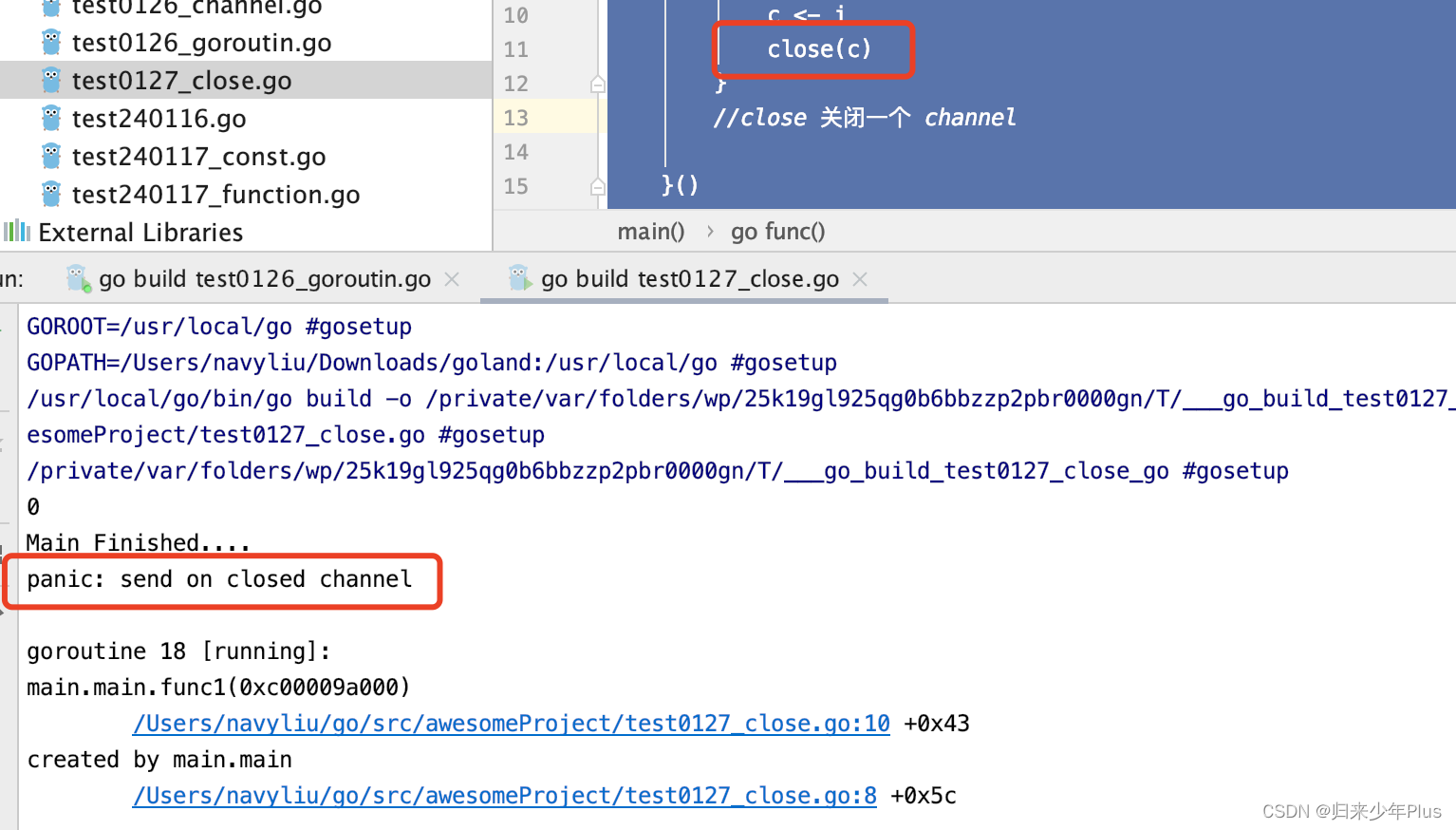
go语言(二十一)---- channel的关闭
channel不像文件一样需要经常去关闭,只有当你确实没有任何发送数据了,或者你想显示的结束range循环之类的,才去关闭channel。关闭channel后,无法向channel再发送数据,(引发pannic错误后,导致接收…...
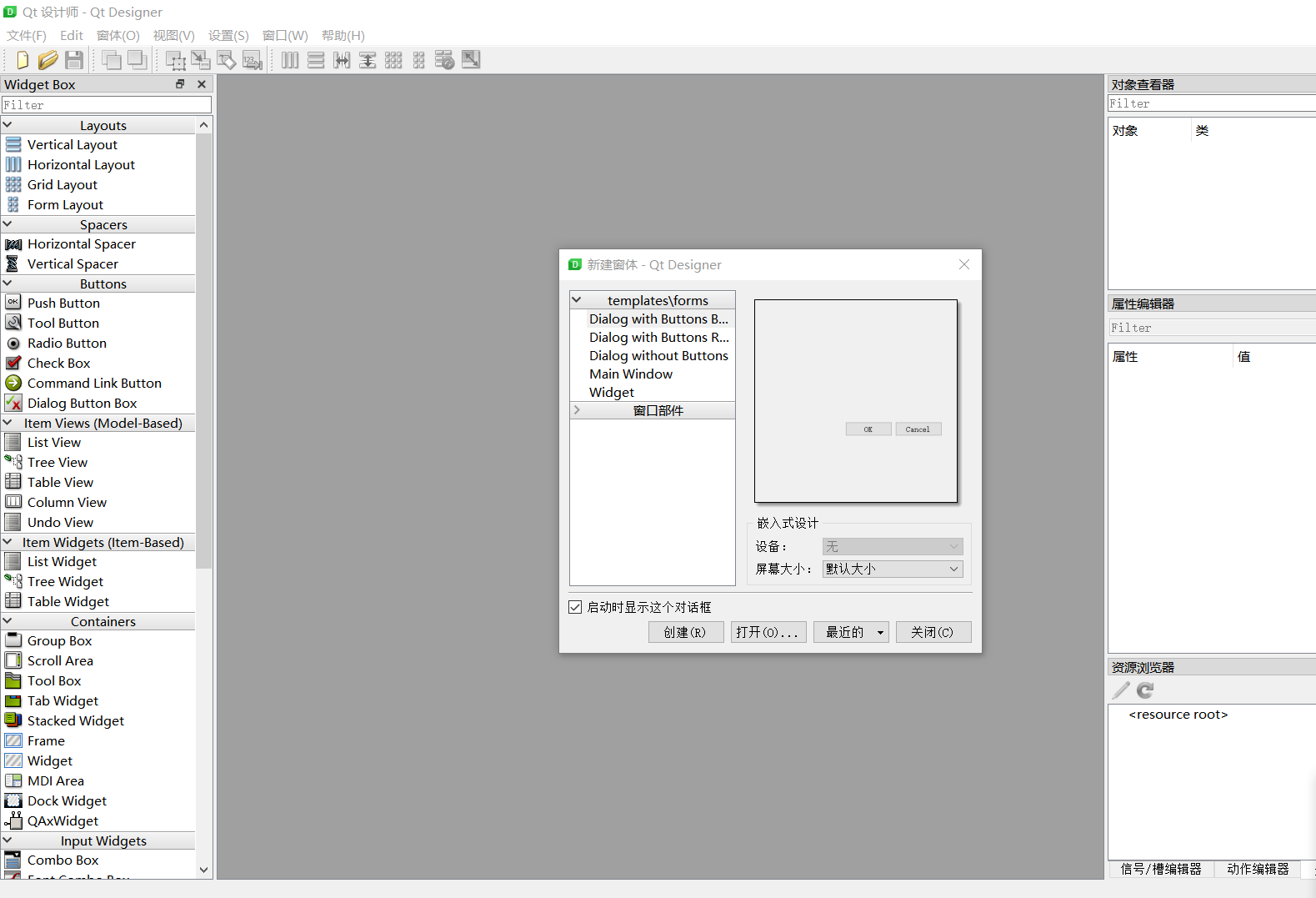
【PyQt】01-PyQt下载
文章目录 前言静态库 一、PyQt是什么?二、安装1.Windows环境下安装安装PyQt5Designer 2.Liunx环境下安装 总结 前言 拜吾师 PyQt5 快速入门 静态库 补充一点知识: Windows: .lib Linux: .a .so(动态库) 简单描述PyQt就是python调用C的Qt文…...

不一样的味觉体验:精酿啤酒与烤肉的绝妙搭配
在繁华的都市生活中,人们总是在寻找那份与众不同的味觉享受。当夏日的微风轻轻拂过,你是否想过,与三五好友围坐在一起,拿着Fendi Club啤酒与烤肉的绝妙搭配,畅谈生活点滴,感受那份惬意与自在? F…...

linux系统ansible的jiaja2的语法和简单剧本编写
jianja2语法和简单剧本 jinja2语法Jinja default()设定if语句for语句 ansiblejiaja2的使用ansible目录结构:tasks目录下文件内容:nginx模板文件ansible变量文件ansible主playbook文件测试并执行:查看检测执行结果 剧本编写安装apache安装mysq…...

Three.js PBR 物理渲染
详解 Three.js PBR 物理渲染 Three.js 是一个流行的基于 WebGL 的 JavaScript 库,专门用于创建和运行三维动画和游戏。其中很关键的一部分是物理渲染(PBR)。本文将深入探讨 Three.js 的 PBR 渲染,并为初学者提供实用的指导。 什…...
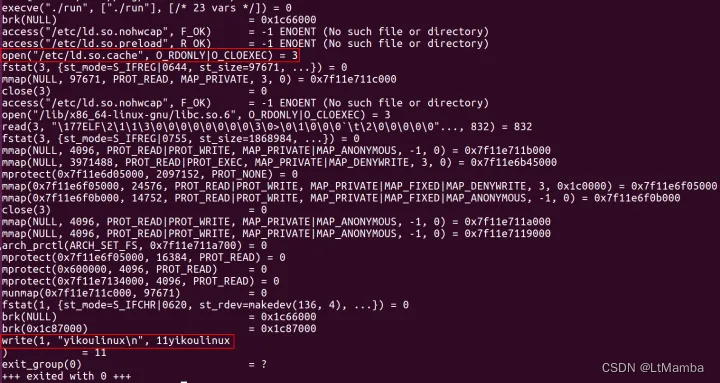
POSIX(包含程序的可移植性) -- 详解
1. 什么是 POSIX 参考链接–知乎 POSIX 标准包含了进程管理、文件管理、网络通信、线程和同步、信号处理等方面的功能。 这些接口定义了函数、数据类型和常量等,为开发者提供了一个可移植的方法来与操作系统进行交互。 2. 谁遵守这个标准 遵守 POSIX 标准的主要是…...
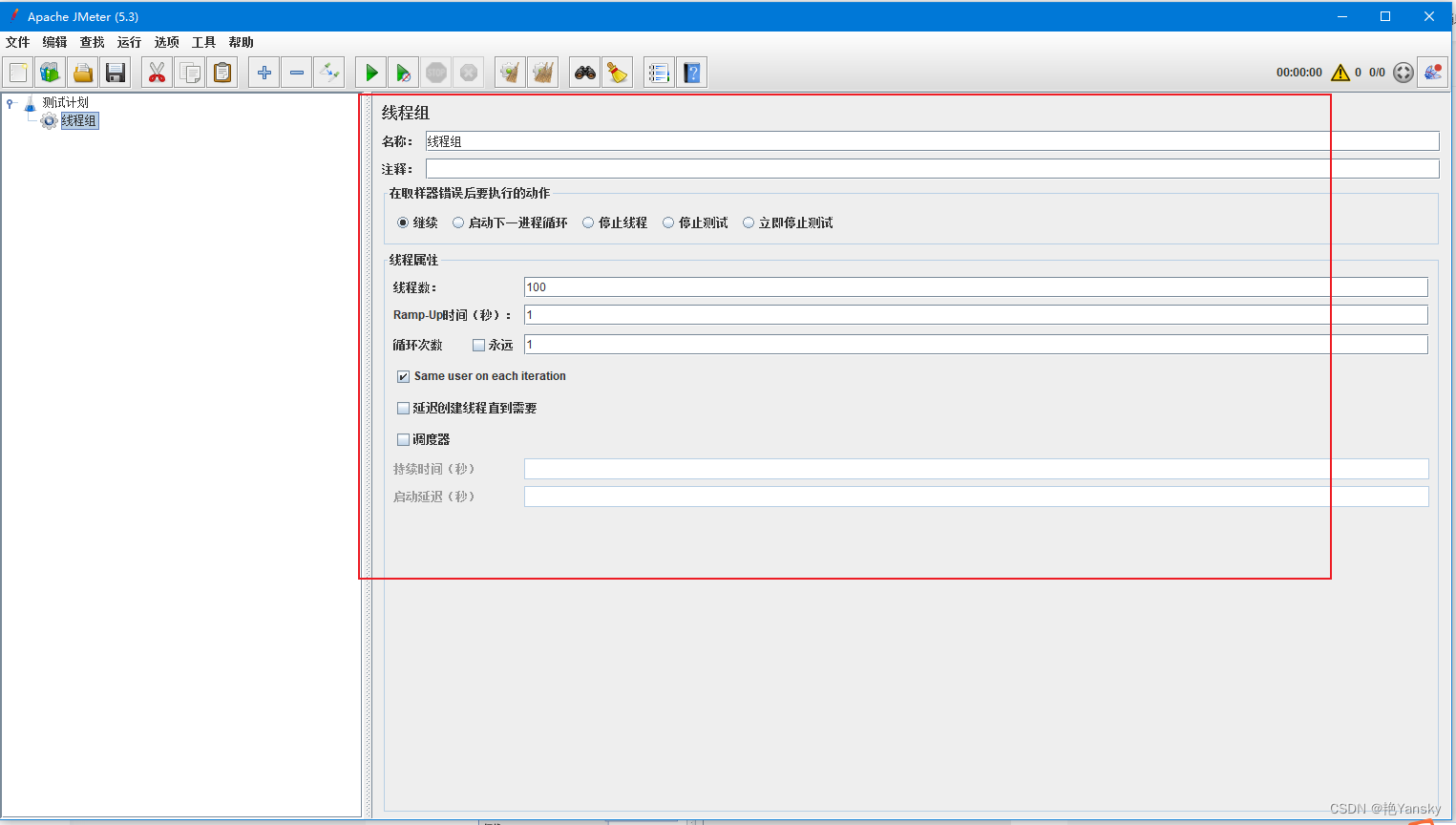
Jmeter学习系列之五:基础线程组(Thread Group)
前言 线程组是一系列线程的集合,每一个线程代表着一个正在使用应用程序的用户。在 jmeter 中,每个线程意味着模拟一个真实用户向服务器发起请求。 在 jmeter 中,线程组组件运行用户设置线程数量、初始化方式等等配置。 例如,如果你设置线程数为 100,那么 jmeter 将创建…...

Android 双卡适配 subId 相关方法
业务场景 双卡设备进行网络等业务时,需要正确操作对应的卡。 执行卡业务和主要是使用subId和 PhoneId/SlotId进行区分隔离。 代码举例 初始化subId //初始化subId private int mSubId SubscriptionManager.INVALID_SUBSCRIPTION_ID;//1、通过intent传值&#x…...

CANN-Ascend-C流水线编程-昇腾NPU上Cube和Vector怎么协作
CANN-Ascend-C流水线编程-昇腾NPU上Cube和Vector怎么协作 昇腾NPU的 AI Core 里有两种计算单元:Cube 做矩阵乘法,Vector 做逐元素运算。FlashAttention 这种融合算子需要 Cube 和 Vector 交替工作——先 Cube 算 QK^T,再 Vector 算 Softmax&a…...

别再手动开两个终端了!群晖Docker部署MCSM面板后,配置Systemd服务实现开机自启动详解
群晖Docker部署MCSM面板的终极运维方案:Systemd服务配置全指南 在家庭服务器和小型私有云环境中,Minecraft服务器的管理一直是个既有趣又充满挑战的话题。MCSM面板作为一款开源的Minecraft服务器管理工具,凭借其友好的Web界面和丰富的功能&am…...

LERF技术解析:基于NeRF与CLIP的3D场景语言查询与语义分割
1. 项目概述:当NeRF遇见自然语言最近在三维重建和生成领域,一个名为LERF(Language Embedded Radiance Fields)的技术组合引起了不小的关注。简单来说,它做了一件听起来很科幻的事:你给一段文字描述…...

static-php-cli跨平台构建实战:Linux、macOS、Windows全攻略
static-php-cli跨平台构建实战:Linux、macOS、Windows全攻略 【免费下载链接】static-php-cli Build standalone portable PHP binaries on Linux, macOS, Windows, with PHP project together, with popular extensions included. 项目地址: https://gitcode.com…...

从文字问诊到具身交付:健康 Agent 产品落地实战
当健康 Agent 跳出冰冷文字框,升级为能开口、有表情、会互动的 3D 数字医生,产品体验会发生质变。本文完整记录:我如何用魔珐星云 SDK,把文字健康 Agent 落地为可交互数字员工的实战全过程。 一、产品痛点:健康 Agent&…...
)
强制启动 Cursor IDE 主程序(不带 Agent 模式)
🔧 终极解决:强制启动 Cursor IDE 主程序(不带 Agent 模式)方法 1:用「命令行」强制启动主程序(最稳)按 WinR 打开运行窗口,输入 cmd 回车,打开命令提示符输入下面这行命…...
)
玻璃材质提示词失效率高达67%?2024最新Glass Prompt Framework v3.0(含Cinema4D材质参数→MJ语义映射表)
更多请点击: https://kaifayun.com 第一章:玻璃材质提示词失效率的行业现状与归因分析 在当前AIGC图像生成领域,“glass material”(玻璃材质)类提示词的失效问题已成高频痛点。多项基准测试显示,主流多模…...

嵌入式工程师核心素养:从测试到系统构建的全链路能力模型
1. 从“明星评选”看嵌入式工程师的成长路径与价值塑造最近看到一篇关于某公司内部“品质与服务创建活动”的报道,评选了四位明星工程师。这让我感触颇深。在嵌入式这个行当里摸爬滚打了十几年,我见过太多技术扎实但默默无闻的同行,也见过一些…...
)
Linux 文件隐藏属性 chattr、lsattr 详解——锁住文件防误删(运维必备)
前言很多人只知道 chmod、chown 改权限,却不知道 Linux 还有隐藏文件属性。普通权限能被 root 绕过,而 chattr 隐藏属性可以 锁住文件,root 也无法删除、修改,是服务器防护、防误删、保护配置文件的核心命令。一、命令简介lsattr&…...
)
告别命令行!用mqtt-spy这个开源神器,5分钟搞定MQTT消息调试(附保姆级配置流程)
可视化MQTT调试革命:mqtt-spy如何让物联网开发效率提升300% 在智能家居和工业物联网项目开发中,MQTT协议因其轻量级和高效性成为设备通信的首选方案。然而,传统的命令行调试方式往往让开发者陷入重复输入命令、难以直观查看消息流的困境。一…...