
《走进科学》灵异事件:Nginx配置改了之后一直报错
想要安装WoWSimpleRegistration,就定下来要用nginx+php8 ,结果nginx那里加上php的支持之后一直报错:
$ sudo service nginx restart
Job for nginx.service failed because the control process exited with error code.
See "systemctl status nginx.service" and "journalctl -xeu nginx.service" for details.
最灵异的地方就是:将配置恢复成今天修改之前的,还是同样的报错。简直是《走进科学》IT版。
当然用sudo systemctl status nginx.service看,报错还是不一样的。
自己写php配置后的报错:
× nginx.service - A high performance web server and a reverse proxy serverLoaded: loaded (/lib/systemd/system/nginx.service; enabled; vendor preset: enabled)Active: failed (Result: exit-code) since Thu 2024-02-08 07:53:31 UTC; 11s agoDocs: man:nginx(8)Process: 47195 ExecStartPre=/usr/sbin/nginx -t -q -g daemon on; master_process on; (code=exited, status=1/FAILURE)CPU: 28msFeb 08 07:53:31 ub systemd[1]: Starting A high performance web server and a reverse proxy server...
Feb 08 07:53:31 ub nginx[47195]: nginx: [emerg] unexpected end of file, expecting ";" or "}" in /etc/nginx/conf.d/wow>
Feb 08 07:53:31 ub nginx[47195]: nginx: configuration file /etc/nginx/nginx.conf test failed
Feb 08 07:53:31 ub systemd[1]: nginx.service: Control process exited, code=exited, status=1/FAILURE
Feb 08 07:53:31 ub systemd[1]: nginx.service: Failed with result 'exit-code'.
Feb 08 07:53:31 ub systemd[1]: Failed to start A high performance web server and a reverse proxy server.
现在恢复配置之后的报错:
× nginx.service - A high performance web server and a reverse proxy serverLoaded: loaded (/lib/systemd/system/nginx.service; enabled; vendor preset: enabled)Active: failed (Result: exit-code) since Thu 2024-02-08 06:33:07 UTC; 1h 9min agoDocs: man:nginx(8)Process: 29162 ExecStartPre=/usr/sbin/nginx -t -q -g daemon on; master_process on; (code=exited, status=0/SUCCESS)Process: 29163 ExecStart=/usr/sbin/nginx -g daemon on; master_process on; (code=exited, status=1/FAILURE)CPU: 86msFeb 08 06:33:05 ub nginx[29163]: nginx: [emerg] bind() to 0.0.0.0:80 failed (98: Unknown error)
Feb 08 06:33:05 ub nginx[29163]: nginx: [emerg] bind() to [::]:80 failed (98: Unknown error)
Feb 08 06:33:06 ub nginx[29163]: nginx: [emerg] bind() to 0.0.0.0:80 failed (98: Unknown error)
Feb 08 06:33:06 ub nginx[29163]: nginx: [emerg] bind() to [::]:80 failed (98: Unknown error)
Feb 08 06:33:06 ub nginx[29163]: nginx: [emerg] bind() to 0.0.0.0:80 failed (98: Unknown error)
Feb 08 06:33:06 ub nginx[29163]: nginx: [emerg] bind() to [::]:80 failed (98: Unknown error)
Feb 08 06:33:07 ub nginx[29163]: nginx: [emerg] still could not bind()
Feb 08 06:33:07 ub systemd[1]: nginx.service: Control process exited, code=exited, status=1/FAILURE
Feb 08 06:33:07 ub systemd[1]: nginx.service: Failed with result 'exit-code'.
Feb 08 06:33:07 ub systemd[1]: Failed to start A high performance web server and a reverse proxy server.
这样就看明白了,是80端口绑定报错。然后脑子突然在线了,是不是今天调试的时候,把apache安装上去了? 打开本地页面http://127.0.0.1 ,果然是apache的页面。原来这就是nginx恢复配置也无法启动的原因啊!
把apache服务停掉:sudo systemctl stop apache2
然后再开nginx的服务:sudo service nginx restart
没有报错了! 好,现在开始调试php吧!
再仔细看php的报错:
skywalk@ub:/etc/nginx$ journalctl -xeu nginx.service
Feb 08 10:30:55 ub nginx[49977]: nginx: configuration file /etc/nginx/nginx.conf test failed
Feb 08 10:30:55 ub systemd[1]: nginx.service: Control process exited, code=exited, status=1/F>
░░ Subject: Unit process exited
░░ Defined-By: systemd
░░ Support: http://www.ubuntu.com/support
░░
░░ An ExecStartPre= process belonging to unit nginx.service has exited.
░░
░░ The process' exit code is 'exited' and its exit status is 1.
Feb 08 10:30:55 ub systemd[1]: nginx.service: Failed with result 'exit-code'.
░░ Subject: Unit failed
░░ Defined-By: systemd
░░ Support: http://www.ubuntu.com/support
░░
░░ The unit nginx.service has entered the 'failed' state with result 'exit-code'.
Feb 08 10:30:55 ub systemd[1]: Failed to start A high performance web server and a reverse pr>
░░ Subject: A start job for unit nginx.service has failed
░░ Defined-By: systemd
░░ Support: http://www.ubuntu.com/support
░░
░░ A start job for unit nginx.service has finished with a failure.
░░
░░ The job identifier is 7021 and the job result is failed.
使用nginx -t查看:
$ sudo nginx -t
nginx: [emerg] unexpected end of file, expecting ";" or "}" in /etc/nginx/conf.d/wow.conf:18
nginx: configuration file /etc/nginx/nginx.conf test failed
定位到18行 ,但是没有问题啊,括号是成对的啊,所有的语句后面都有分号。
再仔细查看,发现最后第18行,有一个“~”字符,由于它跟vi的显示字符一样(颜色不同),误以为第18行是空行,将其删除,ok拉!
现在http服务器起来了,但是php服务还没起来。 手动写index.php 文件,结果没执行,被下载下来了
怀疑是php-fpm服务没有起来,手工起,结果失败:
sudo systemctl start php-fpm
Failed to start php-fpm.service: Unit php-fpm.service not found.
先查看apt有没有安装
$ sudo apt list |grep fpmWARNING: apt does not have a stable CLI interface. Use with caution in scripts.libfpm-helper0/jammy 4.2-2.3 amd64
libintelrdfpmath-dev/jammy 2.0u2-4 amd64
mono-fpm-server/jammy,jammy 4.2-2.3 all
php-fpm/jammy,jammy,now 2:8.1+92ubuntu1 all [installed]
php8.1-fpm/jammy-updates,jammy-security,now 8.1.2-1ubuntu2.14 amd64 [installed,automatic]
php8.1-fpm/jammy-updates,jammy-security 8.1.2-1ubuntu2.14 i386
再查看service
$ sudo systemctl list-units --type=service | grep phpphp8.1-fpm.service
loaded active running The PHP 8.1 FastCGI Process Manager
启动:
$ sudo systemctl start php8.1-fpm
现在php-fpm总算启动了
php8.1-fpm.service │ ├─17901 php-fpm: master process (/etc/php/8.1/fpm/php-fpm.conf)│ ├─17904 php-fpm: pool www│ └─17905 php-fpm: pool www
发现这条语句没有: fastcgi_index index.php;
加上之后照旧,就像php没有起来一样。
比着这个来一下:
location ~ \.php$ {
 try_files $uri = 404;
 fastcgi_pass 127.0.0.1:9000;
 fastcgi_index index.php;
 include fastcgi.conf;
 }
现在的浏览器报错是:403 Forbidden
又问了一遍文心一言,这回对该回答比较满意,只修改了域名了目录,一次过!
server {listen 80;server_name wow.airoot.org;root /var/www/;  index index.php index.html index.htm;location / {  try_files $uri $uri/ =404;}  location ~ \.php$ {  fastcgi_pass unix:/var/run/php/php8.1-fpm.sock;  # 根据你的 PHP-FPM 配置修改  fastcgi_index index.php;  fastcgi_param SCRIPT_FILENAME $document_root$fastcgi_script_name; include fastcgi_params;  }  location ~ /\.ht {deny all;  }
}
现在把wow reg下载到目录,
配置好后,提示:Composer detected issues in your platform: Your Composer dependencies require a PHP version ">= 8.2.0".
当前版本:PHP 8.1.2
升级到8.2 并不太顺利,当前apt包里是没有的,网上找到的操作:
sudo dpkg -l | grep php | tee packages.txt
sudo add-apt-repository ppa:ondrej/php # Press enter when prompted.
sudo apt update
sudo apt install php8.2 php8.2-cli php-8.2{bz2,curl,mbstring,intl}sudo apt install php8.2-fpm
# OR
# sudo apt install libapache2-mod-php8.2sudo a2enconf php8.2-fpm# When upgrading from older PHP version:
sudo a2disconf php8.1-fpm## Remove old packages
sudo apt purge php8.1*
安装的时候提示:
CAVEATS:
1. If you are using php-gearman, you need to add ppa:ondrej/pkg-gearman
2. If you are using apache2, you are advised to add ppa:ondrej/apache2
3. If you are using nginx, you are advised to add ppa:ondrej/nginx-mainline
or ppa:ondrej/nginx
新版本浏览器报错:
502 Bad Gateway
看/var/nginx/error.log :
024/02/09 01:38:13 [crit] 40709#40709: *1 connect() to unix:/var/run/php/php8.1-fpm.sock failed (2: No such file or directory) while connecting to upstream, client: 192.168.0.107, server: wow.airoot.org, request: "GET /index.php HTTP/1.1", upstream: "fastcgi://unix:/var/run/php/php8.1-fpm.sock:", host: "wow.airoot.org"
~
是php-fpm文件没有改过来。
将conf文件中fastcgi_pass unix:/var/run/php/php8.1-fpm.sock;修改为fastcgi_pass unix:/var/run/php/php8.3-fpm.sock;
报错没有文件:
启动php8.3-fpm :
sudo systemctl start php8.3-fpm
这时候打开http://wow.airoot.org/html/index.php页面是空白,源代码里空。
这样估计有点正常了。将php的测试文件test.php
 <?php
phpinfo();?>
放入根目录,测试通过.
查看WoWSimpleRegistration手册:
-
Fulfill the above prerequisites on your server.
-
Obtain the project files:
- Download and unzip the project, or clone it using Git:
git clone https://github.com/masterking32/WoWSimpleRegistration
- Download and unzip the project, or clone it using Git:
-
-
Navigate to the
application/config/directory and rename the fileconfig.php.sampletoconfig.php. -
Edit the newly renamed
config.phpfile, inserting your server details. Note that if using the "Image Captcha" feature, PHP's GD2 module must be enabled. -
Once configuration is complete, your registration page should be operational.
下面配置文件就行了。
相关文章:

《走进科学》灵异事件:Nginx配置改了之后一直报错
想要安装WoWSimpleRegistration,就定下来要用nginxphp8 ,结果nginx那里加上php的支持之后一直报错: $ sudo service nginx restart Job for nginx.service failed because the control process exited with error code. See "systemctl…...
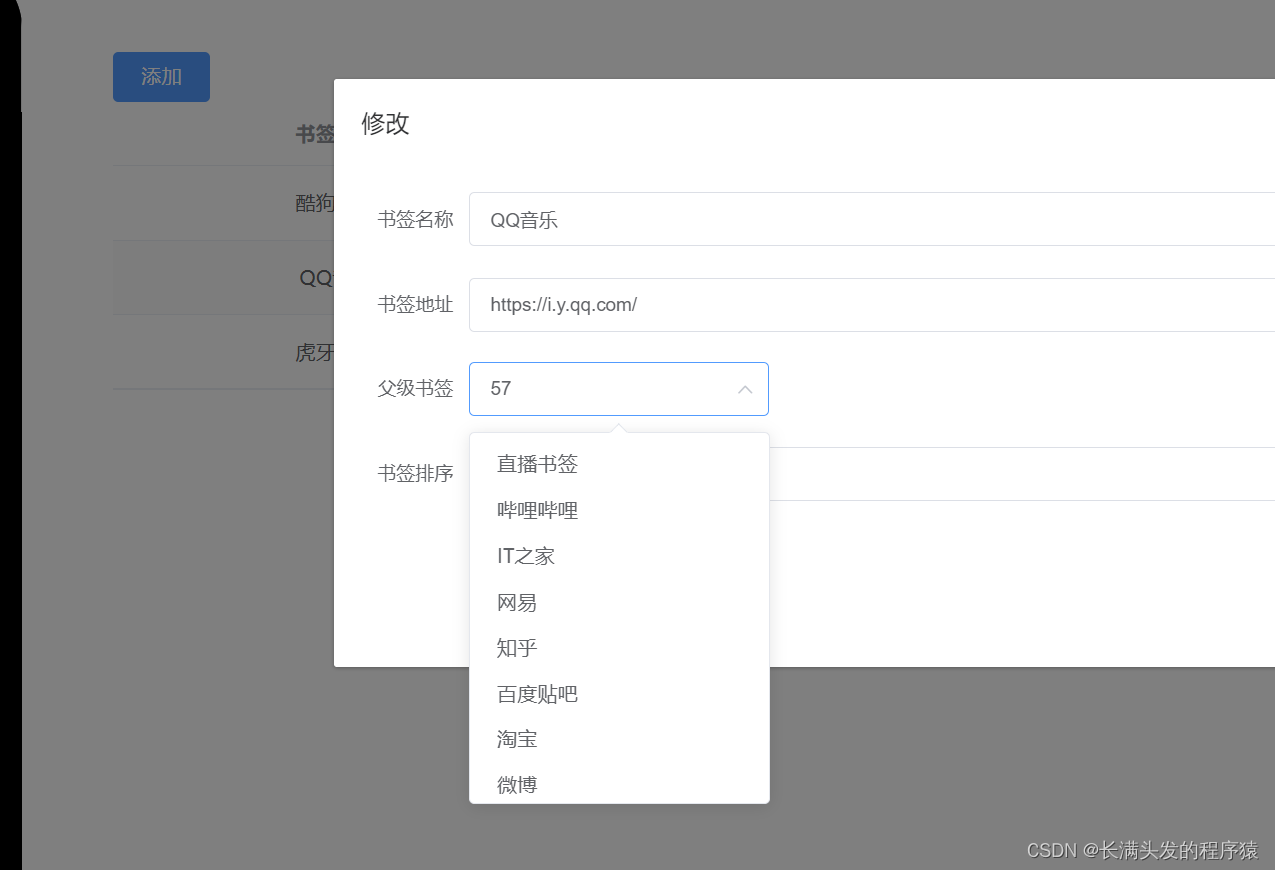
Select 选择器 el-option 回显错误 value
离谱 回显的内容不是 label 而是 value 的值 返回官方看说明: v-model的值为当前被选中的el-option的 value 属性值 value / v-model 绑定值有3种类型 boolean / string / number 根据自身代码猜测是:tableData.bookId 与 item.id 类型不一致导致 &…...
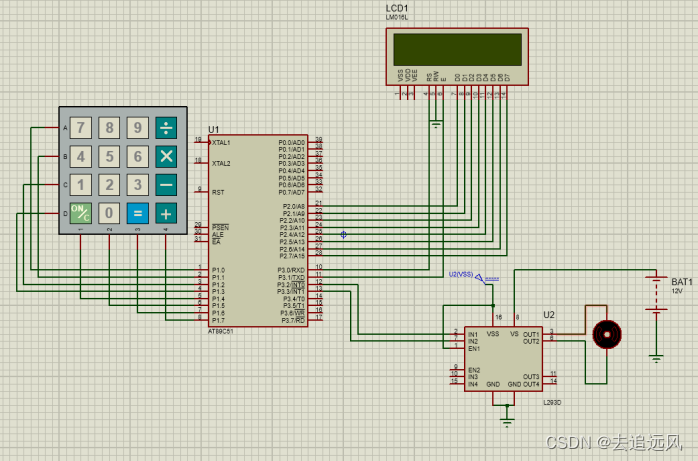
【51单片机Keil+Proteus8.9】门锁控制电路
门锁控制电路 二、设计思路 电路设计 1.电源部分:使用BATTERY为整个电路提供电源,可以在电路中加入一个电 源开关,以便控制电源的开启和关闭。 2.处理器部分:使用AT89C51芯片作为主处理器,通过编写程序实现门锁的 …...

比较Kamailio和OpenSIPS的重写contact函数
Kamailio:调用set_contact_alias()之后,在原有的contact的后面增加参数,具体地说,就是网络地址,网络端口和transport,好处是收到后续请求之时可以恢复原有contact的内容(当然也有坏处࿰…...
)
【ETOJ P1046】斐波那契数列 题解(数学+动态规划)
题目描述 给定一个整数 T T T,表示样例数。 对于每个样例,给定一个整数 n n n,求斐波那契数列的第 n n n 项。 斐波那契数列定义为 f ( 1 ) f ( 2 ) 1 f(1) f(2) 1 f(1)f(2)1, f ( n ) f ( n − 1 ) f ( n − 2 ) f(…...

编码技巧——基于RedisTemplate的RedisClient实现、操作Lua脚本
1. 背景 在新公司的脚手架中开发,需要用到redis,发现没有封装好一套能集成各种常用命令、包括Lua脚本的方便使用的RedisTemplateClient,于是自己来实现下; springboot整合redis之后,提供了操作redis的简便方式&#…...
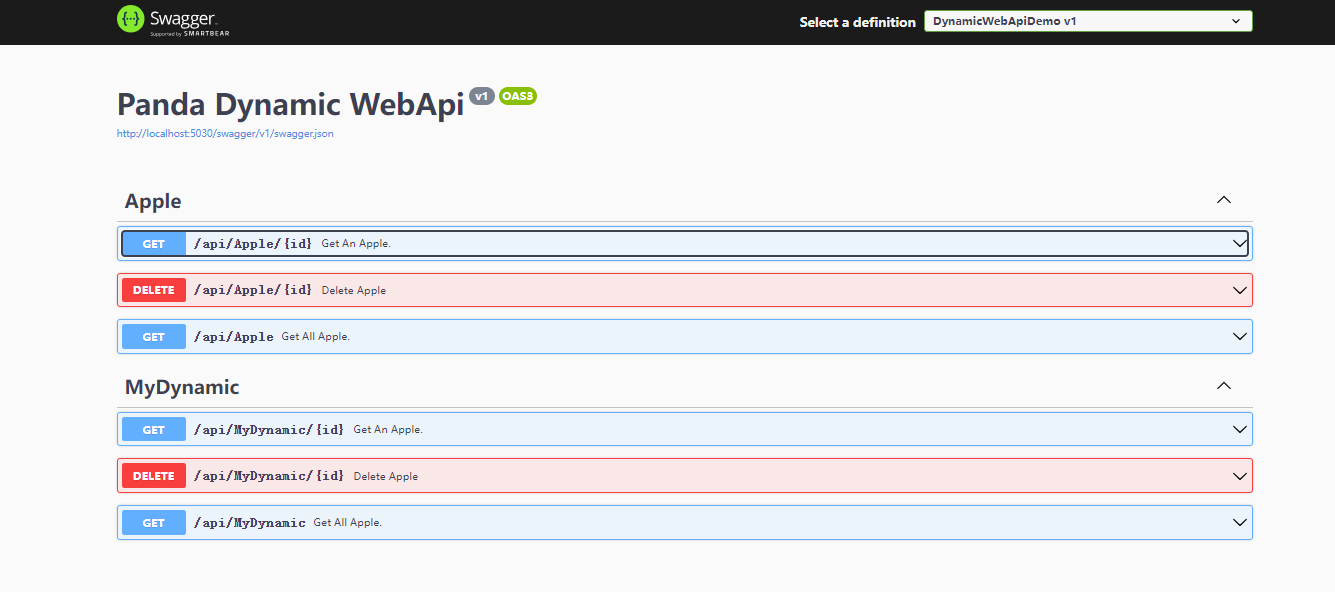
Asp .Net Core 系列:Asp .Net Core 集成 Panda.DynamicWebApi
文章目录 简介Asp .Net Core 集成 Panda.DynamicWebApi配置原理什么是POCO Controller?POCO控制器原理ControllerFeatureProvider实现自定义判断规则IApplicationModelConventionPanda.DynamicWebApi中的实现ConfigureApiExplorer()ConfigureSelector()ConfigurePar…...
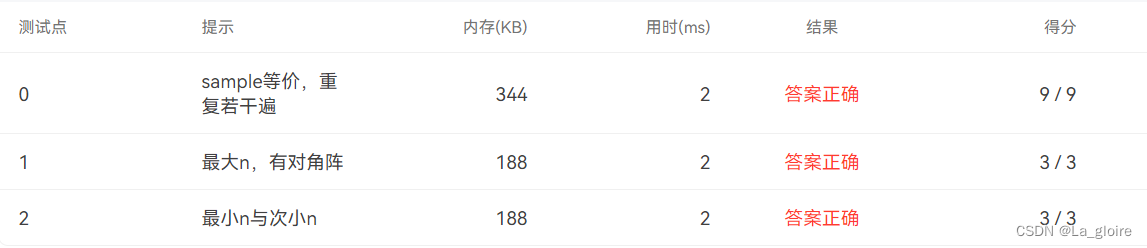
【PTA浙大版《C语言程序设计(第4版)》|编程题】习题7-3 判断上三角矩阵(附测试点)
目录 输入格式: 输出格式: 输入样例: 输出样例: 代码呈现 测试点 上三角矩阵指主对角线以下的元素都为0的矩阵;主对角线为从矩阵的左上角至右下角的连线。 本题要求编写程序,判断一个给定的方阵是否…...

JVM 性能调优 - 参数调优(3)
查看 JVM 内存的占用情况 编写代码 package com.test;public class PrintMemoryDemo {public static void main(String[] args) {// 堆内存总量long totalMemory Runtime.getRuntime().totalMemory();// jvm 试图使用的最大堆内存long maxMemory Runtime.getRuntime().maxM…...
Django(十)
1. Ajax请求 浏览器向网站发送请求时:URL 和 表单的形式提交。 GETPOST 特点:页面刷新。 除此之外,也可以基于Ajax向后台发送请求(偷偷的发送请求)。 依赖jQuery编写ajax代码 $.ajax({url:"发送的地址"…...

OpenHarmony开源鸿蒙开发之旅
文章目录 一、op系统架构二、op系统构建1. op源代码目录2. op系统构建3. op开发环境搭建 三、op系统的子系统四、op系统芯片移植五、op系统启动流程六、op系统组件七、驱动框架 一、op系统架构 二、op系统构建 1. op源代码目录 2. op系统构建 3. op开发环境搭建 三、op系统…...

SpringBoot之整合PageHelper分页插件
SpringBoot之整合PageHelper分页插件 文章目录 SpringBoot之整合PageHelper分页插件1. 引入坐标2. application.yml配置3. 基本使用4. 对多个查询执行分页1. 默认第一个Select语句会执行分页2. 让Pagehelper也能执行多个分页的方法3. 完整案例 详细配置请查看官网或MyBatis分页…...

Android java基础_类的封装
一.面向对象编程的引入 写一个简单的程序输出张三,李四的名字 class Person {String name;String getName() {return "guangdong "name;} };public class Oop {public static void main(String args[]) {Person p1 new Person();p1.name "zhangs…...

Vue-57、Vue技术路由的参数如何传递
query参数传递 1、传递参数 <!-- 跳转路由并携带query参数,to的字符串写法--> <router-link :to"/home/message/detail?id${p.id}&title${p.title}"> {{p.title}} </router-link><!-- 跳转路由…...

《MySQL 简易速速上手小册》第1章:MySQL 基础和安装(2024 最新版)
文章目录 1.1 MySQL 概览:版本、特性和生态系统1.1.1 基础知识1.1.2 重点案例:使用 Python 实现 MySQL 数据的 CRUD 操作1.1.3 拓展案例 1:使用 Python 实现 MySQL 数据备份**1.1.4 拓展案例 2:使用 Python 分析 MySQL 数据 1.2 安…...
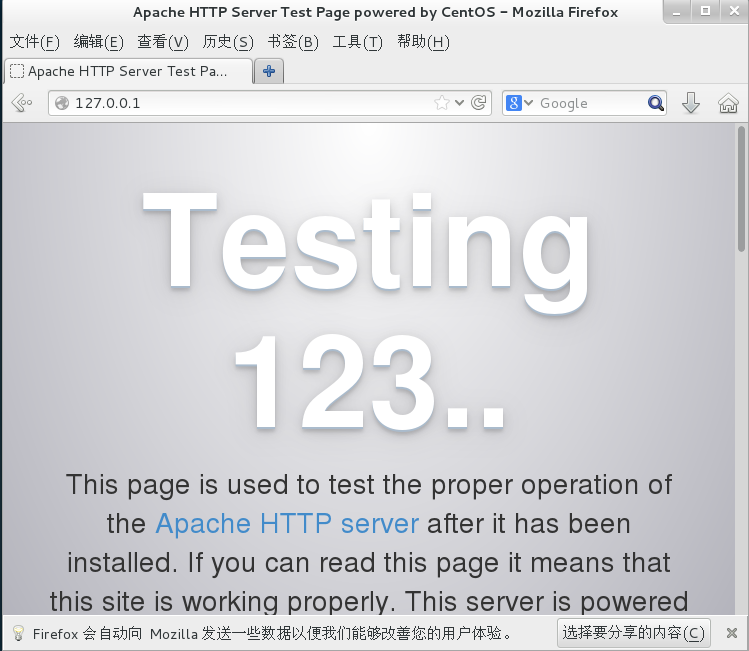
Linux 软件管理(YUM RPM)
1 YUM yum(全称为 Yellow dog Updater, Modified)是一个在Fedora和RedHat以及CentOS中的Shell前端软件包管理器。基于RPM包管理,能够从指定的服务器自动处理依赖性关系,并且一次安装所有依赖的软件包,无须繁琐地一次次…...

【Makefile语法 05】动静态库编译链接
目录 一、多文件项目源代码 二、静态库编译链接 三、动态库编译链接 一、多文件项目源代码 // include/add.hpp#pragma once int add(int a, int b); // include/sub.hpp#pragma once int sub(int a, int b); // src/add.cpp#include "add.hpp"int add(int a, …...

JS - 处理元素滚动
业务功能中时常有元素滚动的功能,现在就总结一下一些常用的事件。 一、定位滚动元素 做一切滚动操作之前都应该先定位到滚动元素,再做其他操作,如滚动顶部,获取滚动距离、禁止滚动等。 把以下代码复制粘贴到浏览器 Console 面板…...

JavaScript滚动事件
🧑🎓 个人主页:《爱蹦跶的大A阿》 🔥当前正在更新专栏:《VUE》 、《JavaScript保姆级教程》、《krpano》、《krpano中文文档》 ✨ 前言 滚动是网页交互不可或缺的一部分。监听页面和元素的滚动事件,可以帮助…...
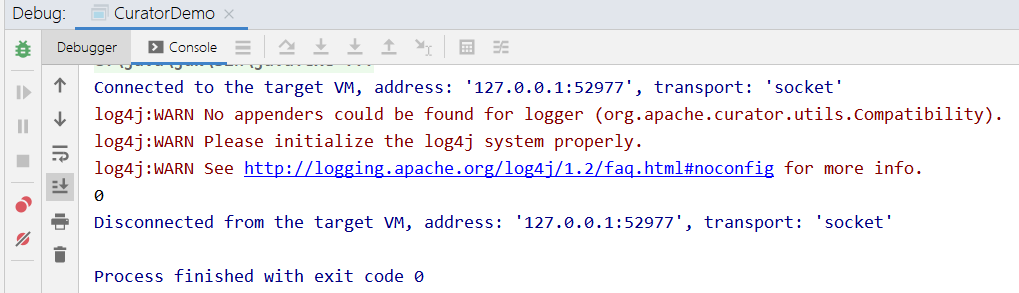
4.0 Zookeeper Java 客户端搭建
本教程使用的 IDE 为 IntelliJ IDEA,创建一个 maven 工程,命名为 zookeeper-demo,并且引入如下依赖,可以自行在maven中央仓库选择合适的版本,介绍原生 API 和 Curator 两种方式。 IntelliJ IDEA 相关介绍:…...

单调栈:高效解决边界查找问题
一、上期回顾 学完并查集 DSU:初始化、查找、合并、路径压缩,连通块、集合合并类题目直接秒杀。今天攻坚单调栈,属于刷题必备、面试常问的线性时间算法。二、单调栈核心概念1. 什么是单调栈栈内元素保持严格递增 / 严格递减,始终维…...

3种方式掌控多显示器亮度:Monitorian让你的Windows屏幕管理更智能
3种方式掌控多显示器亮度:Monitorian让你的Windows屏幕管理更智能 【免费下载链接】Monitorian A Windows desktop tool to adjust the brightness of multiple monitors with ease 项目地址: https://gitcode.com/gh_mirrors/mo/Monitorian 你是否曾为Windo…...

从ValueError到精准评估:解决超分辨率重建中SSIM/PSNR计算的三大实战难题
1. 从报错到理解:新版skimage的SSIM/PSNR计算函数变迁 第一次用skimage计算超分辨率重建指标时,我就被当头一棒——熟悉的compare_ssim和compare_psnr居然报"ImportError"。这就像你习惯去小区东门拿快递,突然发现快递柜搬到了西门…...

VSCode搭配MinGW-w64打造Windows下C++开发环境:从安装、配置到调试一条龙
VSCode搭配MinGW-w64打造Windows下C开发环境:从安装、配置到调试一条龙 在Windows平台上进行C开发,选择合适的工具链往往能事半功倍。虽然Visual Studio提供了完整的解决方案,但许多开发者更青睐轻量级、高度可定制的VSCode编辑器。本文将带你…...

Lyrebird语音变声器完整指南:从安装到高级使用技巧
Lyrebird语音变声器完整指南:从安装到高级使用技巧 【免费下载链接】lyrebird 🦜 Simple and powerful voice changer for Linux, written with Python & GTK 项目地址: https://gitcode.com/gh_mirrors/lyr/lyrebird Lyrebird是一款专为Linu…...

中兴光猫终极管理工具:快速开启工厂模式与永久Telnet指南
中兴光猫终极管理工具:快速开启工厂模式与永久Telnet指南 【免费下载链接】zteOnu A tool that can open ZTE onu device factory mode 项目地址: https://gitcode.com/gh_mirrors/zt/zteOnu zteOnu是一款专为中兴光猫设备设计的专业管理工具,能够…...
)
保姆级教程:用TensorRT 8.5和Python实现ArcFace动态Batch推理(附完整代码)
从零实现ArcFace动态Batch推理:TensorRT 8.5实战手册 人脸识别技术在实际业务场景中往往需要处理海量并发请求,而传统单张图片推理模式难以满足实时性要求。本文将手把手带您完成PyTorch训练的ArcFace模型到TensorRT动态Batch推理的完整部署流程…...

开源AI代码助手Codetie:本地部署、模型自选与实战调优指南
1. 项目概述:一个面向开发者的AI代码伴侣最近在GitHub上看到一个挺有意思的项目,叫codetie-ai/codetie。乍一看名字,可能以为是某个新的编程语言或者框架,但深入了解后,发现它的定位非常精准:一个开源的、本…...

基于ESP32-S3的免焊接RGB矩阵屏驱动方案:从硬件解析到项目实战
1. 项目概述:从零到一的免焊接RGB矩阵显示方案如果你曾经尝试过驱动一块RGB LED矩阵屏,大概率会经历一段“痛并快乐着”的时光。快乐在于,当代码跑通,绚丽的色彩在眼前流动时,那种成就感无与伦比;痛苦则在于…...

Figma布局守护者:自动化检查与规范维护插件开发指南
1. 项目概述:Figma布局守护者 如果你是一名UI/UX设计师,或者是一名前端开发者,那么你一定对Figma不陌生。这个基于Web的协作设计工具,凭借其强大的实时协作能力和开放的插件生态,几乎成为了现代产品设计流程中的标准配…...