
Linux——进程的优先级、ACL
一、系统性能调优
Redhat7和centos7默认安装并启动了tuned服务
实验
[root@user ~]# tuned-adm list //查看所有的调优方案
[root@user ~]# tuned-adm recommend // 查看推荐的调优方案
virtual-guest
适用于作为虚拟机客户机运行的设备,基于throughput-performance策略
在throughput-performance策略基础上,修改了vm.dirty_ratio
vm.dirty_ratio是 Linux 操作系统中与磁盘缓存相关的内核参数。这个参数指定了当文件系统缓存中的脏页(Dirty Pages)数量达到系统总内存(RAM)的某个百分比时,系统会开始同步地将这些脏页写回到磁盘中.
vm.dirty_ratio参数的值表示了一个阈值
[root@user ~]# tuned-adm profile balanced //调整调优方案为指定的方案
[root@user ~]# tuned-adm active // 查看目前启用的调优方案
Current active profile: balanced
[root@user ~]#
[root@user ~]# tuned-adm auto_profile // 自动调整调优方案
[root@user ~]# tuned-adm active // 查看目前启用的调优方案
二、进程优先级调整
计算进程优先级的公式:PRI (优先级) = PRI(初始优先级 80|20) + NICE(相对优先级 -20~19)
初识优先级的值不是不会发生改变的,以相对优先级作为调整优先级的方式。
优先级的值越高,优先级越低
# top查看优先级nice // 创建进程的时候,为nice赋值
nice -n [-20-19] 命令
renice //重新设定NICE的值
renice -n [-20-19] 进程PID
普通权限回顾
XXXX 用户 对于文件 具备xxx 权限
属主 属组 其他人
读 写 执行
三、ACL
(Access Control List/访问控制列表)
- getfacl:获取某个文件/目录的ACL设置选项
- setfacl:设置某个文件/目录的ACL规范
getfacl [选项] 文件 ...
-a, --access 仅显示文件访问控制列表
-d, --default 仅显示默认的访问控制列表
-c, --omit-header 不显示注释表头
-e, --all-effective 显示所有的有效权限
-E, --no-effective 显示无效权限
-s, --skip-base 跳过只有基条目(base entries)的文件
-R, --recursive 递归显示子目录
-L, --logical 逻辑遍历(跟随符号链接)
-P, --physical 物理遍历(不跟随符号链接)
-t, --tabular 使用制表符分隔的输出格式
-n, --numeric 显示数字的用户/组标识
-p, --absolute-names 不去除路径前的 '/' 符号
-v, --version 显示版本并退出
-h, --help 显示本帮助信息
setfacl [参数] 文件或者目录名| -b | 清空扩展访问控制列表策略 |
| -d | 应用到默认访问控制列表 |
| -k | 移除默认访问控制列表 |
| -L | 跟踪符号链接文件 |
| -m | 更改文件访问控制列表策略,不可与-x合用 |
| -P | 找到符号链接对应的文件 |
| -R | 递归处理所有子文件 |
| -x | 根据文件中访问控制列表移除指定策略 |
| --help | 显示帮助信息 |
| --version | 显示版本信息 |
最简单的【u:账号:权限】设置
设置规范为 【u/g/m:使用者账号/用户组名:rwx】
u:针对用户
g:针对用户组
m:针对有效权限
设置acl
实验
[root@user ~]# useradd user1
[root@user ~]# ll /test/aaa
-r--r--r--. 1 student root 18 May  8 16:14 /test/aaa
[root@user ~]# setfacl -m u:user1:rw /test/aaa		//设置ACL
[root@user ~]# ll /test/aaa
-r--rw-r--+ 1 student root 18 May  8 16:14 /test/aaa
[root@user ~]# getfacl /test/aaa			//查看设置的ACL
getfacl: Removing leading '/' from absolute path names
# file: test/aaa
# owner: student
# group: root
user::r--
user:user1:rw-
group::r--
mask::rw-
other::r--[root@user ~]# setfacl -m u:1005:6 /test/aaa			//通过数字而不是字母表示权限
[root@user ~]# getfacl /test/aaa
getfacl: Removing leading '/' from absolute path names
# file: test/aaa
# owner: student
# group: root
user::r--
user:user1:rw-
user:1005:rw-
user:user2:r-x
group::r--
mask::rwx
other::r--[root@user ~]# setfacl -m u:student:1 /test/aaa
[root@user ~]# getfacl /test/aaa
getfacl: Removing leading '/' from absolute path names
# file: test/aaa
# owner: student
# group: root
user::r--
user:student:--x
user:user1:rw-
user:1005:rw-
user:user2:r-x
group::r--
mask::rwx
other::r--
# file: test/aaa- 这是 ACL 应用到的文件或目录的路径。注意这里并没有前导的斜杠/,这通常是因为getfacl命令在处理绝对路径时会自动去除它。# owner: root- 文件的属主是root。# group: root- 文件的属组也是root。user::rw-- 文件所有者(在这个例子中是root)有读(r)和写(w)权限,但没有执行(x)权限。user:user1:rw-- 用户user1也有读和写权限。group::r--- 文件所属的组(在这个例子中是root组)只有读权限。mask::rw-- mask 权限决定了除了文件所有者和其他用户之外的用户和组的最大权限。在这个例子中,mask 设置为rw-,这意味着即使用户或组在 ACL 中被赋予了更多的权限,他们也只会被允许读和写。other::r--- 其他用户只有读权限。
设置掩码
m:针对有效权限
有效权限(mask)的意思为规范最大允许范围,所以当mask的权限只有r时,redhat用户权限最大也只有r,x权限并不生效
[root@user ~]# ll /test/aaa
-r--rwxrwx+ 1 student root 18 May 8 16:14 /test/aaa
[root@user ~]# setfacl -m m::rw /test/aaa //设置掩码
[root@user ~]# getfacl /test/aaa
getfacl: Removing leading '/' from absolute path names
# file: test/aaa
# owner: student
# group: root
user::r--
user:student:--x #effective:---
user:user1:rw-
user:1005:rw-
user:user2:r-x #effective:r--
group::r--
mask::rw-
other::rwx
设置递归
[root@user ~]#
[root@user ~]# touch /test/one/abc
[root@user ~]# ll /test/one/
total 0
-rw-r--r--. 1 root root 0 May 8 17:03 abc
-rw-rw-r--. 1 student student 0 May 8 16:20 bbb
drwxr-xr-x. 2 student root 6 May 8 16:15 yi
[root@user ~]# setfacl -R -m u:user1:rX /test/one/ //递归到目前目录下所有的文件
[root@user ~]# getfacl /test/one/
getfacl: Removing leading '/' from absolute path names
# file: test/one/
# owner: student
# group: root
user::rwx
user:user1:r-x
group::r-x
mask::r-x
other::r-x
[root@user ~]# getfacl /test/one/abc
getfacl: Removing leading '/' from absolute path names
# file: test/one/abc
# owner: root
# group: root
user::rw-
user:user1:r--
group::r--
mask::r--
other::r--
[root@user ~]# getfacl /test/one/yi
getfacl: Removing leading '/' from absolute path names
# file: test/one/yi
# owner: student
# group: root
user::rwx
user:user1:r-x
group::r-x
mask::r-x
other::r-x
[root@user ~]# getfacl /test/aaa
getfacl: Removing leading '/' from absolute path names
# file: test/aaa
# owner: student
# group: root
user::r--
user:student:--x #effective:---
user:user1:rw-
user:1005:rw-
user:user2:r-x #effective:r--
group::r--
mask::rw-
other::rwx
[root@user ~]# setfacl -x u:student /test/aaa //移除ACL条目
[root@user ~]# getfacl /test/aaa
getfacl: Removing leading '/' from absolute path names
# file: test/aaa
# owner: student
# group: root
user::r--
user:user1:rw-
user:1005:rw-
user:user2:r-x
group::r--
mask::rwx
other::rwx
设置继承
[root@user ~]# setfacl -m d:u:1005:rwX /test/one/ //设置默认,可以产生继承效果
//即目录下新建文件和子目录 都有
//这个默认的ACL
[root@user ~]# getfacl /test/one/
getfacl: Removing leading '/' from absolute path names
# file: test/one/
# owner: student
# group: root
user::rwx
user:user1:r-x
group::r-x
mask::r-x
other::r-x
default:user::rwx
default:user:1005:rwx
default:group::r-x
default:mask::rwx
default:other::r-x
[root@user ~]# getfacl /test/one/bbb //已存在文件不受继承效果影响
getfacl: Removing leading '/' from absolute path names
# file: test/one/bbb
# owner: student
# group: student
user::rw-
user:user1:r--
group::rw-
mask::rw-
other::r--
[root@user ~]# touch /test/one/ccc
[root@user ~]# getfacl /test/one/ccc //新建文件 收继承影响
getfacl: Removing leading '/' from absolute path names
# file: test/one/ccc
# owner: root
# group: root
user::rw-
user:1005:rwx #effective:rw-
group::r-x #effective:r--
mask::rw-
other::r--
[root@user ~]# mkdir /test/one/111
[root@user ~]# getfacl /test/one/111 //新建目录 收继承影响
getfacl: Removing leading '/' from absolute path names
# file: test/one/111
# owner: root
# group: root
user::rwx
user:1005:rwx
group::r-x
mask::rwx
other::r-x
default:user::rwx
default:user:1005:rwx
default:group::r-x
default:mask::rwx
default:other::r-x
[root@user ~]# touch /test/one/111/222
[root@user ~]# getfacl /test/one/111/222
getfacl: Removing leading '/' from absolute path names
# file: test/one/111/222
# owner: root
# group: root
user::rw-
user:1005:rwx #effective:rw-
group::r-x #effective:r--
mask::rw-
other::r--
[root@user ~]# setfacl -x d:u:1005 /test/one/111/ //移除默认ACL
[root@user ~]# getfacl /test/one/111/
getfacl: Removing leading '/' from absolute path names
# file: test/one/111/
# owner: root
# group: root
user::rwx
user:1005:rwx
group::r-x
mask::rwx
other::r-x
default:user::rwx
default:group::r-x
default:mask::r-x
default:other::r-x
移除ACL
[root@user ~]# setfacl -b /test/aaa //移除所有的ACL
[root@user ~]# getfacl /test/aaa
getfacl: Removing leading '/' from absolute path names
# file: test/aaa
# owner: student
# group: root
user::r--
group::r--
other::rwx
[root@user ~]# ll /test/aaa //还原到没有ACL的状态了
-r--r--rwx. 1 student root 18 May 8 16:14 /test/aaa
相关文章:

Linux——进程的优先级、ACL
一、系统性能调优 Redhat7和centos7默认安装并启动了tuned服务 实验 [rootuser ~]# tuned-adm list //查看所有的调优方案 [rootuser ~]# tuned-adm recommend // 查看推荐的调优方案 virtual-guest 适用于作为虚拟机客户机运行的设备࿰…...
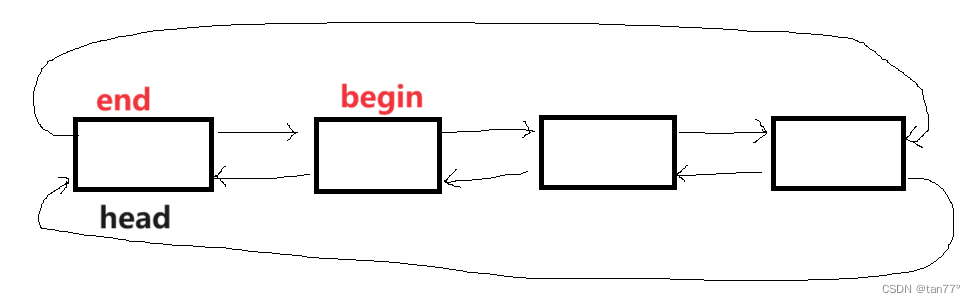
【C++】STL-list模拟实现
目录 1、本次需要实现的3个类即接口总览 2、list的模拟实现 2.1 链表结点的设置以及初始化 2.2 链表的迭代器 2.3 容量接口及默认成员函数 1、本次需要实现的3个类即接口总览 #pragma once #include<iostream> #include<assert.h> using namespace std; templ…...
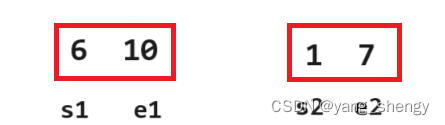
Java 7大排序
🐵本篇文章将对数据结构中7大排序的知识进行讲解 一、插入排序 有一组待排序的数据array,以升序为例,从第二个数据开始(用tmp表示)依次遍历整组数据,每遍历到一个数据都再从tmp的前一个数据开始࿰…...
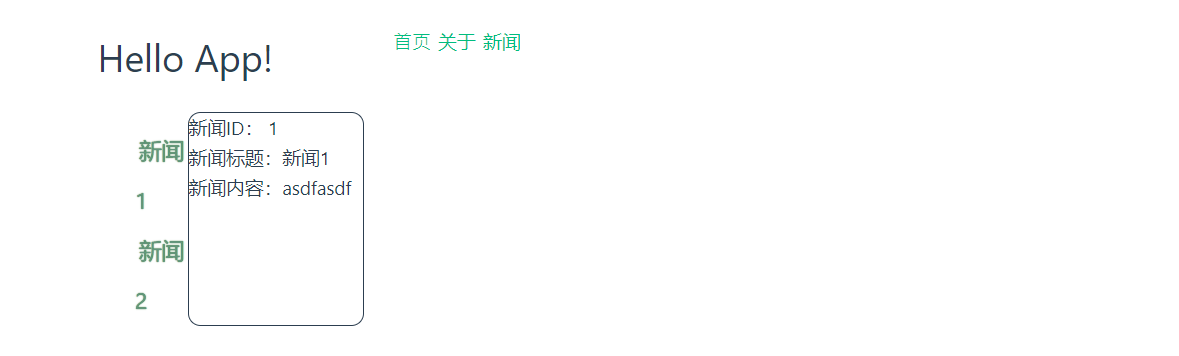
vue3 - 图灵
目录 vue3简介整体上认识vue3项目创建Vue3工程使用官方脚手架创建Vue工程[推荐] 主要⼯程结构 数据双向绑定vue2语法的双向绑定简单表单双向绑定复杂表单双向绑定 CompositionAPI替代OptionsAPICompositionAPI简单不带双向绑定写法CompositionAPI简单带双向绑定写法setup简写⽅…...

java设计模式八 享元
享元模式(Flyweight Pattern)是一种结构型设计模式,它通过共享技术有效地支持大量细粒度的对象。这种模式通过存储对象的外部状态在外部,而将不经常变化的内部状态(称为享元)存储在内部,以此来减…...

ELK原理详解
ELK原理详解 一、引言 在当今日益增长的数据量和复杂的系统环境中,日志数据的收集、存储、分析和可视化成为了企业运营和决策不可或缺的一部分。ELK(Elasticsearch、Logstash、Kibana)堆栈凭借其高效的性能、灵活的扩展性和强大的功能&…...
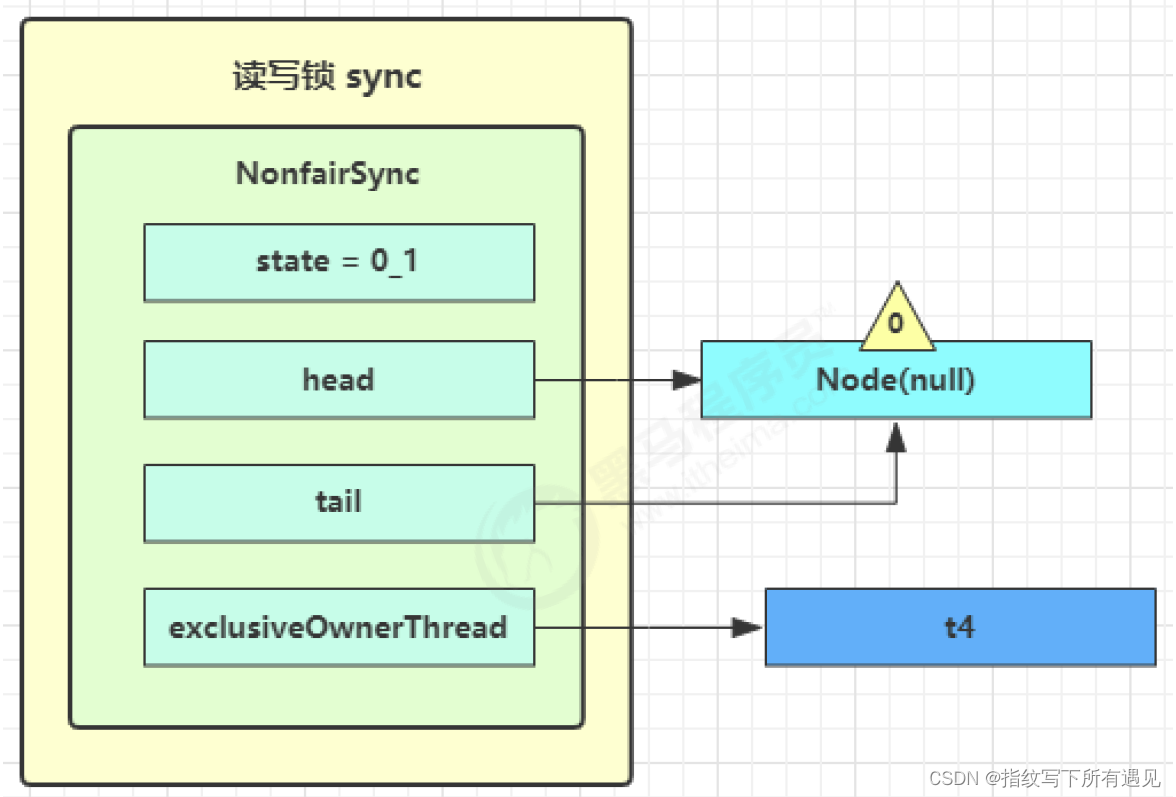
多线程学习Day09
10.Tomcat线程池 LimitLatch 用来限流,可以控制最大连接个数,类似 J.U.C 中的 Semaphore 后面再讲 Acceptor 只负责【接收新的 socket 连接】 Poller 只负责监听 socket channel 是否有【可读的 I/O 事件】 一旦可读,封装一个任务对象&#x…...

第33次CSP认证Q1:词频统计
🍄题目描述 在学习了文本处理后,小 P 对英语书中的 𝑛n 篇文章进行了初步整理。 具体来说,小 P 将所有的英文单词都转化为了整数编号。假设这 𝑛n 篇文章中共出现了 𝑚m 个不同的单词,则把它们…...
pytorch加载模型出现错误
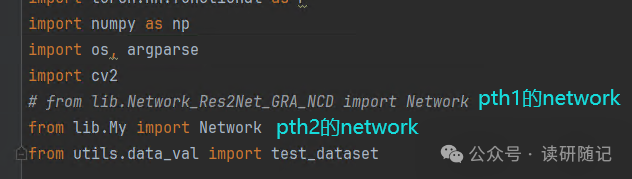
大概的错误长下面这样: 问题出现的原因: 很明显,我就是犯了第一种错误。 网上的修改方法: 我觉得按道理哈,确实,蓝色部分应该是可以把问题解决了的。但是我没有解决,因为我犯了另外一个错…...
如何在Mac上恢复格式化硬盘的数据?
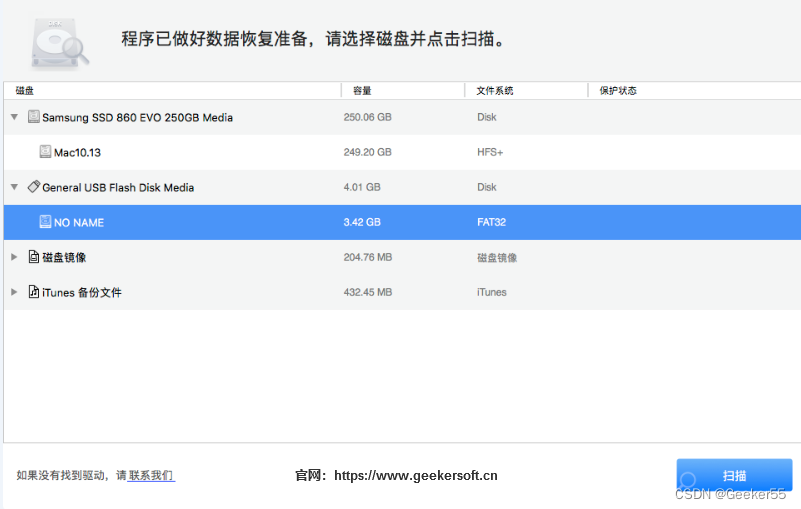
“嗨,我格式化了我的一个Mac硬盘,而没有使用Time Machine备份数据。这个硬盘被未知病毒感染了,所以我把它格式化为出厂设置。但是,我忘了备份我的文件。现在,我想恢复格式化的硬盘驱动器并恢复我的文档,您能…...

华为OD机试 - 手机App防沉迷系统(Java 2024 C卷 100分)
华为OD机试 2024C卷题库疯狂收录中,刷题点这里 专栏导读 本专栏收录于《华为OD机试(JAVA)真题(A卷B卷C卷)》。 刷的越多,抽中的概率越大,每一题都有详细的答题思路、详细的代码注释、样例测试…...
搜维尔科技:光学动作捕捉系统用于城市公共安全智慧感知实验室
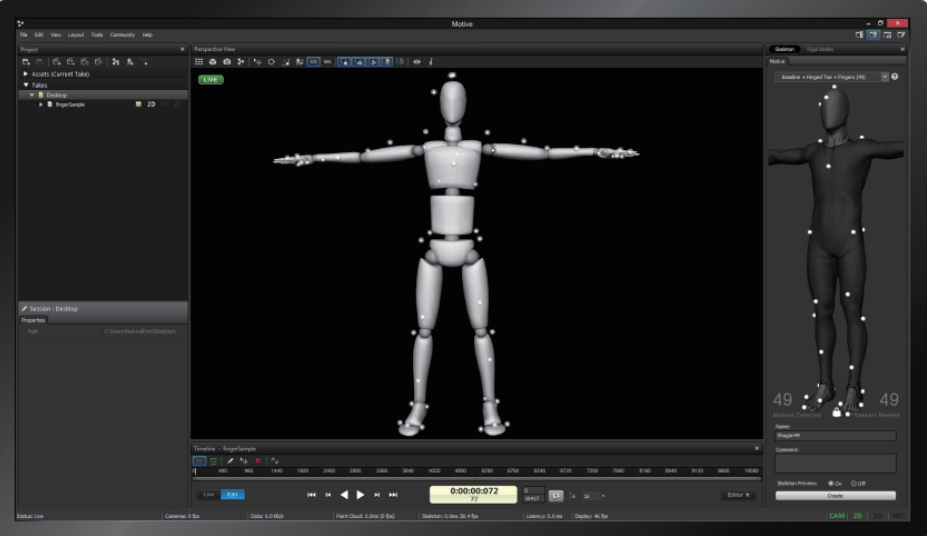
用户名称:西安科技大学 主要产品:Optitrack Priime41 光学动作捕捉系统(8头) 在6米8米的空间内,通过8个Optitrack Priime41光学动作捕捉镜头,对人体动作进行捕捉,得到用户想要的人体三维空间坐…...
保研面试408复习 4——操作系统、计网
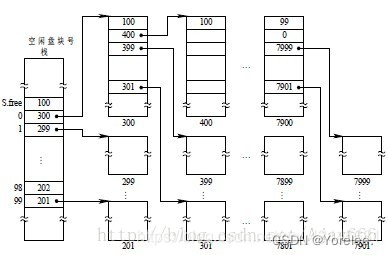
文章目录 1、操作系统一、文件系统中文件是如何组织的?二、文件的整体概述三、UNIX外存空闲空间管理 2、计算机网络一、CSMA/CD 协议(数据链路层协议)二、以太网MAC帧MTU 标记文字记忆,加粗文字注意,普通文字理解。 1、…...
实战攻防中关于文档的妙用
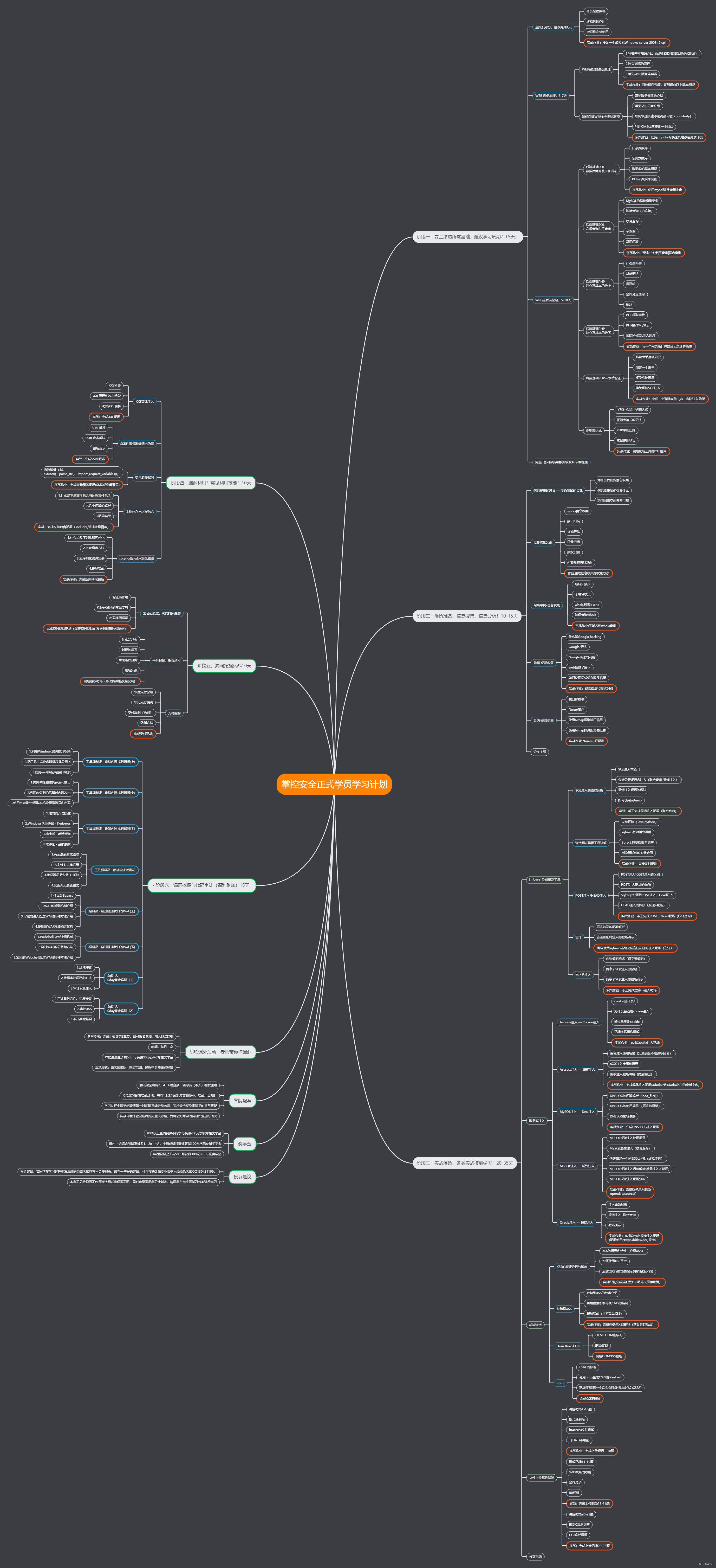
一、PPT钓鱼 简单制作一个用于钓鱼的PPTX文件 一般那种小白不知道PPT也能拿来钓鱼,这里主要是借用PPT中的”动作按钮”, 我们在插入的地方,选择“动作按钮” 然后在弹出的窗口处: 比如填入上线CS的语句:powershell.exe -nop -w …...

【使用ChatGPT的API之前】OpenAI API提供的可用模型
文章目录 一. ChatGPT基本概念二. OpenAI API提供的可用模型1. InstructGPT2. ChatGPT3. GPT-4 三. 在OpenAI Playground中使用GPT模型-ing 在使用GPT-4和ChatGPT的API集成到Python应用程序之前,我们先了解ChatGPT的基本概念,与OpenAI API提供的可用模型…...

【C语言】模拟实现深入了解:字符串函数
🔥引言 本篇将模拟实现字符串函数,通过底层了解更多相关细节 🌈个人主页:是店小二呀 🌈C语言笔记专栏:C语言笔记 🌈C笔记专栏: C笔记 🌈喜欢的诗句:无人扶我青云志 我自…...

钩子函数onMounted定义了太多访问MySQL的操作 导致数据库异常
先放几种后端遇到的异常,多数和数据库有关 pymysql.err.InternalError: Packet sequence number wrong - got 102 expected 1 127.0.0.1 - - [09/May/2024 17:49:37] "GET /monitorLastTenList HTTP/1.1" 500 AttributeError: NoneType object has no at…...
Excel文件解析---超大Excel文件读写
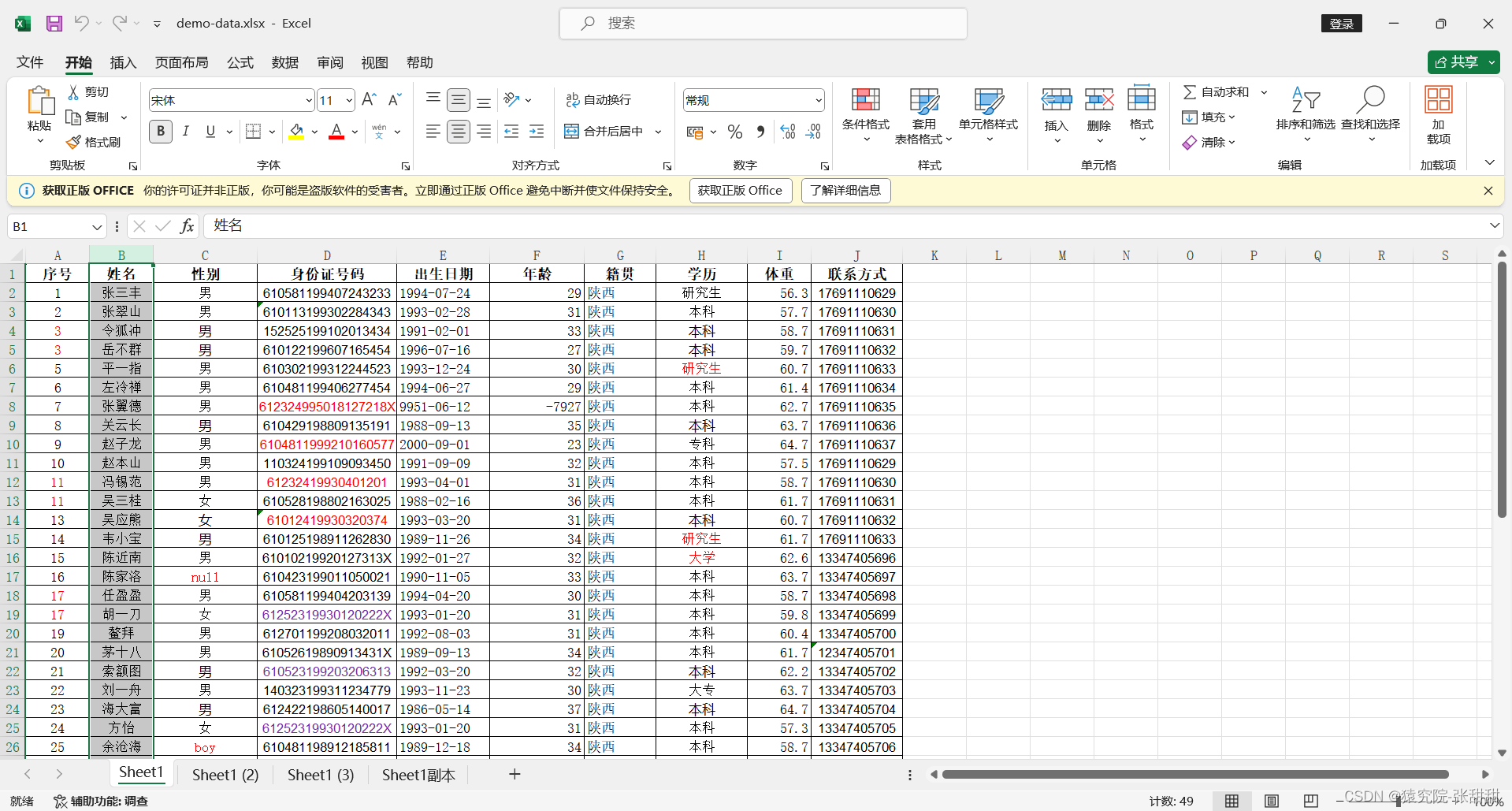
1.使用POI写入 当我们想在Excel文件中写入100w条数据时,使用XSSFWorkbook进行写入时会发现,只有将100w条数据全部加载到内存后才会用write()方法统一写入,效率很低,所以我们引入了SXXFWorkbook进行超大Excel文件读写。 通过设置 …...

TypeScript基础:类型系统介绍
TypeScript基础:类型系统介绍 引言 TypeScript,作为JavaScript的一个超集,引入了类型系统,这为开发大型应用程序带来了诸多好处。本文将介绍TypeScript类型系统的基础知识,帮助初学者理解其概念和用法。 基础知识 …...
【Unity】Unity项目转抖音小游戏(一) 项目转换
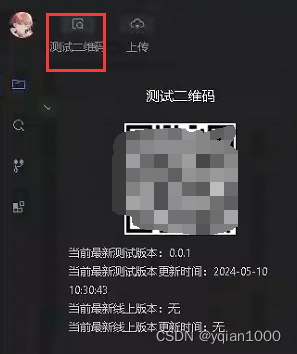
UnityWEBGL转抖音小游戏流程 业务需求,开始接触一下抖音小游戏相关的内容,开发过程中记录一下流程。 相关参考: 抖音文档:https://developer.open-douyin.com/docs/resource/zh-CN/mini-game/develop/guide/game-engine/rd-to-SC…...

随机化、盲法、匹配:让你的研究更接近“可信因果”——控制额外变量的策略与实验内部效度提升
在科研写作和研究设计中,很多人把注意力放在“用了什么统计方法”上,却忽视了一个更根本的问题:你的研究结果,真的是干预或自变量造成的吗?如果不是,那么即使你的 p 值很小、回归系数显著、模型拟合很好&am…...

抠图软件推荐哪个好用?我用了这么多工具后,终于找到最顺手的
最近工作中需要频繁处理证件照和商品图,我试遍了市面上十几款抠图软件,从专业的Photoshop到各种在线工具,最后发现一款微信小程序彻底改变了我的工作效率。今天就来分享一下我的真实使用体验。为什么要专门用抠图工具?你可能会想&…...

【硬件实战】从栅极驱动芯片到H桥:MOS管驱动电路设计精要
1. 栅极驱动芯片选型与核心参数解析 第一次用IR2104做H桥驱动时,我犯了个低级错误——没仔细看芯片的驱动能力参数,结果MOS管开关速度慢得像老牛拉车,电机发热严重。这个教训让我明白,选对栅极驱动芯片是H桥设计的首要任务。 目前…...
提示音音量大小不一样【篇】)
杰理之叠加正弦波(SIN)提示音音量大小不一样【篇】
SDK音量调节默认自带淡入淡出。...

CentOS 7.9下Intel X710网卡驱动从2.8.20升级到2.22.18的完整避坑指南
CentOS 7.9下Intel X710网卡驱动从2.8.20升级到2.22.18的完整避坑指南 在企业级网络环境中,Intel X710系列网卡凭借其高性能和稳定性成为许多数据中心的首选。然而,当系统内核或网络需求发生变化时,驱动程序的升级往往成为运维人员必须面对的…...

失落大陆建模:亚特兰蒂斯数字重建的结构验证
一、项目背景与目标设定在数字孪生与虚拟考古技术飞速发展的当下,亚特兰蒂斯这一传说中失落大陆的数字重建,不仅是对古老神话的技术致敬,更是对复杂场景建模与结构验证能力的极致考验。本项目旨在依托Blender等3D建模工具,结合最新…...

10分钟掌握R3nzSkin国服特供版:英雄联盟免费换肤完全指南
10分钟掌握R3nzSkin国服特供版:英雄联盟免费换肤完全指南 【免费下载链接】R3nzSkin-For-China-Server Skin changer for League of Legends (LOL) 项目地址: https://gitcode.com/gh_mirrors/r3/R3nzSkin-For-China-Server 厌倦了英雄联盟国服中千篇一律的默…...
)
【法学研究效率革命】:NotebookLM如何将文献综述时间压缩73%?(20年法律AI实践者亲测)
更多请点击: https://codechina.net 第一章:NotebookLM法学研究辅助 NotebookLM 是 Google 推出的基于用户自有文档构建的 AI 助手,其核心能力在于对上传文本进行深度语义理解与上下文感知问答。在法学研究场景中,它可高效处理判…...

Unity问题记录
一个物体在Scene窗口看不见,Game窗口能看见。选中它时,打开Gizmos也看不见身上碰撞体的线框。也无法被射线检测到。换成其他Mesh:Open Asset In Context正常显示:把它Revert回预制体,还是不显示。Ctrl D复制一个&#…...

Sendwithus模板与现代邮件客户端兼容性测试:终极解决方案
Sendwithus模板与现代邮件客户端兼容性测试:终极解决方案 【免费下载链接】templates Sendwithus Open Source Email Templates 项目地址: https://gitcode.com/gh_mirrors/temp/templates Sendwithus Open Source Email Templates是一套强大的开源邮件模板集…...