
【记录】LangChain+本地模型的文档问答(webUI)
已在notebook测试无误。
包安装
pip install langchain langchain_community transformers InstructorEmbedding sentence_transformers==2.2.2 faiss-gpu PyPDF2 streamlit pyngrok gradio fitz frontend
环境变量设置
huggingface连不上无法下载模型,需要设置镜像。
import os
# 设置环境变量
os.environ['HF_ENDPOINT'] = 'https://hf-mirror.com'
# 检查环境变量是否已更新
print(os.environ['HF_ENDPOINT'])
模型下载
!huggingface-cli download --resume-download BAAI/bge-m3 --token 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
!huggingface-cli download --resume-download baichuan-inc/Baichuan2-7B-Chat --token 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
主要代码
# coding: utf-8
# Author: 唐国梁Tommy
# Date: 2023-08-06import streamlit as st
from langchain_community.embeddings import HuggingFaceInstructEmbeddingsfrom langchain.chains.conversational_retrieval.base import ConversationalRetrievalChain
from langchain.text_splitter import CharacterTextSplitter
from langchain_community.vectorstores import FAISS, Milvus, Pinecone, Chroma
from langchain.memory import ConversationBufferMemory
from transformers import AutoModelForCausalLM, AutoTokenizer,pipeline
from langchain_community.llms.huggingface_pipeline import HuggingFacePipelineimport streamlit as st
from PyPDF2 import PdfReader
def main():# 配置界面st.set_page_config(page_title="基于PDF文档的 QA ChatBot",page_icon=":robot:")st.header("基于LangChain+LLM实现QA ChatBot")# 参考官网链接:https://github.com/hwchase17/langchain-streamlit-template/blob/master/main.py# 初始化# session_state是Streamlit提供的用于存储会话状态的功能if "conversation" not in st.session_state:st.session_state.conversation = Noneif "chat_history" not in st.session_state:st.session_state.chat_history = None# 1. 提供用户输入文本框user_input = st.text_input("基于上传的PDF文档,请输入你的提问: ")# 处理用户输入,并返回响应结果if user_input:process_user_input(user_input)with st.sidebar:# 2. 设置子标题st.subheader("你的PDF文档")# 3. 上传文档files = st.file_uploader("上传PDF文档,然后点击'提交并处理'",accept_multiple_files=True)if st.button("提交并处理"):with st.spinner("请等待,处理中..."):# 4. 获取PDF文档内容(文本)texts = extract_text_from_PDF(files)# 5. 将获取到的文档内容进行切分content_chunks = split_content_into_chunks(texts)# st.write(content_chunks)# 6. 对每个chunk计算embedding,并存入到向量数据库#     6.1 根据model_type和model_name创建embedding model对象#embedding_model = get_openaiEmbedding_model()# embedding_model = get_huggingfaceEmbedding_model(model_name="BAAI/bge-m3")embedding_model = HuggingFaceInstructEmbeddings(model_name="BAAI/bge-m3")#     6.2 创建向量数据库对象,并将文本embedding后存入到里面vector_store = save_chunks_into_vectorstore(content_chunks, embedding_model)# 7. 创建对话chain# 官网链接:https://python.langchain.com/docs/modules/memory/types/bufferst.session_state.conversation = get_chat_chain(vector_store)def extract_text_from_PDF(files):# 参考官网链接:https://python.langchain.com/docs/modules/data_connection/document_loaders/pdf# 加载多个PDF文件text = ""for pdf in files:pdf_reader = PdfReader(pdf)for page in pdf_reader.pages:text += page.extract_text()return textdef split_content_into_chunks(text):# 参考官网链接:https://python.langchain.com/docs/modules/data_connection/document_transformers/text_splitters/character_text_splittertext_spliter = CharacterTextSplitter(separator="\n",chunk_size=500,chunk_overlap=80,length_function=len)chunks = text_spliter.split_text(text)return chunksdef save_chunks_into_vectorstore(content_chunks, embedding_model):# 参考官网链接:https://python.langchain.com/docs/modules/data_connection/vectorstores/# ① FAISS# pip install faiss-gpu (如果没有GPU,那么 pip install faiss-cpu)vectorstore = FAISS.from_texts(texts=content_chunks,embedding=embedding_model)return vectorstoredef get_chat_chain(vector_store):# ① 获取 LLM model#llm = get_openai_model()# llm = get_huggingfacehub(model_name="google/flan-t5-xxl")# llm = get_huggingfacehub(model_name="google-bert/bert-base-chinese")model_path = "baichuan-inc/Baichuan2-7B-Chat"model = AutoModelForCausalLM.from_pretrained(model_path,trust_remote_code=True)tokenizer = AutoTokenizer.from_pretrained(model_path)print(type(model))pipe = pipeline("text-generation", model=model, tokenizer=tokenizer)print(type(pipe))llm = HuggingFacePipeline(pipeline=pipe)print(type(llm))# ② 存储历史记录# 参考官网链接:https://python.langchain.com/docs/use_cases/question_answering/how_to/chat_vector_db# 用于缓存或者保存对话历史记录的对象memory = ConversationBufferMemory(memory_key='chat_history', return_messages=True)# ③ 对话链conversation_chain = ConversationalRetrievalChain.from_llm(llm=llm,retriever=vector_store.as_retriever(search_type="similarity",search_kwargs={"k": 5}),memory=memory)return conversation_chaindef process_user_input(user_input):print('输入内容        '+user_input)if st.session_state.conversation is not None:print('不为空')# 调用函数st.session_state.conversation,并把用户输入的内容作为一个问题传入,返回响应。response = st.session_state.conversation({'question': user_input})print('response       '+response)# session状态是Streamlit中的一个特性,允许在用户的多个请求之间保存数据。st.session_state.chat_history = response['chat_history']# 显示聊天记录# chat_history : 一个包含之前聊天记录的列表for i, message in enumerate(st.session_state.chat_history):# 用户输入if i % 2 == 0:st.write(user_template.replace("{{MSG}}", message.content), unsafe_allow_html=True) # unsafe_allow_html=True表示允许HTML内容被渲染else:# 机器人响应st.write(bot_template.replace("{{MSG}}", message.content), unsafe_allow_html=True)if __name__ == "__main__":main()
内网穿透
from pyngrok import ngrok
ngrok.set_auth_token("2gttEpg9QW0le1sGKV10G0oLZ7j_4EGYjKQAgHErHb3Qk13q9")
# 使用 ngrok 将本地的 Gradio 服务器端口转发到公共 URL
public_url = ngrok.connect(addr="8501", proto="http")
tunnels = ngrok.get_tunnels()
#ngrok.disconnect(public_url)
print("tunnels:", tunnels)
# 输出公共 URL
#print("Public URL:", public_url)
测试运行
!streamlit run /mnt/workspace/main.py
requirement.txt
Package Version
------------------------------ --------------------
absl-py 2.0.0
accelerate 0.29.3
adaseq 0.6.6
addict 2.4.0
aiofiles 23.2.1
aiohttp 3.9.5
aiosignal 1.3.1
alabaster 0.7.13
albumentations 1.3.1
alias-free-torch 0.0.6
aliyun-python-sdk-core 2.15.1
aliyun-python-sdk-kms 2.16.2
altair 5.3.0
aniso8601 9.0.1
annotated-types 0.6.0
antlr4-python3-runtime 4.9.3
anyio 4.3.0
appdirs 1.4.4
argon2-cffi 23.1.0
argon2-cffi-bindings 21.2.0
arrow 1.3.0
asttokens 2.4.1
astunparse 1.6.3
async-lru 2.0.4
async-timeout 4.0.3
attrs 23.2.0
audioread 3.0.1
autoawq 0.2.4
autoawq_kernels 0.0.6
autojump 0.1.0
autopep8 2.0.4
av 12.0.0
Babel 2.14.0
beartype 0.18.5
beautifulsoup4 4.12.3
bidict 0.23.1
biopython 1.83
bitarray 2.9.2
bitstring 4.2.0
black 24.4.0
bleach 6.1.0
blinker 1.8.2
blis 0.7.11
blobfile 2.1.1
bmt-clipit 1.0
boltons 23.0.0
boto3 1.34.88
botocore 1.34.88
brotlipy 0.7.0
cachetools 5.3.2
catalogue 2.0.10
certifi 2023.11.17
cffi 1.15.1
cfgv 3.4.0
charset-normalizer 2.0.4
chumpy 0.70
ci-info 0.3.0
cityscapesScripts 2.2.3
click 8.1.7
clip 1.0
cloudpathlib 0.16.0
cloudpickle 3.0.0
colorama 0.4.6
coloredlogs 14.0
comm 0.2.1
conda 23.9.0
conda-content-trust 0.2.0
conda-libmamba-solver 23.9.1
conda-package-handling 2.2.0
conda_package_streaming 0.9.0
confection 0.1.4
ConfigArgParse 1.7
configobj 5.0.8
configparser 7.0.0
contextlib2 21.6.0
contourpy 1.2.0
control-ldm 0.0.1
crcmod 1.7
cryptography 41.0.3
cycler 0.12.1
cymem 2.0.8
Cython 0.29.36
dacite 1.8.1
dataclasses 0.6
dataclasses-json 0.6.6
datasets 2.18.0
ddpm-guided-diffusion 0.0.0
debugpy 1.8.0
decorator 4.4.2
decord 0.6.0
deepspeed 0.12.6
defusedxml 0.7.1
descartes 1.1.0
dgl 1.1.3
dglgo 0.0.2
diffusers 0.27.2
dill 0.3.8
Distance 0.1.3
distlib 0.3.8
dnspython 2.3.0
docstring_parser 0.16
docutils 0.20.1
easydict 1.13
easyrobust 0.2.4
edit-distance 1.0.6
editdistance 0.5.2
einops 0.7.0
embeddings 0.0.8
emoji 2.11.1
espnet-tts-frontend 0.0.3
et-xmlfile 1.1.0
etelemetry 0.3.1
eventlet 0.36.1
exceptiongroup 1.2.0
executing 2.0.1
expecttest 0.2.1
face-alignment 1.4.1
fairscale 0.4.13
fairseq 0.12.2
faiss-gpu 1.7.2
fastai 2.7.14
fastapi 0.110.2
fastcore 1.5.29
fastdownload 0.0.7
fastjsonschema 2.19.1
fastprogress 1.0.3
fasttext 0.9.2
ffmpeg 1.4
ffmpeg-python 0.2.0
ffmpy 0.3.2
filelock 3.13.1
fire 0.6.0
fitz 0.0.1.dev2
flake8 7.0.0
Flask 2.2.5
Flask-Cors 4.0.0
Flask-RESTful 0.3.10
Flask-SocketIO 5.3.6
flask-talisman 1.1.0
flatbuffers 23.5.26
fonttools 4.47.0
fqdn 1.5.1
frontend 0.0.3
frozenlist 1.4.1
fsspec 2023.12.2
ftfy 6.2.0
funasr 1.0.14
funcodec 0.2.0
funtextprocessing 0.1.1
future 1.0.0
fvcore 0.1.5.post20221221
g2p 2.0.0
g2p-en 2.1.0
gast 0.5.4
gitdb 4.0.11
GitPython 3.1.43
google-auth 2.26.1
google-auth-oauthlib 1.0.0
google-pasta 0.2.0
gradio 4.32.2
gradio_client 0.17.0
greenlet 3.0.3
grpcio 1.60.0
h11 0.14.0
h5py 3.10.0
hdbscan 0.8.33
hjson 3.1.0
httpcore 1.0.5
httplib2 0.22.0
httpx 0.27.0
huggingface-hub 0.22.2
humanfriendly 10.0
hydra-core 1.3.2
HyperPyYAML 1.2.2
identify 2.5.36
idna 3.4
imageio 2.34.1
imageio-ffmpeg 0.4.9
imagesize 1.4.1
imgaug 0.4.0
importlib-metadata 7.0.1
importlib_resources 6.4.0
inflect 7.0.0
iniconfig 2.0.0
InstructorEmbedding 1.0.1
iopath 0.1.10
ipdb 0.13.13
ipykernel 6.28.0
ipython 8.19.0
isodate 0.6.1
isoduration 20.11.0
isort 5.13.2
itsdangerous 2.2.0
jaconv 0.3.4
jamo 0.4.1
jedi 0.19.1
jieba 0.42.1
Jinja2 3.1.2
jmespath 0.10.0
joblib 1.3.2
json-tricks 3.17.3
json5 0.9.25
jsonpatch 1.33
jsonplus 0.8.0
jsonpointer 2.1
jsonschema 4.21.1
jsonschema-specifications 2023.12.1
jupyter_client 8.6.0
jupyter_core 5.7.0
jupyter-events 0.10.0
jupyter-lsp 2.2.5
jupyter_server 2.14.0
jupyter_server_terminals 0.5.3
jupyterlab 4.1.6
jupyterlab-language-pack-zh-CN 4.1.post2
jupyterlab_pygments 0.3.0
jupyterlab_server 2.27.1
kaldiio 2.18.0
kantts 1.0.1
keras 2.14.0
kiwisolver 1.4.5
kornia 0.7.2
kornia_rs 0.1.3
kwsbp 0.0.6
langchain 0.2.1
langchain-community 0.2.1
langchain-core 0.2.3
langchain-text-splitters 0.2.0
langcodes 3.3.0
langsmith 0.1.67
lap 0.4.0
lazy_loader 0.4
libclang 16.0.6
libmambapy 1.5.1
librosa 0.10.1
lightning-utilities 0.11.2
littleutils 0.2.2
llvmlite 0.41.1
lmdb 1.4.1
local-attention 1.9.1
looseversion 1.3.0
lpips 0.1.4
lxml 4.9.4
lyft-dataset-sdk 0.0.8
Markdown 3.5.1
markdown-it-py 3.0.0
MarkupSafe 2.1.3
marshmallow 3.21.2
matplotlib 3.5.3
matplotlib-inline 0.1.6
mccabe 0.7.0
mdurl 0.1.2
megatron-util 1.3.2
MinDAEC 0.0.2
mir-eval 0.7
mistune 3.0.2
ml-collections 0.1.1
ml-dtypes 0.2.0
mmcls 0.25.0
mmcv-full 1.7.0+torch2.1cpu
mmdet 2.28.2
mmdet3d 1.0.0a1
mmsegmentation 0.30.0
mock 5.1.0
modelscope 1.14.0
modelscope_kit 0.3.0
more-itertools 10.2.0
moviepy 1.0.3
mpi4py 3.1.5
mpmath 1.3.0
ms-swift 2.0.2
msgpack 1.0.8
multidict 6.0.5
multiprocess 0.70.16
munkres 1.1.4
murmurhash 1.0.10
mypy-extensions 1.0.0
nbclient 0.10.0
nbconvert 7.16.3
nbformat 5.10.4
nerfacc 0.2.2
nest-asyncio 1.5.8
networkx 3.2.1
nibabel 5.2.1
ninja 1.11.1.1
nipype 1.8.6
nltk 3.8.1
nodeenv 1.8.0
notebook_shim 0.2.4
numba 0.58.1
numpy 1.26.3
numpydoc 1.6.0
nuscenes-devkit 1.1.11
oauthlib 3.2.2
ogb 1.3.6
omegaconf 2.3.0
onnx 1.16.0
onnxruntime 1.17.3
onnxsim 0.4.36
open-clip-torch 2.24.0
openai-whisper 20231117
opencv-python 4.9.0.80
opencv-python-headless 4.9.0.80
openpyxl 3.1.2
opt-einsum 3.3.0
optimum 1.19.0
orjson 3.10.3
oss2 2.18.4
outdated 0.2.2
overrides 7.7.0
packaging 23.2
pai-easycv 0.11.6
paint-ldm 0.0.0
pandas 2.1.4
pandocfilters 1.5.1
panopticapi 0.1
panphon 0.20.0
parso 0.8.3
pathlib 1.0.1
pathspec 0.12.1
peft 0.10.0
pexpect 4.9.0
phaseaug 1.0.1
pickleshare 0.7.5
pillow 10.2.0
pip 24.0
platformdirs 4.1.0
plotly 5.21.0
pluggy 1.5.0
plyfile 1.0.3
pooch 1.8.0
portalocker 2.8.2
pre-commit 3.7.0
preshed 3.0.9
prettytable 3.10.0
proglog 0.1.10
prometheus_client 0.20.0
prompt-toolkit 3.0.43
protobuf 3.20.3
prov 2.0.0
psutil 5.9.7
ptflops 0.7.2.2
ptyprocess 0.7.0
pure-eval 0.2.2
py-cpuinfo 9.0.0
py-sound-connect 0.2.1
pyarrow 16.0.0
pyarrow-hotfix 0.6
pyasn1 0.5.1
pyasn1-modules 0.3.0
pybind11 2.11.1
pyclipper 1.3.0.post5
pycocoevalcap 1.2
pycocotools 2.0.7
pycodestyle 2.11.1
pycosat 0.6.6
pycparser 2.21
pycryptodome 3.20.0
pycryptodomex 3.20.0
pydantic 2.5.3
pydantic_core 2.14.6
pydeck 0.9.1
pyDeprecate 0.3.2
pydot 2.0.0
pydub 0.25.1
pyflakes 3.2.0
Pygments 2.17.2
PyMCubes 0.1.4
pyngrok 7.1.6
pynini 2.1.5
pynndescent 0.5.12
pynvml 11.5.0
pyOpenSSL 23.2.0
pyparsing 3.1.1
PyPDF2 3.0.1
pypinyin 0.44.0
pyquaternion 0.9.9
PySocks 1.7.1
pysptk 0.1.18
pytest 8.1.1
pythainlp 5.0.2
python-crfsuite 0.9.10
python-dateutil 2.8.2
python-engineio 4.9.0
python-json-logger 2.0.7
python-multipart 0.0.9
python-socketio 5.11.2
pytorch-lightning 1.7.7
pytorch-metric-learning 2.5.0
pytorch-wavelets 1.3.0
pytorch-wpe 0.0.1
pytz 2023.3.post1
pyvi 0.1.1
PyWavelets 1.6.0
pyxnat 1.6.2
PyYAML 6.0.1
pyzmq 25.1.2
qudida 0.0.4
rapidfuzz 3.8.1
rdflib 7.0.0
rdkit-pypi 2022.9.5
referencing 0.35.0
regex 2023.12.25
requests 2.31.0
requests-oauthlib 1.3.1
resampy 0.4.2
rfc3339-validator 0.1.4
rfc3986-validator 0.1.1
rich 13.7.1
rotary-embedding-torch 0.5.3
rouge 1.0.1
rouge-score 0.0.4
rpds-py 0.18.0
rsa 4.9
ruamel.yaml 0.18.6
ruamel.yaml.clib 0.2.8
ruff 0.4.7
s3transfer 0.10.1
sacrebleu 2.4.0
sacremoses 0.1.1
safetensors 0.4.1
scikit-image 0.19.3
scikit-learn 1.3.2
scipy 1.11.4
seaborn 0.13.2
semantic-version 2.10.0
Send2Trash 1.8.3
sentence-transformers 2.2.2
sentencepiece 0.2.0
seqeval 1.2.2
setuptools 68.0.0
Shapely 1.8.4
shellingham 1.5.4
shotdetect-scenedetect-lgss 0.0.4
shtab 1.7.1
simple-websocket 1.0.0
simplejson 3.19.2
six 1.16.0
sklearn-crfsuite 0.3.6
smart-open 6.4.0
smmap 5.0.1
smplx 0.1.28
sniffio 1.3.1
snowballstemmer 2.2.0
sortedcontainers 2.4.0
soundfile 0.12.1
soupsieve 2.5
sox 1.5.0
soxr 0.3.7
spacy 3.7.4
spacy-legacy 3.0.12
spacy-loggers 1.0.5
speechbrain 1.0.0
Sphinx 7.2.6
sphinxcontrib-applehelp 1.0.7
sphinxcontrib-devhelp 1.0.5
sphinxcontrib-htmlhelp 2.0.4
sphinxcontrib-jsmath 1.0.1
sphinxcontrib-qthelp 1.0.6
sphinxcontrib-serializinghtml 1.1.9
SQLAlchemy 2.0.30
srsly 2.4.8
sse-starlette 2.1.0
stack-data 0.6.3
stanza 1.8.2
starlette 0.37.2
streamlit 1.35.0
subword-nmt 0.3.8
sympy 1.12
tabulate 0.9.0
taming-transformers-rom1504 0.0.6
tenacity 8.2.3
tensorboard 2.16.2
tensorboard-data-server 0.7.2
tensorboardX 2.6.2.2
tensorflow 2.14.0
tensorflow-estimator 2.14.0
tensorflow-io-gcs-filesystem 0.35.0
termcolor 2.4.0
terminado 0.18.1
terminaltables 3.1.10
text-unidecode 1.3
text2sql-lgesql 1.3.0
tf-slim 1.1.0
thinc 8.2.3
thop 0.1.1.post2209072238
threadpoolctl 3.2.0
tifffile 2024.4.18
tiktoken 0.6.0
timm 0.9.16
tinycss2 1.3.0
tokenizers 0.15.2
toml 0.10.2
tomli 2.0.1
tomlkit 0.12.0
toolz 0.12.1
torch 2.1.2+cpu
torch-complex 0.4.3
torch-scatter 2.1.2
torchaudio 2.1.2+cpu
torchmetrics 1.3.2
torchsummary 1.5.1
torchvision 0.16.2+cpu
tornado 6.4
tqdm 4.65.0
traitlets 5.14.1
traits 6.3.2
transformers 4.38.2
transformers-stream-generator 0.0.5
trimesh 2.35.39
triton 2.3.0
trl 0.8.5
truststore 0.8.0
ttsfrd 0.2.1
typeguard 2.13.3
typer 0.12.3
types-python-dateutil 2.9.0.20240316
typing 3.7.4.3
typing_extensions 4.9.0
typing-inspect 0.9.0
tyro 0.8.3
tzdata 2023.4
ujson 5.9.0
umap-learn 0.5.6
unicodecsv 0.14.1
unicodedata2 15.1.0
Unidecode 1.3.8
uri-template 1.3.0
urllib3 2.2.1
utils 1.0.2
uvicorn 0.29.0
videofeatures-clipit 1.0
virtualenv 20.25.3
wasabi 1.1.2
watchdog 4.0.1
wcwidth 0.2.12
weasel 0.3.4
webcolors 1.13
webencodings 0.5.1
websocket-client 1.8.0
websockets 11.0.3
Werkzeug 3.0.1
wget 3.2
wheel 0.41.2
wrapt 1.14.1
wsproto 1.2.0
xtcocotools 1.14
xxhash 3.4.1
yacs 0.1.8
yapf 0.30.0
yarl 1.9.4
zhconv 1.4.3
zipp 3.17.0
zstandard 0.19.0
相关文章:
)
【记录】LangChain+本地模型的文档问答(webUI)
已在notebook测试无误。 包安装 pip install langchain langchain_community transformers InstructorEmbedding sentence_transformers2.2.2 faiss-gpu PyPDF2 streamlit pyngrok gradio fitz frontend 环境变量设置 huggingface连不上无法下载模型,需要设置镜像。…...
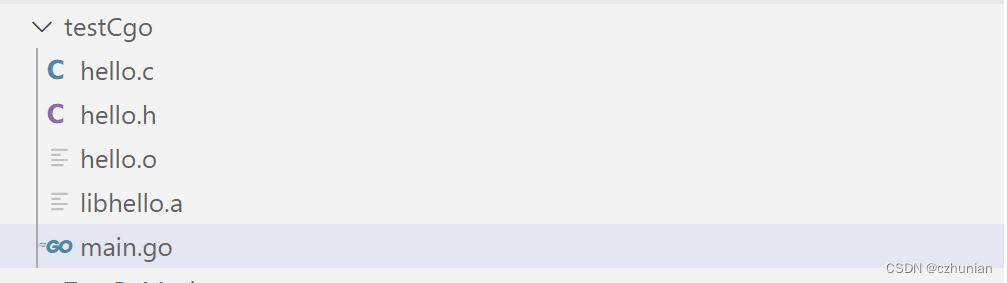
Winddow系统下关于Golang使用Cgo的配置
1.配置CGO_ENABLED为1 go env -w CGO_ENABLED1 2.安装gcc环境,否则出现cgo: C compiler "gcc" not found: exec: "gcc": executable file not found in %PATH%错误 安装包:链接:https://pan.baidu.com/s/1sgF9lijqGeP…...

python面向过程与初始面向对象编程
让我们穿越到《龙珠》世界,一起揭开 面向对象编程 的神秘面纱吧。 面向过程编程与面向对象编程 天下第一武道会 选手登记 第 22 届天下第一武道会即将召开,各路武术高手齐聚一堂,其中最受瞩目的,当属卡卡罗特(孙悟…...

vue3 实现自定义指令封装 --- 通俗易懂
1、局部自定义指令 1.1 在<script setup>定义组件内的指令,任何以v开头的驼峰式命名的变量都可以被用作一个自定义指令 <template><div><h3>使用自定义指令</h3><div>########################## start 局部自定义指令</d…...

5.31.15 使用图像到图像转换和 YOLO 技术对先前的乳房 X 光检查结果中的异常进行早期检测和分类
在本研究中,我们研究了基于 You-Only-Look-Once (YOLO) 架构的端到端融合模型的有效性,该模型可同时检测和分类数字乳房 X 光检查中的可疑乳腺病变。包括四类病例:肿块、钙化、结构扭曲和正常,这些病例来自包含 413 个病例的私人数…...
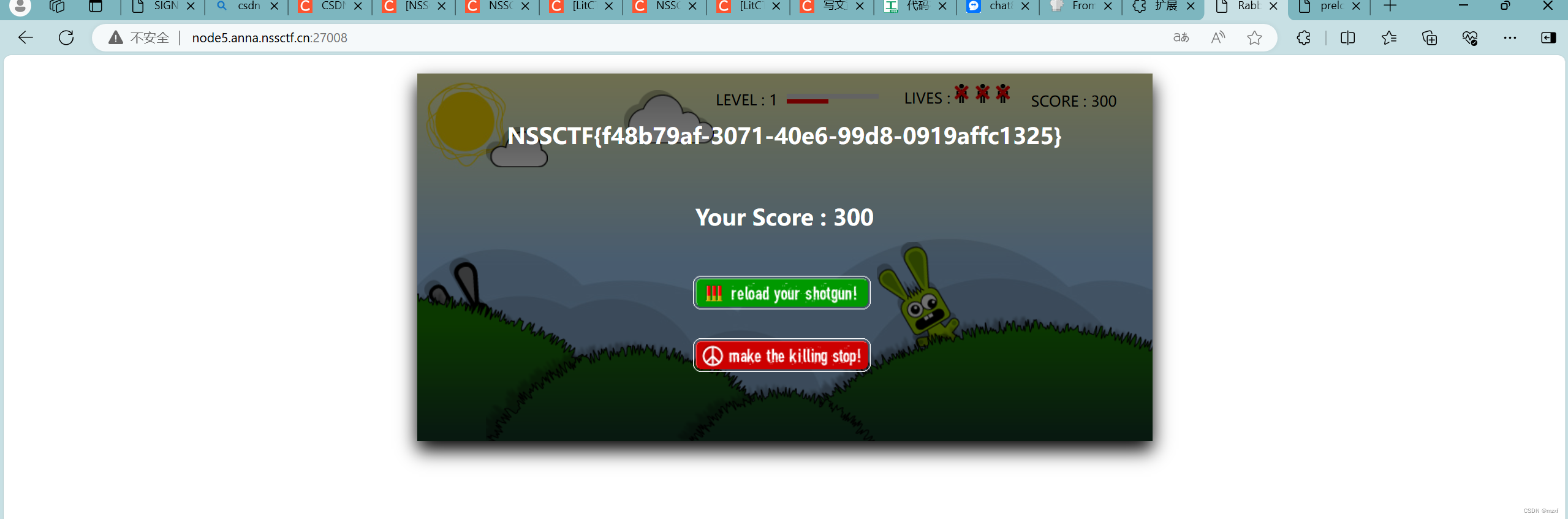
题解web
1.[LitCTF 2023]Follow me and hack me 1)进入题目环境,提示get传参,post传参 2)看看源码,也没啥 3)直接用hackbar,传入对应参数即可得到FLAG 3)但是扫描出来它后端还有东西&#x…...

在keil5中打开keil4工程的方法
文章目录 1. 打开文件 2. 安装旧版本包 3. 在keil4中打开keil5工程 1. 打开文件 在keil5 MDK的环境下,打开keil4的工程文件,会弹出下图所示的窗口: 参考官网的解释这两个方法分别为: 1. 使用MDK 版本 4 Legacy Pack时&#x…...

【代码随想录算法训练营第37期 第二十四天 | LeetCode77. 组合】
代码随想录算法训练营第37期 第二十四天 | LeetCode77. 组合 一、77. 组合 解题代码C: class Solution { private:vector<vector<int>> result;vector<int> path;void backtracking(int n, int k, int startIndex){if(path.size() k){result.p…...

探索Linux中的`tree`命令:目录结构的可视化利器
探索Linux中的tree命令:目录结构的可视化利器 在Linux系统中,管理文件和目录结构是一项日常任务。当我们需要快速查看目录的层次结构时,tree命令无疑是一个强大而直观的工具。本文将详细介绍tree命令的功能、用法以及一些实用的选项。 一、…...

ES 面试手册
Elasticsearch是什么? Elasticsearch是一个基于Lucene的搜索和分析引擎,它提供了一个分布式、多租户能力的全文搜索引擎,具有HTTP Web界面和无模式JSON文档。 Elasticsearch中的倒排索引是什么? 倒排索引是搜索引擎的核心结构&a…...

Mybatis缓存的生命周期、使用的特殊情况
以下场景均在Spring Boot程序中,并非手动创建SqlSession使用。 在回答这个问题之前,我们先来回顾一下,Mybatis的一级二级缓存是啥。 一级二级缓存 是什么 一级缓存(本地缓存):一级缓存是SqlSession级别的…...

day 37 738.单调递增的数字
738. 单调递增的数字 当且仅当每个相邻位数上的数字 x 和 y 满足 x < y 时,我们称这个整数是单调递增的。 给定一个整数 n ,返回 小于或等于 n 的最大数字,且数字呈 单调递增 。 示例 1: 输入: n 10 输出: 9示例 2: 输入: n 1234 输…...

【加密与解密】【01】网络安全体系
网络通信OSI模型 物理层(Physical)链路层(DataLink)网络层(Network)传输层(Transport)会话层(Session)表示层(Presentation)应用层&a…...
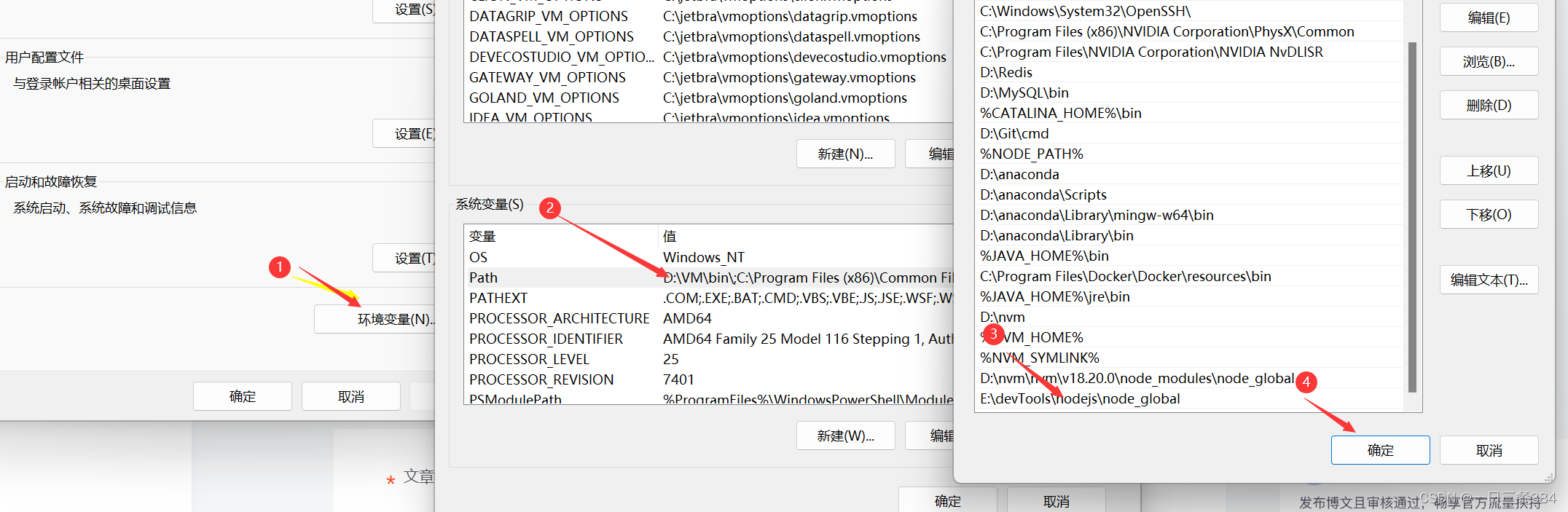
nvm,node不是内部命令,npm版本不支持问题(曾经安装过nodejs)
nvm安装后nvm -v有效,node指令无效 环境变量配置无问题 推荐方案 下载你需要的node版本 Index of /dist/ (nodejs.org) 下载后解压到你的nvm存储版本的位置 cmd进入切换你的使用版本(此时你的nodejs是从网上下载的,npm文件是存在的&…...

从入门到精通:基础IO
引言 在编程的世界里,文件输入输出(IO)是与操作系统交互的重要方式。无论你是开发应用程序、处理数据,还是管理系统资源,掌握文件IO操作都是必不可少的。本篇博客将带你深入了解C语言中的基础IO操作,从入门…...

网络空间安全数学基础·多项式环与有限域
5.1 多项式环(掌握) 5.2 多项式剩余类环(理解) 5.3 有限域(熟练) 5.1 多项式环 定义:设F是一个域,称是F上的一元多项式. 首项:如果an≠0,则称 a…...
路由器重启真的好吗?多久重启一次更好?
前言 小白前段时间发现自己家的OpenWRT软路由上网特别慢,有时候通话还有点卡顿。 然而有个朋友用的普通路由器也有类似的问题,而且有时候根本上不去网。 解决的办法很简单:重启路由器。 重启路由器? 但路由器重启是真的好吗&a…...

删除目录
自学python如何成为大佬(目录):https://blog.csdn.net/weixin_67859959/article/details/139049996?spm1001.2014.3001.5501 删除目录可以通过使用os模块提供的rmdir()函数实现。通过rmdir()函数删除目录时,只有当要删除的目录为空时才起作用。rmdir()函数的基本语…...

HCIP-Datacom-ARST自选题库__BGP/MPLS IP VPN判断【10道题】
1.部署BGP/MPLSIP VPN时,当两个VPN有共同的站点,则该共同站点一定不能与两个VPN其他站点使用重叠的地址空间。 2.如图所示,运营商BGP/MPLSIP VPN骨干网通过LDP构建LSP,若想实现用户X两个站点之间通过BGP/MPLSIP VPN网络互通,则PE1和PE2之间必…...

【Go语言精进之路】构建高效Go程序:掌握变量、常量声明法则与iota在枚举中的奥秘
🔥 个人主页:空白诗 文章目录 引言一、变量1.1 基础知识1.2 包级变量的声明形式深入解析📌 声明并同时显式初始化📌 声明但延迟初始化📌 声明聚类与就近原则 1.3 局部变量的声明形式深入探讨📌 延迟初始化的…...

从零搭建ROS机器人视觉定位系统:AprilTag二维码实战指南
1. 为什么选择AprilTag做机器人视觉定位? 刚接触机器人视觉定位时,你可能听说过二维码、ArUco标记、AprilTag等各种方案。我最初用普通二维码做过实验,发现识别距离超过1米就经常丢帧,后来换成ArUco标记稳定性有所提升,…...

抖音开放平台实战指南:从授权码到接口调用的全链路解析
1. 抖音开放平台入门:从零开始接入 刚接触抖音开放平台的开发者可能会觉得一头雾水,其实整个流程可以简化为三个核心步骤:获取授权码、换取访问令牌、调用接口获取数据。我刚开始对接时也踩过不少坑,比如回调地址配置错误、token过…...

WorkTool企业微信自动化机器人技术架构解析:基于Android无障碍服务的非侵入式RPA实现
WorkTool企业微信自动化机器人技术架构解析:基于Android无障碍服务的非侵入式RPA实现 【免费下载链接】worktool 一款安全稳定的Android无障碍服务工具,支持控制企微/微信来运行的无人值守群管理企业微信机器人 项目地址: https://gitcode.com/GitHub_…...

基于多AI智能体协同的内容工厂:从架构原理到部署实践
1. 项目概述:一个由五个AI智能体协同工作的内容工厂如果你在内容创作领域摸爬滚打过,肯定遇到过这样的困境:想一个爆款选题、写一篇抓人的文案、设计一张吸睛的封面、再制定一套推广策略,整个过程下来,精力被撕扯得七零…...

csp信奥赛C++高频考点专项训练之字符串 --【回文字符串】:小洛的字符串分割
csp信奥赛C高频考点专项训练之字符串 --【回文字符串】:小洛的字符串分割 题目描述 对于一个字符串 SSS,小洛定义它为 回文 的,当且仅当字符串 SSS 从左往右读和从右往左读一样,例如 abcba\tt abcbaabcba 是回文的,而…...

GitHub Hovercard常见问题解决方案:为什么Chrome警告读取历史记录?
GitHub Hovercard常见问题解决方案:为什么Chrome警告读取历史记录? 【免费下载链接】github-hovercard Neat hovercards for GitHub. 项目地址: https://gitcode.com/gh_mirrors/gi/github-hovercard GitHub Hovercard是一款为GitHub用户提供整洁…...

Python HTTP客户端实战:Requests深度解析
Python HTTP客户端实战:Requests深度解析 引言 在Python开发中,HTTP客户端是构建网络应用的核心组件。作为一名从Rust转向Python的后端开发者,我深刻体会到Requests在HTTP请求方面的优势。Requests是Python生态中最流行的HTTP客户端库&#x…...

如何快速在macOS上运行Windows程序:Whisky开源工具终极指南
如何快速在macOS上运行Windows程序:Whisky开源工具终极指南 【免费下载链接】Whisky A modern Wine wrapper for macOS built with SwiftUI 项目地址: https://gitcode.com/gh_mirrors/wh/Whisky 想在Mac电脑上运行Windows专属软件和游戏吗?Whisk…...

clwatch:AI编码工具版本监控与变更管理解决方案
1. 项目概述:一个为AI编码工具而生的“版本雷达”如果你和我一样,日常工作中重度依赖Claude Code、Codex CLI这类AI编码工具,那你一定遇到过这个痛点:你永远不知道你用的工具什么时候又悄悄更新了。新版本可能带来了梦寐以求的功能…...

不只是连线:用立创EDA做PCB布局时,这5个提升电路板可靠性的细节你注意了吗?
不只是连线:用立创EDA做PCB布局时,这5个提升电路板可靠性的细节你注意了吗? 在电子设计领域,PCB布局的质量往往决定了产品的最终表现。许多工程师能够完成基本的电路连接,却容易忽视那些看似微小却至关重要的设计细节。…...