
loveqq-framework 和 thymeleaf 整合遇到的 th:field 的坑,原来只有 spring 下才有效
相信大家在使用 thymeleaf 的时候,绝大部分都是和 springboot 一块儿使用的,所以 th:field 属性用的很舒服。
但实际上,th:field 只有在 spring 环境下下有用,单独的 thymeleaf 是不支持的!
为什么我知道呢,因为在把若依的底层 spring 剔除,替换为 loveqq 的时候,发现表单用的 th:field 的数据没有回显!!!
而网上都是 spring 环境下的,没办法,只能看看源码了。具体过程就不详细写了,这里直接贴一下如何实现 th:field。
其实很简单,只要自定义 AbstractAttributeTagProcessor 就可以了,代码如下:
首先是基础实现类 AbstractLoveqqAttributeTagProcessor:
package com.kfyty.loveqq.framework.boot.template.thymeleaf.autoconfig.processor;import com.kfyty.loveqq.framework.core.utils.BeanUtil;
import org.thymeleaf.context.ITemplateContext;
import org.thymeleaf.engine.AttributeDefinition;
import org.thymeleaf.engine.AttributeDefinitions;
import org.thymeleaf.engine.AttributeName;
import org.thymeleaf.engine.IAttributeDefinitionsAware;
import org.thymeleaf.model.IProcessableElementTag;
import org.thymeleaf.processor.element.AbstractAttributeTagProcessor;
import org.thymeleaf.processor.element.IElementTagStructureHandler;
import org.thymeleaf.templatemode.TemplateMode;
import org.thymeleaf.util.Validate;import java.util.HashMap;
import java.util.Map;/*** 描述: 标签处理器** @author kfyty725* @date 2024/6/05 18:55* @email kfyty725@hotmail.com*/
public abstract class AbstractLoveqqAttributeTagProcessor extends AbstractAttributeTagProcessor implements IAttributeDefinitionsAware {protected static final String ID_ATTR_NAME = "id";protected static final String TYPE_ATTR_NAME = "type";protected static final String NAME_ATTR_NAME = "name";protected static final String VALUE_ATTR_NAME = "value";protected static final String CHECKED_ATTR_NAME = "checked";protected static final String SELECTED_ATTR_NAME = "selected";protected static final String DISABLED_ATTR_NAME = "disabled";protected static final String MULTIPLE_ATTR_NAME = "multiple";protected AttributeDefinition idAttributeDefinition;protected AttributeDefinition typeAttributeDefinition;protected AttributeDefinition nameAttributeDefinition;protected AttributeDefinition valueAttributeDefinition;protected AttributeDefinition checkedAttributeDefinition;protected AttributeDefinition selectedAttributeDefinition;protected AttributeDefinition disabledAttributeDefinition;protected AttributeDefinition multipleAttributeDefinition;public AbstractLoveqqAttributeTagProcessor(final String dialectPrefix, final String elementName, final String attributeName, final int precedence) {super(TemplateMode.HTML, dialectPrefix, elementName, false, attributeName, true, precedence, false);}@Overridepublic void setAttributeDefinitions(AttributeDefinitions attributeDefinitions) {Validate.notNull(attributeDefinitions, "Attribute Definitions cannot be null");this.idAttributeDefinition = attributeDefinitions.forName(TemplateMode.HTML, ID_ATTR_NAME);this.typeAttributeDefinition = attributeDefinitions.forName(TemplateMode.HTML, TYPE_ATTR_NAME);this.nameAttributeDefinition = attributeDefinitions.forName(TemplateMode.HTML, NAME_ATTR_NAME);this.valueAttributeDefinition = attributeDefinitions.forName(TemplateMode.HTML, VALUE_ATTR_NAME);this.checkedAttributeDefinition = attributeDefinitions.forName(TemplateMode.HTML, CHECKED_ATTR_NAME);this.selectedAttributeDefinition = attributeDefinitions.forName(TemplateMode.HTML, SELECTED_ATTR_NAME);this.disabledAttributeDefinition = attributeDefinitions.forName(TemplateMode.HTML, DISABLED_ATTR_NAME);this.multipleAttributeDefinition = attributeDefinitions.forName(TemplateMode.HTML, MULTIPLE_ATTR_NAME);}@Overrideprotected void doProcess(ITemplateContext context, IProcessableElementTag tag, AttributeName attributeName, String attributeValue, IElementTagStructureHandler structureHandler) {if (this.continueProcess(context, tag, attributeName, attributeValue, structureHandler)) {this.doProcessInternal(context, tag, attributeName, attributeValue, structureHandler);}}protected boolean continueProcess(ITemplateContext context, IProcessableElementTag tag, AttributeName attributeName, String attributeValue, IElementTagStructureHandler structureHandler) {return this.getMatchingAttributeName().getMatchingAttributeName().getAttributeName().equals(attributeName.getAttributeName());}protected abstract void doProcessInternal(ITemplateContext context, IProcessableElementTag tag, AttributeName attributeName, String attributeValue, IElementTagStructureHandler structureHandler);public static Object buildEvaluatorContext(ITemplateContext context) {Map<String, Object> params = new HashMap<>();Object target = context.getSelectionTarget();// 先将目标属性放进去if (target != null) {params = BeanUtil.copyProperties(target);}// 搜索变量放进去for (String variableName : context.getVariableNames()) {Object variable = context.getVariable(variableName);params.put(variableName, variable);}return params;}
}
然后是 th:field 的实现:
package com.kfyty.loveqq.framework.boot.template.thymeleaf.autoconfig.processor;import com.kfyty.loveqq.framework.core.autoconfig.annotation.Component;
import com.kfyty.loveqq.framework.core.utils.OgnlUtil;
import org.thymeleaf.context.ITemplateContext;
import org.thymeleaf.engine.AttributeName;
import org.thymeleaf.model.IProcessableElementTag;
import org.thymeleaf.processor.element.IElementTagStructureHandler;
import org.thymeleaf.standard.util.StandardProcessorUtils;import java.util.Map;
import java.util.Objects;/*** 描述: input field 处理器** @author kfyty725* @date 2024/6/05 18:55* @email kfyty725@hotmail.com*/
@Component
public class LoveqqInputFieldTagProcessor extends AbstractLoveqqAttributeTagProcessor {public LoveqqInputFieldTagProcessor() {this("th");}public LoveqqInputFieldTagProcessor(String dialectPrefix) {super(dialectPrefix, "input", "field", 0);}@Overrideprotected void doProcessInternal(ITemplateContext context, IProcessableElementTag tag, AttributeName attributeName, String attributeValue, IElementTagStructureHandler structureHandler) {Map<String, String> attributeMap = tag.getAttributeMap();String field = attributeValue.replaceAll("[*{}]", "");String value = OgnlUtil.compute(field, buildEvaluatorContext(context), String.class);if (!attributeMap.containsKey(NAME_ATTR_NAME)) {StandardProcessorUtils.setAttribute(structureHandler, this.nameAttributeDefinition, NAME_ATTR_NAME, field);}if (value != null && !attributeMap.containsKey(VALUE_ATTR_NAME)) {StandardProcessorUtils.setAttribute(structureHandler, this.valueAttributeDefinition, VALUE_ATTR_NAME, value);}if (value != null && Objects.equals(tag.getAttribute(TYPE_ATTR_NAME).getValue(), "radio")) {LoveqqInputCheckboxTagProcessor.processRadio(value, this.checkedAttributeDefinition, context, tag, structureHandler);}}
}
还有 th:checked 实现:
package com.kfyty.loveqq.framework.boot.template.thymeleaf.autoconfig.processor;import com.kfyty.loveqq.framework.core.autoconfig.annotation.Component;
import com.kfyty.loveqq.framework.core.utils.OgnlUtil;
import org.thymeleaf.context.ITemplateContext;
import org.thymeleaf.engine.AttributeDefinition;
import org.thymeleaf.engine.AttributeName;
import org.thymeleaf.exceptions.TemplateProcessingException;
import org.thymeleaf.model.IProcessableElementTag;
import org.thymeleaf.processor.element.IElementTagStructureHandler;
import org.thymeleaf.standard.util.StandardProcessorUtils;import java.util.Map;
import java.util.Objects;/*** 描述: input checkbox 处理器** @author kfyty725* @date 2024/6/05 18:55* @email kfyty725@hotmail.com*/
@Component
public class LoveqqInputCheckboxTagProcessor extends AbstractLoveqqAttributeTagProcessor {public LoveqqInputCheckboxTagProcessor() {this("th");}public LoveqqInputCheckboxTagProcessor(String dialectPrefix) {super(dialectPrefix, "input", "checked", 0);}@Overrideprotected void doProcessInternal(ITemplateContext context, IProcessableElementTag tag, AttributeName attributeName, String attributeValue, IElementTagStructureHandler structureHandler) {Map<String, String> attributeMap = tag.getAttributeMap();String express = attributeValue.replaceAll("[*${}]", "");String value = OgnlUtil.compute(express, buildEvaluatorContext(context), String.class);// radio checked 处理if (value != null && Objects.equals(tag.getAttribute(TYPE_ATTR_NAME).getValue(), "radio")) {processRadio(value, this.checkedAttributeDefinition, context, tag, structureHandler);}// 其他 checked 处理else {if (value != null && !attributeMap.containsKey(CHECKED_ATTR_NAME)) {StandardProcessorUtils.setAttribute(structureHandler, this.checkedAttributeDefinition, CHECKED_ATTR_NAME, value);}}}public static void processRadio(String value, AttributeDefinition checkedAttributeDefinition, ITemplateContext context, IProcessableElementTag tag, IElementTagStructureHandler structureHandler) {String checkedValue;if (tag.getAttribute("value") != null) {checkedValue = tag.getAttributeValue("value");} else if (tag.getAttribute("th:value") != null) {String express = tag.getAttributeValue("th:value").replaceAll("[*${}]", "");checkedValue = OgnlUtil.compute(express, buildEvaluatorContext(context), String.class);} else {throw new TemplateProcessingException("The input radio tag not found value.");}if (Objects.equals(checkedValue, value)) {StandardProcessorUtils.setAttribute(structureHandler, checkedAttributeDefinition, CHECKED_ATTR_NAME, value);}}
}
最后,需要把他们放入方言实现中:
package com.kfyty.loveqq.framework.boot.template.thymeleaf.autoconfig.dialect;import lombok.RequiredArgsConstructor;
import org.thymeleaf.processor.IProcessor;
import org.thymeleaf.standard.StandardDialect;import java.util.Set;/*** 描述: loveqq 方言实现** @author kfyty725* @date 2024/6/05 18:55* @email kfyty725@hotmail.com*/
@RequiredArgsConstructor
public class LoveqqStandardDialect extends StandardDialect {private final Set<IProcessor> processors;@Overridepublic Set<IProcessor> getProcessors(String dialectPrefix) {Set<IProcessor> processorSet = super.getProcessors(dialectPrefix);if (this.processors != null) {processorSet.addAll(this.processors);}return processorSet;}
}
使用 LoveqqStandardDialect 方言实现,并创建的时候将上面的两个处理器放进来就可以了。
相关文章:

loveqq-framework 和 thymeleaf 整合遇到的 th:field 的坑,原来只有 spring 下才有效
相信大家在使用 thymeleaf 的时候,绝大部分都是和 springboot 一块儿使用的,所以 th:field 属性用的很舒服。 但实际上,th:field 只有在 spring 环境下下有用,单独的 thymeleaf 是不支持的! 为什么我知道呢ÿ…...

hugging face:大模型时代的github介绍
1. Hugging Face是什么: Hugging Face大模型时代的“github”,很多人有个这样的认知,但是我觉得不完全准确,他们相似的地方在于资源丰富,github有各种各样的软件代码和示例,但是它不是系统的,没…...

如何快速绘制logistic回归预测模型的ROC曲线?
临床预测模型,也是临床统计分析的一个大类,除了前期构建模型,还要对模型的预测能力、区分度、校准度、临床获益等方面展开评价,确保模型是有效的! 其中评价模型的好坏主要方面还是要看区分度和校准度,而区分…...

实现具有多个实现类的接口并为每个实现类定义一个名字的方法
在Java中,实现具有多个实现类的接口并为每个实现类定义一个名字的方法,可以通过使用工厂模式或服务定位器模式来完成。以下是使用工厂模式的一个示例: 定义接口和实现类 首先,定义一个接口和多个实现类: // 接口 publ…...

Linux解压缩命令
文章目录 前言1. tar - 打包和压缩文件2. gzip - 压缩文件3. gunzip - 解压缩gzip文件4. bzip2 - 压缩文件5. unzip - 解压缩zip文件6. zip - 压缩文件为zip格式7. 7z - 7-Zip压缩工具8. unrar - 解压缩RAR文件 前言 解压缩文件在Linux中是常见的任务,以下是一些常…...

如何在 Ubuntu 14.04 上使用 Iptables 实现基本防火墙模板
前些天发现了一个巨牛的人工智能学习网站,通俗易懂,风趣幽默,忍不住分享一下给大家。点击跳转到网站。 简介 实施防火墙是保护服务器的重要步骤。其中很大一部分是决定强制执行对网络流量的限制的个别规则和策略。像 iptables 这样的防火墙…...

jasypt对yml文件进行加密解密
目录 0.背景 1.依赖 2.yml文件 3.加密操作 0.背景 在日常开发中,我们一般会把账号密码以及一些用到的各种第三方服务的Access_Key都放入yml文件中,这时就有必要对yml文件进行加密处理了, jasypt是一款简单的对yml加密的工具 1.依赖 &l…...
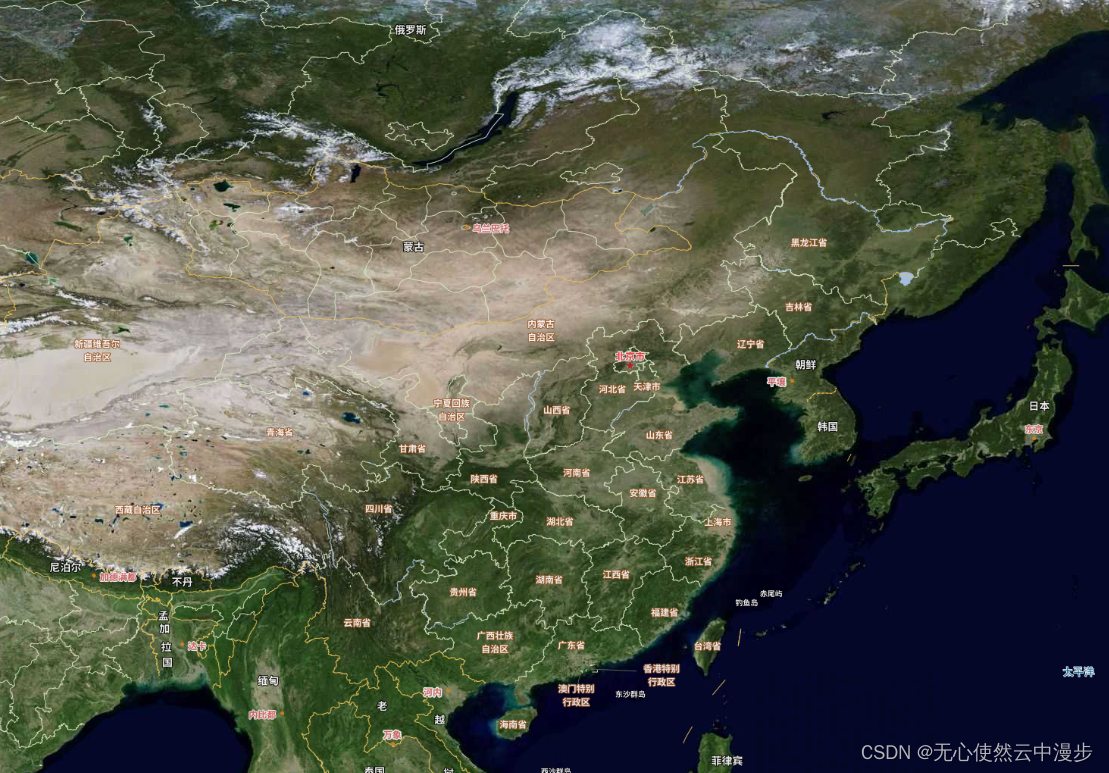
vue3-openlayers 使用tianditu,wmts和xyz等source加载天地图切片服务
本篇介绍一下使用vue3-openlayers加载天地图切片,三种方法: 使用tianditu(ol-source-tianditu内部实现其实用的wmts)使用wmts(ol-source-wmts)使用xyz(ol-source-xyz) 1 需求 vue…...

npm、yarn、pnpm 最新国内镜像源设置和常见问题解决
1. npm 设置国内镜像源 1.1 镜像源概述 镜像源是软件包管理工具用来下载和安装软件包的服务器地址。由于网络原因,直接使用官方源可能会导致速度慢或连接失败的问题。国内镜像源可以提供更快的访问速度和更稳定的连接。 1.2 镜像源的选择 国内有许多可用的npm镜…...

Qt Object:智能即时聊天室项目
目录 1.项目介绍 2.设计思路 3.Pro文件配置 4.项目演示 5.项目开源 项目介绍 智能即时聊天室系统(AIChatProject)是一个高效、灵活的即时通讯解决方案。它融合了百度的开源大型语言模型——文心一言,通过API接口实现深度集成。系统专为聊天和…...
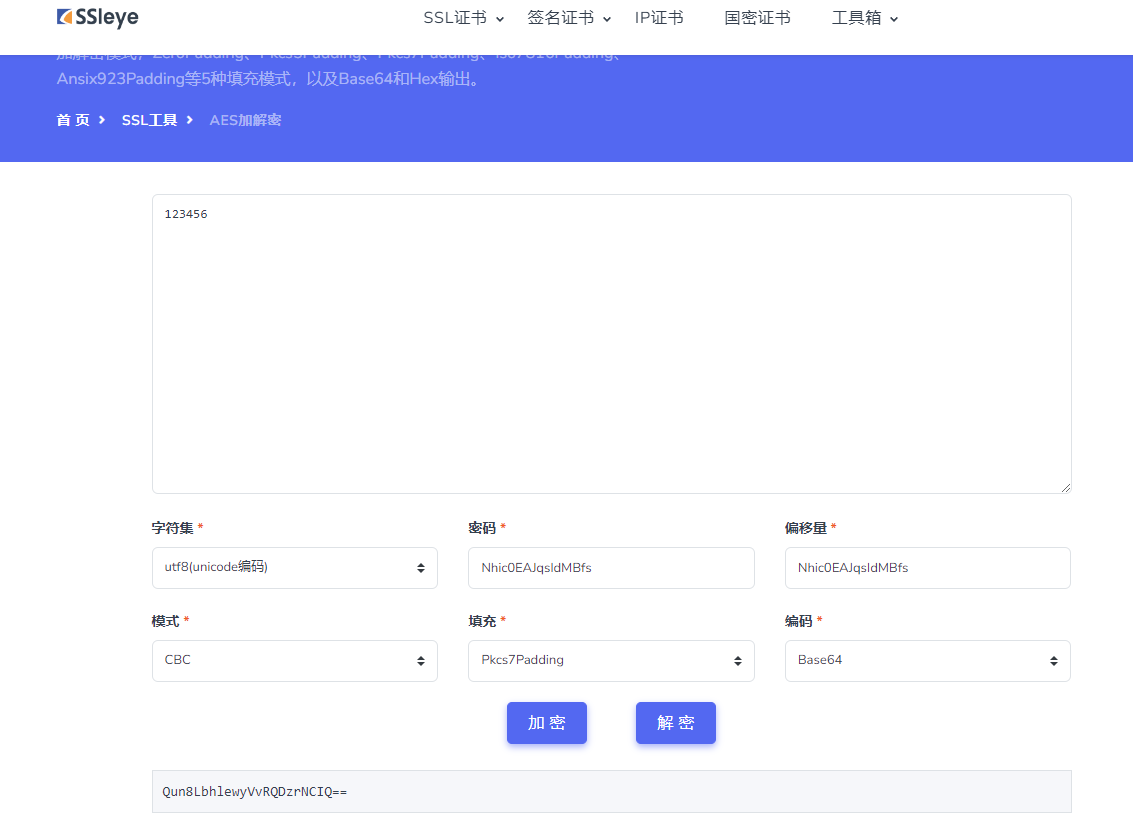
php,python aes加密反解
1. python版本 import base64 from Crypto.Cipher import AES from Crypto.Util.Padding import pad, unpadclass AESUtilCBC:def __init__(self, key, iv):self.key key.encode(utf-8)self.iv iv.encode(utf-8)self.pad_length AES.block_sizedef encrypt(self, data):try…...
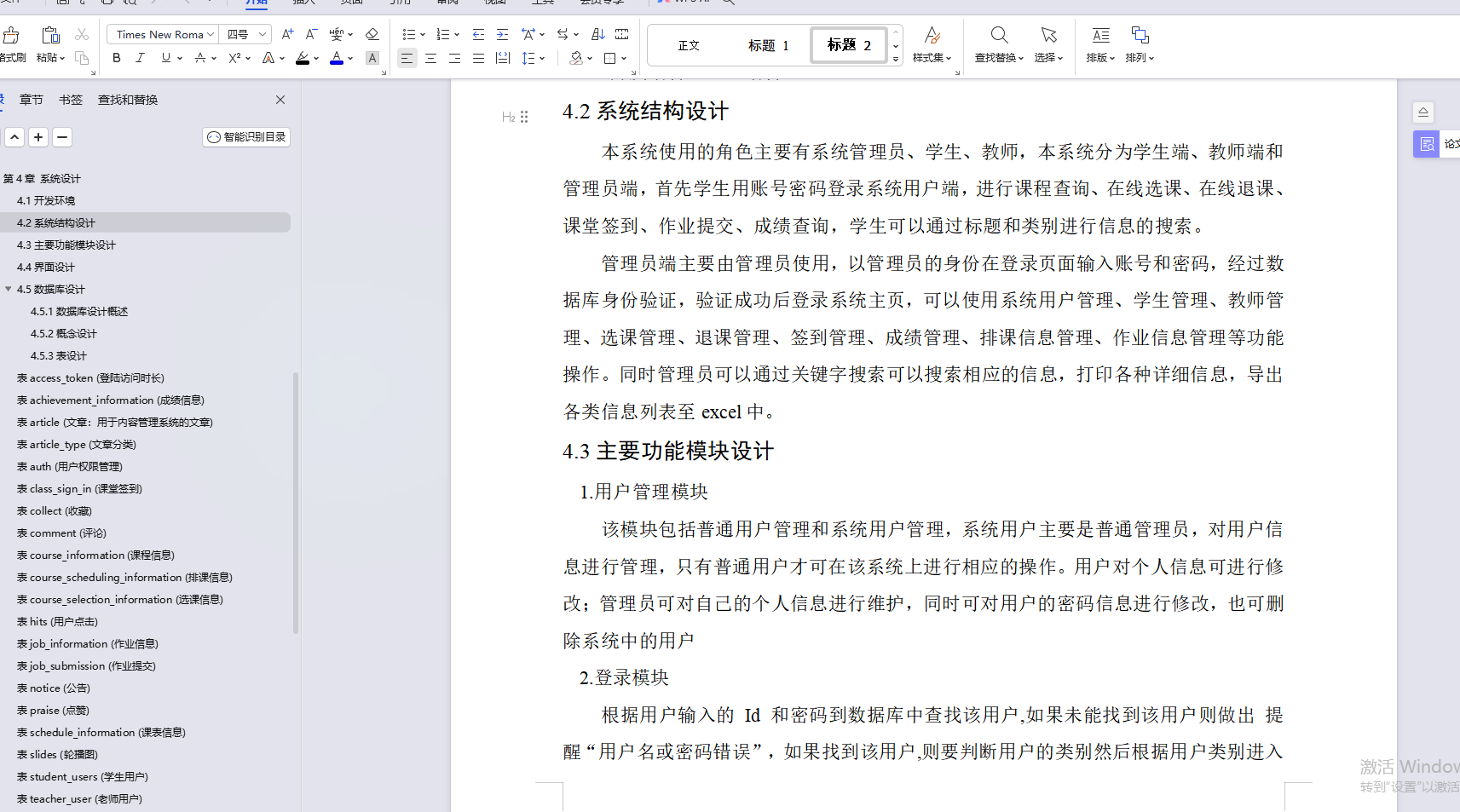
基于Java学生选课管理系统设计和实现(源码+LW+调试文档+讲解等)
💗博主介绍:✌全网粉丝10W,CSDN作者、博客专家、全栈领域优质创作者,博客之星、平台优质作者、专注于Java、小程序技术领域和毕业项目实战✌💗 🌟文末获取源码数据库🌟 感兴趣的可以先收藏起来,…...

阅读笔记——《Large Language Model guided Protocol Fuzzing》
【参考文献】Meng R, Mirchev M, Bhme M, et al. Large language model guided protocol fuzzing[C]//Proceedings of the 31st Annual Network and Distributed System Security Symposium (NDSS). 2024.(CCF A类会议)【注】本文仅为作者个人学习笔记&a…...

C#委托:事件驱动编程的基石
目录 了解委托 委托使用的基本步骤 声明委托(定义一个函数的原型:返回值 参数类型和个数) 根据委托定义的函数原型编写需要的方法 创建委托对象,关联“具体方法” 通过委托调用方法,而不是直接使用方法 委托对象所关联的方…...
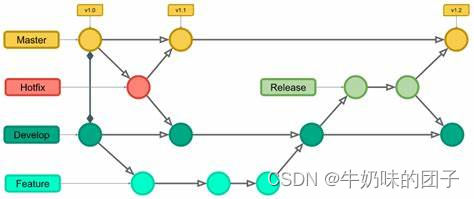
Git的下载安装及可视化工具小乌龟
一、 Git 的下载 第1步:下载Git,下载地址:Git for Windows 这个就需要去 Git 官网下载对应系统的软件了,下载地址为 git-scm.com或者gitforwindows.org,或者阿里镜像(感谢评论区的星悸迷航同学&#…...

【面试实战】# 并发编程之线程池配置实战
1.先了解线程池的几个参数含义 corePoolSize (核心线程池大小): 作用: 指定了线程池维护的核心线程数量,即使这些线程处于空闲状态,它们也不会被回收。用途: 核心线程用于处理长期的任务,保持最低的线程数量,以减少线程的创建和…...
Pytest 读取excel文件参数化应用
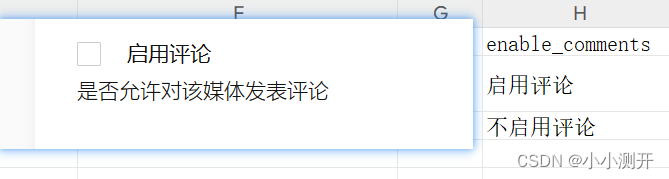
本文是基于Pytest框架,读取excel中的文件,传入页面表单中,并做相应的断言实现。 1、编辑媒体需求 首先明确一下需求,我们需要对媒体的表单数据进行编辑,步骤如下: 具体表单如下图所示 1、登录 2、点击我…...
qt 一个可以拖拽的矩形
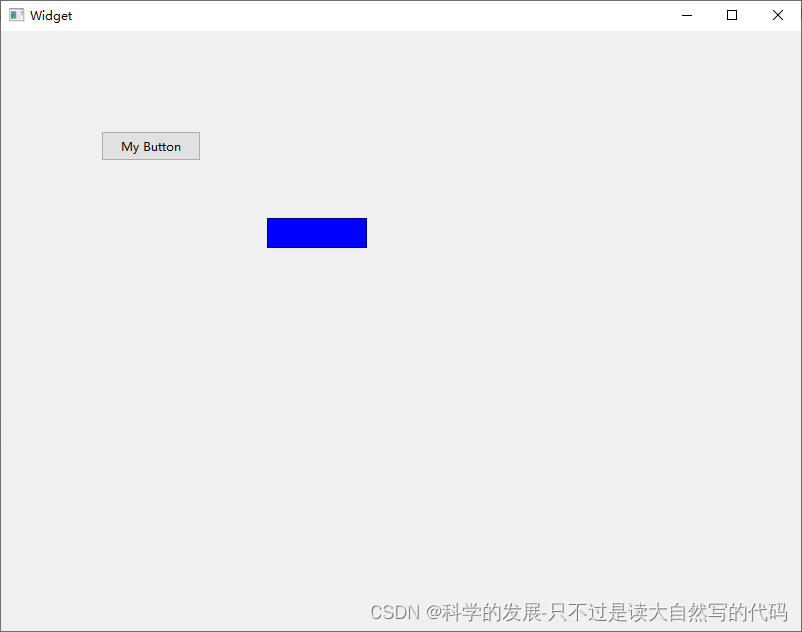
1.概要 2.代码 2.1 mycotrl.h #ifndef MYCOTRL_H #define MYCOTRL_H#include <QWidget> #include <QMouseEvent>class MyCotrl: public QWidget {Q_OBJECT public://MyCotrl();MyCotrl(QWidget *parent nullptr); protected:void paintEvent(QPaintEvent *even…...

C# 启动exe 程序
(1) publicbool Start () System.Diagnostics.Process process new System.Diagnostics.Process(); process.StartInfo.FileName "iexplore.exe"; //IE浏览器,可以更换 process.StartInfo.Arguments "http://www.baidu.com"; process.…...

Netty中的Reactor模型实现
Netty版本:4.1.17 Reactor模型是Doug Lea在《Scalable IO in Java》提出的,主要是针对NIO的。 其中的主从Reactor模式在Netty中的配置如下: EventLoopGroup bossGroup new NioEventLoopGroup(1); EventLoopGroup workerGroup new NioEv…...

【ElevenLabs企业级克隆部署白皮书】:单模型支持12种语境情绪、延迟<480ms、通过GDPR+CCPA双认证
更多请点击: https://intelliparadigm.com 第一章:ElevenLabs企业级语音克隆技术全景概览 ElevenLabs 企业级语音克隆技术以高保真度、低延迟和强可控性为核心,面向金融客服、跨国培训、无障碍内容生成等关键业务场景提供端到端语音合成解决…...

基于 YOLOv8 的猫狗图像分类项目全流程复盘
一、项目背景目标与原理随着计算机视觉技术的快速发展,图像分类作为深度学习的基础任务,在智能监控、内容审核等领域有着广泛应用。本项目以猫狗二分类为目标,基于 YOLOv8 轻量级图像分类模型,完整实现了从环境搭建、数据集处理、…...
)
别再一行行读DXF了!用C#和netDxf库5分钟搞定CAD数据提取(附完整代码)
用C#和netDxf库高效解析DXF文件的实战指南 在CAD数据处理领域,DXF文件解析一直是开发者面临的常见挑战。传统的手动解析方法不仅耗时费力,还容易出错。本文将带你探索如何利用C#和netDxf库快速实现DXF文件的高效解析,彻底告别逐行读取的原始方…...

微信读书笔记助手:3分钟快速上手的终极笔记管理指南
微信读书笔记助手:3分钟快速上手的终极笔记管理指南 【免费下载链接】wereader 一个浏览器扩展:主要用于微信读书做笔记,对常使用 Markdown 做笔记的读者比较有帮助。 项目地址: https://gitcode.com/gh_mirrors/wer/wereader 微信读书…...

Projects-from-Scratch学习路径:如何系统性地掌握Web开发全栈技术
Projects-from-Scratch学习路径:如何系统性地掌握Web开发全栈技术 【免费下载链接】Projects-from-Scratch Read and do projects. 项目地址: https://gitcode.com/gh_mirrors/pr/Projects-from-Scratch Projects-from-Scratch是一个精心策划的开源项目列表&…...

GlosSI系统级Steam控制器:打破平台限制的终极解决方案
GlosSI系统级Steam控制器:打破平台限制的终极解决方案 【免费下载链接】GlosSI Tool for using Steam-Input controller rebinding at a system level alongside a global overlay 项目地址: https://gitcode.com/gh_mirrors/gl/GlosSI GlosSI(Gl…...

QMCDump终极指南:3分钟学会QQ音乐加密文件转换,解锁你的音乐自由
QMCDump终极指南:3分钟学会QQ音乐加密文件转换,解锁你的音乐自由 【免费下载链接】qmcdump 一个简单的QQ音乐解码(qmcflac/qmc0/qmc3 转 flac/mp3),仅为个人学习参考用。 项目地址: https://gitcode.com/gh_mirrors/…...
)
告别依赖地狱:在Ubuntu 22.04 LTS上一步到位搞定ns-3.39所有可选库(保姆级命令清单)
告别依赖地狱:在Ubuntu 22.04 LTS上一步到位搞定ns-3.39所有可选库(保姆级命令清单) 当你第一次尝试运行ns-3的MPI分布式仿真时,是否遇到过mpi.h not found的报错?或是想在NetAnim中可视化网络拓扑,却因为…...

Python 簡單的 股市資料 API 呼叫範例
前言 假如我們想從某個外部服務取得股市資料,藉由Python API 呼叫,可以讓我們從雅虎財經的API下載市場數據。以下簡單得介紹一個API , yfinance 一個 Python 開源函式庫,使用者可以輕鬆地取得股票、指數、貨幣、ETF、基金以及期貨…...

国产碳化硅MOSFET在通讯电源PFC中的应用与实战解析
1. 项目概述:当通讯电源遇上国产碳化硅MOSFET最近在做一个通讯电源的PFC(功率因数校正)项目,客户对效率、功率密度和可靠性提出了近乎苛刻的要求。传统的硅基MOSFET方案,在追求更高开关频率以减小磁性元件体积时&#…...