
ros1仿真导航机器人 hector_mapping gmapping
仅为学习记录和一些自己的思考,不具有参考意义。
1 hector_mapping
建图过程
(1)gazebo仿真
roslaunch why_simulation why_slam.launch
<launch><!-- We resume the logic in empty_world.launch, changing only the name of the world to be launched --><include file="$(find gazebo_ros)/launch/empty_world.launch"><arg name="world_name" value="$(find why_simulation)/worlds/slam_simple.world"/><arg name="paused" value="false"/><arg name="use_sim_time" value="true"/><arg name="gui" value="true"/><arg name="recording" value="false"/><arg name="debug" value="false"/></include><!-- Spawn a robot into Gazebo --><node name="spawn_urdf" pkg="gazebo_ros" type="spawn_model" args="-file $(find why_simulation)/models/wpb_home.model -urdf -x -0.0 -y -0.0 -model wpb_home" /><!-- tf --><arg name="model" default="$(find why_simulation)/models/wpb_home.model"/><param name="robot_description" command="$(find xacro)/xacro $(arg model)" /><node name="robot_state_publisher" pkg="robot_state_publisher" type="robot_state_publisher" /><node name="joint_state_publisher" pkg="joint_state_publisher" type="joint_state_publisher" /></launch>
(2)启动建图节点
rosrun hector_mapping hector_mapping
(3)rviz
rviz
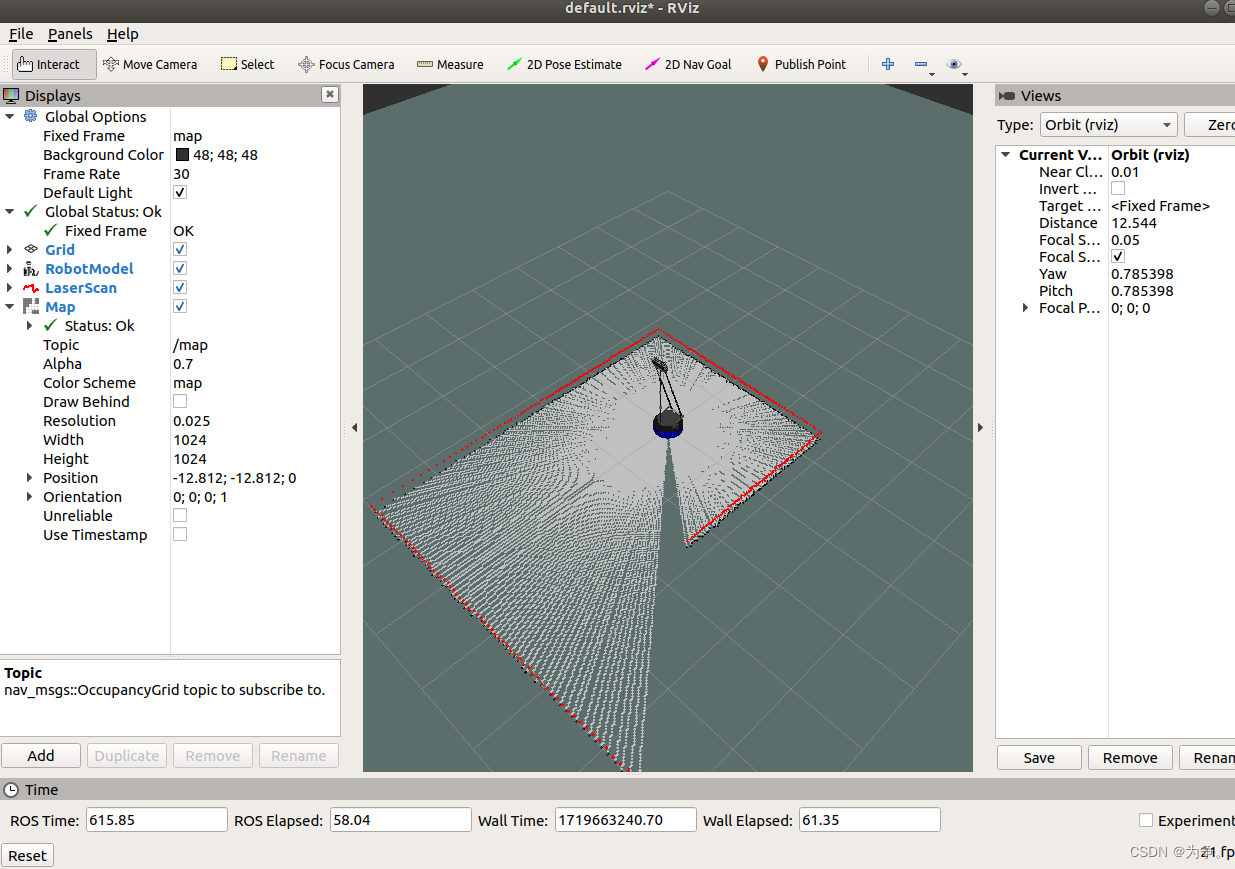
将所需要的模块添加进去之后,保存为hector.rviz文件。
(4)控制机器人运动
rosrun rqt_robot_steering rqt_robot_steering
建图结果
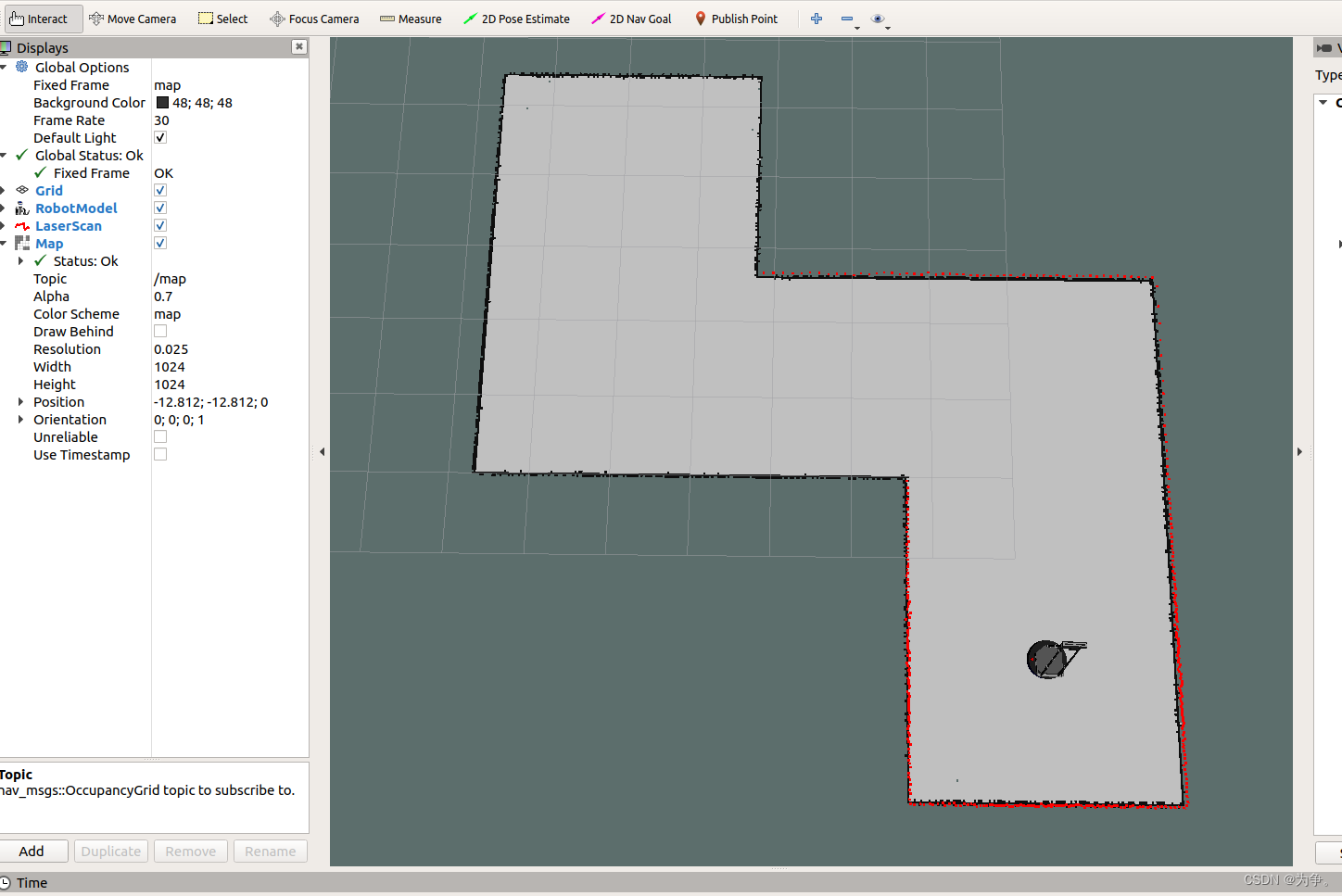
launch
新建一个launch文件,将以上四条指令添加到launch文件中。
<launch><include file="$(find why_simulation)/launch/why_slam.launch"/><node name="hector_mapping" pkg="hector_mapping" type="hector_mapping" /><node name="rviz" pkg="rviz" type="rviz" args="-d $(find why_simulation)/rviz/hector.rviz"/><node name="rqt_robot_steering" pkg="rqt_robot_steering " type="rqt_robot_steering " /></launch>查找参数
ROS Indexa community-maintained index of robotics software https://index.ros.org/
(1)搜索hector_mapping
(2)选择Website

即可查看到有哪些参数可以设置
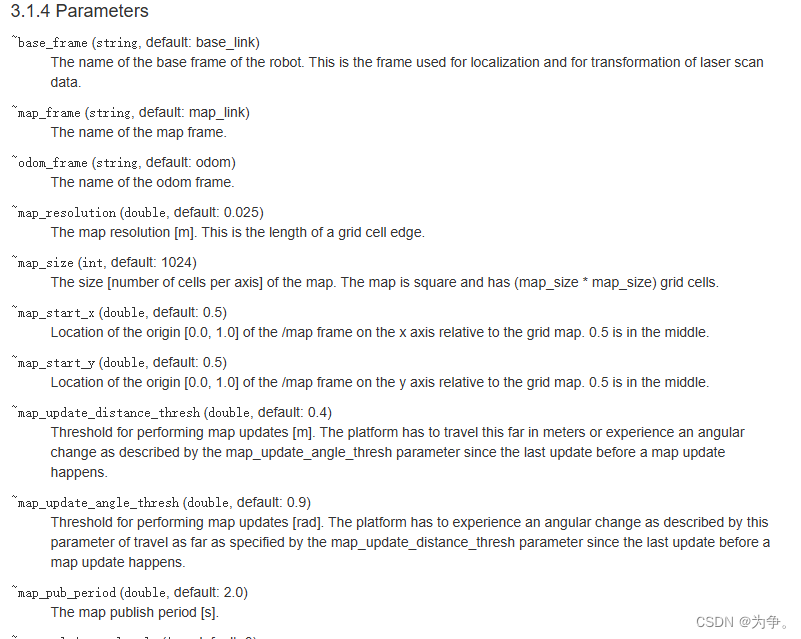
设置参数
<launch><include file="$(find why_simulation)/launch/why_slam.launch"/><node name="hector_mapping" pkg="hector_mapping" type="hector_mapping" output="screen"><param name="map_update_distance_thresh" value="0.1"/><param name="map_update_angle_thresh " value="0.1"/><param name="map_pub_period " value="0.1"/></node><node name="rviz" pkg="rviz" type="rviz" args="-d $(find why_simulation)/rviz/hector.rviz"/><node name="rqt_robot_steering" pkg="rqt_robot_steering " type="rqt_robot_steering " /></launch>
2 gmapping
建图过程
(1)gazebo环境
roslaunch why_simulation why_robocup.launch
<launch><!-- We resume the logic in empty_world.launch, changing only the name of the world to be launched --><include file="$(find gazebo_ros)/launch/empty_world.launch"><arg name="world_name" value="$(find why_simulation)/worlds/why_robocup.world"/><arg name="paused" value="false"/><arg name="use_sim_time" value="true"/><arg name="gui" value="true"/><arg name="recording" value="false"/><arg name="debug" value="false"/></include><!-- Spawn the objects into Gazebo --><node name="bed" pkg="gazebo_ros" type="spawn_model" args="-file $(find why_simulation)/models/bed.model -x 5.0 -y -3.9 -z 0 -Y 3.14159 -urdf -model bed" /><node name="sofa" pkg="gazebo_ros" type="spawn_model" args="-file $(find why_simulation)/models/sofa.model -x -1.0 -y -3.9 -z 0 -Y 1.57 -urdf -model sofa" /><node name="tea_table" pkg="gazebo_ros" type="spawn_model" args="-file $(find why_simulation)/models/tea_table.model -x -2.1 -y -2.2 -z 0 -Y 1.57 -urdf -model tea_table" /><node name="bookshelft" pkg="gazebo_ros" type="spawn_model" args="-file $(find why_simulation)/models/bookshelft.model -x 2.0 -y -0.55 -z 0 -Y -1.57 -urdf -model bookshelft" /><node name="kitchen_table" pkg="gazebo_ros" type="spawn_model" args="-file $(find why_simulation)/models/table.model -x -3.5 -y 3.7 -z 0 -Y 1.57 -urdf -model kitchen_table" /> <node name="cupboard_0" pkg="gazebo_ros" type="spawn_model" args="-file $(find why_simulation)/models/cupboard.model -x -2.0 -y 0.7 -z 0 -Y 1.57 -urdf -model cupboard_0" /><node name="cupboard_1" pkg="gazebo_ros" type="spawn_model" args="-file $(find why_simulation)/models/cupboard.model -x -1.3 -y 3.7 -z 0 -Y -1.57 -urdf -model cupboard_1" /> <node name="dinning_table_0" pkg="gazebo_ros" type="spawn_model" args="-file $(find why_simulation)/models/table.model -x 1.5 -y 1.5 -z 0 -Y 1.57 -urdf -model dinning_table_0" /><node name="dinning_table_1" pkg="gazebo_ros" type="spawn_model" args="-file $(find why_simulation)/models/table.model -x 1.5 -y 2.0 -z 0 -Y 1.57 -urdf -model dinning_table_1" /><node name="dinning_table_2" pkg="gazebo_ros" type="spawn_model" args="-file $(find why_simulation)/models/table.model -x 2.7 -y 1.5 -z 0 -Y 1.57 -urdf -model dinning_table_2" /><node name="dinning_table_3" pkg="gazebo_ros" type="spawn_model" args="-file $(find why_simulation)/models/table.model -x 2.7 -y 2.0 -z 0 -Y 1.57 -urdf -model dinning_table_3" /><node name="chair_0" pkg="gazebo_ros" type="spawn_model" args="-file $(find why_simulation)/models/chair.model -x 1.5 -y 1.2 -z 0 -Y 1.57 -urdf -model chair_0" /><node name="chair_1" pkg="gazebo_ros" type="spawn_model" args="-file $(find why_simulation)/models/chair.model -x 1.5 -y 2.3 -z 0 -Y -1.57 -urdf -model chair_1" /><node name="chair_2" pkg="gazebo_ros" type="spawn_model" args="-file $(find why_simulation)/models/chair.model -x 2.7 -y 1.2 -z 0 -Y 1.57 -urdf -model chair_2" /><node name="chair_3" pkg="gazebo_ros" type="spawn_model" args="-file $(find why_simulation)/models/chair.model -x 2.7 -y 2.3 -z 0 -Y -1.57 -urdf -model chair_3" /><!-- Spawn a robot into Gazebo --><node name="spawn_urdf" pkg="gazebo_ros" type="spawn_model" args="-file $(find why_simulation)/models/wpb_home.model -urdf -x 0.0 -y -0.0 -model wpb_home" /><!-- tf --><arg name="model" default="$(find why_simulation)/models/wpb_home.model"/><param name="robot_description" command="$(find xacro)/xacro $(arg model)" /><node name="robot_state_publisher" pkg="robot_state_publisher" type="robot_state_publisher" /><node name="joint_state_publisher" pkg="joint_state_publisher" type="joint_state_publisher" /><!-- lidar filter--><node pkg="why_simulation" type="lidar_filter" name="lidar_filter" /></launch>
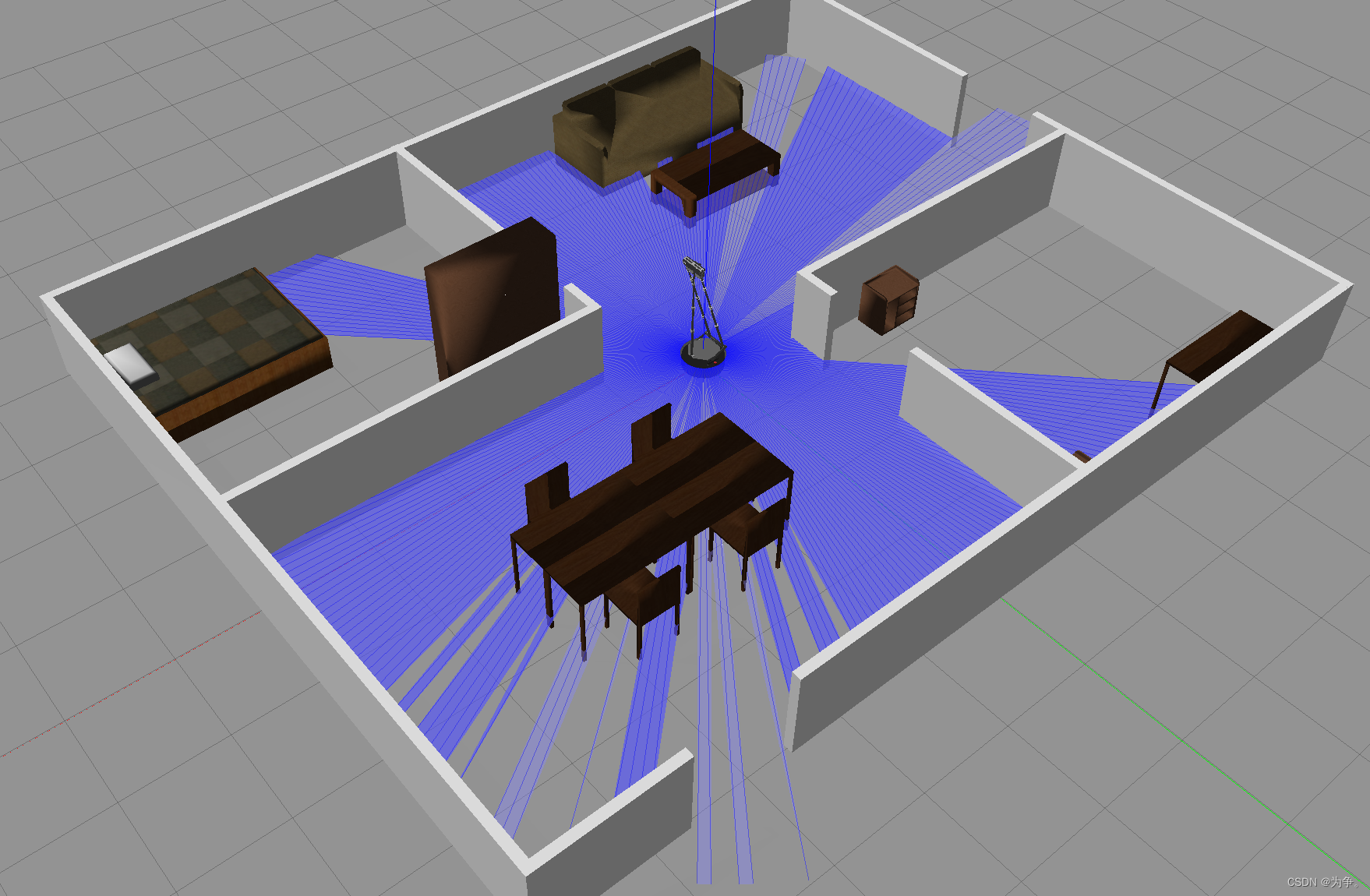
(2)启动gmapping节点
rosrun gmapping slam_gmapping
(3)rviz
rviz
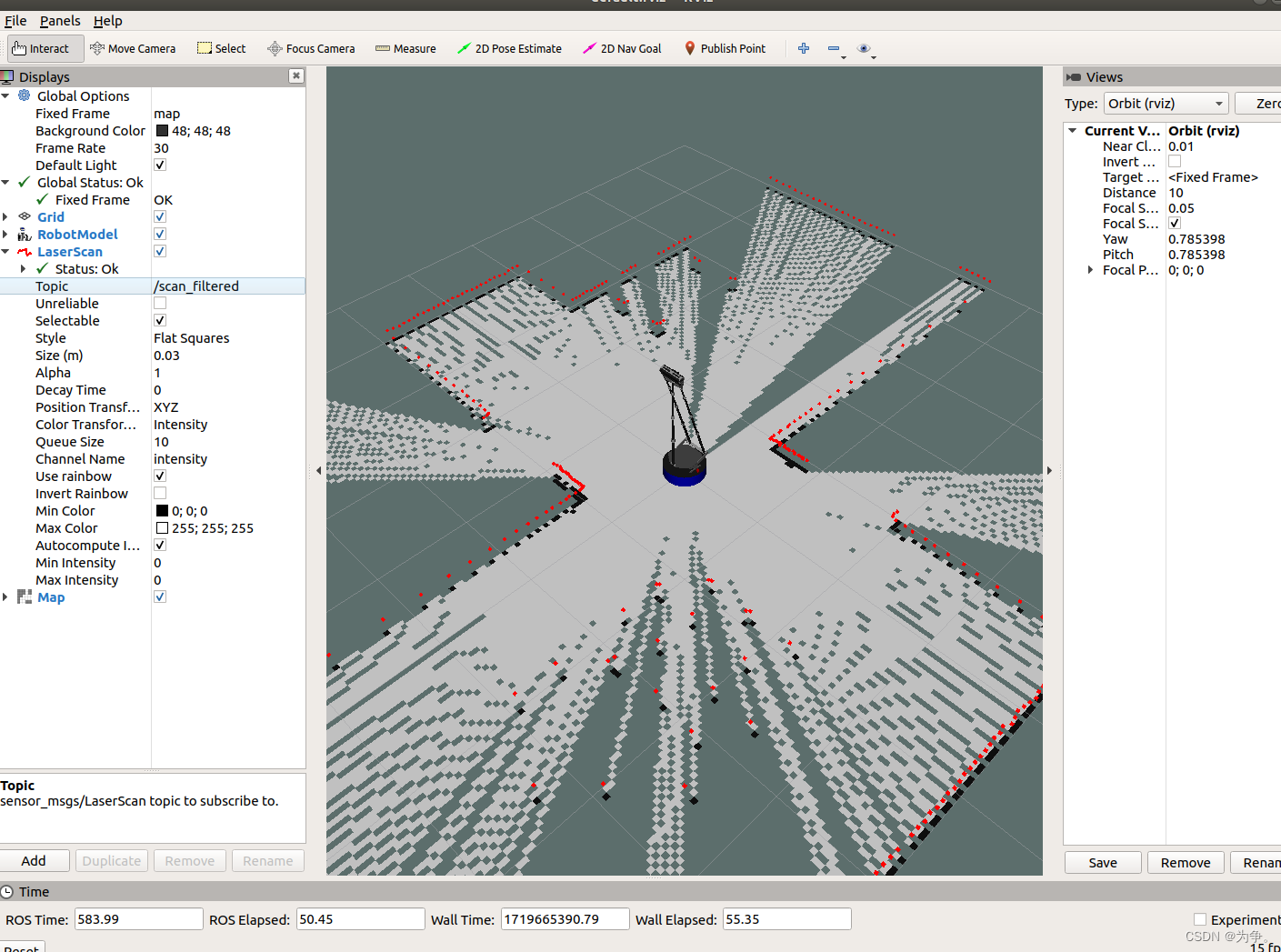
保存成gmapping.rviz
(4)控制机器人移动
rosrun why_simulation keyboard_vel_ctrl
建图结果

launch
新建launch文件gmapping.launch,接上述指令添加到launch文件里
<launch><include file="$(find why_simulation)/launch/why_robocup.launch"/><node pkg="gmapping" type="slam_gmapping" name="slam_gmapping"/><node name="rviz" pkg="rviz" type="rviz" args="-d $(find why_simulation)/rviz/gmapping.rviz"/><node name="why_simulation" pkg="keyboard_vel_ctrl " type="keyboard_vel_ctrl " /></launch>
设置参数
<launch><include file="$(find why_simulation)/launch/why_robocup.launch"/><node pkg="gmapping" type="slam_gmapping" name="slam_gmapping"><param name="map_update_interval" value="0.5"/><param name="linearUpdate " value="0.1"/></node><node name="rviz" pkg="rviz" type="rviz" args="-d $(find why_simulation)/rviz/gmapping.rviz"/><node name="why_simulation" pkg="keyboard_vel_ctrl " type="keyboard_vel_ctrl " /></launch>
3保存地图
rosrun map_server map_saver -f map
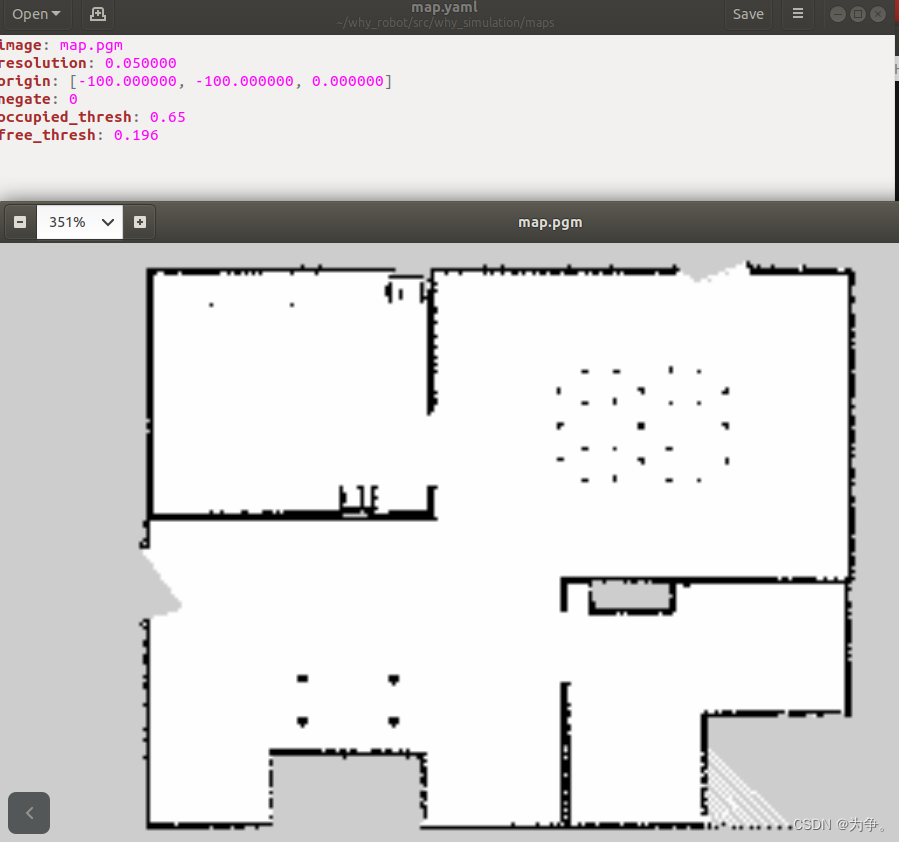
4加载地图
roscore
rosrun map_server map_server map.yaml
rviz
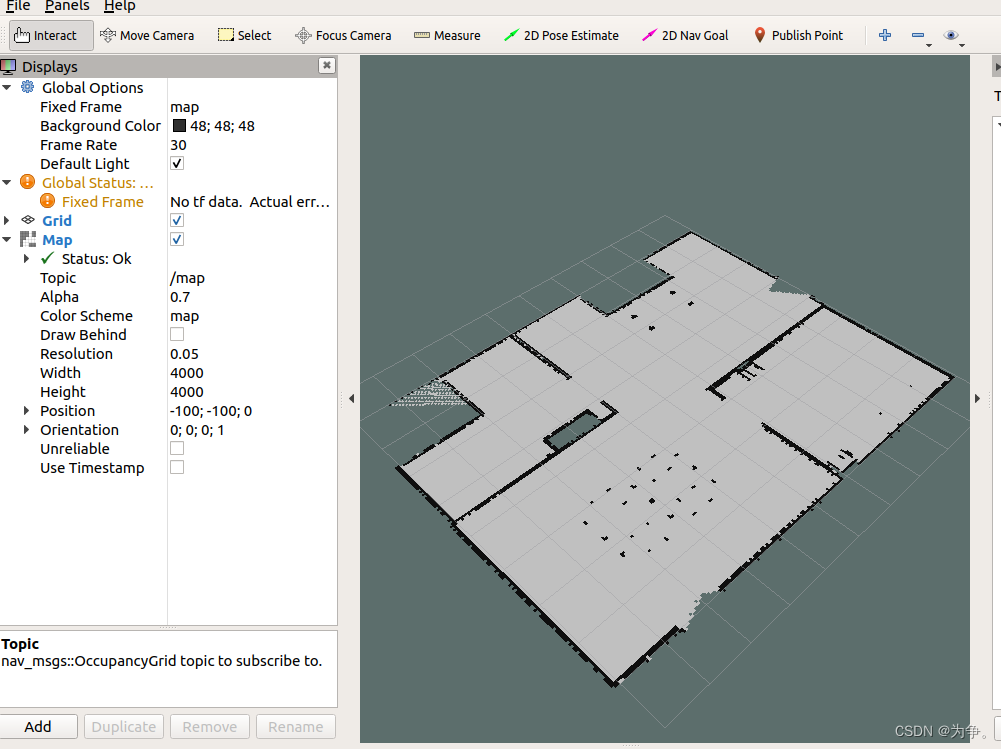
5 对比
hector_mapping不使用里程计,长直的路径存在建图错误,gmapping使用里程计。
相关文章:
ros1仿真导航机器人 hector_mapping gmapping
仅为学习记录和一些自己的思考,不具有参考意义。 1 hector_mapping 建图过程 (1)gazebo仿真 roslaunch why_simulation why_slam.launch <launch><!-- We resume the logic in empty_world.launch, changing only the name of t…...
嵌入式实验---实验五 串口数据接收实验
一、实验目的 1、掌握STM32F103串口数据接收程序设计流程; 2、熟悉STM32固件库的基本使用。 二、实验原理 1、STM32F103R6能通过查询中断方式接收数据,每接收到一个字节,立即向对方发送一个相同内容的字节,并把该字节的十六进…...

ubuntu 22.04下编译安装glog共享库
笔者是完美主义者,在编译opencv4.9时,有个有关glog的warn,就下载编译google的glog库并把它编译成shared libaray。重新编译opencv4.9时,该warn解除。现把编译安装glog过程记录,以备后查。 以下操作全程以root身份或sudo执行。 cd…...
Linux环境安装配置nginx服务流程
Linux环境的Centos、麒麟、统信操作系统安装配置nginx服务流程操作: 1、官网下载 下载地址 或者通过命令下载 wget http://nginx.org/download/nginx-1.20.2.tar.gz 2、上传到指定的服务器并解压 tar -zxvf nginx-1.20.1.tar.gzcd nginx-1.20.1 3、编译并安装到…...

设计模式-模板模式
简介 模板方法模式是一种行为设计模式,它在父类中定义了一个操作的算法框架,允许子类在不改变算法结构的情况下重定义算法的某些步骤。这种模式是基于继承的,通过抽象类将通用的代码抽取到超类中,同时通过具体类实现或者改写算法…...

物理删除和逻辑删除区别
物理删除和逻辑删除是数据库管理中针对记录删除操作的两种不同方式,它们的主要区别在于数据的实际处理和后续影响: 物理删除: 操作实质:物理删除会将数据记录从数据库表中彻底移除,包括记录所占的磁盘空间都会被释放。…...

C# 警告 warning MSB3884: 无法找到规则集文件“MinimumRecommendedRules.ruleset”
警告 warning MSB3884: 无法找到规则集文件“MinimumRecommendedRules.ruleset” C:\Program Files\Microsoft Visual Studio\2022\Professional\MSBuild\Current\Bin\amd64\Microsoft.CSharp.CurrentVersion.targets(129,9): warning MSB3884: 无法找到规则集文件“MinimumRe…...
Lua网站开发之文件表单上传
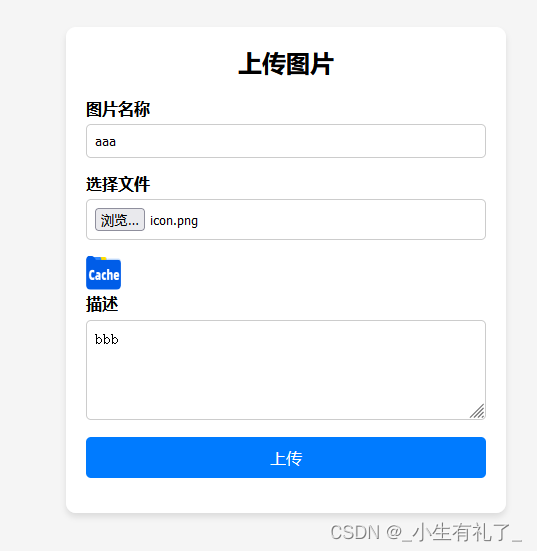
这个代码示例演示如何上传文件或图片,获取上传信息及保存文件到本地。 local fw require("fastweb") local request require("fastweb.request") local response require("fastweb.response") local cjson require("cjson&q…...
千益畅行,旅游卡,如何赚钱?
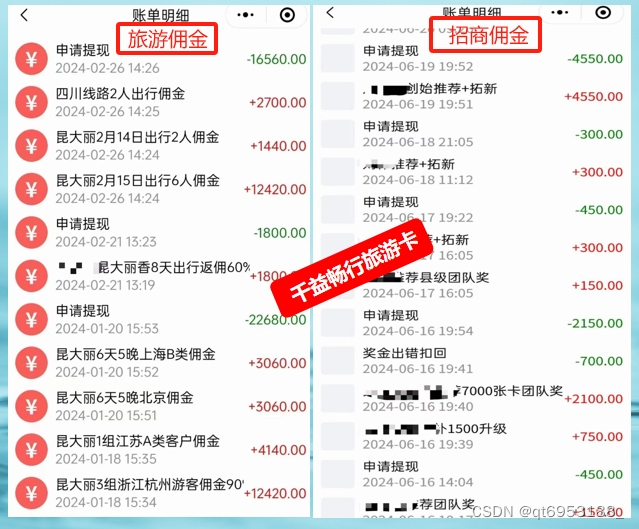
赚钱这件事情,只有自己努力执行才会有结果。生活中没有幸运二字,每个光鲜亮丽的背后,都是不为人知的付出! #旅游卡服务#...

Element-plus点击当前行之后获取数据显示跟随行数据
要实现点击当前行后,在当前行的下方显示数据,可以通过以下步骤来实现: 在表格的行点击事件中获取当前点击行的位置信息。根据位置信息动态计算并设置需要显示数据区域的位置。 下面是一个更新后的示例代码,演示如何在 Element-P…...

Docker与微服务实战2022 尚
Docker与微服务实战2022 尚硅谷讲师:周阳 1. 基础篇(零基小白) 1 1.1. Docker简介 2 1.2. Docker安装 15 1.3. Docker常用命令 29 1.4. Docker镜像 43 1.5. 本地镜像发布到阿里云 50 1.6. 本地镜像发布到私有库 57 1.7. Docker容器数据卷 64 1.8. Docker常规安装简介 …...

Spring @Cacheable缓存注解用法说明
注解Cacheable 是 Spring 框架中用于缓存数据的方法或类的注解。通过使用这个注解,你可以避免重复计算和重复获取数据,从而提高应用程序的性能。 基本用法 引入依赖 确保在你的项目中引入了 Spring Cache 相关的依赖。如果你使用的是 Spring Boot&…...

Redis如何实现主从复制
Redis主从复制包括全量复制和增量复制。主是主服务器,从是从服务器,主服务器(master )的数据如果更新了也会同步到从服务器(slave),一个主服务器可以搭配很多个从服务器,主服务器负责写入,从服务器只能读取…...
正则表达式以及文本三剑客grep、sed、awk
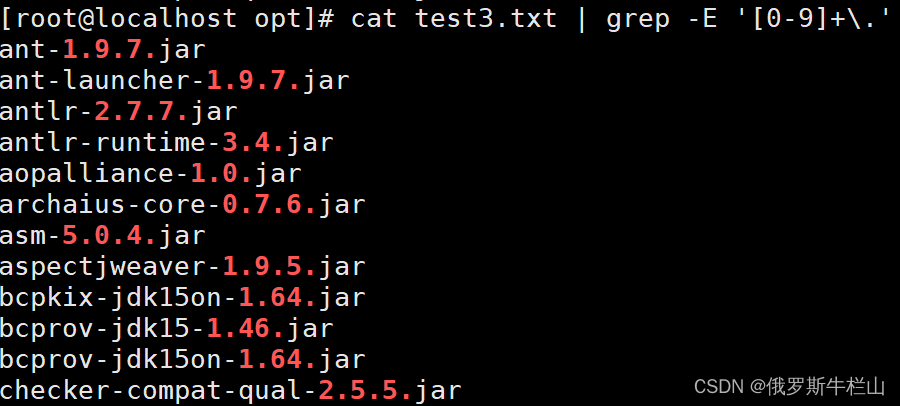
正则表达式匹配的是文本内容,文本三剑客都是针对文本内容。 grep:过滤文本内容 sed:针对文本内容进行增删改查 awk:按行取列 一、grep grep的作用使用正则表达式来匹配文本内容 1、grep选项 -m:匹配几次之后停止…...
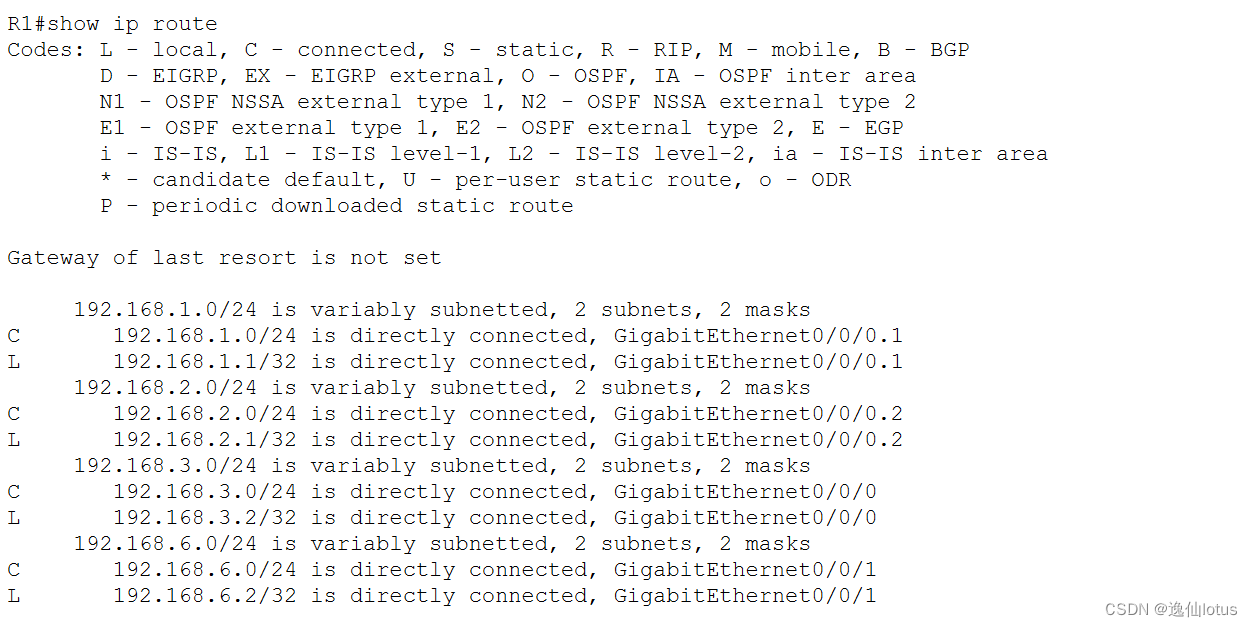
HSRP热备份路由协议(VRRP虚拟路由冗余协议)配置以及实现负载均衡
1、相关原理 在网络中,如果一台作为默认网关的三层交换机或者路由器损坏,所有使用该网关为下一跳的主机通信必然中断,即使配置多个默认网关,在不重启终端的情况下,也不能彻底换到新网关。Cisco提出了HSRP热备份路由协…...

不同集成学习算法的比较:随机森林、AdaBoost、XGBoost、LightGBM
好的,我来为您比较一些常见的集成学习算法,并生成表格形式以便于对比: 算法主要思想和特点应用场景并行处理支持稳定性和鲁棒性主要优化策略和技术AdaBoost使用加权投票组合多个弱分类器,逐步提升分类器性能二分类和多分类问题&a…...
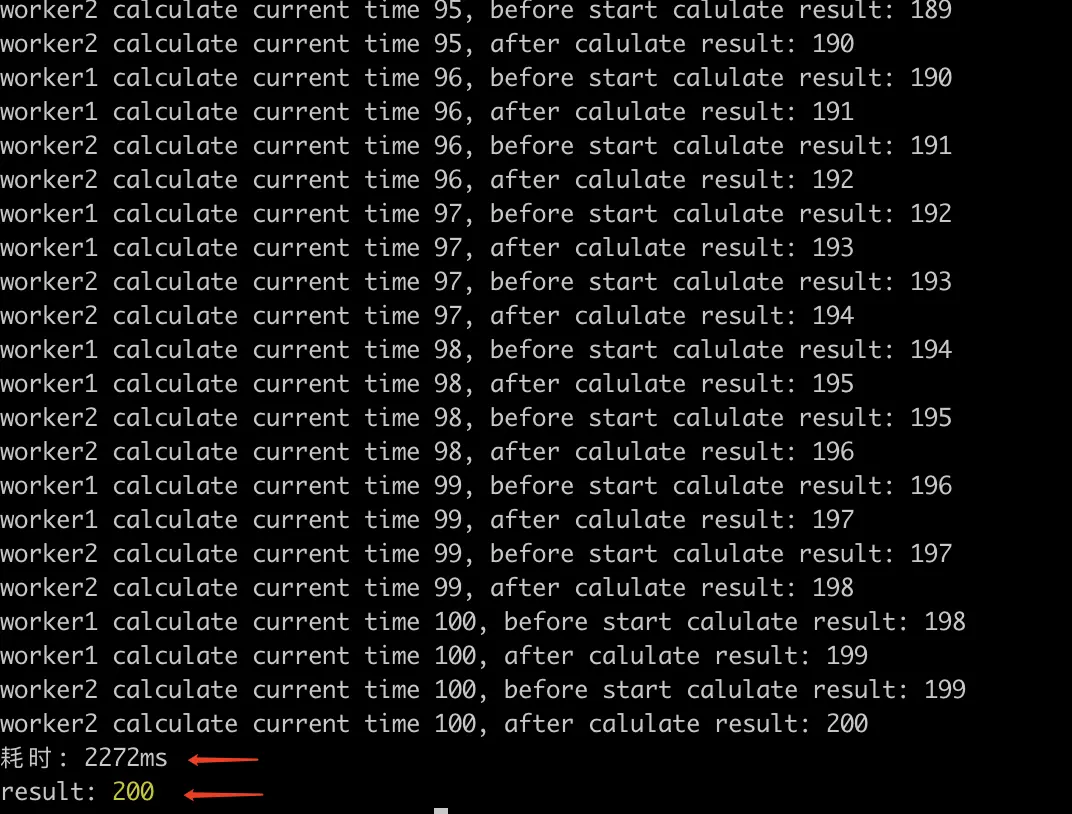
【聊聊原子性,中断,以及nodejs中的具体示例】
什么是原子性 从一个例子说起, x ,读和写 , 如图假设多线程,线程1和线程2同时操作变量x,进行x的操作,那么由于写的过程中,都会先读一份x数据到cpu的寄存器中,所以这个时候cpu1 和 c…...

常见网络端口号
在网络工程领域,了解和掌握默认端口号是至关重要的。端口号是计算机网络中最基本的概念之 一,用于标识特定的网络服务或应用程序。 1、什么是端口号? 端口号是计算机网络中的一种标识,用于区分不同的网络服务和应用程序。每个端…...

【数值计算库-超长笔记】Python-Mpmath库:高精度数值计算
原文链接:https://www.cnblogs.com/aksoam/p/18279394 更多精彩,关注博客园主页,不断学习!不断进步! 我的主页 csdn很少看私信,有事请b站私信 博客园主页-发文字笔记-常用 有限元鹰的主页 内容…...

昇思25天学习打卡营第6天|函数式自动微分
函数式自动微分 相关前置知识复习 深度学习的重点之一是神经网络。而神经网络很重要的一环是反向传播算法,这个算法用于调整神经网络的权重。 反向传播算法 这里举例说明反向传播在做什么。 假设你是一个学生,一次考试过后,你收到了一份老…...

Adobe-GenP终极指南:5分钟破解Adobe创意套件限制的完整教程
Adobe-GenP终极指南:5分钟破解Adobe创意套件限制的完整教程 【免费下载链接】Adobe-GenP Adobe CC 2019/2020/2021/2022/2023 GenP Universal Patch 3.0 项目地址: https://gitcode.com/gh_mirrors/ad/Adobe-GenP 你是否曾因为Adobe Creative Cloud高昂的订阅…...

XHS-Downloader:小红书内容采集与管理的全栈解决方案
XHS-Downloader:小红书内容采集与管理的全栈解决方案 【免费下载链接】XHS-Downloader 小红书(XiaoHongShu、RedNote)链接提取/作品采集工具:提取账号发布、收藏、点赞、专辑作品链接;提取搜索结果作品、用户链接&…...

基于IMAP的邮件自动化处理工具mymailclaw配置与实战指南
1. 项目概述:一个轻量级的邮件抓取与处理工具最近在折腾一个需要自动化处理邮件通知的小项目,发现市面上的方案要么太重,要么不够灵活。直到我遇到了psandis/mymailclaw这个项目,它就像一把小巧而锋利的瑞士军刀,专门用…...

药物发现自动化:FEP计算工作流引擎faah的设计原理与实战
1. 项目概述:一个面向药物发现的自动化工作流引擎 最近在药物研发的自动化工具领域,一个名为 kiron0/faah 的项目引起了我的注意。这并非一个简单的脚本集合,而是一个设计精巧、旨在为药物发现中的自由能微扰计算提供端到端自动化解决方案的…...

【仅限前200名】Midjourney铂金印相专属Prompt库泄露:含17组经暗房验证的--v 6.2参数矩阵与胶片光谱校准模板
更多请点击: https://intelliparadigm.com 第一章:Midjourney铂金印相的光学本质与历史语境 铂金印相(Platinum Print)并非数字时代的产物,而是一种诞生于1873年的古典摄影工艺——其影像由铂族金属(主要是…...

基于Kubernetes Lease构建分布式部署锁:解决CI/CD环境下的资源竞争
1. 项目概述:从“clawfight”看一场被遗忘的社区技术博弈看到“2019-02-18/clawfight”这个标题,很多人的第一反应可能是困惑。它不像一个标准的软件项目名,没有清晰的版本号,也没有指明具体的技术栈。但恰恰是这种看似随意的命名…...

基于CircuitPython与NeoPixel打造可编程LED亚克力灯牌:从硬件选型到代码实现
1. 项目概述:打造你的专属可编程光之铭牌在创客和电子爱好者的世界里,总有一些项目能完美地融合软件编程的灵活性与硬件制作的实体成就感。今天要分享的,就是这样一个让我爱不释手的小玩意儿:一个基于CircuitPython和NeoPixel的可…...

MQ-3与MiCS-5524气体传感器对比:从原理到实战的选型指南
1. 项目概述与核心价值在嵌入式开发、环境监测乃至一些创意DIY项目中,气体检测是一个常见且关键的需求。无论是为了安全预警(如天然气泄漏),还是进行环境质量评估(如VOC监测),选择一款合适的传感…...

Arm Cortex-A35 Cycle Model技术解析与SoC集成实战
1. Arm Cortex-A35 Cycle Model技术解析在SoC设计领域,虚拟平台验证已成为不可或缺的关键环节。作为Armv8-A架构中的能效比优化核心,Cortex-A35处理器通过Cycle Model提供了RTL级精度的硬件行为模拟能力。我在多个车载SoC项目中验证发现,其Cy…...

ARM Jazelle技术:硬件加速Java字节码执行详解
1. ARM Jazelle技术概述Jazelle技术是ARM架构中用于硬件加速Java字节码执行的关键扩展,最早出现在ARMv5TE架构中。这项技术通过在处理器内部集成Java字节码执行单元,实现了Java虚拟机(JVM)功能的硬件化。与传统的软件解释器相比,Jazelle能够将…...