
Laravel 使用Simple QrCode 生成PNG遇到问题
最近因项目需求,需要对qrcode 进行一些简单修改,发现一些问题,顺便记录一下
目前最新的版本是4.2,在环境是 PHP8 ,laravel11 的版本默认下载基本是4.0以上的
如下列代码
QrCode::format('png')->generate('test');
这样会提示需要安装 imagick 的 PHP扩展,如果我们只是单单需要个普通的qrcode ,可以去掉 format(‘png’),并修改前端代码使用
<img src="data:image/svg+xml;base64,{!! xxxxxx !!}" style="width: 200px" />
如果需要对qrcode 进行复杂一点的操作,比如在qrcode 中需要添加logo,根据开发文档,就一定需要png 格式,这样就必须在服务器上安装 imagick 扩展了!
因为不想安装 imagick 扩展,于是想找其他办法。无意间发现就版本是不需要 imagick ,然后安装 旧版本
"simplesoftwareio/simple-qrcode": "1.3.*"
使用旧版本,就不会提示安装imagick且生成png 图片
以下是旧版本文档部分
<a id="docs-ideas"></a>
## Simple Ideas#### Print ViewOne of the main items that we use this package for is to have QrCodes in all of our print views. This allows our customers to return to the original page after it is printed by simply scanning the code. We achieved this by adding the following into our footer.blade.php file.<div class="visible-print text-center">{!! QrCode::size(100)->generate(Request::url()); !!}<p>Scan me to return to the original page.</p></div>#### Embed A QrCodeYou may embed a qrcode inside of an e-mail to allow your users to quickly scan. The following is an example of how to do this with Laravel.//Inside of a blade template.<img src="{!!$message->embedData(QrCode::format('png')->generate('Embed me into an e-mail!'), 'QrCode.png', 'image/png')!!}"><a id="docs-usage"></a>
## Usage#### Basic UsageUsing the QrCode Generator is very easy. The most basic syntax is:QrCode::generate('Make me into a QrCode!');This will make a QrCode that says "Make me into a QrCode!"#### Generate`Generate` is used to make the QrCode.QrCode::generate('Make me into a QrCode!');>Heads up! This method must be called last if using within a chain.`Generate` by default will return a SVG image string. You can print this directly into a modern browser within Laravel's Blade system with the following:{!! QrCode::generate('Make me into a QrCode!'); !!}The `generate` method has a second parameter that will accept a filename and path to save the QrCode.QrCode::generate('Make me into a QrCode!', '../public/qrcodes/qrcode.svg');#### Format Change>QrCode Generator is setup to return a SVG image by default.>Watch out! The `format` method must be called before any other formatting options such as `size`, `color`, `backgroundColor`, and `margin`.Three formats are currently supported; PNG, EPS, and SVG. To change the format use the following code:QrCode::format('png'); //Will return a PNG imageQrCode::format('eps'); //Will return a EPS imageQrCode::format('svg'); //Will return a SVG image#### Size Change>QrCode Generator will by default return the smallest size possible in pixels to create the QrCode.You can change the size of a QrCode by using the `size` method. Simply specify the size desired in pixels using the following syntax:QrCode::size(100);#### Color Change>Be careful when changing the color of a QrCode. Some readers have a very difficult time reading QrCodes in color.All colors must be expressed in RGB (Red Green Blue). You can change the color of a QrCode by using the following:QrCode::color(255,0,255);Background color changes are also supported and be expressed in the same manner.QrCode::backgroundColor(255,255,0);#### Margin ChangeThe ability to change the margin around a QrCode is also supported. Simply specify the desired margin using the following syntax:QrCode::margin(100);#### Error CorrectionChanging the level of error correction is easy. Just use the following syntax:QrCode::errorCorrection('H');The following are supported options for the `errorCorrection` method.| Error Correction | Assurance Provided |
| --- | --- |
| L | 7% of codewords can be restored. |
| M | 15% of codewords can be restored. |
| Q | 25% of codewords can be restored. |
| H | 30% of codewords can be restored. |>The more error correction used; the bigger the QrCode becomes and the less data it can store. Read more about [error correction](http://en.wikipedia.org/wiki/QR_code#Error_correction).#### EncodingChange the character encoding that is used to build a QrCode. By default `ISO-8859-1` is selected as the encoder. Read more about [character encoding](http://en.wikipedia.org/wiki/Character_encoding) You can change this to any of the following:QrCode::encoding('UTF-8')->generate('Make me a QrCode with special symbols ♠♥!!');| Character Encoder |
| --- |
| ISO-8859-1 |
| ISO-8859-2 |
| ISO-8859-3 |
| ISO-8859-4 |
| ISO-8859-5 |
| ISO-8859-6 |
| ISO-8859-7 |
| ISO-8859-8 |
| ISO-8859-9 |
| ISO-8859-10 |
| ISO-8859-11 |
| ISO-8859-12 |
| ISO-8859-13 |
| ISO-8859-14 |
| ISO-8859-15 |
| ISO-8859-16 |
| SHIFT-JIS |
| WINDOWS-1250 |
| WINDOWS-1251 |
| WINDOWS-1252 |
| WINDOWS-1256 |
| UTF-16BE |
| UTF-8 |
| ASCII |
| GBK |
| EUC-KR |>An error of `Could not encode content to ISO-8859-1` means that the wrong character encoding type is being used. We recommend `UTF-8` if you are unsure.#### MergeThe `merge` method merges an image over a QrCode. This is commonly used to placed logos within a QrCode.QrCode::merge($filename, $percentage, $absolute);//Generates a QrCode with an image centered in the middle.QrCode::format('png')->merge('path-to-image.png')->generate();//Generates a QrCode with an image centered in the middle. The inserted image takes up 30% of the QrCode.QrCode::format('png')->merge('path-to-image.png', .3)->generate();//Generates a QrCode with an image centered in the middle. The inserted image takes up 30% of the QrCode.QrCode::format('png')->merge('http://www.google.com/someimage.png', .3, true)->generate();>The `merge` method only supports PNG at this time.
>The filepath is relative to app base path if `$absolute` is set to `false`. Change this variable to `true` to use absolute paths.>You should use a high level of error correction when using the `merge` method to ensure that the QrCode is still readable. We recommend using `errorCorrection('H')`.#### Advance UsageAll methods support chaining. The `generate` method must be called last and any `format` change must be called first. For example you could run any of the following:QrCode::size(250)->color(150,90,10)->backgroundColor(10,14,244)->generate('Make me a QrCode!');QrCode::format('png')->size(399)->color(40,40,40)->generate('Make me a QrCode!');You can display a PNG image without saving the file by providing a raw string and encoding with `base64_encode`.<img src="data:image/png;base64, {!! base64_encode(QrCode::format('png')->size(100)->generate('Make me into an QrCode!')) !!} "><a id="docs-helpers"></a>
## Helpers#### What are helpers?Helpers are an easy way to create QrCodes that cause a reader to perform a certain action when scanned. #### E-MailThis helper generates an e-mail qrcode that is able to fill in the e-mail address, subject, and body.QrCode::email($to, $subject, $body);//Fills in the to addressQrCode::email('foo@bar.com');//Fills in the to address, subject, and body of an e-mail.QrCode::email('foo@bar.com', 'This is the subject.', 'This is the message body.');//Fills in just the subject and body of an e-mail.QrCode::email(null, 'This is the subject.', 'This is the message body.');#### GeoThis helper generates a latitude and longitude that a phone can read and open the location up in Google Maps or similar app.QrCode::geo($latitude, $longitude);QrCode::geo(37.822214, -122.481769);#### Phone NumberThis helper generates a QrCode that can be scanned and then dials a number.QrCode::phoneNumber($phoneNumber);QrCode::phoneNumber('555-555-5555');QrCode::phoneNumber('1-800-Laravel');#### SMS (Text Messages)This helper makes SMS messages that can be prefilled with the send to address and body of the message.QrCode::SMS($phoneNumber, $message);//Creates a text message with the number filled in.QrCode::SMS('555-555-5555');//Creates a text message with the number and message filled in.QrCode::SMS('555-555-5555', 'Body of the message');#### WiFiThis helpers makes scannable QrCodes that can connect a phone to a WiFI network.QrCode::wiFi(['encryption' => 'WPA/WEP','ssid' => 'SSID of the network','password' => 'Password of the network','hidden' => 'Whether the network is a hidden SSID or not.']);//Connects to an open WiFi network.QrCode::wiFi(['ssid' => 'Network Name',]);//Connects to an open, hidden WiFi network.QrCode::wiFi(['ssid' => 'Network Name','hidden' => 'true']);//Connects to an secured, WiFi network.QrCode::wiFi(['ssid' => 'Network Name','encryption' => 'WPA','password' => 'myPassword']);>WiFi scanning is not currently supported on Apple Products.<a id="docs-common-usage"></a>
##Common QrCode UsageYou can use a prefix found in the table below inside the `generate` section to create a QrCode to store more advanced information:QrCode::generate('http://www.simplesoftware.io');| Usage | Prefix | Example |
| --- | --- | --- |
| Website URL | http:// | http://www.simplesoftware.io |
| Secured URL | https:// | https://www.simplesoftware.io |
| E-mail Address | mailto: | mailto:support@simplesoftware.io |
| Phone Number | tel: | tel:555-555-5555 |
| Text (SMS) | sms: | sms:555-555-5555 |
| Text (SMS) With Pretyped Message | sms: | sms::I am a pretyped message |
| Text (SMS) With Pretyped Message and Number | sms: | sms:555-555-5555:I am a pretyped message |
| Geo Address | geo: | geo:-78.400364,-85.916993 |
| MeCard | mecard: | MECARD:Simple, Software;Some Address, Somewhere, 20430;TEL:555-555-5555;EMAIL:support@simplesoftware.io; |
| VCard | BEGIN:VCARD | [See Examples](https://en.wikipedia.org/wiki/VCard) |
| Wifi | wifi: | wifi:WEP/WPA;SSID;PSK;Hidden(True/False) |<a id="docs-outside-laravel"></a>
##Usage Outside of LaravelYou may use this package outside of Laravel by instantiating a new `BaconQrCodeGenerator` class.use SimpleSoftwareIO\QrCode\BaconQrCodeGenerator;$qrcode = new BaconQrCodeGenerator;$qrcode->size(500)->generate('Make a qrcode without Laravel!');相关文章:

Laravel 使用Simple QrCode 生成PNG遇到问题
最近因项目需求,需要对qrcode 进行一些简单修改,发现一些问题,顺便记录一下 目前最新的版本是4.2,在环境是 PHP8 ,laravel11 的版本默认下载基本是4.0以上的 如下列代码 QrCode::format(png)->generate(test);这样…...

一站式学习 Shell 脚本语法与编程技巧,踏出自动化的第一步
文章目录 1. 初识 Shell 解释器1.1 Shell 类型1.2 Shell 的父子关系 2. 编写第一个 Shell 脚本3. Shell 脚本语法3.1 脚本格式3.2 注释3.2.1 单行注释3.2.2 多行注释 3.3 Shell 变量3.3.1 系统预定义变量(环境变量)printenv 查看所有环境变量set 查看所有…...
批处理操作的优化
原来的代码 Override Transactional(rollbackFor Exception.class) public void batchAddQuestionsToBank(List<Long> questionIdList, Long questionBankId, User loginUser) {// 参数校验ThrowUtils.throwIf(CollUtil.isEmpty(questionIdList), ErrorCode.PARAMS_ERR…...
机器视觉运动控制一体机在DELTA并联机械手视觉上下料应用
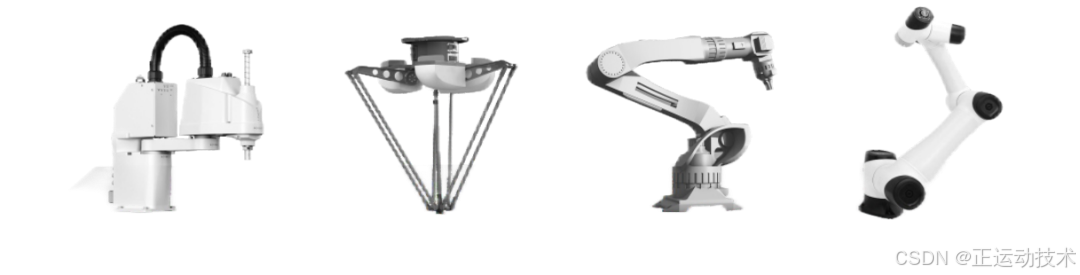
市场应用背景 DELTA并联机械手是由三个相同的支链所组成,每个支链包含一个转动关节和一个移动关节,具有结构紧凑、占地面积小、高速高灵活性等特点,可在有限的空间内进行高效的作业,广泛应用于柔性上下料、包装、分拣、装配等需要…...

RHCE-web篇
一.web服务器 Web 服务器是一种软件或硬件系统,用于接收、处理和响应来自客户端(通常是浏览器)的 HTTP 请求。它的主要功能是存储和提供网站内容,比如 HTML 页面、图像、视频等。 Web 服务器的主要功能 处理请求…...

Java - 人工智能;SpringAI
一、人工智能(Artificial Intelligence,缩写为AI) 人工智能(Artificial Intelligence,缩写为AI)是一门新的技术科学,旨在开发、研究用于模拟、延伸和扩展人的智能的理论、方法、技术及应用系统…...
MFC开发,给对话框添加定时器
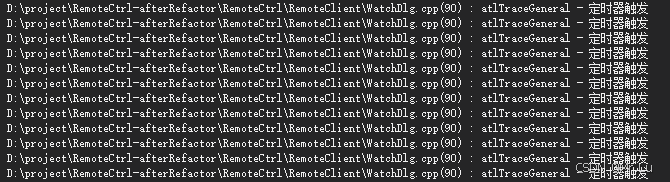
定时器简介 定时器的主要功能是设置以毫秒为单位的定时周期,然后进行连续定时或单次定时。 定时器是用于设置有规律的去触发某种动作所用的,这种场景也是软件中经常可以用到的,比如用户设置规定时间推送提示的功能,又比如程序定…...
LED灯珠:技术、类型与选择指南
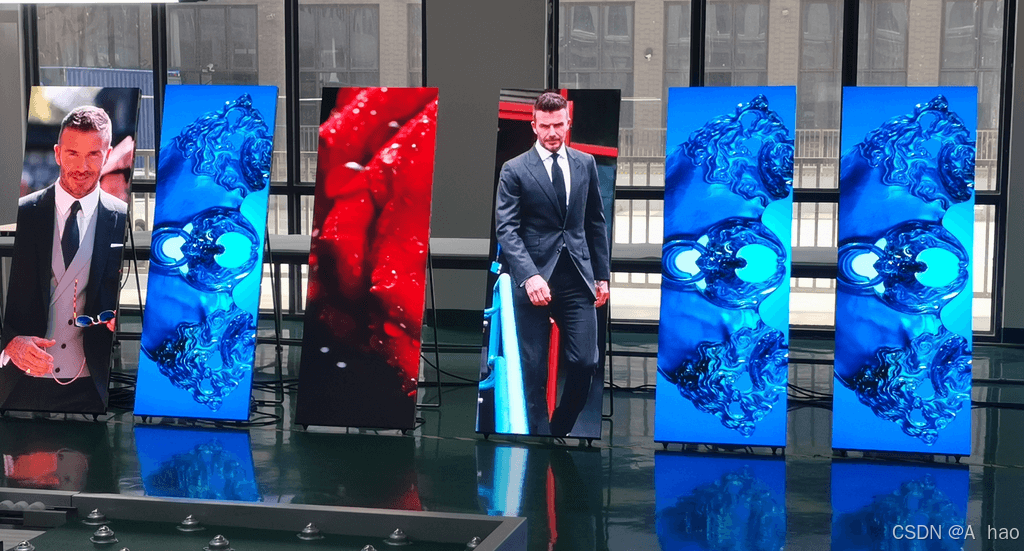
目录 1. LED灯珠的类型 2. LED灯珠技术 3. 如何选择LED灯珠 4. 相关案例和使用情况 5. 结论 LED(Light Emitting Diode)灯珠是一种半导体发光器件,通过电流在固体半导体中流动时,其工作原理是电子与空穴的结合,通过…...

C语言二刷
const #include<stdio.h> int main() {const int amount 100;int price 0;scanf("%d", &price);int change amount - price;printf("找您%d元\n", change);return 0; } 浮点数类型 输入输出float(单精度)%f%f %l…...
C++模块化程序设计举例
1、模块1 在main.cpp里输入下面的程序: #include "stdio.h" //使能printf()函数 #include <stdlib.h> //使能exit(); #include "Static_Variable.h" //argc 是指命令行输入参数的个数; //argv[]存储了所有的命令行参数; //argv[0]通常…...
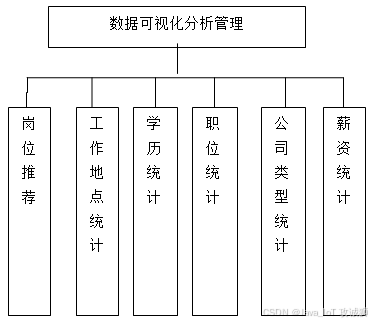
毕业设计选题:基于Python的招聘信息爬取和可视化平台
开发语言:Python框架:djangoPython版本:python3.7.7数据库:mysql 5.7数据库工具:Navicat11开发软件:PyCharm 系统展示 采集的数据列表 招聘数据大屏 摘要 本系统通过对网络爬虫的分析,研究智…...

机器人学习仿真框架
机器人学习仿真框架一般包含(自底向上): 3D仿真物理引擎:对现实世界的模拟仿真机器人仿真平台:用于搭建工作场景,以实现agent与环境的交互学习学习算法框架集合:不同的策略学习算法的实现算法测…...

力扣每日一题打卡 3180. 执行操作可获得的最大总奖励 I
给你一个整数数组 rewardValues,长度为 n,代表奖励的值。 最初,你的总奖励 x 为 0,所有下标都是 未标记 的。你可以执行以下操作 任意次 : 从区间 [0, n - 1] 中选择一个 未标记 的下标 i。如果 rewardValues[i] 大于…...
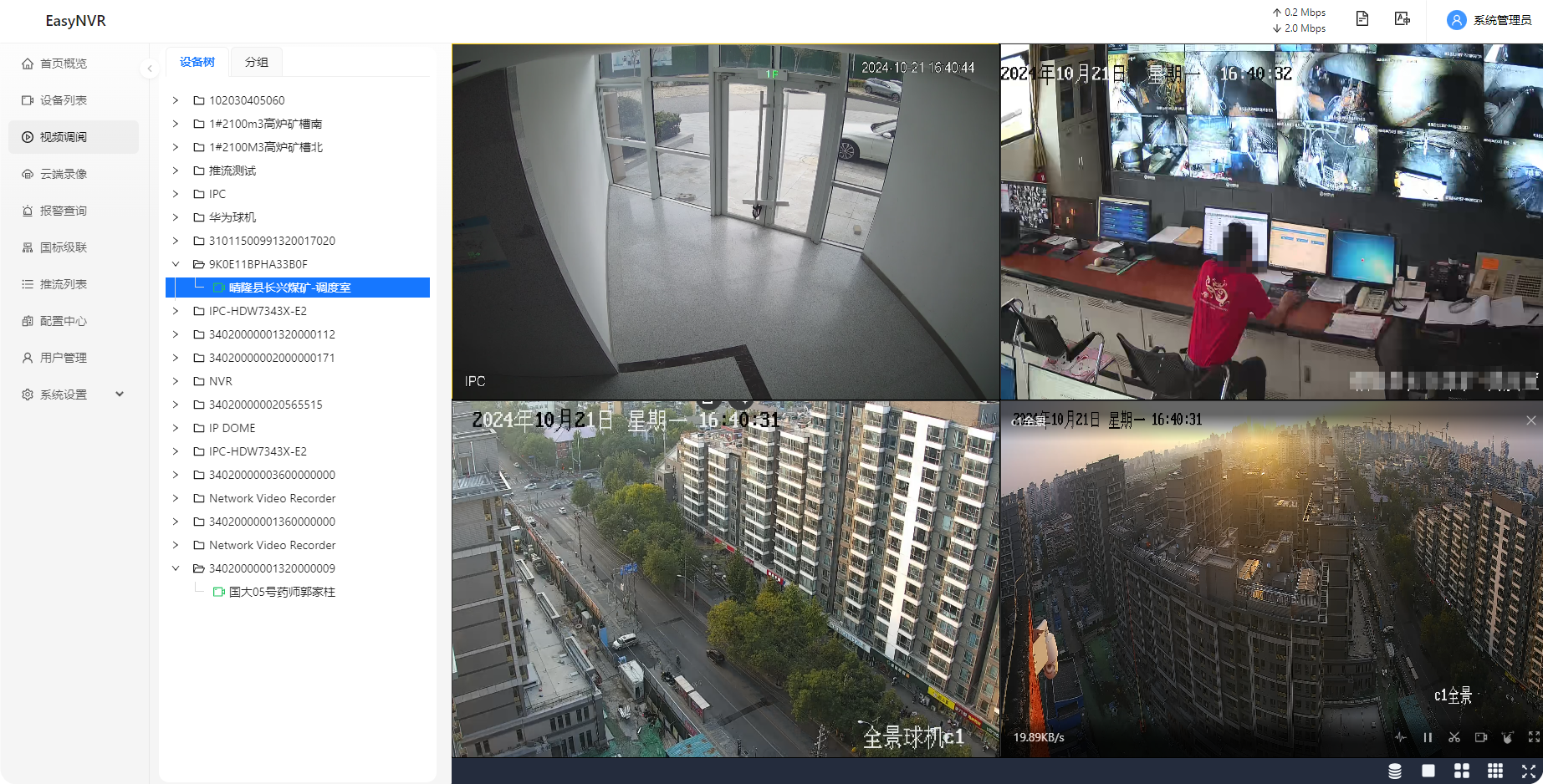
NVR录像机汇聚管理EasyNVR多品牌NVR管理工具/设备视频报警功能详解
在科技日新月异的今天,视频监控系统作为现代社会的“第三只眼”,正以前所未有的方式深刻影响着我们的生活与社会结构。从公共场所的安全监控到个人生活的记录分享,视频监控系统以其独特的视角和功能,为社会带来了诸多好处…...
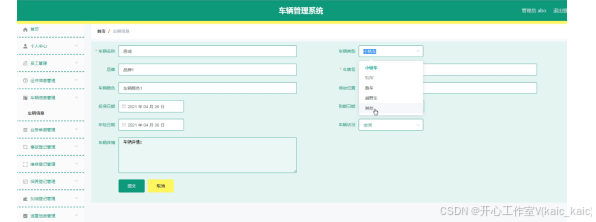
springboot073车辆管理系统设计与实现(论文+源码)_kaic.zip
车辆管理系统 摘要 随着信息技术在管理上越来越深入而广泛的应用,管理信息系统的实施在技术上已逐步成熟。本文介绍了车辆管理系统的开发全过程。通过分析车辆管理系统管理的不足,创建了一个计算机管理车辆管理系统的方案。文章介绍了车辆管理系统的系统…...

2024.10月22日- MySql的 补充知识点
1、什么是数据库事务? 数据库事务: 是数据库管理系统执行过程中的一个逻辑单位,由一个有限的数据库操作序列构成,这些操作要么全部执行,要么全部不执行,是一个不可分割的工作单位。 2、Mysql事务的四大特性是什么? …...

Java中的对象——生命周期详解
1. 对象的创建 1.1 使用 new 关键字 执行过程:当使用 new 关键字创建对象时,JVM 会为新对象在堆内存中分配一块空间,并调用对应的构造器来初始化对象。 示例代码: MyClass obj new MyClass(); 内存变化:JVM 在堆…...
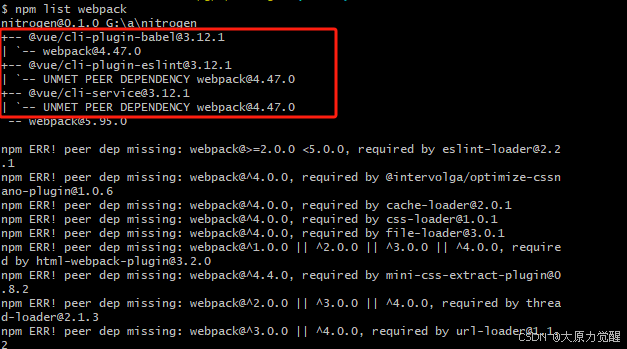
vue文件报Cannot find module ‘webpack/lib/RuleSet‘错误处理
检查 Node.js 版本:这个问题可能与 Node.js 的版本有关。你可以尝试将 Node.js 的版本切换到 12 或更低。如果没有安装 nvm(Node Version Manager),可以通过以下命令安装: curl -o- https://raw.githubusercontent.co…...
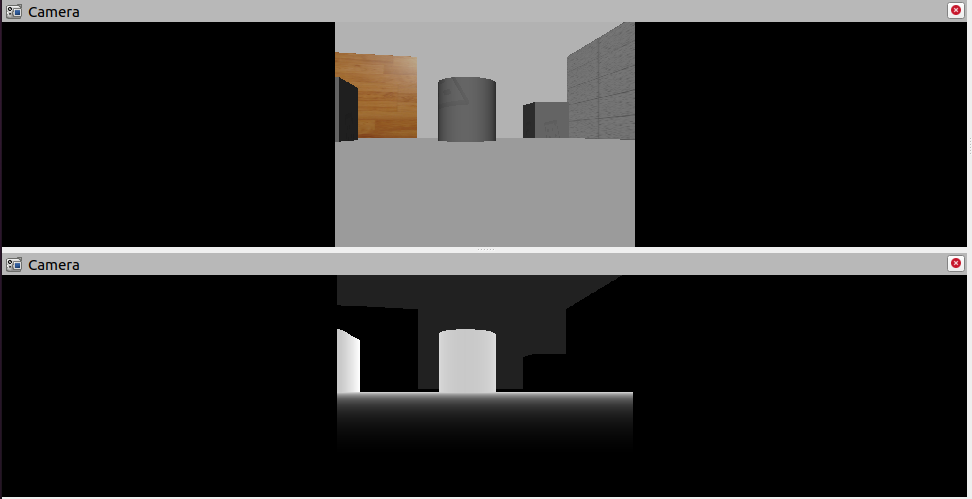
第 6 章 机器人系统仿真
对于ROS新手而言,可能会有疑问:学习机器人操作系统,实体机器人是必须的吗?答案是否定的,机器人一般价格不菲,为了降低机器人学习、调试成本,在ROS中提供了系统的机器人仿真实现,通过仿真&#x…...

爬虫——scrapy的基本使用
一,scrapy的概念和流程 1. scrapy的概念 Scrapy是一个Python编写的开源网络爬虫框架。它是一个被设计用于爬取网络数据、提取结构性数据的框架。 框架就是把之前简单的操作抽象成一套系统,这样我们在使用框架的时候,它会自动的帮我们完成很…...

Lobe Icons:现代AI与工具类应用的SVG图标系统设计与工程实践
1. 项目概述:一套为现代数字界面而生的图标系统如果你和我一样,常年混迹在各类开源项目、独立开发社区,或者自己动手搭建过一些Web应用、设计系统,那你一定对“找图标”这件事深有体会。从Material Design到Font Awesomeÿ…...

能源电力行业数据安全痛点及解决方案
能源电力行业是国家关键基础设施的重要组成部分,其数据安全不仅关乎企业核心竞争力,更关系到国家能源安全。随着数字化转型的深入,能源电力企业在研发、生产、运营过程中产生了海量敏感数据,从核心算法源代码到电网调度参数&#…...

Wingman:基于模板化与自动化的现代项目脚手架工具实践
1. 项目概述:一个为开发者量身定制的“僚机”在软件开发的世界里,我们常常需要处理一些重复、琐碎但又至关重要的任务:比如为新项目搭建一个结构清晰、配置完善的脚手架;或者在接手一个老项目时,快速理解其依赖、脚本和…...

WorkBuddy+PPT Master组合,AI-PPT 的效率革命
用 AI 做 PPT,10 分钟出了 30 页,漂亮得不行。大家好,我是小虎。可下载到本地,双击打开,傻眼了。所有文字都是图片,一个都改不了。想改个标题?没办法。想调个字号?没办法。想加一页&…...

前端学习打卡Day9:CSS 关系选择器、综合实战案例|古诗鉴赏网页制作
一、今日学习目标掌握 CSS四种关系选择器的语法、选择范围、使用场景,能区分后代 / 子代、邻接兄弟 / 通用兄弟选择器的差异。理解古诗网页案例的布局结构,能独立分析布局逻辑、读懂代码并知晓优化方向。能结合关系选择器优化网页样式,实现精…...

GPT模型评估实战:开源工具gpt-stats构建多维度能力评测体系
1. 项目概述:一个为GPT模型“体检”的开源利器如果你和我一样,日常工作中经常和各类GPT模型打交道,无论是调用OpenAI的官方API,还是部署、微调开源的Llama、Qwen等模型,心里总会萦绕着一个问题:这个模型到底…...

OBS Multi RTMP插件:终极多平台直播同步解决方案
OBS Multi RTMP插件:终极多平台直播同步解决方案 【免费下载链接】obs-multi-rtmp OBS複数サイト同時配信プラグイン 项目地址: https://gitcode.com/gh_mirrors/ob/obs-multi-rtmp 在当今的多平台直播时代,内容创作者面临着同时向多个平台推送直…...

基于电容触摸与接近传感的无接触MIDI控制器设计与实现
1. 项目概述与核心价值如果你玩过电子乐器,或者对音乐制作、交互装置感兴趣,那你一定对MIDI控制器不陌生。传统的MIDI控制器,无论是键盘、打击垫还是旋钮,大多依赖于物理接触——你得实实在在地按下去、扭动它。但有没有想过&…...

基于cursor-maker构建可复用AI指令模板,提升开发效率与代码一致性
1. 项目概述:一个为开发者赋能的AI代码生成工具如果你是一名开发者,尤其是经常在VSCode里写代码的朋友,那么对Cursor这款集成了AI能力的编辑器一定不陌生。它最大的魅力在于,你可以用自然语言描述你的需求,AI就能帮你生…...

基于React与OpenAI构建智能聊天应用:架构设计与工程实践
1. 项目概述:一个开箱即用的React聊天应用框架最近在做一个需要集成智能对话功能的小项目,不想从零开始造轮子,就在GitHub上翻找现成的解决方案。结果就发现了这个叫openai-react-chat的仓库。第一眼看到这个标题,我的直觉是&…...