
Cursor结合Claude 3.7零基础开发愤怒的小鸟【深夜Claude 3.7系列发布,类似DeepSeek-R1和V3的合体?】
文章目录
- 前言
- 介绍
- “市面上唯一的混合模型”
- 卓越的编程能力、精准控制思考时间
- Cursor已接入
- Cursor结合Claude 3.7快速编写游戏
- 完整html代码
🍃作者介绍:双非本科大四网络工程专业在读,阿里云专家博主,前三年专注于Java领域学习,擅长web应用开发,目前专注于人工智能领域相关知识,欢迎订阅系列专栏🌹
🦅个人主页:@逐梦苍穹(5900粉丝;60万访问量)
✈ 您的一键三连,是我创作的最大动力🌹
前言
2月25日消息,人工智能初创公司Anthropic今天宣布推出Claude 3.7 Sonnet,称这是其迄今为止最智能的模型,也是市场上首款混合推理模型。该公司介绍,Claude 3.7 Sonnet仅用一个模型实现了两种思考方式,既能提供接近即时的响应,也能展示分步骤的详细思考过程。
该公司称,Claude 3.7 Sonnet这种“混合型”模型同时具备“推理模式”(停下来思考复杂答案)与传统模式(实时生成答案)的能力,并表示该模型是市面上唯一的此类“混合”模型。此外,Claude 3.7 Sonnet在编程领域的表现尤为突出,并且能精准控制思考时间。
介绍
大力吸引资金的初创企业与科技巨头们争夺AI领域领导权的战争已经白热化。Anthropic周一发布名为Claude 3.7 Sonnet的模型,该公司表示,这是其有史以来“最智能”的AI模型,称这种“混合型”模型同时具备“推理模式”(停下来思考复杂答案)与传统模式(实时生成答案)的能力。

Anthropic联合创始人兼首席科学官Jared
Kaplan在接受媒体采访时表示,“这个模型融合了所有功能——我们的目标是拥有一个统一的AI,能适用于各种场景。这样对我们的客户而言会更简单一些。”
“市面上唯一的混合模型”
Anthropic称,Claude 3.7 Sonnet是市面上唯一的此类“混合”模型,并将立即投入使用。
Kaplan将其比作人类大脑的运行方式:有的问题需要深度思考,有的问题需要快速作答。
但Anthropic希望将这两种能力整合在同一个模型中,而不是完全分开。
分析认为,这一举措或许能为Anthropic在与对手OpenAI以及那些投入巨资开发AI模型的大型科技公司的竞争中赢得急需的优势。
Anthropic的聊天机器人Claude与OpenAI的ChatGPT以及谷歌(Google)的Gemini竞争激烈。
另据媒体报道,Anthropic正与Lightspeed和谷歌洽谈一笔高达20亿美元的融资,估值将达到600亿美元。另外,亚马逊对该初创企业的投资约为80亿美元。
曾参与共同创立Instagram的Anthropic产品主管Mike Krieger对媒体表示,这种混合方法能简化聊天机器人的使用流程,让用户无需思考究竟哪种功能最适合。
他说,让用户也可以选择模型或者让模型思考多久,对普通用户有些复杂,他希望用户在使用时不必过多操心。
Krieger说,用户可以选择开启或关闭混合选项,来保持简单性,并根据自己的工作需求为模型设定一个“时间预算”。
Anthropic还计划于周一推出一款用于编程的代理工具。Anthropic近期在一些产品发布上赢得了先机。
卓越的编程能力、精准控制思考时间
Claude 3.7 Sonnet在编程领域的表现尤为突出。它在编码和前端网页开发方面展现了显著的改进,能够处理复杂的代码库,并在高级工具使用上表现出色。
在多个测试中,Claude 3.7 Sonnet都展现出了卓越的编码能力。
例如,Cursor指出Claude在现实编码任务中再次被评为最佳模型,特别是在处理复杂代码库和高级工具使用等方面有显著改进。
Cognition发现它在规划代码变更和处理全栈更新方面远胜其他模型。
Vercel强调了Claude在复杂代理工作流中的卓越精度,而Replit成功地部署了Claude来从零开始构建复杂的网络应用程序和仪表板,而其他模型则会停滞不前。在Canva的评估中,Claude始终能够生成具有卓越设计品味的生产就绪代码,并显著减少了错误。

Claude 3.7 Sonnet不仅能够产生近乎即时的回应,或进行可让用户看到的、逐步深入的思考,并且 API 用户可以精细控制模型思考的时间长短。
此外,用户还可以通过API控制思考的预算,告诉Claude思考不超过N个标记,N可以是任何值,最高可达其128K标记的输出限制。
这种灵活性使得用户可以在速度(和成本)与回答质量之间进行权衡。
Cursor已接入
马上发现新版cursor已经可以选择Claude 3.7系列了:

我的版本是:

Cursor结合Claude 3.7快速编写游戏
这次编写的是愤怒的小鸟。
提示词:


看看效果:


三个关卡如下:


完整html代码
<!DOCTYPE html>
<html lang="zh">
<head><meta charset="UTF-8"><meta name="viewport" content="width=device-width, initial-scale=1.0"><title>愤怒的小鸟</title><style>body {margin: 0;padding: 0;display: flex;justify-content: center;align-items: center;height: 100vh;background-color: #87CEEB;font-family: Arial, sans-serif;}#game-container {width: 70vw;height: 70vh;position: relative;overflow: hidden;border-radius: 10px;box-shadow: 0 0 20px rgba(0, 0, 0, 0.3);}#canvas {background: linear-gradient(to bottom, #87CEEB, #E0F7FA);width: 100%;height: 100%;}#score-panel {position: absolute;top: 10px;left: 10px;background-color: rgba(255, 255, 255, 0.7);padding: 10px;border-radius: 5px;font-size: 18px;font-weight: bold;}#level-info {position: absolute;top: 10px;right: 10px;background-color: rgba(255, 255, 255, 0.7);padding: 10px;border-radius: 5px;font-size: 18px;font-weight: bold;}#restart-btn {position: absolute;top: 60px;right: 10px;background-color: #FF5722;color: white;border: none;padding: 10px 15px;border-radius: 5px;cursor: pointer;font-size: 16px;display: none;}#message {position: absolute;top: 50%;left: 50%;transform: translate(-50%, -50%);background-color: rgba(0, 0, 0, 0.8);color: white;padding: 20px;border-radius: 10px;font-size: 24px;text-align: center;display: none;}</style>
</head>
<body><div id="game-container"><canvas id="canvas"></canvas><div id="score-panel">分数: <span id="score">0</span></div><div id="level-info">关卡: <span id="level">1</span></div><button id="restart-btn">重新开始</button><div id="message"></div></div><script>// 游戏变量const canvas = document.getElementById('canvas');const ctx = canvas.getContext('2d');const scoreElement = document.getElementById('score');const levelElement = document.getElementById('level');const restartBtn = document.getElementById('restart-btn');const messageElement = document.getElementById('message');// 设置画布尺寸function resizeCanvas() {canvas.width = canvas.clientWidth;canvas.height = canvas.clientHeight;}window.addEventListener('resize', resizeCanvas);resizeCanvas();// 游戏状态let gameState = {score: 0,level: 1,birdsRemaining: 3,currentBird: null,slingshot: {x: canvas.width * 0.15,y: canvas.height * 0.7,width: 20,height: 100},birds: [],pigs: [],blocks: [],isGameOver: false,isLevelCompleted: false,isDragging: false,isFlying: false,trajectoryPoints: []};// 小鸟类class Bird {constructor(x, y, radius, color) {this.x = x;this.y = y;this.radius = radius;this.color = color;this.originalX = x;this.originalY = y;this.velocity = { x: 0, y: 0 };this.isResting = true;this.mass = 1;}draw() {ctx.beginPath();ctx.arc(this.x, this.y, this.radius, 0, Math.PI * 2);ctx.fillStyle = this.color;ctx.fill();ctx.closePath();// 绘制鸟的眼睛ctx.beginPath();ctx.arc(this.x + this.radius * 0.3, this.y - this.radius * 0.2, this.radius * 0.15, 0, Math.PI * 2);ctx.fillStyle = "white";ctx.fill();ctx.closePath();ctx.beginPath();ctx.arc(this.x + this.radius * 0.3, this.y - this.radius * 0.2, this.radius * 0.05, 0, Math.PI * 2);ctx.fillStyle = "black";ctx.fill();ctx.closePath();// 绘制喙ctx.beginPath();ctx.moveTo(this.x + this.radius * 0.5, this.y);ctx.lineTo(this.x + this.radius * 1.2, this.y);ctx.lineTo(this.x + this.radius * 0.5, this.y + this.radius * 0.3);ctx.fillStyle = "#FF9800";ctx.fill();ctx.closePath();}update() {if (!this.isResting) {// 应用重力this.velocity.y += 0.2;// 应用空气阻力this.velocity.x *= 0.99;// 更新位置this.x += this.velocity.x;this.y += this.velocity.y;// 每5帧记录一次轨迹点if (gameState.isFlying && frameCount % 5 === 0) {gameState.trajectoryPoints.push({ x: this.x, y: this.y });}// 检查小鸟是否超出边界if (this.x > canvas.width + 100 || this.x < -100 || this.y > canvas.height + 100) {this.isResting = true;gameState.isFlying = false;nextBird();}// 检查与猪和方块的碰撞checkCollisions(this);}}launch(force, angle) {this.isResting = false;this.velocity.x = Math.cos(angle) * force * 0.2;this.velocity.y = Math.sin(angle) * force * 0.2;gameState.isFlying = true;gameState.trajectoryPoints = [];}}// 猪类class Pig {constructor(x, y, radius) {this.x = x;this.y = y;this.radius = radius;this.isDestroyed = false;this.health = 100;this.mass = 2;}draw() {if (!this.isDestroyed) {ctx.beginPath();ctx.arc(this.x, this.y, this.radius, 0, Math.PI * 2);ctx.fillStyle = "#7CB342";ctx.fill();ctx.closePath();// 绘制猪的眼睛ctx.beginPath();ctx.arc(this.x - this.radius * 0.3, this.y - this.radius * 0.2, this.radius * 0.15, 0, Math.PI * 2);ctx.fillStyle = "white";ctx.fill();ctx.closePath();ctx.beginPath();ctx.arc(this.x + this.radius * 0.3, this.y - this.radius * 0.2, this.radius * 0.15, 0, Math.PI * 2);ctx.fillStyle = "white";ctx.fill();ctx.closePath();ctx.beginPath();ctx.arc(this.x - this.radius * 0.3, this.y - this.radius * 0.2, this.radius * 0.05, 0, Math.PI * 2);ctx.fillStyle = "black";ctx.fill();ctx.closePath();ctx.beginPath();ctx.arc(this.x + this.radius * 0.3, this.y - this.radius * 0.2, this.radius * 0.05, 0, Math.PI * 2);ctx.fillStyle = "black";ctx.fill();ctx.closePath();// 绘制鼻子ctx.beginPath();ctx.arc(this.x, this.y + this.radius * 0.1, this.radius * 0.3, 0, Math.PI * 2);ctx.fillStyle = "#FFCCBC";ctx.fill();ctx.closePath();ctx.beginPath();ctx.arc(this.x - this.radius * 0.1, this.y + this.radius * 0.1, this.radius * 0.1, 0, Math.PI * 2);ctx.fillStyle = "black";ctx.fill();ctx.closePath();ctx.beginPath();ctx.arc(this.x + this.radius * 0.1, this.y + this.radius * 0.1, this.radius * 0.1, 0, Math.PI * 2);ctx.fillStyle = "black";ctx.fill();ctx.closePath();}}takeDamage(damage) {this.health -= damage;if (this.health <= 0) {this.destroy();}}destroy() {this.isDestroyed = true;gameState.score += 500;scoreElement.textContent = gameState.score;// 检查是否所有猪都被消灭const allPigsDestroyed = gameState.pigs.every(pig => pig.isDestroyed);if (allPigsDestroyed) {gameState.isLevelCompleted = true;showMessage("恭喜!关卡完成!");restartBtn.style.display = "block";restartBtn.textContent = "下一关";}}}// 方块类class Block {constructor(x, y, width, height, type) {this.x = x;this.y = y;this.width = width;this.height = height;this.type = type; // wood, stone, glassthis.isDestroyed = false;this.health = type === "wood" ? 150 : type === "stone" ? 300 : 100;this.mass = type === "wood" ? 2 : type === "stone" ? 4 : 1;}draw() {if (!this.isDestroyed) {ctx.beginPath();ctx.rect(this.x - this.width / 2, this.y - this.height / 2, this.width, this.height);if (this.type === "wood") {ctx.fillStyle = "#8D6E63";} else if (this.type === "stone") {ctx.fillStyle = "#78909C";} else { // glassctx.fillStyle = "rgba(200, 230, 255, 0.8)";}ctx.fill();ctx.strokeStyle = "#000";ctx.lineWidth = 1;ctx.stroke();ctx.closePath();// 为木块绘制纹理线条if (this.type === "wood") {for (let i = 1; i < 4; i++) {ctx.beginPath();ctx.moveTo(this.x - this.width / 2, this.y - this.height / 2 + i * (this.height / 4));ctx.lineTo(this.x + this.width / 2, this.y - this.height / 2 + i * (this.height / 4));ctx.strokeStyle = "#5D4037";ctx.lineWidth = 1;ctx.stroke();ctx.closePath();}}// 为石块绘制裂纹if (this.type === "stone") {ctx.beginPath();ctx.moveTo(this.x - this.width / 4, this.y - this.height / 4);ctx.lineTo(this.x + this.width / 6, this.y + this.height / 6);ctx.strokeStyle = "#546E7A";ctx.lineWidth = 1;ctx.stroke();ctx.closePath();ctx.beginPath();ctx.moveTo(this.x + this.width / 4, this.y - this.height / 3);ctx.lineTo(this.x - this.width / 5, this.y + this.height / 5);ctx.stroke();ctx.closePath();}// 为玻璃绘制光泽if (this.type === "glass") {ctx.beginPath();ctx.moveTo(this.x - this.width / 3, this.y - this.height / 3);ctx.lineTo(this.x - this.width / 6, this.y - this.height / 6);ctx.strokeStyle = "white";ctx.lineWidth = 2;ctx.stroke();ctx.closePath();}}}takeDamage(damage) {this.health -= damage;if (this.health <= 0) {this.destroy();}}destroy() {this.isDestroyed = true;if (this.type === "wood") {gameState.score += 100;} else if (this.type === "stone") {gameState.score += 200;} else { // glassgameState.score += 50;}scoreElement.textContent = gameState.score;}isCollidingWith(bird) {// 检查小鸟是否与方块碰撞return (bird.x + bird.radius > this.x - this.width / 2 &&bird.x - bird.radius < this.x + this.width / 2 &&bird.y + bird.radius > this.y - this.height / 2 &&bird.y - bird.radius < this.y + this.height / 2);}}// 弹弓类class Slingshot {constructor(x, y) {this.x = x;this.y = y;this.width = 20;this.height = 100;}draw() {// 弹弓底座ctx.beginPath();ctx.rect(this.x - this.width / 2, this.y - this.height / 2, this.width, this.height);ctx.fillStyle = "#5D4037";ctx.fill();ctx.closePath();// 弹弓顶部左侧ctx.beginPath();ctx.moveTo(this.x - this.width / 2, this.y - this.height / 2);ctx.quadraticCurveTo(this.x - this.width * 2,this.y - this.height / 2 - 20,this.x - this.width * 1.5,this.y - this.height / 2 - 40);ctx.lineWidth = 10;ctx.strokeStyle = "#8D6E63";ctx.stroke();ctx.closePath();// 弹弓顶部右侧ctx.beginPath();ctx.moveTo(this.x + this.width / 2, this.y - this.height / 2);ctx.quadraticCurveTo(this.x + this.width * 2,this.y - this.height / 2 - 20,this.x + this.width * 1.5,this.y - this.height / 2 - 40);ctx.lineWidth = 10;ctx.strokeStyle = "#8D6E63";ctx.stroke();ctx.closePath();// 如果有小鸟在弹弓上,绘制弹弓皮筋if (gameState.currentBird && !gameState.isFlying) {// 左侧皮筋ctx.beginPath();ctx.moveTo(this.x - this.width * 1.5, this.y - this.height / 2 - 40);ctx.lineTo(gameState.currentBird.x, gameState.currentBird.y);ctx.lineWidth = 5;ctx.strokeStyle = "#795548";ctx.stroke();ctx.closePath();// 右侧皮筋ctx.beginPath();ctx.moveTo(this.x + this.width * 1.5, this.y - this.height / 2 - 40);ctx.lineTo(gameState.currentBird.x, gameState.currentBird.y);ctx.lineWidth = 5;ctx.strokeStyle = "#795548";ctx.stroke();ctx.closePath();} else {// 静止状态的皮筋ctx.beginPath();ctx.moveTo(this.x - this.width * 1.5, this.y - this.height / 2 - 40);ctx.lineTo(this.x, this.y - this.height / 2 - 20);ctx.lineTo(this.x + this.width * 1.5, this.y - this.height / 2 - 40);ctx.lineWidth = 5;ctx.strokeStyle = "#795548";ctx.stroke();ctx.closePath();}}}// 初始化关卡function initLevel(level) {gameState.birds = [];gameState.pigs = [];gameState.blocks = [];gameState.isLevelCompleted = false;gameState.isGameOver = false;// 重置鸟的数量gameState.birdsRemaining = level === 1 ? 3 : level === 2 ? 4 : 5;// 创建弹弓gameState.slingshot = new Slingshot(canvas.width * 0.15, canvas.height * 0.7);// 根据关卡创建不同的布局if (level === 1) {// 关卡 1 - 简单布局gameState.pigs.push(new Pig(canvas.width * 0.7, canvas.height * 0.7, 25));gameState.blocks.push(new Block(canvas.width * 0.6, canvas.height * 0.75, 30, 100, "wood"));gameState.blocks.push(new Block(canvas.width * 0.8, canvas.height * 0.75, 30, 100, "wood"));gameState.blocks.push(new Block(canvas.width * 0.7, canvas.height * 0.65, 150, 20, "wood"));} else if (level === 2) {// 关卡 2 - 中等布局gameState.pigs.push(new Pig(canvas.width * 0.65, canvas.height * 0.7, 25));gameState.pigs.push(new Pig(canvas.width * 0.8, canvas.height * 0.7, 25));// 第一层gameState.blocks.push(new Block(canvas.width * 0.55, canvas.height * 0.75, 30, 100, "stone"));gameState.blocks.push(new Block(canvas.width * 0.9, canvas.height * 0.75, 30, 100, "stone"));// 第二层gameState.blocks.push(new Block(canvas.width * 0.65, canvas.height * 0.65, 30, 100, "wood"));gameState.blocks.push(new Block(canvas.width * 0.8, canvas.height * 0.65, 30, 100, "wood"));// 顶层gameState.blocks.push(new Block(canvas.width * 0.725, canvas.height * 0.55, 200, 20, "glass"));} else {// 关卡 3 - 复杂布局gameState.pigs.push(new Pig(canvas.width * 0.65, canvas.height * 0.7, 25));gameState.pigs.push(new Pig(canvas.width * 0.75, canvas.height * 0.6, 25));gameState.pigs.push(new Pig(canvas.width * 0.85, canvas.height * 0.7, 25));// 第一个结构gameState.blocks.push(new Block(canvas.width * 0.55, canvas.height * 0.75, 30, 100, "stone"));gameState.blocks.push(new Block(canvas.width * 0.65, canvas.height * 0.65, 100, 20, "wood"));// 中间结构gameState.blocks.push(new Block(canvas.width * 0.75, canvas.height * 0.75, 30, 100, "glass"));gameState.blocks.push(new Block(canvas.width * 0.75, canvas.height * 0.65, 30, 100, "glass"));gameState.blocks.push(new Block(canvas.width * 0.75, canvas.height * 0.55, 100, 20, "wood"));// 第三个结构gameState.blocks.push(new Block(canvas.width * 0.95, canvas.height * 0.75, 30, 100, "stone"));gameState.blocks.push(new Block(canvas.width * 0.85, canvas.height * 0.65, 100, 20, "wood"));}// 创建小鸟prepareNextBird();// 更新UIscoreElement.textContent = gameState.score;levelElement.textContent = gameState.level;restartBtn.style.display = "none";}// 准备下一只小鸟function prepareNextBird() {if (gameState.birdsRemaining > 0) {const birdColors = ["#E53935", "#FDD835", "#43A047"];const birdType = (gameState.level + gameState.birdsRemaining) % 3;gameState.currentBird = new Bird(gameState.slingshot.x,gameState.slingshot.y - gameState.slingshot.height / 2 - 20,20,birdColors[birdType]);gameState.birds.push(gameState.currentBird);} else {gameState.currentBird = null;// 检查是否还有猪存活const anyPigAlive = gameState.pigs.some(pig => !pig.isDestroyed);if (anyPigAlive) {gameState.isGameOver = true;showMessage("游戏结束!");restartBtn.style.display = "block";restartBtn.textContent = "重新开始";}}}// 启动下一只鸟function nextBird() {gameState.birdsRemaining--;gameState.trajectoryPoints = [];prepareNextBird();}// 检查碰撞function checkCollisions(bird) {// 检查与地面的碰撞if (bird.y + bird.radius > canvas.height * 0.95) {bird.y = canvas.height * 0.95 - bird.radius;bird.velocity.y *= -0.5;bird.velocity.x *= 0.8;// 如果速度很小,停止鸟的运动if (Math.abs(bird.velocity.y) < 0.5 && Math.abs(bird.velocity.x) < 0.5) {bird.isResting = true;gameState.isFlying = false;nextBird();}}// 检查与猪的碰撞for (let pig of gameState.pigs) {if (!pig.isDestroyed) {const dx = pig.x - bird.x;const dy = pig.y - bird.y;const distance = Math.sqrt(dx * dx + dy * dy);if (distance < bird.radius + pig.radius) {// 计算碰撞伤害,与速度相关const speed = Math.sqrt(bird.velocity.x * bird.velocity.x + bird.velocity.y * bird.velocity.y);const damage = speed * bird.mass * 20;pig.takeDamage(damage);// 改变鸟的速度const angle = Math.atan2(dy, dx);const targetX = pig.x - Math.cos(angle) * (bird.radius + pig.radius);const targetY = pig.y - Math.sin(angle) * (bird.radius + pig.radius);bird.x = targetX;bird.y = targetY;// 反弹bird.velocity.x = -bird.velocity.x * 0.5;bird.velocity.y = -bird.velocity.y * 0.5;}}}// 检查与方块的碰撞for (let block of gameState.blocks) {if (!block.isDestroyed && block.isCollidingWith(bird)) {// 计算碰撞伤害,与速度相关const speed = Math.sqrt(bird.velocity.x * bird.velocity.x + bird.velocity.y * bird.velocity.y);const damage = speed * bird.mass * 15;block.takeDamage(damage);// 反弹计算// 找出碰撞点的最近边const left = bird.x - (block.x - block.width / 2);const right = (block.x + block.width / 2) - bird.x;const top = bird.y - (block.y - block.height / 2);const bottom = (block.y + block.height / 2) - bird.y;const min = Math.min(left, right, top, bottom);if (min === left) {bird.x = block.x - block.width / 2 - bird.radius;bird.velocity.x = -Math.abs(bird.velocity.x) * 0.5;} else if (min === right) {bird.x = block.x + block.width / 2 + bird.radius;bird.velocity.x = Math.abs(bird.velocity.x) * 0.5;} else if (min === top) {bird.y = block.y - block.height / 2 - bird.radius;bird.velocity.y = -Math.abs(bird.velocity.y) * 0.5;} else if (min === bottom) {bird.y = block.y + block.height / 2 + bird.radius;bird.velocity.y = Math.abs(bird.velocity.y) * 0.5;}}}}// 显示消息function showMessage(msg) {messageElement.textContent = msg;messageElement.style.display = "block";setTimeout(() => {messageElement.style.display = "none";}, 3000);}// 绘制背景function drawBackground() {// 天空ctx.fillStyle = "#87CEEB";ctx.fillRect(0, 0, canvas.width, canvas.height);// 太阳ctx.beginPath();ctx.arc(canvas.width * 0.9, canvas.height * 0.1, 40, 0, Math.PI * 2);ctx.fillStyle = "#FDD835";ctx.fill();ctx.closePath();// 云朵drawCloud(canvas.width * 0.2, canvas.height * 0.15, 1);drawCloud(canvas.width * 0.5, canvas.height * 0.2, 1.2);drawCloud(canvas.width * 0.8, canvas.height * 0.25, 0.8);// 地面ctx.beginPath();ctx.rect(0, canvas.height * 0.95, canvas.width, canvas.height * 0.05);ctx.fillStyle = "#8D6E63";ctx.fill();ctx.closePath();// 草地ctx.beginPath();ctx.rect(0, canvas.height * 0.93, canvas.width, canvas.height * 0.02);ctx.fillStyle = "#7CB342";ctx.fill();ctx.closePath();}// 绘制云朵function drawCloud(x, y, scale) {ctx.beginPath();ctx.arc(x, y, 25 * scale, 0, Math.PI * 2);ctx.arc(x + 25 * scale, y - 10 * scale, 25 * scale, 0, Math.PI * 2);ctx.arc(x + 50 * scale, y, 20 * scale, 0, Math.PI * 2);ctx.arc(x + 25 * scale, y + 10 * scale, 25 * scale, 0, Math.PI * 2);ctx.fillStyle = "white";ctx.fill();ctx.closePath();}// 绘制弹道轨迹function drawTrajectory() {if (gameState.trajectoryPoints.length > 1) {ctx.beginPath();ctx.moveTo(gameState.trajectoryPoints[0].x, gameState.trajectoryPoints[0].y);for (let i = 1; i < gameState.trajectoryPoints.length; i++) {ctx.lineTo(gameState.trajectoryPoints[i].x, gameState.trajectoryPoints[i].y);}ctx.strokeStyle = "rgba(255, 255, 255, 0.5)";ctx.lineWidth = 2;ctx.stroke();ctx.closePath();}}// 更新游戏状态和绘制let frameCount = 0;function gameLoop() {frameCount++;ctx.clearRect(0, 0, canvas.width, canvas.height);// 绘制背景drawBackground();// 绘制弹弓gameState.slingshot.draw();// 绘制轨迹drawTrajectory();// 更新并绘制所有方块for (let block of gameState.blocks) {block.draw();}// 更新并绘制所有猪for (let pig of gameState.pigs) {pig.draw();}// 更新并绘制所有鸟for (let bird of gameState.birds) {bird.update();bird.draw();}// 显示剩余鸟的数量for (let i = 0; i < gameState.birdsRemaining - 1; i++) {ctx.beginPath();ctx.arc(50 + i * 30, canvas.height * 0.9, 10, 0, Math.PI * 2);ctx.fillStyle = "#E53935";ctx.fill();ctx.closePath();}requestAnimationFrame(gameLoop);}// 处理鼠标事件canvas.addEventListener('mousedown', (e) => {if (!gameState.isFlying && gameState.currentBird && !gameState.isGameOver && !gameState.isLevelCompleted) {const rect = canvas.getBoundingClientRect();const mouseX = e.clientX - rect.left;const mouseY = e.clientY - rect.top;const dx = mouseX - gameState.currentBird.x;const dy = mouseY - gameState.currentBird.y;const distance = Math.sqrt(dx * dx + dy * dy);if (distance < gameState.currentBird.radius) {gameState.isDragging = true;}}});canvas.addEventListener('mousemove', (e) => {if (gameState.isDragging && !gameState.isFlying && gameState.currentBird) {const rect = canvas.getBoundingClientRect();const mouseX = e.clientX - rect.left;const mouseY = e.clientY - rect.top;// 限制拖动范围const dx = mouseX - gameState.slingshot.x;const dy = mouseY - (gameState.slingshot.y - gameState.slingshot.height / 2 - 20);const distance = Math.sqrt(dx * dx + dy * dy);if (distance < 100) {gameState.currentBird.x = mouseX;gameState.currentBird.y = mouseY;} else {const angle = Math.atan2(dy, dx);gameState.currentBird.x = gameState.slingshot.x + Math.cos(angle) * 100;gameState.currentBird.y = (gameState.slingshot.y - gameState.slingshot.height / 2 - 20) + Math.sin(angle) * 100;}}});canvas.addEventListener('mouseup', () => {if (gameState.isDragging && !gameState.isFlying && gameState.currentBird) {gameState.isDragging = false;// 计算发射力量和角度const dx = gameState.currentBird.originalX - gameState.currentBird.x;const dy = gameState.currentBird.originalY - gameState.currentBird.y;const distance = Math.sqrt(dx * dx + dy * dy);if (distance > 10) {const angle = Math.atan2(dy, dx);gameState.currentBird.launch(distance, angle);} else {// 如果拖动距离太短,将鸟放回原位gameState.currentBird.x = gameState.currentBird.originalX;gameState.currentBird.y = gameState.currentBird.originalY;}}});// 重新开始按钮点击事件restartBtn.addEventListener('click', () => {if (gameState.isLevelCompleted) {gameState.level++;initLevel(gameState.level);} else {initLevel(gameState.level);}});// 初始化第一关initLevel(1);// 开始游戏循环gameLoop();</script>
</body>
</html>
相关文章:
Cursor结合Claude 3.7零基础开发愤怒的小鸟【深夜Claude 3.7系列发布,类似DeepSeek-R1和V3的合体?】
文章目录 前言介绍“市面上唯一的混合模型”卓越的编程能力、精准控制思考时间Cursor已接入Cursor结合Claude 3.7快速编写游戏完整html代码 🍃作者介绍:双非本科大四网络工程专业在读,阿里云专家博主,前三年专注于Java领域学习&am…...
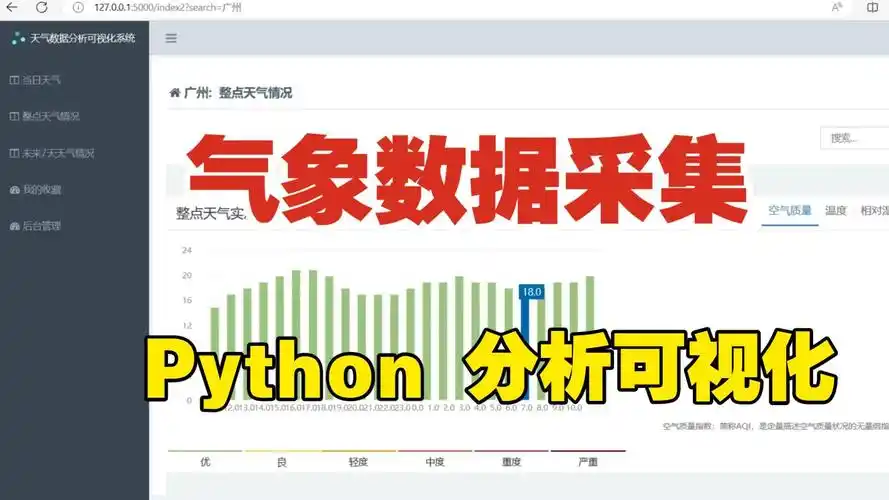
基于 Python 的天气数据分析与可视化
基于 Python 的天气数据分析与可视化 1. 项目背景 天气数据分析与可视化项目旨在通过爬取天气数据并进行分析,生成可视化图表,帮助用户了解天气变化趋势。通过该项目,学生可以掌握 Python 的数据爬取、数据分析和可视化技能。该项目适用于气…...

Bybit事件技术分析
事件概述 2025年2月21日UTC时间下午02:16:11,Bybit的以太坊冷钱包(0x1db92e2eebc8e0c075a02bea49a2935bcd2dfcf4)因恶意合约升级遭到资金盗取。根据Bybit CEO Ben Zhou的声明,攻击者通过钓鱼攻击诱骗冷钱包签名者错误签署恶意交易…...

JavaWeb-在idea中配置Servlet项目
文章目录 在idea中进行Servlet项目的配置(较新的idea版本)创建一个空的JavaSE项目(Project)创建一个普通的JavaSE板块(module)添加Web项目的配置定义一个对象模拟实现接口在web.xml中配置路径映射配置项目到Tomcat服务器启动Tomcat服务器进行测试 在idea中进行Servlet项目的配置…...

redis小记
redis小记 下载redis sudo apt-get install redis-server redis基本命令 ubuntu16下的redis没有protected-mode属性,就算sudo启动,也不能往/var/spool/cron/crontabs写计划任务,感觉很安全 #连接到redis redis-cli -h 127.0.0.1 -p 6379 …...

垂类大模型微调(一):认识LLaMA-Factory
LlamaFactory 是一个专注于 高效微调大型语言模型(LLMs) 的开源工具框架,尤其以支持 LLaMA(Meta 的大型语言模型系列)及其衍生模型(如 Chinese-LLaMA、Alpaca 等)而闻名。它的目标是简化模型微调流程,降低用户使用门槛; 官方文档 一、介绍 高效微调支持 支持多种微调…...

企业为什么要选择软件测试外包公司?湖南软件测试公司有哪些?
在当今快速发展的技术背景下,软件测试已成为软件开发生命周期的重要一环。随着企业对软件质量要求的不断提高,软件测试外包公司逐渐被越来越多的企业所青睐。 软件测试外包公司通过将软件测试从内部团队外包出去,帮助企业减少开发成本、提升…...
深度剖析与安全实践)
数据保护API(DPAPI)深度剖析与安全实践
Windows DPAPI 安全机制解析 在当今数据泄露与网络攻击日益频繁的背景下,Windows 提供的 DPAPI(Data Protection API)成为开发者保护本地敏感数据的重要工具。本文将从 双层密钥体系、加密流程、跨上下文加密、已知攻击向量与防御措施、企业…...

java23种设计模式-桥接模式
桥接模式(Bridge Pattern)学习笔记 🌟 定义 桥接模式属于结构型设计模式,将抽象部分与实现部分分离,使它们可以独立变化。通过组合代替继承的方式,解决多维度的扩展问题,防止类爆炸。 &#x…...

3D Web轻量化引擎HOOPS Communicator如何赋能航空航天制造?
在当今航空航天制造领域,精确度、效率和协作是推动行业发展的关键要素。随着数字化技术的飞速发展,3D Web可视化开发包HOOPS Communicator 为航空航天制造带来了革命性的变化。它凭借强大的功能和灵活的应用,助力企业在设计、生产、培训等各个…...
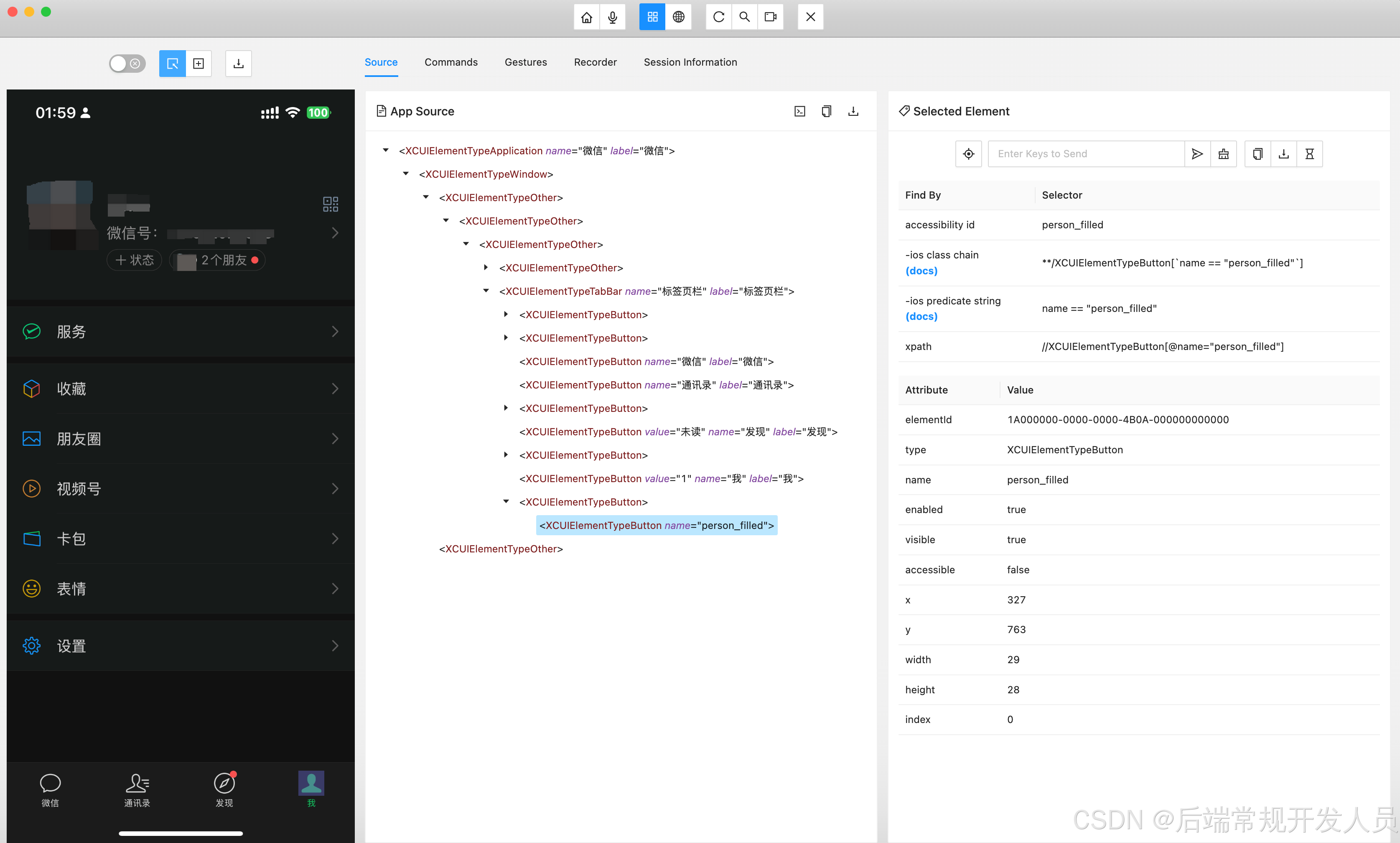
iOS手机App爬虫- (1) Mac安装Appium真机运行环境
iOS手机App爬虫 一、环境准备与工具安装1. 开发基础环境配置1.1 Node.js环境1.2 Xcode套件1.3 Java环境 2. 核心测试工具链2.1 Appium主程序2.2 辅助工具集 3. 可视化工具 二、设备与环境验证1. 设备信息获取2. 环境健康检查 三、WebDriverAgent编译部署1. 设备端准备2. 项目配…...

android s下make otapackage编译失败
[DESCRIPTION] android s上,我司推荐使用split build的方式进行编译,但是部分客户依旧会采用AOSP full build的方式进行编译。而我司在这块release的时候,并未进行验证。因此执行make otapackage的时候,会出现如下报错。 [0312/…...

《Elasticsearch实战:从零开始构建高效全文搜索引擎》
内容概览: Elasticsearch简介 Elasticsearch的定义与应用场景 Elasticsearch的核心特性 环境搭建与安装 安装Elasticsearch 启动与配置Elasticsearch 索引设计与映射 创建索引 定义映射(Mapping) 字段类型与分析器的选择 数据导入与管理…...

【Linux网络】认识协议(TCP/UDP)、Mac/IP地址和端口号、网络字节序、socket套接字
⭐️个人主页:小羊 ⭐️所属专栏:Linux 很荣幸您能阅读我的文章,诚请评论指点,欢迎欢迎 ~ 目录 1、初识协议2、UDP、TCP3、Mac、IP地址4、端口号5、网络字节序6、socket 1、初识协议 协议就是一种约定。如何让不同厂商生产的计…...

12、数据库、Sql单表多表
文章目录 一、数据库简介二、单表三、多表四、等值连接五、内联结六、inner join on、left join on、right join on区别七、模糊查找八、作业 一、数据库简介 数据在内存: 优点:读写速度快缺点:程序结束后数据丢失 保存到文件 优点&#…...

Spring Boot 实现图片上传并生成缩略图功能
在实际开发中,上传图片并生成缩略图是一项常见需求,例如在电商平台、社交应用等场景中,缩略图可以有效提高页面加载速度,优化用户体验。本文将介绍如何在 Spring Boot 项目中实现上传图片并生成缩略图的功能。 📦 1. …...

洛谷B3664[语言月赛202209] 零食售卖点
B3664 [语言月赛202209] 零食售卖点 - 洛谷 代码区: #include<bits/stdc.h>using namespace std;int main(){int n;cin >> n;int arry[n],dp[n];for(int i0;i<n;i){cin >> arry[i];}dp[0]0;sort(arry,arryn);for(int i1;i<n;i){dp[i]arry…...

贪心算法:JAVA从理论到实践的探索
在计算机科学领域,贪心算法是一种简单而高效的算法设计策略,广泛应用于优化问题的求解。它通过在每一步选择中都采取当前状态下最优的选择,以期望最终得到全局最优解。本文将深入探讨贪心算法的原理、应用场景,并通过具体代码示例,帮助读者更好地理解和掌握这一算法。 一…...

线程池10种常见坑
1. 直接使用 Executors 创建线程池 直接使用 Executors 提供的快捷方法: ExecutorService executor Executors.newFixedThreadPool(10);问题 无界队列:newFixedThreadPool 使用的队列是 LinkedBlockingQueue,它是无界队列,任务…...

鸿蒙ArkTs如何实现pdf预览功能?
鸿蒙ArkTs如何实现pdf预览功能? 前言PDFKit运行示例代码报错真机运行先看效果一、预览本地pdf文件二、预览线上的pdf文件三、预览沙箱目录中pdf的文件(重点)效果中的整体代码总结 Harmony OS NEXT版本(接口及解决方案兼容API12版本或以上版本) 前言 在开…...

python学习笔记 | 2026-4-16 | 使用list和tuple
这篇内容一共讲了两件事 list(列表) —— 可以随便改的有序盒子tuple(元组) —— 一旦创建就不能改的有序盒子一、list(列表)是什么? 用 方括号 [] 表示里面可以放数字、文字、布尔值、甚至另一…...
)
PyCharm里用pip装Seaborn总失败?试试这3种更稳的安装方式(含Anaconda对比)
PyCharm里用pip装Seaborn总失败?试试这3种更稳的安装方式(含Anaconda对比) 每次在PyCharm里用pip安装Seaborn时,你是不是也经常遇到各种莫名其妙的报错?网络超时、依赖冲突、版本不兼容...这些问题困扰着无数数据分析开…...

Vue 3 技术演进全景
2026 年的 Vue 3 生态已彻底告别了“Vue 2 升级版”的定位,转而进化为一个高性能、编译时优化、深度 TypeScript 集成的现代化框架体系。核心变化不仅在于 API 的丰富,更在于底层渲染模型的颠覆。 一、Vue 3.5:响应式系统的“外星信号”与开发体验飞跃 Vue 3.5 是当前(202…...

探究python-docx的段落缩进——从字体磅值到精准首行缩进
1. 为什么你的首行缩进总是不准确? 很多开发者第一次用python-docx处理段落缩进时,都会遇到这样的困惑:明明设置了固定缩进值(比如0.74厘米),为什么在不同文档里效果天差地别?这个问题我当年也踩…...

golang如何实现设备数据采集网关_golang设备数据采集网关实现要点
不能直接用 httputil.NewSingleHostReverseProxy 做设备数据采集网关,因其仅为 HTTP 请求-响应设计,缺乏设备连接管理、多协议支持、独立超时控制及断线恢复能力。用 httputil.NewSingleHostReverseProxy 直接做设备数据采集网关,90% 的情况会…...

Symfony Polyfill PHP73 性能优化:hrtime高精度时间函数的底层实现
Symfony Polyfill PHP73 性能优化:hrtime高精度时间函数的底层实现 【免费下载链接】polyfill-php73 This component provides functions unavailable in releases prior to PHP 7.3. 项目地址: https://gitcode.com/gh_mirrors/po/polyfill-php73 Symfony P…...
)
别再让Copilot绕过你的Security Gate!:实时拦截高危生成代码的eBPF+LLM Guard联合审查方案(已通过ISO 27001渗透验证)
第一章:智能代码生成与代码审查流程整合 2026奇点智能技术大会(https://ml-summit.org) 现代软件工程实践中,智能代码生成已不再孤立运行于开发环境边缘,而是深度嵌入持续集成与代码审查(CI/CR)主干流程。当开发者提交…...

终极指南:如何用SuperPoint彻底解决视觉特征提取难题
终极指南:如何用SuperPoint彻底解决视觉特征提取难题 【免费下载链接】SuperPoint Efficient neural feature detector and descriptor 项目地址: https://gitcode.com/gh_mirrors/su/SuperPoint 你在处理图像匹配、SLAM或三维重建时,是否经常遇到…...

考研自习室席位费+茶水杂费复合收支智能盈亏测算。
考研自习室席位费 茶水杂费复合收支智能盈亏测算程序。一、实际应用场景描述(Scene)某高校周边考研自习室运营现状:- 收入来源:- 固定席位费(包月 / 包季)- 茶水、零食、打印等杂费- 支出构成:…...

深入解析RX/TX:通信世界的收发核心
目录 引言 RX/TX的基本概念与原理 定义与功能 信号转换原理 RX/TX在不同通信场景中的应用 有线通信 无线通信 卫星通信 RX/TX技术的发展趋势 高速化 集成化 智能化 结论 引言 在当今高度数字化、信息化的时代,通信技术如同神经脉络,将世界的各个角落…...