
podman加速器配置,harbor镜像仓库部署
Docker加速器
registries加速器
[root@localhost ~]# cat /etc/redhat-release
CentOS Stream release 8
[root@localhost ~]# cd /etc/containers/
[root@localhost containers]# ls
certs.d  policy.json      registries.conf.d  storage.conf
oci      registries.conf  registries.d
[root@localhost containers]# vim registries.conf22 unqualified-search-registries = ["docker.io"]23 24 [[registry]]25 prefix="docker.io"    // 表示去哪里拉26 location="l9h8fu9j.mirror.aliyuncs.com"     // 加速器的位置27 28 # [[registry]][root@localhost ~]# podman pull nginx
Resolving "nginx" using unqualified-search registries (/etc/containers/registries.conf)
Trying to pull docker.io/library/nginx:latest...
Getting image source signatures
Copying blob ed835de16acd done
Copying blob 881ff011f1c9 done
Copying blob 44be98c0fab6 done
Copying blob 21e0df283cd6 done
Copying blob e5ae68f74026 done
Copying blob 77700c52c969 done
Copying config f652ca386e done
Writing manifest to image destination
Storing signatures
f652ca386ed135a4cbe356333e08ef0816f81b2ac8d0619af01e2b256837ed3e
[root@localhost ~]# podman images
REPOSITORY               TAG         IMAGE ID      CREATED      SIZE
docker.io/library/nginx  latest      f652ca386ed1  13 days ago  146 MB
Harbor部署
harbor官方文档(https://github.com/goharbor/harbor).
[root@localhost ~]# cd /etc/yum.repos.d/
[root@localhost yum.repos.d]# ls
CentOS-Stream-AppStream.repo  CentOS-Stream-HighAvailability.repo
CentOS-Stream-BaseOS.repo     CentOS-Stream-Media.repo
CentOS-Stream-Debuginfo.repo  CentOS-Stream-PowerTools.repo
CentOS-Stream-Extras.repo     CentOS-Stream-RealTime.repo
[root@localhost yum.repos.d]# curl -o docker-ce.repo https://mirrors.tuna.tsinghua.edu.cn/docker-ce/linux/centos/docker-ce.repo% Total    % Received % Xferd  Average Speed   Time    Time     Time  CurrentDload  Upload   Total   Spent    Left  Speed0     0    0     0    0     0      0      0 --:--:-- --:--:-- --:-  0     0    0     0    0     0      0      0 --:--:-- --:--:-- --:-  0     0    0     0    0     0      0      0 --:--:--  0:00:01 --:-  0     0    0     0    0     0      0      0 --:--:--  0:00:02 --:-100  1919  100  1919    0     0    551      0  0:00:03  0:00:03 --:-100  1919  100  1919    0     0    551      0  0:00:03  0:00:03 --:--:--   550
[root@localhost yum.repos.d]# ls
CentOS-Stream-AppStream.repo         CentOS-Stream-Media.repo
CentOS-Stream-BaseOS.repo            CentOS-Stream-PowerTools.repo
CentOS-Stream-Debuginfo.repo         CentOS-Stream-RealTime.repo
CentOS-Stream-Extras.repo            docker-ce.repo
CentOS-Stream-HighAvailability.repo
[root@localhost yum.repos.d]# sed -i 's@https://download.docker.com@https://mirrors.tuna.tsinghua.edu.cn/docker-ce@g' docker-ce.repo
[root@localhost yum.repos.d]# yum clean all
21 文件已删除
[root@localhost yum.repos.d]# yum8 makecache
CentOS Stream 8 - AppStream         1.1 MB/s |  18 MB     00:16
CentOS Stream 8 - BaseOS            1.4 MB/s |  16 MB     00:11
CentOS Stream 8 - Extras             16 kB/s |  16 kB     00:00
Docker CE Stable - x86_64            24 kB/s |  19 kB     00:00
元数据缓存已建立。// 安装docker
[root@localhost ~]# dnf -y install docker-ce// 运行此命令以下载Docker Compose的当前稳定版本:
[root@localhost ~]# curl -L --fail https://github.com/docker/compose/releases/download/1.29.2/run.sh -o /usr/local/bin/docker-compose
[root@localhost ~]# ll /usr/local/bin/
总用量 4
-rw-r--r--. 1 root root 2585 12月 15 21:47 docker-compose
[root@localhost ~]# chmod +x /usr/local/bin/docker-compose
[root@localhost ~]# which docker-compose
/usr/local/bin/docker-compose
[root@localhost ~]# echo $PATH
/usr/local/sbin:/usr/local/bin:/usr/sbin:/usr/bin:/root/bin// 上传harbor安装包并解压,然后修改配置文件
[root@localhost ~]# cd /usr/src/
[root@localhost src]# ls
debug  harbor-offline-installer-v2.3.5.tgz  kernels
[root@localhost src]# ls /usr/local/
bin  etc  games  include  lib  lib64  libexec  sbin  share  src
[root@localhost src]# tar xf harbor-offline-installer-v2.3.5.tgz -C /usr/local/
[root@localhost src]# ls /usr/local/
bin  games   include  lib64    sbin   src
etc  harbor  lib      libexec  share
[root@localhost src]# cd /usr/local/harbor/
[root@localhost harbor]# ls
common.sh             harbor.yml.tmpl  LICENSE
harbor.v2.3.5.tar.gz  install.sh       prepare
[root@localhost harbor]# cp harbor.yml.tmpl harbor.yml
[root@localhost harbor]# ls
common.sh             harbor.yml       install.sh  prepare
harbor.v2.3.5.tar.gz  harbor.yml.tmpl  LICENSE// 本机添加域名解析
[root@registry ~]# hostname
registry.example.com
[root@registry ~]# cat /etc/hosts
127.0.0.1   localhost localhost.localdomain localhost4 localhost4.localdomain4
::1         localhost localhost.localdomain localhost6 localhost6.localdomain6
192.168.35.135 registry.example.com    // 客户端添加域名解析
[root@localhost ~]# yum -y install docker-ce[root@localhost ~]# cat /etc/hosts
127.0.0.1   localhost localhost.localdomain localhost4 localhost4.localdomain4
::1         localhost localhost.localdomain localhost6 localhost6.localdomain6
192.168.35.135 registry.example.com// 检查是否能ping通
[root@localhost ~]# ping registry.example.com
PING registry.example.com (192.168.35.135) 56(84) bytes of data.
64 bytes from registry.example.com (192.168.35.135): icmp_seq=1 ttl=64 time=0.722 ms
64 bytes from registry.example.com (192.168.35.135): icmp_seq=2 ttl=64 time=0.481 ms
64 bytes from registry.example.com (192.168.35.135): icmp_seq=3 ttl=64 time=0.522 ms
^Z
[1]+  已停止               ping registry.example.com// 把hostname改成当前主机的域名
[root@localhost harbor]# vim harbor.yml
.......  此处省略多行5 hostname: registry.example.com
.......此处省略多行
// 这里因为我们没有证书所以把它注释掉,如果你有证书,把证书的位置写上去就可以了13 #https:14   # https port for harbor, default is 44315   #  port: 44316   # The path of cert and key files for nginx17   #  certificate: /your/certificate/path18   #  private_key: /your/private/key/path
........此处省略多行34 harbor_admin_password: Harbor12345     // 管理员的密码,这个是登录harbor网页的密码35 36 # Harbor DB configuration37 database:      // 数据库38   # The password for the root user of Harbor DB. Change this bef    ore any production use.39   password: root123    // 数据库密码40   # The maximum number of connections in the idle connection poo    l. If it <=0, no idle connections are retained.41   max_idle_conns: 100     // 最大的空闲连接数100个42   # The maximum number of open connections to the database. If i    t <= 0, then there is no limit on the number of open connections    .43   # Note: the default number of connections is 1024 for postgres     of harbor.44   max_open_conns: 900     // 最大的打开连接数是900个45 46 # The default data volume47 data_volume: /data     // 数据存放位置;如果说是自己搭建仓库的话,就要放到一个共享存储的挂载点上去
........此处省略多行
118     rotate_size: 200M     // 日志滚动,当日志超过200M就滚动一次,一个日志文件最多200M
.........此处省略多行// 关闭防火墙和selinux
[root@registry ~]# cat /etc/selinux/config # This file controls the state of SELinux on the system.
# SELINUX= can take one of these three values:
#     enforcing - SELinux security policy is enforced.
#     permissive - SELinux prints warnings instead of enforcing.
#     disabled - No SELinux policy is loaded.
SELINUX=disabled
# SELINUXTYPE= can take one of these three values:
#     targeted - Targeted processes are protected,
#     minimum - Modification of targeted policy. Only selected processes are protected.
#     mls - Multi Level Security protection.
SELINUXTYPE=targeted[root@registry ~]# systemctl disable --now firewalld
Removed /etc/systemd/system/multi-user.target.wants/firewalld.service.
Removed /etc/systemd/system/dbus-org.fedoraproject.FirewallD1.service.
[root@registry ~]# setenforce 0// 执行install安装
[root@localhost harbor]# ./install.sh
........此处省略多行
[Step 5]: starting Harbor ...
Creating network "harbor_harbor" with the default driver
Creating harbor-log ... done
Creating registryctl   ... done
Creating redis         ... done
Creating harbor-portal ... done
Creating harbor-db     ... done
Creating registry      ... done
Creating harbor-core   ... done
Creating nginx             ... done
Creating harbor-jobservice ... done
✔ ----Harbor has been installed and started successfully.----[root@localhost harbor]# systemctl enable --now docker
Created symlink /etc/systemd/system/multi-user.target.wants/docker.service → /usr/lib/systemd/system/docker.service.// 查看镜像
[root@registry ~]# docker images
REPOSITORY                      TAG       IMAGE ID       CREATED        SIZE
goharbor/harbor-exporter        v2.3.5    1730c6f650e2   5 days ago     81.9MB
goharbor/chartmuseum-photon     v2.3.5    47004f032938   5 days ago     179MB
goharbor/redis-photon           v2.3.5    3d0cedc89a0d   5 days ago     156MB
goharbor/trivy-adapter-photon   v2.3.5    5c0212e98070   5 days ago     133MB
goharbor/notary-server-photon   v2.3.5    f20a76c65359   5 days ago     111MB
goharbor/notary-signer-photon   v2.3.5    b9fa38eef4d7   5 days ago     108MB
goharbor/harbor-registryctl     v2.3.5    7a52567a76ca   5 days ago     133MB
goharbor/registry-photon        v2.3.5    cf22d3e386b8   5 days ago     82.6MB
goharbor/nginx-photon           v2.3.5    5e3b6d9ce11a   5 days ago     45.7MB
goharbor/harbor-log             v2.3.5    a03e4bc963d6   5 days ago     160MB
goharbor/harbor-jobservice      v2.3.5    2ac32df5a2e0   5 days ago     211MB
goharbor/harbor-core            v2.3.5    23baee01156f   5 days ago     193MB
goharbor/harbor-portal          v2.3.5    bb545cdedf5a   5 days ago     58.9MB
goharbor/harbor-db              v2.3.5    9826c57a5749   5 days ago     221MB
goharbor/prepare                v2.3.5    a1ceaabe47b2   5 days ago     255MB
docker/compose                  1.29.2    32d8a4638cd8   7 months ago   76.2MB// 查看所有容器
[root@registry ~]# docker ps -a
CONTAINER ID   IMAGE                                COMMAND                  CREATED         STATUS                     PORTS                                   NAMES
ca44feb62716   goharbor/nginx-photon:v2.3.5         "nginx -g 'daemon of…"   8 minutes ago   Up 8 minutes (unhealthy)   0.0.0.0:80->8080/tcp, :::80->8080/tcp   nginx
bf8c8b306fbc   goharbor/harbor-jobservice:v2.3.5    "/harbor/entrypoint.…"   8 minutes ago   Up 8 minutes (unhealthy)                                           harbor-jobservice
e04652ae7b14   goharbor/harbor-core:v2.3.5          "/harbor/entrypoint.…"   8 minutes ago   Up 8 minutes (unhealthy)                                           harbor-core
ae35ac65a7e0   goharbor/harbor-db:v2.3.5            "/docker-entrypoint.…"   8 minutes ago   Up 8 minutes (healthy)                                             harbor-db
374d1fc61f23   goharbor/registry-photon:v2.3.5      "/home/harbor/entryp…"   8 minutes ago   Up 8 minutes (healthy)                                             registry
94ef4c3938ad   goharbor/harbor-portal:v2.3.5        "nginx -g 'daemon of…"   8 minutes ago   Up 8 minutes (healthy)                                             harbor-portal
b97ddcacdf5a   goharbor/redis-photon:v2.3.5         "redis-server /etc/r…"   8 minutes ago   Up 8 minutes (healthy)                                             redis
579474e057fa   goharbor/harbor-registryctl:v2.3.5   "/home/harbor/start.…"   8 minutes ago   Up 8 minutes (healthy)                                             registryctl
a646fbc29f95   goharbor/harbor-log:v2.3.5           "/bin/sh -c /usr/loc…"   8 minutes ago   Up 8 minutes (healthy)     127.0.0.1:1514->10514/tcp               harbor-log
// 开启docker服务,关闭客户端防火墙和selinux
[root@localhost ~]# systemctl enable --now docker
[root@localhost ~]# systemctl disabled firewalld.service
[root@localhost ~]# setenforce 0[root@localhost ~]# cat /etc/docker/daemon.json
{"insecure-registries": ["registry.example.com"]
}
[root@localhost ~]# systemctl restart docker// 登录
[root@localhost ~]# docker login registry.example.com
Username: admin
Password:
WARNING! Your password will be stored unencrypted in /root/.docker/config.json.
Configure a credential helper to remove this warning. See
https://docs.docker.com/engine/reference/commandline/login/#credentials-storeLogin Succeeded[root@localhost ~]# docker images
REPOSITORY   TAG       IMAGE ID   CREATED   SIZE
[root@localhost ~]# docker pull busybox
Using default tag: latest
latest: Pulling from library/busybox
3cb635b06aa2: Pull complete
Digest: sha256:b5cfd4befc119a590ca1a81d6bb0fa1fb19f1fbebd0397f25fae164abe1e8a6a
Status: Downloaded newer image for busybox:latest
docker.io/library/busybox:latest
[root@localhost ~]# docker images
REPOSITORY   TAG       IMAGE ID       CREATED      SIZE
busybox      latest    ffe9d497c324   7 days ago   1.24MB
[root@localhost ~]# docker tag busybox:latest registry.example.com/library/busybox:v0.1
[root@localhost ~]# docker images
REPOSITORY                             TAG       IMAGE ID       CREATED      SIZE
busybox                                latest    ffe9d497c324   7 days ago   1.24MB
registry.example.com/library/busybox   v0.1      ffe9d497c324   7 days ago   1.24MB
[root@localhost ~]# docker push registry.example.com/library/busybox:v0.1
The push refers to repository [registry.example.com/library/busybox]
64cac9eaf0da: Pushed
v0.1: digest: sha256:50e44504ea4f19f141118a8a8868e6c5bb9856efa33f2183f5ccea7ac62aacc9 size: 527
// 删除
[root@localhost ~]# docker rmi registry.example.com/library/busybox:v0.1
Untagged: registry.example.com/library/busybox:v0.1
Untagged: registry.example.com/library/busybox@sha256:50e44504ea4f19f141118a8a8868e6c5bb9856efa33f2183f5ccea7ac62aacc9
[root@localhost ~]# docker images
REPOSITORY   TAG       IMAGE ID       CREATED      SIZE
busybox      latest    ffe9d497c324   7 days ago   1.24MB// 拉镜像
[root@localhost ~]# docker pull registry.example.com/library/busybox:v0.1
v0.1: Pulling from library/busybox
Digest: sha256:50e44504ea4f19f141118a8a8868e6c5bb9856efa33f2183f5ccea7ac62aacc9
Status: Downloaded newer image for registry.example.com/library/busybox:v0.1
registry.example.com/library/busybox:v0.1// 查看
[root@localhost ~]# docker images
REPOSITORY                             TAG       IMAGE ID       CREATED      SIZE
busybox                                latest    ffe9d497c324   7 days ago   1.24MB
registry.example.com/library/busybox   v0.1      ffe9d497c324   7 days ago   1.24MB
[root@localhost ~]# ss -antl
State  Recv-Q Send-Q Local Address:Port   Peer Address:Port Process
LISTEN 0      128          0.0.0.0:22          0.0.0.0:*
LISTEN 0      128        127.0.0.1:1514        0.0.0.0:*
LISTEN 0      128          0.0.0.0:80          0.0.0.0:*
LISTEN 0      128             [::]:22             [::]:*
LISTEN 0      128             [::]:80             [::]:*         [root@localhost harbor]# docker-compose stop
Stopping harbor-jobservice ... done
Stopping nginx             ... done
Stopping harbor-core       ... done
Stopping registryctl       ... done
Stopping redis             ... done
Stopping harbor-portal     ... done
Stopping harbor-db         ... done
Stopping registry          ... done
Stopping harbor-log        ... done[root@localhost ~]# ss -antl
State  Recv-Q Send-Q Local Address:Port   Peer Address:Port Process
LISTEN 0      128          0.0.0.0:22          0.0.0.0:*
LISTEN 0      128        127.0.0.1:1514        0.0.0.0:*
LISTEN 0      128             [::]:22             [::]:*       [root@localhost harbor]# docker-compose start
Starting log         ... done
Starting registry    ... done
Starting registryctl ... done
Starting postgresql  ... done
Starting portal      ... done
Starting redis       ... done
Starting core        ... done
Starting jobservice  ... done
Starting proxy       ... done
[root@localhost harbor]# pwd
/usr/local/harbor
相关文章:

podman加速器配置,harbor镜像仓库部署
Docker加速器 registries加速器 [rootlocalhost ~]# cat /etc/redhat-release CentOS Stream release 8 [rootlocalhost ~]# cd /etc/containers/ [rootlocalhost containers]# ls certs.d policy.json registries.conf.d storage.conf oci registries.conf re…...

信息学奥赛一本通 1522:网络 | OpenJudge 百练 1144:Network
【题目链接】 ybt 1522:网络 OpenJudge 百练 1144:Network 【题目考点】 1. 图论:割点 【解题思路】 每个交换机是一个顶点,如果两地点之间有电话线连接,那么两顶点之间有一条无向边,该图是无向图。 初始时任何地…...

本地部署DeepSeek的硬件配置建议
本地部署DeepSeek的硬件配置需求因模型参数规模和部署工具不同而有所差异,以下是综合多个来源的详细要求: 1. 基础配置(适用于7B参数模型) 内存:最低8GB,推荐16GB及以上;若使用Ollama工具&…...

Redis面试题----Redis 的持久化机制是什么?各自的优缺点?
Redis 提供了两种主要的持久化机制,分别是 RDB(Redis Database)和 AOF(Append Only File),下面将详细介绍它们的原理、优缺点。 RDB(Redis Database) 原理 RDB 持久化是将 Redis 在某个时间点上的数据集快照以二进制文件的形式保存到磁盘上。可以通过手动执行 SAVE …...

C#实现本地AI聊天功能(Deepseek R1及其他模型)。
前言 1、C#实现本地AI聊天功能 WPFOllamaSharpe实现本地聊天功能,可以选择使用Deepseek 及其他模型。 2、此程序默认你已经安装好了Ollama。 在运行前需要线安装好Ollama,如何安装请自行搜索 Ollama下载地址: https://ollama.org.cn Ollama模型下载地址…...

Metal 学习笔记四:顶点函数
到目前为止,您已经完成了 3D 模型和图形管道。现在,是时候看看 Metal 中两个可编程阶段中的第一个阶段,即顶点阶段,更具体地说,是顶点函数。 着色器函数 定义着色器函数时,可以为其指定一个属性。您将在本…...

C# string转unicode字符
在 C# 中,将字符串转换为 Unicode 字符(即每个字符的 Unicode 码点)可以通过遍历字符串中的每个字符并获取其 Unicode 值来实现。Unicode 值是一个整数,表示字符在 Unicode 标准中的唯一编号。 以下是实现方法: 1. 获…...

HITCON2017SSRFME-学习复盘
代码审计 192.168.122.15 <?phpif (isset($_SERVER[HTTP_X_FORWARDED_FOR])) {$http_x_headers explode(,, $_SERVER[HTTP_X_FORWARDED_FOR]);//用逗号分割多个IP$_SERVER[REMOTE_ADDR] $http_x_headers[0];}echo $_SERVER["REMOTE_ADDR"];//给第一个IP发送请…...

【Http和Https区别】
概念: 一、Http协议 HTTP(超文本传输协议)是一种用于传输超媒体文档(如HTML)的应用层协议,主要用于Web浏览器和服务器之间的通信。http也是客户端和服务器之间请求与响应的标准协议,客户端通常…...

2025数学建模竞赛汇总,错过再等一年
01、2025第十届数维杯大学生数学建模挑战赛(小国赛) 竞赛介绍:数学建模行业内仅次于国赛和美赛的的第三赛事,被多所高校认定为国家级二类竞赛。赛题类型是国内唯一和高教社杯国赛题型风格完全一致的全国性数学建模竞赛࿰…...

基于SSM的《计算机网络》题库管理系统(源码+lw+部署文档+讲解),源码可白嫖!
摘 要 《计算机网络》题库管理系统是一种新颖的考试管理模式,因为系统是用Java技术进行开发。系统分为三个用户进行登录并操作,分别是管理员、教师和学生。教师在系统后台新增试题和试卷,学生进行在线考试,还能对考生记录、错题…...

ReentrantLock 用法与源码剖析笔记
📒 ReentrantLock 用法与源码剖析笔记 🚀 一、ReentrantLock 核心特性 🔄 可重入性:同一线程可重复获取锁(最大递归次数为 Integer.MAX_VALUE)🔧 公平性:支持公平锁(按等…...
与负定(Negative Definite):从Fisher信息矩阵看“曲率”的秘密)
矩阵的 正定(Positive Definite)与负定(Negative Definite):从Fisher信息矩阵看“曲率”的秘密
矩阵的正定与负定:从Fisher信息矩阵看“曲率”的秘密 在数学和统计学中,矩阵的“正定性”和“负定性”是一对重要概念,尤其在优化、统计推断和机器学习中频繁出现。比如,Fisher信息矩阵(Fisher Information Matrix, F…...

被裁20240927 --- WSL-Ubuntu20.04安装cuda、cuDNN、tensorRT
cuda、cuDNN、tensorRT的使用场景 1. CUDA(Compute Unified Device Architecture) 作用: GPU 通用计算:CUDA 是 NVIDIA 的并行计算平台和编程模型,允许开发者直接利用 GPU 的并行计算能力,加速通用计算任…...

uniapp写的h5跳转小程序
使用场景: 我们对接第三方支付的时候,对方只提供了原生小程序id和appid,由我们的app和h5平台跳转至小程序。 遇到的问题: app跳转本地正常,线上报错如下 解决办法: 需要去微信开放平台申请应用appid 易…...

[SWPUCTF 2022 新生赛]ez_rce
打开题目就在线环境,发现只有一句话:真的什么都没有吗 F12查看控制台和源代码也没发现任何信息,然后用虚拟机里面的dirsearch扫一下这个网站就能得到: 然后这里扫出来的结果查看的直接就是robots.txt,然后就能看到: …...
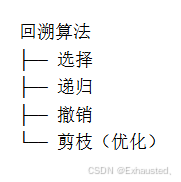
递归、搜索与回溯算法 —— 名词解析
目录 一、递归 1、什么是递归? 2、递归的数学类比 3、为什么要用到递归? 问题具有递归结构: 代码简洁易懂: 解决复杂问题: 处理嵌套结构: 4、如何理解递归? 明确基准条件: …...

【docker】docker swarm lock和unlock的区别,以及旧节点重启的隐患
docker swarm lock/unlock 的作用 Docker Swarm 提供了**加密集群状态(Encrypted Raft logs)**的功能,可以防止 Swarm 集群的管理数据(如任务分配、集群配置等)在磁盘上被未授权访问。 docker swarm lock:…...

Grafana使用日志5--如何重置Grafana密码
背景 有时候当账号太多的时候,根本记不住所有的账号密码,这时候就很容易登录失败,这时候怎么办呢? 接下来就让我来给大家演示一下Grafana的账号如果忘记了的话,该怎么找回自己的账号密码 操作 让我们来看一下具体的…...

ELK搭建初入
ELK搭建: 1、安装ElasticSearch (用于存储收集到的日志信息) 解压安装包 tar -xzvf elasticsearch-8.17.2-linux-x86_64.tar.gz 启动es:bin/elasticsearch –d(默认端口号9200) 浏览器输入es地址。出现…...

2025年ejabberd发展趋势:实时通信技术的7大演进方向与创新突破
2025年ejabberd发展趋势:实时通信技术的7大演进方向与创新突破 ejabberd作为一款Robust, Ubiquitous and Massively Scalable Messaging Platform,在2025年将继续引领实时通信技术的发展潮流。这款基于Erlang/OTP的XMPP服务器凭借其卓越的性能和可扩展性…...

8大漫画网站一站式下载:comics-downloader跨平台自动化解决方案
8大漫画网站一站式下载:comics-downloader跨平台自动化解决方案 【免费下载链接】comics-downloader tool to download comics and manga in pdf/epub/cbr/cbz from a website 项目地址: https://gitcode.com/gh_mirrors/co/comics-downloader comics-downlo…...

Phi-4-mini-reasoning部署教程:3.8B轻量开源模型GPU一键部署实战
Phi-4-mini-reasoning部署教程:3.8B轻量开源模型GPU一键部署实战 1. 项目概述 Phi-4-mini-reasoning是微软推出的3.8B参数轻量级开源模型,专为数学推理、逻辑推导和多步解题等强逻辑任务设计。这个模型主打"小参数、强推理、长上下文、低延迟&quo…...

深度解析League Akari:基于LCU API的模块化英雄联盟客户端工具集架构
深度解析League Akari:基于LCU API的模块化英雄联盟客户端工具集架构 【免费下载链接】League-Toolkit An all-in-one toolkit for LeagueClient. Gathering power 🚀. 项目地址: https://gitcode.com/gh_mirrors/le/League-Toolkit League Akari…...

PM/UI/UX 全栈专家之路 01:产品经理从入门到专家 | 全流程能力落地与跨角色协作
产品经理没有通用的标准答案,但有可复制的成长路径。全球顶尖科技公司的实践证明:用数据击穿迷雾,用体验触摸本质,把这两种看似矛盾的能力融合起来,你就能成为任何公司都抢着要的顶级PM。 这不是一份教你怎么写PRD的工…...

从 OpenClaw 到端侧 AI:低算力智能体架构设计
子玥酱 (掘金 / 知乎 / CSDN / 简书 同名) 大家好,我是 子玥酱,一名长期深耕在一线的前端程序媛 👩💻。曾就职于多家知名互联网大厂,目前在某国企负责前端软件研发相关工作,主要聚…...
)
回溯算法第一篇(子集树问题【三种思路】、0-1背包问题、最小重量机器设计问题)
目录 1. 子集树问题 解法一 解法二 解法三 2. 0-1背包问题(使用子集树解决) 3. 最小重量机器设计问题 1. 子集树问题 子集力扣链接 题目描述:给你一个整数数组 nums ,数组中的元素 互不相同 。返回该数组所有可能的子集&am…...

如何用Dayflow打造高效每日日志:从设置意图到AI驱动的深度反思全流程
如何用Dayflow打造高效每日日志:从设置意图到AI驱动的深度反思全流程 【免费下载链接】Dayflow The automatic work journal. Privately turns your screen into a timeline of what you actually accomplished. Open-source and local-first. 项目地址: https://…...

PyCharm 开启硬换行的方法
PyCharm 开启硬换行的方法摘要1. 设置硬换行字符数限制2. 如何让设置生效?3. 视觉辅助:显示右边距参考线4. 总结摘要 本文介绍了在PyCharm中设置硬换行的方法。硬换行会真实修改源代码,当代码超过设定长度时自动插入换行符。主要步骤包括&am…...
)
避坑指南:SQLServer子查询中90%人会犯的3个语法错误(含性能优化)
避坑指南:SQLServer子查询中90%人会犯的3个语法错误(含性能优化) 刚接触SQLServer的子查询时,很多人会被它看似简单的语法所迷惑。直到某天深夜,你盯着屏幕上那个运行了半小时还没出结果的查询,才意识到问题…...