
AgentOps - 帮助开发者构建、评估和监控 AI Agent

文章目录
- 一、关于 AgentOps
- 二、关键集成 🔌
- 三、快速开始 ⌨️
- 2行代码中的Session replays
- 首类开发者体验
- 四、集成 🦾
- OpenAI Agents SDK 🖇️
- CrewAI 🛶
- AG2 🤖
- Camel AI 🐪
- Langchain 🦜🔗
- Cohere ⌨️
- Anthropic ﹨
- Mistral 〽️
- CamelAI ﹨
- LiteLLM 🚅
- LlamaIndex 🦙
- Llama Stack 🦙🥞
- SwarmZero AI 🐝
- 五、时间旅行调试 🔮
- 六、Agent Arena 🥊
- 七、评估路线图 🧭
- 八、调试路线图 🧭
- 为什么选择 AgentOps? 🤔
- 九、使用 AgentOps 的热门项目
一、关于 AgentOps
AgentOps 帮助开发者构建、评估和监控 AI 代理。从原型到生产。
- github : https://github.com/AgentOps-AI/agentops
- 官方文档:https://docs.agentops.ai/introduction
- 文档对话:https://www.entelligence.ai/AgentOps-AI&agentops
- Dashboard : https://app.agentops.ai/?ref=gh
- Twitter | Discord
视频示例: agentops_demo.mp4
二、关键集成 🔌
- https://docs.agentops.ai/v1/integrations/openai-agents
- https://docs.agentops.ai/v1/integrations/crewai
- https://docs.ag2.ai/docs/ecosystem/agentops
- https://docs.agentops.ai/v1/integrations/microsoft
- https://docs.agentops.ai/v1/integrations/langchain
- https://docs.agentops.ai/v1/integrations/camel
- https://docs.llamaindex.ai/en/stable/module_guides/observability/?h=agentops#agentops
- https://docs.agentops.ai/v1/integrations/cohere
| 📊 重放分析和调试 | 步骤式代理执行图 |
| 💸 LLM 成本管理 | 跟踪 LLM 基础模型提供商的花费 |
| 🧪 代理基准测试 | 将您的代理与 1,000+ 评估进行测试 |
| 🔐 合规性和安全性 | 检测常见的提示注入和数据泄露攻击 |
| 🤝 框架集成 | 与 CrewAI、AG2 (AutoGen)、Camel AI 和 LangChain 的原生集成 |
三、快速开始 ⌨️
pip install agentops
2行代码中的Session replays
初始化 AgentOps 客户端并自动获取所有 LLM 调用的分析。
获取API密钥:https://app.agentops.ai/settings/projects
import agentops# Beginning of your program (i.e. main.py, __init__.py)
agentops.init( < INSERT YOUR API KEY HERE >)...# End of program
agentops.end_session('Success')
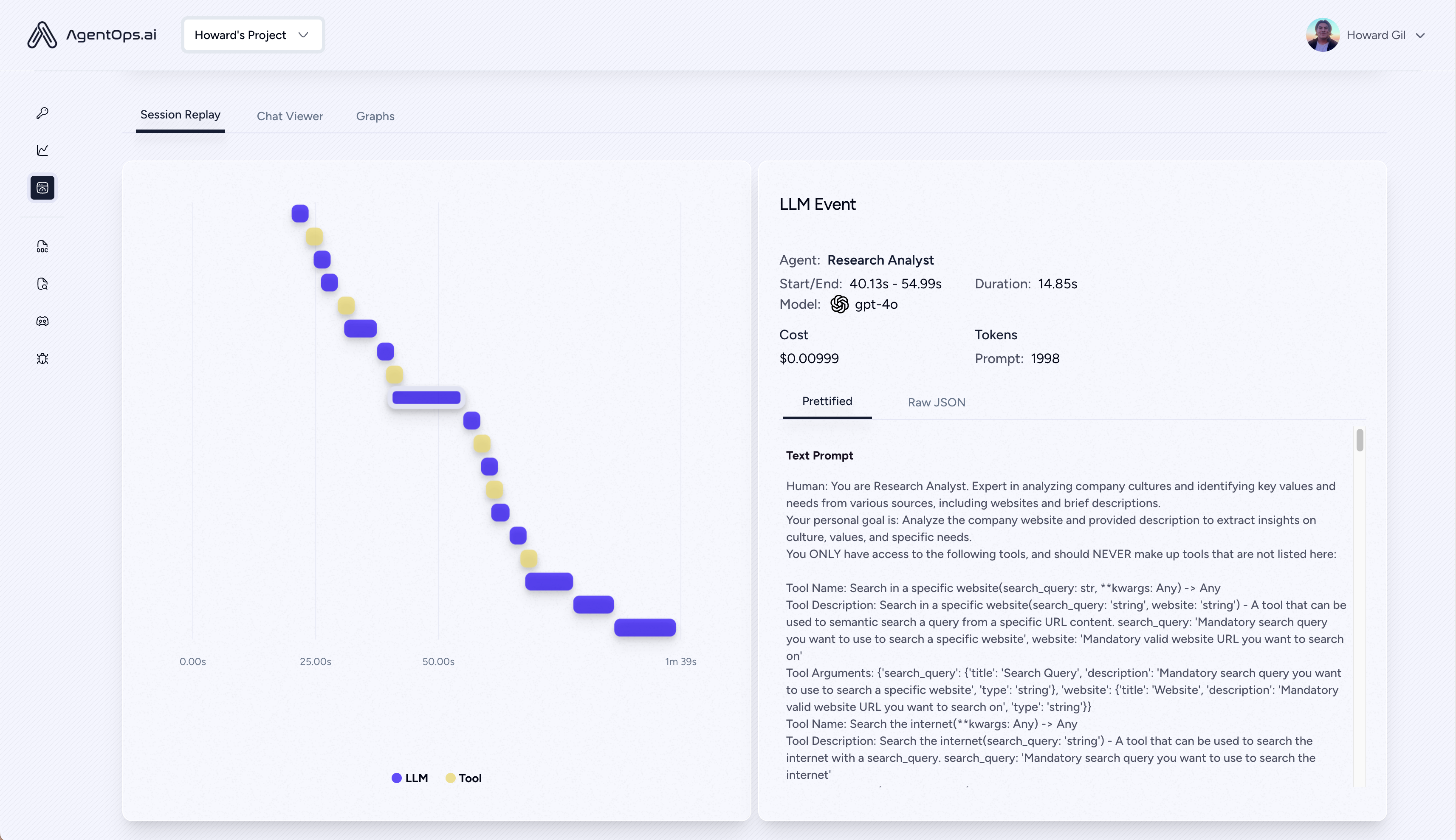
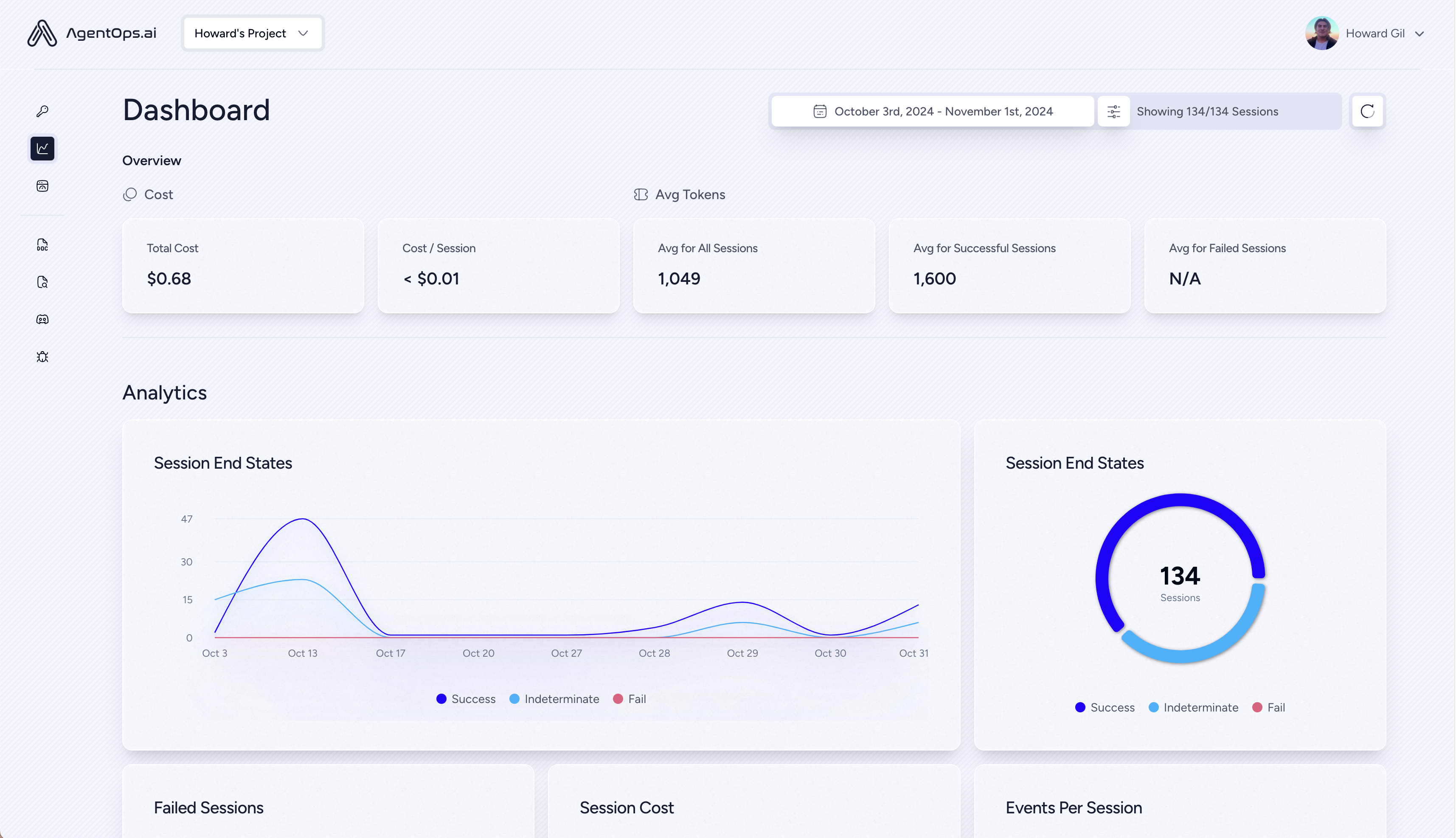
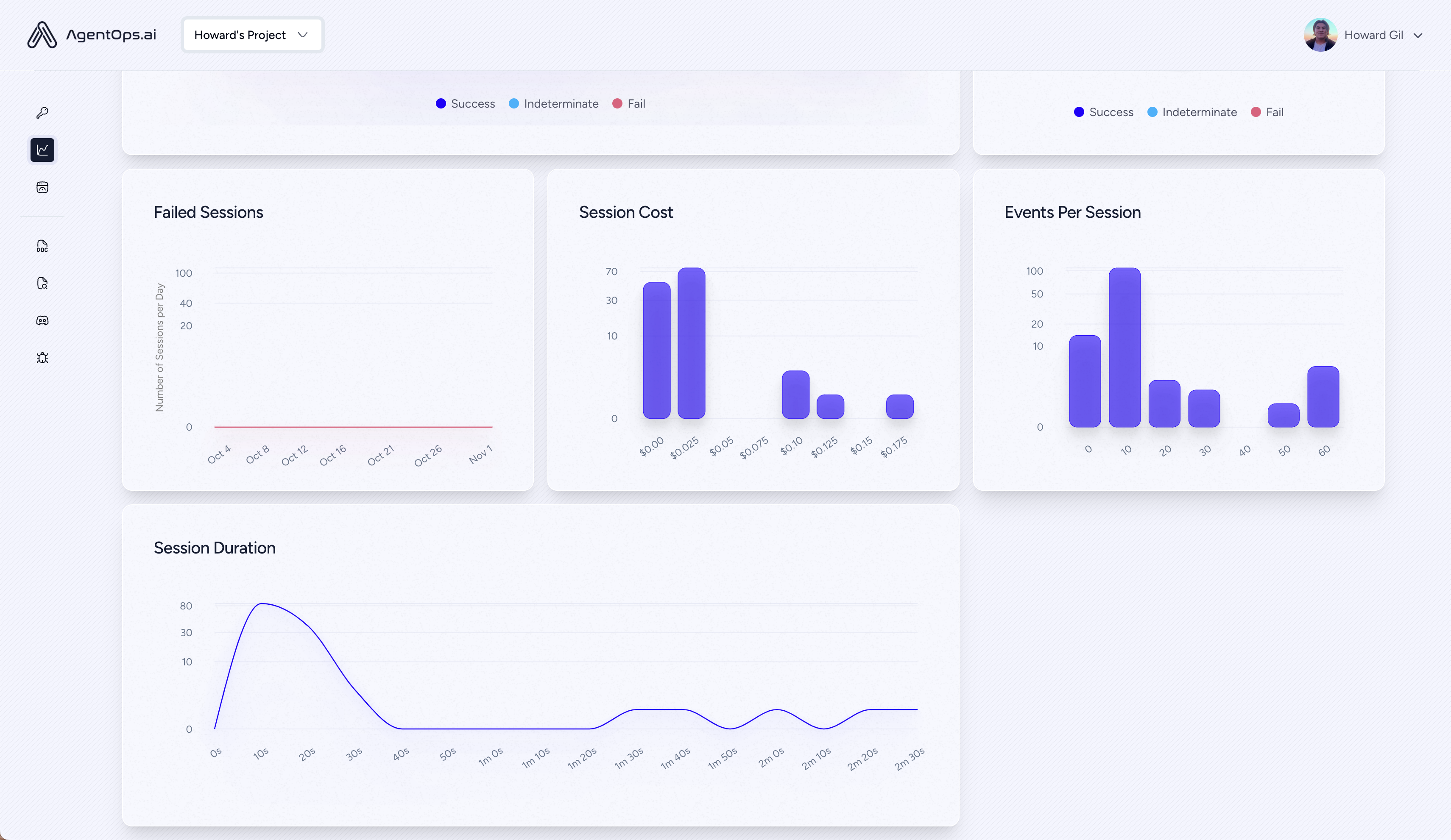
所有您的会话都可以在AgentOps仪表板上查看
Agent Debugging
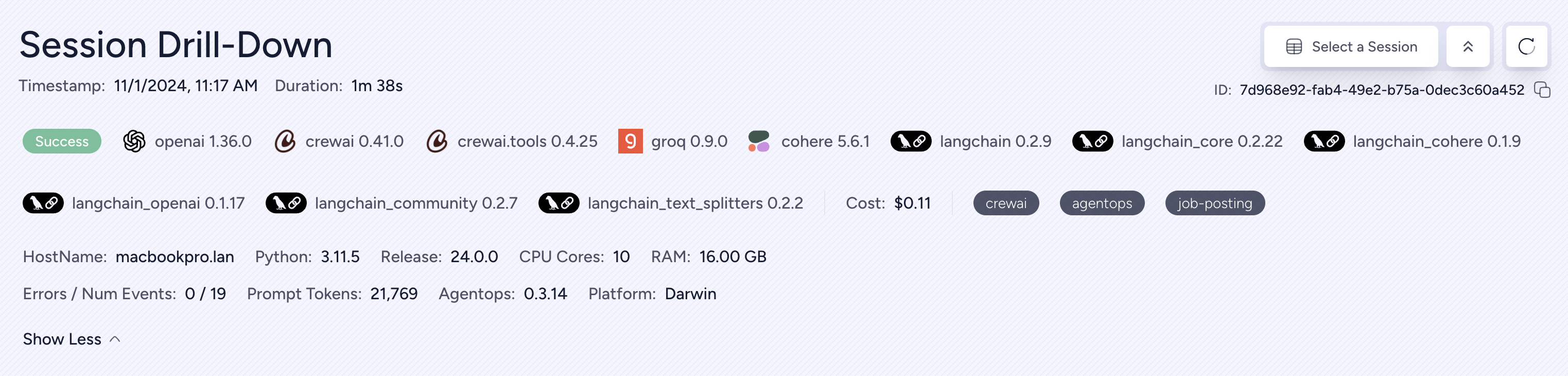
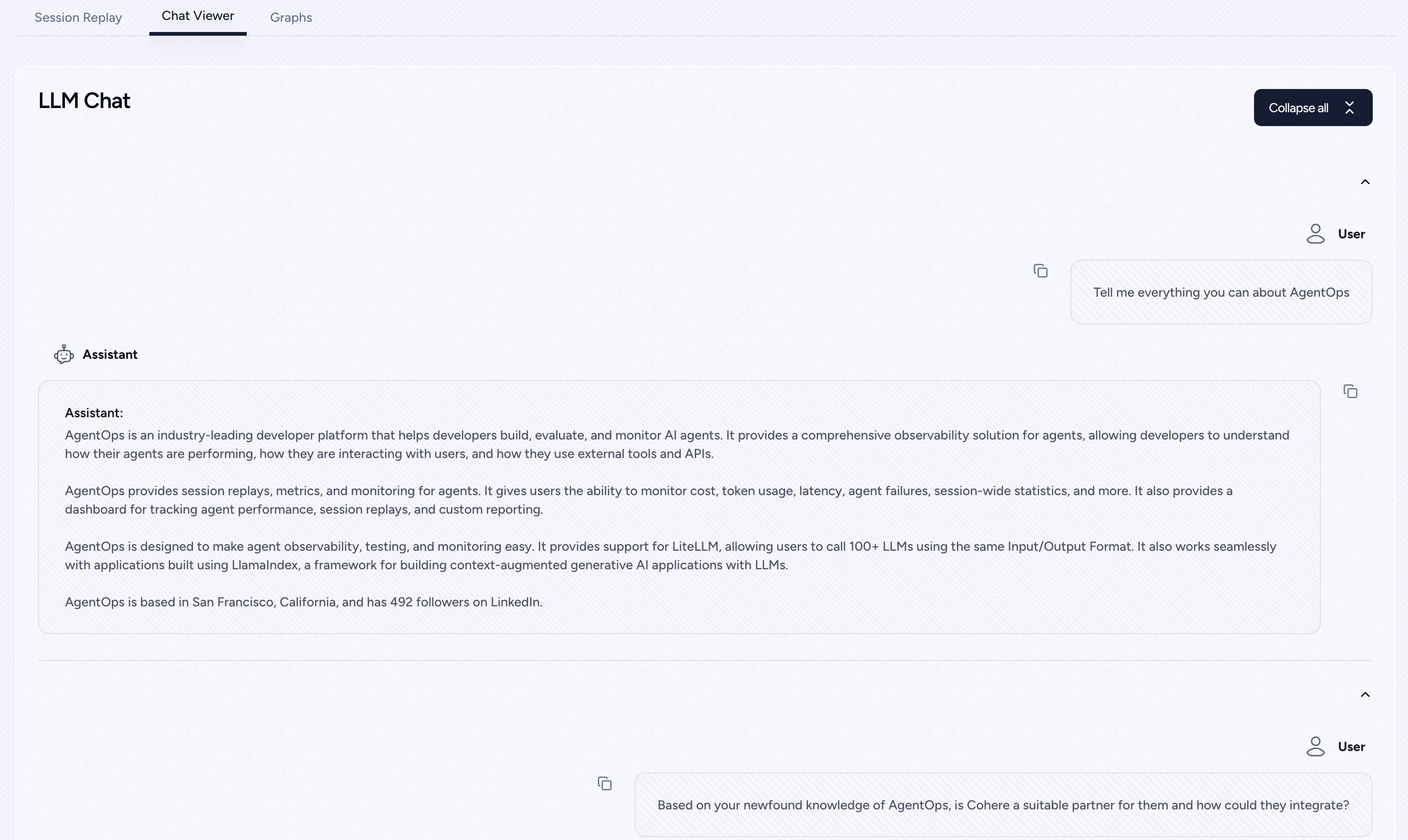
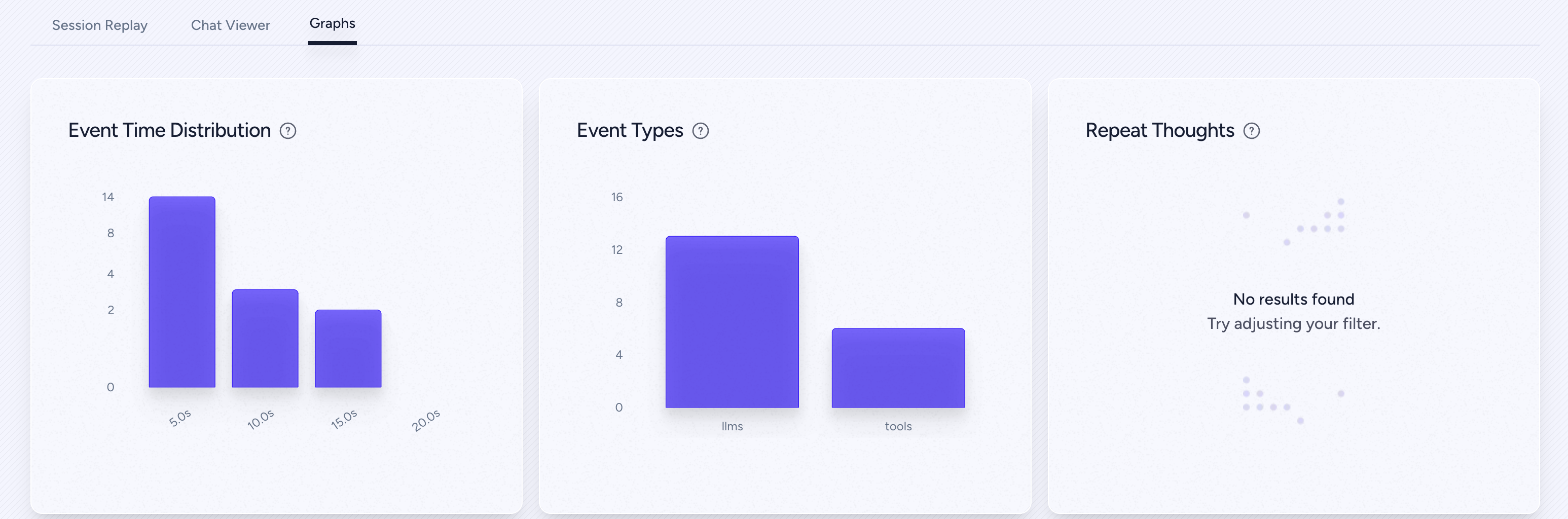
Session Replays
Summary Analytics
首类开发者体验
使用尽可能少的代码为您的代理、工具和函数添加强大的可观察性:一次一行。
参考文档: http://docs.agentops.ai
# Create a session span (root for all other spans)
from agentops.sdk.decorators import session@session
def my_workflow():# Your session code herereturn result
# Create an agent span for tracking agent operations
from agentops.sdk.decorators import agent@agent
class MyAgent:def __init__(self, name):self.name = name# Agent methods here
# Create operation/task spans for tracking specific operations
from agentops.sdk.decorators import operation, task@operation  # or @task
def process_data(data):# Process the datareturn result
# Create workflow spans for tracking multi-operation workflows
from agentops.sdk.decorators import workflow@workflow
def my_workflow(data):# Workflow implementationreturn result
# Nest decorators for proper span hierarchy
from agentops.sdk.decorators import session, agent, operation@agent
class MyAgent:@operationdef nested_operation(self, message):return f"Processed: {message}"@operationdef main_operation(self):result = self.nested_operation("test message")return result@session
def my_session():agent = MyAgent()return agent.main_operation()
所有装饰器支持:
- 输入/输出记录
- 异常处理
- 异步/等待函数
- 发电机功能
- 自定义属性和名称
四、集成 🦾
OpenAI Agents SDK 🖇️
构建多智能体系统,使用工具、交接和防护措施。AgentOps 提供与 OpenAI Agents 的一级集成。
pip install agents-sdk
- AgentOps集成示例
- 官方CrewAI文档
CrewAI 🛶
只需两行代码即可构建具有可观察性的Build Crew代理。只需在您的环境中设置AGENTOPS_API_KEY,您的队伍将在AgentOps仪表板上获得自动监控。
pip install 'crewai[agentops]'
- AgentOps 集成示例
- 官方 CrewAI 文档
AG2 🤖
只需两行代码,即可为AG2(前身为AutoGen)代理添加完整的可观察性和监控。在你的环境中设置一个AGENTOPS_API_KEY并调用agentops.init()
- AG2 可观测性示例
- AG2 - 代理操作文档
Camel AI 🐪
跟踪和分析具有完全可观测性的CAMEL代理。在您的环境中设置AGENTOPS_API_KEY并初始化AgentOps以开始使用。
- Camel AI - 高级代理通信框架
- AgentOps 集成示例
- 官方 Camel AI 文档
安装
pip install "camel-ai[all]==0.2.11"
pip install agentops
import os
import agentops
from camel.agents import ChatAgent
from camel.messages import BaseMessage
from camel.models import ModelFactory
from camel.types import ModelPlatformType, ModelType# Initialize AgentOps
agentops.init(os.getenv("AGENTOPS_API_KEY"), default_tags=["CAMEL Example"])# Import toolkits after AgentOps init for tracking
from camel.toolkits import SearchToolkit# Set up the agent with search tools
sys_msg = BaseMessage.make_assistant_message(role_name='Tools calling operator',content='You are a helpful assistant'
)# Configure tools and model
tools = [*SearchToolkit().get_tools()]
model = ModelFactory.create(model_platform=ModelPlatformType.OPENAI,model_type=ModelType.GPT_4O_MINI,
)# Create and run the agent
camel_agent = ChatAgent(system_message=sys_msg,model=model,tools=tools,
)response = camel_agent.step("What is AgentOps?")
print(response)agentops.end_session("Success")
查看我们的Camel集成指南以获取更多示例,包括多代理场景。
Langchain 🦜🔗
AgentOps可以无缝地与使用Langchain构建的应用程序协同工作。要使用此处理程序,将Langchain作为可选依赖项安装:
安装
pip install agentops[langchain]
要使用处理器,导入并设置
import os
from langchain.chat_models import ChatOpenAI
from langchain.agents import initialize_agent, AgentType
from agentops.partners.langchain_callback_handler import LangchainCallbackHandlerAGENTOPS_API_KEY = os.environ['AGENTOPS_API_KEY']
handler = LangchainCallbackHandler(api_key=AGENTOPS_API_KEY, tags=['Langchain Example'])llm = ChatOpenAI(openai_api_key=OPENAI_API_KEY,callbacks=[handler],model='gpt-3.5-turbo')agent = initialize_agent(tools,llm,agent=AgentType.CHAT_ZERO_SHOT_REACT_DESCRIPTION,verbose=True,callbacks=[handler], # You must pass in a callback handler to record your agenthandle_parsing_errors=True)
查看Langchain 示例笔记本以获取更多详细信息,包括异步处理程序。
Cohere ⌨️
首先类支持 Cohere(>=5.4.0)。这是一个持续集成的项目,如果您需要任何额外的功能,请通过 Discord 联系我们!
- AgentOps集成示例
- 官方Cohere文档
安装
pip install cohere
import cohere
import agentops# Beginning of program's code (i.e. main.py, __init__.py)
agentops.init(<INSERT YOUR API KEY HERE>)
co = cohere.Client()chat = co.chat(message="Is it pronounced ceaux-hear or co-hehray?"
)print(chat)agentops.end_session('Success')
import cohere
import agentops# Beginning of program's code (i.e. main.py, __init__.py)
agentops.init(<INSERT YOUR API KEY HERE>)co = cohere.Client()stream = co.chat_stream(message="Write me a haiku about the synergies between Cohere and AgentOps"
)for event in stream:if event.event_type == "text-generation":print(event.text, end='')agentops.end_session('Success')
Anthropic ﹨
跟踪代理使用Anthropic Python SDK(>=0.32.0)构建。
- AgentOps 集成指南
- 官方Anthropic文档
安装
pip install anthropic
import anthropic
import agentops# Beginning of program's code (i.e. main.py, __init__.py)
agentops.init(<INSERT YOUR API KEY HERE>)client = anthropic.Anthropic(# This is the default and can be omittedapi_key=os.environ.get("ANTHROPIC_API_KEY"),
)message = client.messages.create(max_tokens=1024,messages=[{"role": "user","content": "Tell me a cool fact about AgentOps",}],model="claude-3-opus-20240229",)
print(message.content)agentops.end_session('Success')
流式传输
import anthropic
import agentops# Beginning of program's code (i.e. main.py, __init__.py)
agentops.init(<INSERT YOUR API KEY HERE>)client = anthropic.Anthropic(# This is the default and can be omittedapi_key=os.environ.get("ANTHROPIC_API_KEY"),
)stream = client.messages.create(max_tokens=1024,model="claude-3-opus-20240229",messages=[{"role": "user","content": "Tell me something cool about streaming agents",}],stream=True,
)response = ""
for event in stream:if event.type == "content_block_delta":response += event.delta.textelif event.type == "message_stop":print("\n")print(response)print("\n")
异步
import asyncio
from anthropic import AsyncAnthropicclient = AsyncAnthropic(# This is the default and can be omittedapi_key=os.environ.get("ANTHROPIC_API_KEY"),
)async def main() -> None:message = await client.messages.create(max_tokens=1024,messages=[{"role": "user","content": "Tell me something interesting about async agents",}],model="claude-3-opus-20240229",)print(message.content)await main()
Mistral 〽️
使用 Mistral Python SDK (>=0.32.0) 构建的跟踪代理。
- AgentOps集成示例
- Mistral官方文档
pip install mistralai
Sync
from mistralai import Mistral
import agentops# Beginning of program's code (i.e. main.py, __init__.py)
agentops.init(<INSERT YOUR API KEY HERE>)client = Mistral(# This is the default and can be omittedapi_key=os.environ.get("MISTRAL_API_KEY"),
)message = client.chat.complete(messages=[{"role": "user","content": "Tell me a cool fact about AgentOps",}],model="open-mistral-nemo",)
print(message.choices[0].message.content)agentops.end_session('Success')
流
from mistralai import Mistral
import agentops# Beginning of program's code (i.e. main.py, __init__.py)
agentops.init(<INSERT YOUR API KEY HERE>)client = Mistral(# This is the default and can be omittedapi_key=os.environ.get("MISTRAL_API_KEY"),
)message = client.chat.stream(messages=[{"role": "user","content": "Tell me something cool about streaming agents",}],model="open-mistral-nemo",)response = ""
for event in message:if event.data.choices[0].finish_reason == "stop":print("\n")print(response)print("\n")else:response += event.textagentops.end_session('Success')
异步
import asyncio
from mistralai import Mistralclient = Mistral(# This is the default and can be omittedapi_key=os.environ.get("MISTRAL_API_KEY"),
)async def main() -> None:message = await client.chat.complete_async(messages=[{"role": "user","content": "Tell me something interesting about async agents",}],model="open-mistral-nemo",)print(message.choices[0].message.content)await main()
异步流
import asyncio
from mistralai import Mistralclient = Mistral(# This is the default and can be omittedapi_key=os.environ.get("MISTRAL_API_KEY"),
)async def main() -> None:message = await client.chat.stream_async(messages=[{"role": "user","content": "Tell me something interesting about async streaming agents",}],model="open-mistral-nemo",)response = ""async for event in message:if event.data.choices[0].finish_reason == "stop":print("\n")print(response)print("\n")else:response += event.textawait main()
CamelAI ﹨
使用 CamelAI Python SDK (>=0.32.0) 构建的 Track agents。
- CamelAI集成指南
- CamelAI官方文档
安装
pip install camel-ai[all]
pip install agentops
#Import Dependencies
import agentops
import os
from getpass import getpass
from dotenv import load_dotenv#Set Keys
load_dotenv()
openai_api_key = os.getenv("OPENAI_API_KEY") or "<your openai key here>"
agentops_api_key = os.getenv("AGENTOPS_API_KEY") or "<your agentops key here>"
您可以在这里找到使用示例!:
https://github.com/AgentOps-AI/agentops/blob/main/examples/camelai_examples/README.md
LiteLLM 🚅
AgentOps 提供了对 LiteLLM(>=1.3.1) 的支持,允许您使用相同的输入/输出格式调用 100+ 个 LLM。
- AgentOps 集成示例
- 官方 LiteLLM 文档
安装
pip install litellm
# Do not use LiteLLM like this
# from litellm import completion
# ...
# response = completion(model="claude-3", messages=messages)# Use LiteLLM like this
import litellm
...
response = litellm.completion(model="claude-3", messages=messages)
# or
response = await litellm.acompletion(model="claude-3", messages=messages)
LlamaIndex 🦙
AgentOps 与使用 LlamaIndex 构建的应用无缝协作,LlamaIndex 是一个用于构建具有 LLM 的上下文增强生成式 AI 应用程序的框架。
安装
pip install llama-index-instrumentation-agentops
为了使用该处理器,导入并设置
from llama_index.core import set_global_handler# NOTE: Feel free to set your AgentOps environment variables (e.g., 'AGENTOPS_API_KEY')
# as outlined in the AgentOps documentation, or pass the equivalent keyword arguments
# anticipated by AgentOps' AOClient as **eval_params in set_global_handler.set_global_handler("agentops")
查看LlamaIndex 文档 以获取更多详情。
Llama Stack 🦙🥞
AgentOps 提供了对 Llama Stack Python 客户端(>=0.0.53)的支持,允许您监控您的 Agentic 应用程序。
- AgentOps集成示例1
- AgentOps集成示例2
- 官方 Llama Stack Python 客户端
SwarmZero AI 🐝
跟踪和分析 SwarmZero 代理,具有全面的可观察性。在你的环境中设置一个 AGENTOPS_API_KEY,然后初始化 AgentOps 以开始使用。
- SwarmZero - 高级多智能体框架
- AgentOps集成示例
- SwarmZero AI 集成示例
- SwarmZero AI - 代理操作文档
- SwarmZero 官方 Python SDK
安装
pip install swarmzero
pip install agentops
from dotenv import load_dotenv
load_dotenv()import agentops
agentops.init(<INSERT YOUR API KEY HERE>)from swarmzero import Agent, Swarm
# ...
五、时间旅行调试 🔮
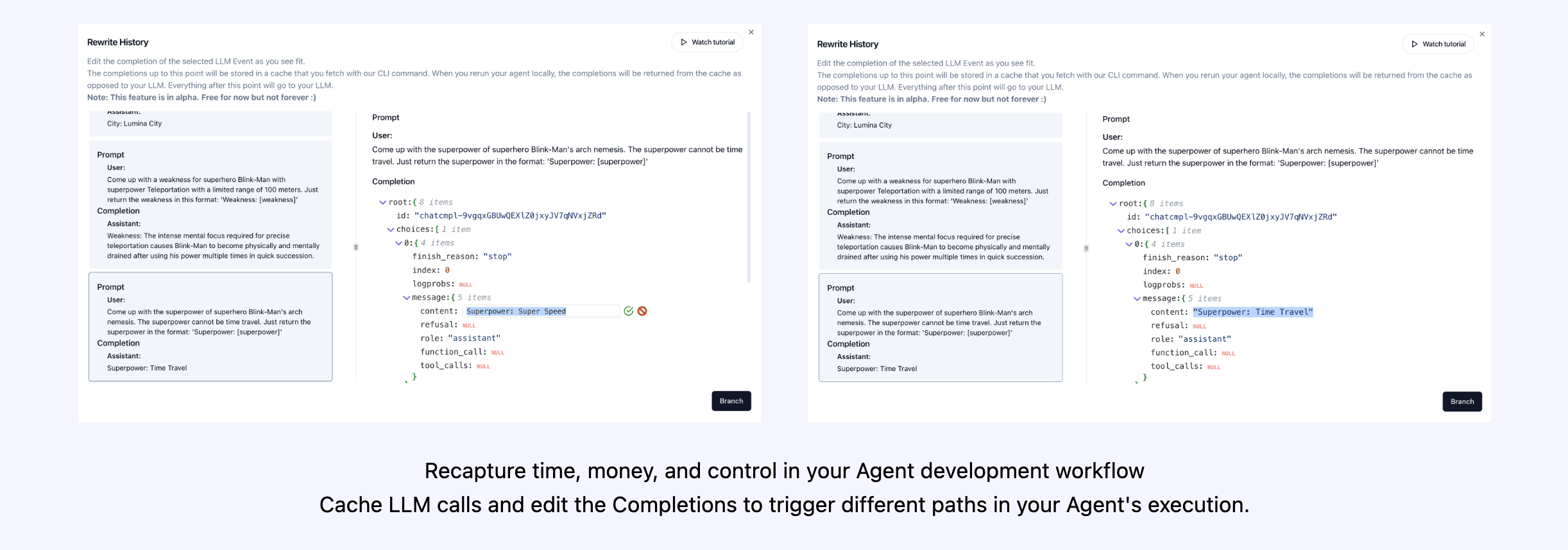
试试 : https://app.agentops.ai/timetravel
六、Agent Arena 🥊
(即将推出!)
七、评估路线图 🧭
| 平台 | 仪表板 | 评估 |
|---|---|---|
| ✅ Python SDK | ✅ 多会话和跨会话指标 | ✅ 自定义评估指标 |
| 🚧 评估构建器 API | ✅ 自定义事件标签跟踪 | 🔜 代理分数卡 |
| ✅ Javascript/Typescript SDK | ✅ 会话重放 | 🔜 评估游乐场 + 排行榜 |
八、调试路线图 🧭
| 性能测试 | 环境 | LLM 测试 | 推理和执行测试 |
|---|---|---|---|
| ✅ 事件延迟分析 | 🔜 非平稳环境测试 | 🔜 LLM 非确定性函数检测 | 🚧 无限循环和递归思维检测 |
| ✅ 代理工作流程执行定价 | 🔜 多模态环境 | 🚧 令牌限制溢出标志 | 🔜 故障推理检测 |
| 🚧 成功验证器(外部) | 🔜 执行容器 | 🔜 上下文限制溢出标志 | 🔜 生成代码验证器 |
| 🔜 代理控制器/技能测试 | ✅ 蜜罐和提示注入检测 (PromptArmor) | 🔜 API 账单跟踪 | 🔜 错误断点分析 |
| 🔜 信息上下文约束测试 | 🔜 反代理障碍(例如,验证码) | 🔜 CI/CD 集成检查 | |
| 🔜 回归测试 | 🔜 多代理框架可视化 |
为什么选择 AgentOps? 🤔
没有合适的工具,AI代理将变得缓慢、昂贵且不可靠。我们的使命是将您的代理从原型过渡到生产。以下是AgentOps脱颖而出的原因:
- 全面可观察性: 跟踪您的AI代理的性能、用户交互和API使用情况。
- 实时监控:通过会话回放、指标和实时监控工具立即获得洞察。
- 成本控制:监控和管理你在LLM和API调用上的支出。
- 故障检测:快速识别并响应代理故障和多代理交互问题。
- 工具使用统计: 了解您的代理如何使用外部工具,并通过详细的分析来理解。
- 会话级指标:通过全面的统计数据获得您代理人的会话的整体视图。
AgentOps 是设计用来让代理的可观察性、测试和监控变得简单。
九、使用 AgentOps 的热门项目
| Repository | Stars |
|---|---|
| geekan / MetaGPT | 42787 |
| run-llama / llama_index | 34446 |
| crewAIInc / crewAI | 18287 |
| camel-ai / camel | 5166 |
| superagent-ai / superagent | 5050 |
| iyaja / llama-fs | 4713 |
| BasedHardware / Omi | 2723 |
| MervinPraison / PraisonAI | 2007 |
| AgentOps-AI / Jaiqu | 272 |
| swarmzero / swarmzero | 195 |
| strnad / CrewAI-Studio | 134 |
| alejandro-ao / exa-crewai | 55 |
| tonykipkemboi / youtube_yapper_trapper | 47 |
| sethcoast / cover-letter-builder | 27 |
| bhancockio / chatgpt4o-analysis | 19 |
| breakstring / Agentic_Story_Book_Workflow | 14 |
| MULTI-ON / multion-python | 13 |
Generated using github-dependents-info, by Nicolas Vuillamy
2025-04-16(三)
相关文章:
AgentOps - 帮助开发者构建、评估和监控 AI Agent
文章目录 一、关于 AgentOps二、关键集成 🔌三、快速开始 ⌨️2行代码中的Session replays 首类开发者体验 四、集成 🦾OpenAI Agents SDK 🖇️CrewAI 🛶AG2 🤖Camel AI 🐪Langchain 🦜…...
leetcode 122. Best Time to Buy and Sell Stock II
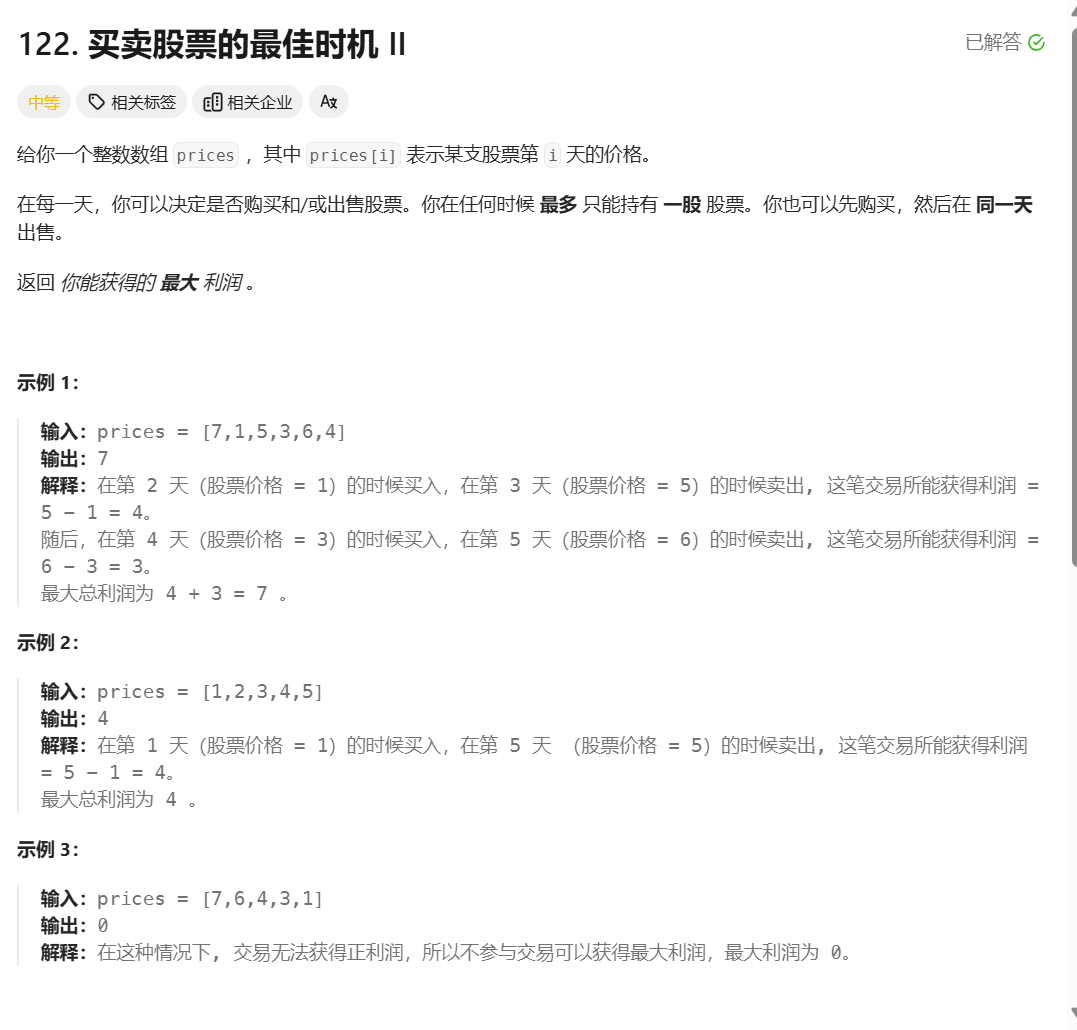
题目描述 这道题可以用贪心思想解决。 本文介绍用动态规划解决。本题分析方法与第121题一样,详见leetcode 121. Best Time to Buy and Sell Stock 只有一点区别。第121题全程只能买入1次,因此如果第i天买入股票,买之前的金额肯定是初始金额…...
【ROS】代价地图
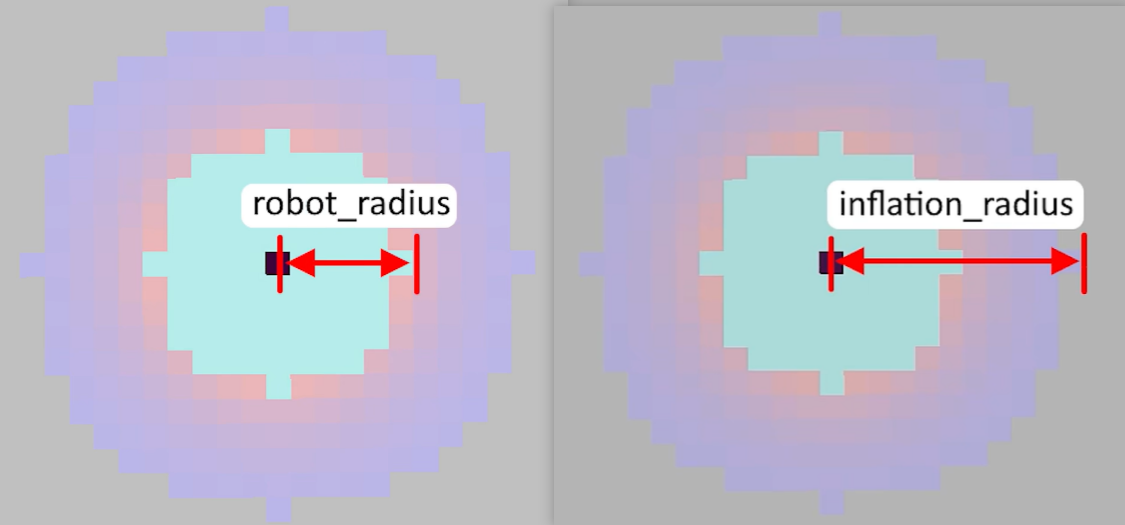
【ROS】代价地图 前言代价地图(Costmap)概述代价地图的参数costmap_common_params.yaml 参数说明costmap_common_params.yaml 示例说明global_costmap.yaml 参数说明global_costmap.yaml 示例说明local_costmap.yaml 参数说明local_costmap.yaml 示例说明…...
《Against The Achilles’ Heel: A Survey on Red Teaming for Generative Models》全文阅读
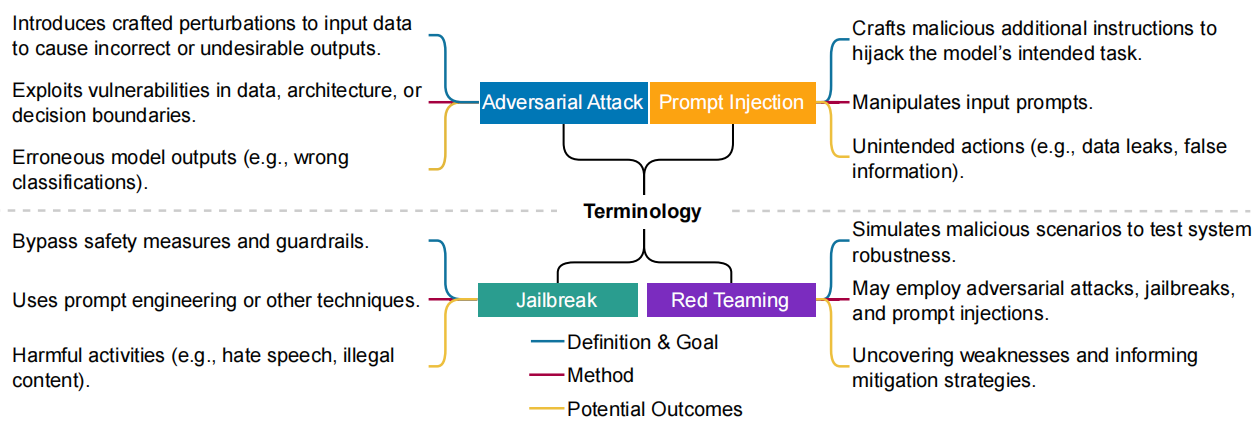
《Against The Achilles’ Heel: A Survey on Red Teaming for Generative Models》 突破阿基里斯之踵:生成模型红队对抗综述 摘要 生成模型正迅速流行并被整合到日常应用中,随着各种漏洞暴露,其安全使用引发担忧。鉴于此,红队…...
datagrip连接mysql问题5.7.26
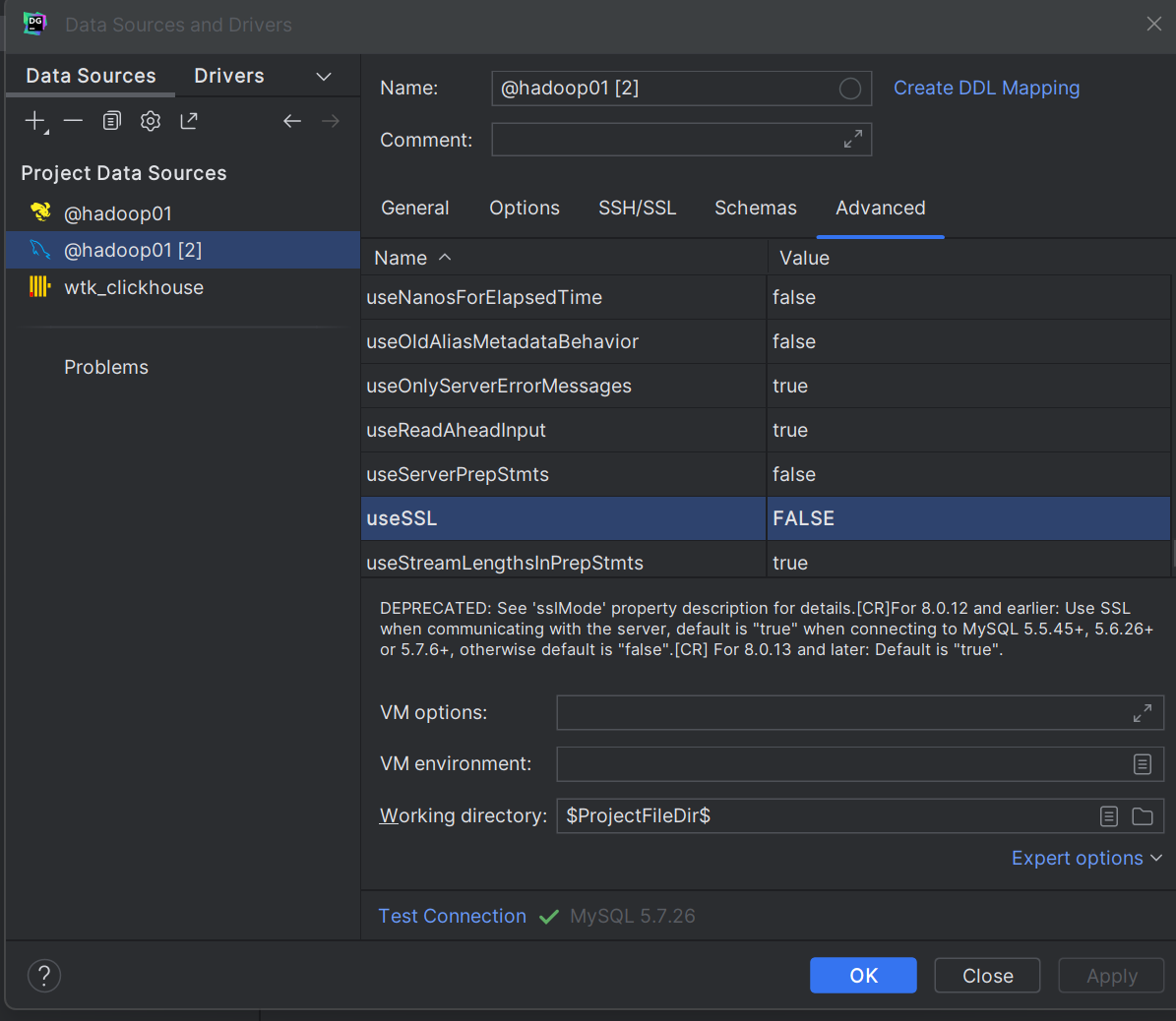
1.Case sensitivity: plainmixed, delimitedexac Remote host terminated the handshake. 区分大小写:plain混合,分隔exac 远程主机终止了握手。 原因:usessl 参数用于指定是否使用 SSL(Secure Sockets Layer)加密来保护数据传…...

文件内容课堂总结
Spark-SQL连接Hive Apache Hive是Hadoop上的SQL引擎,Spark SQL编译时可选择是否包含Hive支持。包含Hive支持的版本支持Hive表访问、UDF及HQL。生产环境推荐编译时引入Hive支持。 内嵌Hive 直接使用无需配置,但生产环境极少采用。 外部Hive 需完成以下配置…...
探索亮数据Web Unlocker API:让谷歌学术网页科研数据 “触手可及”
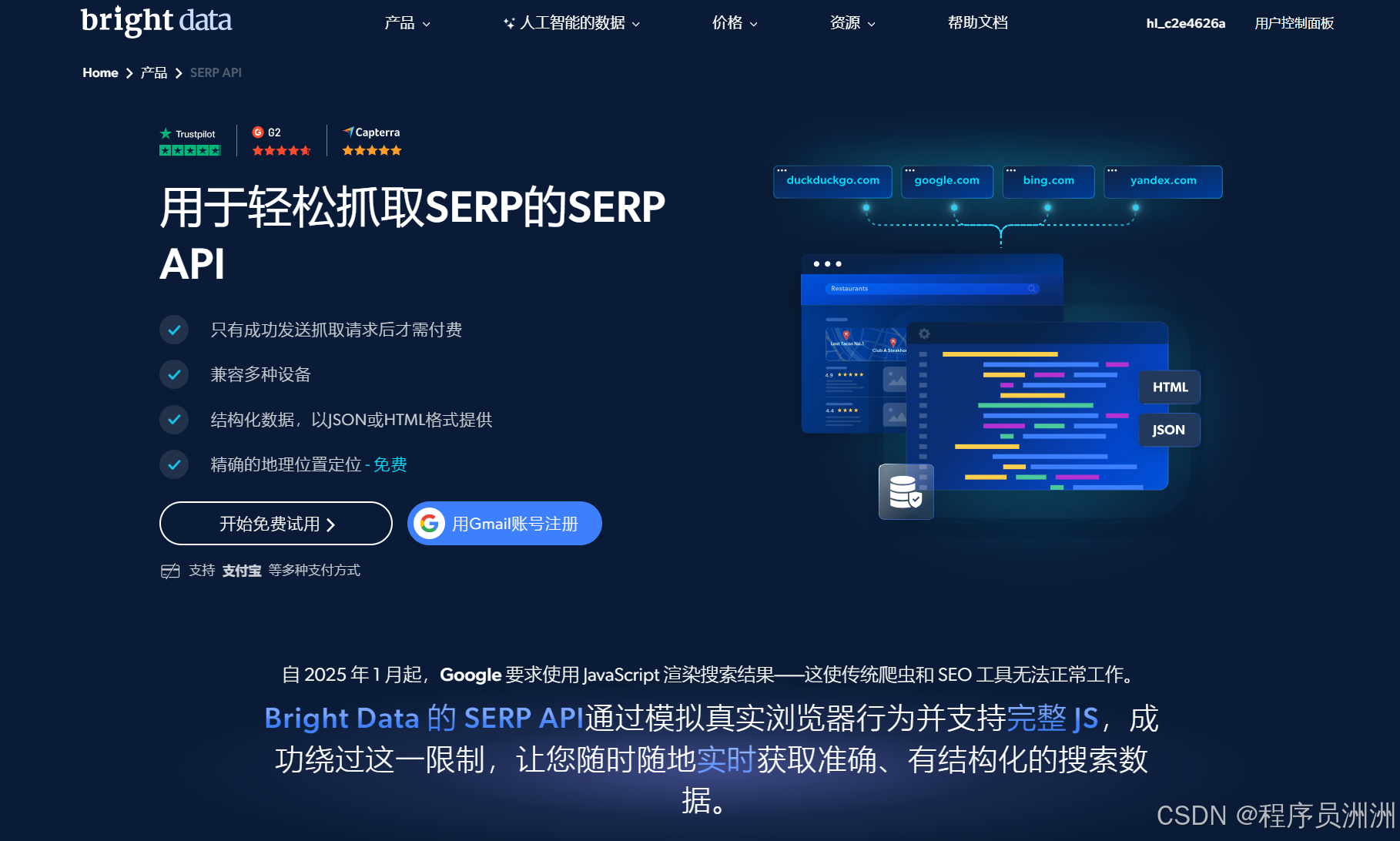
本文目录 一、引言二、Web Unlocker API 功能亮点三、Web Unlocker API 实战1.配置网页解锁器2.定位相关数据3.编写代码 四、Web Scraper API技术亮点 五、SERP API技术亮点 六、总结 一、引言 网页数据宛如一座蕴藏着无限价值的宝库,无论是企业洞察市场动态、制定…...

AF3 create_alignment_db_sharded脚本process_chunk函数解读
AlphaFold3 create_alignment_db_sharded 脚本在源代码的scripts/alignment_db_scripts文件夹下。该脚本中的 process_chunk 函数通过调用 read_chain_dir 函数,读取每个链的多序列比对(MSA)文件并整理成统一格式的字典结构chunk_data 返回。 函数功能: read_chain_dir:读…...
【本地MinIO图床远程访问】Cpolar TCP隧道+PicGo插件,让MinIO图床一键触达
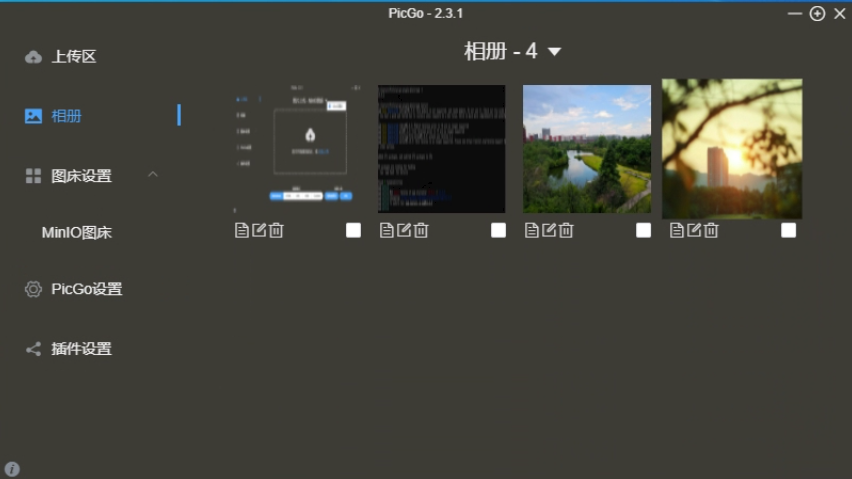
写在前面:本博客仅作记录学习之用,部分图片来自网络,如需引用请注明出处,同时如有侵犯您的权益,请联系删除! 文章目录 前言MinIO本地安装与配置cpolar 内网穿透PicGo 安装MinIO远程访问总结互动致谢参考目录…...

PyTorch的benchmark模块
PyTorch的benchmark模块主要用于性能测试和优化,包含核心工具库和预置测试项目两大部分。以下是其核心功能与使用方法的详细介绍: 1. 核心工具:torch.utils.benchmark 这是PyTorch内置的性能测量工具,主要用于代码片段的执行时间…...

Spring Boot 参数校验 Validation 终极指南
1. 概述 Spring Validation 基于 JSR-303(Bean Validation)规范,通过Validated注解实现声明式校验。核心优势: 零侵入性:基于 AOP 实现方法拦截校验规范统一:兼容 Bean Validation 标准注解功能扩展&…...
Policy Gradient思想、REINFORCE算法,以及贪吃蛇小游戏(一)
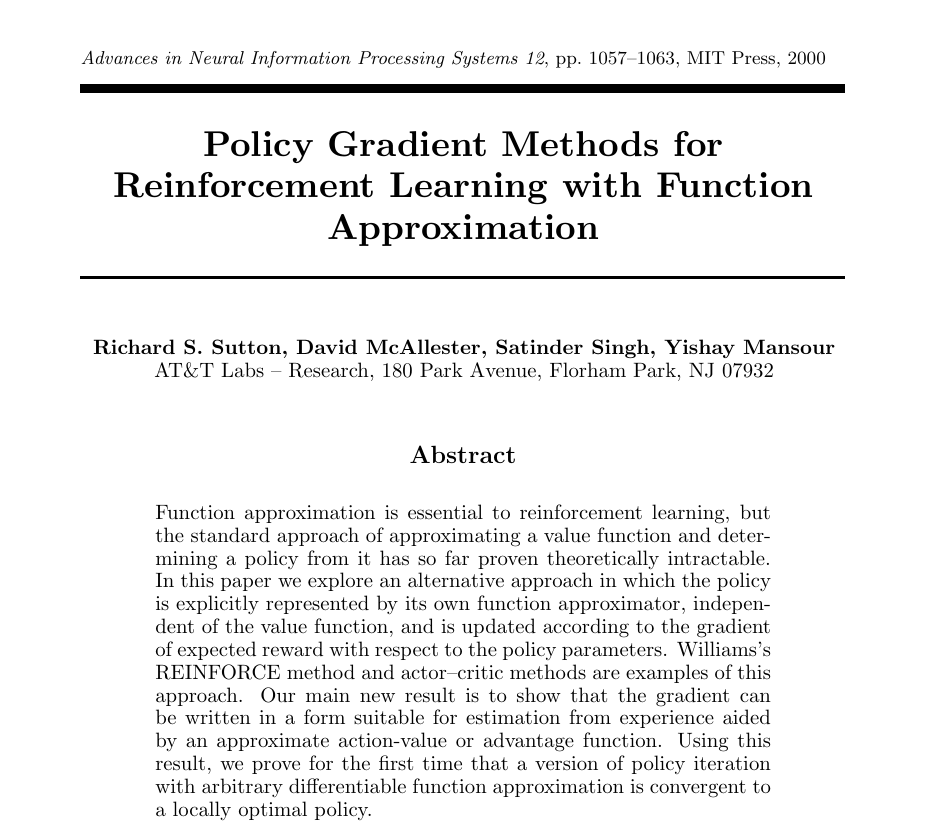
文章目录 Policy Gradient思想论文REINFORCE算法论文Policy Gradient思想和REINFORCE算法的关系用一句人话解释什么是REINFORCE算法策略这个东西实在是太抽象了,它可以是一个什么我们能实际感受到的东西?你说的这个我理解了,但这个东西,我怎么优化?在一堆函数中,找到最优…...

Angular 框架详解:从入门到进阶
Hi,我是布兰妮甜 !在当今快速发展的 Web 开发领域,Angular 作为 Google 主导的企业级前端框架,以其完整的解决方案、强大的类型系统和丰富的生态系统,成为构建大型复杂应用的首选。不同于其他渐进式框架,An…...
Profibus DP主站转modbusTCP网关与dp从站通讯案例
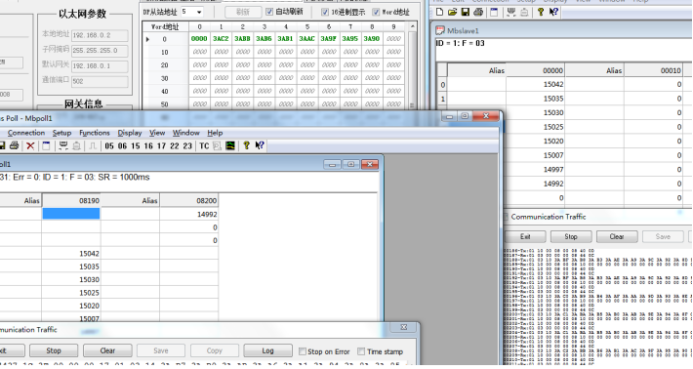
Profibus DP主站转modbusTCP网关与dp从站通讯案例 在当前工业自动化的浪潮中,不同协议之间的通讯转换成为了提升生产效率和实现设备互联的关键。Profibus DP作为一种广泛应用的现场总线技术,与Modbus TCP的结合,为工业自动化系统的集成带来了…...
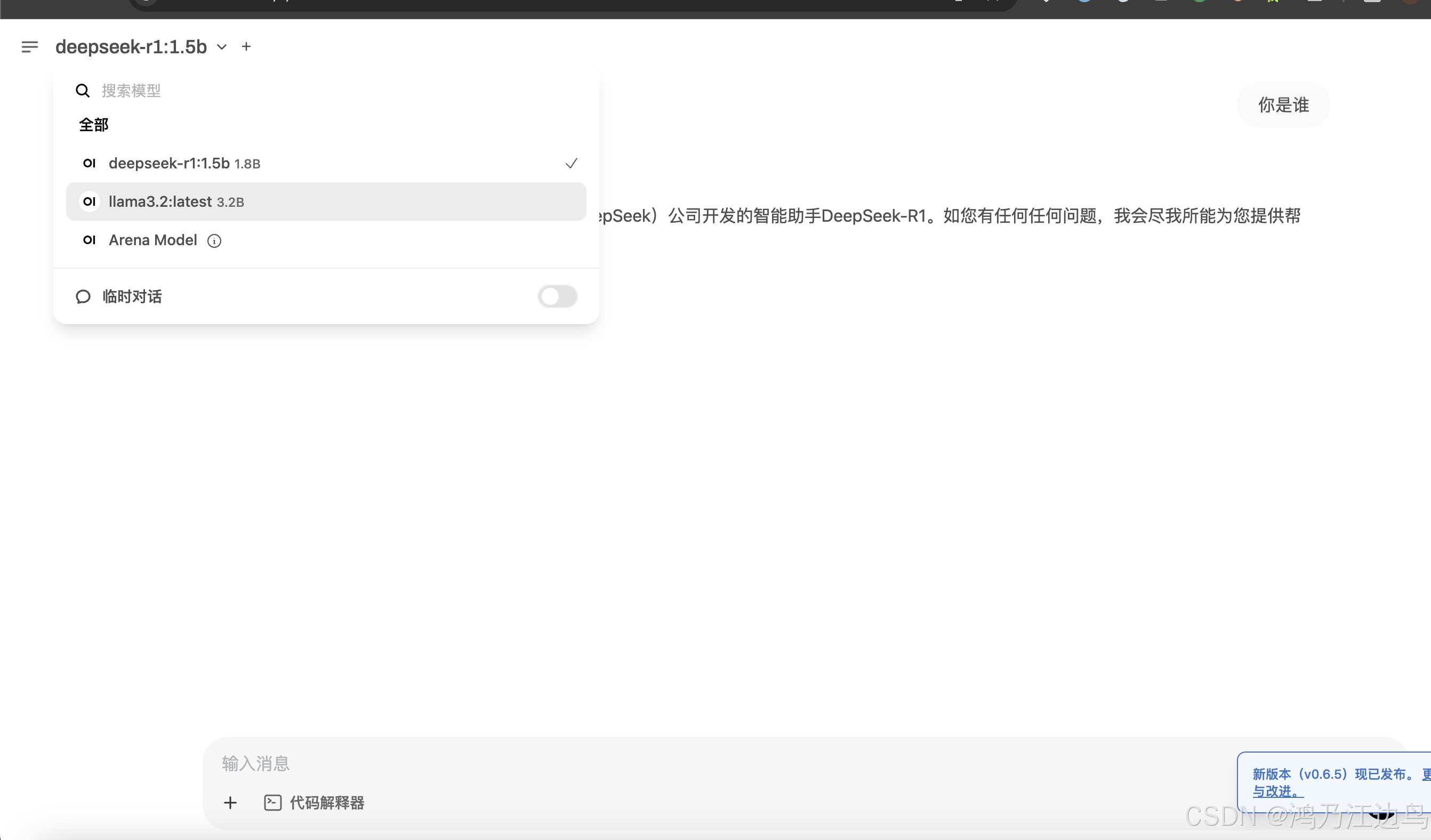
快速部署大模型 Openwebui + Ollama + deepSeek-R1模型
背景 本文主要快速部署一个带有web可交互界面的大模型的应用,主要用于开发测试节点,其中涉及到的三个组件为 open-webui Ollama deepSeek开放平台 首先 Ollama 是一个开源的本地化大模型部署工具,提供与OpenAI兼容的Api接口,可以快速的运…...

Ethan独立开发产品日报 | 2025-04-15
1. Whatting 专属于你的iPad日记 还在Goodnotes里使用PDF模板吗?是时候告别到处翻找PDF的日子了——来试试Whatting吧!在Whatting中,你可以根据自己的喜好,灵活组合小部件,打造专属的日记布局。今天就免费开始吧&…...
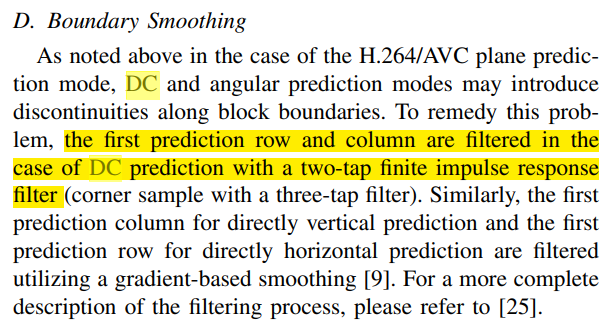
H.265硬件视频编码器xk265代码阅读 - 帧内预测
源代码地址: https://github.com/openasic-org/xk265 帧内预测具体逻辑包含在代码xk265\rtl\rec\rec_intra\intra_pred.v 文件中。 module intra_pred() 看起来是每次计算某个4x4块的预测像素值。 以下代码用来算每个pred_angle的具体数值,每个mode_i对应…...

Arcgis经纬线标注设置(英文、刻度显示)
在arcgis软件中绘制地图边框,添加经纬度度时常常面临经纬度出现中文,如下图所示: 解决方法,设置一下Arcgis的语言 点击高级--确认 这样Arcgis就转为英文版了,此时在来看经纬线刻度的标注,自动变成英文...

MCP协议,.Net 使用示例
服务器端示例 基础服务器 以下是一个基础的 MCP 服务器示例,它使用标准输入输出(stdio)作为传输方式,并实现了一个简单的回显工具: using Microsoft.Extensions.DependencyInjection; using Microsoft.Extensions.H…...
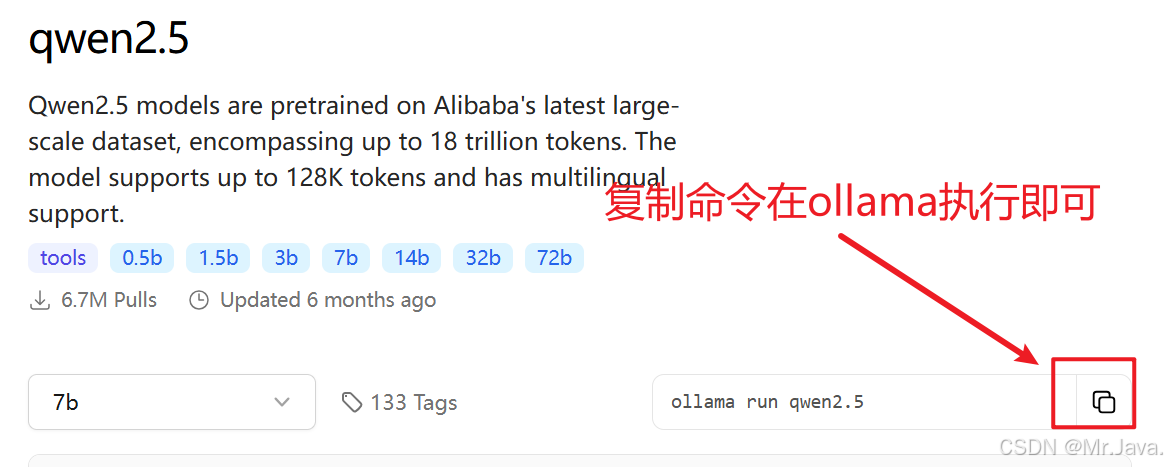
Windows安装Ollama并指定安装路径(默认C盘)
手打不易,如果转摘,请注明出处! 注明原文:http://blog.csdn.net/q258523454/article/details/147289192 一、下载Ollama 访问Ollama官网 打开浏览器,访问Ollama的官方网站:https://ollama.ai/。 在官网首页…...

微信小程序中大型项目开发实战指南
🌐从架构设计到性能优化:微信小程序中大型项目开发实战指南 本文将深入探讨微信小程序在中大型项目开发中的架构设计、组件化方案、状态管理、性能优化策略、网络请求封装等核心内容,帮助你构建高质量、可维护、易扩展的小程序工程。 &#x…...

读《思考的框架有感》
书名 :《思考的框架》一沙恩.帕里什 汉隆剃刀定律目前已经难以溯源。它指的是,能解释为愚蠢的,就不要解释为恶意。在复杂的世界中,使用这一模型有助于我们避免妄想和偏执。如果我们拒绝假定一切糟糕的结果都是坏人的错…...
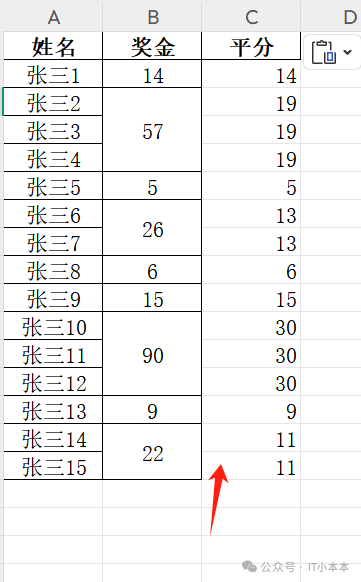
Python自动化处理奖金分摊:基于连续空值的智能分配算法升级
Python自动化处理奖金分摊:基于连续空值的智能分配算法升级 原创 IT小本本 IT小本本 2025年04月04日 02:00 北京 引言 在企业薪酬管理中,团队奖金分配常涉及复杂的分摊规则。传统手工分摊不仅效率低下,还容易因人为疏漏导致分配不公。 本文…...
AI工具箱源码+成品网站源码+springboot+vue
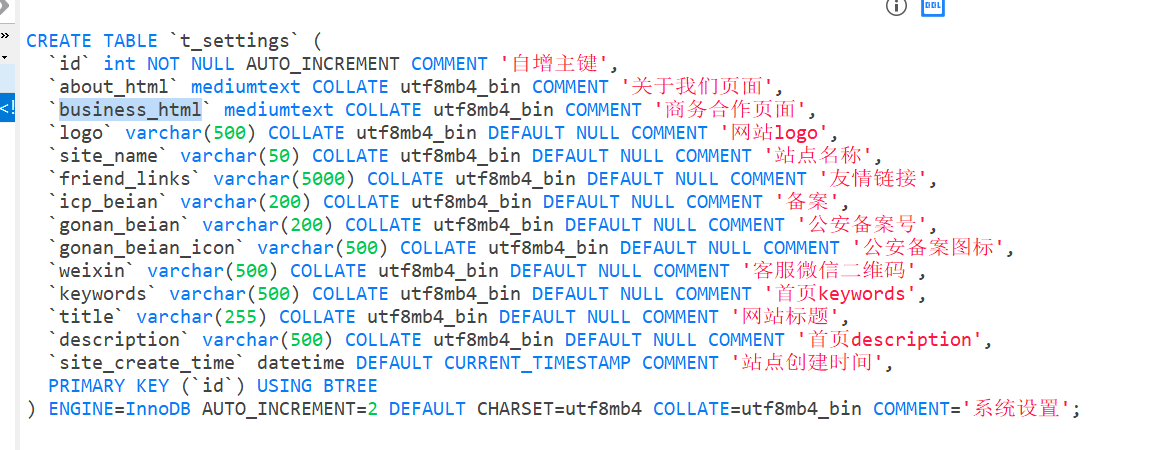
大家好,今天给大家分享一个靠AI广告赚钱的项目:AI工具箱成品网站源码,源码支持二开,但不允许转售!! 本人专门为小型企业和个人提供的解决方案。 不懂技术的也可以直接部署工具箱网站,成为站长&…...

centos7停服yum更新kernel失败解决办法
yum更新kernel均失败 由于centos停服,使用yum源安装内核失败 # rpm --import https://www.elrepo.org/RPM-GPG-KEY-elrepo.org# yum -y install https://www.elrepo.org/elrepo-release-7.0-4.el7.elrepo.noarch.rpm Loaded plugins: fastestmirror elrepo-release…...
如何下载免费地图数据?
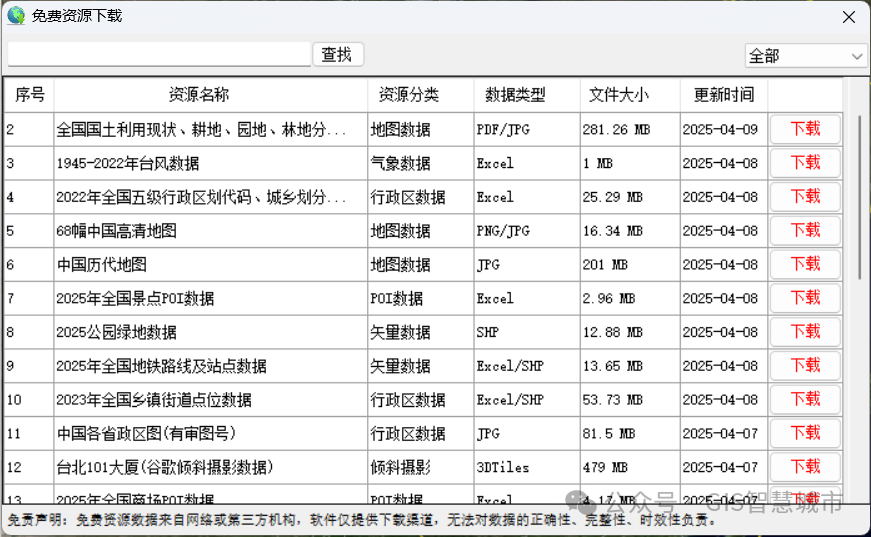
按照以下步骤下载免费地图数据。 1、安装GIS地图下载器 从GeoSaaS(.COM)官网下载“GIS地图下载器”软件:,安装完成后桌面上出现”GIS地图下载器“图标。 双击桌面图标打开”GIS地图下载器“ 2、下载地图数据 点击主界面底部的“…...
IO 口作为外部中断输入
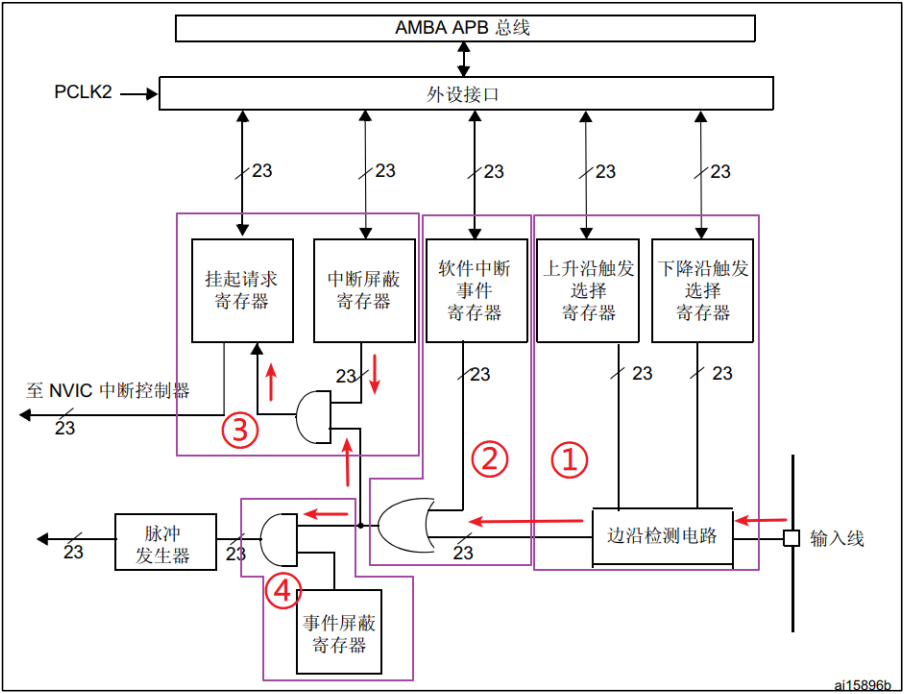
外部中断 1. NVIC2. EXTI 1. NVIC NVIC即嵌套向量中断控制器,它是内核的器件,M3/M4/M7 内核都是支持 256 个中断,其中包含了 16 个系统中断和 240 个外部中断,并且具有 256 级的可编程中断设置。然而芯片厂商一般不会把内核的这些…...

Go 语言实现的简单 CMS Web
Go 语言实现的简单 CMS Web 以下是一个使用 Go 语言实现的简单 CMS Web 演示代码示例, 包含基本的内容管理功能: 项目结构 ### 项目结构 cms-demo/ ├── main.go ├── handlers/ ├── models/ ├── views/ │ ├── home.html │ ├─…...
《MySQL基础:了解MySQL周边概念》
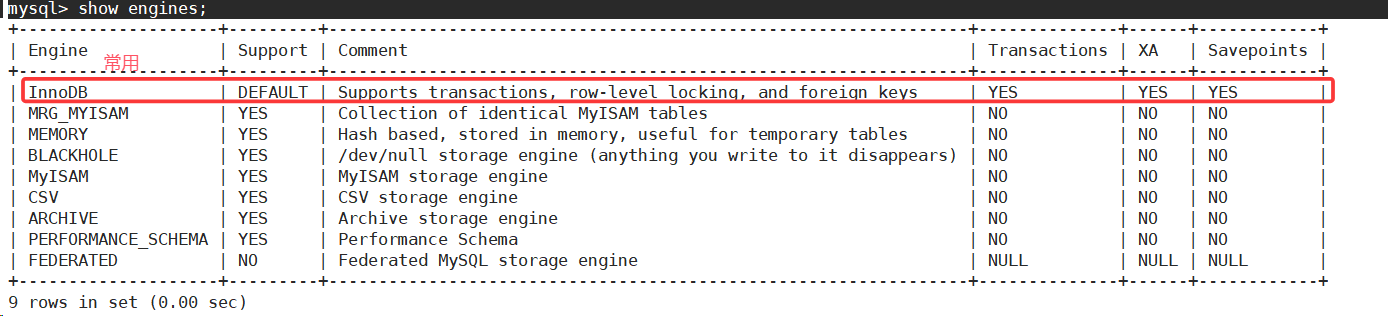
1.登录选项的认识 -h:指明登录部署了mysql服务的主机,默认为127.0.0.1-P:指明要访问的端口号,默认为3306-u:指明登录用户-p:指明登录密码 2.什么是数据库 2.1认识数据库 第一点理解。 mysql是数据库的客户…...

Spring boot 知识整理
一、SpringBoot 背景内容梳理 SpringBoot是一个基于Spring框架的开源框架,用于简化Spring应用程序的初始搭建和开发过程。它通过提供约定优于配置的方式,尽可能减少开发者的工作量,使得开发Spring应用变得更加快速、便捷和高效。 SpringBoot…...