
新闻业务--草稿箱
本人之前写的侧边栏渲染有点问题,超级管理员和其他的不兼容,所以修改了一下SideMenu:
import React, { useState, useEffect } from'react';
import { Layout, Menu } from 'antd';
import { useNavigate } from'react-router-dom';
import axios from 'axios';
import {UserOutlined,SettingOutlined,UploadOutlined,VideoCameraOutlined,AuditOutlined,FormOutlined,HomeOutlined,
} from '@ant-design/icons';
import './index.css';
import { useLocation } from'react-router-dom';const { SubMenu } = Menu;
const { Sider } = Layout;// **手动映射菜单项对应的图标**
const iconMap = {首页: <HomeOutlined />,用户管理: <UserOutlined />,用户列表: <UserOutlined />,权限管理: <SettingOutlined />,新闻管理: <FormOutlined />,审核管理: <AuditOutlined />,发布管理: <UploadOutlined />,
};function SideMenu() {const [menu, setMenu] = useState([]);const location = useLocation(); // 获取当前的路径useEffect(() => {axios.get('http://localhost:3000/rights?_embed=children').then((res) => {setMenu(res.data);}).catch((error) => {console.error('获取菜单数据失败:', error);// 可根据情况设置默认菜单数据或提示用户});
}, []);const navigate = useNavigate();const tokenData = JSON.parse(localStorage.getItem('token')) || {};
const { role = {} } = tokenData;
let allRights = [];// 兼容数组结构(普通角色)和对象结构(超级管理员)
if (Array.isArray(role.rights)) {allRights = role.rights;
} else if (typeof role.rights === 'object' && role.rights !== null) {const { checked = [], halfChecked = [] } = role.rights;allRights = [...checked, ...halfChecked];
}const checkPermission = (item) => {// 检查用户是否具有访问权限return item.pagepermisson && allRights.includes(item.key);};const renderMenu = (menuList) => {return menuList.map((item) => {const icon = iconMap[item.title] || <VideoCameraOutlined />; // 默认图标if (item.children?.length > 0 && checkPermission(item)) {return (<SubMenu key={item.key} icon={icon} title={item.title}>{renderMenu(item.children)}</SubMenu>);}return (checkPermission(item) && (<Menu.Itemkey={item.key}icon={icon}onClick={() => navigate(item.key)}>{item.title}</Menu.Item>));});};//找到路径const selectKeys = [location.pathname];//分割字符串const openKeys = ['/' + location.pathname.split('/')[1]];return (<Sider trigger={null} collapsible><div style={{ display: 'flex', height: '100%', flexDirection: 'column' }}><div className="logo">新闻发布系统</div><div style={{ flex: 1, overflow: 'auto' }}><Menutheme="dark"mode="inline"selectedKeys={selectKeys}defaultOpenKeys={openKeys}>{renderMenu(menu)}</Menu></div></div></Sider>);
}export default SideMenu;
列表
用一下之前写的RightList改一下代码:
import React,{useState,useEffect} from 'react';
import { Button,Table,Modal} from 'antd';
import { EditOutlined,DeleteOutlined,VerticalAlignTopOutlined,UploadOutlined,ExclamationCircleOutlined } from '@ant-design/icons';
import axios from 'axios';
import { data } from 'react-router-dom';
import { render } from 'nprogress';
const { confirm } = Modal;function NewsDraft() {const [dataSource,setdataSource]=useState([])const {username} = JSON.parse(localStorage.getItem('token'))useEffect(()=>{axios.get(`/news?author=${username}&auditState=0&_expand=category`).then(res=>{const list = res.datasetdataSource(list)})},[username])const columns = [{title: 'ID',dataIndex: 'id',render:(id)=>{return <b>{id}</b>}},{title: '新闻标题',dataIndex: 'title',},{title: '作者',dataIndex: 'author',},{title: '分类',dataIndex: 'category',render:(category)=>{return category.title}},{title: '操作',render:(record)=>{return <div><Button type="primary" shape="circle" icon={<EditOutlined />} disabled={record.pagepermisson === undefined }/>{/* 如果没有配置权限,就不显示 */}<Button danger type="primary" shape="circle" icon={<DeleteOutlined />} onClick={()=>confirmMethod(record)}/><Button shape="circle" icon={<UploadOutlined />}/></div>}},];const confirmMethod = (record) => {confirm({title: 'Do you Want to delete these items?',icon: <ExclamationCircleOutlined />,onOk() {deleteMethod(record)},onCancel() {console.log('Cancel');},});console.log('确认删除')};const deleteMethod = (record) => {// console.log(record);setdataSource(dataSource.filter(data=>data.id !== record.id))axios.delete(`/news/${record.id}`)};return (<div><Table dataSource={dataSource} columns={columns} pagination={{//一页显示几条数据pageSize:5}}rowKey={record=>record.id}/></div>);
}export default NewsDraft;
可以正常的显示和删除
预览路由及新闻
import React, { useEffect, useState } from 'react';
import { useParams, useNavigate } from 'react-router-dom';
import { Button, Typography, Space, Row, Col, Divider } from 'antd';
import { LeftOutlined } from '@ant-design/icons';
import axios from 'axios';const { Title } = Typography;export default function NewsPreview() {const { id } = useParams();const navigate = useNavigate();const [newsInfo, setNewsInfo] = useState(null);useEffect(() => {axios.get(`http://localhost:3000/news/${id}?_expand=category&_expand=role`).then(res => {setNewsInfo(res.data);});}, [id]);const auditMap = ['未审核', '审核中', '已通过', '未通过'];const publishMap = ['未发布', '待发布', '已上线', '已下线'];const colorMap = ['red', 'orange', 'green', 'gray'];return newsInfo && (<div style={{ padding: 24 }}>{/* 顶部标题区 */}<div style={{ display: 'flex', alignItems: 'center', marginBottom: 16 }}><Button type="text" icon={<LeftOutlined />} onClick={() => navigate(-1)} /><Title level={4} style={{ margin: 0 }}>{newsInfo.title}<span style={{ fontSize: 14, marginLeft: 12, color: '#999' }}>{newsInfo.category.title}</span></Title></div>{/* 信息栏 */}<Row gutter={[24, 16]}><Col span={8}><div>创建者:{newsInfo.author}</div><div>区域:{newsInfo.region}</div><div>访问数量:<span style={{ color: 'green' }}>{newsInfo.view}</span></div></Col><Col span={8}><div>创建时间:{newsInfo.createTime ? new Date(newsInfo.createTime).toLocaleString() : '-'}</div><div>审核状态:<span style={{ color: colorMap[newsInfo.auditState] }}>{auditMap[newsInfo.auditState]}</span></div><div>点赞数量:<span style={{ color: 'green' }}>{newsInfo.star}</span></div></Col><Col span={8}><div>发布时间:{newsInfo.publishTime ? new Date(newsInfo.publishTime).toLocaleString() : '-'}</div><div>发布状态:<span style={{ color: colorMap[newsInfo.publishState] }}>{publishMap[newsInfo.publishState]}</span></div><div>评论数量:<span style={{ color: 'blue' }}>{newsInfo.comment || 0}</span></div></Col></Row><Divider />{/* 正文内容 */}<div dangerouslySetInnerHTML={{ __html: newsInfo.content }} style={{ padding: 16, background: '#fff' }} /></div>);
}
这就是预览路由,,科文老师是用了antd的页头,但是在antd5中已经弃用了,所以采用Row和Col实现
更新新闻
很多都是复用之前newsAdd的组件的内容(主要是进行一下父子通信):
import React, { useState, useEffect,useRef } from 'react'
import {Breadcrumb,Typography,Button,Space,Steps,message,theme,Checkbox,Form,Input,Select,notification,
} from 'antd'
import style from './News.module.css'
import axios from 'axios'
import { set } from 'nprogress'
import NewsEditor from '../../../../src/components/news-manage/NewsEditor.jsx'
import { useNavigate } from 'react-router-dom'const { Title } = Typography
const description = 'This is a description'
const { Option } = Selectconst onFinish = (values) => {console.log('Success:', values)
}
const onFinishFailed = (errorInfo) => {console.log('Failed:', errorInfo)
}export default function NewsAdd(props) {const { token } = theme.useToken()const [current, setCurrent] = useState(0)const [categoryList, setCategoryList] = useState([])const [formInfo, setFormInfo] = useState({})//用于存储新闻内容const [content, setContent] = useState("")const User = JSON.parse(localStorage.getItem('token')) const NewsForm = useRef(null)const steps = [{title: '基本信息',content: (<Formname="basic"ref = {NewsForm}labelCol={{span: 4,}}wrapperCol={{span: 20,}}style={{maxWidth: 600,margin: '25px',}}initialValues={{remember: true,}}onFinish={onFinish}onFinishFailed={onFinishFailed}autoComplete="off"><Form.Itemlabel="新闻标题"name="title"rules={[{required: true,message: 'Please input your username!',},]}><Input></Input></Form.Item><Form.Itemlabel="新闻分类"name="categoryId"rules={[{required: true,message: 'Please input your username!',},]}><Select>{categoryList.map((item) => (<Select.Option value={item.id} key={item.id}>{item.title}</Select.Option>))}</Select></Form.Item></Form>),},{title: '新闻内容',// 留一个回调函数用于子传父content: <NewsEditor getContent={(value)=>{// console.log(value) setContent(value)}}></NewsEditor>,},{title: '新闻提交',content: '保存草稿 审核提交',},]const next = () => {if(current === 0){NewsForm.current.validateFields().then((res) => {setFormInfo(res)setCurrent(current + 1)}).catch((err) => {console.log(err)})}else{if(content === "" || content.trim()==="<p></p>"){//如果收集的是空的就不放行message.error('新闻内容不能为空')return}else{setCurrent(current + 1)}}}const prev = () => {setCurrent(current - 1)}const items = steps.map((item) => ({key: item.title,title: item.title,}))useEffect(() => {axios.get('/categories').then((res) => {setCategoryList(res.data)})}, [])// 在useEffect中处理历史内容(可以从服务器或父组件传递过来)useEffect(() => {// 如果props.content有值(历史内容),则初始化为该内容if (props.content) {setContent(props.content);  // 假设历史内容是props.content}}, [props.content]);const handleContentChange = (newContent) => {setContent(newContent); // 更新内容};// return (//   <div>//     {/* 将历史内容传递给 NewsEditor */}//     <NewsEditor content={content} getContent={handleContentChange} />//     {/* 其他代码 */}//   </div>// );const navigate = useNavigate()const handleSave = (auditState) => {axios.post('/news', {...formInfo,"content":content,"region": User.region?User.region:"全球","author": User.username,"roleId": User.roleId,"auditState": auditState,"publishState": 0,"createTime": Date.now(),"star":0,"view":0,"publishState": 0,}).then((res) => {//这个写法已经舍弃了//  props.history.push(auditState===0?'/news-manage/draft':'/audit-manage/list')navigate(auditState === 0 ? '/news-manage/draft' : '/audit-manage/list')notification.info({message:`通知`,description:`您可以到${auditState===0?'草稿箱':'审核列表'}查看您的新闻`,placement: 'bottomRight',})})
}return (<div style={{ marginBottom: 24 }}><Breadcrumbitems={[{ title: 'Home' }, { title: 'List' }, { title: 'App' }]}/><Space style={{ justifyContent: 'space-between', width: '100%' }}><Title level={2} style={{ margin: '16px 0' }}>撰写新闻</Title><Space><Button>Cancel</Button><Button type="primary">Submit</Button></Space></Space><Steps current={current} items={items} /><div>{steps[current].content}</div><divstyle={{marginTop: 24,}}>{current < steps.length - 1 && (<Button type="primary" onClick={() => next()}>Next</Button>)}{current === steps.length - 1 && (<><Buttontype="primary"style={{margin: '0 8px',}}onClick={() => handleSave(0)}>保存草稿</Button><Button type="primary" onClick={() => handleSave(1)}>提交审核</Button></>)}{current > 0 && (<Buttonstyle={{margin: '0 8px',}}onClick={() => prev()}>Previous</Button>)}</div></div>)
}
这是编辑:
import React, { useEffect, useState } from 'react'
import { Editor } from 'react-draft-wysiwyg'
import 'react-draft-wysiwyg/dist/react-draft-wysiwyg.css'
import { EditorState, convertToRaw,ContentState } from 'draft-js'
import htmlToDraft from 'html-to-draftjs';
import draftToHtml from 'draftjs-to-html';
import { set } from 'nprogress';export default function NewsEditor(props) {useEffect(() => {const html = props.content;if(html===undefined) returnconst contentBlock = htmlToDraft(html);if (contentBlock) {const contentState = ContentState.createFromBlockArray(contentBlock.contentBlocks);const editorState = EditorState.createWithContent(contentState);setEditorState(editorState)}}, [props.content])// 定义 editorState 初始状态const [editorState, setEditorState] = useState()// 处理 editorState 更新const onEditorStateChange = (newState) => {setEditorState(newState)}return (<div><EditoreditorState={editorState}toolbarClassName="toolbarClassName"wrapperClassName="wrapperClassName"editorClassName="editorClassName"onEditorStateChange={onEditorStateChange}onBlur={()=>{//进行回调props.getContent(draftToHtml(convertToRaw(editorState.getCurrentContent())))}}/></div>)
}
在更新的时候记得把axios请求改成patch,否则还是会新建:
import React, { useState, useEffect,useRef, } from 'react'
import {Breadcrumb,Typography,Button,Space,Steps,message,theme,Checkbox,Form,Input,Select,notification,
} from 'antd'
import style from './News.module.css'
import axios from 'axios'
import { set } from 'nprogress'
import NewsEditor from '../../../../src/components/news-manage/NewsEditor.jsx'
import { useNavigate,useParams, } from 'react-router-dom'
import { LeftOutlined } from '@ant-design/icons';const { Title } = Typography
const description = 'This is a description'
const { Option } = Selectconst onFinish = (values) => {console.log('Success:', values)
}
const onFinishFailed = (errorInfo) => {console.log('Failed:', errorInfo)
}export default function NewsUpdate(props) {const { token } = theme.useToken()const [current, setCurrent] = useState(0)const [categoryList, setCategoryList] = useState([])const { Title } = Typography;const [formInfo, setFormInfo] = useState({})const [content, setContent] = useState("")const User = JSON.parse(localStorage.getItem('token')) const NewsForm = useRef(null)const steps = [{title: '基本信息',content: (<Formname="basic"ref = {NewsForm}labelCol={{span: 4,}}wrapperCol={{span: 20,}}style={{maxWidth: 600,margin: '25px',}}initialValues={{remember: true,}}onFinish={onFinish}onFinishFailed={onFinishFailed}autoComplete="off"><Form.Itemlabel="新闻标题"name="title"rules={[{required: true,message: 'Please input your username!',},]}><Input></Input></Form.Item><Form.Itemlabel="新闻分类"name="categoryId"rules={[{required: true,message: 'Please input your username!',},]}><Select>{categoryList.map((item) => (<Select.Option value={item.id} key={item.id}>{item.title}</Select.Option>))}</Select></Form.Item></Form>),},{title: '新闻内容',// 留一个回调函数用于子传父content: <NewsEditor getContent={(value)=>{// console.log(value) setContent(value)}} content={content}></NewsEditor>,},{title: '新闻提交',content: '保存草稿 审核提交',},]const next = () => {if(current === 0){NewsForm.current.validateFields().then((res) => {setFormInfo(res)setCurrent(current + 1)}).catch((err) => {console.log(err)})}else{if(content === "" || content.trim()==="<p></p>"){//如果收集的是空的就不放行message.error('新闻内容不能为空')return}else{setCurrent(current + 1)}}}const prev = () => {setCurrent(current - 1)}const items = steps.map((item) => ({key: item.title,title: item.title,}))useEffect(() => {axios.get('/categories').then((res) => {setCategoryList(res.data)})}, [])//取出历史信息const { id } = useParams();useEffect(() => {axios.get(`http://localhost:3000/news/${id}?_expand=category&_expand=role`).then(res => {//   setNewsInfo(res.data);let {content} = res.dataNewsForm.current.setFieldsValue(res.data)setContent(content);});}, [id]);const navigate = useNavigate()const handleSave = (auditState) => {axios.patch(`/news/${id}`, {...formInfo,"content":content,"region": User.region?User.region:"全球","author": User.username,"roleId": User.roleId,"auditState": auditState,"publishState": 0,"createTime": Date.now(),"star":0,"view":0,"publishState": 0,}).then((res) => {//这个写法已经舍弃了//  props.history.push(auditState===0?'/news-manage/draft':'/audit-manage/list')navigate(auditState === 0 ? '/news-manage/draft' : '/audit-manage/list')notification.info({message:`通知`,description:`您可以到${auditState===0?'草稿箱':'审核列表'}查看您的新闻`,placement: 'bottomRight',})})
}return (<div style={{ marginBottom: 24 }}><Breadcrumbitems={[{ title: 'Home' }, { title: 'List' }, { title: 'App' }]}/><Space style={{ justifyContent: 'space-between', width: '100%' }}><Space align="center"><Buttonicon={<LeftOutlined />}type="text"onClick={() => navigate(-1)}/><Title level={2} style={{ margin:'16px 0' }}>更新新闻</Title></Space>{/* 右边:按钮组 */}<Space><Button>Cancel</Button><Button type="primary">Submit</Button></Space></Space><Steps current={current} items={items} /><div>{steps[current].content}</div><divstyle={{marginTop: 24,}}>{current < steps.length - 1 && (<Button type="primary" onClick={() => next()}>Next</Button>)}{current === steps.length - 1 && (<><Buttontype="primary"style={{margin: '0 8px',}}onClick={() => handleSave(0)}>保存草稿</Button><Button type="primary" onClick={() => handleSave(1)}>提交审核</Button></>)}{current > 0 && (<Buttonstyle={{margin: '0 8px',}}onClick={() => prev()}>Previous</Button>)}</div></div>)
}
提交审核
现在要实现点击按钮可以提交到审核列表
import React, { useState, useEffect } from 'react'
import { Button, Table, Modal } from 'antd'
import {EditOutlined,DeleteOutlined,VerticalAlignTopOutlined,UploadOutlined,ExclamationCircleOutlined,
} from '@ant-design/icons'
import axios from 'axios'
import { data } from 'react-router-dom'
import { render } from 'nprogress'
import { useNavigate } from 'react-router-dom'
import { notification } from 'antd'const { confirm } = Modalfunction NewsDraft(props) {const [dataSource, setdataSource] = useState([])const navigate = useNavigate()const { username } = JSON.parse(localStorage.getItem('token'))useEffect(() => {axios.get(`/news?author=${username}&auditState=0&_expand=category`).then((res) => {const list = res.datasetdataSource(list)})}, [username])const columns = [{title: 'ID',dataIndex: 'id',render: (id) => {return <b>{id}</b>},},{title: '新闻标题',dataIndex: 'title',render: (title, item) => {return <a href={`#/news-manage/preview/${item.id}`}>{title}</a>},},{title: '作者',dataIndex: 'author',},{title: '分类',dataIndex: 'category',render: (category) => {return category.title},},{title: '操作',render: (record) => {return (<div><Buttontype="primary"shape="circle"icon={<EditOutlined />}onClick={() => {navigate(`/news-manage/update/${record.id}`)}}/>{/* 如果没有配置权限,就不显示 */}<Buttondangertype="primary"shape="circle"icon={<DeleteOutlined />}onClick={() => confirmMethod(record)}/>{/* 在这添加提交事件 */}<Buttonshape="circle"icon={<UploadOutlined />}onClick={() => handleCheck(record.id)}/></div>)},},]//做补丁请求const handleCheck = (id) => {axios.patch(`/news/${id}`, {// 正在审核auditState: 1,}).then((res) => {navigate('/audit-manage/list')notification.info({message: `通知`,description: `您可以到审核列表查看您的新闻`,placement: 'bottomRight',})})}const confirmMethod = (record) => {confirm({title: 'Do you Want to delete these items?',icon: <ExclamationCircleOutlined />,onOk() {deleteMethod(record)},onCancel() {console.log('Cancel')},})console.log('确认删除')}const deleteMethod = (record) => {// console.log(record);setdataSource(dataSource.filter((data) => data.id !== record.id))axios.delete(`/news/${record.id}`)}return (<div><TabledataSource={dataSource}columns={columns}pagination={{//一页显示几条数据pageSize: 5,}}rowKey={(record) => record.id}/></div>)
}export default NewsDraft
相关文章:

新闻业务--草稿箱
本人之前写的侧边栏渲染有点问题,超级管理员和其他的不兼容,所以修改了一下SideMenu: import React, { useState, useEffect } fromreact; import { Layout, Menu } from antd; import { useNavigate } fromreact-router-dom; import axios …...
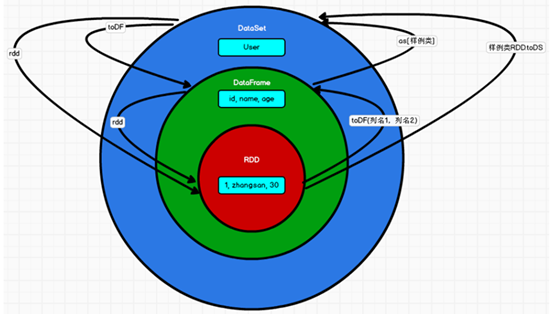
Spark-SQL核心编程(二)(三)
Spark-SQL核心编程(二) DSL 语法 DataFrame 提供一个特定领域语言(domain-specific language, DSL)去管理结构化的数据。 可以在 Scala, Java, Python 和 R 中使用 DSL,使用 DSL 语法风格不必去创建临时视图了。 1.创建一个 DataFrame val d…...

Spring Boot整合Kafka的详细步骤
1. 安装Kafka 下载Kafka:从Kafka官网下载最新版本的Kafka。 解压并启动: 解压Kafka文件后,进入bin目录。 启动ZooKeeper:./zookeeper-server-start.sh ../config/zookeeper.properties。 启动Kafka:./kafka-server-…...

【EI/Scopus顶会矩阵】2025年5-6月涵盖统计建模、数智转型、信息工程、数字系统、自动化系统领域,硕博生执笔未来!
【EI/Scopus顶会矩阵】2025年5-6月涵盖统计建模、数智转型、信息工程、数字系统、自动化系统领域,硕博生执笔未来! 【EI/Scopus顶会矩阵】2025年5-6月涵盖统计建模、数智转型、信息工程、数字系统、自动化系统领域,硕博生执笔未来࿰…...

Kubernetes 节点摘除指南
目录 一、安全摘除节点的标准流程 1. 确认节点名称及状态 2. 标记节点为不可调度 3. 排空(Drain)节点 4. 删除节点 二、验证节点是否成功摘除 1. 检查节点列表 2. 检查节点详细信息 3. 验证 Pod 状态 三、彻底清理节点(可选…...

ReliefF 的原理
🌟 ReliefF 是什么? ReliefF 是一种“基于邻居差异”的特征选择方法,用来评估每个特征对分类任务的贡献大小。 它的核心问题是: “我怎么知道某个特征是不是重要?是不是有能力把不同类别的数据区分开?” 而…...
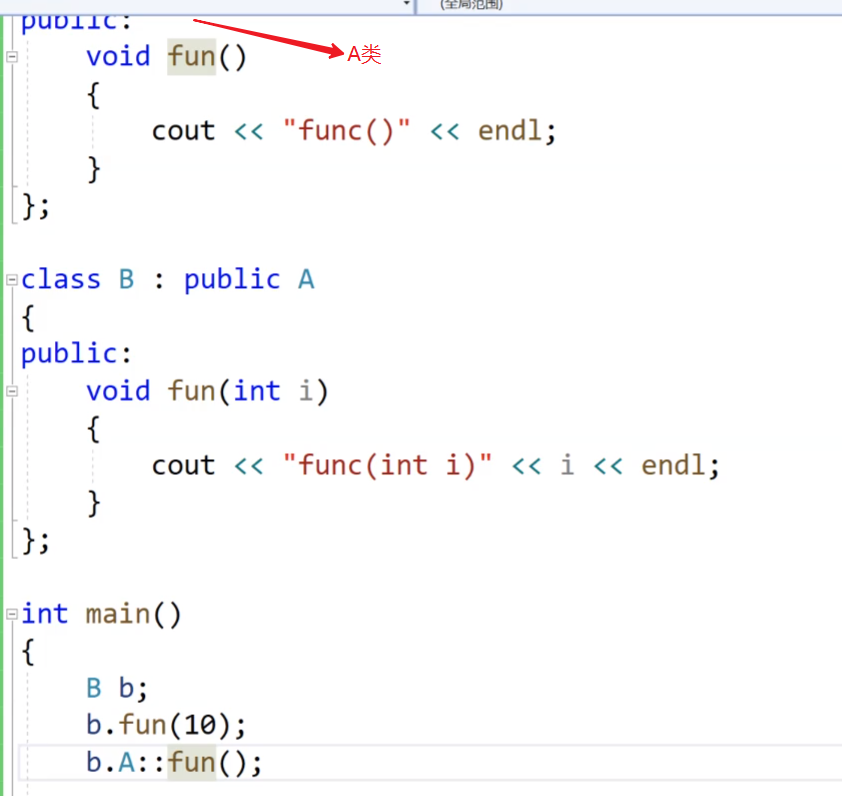
继承:(开始C++的进阶)
我们今天来学习C的进阶: 面向对象三大特性:封装,继承,多态。 封装我们在前面已经学了,我们细细理解,我们的类的封装,迭代器的封装(vector的迭代器可以是他的原生指针,li…...
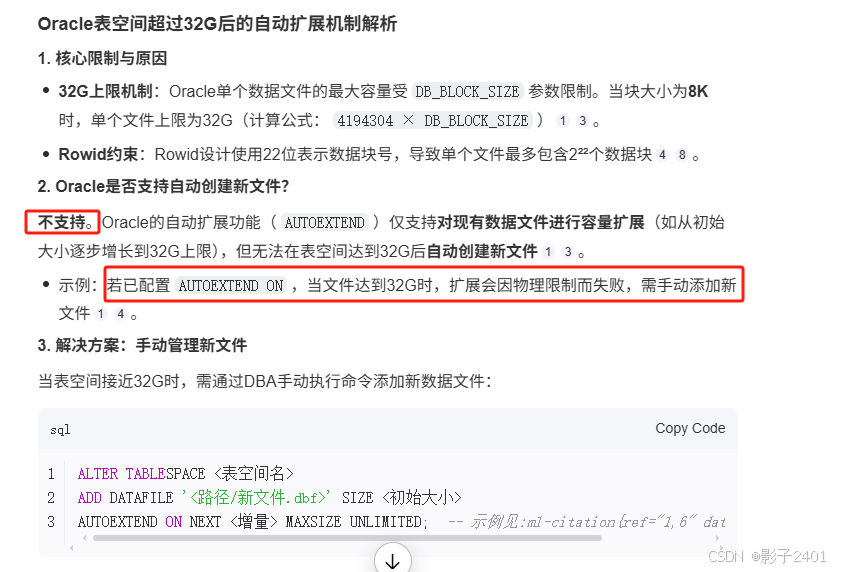
oracle数据库单个表空间达到32G后程序报错表空间不足问题排查、处理
oracle数据库单个表空间达到32G后程序报错表空间不足问题排查、处理 系统宕机tomcat日志报错表空间无法增长,排查发现oralce表空间文件到了32G。 通过AI查了下,“oracle是否支持表空间达到32G后,自动创建新的表空间文件” 答复是oralce不支…...
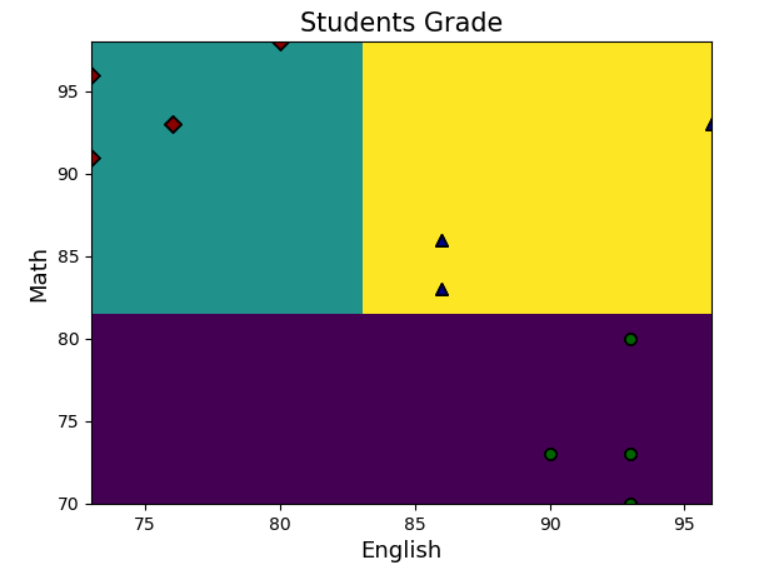
人工智能——梯度提升决策树算法
目录 摘要 14 梯度提升决策树 14.1 本章工作任务 14.2 本章技能目标 14.3 本章简介 14.4 编程实战 14.5 本章总结 14.6 本章作业 本章已完结! 摘要 本章实现的工作是:首先采用Python语言读取含有英语成绩、数学成绩以及学生所属类型的样本数据…...

数据结构学习笔记 :基本概念、算法特性与线性表实现
目录 数据的逻辑结构数据的物理结构算法的五大特性好的算法目标时间复杂度与空间复杂度线性表的顺序存储(顺序表) 6.1 静态分配 6.2 动态分配 6.3 基本操作及时间复杂度 一、数据的逻辑结构 数据的逻辑结构描述数据元素之间的逻辑关系,分为…...
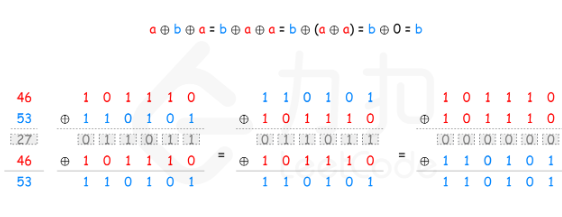
【leetcode hot 100 136】只出现一次的数字
解法一:(异或XOR)相同的数字出现两次则归零 class Solution {public int singleNumber(int[] nums) {int result 0;for(int num:nums){result ^ num;}return result;} }注意: 其他方法:HashList记录次数再查找数组&a…...
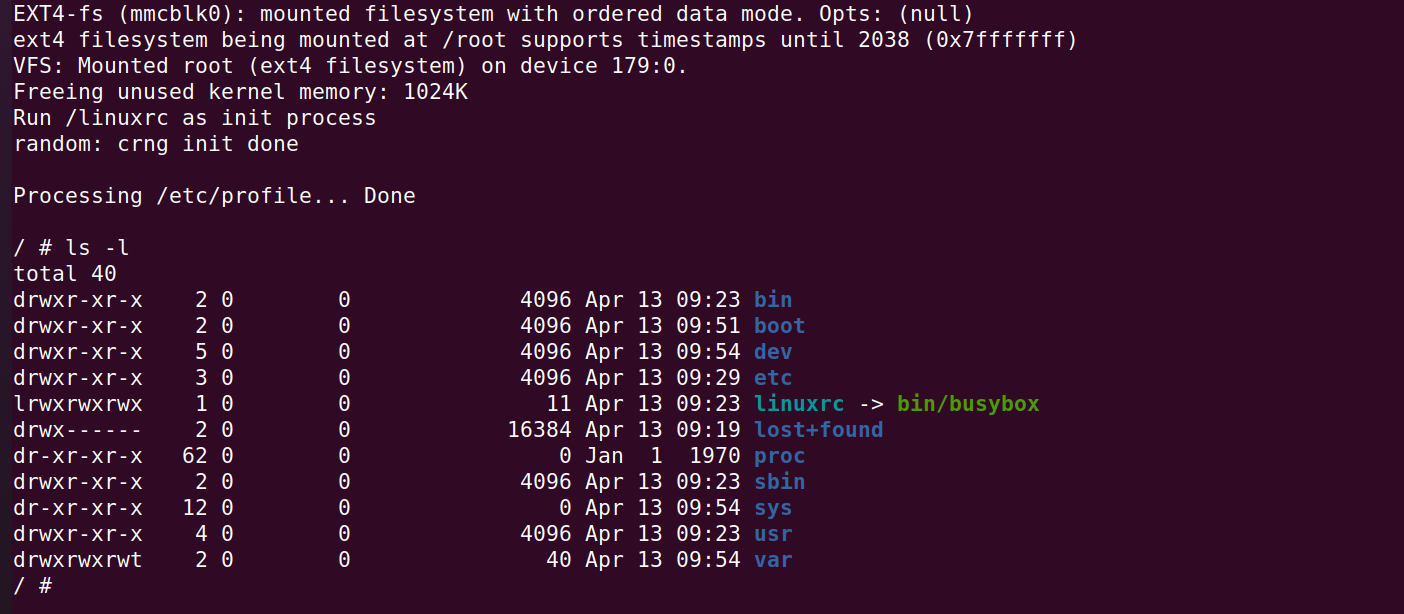
QEMU学习之路(8)— ARM32通过u-boot 启动Linux
QEMU学习之路(8)— ARM32通过u-boot 启动Linux 一、前言 参考文章: Linux内核学习——内核的编译和启动 Linux 内核的编译和模拟执行 Linux内核运行——根文件系统 Linux 内核学习——使用 uboot 加载内核 二、构建Linux内核 1、获取Linu…...
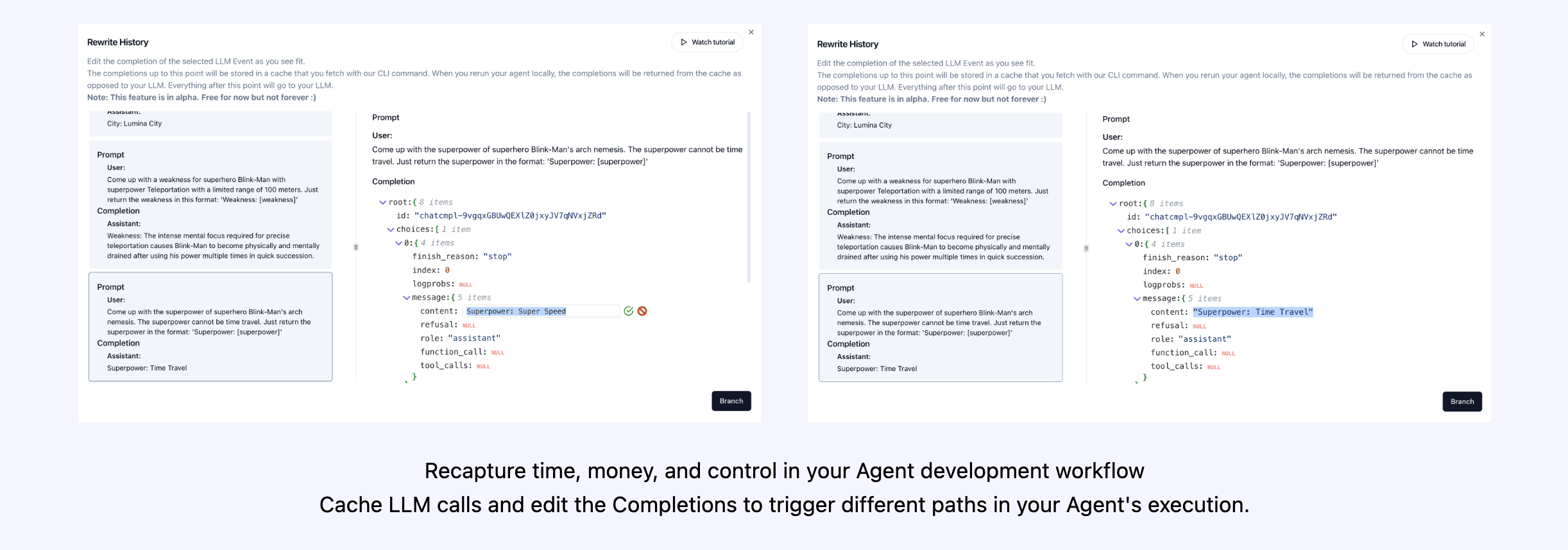
AgentOps - 帮助开发者构建、评估和监控 AI Agent
文章目录 一、关于 AgentOps二、关键集成 🔌三、快速开始 ⌨️2行代码中的Session replays 首类开发者体验 四、集成 🦾OpenAI Agents SDK 🖇️CrewAI 🛶AG2 🤖Camel AI 🐪Langchain 🦜…...
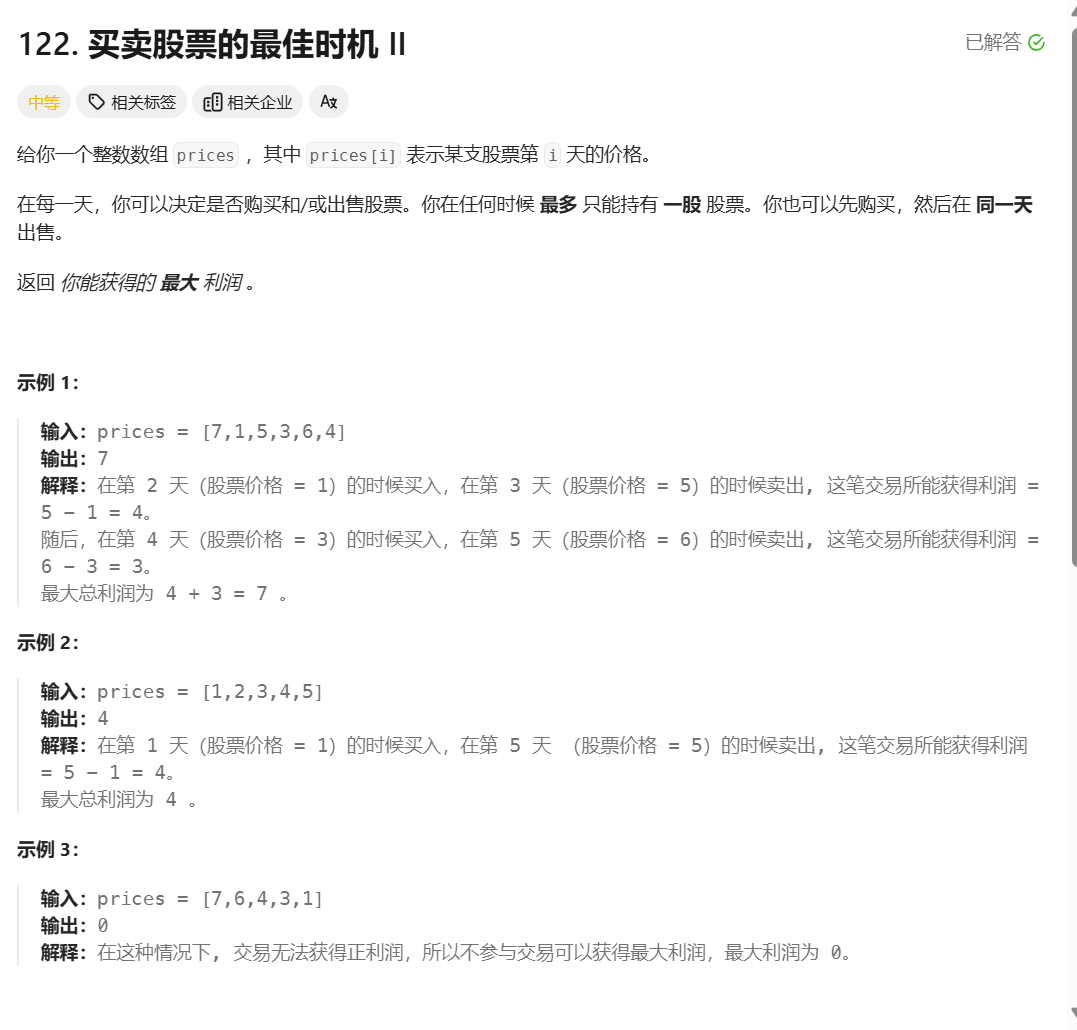
leetcode 122. Best Time to Buy and Sell Stock II
题目描述 这道题可以用贪心思想解决。 本文介绍用动态规划解决。本题分析方法与第121题一样,详见leetcode 121. Best Time to Buy and Sell Stock 只有一点区别。第121题全程只能买入1次,因此如果第i天买入股票,买之前的金额肯定是初始金额…...
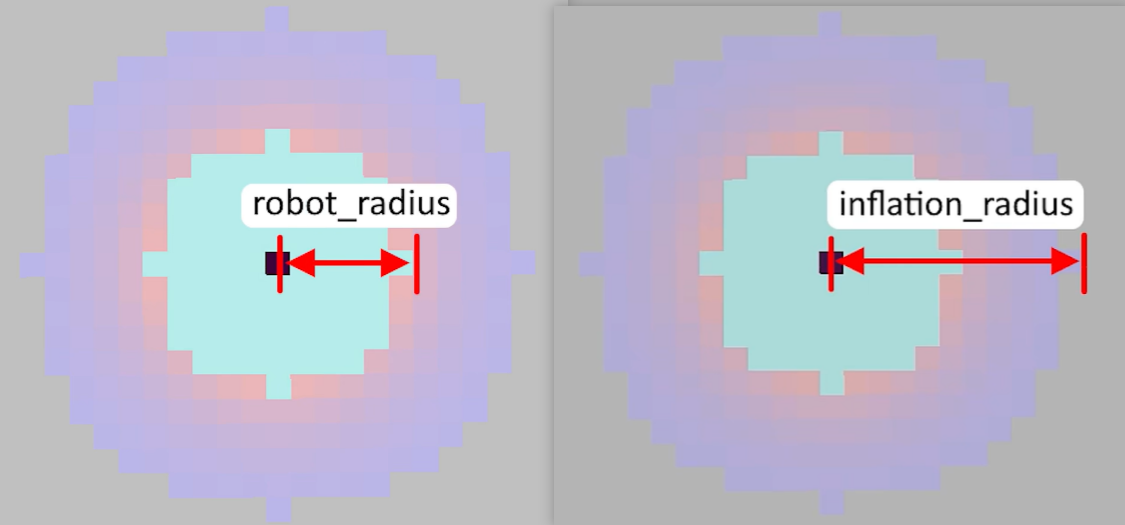
【ROS】代价地图
【ROS】代价地图 前言代价地图(Costmap)概述代价地图的参数costmap_common_params.yaml 参数说明costmap_common_params.yaml 示例说明global_costmap.yaml 参数说明global_costmap.yaml 示例说明local_costmap.yaml 参数说明local_costmap.yaml 示例说明…...
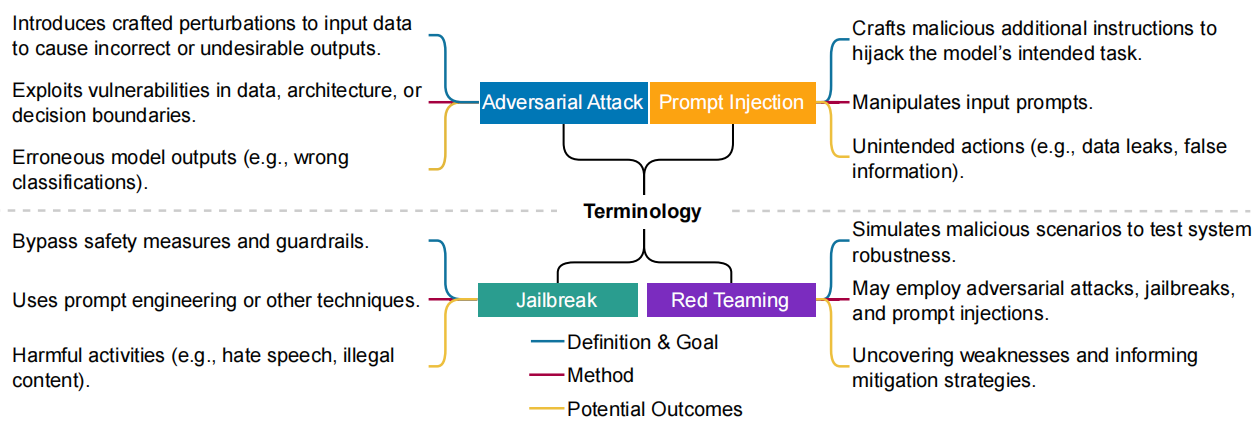
《Against The Achilles’ Heel: A Survey on Red Teaming for Generative Models》全文阅读
《Against The Achilles’ Heel: A Survey on Red Teaming for Generative Models》 突破阿基里斯之踵:生成模型红队对抗综述 摘要 生成模型正迅速流行并被整合到日常应用中,随着各种漏洞暴露,其安全使用引发担忧。鉴于此,红队…...
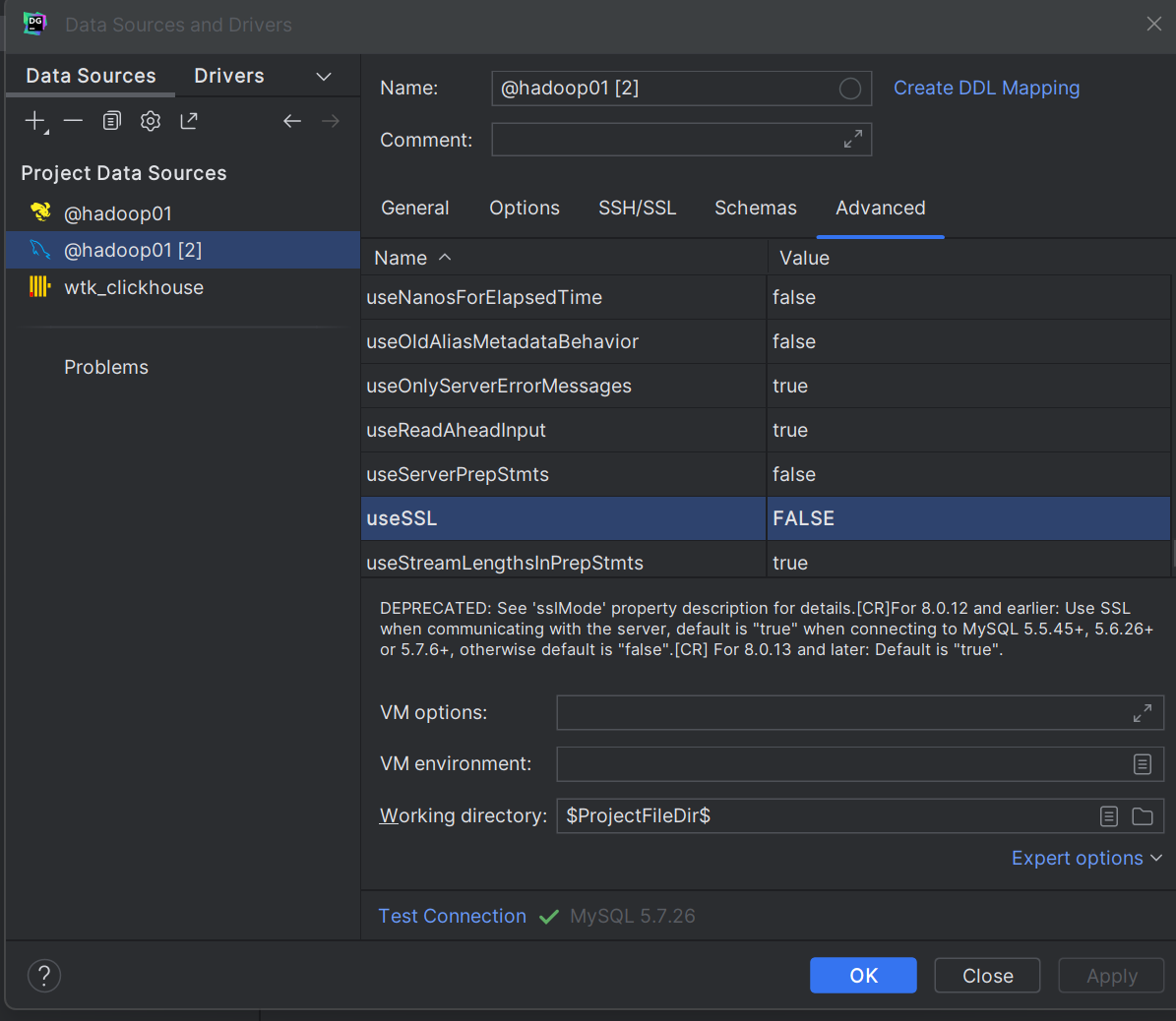
datagrip连接mysql问题5.7.26
1.Case sensitivity: plainmixed, delimitedexac Remote host terminated the handshake. 区分大小写:plain混合,分隔exac 远程主机终止了握手。 原因:usessl 参数用于指定是否使用 SSL(Secure Sockets Layer)加密来保护数据传…...

文件内容课堂总结
Spark-SQL连接Hive Apache Hive是Hadoop上的SQL引擎,Spark SQL编译时可选择是否包含Hive支持。包含Hive支持的版本支持Hive表访问、UDF及HQL。生产环境推荐编译时引入Hive支持。 内嵌Hive 直接使用无需配置,但生产环境极少采用。 外部Hive 需完成以下配置…...
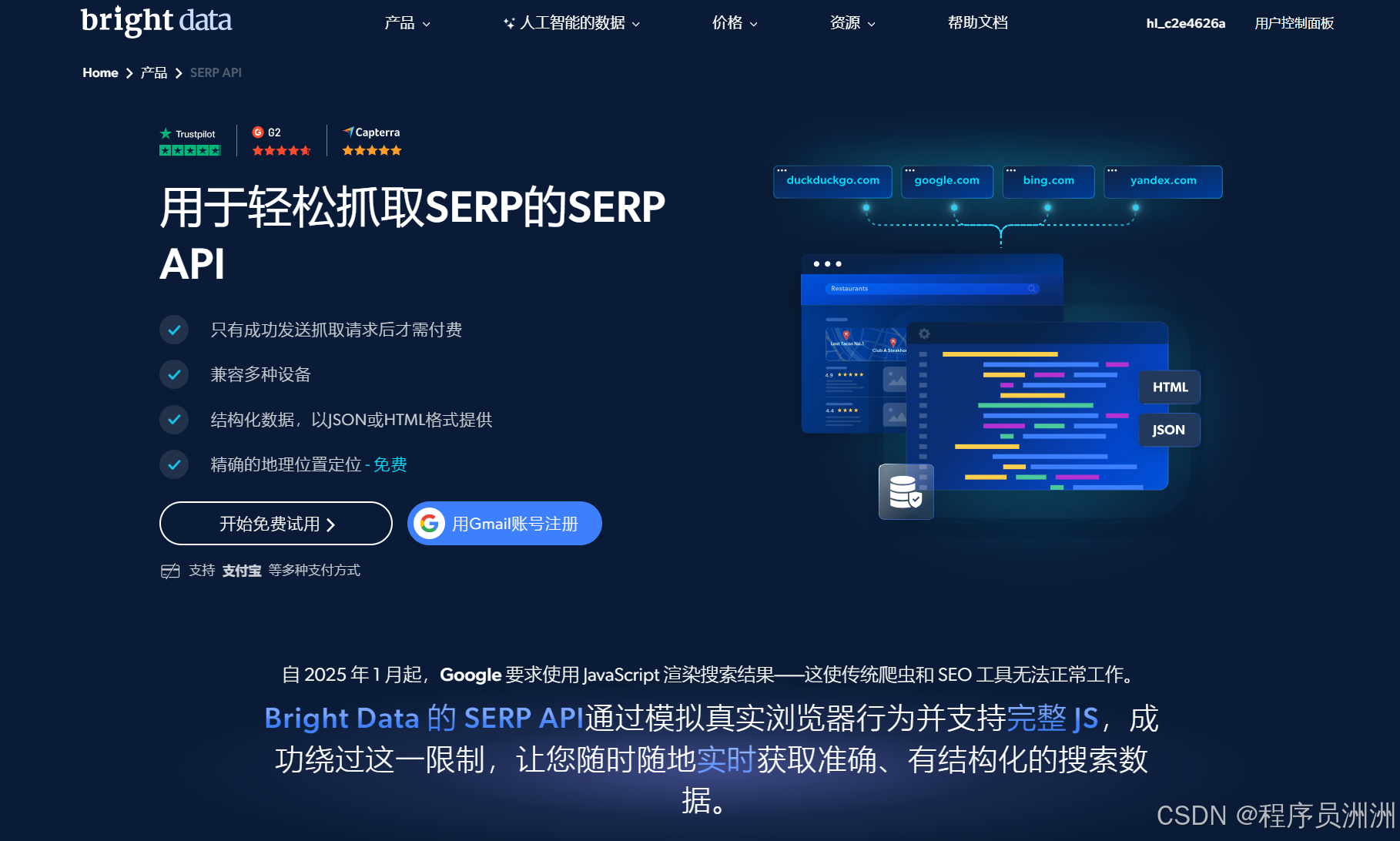
探索亮数据Web Unlocker API:让谷歌学术网页科研数据 “触手可及”
本文目录 一、引言二、Web Unlocker API 功能亮点三、Web Unlocker API 实战1.配置网页解锁器2.定位相关数据3.编写代码 四、Web Scraper API技术亮点 五、SERP API技术亮点 六、总结 一、引言 网页数据宛如一座蕴藏着无限价值的宝库,无论是企业洞察市场动态、制定…...

AF3 create_alignment_db_sharded脚本process_chunk函数解读
AlphaFold3 create_alignment_db_sharded 脚本在源代码的scripts/alignment_db_scripts文件夹下。该脚本中的 process_chunk 函数通过调用 read_chain_dir 函数,读取每个链的多序列比对(MSA)文件并整理成统一格式的字典结构chunk_data 返回。 函数功能: read_chain_dir:读…...
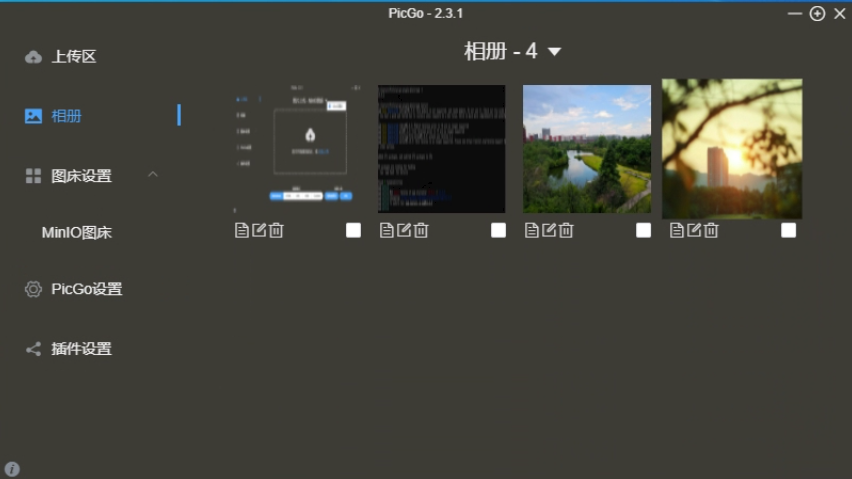
【本地MinIO图床远程访问】Cpolar TCP隧道+PicGo插件,让MinIO图床一键触达
写在前面:本博客仅作记录学习之用,部分图片来自网络,如需引用请注明出处,同时如有侵犯您的权益,请联系删除! 文章目录 前言MinIO本地安装与配置cpolar 内网穿透PicGo 安装MinIO远程访问总结互动致谢参考目录…...

PyTorch的benchmark模块
PyTorch的benchmark模块主要用于性能测试和优化,包含核心工具库和预置测试项目两大部分。以下是其核心功能与使用方法的详细介绍: 1. 核心工具:torch.utils.benchmark 这是PyTorch内置的性能测量工具,主要用于代码片段的执行时间…...

Spring Boot 参数校验 Validation 终极指南
1. 概述 Spring Validation 基于 JSR-303(Bean Validation)规范,通过Validated注解实现声明式校验。核心优势: 零侵入性:基于 AOP 实现方法拦截校验规范统一:兼容 Bean Validation 标准注解功能扩展&…...
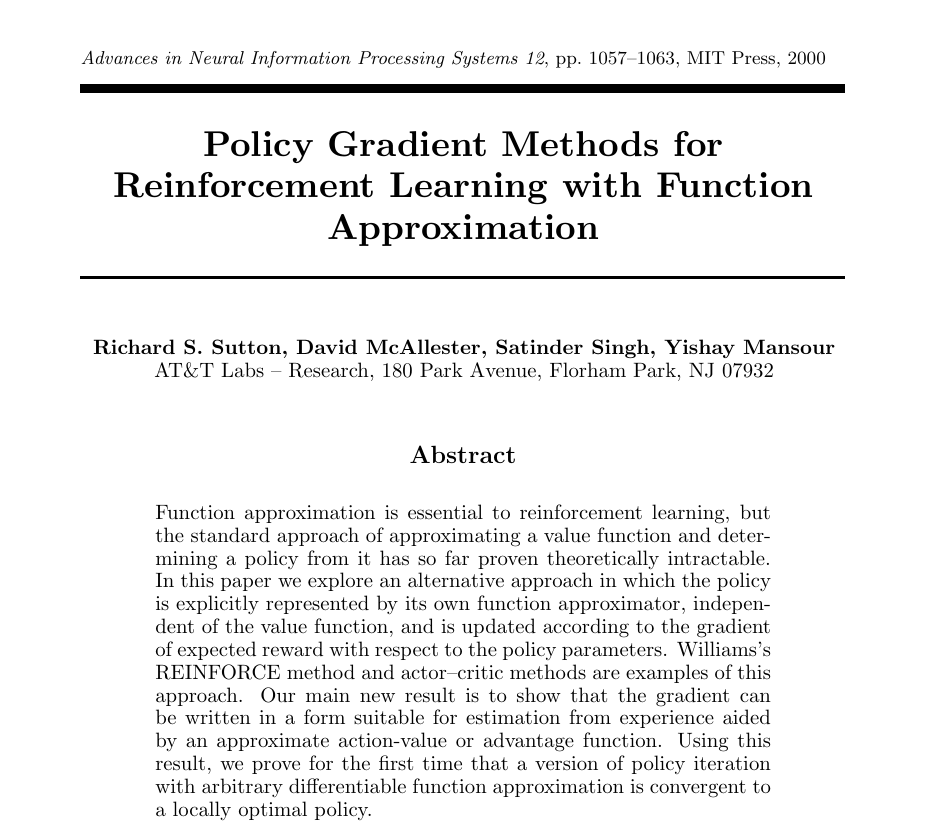
Policy Gradient思想、REINFORCE算法,以及贪吃蛇小游戏(一)
文章目录 Policy Gradient思想论文REINFORCE算法论文Policy Gradient思想和REINFORCE算法的关系用一句人话解释什么是REINFORCE算法策略这个东西实在是太抽象了,它可以是一个什么我们能实际感受到的东西?你说的这个我理解了,但这个东西,我怎么优化?在一堆函数中,找到最优…...

Angular 框架详解:从入门到进阶
Hi,我是布兰妮甜 !在当今快速发展的 Web 开发领域,Angular 作为 Google 主导的企业级前端框架,以其完整的解决方案、强大的类型系统和丰富的生态系统,成为构建大型复杂应用的首选。不同于其他渐进式框架,An…...
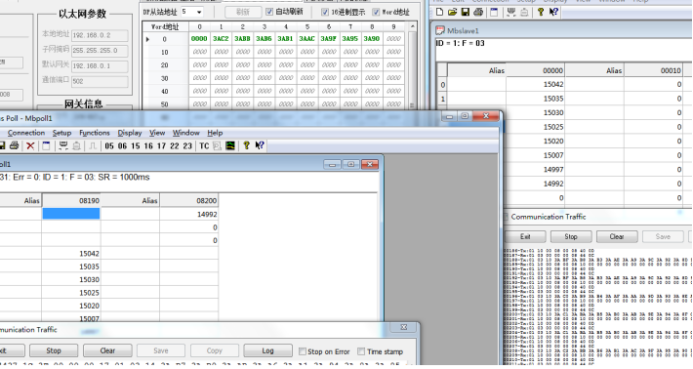
Profibus DP主站转modbusTCP网关与dp从站通讯案例
Profibus DP主站转modbusTCP网关与dp从站通讯案例 在当前工业自动化的浪潮中,不同协议之间的通讯转换成为了提升生产效率和实现设备互联的关键。Profibus DP作为一种广泛应用的现场总线技术,与Modbus TCP的结合,为工业自动化系统的集成带来了…...
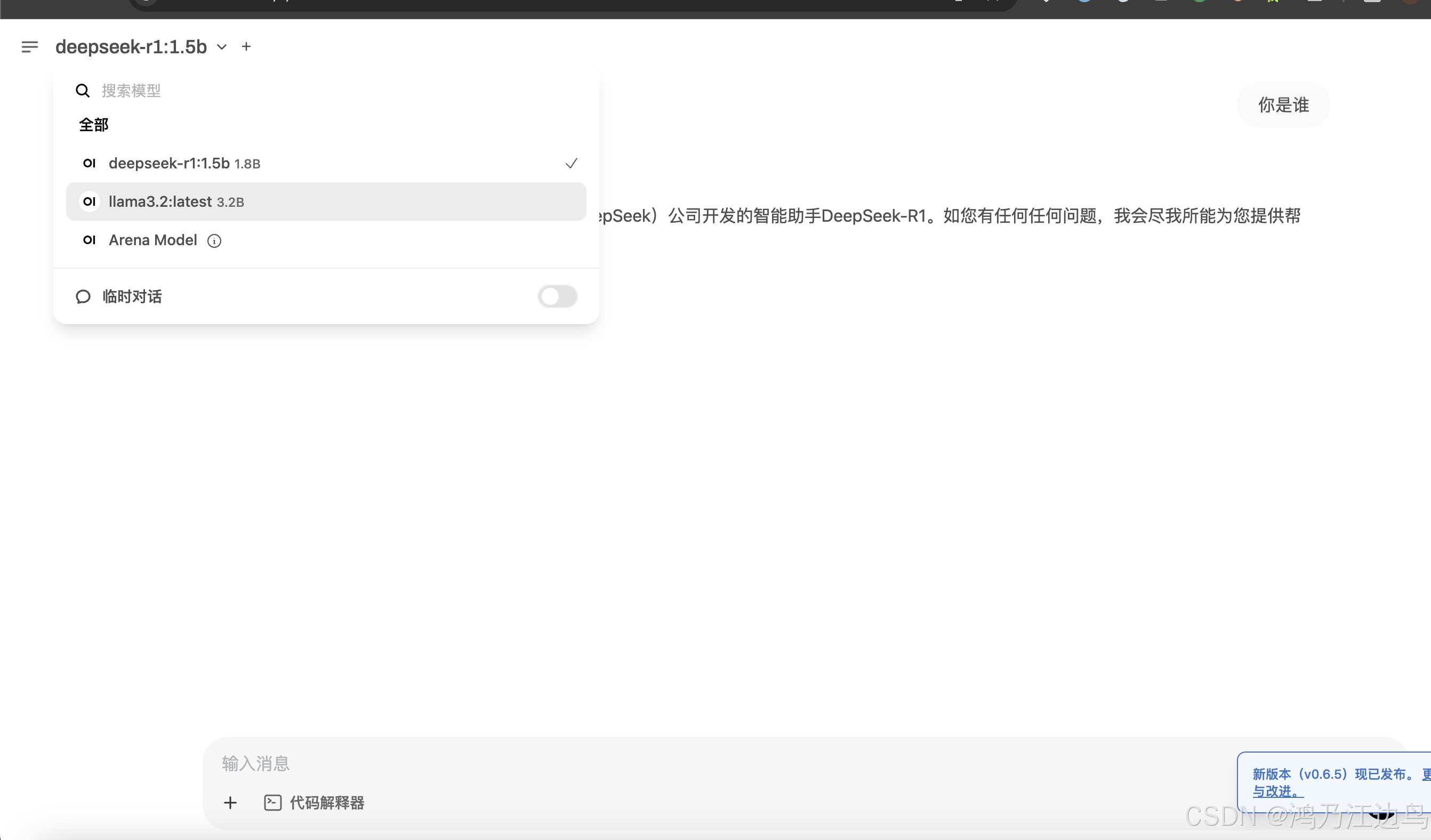
快速部署大模型 Openwebui + Ollama + deepSeek-R1模型
背景 本文主要快速部署一个带有web可交互界面的大模型的应用,主要用于开发测试节点,其中涉及到的三个组件为 open-webui Ollama deepSeek开放平台 首先 Ollama 是一个开源的本地化大模型部署工具,提供与OpenAI兼容的Api接口,可以快速的运…...

Ethan独立开发产品日报 | 2025-04-15
1. Whatting 专属于你的iPad日记 还在Goodnotes里使用PDF模板吗?是时候告别到处翻找PDF的日子了——来试试Whatting吧!在Whatting中,你可以根据自己的喜好,灵活组合小部件,打造专属的日记布局。今天就免费开始吧&…...
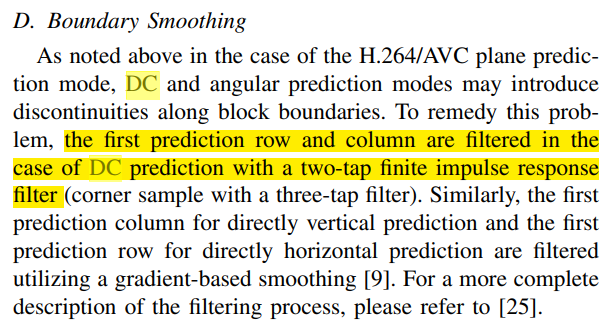
H.265硬件视频编码器xk265代码阅读 - 帧内预测
源代码地址: https://github.com/openasic-org/xk265 帧内预测具体逻辑包含在代码xk265\rtl\rec\rec_intra\intra_pred.v 文件中。 module intra_pred() 看起来是每次计算某个4x4块的预测像素值。 以下代码用来算每个pred_angle的具体数值,每个mode_i对应…...
Arcgis经纬线标注设置(英文、刻度显示)
在arcgis软件中绘制地图边框,添加经纬度度时常常面临经纬度出现中文,如下图所示: 解决方法,设置一下Arcgis的语言 点击高级--确认 这样Arcgis就转为英文版了,此时在来看经纬线刻度的标注,自动变成英文...