
SpringBoot集成Redisson实现延迟队列
一、场景
1、下单未支付,超过10分钟取消订单
2、货到后7天未评价,自动好评
二、实现方案
1、使用xxl-job 定时任务按时检测,实时性不高
2、使用RabitMQ的插件rabbitmq_delayed_message_exchange插件
3、 redis的过期检测 redis.conf 中,加入一条配置notify-keyspace-events Ex开启过期监听
等等有很多方法,本文探索SpringBoot+Redisson实现该业务
三、代码
1、pom依赖
<!-- 引入 redisson--><dependency><groupId>org.redisson</groupId><artifactId>redisson-spring-boot-starter</artifactId><version>3.15.4</version></dependency>2、prop配置redis配置
spring:redis:host: 127.0.0.1port: 6379password: redisdatabase: 1timeout: 6000
3、创建RedissionConfig配置
config/RedissonConfig.java
package com.msb.crm.config;import org.redisson.Redisson;
import org.redisson.api.RedissonClient;
import org.redisson.config.Config;
import org.springframework.beans.factory.annotation.Value;
import org.springframework.context.annotation.Bean;
import org.springframework.context.annotation.Configuration;/*** 创建 RedissonConfig 配置* <p>* Created by fengqx*/
@Configuration
public class RedissonConfig {@Value("${spring.redis.host}")private String host;@Value("${spring.redis.port}")private int port;@Value("${spring.redis.database}")private int database;@Value("${spring.redis.password}")private String password;@Beanpublic RedissonClient redissonClient() {Config config = new Config();config.useSingleServer().setAddress("redis://" + host + ":" + port).setDatabase(database);
//                .setPassword(password);return Redisson.create(config);}
}
4、延迟队列工具类
utils/RedisDelayQueueUtil.java 与
utils/SpringUtil
import lombok.extern.slf4j.Slf4j;
import org.redisson.api.RBlockingDeque;
import org.redisson.api.RDelayedQueue;
import org.redisson.api.RedissonClient;
import org.springframework.beans.factory.annotation.Autowired;
import org.springframework.stereotype.Component;import java.util.Map;
import java.util.concurrent.TimeUnit;/*** 封装 Redis 延迟队列工具* <p>* Created by fengq*/
@Slf4j
@Component
public class RedisDelayQueueUtil {@Autowiredprivate RedissonClient redissonClient;/*** 添加延迟队列** @param t* @param delay* @param timeUnit* @param queueCode* @param <T>*/public <T> void addDelayQueue(T t, long delay, TimeUnit timeUnit, String queueCode) {try {RBlockingDeque<Object> blockingDeque = redissonClient.getBlockingDeque(queueCode);RDelayedQueue<Object> delayedQueue = redissonClient.getDelayedQueue(blockingDeque);delayedQueue.offer(t, delay, timeUnit);log.info("添加延时队列成功,队列键:{},队列值:{},延迟时间:{}", queueCode, t, timeUnit.toSeconds(delay) + "秒");} catch (Exception e) {log.error("添加延时队列失败:{}", e.getMessage());throw new RuntimeException("添加延时队列失败");}}/*** 获取延迟队列** @param queueCode* @param <T>* @return* @throws InterruptedException*/public <T> T getDelayQueue(String queueCode) throws InterruptedException {RBlockingDeque<Map> blockingDeque = redissonClient.getBlockingDeque(queueCode);T value = (T) blockingDeque.take();return value;}
}
package com.msb.crm.util;import lombok.extern.slf4j.Slf4j;
import org.springframework.beans.BeansException;
import org.springframework.context.ApplicationContext;
import org.springframework.context.ApplicationContextAware;
import org.springframework.stereotype.Component;/*** SpringUtil 工具类* <p>* Created by fengq*/
@Slf4j
@Component
public class SpringUtil implements ApplicationContextAware {private static ApplicationContext applicationContext;/*** 服务器启动,Spring容器初始化时,当加载了当前类为bean组件后,将会调用下面方法注入ApplicationContext实例** @param applicationContext* @throws BeansException*/@Overridepublic void setApplicationContext(ApplicationContext applicationContext) throws BeansException {log.info("applicationContext 初始化了");SpringUtil.applicationContext = applicationContext;}public static ApplicationContext getApplicationContext() {return applicationContext;}public static <T> T getBean(String beanId) {return (T) applicationContext.getBean(beanId);}public static <T> T getBean(Class<T> clazz) {return (T) applicationContext.getBean(clazz);}
}
5、业务枚举
/entity/RedisDelayQueue.java
/*** 延迟队列业务枚举* <p>* Created by fengq*/
@Getter
@NoArgsConstructor
@AllArgsConstructor
public enum RedisDelayQueue {ORDER_PAYMENT_TIMEOUT("ORDER_PAYMENT_TIMEOUT", "订单支付超时,自动取消订单", "orderPaymentTimeout"),ORDER_TIMEOUT_NOT_EVALUATED("ORDER_TIMEOUT_NOT_EVALUATED", "订单超时未评价,系统默认好评", "orderTimeoutNotEvaluated"),;/*** 延迟队列 Redis Key*/private String code;/*** 中文描述*/private String desc;/*** 延迟队列具体业务实现的 Bean* 可通过 Spring 的上下文获取*/private String beanId;
}
6、延迟对接执行器接口与执行器类
redis/RedisDelayQueueHandle.java 与 redis/RedisDelayQueueRunner.java
package com.msb.crm.redis;/*** 延迟队列执行器* <p>* Created by fenq*/
public interface RedisDelayQueueHandle<T> {void execute(T t);
}
package com.msb.crm.redis;import com.msb.crm.entity.RedisDelayQueue;
import com.msb.crm.util.RedisDelayQueueUtil;
import com.msb.crm.util.SpringUtil;
import lombok.extern.slf4j.Slf4j;
import org.springframework.beans.factory.annotation.Autowired;
import org.springframework.boot.CommandLineRunner;
import org.springframework.stereotype.Component;/*** 创建延迟队列消费线程* <p>* Created by fenq*/
@Slf4j
@Component
public class RedisDelayQueueRunner implements CommandLineRunner {@Autowiredprivate RedisDelayQueueUtil redisDelayQueueUtil;@Autowiredprivate SpringUtil springUtil;/*** 启动延迟队列** @param args*/@Overridepublic void run(String... args) {new Thread(() -> {while (true) {try {RedisDelayQueue[] queues = RedisDelayQueue.values();for (RedisDelayQueue queue : queues) {Object o = redisDelayQueueUtil.getDelayQueue(queue.getCode());if (null != o) {RedisDelayQueueHandle redisDelayQueueHandle = springUtil.getBean(queue.getBeanId());redisDelayQueueHandle.execute(o);}}} catch (InterruptedException e) {log.error("Redis延迟队列异常中断:{}", e.getMessage());}}}).start();log.info("Redis延迟队列启动成功");}
}
6、实现延迟业务-执行方法接口
- OrderPaymentTimeout:订单支付超时延迟队列处理类
package com.msb.crm.redis;import lombok.extern.slf4j.Slf4j;
import org.springframework.stereotype.Component;import java.util.Map;/*** 订单支付超时处理* <p>* Created by fenq*/
@Slf4j
@Component
public class OrderPaymentTimeout implements RedisDelayQueueHandle<Map<String, Object>> {@Overridepublic void execute(Map<String, Object> map) {// TODO-MICHAEL: 2023-08-05 订单支付超时,自动取消订单处理业务...log.info("收到订单支付超时延迟消息:{}", map);}
}
- OrderTimeoutNotEvaluated:订单超时未评价延迟队列处理类
package com.msb.crm.redis;import lombok.extern.slf4j.Slf4j;
import org.springframework.stereotype.Component;import java.util.Map;/*** 订单超时未评价处理* <p>* Created by fqngq*/
@Slf4j
@Component
public class OrderTimeoutNotEvaluated implements RedisDelayQueueHandle<Map<String, Object>> {@Overridepublic void execute(Map<String, Object> map) {// TODO-MICHAEL: 2023-08-05 订单超时未评价,系统默认好评处理业务...log.info("收到订单超时未评价延迟消息:{}", map);}
}
7、创建Controller方法
controller/RedisDelayQueueController.java
package com.msb.crm.controller;import com.msb.crm.entity.RedisDelayQueue;
import com.msb.crm.util.RedisDelayQueueUtil;
import org.springframework.beans.factory.annotation.Autowired;
import org.springframework.web.bind.annotation.GetMapping;
import org.springframework.web.bind.annotation.RequestMapping;
import org.springframework.web.bind.annotation.RestController;import java.util.HashMap;
import java.util.Map;
import java.util.concurrent.TimeUnit;/*** 延迟队列测试* <p>* Created by fqngq*/
@RestController
@RequestMapping("/api/redis/delayQueue")
public class RedisDelayQueueController {@Autowiredprivate RedisDelayQueueUtil redisDelayQueueUtil;@GetMapping("/add")public void addQueue() {Map<String, Object> map1 = new HashMap<>();map1.put("orderId", "100");map1.put("remark", "订单支付超时,自动取消订单");Map<String, String> map2 = new HashMap<>();map2.put("orderId", "200");map2.put("remark", "订单超时未评价,系统默认好评");// 添加订单支付超时,自动取消订单延迟队列。为了测试效果,延迟30秒钟redisDelayQueueUtil.addDelayQueue(map1, 30, TimeUnit.SECONDS, RedisDelayQueue.ORDER_PAYMENT_TIMEOUT.getCode());// 订单超时未评价,系统默认好评。为了测试效果,延迟60秒钟redisDelayQueueUtil.addDelayQueue(map2, 60, TimeUnit.SECONDS, RedisDelayQueue.ORDER_TIMEOUT_NOT_EVALUATED.getCode());}
}
四、通过启动该接口,可以复现出延迟队列的执行逻辑
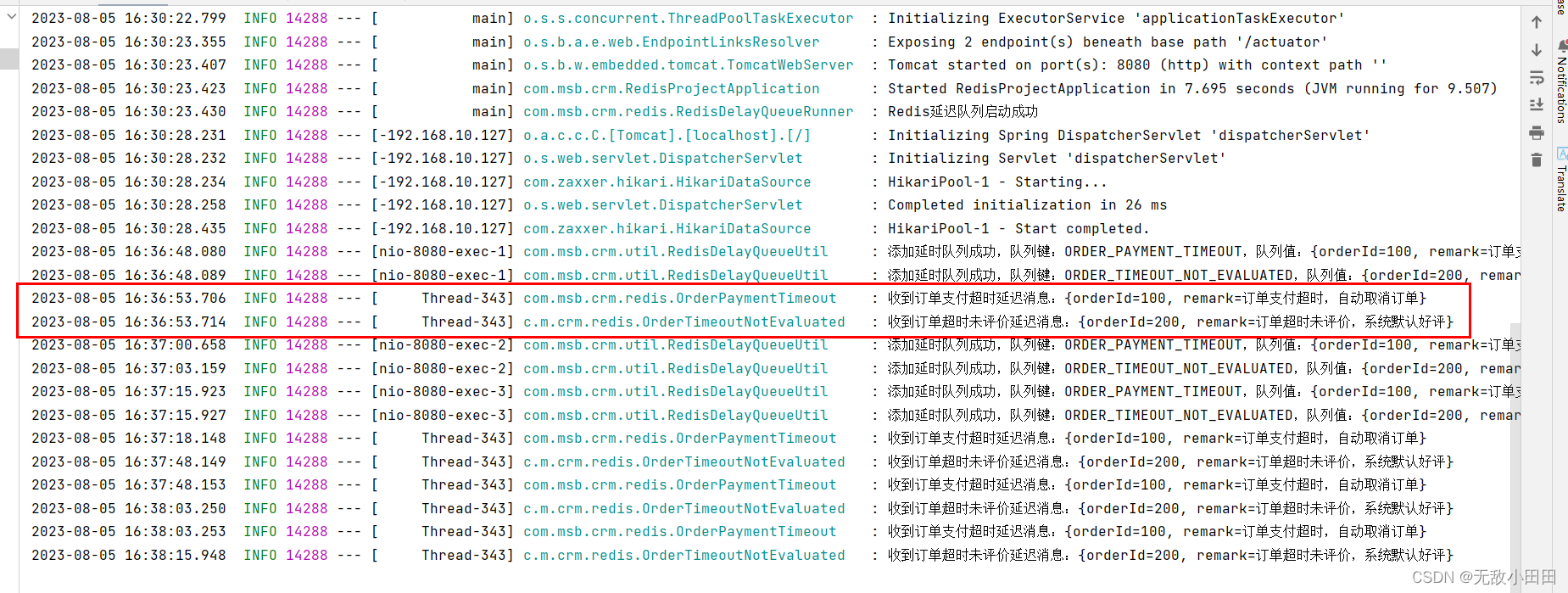
本人还尝试了,添加队列,然后关闭应用。此时redis数据依旧保留
等一段时间(超过关闭时间)重启项目,此时也不会执行之前队列的数据,需要重新加入数据到队列,在消费新产生队列的后续可以消费到之前的内容(上次项目未执行完毕的)
此时可以打印出上次未执行完毕的数据,因此可以保证数据的最终一致性,可以有效在分布式应用中使用
相关文章:
SpringBoot集成Redisson实现延迟队列
一、场景 1、下单未支付,超过10分钟取消订单 2、货到后7天未评价,自动好评 二、实现方案 1、使用xxl-job 定时任务按时检测,实时性不高 2、使用RabitMQ的插件rabbitmq_delayed_message_exchange插件 3、 redis的过期检测 redis.conf 中…...

思想道德与法治
1【单选题】公民的基本权利是指宪法规定的公民享有的基本的、必不可少的权利。公民的基本权利有不同的类别,公民的通信自由和通信秘密属于 A、人身自由 B、经济社会权利 C、政治权利和自由 D、教育科学文化权利 您的答案:A 参考答案:A 查…...

vue3登录页面
使用了element-plus <template><div class"login-wrapper"><!-- 背景图或者视频 --><div class"background" style"width: 100%; height: 100%; position: absolute; top: 0px; left: 0px;overflow: hidden;z-index:50;&qu…...

SK5代理与IP代理:网络安全守护者的双重防线
一、IP代理与SK5代理简介 IP代理: IP代理是一种通过中间服务器转发网络请求的技术。客户端向代理服务器发出请求,代理服务器将请求转发至目标服务器,并将目标服务器的响应返回给客户端。IP代理的主要功能是隐藏用户的真实IP地址,提…...

线程间的同步、如何解决线程冲突与死锁
一、线程同步概念: 线程同步是指在多线程编程中,为了保证多个线程之间的数据访问和操作的有序性以及正确性,需要采取一些机制来协调它们的执行。在多线程环境下,由于线程之间是并发执行的,可能会出现竞争条件…...

8.4一日总结
1.远程仓库的提交方式(免密提交) a.ssh:隧道加密传输协议,一般用来登录远程服务器 b.使用 git clone 仓库名 配置(生成公私钥对) ssh-Keygen [-t rsa -C 邮箱地址] 通过执行上述命令,全程回车,就会在~/.ssh/id_rsa(私钥)和id_rsa.pub(公钥),私钥是必须要保存好的,并不能…...
【面试】某公司记录一次面试题
文章目录 框架类1. Spring boot与 spring 架相比,好在哪里?2. Spring boot以及 Spring MVC 常用注解(如requestingMapping,responseBody 等)3. 常用的java 设计模式,spring 中用到哪些设计模式4. SpringIOC是什么,如何理解5. AOP…...
215. 数组中的第K个最大元素(快排+大根堆+小根堆)
题目链接:力扣 解题思路: 方法一:基于快速排序 因为题目中只需要找到第k大的元素,而快速排序中,每一趟排序都可以确定一个最终元素的位置。 当使用快速排序对数组进行降序排序时,那么如果有一趟排序过程…...

Ubuntu18.04配置ZED_SDK 4.0, 安装Nvidia显卡驱动、cuda12.1
卸载错误的显卡驱动、cuda 首先卸载nvidia相关的、卸载cuda sudo apt-get purge nvidia* sudo apt-get autoremove sudo apt-get remove --auto remove nvidia-cuda-toolkit sudo apt-get purge nvidia-cuda-toolkit 官方卸载cuda的方法: sudo apt-get --purge re…...

张量Tensor 深度学习
1 张量的定义 张量tensor理论是数学的一个分支学科,在力学中有重要的应用。张量这一术语源于力学,最初是用来表示弹性介质中各点应力状态的,后来张量理论发展成为力学和物理学的一个有力数学工具。 张量(Tensor)是一个…...

用Rust实现23种设计模式之桥接模式
桥接模式的优点: 桥接模式的设计目标是将抽象部分和实现部分分离,使它们可以独立变化。这种分离有以下几个优点: 解耦和灵活性:桥接模式可以将抽象部分和实现部分解耦,使它们可以独立地变化。这样,对于抽象…...

扩散模型实战(一):基本原理介绍
扩散模型(Diffusion Model)是⼀类⼗分先进的基于物理热⼒学中的扩散思想的深度学习⽣成模型,主要包括前向扩散和反向扩散两个过程。⽣成模型除了扩散模型之外,还有出现较早的VAE(Variational Auto-Encoder,…...

解决npm ERR! code ERESOLVE -npm ERR! ERESOLVE could not resolve
当使用一份vue源码开发项目时,npm install 报错了 npm ERR! code ERESOLVEnpm ERR! ERESOLVE could not resolvenpm ERR!npm ERR! While resolving: vue-admin-template4.4.0npm ERR! Found: webpack4.46.0npm ERR! node_modules/webpacknpm ERR! webpack"^4.0…...
HttpServletRequest和HttpServletResponse的获取与使用
相关笔记:【JavaWeb之Servlet】 文章目录 1、Servlet复习2、HttpServletRequest的使用3、HttpServletResponse的使用4、获取HttpServletRequest和HttpServletResponse 1、Servlet复习 Servlet是JavaWeb的三大组件之一: ServletFilter 过滤器Listener 监…...
css在线代码生成器
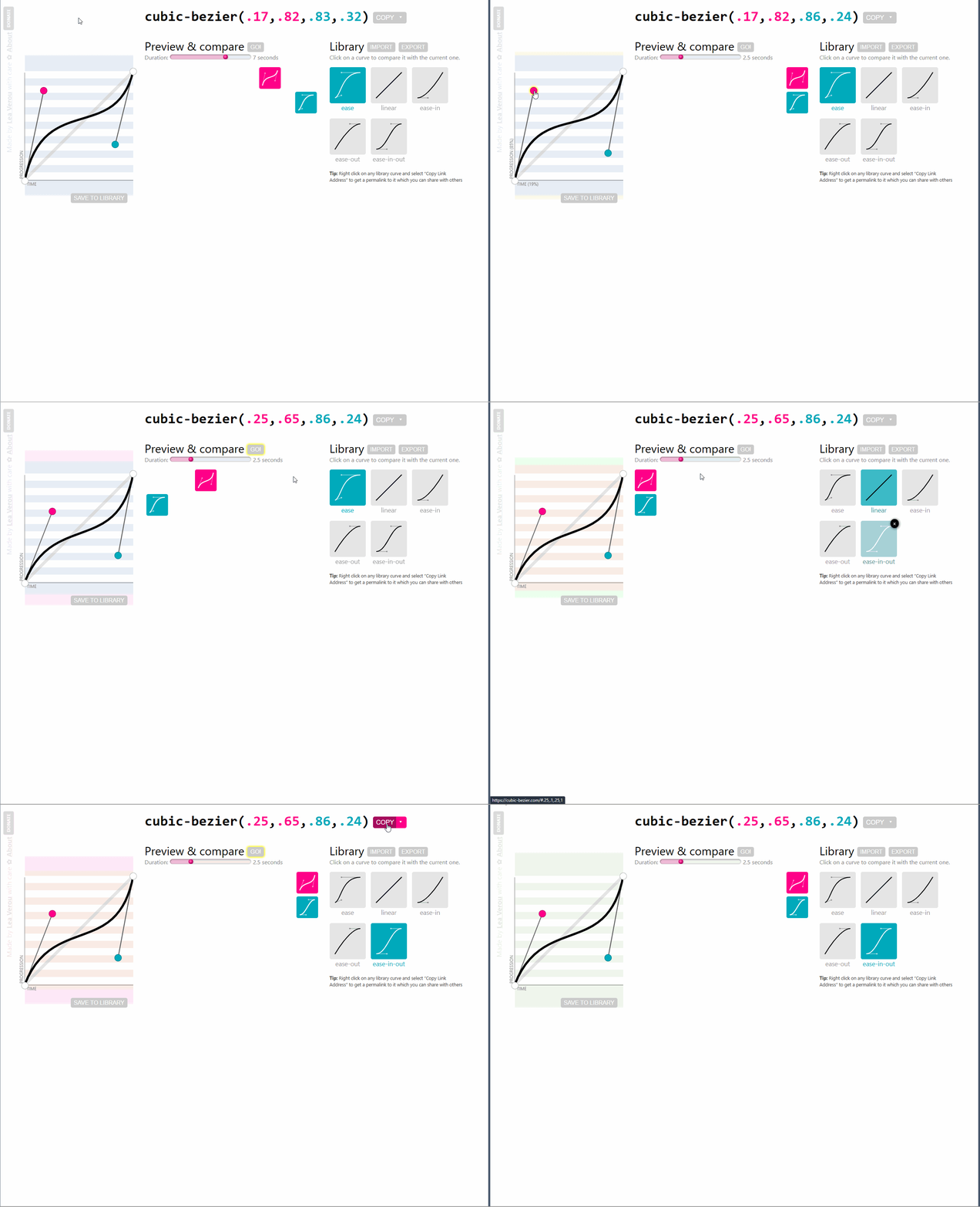
这里收集了许多有意思的css效果在线代码生成器适合每一位前端开发者 布局,效果类: 网格生成器https://cssgrid-generator.netlify.app/ CSS Grid Generator可帮助开发人员使用CSS Grid创建复杂的网格布局。网格布局是创建Web页面的灵活和响应式设计的强…...
在java中如何使用openOffice进行格式转换,word,excel,ppt,pdf互相转换
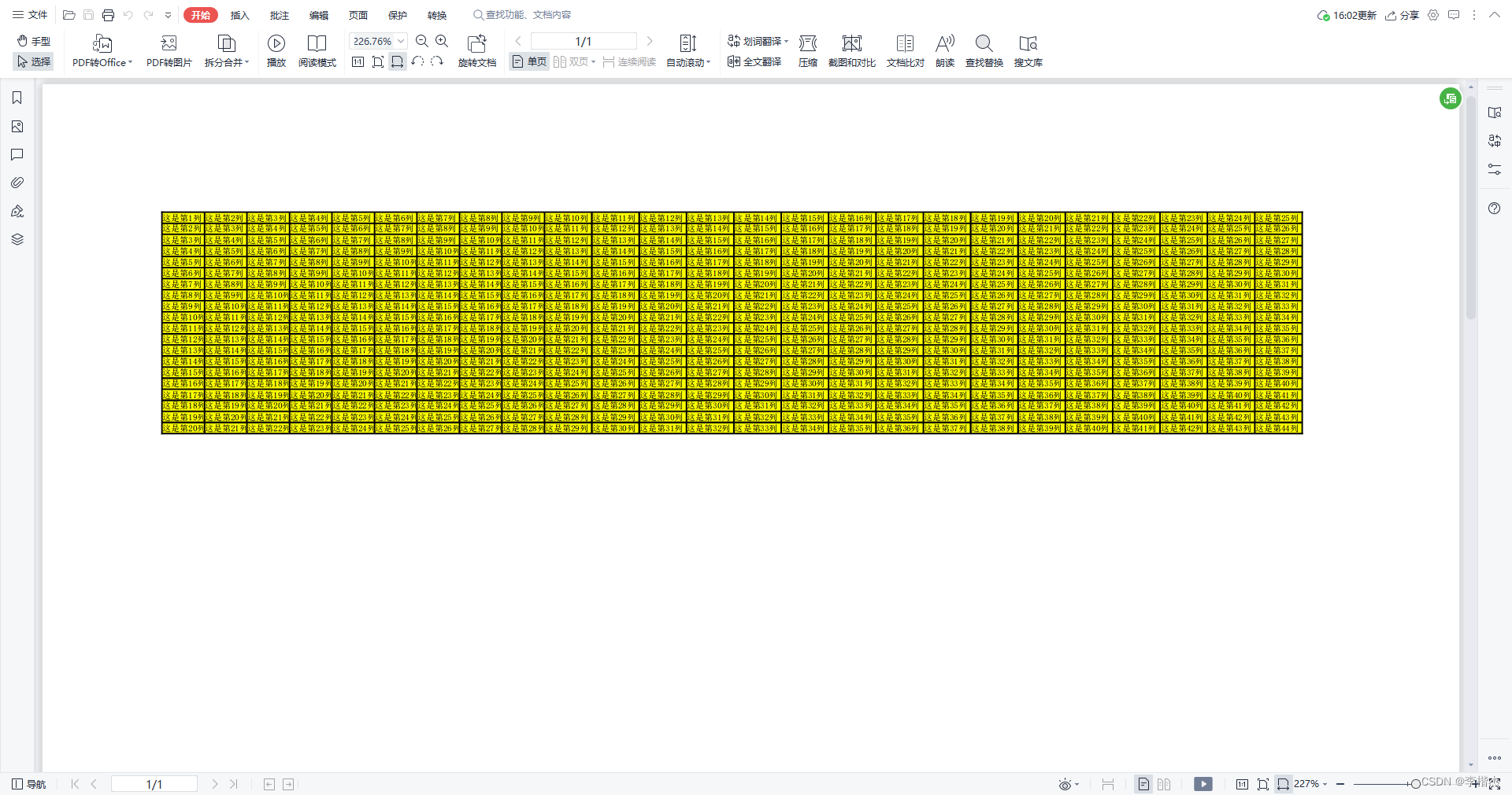
1.首先需要下载并安装openOffice,下载地址为: Apache OpenOffice download | SourceForge.net 2.安装后,可以测试下是否可用; 3.build.gradle中引入依赖: implementation group: com.artofsolving, name: jodconverter, version:…...
手机变电脑2023之虚拟电脑droidvm
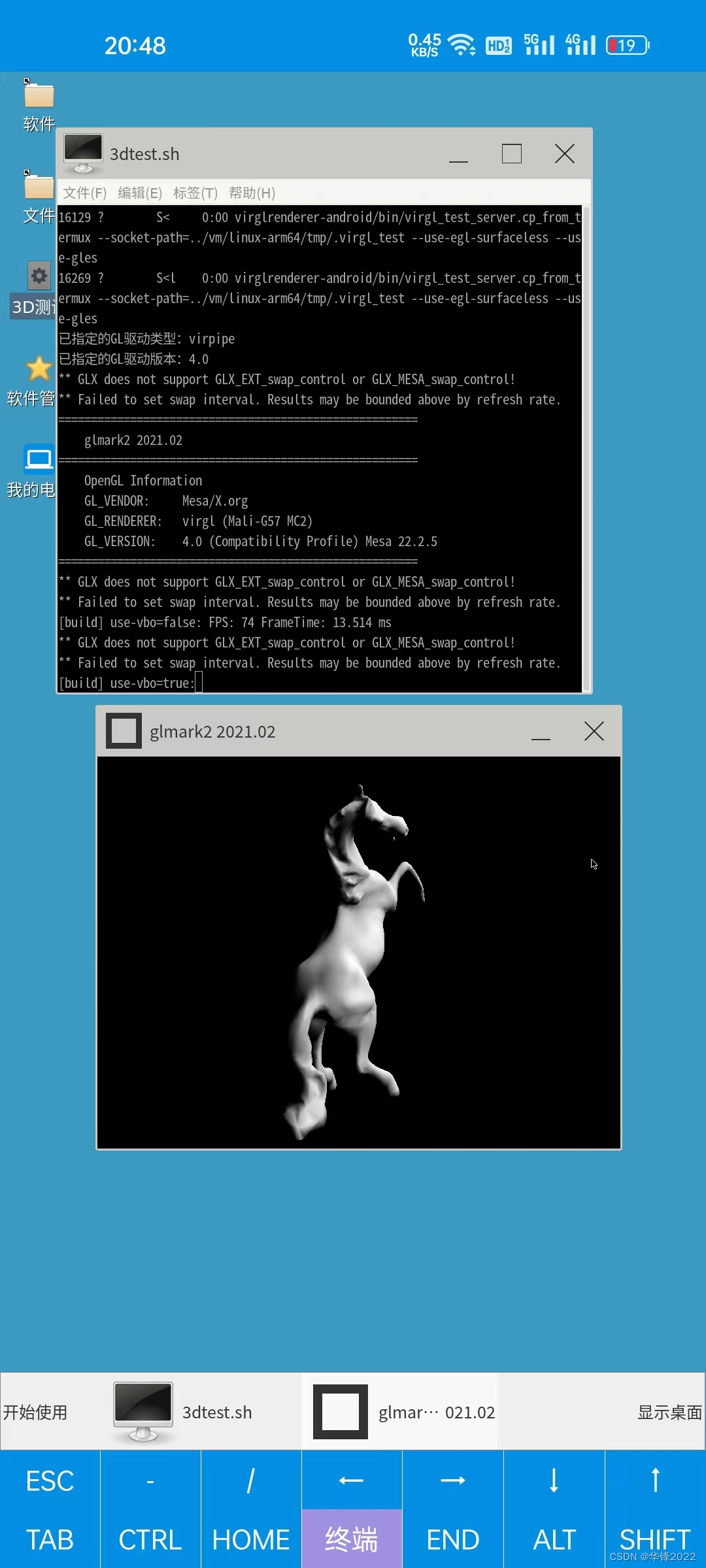
手机这么大的内存,装个app来模拟linux,还是没问题的。 app 装好后,手指点几下确定按钮,等几分钟就能把linux桌面环境安装好。 不需要敲指令, 不需要对手机刷机, 不需要特殊权限, 不需要找驱…...

HDFS中的sequence file
sequence file序列化文件 介绍优缺点格式未压缩格式基于record压缩格式基于block压缩格式 介绍 sequence file是hadoop提供的一种二进制文件存储格式一条数据称之为record(记录),底层直接以<key, value>键值对形式序列化到文件中 优…...
【MySQL】检索数据使用数据处理函数
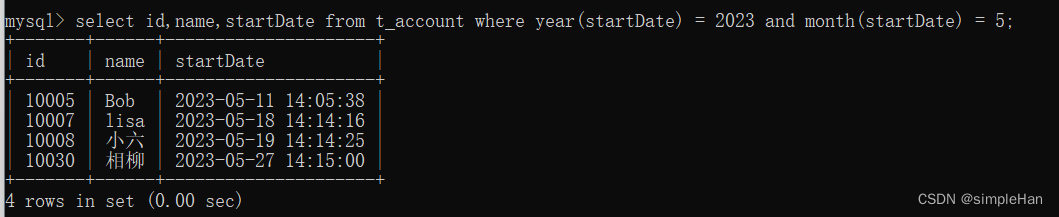
函数 与其他大多数计算机语言一样,SQL支持利用函数来处理数据。函数一般是在数据上执行的,它给数据的转换和处理提供了方便。 函数没有SQL的可移植性强:能运行在多个系统上的代码称为可移植的。多数SQL语句是可移植的,而函数的可…...
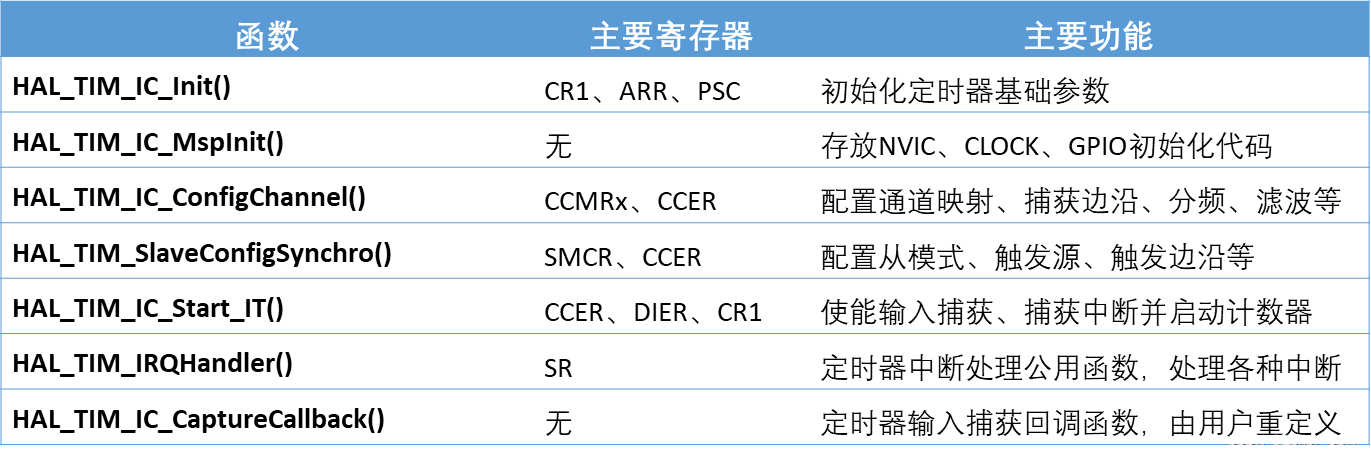
【嵌入式学习笔记】嵌入式入门6——定时器TIMER
1.定时器概述 1.1.软件定时原理 使用纯软件(CPU死等)的方式实现定时(延时)功能有诸多缺点,如CPU死等、延时不精准。 void delay_us(uint32_t us) {us * 72;while(us--); }1.2.定时器定时原理 使用精准的时基&#…...

Windows风扇控制终极方案:从噪音困扰到静音高效的完整实战指南
Windows风扇控制终极方案:从噪音困扰到静音高效的完整实战指南 【免费下载链接】FanControl.Releases This is the release repository for Fan Control, a highly customizable fan controlling software for Windows. 项目地址: https://gitcode.com/GitHub_Tre…...

长波双色InAs/GaSb超晶格红外探测器芯片:从材料设计到焦平面集成
1. 项目概述:从“双色”到“芯片”的技术跨越在红外探测领域,追求“看得更清、看得更远、看得更准”是永恒的主题。我们这次要聊的“长/长波双色InAs/GaSb超晶格焦平面探测器芯片”,听起来名字很长很专业,但它本质上解决的是一个非…...

立创EDA专业版保姆级避坑指南:从原理图到PCB的53个新手常见操作误区
立创EDA专业版53个致命操作误区全解析:从原理图到PCB的避坑实战手册 第一次打开立创EDA专业版时,那种面对空白画布的茫然感我至今记忆犹新。作为一个从零开始学习电子设计的爱好者,我踩过的坑可能比画过的电路板还多——从原理图上莫名其妙的…...

如何通过Play Integrity API实现Android应用安全防护的精准检测
如何通过Play Integrity API实现Android应用安全防护的精准检测 【免费下载链接】play-integrity-checker-app Get info about your Device Integrity through the Play Intergrity API 项目地址: https://gitcode.com/gh_mirrors/pl/play-integrity-checker-app 想象一…...

猫抓浏览器扩展:基于网络请求拦截的智能资源嗅探技术实现
猫抓浏览器扩展:基于网络请求拦截的智能资源嗅探技术实现 【免费下载链接】cat-catch 猫抓 浏览器资源嗅探扩展 / cat-catch Browser Resource Sniffing Extension 项目地址: https://gitcode.com/GitHub_Trending/ca/cat-catch 猫抓(Cat Catch&a…...

Pearcleaner:Mac应用彻底清理的终极解决方案,告别数字垃圾困扰
Pearcleaner:Mac应用彻底清理的终极解决方案,告别数字垃圾困扰 【免费下载链接】Pearcleaner A free, source-available and fair-code licensed mac app cleaner 项目地址: https://gitcode.com/gh_mirrors/pe/Pearcleaner 还在为Mac应用卸载后残…...

技术解密:如何从零构建开源贴片机的完整指南
技术解密:如何从零构建开源贴片机的完整指南 【免费下载链接】lumenpnp The LumenPnP is an open source pick and place machine. 项目地址: https://gitcode.com/gh_mirrors/lu/lumenpnp 在电子制造领域,贴片机一直是小型创客和硬件开发者难以企…...

从老式万用表到精密测量:双积分ADC如何用‘慢’换来‘准’?选型避坑指南
从老式万用表到精密测量:双积分ADC如何用‘慢’换来‘准’?选型避坑指南 在仪器仪表和传感器信号调理领域,精度与速度的权衡一直是硬件工程师面临的核心挑战。当我们处理温度、压力或称重传感器等低频高精度信号时,传统的SAR和Σ…...
)
别再手动折腾了!CubeMX生成MDK工程后,一键开启STM32F4的FPU和DSP库(附完整配置流程)
解放双手:STM32F4硬件加速全自动配置指南 每次新建工程都要重复配置FPU和DSP库?是时候告别这种低效操作了。本文将带你用CubeMXMDK打造一套零手动干预的完整工作流,让硬件加速功能从工程创建之初就自动就位。 1. 环境准备与工程创建 在开始之…...

3.1 FiRa UCI规范解析——命令、响应与通知的交互逻辑
1. FiRa UCI规范的核心交互机制 第一次接触FiRa UCI规范时,我被它严谨的消息交互设计所震撼。这个看似简单的命令-响应机制,实际上蕴含着UWB通信的精妙控制逻辑。就像交通信号灯指挥车辆通行一样,UCI规范通过明确的指令流向和状态反馈&#…...