
【第三方接口】阿里云内容审核SDK的使用
1. 内容审核服务
内容安全是识别服务,支持对图片、视频、文本、语音等对象进行多样化场景检测,有效降低内容违规风险。
目前很多平台都支持内容检测,如阿里云、腾讯云、百度AI、网易云等国内大型互联网公司都对外提供了API。
目前用得较多的是阿里云的内容安全接口:云盾内容安全产品试用页面
1.1 文本内容审核
- 文本垃圾内容检测:https://help.aliyun.com/document_detail/70439.html?spm=a2c4g.11186623.6.659.35ac3db3l0wV5k
- 文本垃圾内容Java SDK: https://help.aliyun.com/document_detail/53427.html?spm=a2c4g.11186623.6.717.466d7544QbU8Lr
1.2 图片内容审核
- 图片垃圾内容检测:https://help.aliyun.com/document_detail/70292.html?spm=a2c4g.11186623.6.616.5d7d1e7f9vDRz4
- 图片垃圾内容Java SDK: https://help.aliyun.com/document_detail/53424.html?spm=a2c4g.11186623.6.715.c8f69b12ey35j4
2. 工具类的使用
2.1 配置文件添加
aliyun:accessKeyId: LTAI5tCWHCcfvqQzu8k2oKmXsecret: auoKUFsghimbfVQHpy7gtRyBkoR4vc
#aliyun.scenes=porn,terrorism,ad,qrcode,live,logoscenes: terrorism
2.2 工具类
GreenImageScan.java
package com.heima.common.aliyun;import com.alibaba.fastjson.JSON;
import com.alibaba.fastjson.JSONArray;
import com.alibaba.fastjson.JSONObject;
import com.aliyuncs.DefaultAcsClient;
import com.aliyuncs.IAcsClient;
import com.aliyuncs.green.model.v20180509.ImageSyncScanRequest;
import com.aliyuncs.http.FormatType;
import com.aliyuncs.http.HttpResponse;
import com.aliyuncs.http.MethodType;
import com.aliyuncs.http.ProtocolType;
import com.aliyuncs.profile.DefaultProfile;
import com.aliyuncs.profile.IClientProfile;
import com.heima.common.aliyun.util.ClientUploader;
import lombok.Getter;
import lombok.Setter;
import org.springframework.boot.context.properties.ConfigurationProperties;
import org.springframework.context.annotation.PropertySource;
import org.springframework.stereotype.Component;import java.util.*;@Getter
@Setter
@Component
@ConfigurationProperties(prefix = "aliyun")
public class GreenImageScan {private String accessKeyId;private String secret;private String scenes;public Map imageScan(List<byte[]> imageList) throws Exception {IClientProfile profile = DefaultProfile.getProfile("cn-shanghai", accessKeyId, secret);DefaultProfile.addEndpoint("cn-shanghai", "cn-shanghai", "Green", "green.cn-shanghai.aliyuncs.com");IAcsClient client = new DefaultAcsClient(profile);ImageSyncScanRequest imageSyncScanRequest = new ImageSyncScanRequest();// 指定api返回格式imageSyncScanRequest.setAcceptFormat(FormatType.JSON);// 指定请求方法imageSyncScanRequest.setMethod(MethodType.POST);imageSyncScanRequest.setEncoding("utf-8");//支持http和httpsimageSyncScanRequest.setProtocol(ProtocolType.HTTP);JSONObject httpBody = new JSONObject();/*** 设置要检测的场景, 计费是按照该处传递的场景进行* 一次请求中可以同时检测多张图片,每张图片可以同时检测多个风险场景,计费按照场景计算* 例如:检测2张图片,场景传递porn、terrorism,计费会按照2张图片鉴黄,2张图片暴恐检测计算* porn: porn表示色情场景检测*/httpBody.put("scenes", Arrays.asList(scenes.split(",")));/*** 如果您要检测的文件存于本地服务器上,可以通过下述代码片生成url* 再将返回的url作为图片地址传递到服务端进行检测*//*** 设置待检测图片, 一张图片一个task* 多张图片同时检测时,处理的时间由最后一个处理完的图片决定* 通常情况下批量检测的平均rt比单张检测的要长, 一次批量提交的图片数越多,rt被拉长的概率越高* 这里以单张图片检测作为示例, 如果是批量图片检测,请自行构建多个task*/ClientUploader clientUploader = ClientUploader.getImageClientUploader(profile, false);String url = null;List<JSONObject> urlList = new ArrayList<JSONObject>();for (byte[] bytes : imageList) {url = clientUploader.uploadBytes(bytes);JSONObject task = new JSONObject();task.put("dataId", UUID.randomUUID().toString());//设置图片链接为上传后的urltask.put("url", url);task.put("time", new Date());urlList.add(task);}httpBody.put("tasks", urlList);imageSyncScanRequest.setHttpContent(org.apache.commons.codec.binary.StringUtils.getBytesUtf8(httpBody.toJSONString()),"UTF-8", FormatType.JSON);/*** 请设置超时时间, 服务端全链路处理超时时间为10秒,请做相应设置* 如果您设置的ReadTimeout小于服务端处理的时间,程序中会获得一个read timeout异常*/imageSyncScanRequest.setConnectTimeout(3000);imageSyncScanRequest.setReadTimeout(10000);HttpResponse httpResponse = null;try {httpResponse = client.doAction(imageSyncScanRequest);} catch (Exception e) {e.printStackTrace();}Map<String, String> resultMap = new HashMap<>();//服务端接收到请求,并完成处理返回的结果if (httpResponse != null && httpResponse.isSuccess()) {JSONObject scrResponse = JSON.parseObject(org.apache.commons.codec.binary.StringUtils.newStringUtf8(httpResponse.getHttpContent()));System.out.println(JSON.toJSONString(scrResponse, true));int requestCode = scrResponse.getIntValue("code");//每一张图片的检测结果JSONArray taskResults = scrResponse.getJSONArray("data");if (200 == requestCode) {for (Object taskResult : taskResults) {//单张图片的处理结果int taskCode = ((JSONObject) taskResult).getIntValue("code");//图片要检测的场景的处理结果, 如果是多个场景,则会有每个场景的结果JSONArray sceneResults = ((JSONObject) taskResult).getJSONArray("results");if (200 == taskCode) {for (Object sceneResult : sceneResults) {String scene = ((JSONObject) sceneResult).getString("scene");String label = ((JSONObject) sceneResult).getString("label");String suggestion = ((JSONObject) sceneResult).getString("suggestion");//根据scene和suggetion做相关处理//do somethingSystem.out.println("scene = [" + scene + "]");System.out.println("suggestion = [" + suggestion + "]");System.out.println("suggestion = [" + label + "]");if (!suggestion.equals("pass")) {resultMap.put("suggestion", suggestion);resultMap.put("label", label);return resultMap;}}} else {//单张图片处理失败, 原因视具体的情况详细分析System.out.println("task process fail. task response:" + JSON.toJSONString(taskResult));return null;}}resultMap.put("suggestion","pass");return resultMap;} else {/*** 表明请求整体处理失败,原因视具体的情况详细分析*/System.out.println("the whole image scan request failed. response:" + JSON.toJSONString(scrResponse));return null;}}return null;}
}
GreenTextScan.java
package com.heima.common.aliyun;import com.alibaba.fastjson.JSON;
import com.alibaba.fastjson.JSONArray;
import com.alibaba.fastjson.JSONObject;
import com.aliyuncs.DefaultAcsClient;
import com.aliyuncs.IAcsClient;
import com.aliyuncs.exceptions.ClientException;
import com.aliyuncs.exceptions.ServerException;
import com.aliyuncs.green.model.v20180509.TextScanRequest;
import com.aliyuncs.http.FormatType;
import com.aliyuncs.http.HttpResponse;
import com.aliyuncs.profile.DefaultProfile;
import com.aliyuncs.profile.IClientProfile;
import lombok.Getter;
import lombok.Setter;
import org.springframework.boot.context.properties.ConfigurationProperties;
import org.springframework.context.annotation.PropertySource;
import org.springframework.stereotype.Component;import java.util.*;@Getter
@Setter
@Component
@ConfigurationProperties(prefix = "aliyun")
public class GreenTextScan {private String accessKeyId;private String secret;public Map greeTextScan(String content) throws Exception {System.out.println(accessKeyId);IClientProfile profile = DefaultProfile.getProfile("cn-shanghai", accessKeyId, secret);DefaultProfile.addEndpoint("cn-shanghai", "cn-shanghai", "Green", "green.cn-shanghai.aliyuncs.com");IAcsClient client = new DefaultAcsClient(profile);TextScanRequest textScanRequest = new TextScanRequest();textScanRequest.setAcceptFormat(FormatType.JSON); // 指定api返回格式textScanRequest.setHttpContentType(FormatType.JSON);textScanRequest.setMethod(com.aliyuncs.http.MethodType.POST); // 指定请求方法textScanRequest.setEncoding("UTF-8");textScanRequest.setRegionId("cn-shanghai");List<Map<String, Object>> tasks = new ArrayList<Map<String, Object>>();Map<String, Object> task1 = new LinkedHashMap<String, Object>();task1.put("dataId", UUID.randomUUID().toString());/*** 待检测的文本,长度不超过10000个字符*/task1.put("content", content);tasks.add(task1);JSONObject data = new JSONObject();/*** 检测场景,文本垃圾检测传递:antispam**/data.put("scenes", Arrays.asList("antispam"));data.put("tasks", tasks);System.out.println(JSON.toJSONString(data, true));textScanRequest.setHttpContent(data.toJSONString().getBytes("UTF-8"), "UTF-8", FormatType.JSON);// 请务必设置超时时间textScanRequest.setConnectTimeout(3000);textScanRequest.setReadTimeout(6000);Map<String, String> resultMap = new HashMap<>();try {HttpResponse httpResponse = client.doAction(textScanRequest);if (httpResponse.isSuccess()) {JSONObject scrResponse = JSON.parseObject(new String(httpResponse.getHttpContent(), "UTF-8"));System.out.println(JSON.toJSONString(scrResponse, true));if (200 == scrResponse.getInteger("code")) {JSONArray taskResults = scrResponse.getJSONArray("data");for (Object taskResult : taskResults) {if (200 == ((JSONObject) taskResult).getInteger("code")) {JSONArray sceneResults = ((JSONObject) taskResult).getJSONArray("results");for (Object sceneResult : sceneResults) {String scene = ((JSONObject) sceneResult).getString("scene");String label = ((JSONObject) sceneResult).getString("label");String suggestion = ((JSONObject) sceneResult).getString("suggestion");System.out.println("suggestion = [" + label + "]");if (!suggestion.equals("pass")) {resultMap.put("suggestion", suggestion);resultMap.put("label", label);return resultMap;}}} else {return null;}}resultMap.put("suggestion", "pass");return resultMap;} else {return null;}} else {return null;}} catch (ServerException e) {e.printStackTrace();} catch (ClientException e) {e.printStackTrace();} catch (Exception e) {e.printStackTrace();}return null;}}
2.3 测试使用
AliyunTest.java
package com.heima.wemedia;import com.heima.common.aliyun.GreenImageScan;
import com.heima.common.aliyun.GreenTextScan;
import com.heima.file.service.FileStorageService;
import org.junit.Test;
import org.junit.runner.RunWith;
import org.springframework.beans.factory.annotation.Autowired;
import org.springframework.boot.test.context.SpringBootTest;
import org.springframework.test.context.junit4.SpringRunner;import java.util.Arrays;
import java.util.Map;@SpringBootTest(classes = WemediaApplication.class)
@RunWith(SpringRunner.class)
public class AliyunTest {@Autowiredprivate GreenTextScan greenTextScan;@Autowiredprivate GreenImageScan greenImageScan;@Autowiredprivate FileStorageService fileStorageService;@Testpublic void testScanText() throws Exception {Map map = greenTextScan.greeTextScan("我是一个好人,冰毒");System.out.println(map);}@Testpublic void testScanImage() throws Exception {byte[] bytes = fileStorageService.downLoadFile("http://192.168.200.130:9000/leadnews/2021/04/26/ef3cbe458db249f7bd6fb4339e593e55.jpg");Map map = greenImageScan.imageScan(Arrays.asList(bytes));System.out.println(map);}
}
相关文章:

【第三方接口】阿里云内容审核SDK的使用
1. 内容审核服务 内容安全是识别服务,支持对图片、视频、文本、语音等对象进行多样化场景检测,有效降低内容违规风险。 目前很多平台都支持内容检测,如阿里云、腾讯云、百度AI、网易云等国内大型互联网公司都对外提供了API。 目前用得较多…...

IDEA软件安装包分享(附安装教程)
目录 一、软件简介 二、软件下载 一、软件简介 IntelliJ IDEA是一款流行的Java集成开发环境(IDE),由捷克软件开发公司JetBrains开发。它专为Java开发人员设计,提供了许多高级功能和工具,使得开发人员能够更高效地编写…...
尚硅谷宋红康MySQL笔记 10-13
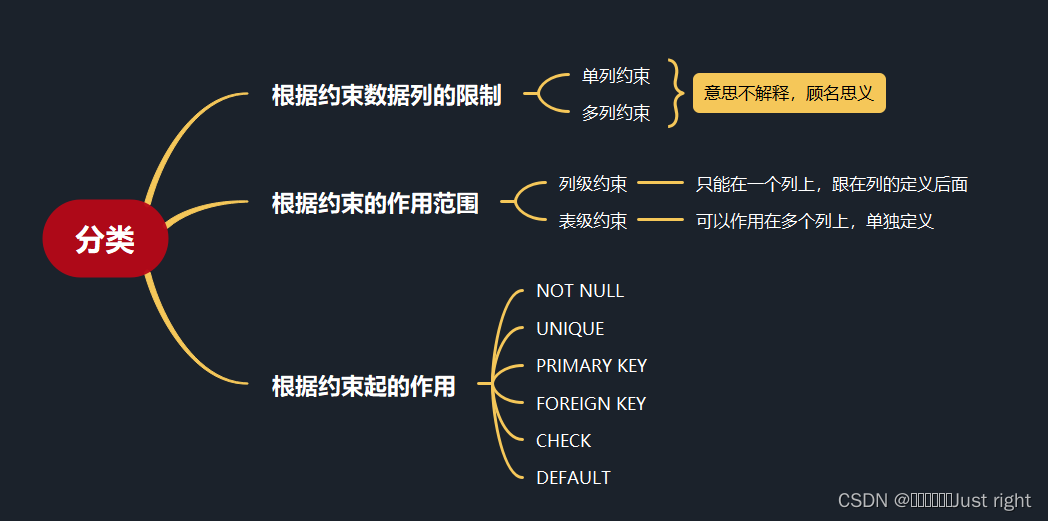
是记录,我不会记录的特别详细 第10章 创建和管理表 标识符命名规则 数据库名、表名不得超过30个字符,变量名限制为29个只能包含 A–Z, a–z, 0–9, _共63个字符数据库名、表名、字段名等对象名中间不要包含空格同一个MySQL软件中,数据库不能…...
【ag-grid-vue】基本使用
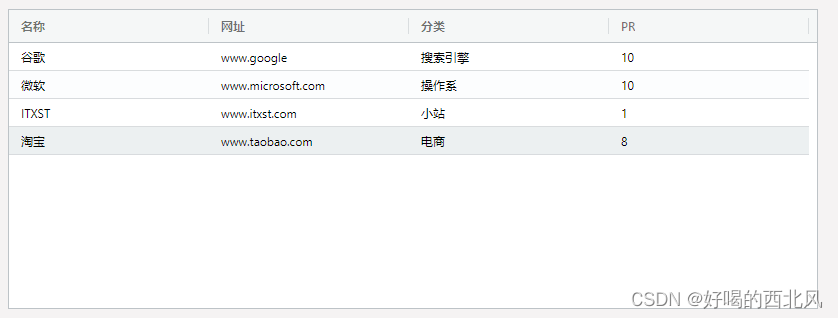
ag-grid是一款功能和性能强大外观漂亮的表格插件,ag-grid几乎能满足你对数据表格所有需求。固定列、拖动列大小和位置、多表头、自定义排序等等各种常用又必不可少功能。关于收费的问题,绝大部分应用用免费的社区版就够了,ag-grid-community社…...

学习JAVA打卡第四十四天
Scanner类 ⑴Scanner对象 scanner对象可以解析字符序列中的单词。 例如:对于string对象NBA 为了解析出NBA的字符序列中的单词,可以如下构造一个scanner对象。 将正则表达式作为分隔标记,即让scanner对象在解析操作时把与正则表达式匹配的字…...

Excel通用表头及单元格合并
要在Java中实现XLS文件中的通用表头合并和单元格合并,您可以使用Apache POI库。下面是一个示例代码,展示了如何实现这两个功能: import org.apache.poi.hssf.usermodel.*; import org.apache.poi.ss.usermodel.*;import java.io.FileOutputS…...

微信小程序 自定义全局事件监听实现
一般app页面都需要关联刷新,比如登录后刷新登录前页面,故此,需要一个全局事件监听类,怎么实现呢? 根目录创建文件夹utils,新建文件eventBus.js(致敬java平台的EventBus),…...
NC65 树表型参照 搜索全部 按钮点击事件后获取sql的方法
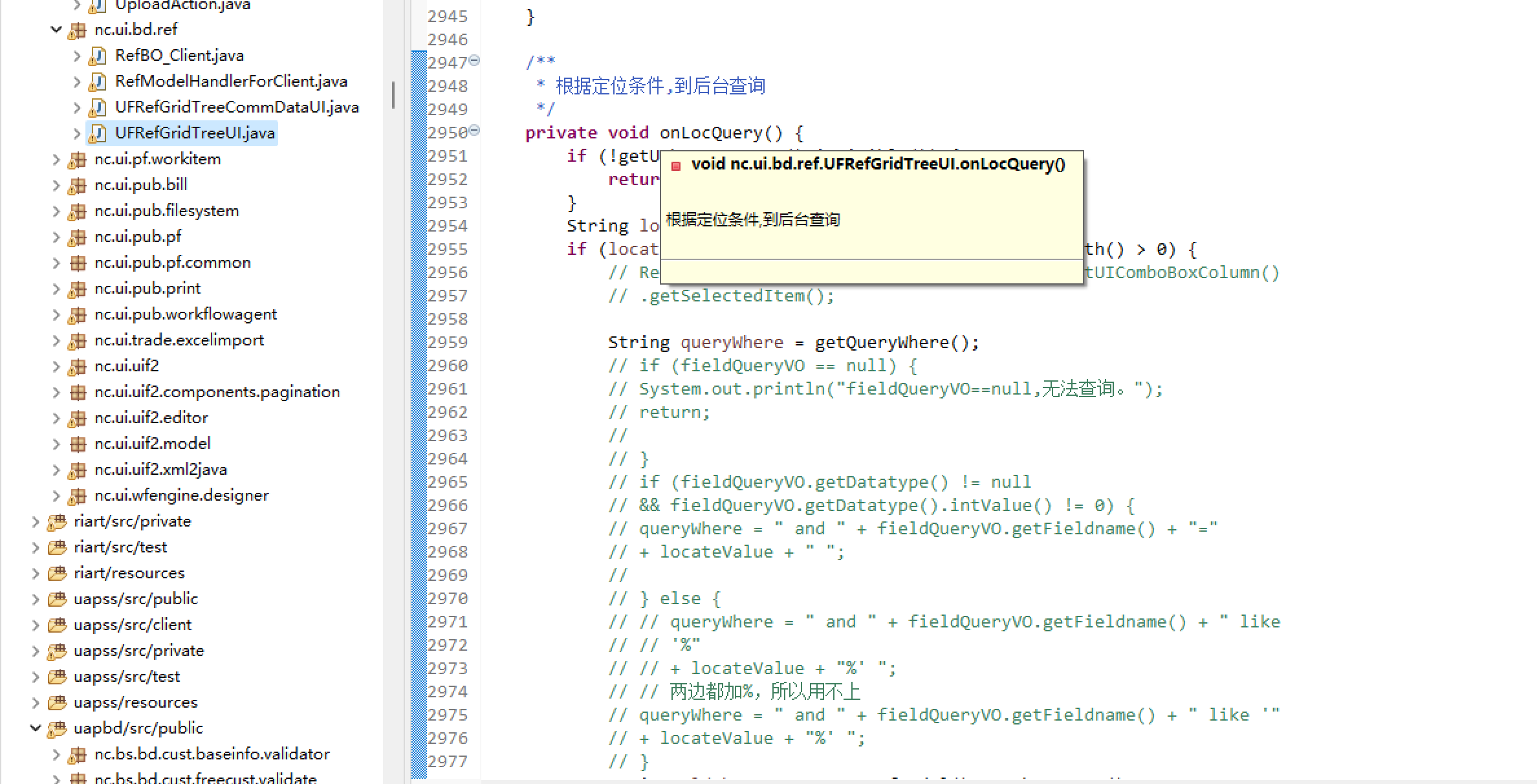
NC65 树表型参照 搜索全部 按钮点击事件后获取sql的方法。 /*** 返回 UIbtnLocQuery 特性值。* * return nc.ui.pub.beans.UIButton*/ /* 警告:此方法将重新生成。 */ private nc.ui.pub.beans.UIButton getUIbtnLocQuery() {// 搜索全部 按钮return getButtonPan…...

在SpringBoot使用MongoDB时出现的bug和解决
在springboot使用MongoDB时出现的bug和解决 在springboot整合MongoDB时,报错 在springboot整合MongoDB时,报错 INFO 67135 — [ main] org.mongodb.driver.connection : Closed connection [connectionId{localValue:2}] to 127.0.0.1:27017 because there was a socket excep…...

前端面试相关
HTML5 新特征 ✅ HTML5 与es6 新特性cookie 与 sessionStorage 和 localStorage 的区别 ✅Cookie 和localStorage、SessionStorage 区别事件冒泡和事件捕获 ✅ 事件捕获和事件冒泡垂直居中 DIV ✅ 元素垂直水平居中的多种办法(块级 行内元素)两栏布局左边…...
在ubuntu上部署label-studio
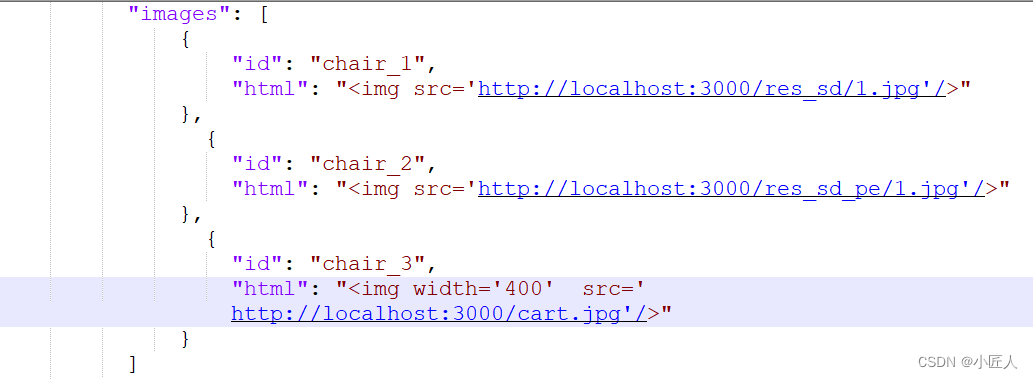
1. 安装label-studio 由于服务器的默认python3版本太低,尝试了很多方法,没有升级。因此采用annaconda方式安装label-studio. a.安装anaconda: 参照如下链接,安装anaconda。 Ubuntu安装Anaconda详细步骤(Ubuntu22.04.1ÿ…...

HashSet
HashSet集合底层采取哈希表存储数据 哈希表是一种对于增删改查数据性能都较好的结构 hashCode方法和equals方法的配合流程 当添加对象的时候,会先调用对象的hashCode方法计算出一个应该存入的索引位置,查看该位置上是否存在元素 不存在:直接存…...
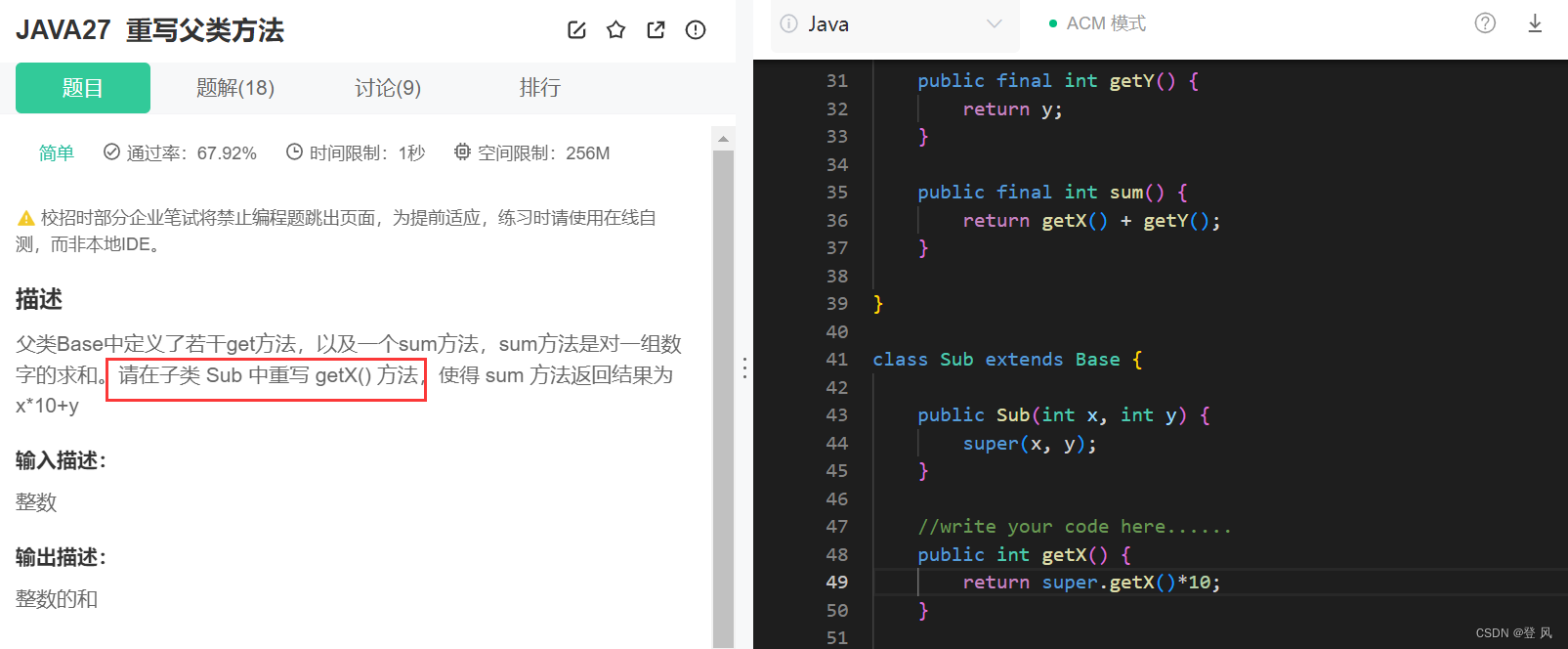
Java-继承和多态(下)
补全构造方法 import java.util.Scanner;public class Main {public static void main(String[] args) {Scanner scanner new Scanner(System.in);while (scanner.hasNextInt()) {int x scanner.nextInt();int y scanner.nextInt();int z scanner.nextInt();Sub sub new…...
Docker搭建并配置Prometheus
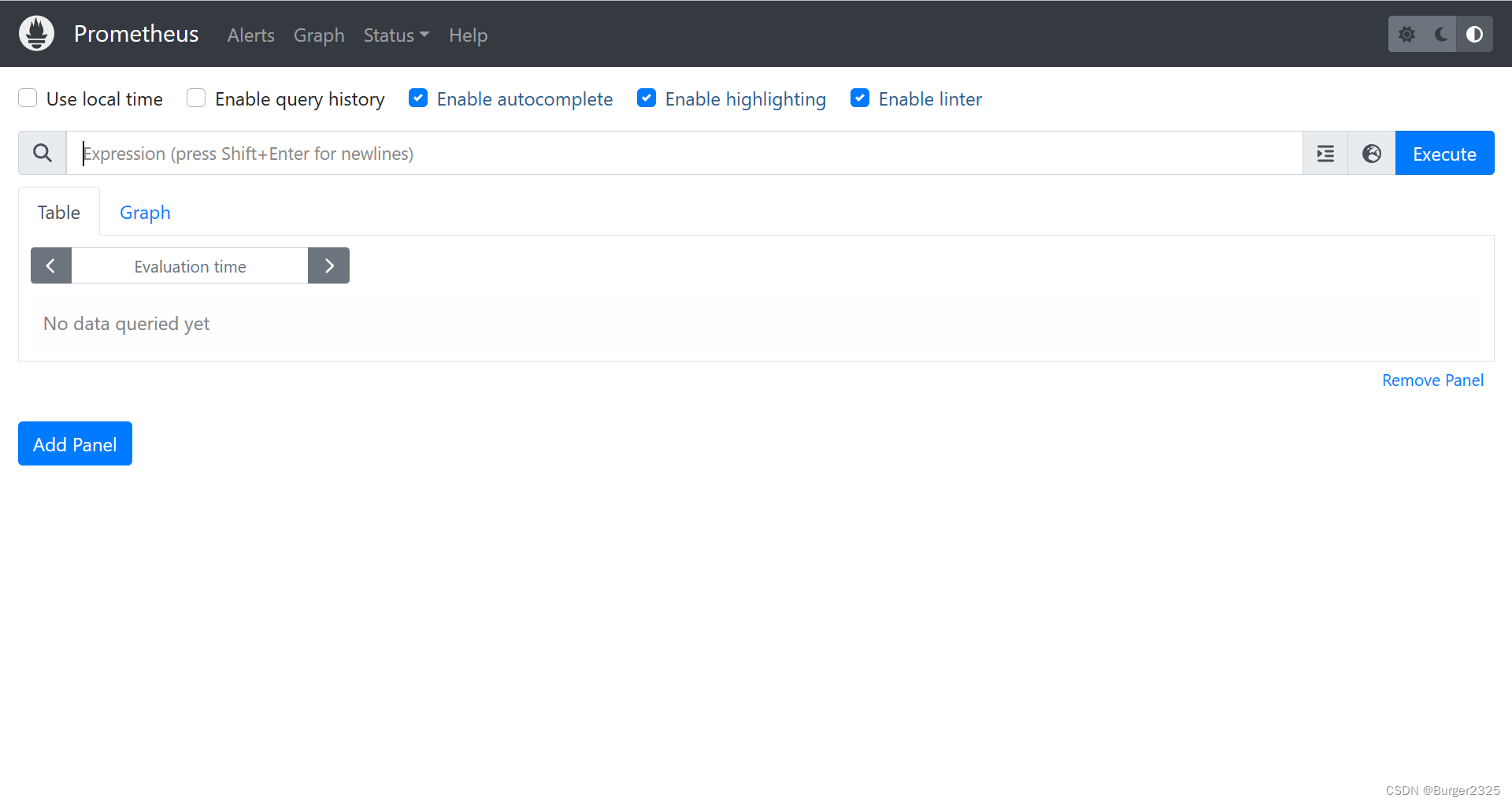
首先确保Linux已安装Docker,如未安装请先参考:Linux安装Docker 1.安装准备 创建挂载目录 /opt/prometheus/data目录,准备用来挂载放置prometheus的数据 /opt/prometheus/config目录,准备用来放置prometheus的配置文件 /opt/pro…...
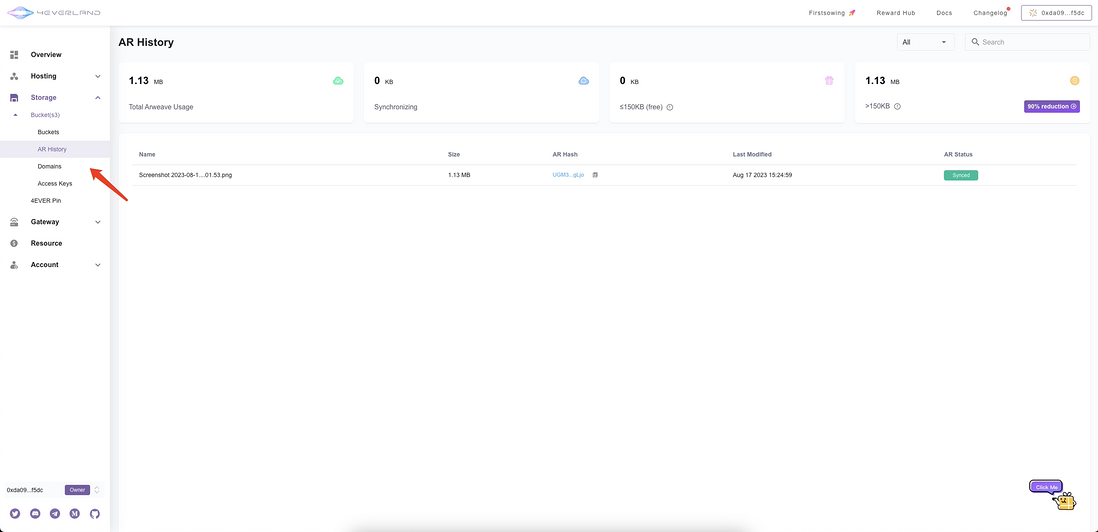
“解放 Arweave“优惠:4EVERLAND的无缝上传教程
为了进一步展示 Arweave 的能力,4EVERLAND 骄傲地推出了“解放 Arweave”活动。我们认识到 Arweave 在数据完整性、抗审查性以及长期保存方面的无与伦比的优势,因此我们与这个去中心化的存储巨头建立了强大的集成。 克服了过去与加密货币支付逻辑相关的…...

系统学习Linux-LVS集群
集群概述 负载均衡技术类型 四层负载均衡器 也称为 4 层交换机,主要通过分析 IP 层及 TCP/UDP 层的流量实现基于 IP 加端口的负载均衡,如常见的 LVS、F5 等; 七层负载均衡器 也称为 7 层交换机,位于 OSI 的最高层,即…...

使用matplotlib绘制动图
主程序如下: 项目:701项目三分报告 作者:WN 内容:速度障碍法实现 时间:2023年8月26号import numpy as np import pandas as pd import matplotlib.pyplot as plt from matplotlib import animation from utils import *uav1 Agen…...
加油站ai视觉分析检测预警
加油站ai视觉分析预警系统通过yolov8图像识别和行为分析,加油站ai视觉分析预警算法识别出打电话抽烟、烟火行为、静电释放时间是否合规、灭火器摆放以及人员工服等不符合规定的行为,并发出预警信号以提醒相关人员。YOLOv8 的推理过程和 YOLOv5 几乎一样&…...
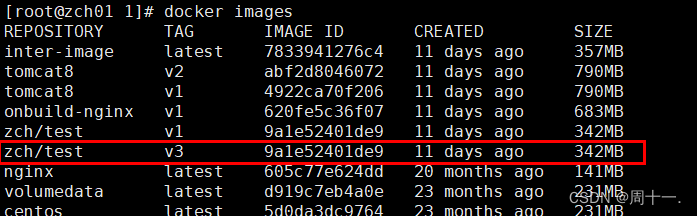
Docker构建镜像
Docker根据Dockerfile文件构建镜像 在实际生产中,常常使用Dockerfile构建企业级生产环境镜像,然后再部署在我们的生产环境中,本文将从从零开始介绍Dockerfile如何使用,构建镜像。 Dockerhub官网地址:https://registry.hub.docke…...
【太多网工对NAT还存在这4种误解!你是其中一个吗?】
NAT是解决公网地址不够用大家最熟悉的网络技术之一,而NAT最依赖的是NAT translation表项,至于NAT的概念和背景这里不再解释,网络上有很多关于此的类似介绍,自己搜索即可。下面主要是针对大家对NAT的一些误解进行分析。 1 误解一…...

Wedding-website图片库与相册功能:展示精美婚礼照片的最佳实践
Wedding-website图片库与相册功能:展示精美婚礼照片的最佳实践 【免费下载链接】wedding-website Our Wedding Website 👫 项目地址: https://gitcode.com/gh_mirrors/we/wedding-website 婚礼是人生中最珍贵的时刻之一,而如何将这些美…...

ARM嵌入式开发板OpenSSH移植全攻略:从交叉编译到部署实战
1. 项目概述与核心价值给嵌入式开发板移植OpenSSH,这几乎是每一个从单片机转向Linux嵌入式开发的工程师都会遇到的“成人礼”。你可能已经习惯了用串口调试终端,一根线连着,虽然稳定,但也被束缚在工位前。当你的设备需要部署到某个…...

自动化文件管理:基于Python的网盘批量处理方案
自动化文件管理:基于Python的网盘批量处理方案 【免费下载链接】BaiduPanFilesTransfers 百度网盘批量转存、分享和检测工具 项目地址: https://gitcode.com/gh_mirrors/ba/BaiduPanFilesTransfers 在数字资源日益丰富的时代,百度网盘用户面临着批…...

写给前端的 CANN-GraphCompiler:昇腾图编译器到底是啥?
写给前端的 CANN-GraphCompiler:昇腾图编译器到底是啥? 之前有兄弟问:“哥,PyTorch 模型怎么在昇腾上跑?中间有什么编译过程?” 好问题。今天一次说清楚。 GraphCompiler 是啥? GraphCompiler 是…...

远程会议还在发文档改来改去?我用 Rustpad 搭了个协作平台彻底解决
前言 远程会议开到一半,需要共同修订一份文档或代码提纲,这种场景估计不少人经历过。方案来来去去就那几个:发邮件等反馈、微信来回传文件、用腾讯文档但要登录账号……每种都有各自的鸡肋之处。后来我自己琢磨出一套更顺手的方案࿱…...
)
“--tile”失效了?深度逆向Midjourney纹理无缝拼接底层逻辑(含Python自动化Tile校验脚本)
更多请点击: https://codechina.net 第一章:Midjourney纹理无缝拼接的核心价值与失效现象洞察 在游戏开发、建筑可视化与数字孪生等高频复用表面材质的场景中,Midjourney生成的纹理若能实现像素级无缝拼接(tiling)&am…...

2026有赞春季发布会:有效果的AI驱动增长,智能体和数字员工交出成绩单
5月21日,有赞2026年春季发布会在杭州举办,主题是“有效果的AI”。过去一年,有赞智能体和数字员工已经迈入交付结果的新阶段。数据显示,2025年有赞AI智能体活跃使用商家18220个,整体调用量超3600万次,引导成…...

2026年阿里云OpenClaw/Hermes Agent配置Token Plan部署方法详解
2026年阿里云OpenClaw/Hermes Agent配置Token Plan部署方法详解。OpenClaw是开源的个人AI助手,Hermes Agent则是一个能自我进化的AI智能体框架。阿里云提供计算巢、轻量服务器及无影云电脑三种部署OpenClaw 与 Hermes Agent的方案、百炼Token Plan兼容主流 AI 工具&…...

2026年同步网盘哪个好?10款支持本地文件夹自动同步与实时备份工具盘点
在 2026 年,数据即资产。传统“手动上传”已难以满足高频办公:文件一多就容易漏传、版本混乱、协作效率下降。本地文件夹自动同步(落盘即上云)正在成为衡量网盘生产力的核心指标——既能防止硬盘故障导致的数据丢失,也…...

【Spring】 AOP 核心原理,与声明式事务传播机制
一、什么是 AOPAOP(Aspect Oriented Programming,面向切面编程)核心思想在不修改原有业务代码的情况下,对方法进行统一增强。例如:日志记录;权限校验;事务管理;性能统计;…...