
《Python深度学习-Keras》精华笔记3:解决深度学习多分类问题
公众号:机器学习杂货店
作者:Peter
编辑:Peter
持续更新《Python深度学习》一书的精华内容,仅作为学习笔记分享。

本文是第三篇:介绍如何使用Keras解决Python深度学习中的多分类问题。
多分类问题和二分类问题的区别注意两点:
- 最后一层的激活函数使用softmax函数输出预测类别的概率,最大概率所在的位置就是预测的类别
- 损失函数使用分类交叉熵-categorical_crossentropy(针对0-1标签),整数标签使用(sparse_categorical_crossentropy)
运行环境:Python3.9.13 + Keras2.12.0 + tensorflow2.12.0
导入数据
机器学习中的路透社数据集是一个非常常用的数据集,它包含来自新闻专线的文本数据,主要用于文本分类任务。这个数据集是由路透社新闻机构提供的,包含了大量的新闻文章,共计22类分类标签。
- 该数据集的每一条新闻文章都被标记了一个或多个分类标签,这些标签表明了新闻文章的主题或类别。例如,政治、经济、体育、科技等。数据集中的每条新闻都包含文本内容和对应的分类标签,这使得路透社数据集成为机器学习领域中一个非常有价值的数据集。
- 路透社数据集的挑战在于数据的复杂性、多样性和快速变化。新闻文章具有各种不同的语言和格式,包括标题、段落、列表和图片等。此外,新闻文章的表述方式也各不相同,包括情感、风格和话题等。因此,路透社数据集的难度较高,需要机器学习算法具备高水平的分类能力。
- 路透社数据集在机器学习领域中得到了广泛应用,主要用于评估和提升文本分类算法的性能。许多机器学习算法,包括支持向量机、决策树、随机森林和神经网络等,都曾在路透社数据集上进行过测试和比较。因此,该数据集被广泛用于评估文本分类算法的性能,并已成为机器学习领域中的经典数据集之一。
In [1]:
import numpy as np
np.random.seed(1234)import warnings
warnings.filterwarnings("ignore")
训练集和标签
In [2]:
from keras.datasets import reuters
In [3]:
# 取出数据中前10000个词语(train_data, train_labels), (test_data, test_labels) = reuters.load_data(num_words=10000)
数据查看
In [4]:
train_data[:2]
Out[4]:
array([list([1, 2, 2, 8, 43, 10, 447, 5, 25, 207, 270, 5, 3095, 111, 16, 369, 186, 90, 67, 7, 89, 5, 19, 102, 6, 19, 124, 15, 90, 67, 84, 22, 482, 26, 7, 48, 4, 49, 8, 864, 39, 209, 154, 6, 151, 6, 83, 11, 15, 22, 155, 11, 15, 7, 48, 9, 4579, 1005, 504, 6, 258, 6, 272, 11, 15, 22, 134, 44, 11, 15, 16, 8, 197, 1245, 90, 67, 52, 29, 209, 30, 32, 132, 6, 109, 15, 17, 12]),list([1, 3267, 699, 3434, 2295, 56, 2, 7511, 9, 56, 3906, 1073, 81, 5, 1198, 57, 366, 737, 132, 20, 4093, 7, 2, 49, 2295, 2, 1037, 3267, 699, 3434, 8, 7, 10, 241, 16, 855, 129, 231, 783, 5, 4, 587, 2295, 2, 2, 775, 7, 48, 34, 191, 44, 35, 1795, 505, 17, 12])],dtype=object)
In [5]:
len(train_data), len(test_data)
Out[5]:
(8982, 2246)
查看label中数据信息:总共是46个类别
In [6]:
train_labels[:20]
Out[6]:
array([ 3, 4, 3, 4, 4, 4, 4, 3, 3, 16, 3, 3, 4, 4, 19, 8, 16,3, 3, 21], dtype=int64)
In [7]:
test_labels[:20]
Out[7]:
array([ 3, 10, 1, 4, 4, 3, 3, 3, 3, 3, 5, 4, 1, 3, 1, 11, 23,3, 19, 3], dtype=int64)
单词和索引的互换:
In [8]:
word_index = reuters.get_word_index()reverse_word_index = dict([value, key] for (key, value) in word_index.items())  # 翻转过程
decoded_review = ' '.join([reverse_word_index.get(i-3, "?") for i in train_data[0]])
decoded_review
Out[8]:
'? ? ? said as a result of its december acquisition of space co it expects earnings per share in 1987 of 1 15 to 1 30 dlrs per share up from 70 cts in 1986 the company said pretax net should rise to nine to 10 mln dlrs from six mln dlrs in 1986 and rental operation revenues to 19 to 22 mln dlrs from 12 5 mln dlrs it said cash flow per share this year should be 2 50 to three dlrs reuter 3'
数据向量化
关于数据向量化的过程:
In [9]:
# 同样的向量化函数import numpy as npdef vectorszie(seq, dim=10000): """seq: 输入序列dim:10000,维度"""results = np.zeros((len(seq), dim)) # 创建全0矩阵 length * dimfor i, s in enumerate(seq):results[i,s] = 1. # 将该位置的值从0变成1,如果没有出现则还是0return results
In [10]:
# 两个数据向量化x_train = vectorszie(train_data)
x_test = vectorszie(test_data)
标签向量化
针对标签向量化方法1:自定义独热编码函数
In [11]:
# 1、手动实现def to_one_hot(labels, dimension=10000):results = np.zeros((len(labels), dimension))  # 全0矩阵 np.zeros((m, n))for i, label in enumerate(labels):results[i,labels] = 1.  # 一定是浮点数return results # 调用定义的函数
one_hot_train_labels = to_one_hot(train_labels)
one_hot_test_labels = to_one_hot(test_labels)
针对标签向量化方法2:基于keras内置函数来实现
In [12]:
# keras内置方法
from keras.utils.np_utils import to_categoricalone_hot_train_labels = to_categorical(train_labels)
one_hot_test_labels = to_categorical(test_labels)
整数标签处理(基于sparse_categorical_crossentropy)
如果我们不想将分类标签(46个取值)转成独热码形式,可以使用稀疏分类标签:sparse_categorical_crossentropy。
使用方法都是类似的:
y_train = np.array(train_labels)
y_test = np.array(test_labels)model.compile(optimizer='rmsprop',  # 优化器loss='sparse_categorical_crossentropy',  # 稀疏分类损失metrics=['accuracy']   # 评价指标)
训练集和验证集
In [13]:
#  取出1000个样本作为验证集x_val = x_train[:1000]
part_x_train = x_train[1000:]y_val = one_hot_train_labels[:1000]
part_y_train = one_hot_train_labels[1000:]
构建网络
In [14]:
from keras import models
from keras import layersmodel = models.Sequential()
model.add(layers.Dense(64, activation='relu', input_shape=(x_train.shape[1],)))  #  X_train.shape[1] = 10000
model.add(layers.Dense(64,activation="relu"))
model.add(layers.Dense(46, activation="softmax"))    #  46就是最终的分类数目
对比二分类问题,有3个需要注意的点:
- 网络的第一层输入的𝑠ℎ𝑎𝑝𝑒shape为𝑥𝑡𝑟𝑎𝑖𝑛xtrain的𝑠ℎ𝑎𝑝𝑒shape第二个值
- 网络的最后一个层是4646的𝐷𝑒𝑛𝑠𝑒Dense层(标签有46个类别);网络输出的是一个46维的向量。向量中每个元素代表不同的类别的输出概率。
- 采用的激活函数是𝑠𝑜𝑓𝑡𝑚𝑎𝑥softmax函数(二分类是𝑠𝑖𝑔𝑚𝑜𝑖𝑑sigmoid函数);在输出向量中的元素代表每个类别的概率,概率之和为1;𝑜𝑢𝑡𝑝𝑢𝑡[𝑖]output[i]表示第𝑖i类的概率。
编译网络
In [15]:
model.compile(optimizer='rmsprop', # 优化器loss='categorical_crossentropy', # 多分类交叉熵categorical_crossentropymetrics=['accuracy'] # 评价指标)
In [16]:
## 训练网络
In [17]:
history = model.fit(part_x_train,  # inputpart_y_train,  # outputepochs=20,  # 训练20个轮次batch_size=512,  # 每次迭代使用512个样本的小批量validation_data=[x_val,y_val]   # 验证集的数据)
Epoch 1/20
16/16 [==============================] - 1s 26ms/step - loss: 2.6860 - accuracy: 0.4868 - val_loss: 1.8084 - val_accuracy: 0.6240
Epoch 2/20
16/16 [==============================] - 0s 14ms/step - loss: 1.5509 - accuracy: 0.6750 - val_loss: 1.3812 - val_accuracy: 0.6850
Epoch 3/20
16/16 [==============================] - 0s 14ms/step - loss: 1.2006 - accuracy: 0.7357 - val_loss: 1.1962 - val_accuracy: 0.7300
......
Epoch 18/20
16/16 [==============================] - 0s 14ms/step - loss: 0.1567 - accuracy: 0.9559 - val_loss: 0.9402 - val_accuracy: 0.8110
Epoch 19/20
16/16 [==============================] - 0s 14ms/step - loss: 0.1439 - accuracy: 0.9559 - val_loss: 0.9561 - val_accuracy: 0.8040
Epoch 20/20
16/16 [==============================] - 0s 13ms/step - loss: 0.1401 - accuracy: 0.9546 - val_loss: 0.9467 - val_accuracy: 0.8090
模型概览
In [18]:
model.summary()
Model: "sequential"
_________________________________________________________________Layer (type)                Output Shape              Param #
=================================================================dense (Dense)               (None, 64)                640064    dense_1 (Dense)             (None, 64)                4160      dense_2 (Dense)             (None, 46)                2990      =================================================================
Total params: 647,214
Trainable params: 647,214
Non-trainable params: 0
_________________________________________________________________
模型指标评估
In [19]:
x_test
Out[19]:
array([[0., 1., 1., ..., 0., 0., 0.],[0., 1., 1., ..., 0., 0., 0.],[0., 1., 1., ..., 0., 0., 0.],...,[0., 1., 0., ..., 0., 0., 0.],[0., 1., 1., ..., 0., 0., 0.],[0., 1., 1., ..., 0., 0., 0.]])
In [20]:
one_hot_test_labels
Out[20]:
array([[0., 0., 0., ..., 0., 0., 0.],[0., 0., 0., ..., 0., 0., 0.],[0., 1., 0., ..., 0., 0., 0.],...,[0., 0., 0., ..., 0., 0., 0.],[0., 0., 0., ..., 0., 0., 0.],[0., 0., 0., ..., 0., 0., 0.]], dtype=float32)
In [21]:
# one_hot_test_labels 经历了独热编码后的labelsmodel.evaluate(x_test, one_hot_test_labels)
71/71 [==============================] - 0s 1ms/step - loss: 1.0572 - accuracy: 0.7872
Out[21]:
[1.0572034120559692, 0.7871772050857544]
模型指标可视化
In [22]:
his_dict = history.history  # 字典类型
his_dict.keys()
Out[22]:
dict_keys(['loss', 'accuracy', 'val_loss', 'val_accuracy'])
In [23]:
import matplotlib.pyplot as pltloss = his_dict["loss"]
val_loss = his_dict["val_loss"]
acc = his_dict["accuracy"]
val_acc = his_dict["val_accuracy"]
In [24]:
epochs = range(1, len(loss) + 1)  # 作为横轴# 1、损失lossplt.plot(epochs, loss, "bo", label="Training Loss")
plt.plot(epochs, val_loss, "b", label="Validation Loss")
plt.xlabel("Epochs")
plt.ylabel("Loss")
plt.legend()
plt.title("Training and Validation Loss")
plt.show()
针对精度的可视化过程:
In [25]:
# 2、精度accplt.clf()  #  清空图像
plt.plot(epochs, acc, "bo", label="Training Acc")
plt.plot(epochs, val_acc, "b", label="Validation Acc")
plt.xlabel("Epochs")
plt.ylabel("Acc")
plt.legend()plt.title("Training and Validation Acc")
plt.show()
重新训练
可以看到loss在训练集上逐渐减小的;但是在验证集上到达第8轮后保持不变;精度acc也在训练集上表现良好,但是在验证集上在第9轮后基本不变。
显然是出现了过拟合。我们重新训练指定9轮
指定轮次训练
In [26]:
from keras.datasets import reuters
import numpy as np# 取出数据中前10000个词语
(train_data, train_labels), (test_data, test_labels) = reuters.load_data(num_words=10000)def vectorszie(seq, dim=10000):  """seq: 输入序列dim:10000,维度"""results = np.zeros((len(seq), dim))  # 创建全0矩阵  length * dimfor i, s in enumerate(seq):results[i,s] = 1.   # 将该位置的值从0变成1,如果没有出现则还是0return results# 两个数据向量化
x_train = vectorszie(train_data)
x_test = vectorszie(test_data)  # one-hot编码
from keras.utils.np_utils import to_categorical
one_hot_train_labels = to_categorical(train_labels)
one_hot_test_labels = to_categorical(test_labels)#  取出1000个样本作为验证集
x_val = x_train[:1000]
part_x_train = x_train[1000:]
y_val = one_hot_train_labels[:1000]
part_y_train = one_hot_train_labels[1000:]# 构建网络
from keras import models
from keras import layersmodel = models.Sequential()
model.add(layers.Dense(64, activation='relu', input_shape=(x_train.shape[1],)))  #  X_train.shape[1] = 10000
model.add(layers.Dense(64,activation="relu"))
model.add(layers.Dense(46, activation="softmax"))    #  46就是最终的分类数目# 模型编译
model.compile(optimizer='rmsprop',  # 优化器loss='categorical_crossentropy',  # 多分类交叉熵categorical_crossentropymetrics=['accuracy']   # 评价指标)model.fit(part_x_train,  # inputpart_y_train,  # outputepochs=9,  # 训练个9轮次verbose=0,  # 是否显示训练细节batch_size=512,  # 每次迭代使用512个样本的小批量validation_data=[x_val,y_val]   # 验证集的数据)# 模型评估
model.evaluate(x_test, one_hot_test_labels)
71/71 [==============================] - 0s 1ms/step - loss: 0.9535 - accuracy: 0.7801
Out[26]:
[0.9534968733787537, 0.780053436756134]
可以看到精度接近79%
确定预测类别
如何查看预测类别?以第一个数据的预测结果为例:
In [27]:
results = model.predict(x_test)
results
71/71 [==============================] - 0s 997us/step
Out[27]:
array([[5.1504822e-04, 1.0902017e-04, 2.1993063e-04, ..., 1.9025596e-05,4.6712950e-07, 3.7851787e-05],[5.1406571e-03, 4.2032253e-02, 1.9307269e-03, ..., 1.3830569e-02,5.6258432e-04, 3.1604938e-04],[4.0979325e-03, 7.7002281e-01, 6.7354720e-03, ..., 1.8014901e-03,4.9561085e-03, 9.9538732e-04],...,[6.1581237e-04, 1.1025119e-03, 3.9810984e-04, ..., 2.9050951e-05,2.4186371e-05, 6.5296721e-05],[3.6575866e-03, 1.0463378e-02, 3.1981221e-03, ..., 2.7204564e-04,9.7423712e-05, 1.8902053e-03],[1.8005458e-03, 7.0240724e-01, 1.8455695e-02, ..., 1.9976693e-04,5.6885678e-04, 1.8073655e-04]], dtype=float32)
In [28]:
predict_one = results[0]
predict_one
Out[28]:
array([5.1504822e-04, 1.0902017e-04, 2.1993063e-04, 3.9642093e-01,5.7400799e-01, 1.5043363e-04, 4.0421914e-05, 7.1661170e-06,3.2984249e-03, 1.5247319e-04, 3.9692928e-05, 3.0673095e-03,1.3204347e-03, 3.9371965e-04, 2.1458001e-04, 1.5276371e-04,1.8565950e-03, 1.2035699e-04, 6.1764423e-04, 7.4270181e-03,3.6794273e-03, 2.7725848e-03, 2.1595537e-05, 7.5044850e-04,1.5939959e-05, 3.3097478e-04, 9.2904102e-06, 1.1782978e-04,3.3141983e-05, 2.0210361e-04, 4.8371754e-04, 2.3283543e-04,5.7479672e-05, 3.8166454e-05, 9.9279227e-05, 3.2270618e-05,2.8716330e-04, 3.2858396e-05, 1.2131617e-05, 3.3482770e-04,9.0265028e-05, 1.7225980e-04, 4.2123888e-06, 1.9025596e-05,4.6712950e-07, 3.7851787e-05], dtype=float32)
In [29]:
len(predict_one) # 总长度是46
Out[29]:
46
In [30]:
np.sum(predict_one) # 预测总和是1
Out[30]:
1.0000002
如何找到哪个概率最大的元素所在的位置索引?使用np.argmax函数。该位置索引就是预测的最终类别。
In [31]:
np.argmax(predict_one)
Out[31]:
4
所以第一个数据预测的类别是第3类。
所有测试集的预测结果:
In [32]:
# 基于列表推导式# 预测值
y_predict = [np.argmax(result) for result in results]
y_predict[:20]
Out[32]:
[4, 10, 1, 4, 13, 3, 3, 3, 3, 3, 1, 4, 1, 3, 1, 11, 4, 3, 19, 3]
In [33]:
test_labels[:20] # 真实值
Out[33]:
array([ 3, 10, 1, 4, 4, 3, 3, 3, 3, 3, 5, 4, 1, 3, 1, 11, 23,3, 19, 3], dtype=int64)
In [34]:
from sklearn.metrics import classification_report, confusion_matrix, r2_score, recall_score, accuracy_score
In [35]:
# 精度、R2print("多分类预测建模的精度acc为: ",accuracy_score(test_labels,y_predict))
print("多分类预测建模的R方为: ",r2_score(test_labels, y_predict))
# print("多分类预测的报告: \n",classification_report(y_predict, test_labels))
多分类预测建模的精度acc为:  0.780053428317008
多分类预测建模的R方为:  0.4157152870789089
预测的精度为78%左右
预测结果统计
根据预测结果和真实值,从头实现精度的计算,不调用任何相关模块。
In [36]:
import pandas as pddf = pd.DataFrame({"y_test":test_labels,"y_predict":y_predict})df.head()
Out[36]:
| y_test | y_predict | |
|---|---|---|
| 0 | 3 | 4 |
| 1 | 10 | 10 |
| 2 | 1 | 1 |
| 3 | 4 | 4 |
| 4 | 4 | 13 |
In [37]:
df["result"] = (df["y_test"] == df["y_predict"])  # 判断相等为True  否则为False
df.head()
Out[37]:
| y_test | y_predict | result | |
|---|---|---|---|
| 0 | 3 | 4 | False |
| 1 | 10 | 10 | True |
| 2 | 1 | 1 | True |
| 3 | 4 | 4 | True |
| 4 | 4 | 13 | False |
统计不同原标签的正确预测数目:sum求和只对True(变成1),False为0
In [38]:
df1 = df.groupby("y_test")["result"].sum()
df1.head(10)
Out[38]:
y_test
0      7
1     84
2     12
3    744
4    437
5      0
6     12
7      1
8     23
9     16
Name: result, dtype: int64
In [39]:
df1.sort_values(ascending=False).head(10)
Out[39]:
y_test
3     744
4     437
19     96
1      84
16     75
11     68
20     34
10     25
8      23
13     22
Name: result, dtype: int64
可以看到第3、4、19类别是预测准确最多的。原始数据中每个类别的数目:
In [40]:
df2 = df["y_test"].value_counts().sort_index()
df2.head(10)
Out[40]:
0     12
1    105
2     20
3    813
4    474
5      5
6     14
7      3
8     38
9     25
Name: y_test, dtype: int64
In [41]:
df1.values
Out[41]:
array([ 7, 84, 12, 744, 437, 0, 12, 1, 23, 16, 25, 68, 0,22, 0, 1, 75, 2, 12, 96, 34, 18, 0, 3, 4, 20,4, 1, 1, 0, 6, 2, 6, 1, 5, 0, 2, 0, 0,0, 0, 1, 0, 3, 4, 0], dtype=int64)
In [42]:
# 将df1-df2合并df3 = pd.DataFrame({"predict":df1.values,  # 预测正确数目"true":df2.values})  # 原数据数目
df3.head()
Out[42]:
| predict | true | |
|---|---|---|
| 0 | 7 | 12 |
| 1 | 84 | 105 |
| 2 | 12 | 20 |
| 3 | 744 | 813 |
| 4 | 437 | 474 |
In [43]:
df3["precision"] = df3["predict"] / df3["true"]
df3.head(10)
Out[43]:
| predict | true | precision | |
|---|---|---|---|
| 0 | 7 | 12 | 0.583333 |
| 1 | 84 | 105 | 0.800000 |
| 2 | 12 | 20 | 0.600000 |
| 3 | 744 | 813 | 0.915129 |
| 4 | 437 | 474 | 0.921941 |
| 5 | 0 | 5 | 0.000000 |
| 6 | 12 | 14 | 0.857143 |
| 7 | 1 | 3 | 0.333333 |
| 8 | 23 | 38 | 0.605263 |
| 9 | 16 | 25 | 0.640000 |
可以和分类报告中的precision进行对比,结果是一致的(除去小数位问题)
In [44]:
print("多分类预测的报告: \n",classification_report(y_predict, test_labels))# 结果(部分)
多分类预测的报告: precision    recall  f1-score   support0       0.58      0.88      0.70         81       0.80      0.60      0.68       1412       0.60      0.86      0.71        143       0.92      0.94      0.93       7884       0.92      0.75      0.82       5865       0.00      0.00      0.00         06       0.86      0.80      0.83        157       0.33      1.00      0.50         18       0.61      0.70      0.65        339       0.64      0.84      0.73        1910       0.83      0.81      0.82        3111       0.82      0.51      0.63       13312       0.00      0.00      0.00         213       0.59      0.61      0.60        3614       0.00      0.00      0.00         015       0.11      0.50      0.18         216       0.76      0.72      0.74       10417       0.17      1.00      0.29         218       0.60      0.60      0.60        20
相关文章:
《Python深度学习-Keras》精华笔记3:解决深度学习多分类问题
公众号:机器学习杂货店作者:Peter编辑:Peter 持续更新《Python深度学习》一书的精华内容,仅作为学习笔记分享。 本文是第三篇:介绍如何使用Keras解决Python深度学习中的多分类问题。 多分类问题和二分类问题的区别注意…...
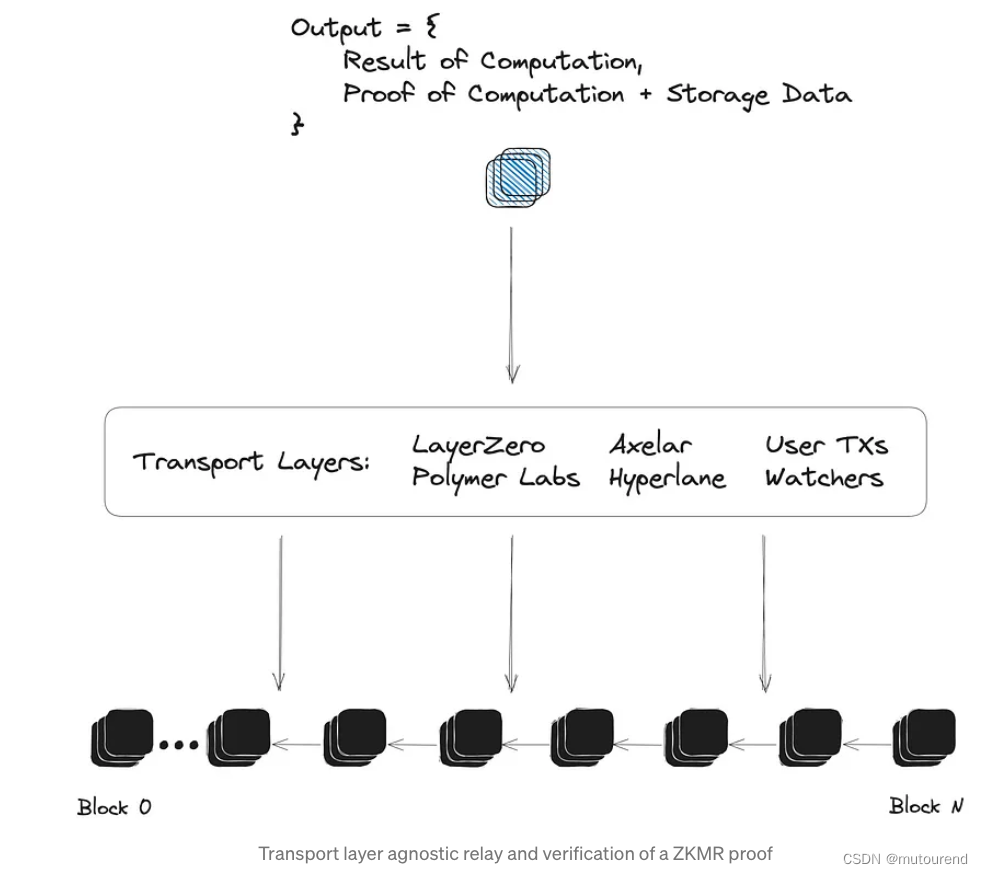
区块链世界的大数据入门之zkMapReduce简介
1. 引言 跨链互操作性的未来将围绕多链dapp之间的动态和数据丰富的关系构建。Lagrange Labs 正在构建粘合剂,以帮助安全地扩展基于零知识证明的互操作性。 2. ZK大数据栈 Lagrange Labs 的ZK大数据栈 为一种专有的证明结构,用于在任意动态分布式计算的…...

Python流程控制语句-条件判断语句练习及应用详解
文章目录 简介条件判断语句(if语句)练习1:判断奇偶数练习2:判断闰年练习3:计算狗的年龄相当于人的年龄练习4:根据成绩奖励练习5:选择婚姻对象 小结 python 学习专栏推荐python基础知识ÿ…...
ElasticSearch高级使用【别名,重建索引,refresh操作,高亮查询,查询建议】)
(十)ElasticSearch高级使用【别名,重建索引,refresh操作,高亮查询,查询建议】
1.别名使用 1)别名作用 在开发中,随着业务需求的迭代,较⽼的业务逻辑就要⾯临更新甚⾄是重构,⽽对于es来说,为了 适应新的业务逻辑,可能就要对原有的索引做⼀些修改,⽐如对某些字段做调整&…...

基于小波神经网络的中药材价格预测,基于ANN的小波神经网络中药材价格预测
目标 背影 BP神经网络的原理 BP神经网络的定义 BP神经网络的基本结构 BP神经网络的神经元 BP神经网络的激活函数, BP神经网络的传递函数 小波神经网络(以小波基为传递函数的BP神经网络) 代码链接:基于小波神经网络的中药材价格预测,ANN小波神经网络中药材价格预测资源-CS…...

thinkPhp5返回某些指定字段
//去除掉密码$db new UserModel();$result $db->field(password,true)->where("username{$params[username]} AND password{$params[password]}")->find(); 或者指定要的字段的数组 $db new UserModel();$result $db->field([username,create_time…...

基于docker环境的tomcat开启远程调试
背景: Tomcat部署在docker环境中,使用rancher来进行管理,需要对其进行远程调试。 操作步骤: 1.将容器中的catalina.sh映射出来,便于对其修改,添加远程调试相关参数。 注意:/data/produce2201…...
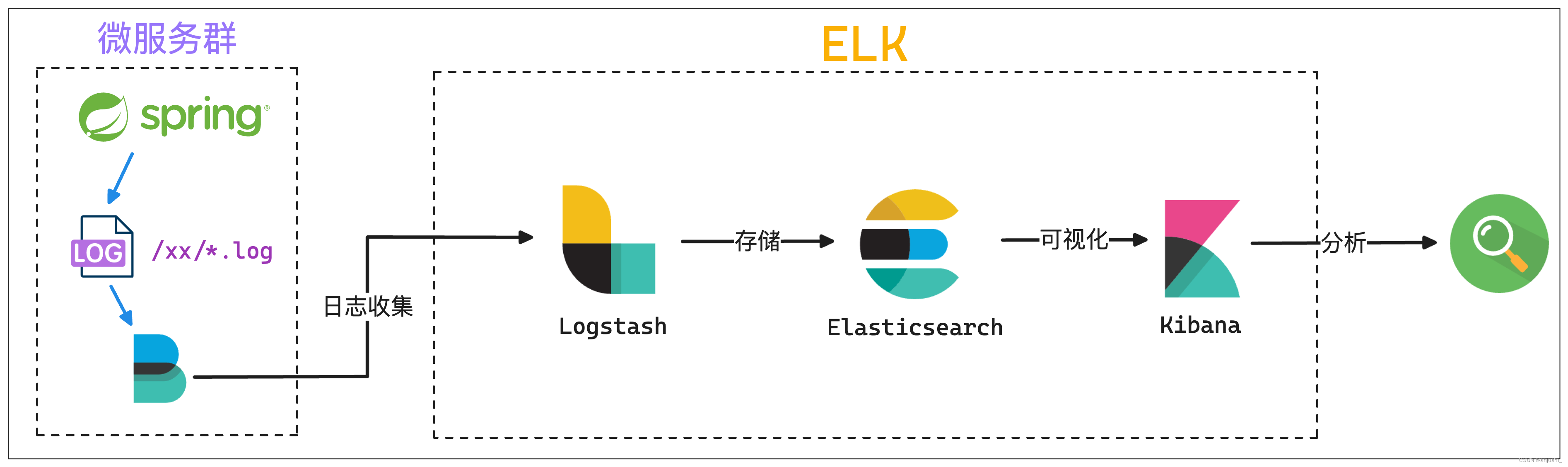
ELK日志框架图总结
ELK日志框架图总结 本文目录 ELK日志框架图总结Elastic Stack介绍模式分层图beatselasticsearchkibana模式logstashelasticsearchkibana模式beatslogstashelasticsearchkibana模式beats缓存/消息队列logstashelasticsearchkibana模式elkspringboot Elastic Stack介绍 官网&…...

go 每天定时任务 --chatGPT
问:clearLog(hour,cmds),定时执行shell 命令,hour 为每天的几点,cmds 为linux命令数组字符串(如 1,{"ls","cd"}) gpt: 要编写一个 Go 函数 clearLog,该函数可…...

Lightdb 23.3 plorasql函数支持DML
开篇立意 oracle在函数中使用dml语句时,有两者情况。即:(1)直接使用select调用该函数;(2)在匿名块中调用该函数。 针对第一种情况我们测试一下 简单的函数: create table nested_t…...

电容笔值不值得买?开学季比较好用的电容笔
眼看着新学期即将到来,到底应该选择什么样的电容笔?一款原装的苹果Pencil,就卖到了将近一千块,这对于很多人来说,都是一个十分昂贵的价格。事实上,由于平替电容笔的价格非常便宜,只要一二百元就…...
 分页)
Mybatis 框架 ( 五 ) 分页
4.6.分页 Mybatis-plus 内置分页插件, 并支持多种数据库 官网 : 分页插件 | MyBatis-Plus (baomidou.com) 4.6.1.增加拦截器 通过 MapperScan 指定 mapper接口的路径 import com.baomidou.mybatisplus.annotation.DbType; import com.baomidou.mybatisplus.extension.plug…...

Python模板注入
概念 发生在使用模板引擎解析用户提供的输入时。模板注入漏洞可能导致攻击者能够执行恶意代码或访问未授权的数据。 模板引擎可以让(网站)程序实现界面与数据分离,业务代码与逻辑代码分离。即也拓宽了攻击面,注入到模板中的代码可…...

Java常用的设计模式
单例模式(Singleton Pattern): 确保一个类只有一个实例,并提供一个全局访问点。示例:应用程序中的配置管理器。 工厂模式(Factory Pattern): 用于创建对象的模式,封装对象的创建过程。示例&…...
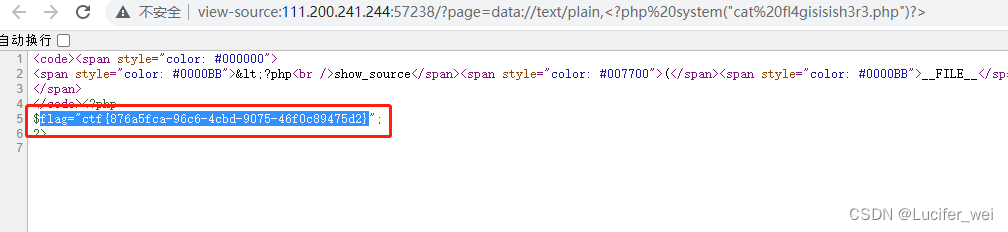
攻防世界-WEB-Web_php_include
打开靶机 通过代码审计可以知道,存在文件包含漏洞,并且对伪协议php://进行了过滤。 发现根目录下存在phpinfo 观察phpinfo发现如下: 这两个都为on 所以我们就可以使用data://伪协议 payload如下: - ?pagedata://text/plain,…...
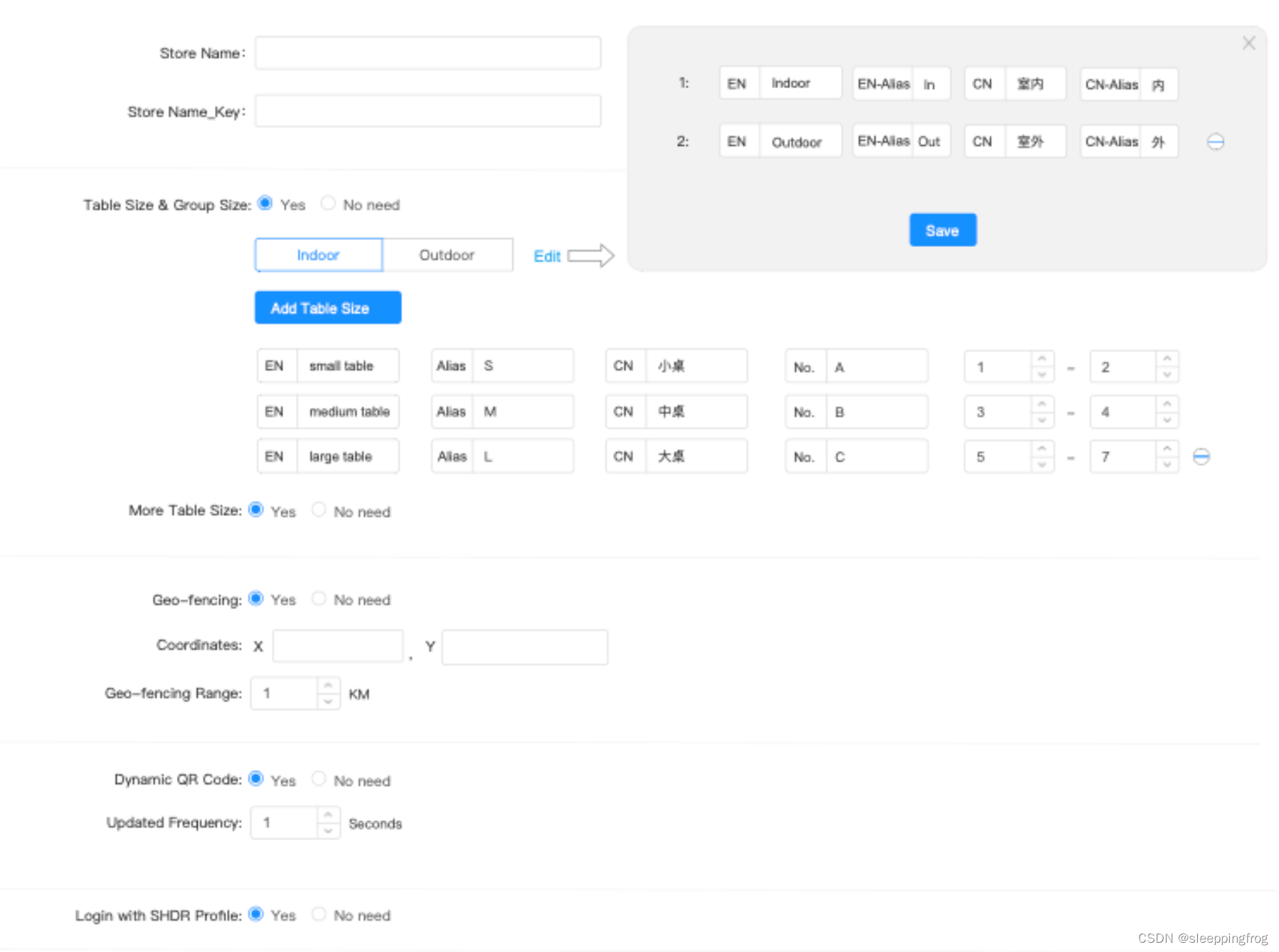
angular中多层嵌套结构的表单如何处理回显问题
最近在处理angular表单时,有一个4层结构的表单。而且很多元素时动态生成,如下: this.validateFormthis.fb.group({storeId: ["test12"],storeNameKey:[],config:this.fb.group({ tableSize:this.fb.group({toggle:[false],groupSiz…...
Leetcode646. 最长数对链
Every day a Leetcode 题目来源:646. 最长数对链 解法1:动态规划 定义 dp[i] 为以 pairs[i] 为结尾的最长数对链的长度。 初始化时,dp 数组需要全部赋值为 1。 计算 dp[i] 时,可以先找出所有的满足 pairs[i][0]>pairs[j]…...

Windows 下安装NPM
第一步: 下载node.js的windows版 当前最新版本是https://nodejs.org/dist/ 第二步:设置环境变量 把node.exe所在目录加入到PATH环境变量中。 配置成功后可以在CMD中通过node --version 看到node.js对应的版本号 C:\Users\fn>node --version v6.10.2 第三步: 安装git 直接…...
【ARM CoreLink 系列 2 -- CCI-400 控制器简介】
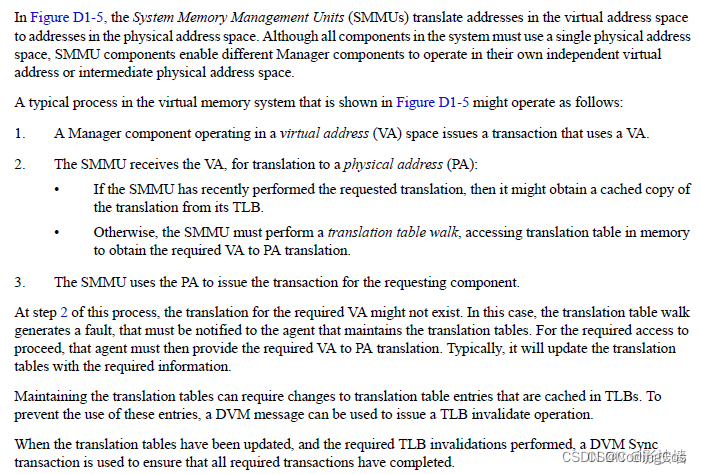
文章目录 CCI-400 介绍DVM 机制介绍DVM 消息传输过程TOKEN 机制介绍 下篇文章:ARM CoreLink 系列 3 – CCI-550 控制器介绍 CCI-400 介绍 CCI(Cache Coherent Interconnect)是ARM 中 的Cache一致性控制器。 CCI-400 将 Interconnect 和coh…...
LeetCode(力扣)77. 组合Python
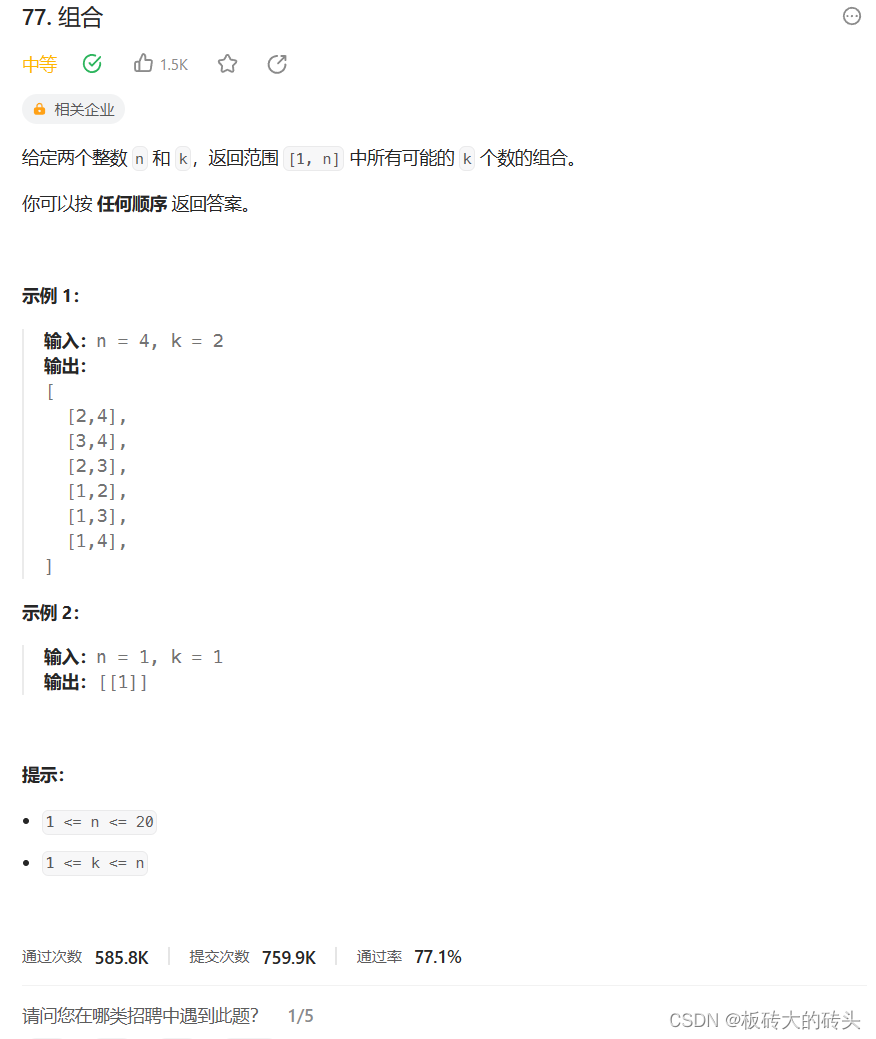
LeetCode77. 组合 题目链接代码 题目链接 https://leetcode.cn/problems/combinations/description/ 代码 class Solution:def combine(self, n: int, k: int) -> List[List[int]]:result []return self.backtracking(n, k, 1, [], result)def backtracking(self, n, k…...

ITK-SNAP医学图像分割:精准医疗影像分析的利器
ITK-SNAP医学图像分割:精准医疗影像分析的利器 【免费下载链接】itksnap ITK-SNAP medical image segmentation tool 项目地址: https://gitcode.com/gh_mirrors/it/itksnap 面对复杂的医学影像数据,如何快速准确地进行三维解剖结构分割ÿ…...

LeaderKey.app开发者指南:深入源码解析架构设计
LeaderKey.app开发者指南:深入源码解析架构设计 【免费下载链接】LeaderKey The *faster than your launcher* launcher 项目地址: https://gitcode.com/gh_mirrors/le/LeaderKey LeaderKey.app是一款轻量级启动器应用,以"比你的启动器更快&…...

自托管OSINT平台Sovereign Shield:构建数据主权的容器化情报系统
1. 项目概述:一个面向开源情报与数字资产保护的“主权之盾” 在开源情报(OSINT)和数字资产安全领域,从业者常常面临一个核心矛盾:一方面,我们需要强大的自动化工具来高效地收集、分析和监控公开信息&#x…...

利用Taotoken用量看板精细化管理团队API消耗
🚀 告别海外账号与网络限制!稳定直连全球优质大模型,限时半价接入中。 👉 点击领取海量免费额度 利用Taotoken用量看板精细化管理团队API消耗 对于依赖大模型API进行开发的团队而言,清晰、透明地掌握资源消耗情况是成…...
)
485温湿度传感器Modbus通信避坑指南:从波特率匹配到报文解析(以4800波特率为例)
485温湿度传感器Modbus通信实战:从硬件对接到数据解析全流程 工业现场的数据采集往往从一串看似简单的十六进制代码开始。当您第一次将485温湿度传感器接入系统时,可能会遇到这样的场景:硬件连接无误,指示灯正常闪烁,但…...

RK3568开发板Android 11系统移植实战:从内核驱动到HAL适配
1. 项目概述与学习路径规划拿到一块像迅为iTOP-RK3568这样的开发板,想把最新的Android 11系统跑起来,这个想法听起来挺酷,但很多朋友一看到“系统移植”四个字就有点发怵,感觉这是大神才能玩转的领域。其实,只要你熟悉…...

DIY实验室振荡器:基于Crickit与3D打印的机电一体化实践
1. 项目概述与核心价值在实验室里,振荡器是个再常见不过的设备了,无论是生物培养时的恒温摇床,还是化学实验中的涡旋振荡,其核心任务就一个:让液体或样品动起来,实现均匀混合或加速反应。对于玩3D打印的朋友…...

5个关键场景掌握openpilot:开源自动驾驶系统的实战指南
5个关键场景掌握openpilot:开源自动驾驶系统的实战指南 【免费下载链接】openpilot openpilot is an operating system for robotics. Currently, it upgrades the driver assistance system on 300 supported cars. 项目地址: https://gitcode.com/GitHub_Trendi…...

如何轻松搞定浏览器视频下载:3步安装免费插件完全指南
如何轻松搞定浏览器视频下载:3步安装免费插件完全指南 【免费下载链接】VideoDownloadHelper Chrome Extension to Help Download Video for Some Video Sites. 项目地址: https://gitcode.com/gh_mirrors/vi/VideoDownloadHelper 还在为无法保存网页视频而烦…...

在VSCode+GCC+STM32环境中实现非阻塞式串口调试:中断驱动的printf重定向实践
1. 为什么需要非阻塞式串口调试 在嵌入式开发中,串口调试就像是我们和硬件对话的"嘴巴"和"耳朵"。想象一下,当你和朋友聊天时,如果每次说话都要等对方完全听完才能做其他事情,那该有多难受?传统的…...