
Elasticsearch:使用 ELSER 文本扩展进行语义搜索
在今天的文章里,我来详细地介绍如何使用 ELSER 进行文本扩展驱动的语义搜索。
安装
Elasticsearch 及 Kibana
如果你还没有安装好自己的 Elasticsearch 及 Kibana,请参考如下的链接来进行安装:
-
如何在 Linux,MacOS 及 Windows 上进行安装 Elasticsearch
-
Kibana:如何在 Linux,MacOS 及 Windows 上安装 Elastic 栈中的 Kibana
在安装的时候,我们可以选择 Elastic Stack 8.x 的安装指南来进行安装。在本博文中,我将使用最新的 Elastic Stack 8.10 来进行展示。
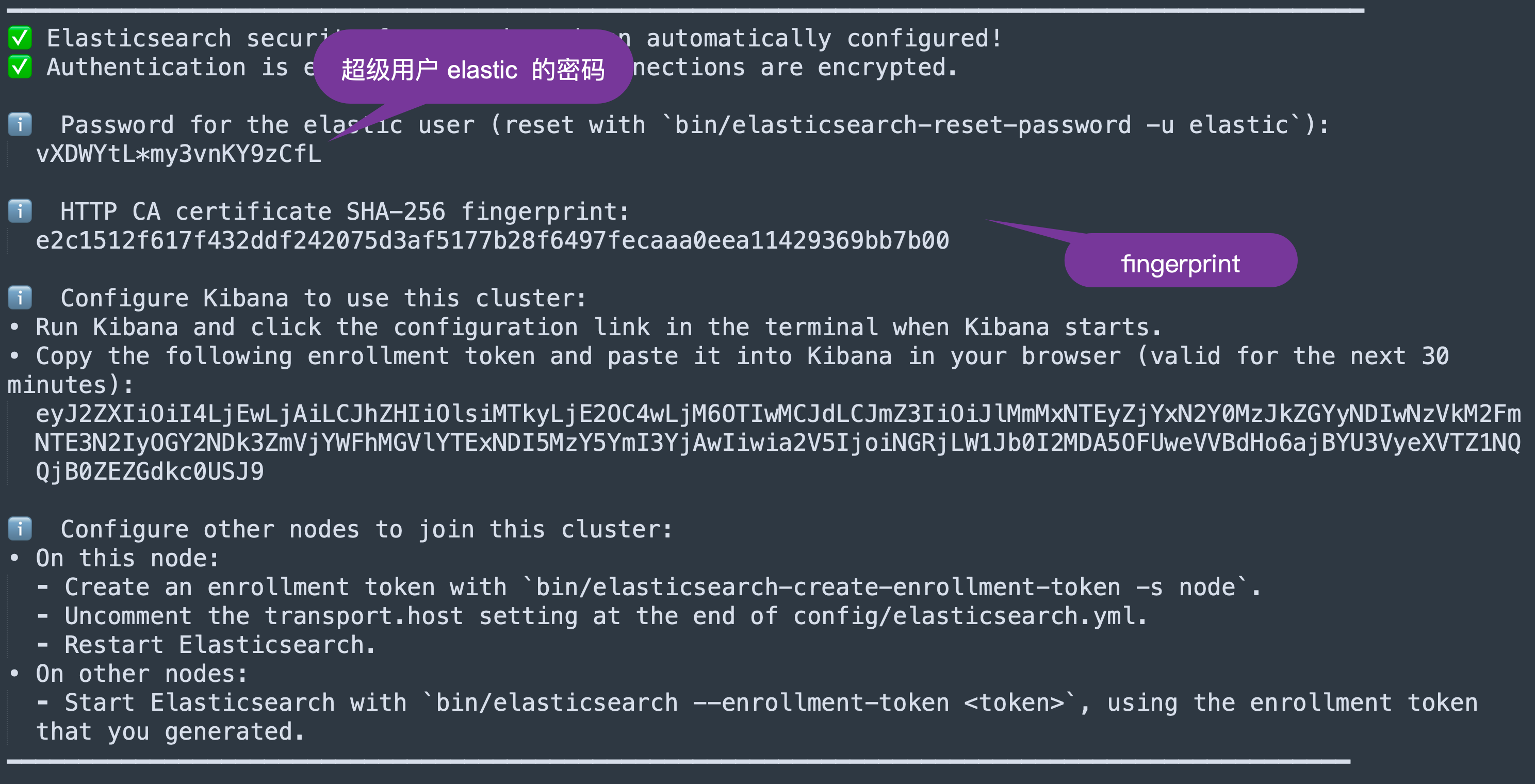
在安装 Elasticsearch 的过程中,我们需要记下如下的信息:
部署 ELSER
我们可以参考文章 “Elasticsearch:部署 ELSER - Elastic Learned Sparse EncoderR” 来部署 ELSER。
Python 安装包
在本演示中,我们将使用 Python 来进行展示。我们需要安装访问 Elasticsearch 相应的安装包 elasticsearch:
pip install elasticsearch我们将使用 Jupyter Notebook 来进行展示。
$ pwd
/Users/liuxg/python/elser
$ jupyter notebook
准备数据
我们在项目的根目录下,创建如下的一个数据文件: data.json:
data.json
[{"title":"Pulp Fiction","runtime":"154","plot":"The lives of two mob hitmen, a boxer, a gangster and his wife, and a pair of diner bandits intertwine in four tales of violence and redemption.","keyScene":"John Travolta is forced to inject adrenaline directly into Uma Thurman's heart after she overdoses on heroin.","genre":"Crime, Drama","released":"1994"},{"title":"The Dark Knight","runtime":"152","plot":"When the menace known as the Joker wreaks havoc and chaos on the people of Gotham, Batman must accept one of the greatest psychological and physical tests of his ability to fight injustice.","keyScene":"Batman angrily responds 'I’m Batman' when asked who he is by Falcone.","genre":"Action, Crime, Drama, Thriller","released":"2008"},{"title":"Fight Club","runtime":"139","plot":"An insomniac office worker and a devil-may-care soapmaker form an underground fight club that evolves into something much, much more.","keyScene":"Brad Pitt explains the rules of Fight Club to Edward Norton. The first rule of Fight Club is: You do not talk about Fight Club. The second rule of Fight Club is: You do not talk about Fight Club.","genre":"Drama","released":"1999"},{"title":"Inception","runtime":"148","plot":"A thief who steals corporate secrets through the use of dream-sharing technology is given the inverse task of planting an idea into thed of a C.E.O.","keyScene":"Leonardo DiCaprio explains the concept of inception to Ellen Page by using a child's spinning top.","genre":"Action, Adventure, Sci-Fi, Thriller","released":"2010"},{"title":"The Matrix","runtime":"136","plot":"A computer hacker learns from mysterious rebels about the true nature of his reality and his role in the war against its controllers.","keyScene":"Red pill or blue pill? Morpheus offers Neo a choice between the red pill, which will allow him to learn the truth about the Matrix, or the blue pill, which will return him to his former life.","genre":"Action, Sci-Fi","released":"1999"},{"title":"The Shawshank Redemption","runtime":"142","plot":"Two imprisoned men bond over a number of years, finding solace and eventual redemption through acts of common decency.","keyScene":"Andy Dufresne escapes from Shawshank prison by crawling through a sewer pipe.","genre":"Drama","released":"1994"},{"title":"Goodfellas","runtime":"146","plot":"The story of Henry Hill and his life in the mob, covering his relationship with his wife Karen Hill and his mob partners Jimmy Conway and Tommy DeVito in the Italian-American crime syndicate.","keyScene":"Joe Pesci's character Tommy DeVito shoots young Spider in the foot for not getting him a drink.","genre":"Biography, Crime, Drama","released":"1990"},{"title":"Se7en","runtime":"127","plot":"Two detectives, a rookie and a veteran, hunt a serial killer who uses the seven deadly sins as his motives.","keyScene":"Brad Pitt's character David Mills shoots John Doe after he reveals that he murdered Mills' wife.","genre":"Crime, Drama, Mystery, Thriller","released":"1995"},{"title":"The Silence of the Lambs","runtime":"118","plot":"A young F.B.I. cadet must receive the help of an incarcerated and manipulative cannibal killer to help catch another serial killer, a madman who skins his victims.","keyScene":"Hannibal Lecter explains to Clarice Starling that he ate a census taker's liver with some fava beans and a nice Chianti.","genre":"Crime, Drama, Thriller","released":"1991"},{"title":"The Godfather","runtime":"175","plot":"An organized crime dynasty's aging patriarch transfers control of his clandestine empire to his reluctant son.","keyScene":"James Caan's character Sonny Corleone is shot to death at a toll booth by a number of machine gun toting enemies.","genre":"Crime, Drama","released":"1972"},{"title":"The Departed","runtime":"151","plot":"An undercover cop and a mole in the police attempt to identify each other while infiltrating an Irish gang in South Boston.","keyScene":"Leonardo DiCaprio's character Billy Costigan is shot to death by Matt Damon's character Colin Sullivan.","genre":"Crime, Drama, Thriller","released":"2006"},{"title":"The Usual Suspects","runtime":"106","plot":"A sole survivor tells of the twisty events leading up to a horrific gun battle on a boat, which began when five criminals met at a seemingly random police lineup.","keyScene":"Kevin Spacey's character Verbal Kint is revealed to be the mastermind behind the crime, when his limp disappears as he walks away from the police station.","genre":"Crime, Mystery, Thriller","released":"1995"}
]
$ pwd
/Users/liuxg/python/elser
$ ls
Semantic search - ELSER.ipynb data.json创建应用并进行演示
连接 Elasticsearch
我们可以参考文章 “Elasticsearch:关于在 Python 中使用 Elasticsearch 你需要知道的一切 - 8.x” 在 Python 中连接 Elasticsearch。接下来,我们需要导入我们需要的模块。
from elasticsearch import Elasticsearch, helpers
from urllib.request import urlopen
import getpass
import json
现在我们可以实例化 Python Elasticsearch 客户端。
然后我们创建一个客户端对象来实例化 Elasticsearch 类的实例。
ELASTCSEARCH_CERT_PATH = "/Users/liuxg/elastic/elasticsearch-8.10.0/config/certs/http_ca.crt"client = Elasticsearch( ['https://localhost:9200'],basic_auth = ('elastic', 'vXDWYtL*my3vnKY9zCfL'),ca_certs = ELASTCSEARCH_CERT_PATH,verify_certs = True)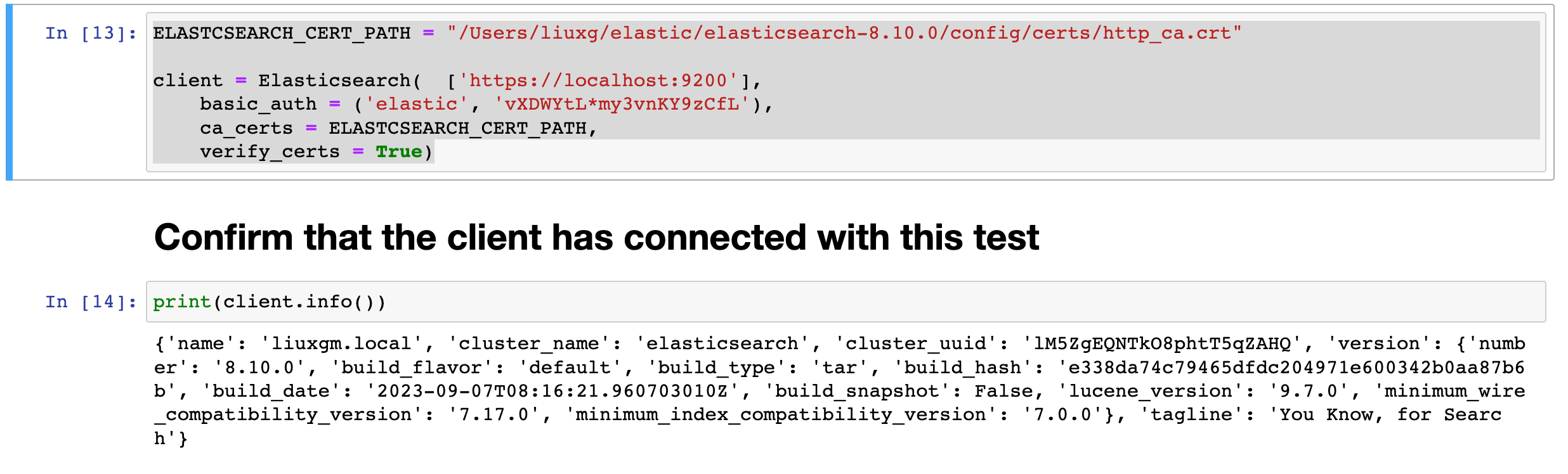
🔐 注意:getpass 使我们能够安全地提示用户输入凭据,而无需将其回显到终端或将其存储在内存中。为了方便,我们将不使用 getpass。在代码中我们使用硬编码。你也可以使用 API keys 来进行连接。详细细节,请参考文章 “Elasticsearch:关于在 Python 中使用 Elasticsearch 你需要知道的一切 - 8.x”。
使用 ELSER 索引文档
为了在我们的 Elasticsearch 集群上使用 ELSER,我们需要创建一个包含运行 ELSER 模型的推理处理器的摄取管道。 让我们使用 put_pipeline 方法添加该管道。
client.ingest.put_pipeline(id="elser-ingest-pipeline", description="Ingest pipeline for ELSER",processors=[{"inference": {"model_id": ".elser_model_1","target_field": "ml","field_map": {"plot": "text_field"},"inference_config": {"text_expansion": {"results_field": "tokens"}}}}]
)
让我们记下该 API 调用中的一些重要参数:
- inference:使用机器学习模型执行推理的处理器。
- model_id:指定要使用的机器学习模型的 ID。 在此示例中,模型 ID 设置为 .elser_model_1。
- target_field:定义存储推理结果的字段。 这里设置为 ml。
- text_expansion:为推理过程配置文本扩展选项。 在此示例中,推理结果将存储在名为 “tokens” 的字段中。

使用映射创建索引
要在索引时使用 ELSER 模型,我们需要创建支持 text_expansion 查询的索引映射。 映射必须包含 rank_features 类型的字段才能使用我们感兴趣的特征向量。 该字段包含 ELSER 模型根据输入文本创建的 token 权重对。
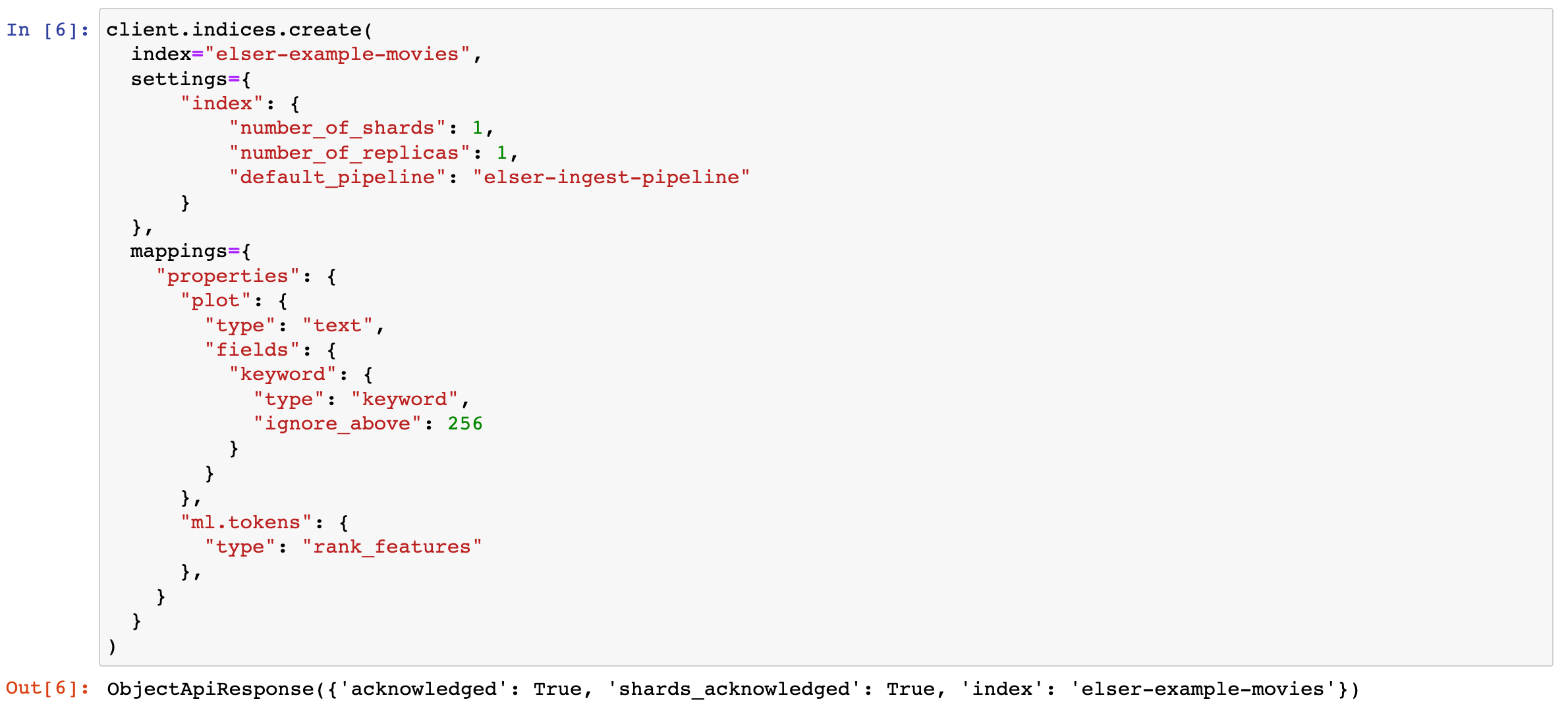
让我们使用我们需要的映射创建一个名为 elser-example-movies 的索引。
client.indices.create(index="elser-example-movies",settings={"index": {"number_of_shards": 1,"number_of_replicas": 1,"default_pipeline": "elser-ingest-pipeline"}},mappings={"properties": {"plot": {"type": "text","fields": {"keyword": {"type": "keyword","ignore_above": 256}}},"ml.tokens": {"type": "rank_features"},}}
)
在运行完上面的代码后,我们可以在 Kibana 里进行查看:
GET elser-example-movies/_mapping
从上面的输出中,我们可以看到 elser-example-movies 索引已经被成功地创建。
摄入文档
让我们插入 12 部电影的示例数据集。
# Load data into a JSON object
with open('data.json') as f:data_json = json.load(f)print(data_json)# Prepare the documents to be indexed
documents = []
for doc in data_json:documents.append({"_index": INDEX_NAME,"_source": doc,})# Use helpers.bulk to index
helpers.bulk(client, documents)print("Done indexing documents into `search-movies` index!")
我们可以到 Kibana 里进行查看:
GET elser-example-movies/_search
检查新文档以确认它现在有一个 "ml": {"tokens":...} 字段,其中包含新的附加术语列表。 这些术语是你针对 ELSER 推理的字段的文本扩展。 ELSER 实质上创建了一个扩展术语树,以提高文档的语义可搜索性。 我们将能够使用 text_expansion 查询来搜索这些文档。
但首先让我们从简单的关键字搜索开始,看看 ELSER 如何提供开箱即用的语义相关结果。
使用 ELSER 查询文档
让我们使用 ELSER 测试语义搜索。
response = client.search(index='elser-example-movies', size=3,query={"text_expansion": {"ml.tokens": {"model_id":".elser_model_1","model_text":"child toy"}}}
)for hit in response['hits']['hits']:doc_id = hit['_id']score = hit['_score']title = hit['_source']['title']plot = hit['_source']['plot']print(f"Score: {score}\nTitle: {title}\nPlot: {plot}\n")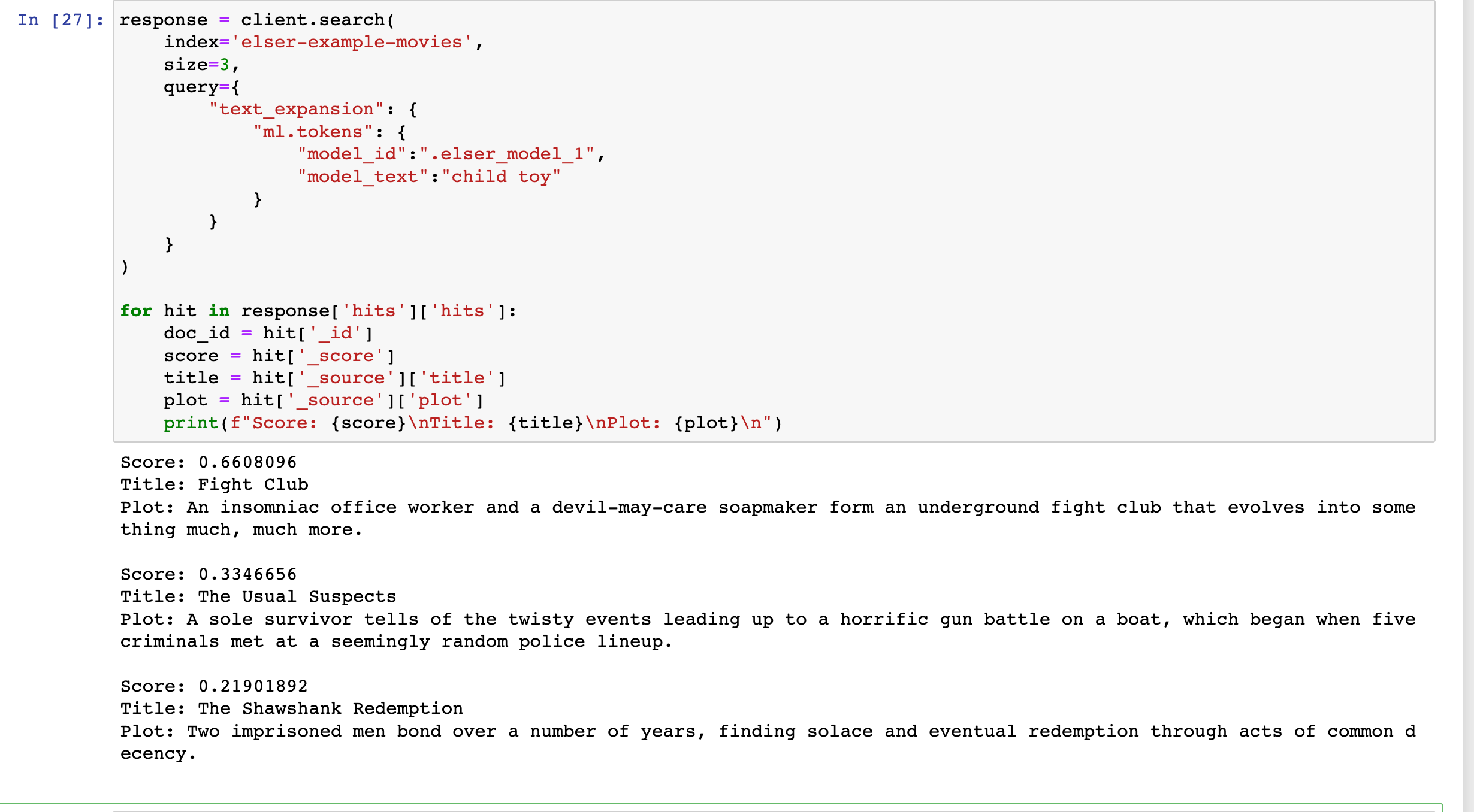
最终的 jupyter 文件可以在地址下载。
相关文章:
Elasticsearch:使用 ELSER 文本扩展进行语义搜索
在今天的文章里,我来详细地介绍如何使用 ELSER 进行文本扩展驱动的语义搜索。 安装 Elasticsearch 及 Kibana 如果你还没有安装好自己的 Elasticsearch 及 Kibana,请参考如下的链接来进行安装: 如何在 Linux,MacOS 及 Windows 上…...

OpenRadar DOA函数 Bartlett/CBF和Capon使用
Bartlett / CBF原理看这里 Capon原理看这里 这里只讲怎么调用openradar提供的aoa_bartlett和aoa_capon函数: 一些吐槽:虽然看起来openradar的作者代码水平很高,但里面有很多匪夷所思的写法,比如他demo里的解析文件格式就很迷啊等…...
二叉树--翻转二叉树
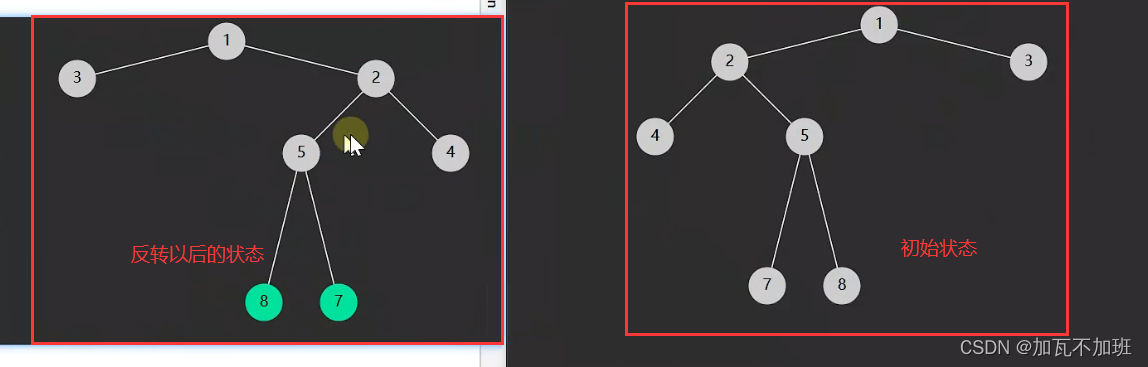
文章前言:如果有小白同学还是对于二叉树不太清楚,作者推荐:二叉树的初步认识_加瓦不加班的博客-CSDN博客 给你一棵二叉树的根节点 root ,翻转这棵二叉树,并返回其根节点。 如果思路不清楚,请看动态页面&am…...
强化学习环境 - robogym - 学习 - 3
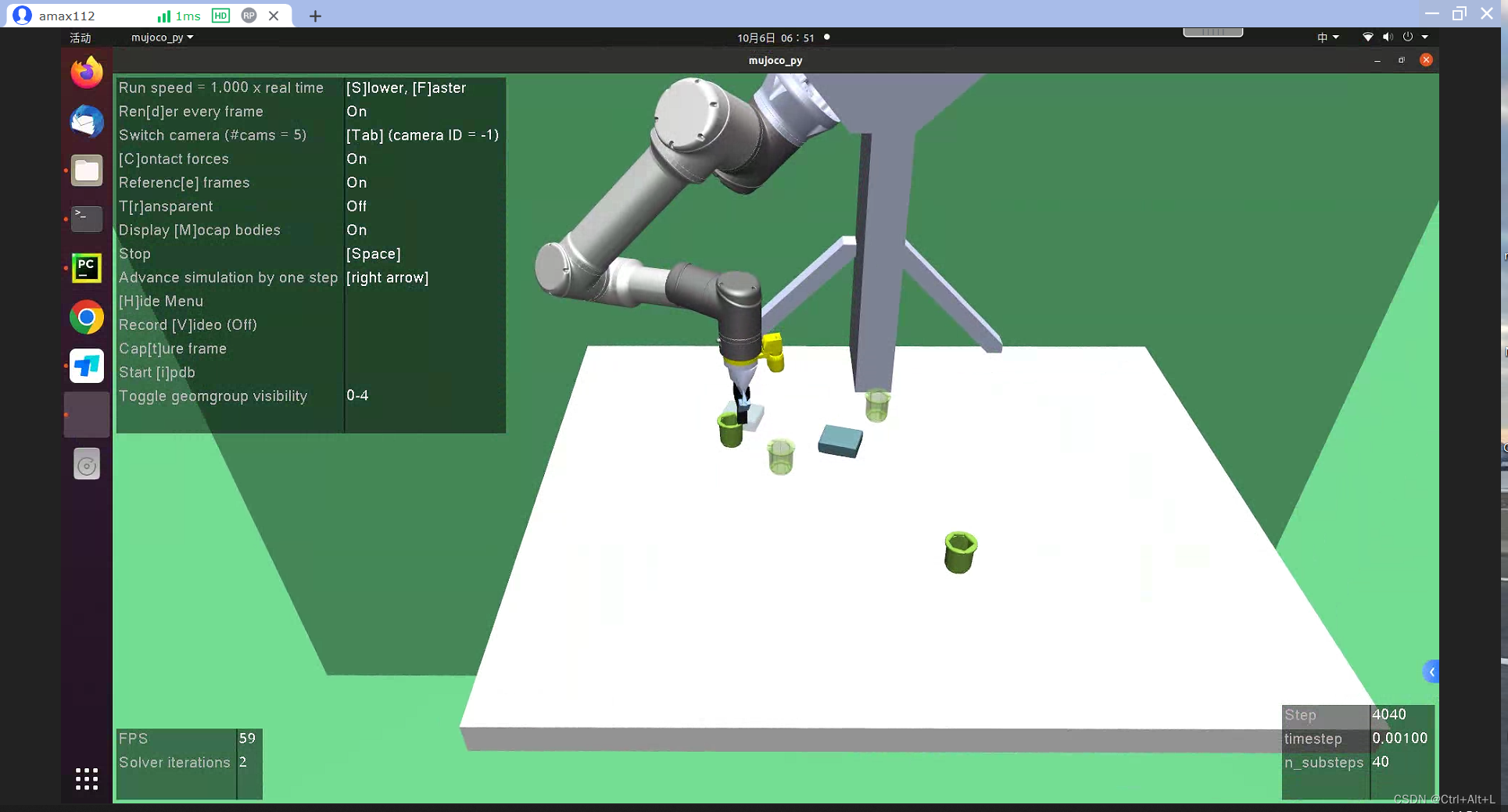
强化学习环境 - robogym - 学习 - 3 文章目录 强化学习环境 - robogym - 学习 - 3项目地址为什么选择 robogymObservation - 观测信息Action - 动作信息Initialization - 初始状态设置 项目地址 https://github.com/openai/robogym 为什么选择 robogym 自己的项目需要做一些机…...
CUDA+cuDNN+TensorRT 配置避坑指南
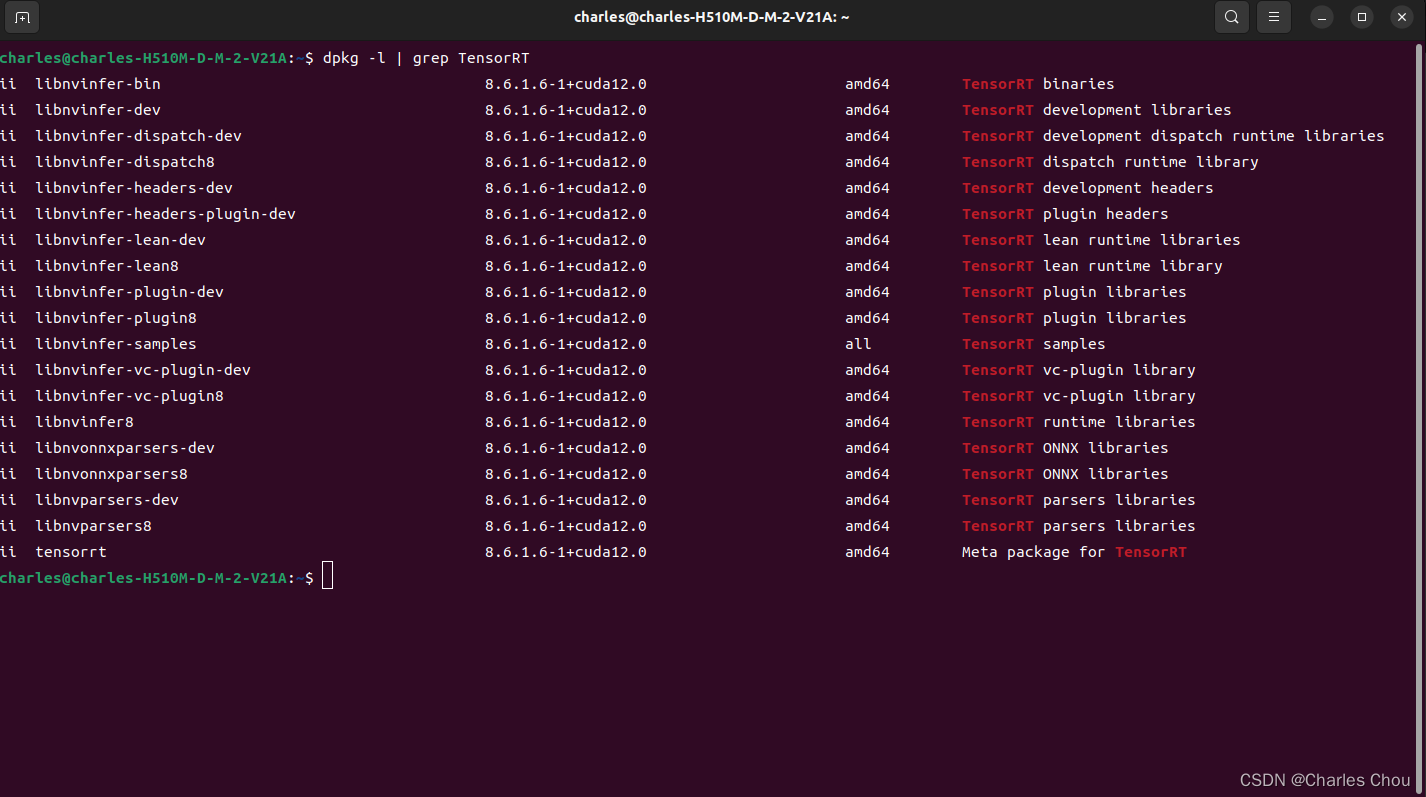
深度学习模型加速部署的环境配置,需要在本地安装NVIDIA的一些工具链和软件包,这是一个些许繁琐的过程,而且一步错,步步错。笔者将会根据自己的经验来提供建议,减少踩坑几率。当然可以完全按照官方教程操作,…...
关于PointHeadBox类的理解
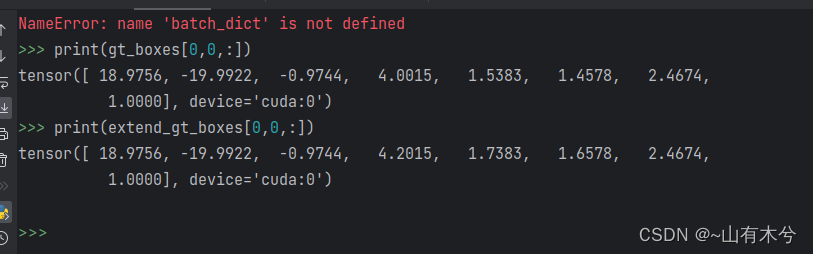
forward函数 def forward(self, batch_dict):"""Args:batch_dict:batch_size:point_features: (N1 N2 N3 ..., C) or (B, N, C)point_features_before_fusion: (N1 N2 N3 ..., C)point_coords: (N1 N2 N3 ..., 4) [bs_idx, x, y, z]point_labels (opti…...
ajax的使用)
javascript二维数组(10)ajax的使用
在JQuery中,使用AJAX的方法主要有以下几种: $.ajax():这是JQuery中最通用的AJAX请求方法。它需要一个包含各种参数的对象,其中包括请求的URL、请求方式、数据类型、请求参数等。请求成功后执行的回调函数也是通过参数来定义的。 …...

CMMI5认证哪些企业可以申请
CMMI5认证哪些企业可以申请 什么是CMMI5认证 CMMI(Capability Maturity Model Integration)是一种用于评估组织的软件工程能力的国际标准。CMMI模型包括5个等级,其中CMMI5是最高等级,代表组织具有达到持续优化和创新的能力。获得…...
【iptables 实战】9 docker网络原理分析
在开始本章阅读之前,需要提前了解以下的知识 阅读本节需要一些docker的基础知识,最好是在linux上安装好docker环境。提前掌握iptables的基础知识,前文参考【iptables 实战】 一、docker网络模型 docker网络模型如下图所示 说明࿱…...
【多级缓存】
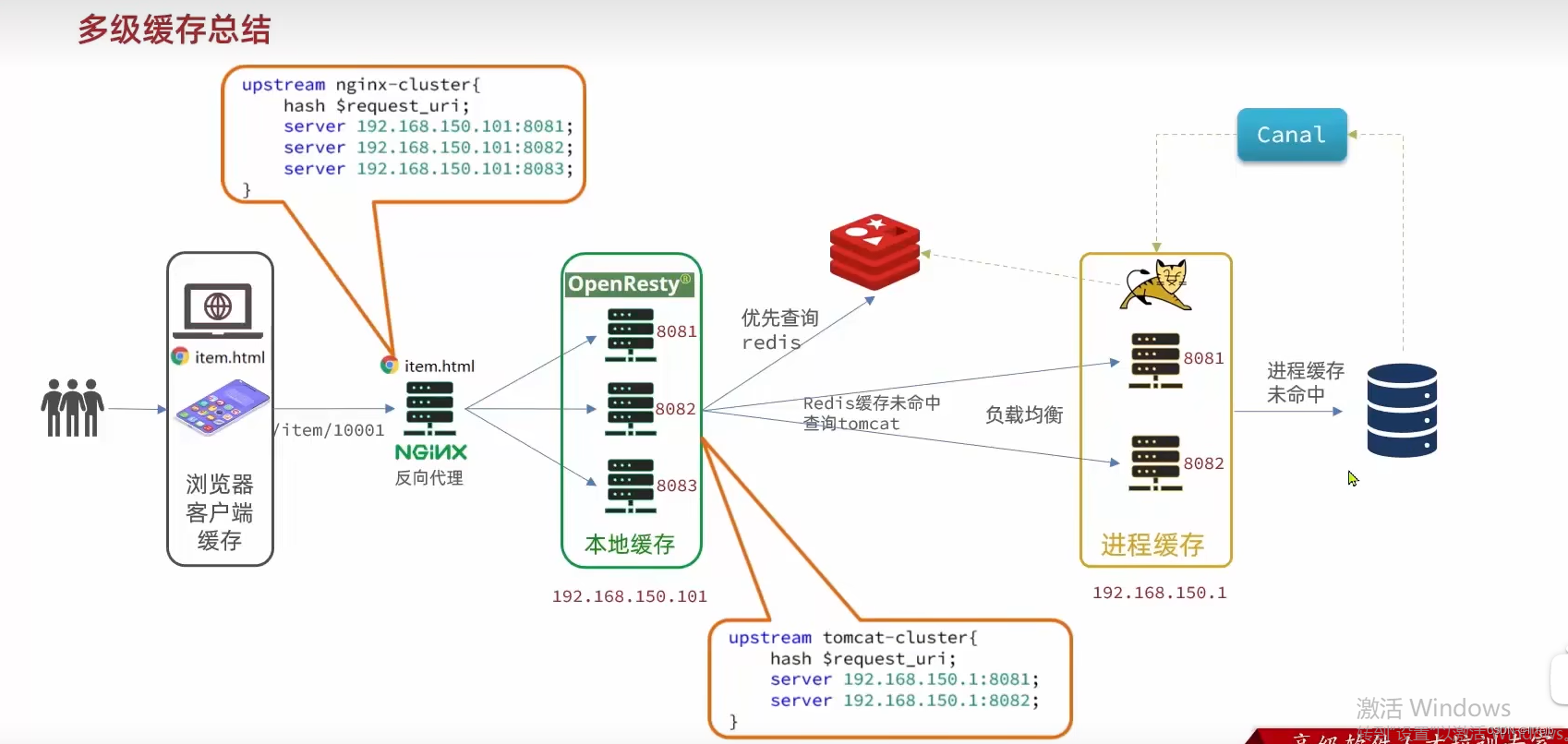
文章目录 1. JVM进程缓存2. Lua语法3. 实现多级缓存3.1 反向代理流程3.2 OpenResty快速入门 4. 查询Tomcat4.1 发送http请求的API4.2 封装http工具4.3 基于ID负载均衡4.4 流程小结 5. Redis缓存查询5.1 实现Redis查询 6. Nginx本地缓存6.1 本地缓存API6.2 实现本地缓存查询 7. …...
第五课 树与图
文章目录 第五课 树与图lc94.二叉树的中序遍历--简单题目描述代码展示 lc589.N叉树的层序遍历--中等题目描述代码展示 lc297.二叉树的序列化和反序列化--困难题目描述代码展示 lc105.从前序与中序遍历序列构造二叉树--中等题目描述代码展示 lc106.从中序与后序遍历序列构造二叉…...

2023-10-07 事业-代号z-副业-CQ私服-调研与分析
摘要: CQ作为一款运营了20年的游戏, 流传出的私服可以说是层出不穷, 到了现在我其实对这款游戏的长线运营的前景很悲观. 但是作为商业的一部分, 对其做谨慎的分析还是很有必要的. 传奇调研的来源: 一. 各种售卖私服的网站 传奇服务端版本库-传奇手游源码「免费下载」传奇GM论…...
合并不同门店数据-上下合并
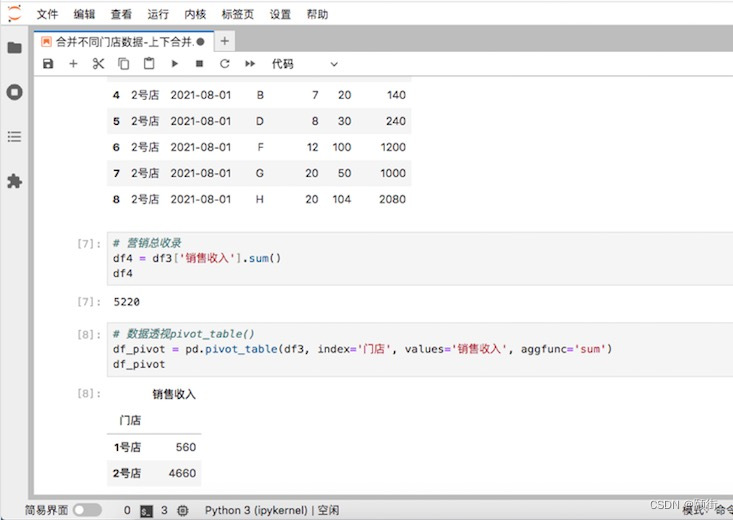
项目背景:线下超市分店,统计产品的销售数量和销售额,并用透视表计算求和 merge()函数可以根据链接键横向连接两张不同表,concat()函数可以上下合并和左右合并2种不同的合并方式。merge()函数只能横向连接两张表,而con…...

学习记忆——数学篇——案例——算术——整除特点
理解记忆法 对于数的整除特征大家都比较熟悉:比如4看后两位(因为100是4的倍数),8看后三位(因为1000是8的倍数),5末尾是0或5,3与9看各位数字和等等,今天重点研究一下3,9,…...

PHP8中的魔术方法-PHP8知识详解
在PHP 8中,魔术方法是一种特殊的方法,它们以两个下划线(__)开头。魔术方法允许您定义类的行为,例如创建对象、调用其他方法或访问和修改类的属性。以下是一些常见的魔术方法: __construct(): 类的构造函数…...
[图论]哈尔滨工业大学(哈工大 HIT)学习笔记23-31
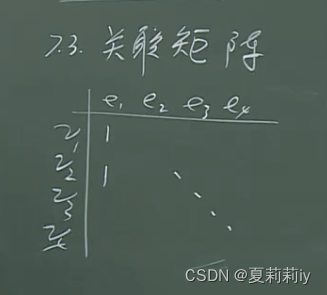
视频来源:4.1.1 背景_哔哩哔哩_bilibili 目录 1. 哈密顿图 1.1. 背景 1.2. 哈氏图 2. 邻接矩阵/邻接表 3. 关联矩阵 3.1. 定义 4. 带权图 1. 哈密顿图 1.1. 背景 (1)以地球为建模,从一个大城市开始遍历其他大城市并且返回…...

Nginx+Keepalived实现服务高可用
Nginx 和 Keepalived 是常用于构建高可用性(High Availability)架构的工具。Nginx 是一款高性能的Web服务器和反向代理服务器,而Keepalived则提供了对Nginx服务的健康状态监测和故障切换功能。 下载Nginx 在服务器1和服务器2分别下载nginx …...
picodet onnx转其它芯片支持格式时遇到
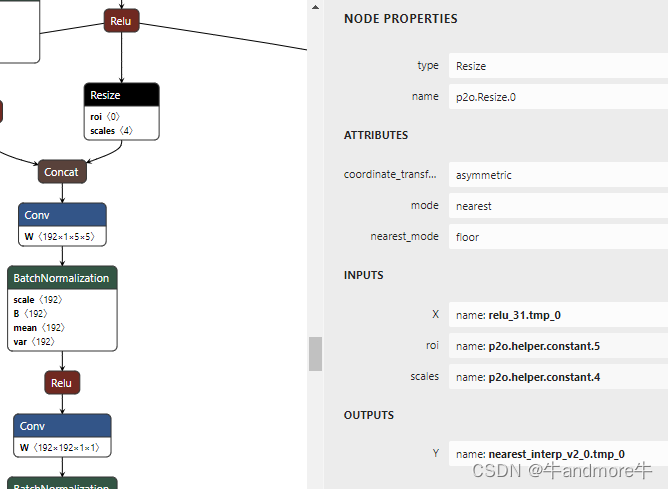
文章目录 报错信息解决方法两模型精度对比 报错信息 报错信息为: Upsample(resize) Resize_0 not support attribute coordinate_transformation_mode:half_pixel. 解决方法 整个模型转换过程是:paddle 动态模型转成静态,再用paddle2onnx…...

【学习笔记】CF704B Ant Man
智商不够啊,咋想到贪心的😅 非常经典的贪心模型🤔 首先,从小到大将每个 i i i插入到排列中,用 D P DP DP记录还有多少个位置可以插入,可以通过钦定新插入的位置左右两边是否继续插入数来提前计算贡献。注…...

SQLines数据迁移工具
Data and Analytics Platform Migration - SQLines Tools SQLines提供的工具可以帮助您在不同的数据库平台之间传输数据、转换数据库模式(DDL)、视图、存储过程、包、用户定义函数(udf)、触发器、SQL查询和SQL脚本。 SQLines SQL Converter OverviewCommand LineConfigurati…...

从零到一:Windows环境下Oracle19c的完整部署与实战配置
1. 环境准备:搭建Oracle19c的Windows温床 第一次在Windows上装Oracle数据库就像给新房子铺水电——基础没打好,后面全是坑。我见过太多人因为忽略环境检查,导致安装到一半报错重来的惨剧。这里分享几个实测有效的准备工作: 硬件配…...

机器视觉在人工智能领域的应用
机器视觉在人工智能领域的应用 目录机器视觉在人工智能领域的应用一、图像处理与机器视觉的概念阐述1. 图像处理(Image Processing)2. 机器视觉(Machine Vision / Computer Vision)二、图像处理与机器视觉的区别与共同点区别共同点…...

亚马逊Sidewalk技术解析:智能家居网络共享的隐私与安全挑战
1. 项目概述:当你的智能音箱开始“共享”你的网络 去年年底,我像往常一样检查家里的智能设备,一个偶然的发现让我停下了手里的咖啡:我家的几台亚马逊Echo智能音箱,在未经我明确同意的情况下,已经被默认开启…...

别再让电机烧了!聊聊工业设备中三相电源保护的两种经典电路设计与选型
工业三相电机保护电路设计实战:从原理到工程落地 在空压机房嘈杂的轰鸣声中,老王师傅正对着烧毁的电机摇头叹气——这已经是本月第三台因电源故障报废的设备。类似场景在工业现场屡见不鲜,统计显示超过40%的电机故障源于电源异常,…...

vLLM Semantic Router:基于信号驱动的LLM智能路由架构与生产实践
1. 项目概述:为什么我们需要一个“智能”的LLM路由器?在当前的LLM应用开发中,我们正面临一个甜蜜的烦恼:模型太多了。从闭源的GPT-4、Claude,到开源的Llama、Qwen、DeepSeek,再到各种针对特定任务微调的小模…...

Llama-3中文优化实战:从模型选型到本地部署全解析
1. 项目概述:从Llama-3到中文Llama-3的进化之路 如果你在过去一年里关注过开源大模型,那么“Llama”这个名字对你来说一定不陌生。从Meta发布Llama-2开始,这个系列就成为了开源社区构建垂直领域模型的基石。今年4月,Meta又扔下了一…...

从AI概念到落地:传统AI与生成式AI的技术分野与实战选型
1. 从“谈AI色变”到“用AI解题”:我们到底在讨论什么?如果你最近两年没在火星上度假,那你肯定被“AI”这个词全方位轰炸过。从科技媒体的头条,到投资机构的报告,再到你手机里突然冒出的各种“智能”功能,A…...

Nitric本地开发环境搭建:快速测试和调试的完整流程
Nitric本地开发环境搭建:快速测试和调试的完整流程 【免费下载链接】nitric Nitric is a multi-language framework for cloud applications with infrastructure from code. 项目地址: https://gitcode.com/gh_mirrors/ni/nitric Nitric是一个多语言框架&am…...

Day3:拆箱ROS2|一起搭建机器人开发车间
Day1:一起学习了ros2是什么以及ros2为机器人开发提供了哪些核心功能. Day2一起安装了ros2。 接下来自然会想到如果现在要用ROS2开发一个机器人,应该怎样开始? 下面我们以雷达小车机器人举例说明: 1、需要为机器人创建一个【工作空间】作为顶层…...
:超出3个指标即触发强制重构——你达标了吗?)
DeepSeek Clean Code终极阈值(v2.3.1正式版):超出3个指标即触发强制重构——你达标了吗?
更多请点击: https://intelliparadigm.com 第一章:DeepSeek Clean Code终极阈值的演进与哲学内核 DeepSeek Clean Code 的“终极阈值”并非静态指标,而是代码可维护性、语义清晰度与执行确定性三者动态收敛的临界点。它源于对 LLM 推理链中 …...