
Three.js 材质的 blending
Three.js 材质的 blending
// blending modes
export type Blending =| typeof NoBlending| typeof NormalBlending| typeof AdditiveBlending| typeof SubtractiveBlending| typeof MultiplyBlending| typeof CustomBlending;// custom blending destination factors
export type BlendingDstFactor =| typeof ZeroFactor| typeof OneFactor| typeof SrcColorFactor| typeof OneMinusSrcColorFactor| typeof SrcAlphaFactor| typeof OneMinusSrcAlphaFactor| typeof DstAlphaFactor| typeof OneMinusDstAlphaFactor| typeof DstColorFactor| typeof OneMinusDstColorFactor;// custom blending equations
export type BlendingEquation =| typeof AddEquation| typeof SubtractEquation| typeof ReverseSubtractEquation| typeof MinEquation| typeof MaxEquation;// custom blending src factors
export const SrcAlphaSaturateFactor: 210;
export type BlendingSrcFactor = typeof SrcAlphaSaturateFactor;// custom blending destination factors
export type BlendingDstFactor =| typeof ZeroFactor| typeof OneFactor| typeof SrcColorFactor| typeof OneMinusSrcColorFactor| typeof SrcAlphaFactor| typeof OneMinusSrcAlphaFactor| typeof DstAlphaFactor| typeof OneMinusDstAlphaFactor| typeof DstColorFactor| typeof OneMinusDstColorFactor;class Material {blending: Blending;blendEquation: BlendingEquation;blendEquationAlpha: BlendingEquation;blendDst: BlendingDstFactor;blendDstAlpha: BlendingDstFactor;blendSrc: BlendingSrcFactor | BlendingDstFactor;blendSrcAlpha: BlendingSrcFactor | BlendingDstFactor;
}
1、blending
材质的混合模式。
id = gl.BLEND// NoBlending
gl.disable( id );// NormalBlending
// AdditiveBlending
// SubtractiveBlending
// MultiplyBlending
// CustomBlending
gl.enable( id );
2、blendEquation
混合公式确定如何将新像素与 中 WebGLFramebuffer 已有的像素组合。
混合方程的API:
gl.blendEquationSeparate: 用于分别设置 RGB 混合方程和 alpha 混合方程
gl.blendEquation: RGB 混合方程和 alpha 混合方程设置为单个方程。
// blending:
//      NormalBlending
//      AdditiveBlending
//      SubtractiveBlending
//      MultiplyBlending
gl.blendEquation( gl.FUNC_ADD );// blending:
//      CustomBlending
gl.blendEquationSeparate(equationToGL[ blendEquation ],equationToGL[ blendEquationAlpha ]
);
混合方程的值:
const equationToGL = {[ AddEquation ]: gl.FUNC_ADD,[ SubtractEquation ]: gl.FUNC_SUBTRACT,[ ReverseSubtractEquation ]: gl.FUNC_REVERSE_SUBTRACT[ MinEquation ]: gl.MIN[ MaxEquation ]: gl.MAX
};
source: 接下来要画的颜色
destination: 已经画在了帧缓冲区中的颜色
AddEquation: source + destination
SubtractEquation: source - destination
ReverseSubtractEquation: destination - source
MinEquation: Math.min(source, destination)
MaxEquation: Math.max(source, destination)
3、blendFunc
用于混合像素算法的函数。
混合函数API:
gl.blendFunc: RGB 和 alpha 设置为单个混合函数。
gl.blendFuncSepar: 分别混合 RGB 和 alpha 分量的混合函数。
// 混合像素算法的函数
// sfactor: source 混合因子
// dfactor: destination 混合因子
gl.blendFunc(sfactor, dfactor)// sourceColor: vec4;
// color(RGBA) = (sourceColor * sfactor) + (destinationColor * dfactor)
// srcRGB: source RGB 混合因子
// dstRGB: destination RGB 混合因子
// dstRGB: source A 混合因子
// dstRGB: dstAlpha RGB 混合因子
blendFuncSeparate(srcRGB, dstRGB, srcAlpha, dstAlpha)// sourceColor: vec3;
// sourceAlpha: float;
// color(RGB) = (sourceColor * srcRGB) + (destinationColor * dstRGB)
// color(A) = (sourceAlpha * srcAlpha) + (destinationAlpha * dstAlpha)
// blending = NormalBlending
gl.blendFuncSeparate(gl.SRC_ALPHA,gl.ONE_MINUS_SRC_ALPHA,gl.ONE,gl.ONE_MINUS_SRC_ALPHA
);// blending = AdditiveBlending
gl.blendFunc( gl.SRC_ALPHA, gl.ONE );// blending = SubtractiveBlending
gl.blendFuncSeparate(gl.ZERO,gl.ONE_MINUS_SRC_COLOR,gl.ZERO,gl.ONE
);// blending = MultiplyBlending
gl.blendFunc( gl.ZERO, gl.SRC_COLOR );// blending = CustomBlending
gl.blendFuncSeparate(factorToGL[ blendSrc ],factorToGL[ blendDst ],factorToGL[ blendSrcAlpha ],factorToGL[ blendDstAlpha ]
);
混合因子的值:
const factorToGL = {[ ZeroFactor ]: gl.ZERO,[ OneFactor ]: gl.ONE,[ SrcColorFactor ]: gl.SRC_COLOR,[ SrcAlphaFactor ]: gl.SRC_ALPHA,[ SrcAlphaSaturateFactor ]: gl.SRC_ALPHA_SATURATE,[ DstColorFactor ]: gl.DST_COLOR,[ DstAlphaFactor ]: gl.DST_ALPHA,[ OneMinusSrcColorFactor ]: gl.ONE_MINUS_SRC_COLOR,[ OneMinusSrcAlphaFactor ]: gl.ONE_MINUS_SRC_ALPHA,[ OneMinusDstColorFactor ]: gl.ONE_MINUS_DST_COLOR,[ OneMinusDstAlphaFactor ]: gl.ONE_MINUS_DST_ALPHA
};
R S , G S , B S , A S R_S, G_S, B_S, A_S RS,GS,BS,AS, source 的 RGBA.
R D , G D , B D , A D R_D, G_D, B_D, A_D RD,GD,BD,AD, destination 的 RGBA.
| Factor | RGB | A |
|---|---|---|
| Zero | ( 0 , 0 , 0 ) (0,0,0) (0,0,0) | 0 |
| One | ( 1 , 1 , 1 ) (1,1,1) (1,1,1) | 1 |
| SrcColor | ( R S , G S , B S ) (R_S, G_S, B_S) (RS,GS,BS) | A S A_S AS |
| SrcAlpha | ( A S , A S , A S ) (A_S, A_S, A_S) (AS,AS,AS) | A S A_S AS |
| SrcAlphaSaturate | ( f , f , f ) ; f = m i n ( A S , 1 − A D ) (f,f,f);f=min(A_S, 1 - A_D) (f,f,f);f=min(AS,1−AD) | 1 1 1 |
| DstColor | ( R D , G D , B D ) (R_D, G_D, B_D) (RD,GD,BD) | A D {A_D} AD |
| DstAlpha | ( A D , A D , A D ) (A_D, A_D, A_D) (AD,AD,AD) | A D {A_D} AD |
| OneMinusSrcColor | $(1,1,1) - (R_S, G_S, B_S) $ | A S A_S AS |
| OneMinusSrcAlpha | ( 1 , 1 , 1 ) − ( A S , A S , A S ) (1,1,1) - (A_S, A_S, A_S) (1,1,1)−(AS,AS,AS) | 1 − A S 1-A_S 1−AS |
| OneMinusDstColor | ( 1 , 1 , 1 ) − ( R D , G D , B D ) (1,1,1) - (R_D, G_D, B_D) (1,1,1)−(RD,GD,BD) | 1 − A D 1-A_D 1−AD |
| OneMinusDstAlpha | ( 1 , 1 , 1 ) − ( A D , A D , A D ) (1,1,1) - (A_D, A_D, A_D) (1,1,1)−(AD,AD,AD) | 1 − A D 1-A_D 1−AD |
4、live examples
WebGL “port” of this.
gl.blendFunc()
gl.blendFuncSeparate()
相关文章:

Three.js 材质的 blending
Three.js 材质的 blending // blending modes export type Blending | typeof NoBlending| typeof NormalBlending| typeof AdditiveBlending| typeof SubtractiveBlending| typeof MultiplyBlending| typeof CustomBlending;// custom blending destination factors export t…...

关于pcl 给new出的数据赋值报错问题
pcl::PointCloud<pcl::PointXYZ>::Ptr cloud (new pcl::PointCloud<pcl::PointXYZ>); for (size_t i 0; i < cloud->points.size (); i) //填充数据 { cloud->points[i].x 1024 * rand () / (RAND_MAX 1.0f); cloud->points[i].y 1024…...
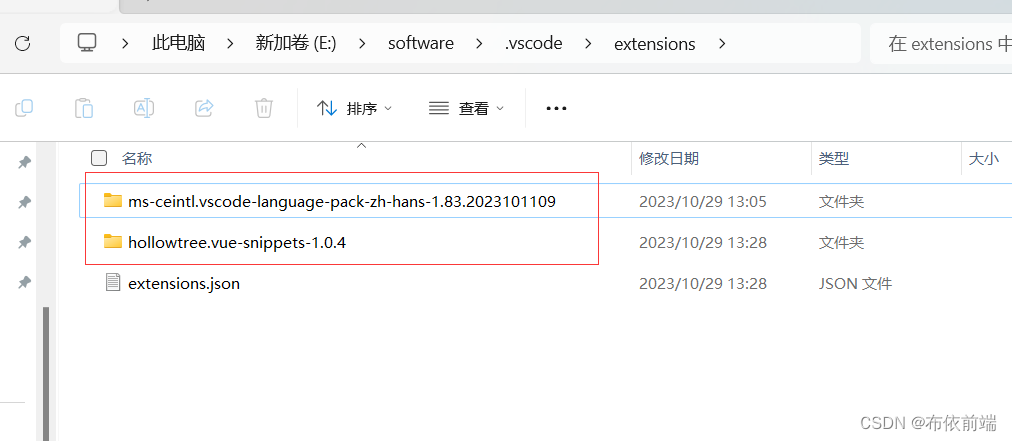
window11 更改 vscode 插件目录,释放C盘内存
由于经常使用vscode开发会安装一些代码提示插件,然后C盘内容会逐渐缩小,最终排查定位到vscode。这个吃内存不眨眼的家伙。 建议:不要把插件目录和vscode安装目录放在同一个位置,不然这样vscode更新后,插件也会消失。 v…...
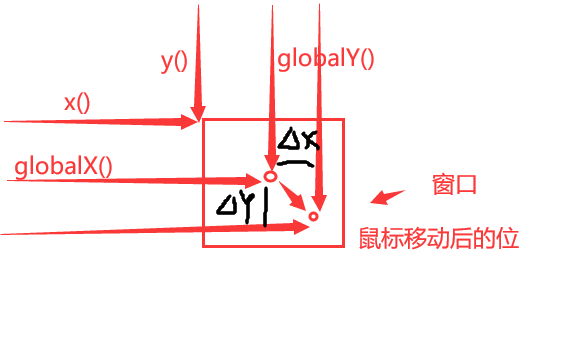
【PyQt学习篇 · ⑥】:QWidget - 事件
文章目录 事件消息显示和关闭事件移动事件调整大小事件鼠标事件进入和离开事件鼠标按下和释放事件鼠标双击事件鼠标按下移动事件 键盘事件焦点事件拖拽事件绘制事件改变事件右键菜单输入法 事件转发机制案例一案例二案例三 事件消息 显示和关闭事件 showEvent(QShowEvent)方法…...

Vue、jquery和angular之间区别
aVue、jquery、angular之间区别 angular与jquery区别angular和Vue angular与jquery区别 三个版本的输入数据绑定,都是单页面应用。 Angular <body ng-app><input type"text" ng-model"name"><p>{{name}}</p></body…...
(六))
MATLAB算法实战应用案例精讲-【图像处理】机器视觉(基础篇)(六)
目录 前言 几个高频面试题目 工业相机与普通相机的差别 一、 工业相机与普通相机的区别...

硬件知识积累 RS232 接口
1. RS232 是什么 RS-232标准接口(又称EIA RS-232)是常用的串行通信接口标准之一,它是由美国电子工业协会(Electronic Industry Association,EIA)联合贝尔系统公司、调制解调器厂家及计算机终端生产厂家于1970年共同制定࿰…...

机器人入门(四)—— 创建你的第一个虚拟小车
机器人入门(四)—— 创建你的第一个虚拟小车 一、小车建立过程1.1 dd_robot.urdf —— 建立身体1.2 dd_robot2.urdf —— 添加轮子1.3 dd_robot3.urdf —— 添加万向轮1.4 dd_robot4.urdf —— 添加颜色1.5 dd_robot5.urdf —— 添加碰撞检测(Collision …...
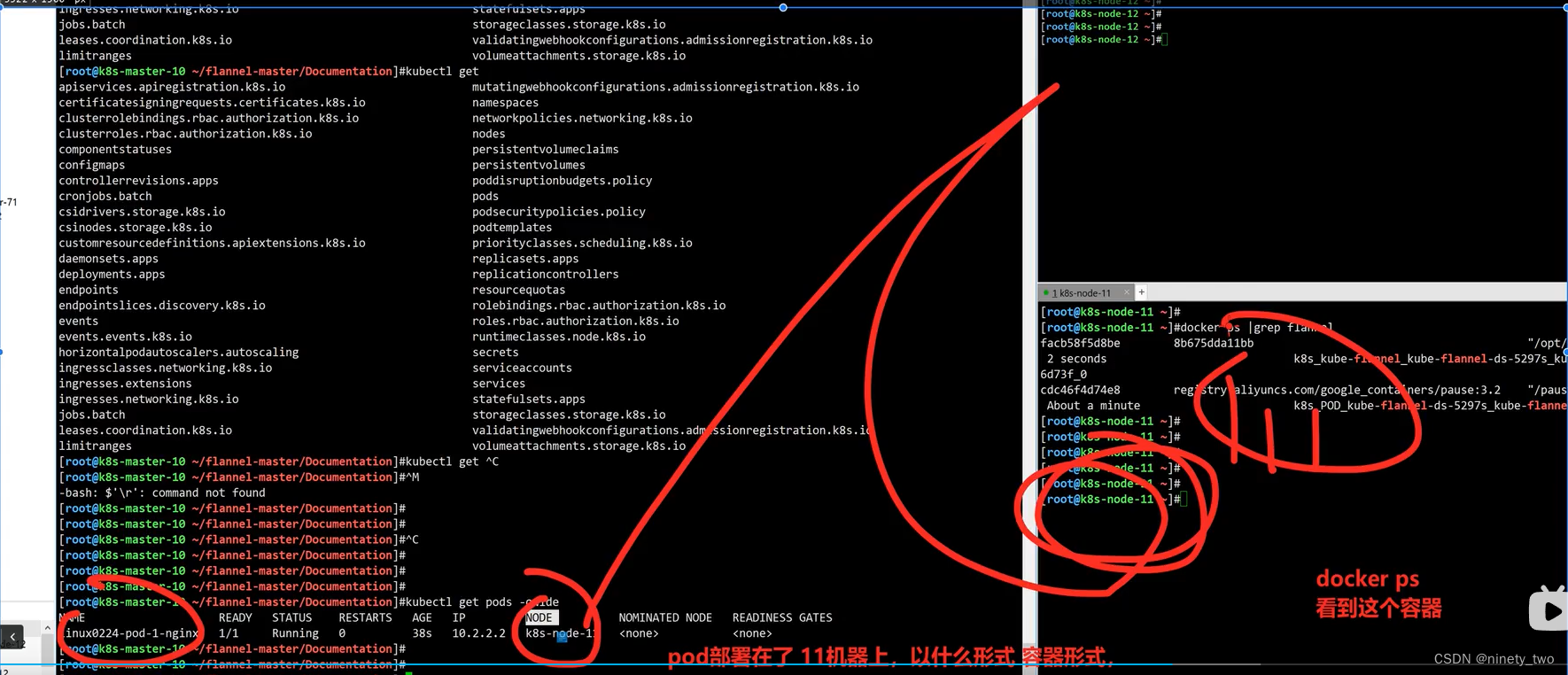
部署K8S
防火强的初始化: [rootk8s-node-12 ~]# systemctl stop firewalld NetworkManager [rootk8s-node-12 ~]# systemctl disable firewalld NetworkManager Removed symlink /etc/systemd/system/multi-user.target.wants/NetworkManager.service. Removed symlink /et…...

[NSSCTF 2nd] web刷题记录
文章目录 php签到MyBox非预期解预期解 php签到 源代码 <?phpfunction waf($filename){$black_list array("ph", "htaccess", "ini");$ext pathinfo($filename, PATHINFO_EXTENSION);foreach ($black_list as $value) {if (stristr($ext, …...
)
MyBatis获取参数值的两种方式(重点)
文章目录 简介单个字面量类型的参数多个字面量类型的参数map集合类型的参数实体类类型的参数使用Param标识参数总结 简介 MyBatis获取参数值的两种方式:${}和#{}${}的本质就是字符串拼接,#{}的本质就是占位符赋值${}使用字符串拼接的方式拼接sql&#x…...
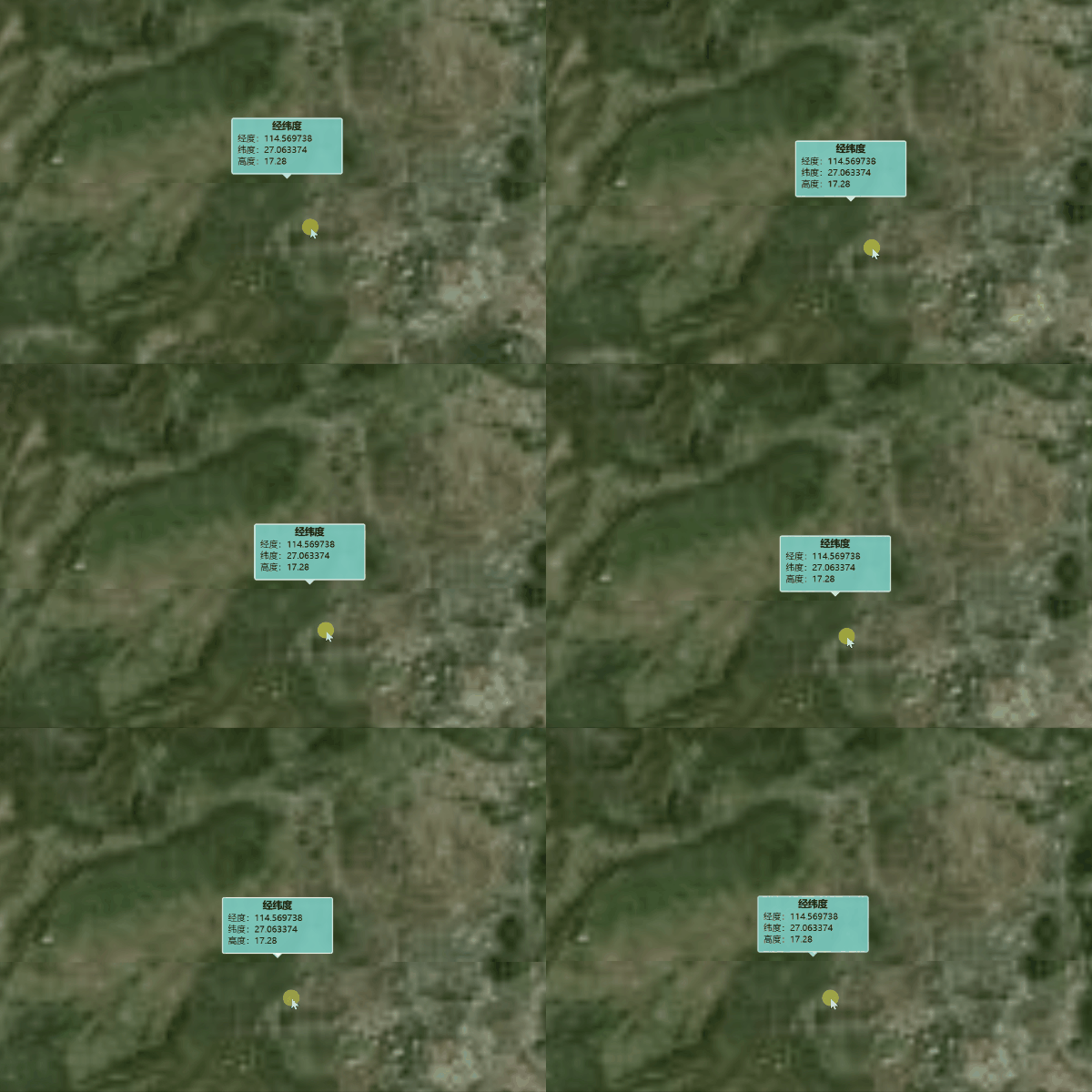
Cesium弹窗可随地图移动
目录 项目地址实现效果实现方法 项目地址 https://github.com/zhengjie9510/webgis-demo 实现效果 实现方法 handler new Cesium.ScreenSpaceEventHandler(viewer.scene.canvas) handler.setInputAction((click) > {if (listener) {listener()listener undefinedthis.v…...

MySQL WITH AS及递归查询
MySQL WITH AS及递归查询 WITH AS 官网:WITH 是 SQL 中的一个关键字,用于创建临时表达式(也称为 Common Table Expression,CTE),它允许你在一个查询中临时定义一个表达式,然后在后续的查询中引…...
Harbor私有镜像仓库搭建
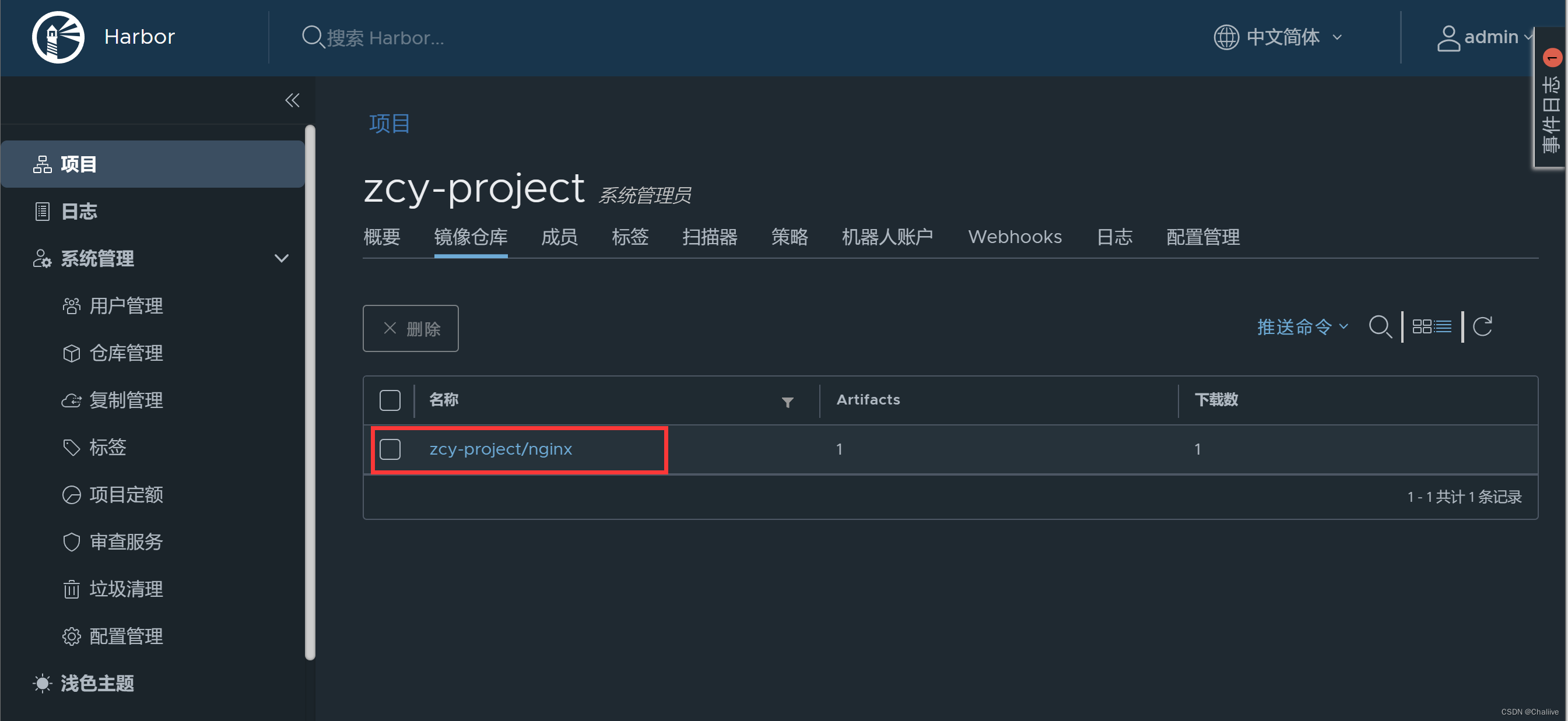
本文基于:https://zhuanlan.zhihu.com/p/143779176 1.环境准备 IP:192.168.10.136/24 操作系统:centos7 2.安装Docker、Docker-compose 2.1安装Docker-CE $ wget https://mirrors.aliyun.com/docker-ce/linux/centos/docker-ce.repo -O /etc/yum.re…...
线段树 区间赋值 + 区间加减 + 求区间最值
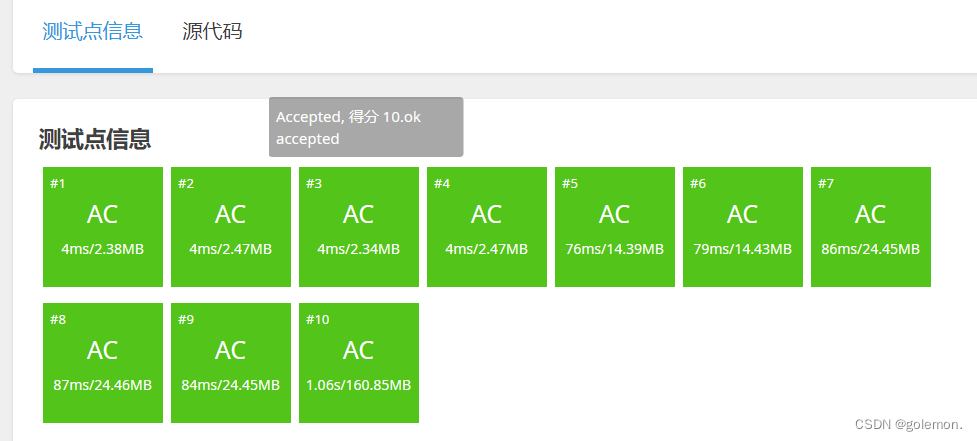
线段树好题:P1253 扶苏的问题 - 洛谷 | 计算机科学教育新生态 (luogu.com.cn) 区间赋值 区间加减 求区间最大。 对于区间赋值和区间加减来说,需要两个懒标记,一个表示赋值cover,一个表示加减add。 区间赋值的优先级大于区间加…...
大模型之十九-对话机器人
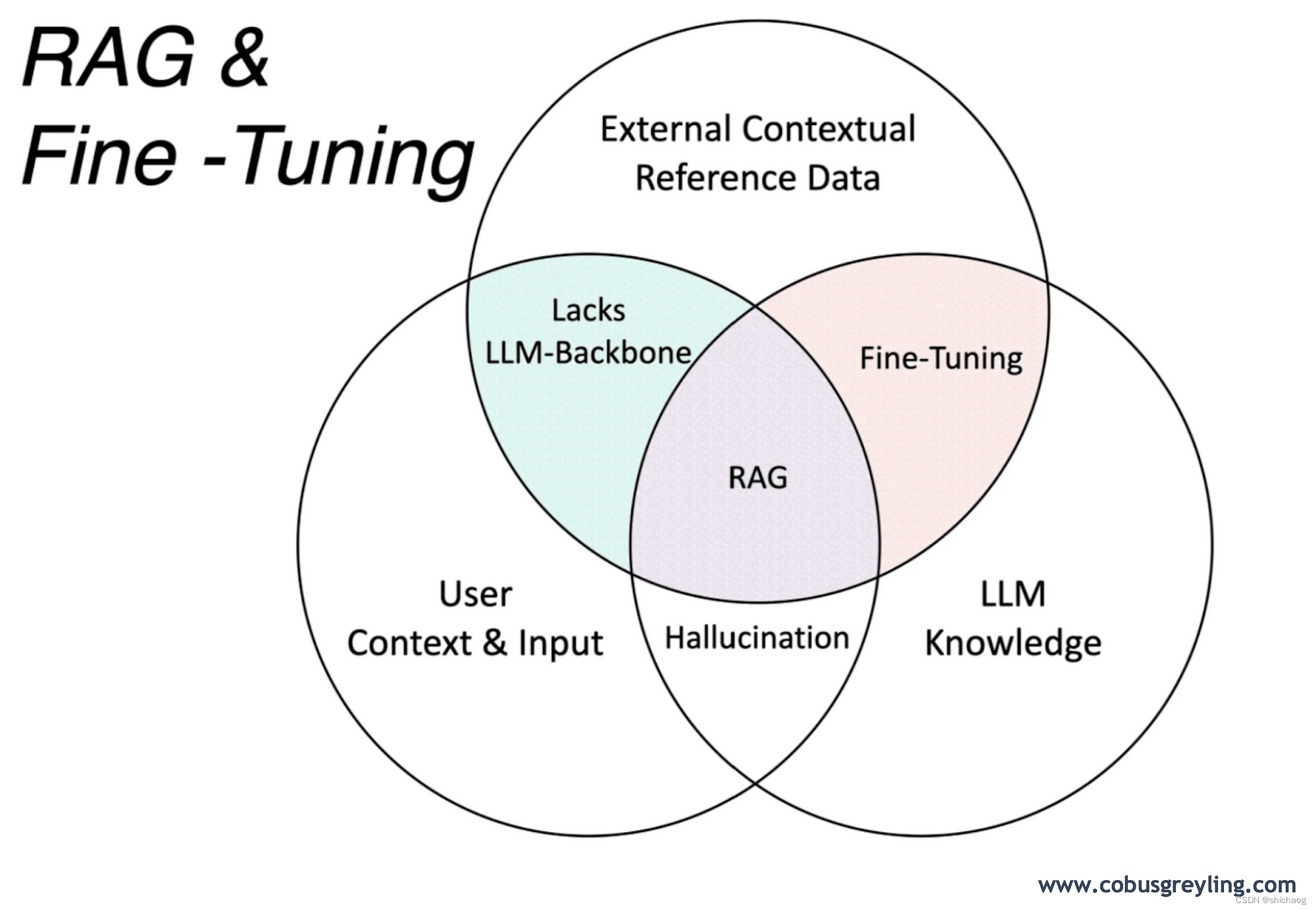
大语言模型的最早应用是Chatbot,其实我最早接触语义理解在2014年,2014年做智能音箱的时候,那时也是国内第一批做智能音箱的,在现在看起来当时的智能音箱比较傻,很多问题无法回答,长下文效果也不好ÿ…...
『力扣刷题本』:删除排序链表中的重复元素
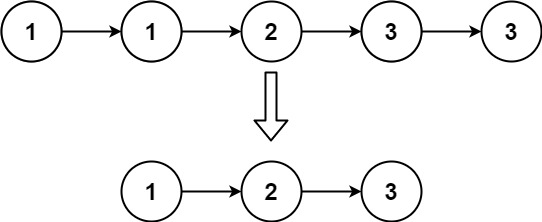
一、题目 给定一个已排序的链表的头 head , 删除所有重复的元素,使每个元素只出现一次 。返回 已排序的链表 。 示例 1: 输入:head [1,1,2] 输出:[1,2]示例 2: 输入:head [1,1,2,3,3] 输出&am…...

Android S从桌面点击图标启动APP流程 (六)
系列文章 Android S从桌面点击图标启动APP流程 (一)Android S从桌面点击图标启动APP流程 (二) Android S从桌面点击图标启动APP流程 (三) Android S从桌面点击图标启动APP流程 (四) Android S从桌面点击图标启动APP流程 (五) Android 12的源码链接: android 1…...
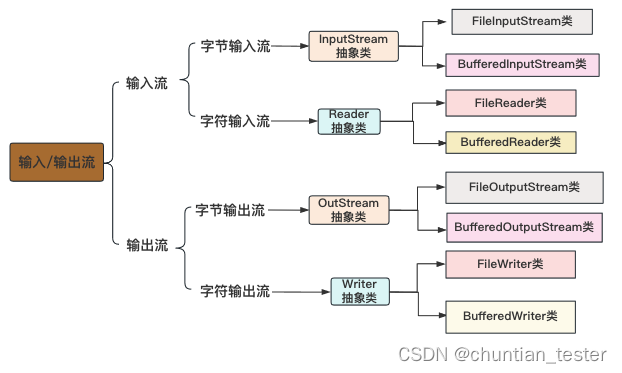
Java I/O (输入/输出)
1.流的概念 流是一种有序的数据序列,根据操作类型,可以分为输入流和输出流两种。I/O流(输入输出)提供了一条通道程序,可以使用这条通道把源中的字节序列送到目的地。 1.1 输入流: 程序从指向源的输入流中读…...
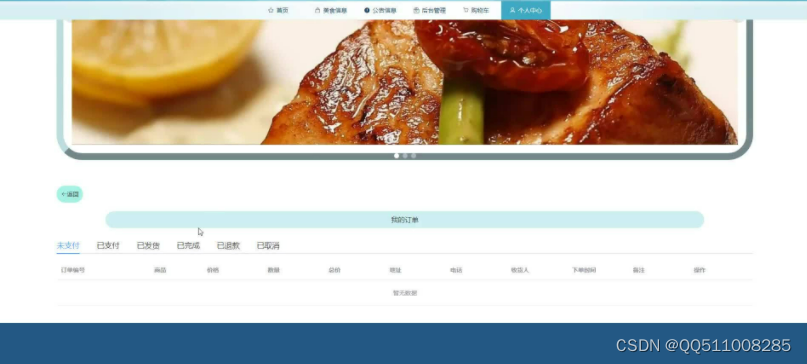
nodejs+vue食力派网上订餐系统-计算机毕业设计
采用当前流行的B/S模式以及3层架构的设计思想通过 技术来开发此系统的目的是建立一个配合网络环境的食力派网上订餐系统,这样可以有效地解决食力派网上订餐管理信息混乱的局面。 本设计旨在提高顾客就餐效率、优化餐厅管理、提高订单准确性和客户的满意度。本系统采…...

7.1 DRAM Basics: Internals, Operation
这两段截图是《Memory Systems》一书中关于 DRAM 最基础定义的阐述。我为您提供翻译和深度解读: 1. 中文翻译 图1: 随机存取存储器(RAM)如果每一位使用一个单一的晶体管-电容器对,则被称为动态随机存取存储器(DRAM)。图 7.3 在右下角展示了 DRAM 存储单元的电路。这个电…...

教育机构搭建ai编程辅导平台时如何通过taotoken管理多学生密钥
🚀 告别海外账号与网络限制!稳定直连全球优质大模型,限时半价接入中。 👉 点击领取海量免费额度 教育机构搭建AI编程辅导平台时如何通过Taotoken管理多学生密钥 在AI编程辅导平台的构建中,教育机构常常面临一个核心的…...

5个简单步骤掌握GanttProject:免费开源的项目管理工具终极指南
5个简单步骤掌握GanttProject:免费开源的项目管理工具终极指南 【免费下载链接】ganttproject Official GanttProject repository. 项目地址: https://gitcode.com/gh_mirrors/ga/ganttproject GanttProject是一款功能强大的免费开源项目管理软件,…...

英雄联盟Akari助手:一键智能配置,释放你的游戏潜能 [特殊字符]
英雄联盟Akari助手:一键智能配置,释放你的游戏潜能 🚀 【免费下载链接】League-Toolkit An all-in-one toolkit for LeagueClient. Gathering power 🚀. 项目地址: https://gitcode.com/gh_mirrors/le/League-Toolkit 还在…...

Camunda流程版本管理避坑指南:从Version Tag查询到迁移验证,这些细节决定成败
Camunda流程版本管理实战精要:从精准查询到安全迁移的全链路策略 在企业级流程自动化领域,Camunda作为领先的工作流引擎,其版本管理机制直接影响着业务系统的稳定性和迭代效率。本文将深入剖析版本管理的核心痛点,提供一套覆盖全…...

从CT扫描到AI模型:避开DICOM体位信息这个‘隐形坑’,提升医学影像分析准确率
从CT扫描到AI模型:避开DICOM体位信息这个‘隐形坑’,提升医学影像分析准确率 在医疗AI模型的开发过程中,数据预处理环节往往被工程师们视为"脏活累活"——既没有模型调参的成就感,也不如算法设计那样引人注目。然而&…...

MLP-Mixer真的比CNN简单吗?深入拆解它的计算开销与内存瓶颈
MLP-Mixer真的比CNN简单吗?深入拆解它的计算开销与内存瓶颈 当谷歌研究院在2021年提出MLP-Mixer架构时,整个计算机视觉社区都为它的极简设计感到惊艳——没有注意力机制、没有卷积操作,仅用多层感知机(MLP)就实现了媲…...

DdddOcr:5分钟掌握Python验证码识别,彻底告别手动输入![特殊字符]
DdddOcr:5分钟掌握Python验证码识别,彻底告别手动输入!🚀 【免费下载链接】ddddocr 带带弟弟 通用验证码识别OCR pypi版 项目地址: https://gitcode.com/gh_mirrors/dd/ddddocr 还在为繁琐的验证码输入而烦恼吗?…...
:从概念到架构设计)
AI智能体开发(一):从概念到架构设计
定义与核心特征 AI智能体(AI Agent)是一种能够自主感知环境、做出决策并执行行动的AI系统。 与传统AI模型不同,Agent不仅仅是被动地"回答问题",而是能够主动地"完成任务"。它像一个智能助手,能够理解你的目标,规划执行步骤,调用各种工具,最终交付…...

Honey Select 2终极增强补丁:100+插件一键安装完整指南
Honey Select 2终极增强补丁:100插件一键安装完整指南 【免费下载链接】HS2-HF_Patch Automatically translate, uncensor and update HoneySelect2! 项目地址: https://gitcode.com/gh_mirrors/hs/HS2-HF_Patch 还在为《Honey Select 2》的语言障碍和功能限…...