
关于el-table的二次封装及使用,支持自定义列内容
关于el-table的二次封装及使用
table组件
<template><el-table ref="tableComRef" :data="tableData" border style="width: 100%"><el-table-column v-if="tableHeaderList[0]?.type === 'selection'" type="selection"></el-table-column><el-table-column label="序号" width="80" type="index" :index="indexMethod"></el-table-column><el-table-columnv-for="(item, index) in (tableHeaderList[0]?.type === 'selection' ? tableHeaderList.slice(1) : tableHeaderList)":key="index":index="indexMethod":width="item.width"align="center":prop="item.prop":property="item.property":type="item.type":label="item.label":show-overflow-tooltip="true"><template #default="scope">//  展示内容判断自定义渲染<div v-if="item.render" class="center" v-html="item.render(scope.row)"></div>//	默认渲染<div v-else class="center" v-html="scope.row[item.property]"></div></template><template v-if="item.custom" #default="scope">// 使用自定义列<div v-if="item.isSlot"><slot name="mySlot" :data="scope.row"></slot></div>//	每一行数据操作列内容都相同时使用下方代码<div v-else><div class="operationAll center cursor-pointer"><div class="center flex-1 cursor-pointer"><divv-for="(customData, index) in item.customList1":key="index":class="customData.class":title="customData.name"class="operation center flex-1"@click="clickHandle(customData.event, scope.row, scope.$index)"><p :style="{ width: customData.width, height: customData.height }"><img :src="customData.imgUrl" alt="" /></p><p :style="{ color: customData.color }">{{ customData.name }}</p></div></div></div></div></template></el-table-column></el-table>
</template><script setup>
import { ref, getCurrentInstance, onMounted, nextTick, computed } from 'vue';
const ins = getCurrentInstance();
const bus = ins.appContext.config.globalProperties.$bus;
const props = defineProps({tableHeaderList: {type: Array,default: [],},tableData: {type: Array,default: [],},showTooltip: {type: Boolean,default: false,},pages: {type: Object,default: {pageSize: 10,currentPage: 1,},},
});const page = computed(() => props.pages);// 初始化tableindex
const indexMethod = (index) => {return page.value.pageSize * (page.value.currentPage - 1) + (index + 1);
};
父组件
<table-list:table-header-list="tableHeader":data="softManageTableData":show-tooltip="true":pages="softManagePage"@selection-change="softManageSelect"><template v-slot:mySlot="{ data }"><div class="end flex-1 cursor-pointer"><divv-for="(item, index) in operationBtns":key="index":class="item.class":title="item.name"class="operation center"@click.stop="emitClick(item,data)">// 公共项<div v-if="item.isCommon" class="center mr-[10px]"><p :style="{ color: item.color }">{{ item.name }}</p></div><div v-else>// 独有项<div v-if="data.relSource === item.isLocalUnit" class="center"><p :style="{ width: item.width, height: item.height }"><img :src="item.imgUrl" alt="" /></p><p :style="{ color: item.color }">{{ item.name }}</p></div></div></div></div></template></table-list>
script部分展示
// table header文字数据
const tableHeader = ref([{type: 'selection',},{type: '',width: '',property: 'name',label: '名称',hasIcon: true,//	自定义渲染render: (val) => {return `<div class="startX"><img src="${val.iconUrl}" alt="" class="w-[32px] h-[32px] softIcon"><p class="ml-[12px]">${ val.name }</p></div>`}},{type: '',width: '100',property: 'type',label: '类型',isSoftType: true,render: (val) => {return val.type === 'B' ? 'B' : 'C';}},{type: '',width: '',property: 'clasName',label: '分类',},{type: '',width: '100',property: 'source',label: '来源',render: (val) => {return val.relSource === '1' ? '外部' : '自有';}},{type: '',width: '100',property: 'version',label: '版本',},{type: '',width: '',property: 'releaseTime',label: '发布时间',},{type: '',width: '100',property: 'person',label: '联系人',},{type: '',width: '',property: 'contact',label: '联系方式',},{type: '',width: '',property: 'status',label: '状态',render: (val) => {let status = '';switch (val.status) {case 'wait':status = '<div class="waitUp center logs"><p></p>1</div>'break;case 'enable':status = '<div class="enableUp center logs"><p></p>启用</div>'break;case 'disable':status = '<div class="disableUp center logs"><p></p>禁用</div>'break;default:break;}return status;}},{type: '',width: '350',property: '',label: '操作',custom: true,//		操作栏需要根据当前数据自定义展示isSlot: true,//	操作栏每一项都一致时可用这个customList1: [{name: '移除',type: 'primary',event: 'removeItem',class: 'removeItem',isShowName: false,width: '23px',height: '24px',imgUrl: new URL('/src/assets/removeIcon.png', import.meta.url).href,},{name: '编辑',type: 'primary',event: 'editItem',class: 'editItem',isShowName: false,width: '23px',height: '24px',imgUrl: new URL('/src/assets/softDetailEditIcon.png', import.meta.url).href,},{name: '详情',type: 'danger',event: 'detailItem',class: 'detailItem',isShowName: false,width: '23px',height: '26px',imgUrl: new URL('/src/assets/detailIcon.png', import.meta.url).href,},],},
]);// 操作栏自定义事件
const emitClick = (item,data) => {if(item.event && typeof item.event === 'function') {// 这里将事件转发了一下,没有直接调用,直接调用会抛出无限递归的错误item.event(data,item);} else {ElMessage.error('点击事件定义有误');}
}//	自定义操作栏
// 本单位操作按钮相关 显示为true 隐藏为false
const operationBtns = ref([{name: '启用',type: 'primary',event: openShareItem,class: 'openShareItem',isCommon: true,width: '23px',height: '24px',imgUrl: new URL('/src/assets/softDetailEditIcon.png', import.meta.url).href,},{name: '禁用',type: 'primary',event: openShareItem,class: 'closeShareItem',isCommon: true,width: '23px',height: '24px',imgUrl: new URL('/src/assets/softDetailEditIcon.png', import.meta.url).href,},{name: '编辑',type: 'primary',event: editItem,class: 'editItem',isLocalUnit: '2',isCommon: false,width: '23px',height: '24px',imgUrl: new URL('/src/assets/softDetailEditIcon.png', import.meta.url).href,},{name: '删除',type: 'primary',event: removeItem,class: 'removeItem',isLocalUnit: '2',isCommon: false,width: '23px',height: '24px',imgUrl: new URL('/src/assets/removeIcon.png', import.meta.url).href,},{name: '移除',type: 'danger',event: moveClearItem,class: 'moveClearItem',isLocalUnit: '1',isCommon: false,width: '23px',height: '26px',imgUrl: new URL('/src/assets/detailIcon.png', import.meta.url).href,},{name: '详情',type: 'danger',event: detailItem,class: 'detailItem',isLocalUnit: '2',isCommon: true,width: '23px',height: '26px',imgUrl: new URL('/src/assets/detailIcon.png', import.meta.url).href,},
])
效果图

相关文章:
关于el-table的二次封装及使用,支持自定义列内容
关于el-table的二次封装及使用 table组件 <template><el-table ref"tableComRef" :data"tableData" border style"width: 100%"><el-table-column v-if"tableHeaderList[0]?.type selection" type"selection&…...

【Vue】Vue3 配置全局 scss 变量
variables.scss $color: #0c8ce9;vite.config.ts // 全局css变量css: {preprocessorOptions: {scss: {additionalData: import "/styles/variables.scss";,},},},.vue 文件使用...
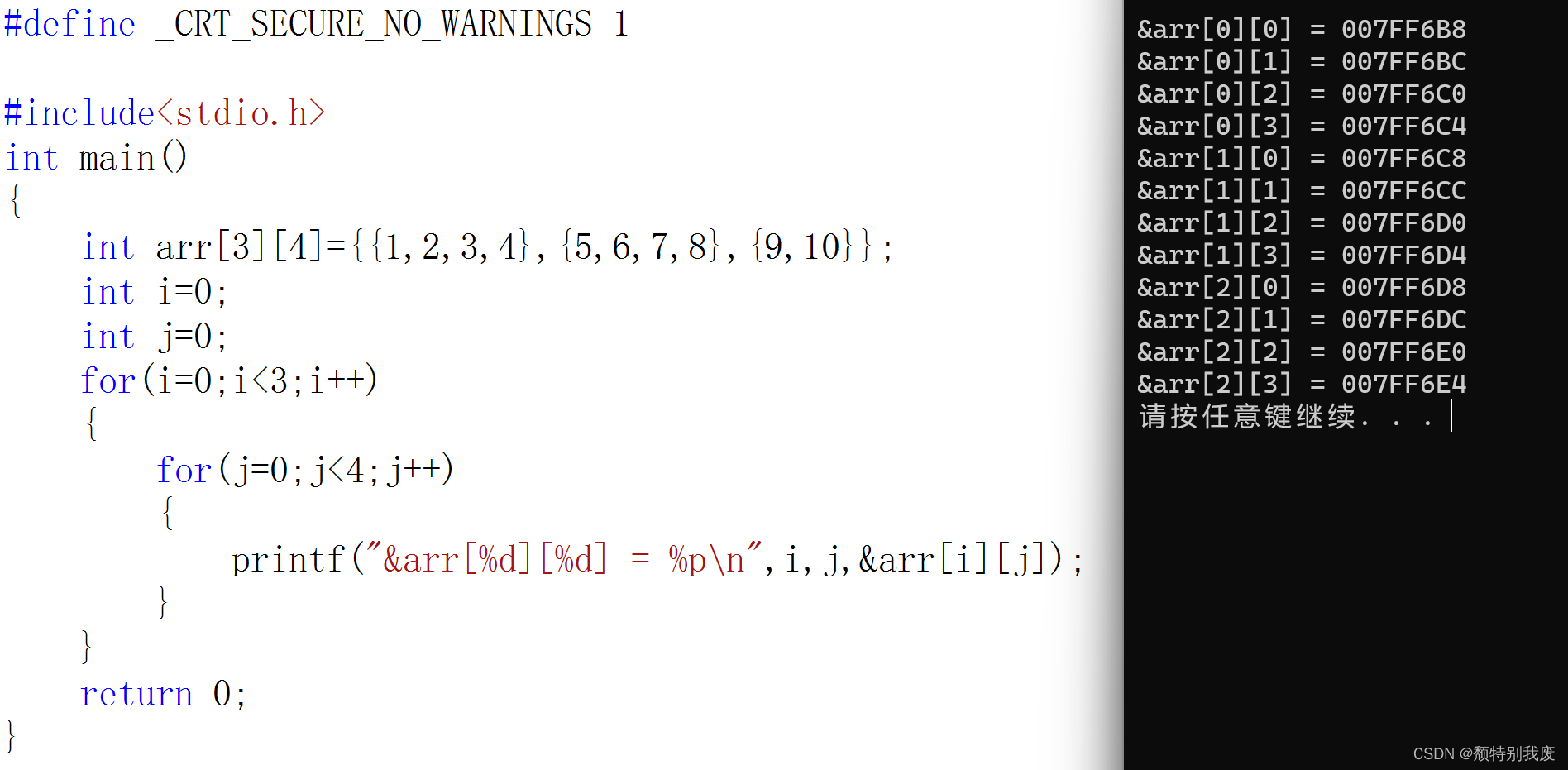
C语言—二维数组
一、二维数组的创建 int arr[3][4];char arr[3][5];double arr[2][4]; 数组创建:“[ ]”中要给一个常量,不能使用变量 二、二维数组的初始化 int arr[3][4]{1,2,3,4};int arr[3][4]{{1,2},{4,5}};int arr[][4]{{2,3},{4,5}}; 前面的为行,…...
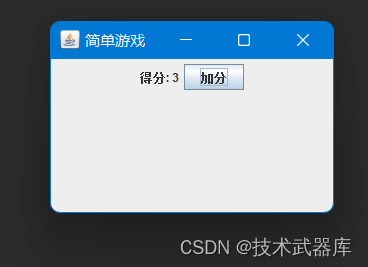
GUI加分游戏
需求目标 这个简单的游戏窗口包含一个得分标签和一个按钮。每次点击按钮时,得分增加1,并更新得分标签的显示。 效果 源码 /*** author lwh* date 2023/11/28* description 这个简单的游戏窗口包含一个得分标签和一个按钮。每次点击按钮时,…...

多线程的重要资料-信号量
(1)https://www.cnblogs.com/ike_li/p/8984186.html (2)C#关于AutoResetEvent的使用介绍 | 康瑞部落 (3)AutoResetEvent用法(一)_autoresetevent 的用法-CSDN博客 (4)c++ - Is there an easy way to implement AutoResetEvent in C++0x? - Stack Overflow (5)...

区块链相关技术、概念以及技术实现过程中的一些关键问题 Smart Contracts and Blockchains
作者:禅与计算机程序设计艺术 1.简介 2017年底,区块链已经成为众多投资人和技术人员最关注的话题之一。随着现实世界的不断复杂化、数字货币的流行以及IoT设备的普及,加密数字货币市场正变得越来越活跃。由于区块链具有去中心化、不可篡改、透明性、高并发等特点,使其在金…...

黑马点评Redis笔记
黑马点评Redis笔记 Redis基础篇:https://cyborg2077.github.io/2022/10/21/RedisBasic/ Redis实战篇:https://cyborg2077.github.io/2022/10/22/RedisPractice/ 一、手机号验证码注册登录 RandomUtil 生成定长随机数列 String code RandomUtil.ran…...
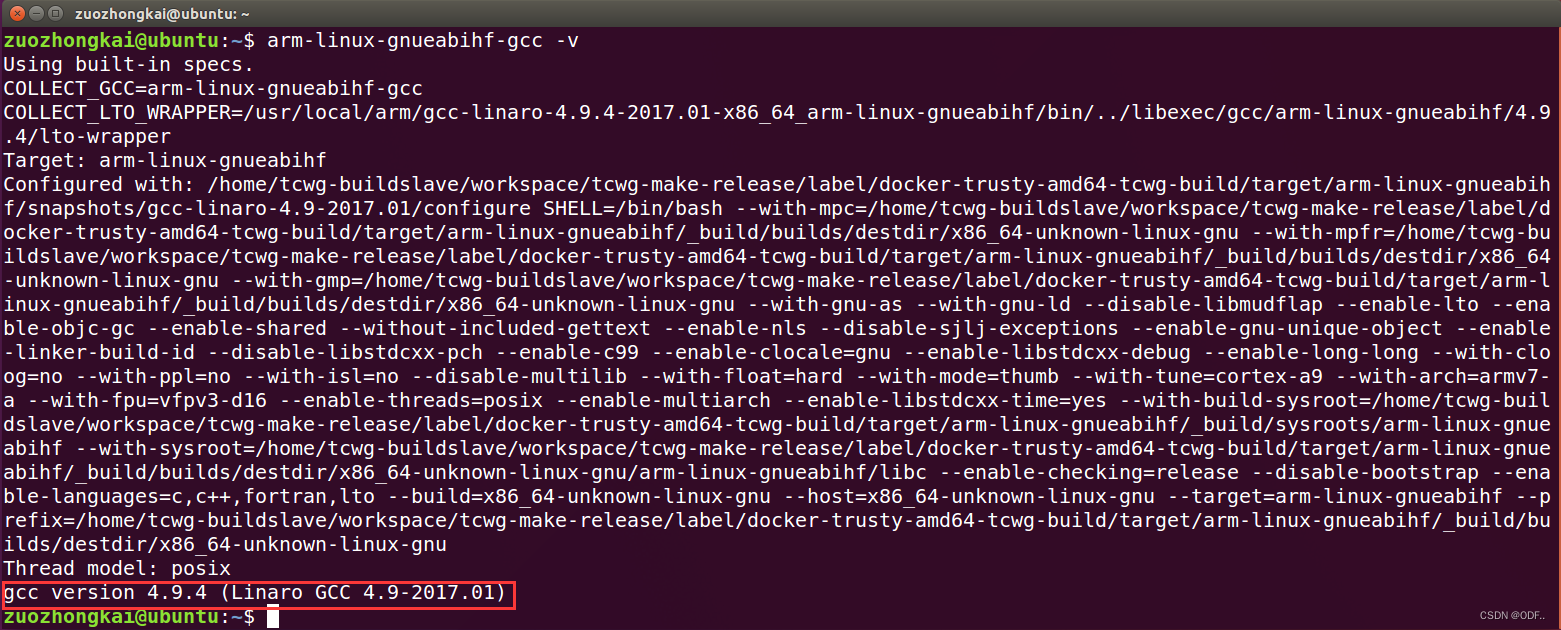
MX6ULL学习笔记 (一)交叉工具链的安装
前言: ARM 裸机、Uboot 移植、Linux 移植这些都需要在 Ubuntu 下进行编译,编译就需要编译 器,Ubuntu 自带的 gcc 编译器是针对 X86 架构的!而我们现在要编译的是 ARM 架构的代码,因为我们编译的代码是需要烧写到ARM板子…...

uni-app中的onLoad不执行
问题 想在onLoad()中发请求获取数据,却发现onLoad()根本不会执行 原因 这个页面没有在pages.json中配置,不属于uni-app中的页面 uni-app的文档也做出了说明,组件是无法使用页面级的onLoad等生命周期的 解决方法 uni-app除支持页面生命周…...
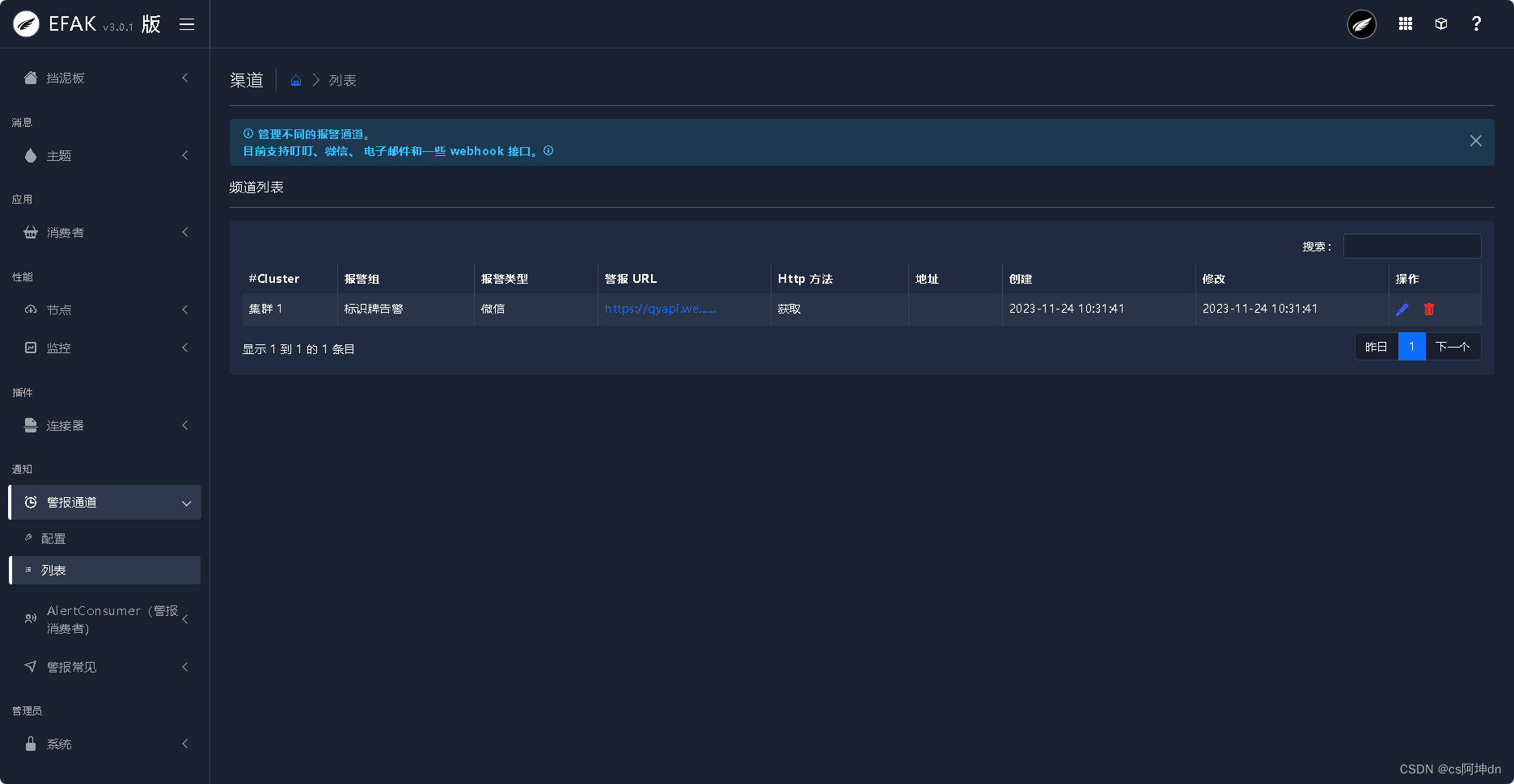
EFAK-v3.0.1版部署与使用
一、前言 EFAK((Eagle For Apache Kafka,以前称为Kafka Eagle)用于在使用 Topic 的情况下监控 Kafka 集群。包含Offset 的产生、Lag的变化、Partition的分布、Owner、Topic的创建以及修改的时间等信息。 二、环境&安装包 官方下载连接E…...

股票技术从初级到高级,从实盘进阶到摩尔缠论
一、教程描述 摩尔缠论是什么?一个伟大的缠论分支体系,由顶尖高手创立的缠论分支,这个顶尖高手,江湖上的代号为摩尔,可能是一个人,或者是一群人。摩尔缠论,基于缠论的核心思想与基础理论&#…...

力扣105. 从前序与中序遍历序列构造二叉树
栈 思路: 先序遍历:根、左子树、右子树;中序遍历:左子树、根、右子树;遍历先序遍历数组 prev,使用一个辅助栈缓存“根节点”;通过栈顶“根节点”与中序遍历数组 in 比较,确认是否到…...
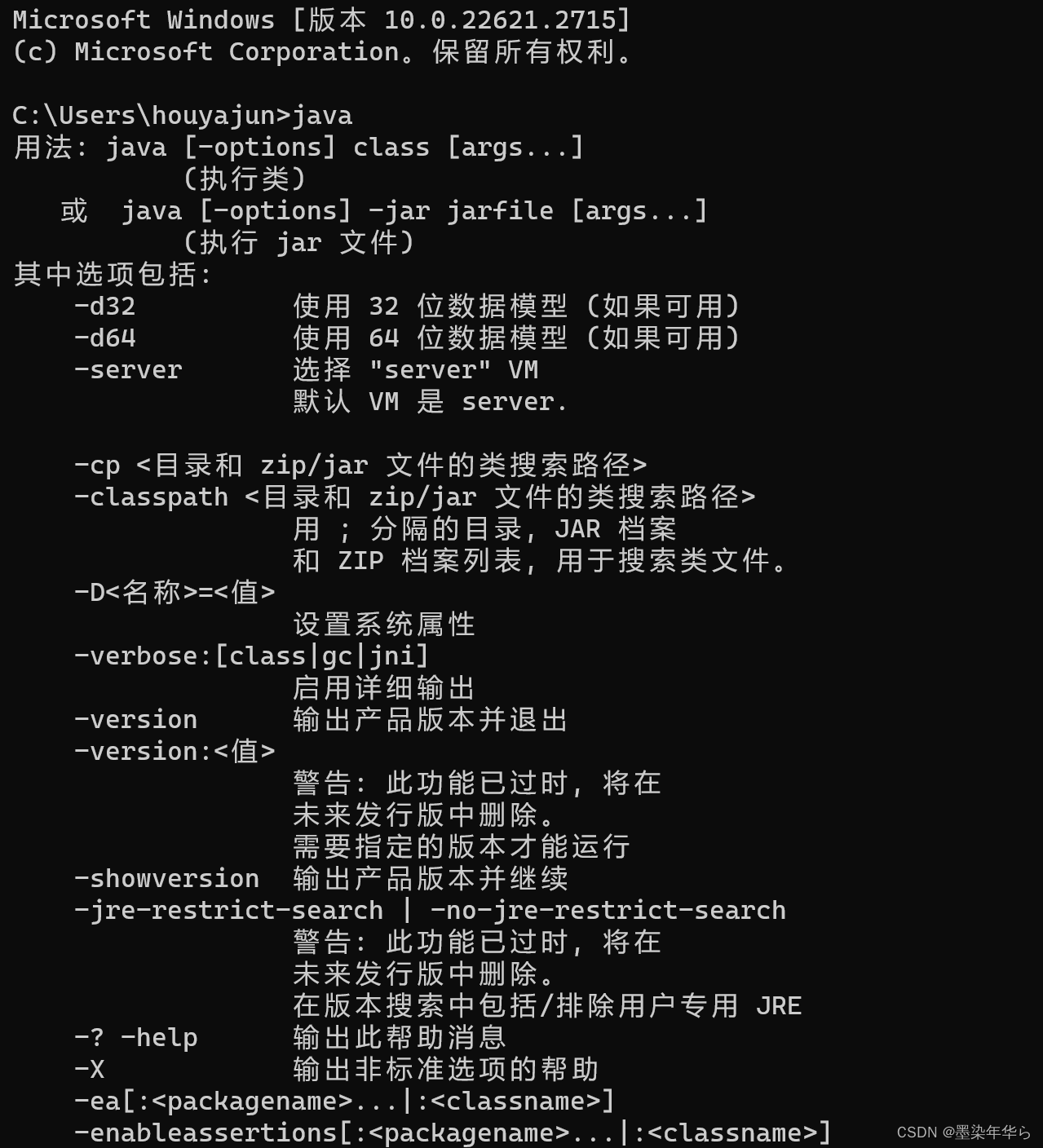
Windows环境下的JDK安装与环境配置
一、JDK下载 1、打开Oracle官方网站下载页 Java Downloads | Oracle 中国 2、选择Java archive页,在版本列表中选择需要下载的版本 3、选择系统环境对应的版本,点击对应的下载按钮,弹出技术许可勾选框 4、勾选Oracle技术许可协议 5、输入Or…...
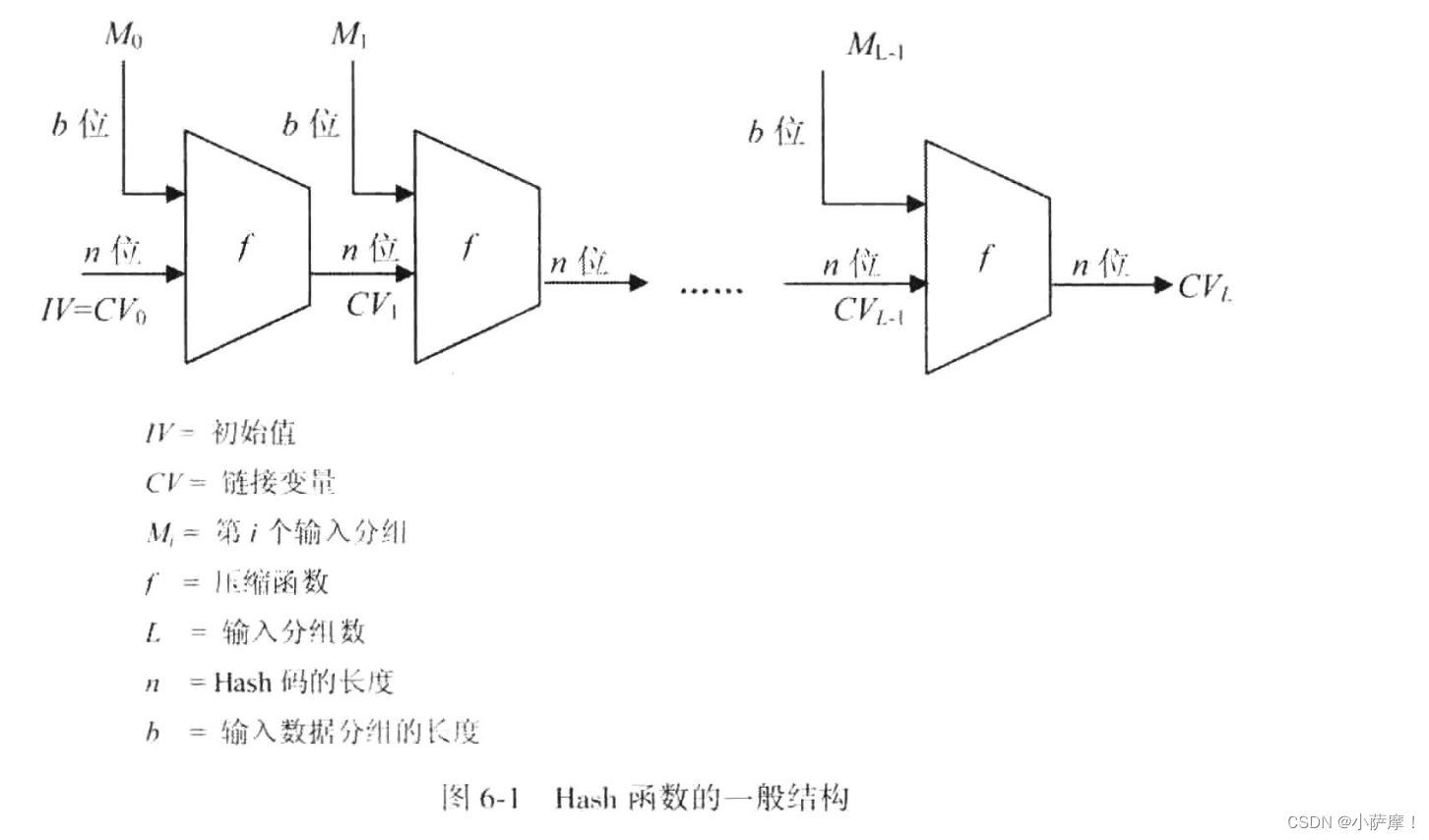
【密码学引论】Hash密码
第六章 Hash密码 md4、md5、sha系列、SM3 定义:将任意长度的消息映射成固定长度消息的函数功能:确保数据的真实性和完整性,主要用于认证和数字签名Hash函数的安全性:单向性、抗若碰撞性、抗强碰撞性生日攻击:对于生日…...
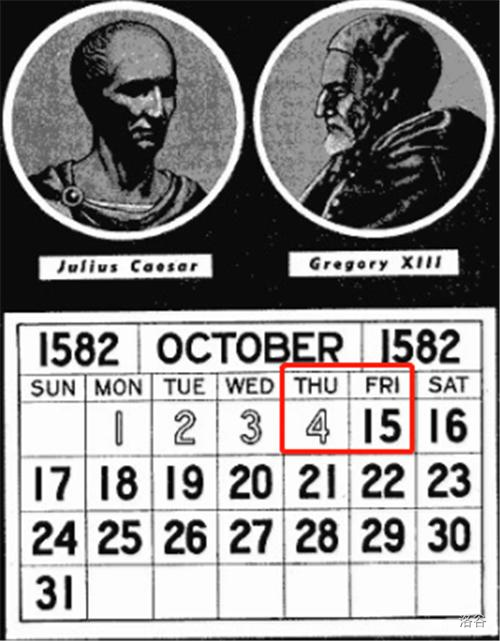
【传智杯】儒略历、评委打分、萝卜数据库题解
🍎 博客主页:🌙披星戴月的贾维斯 🍎 欢迎关注:👍点赞🍃收藏🔥留言 🍇系列专栏:🌙 蓝桥杯 🌙请不要相信胜利就像山坡上的蒲公英一样唾手…...
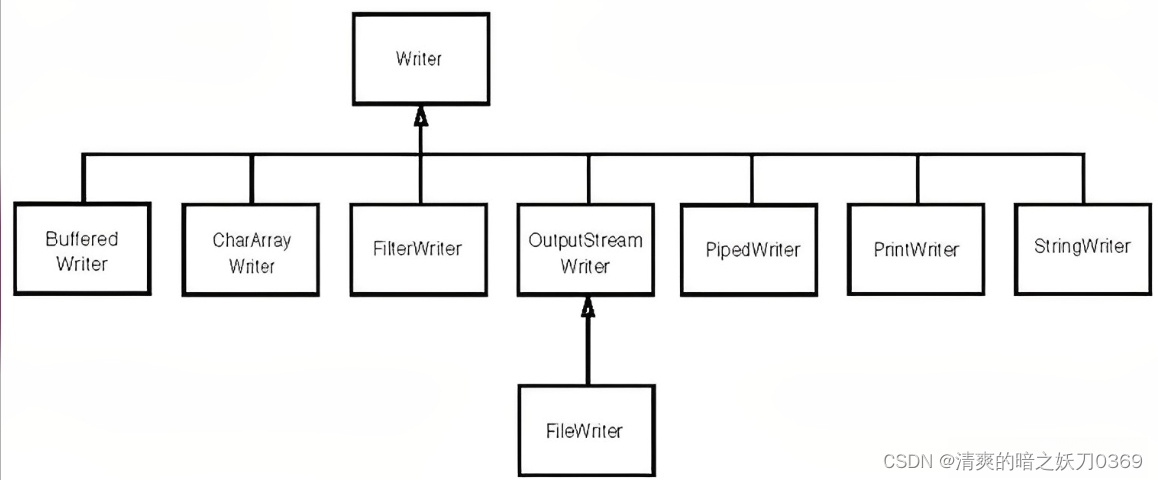
java基础-IO
1、基础概念 1.1、文件(File) 文件的读写可以说是开发中必不可少的部分,因为系统会存在大量处理设备上的数据,这里的设备指硬盘,内存,键盘录入,网络传输等。当然这里需要考虑的问题不仅仅是实现,还包括同步…...
Java变量理解
成员变量VS局部变量的区别 语法形式:从语法形式上看,成员变量是属于类的,而局部变量是在代码块或方法中定义的变量或是方法的参数;成员变量可以被 public,private,static 等修饰符所修饰,而局部变量不能被访问控制修饰…...
)
西南科技大学信号与系统A实验二(信号频谱分析)
一、实验目的 1.掌握用 matlab 软件绘制信号频谱的方法; 2.进一步理解抽样定理; 3.理解傅里叶变换的性质(频移特性). 二、实验原理 (一)fft 函数的调用 matlab 提供 fft 函数来计算信号 x(n)的快速离散傅里叶变换 (FFT). z 格式:y=fft(x) 计算信号 x 的快速离散傅里叶…...

C++-youtube cherno C++视频的一些知识点
对函数的调用在汇编中对应一句call func语句,其中func是一个函数的签名(signature)对程序而言,即使只有一个文件,链接器也需要链接,因为它需要链接程序入口点(entry point)一个程序的…...

sed命令
目录 一、sed 1.sed命令选项 2.语法选项 3.sed脚本格式 4.搜索替代 5.分组后向引用 1.提取版本号: 2.提取IP地址 3.提取数字权限 6.变量 二、免交互 1.多行重定向 2.免交互脚本 总结:本章主要介绍了seq和免交互的用法及相关知识 一、sed s…...

微软Phi-3轻量模型保姆级教程:快速部署,一键开启智能问答与文本改写
微软Phi-3轻量模型保姆级教程:快速部署,一键开启智能问答与文本改写 1. 为什么选择Phi-3-mini-4k-instruct-gguf Phi-3-mini-4k-instruct-gguf是微软推出的轻量级文本生成模型,特别适合日常办公和内容创作场景。相比其他大模型,…...

基于Spring Boot和SSM框架的ERP进销存管理系统源码分享:单据流转与物流信息管理解...
基于spring boot的ERP进销存管理系统 单据流转 物流信息管理系统源码 物流信息系统 超市进销存管理系 药品管理系统 系统设计与开发 SSM框架、Java开发、vue开发、B/S架构、Java项目 亮点:单据之间有关联,可以实现单据的流转 前后端分离 本系统功能包括…...

零样本分类避坑指南:AI万能分类器使用中的注意事项与技巧
零样本分类避坑指南:AI万能分类器使用中的注意事项与技巧 1. 零样本分类技术概述 零样本分类(Zero-Shot Classification)是自然语言处理领域的一项突破性技术,它允许模型在没有特定任务训练数据的情况下,仅凭用户提供…...

Qwen3-TTS-Tokenizer-12Hz实际项目:语音标注平台音频token化存储与检索优化
Qwen3-TTS-Tokenizer-12Hz实际项目:语音标注平台音频token化存储与检索优化 如果你正在开发一个语音标注平台,或者管理着海量的语音数据,那你一定遇到过这些头疼的问题:音频文件太大,存储成本高得吓人;想找…...

让静态图片活起来:EasyAnimateV5图生视频模型快速体验报告
让静态图片活起来:EasyAnimateV5图生视频模型快速体验报告 1. 开篇:一张图,六秒钟,让想象力动起来 你有没有想过,手机相册里那些定格的美好瞬间,如果能像电影一样动起来,会是什么样子…...

Formily企业级表单解决方案:分布式状态管理与高性能架构的终极实践
Formily企业级表单解决方案:分布式状态管理与高性能架构的终极实践 【免费下载链接】formily 📱🚀 🧩 Cross Device & High Performance Normal Form/Dynamic(JSON Schema) Form/Form Builder -- Support React/React Native/…...

**发散创新:基于Python的情感计算实战——从文本到情绪的智能识别**在人工智能与人机交
发散创新:基于Python的情感计算实战——从文本到情绪的智能识别 在人工智能与人机交互日益融合的今天,情感计算(Affective Computing) 已成为推动下一代智能系统的重要方向。它不仅能让机器“读懂”人类的情绪状态,还能…...

穿戴式设备:生理信号采集与健康状态分析
**穿戴式设备:生理信号采集与健康状态分析** 在科技飞速发展的今天,穿戴式设备已成为健康管理的重要工具。它们通过实时采集心率、血氧、体温等生理信号,结合智能算法分析用户的健康状态,为疾病预防和健康干预提供科学依据。无论…...

javaSE之图书管理系统
思路:一个图书管理系统项目的构建本次的代码是实现一个图书管理系统要求,有登入系统和用户选择系统,之后还有用户操作交换系统,和图书管理系统,具体思路如下创建以下类,加粗部分为包test:Testbo…...

Windows 10/11 免费获取 macOS 风格鼠标指针:完整配置指南
Windows 10/11 免费获取 macOS 风格鼠标指针:完整配置指南 【免费下载链接】macOS-cursors-for-Windows Tested in Windows 10 & 11, 4K (125%, 150%, 200%). With 2 versions, 2 types and 3 different sizes! 项目地址: https://gitcode.com/gh_mirrors/ma/…...