
React16源码: React中的updateHostComponent的源码实现
updateHostComponent
1 )概述
- 在
completeWork阶段的HostComponent处理,继续前文所述 - 在更新的逻辑里面,调用了
updateHostComponent - 进行前后props对应的dom的attributes变化的对比情况
- 这个方法也是根据不同环境来定义的,我们这里只专注于 react-dom 环境
2 )源码
定位到 packages/react-reconciler/src/ReactFiberCompleteWork.js#L586
这里是 updateHostComponent 调用的地方
updateHostComponent(current,workInProgress,type,newProps,rootContainerInstance,
);if (current.ref !== workInProgress.ref) {markRef(workInProgress);
}
接着,进入其定义
updateHostComponent = function(current: Fiber,workInProgress: Fiber,type: Type,newProps: Props,rootContainerInstance: Container,
) {// If we have an alternate, that means this is an update and we need to// schedule a side-effect to do the updates.const oldProps = current.memoizedProps;// 全等对象,没有变化过,直接 returnif (oldProps === newProps) {// In mutation mode, this is sufficient for a bailout because// we won't touch this node even if children changed.return;}// If we get updated because one of our children updated, we don't// have newProps so we'll have to reuse them.// TODO: Split the update API as separate for the props vs. children.// Even better would be if children weren't special cased at all tho.// 获取 dom 和 contextconst instance: Instance = workInProgress.stateNode;const currentHostContext = getHostContext();// TODO: Experiencing an error where oldProps is null. Suggests a host// component is hitting the resume path. Figure out why. Possibly// related to `hidden`.// 注意这里,const updatePayload = prepareUpdate(instance,type,oldProps,newProps,rootContainerInstance,currentHostContext,);// TODO: Type this specific to this type of component.workInProgress.updateQueue = (updatePayload: any);// If the update payload indicates that there is a change or if there// is a new ref we mark this as an update. All the work is done in commitWork.if (updatePayload) {markUpdate(workInProgress);}
};
- 进入
prepareUpdate// 忽略 DEV 判断,这里直接 return 了 diffProperties 的调用 export function prepareUpdate(domElement: Instance,type: string,oldProps: Props,newProps: Props,rootContainerInstance: Container,hostContext: HostContext, ): null | Array<mixed> {if (__DEV__) {const hostContextDev = ((hostContext: any): HostContextDev);if (typeof newProps.children !== typeof oldProps.children &&(typeof newProps.children === 'string' ||typeof newProps.children === 'number')) {const string = '' + newProps.children;const ownAncestorInfo = updatedAncestorInfo(hostContextDev.ancestorInfo,type,);validateDOMNesting(null, string, ownAncestorInfo);}}return diffProperties(domElement,type,oldProps,newProps,rootContainerInstance,); }- 进入
diffProperties// 这个方法和前文中的 setInitialProperties 有一定的类似, 根据不同的节点做不同的操作 // Calculate the diff between the two objects. export function diffProperties(domElement: Element,tag: string,lastRawProps: Object,nextRawProps: Object,rootContainerElement: Element | Document, ): null | Array<mixed> {if (__DEV__) {validatePropertiesInDevelopment(tag, nextRawProps);}let updatePayload: null | Array<any> = null;let lastProps: Object;let nextProps: Object;switch (tag) {case 'input':lastProps = ReactDOMInput.getHostProps(domElement, lastRawProps);nextProps = ReactDOMInput.getHostProps(domElement, nextRawProps);updatePayload = [];break;case 'option':lastProps = ReactDOMOption.getHostProps(domElement, lastRawProps);nextProps = ReactDOMOption.getHostProps(domElement, nextRawProps);updatePayload = [];break;case 'select':lastProps = ReactDOMSelect.getHostProps(domElement, lastRawProps);nextProps = ReactDOMSelect.getHostProps(domElement, nextRawProps);updatePayload = [];break;case 'textarea':lastProps = ReactDOMTextarea.getHostProps(domElement, lastRawProps);nextProps = ReactDOMTextarea.getHostProps(domElement, nextRawProps);updatePayload = [];break;default:lastProps = lastRawProps;nextProps = nextRawProps;if (typeof lastProps.onClick !== 'function' &&typeof nextProps.onClick === 'function') {// TODO: This cast may not be sound for SVG, MathML or custom elements.trapClickOnNonInteractiveElement(((domElement: any): HTMLElement));}break;}assertValidProps(tag, nextProps);let propKey;let styleName;let styleUpdates = null;// 那么接下去会有两个循环// 第一个循环是循环 lastProps, 就是上一次渲染的结果产生的props// 这是第一次大循环: 找到在旧的props上有的属性,在新的props上没有的,也就是找到前后对比中删除的propsfor (propKey in lastProps) {// 对 新旧 props 进行循环判断: 新props有key 或 旧props没有key 或 旧props为null 则跳过此keyif (nextProps.hasOwnProperty(propKey) ||!lastProps.hasOwnProperty(propKey) ||lastProps[propKey] == null) {// 符合这个条件,不是被删除的属性,不会加到最后的 updatePayloadcontinue;}// 对符合被删除属性来说,进行删除 style 的操作if (propKey === STYLE) {const lastStyle = lastProps[propKey];for (styleName in lastStyle) {if (lastStyle.hasOwnProperty(styleName)) {if (!styleUpdates) {styleUpdates = {};}styleUpdates[styleName] = '';}}// 后面的其他判断,都没有做什么事情,可以跳过了} else if (propKey === DANGEROUSLY_SET_INNER_HTML || propKey === CHILDREN) {// Noop. This is handled by the clear text mechanism.} else if (propKey === SUPPRESS_CONTENT_EDITABLE_WARNING ||propKey === SUPPRESS_HYDRATION_WARNING) {// Noop} else if (propKey === AUTOFOCUS) {// Noop. It doesn't work on updates anyway.} else if (registrationNameModules.hasOwnProperty(propKey)) {// This is a special case. If any listener updates we need to ensure// that the "current" fiber pointer gets updated so we need a commit// to update this element.if (!updatePayload) {updatePayload = [];}} else {// For all other deleted properties we add it to the queue. We use// the whitelist in the commit phase instead.// 注意这里,加入 updatePayload 的方式是 一次加入 key, value 这2个(updatePayload = updatePayload || []).push(propKey, null);}}// 这是第二次大循环, nextProps 就是新的propsfor (propKey in nextProps) {// 处理 新旧 propsconst nextProp = nextProps[propKey];const lastProp = lastProps != null ? lastProps[propKey] : undefined;// 新props没有这个key(这个key在原型链上,不在自己),或 两个 prop 相同,或两个prop 都为 nullif (!nextProps.hasOwnProperty(propKey) ||nextProp === lastProp ||(nextProp == null && lastProp == null)) {// 符合上述条件跳过continue;}// 对于 style 类型的 props 的处理, 判断每个 style 的key是否有变化// 下面会有两个循环来处理if (propKey === STYLE) {if (__DEV__) {if (nextProp) {// Freeze the next style object so that we can assume it won't be// mutated. We have already warned for this in the past.Object.freeze(nextProp);}}if (lastProp) {// Unset styles on `lastProp` but not on `nextProp`.for (styleName in lastProp) {if (lastProp.hasOwnProperty(styleName) &&(!nextProp || !nextProp.hasOwnProperty(styleName))) {if (!styleUpdates) {styleUpdates = {};}styleUpdates[styleName] = '';}}// Update styles that changed since `lastProp`.for (styleName in nextProp) {if (nextProp.hasOwnProperty(styleName) &&lastProp[styleName] !== nextProp[styleName]) {if (!styleUpdates) {styleUpdates = {};}styleUpdates[styleName] = nextProp[styleName];}}} else {// Relies on `updateStylesByID` not mutating `styleUpdates`.if (!styleUpdates) {if (!updatePayload) {updatePayload = [];}updatePayload.push(propKey, styleUpdates);}styleUpdates = nextProp;}} else if (propKey === DANGEROUSLY_SET_INNER_HTML) {const nextHtml = nextProp ? nextProp[HTML] : undefined;const lastHtml = lastProp ? lastProp[HTML] : undefined;if (nextHtml != null) {// 两个html不相等则加入if (lastHtml !== nextHtml) {(updatePayload = updatePayload || []).push(propKey, '' + nextHtml);}} else {// TODO: It might be too late to clear this if we have children// inserted already.}} else if (propKey === CHILDREN) {// 对于 children 的处理if (lastProp !== nextProp &&(typeof nextProp === 'string' || typeof nextProp === 'number')) {// 不同则加入(updatePayload = updatePayload || []).push(propKey, '' + nextProp);}} else if (propKey === SUPPRESS_CONTENT_EDITABLE_WARNING ||propKey === SUPPRESS_HYDRATION_WARNING) {// Noop} else if (registrationNameModules.hasOwnProperty(propKey)) {// 这里是事件绑定相关的处理if (nextProp != null) {// We eagerly listen to this even though we haven't committed yet.if (__DEV__ && typeof nextProp !== 'function') {warnForInvalidEventListener(propKey, nextProp);}ensureListeningTo(rootContainerElement, propKey);}if (!updatePayload && lastProp !== nextProp) {// This is a special case. If any listener updates we need to ensure// that the "current" props pointer gets updated so we need a commit// to update this element.updatePayload = [];}} else {// For any other property we always add it to the queue and then we// filter it out using the whitelist during the commit.// 上面都没找到,这个属性是新增属性,直接加入(updatePayload = updatePayload || []).push(propKey, nextProp);}}// 最终处理加入 styleUpdatesif (styleUpdates) {(updatePayload = updatePayload || []).push(STYLE, styleUpdates);}// 最终返回return updatePayload; } - 在
diffProperties里的updatePayload一开始是一个空的数组,并且最终被return - 对于 completeWork 来说,拿到的
updatePayload,就是diffProperties和prepareUpdate返回过来的内容 - 接下去,会有一个判断
if (updatePayload) {}也就是说空数组也是符合这个判断条件的, 也会执行markUpdate - 上述标记之后,在后续的 commit 的时候进行对应的操作
- 进入
- 以上是
updateHostComponent的过程- 具体细节,参考代码里标注的中文文档和源码
- vdom其实就是这些东西,通过props来进行 attributes 的判断和处理变化的过程
- 主要是 整个 diffProperties 的处理
相关文章:

React16源码: React中的updateHostComponent的源码实现
updateHostComponent 1 )概述 在 completeWork 阶段的 HostComponent 处理,继续前文所述在更新的逻辑里面,调用了 updateHostComponent进行前后props对应的dom的attributes变化的对比情况这个方法也是根据不同环境来定义的,我们这…...
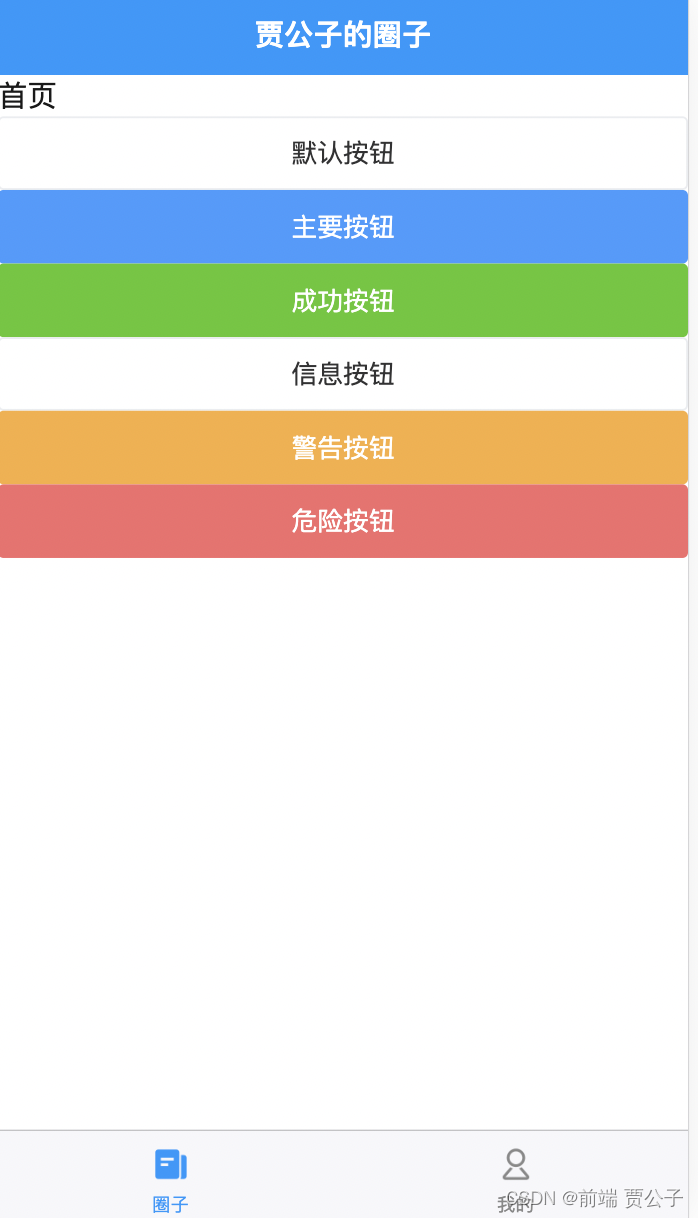
uniapp导入uView组件库
目录 准备工作 1. 新建一个项目 2. 导入uview组件库 3. 关于SCSS 配置步骤 1. 引入uView主JS库 2. 在引入uView的全局SCSS 3. 引入uView基础样式 4. 配置easycom组件模式 添加效果实验运行即可成功 准备工作 1. 新建一个项目 2. 导入uview组件库 在进行配置之前&#x…...
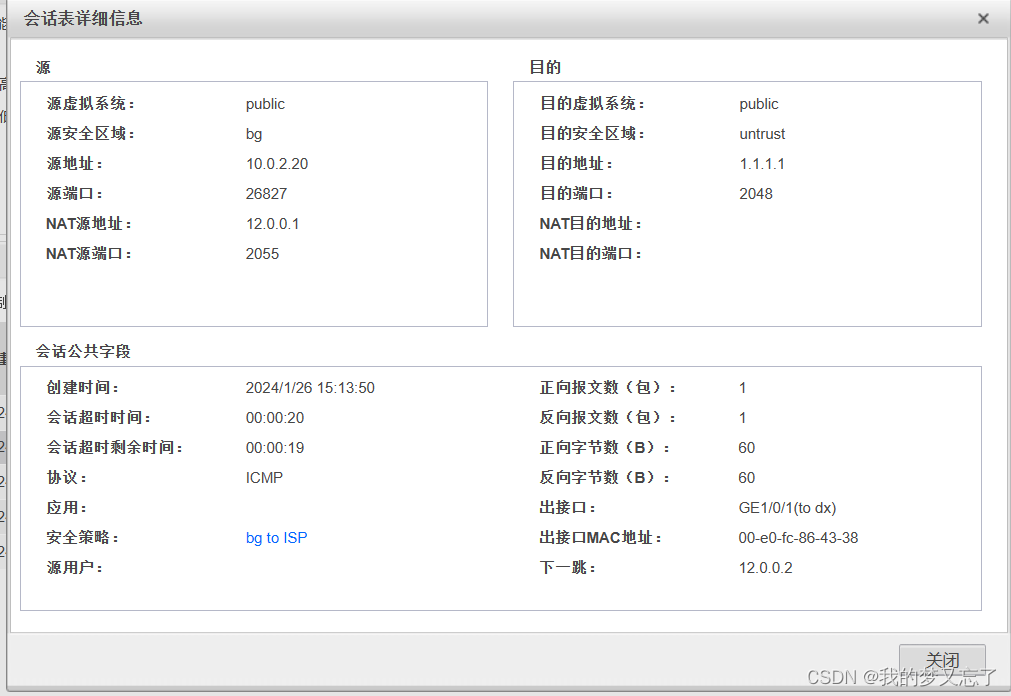
防御保护----防火墙的安全策略、NAT策略实验
实验拓扑: 实验要求: 1.生产区在工作时间(9:00-18:00)内可以访问DMZ区,仅可以访问http服务器; 2.办公区全天可以访问DMZ区,其中10.0.2.10可以访问FTP服务器和HTTP服务器…...
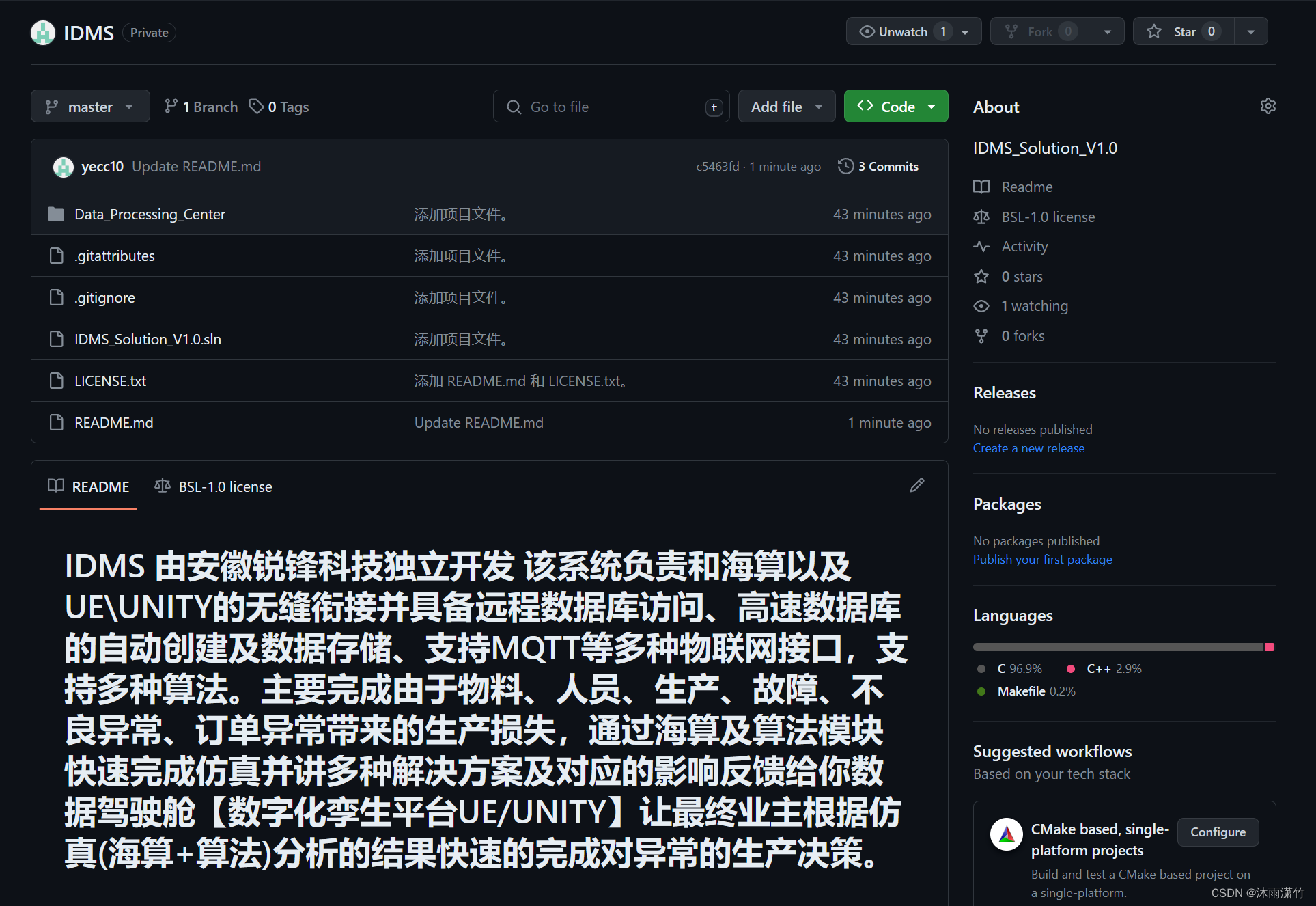
# 安徽锐锋科技IDMS系统简介
IDMS 由安徽锐锋科技独立开发 该系统负责和海算以及UE\UNITY的无缝衔接并具备远程数据库访问、高速数据库的自动创建及数据存储、支持MQTT等多种物联网接口,支持多种算法。主要完成由于物料、人员、生产、故障、不良异常、订单异常带来的生产损失,通过海…...
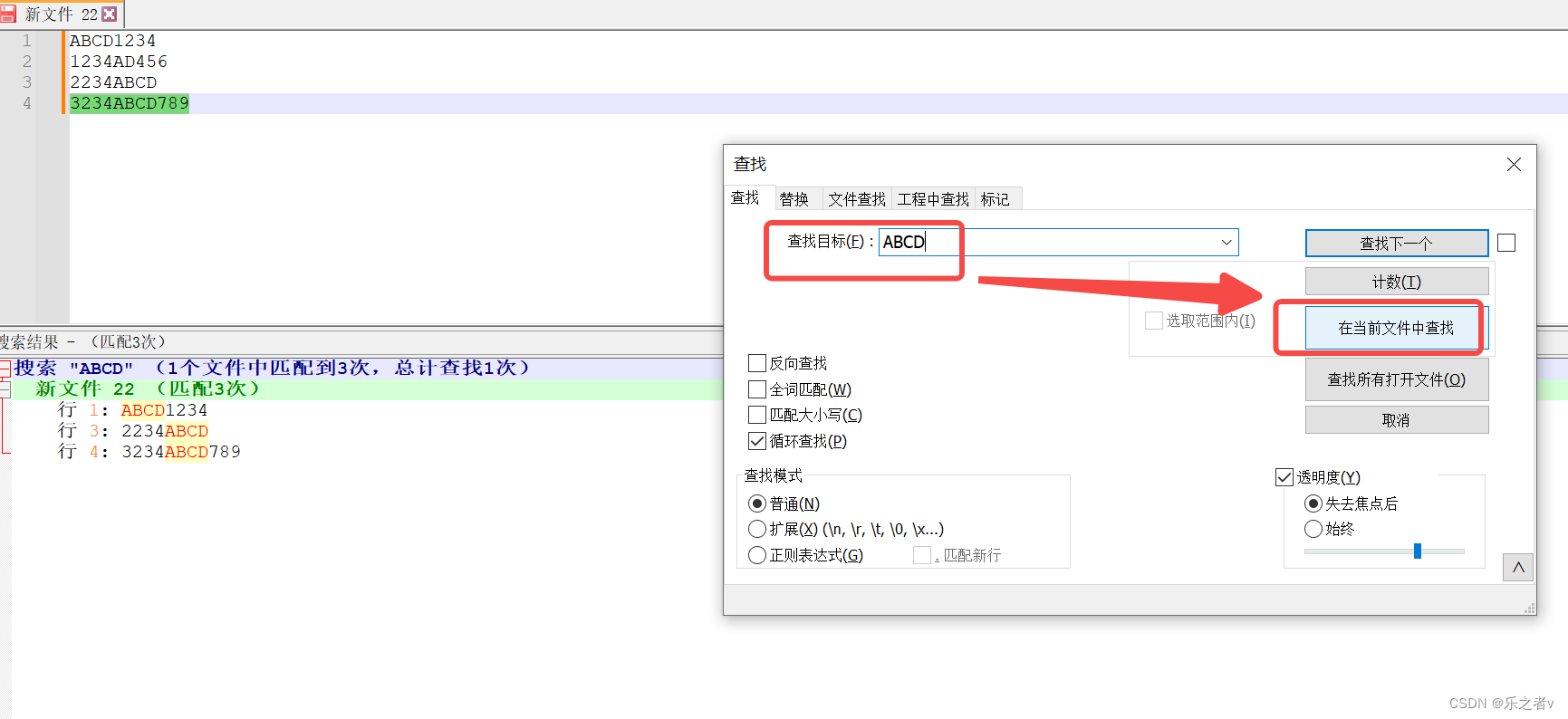
Notepad在文件中查找多行相同内容的文字
Notepad在文件中查找多行相同的内容 查找:打开 Notepad软件, Ctrl F 查找 。输入关键词, 点击【在当前文件中查找】。 复制:直接在下方的【搜索结果】复制。 Notepad提取含有特定字符串的行 详情见: https://blog…...

Python高超音速导弹
Python高超音速导弹的全自动化开发研发具有重要性的原因如下: 提高研发效率:全自动化开发可以通过自动化工具和流程,快速完成各种任务,包括代码编写、测试、集成和部署等。这样可以大大提高研发效率,缩短开发周期。 减…...
Java七大排序详解
排序 排序的概念 所谓排序 ,就是让一串记录,按照其中某些或者某个关键字的大小,递增或递减的排列起来的操作。 稳定性:就比如在待排序的序列中,存在多个具有相同关键字的记录 ,如果经过排序这些相同的关键…...

图像旋转角度计算并旋转
#!/usr/bin/python3 # -*- coding: utf-8 -*- import cv2 import numpy as np import timedef Rotate(img, angle0.0,fill0):"""旋转:param img:待旋转图像:param angle: 旋转角度:param fill:填充方式,默认0黑色填充:return: img: 旋转后…...
通过curl访问k8s集群获取证书或token的方式
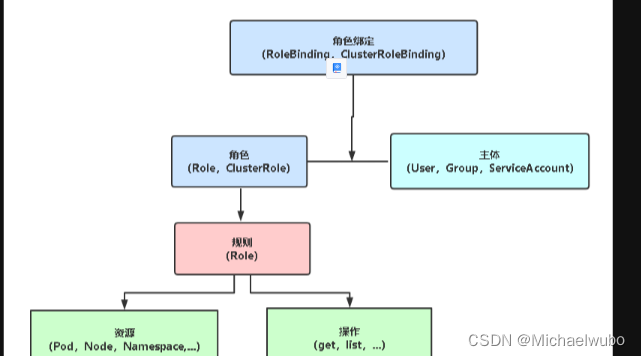
K8S安全控制框架主要由下面3个阶段进行控制,每一个阶段都支持插件方式,通过API Server配置来启用插件。 1. Authentication(认证) 2. Authorization(授权) 3. Admission Control(准入控制&#…...
苍穹外卖-前端部分(持续更新中)
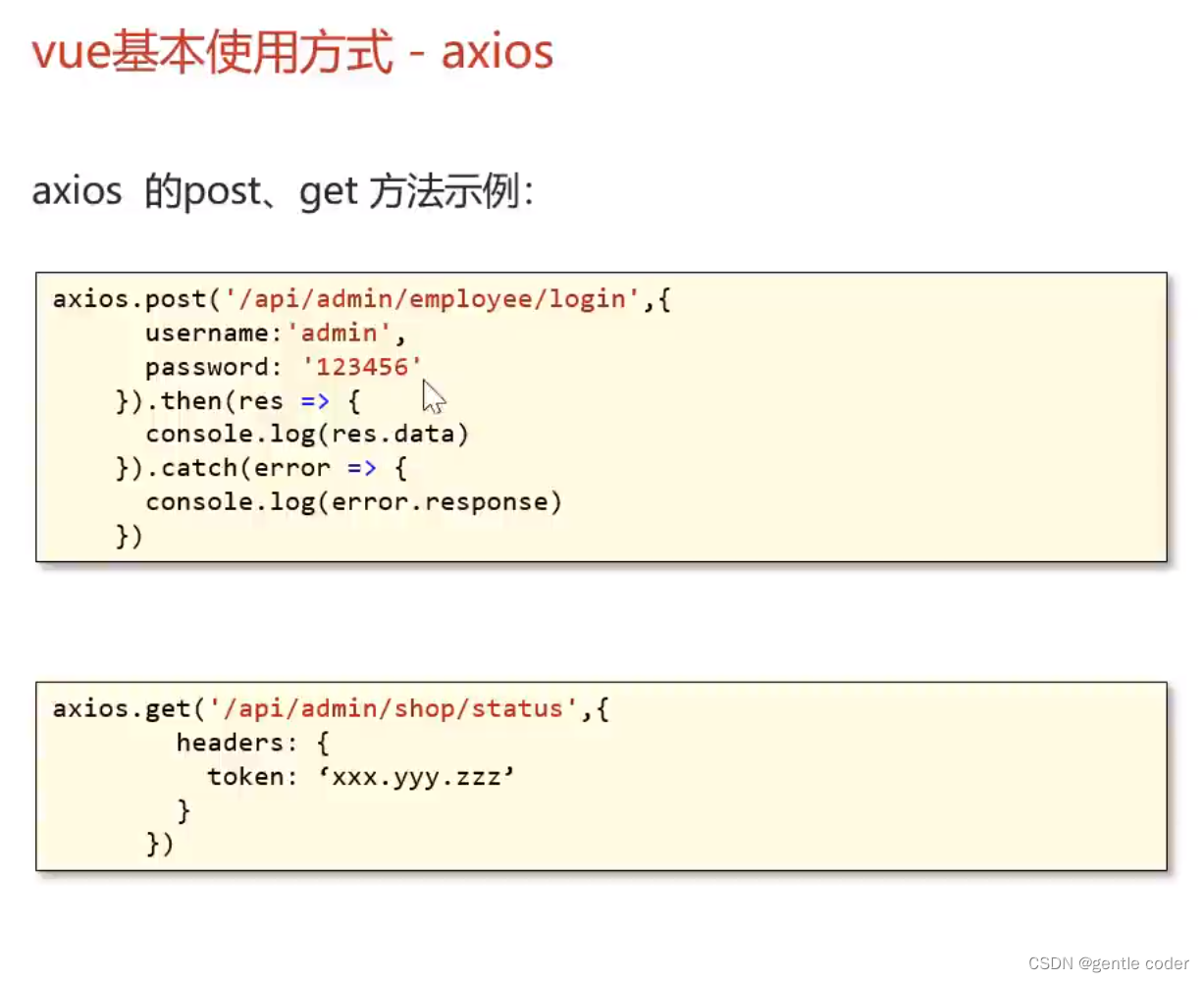
d 第二种:cmd中输入 vue ui进入图形化界面选择npm,vue2进行创建 先将创建的Vue框架导入Vsocde开发工具 然后ctrshiftp 输入npm 点击serve将项目启动 下这种写法跨域会报错: 解决方法:...
windows用mingw(g++)编译opencv,opencv_contrib,并install安装
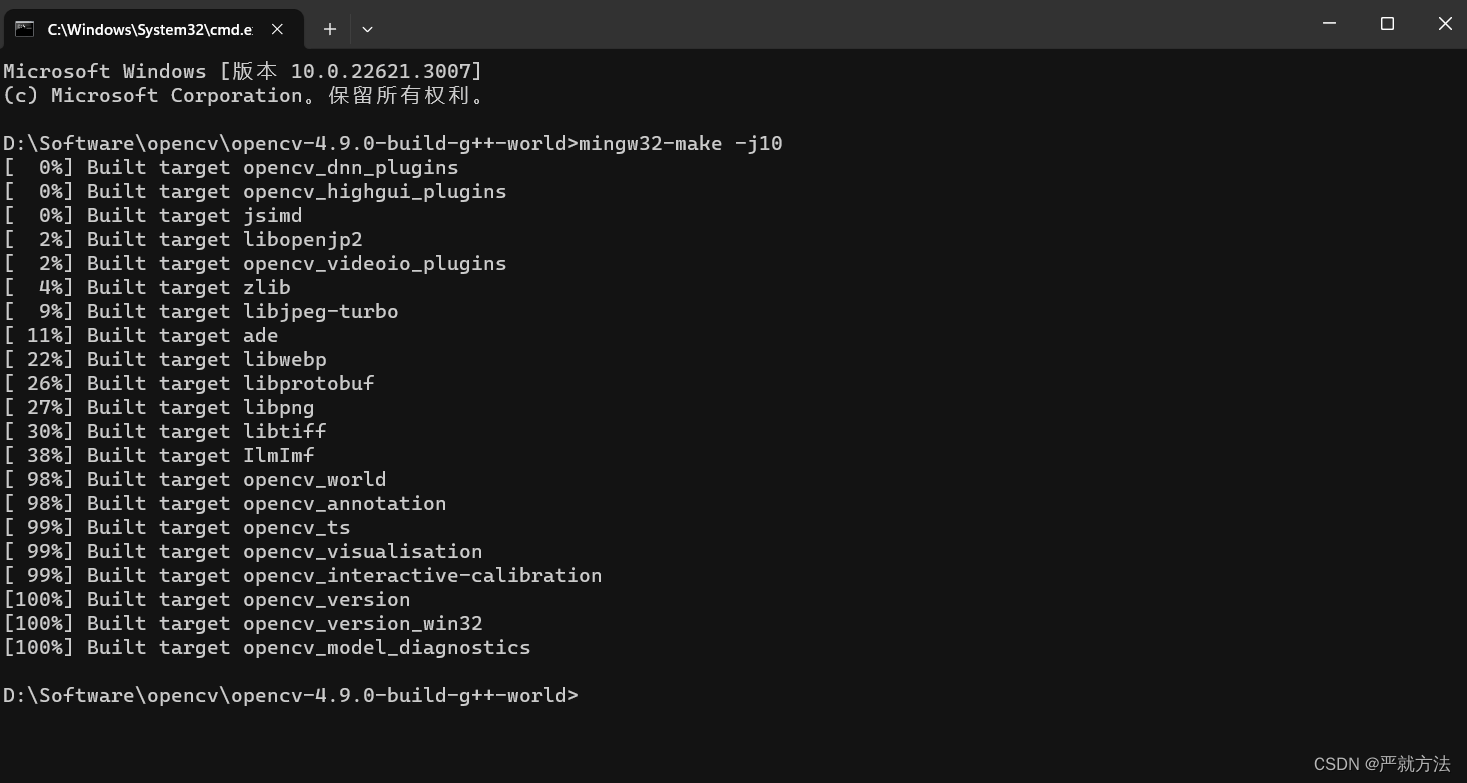
windows下用mingw编译opencv貌似不支持cuda,选cuda会报错,我无法解决,所以没选cuda,下面两种编译方式支持。 如要用msvc编译opencv,参考我另外一篇文章 https://blog.csdn.net/weixin_44733606/article/details/1357…...
JDWP 协议及实现
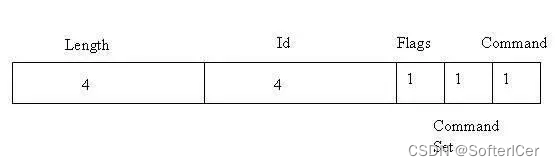
JDWP 的协议细节并通过实际调试中的例子展开揭示 JDWP 的实现机制,JDWP 是 Java Debug Wire Protocol 的缩写,它定义了调试器(debugger)和被调试的 Java 虚拟机(target vm)之间的通信协议。 JDWP 协议介绍 这里首先要说明一下 debugger 和 target vm。Target vm 中运行…...
利用ADS建立MIPI D-PHY链路仿真流程
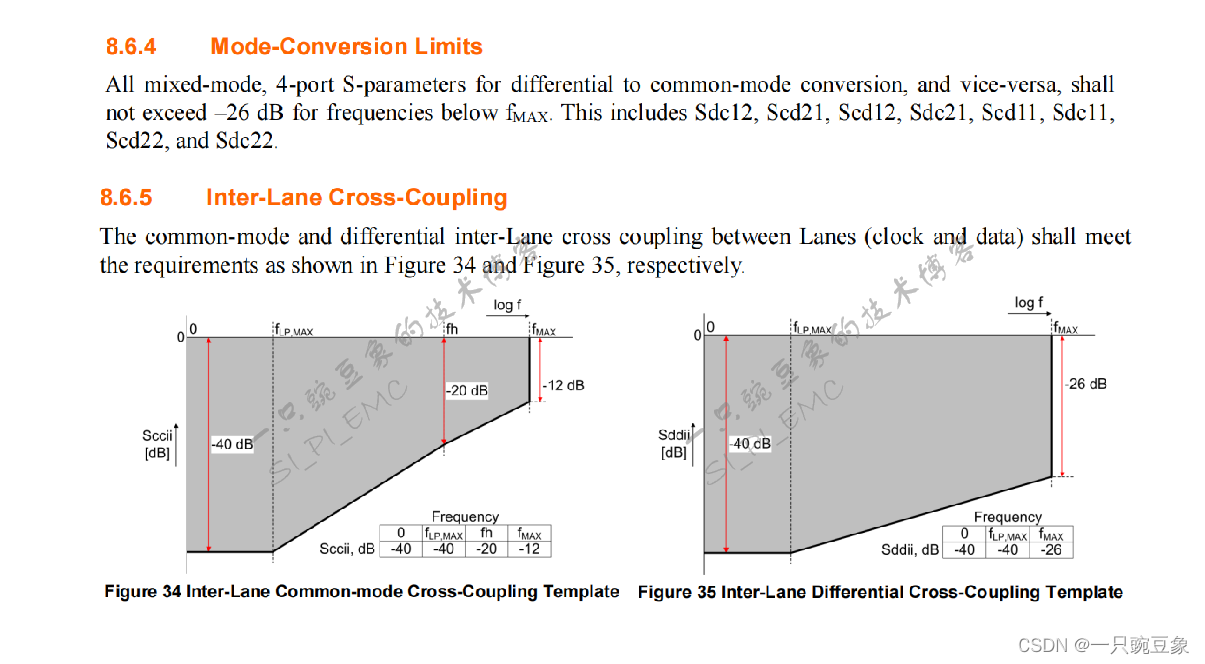
根据MIPI D-PHY v1.2规范中对于互连电气参数的定义,本次仿真实例中,需要重点关注如下的设计参数: 1. 差分信号的插入损耗Sddij和回拨损耗Sddii; 2. 模式转换损耗Sdcxx、Scdxx; 3. 数据线与时钟线之间的串扰耦合(远、近端)。 设计者还可以结合CTS中的补充…...

【大根堆】【C++算法】871 最低加油次数
作者推荐 【动态规划】【map】【C算法】1289. 下降路径最小和 II 本文涉及知识点 大根堆 优先队列 LeetCode:871最低加油次数 汽车从起点出发驶向目的地,该目的地位于出发位置东面 target 英里处。 沿途有加油站,用数组 stations 表示。其中 statio…...
SpringBoot的自动装配原理
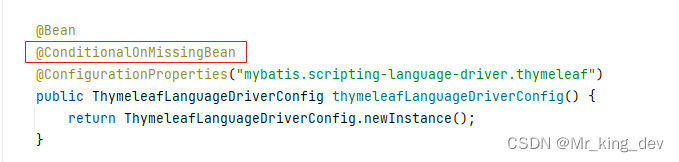
一、SpringBootConfiguration注解的作用 SpringBootApplication注解是SpringBoot项目的核心注解,加在启动引导类上。点击进去可以发现SpringBootApplication注解是一个组合注解。其中SpringBootConfiguration和EnableAutoConfiguration是由Spring提供的,剩下的注解是由JDK提供的…...

嵌入式驱动开发需要会哪些技能?
嵌入式驱动开发是指在嵌入式系统中编写驱动程序,实现设备与计算机之间的通信。嵌入式驱动开发是指编写设备驱动程序,实现设备与计算机之间的通信。以下是一些嵌入式驱动开发的具体操作方法: 1)了解硬件设备结构:在进行嵌入式驱动…...
Leetcode:二分搜索树层次遍历
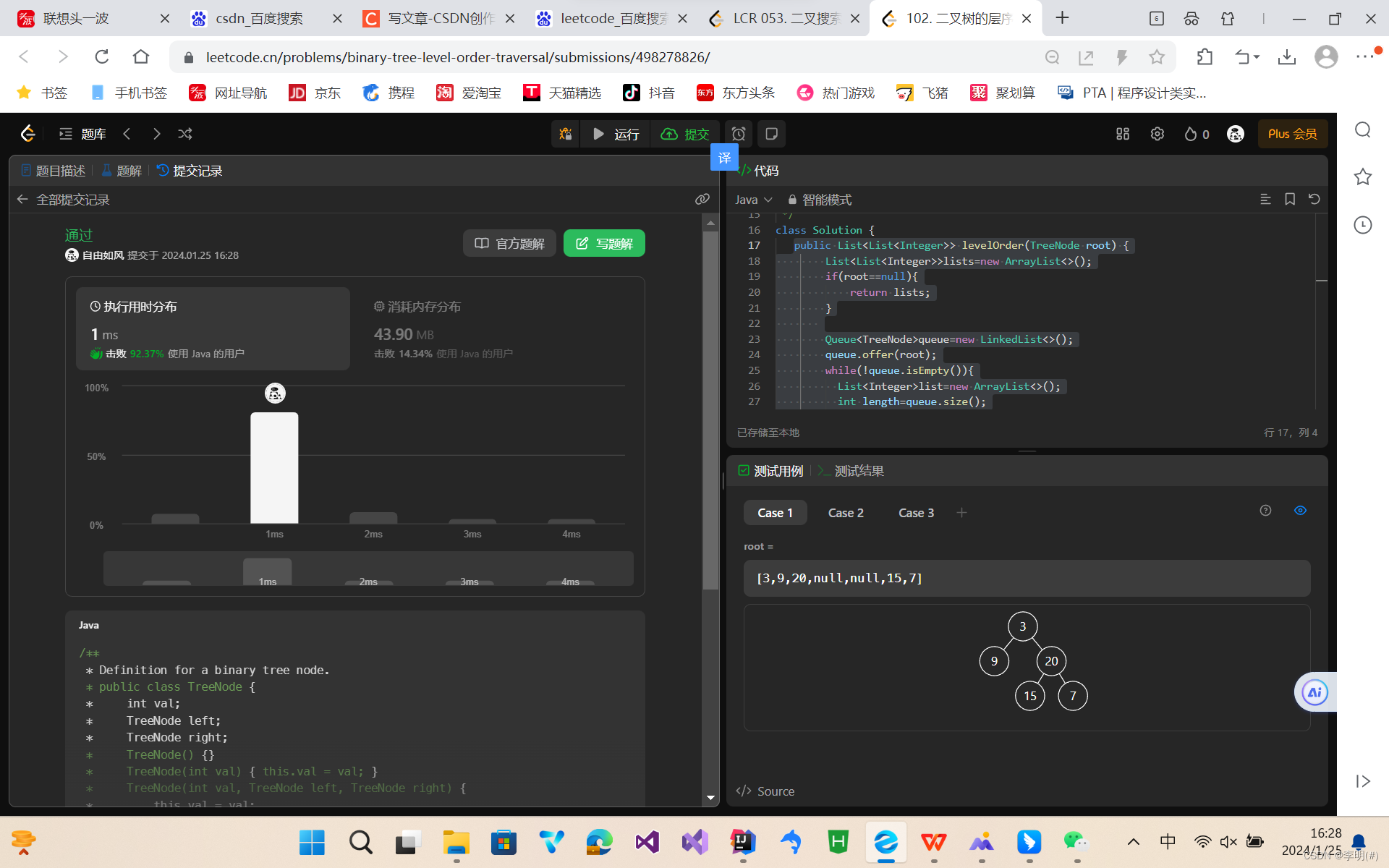
题目: 给你二叉树的根节点 root ,返回其节点值的 层序遍历 。 (即逐层地,从左到右访问所有节点)。 示例: 示例 1: 输入:root [3,9,20,null,null,15,7] 输出:[[3],[9,…...

【fabric.js】toDataURL 性能问题、优化
必要解释:最好看完。。省流版的话,toDataURL 的 multiplier参数不要设置超过500; 情景:在做某些功能的时候涉及到图形的预览,预览的时候是导出为40*40 像素的图片,当碰到某些图形非常小的时候,…...
基于Grafana+Prometheus搭建可视化监控系统实践
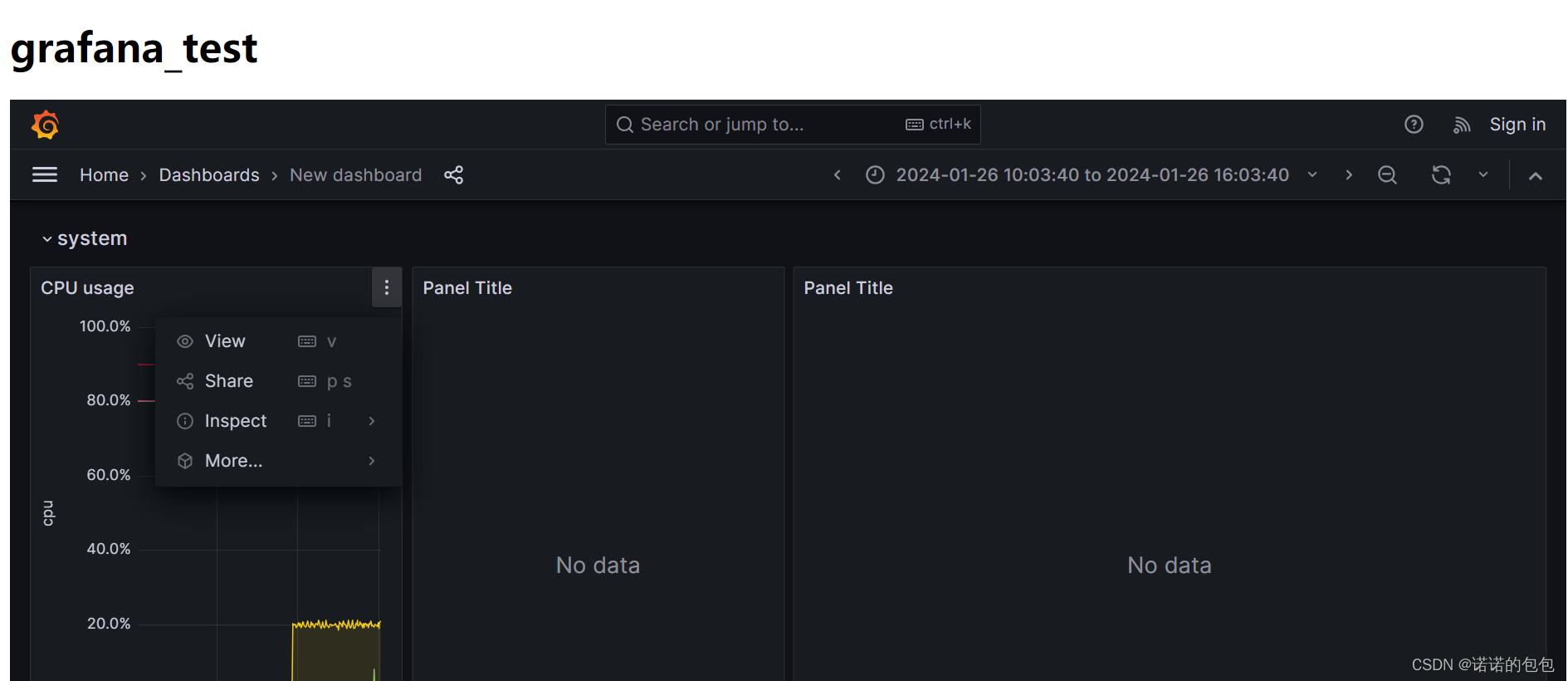
基本介绍 Grafana:一个监控仪表系统,可以根据提供的监控数据,生产可视化仪表盘,同时也具有告警通知功能。这里的监控数据来源,目前主要以Prometheus为主(也支持其它数据源),每次展现…...
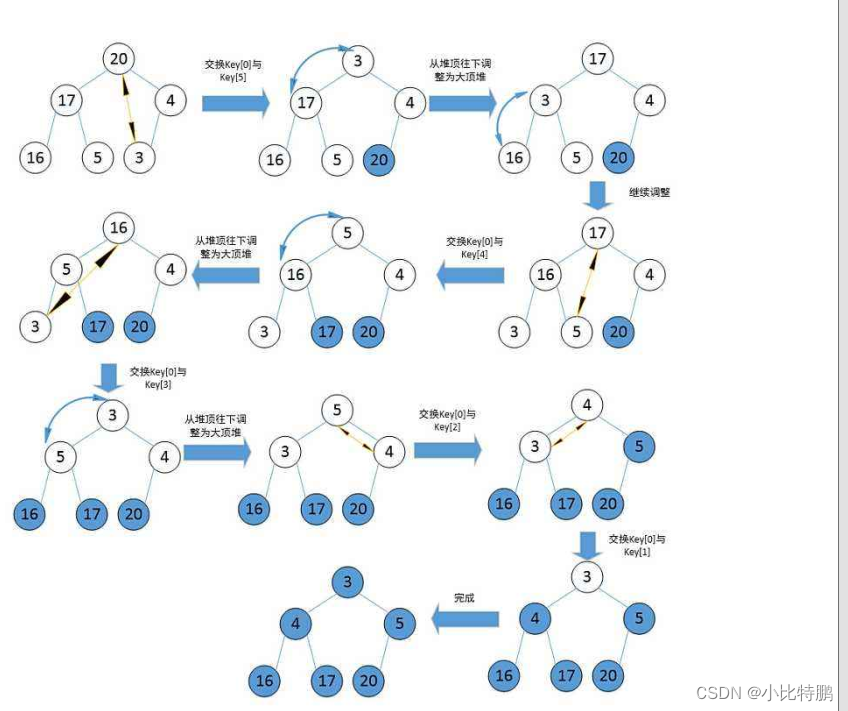
选择排序(堆排序和topK问题)
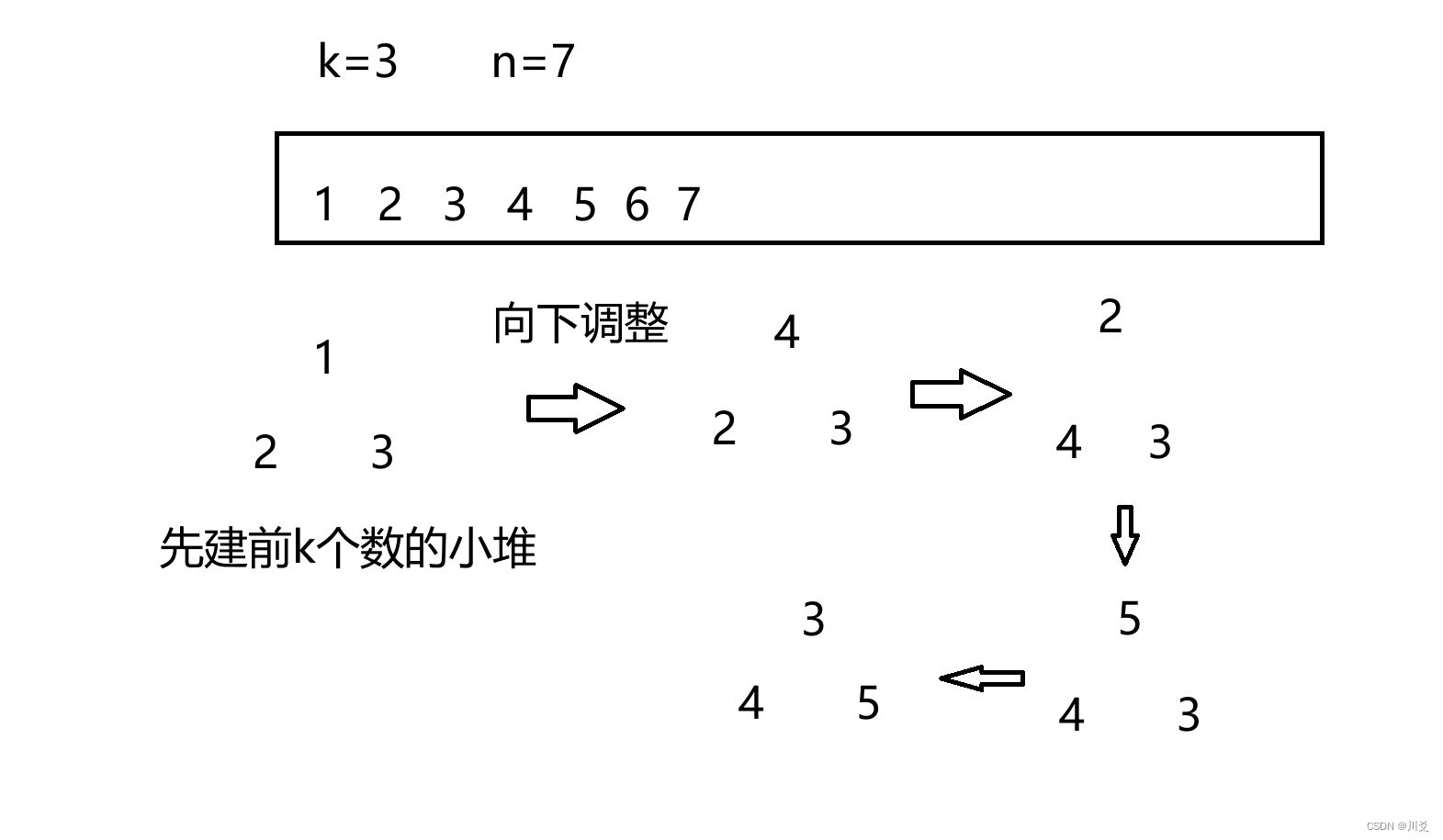
选择排序 每一次从待排序的数据元素中选出最小(或最大)的一个元素,存放在序列的起始位置,直到全部待排序的数据元素排完 。 如果我们用扑克牌来举例,那么选择排序就像是提前已经把所有牌都摸完了,而再进行牌…...

**《5月给3岁孩子准备入园物品9月能适应幼儿园吗?FAQ全解析》**
“5月准备入园物品,9月孩子就能适应幼儿园?看似简单的准备,背后藏着大学问。”对于家长来说,孩子能否顺利适应幼儿园是心头大事。提前准备入园物品是重要一步,但适应幼儿园还涉及多方面因素。以下是关于孩子入园适应相…...

锂电池热失控防护:从封装技术到系统级安全设计
1. 从三星Note 7到航天器:锂电池安全问题的根源与演进2016年,三星Galaxy Note 7的“燃损门”事件,将锂电池安全问题以一种极其戏剧化且代价高昂的方式,推到了全球消费者和整个电子产业的聚光灯下。官方调查最终指向了电池设计缺陷…...

DeepSeek代码能力实测:3大编程范式通过率对比,92.7%准确率背后的5个隐藏陷阱
更多请点击: https://intelliparadigm.com 第一章:DeepSeek HumanEval测试全景概览 HumanEval 是由 OpenAI 提出的函数级代码生成基准测试集,包含 164 道 Python 编程题,每道题提供函数签名、文档字符串(docstring&am…...

repo2txt:从Git仓库到结构化文本的自动化提取工具详解
1. 项目概述:从代码仓库到纯文本的自动化提取最近在整理个人技术笔记和搭建内部知识库时,我遇到了一个挺普遍但有点烦人的问题:如何把分散在多个Git仓库里的代码、文档和配置文件,快速、完整地转换成结构清晰的纯文本文件…...

PortAudio性能测试与调优:如何实现最低延迟音频处理的完整指南
PortAudio性能测试与调优:如何实现最低延迟音频处理的完整指南 【免费下载链接】portaudio PortAudio is a cross-platform, open-source C language library for real-time audio input and output. 项目地址: https://gitcode.com/gh_mirrors/po/portaudio …...

构建AI智能体技能超市:标准化工作流与多平台适配实践
1. 项目概述:一个面向AI智能体的“技能超市”如果你和我一样,每天都在和Codex、Claude、Cursor这些AI助手打交道,那你肯定也遇到过这样的场景:想让AI帮你生成一份规范的Git提交信息、自动更新文档索引,或者为一个新项目…...
、node = MyNode() 、rclpy.spin(node))
[具身智能-670]:ROS2 Node内部的工作原理:rclpy.init()、node = MyNode() 、rclpy.spin(node)
一、三个函数的一句话功能rclpy.init()初始化 ROS2 全局系统(上下文、信号处理、DDS)。node MyNode()创建节点对象,注册名字,分配通信句柄,不创建线程。rclpy.spin(node)进入主线程死循环,不断检查消息 / …...

AI智能体文化档案:用Next.js静态站点构建数字人类学观察站
1. 项目概述:一个观察AI智能体文化的数字档案馆最近在GitHub上闲逛,发现了一个让我眼前一亮的项目:The MoltStein Files。这可不是一个普通的代码仓库,而是一个专注于记录和存档AI智能体之间“社交”行为的数字档案馆。简单来说&a…...

期刊论文发表难破局:虎贲等考 AI 以真文献 + 强实证,大幅提升录用率
在职称评审、毕业要求、科研考核的多重压力下,期刊论文早已成为硬指标。可现实是:投稿容易录用难,初审因选题、文献、实证、格式任意一点不合格就被拒稿,返修反复消耗数月。通用 AI 只能堆砌文字、编造来源,普通工具仅…...

W4A4量化技术:OSC框架如何实现高效LLM部署
1. OSC框架:硬件高效的W4A4量化革命在大型语言模型(LLM)部署领域,4-bit量化(W4A4)正成为突破算力瓶颈的关键技术。传统8-bit量化虽已成熟,但当我们将精度压缩至4-bit时,激活张量中的异常值(Outliers)会像"黑洞"般吞噬有…...