
(八)PostgreSQL的数据库管理
PostgreSQL的数据库管理
基础信息
OS版本:Red Hat Enterprise Linux Server release 7.9 (Maipo)
DB版本:16.2
pg软件目录:/home/pg16/soft
pg数据目录:/home/pg16/data
端口:5777
1 创建数据库
CREATE DATABASE创建一个新的PostgreSQL数据库。
若要创建数据库,您必须是超级用户或具有特殊的CREATEDB权限。请参阅CREATE ROLE部分内容。
默认情况下,将通过克隆系统数据库template1来创建新数据库。也可以通过参数 template 来指定不同的模板。特别是,通过指定TEMPLATE template0,可以创建一个原始数据库(其中不存在用户定义的对象,并且系统对象没有更改),其中只包含PostgreSQL版本预定义的标准对象。这样可以避免复制任何可能已添加到template1中的本地对象。
语法
CREATE DATABASE name
[ WITH ] [ OWNER [=] user_name ]
[ TEMPLATE [=] template ]
[ ENCODING [=] encoding ]
[ STRATEGY [=] strategy ] ]
[ LOCALE [=] locale ]
[ LC_COLLATE [=] lc_collate ]
[ LC_CTYPE [=] lc_ctype ]
[ ICU_LOCALE [=] icu_locale ]
[ ICU_RULES [=] icu_rules ]
[ LOCALE_PROVIDER [=] locale_provider ]
[ COLLATION_VERSION = collation_version ]
[ TABLESPACE [=] tablespace_name ]
[ ALLOW_CONNECTIONS [=] allowconn ]
[ CONNECTION LIMIT [=] connlimit ]
[ IS_TEMPLATE [=] istemplate ]
[ OID [=] oid ]
参数解析
-
name
The name of a database to create.
要创建的数据库的名称。 -
user_name
The role name of the user who will own the new database, or DEFAULT to use the default (namely, the user executing the command). To create a database owned by another role, you must be able to SET ROLE to that role.
将拥有新数据库的用户的角色名称,或使用默认值的DEFAULT(即执行命令的用户)。若要创建由另一个角色拥有的数据库,您必须能够将角色设置为该角色。 -
template
The name of the template from which to create the new database, or DEFAULT to use the default template (template1).
用于创建新数据库的模板的名称,或使用默认模板 template1。 -
encoding
Character set encoding to use in the new database. Specify a string constant (e.g.,
‘SQL_ASCII’), or an integer encoding number, or DEFAULT to use the default encoding (namely, the encoding of the template database). The character sets supported by the PostgreSQL server
are described in Section 24.3.1. See below for additional restrictions.
要在新数据库中使用的字符集编码。指定字符串常量(例如“SQL_ASCII”)、整数编码数字或使用默认编码(即模板数据库的编码)。PostgreSQL服务器支持的字符集如第24.3.1节所述。有关其他限制,请参见下文。 -
strategy
Strategy to be used in creating the new database. If the WAL_LOG strategy is used, the database
will be copied block by block and each block will be separately written to the write-ahead log.
This is the most efficient strategy in cases where the template database is small, and therefore it is
the default. The older FILE_COPY strategy is also available. This strategy writes a small record
to the write-ahead log for each tablespace used by the target database. Each such record represents copying an entire directory to a new location at the filesystem level. While this does reduce the write-ahead log volume substantially, especially if the template database is large, it also forces the system to perform a checkpoint both before and after the creation of the new database. In some situations, this may have a noticeable negative impact on overall system performance.
用于创建新数据库的策略。如果使用WAL_LOG策略,数据库将被逐块复制,并且每个块将分别写入预写日志。在模板数据库很小的情况下,这是最有效的策略,因此它是默认的。旧的FILE_COPY策略也可用。此策略为目标数据库使用的每个表空间向预写日志中写入一条小记录。每个这样的记录都表示将整个目录复制到文件系统级别的新位置。虽然这确实大大减少了预写日志量,特别是在模板数据库很大的情况下,但它也迫使系统在创建新数据库之前和之后执行检查点。在某些情况下,这可能会对整个系统性能产生明显的负面影响。 -
locale
Sets the default collation order and character classification in the new database. Collation affects the sort order applied to strings, e.g., in queries with ORDER BY, as well as the order used in indexes on text columns. Character classification affects the categorization of characters, e.g., lower, upper, and digit. Also sets the associated aspects of the operating system environment, LC_COLLATE and LC_CTYPE. The default is the same setting as the template database. See Section 24.2.2.3.1 and Section 24.2.2.3.2 for details.
设置新数据库中的默认排序规则顺序和字符分类。排序规则影响应用于字符串的排序顺序,例如,在使用order BY的查询中,以及在文本列的索引中使用的顺序。字符分类会影响字符的分类,例如低位、高位和数字。还设置操作系统环境的相关方面LC_COLLATE和LC_CTYPE。默认设置与模板数据库的设置相同。详见第24.2.2.3.1节和第24.2.2.3.2节。 -
lc_collate
Sets LC_COLLATE in the database server’s operating system environment. The default is the
setting of locale if specified, otherwise the same setting as the template database. See below
for additional restrictions.
If locale_provider is libc, also sets the default collation order to use in the new database,
overriding the setting locale.
在数据库服务器的操作系统环境中设置LC_COLLATE。默认值是区域设置(如果指定),否则与模板数据库的设置相同。有关其他限制,请参见下文。
如果locale_provider是libc,还将设置要在新数据库中使用的默认排序规则顺序,覆盖设置区域设置。 -
lc_ctype
Sets LC_CTYPE in the database server’s operating system environment. The default is the setting of locale if specified, otherwise the same setting as the template database. See below for additional restrictions.
If locale_provider is libc, also sets the default character classification to use in the new database, overriding the setting locale.
在数据库服务器的操作系统环境中设置LC_CTYPE。默认值是区域设置(如果指定),否则与模板数据库的设置相同。有关其他限制,请参见下文。
如果locale_provider是libc,还将设置要在新数据库中使用的默认字符分类,从而覆盖设置区域设置。 -
icu_locale
Specifies the ICU locale (see Section 24.2.2.3.2) for the database default collation order and character classification, overriding the setting locale. The locale provider must be ICU. The default is the setting of locale if specified; otherwise the same setting as the template database.
为数据库默认排序规则顺序和字符分类指定ICU区域设置(请参见第24.2.2.3.2节),覆盖设置区域设置。区域设置提供程序必须是ICU。如果指定,则默认为区域设置;否则设置与模板数据库相同 -
icu_rules
Specifies additional collation rules to customize the behavior of the default collation of this database. This is supported for ICU only. See Section 24.2.3.4 for details.
指定其他排序规则以自定义此数据库的默认排序规则的行为。这仅适用于ICU。详见第24.2.3.4节。 -
locale_provider
Specifies the provider to use for the default collation in this database. Possible values are icu (if the server was built with ICU support) or libc. By default, the provider is the same as that of
the template. See Section 24.1.4 for details.
指定用于此数据库中默认排序规则的提供程序。可能的值是icu(如果服务器是在icu支持下构建的)或libc。默认情况下,提供程序与模板的提供程序相同。详见第24.1.4节。 -
collation_version
Specifies the collation version string to store with the database. Normally, this should be omitted, which will cause the version to be computed from the actual version of the database collation as provided by the operating system. This option is intended to be used by pg_upgrade for copying the version from an existing installation.
See also ALTER DATABASE for how to handle database collation version mismatches.
指定要与数据库一起存储的排序规则版本字符串。通常情况下,应该忽略这一点,这将导致根据操作系统提供的数据库排序规则的实际版本来计算版本。此选项用于pg_upgrade从现有安装中复制版本。
有关如何处理数据库排序规则版本不匹配的信息,请参阅ALTER DATABASE。 -
tablespace_name
The name of the tablespace that will be associated with the new database, or DEFAULT to use
the template database’s tablespace. This tablespace will be the default tablespace used for objects created in this database. See CREATE TABLESPACE for more information.
将与新数据库相关联的表空间的名称,或默认使用模板数据库表空间。此表空间将是用于在此数据库中创建的对象的默认表空间。有关详细信息,请参见CREATE TABLESPACE。 -
allowconn
If false then no one can connect to this database. The default is true, allowing connections (except as restricted by other mechanisms, such as GRANT/REVOKE CONNECT).
如果为false,则没有人可以连接到此数据库。默认值为true,允许连接(除非受到其他机制的限制,如GRANT/REVOKE CONNECT)。 -
connlimit
How many concurrent connections can be made to this database. -1 (the default) means no limit.
可以与此数据库建立多少个并发连接-1(默认值)表示没有限制。 -
istemplate
If true, then this database can be cloned by any user with CREATEDB privileges; if false (the
default), then only superusers or the owner of the database can clone it.
如果为true,则任何具有CREATEDB权限的用户都可以克隆此数据库;如果为false(默认值),则只有超级用户或数据库所有者才能克隆它。 -
oid
The object identifier to be used for the new database. If this parameter is not specified, PostgreSQL will choose a suitable OID automatically. This parameter is primarily intended for internal use by pg_upgrade, and only pg_upgrade can specify a value less than 16384.
要用于新数据库的对象标识符。如果没有指定这个参数,PostgreSQL会自动选择一个合适的OID。此参数主要供pg_upgrade内部使用,只有pg_upggrade才能指定小于16384的值。
Optional parameters can be written in any order, not only the order illustrated above.
以上可选参数可以按照任何顺序写入,而不仅仅是按照上面所示的顺序。
case 1:创建数据库test1
postgres=# create database test1;
CREATE DATABASE
postgres=# \lList of databasesName    |  Owner   | Encoding | Locale Provider |   Collate   |    Ctype    | ICU Locale | ICU Rules |   Access privileges
-----------+----------+----------+-----------------+-------------+-------------+------------+-----------+-----------------------postgres  | postgres | UTF8     | libc            | en_US.UTF-8 | en_US.UTF-8 |            |           | template0 | postgres | UTF8     | libc            | en_US.UTF-8 | en_US.UTF-8 |            |           | =c/postgres          +|          |          |                 |             |             |            |           | postgres=CTc/postgrestemplate1 | postgres | UTF8     | libc            | en_US.UTF-8 | en_US.UTF-8 |            |           | =c/postgres          +|          |          |                 |             |             |            |           | postgres=CTc/postgrestest1     | postgres | UTF8     | libc            | en_US.UTF-8 | en_US.UTF-8 |            |           | white     | postgres | UTF8     | libc            | en_US.UTF-8 | en_US.UTF-8 |            |           |
(5 rows)
case 2:创建数据库test2,并指定表空间。
--创建表空间test1
mkdir -p /pgdir/test1
chown -R pg16:pg16  /pgdir/test1[pg16@test test1]$ psql -p 5777
psql (16.2)
Type "help" for help.postgres=# CREATE TABLESPACE test1 LOCATION '/pgdir/test1';
CREATE TABLESPACE
postgres=# \dbList of tablespacesName    |  Owner   |   Location
------------+----------+--------------pg_default | postgres | pg_global  | postgres | test1      | postgres | /pgdir/test1
(3 rows)
–创建数据库test2
postgres=# create database test2 tablespace test1;
CREATE DATABASE
postgres=# \lList of databasesName    |  Owner   | Encoding | Locale Provider |   Collate   |    Ctype    | ICU Locale | ICU Rules |   Access privileges
-----------+----------+----------+-----------------+-------------+-------------+------------+-----------+-----------------------postgres  | postgres | UTF8     | libc            | en_US.UTF-8 | en_US.UTF-8 |            |           | template0 | postgres | UTF8     | libc            | en_US.UTF-8 | en_US.UTF-8 |            |           | =c/postgres          +|          |          |                 |             |             |            |           | postgres=CTc/postgrestemplate1 | postgres | UTF8     | libc            | en_US.UTF-8 | en_US.UTF-8 |            |           | =c/postgres          +|          |          |                 |             |             |            |           | postgres=CTc/postgrestest1     | postgres | UTF8     | libc            | en_US.UTF-8 | en_US.UTF-8 |            |           | test2     | postgres | UTF8     | libc            | en_US.UTF-8 | en_US.UTF-8 |            |           | white     | postgres | UTF8     | libc            | en_US.UTF-8 | en_US.UTF-8 |            |           |
(6 rows)postgres=# select b.datname,a.spcname from pg_tablespace a,pg_database b where a.oid=b.dattablespace and b.datname='test2';datname | spcname
---------+---------test2   | test1
(1 row)
2 修改数据库
语法
ALTER DATABASE name [ [ WITH ] option [ ... ] ]
where option can be:
ALLOW_CONNECTIONS allowconn
CONNECTION LIMIT connlimit
IS_TEMPLATE istemplate
ALTER DATABASE name RENAME TO new_name
ALTER DATABASE name OWNER TO { new_owner | CURRENT_ROLE |
CURRENT_USER | SESSION_USER }
ALTER DATABASE name SET TABLESPACE new_tablespace
ALTER DATABASE name REFRESH COLLATION VERSION
ALTER DATABASE name SET configuration_parameter { TO | = } { value
| DEFAULT }
ALTER DATABASE name SET configuration_parameter FROM CURRENT
ALTER DATABASE name RESET configuration_parameter
ALTER DATABASE name RESET ALL
参数解析
-
name
The name of the database whose attributes are to be altered. -
allowconn
If false then no one can connect to this database. -
connlimit
How many concurrent connections can be made to this database. -1 means no limit. -
istemplate
If true, then this database can be cloned by any user with CREATEDB privileges; if false, then
only superusers or the owner of the database can clone it. -
new_name
The new name of the database. -
new_owner
The new owner of the database. -
new_tablespace
The new default tablespace of the database.
This form of the command cannot be executed inside a transaction block. -
REFRESH COLLATION VERSION
Update the database collation version. See Notes for background. -
configuration_parameter
-
value
Set this database’s session default for the specified configuration parameter to the given value. Ifvalue is DEFAULT or, equivalently, RESET is used, the database-specific setting is removed,
so the system-wide default setting will be inherited in new sessions. Use RESET ALL to clear
all database-specific settings. SET FROM CURRENT saves the session’s current value of the
parameter as the database-specific value.
case 1:数据库test1的表空间为test1
postgres=# select b.datname,a.spcname from pg_tablespace a,pg_database b where a.oid=b.dattablespace and b.datname='test1';datname |  spcname
---------+------------test1   | pg_default
(1 row)postgres=# alter database test1 set tablespace test1;
ALTER DATABASE
postgres=# select b.datname,a.spcname from pg_tablespace a,pg_database b where a.oid=b.dattablespace and b.datname='test1';datname | spcname
---------+---------test1   | test1
(1 row)postgres=#
case 2:修改数据库test1的名字为test1_new
postgres=# \lList of databasesName    |  Owner   | Encoding | Locale Provider |   Collate   |    Ctype    | ICU Locale | ICU Rules |   Access privileges
-----------+----------+----------+-----------------+-------------+-------------+------------+-----------+-----------------------postgres  | postgres | UTF8     | libc            | en_US.UTF-8 | en_US.UTF-8 |            |           | template0 | postgres | UTF8     | libc            | en_US.UTF-8 | en_US.UTF-8 |            |           | =c/postgres          +|          |          |                 |             |             |            |           | postgres=CTc/postgrestemplate1 | postgres | UTF8     | libc            | en_US.UTF-8 | en_US.UTF-8 |            |           | =c/postgres          +|          |          |                 |             |             |            |           | postgres=CTc/postgrestest1     | postgres | UTF8     | libc            | en_US.UTF-8 | en_US.UTF-8 |            |           | test2     | postgres | UTF8     | libc            | en_US.UTF-8 | en_US.UTF-8 |            |           | white     | postgres | UTF8     | libc            | en_US.UTF-8 | en_US.UTF-8 |            |           |
(6 rows)postgres=# alter database test1 rename to test1_new;
ALTER DATABASE
postgres=# \lList of databasesName    |  Owner   | Encoding | Locale Provider |   Collate   |    Ctype    | ICU Locale | ICU Rules |   Access privileges
-----------+----------+----------+-----------------+-------------+-------------+------------+-----------+-----------------------postgres  | postgres | UTF8     | libc            | en_US.UTF-8 | en_US.UTF-8 |            |           | template0 | postgres | UTF8     | libc            | en_US.UTF-8 | en_US.UTF-8 |            |           | =c/postgres          +|          |          |                 |             |             |            |           | postgres=CTc/postgrestemplate1 | postgres | UTF8     | libc            | en_US.UTF-8 | en_US.UTF-8 |            |           | =c/postgres          +|          |          |                 |             |             |            |           | postgres=CTc/postgrestest1_new | postgres | UTF8     | libc            | en_US.UTF-8 | en_US.UTF-8 |            |           | test2     | postgres | UTF8     | libc            | en_US.UTF-8 | en_US.UTF-8 |            |           | white     | postgres | UTF8     | libc            | en_US.UTF-8 | en_US.UTF-8 |            |           |
(6 rows)
3 删除数据库
DROP DATABASE删除数据库。它删除数据库的目录条目,并删除包含数据的目录。它只能由数据库所有者执行。当您连接到目标数据库时,它无法执行。(连接到postgres或任何其他数据库以发出此命令。)此外,如果其他任何人连接到目标数据库,则除非使用下面描述的FORCE选项,否则此命令将失败。
DROP DATABASE无法撤消。小心使用!
语法
DROP DATABASE [ IF EXISTS ] name [ [ WITH ] ( option [, ...] ) ]
where option can be:
FORCE
case 1:删除数据库test1
postgres=# \lList of databasesName    |  Owner   | Encoding | Locale Provider |   Collate   |    Ctype    | ICU Locale | ICU Rules |   Access privileges
-----------+----------+----------+-----------------+-------------+-------------+------------+-----------+-----------------------postgres  | postgres | UTF8     | libc            | en_US.UTF-8 | en_US.UTF-8 |            |           | template0 | postgres | UTF8     | libc            | en_US.UTF-8 | en_US.UTF-8 |            |           | =c/postgres          +|          |          |                 |             |             |            |           | postgres=CTc/postgrestemplate1 | postgres | UTF8     | libc            | en_US.UTF-8 | en_US.UTF-8 |            |           | =c/postgres          +|          |          |                 |             |             |            |           | postgres=CTc/postgrestest1     | postgres | UTF8     | libc            | en_US.UTF-8 | en_US.UTF-8 |            |           | test2     | postgres | UTF8     | libc            | en_US.UTF-8 | en_US.UTF-8 |            |           | white     | postgres | UTF8     | libc            | en_US.UTF-8 | en_US.UTF-8 |            |           |
(6 rows)postgres=# drop database test1;
DROP DATABASE
postgres=# \lList of databasesName    |  Owner   | Encoding | Locale Provider |   Collate   |    Ctype    | ICU Locale | ICU Rules |   Access privileges
-----------+----------+----------+-----------------+-------------+-------------+------------+-----------+-----------------------postgres  | postgres | UTF8     | libc            | en_US.UTF-8 | en_US.UTF-8 |            |           | template0 | postgres | UTF8     | libc            | en_US.UTF-8 | en_US.UTF-8 |            |           | =c/postgres          +|          |          |                 |             |             |            |           | postgres=CTc/postgrestemplate1 | postgres | UTF8     | libc            | en_US.UTF-8 | en_US.UTF-8 |            |           | =c/postgres          +|          |          |                 |             |             |            |           | postgres=CTc/postgrestest2     | postgres | UTF8     | libc            | en_US.UTF-8 | en_US.UTF-8 |            |           | white     | postgres | UTF8     | libc            | en_US.UTF-8 | en_US.UTF-8 |            |           |
(5 rows)
case 2:删除数据库test2,加force参数。
postgres=# drop database test2;
ERROR:  database "test2" is being accessed by other users
DETAIL:  There is 1 other session using the database.^
postgres=# drop database test2 with (force);
DROP DATABASE
postgres=#
postgres=# \lList of databasesName    |  Owner   | Encoding | Locale Provider |   Collate   |    Ctype    | ICU Locale | ICU Rules |   Access privileges
-----------+----------+----------+-----------------+-------------+-------------+------------+-----------+-----------------------postgres  | postgres | UTF8     | libc            | en_US.UTF-8 | en_US.UTF-8 |            |           | template0 | postgres | UTF8     | libc            | en_US.UTF-8 | en_US.UTF-8 |            |           | =c/postgres          +|          |          |                 |             |             |            |           | postgres=CTc/postgrestemplate1 | postgres | UTF8     | libc            | en_US.UTF-8 | en_US.UTF-8 |            |           | =c/postgres          +|          |          |                 |             |             |            |           | postgres=CTc/postgreswhite     | postgres | UTF8     | libc            | en_US.UTF-8 | en_US.UTF-8 |            |           |
(4 rows)postgres=#
更多内容请查看对应数据库版本的官方文档。
谨记:心存敬畏,行有所止。
相关文章:
PostgreSQL的数据库管理)
(八)PostgreSQL的数据库管理
PostgreSQL的数据库管理 基础信息 OS版本:Red Hat Enterprise Linux Server release 7.9 (Maipo) DB版本:16.2 pg软件目录:/home/pg16/soft pg数据目录:/home/pg16/data 端口:57771 创建数据库 CREATE DATABASE创建一…...

外包干了30天,技术倒退明显
先说情况,大专毕业,18年通过校招进入湖南某软件公司,干了接近6年的功能测试,今年年初,感觉自己不能够在这样下去了,长时间呆在一个舒适的环境会让一个人堕落! 而我已经在一个企业干了四年的功能…...
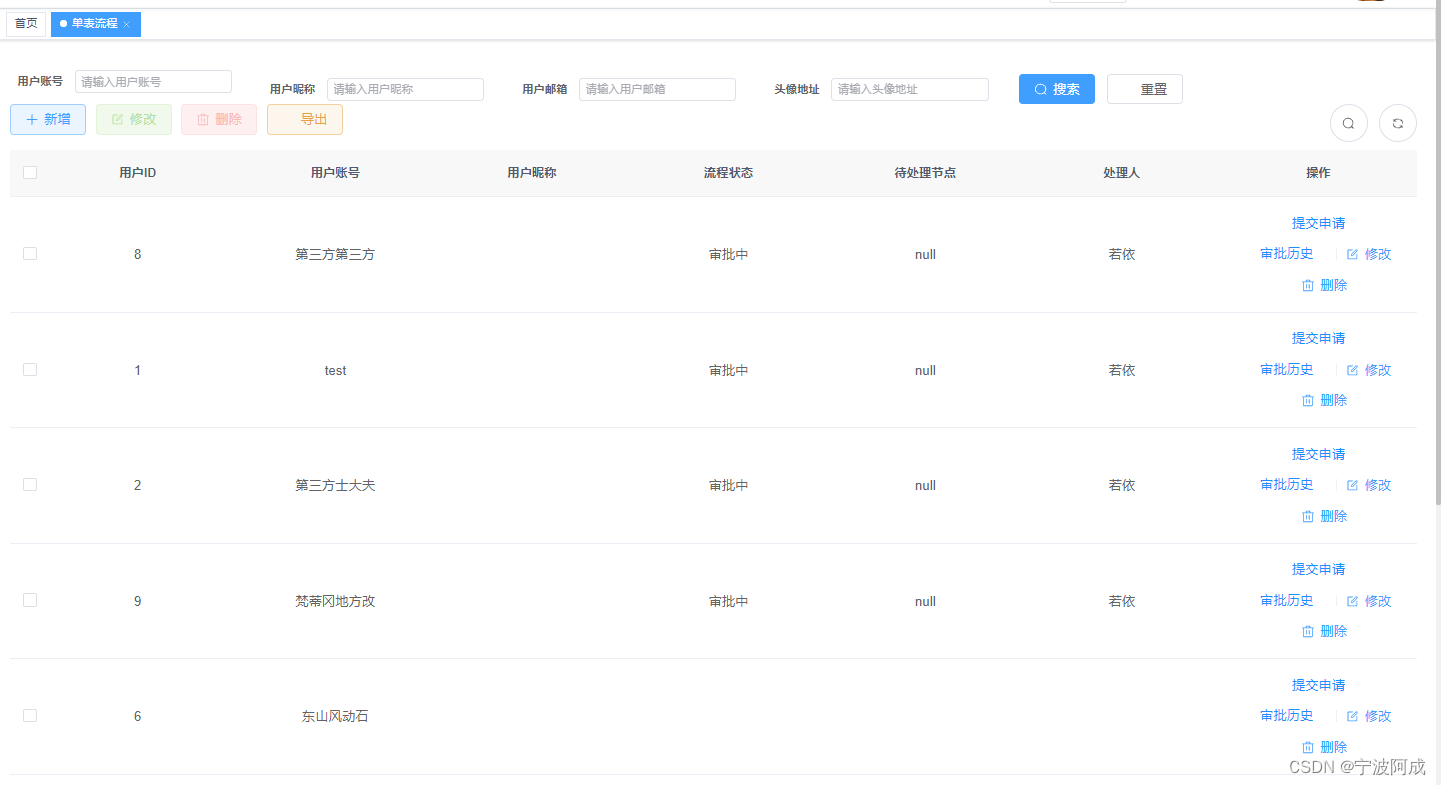
ruoyi-nbcio-plus基于vue3的flowable的自定义业务单表例子的升级修改
更多ruoyi-nbcio功能请看演示系统 gitee源代码地址 前后端代码: https://gitee.com/nbacheng/ruoyi-nbcio 演示地址:RuoYi-Nbcio后台管理系统 http://122.227.135.243:9666/ 更多nbcio-boot功能请看演示系统 gitee源代码地址 后端代码:…...
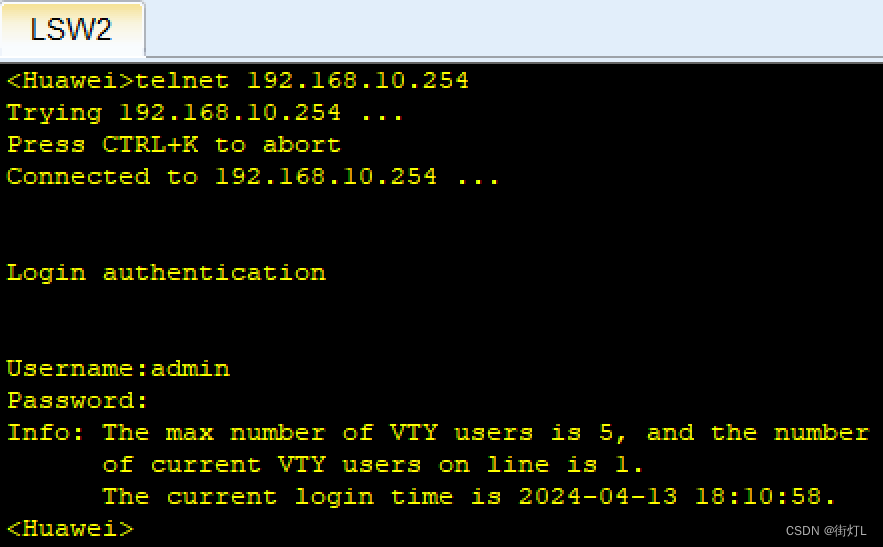
【ENSP】华为三层交换机配置AAA认证,开启telnet服务
配置步骤 1.给交换机配置ip地址,以便登陆 2.配置AAA,用户名,密码,服务类型,用户权限 3.配置接入设备的数量 4.开启telnet服务 LSW2交换机配置 u t m #关闭提示 sys …...

collections模块下的Counter函数讲解
📚博客主页:knighthood2001 ✨公众号:认知up吧 (目前正在带领大家一起提升认知,感兴趣可以来围观一下) 🎃知识星球:【认知up吧|成长|副业】介绍 ❤️感谢大家点赞👍&…...
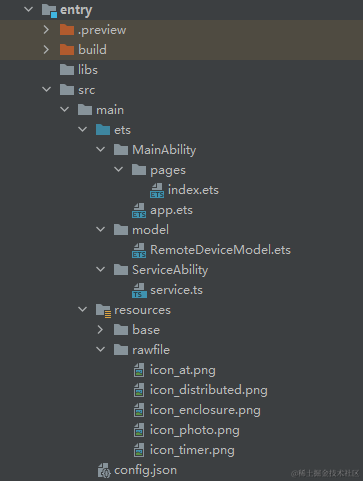
HarmonyOS开发实例:【分布式邮件】
概述 基于TS扩展的声明式开发范式编程语言编写的一个分布式邮件系统,可以由一台设备拉起另一台设备,每次改动邮件内容,都会同步更新两台设备的信息。效果图如下: 搭建OpenHarmony开发环境 完成本篇Codelab我们首先要完成开发环境…...

llama2.c与chinese-baby-llama2语言模型本地部署推理
文章目录 简介Github文档克隆源码英文模型编译运行中文模型(280M)main函数 简介 llama2.c是一个极简的Llama 2 LLM全栈工具,使用一个简单的 700 行 C 文件 ( run.c ) 对其进行推理。llama2.c涉及LLM微调、模型构建、推理端末部署(…...
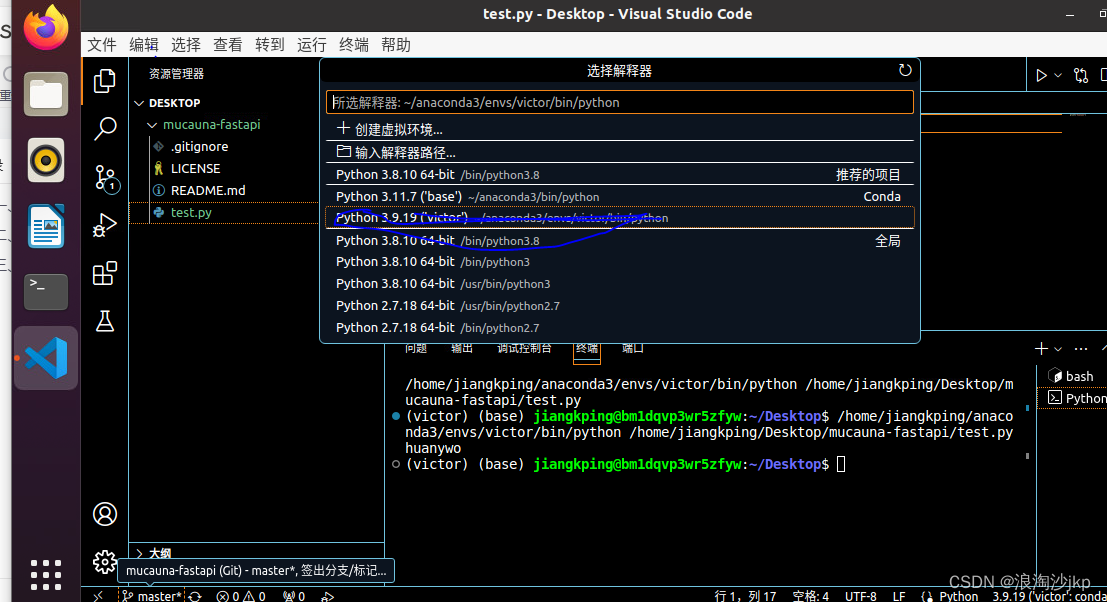
008、Python+fastapi,第一个后台管理项目走向第8步:ubutun 20.04下安装vscode+python环境配置
一、说明 白飘了3个月无影云电脑,开始选了个windows server 非常不好用,后台改为ubuntu想升级到22,没成功,那就20.04吧。 今天先安装下开发环境,后续2个月就想把他当做开发服务器,不知道行不行,…...

2024.4.16 驱动开发
思维导图...

如何在 Ubuntu 14.04 上更改 PHP 设置
简介 PHP 是一种服务器端脚本语言,被许多流行的 CMS 和博客平台如 WordPress 和 Drupal 所使用。它也是流行的 LAMP 和 LEMP 堆栈的一部分。更新 PHP 配置设置是设置基于 PHP 的网站时的常见任务。定位确切的 PHP 配置文件可能并不容易。通常在服务器上会有多个 PH…...

【光伏企业】光伏项目怎么做才能提高效率?
一、精细化项目管理 项目规划:在项目启动前,进行充分的调研和规划,明确项目的目标、规模、预算和时间表,确保各项资源得到合理分配。 团队建设:组建一支高效、专业的项目团队,确保团队成员具备光伏领域的…...

毕设选51还是stm32?51太简单?
如果你更倾向于挑战和深入学习,STM32可能是更好的选择。如果你希望更专注于底层硬件原理,51可能更适合。我这里有一套嵌入式入门教程,不仅包含了详细的视频讲解,项目实战。如果你渴望学习嵌入式,不妨点个关注ÿ…...

ip addr和ifconfig区别
ip addr和ifconfig都是用于配置和管理网络接口的工具 1. ifconfig ifconfig是较旧的网络配置工具,属于net-tools套件的一部分。 该命令主要用于配置、显示和控制网络接口的参数,如IP地址、子网掩码、广播地址等。 ifconfig命令的功能相对有限ÿ…...

Springboot+Vue项目-基于Java+MySQL的房产销售系统(附源码+演示视频+LW)
大家好!我是程序猿老A,感谢您阅读本文,欢迎一键三连哦。 💞当前专栏:Java毕业设计 精彩专栏推荐👇🏻👇🏻👇🏻 🎀 Python毕业设计 &…...

向量数据库中的向量是什么?
在向量数据库中,向量通常指的是高维空间中的点或方向,它们由一组数值组成,这些数值表示该点在空间中的位置或方向。在机器学习和人工智能领域,向量经常用于表示各种类型的数据,如文本、图像、音频等。 具体来说&#x…...
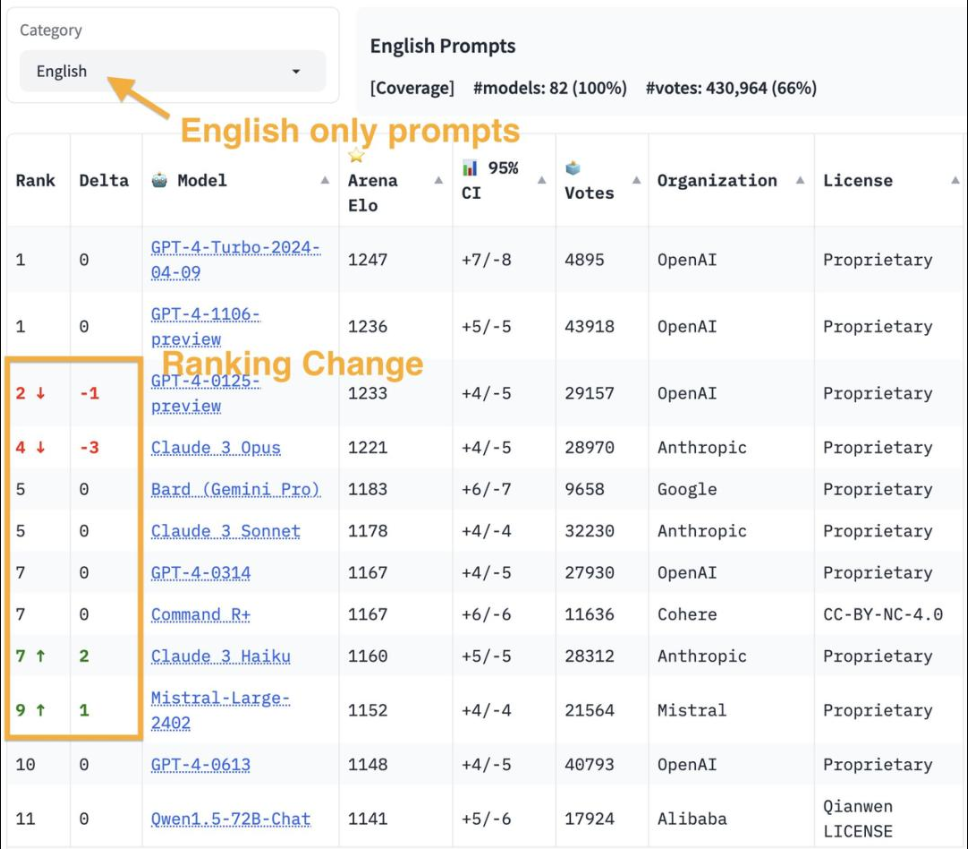
【重回王座】ChatGPT发布最新模型gpt-4-turbo-2024-04-09
今天,新版GPT-4 Turbo再次在大型模型排行榜上荣登榜首,成功超越了此前领先的Claude 3 Opus。另外,新模型在处理长达64k的上下文时,性能竟能够与旧版在处理26k上下文时的表现相当。 目前GPT-4 Turbo仅限于ChatGPT Plus的用户&…...
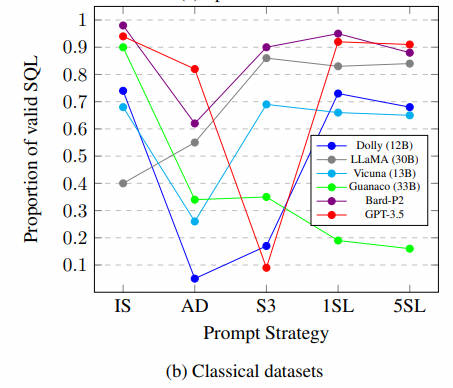
NL2SQL基础系列(1):业界顶尖排行榜、权威测评数据集及LLM大模型(Spider vs BIRD)全面对比优劣分析[Text2SQL、Text2DSL]
NL2SQL基础系列(1):业界顶尖排行榜、权威测评数据集及LLM大模型(Spider vs BIRD)全面对比优劣分析[Text2SQL、Text2DSL] Text-to-SQL(或者Text2SQL),顾名思义就是把文本转化为SQL语言,更学术一…...
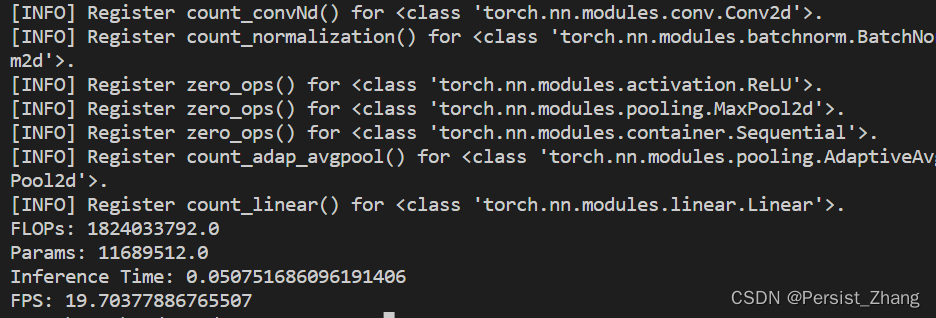
深度学习基础——计算量、参数量和推理时间
深度学习基础——计算量、参数量和推理时间 在深度学习中,计算量、参数量和推理时间是评估模型性能和效率的重要指标。本文将介绍这三个指标的定义、计算方法以及如何使用Python进行实现和可视化展示,以帮助读者更好地理解和评估深度学习模型。 1. 定义…...
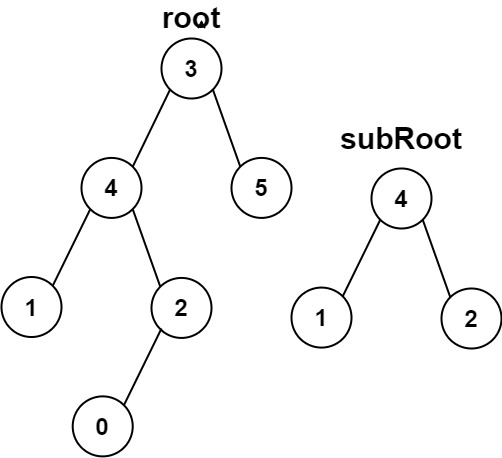
另一棵树的子树
目录 题目 思路 代码1 :相同的树 代码二:解题 注意点 题目 给你两棵二叉树 root 和 subRoot 。检验 root 中是否包含和 subRoot 具有相同结构和节点值的子树。如果存在,返回 true ;否则,返回 false 。 二叉树 tr…...

【hive】单节点搭建hadoop和hive
一、背景 需要使用hive远程debug,尝试使用无hadoop部署hive方式一直失败,无果,还是使用有hadoop方式。最终查看linux内存占用6GB,还在后台运行docker的mysql(bitnami/mysql:8.0),基本满意。 版本选择: &a…...

032随机链表的复制
随机链表的复制 题目链接:https://leetcode.cn/problems/copy-list-with-random-pointer/description/?envTypestudy-plan-v2&envIdtop-100-liked 我的解答: public Node copyRandomList(Node head) {Node dummy new Node(-1);Node curhead, newCu…...

AI产品技能库实战:将专家经验注入Claude Code,打造你的虚拟产品专家
1. 项目概述:当AI助手遇上产品经理的“武林秘籍”如果你是一名产品经理、创业者,或者任何需要与产品打交道的人,最近可能已经感受到了AI助手带来的效率革命。无论是用Claude、ChatGPT还是其他工具来辅助写文档、分析数据,它们都像…...

Laravel Permission终极指南:数据库迁移与性能优化完整教程
Laravel Permission终极指南:数据库迁移与性能优化完整教程 【免费下载链接】laravel-permission Associate users with roles and permissions 项目地址: https://gitcode.com/gh_mirrors/la/laravel-permission 在构建现代Laravel应用时,权限管…...

DevOps 与 CI/CD 实战心得:静态网站的自动化部署
背景 自己做了一个独立站项目,访问地址是:https://www.wslwf.com 通过这次实践,对 DevOps 和 CI/CD 在静态网站场景中的应用有了更深的理解。 核心体会 1. 工具链选择至关重要 这次项目使用了 GitHub Actions GitHub Pages,这个组…...

管 Vibe Coding 项目,就像管公共厕所
本文整理自"AI炼金术"播客对徐文浩的访谈,探讨 AI 辅助编程(Vibe Coding)在组织落地后面临的治理挑战和应对策略。从"屎山三年一遇"到"屎山月月有"传统软件开发中,一个系统的"屎山化"通常…...

Flutter For Openharmony第三方库: animated_text_kit 的鸿蒙化适配指南
Flutter 三方库 animated_text_kit 的鸿蒙化适配指南 欢迎加入开源鸿蒙跨平台社区:https://openharmonycrossplatform.csdn.net 前言:文字是可动的 嘿~亲爱的开发者小伙伴们,大家好呀!👋 今天我们要一起探索一个超级有…...

2025届必备的六大AI辅助论文网站推荐榜单
Ai论文网站排名(开题报告、文献综述、降aigc率、降重综合对比) TOP1. 千笔AI TOP2. aipasspaper TOP3. 清北论文 TOP4. 豆包 TOP5. kimi TOP6. deepseek DeepSeek系列模型相关的论文,全方位细致地阐述了其技术架构以及训练的方式方法。…...

别再只盯着应力云图了!用ANSYS Workbench的‘圣维南原理’和模型简化,把你的计算效率提升200%
别再只盯着应力云图了!用ANSYS Workbench的‘圣维南原理’和模型简化,把你的计算效率提升200% 有限元分析工程师常常陷入一个误区:认为模型越精细,结果越准确。但现实情况是,一个未经合理简化的复杂模型不仅会消耗大量…...

XUnity自动翻译器:打破语言壁垒的终极Unity游戏汉化解决方案
XUnity自动翻译器:打破语言壁垒的终极Unity游戏汉化解决方案 【免费下载链接】XUnity.AutoTranslator 项目地址: https://gitcode.com/gh_mirrors/xu/XUnity.AutoTranslator 你是否曾经因为语言障碍而错过精彩的游戏剧情?是否在面对日文RPG或英文…...

Lumi Diary:基于OpenClaw Skill的本地AI记忆伴侣设计与实践
1. 项目概述:一个住在你设备里的记忆精灵如果你和我一样,对把生活点滴交给云端总有点不放心,但又渴望有一个能懂你、能帮你把碎片记忆编织成故事的伙伴,那么 Lumi Diary 的出现,可能正是时候。这不是又一个需要你手动打…...