
前端vue实战项目结构、常用编辑器vs code 配置
-
5.Complete JSDoc Tags
-
6.Custom CSS and JS Loader
-
7.Debugger for Chrome
-
8.EditorConfig for VS Code
-
9.ESLint ☆☆☆
-
10.gitignore
-
11.GitLens — Git supercharged
-
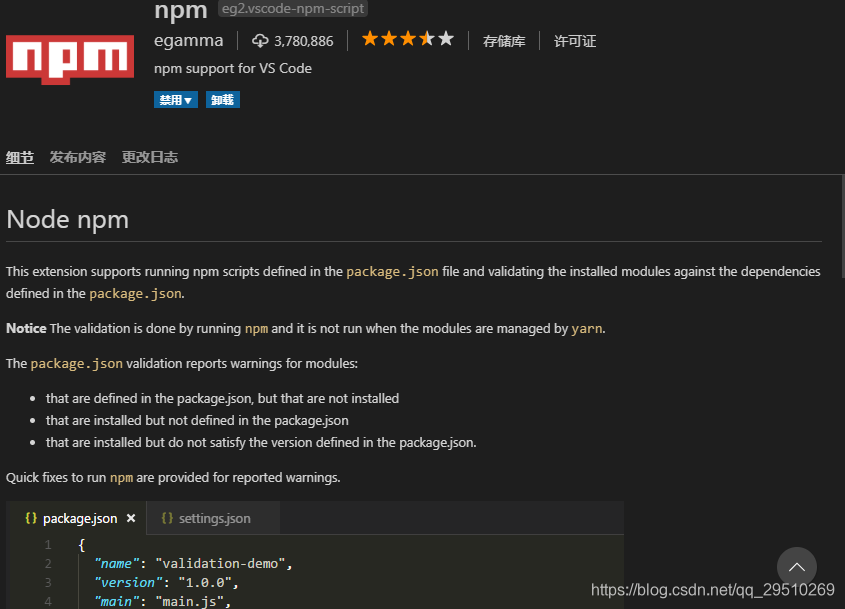
12.npm
-
13.PostCSS syntax !important
-
14.Vetur ☆
-
15.vscode-icons
-
16.vue-i18n
-
17.Markdown All in One
-
配置文件
-
- 1.用户代码片段配置
-
2.settings.json配置实现自动格式化代码
-
二、 vue项目目录结构(基于vue-cli3搭建)
-
- 1.assets
-
2.components
-
3.mixins
-
4.router
-
5.views
-
6.error-log.js错误日志
-
7.tools
-
8.webpack配置文件
=======================================================================================
超好用的 axios 代码补全片段,支持在.vue.js.html.ts文件中使用
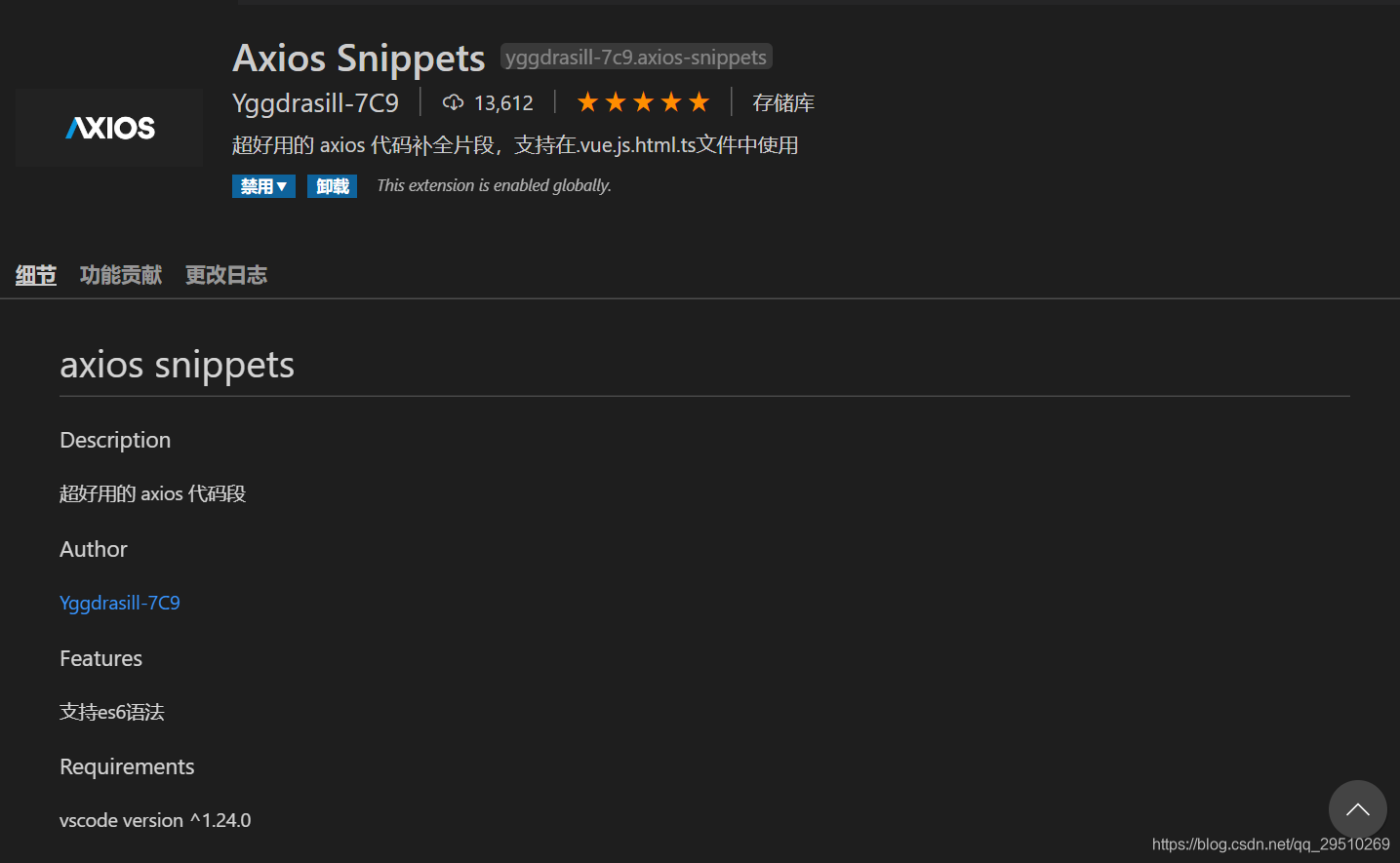
这个插件方便代码vue js html ts及es6语法的补全
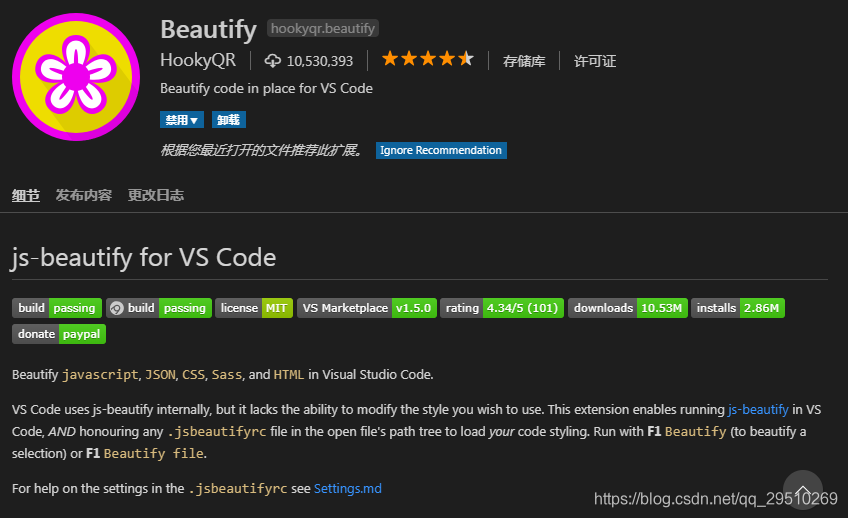
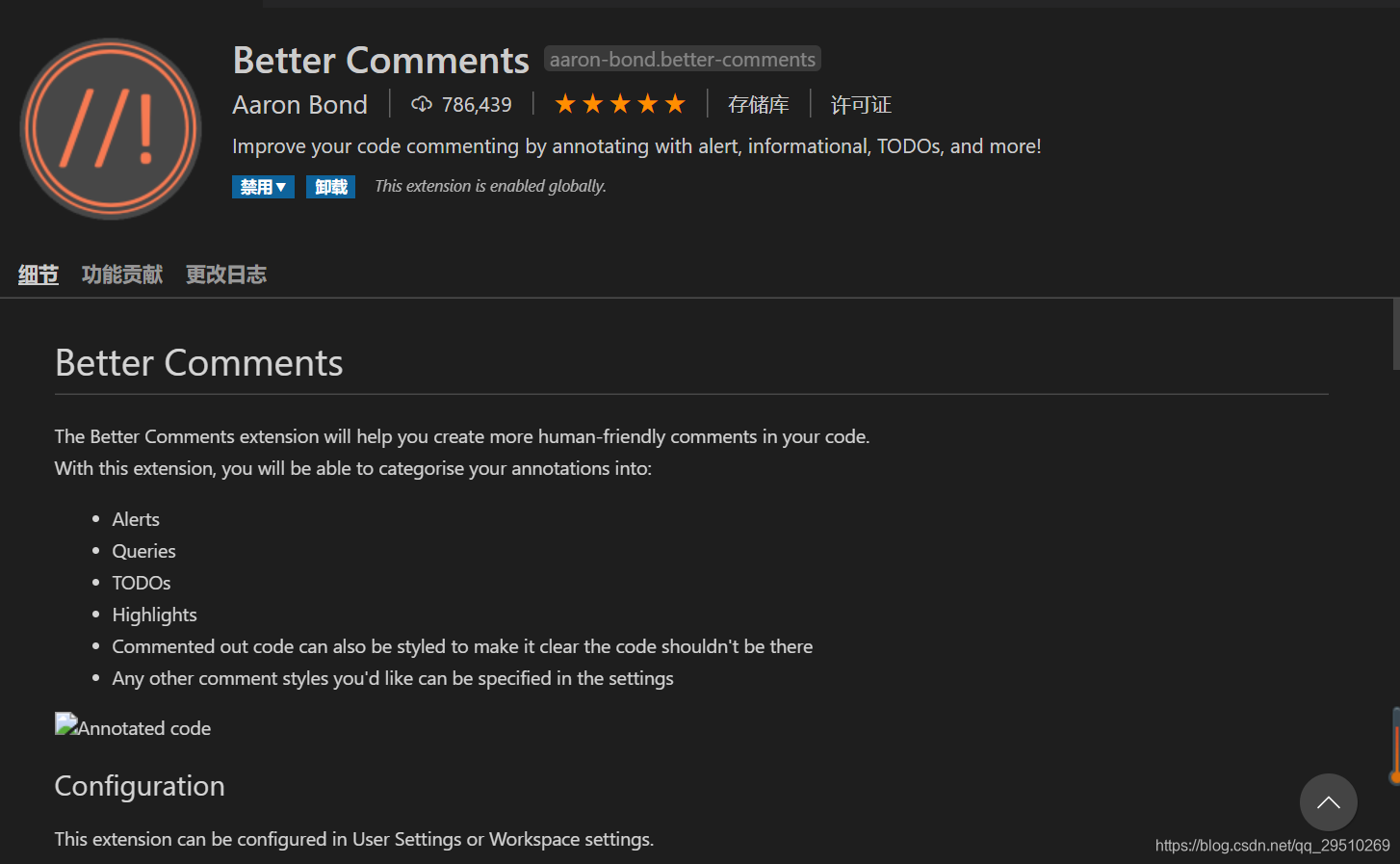
4.Chinese (Simplified) Language中文 ☆☆☆
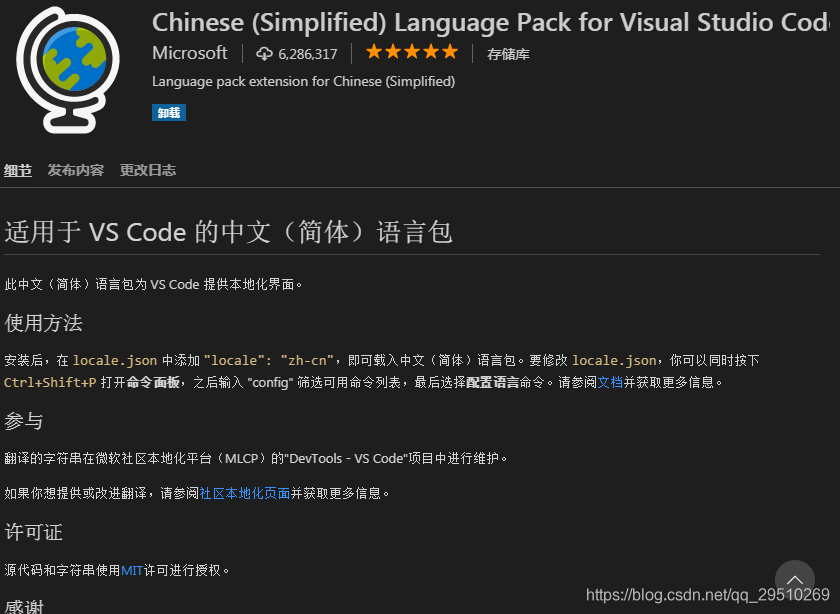
安装后,在 locale.json 中添加 “locale”: “zh-cn”,即可载入中文(简体)语言包。要修改 locale.json,你可以同时按下 Ctrl+Shift+P 打开命令面板,之后输入 “config” 筛选可用命令列表,最后选择配置语言命令。请参阅文档并获取更多信息。
支持谷歌在线调式,配置文件如下:
{
// 使用 IntelliSense 了解相关属性。
// 悬停以查看现有属性的描述。
// 欲了解更多信息,请访问: https://go.microsoft.com/fwlink/?linkid=830387
“version”: “0.2.0”,
“configurations”: [
{
“type”: “chrome”,
“request”: “launch”,
“name”: “Launch Chrome against localhost”,
“url”: “http://localhost:8080”,
“webRoot”: “${workspaceFolder}/src”
}
]
}
在项目根目录下配置这样一个文件

如下:
root = true
[*]
charset = utf-8
indent_style = space
indent_size = 2
end_of_line = lf
insert_final_newline = true
trim_trailing_whitespace = true
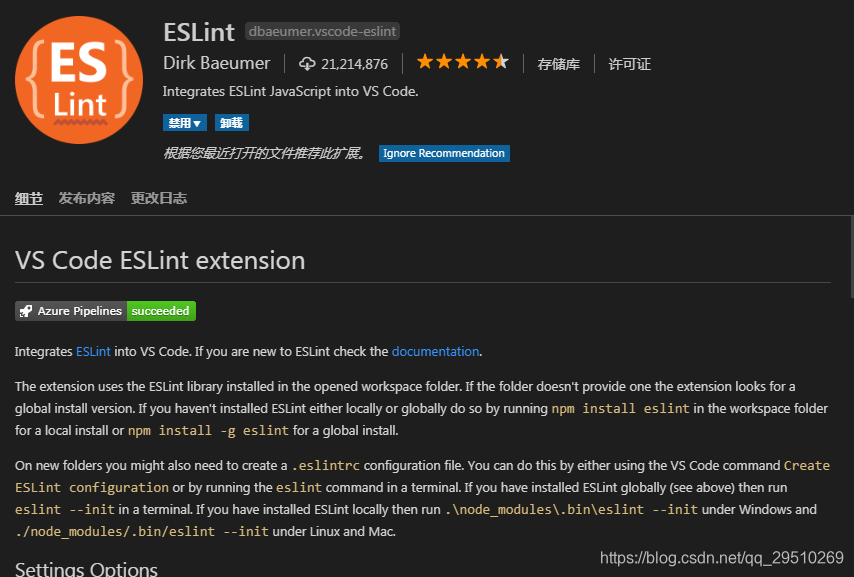
安装好插件后修改set.json配置文件实现自动监听vue、html、js文件是否满足.eslintrc.js文件里rules的规则,可以自定项目的代码规范。
set.json配置如下:
{
“files.autoSave”: “off”,
//eslint 代码自动检查相关配置
“eslint.autoFixOnSave”: true,
“eslint.validate”: [
“javascriptreact”,
“javascript”,
{
“language”: “vue”,
“autoFix”: true
},
“html”
]
}
.eslintrc.js及相关rules常用的配置解释如下:
module.exports = {
root: true,
parserOptions: {
parser: ‘babel-eslint’,
sourceType: ‘module’
},
env: {
browser: true,
node: true,
es6: true,
mocha: true
},
extends: [
// https://github.com/vuejs/eslint-plugin-vue#priority-a-essential-error-prevention
// consider switching to plugin:vue/strongly-recommended or plugin:vue/recommended for stricter rules.
‘plugin:vue/essential’,
// https://github.com/standard/standard/blob/master/docs/RULES-en.md
‘standard’
],
plugins: [
‘vue’
],
rules: { // 参考https://eslint.org/docs/rules
‘no-console’: process.env.NODE_ENV === ‘production’ ? ‘error’: ‘off’, //禁止使用console
‘no-debugger’: process.env.NODE_ENV === ‘production’ ? ‘error’ : ‘off’, // allow debugger during development
“no-alert”: process.env.NODE_ENV === ‘production’ ? ‘error’ : ‘off’,//禁止使用alert confirm prompt
“no-array-constructor”: 2,//禁止使用数组构造器
“no-bitwise”: 0,//禁止使用按位运算符
“no-caller”: 1,//禁止使用arguments.caller或arguments.callee
“no-catch-shadow”: 2,//禁止catch子句参数与外部作用域变量同名
“no-class-assign”: 2,//禁止给类赋值
“no-cond-assign”: 2,//禁止在条件表达式中使用赋值语句
“no-const-assign”: 2,//禁止修改const声明的变量
“no-constant-condition”: 2,//禁止在条件中使用常量表达式 if(true) if(1)
“no-continue”: 0,//禁止使用continue
“no-control-regex”: 2,//禁止在正则表达式中使用控制字符
“no-delete-var”: 2,//不能对var声明的变量使用delete操作符
“no-div-regex”: 1,//不能使用看起来像除法的正则表达式/=foo/
“no-dupe-keys”: 2,//在创建对象字面量时不允许键重复 {a:1,a:1}
“no-dupe-args”: 2,//函数参数不能重复
“no-duplicate-case”: 2,//switch中的case标签不能重复
“no-else-return”: 2,//如果if语句里面有return,后面不能跟else语句
“no-empty”: 2,//块语句中的内容不能为空
“no-empty-character-class”: 2,//正则表达式中的[]内容不能为空
“no-eq-null”: 0,//禁止对null使用==或!=运算符
“no-eval”: 1,//禁止使用eval
“no-ex-assign”: 2,//禁止给catch语句中的异常参数赋值
“no-extend-native”: 2,//禁止扩展native对象
“no-extra-bind”: 2,//禁止不必要的函数绑定
“no-extra-boolean-cast”: 2,//禁止不必要的bool转换
“no-extra-parens”: 2,//禁止非必要的括号
“no-extra-semi”: 2,//禁止多余的冒号
“no-fallthrough”: 1,//禁止switch穿透
“no-floating-decimal”: 2,//禁止省略浮点数中的0 .5 3.
“no-func-assign”: 2,//禁止重复的函数声明
“no-implicit-coercion”: 1,//禁止隐式转换
“no-implied-eval”: 2,//禁止使用隐式eval
“no-inline-comments”: 0,//禁止行内备注
“no-inner-declarations”: [2, “functions”],//禁止在块语句中使用声明(变量或函数)
“no-invalid-regexp”: 2,//禁止无效的正则表达式
“no-invalid-this”: 2,//禁止无效的this,只能用在构造器,类,对象字面量
“no-irregular-whitespace”: 2,//不能有不规则的空格
“no-iterator”: 2,//禁止使用__iterator__ 属性
“no-label-var”: 2,//label名不能与var声明的变量名相同
“no-labels”: 2,//禁止标签声明
“no-lone-blocks”: 2,//禁止不必要的嵌套块
“no-lonely-if”: 2,//禁止else语句内只有if语句
“no-loop-func”: 1,//禁止在循环中使用函数(如果没有引用外部变量不形成闭包就可以)
“no-mixed-requires”: [0, false],//声明时不能混用声明类型
“no-mixed-spaces-and-tabs”: [2, false],//禁止混用tab和空格
“linebreak-style”: [0, “windows”],//换行风格
“no-multi-spaces”: 1,//不能用多余的空格
“no-multi-str”: 2,//字符串不能用\换行
“no-multiple-empty-lines”: [1, {“max”: 2}],//空行最多不能超过2行
“no-native-reassign”: 2,//不能重写native对象
“no-negated-in-lhs”: 2,//in 操作符的左边不能有!
“no-nested-ternary”: 0,//禁止使用嵌套的三目运算
“no-new”: 1,//禁止在使用new构造一个实例后不赋值
“no-new-func”: 1,//禁止使用new Function
“no-new-object”: 2,//禁止使用new Object()
“no-new-require”: 2,//禁止使用new require
“no-new-wrappers”: 2,//禁止使用new创建包装实例,new String new Boolean new Number
“no-obj-calls”: 2,//不能调用内置的全局对象,比如Math() JSON()
“no-octal”: 2,//禁止使用八进制数字
“no-octal-escape”: 2,//禁止使用八进制转义序列
“no-param-reassign”: 2,//禁止给参数重新赋值
“no-path-concat”: 0,//node中不能使用__dirname或__filename做路径拼接
“no-plusplus”: 0,//禁止使用++,–
“no-process-env”: 0,//禁止使用process.env
“no-process-exit”: 0,//禁止使用process.exit()
“no-proto”: 2,//禁止使用__proto__属性
“no-redeclare”: 2,//禁止重复声明变量
“no-regex-spaces”: 2,//禁止在正则表达式字面量中使用多个空格 /foo bar/
“no-restricted-modules”: 0,//如果禁用了指定模块,使用就会报错
“no-return-assign”: 1,//return 语句中不能有赋值表达式
“no-script-url”: 0,//禁止使用javascript:void(0)
“no-self-compare”: 2,//不能比较自身
“no-sequences”: 0,//禁止使用逗号运算符
“no-shadow”: 2,//外部作用域中的变量不能与它所包含的作用域中的变量或参数同名
“no-shadow-restricted-names”: 2,//严格模式中规定的限制标识符不能作为声明时的变量名使用
“no-spaced-func”: 2,//函数调用时 函数名与()之间不能有空格
“no-sparse-arrays”: 2,//禁止稀疏数组, [1,2]
“no-sync”: 0,//nodejs 禁止同步方法
“no-ternary”: 0,//禁止使用三目运算符
“no-trailing-spaces”: 1,//一行结束后面不要有空格
“no-this-before-super”: 0,//在调用super()之前不能使用this或super
“no-throw-literal”: 2,//禁止抛出字面量错误 throw “error”;
“no-undef”: 2,//不能有未定义的变量
“no-undef-init”: 2,//变量初始化时不能直接给它赋值为undefined
“no-undefined”: 0,//不能使用undefined
“no-unexpected-multiline”: 2,//避免多行表达式
“no-underscore-dangle”: 1,//标识符不能以_开头或结尾
“no-unneeded-ternary”: 0,//禁止不必要的嵌套 var isYes = answer === 1 ? true : false;
“no-unreachable”: 2,//不能有无法执行的代码
“no-unused-expressions”: 0,//禁止无用的表达式
“no-unused-vars”: [2, {“vars”: “all”, “args”: “after-used”}],//不能有声明后未被使用的变量或参数
“no-use-before-define”: 2,//未定义前不能使用
“no-useless-call”: 2,//禁止不必要的call和apply
“no-void”: 2,//禁用void操作符
“no-var”: 0,//禁用var,用let和const代替
“no-warning-comments”: [1, { “terms”: [“todo”, “fixme”, “xxx”], “location”: “start” }],//不能有警告备注
“no-with”: 2,//禁用with
“array-bracket-spacing”: [2, “never”],//是否允许非空数组里面有多余的空格
“arrow-parens”: 0,//箭头函数用小括号括起来
“arrow-spacing”: [2,{‘before’:true,‘after’:true}],//=>的前/后括号
“accessor-pairs”: 0,//在对象中使用getter/setter
“block-scoped-var”: 0,//块语句中使用var
“brace-style”: [1, “1tbs”],//大括号风格
“callback-return”: 1,//避免多次调用回调什么的
“camelcase”: 0,//强制驼峰法命名
“comma-dangle”: [2, “never”],//对象字面量项尾不能有逗号
“comma-spacing”: [2,{‘before’: false, “after”:true}],//逗号前后的空格
“comma-style”: [2, “last”],//逗号风格,换行时在行首还是行尾
“complexity”: [0, 11],//循环复杂度
“computed-property-spacing”: 2,//是否允许计算后的键名什么的
“consistent-return”: 0,//return 后面是否允许省略
“consistent-this”: [2, “that”],//this别名
“constructor-super”: 0,//非派生类不能调用super,派生类必须调用super
“curly”: [2, “all”],//必须使用 if(){} 中的{}
“default-case”: 2,//switch语句最后必须有default
“dot-location”: 0,//对象访问符的位置,换行的时候在行首还是行尾
“dot-notation”: [0, { “allowKeywords”: true }],//避免不必要的方括号
“eol-last”: 0,//文件以单一的换行符结束
“eqeqeq”: 2,//必须使用全等
“func-names”: 0,//函数表达式必须有名字
“func-style”: [0, “declaration”],//函数风格,规定只能使用函数声明/函数表达式
“generator-star-spacing”: [2,{‘before’: true, “after”:false}],//生成器函数*的前后空格
“guard-for-in”: 0,//for in循环要用if语句过滤
“handle-callback-err”: 0,//nodejs 处理错误
“id-length”: 0,//变量名长度
“indent”: [2, 2],//缩进风格
“init-declarations”: 0,//声明时必须赋初值
“key-spacing”: [2, { “beforeColon”: false, “afterColon”: true }],//对象字面量中冒号的前后空格
“lines-around-comment”: 0,//行前/行后备注
“max-depth”: [0, 4],//嵌套块深度
“max-len”: [0, 80, 4],//字符串最大长度
“max-nested-callbacks”: [0, 2],//回调嵌套深度
“max-params”: [0, 3],//函数最多只能有3个参数
“max-statements”: [0, 10],//函数内最多有几个声明
“new-cap”: 2,//函数名首行大写必须使用new方式调用,首行小写必须用不带new方式调用
“new-parens”: 2,//new时必须加小括号
“newline-after-var”: 0,//变量声明后是否需要空一行
“object-curly-spacing”: [0, “never”],//大括号内是否允许不必要的空格
“object-shorthand”: 0,//强制对象字面量缩写语法
“one-var”: 1,//连续声明
“operator-assignment”: [0, “always”],//赋值运算符 += -=什么的
“operator-linebreak”: [2, “after”],//换行时运算符在行尾还是行首
“padded-blocks”: 0,//块语句内行首行尾是否要空行
“prefer-const”: 0,//首选const
“prefer-spread”: 0,//首选展开运算
“prefer-reflect”: 0,//首选Reflect的方法
“quotes”: 0, //禁止引号 ‘’ “” ``
“jsx-quotes”: 0, //禁止jsx引号
“quote-props”: 0,//对象字面量中的属性名是否强制双引号
“radix”: 2,//parseInt必须指定第二个参数
“id-match”: 0,//命名检测
“require-yield”: 0,//生成器函数必须有yield
“semi”: 0,//语句强制分号结尾
“semi-spacing”: 0,//分号前后空格
“sort-vars”: 0,//变量声明时排序
“space-after-keywords”: [0, “always”],//关键字后面是否要空一格
“space-before-blocks”: [2, “always”],//不以新行开始的块{前面要不要有空格
“space-before-function-paren”: [2, “never”],//函数定义时括号前面要不要有空格
“space-in-parens”: [2, “never”],//小括号里面要不要有空格
“space-infix-ops”: 2,//中缀操作符周围要不要有空格
“space-unary-ops”: [2, { “words”: true, “nonwords”: false }],//一元运算符的前/后要不要加空格
“spaced-comment”: 2,//注释风格要不要有空格什么的
“strict”: 2,//使用严格模式
“use-isnan”: 2,//禁止比较时使用NaN,只能用isNaN()
“valid-jsdoc”: 0,//jsdoc规则
“valid-typeof”: 2,//必须使用合法的typeof的值
“vars-on-top”: 2,//var必须放在作用域顶部
“wrap-iife”: [2, “inside”],//立即执行函数表达式的小括号风格
“wrap-regex”: 0,//正则表达式字面量用小括号包起来
“yoda”: [2, “never”]//禁止尤达条件
}
}
在项目根目录配置如下文件

代码如下:
module.exports = {
plugins: {
“postcss-partial-import”: {},
precss: {},
“postcss-advanced-variables”: {},
autoprefixer: {}
}
}
.vue文件中标签js的亮高
配置文件类型的图标

这个插件能够帮到你方便查看和编写 vue-i18n
附加vs code插件安装市场 链接
1.用户代码片段配置
方便模块化开发节约编辑代码时间,例如vue指令配置模板
{
// Place your 全局 snippets here. Each snippet is defined under a snippet name and has a scope, prefix, body and
// description. Add comma separated ids of the languages where the snippet is applicable in the scope field. If scope
// is left empty or omitted, the snippet gets applied to all languages. The prefix is what is
// used to trigger the snippet and the body will be expanded and inserted. Possible variables are:
// $1, $2 for tab stops, $0 for the final cursor position, and ${1:label}, ${2:another} for placeholders.
// Placeholders with the same ids are connected.
// Example:
“Print to console”: {
// “scope”: “javascript,typescript”,
“prefix”: “vue”,
“body”: [
“”,
" <div class=“$0”>$0",
“”,
“”,
“
“import ViewMixin from “@/mixins/view-mixins.js””,
“export default {”,
" name: “$0”,",
" mixins: [ViewMixin()],",
" components: {",
" },",
" data() {",
" return {",
" }",
" },",
" watch: {",
" },",
" computed: {",
" },",
" mounted() {",
" },",
" methods: {",
" },",
" destroyed() {",
" }",
“}”,
“”,
“<style lang=“postcss” scoped>”,
“”
],
“description”: “vue template order”
}
}
2.settings.json配置实现自动格式化代码
{
“editor.suggestSelection”: “first”,
“vsintellicode.modify.editor.suggestSelection”: “automaticallyOverrodeDefaultValue”,
“gitlens.advanced.messages”: {
“suppressGitVersionWarning”: true
},
“files.autoSave”: “off”,
“files.associations”: {
“*.css”: “postcss”
},
“eslint.autoFixOnSave”: true,
“eslint.validate”: [
“javascript”,
“javascriptreact”,
“html”,
{
“language”: “vue”,
“autoFix”: true
}
],
“editor.tabSize”: 2,
“terminal.integrated.rendererType”: “dom”,
“emmet.includeLanguages”: {
“postcss”: “css”
},
“[javascript]”: {
“editor.defaultFormatter”: “HookyQR.beautify”
},
“editor.codeActionsOnSave”: {
“source.fixAll.eslint”: true
},
“terminal.integrated.shell.windows”: “C:\Program Files\Git\bin\bash.exe”,
“eslint.codeAction.disableRuleComment”: {
}
// “workbench.iconTheme”: “vscode-icons”
// “workbench.colorTheme”: “SynthWave '84”
// “workbench.iconTheme”: “material-icon-theme”,
// “workbench.colorTheme”: “Material Theme”
}
========================================================================================
项目结构如下:
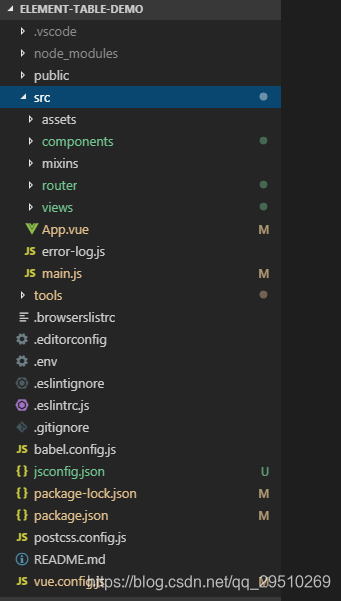
assets静态文件,/style公用的样式文件夹,像reset.css、normalize.css、element-ui.css、common.css、variable.css、default.css、index.css。/imge存放公用图片icon。/js公用的js插件
存放公用组件
存放混合于vue实例的全局方法,或在钩子执行统一的方法,一般设计开发人员用不上
结构如下:
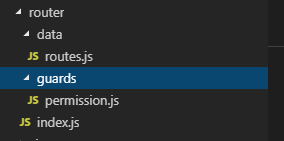
routes.js存放路由的路由元信息结构
import DragColumn from ‘@/views/drag-column’
/**
-
hidden:false 是否在菜单中显示
-
meta: {
-
requireAuth, 是否需要登录授权
-
title 标题 -
}
-
**/
const routes = [
{
path: ‘/drag-column’,
component: DragColumn,
name: “DragColumn”,
meta: {
requireAuth: false,
title: ‘drag-column’
}
}
]
export default routes
guards存放路由钩子、路由守卫
export default permissionGuards = (to,from,next)=>{
if(to.matched.some()){
return MutationRecord.mete.requireAuth
}
return false
存放单页面应用中具体的每个组件页面,和router.js相对应
import Vue from ‘vue’;
if (process.env.NODE_ENV === ‘production’) {
Vue.config.errorHandler = (err, vm, info, a) => {
Vue.nextTick(() => {
vm
a
console.log(err, info);
});
};
}
工具类文件夹,提供了连个快捷建立组件的方法,可在控制台输入:npm run new:comp 或 npm run new:view
代码如下:
const chalk = require(‘chalk’)
const path = require(‘path’)
const fs = require(‘fs’)
const resolveDir = (…file) => path.resolve(__dirname, …file)
// eslint-disable-next-line no-console
const log = message => console.log(chalk.green(${message}))
// eslint-disable-next-line no-console
const successLog = message => console.log(chalk.blue(${message}))
// eslint-disable-next-line no-console
const errorLog = error => console.log(chalk.red(${error}))
const {componentTemplate} = require(‘./template.js’)
const generateFile = (dir, data) => {
if (fs.existsSync(dir)) {
errorLog(${dir}文件已存在)
return
}
return new Promise((resolve, reject) => {
fs.writeFile(dir, data, ‘utf8’, err => {
if (err) {
errorLog(err.message)
reject(err)
} else {
resolve(true)
}
})
})
}
function mkdirs(directory, callback) {
let exists = fs.existsSync(directory)
if (exists) {
callback()
} else {
mkdirs(path.dirname(directory), () => {
fs.mkdirSync(directory)
callback()
})
最后
工具类文件夹,提供了连个快捷建立组件的方法,可在控制台输入:npm run new:comp 或 npm run new:view
代码如下:
const chalk = require(‘chalk’)
const path = require(‘path’)
const fs = require(‘fs’)
const resolveDir = (…file) => path.resolve(__dirname, …file)
// eslint-disable-next-line no-console
const log = message => console.log(chalk.green(${message}))
// eslint-disable-next-line no-console
const successLog = message => console.log(chalk.blue(${message}))
// eslint-disable-next-line no-console
const errorLog = error => console.log(chalk.red(${error}))
const {componentTemplate} = require(‘./template.js’)
const generateFile = (dir, data) => {
if (fs.existsSync(dir)) {
errorLog(${dir}文件已存在)
return
}
return new Promise((resolve, reject) => {
fs.writeFile(dir, data, ‘utf8’, err => {
if (err) {
errorLog(err.message)
reject(err)
} else {
resolve(true)
}
})
})
}
function mkdirs(directory, callback) {
let exists = fs.existsSync(directory)
if (exists) {
callback()
} else {
mkdirs(path.dirname(directory), () => {
fs.mkdirSync(directory)
callback()
})
最后
相关文章:

前端vue实战项目结构、常用编辑器vs code 配置
5.Complete JSDoc Tags 6.Custom CSS and JS Loader 7.Debugger for Chrome 8.EditorConfig for VS Code 9.ESLint ☆☆☆ 10.gitignore 11.GitLens — Git supercharged 12.npm 13.PostCSS syntax !important 14.Vetur ☆ 15.vscode-icons 16.vue-i18n 17.Markdow…...

Linux系统性能优化实战经验
1、影响Linux系统性能的因素一般有哪些? Linux系统的性能受多个因素的影响。以下是一些常见的影响Linux系统性能的因素: CPU负载:CPU的利用率和负载水平对系统性能有直接影响。高CPU负载可能导致进程响应变慢、延迟增加和系统变得不稳定。 …...
2024广东省职业技能大赛云计算赛项实战——Ansible部署Zabbix
Ansible部署Zabbix 前言 今年的比赛考了一道Ansible部署Zabbix的题目,要求就是用两台centos7.5的云主机,一台叫ansible,一台叫node,使用对应的软件包,通过ansible节点控制node节点安装zabbix服务。这道题还是算比较简…...
Linux—— ansible循环
1.如果有大量的变量要定义,如果多个变量本身类型相同或类似 再比如,同一个剧本,给主机同时安装多个软件包 按照已有的用法,每个软件包都对应不同变量,还会涉及到改剧本 2.现在可以用清单,以及playbook里…...
RabbitMQ 开发指南
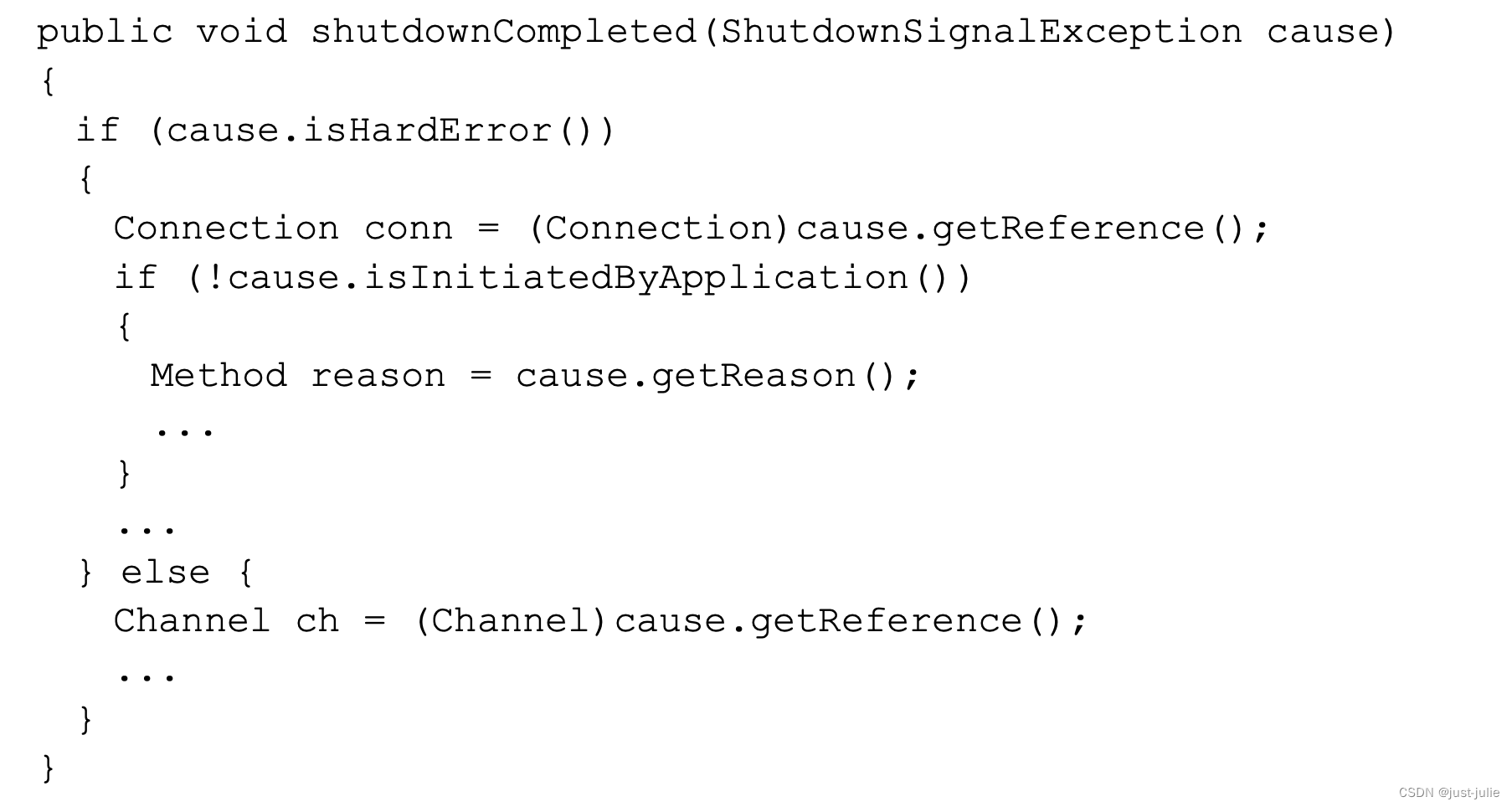
连接RabbitMQ 连接方式一: 也可以选择使用URI的方式来实现 连接方式二: Connection接口被用来创建一个Channel,在创建之后,Channel可以用来发送或者接收消息。 Channel channel conn.createChannel();使用交换器和队列 声明…...
ElasticSearch学习笔记(二)文档操作、RestHighLevelClient的使用
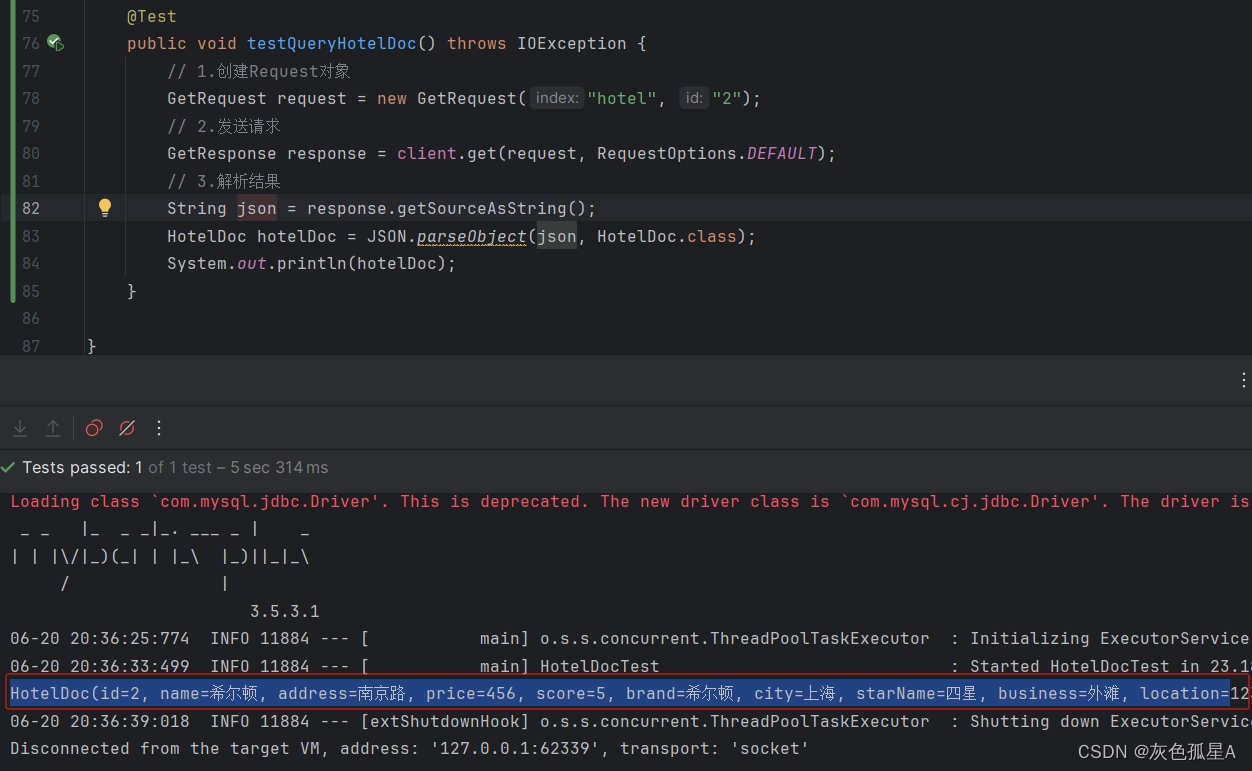
文章目录 前言3 文档操作3.1 新增文档3.2 查询文档3.3 修改文档3.3.1 全量修改3.3.2 增量修改 3.4 删除文档 4 RestAPI4.1 创建数据库和表4.2 创建项目4.3 mapping映射分析4.4 初始化客户端4.5 创建索引库4.6 判断索引库是否存在4.7 删除索引库 5 RestClient操作文档5.1 准备工…...
python离线安装第三方库、及其依赖库(单个安装,非批量移植)
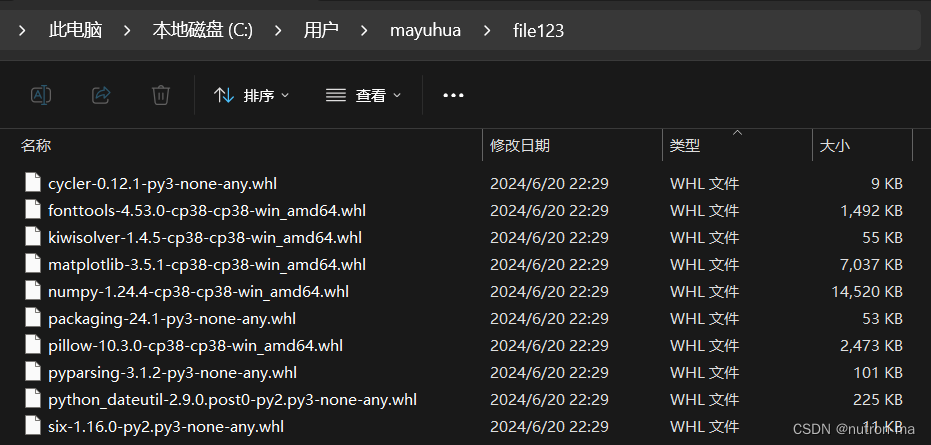
文章目录 1.外网下载第三方库、依赖库2.内网安装第三方库3.补充附录内网中离线安装python第三方库,这时候只能去外网手动下载第三方库,再传回内网进行安装。 问题是python第三方库往往有其前置依赖包,你很难清楚某个第三方库依赖的是哪些依赖包,更难受的是依赖包可能还有其…...

昨天发的 npm 包,却因为 registry 同步问题无法安装使用
用过 HBuilderX 云打包的都知道,云上面的 Android 环境很有限,其实并不能覆盖 uniapp 生态所有的版本,甚至说只能覆盖最新的一两个版本。 如果你需要用到 HBuilderX 安卓云打包,就必须及时跟进 HBuilderX 的版本更新,…...

Redis 数据恢复及持久化策略分析
在分布式系统中,Redis作为高性能的键值存储数据库,广泛应用于缓存、会话管理、消息队列等场景。对于Redis数据的可靠性,持久化是至关重要的一环。当Redis宕机时,如何恢复数据成为一个关键问题。这篇文章将详细分析Redis的数据恢复…...

vscode 快捷键侧边栏
_____ 配置 vscode 快捷键 visual studio code - open explorer and close sidebar with the same key - Stack Overflow { "key": "ctrlshifte", // when Explorer not open // "command": "workbench.view.explorer", // either…...

FreeRTOS:1、任务通知vTaskNotifyGiveFromISR保证实时性
文章目录 背景解释意义 背景 首先,我们看以下代码: #include "FreeRTOS.h" #include "task.h"TaskHandle_t s_task_handle NULL;void vTaskFunction(void *pvParameters) {for (;;) {// 等待通知ulTaskNotifyTake(pdTRUE, portMA…...

监督学习:从数据中学习预测模型的艺术与科学
目录 引言 一、监督学习的基本概念 1、数据集 2、特征 3、标签 4、模型 二、监督学习的原理和方法 1、基本原理 2、常用方法 三、监督学习的定义与分类 1、 定义 2.、分类 四、为什么是监督学习? 1、 明确的学习目标 2、高准确率 3、易于评估 4、 …...
中的垃圾回收器)
深入理解Java虚拟机(JVM)中的垃圾回收器
垃圾回收(Garbage Collection, GC)是现代编程语言中用于管理内存的重要机制,特别是在Java虚拟机(JVM)中。 它的基本原理是自动检测和释放不再被程序使用的内存,以避免内存泄漏和提高程序执行效率。 1.GC的基…...

视频集市新增支持多格式流媒体拉流预览
流媒体除了常用实时流外还有大部分是以文件的形式存在,做融合预览必须要考虑多种兼容性能力,借用现有的ffmpeg生态可以迅速实现多种格式的支持,现在我们将按需拉流预览功能进行了拓展,正式支持了ffmpeg的功能,可快捷方…...

定时器-前端使用定时器3s轮询状态接口,2min为接口超时
背景 众所周知,后端是处理不了复杂的任务的,所以经过人家的技术讨论之后,把业务放在前端来实现。记录一下这次的离大谱需求吧。 如图所示,这个页面有5个列表,默认加载计划列表。但是由于后端的种种原因,这…...
: 类和对象)
python实践笔记(二): 类和对象
1. 写在前面 最近在重构之前的后端代码,借着这个机会又重新补充了关于python的一些知识, 学习到了一些高效编写代码的方法和心得,比如构建大项目来讲,要明确捕捉异常机制的重要性, 学会使用try...except..finally&…...

指定GPU跑模型
加上一个CUDA_VISIBLE_DEVICES0,2就行了,使用0卡和2卡跑模型,注意多卡有时候比单卡慢,4090无NVlink,数据似乎是通过串行的方式传输到多个gpu的,只不过单个gpu是并行计算,数据在gpu与gpu之间似乎是串行传输的…...

Windows桌面运维----第五天
1、华为路由怎们配置IP、划分vlan、互通: 1、用户模式→系统模式; 2、进入相关端口,配置IP地址; 3、开通相应vlan,设置vlanX、IP地址; 4、绑定相关端口,设置端口类型; 5、电脑设置IP&#…...
)
bash和dash的区别(及示例)
什么是bash、dash Bash(GNU Bourne-Again Shell)是许多Linux平台的内定Shell,事实上,还有许多传统UNIX上用的Shell,像tcsh、csh、ash、bsh、ksh等等。 GNU/Linux 操作系统中的 /bin/sh 本是 bash (Bourne-Again Shell) 的符号链接࿰…...

Java基础入门day65
day65 web项目 页面设计 仿照小米官网,将首页保存到本地为一个html页面,再将html页面保存为jsp页面,在项目中的web.xml文件中配置了欢迎页 <welcome-file-list><welcome-file>TypesServlet</welcome-file> </welcome-…...

阿里云百炼接入OpenClaw全攻略
前置准备 已安装并可正常打开 OpenClaw Windows 版本 OpenClaw 部署包获取:https://xiake.yun/api/download/package/14?promoCodeIVD643FDE29AOpenClaw 顶部 Gateway 状态显示为在线准备好可正常登录的阿里云账号可正常访问阿里云百炼控制台地址确认账号已开通百…...

3个核心机制解密:如何让视频PPT提取工具智能识别每一页幻灯片
3个核心机制解密:如何让视频PPT提取工具智能识别每一页幻灯片 【免费下载链接】extract-video-ppt extract the ppt in the video 项目地址: https://gitcode.com/gh_mirrors/ex/extract-video-ppt 你是否曾经面对长达数小时的会议录像,需要从中提…...

关于python中打开文件,以及可能错误,介绍
**该mode是基于open()函数里参数的调整** 错误代码 f r"C:\dj\dw1.txt" b f.read(c) print(b) f.close() 正确代码 f open(r"C:\dj\dw1.txt") s f.read() print(s) f.close()open()函数需要后面的打开路径,r/R表示该代码的的原意 mode…...
)
一文读懂添加产品展示模块后,但模块不显示产品价格,如何解决(附实操教程)
关于这个问题,很多商家都不太清楚。今天来详细解答。一、问题背景在实际运营小程序商城的过程中,不少商家会遇到:添加产品展示模块后,但模块不显示产品价格,如何解决二、详细解答请按下图操作查看是否未勾选展示的内容…...

3分钟学会Xbox Game Pass存档提取:免费工具实现跨平台游戏进度迁移
3分钟学会Xbox Game Pass存档提取:免费工具实现跨平台游戏进度迁移 【免费下载链接】XGP-save-extractor Python script to extract savefiles out of Xbox Game Pass for PC games 项目地址: https://gitcode.com/gh_mirrors/xg/XGP-save-extractor 作为游戏…...

量子机器学习中的噪声效应与抗噪策略
1. 量子机器学习中的噪声效应全景解析在量子计算与机器学习交叉领域,噪声问题正成为制约实际应用的关键瓶颈。去年我在参与一个医疗影像分类项目时,首次亲身体验到量子噪声的破坏力——当我们将经典卷积神经网络迁移到量子变分电路架构时,准确…...

GLM API配置管理工具glm-switch:告别手动切换,提升AI开发效率
1. 项目概述:一个为AI开发者设计的GLM API配置管理工具如果你和我一样,日常开发中需要频繁地在多个GLM(通用语言模型)API之间切换——比如在测试ChatGLM、Kimi、Minimax或者调试Claude Code的不同配置时——那你肯定对反复手动修改…...

基于LangChain与Ollama构建本地化RAG智能助手:技术栈实践全解析
1. 项目概述:一个本地化AI助手的技术栈实践最近在折腾一个叫“papa-ts”的项目,名字挺有意思,直译过来就是“你的爸爸(TypeScript版)”。当然,这只是一个项目代号,它的核心目标很明确࿱…...

代码所有权的悖论:集体智慧与个人责任的边界
代码世界的身份迷局在软件测试的日常工作中,我们时常会陷入这样的困惑:当面对一行引发系统崩溃的代码时,究竟该追溯到最初编写它的开发者,还是问责于后续不断迭代维护的团队?当一个历经数十人之手、跨越数年周期的模块…...

德国工业4.0工程师指南:从系统融合到职业发展
1. 项目概述:为什么德国是工业工程师的理想目的地?如果你是一名工业、自动化或机器人领域的工程师,正在寻找一个能将你的技术抱负与前沿产业实践深度结合的职业舞台,那么德国很可能就是你一直在寻找的答案。这不仅仅是因为德国拥有…...