
Spring Boot - 在Spring Boot中实现灵活的API版本控制(下)_ 封装场景启动器Starter
文章目录
- Pre
- 设计思路
- `@ApiVersion` 功能特性
- 使用示例
- 配置示例
- Project
- Starter Code
- 自定义注解 ApiVersion
- 配置属性类用于管理API版本
- 自动配置基于Spring MVC的API版本控制
- 实现WebMvcRegistrations接口,用于自定义WebMvc的注册逻辑
- 扩展RequestMappingHandlerMapping的类,支持API版本路由
- spring.factories
- Test Code
- 无版本控制
- 多版本控制
- v1
- v2
- Test

Pre
Spring Boot - 在Spring Boot中实现灵活的API版本控制(上)
设计思路
@ApiVersion 功能特性
-
支持类和方法上使用:
- 优先级:方法上的注解优先于类上的注解。
- 如果类和方法同时使用
@ApiVersion,则以方法上的版本为准。
-
支持多版本同时生效:
@ApiVersion的参数是数组,可以配置多个版本。例如:@ApiVersion({1, 2}),此配置允许通过v1或v2访问。
-
可配置前缀和后缀:
- 默认前缀是
v,可以通过配置项api-version.prefix修改。 - 默认没有后缀,但可以通过
api-version.suffix配置。
- 默认前缀是
-
使用简单:
- 仅需一个注解即可完成版本控制。
使用示例
假设你有一个 UserController,需要支持 v1 和 v2 的版本访问:
@RestController
@RequestMapping("/users")
public class UserController {@GetMapping@ApiVersion({1, 2})public List<User> getUsers() {// 获取用户列表的实现}@GetMapping("/{id}")@ApiVersion(2)public User getUserV2(@PathVariable Long id) {// 获取用户详细信息的实现,仅在 v2 版本中有效}
}
在这个示例中,getUsers 方法在 v1 和 v2 版本都可访问,而 getUserV2 方法仅在 v2 版本可访问。
配置示例
在 application.properties 中配置版本前缀和后缀:
api-version.prefix=v
api-version.suffix=-api
这样,API 的 URL 可以是 /v1-api/users 或 /v2-api/users。
通过这种方式,@ApiVersion 注解简化了 API 版本控制的实现,提高了代码的可维护性和灵活性。
Project

Starter Code
自定义注解 ApiVersion
package com.github.artisan.annotation;import org.springframework.web.bind.annotation.Mapping;import java.lang.annotation.Documented;
import java.lang.annotation.ElementType;
import java.lang.annotation.Retention;
import java.lang.annotation.RetentionPolicy;
import java.lang.annotation.Target;/*** 接口版本标识注解* @author artisan*/
@Target({ElementType.METHOD, ElementType.TYPE})
@Retention(RetentionPolicy.RUNTIME)
@Documented
@Mapping
public @interface ApiVersion {/*** 指定API的版本号。* 此方法返回一个整型数组,数组中的每个元素代表一个API版本号。** @return 代表API版本号的整数数组。*/int[] value();
}
配置属性类用于管理API版本
package com.github.artisan;import org.springframework.boot.context.properties.ConfigurationProperties;/*** 配置属性类用于管理API版本。* 通过前缀 "api-version" 绑定配置属性,以方便管理API版本。* @author Artisan*/@ConfigurationProperties(prefix = "api-version")
public class ApiVersionProperties {/*** API版本的前缀,用于定义版本的起始部分。*/private String prefix;/*** 获取API版本的前缀。** @return 返回API版本的前缀。*/public String getPrefix() {return prefix;}/*** 设置API版本的前缀。** @param prefix 设置API版本的前缀。*/public void setPrefix(String prefix) {this.prefix = prefix;}/*** API版本的后缀,用于定义版本的结束部分。*/private String suffix;/*** 获取API版本的后缀。** @return 返回API版本的后缀。*/public String getSuffix() {return suffix;}/*** 设置API版本的后缀。** @param suffix 设置API版本的后缀。*/public void setSuffix(String suffix) {this.suffix = suffix;}}
自动配置基于Spring MVC的API版本控制
package com.github.artisan;import org.springframework.boot.autoconfigure.condition.ConditionalOnWebApplication;
import org.springframework.boot.context.properties.EnableConfigurationProperties;
import org.springframework.context.annotation.Bean;
import org.springframework.context.annotation.Configuration;/*** ApiVersionAutoConfiguration类用于自动配置基于Spring MVC的API版本控制* 该类通过@EnableConfigurationProperties注解激活ApiVersionProperties配置类* 并且通过@Bean注解的方法创建和管理ApiVersionWebMvcRegistrations的单例对象* @author Artisan*/
@ConditionalOnWebApplication
@Configuration
@EnableConfigurationProperties(ApiVersionProperties.class)
public class ApiVersionAutoConfiguration {/*** 通过@Bean注解声明此方法将返回一个单例对象,由Spring容器管理* 该方法的目的是根据ApiVersionProperties配置生成ApiVersionWebMvcRegistrations实例* 这对于自动配置基于Spring MVC的API版本控制至关重要** @param apiVersionProperties 一个包含API版本控制相关配置的实体类*                             该参数用于初始化ApiVersionWebMvcRegistrations对象* @return 返回一个ApiVersionWebMvcRegistrations对象,用于注册和管理API版本控制相关的设置*/@Beanpublic ApiVersionWebMvcRegistrations apiVersionWebMvcRegistrations(ApiVersionProperties apiVersionProperties) {return new ApiVersionWebMvcRegistrations(apiVersionProperties);}
}
实现WebMvcRegistrations接口,用于自定义WebMvc的注册逻辑
package com.github.artisan;import org.springframework.boot.autoconfigure.web.servlet.WebMvcRegistrations;
import org.springframework.util.StringUtils;
import org.springframework.web.servlet.mvc.method.annotation.RequestMappingHandlerMapping;/*** 实现WebMvcRegistrations接口,用于自定义WebMvc的注册逻辑* 主要用于API版本的请求映射配置**  @author Artisan*/
public class ApiVersionWebMvcRegistrations implements WebMvcRegistrations {/*** API版本配置属性* 用于获取API版本的前缀和后缀配置*/private ApiVersionProperties apiVersionProperties;/*** 构造函数,初始化API版本配置属性** @param apiVersionProperties API版本配置属性对象*/public ApiVersionWebMvcRegistrations(ApiVersionProperties apiVersionProperties) {this.apiVersionProperties = apiVersionProperties;}/*** 获取请求映射处理器映射对象* 此方法用于配置API版本的请求映射处理逻辑* 它根据配置决定映射路径的前缀和后缀** @return 返回一个初始化好的RequestMappingHandlerMapping对象,用于处理API版本的请求映射*/@Overridepublic RequestMappingHandlerMapping getRequestMappingHandlerMapping() {// 根据API版本配置的前缀情况决定使用默认前缀"v"还是用户配置的前缀// 如果未配置前缀,则默认使用"v",否则使用配置的前缀// 后缀直接使用配置的值return new ApiVersionRequestMappingHandlerMapping(StringUtils.isEmpty(apiVersionProperties.getPrefix()) ?"v" : apiVersionProperties.getPrefix(), apiVersionProperties.getSuffix());}}
扩展RequestMappingHandlerMapping的类,支持API版本路由
package com.github.artisan;import com.github.artisan.annotation.ApiVersion;
import org.springframework.core.annotation.AnnotationUtils;
import org.springframework.util.StringUtils;
import org.springframework.web.servlet.mvc.condition.ConsumesRequestCondition;
import org.springframework.web.servlet.mvc.condition.HeadersRequestCondition;
import org.springframework.web.servlet.mvc.condition.ParamsRequestCondition;
import org.springframework.web.servlet.mvc.condition.PatternsRequestCondition;
import org.springframework.web.servlet.mvc.condition.ProducesRequestCondition;
import org.springframework.web.servlet.mvc.condition.RequestCondition;
import org.springframework.web.servlet.mvc.condition.RequestMethodsRequestCondition;
import org.springframework.web.servlet.mvc.method.RequestMappingInfo;
import org.springframework.web.servlet.mvc.method.annotation.RequestMappingHandlerMapping;import javax.validation.constraints.NotNull;
import java.lang.reflect.Method;/*** 一个扩展了RequestMappingHandlerMapping的类,支持API版本路由。* 它允许方法或类通过ApiVersion注解来支持版本控制。* @author Artisan*/
public class ApiVersionRequestMappingHandlerMapping extends RequestMappingHandlerMapping {/*** API版本在URL中的前缀*/private final String prefix;/*** API版本在URL中的后缀,默认为空字符串,如果未提供则为空字符串*/private final String suffix;/*** 构造函数用于初始化API版本的前缀和后缀。** @param prefix API版本在URL中的前缀* @param suffix API版本在URL中的后缀,如果没有提供则默认为空字符串*/public ApiVersionRequestMappingHandlerMapping(String prefix, String suffix) {this.prefix = prefix;this.suffix = StringUtils.isEmpty(suffix) ? "" : suffix;}/*** 覆盖此方法以获取方法的路由信息,并支持基于ApiVersion注解的自定义条件。** @param method 需要获取路由信息的方法* @param handlerType 处理器类型* @return 方法的路由信息,包括基于API版本的自定义条件*/@Overrideprotected RequestMappingInfo getMappingForMethod(Method method, @NotNull Class<?> handlerType) {// 获取基本的路由信息RequestMappingInfo info = super.getMappingForMethod(method, handlerType);if (info == null) {return null;}// 检查方法是否使用了ApiVersion注解ApiVersion methodAnnotation = AnnotationUtils.findAnnotation(method, ApiVersion.class);if (methodAnnotation != null) {// 获取自定义方法条件RequestCondition<?> methodCondition = getCustomMethodCondition(method);// 创建基于API版本的信息并合并到基本信息中info = createApiVersionInfo(methodAnnotation, methodCondition).combine(info);} else {// 如果方法没有使用ApiVersion注解,则检查类是否使用了该注解ApiVersion typeAnnotation = AnnotationUtils.findAnnotation(handlerType, ApiVersion.class);if (typeAnnotation != null) {// 获取自定义类条件RequestCondition<?> typeCondition = getCustomTypeCondition(handlerType);// 创建基于API版本的信息并合并到基本信息中info = createApiVersionInfo(typeAnnotation, typeCondition).combine(info);}}return info;}/*** 根据ApiVersion注解创建路由信息。** 该方法解析ApiVersion注解的值,并根据这些值构建URL模式,* 然后结合自定义条件创建RequestMappingInfo对象,用于支持版本控制。** @param annotation ApiVersion注解实例,包含API版本信息。* @param customCondition 自定义条件,用于进一步细化请求映射。* @return 基于API版本的路由信息,用于将请求映射到特定版本的API处理方法上。*/private RequestMappingInfo createApiVersionInfo(ApiVersion annotation, RequestCondition<?> customCondition) {// 获取注解中指定的API版本数组int[] values = annotation.value();// 为每个API版本创建对应的URL模式String[] patterns = new String[values.length];for (int i = 0; i < values.length; i++) {// 构建URL前缀patterns[i] = prefix + values[i] + suffix;}// 使用构建的URL模式和其他请求条件创建并返回RequestMappingInfo对象return new RequestMappingInfo(new PatternsRequestCondition(patterns, getUrlPathHelper(), getPathMatcher(),useSuffixPatternMatch(), useTrailingSlashMatch(), getFileExtensions()),new RequestMethodsRequestCondition(),new ParamsRequestCondition(),new HeadersRequestCondition(),new ConsumesRequestCondition(),new ProducesRequestCondition(),customCondition);}}
spring.factories
org.springframework.boot.autoconfigure.EnableAutoConfiguration=\
com.github.artisan.ApiVersionAutoConfiguration
Test Code
无版本控制
package com.github.artisan.web;import org.springframework.web.bind.annotation.GetMapping;
import org.springframework.web.bind.annotation.RestController;/*** @author Artisan*/
@RestController
public class NoVersionController {@GetMapping("foo")public String foo() {return "不使用版本注解";}
}
多版本控制
package com.github.artisan.web;import com.github.artisan.annotation.ApiVersion;
import org.springframework.web.bind.annotation.GetMapping;
import org.springframework.web.bind.annotation.RestController;/*** @author Artisan*/
@RestController
public class MultiVersionController {@GetMapping("foo3")@ApiVersion({1, 2})public String foo3() {return "注解支持多版本";}
}
v1
package com.github.artisan.web.v1;import com.github.artisan.annotation.ApiVersion;
import org.springframework.web.bind.annotation.GetMapping;
import org.springframework.web.bind.annotation.RestController;/*** @author Artisan*/
@ApiVersion(1)
@RestController
public class TestController {@GetMapping("foo1")public String foo1() {return "方法没有注解, 使用类注解";}@GetMapping("foo2")@ApiVersion(1)public String foo2() {return "方法有注解, 使用方法注解";}}
v2
package com.github.artisan.web.v2;import com.github.artisan.annotation.ApiVersion;
import org.springframework.web.bind.annotation.GetMapping;
import org.springframework.web.bind.annotation.RestController;/*** @author Artisan*/
@ApiVersion(2)
@RestController
public class TestController {@GetMapping("foo1")public String foo1() {return "方法没有注解, 使用类注解";}@GetMapping("foo2")@ApiVersion(2)public String foo2() {return "方法有注解, 使用方法注解";}@GetMapping("foo4")@ApiVersion(1)public String foo4() {return "xxxx 方法有注解使用方法注解";}}
Test
整个swagger吧
 package com.github.artisan.swagger;import org.springframework.context.annotation.Bean;
import org.springframework.context.annotation.Configuration;
import springfox.documentation.builders.ApiInfoBuilder;
import springfox.documentation.builders.PathSelectors;
import springfox.documentation.builders.RequestHandlerSelectors;
import springfox.documentation.service.ApiInfo;
import springfox.documentation.spi.DocumentationType;
import springfox.documentation.spring.web.plugins.Docket;
import springfox.documentation.swagger2.annotations.EnableSwagger2;@Configuration
@EnableSwagger2
public class SwaggerConfig {@Beanpublic Docket swaggerAll() {Docket docket = new Docket(DocumentationType.SWAGGER_2);return docket.apiInfo(apiInfo("all")).groupName("all").select().apis(RequestHandlerSelectors.basePackage("com.github.artisan.web")).paths(PathSelectors.any()).build().enable(true);}private ApiInfo apiInfo(String version) {return new ApiInfoBuilder().title("api-version-test doc").description("api-version-test").termsOfServiceUrl("").version(version).build();}@Beanpublic Docket swaggerV1() {return new Docket(DocumentationType.SWAGGER_2).groupName("v1").select().apis(RequestHandlerSelectors.basePackage("com.github.artisan.web")).paths(PathSelectors.regex("/v1.*")).build().apiInfo(apiInfo("v1"));}@Beanpublic Docket swaggerV2() {return new Docket(DocumentationType.SWAGGER_2).groupName("v2").select().apis(RequestHandlerSelectors.basePackage("com.github.artisan.web")).paths(PathSelectors.regex("/v2.*")).build().apiInfo(apiInfo("v2"));}}
访问: http://localhost:9090/swagger-ui.html

相关文章:
Spring Boot - 在Spring Boot中实现灵活的API版本控制(下)_ 封装场景启动器Starter
文章目录 Pre设计思路ApiVersion 功能特性使用示例配置示例 ProjectStarter Code自定义注解 ApiVersion配置属性类用于管理API版本自动配置基于Spring MVC的API版本控制实现WebMvcRegistrations接口,用于自定义WebMvc的注册逻辑扩展RequestMappingHandlerMapping的类…...
EasyCVR视频转码:T3视频平台不支持GB28181协议,应该如何实现与视频联网平台的对接与视频共享呢?
EasyCVR视频管理系统以其强大的拓展性、灵活的部署方式、高性能的视频能力和智能化的分析能力,为各行各业的视频监控需求提供了优秀的解决方案。 T3视频为公网HTTP-FLV或HLS格式的视频流,目前T3平台暂不支持国标GB28181协议,因此也无法直接接…...

Spring统一处理请求响应与异常
在web开发中,规范所有请求响应类型,不管是对前端数据处理,还是后端统一数据解析都是非常重要的。今天我们简单的方式实现如何实现这一效果 实现方式 定义响应类型 public class ResponseResult<T> {private static final String SUC…...
 WITH common_table_expression)
SqlServer公用表表达式 (CTE) WITH common_table_expression
SQL Server 中的公用表表达式(Common Table Expressions,简称 CTE)是一种临时命名的结果集,它在执行查询时存在,并且只在该查询执行期间有效。CTE 类似于一个临时的视图或者一个内嵌的查询,但它提供了更好的…...
常见中间件漏洞
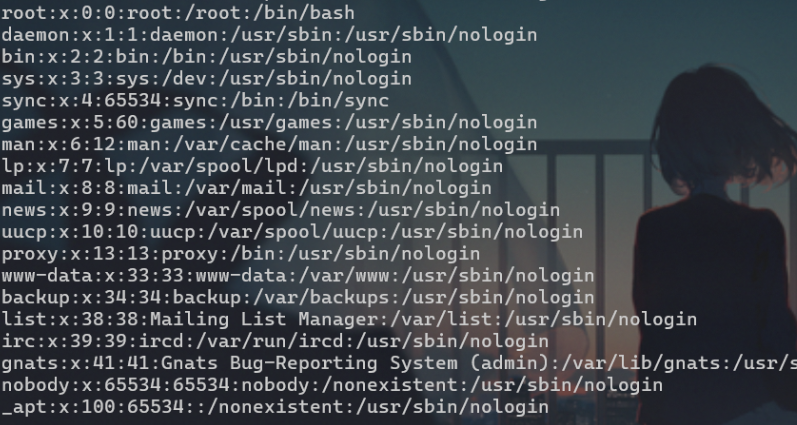
Tomcat CVE-2017-12615 1.打开环境,抓包 2.切换请求头为 PUT,请求体添加木马,并在请求头添加木马文件名 1.jsp,后方需要以 / 分隔 3.连接 后台弱口令部署war包 1.打开环境,进入指点位置,账户密码均为 tomcat 2.在此处上传一句话…...

elasticsearch的学习(二):Java api操作elasticsearch
简介 使用Java api操作elasticsearch 创建maven项目 pom.xml文件 <?xml version"1.0" encoding"UTF-8"?><project xmlns"http://maven.apache.org/POM/4.0.0" xmlns:xsi"http://www.w3.org/2001/XMLSchema-instance"xsi…...

docker 部署 ElasticSearch;Kibana
ELasticSearch 创建网络 docker network create es-netES配合Kibana使用时需要组网,使两者运行在同一个网络下 命令 docker run -d \ --name es \ -e "discovery.typesingle-node" \ -v /usr/local/es/data:/usr/share/elasticsearch/data \ -v /usr/…...

k8s使用kustomize来部署应用
k8s使用kustomize来部署应用 本文主要是讲述kustomzie的基本用法。首先,我们说一下部署文件的目录结构。 ./ ├── base │ ├── deployment.yaml │ ├── kustomization.yaml │ └── service.yaml └── overlays└── dev├── kustomization.…...

基于开源FFmpeg和SDL2.0的音视频解码播放和存储系统的实现
目录 1、FFMPEG简介 2、SDL简介 3、视频播放器原理 4、FFMPEG多媒体编解码库 4.1、FFMPEG库 4.2、数据类型 4.3、解码 4.3.1、接口函数 4.3.2、解码流程 4.4、存储(推送) 4.4.1、接口函数 4.4.2、存储流程 5、SDL库介绍 5.1、数据结构 5.…...

保姆级教程,一文了解LVS
目录 一.什么是LVS tips: 二.优点(为什么要用LVS?) 三.作用 四.程序组成 五.LVS 负载均衡集群的类型 六.分布式内容 六.一.分布式存储 六.二.分布式计算 六.三.分布式常见应用 tips: 七.LVS 涉及相关的术语 八.LVS 负…...

【STM32】DMA数据转运(存储器到存储器)
本篇博客重点在于标准库函数的理解与使用,搭建一个框架便于快速开发 目录 DMA简介 DMA时钟使能 DMA初始化 转运起始和终止的地址 转运方向 数据宽度 传输次数 转运触发方式 转运模式 通道优先级 开启DMA通道 DMA初始化框架 更改转运次数 DMA应用实例-…...

【Android】通过代码打开输入法
获取焦点 binding.editText.requestFocus()打开键盘 val imm getSystemService(InputMethodManager::class.java) imm.showSoftInput(binding.editText, InputMethodManager.SHOW_IMPLICIT)...

爬虫集群部署:Scrapyd 框架深度解析
🕵️♂️ 爬虫集群部署:Scrapyd 框架深度解析 🛠️ Scrapyd 环境部署 Scrapyd 是一个开源的 Python 爬虫框架,专为分布式爬虫设计。它允许用户在集群中调度和管理爬虫任务,并提供了简洁的 API 进行控制。以下是 Scr…...

pytorch GPU操作事例
>>> import torch >>> if_cuda torch.cuda.is_available() >>> print("if_cuda",if_cuda) if_cuda True >>> gpu_count torch.cuda.device_count() >>> print("gpu_count",gpu_count) gpu_count 8...

linux常见性能监控工具
常用命令top、free 、vmsata、iostat 、sar命令 具体更详细命令可以查看手册,这里只是简述方便找工具 整体性能top,内存看free,磁盘cpu内存历史数据可以vmsata、iostat 、sar、iotop top命令 交互:按P按照CPU排序,按M按照内存…...

C++ | Leetcode C++题解之第331题验证二叉树的前序序列化
题目: 题解: class Solution { public:bool isValidSerialization(string preorder) {int n preorder.length();int i 0;int slots 1;while (i < n) {if (slots 0) {return false;}if (preorder[i] ,) {i;} else if (preorder[i] #){slots--;i…...

【多模态处理】利用GPT逐一读取本地图片并生成描述并保存,支持崩溃后从最新进度恢复
【多模态处理】利用GPT逐一读取本地图片并生成描述,支持崩溃后从最新进度恢复题 代码功能:核心功能最后碎碎念 代码(使用中转平台url):代码(直接使用openai的key) 注意 代码功能: 读…...

【rk3588】获取相机画面
需求:获取相机画面,并在连接HDMI线,在显示器上显示 查找设备 v4l2-ctl --list-devices H65 USB CAMERA: H65 USB CAMERA (usb-0000:00:14.0-1):/dev/video2/dev/video3播放视频 gst-launch-1.0 v4l2src device/dev/video22 ! video/x-ra…...

数据结构的基本概念
数据结构的基本概念 数据是什么? 数据 : 数据是信息的载体,是描述客观事物属性的数、字符及所有能输入到计算机中并被计算机程序识别(二进制0|1)和处理的符号的集合。数据是计算机程序加工的原料。 早期计算机处理的…...

AI人工智能机器学习
AI人工智能 机器学习的类型(ML) 学习意味着通过学习或经验获得知识或技能。 基于此,我们可以定义机器学习(ML) 它被定义为计算机科学领域,更具体地说是人工智能的应用,它提供计算机系统学习数据和改进经验而不被明确编程的能力。 基本上&…...

MaterialSkin:让WinForms应用焕发现代设计光彩的主题框架
MaterialSkin:让WinForms应用焕发现代设计光彩的主题框架 【免费下载链接】MaterialSkin Theming .NET WinForms, C# or VB.Net, to Googles Material Design Principles. 项目地址: https://gitcode.com/gh_mirrors/ma/MaterialSkin 在传统Windows桌面应用开…...

Lisk SDK安全最佳实践:保护区块链应用免受攻击的10个技巧
Lisk SDK安全最佳实践:保护区块链应用免受攻击的10个技巧 【免费下载链接】lisk-sdk 🔩 Lisk software development kit 项目地址: https://gitcode.com/gh_mirrors/li/lisk-sdk Lisk SDK是一款强大的区块链应用开发工具包,专为构建安…...

Qwen3-4B-Instruct镜像免配置:一键拉起暗黑WebUI实操指南
Qwen3-4B-Instruct镜像免配置:一键拉起暗黑WebUI实操指南 无需复杂配置,无需GPU设备,5分钟拥有自己的AI写作大师 1. 为什么选择这个镜像? 如果你正在寻找一个既强大又容易上手的AI写作助手,这个Qwen3-4B-Instruct镜像…...

谷歌开源Gemma 4:256K原生多模态,免费商用
谷歌刚刚发布了新一代开源大模型Gemma 4,直接把Gemini 3的核心技术下放了。2026年4月2日,谷歌如约献上复活节惊喜:Gemma 4 正式开源。从手机到服务器全覆盖四种规格,首次加入MoE架构,原生支持文本图像音频三模态&#…...

中国象棋智能辅助系统:视觉识别驱动的开源解决方案
中国象棋智能辅助系统:视觉识别驱动的开源解决方案 【免费下载链接】VinXiangQi Xiangqi syncing tool based on Yolov5 / 基于Yolov5的中国象棋连线工具 项目地址: https://gitcode.com/gh_mirrors/vi/VinXiangQi 在数字化对弈场景中,传统象棋辅…...

如何用 GitHub Actions 自部署 GitHub Readme Stats,并统计私有仓库数据
目录背景介绍通过 GitHub Actions 自部署 GitHub Readme Stats如何使用 GitHub Actions 配置统计私有仓库数据1. 生成 Personal Access Token (PAT) 以统计私有仓库**如何生成 Personal Access Token (PAT)**:2. 使用 GitHub Secrets 存储 PAT3. 为什么默认配置无法…...

RevokeMsgPatcher革新性防撤回解决方案:让重要消息不再消失
RevokeMsgPatcher革新性防撤回解决方案:让重要消息不再消失 【免费下载链接】RevokeMsgPatcher :trollface: A hex editor for WeChat/QQ/TIM - PC版微信/QQ/TIM防撤回补丁(我已经看到了,撤回也没用了) 项目地址: https://gitco…...

Vue多文件学习项目综合案例——面经基础版,黑马vue教程
文章目录一、项目截图二、主要知识点三、main.js四、App.vue五、viewsArticle.vueArticleDetail.vueCollect.vueLayout.vueLike.vueUser.vuerouterindex.js一、项目截图 二、主要知识点 路由跳转路由传参缓存组件:keep-alive 三、main.js import Vue from vue im…...

告别CAN-TP通信超时!手把手教你用PCAN-Explorer 6和Vector上位机调优N_As/N_Bs/N_Cs参数
告别CAN-TP通信超时!手把手教你用PCAN-Explorer 6和Vector上位机调优N_As/N_Bs/N_Cs参数 在汽车电子诊断和ECU刷写领域,CAN-TP(CAN Transport Protocol)通信的稳定性直接影响到开发效率和系统可靠性。作为一名长期奋战在车载网络测…...

蓝桥杯备赛:Day5-P1706 全排列问题
📚 算法笔记:P1706 全排列问题 (DFS 基础) 1. 题目描述 P1706 全排列问题 - 洛谷 输出 1∼N1 \sim N1∼N 的所有全排列,要求每个数字占 5 个场宽,排列按字典序从小到大输出。 2. 核心代码 (C 版本) #include <bits/stdc.h…...