
【AndroidAPP】权限被拒绝:[android.permission.READ_EXTERNAL_STORAGE],USB设备访问权限系统报错
一、问题原因

1.安卓安全性变更
Android 12+ 的安全性变更,Google 引入了更严格的 PendingIntent 安全管理,强制要求开发者明确指定 PendingIntent 的可变性(Mutable)或不可变性(Immutable)。
但是,在从 Android 14+ (API 34) 开始,FLAG_MUTABLE 和隐式 Intent 的组合会被禁止。因此,在使用静态的广播请求的时候,FLAG_MUTABLE多余,且违反安全规则。
2.关键点
关键在于安卓 14+ 版本的安全策略变化,导致无法再继续使用 FLAG_MUTABLE。

二、解决办法
1.代码示例
先给出代码示例,供大家参考,然后解释关键点在哪。
MainActivity.kt(Kotlin class)代码示例:
package com.example.serialportdebugappimport android.app.PendingIntent
import android.content.Intent
import android.hardware.usb.UsbDevice
import android.hardware.usb.UsbManager
import android.os.Bundle
import android.widget.Button
import android.widget.TextView
import android.widget.Toast
import androidx.appcompat.app.AppCompatActivityclass MainActivity : AppCompatActivity() {private lateinit var statusTextView: TextViewprivate lateinit var logTextView: TextViewprivate lateinit var checkPortButton: Buttonprivate lateinit var usbManager: UsbManageroverride fun onCreate(savedInstanceState: Bundle?) {super.onCreate(savedInstanceState)setContentView(R.layout.activity_main)// 初始化视图statusTextView = findViewById(R.id.statusTextView)logTextView = findViewById(R.id.logTextView)checkPortButton = findViewById(R.id.checkPortButton)// 获取 USB 管理器usbManager = getSystemService(USB_SERVICE) as UsbManager// 按钮点击事件checkPortButton.setOnClickListener {detectUsbDevices()}}/*** 检测 USB 设备*/private fun detectUsbDevices() {val deviceList = usbManager.deviceListif (deviceList.isEmpty()) {logTextView.append("No USB devices found\n")return}for ((_, device) in deviceList) {logTextView.append("Detected device: ${device.deviceName}\n")requestPermission(device)}}/*** 请求 USB 权限*/private fun requestPermission(device: UsbDevice) {val intent = PendingIntent.getBroadcast(this, 0, Intent("com.android.example.USB_PERMISSION"),PendingIntent.FLAG_IMMUTABLE)usbManager.requestPermission(device, intent)}
}
UsbBroadcastReceiver.kt(Kotlin class)代码示例:
package com.example.serialportdebugappimport android.content.BroadcastReceiver
import android.content.Context
import android.content.Intent
import android.hardware.usb.UsbDevice
import android.hardware.usb.UsbManager
import android.util.Logclass UsbBroadcastReceiver : BroadcastReceiver() {override fun onReceive(context: Context, intent: Intent) {val action = intent.actionif (action == "com.android.example.USB_PERMISSION") {synchronized(this) {val device: UsbDevice? = intent.getParcelableExtra(UsbManager.EXTRA_DEVICE)if (intent.getBooleanExtra(UsbManager.EXTRA_PERMISSION_GRANTED, false)) {device?.let {Log.d("UsbBroadcastReceiver", "Permission granted for device: ${device.deviceName}")}} else {Log.d("UsbBroadcastReceiver", "Permission denied for device: ${device?.deviceName}")}}}}
}
AndroidManifest.xml 代码示例(总配置文件)
<manifest xmlns:android="http://schemas.android.com/apk/res/android"><uses-feature android:name="android.hardware.usb.host" /><uses-permission android:name="android.permission.INTERNET" /><uses-permission android:name="android.permission.MANAGE_EXTERNAL_STORAGE" /><uses-permission android:name="android.permission.WRITE_EXTERNAL_STORAGE" /><uses-permission android:name="android.permission.READ_EXTERNAL_STORAGE" /><applicationandroid:allowBackup="true"android:icon="@mipmap/ic_launcher"android:label="@string/app_name"android:roundIcon="@mipmap/ic_launcher_round"android:supportsRtl="true"android:theme="@style/Theme.SerialPortDebugApp"><activityandroid:name=".MainActivity"android:exported="true"><intent-filter><action android:name="android.intent.action.MAIN" /><category android:name="android.intent.category.LAUNCHER" /></intent-filter></activity><!-- 广播接收器,处理 USB 权限 --><receiver android:name=".UsbBroadcastReceiver" android:exported="false"><intent-filter><action android:name="com.android.example.USB_PERMISSION" /></intent-filter></receiver></application>
</manifest>
build.gradle.kts(:app) 相关依赖代码示例
plugins {alias(libs.plugins.android.application)alias(libs.plugins.kotlin.android)alias(libs.plugins.kotlin.compose)
}android {namespace = "com.example.serialportdebugapp"compileSdk = 35defaultConfig {applicationId = "com.example.serialportdebugapp"minSdk = 26targetSdk = 35versionCode = 1versionName = "1.0"testInstrumentationRunner = "androidx.test.runner.AndroidJUnitRunner"}buildTypes {release {isMinifyEnabled = falseproguardFiles(getDefaultProguardFile("proguard-android-optimize.txt"),"proguard-rules.pro")}}compileOptions {sourceCompatibility = JavaVersion.VERSION_11targetCompatibility = JavaVersion.VERSION_11}kotlinOptions {jvmTarget = "11"}buildFeatures {compose = true}
}dependencies {implementation(libs.androidx.core.ktx)implementation(libs.androidx.lifecycle.runtime.ktx)implementation(libs.androidx.activity.compose)implementation(platform(libs.androidx.compose.bom))implementation(libs.androidx.ui)implementation(libs.androidx.ui.graphics)implementation(libs.androidx.ui.tooling.preview)implementation(libs.androidx.material3)implementation(libs.androidx.appcompat)testImplementation(libs.junit)androidTestImplementation(libs.androidx.junit)androidTestImplementation(libs.androidx.espresso.core)androidTestImplementation(platform(libs.androidx.compose.bom))androidTestImplementation(libs.androidx.ui.test.junit4)debugImplementation(libs.androidx.ui.tooling)debugImplementation(libs.androidx.ui.test.manifest)implementation(libs.purejavacomm)
}
libs.versions.toml 代码示例:
[versions]
agp = "8.7.2"
kotlin = "2.0.0"
coreKtx = "1.15.0"
junit = "4.13.2"
junitVersion = "1.2.1"
espressoCore = "3.6.1"
lifecycleRuntimeKtx = "2.8.7"
activityCompose = "1.8.0"
composeBom = "2024.04.01"
appcompat = "1.7.0"[libraries]
androidx-core-ktx = { group = "androidx.core", name = "core-ktx", version.ref = "coreKtx" }
junit = { group = "junit", name = "junit", version.ref = "junit" }
androidx-junit = { group = "androidx.test.ext", name = "junit", version.ref = "junitVersion" }
androidx-espresso-core = { group = "androidx.test.espresso", name = "espresso-core", version.ref = "espressoCore" }
androidx-lifecycle-runtime-ktx = { group = "androidx.lifecycle", name = "lifecycle-runtime-ktx", version.ref = "lifecycleRuntimeKtx" }
androidx-activity-compose = { group = "androidx.activity", name = "activity-compose", version.ref = "activityCompose" }
androidx-compose-bom = { group = "androidx.compose", name = "compose-bom", version.ref = "composeBom" }
androidx-ui = { group = "androidx.compose.ui", name = "ui" }
androidx-ui-graphics = { group = "androidx.compose.ui", name = "ui-graphics" }
androidx-ui-tooling = { group = "androidx.compose.ui", name = "ui-tooling" }
androidx-ui-tooling-preview = { group = "androidx.compose.ui", name = "ui-tooling-preview" }
androidx-ui-test-manifest = { group = "androidx.compose.ui", name = "ui-test-manifest" }
androidx-ui-test-junit4 = { group = "androidx.compose.ui", name = "ui-test-junit4" }
androidx-material3 = { group = "androidx.compose.material3", name = "material3" }
purejavacomm = { group = "com.github.purejavacomm", name = "purejavacomm", version = "1.0.2.RELEASE" }
androidx-appcompat = { group = "androidx.appcompat", name = "appcompat", version.ref = "appcompat" }[plugins]
android-application = { id = "com.android.application", version.ref = "agp" }
kotlin-android = { id = "org.jetbrains.kotlin.android", version.ref = "kotlin" }
kotlin-compose = { id = "org.jetbrains.kotlin.plugin.compose", version.ref = "kotlin" }
activity_main.xml 代码示例 (APP界面,UI,用于测试USB串口调试APP的界面UI设计)
<?xml version="1.0" encoding="utf-8"?>
<LinearLayoutxmlns:android="http://schemas.android.com/apk/res/android"android:layout_width="match_parent"android:layout_height="match_parent"android:orientation="vertical"android:padding="16dp"><TextViewandroid:id="@+id/statusTextView"android:layout_width="match_parent"android:layout_height="wrap_content"android:text="USB Status: Not connected"android:textSize="18sp" /><TextViewandroid:id="@+id/logTextView"android:layout_width="match_parent"android:layout_height="wrap_content"android:text="Log output:\n"android:padding="8dp"android:scrollbars="vertical" /><Buttonandroid:id="@+id/checkPortButton"android:layout_width="match_parent"android:layout_height="wrap_content"android:text="Check USB Devices" />
</LinearLayout>
2.关键点
关键点在于,MainActivity.kt 中的 这段代码:
/*** 请求 USB 权限*/private fun requestPermission(device: UsbDevice) {val intent = PendingIntent.getBroadcast(this, 0, Intent("com.android.example.USB_PERMISSION"),PendingIntent.FLAG_IMMUTABLE)usbManager.requestPermission(device, intent)}
能够看到,在使用 PendingIntent 的时候,我们告知了“FLAG_IMMUTABLE”,这是关键,回到文章最开始的时候我们说到过的:
这是 Android 14+ 的特性,我们只能使用 FLAG_IMMUTABLE,也就是不可变的 PendingIntent。
只要这个写对了,权限被拒绝:[android.permission.READ_EXTERNAL_STORAGE] 的 BUG基本就会被解决。
3.关于 Intent 和 PendingIntent:
Intent 是 Android 中的一种消息对象,用于描述应用程序要执行的操作。
作用是用来启动 活动(Activity)、服务(Service) 或 广播(Broadcast)。
可以携带数据,以便被启动的组件可以接收到并使用这些数据。
分为显示和隐式:

常见的 Intent 的用途:

PendingIntent 是一种特殊类型的 Intent,可以在 未来 的某个时间由系统或其他应用触发。
它充当一个 “授权”,允许其他应用或系统在您的应用上下文中执行操作。
通常用于将操作 “延迟执行”,而不是立即执行。
适用于一些 异步场景,例如:通知(Notification)的点击事件。定时任务。广播接收器。
说白了,它就好像嵌入式和VUE中的 “监听”,是用来等待消息的,而不是主动出击。
而且,重要的是:Intent 是瞬发的,使用后就销毁。
但是 PendingIntent 是持续的,会一直存在到 被触发、被取消 为止。
Intent 和 PendingIntent 的对比

PendingIntent 的 3 种类型

相关文章:
【AndroidAPP】权限被拒绝:[android.permission.READ_EXTERNAL_STORAGE],USB设备访问权限系统报错
一、问题原因 1.安卓安全性变更 Android 12 的安全性变更,Google 引入了更严格的 PendingIntent 安全管理,强制要求开发者明确指定 PendingIntent 的可变性(Mutable)或不可变性(Immutable)。 但是…...

SQL进阶技巧:如何分析连续签到领金币数问题?
目录 0 题目需求 1 数据准备 2 问题分析 2.1 代码实现 2.2 代码功能分析 第一段 SQL...

1、ELK的架构和安装
ELK简介 elk:elasticsearch logstash kibana,统一日志收集系统。 elasticsearch:分布式的全文索引引擎的非关系数据库,json格式,在elk中存储所有的日志信息,架构有主和从,最少需要2台。 …...

Vue2/Vue3使用DataV
Vue2 注意vue2与3安装DataV命令命令是不同的Vue3 DataV - Vue3 官网地址 注意vue2与3安装DataV命令命令是不同的 vue3vite 与 Vue3webpack 对应安装也不同vue3vite npm install kjgl77/datav-vue3全局引入 // main.ts中全局引入 import { createApp } from vue import Da…...

汇编环境搭建
学习视频 将MASM所在目录 指定为C盘...

Android 系统 `android.app.Fragment` 类的深度定制与常见问题解析
Android 系统 android.app.Fragment 类的深度定制与常见问题解析 目录 引言Fragment 概述Fragment 的生命周期Fragment 的系统层深度定制 4.1 Fragment 的创建与初始化4.2 Fragment 的布局与视图4.3 Fragment 的通信机制4.4 Fragment 的动画与过渡4.5 Fragment 的状态保存与恢…...

linux ueditor nginx https 后台配置项返回格式出错,上传功能将不能正常使用
jsp的版本 如果出现了这个错误,上传的图标都亮起的情况,还是提示这个, 可以试试修改 uedtior.all.js 8082行 isJsonp utils.isCrossDomainUrl(configUrl); 改为 // isJsonp utils.isCrossDomainUrl(configUrl); isJsonp true; 如果还不…...

【机器学习 | 数据挖掘】时间序列算法
时间序列是按时间顺序排列的、随时间变化且相互关联的数据序列。分析时间序列的方法构成数据分析的一个重要领域,即时间序列分析。以下是对时间序列算法的详细介绍: 一、时间序列的分类 时间序列根据所研究的依据不同,可有不同的分类&#…...

uniapp H5 对接 声网,截图
文章目录 安装依赖创建容器容器样式 javascript代码ImageDataToBlob 方法 控制控制台LOG输出 安装依赖 版本"agora-rtc-sdk-ng": "^4.22.0", 创建容器 <template><view class"videoValue " id"videoValue"><u-toast…...
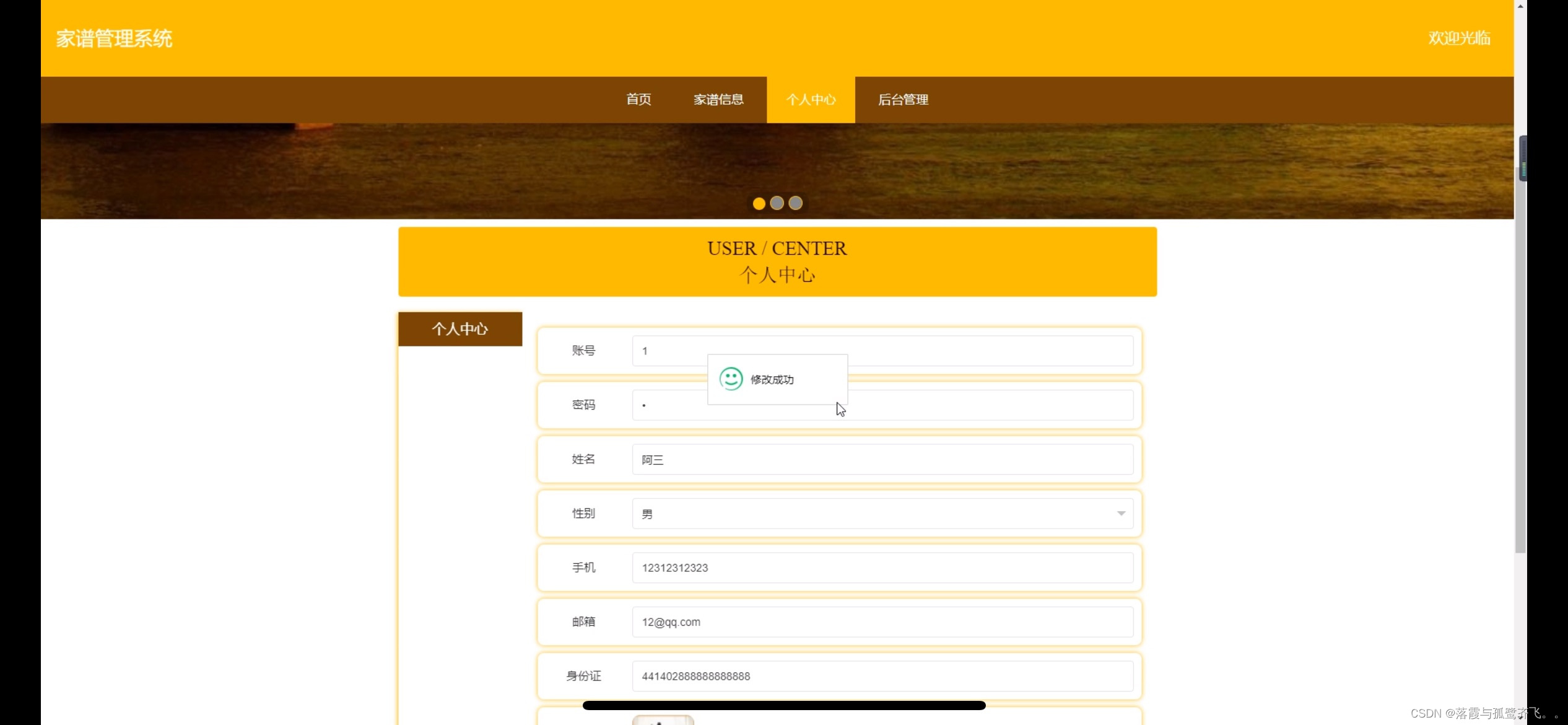
家谱管理系统|Java|SSM|VUE| 前后端分离
【技术栈】 1⃣️:架构: B/S、MVC 2⃣️:系统环境:Windowsh/Mac 3⃣️:开发环境:IDEA、JDK1.8、Maven、Mysql5.7 4⃣️:技术栈:Java、Mysql、SSM、Mybatis-Plus、VUE、jquery,html 5⃣️数据库…...

【LeetCode】200、岛屿数量
【LeetCode】200、岛屿数量 文章目录 一、并查集1.1 并查集1.2 多语言解法 二、洪水填充 DFS2.1 洪水填充 DFS 一、并查集 1.1 并查集 // go var sets int var father [90000]intfunc numIslands(grid [][]byte) int {n, m : len(grid), len(grid[0])build(grid, n, m)for i …...

idea报错:There is not enough memory to perform the requested operation.
文章目录 一、问题描述二、先解决三、后原因(了解) 一、问题描述 就是在使用 IDEA 写代码时,IDEA 可能会弹一个窗,大概提示你目前使用的 IDEA 内存不足,其实就是提醒你 JVM 的内存不够了,需要重新分配。弹…...
)
python ai ReAct 代理(ReAct Agent)
ReAct 代理(ReAct Agent)是一种结合了推理(Reasoning)和行动(Action)的智能代理框架,旨在通过交互式的方式解决复杂任务。ReAct 的核心思想是让代理在完成任务时,能够动态地推理下一…...

HTML入门教程|| HTML 基本标签(2)
HTML 列表 HTML列表 HTML 无序列表 ul 元素表示无序列表。 ul 元素中的项目使用 li 元素表示。 元素没有在HTML5中定义任何属性,并且您使用CSS控制列表的显示。 HTML5中的 type 和 compact 属性已过时。 您可以在以下代码中查看正在使用的 ul 元素。 <!D…...

MySQL root用户密码忘记怎么办(Reset root account password)
在使用MySQL数据库的的过程中,不可避免的会出现忘记密码的现象。普通用户的密码如果忘记,可以用更高权限的用户(例如root)进行重置。但是如果root用户的密码忘记了,由于root用户本身就是最高权限,那这个方法…...

groovy:多线程 简单示例
在Groovy中,多线程编程与Java非常相似,因为Groovy运行在Java虚拟机(JVM)上,并且可以利用Java的所有并发工具。以下是一些在Groovy中实现多线程编程的方法: class MyThread extends Thread {Overridevoid…...

SOME/IP 协议详解——序列化
文章目录 0. 概述1.基本数据序列化2.字符串序列化2.1 字符串通用规则2.2 固定长度字符串规则2.3 动态长度字符串规则 3.结构体序列化4. 带有标识符和可选成员的结构化数据类型5. 数组5.1 固定长度数组5.2 动态长度数组5.3 Enumeration(枚举)5.4 Bitfield…...

三、GIT与Github推送(上传)和克隆(下载)
GIT与Github推送(上传)和克隆(下载) 一、配置好SSH二、在Github创建仓库三、git克隆(下载)文件四、git推送(上传)文件到远程仓库 一、配置好SSH Git与Github上传和下载时需要使用到…...

18.2、网络安全评测技术与攻击
目录 网络安全测评技术与工具网络安全测评质量管理和标准 网络安全测评技术与工具 漏洞扫描技术可以用于测评,测评你安不安全,也可以用来风险评估安不安全,风险大不大 漏洞扫描包含网络安全漏洞扫描、主机安全漏洞扫描,还有数据…...

在 ArcGIS Pro/GeoScene Pro 中设计专题地图的符号系统
原始 按颜色对面进行符号化 打开符号系统 选择主符号系统 选择字段及其计算方式 更改临界值</...
的优缺点与选型指南)
别再只认Revit了!盘点7种主流BIM数据格式(RVT/IFC/FBX...)的优缺点与选型指南
建筑数字化进阶指南:7大BIM数据格式深度解析与实战选型策略 在建筑信息模型(BIM)与地理信息系统(GIS)加速融合的今天,数据格式的选择直接影响着项目协同效率与成果交付质量。当设计院的Revit模型需要与施工…...

多店铺场景下如何通过快手订单接口实现订单数据的统一聚合管理?
对于电商业务管理系统的开发者而言,服务在快手平台经营多个店铺的商家是常见需求。然而,每个店铺都有独立的授权凭证(access_token)和独立的订单流,若分别对接和管理,不仅开发维护成本高,还容易…...

ROS2进阶实践 -- 从零构建模块化差速机器人模型 -- 掌握xacro宏定义与参数化设计
1. 为什么需要xacro宏定义与参数化设计 当你第一次用URDF给机器人建模时,可能会觉得这种XML格式的描述方式很直观。但随着模型复杂度提升,问题就来了——我最近给一个差速机器人添加传感器时,发现URDF文件膨胀到了500多行,其中光是…...

探索物联网通信新高度:STM32 MQTT协议功能实现
探索物联网通信新高度:STM32 MQTT协议功能实现 【下载地址】STM32MQTT协议功能实现分享 本仓库提供了一个资源文件,标题为“STM32 MQTT协议功能实现”。该资源文件包含了使用C语言实现的MQTT协议客户端功能,并且已经成功移植到STM32平台上。经…...

如何用MPC-HC打造专业级音频体验:终极音频重采样配置指南
如何用MPC-HC打造专业级音频体验:终极音频重采样配置指南 【免费下载链接】mpc-hc MPC-HCs main repository. For support use our Trac: https://trac.mpc-hc.org/ 项目地址: https://gitcode.com/gh_mirrors/mpc/mpc-hc 你是否曾经在观看电影或听音乐时&am…...
)
QT ToolButton的5个隐藏技巧与3个常见坑,新手避雷指南(基于Qt 6.5)
QT ToolButton的5个隐藏技巧与3个常见坑,新手避雷指南(基于Qt 6.5) 在模仿现代软件工具栏设计时,QT的ToolButton组件往往是实现专业级交互的关键。但许多开发者第一次使用时会发现,这个看似简单的按钮藏着不少"陷…...
)
NotebookLM+遥感影像分析实战:水稻倒伏预警模型搭建(含Landsat-8元数据自动标注技巧)
更多请点击: https://kaifayun.com 第一章:NotebookLM农业科学研究 NotebookLM 是 Google 推出的基于 AI 的研究协作者工具,专为知识密集型工作设计。在农业科学研究中,它能高效整合多源异构文献(如 FAO 报告、PubMed…...

Onekey:三分钟学会免费获取Steam游戏清单的完整指南
Onekey:三分钟学会免费获取Steam游戏清单的完整指南 【免费下载链接】Onekey Onekey Steam Depot Manifest Downloader 项目地址: https://gitcode.com/gh_mirrors/one/Onekey Steam游戏清单获取从未如此简单!你是否曾经需要获取Steam游戏的Depot…...

你的Type-C设备为什么容易坏?可能是静电防护没做对!从手机到笔记本的防护方案拆解
Type-C设备静电防护全指南:从原理到实战的完整解决方案 每次插拔Type-C数据线时,那个微小的火花可能正在悄悄摧毁你的设备。我拆解过上百台因静电损坏的电子产品,发现90%的Type-C接口故障都始于那个看似无害的瞬间放电现象。这种现象在干燥季…...

NotebookLM问答功能深度解析:如何用3步配置让AI精准理解你的PDF/网页文档?
更多请点击: https://intelliparadigm.com 第一章:NotebookLM问答功能深度解析:如何用3步配置让AI精准理解你的PDF/网页文档? NotebookLM 是 Google 推出的面向研究者与知识工作者的实验性 AI 工具,其核心能力在于基于…...