
每日Attention学习23——KAN-Block
模块出处
[SPL 25] [link] [code] KAN See In the Dark
模块名称
Kolmogorov-Arnold Network Block (KAN-Block)
模块作用
用于vision的KAN结构
模块结构

模块代码
import torch
import torch.nn as nn
import torch.nn.functional as F
import mathclass Swish(nn.Module):def forward(self, x):return x * torch.sigmoid(x)class KANLinear(torch.nn.Module):def __init__(self,in_features,out_features,grid_size=5,spline_order=3,scale_noise=0.1,scale_base=1.0,scale_spline=1.0,enable_standalone_scale_spline=True,base_activation=torch.nn.SiLU,grid_eps=0.02,grid_range=[-1, 1],):super(KANLinear, self).__init__()self.in_features = in_featuresself.out_features = out_featuresself.grid_size = grid_sizeself.spline_order = spline_orderself.weight = nn.Parameter(torch.Tensor(out_features, in_features))self.bias = nn.Parameter(torch.Tensor(out_features))h = (grid_range[1] - grid_range[0]) / grid_sizegrid = ((torch.arange(-spline_order, grid_size + spline_order + 1) * h+ grid_range[0]).expand(in_features, -1).contiguous())self.register_buffer("grid", grid)self.base_weight = torch.nn.Parameter(torch.Tensor(out_features, in_features))self.spline_weight = torch.nn.Parameter(torch.Tensor(out_features, in_features, grid_size + spline_order))if enable_standalone_scale_spline:self.spline_scaler = torch.nn.Parameter(torch.Tensor(out_features, in_features))self.scale_noise = scale_noiseself.scale_base = scale_baseself.scale_spline = scale_splineself.enable_standalone_scale_spline = enable_standalone_scale_splineself.base_activation = base_activation()self.grid_eps = grid_epsself.reset_parameters()def reset_parameters(self):torch.nn.init.kaiming_uniform_(self.base_weight, a=math.sqrt(5) * self.scale_base)with torch.no_grad():noise = ((torch.rand(self.grid_size + 1, self.in_features, self.out_features)- 1 / 2)* self.scale_noise/ self.grid_size)self.spline_weight.data.copy_((self.scale_spline if not self.enable_standalone_scale_spline else 1.0)* self.curve2coeff(self.grid.T[self.spline_order : -self.spline_order],noise,))if self.enable_standalone_scale_spline:# torch.nn.init.constant_(self.spline_scaler, self.scale_spline)torch.nn.init.kaiming_uniform_(self.spline_scaler, a=math.sqrt(5) * self.scale_spline)def b_splines(self, x: torch.Tensor):"""Compute the B-spline bases for the given input tensor.Args:x (torch.Tensor): Input tensor of shape (batch_size, in_features).Returns:torch.Tensor: B-spline bases tensor of shape (batch_size, in_features, grid_size + spline_order)."""assert x.dim() == 2 and x.size(1) == self.in_featuresgrid: torch.Tensor = (self.grid)  # (in_features, grid_size + 2 * spline_order + 1)x = x.unsqueeze(-1)bases = ((x >= grid[:, :-1]) & (x < grid[:, 1:])).to(x.dtype)for k in range(1, self.spline_order + 1):bases = ((x - grid[:, : -(k + 1)])/ (grid[:, k:-1] - grid[:, : -(k + 1)])* bases[:, :, :-1]) + ((grid[:, k + 1 :] - x)/ (grid[:, k + 1 :] - grid[:, 1:(-k)])* bases[:, :, 1:])assert bases.size() == (x.size(0),self.in_features,self.grid_size + self.spline_order,)return bases.contiguous()def curve2coeff(self, x: torch.Tensor, y: torch.Tensor):"""Compute the coefficients of the curve that interpolates the given points.Args:x (torch.Tensor): Input tensor of shape (batch_size, in_features).y (torch.Tensor): Output tensor of shape (batch_size, in_features, out_features).Returns:torch.Tensor: Coefficients tensor of shape (out_features, in_features, grid_size + spline_order)."""assert x.dim() == 2 and x.size(1) == self.in_featuresassert y.size() == (x.size(0), self.in_features, self.out_features)A = self.b_splines(x).transpose(0, 1)  # (in_features, batch_size, grid_size + spline_order)B = y.transpose(0, 1)  # (in_features, batch_size, out_features)solution = torch.linalg.lstsq(A, B).solution  # (in_features, grid_size + spline_order, out_features)result = solution.permute(2, 0, 1)  # (out_features, in_features, grid_size + spline_order)assert result.size() == (self.out_features,self.in_features,self.grid_size + self.spline_order,)return result.contiguous()@propertydef scaled_spline_weight(self):return self.spline_weight * (self.spline_scaler.unsqueeze(-1)if self.enable_standalone_scale_splineelse 1.0)def forward(self, x: torch.Tensor):assert x.dim() == 2 and x.size(1) == self.in_featuresbase_output = F.linear(self.base_activation(x), self.base_weight)spline_output = F.linear(self.b_splines(x).view(x.size(0), -1),self.scaled_spline_weight.view(self.out_features, -1),)return base_output + spline_output@torch.no_grad()def update_grid(self, x: torch.Tensor, margin=0.01):assert x.dim() == 2 and x.size(1) == self.in_featuresbatch = x.size(0)splines = self.b_splines(x)  # (batch, in, coeff)splines = splines.permute(1, 0, 2)  # (in, batch, coeff)orig_coeff = self.scaled_spline_weight  # (out, in, coeff)orig_coeff = orig_coeff.permute(1, 2, 0)  # (in, coeff, out)unreduced_spline_output = torch.bmm(splines, orig_coeff)  # (in, batch, out)unreduced_spline_output = unreduced_spline_output.permute(1, 0, 2)  # (batch, in, out)# sort each channel individually to collect data distributionx_sorted = torch.sort(x, dim=0)[0]grid_adaptive = x_sorted[torch.linspace(0, batch - 1, self.grid_size + 1, dtype=torch.int64, device=x.device)]uniform_step = (x_sorted[-1] - x_sorted[0] + 2 * margin) / self.grid_sizegrid_uniform = (torch.arange(self.grid_size + 1, dtype=torch.float32, device=x.device).unsqueeze(1)* uniform_step+ x_sorted[0]- margin)grid = self.grid_eps * grid_uniform + (1 - self.grid_eps) * grid_adaptivegrid = torch.concatenate([grid[:1]- uniform_step* torch.arange(self.spline_order, 0, -1, device=x.device).unsqueeze(1),grid,grid[-1:]+ uniform_step* torch.arange(1, self.spline_order + 1, device=x.device).unsqueeze(1),],dim=0,)self.grid.copy_(grid.T)self.spline_weight.data.copy_(self.curve2coeff(x, unreduced_spline_output))def regularization_loss(self, regularize_activation=1.0, regularize_entropy=1.0):"""Compute the regularization loss.This is a dumb simulation of the original L1 regularization as stated in thepaper, since the original one requires computing absolutes and entropy from theexpanded (batch, in_features, out_features) intermediate tensor, which is hiddenbehind the F.linear function if we want an memory efficient implementation.The L1 regularization is now computed as mean absolute value of the splineweights. The authors implementation also includes this term in addition to thesample-based regularization."""l1_fake = self.spline_weight.abs().mean(-1)regularization_loss_activation = l1_fake.sum()p = l1_fake / regularization_loss_activationregularization_loss_entropy = -torch.sum(p * p.log())return (regularize_activation * regularization_loss_activation+ regularize_entropy * regularization_loss_entropy)class DW_bn_relu(nn.Module):def __init__(self, dim=768):super(DW_bn_relu, self).__init__()self.dwconv = nn.Conv2d(dim, dim, 3, 1, 1, bias=True, groups=dim)self.bn = nn.BatchNorm2d(dim)self.relu = nn.ReLU()def forward(self, x, H, W):B, N, C = x.shapex = x.transpose(1, 2).view(B, C, H, W)x = self.dwconv(x)x = self.bn(x)x = self.relu(x)x = x.flatten(2).transpose(1, 2)return xclass KANBlock(nn.Module):def __init__(self, in_features, hidden_features=None, out_features=None, act_layer=nn.GELU, drop=0., shift_size=5, version=4):super().__init__()out_features = out_features or in_featureshidden_features = hidden_features or in_featuresself.dim = in_featuresgrid_size=5spline_order=3scale_noise=0.1scale_base=1.0scale_spline=1.0base_activation=torch.nn.SiLUgrid_eps=0.02grid_range=[-1, 1]self.fc1 = KANLinear(in_features,hidden_features,grid_size=grid_size,spline_order=spline_order,scale_noise=scale_noise,scale_base=scale_base,scale_spline=scale_spline,base_activation=base_activation,grid_eps=grid_eps,grid_range=grid_range,)self.fc2 = KANLinear(hidden_features,out_features,grid_size=grid_size,spline_order=spline_order,scale_noise=scale_noise,scale_base=scale_base,scale_spline=scale_spline,base_activation=base_activation,grid_eps=grid_eps,grid_range=grid_range,)self.fc3 = KANLinear(hidden_features,out_features,grid_size=grid_size,spline_order=spline_order,scale_noise=scale_noise,scale_base=scale_base,scale_spline=scale_spline,base_activation=base_activation,grid_eps=grid_eps,grid_range=grid_range,)   self.dwconv_1 = DW_bn_relu(hidden_features)self.dwconv_2 = DW_bn_relu(hidden_features)self.dwconv_3 = DW_bn_relu(hidden_features)self.drop = nn.Dropout(drop)self.shift_size = shift_sizeself.pad = shift_size // 2def forward(self, x, H, W):B, N, C = x.shapex = self.fc1(x.reshape(B*N,C))x = x.reshape(B,N,C).contiguous()x = self.dwconv_1(x, H, W)x = self.fc2(x.reshape(B*N,C))x = x.reshape(B,N,C).contiguous()x = self.dwconv_2(x, H, W)x = self.fc3(x.reshape(B*N,C))x = x.reshape(B,N,C).contiguous()x = self.dwconv_3(x, H, W)return xif __name__ == '__main__':x = torch.randn([1, 22*22, 128])kan = KANBlock(in_features=128)out = kan(x, H=22, W=22)print(out.shape)  # [1, 22*22, 128]
相关文章:
每日Attention学习23——KAN-Block
模块出处 [SPL 25] [link] [code] KAN See In the Dark 模块名称 Kolmogorov-Arnold Network Block (KAN-Block) 模块作用 用于vision的KAN结构 模块结构 模块代码 import torch import torch.nn as nn import torch.nn.functional as F import mathclass Swish(nn.Module)…...

今日写题04work
题目:移除链表元素 两种实现思路 思路一 使用双指针,prev,cur快慢指针解决。当cur不等于val,两个指针跳过。当等于val时,要考虑两种情况,一种是pos删,一种是头删除。 pos删除就是正常情况&am…...

Managed Lustre 和 WEKA:高性能文件系统的对比与应用
Managed Lustre 和 WEKA:高性能文件系统的对比与应用 1. 什么是 Managed Lustre?主要特点:适用场景: 2. 什么是 WEKA?主要特点:适用场景: 3. Managed Lustre 和 WEKA 的对比4. 如何选择 Managed…...

LeetCode541 反转字符串2
一、题目描述 给定一个字符串 s 和一个整数 k,从字符串开头算起,每计数至 2k 个字符,就反转这 2k 字符中的前 k 个字符。具体规则如下: 如果剩余字符少于 k 个,则将剩余字符全部反转。如果剩余字符小于 2k 但大于或等…...

MAC 系统关闭屏幕/睡眠 后被唤醒 Wake Requests
问题;查看wake 日志 pmset -g log | grep "Wake Requests" 为 Wake Requests [*processdasd requestSleepService...info"com.apple.alarm.user-invisible-com.apple.calaccessd...电源设置命令参考: pmset -g sched //查看定时…...

论文笔记:Multi-Head Mixture-of-Experts
2024 neurips 1 背景 稀疏混合专家(SMoE)可在不显著增加训练和推理成本的前提下提升模型的能力【比如Mixtral 8*7B,表现可以媲美LLaMA-2 70B】 但它也有两个问题 专家激活率低(下图左) 在优化时只有一小部分专家会被…...

vue和Django快速创建项目
一、VUE 1.创建 Vue 3 JavaScript 项目 npm create vitelatest 项目名称 -- --template vue创建 Vue 3 TypeScript 项目 npm create vitelatest 项目名称 -- --template vue-ts 2.然后 cd 项目名称 npm install npm install axios # 发送 API 请求 npm install pinia …...
)
Java LinkedList(单列集合)
LinkedList 是 Java 中实现了 List 接口的一个类,它属于 java.util 包。与 ArrayList 不同,LinkedList 是基于双向链表实现的,适合于频繁进行插入和删除操作的场景。 1. LinkedList 的基本特性 基于链表实现:LinkedList 使用双向…...

多线程基础面试题剖析
一、线程的创建方式有几种 创建线程的方式有两种,一种是继承Thread,一种是实现Runable 在这里推荐使用实现Runable接口,因为java是单继承的,一个类继承了Thread将无法继承其他的类,而java可以实现多个接口࿰…...

.NET SixLabors.ImageSharp v1.0 图像实用程序控制台示例
使用 C# 控制台应用程序示例在 Windows、Linux 和 MacOS 机器上处理图像,包括创建散点图和直方图,以及根据需要旋转图像以便正确显示。 这个小型实用程序库需要将 NuGet SixLabors.ImageSharp包(版本 1.0.4)添加到.NET Core 3.1/ …...

EasyExcel提取excel文档
目录 一、前言二、提取excel文档2.1、所有sheet----获取得到headerList和总行数2.2、所有sheet----获取合并单元格信息2.3、读取某个sheet的每行数据一、前言 EasyExcel 是阿里巴巴开源的一个高性能 Excel 读写库,相比于 Apache POI 和 JXL,它有明显的优势,特别是在处理大数…...

第十五届蓝桥杯嵌入式省赛真题(满分)
第十五届蓝桥杯嵌入式省赛真题 目录 第十五届蓝桥杯嵌入式省赛真题 一、题目 二、分析 1、配置 2、变量定义 3、LCD显示模块 4、按键模块 5、数据分析和处理模块 1、频率突变 2、频率超限 3、数据处理 三、评价结果 一、题目 二、分析 1、配置 首先是配置cubemx…...

ASP.NET Core Web应用(.NET9.0)读取数据库表记录并显示到页面
1.创建ASP.NET Core Web应用 选择.NET9.0框架 安装SqlClient依赖包 2.实现数据库记录读取: 引用数据库操作类命名空间 创建查询记录结构类 查询数据并返回数据集合 3.前端遍历数据并动态生成表格显示 生成结果:...

【Sceneform-EQR】实现3D场景背景颜色的定制化(背景融合的方式、Filament材质定制)
写在前面的话 Sceneform-EQR是基于(filament)扩展的一个用于安卓端的渲染引擎。故本文内容对Sceneform-EQR与Filament都适用。 需求场景 在使用Filament加载三维场景的过程中,一个3D场景对应加载一个背景纹理。而这样的话,即便…...

LeetCode1706
LeetCode1706 目录 LeetCode1706题目描述示例题目理解问题描述 示例分析思路分析问题核心 代码段代码逐行讲解1. 获取网格的列数2. 初始化结果数组3. 遍历每个球4. 逐行模拟下落过程5. 检查是否卡住6. 记录结果7. 返回结果数组 复杂度分析时间复杂度空间复杂度 总结的知识点1. …...
)
2517. 礼盒的最大甜蜜度(Maximum Tastiness of Candy Box)
2517. 礼盒的最大甜蜜度(Maximum Tastiness of Candy Box) 问题描述 给定一个正整数数组 price,其中 price[i] 表示第 i 类糖果的价格,另给定一个正整数 k。商店将 k 类不同糖果组合成礼盒出售。礼盒的甜蜜度是礼盒中任意两种糖…...

Golang 的字符编码与 regexp
前言 最近在使用 Golang 的 regexp 对网络流量做正则匹配时,发现有些情况无法正确进行匹配,找到资料发现 regexp 内部以 UTF-8 编码的方式来处理正则表达式,而网络流量是字节序列,由其中的非 UTF-8 字符造成的问题。 我们这里从 G…...
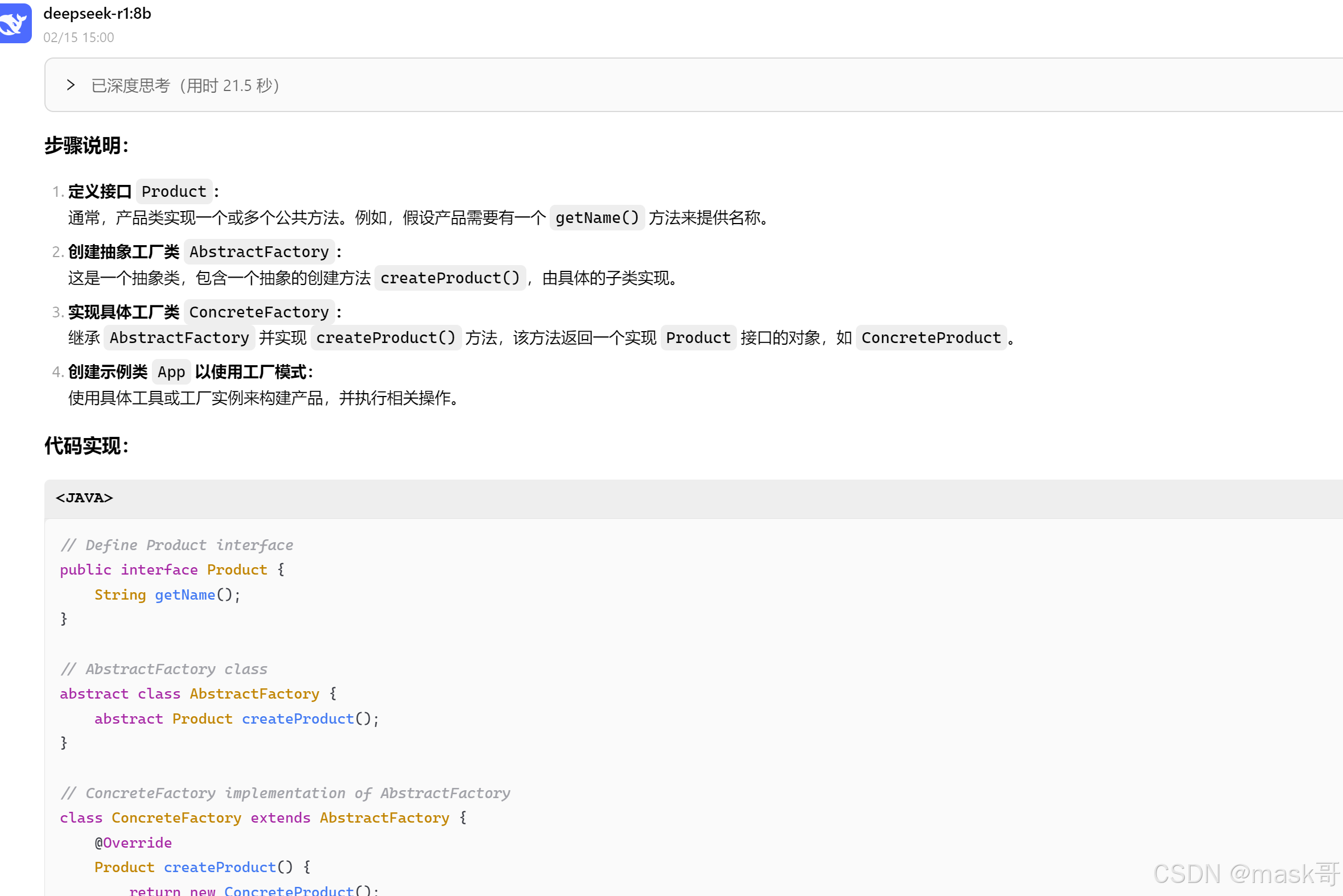
利用ollama 与deepseek r1大模型搭建本地知识库
1.安装运行ollama ollama下载 https://ollama.com/download/windows 验证ollama是否安装成功 ollama --version 访问ollama本地地址: http://localhost:11434/ 出现如下界面 ollama运行模型 ollama run llama3.2 ollama常用操作命令 启动 Ollama 服务…...

Java短信验证功能简单使用
注册登录阿里云官网:https://www.aliyun.com/ 搜索短信服务 自己一步步申请就可以了 开发文档: https://next.api.aliyun.com/api-tools/sdk/Dysmsapi?version2017-05-25&languagejava-tea&tabprimer-doc 1.引入依赖 <dependency>…...
CAS单点登录(第7版)21.可接受的使用政策
如有疑问,请看视频:CAS单点登录(第7版) 可接受的使用政策 概述 可接受的使用政策 CAS 也称为使用条款或 EULA,它允许用户在继续应用程序之前接受使用策略。此功能的生产级部署需要修改流,以便通过外部存…...

开源监控代理ClawMonitor:轻量级系统监控与日志采集实战指南
1. 项目概述与核心价值最近在折腾一个挺有意思的开源项目,叫openclawq/clawmonitor。乍一看这个名字,可能有点摸不着头脑,但如果你在运维或者开发领域,尤其是对系统监控、日志聚合、性能分析这些事头疼过,那这个项目很…...

如何在电脑上玩Switch游戏?SysDVR免费串流方案终极指南
如何在电脑上玩Switch游戏?SysDVR免费串流方案终极指南 【免费下载链接】SysDVR Stream switch games to your PC via USB or network 项目地址: https://gitcode.com/gh_mirrors/sy/SysDVR 你是否想过将Switch游戏画面实时传输到电脑上,享受大屏…...

终极硬件调优指南:如何用Universal x86 Tuning Utility轻松解锁Intel/AMD设备性能
终极硬件调优指南:如何用Universal x86 Tuning Utility轻松解锁Intel/AMD设备性能 【免费下载链接】Universal-x86-Tuning-Utility Unlock the full potential of your Intel/AMD based device. 项目地址: https://gitcode.com/gh_mirrors/un/Universal-x86-Tunin…...

如何用Adafruit NeoPixel库点亮你的创意世界:从零开始掌握智能LED控制
如何用Adafruit NeoPixel库点亮你的创意世界:从零开始掌握智能LED控制 【免费下载链接】Adafruit_NeoPixel Arduino library for controlling single-wire LED pixels (NeoPixel, WS2812, etc.) 项目地址: https://gitcode.com/gh_mirrors/ad/Adafruit_NeoPixel …...

开源词库管理工具Openword:标准化、自动化与社区化实践
1. 项目概述:一个开源的词库管理工具最近在折腾一些文本处理和个人知识管理项目时,我常常被一个看似简单却无比繁琐的问题困扰:词库。无论是做中文分词优化、敏感词过滤,还是构建自己的专业术语库,都离不开一个高质量、…...

如何构建个人技能知识库:从零到一打造结构化技术档案
1. 项目概述:一个技能库的诞生与价值 在技术领域,尤其是软件开发、运维和数据分析等岗位,我们常常面临一个困境:如何系统性地管理、展示和迭代自己的技能树?简历上的“精通Java”、“熟悉Docker”显得苍白无力…...
)
用OpenCV和Python手把手实现Meanshift目标跟踪(附完整代码与避坑指南)
用OpenCV和Python手把手实现Meanshift目标跟踪(附完整代码与避坑指南) 在计算机视觉领域,目标跟踪是一个基础而重要的任务。想象一下这样的场景:你正在开发一个智能监控系统,需要持续追踪画面中的特定行人;…...

【DeepSeek实战】驾驭千亿参数:DeepSeek V4 Prompt 工程最佳实践
驾驭千亿参数:DeepSeek V4 Prompt 工程最佳实践 💡 摘要: DeepSeek V4 拥有强大的逻辑推理与代码生成能力,但如何"用好"它是一门艺术。本文系统讲解结构化提示词设计、思维链 (CoT) 技巧、Few-shot Learning 以及 JSON Mode 的高级…...

终极指南:如何用Whisky在Apple Silicon Mac上原生运行Windows程序
终极指南:如何用Whisky在Apple Silicon Mac上原生运行Windows程序 【免费下载链接】Whisky A modern Wine wrapper for macOS built with SwiftUI 项目地址: https://gitcode.com/gh_mirrors/wh/Whisky 作为一名macOS用户,你是否曾为某个Windows专…...

加速度计技术原理、类型与工业应用解析
1. 加速度计技术原理与工业应用全景在工业监测与测试领域,加速度计如同机械系统的"听诊器",通过捕捉微小的振动信号揭示设备健康状态。这类传感器基于牛顿第二定律(Fma)的核心原理工作:当传感器外壳随被测物…...